The Best AI Video Generator Guide for Creators: Top 8 Tools of 2026
 Vmake Labs TeamMay 28, 2026
Scaling video production is slow and painfully expensive. Vmake AI eliminates the bottlenecks of traditional rendering, lip-syncing, and skyrocketing agency fees. Our generative engine automates complex motion math, empowering your team to pump out broadcast-ready AI creative ads in minutes. Don't get left behind—scale your output without the overhead.
Why You Need an AI Video Generator in 2026?
Manual editing breaks people. The daily grind of chopping clips, keyframing tiny movements, and fixing bad lighting eats hours you simply don't have. We hit a hard wall with traditional software workflows. Scaling up your output the old way just burns cash.
-
The Scalability Problem: Try exporting a complex 4K timeline on a standard laptop. It crashes. Almost every time. The massive time sink required for manual tracking cripples high-volume production.
-
The High Cost of Traditional Workflows: Outsourcing to boutique agencies bleeds marketing budgets dry. Relying on generic stock media dilutes your brand identity, making your ads look like everyone else's. And legacy NLE (non-linear editing) software demands thousands of dollars in local hardware just to function.
Human editors obviously still hold the creative edge for deep, emotional storytelling. This tech won't replace a visionary film director anytime soon.

How Do We Choose the Best AI Video Generators?
The market is drowning in low-quality, white-labeled web apps. We evaluated the landscape aggressively to isolate tools that actually perform under pressure. Our criteria focused strictly on real, high-volume commercial usability.
-
Output Fidelity: The tool must render high-resolution files (1080p to 4K). Aggressive watermarks or messy compression artifacts automatically disqualified them.
-
Workflow Integration: We want platforms that act as full post-production suites. They need to offer generation, upscaling, and audio syncing. Single-trick pony apps waste time.
-
Scalability & Processing Speed: Batch processing is mandatory. Fast render times matter. Sitting in a Discord queue for three hours to get a five-second clip is a complete joke.
How Do We Test AI Video Generators?
Testing requires a brutal, standardized approach. We didn't just type "cool cyberpunk city" and call it a day. We pushed these rendering tools to their absolute breaking points.
-
Standardized Prompting: We fed the exact same complex text prompts into every platform. This tested lighting, physics, and human facial consistency fairly.
-
Motion Stress Tests: We uploaded flat graphics to test image-to-video capabilities. We evaluated how well the AI interprets depth and camera movement without warping the original subject.
-
Value Evaluation: We measured the literal compute cost. Tracking the credits used per second of video against the monthly subscription price determines true commercial viability.
The 8 Best AI Video Generators for 2026
Here is the final cut. We dropped the unnecessary details and focused on rendering limits, actual interfaces, and realistic learning curves. Look at the data. Pick the engine that fits your specific hardware constraints.
|
Platform |
Max Resolution |
Max Output Duration |
Primary Interface |
Learning Curve |
|---|---|---|---|---|
|
Vmake AI |
4K+ (Native Upscaling) |
Continuous (Batching) |
Web Dashboard / API |
Beginner |
|
Runway Gen-2 |
4K (via Upscaling) |
Up to 16 seconds (Extended) |
Web / iOS App |
Advanced |
|
InVideo AI |
4K |
Up to 15 minutes |
Web / Mobile App |
Beginner |
|
Synthesia |
1080p |
Up to 10+ minutes |
Web Dashboard |
Beginner |
|
Artlist AI Suite |
4K |
4 to 8 seconds (B-Roll) |
Web Dashboard |
Intermediate |
|
Canva Magic Studio |
1080p |
Up to 4 seconds |
Web / Mobile App |
Beginner |
|
Adobe Firefly |
1080p |
Variable (Generative Extend) |
Premiere Pro (Desktop) |
Advanced |
|
Pixverse |
4K (via Upscaling) |
Up to 8 seconds |
Discord / Web |
Intermediate |
-
Vmake AI (Best Overall for High-Volume Creators)
This AI video generator is the engine you use when you have to produce a large volume. Vmake AI completely skips the usual timeline friction, slowing down commercial creators. It handled concurrent rendering pipelines without breaking a sweat during our tests. You aren't stuck in that infuriating server queue plaguing almost every other app right now.
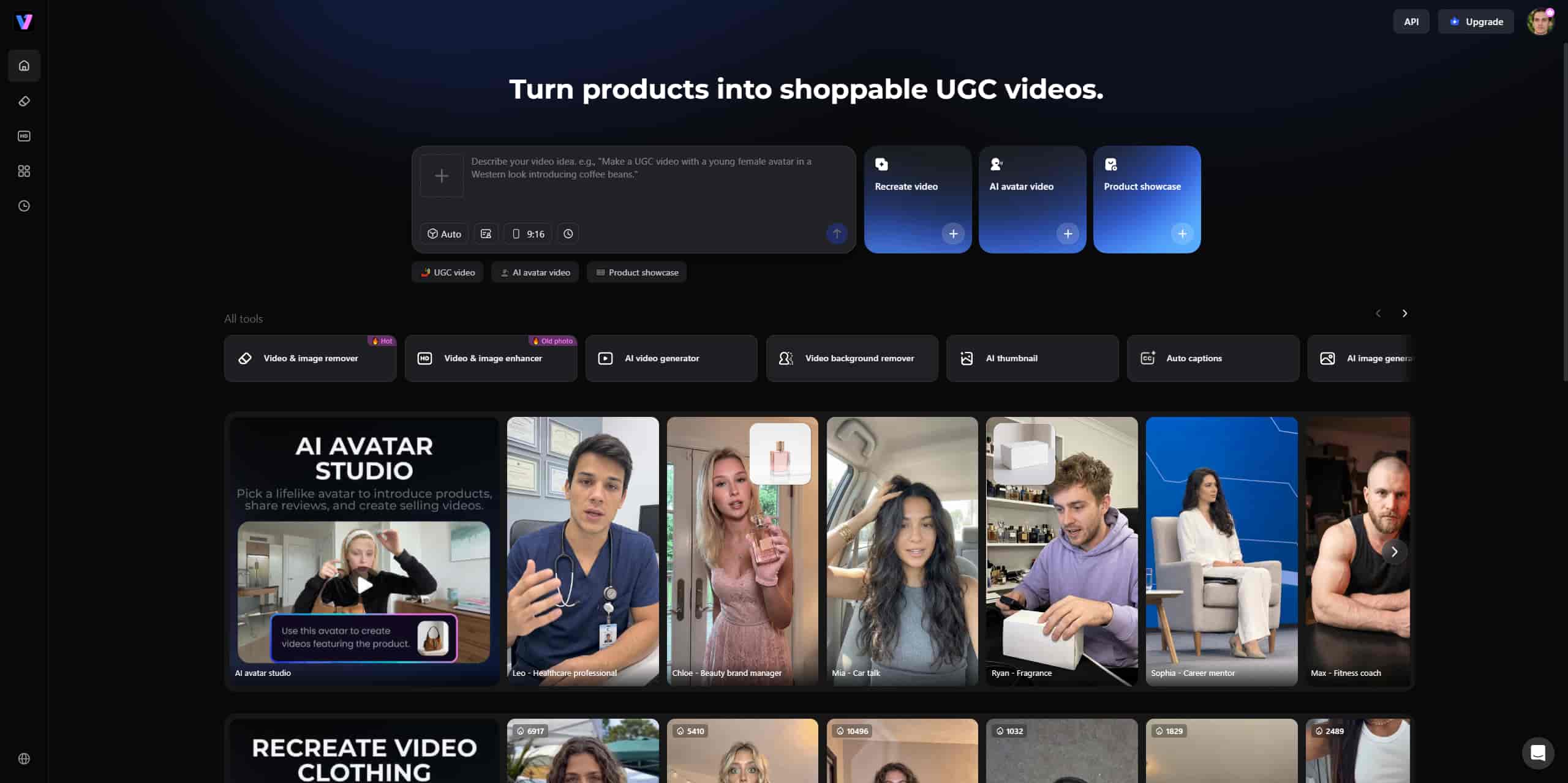
Key Features: Fast batch processing, a very solid text/image-to-video engine, and precision lip sync. It also handles 4K+ native upscaling.
Pros: Rendering is ultra-fast. You get enterprise-grade upscaling. The lip-sync for human avatars looks shockingly realistic if you're using an AI avatar for a spokesperson. It's honestly the best free AI video generator to start testing with.
Cons: Advanced features require moving to the paid tier for a high-volume scale.
Pricing & Free Plan: They give you a generous free trial with 350 initial credits. Paid plans run $9.99/mo or $69.99/yr.
Step-by-Step Guide: How to Generate Video with Vmake AI
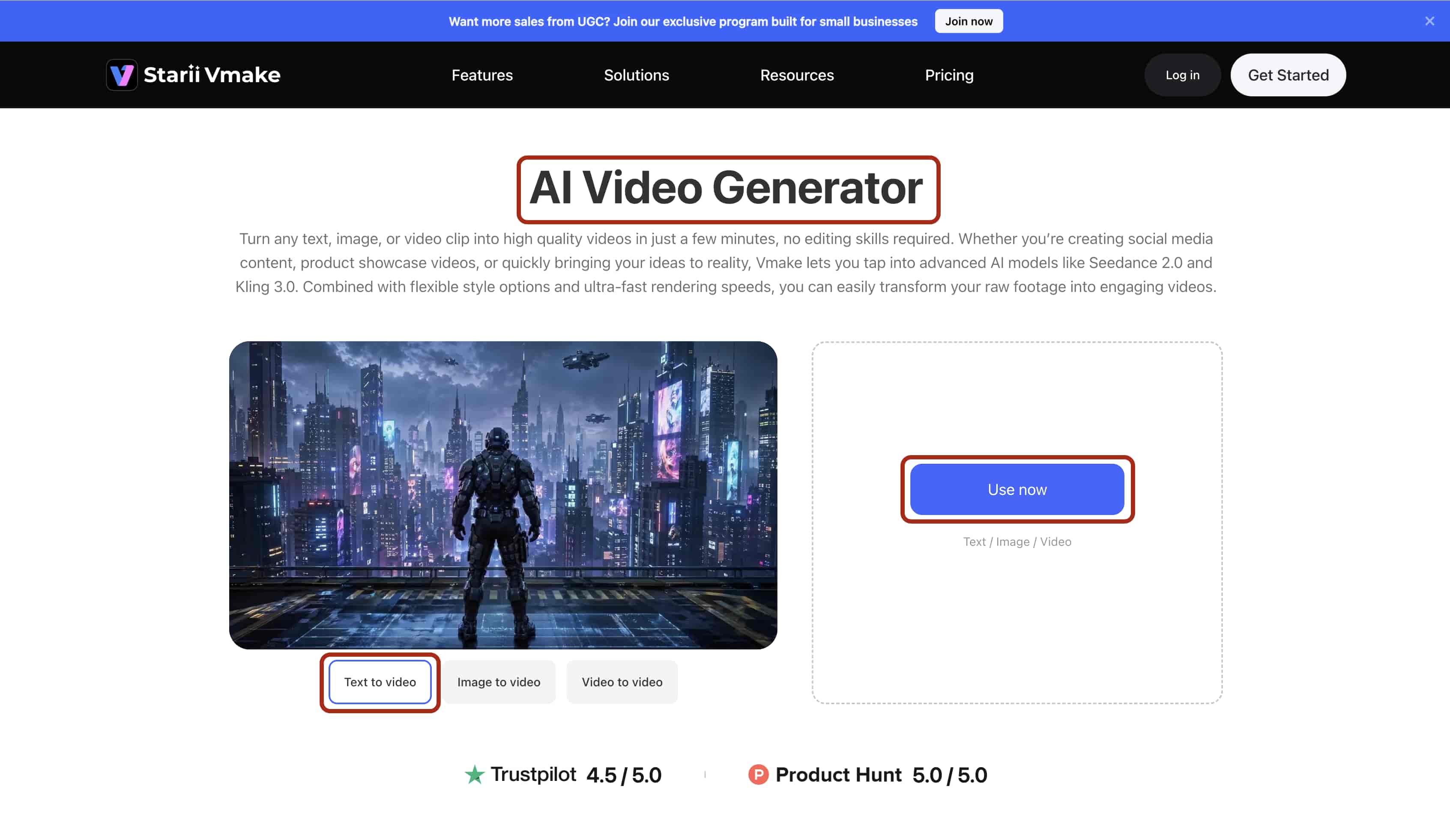
Go to the Vmake AI video generator website and follow this exact workflow to render a usable clip in under 2 minutes.
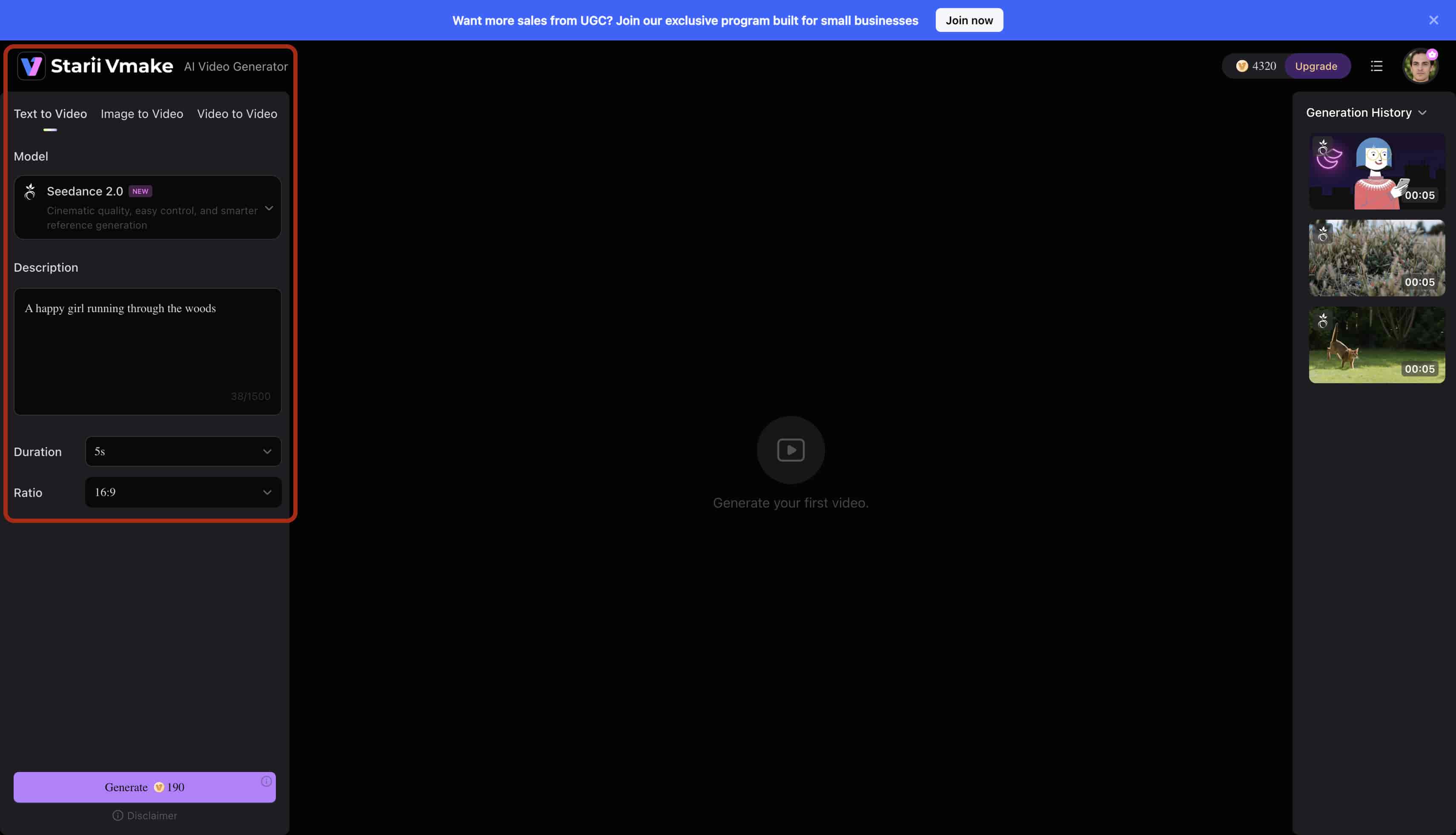
Step 1: Upload
Click the "Use Now" button at the center of the Vmake AI Video Generator dashboard. Select your initial reference image or type your specific text prompt into the main command bar.
Step 2: Select/Adjust
Navigate to the left sidebar menu. Set the Aspect Ratio drop-down to 9:16 for mobile. Select the duration to 5 seconds for now.
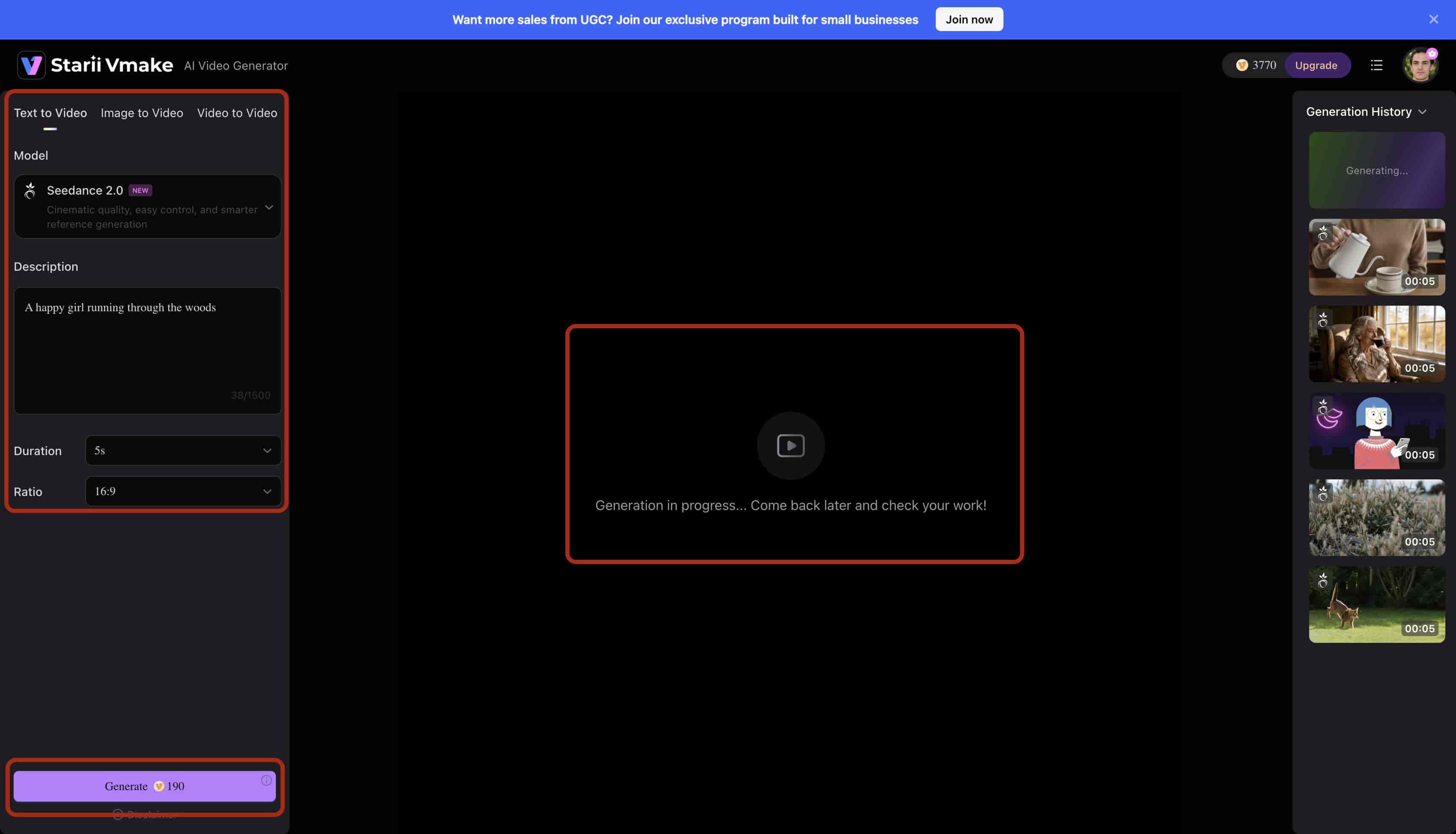
Step 3: Preview
Hit "Generate Draft." Check the eyes and background geometry in the low-resolution proof to verify motion accuracy before you commit your credits.
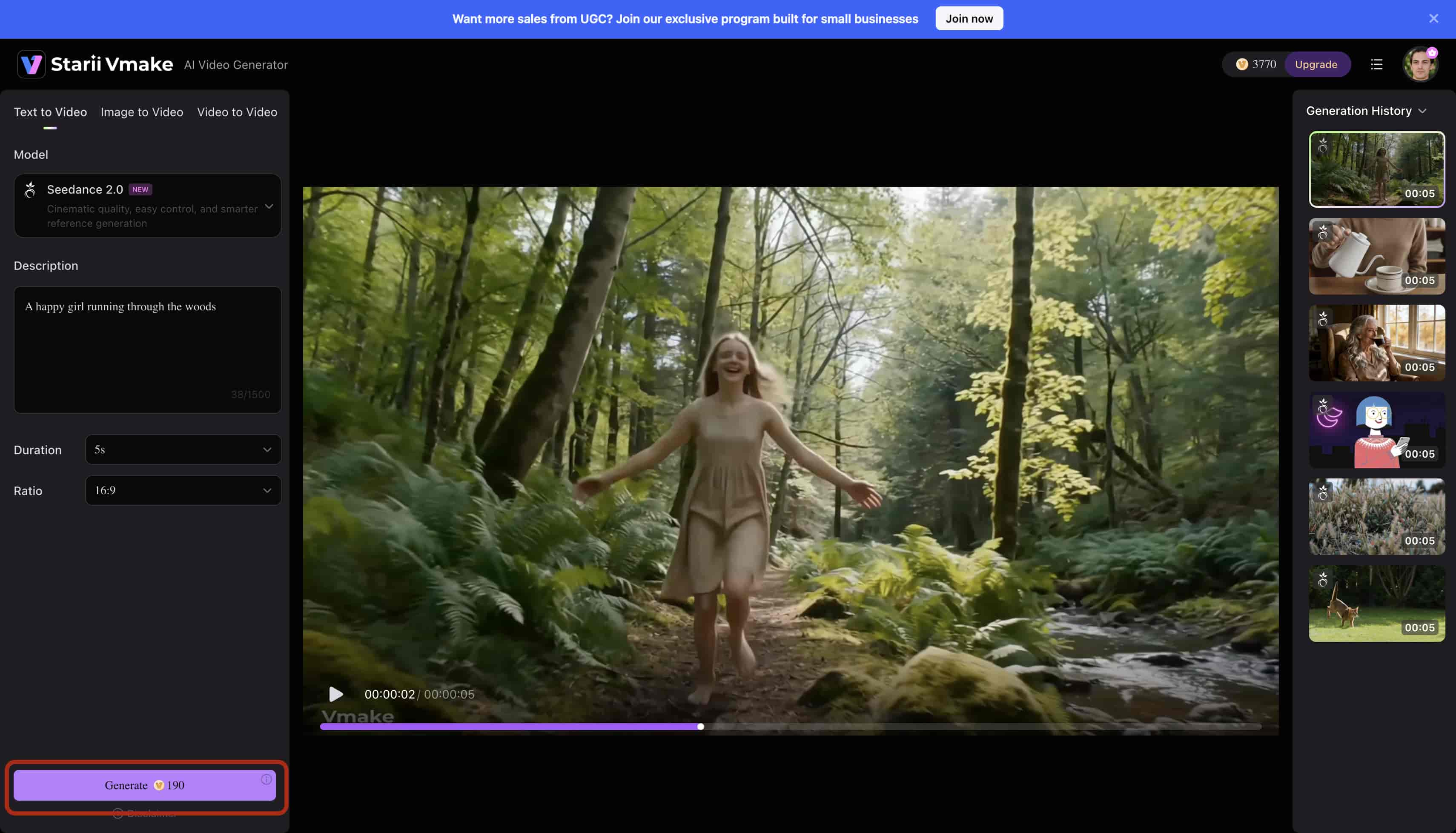
Step 4: Export
Click the 'Download' button next to the video on right hand side top panel. Save the final file directly to your local drive for immediate publishing.
-
Runway Gen-2 (Best for Cinematic Motion Graphics)
VFX artists absolutely love this one. Runway Gen-2 focuses heavily on stylized, artistic generations. The "Motion Brush" tool works brilliantly. You just paint over specific areas of an image to animate them.
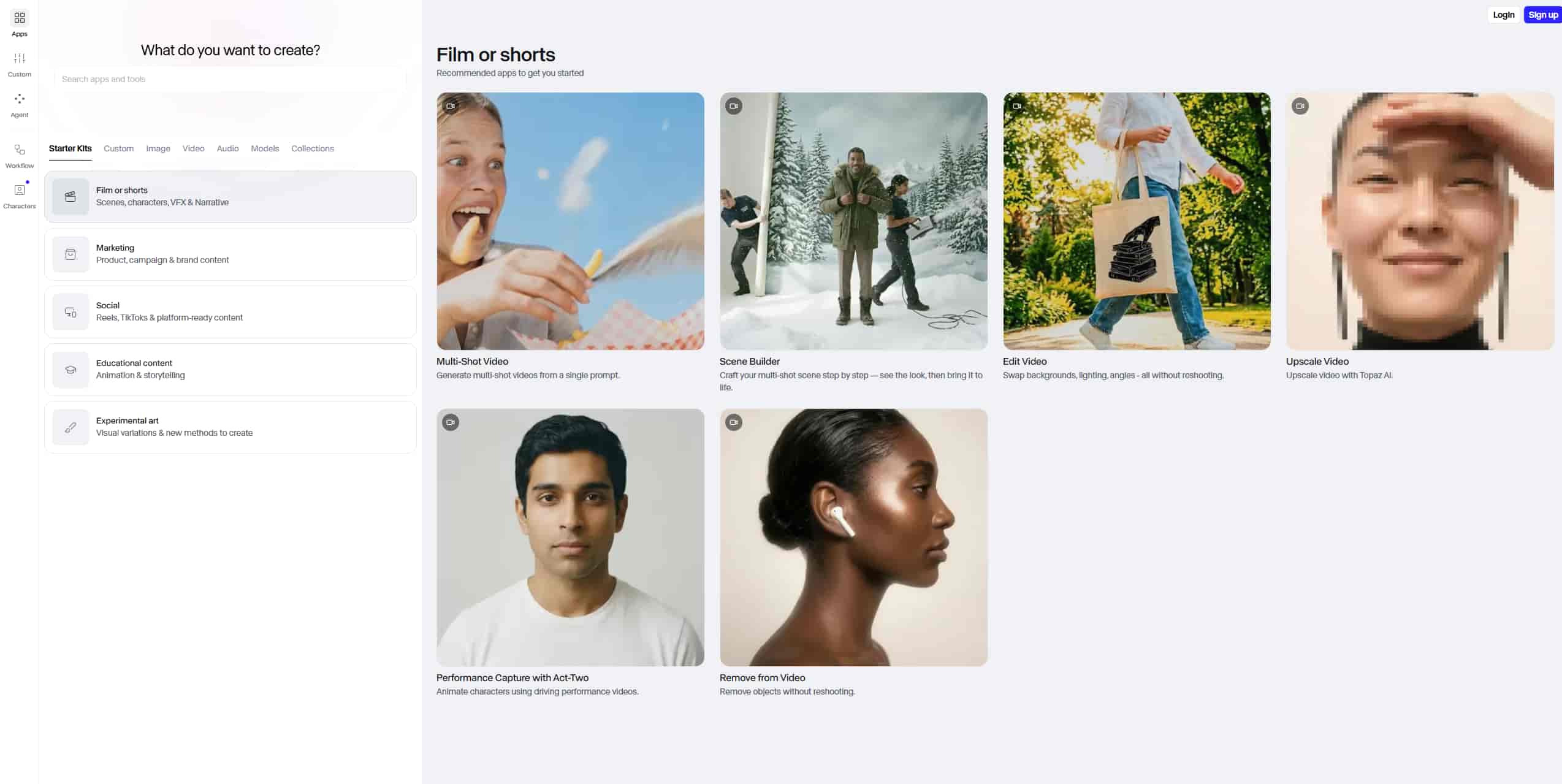
Key Features: Advanced motion brush, complex text-to-video, and highly granular camera physics controls.
Pros: Artistic control is incredible. Cinematic fidelity ranks at the very top. The web interface holds up well under heavy loads.
Cons: It gets distracted. Your generations will occasionally stray entirely from your prompt constraints. You'll spend hours just learning how to talk to it.
Pricing & Free Plan: The free tier gives you limited generation credits. Upgrading costs $15.00/mo or $144.00/yr.
-
InVideo AI (Best for Faceless YouTube Channels)
This essentially acts as an automated editor. You feed it a simple text prompt, and it spits out a fully voiced short heavily reliant on stock footage. We typed in "History of Rome" as a test. Within minutes, it generated a script, pulled relevant stock clips, and slapped on an AI voiceover.
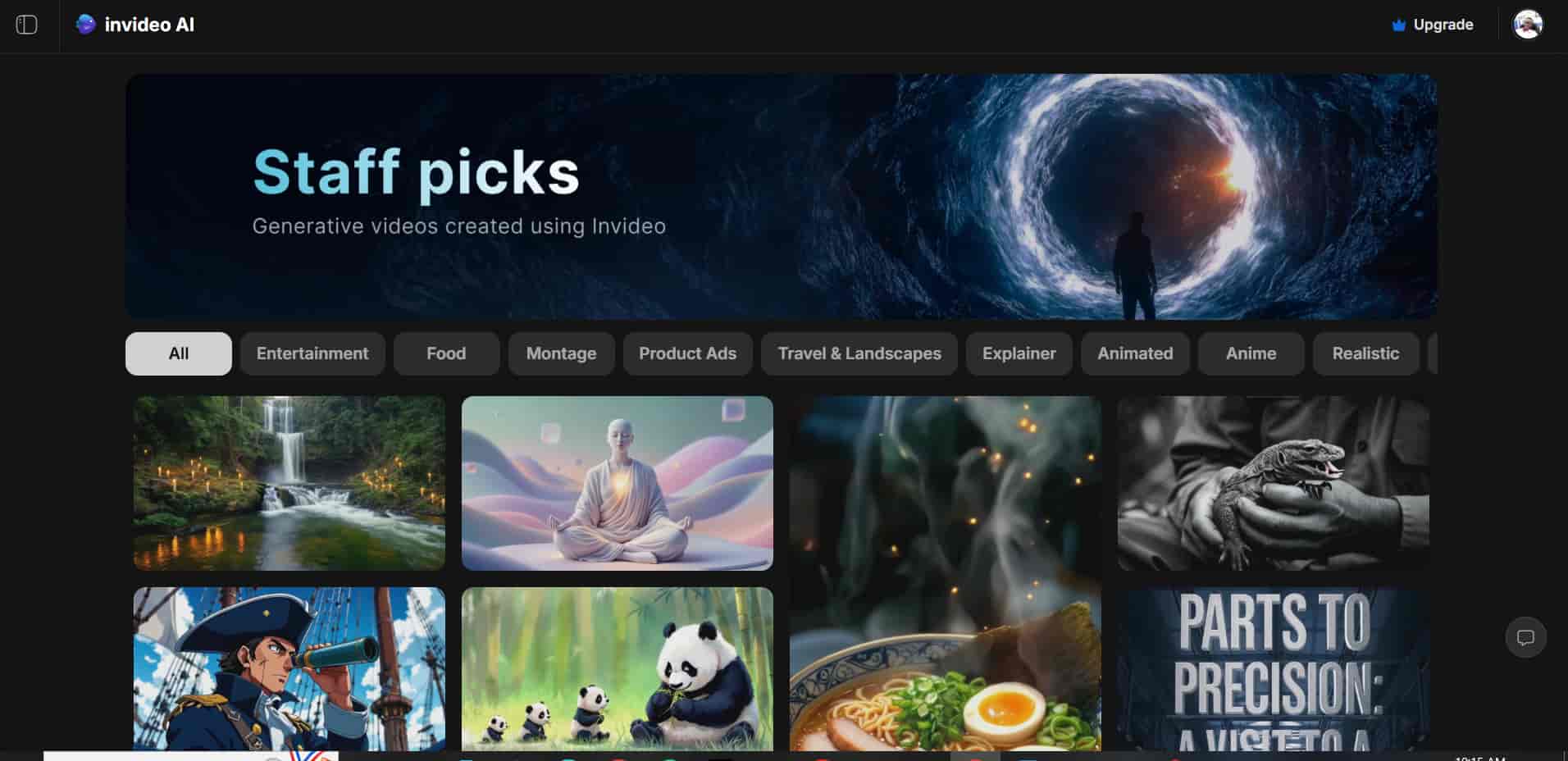
Key Features: Prompt-to-video timeline creation, massive stock media integration, and automated voiceovers.
Pros: It's extremely beginner-friendly. End-to-end production runs fast. The voice cloning actually sounds decent.
Cons: Don't expect true pixel generation. It leans hard on stitching existing stock footage together instead of creating something new.
Pricing & Free Plan: A free tier is available, but expect heavy watermarks. Subscriptions run $25.00/mo or $240.00/yr.
-
Synthesia (Best for Corporate AI Avatars)
Corporate video production is completely changing because of this tool. Synthesia exists for a highly specific use case. It replaces physical studio shoots for enterprise training, HR videos, and localized B2B communications. The custom avatars look hyper-realistic. You drop in a single script, and the engine automatically translates your speaker into dozens of different languages.
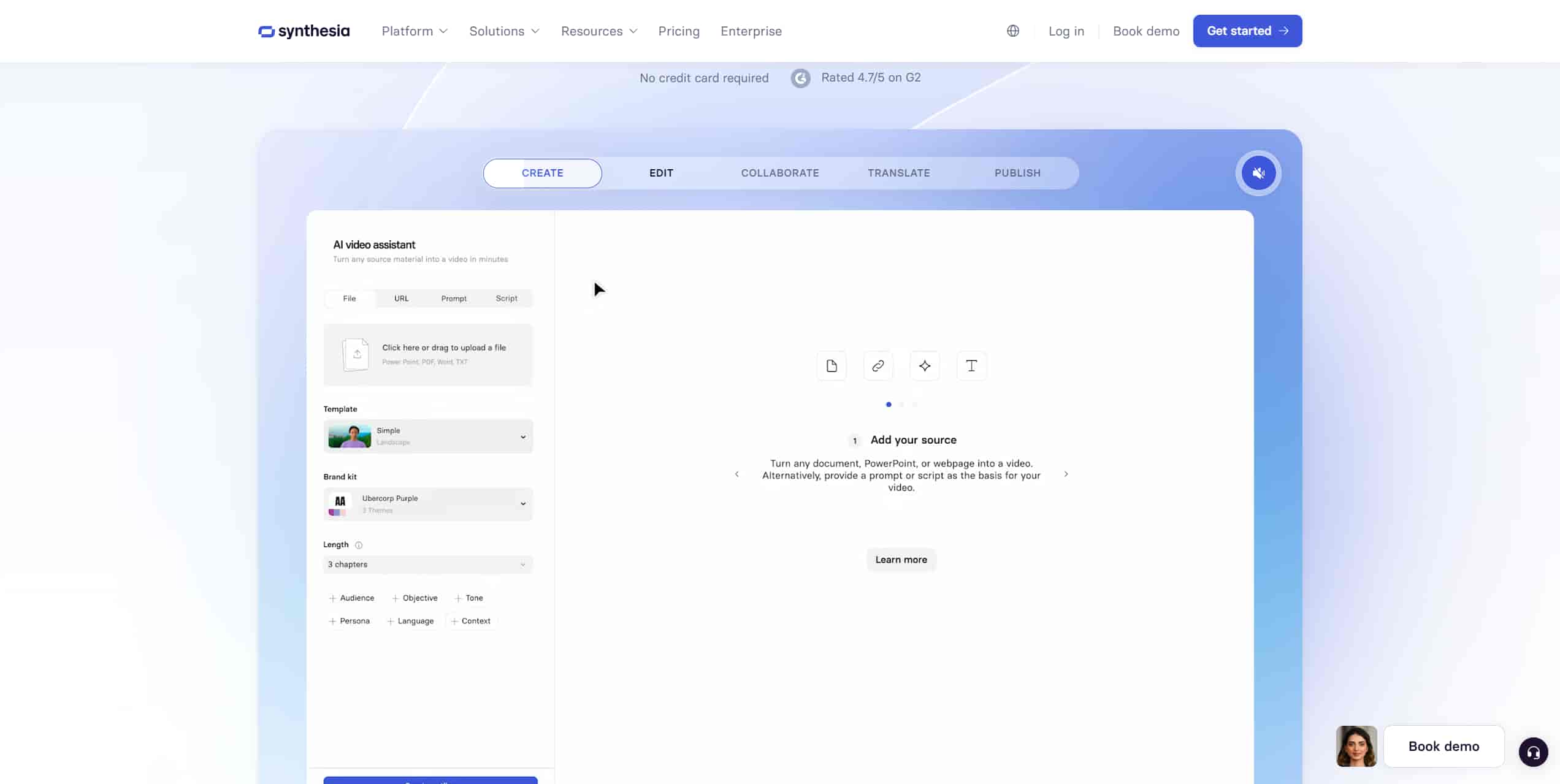
Key Features: Hyper-realistic custom AI avatars, 140+ language localizations, and strict enterprise security.
Pros: They have the best-in-class talking heads right now. You get massive language support. The corporate UI feels highly professional.
Cons: The formats are incredibly rigid. It completely lacks abstract creative generation capabilities.
Pricing & Free Plan: Very limited 3-minute free trial. The paid tier is $29.00/mo or $252.00/yr.
-
Artlist AI Suite (Best for All-in-One Indie Media)
Artlist is a massive royalty-free audio library that recently integrated generative video tools for its filmmaker base. The workflow feels tight. You generate a quick b-roll clip and immediately sync it with broadcast-cleared music tracks within the same ecosystem.
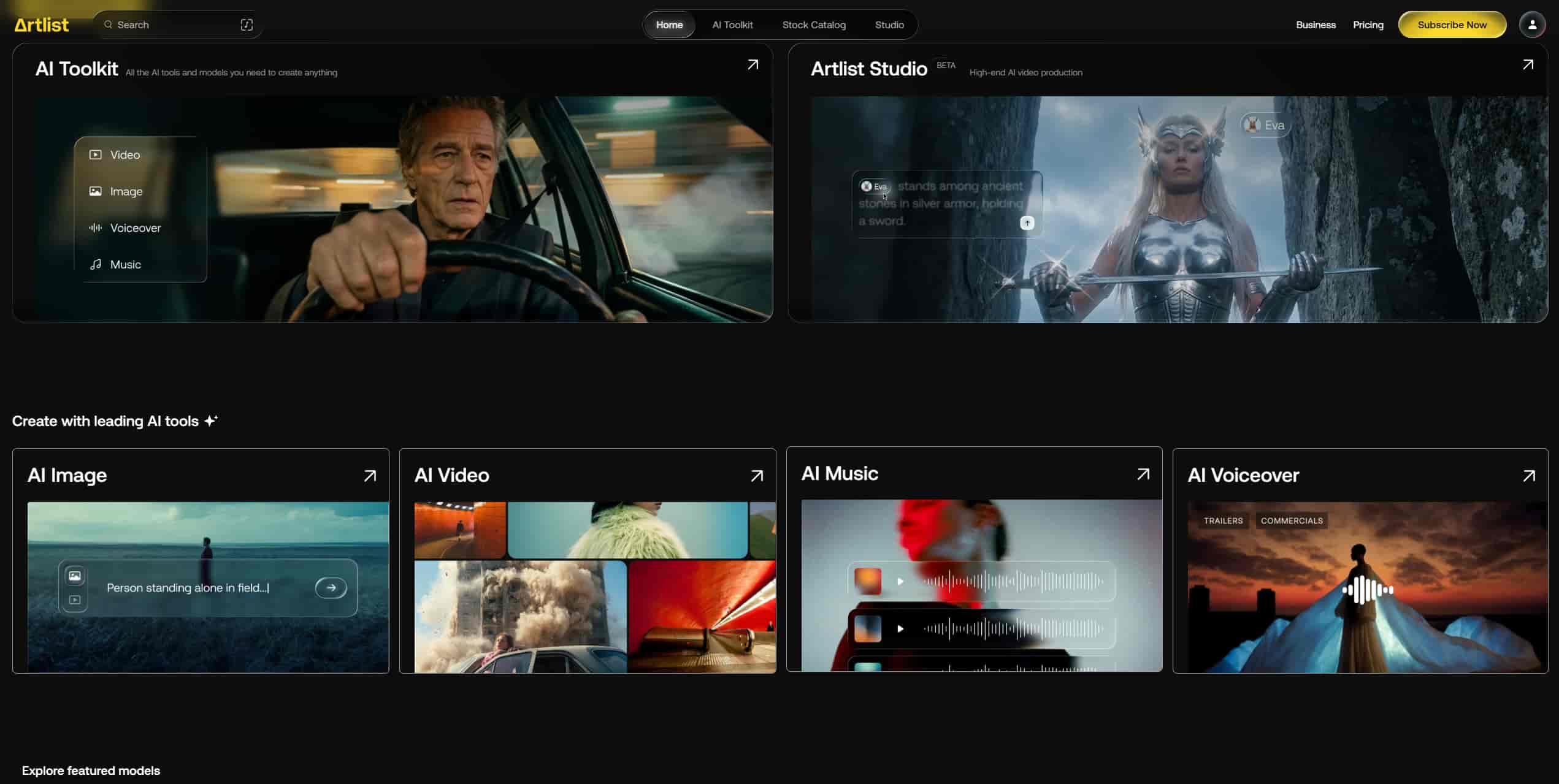
Key Features: Integrated generative video, SFX syncing, royalty-free music library.
Pros: Perfect ecosystem for indie filmmakers. Solves licensing issues completely.
Cons: Video generation is clearly a secondary feature rather than the primary focus.
Pricing & Free Plan: No free tier. Subscription required at $15.99/mo or $143.88/yr.
6. Canva Magic Studio (Best for Quick Social Media Graphics)
Canva makes basic motion accessible for marketers who refuse to leave their design app. The text-to-video renders are quite basic. The ability to drag and drop them directly into an Instagram Reel template saves a ton of time, though.
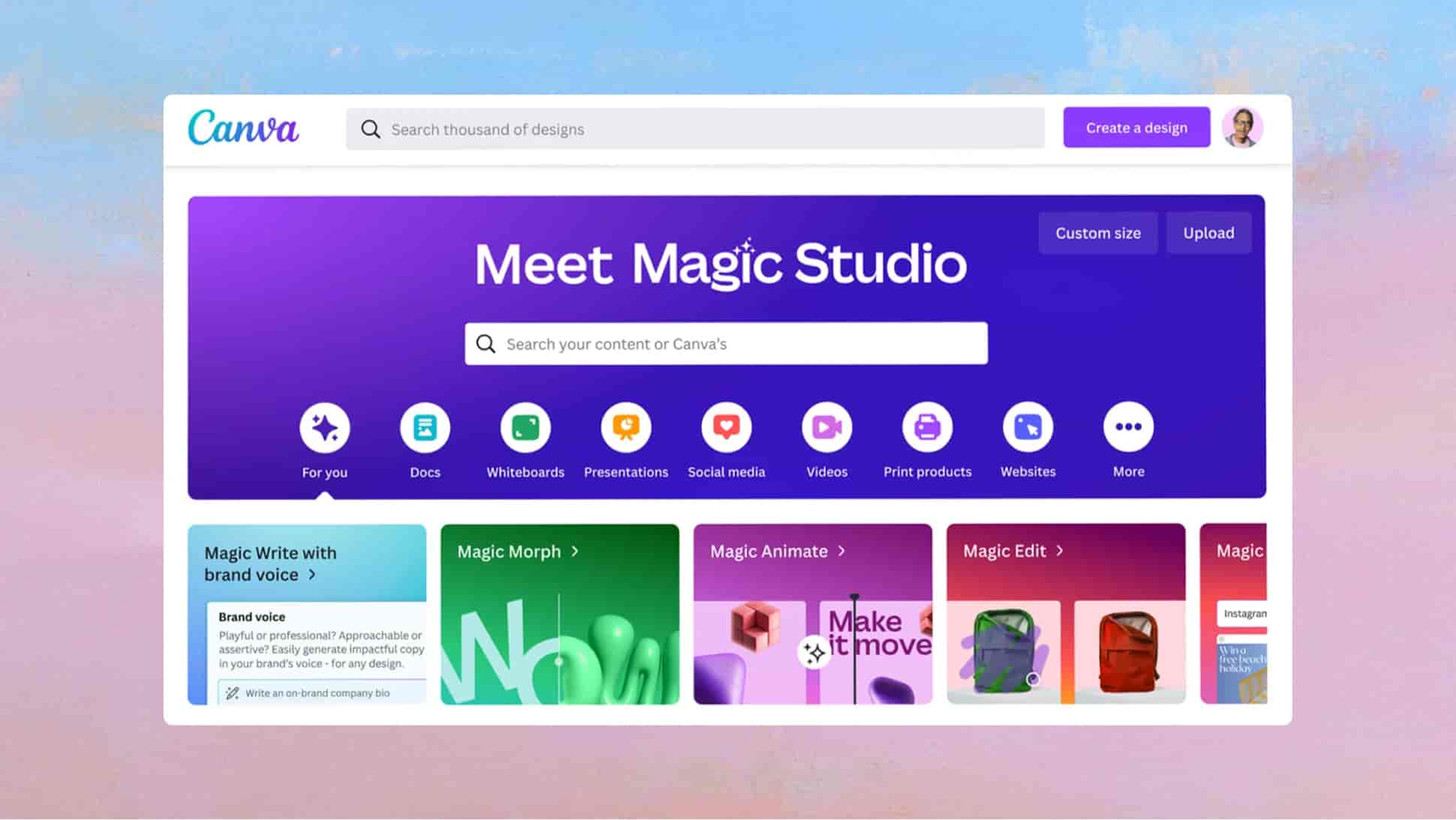
Key Features: Template-driven editing, basic text-to-video generation, drag-and-drop UI.
Pros: Zero learning curve. Massive template library. Already integrated into team workflows.
Cons: Low generation fidelity compared to standalone best ai video generators. Very short clip limits.
Pricing & Free Plan: Free tier has highly limited AI generation credits. Pro starts at $15.00/mo or $120.00/yr.
7. Adobe Firefly (Best for Professional NLE Integration)
Firefly integrates directly into Premiere Pro. It's the top choice for traditional editors who hate leaving their timeline. Using the Generative Extend feature to add two seconds of synthetic footage to a clip cut too short is incredibly useful in a pinch.
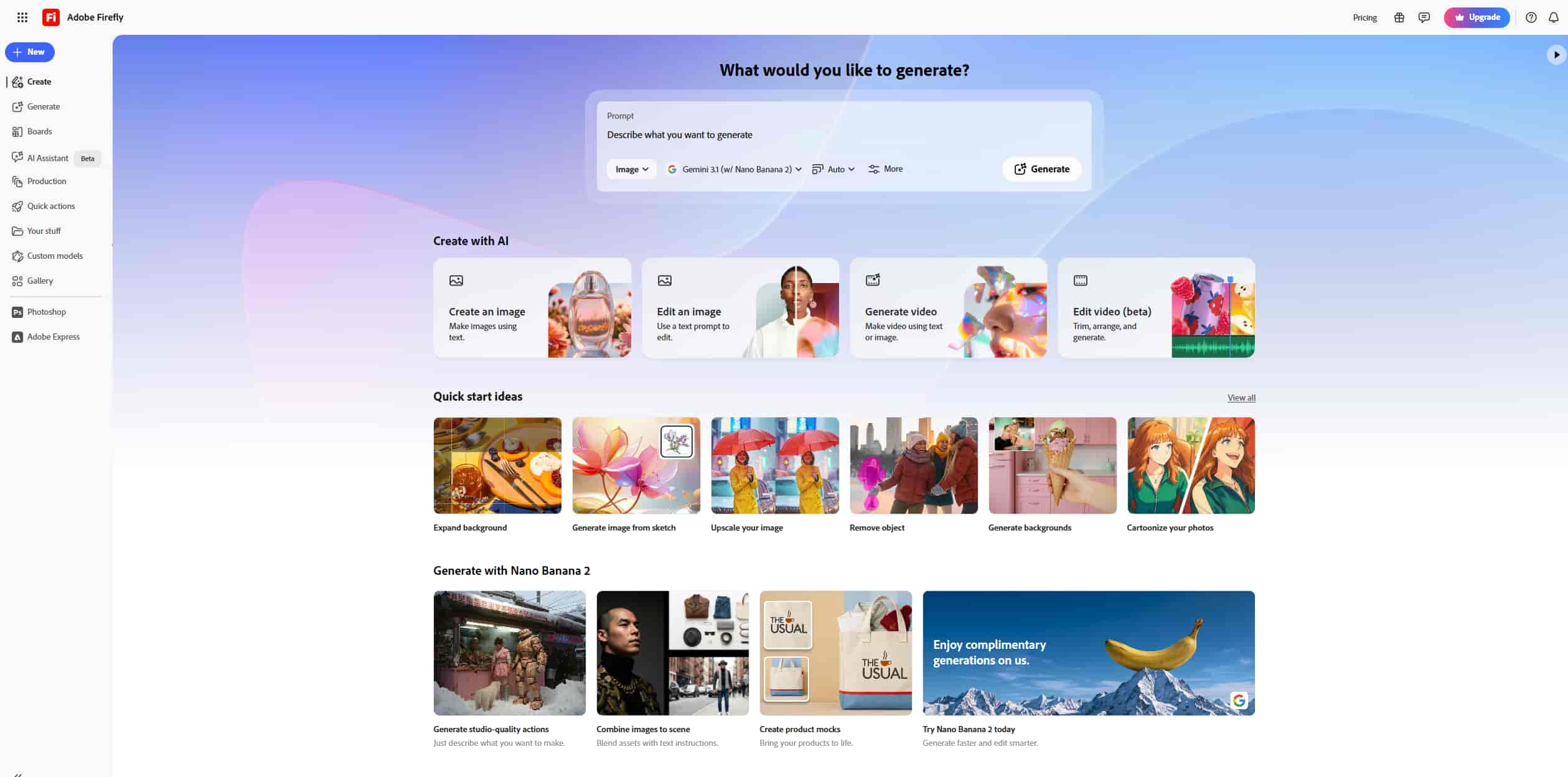
Key Features: Native Premiere Pro integration, Generative Extend, text-to-video.
Pros: Commercially safe. Native NLE integration. Excellent texture matching.
Cons: You still have heavy hardware reliance to run Premiere Pro smoothly. You're locked inside the Adobe ecosystem.
Pricing & Free Plan: No free tier. Requires Creative Cloud Subscription ($4.99/mo standalone or $59.88/yr).
8. Pixverse (Best for Anime-Style Concepting)
Pixverse holds massive popularity among hobbyists. Prompt engineers use Discord or web interfaces to render highly stylized, dynamic visuals here. It shows specific strength in rendering 3D animation and anime-style aesthetics based on very brief text prompts.
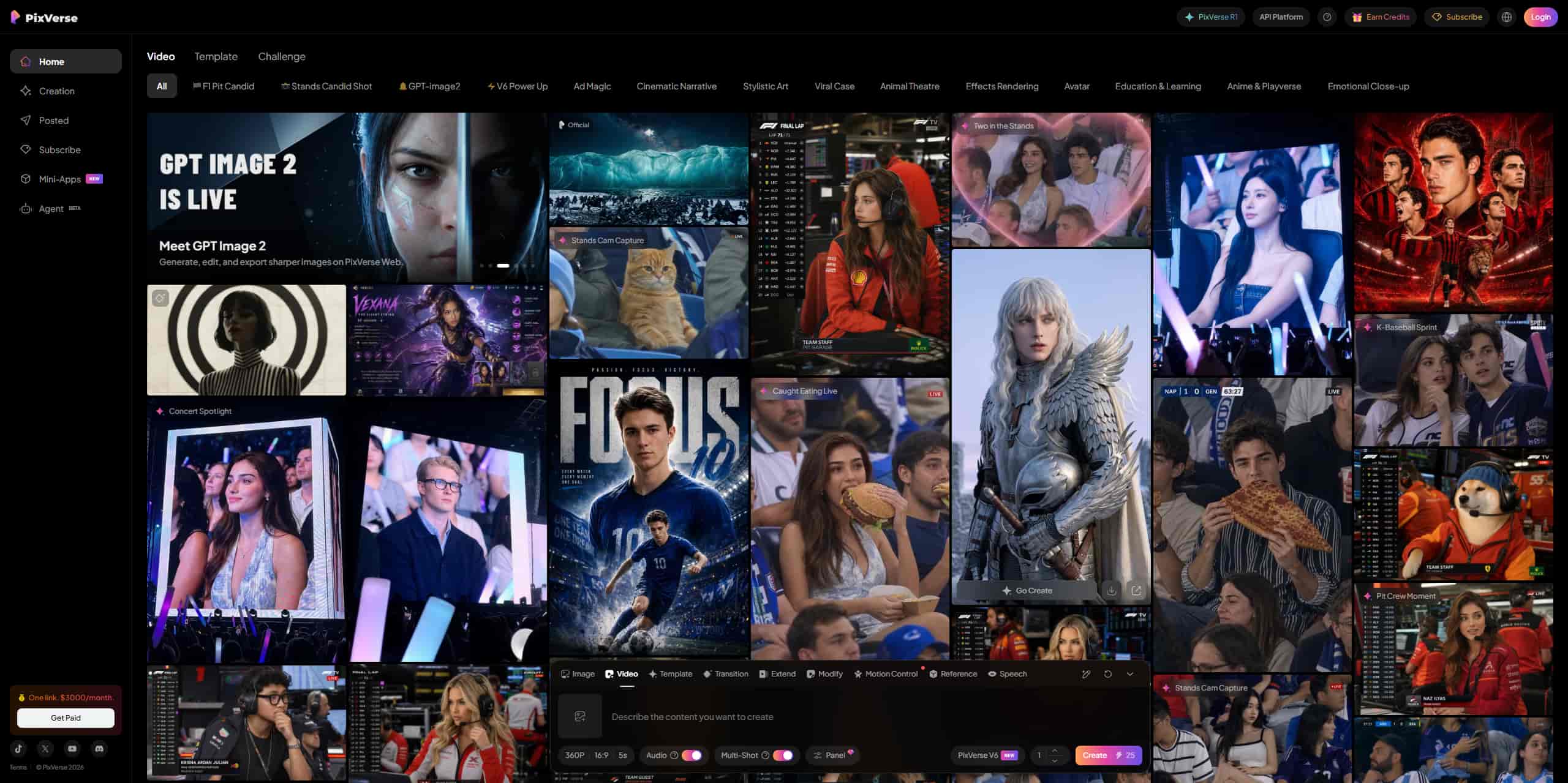
Key Features: Discord and web-based prompting, highly stylized rendering models, rapid concepting.
Pros: Excellent for animation styles. Highly active community. Fast generation.
Cons: The Discord interface is a cluttered mess for beginners. Photorealism trails behind Vmake and Runway.
Pricing & Free Plan: Free tier offers generous daily credit resets. Paid plans are $8.00/mo or $96.00/yr.
Pro Tips for Maximizing AI Video Editing
Many users default to overly generic prompts. That severely limits the final output. The AI is smart, but you still have to steer it correctly. Here is how you stop wasting credits on bad outputs.

-
Engineer Prompts for Direct Subject Action: Detail specific camera movements (e.g., "slow pan," "tracking shot") rather than vague emotional descriptors to guide the AI video creator accurately.
-
Standardize Aspect Ratios Early: Set exact dimensions before generation to prevent awkward cropping and pixel interpolation when adapting assets for multiple social platforms.
-
Layer Generative Passes: Start with a broad text-to-video pass, then run the output through a dedicated AI video editor to refine specific segments and up-res the final file.
Conclusion
Manual video production is a dinosaur. The hardware requirements alone price most independent creators out of the market. Scaling up your content strategy historically meant hiring massive teams or spending days staring at rendering bars.
You need a faster way to create high-performing UGC video and commercial assets. Relying on automated generation cuts massive overhead costs directly. Vmake AI removes the mechanical friction of traditional editing. It easily sits as the premier choice right now to maintain aesthetic quality while outputting content at maximum speed.
FAQs
What is the best AI video generator free of cost?
Enterprise-grade tools aren't entirely free. The heavy computing power required costs real money. But the best platforms offer accessible trial tiers. Vmake AI provides a generous free tier so you can thoroughly test the engine, lip-sync capabilities, and generation speed before committing to a paid plan.
Can an AI video maker replace a human video editor?
No. An AI video creator acts as an advanced processing assistant. It handles tedious mechanical tasks like motion creation.
How does the Vmake AI video generator maintain professional resolution?
Vmake AI processes outputs through sophisticated spatial algorithms that minimize visual artifacts during frame creation. The platform also integrates enhancement layers, making sure generated assets match native 4K clarity.
Is AI video editing software suitable for commercial brand campaigns?
Yes. Top-tier generative tools are built precisely for commercial asset production. Users simply need to review the specific licensing terms of the best ai video editing software they select to confirm full commercial distribution rights.
What inputs do I need to run a high-quality video generation?
The best results come from precise text prompts or high-contrast reference images. The more specific technical direction you provide regarding lighting and camera angles, the better the final asset will align with your intent.
Are there length limits on AI-generated videos?
Most standalone generative engines currently cap single-prompt outputs between 4 and 8 seconds due to massive computing requirements. Professional suites like Vmake AI bypass this strict limitation through advanced batch processing, letting you stitch multiple generations together into full-length commercial campaigns.