
Trump AI Video Generator: Top 3 AI Tools for Viral Donald Trump Videos
 Vmake Labs TeamJune 8, 2026
You've seen the clips all over TikTok and X: the voice is flawless, the animation is uncanny, and the views are in the millions. If you want to create your own viral Trump videos, you just need the right tool. Let's dive into the guide and go viral with clicks!
What is the use of a Trump AI video generator?
These AI-based video generator technologies convert photographs, text prompts, and voice inputs into realistic animated videos with authentic facial expressions and lip-syncing. They are often used for entertainment, parody content, creating memes, and short-form social media videos.
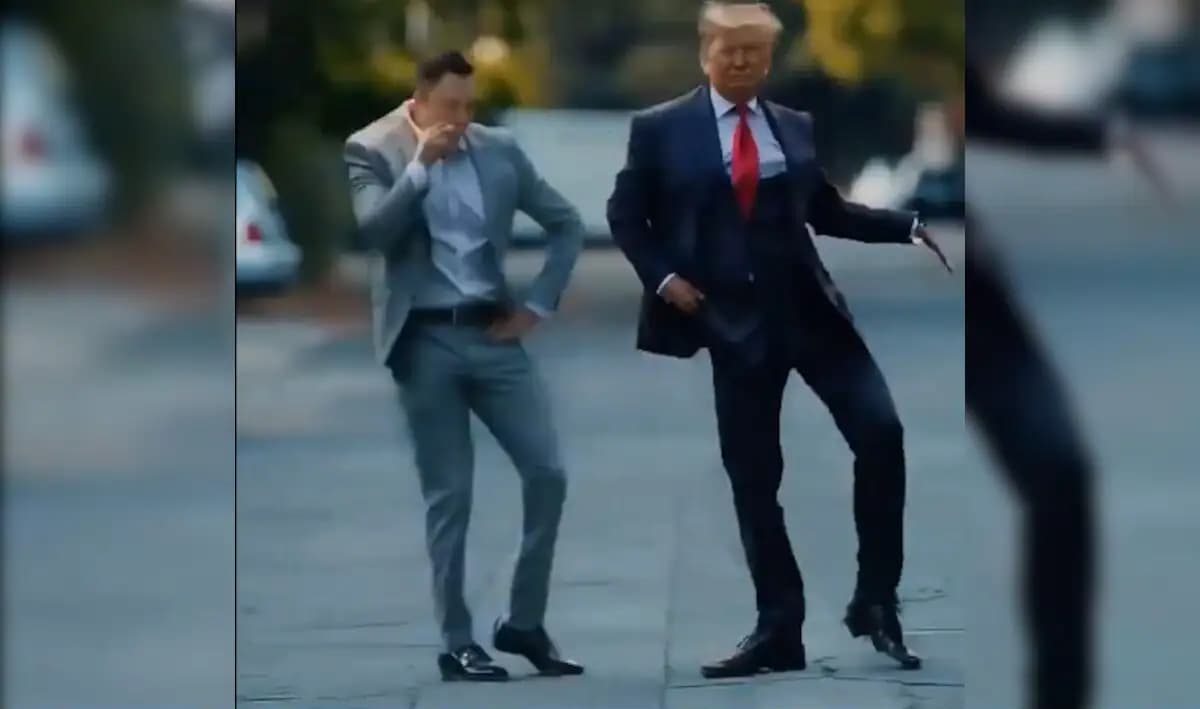
Here are some of the key ways these tools are commonly used:
-
Create funny meme videos: Make parody videos and funny reaction videos that are great for posting on social media to go viral. The videos are popular for current memes, comic edits, and innovative web material.
-
Make realistic talking AI clips: Create talking animated videos with facial expressions & synchronized audio from still photos. This helps to create interesting stuff that looks more lively and visually interesting.
-
Generate viral social media content: Produce short-form video content for TikTok, Instagram Reels, YouTube Shorts, and other social media channels. Without work, an AI-generated video may drive engagement and extend your reach to your audience.
-
Produce AI lip-sync animations: Using advanced facial animation and voice synchronization technology to create realistic speaking videos. The lip-sync effects are smooth, giving the generated footage a more natural and professional image.
-
Create videos without editing skills: Most AI video solutions are for novices, and you can create videos in a few simple steps. You don't have to learn difficult editing software to create high-quality animated clips.
Fameo.ai: Donald Trump AI video generator for realistic videos
Fameo.ai is a celebrity AI video maker that generates realistic Donald Trump talking videos with the latest lip-sync animation and AI voice cloning technologies. The website allows users to create parody clips, meme films, personalized messages, and viral social media content with just a few clicks.
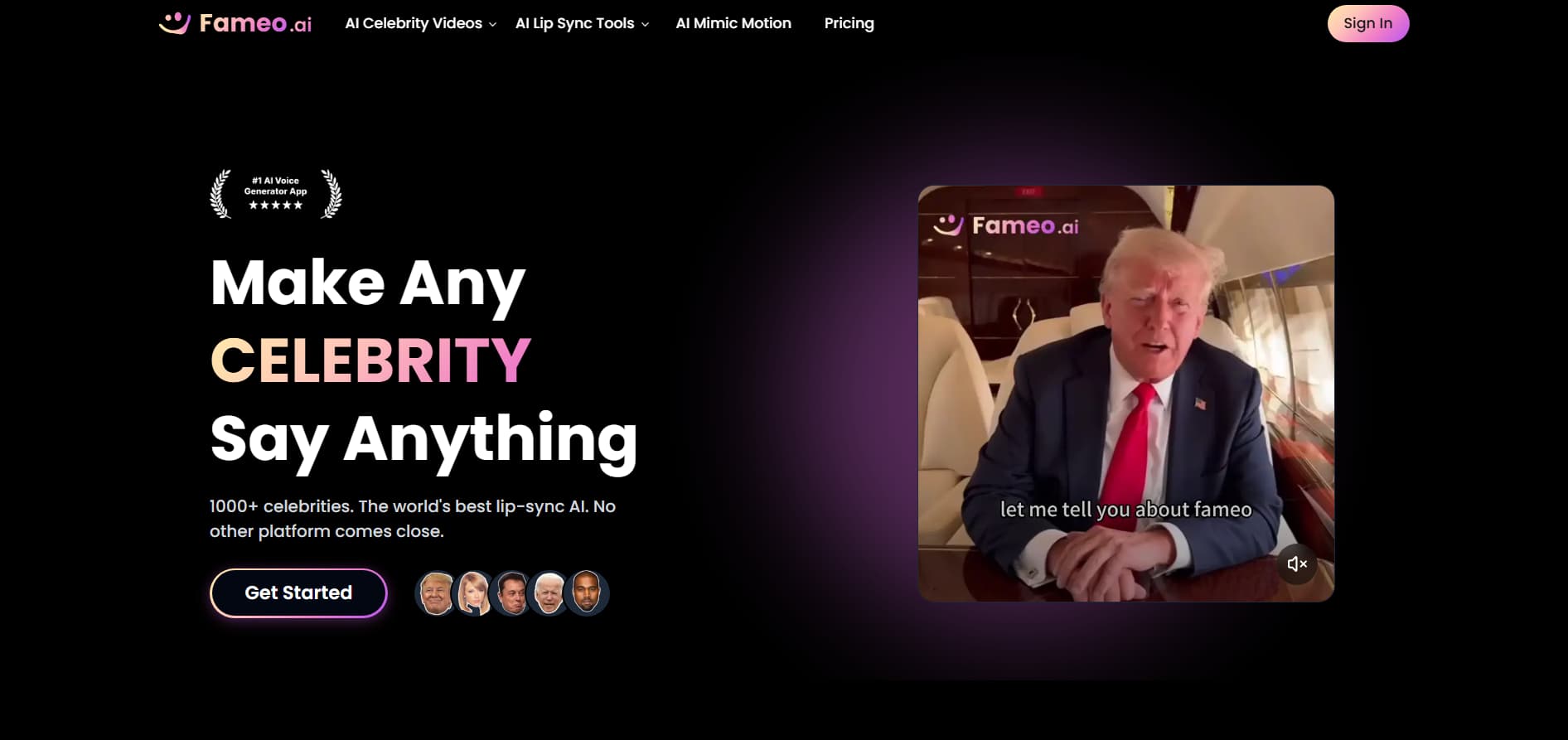
How to use Fameo.ai's celebrity AI video generator
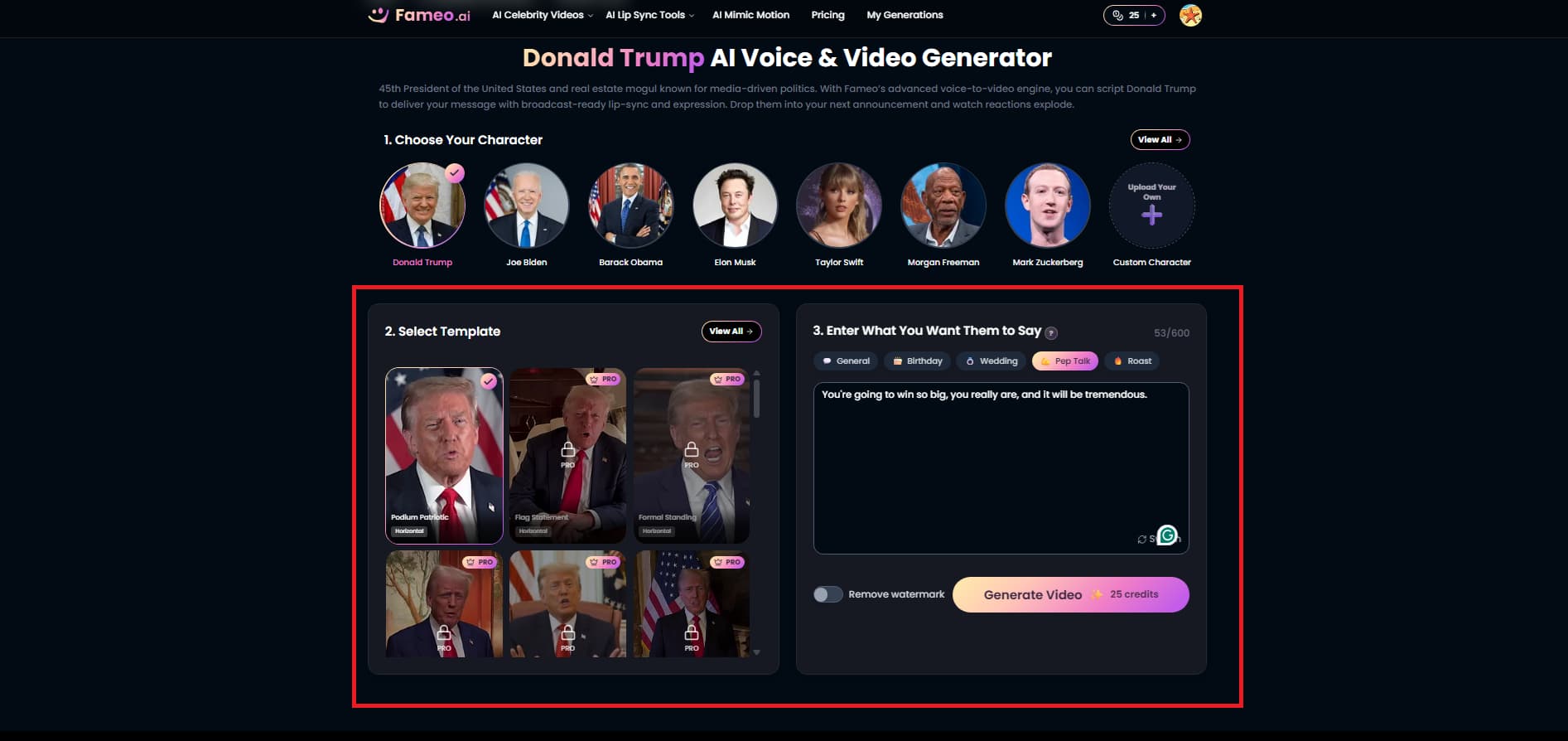
Step 1: Choose the celebrity
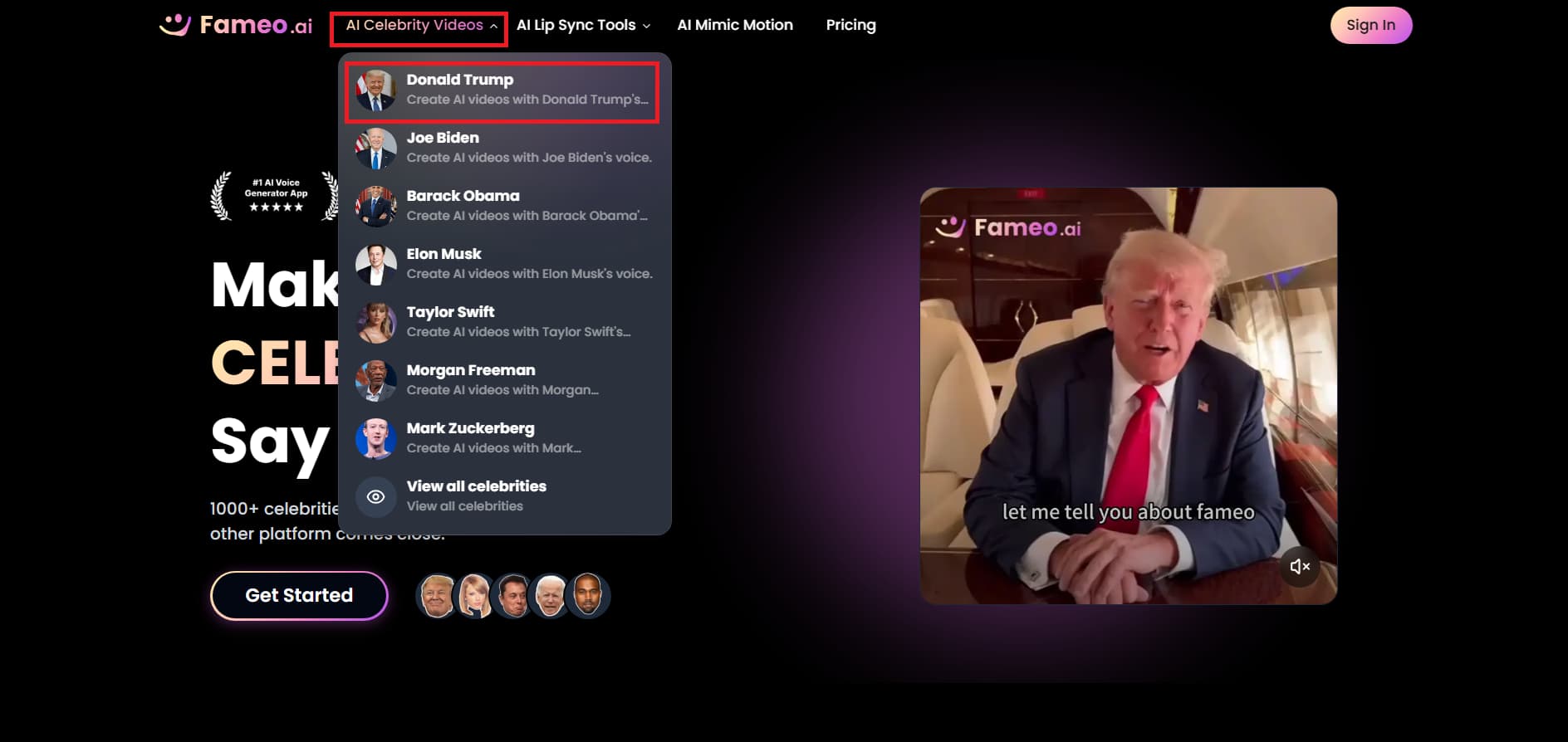
Visit the Fameo.ai homepage and click on "AI Celebrity Videos" in the top menu. Click on Donald Trump or whatever celebrity you want to make a video for.
Step 2: Customize the video script and template
You will be taken to the editor, where you may select from various background templates and video styles. Type in the speech or message you want the character to say, a general discussion, birthday wish, wedding message, pep talk, or roast. Then click on "Generate Video."
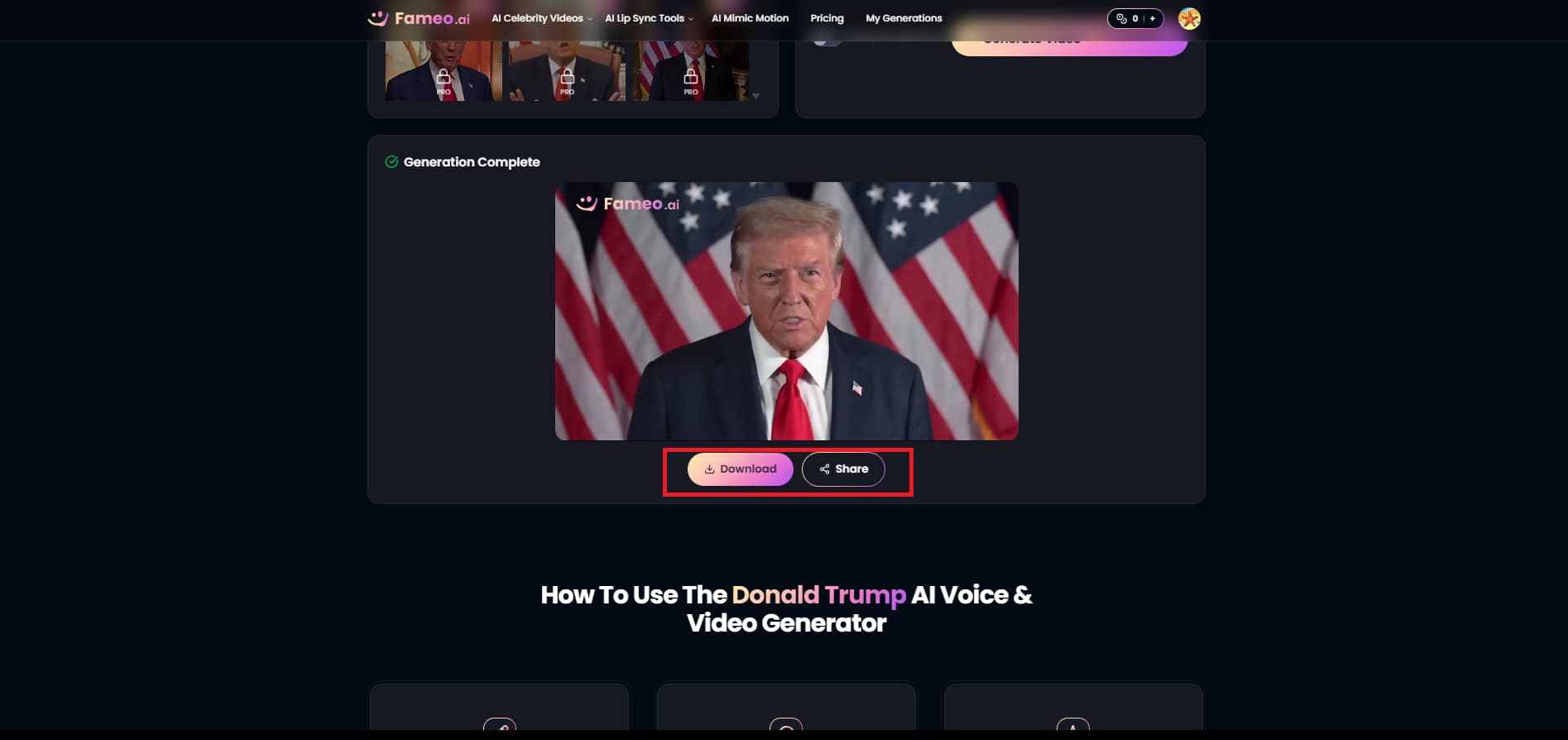
Step 3: Preview and download the video
Your AI-generated talking video will be ready in a few seconds. Preview the finished video, then click "Download" or "Share" to save or publish it.
Key features of Fameo.ai's video generator
-
AI-powered celebrity video generation: Fameo.ai offers a large collection of over 1,000 celebrity templates, including those for Donald Trump and Taylor Swift.
-
Realistic lip-sync animation: This online tool promises to deliver great face sync without any odd mouth movements or robotic effects.
-
Custom script support: You can have your own screenplay written on any star you like. The imagination is infinite. Customizable messages for custom pranks, epic roasts, or targeted feedback with flexible text input.
-
Fast cloud-based rendering: Fameo.ai's high-speed infrastructure allows it to process and render high-definition, premium videos in as little as 30 seconds.
-
Social media-optimized video formats: The tool quickly produces clear HD videos, organized for immediate distribution in digital formats.
ElonTalks: AI Trump video generator for viral talking videos
ElonTalks.com is a sophisticated AI video generator for making viral celebrity talking videos. The application provides high-quality templates of celebrities like Donald Trump, Elon Musk, Barack Obama, and more, and employs state-of-the-art deepfake and voice-cloning technologies to perfectly animate the stars.
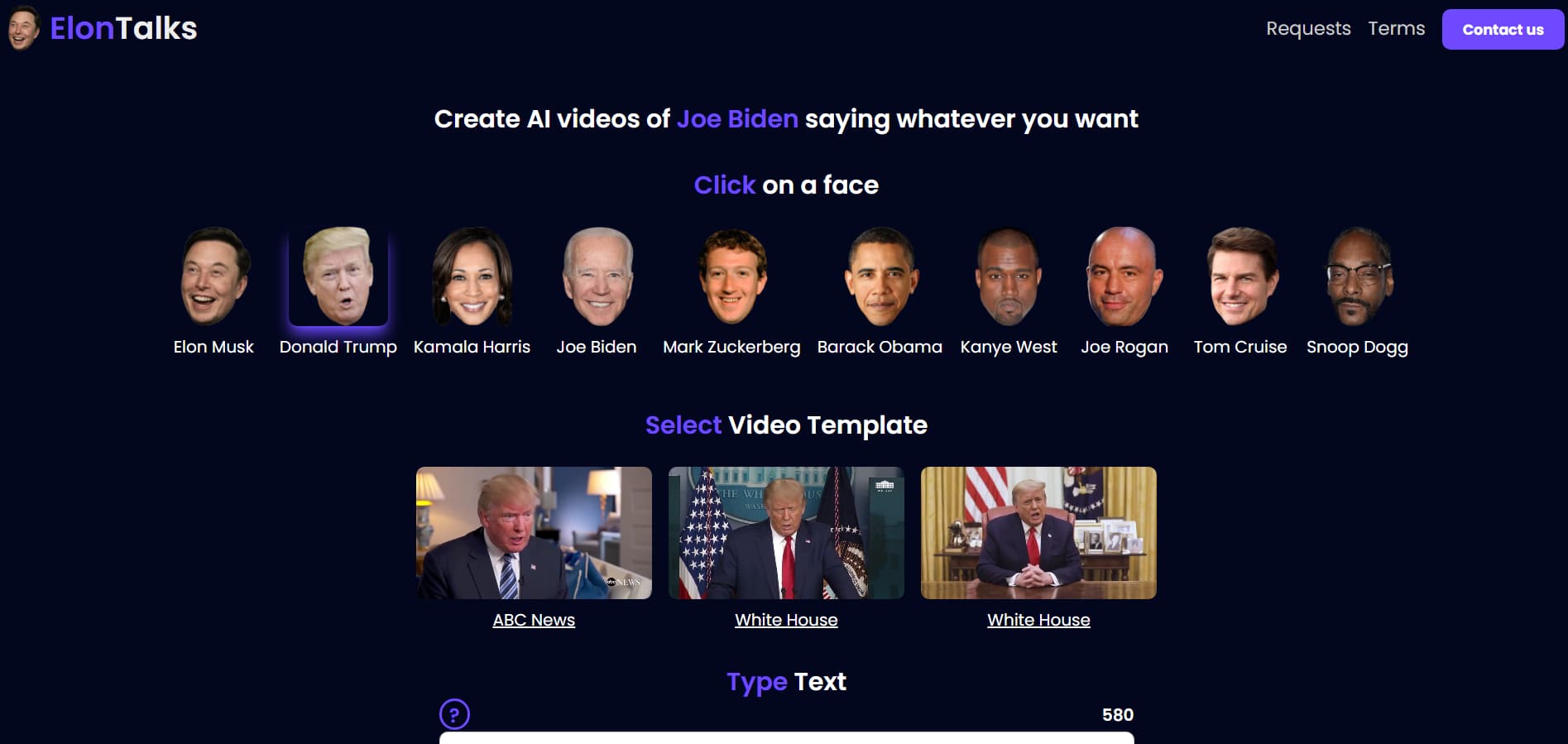
How to make a Trump AI-generated video with Elon Talks
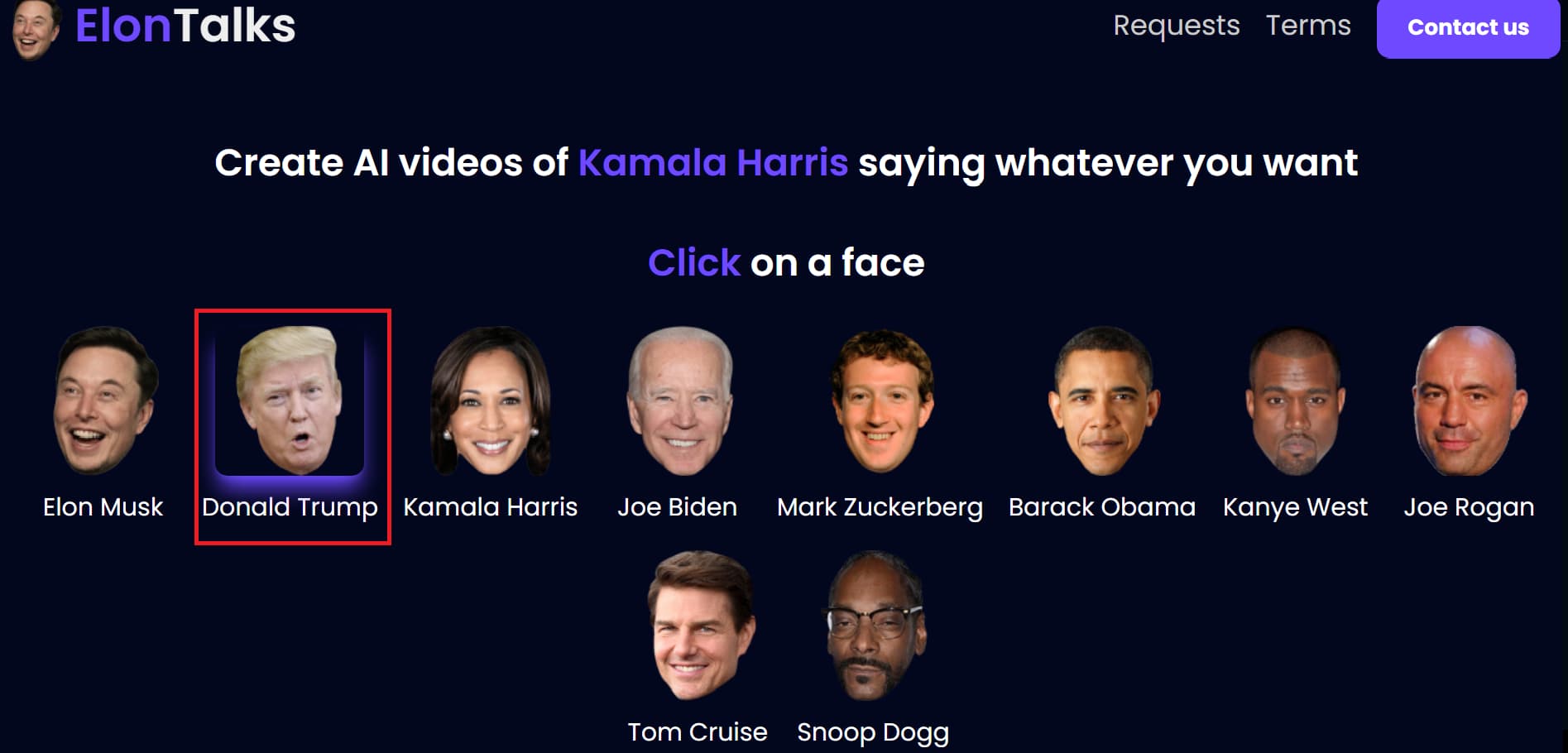
Step 1: Choose the Donald Trump character
Open the ElonTalks portal, and choose the celebrity persona of Donald Trump for whom you want to produce the AI video.
Step 2: Select template and enter dialogue
Scroll down to choose a video template and enter the text or speech you wish the character to speak with. When your video is ready to go, click "Create Video."
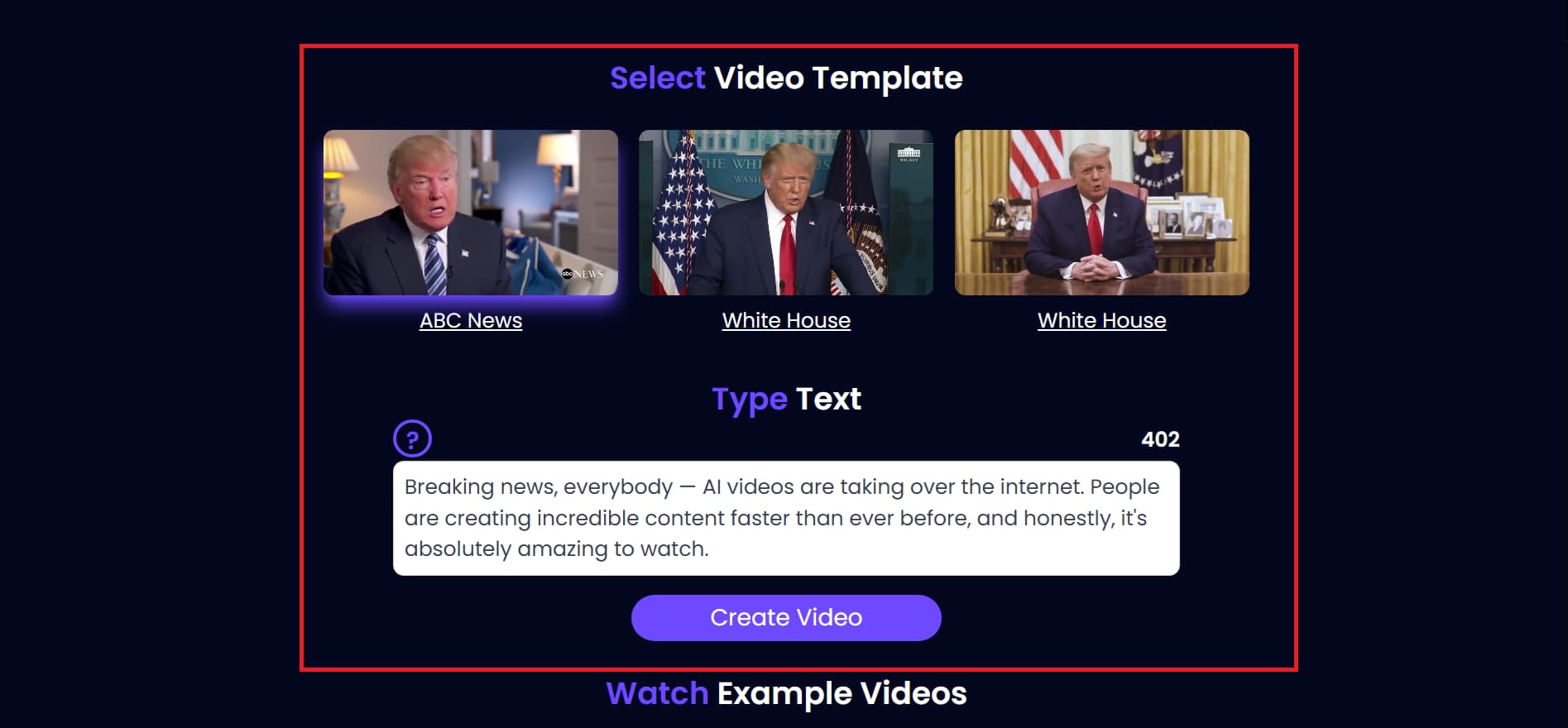
Step 3: Preview and share the video
Your AI-made Trump video will be ready in a few seconds. You can download the video, copy the link, or share it straight on social media like Twitter, Facebook, and Reddit.
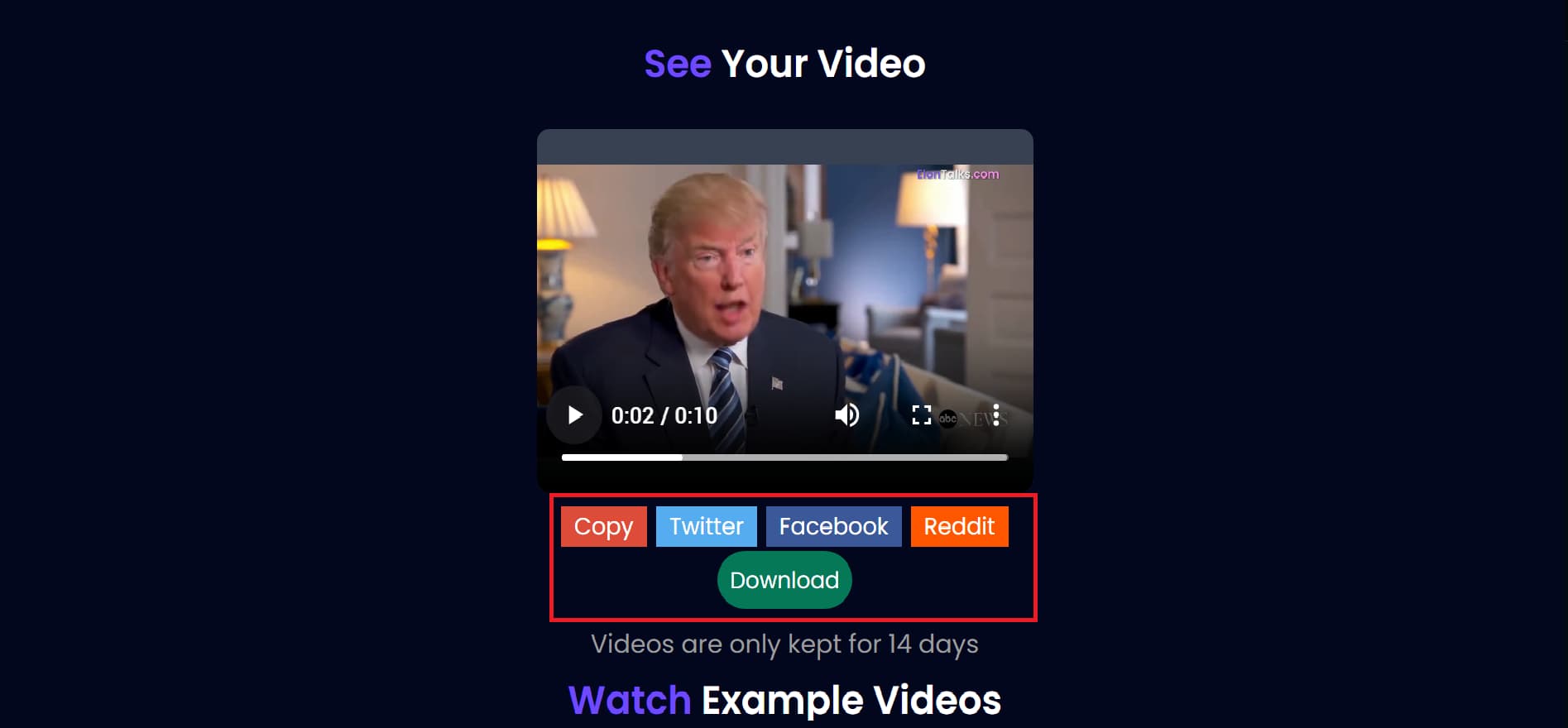
Key features of Elon Talks AI video generator
-
AI talking video generation: Elon Talks uses state-of-the-art deepfake technology to create realistic, high-quality talking videos from user-supplied scripts.
-
Pre-built celebrity animation templates: It comes loaded with selected, high-fidelity designs inspired by figures such as Donald Trump, Elon Musk, and other celebrities worldwide.
-
Social media-ready video output: The tool automatically creates and converts clips into short-form optimized layouts that look just perfect on current feeds.
-
No editing skills required: Technology makes it easy to generate videos from text, without the need for sophisticated timelines or standard editing tools.
-
Realistic face and voice synchronization: This technology uses accurate voice cloning and advanced facial mapping to ensure every syllable is matched to the speaker's mouth movements.
Vmake: AI Trump video generator for talking animation clips
Unlike celebrity-template generators that only animate prebuilt Trump characters, Vmake allows users to generate Trump-inspired parody videos, political satire clips, talking avatars, stylized videos (such as Simpsons-style or pop art), and viral social content from text prompts, images, or existing videos. This powerful AI video generator platform supports full text-to-video, image-to-video, and video-to-video workflows, giving creators complete artistic control to adjust visual styles, durations, aspect ratios, and pacing to perfectly fit different platforms.
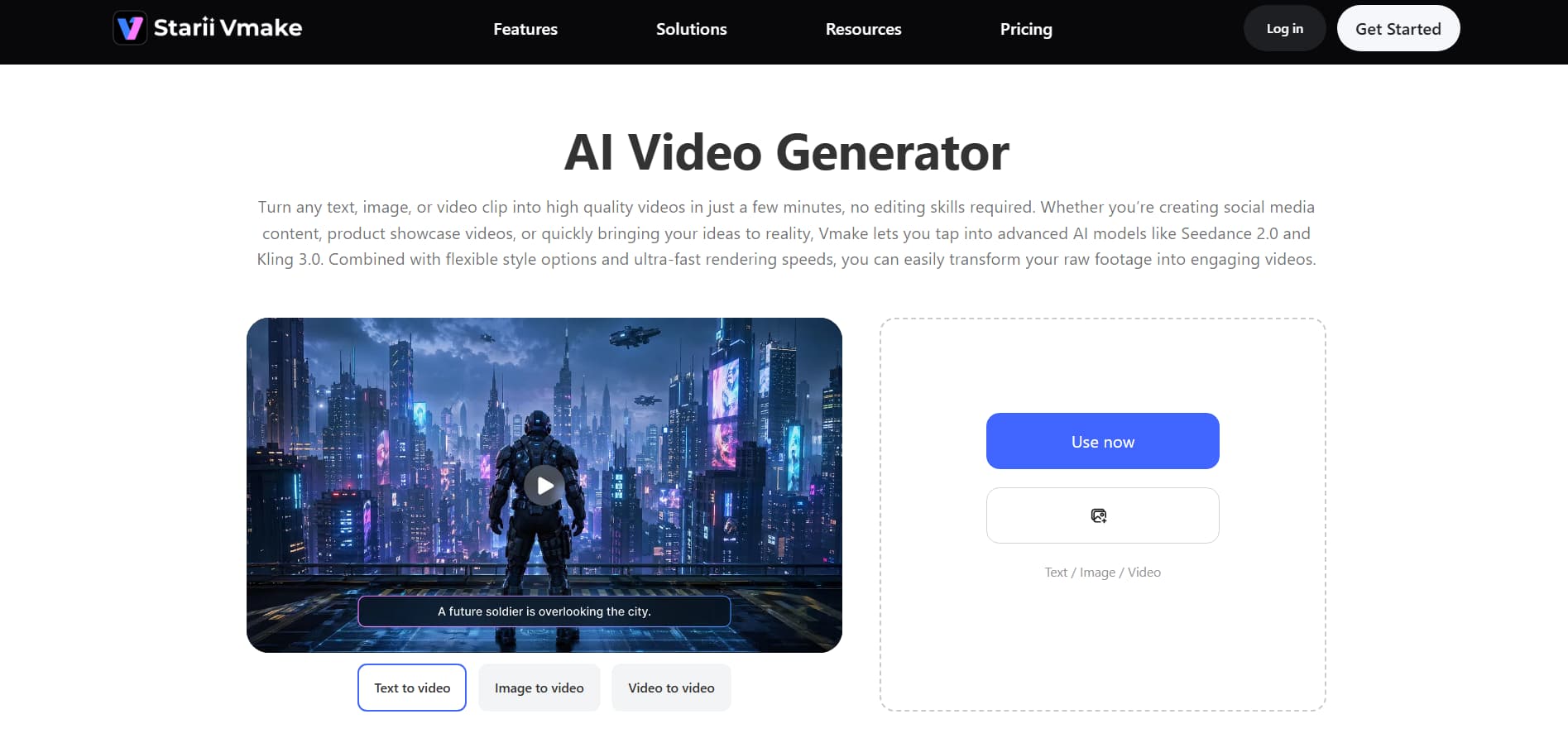
How to use Vmake's Trump video generator
Step 1: Open the AI video generator
Navigate to the Vmake dashboard and select ''All Tools'' from the menu on the left side. Choose "AI Video Generator" to go to the main editing area and begin your project.
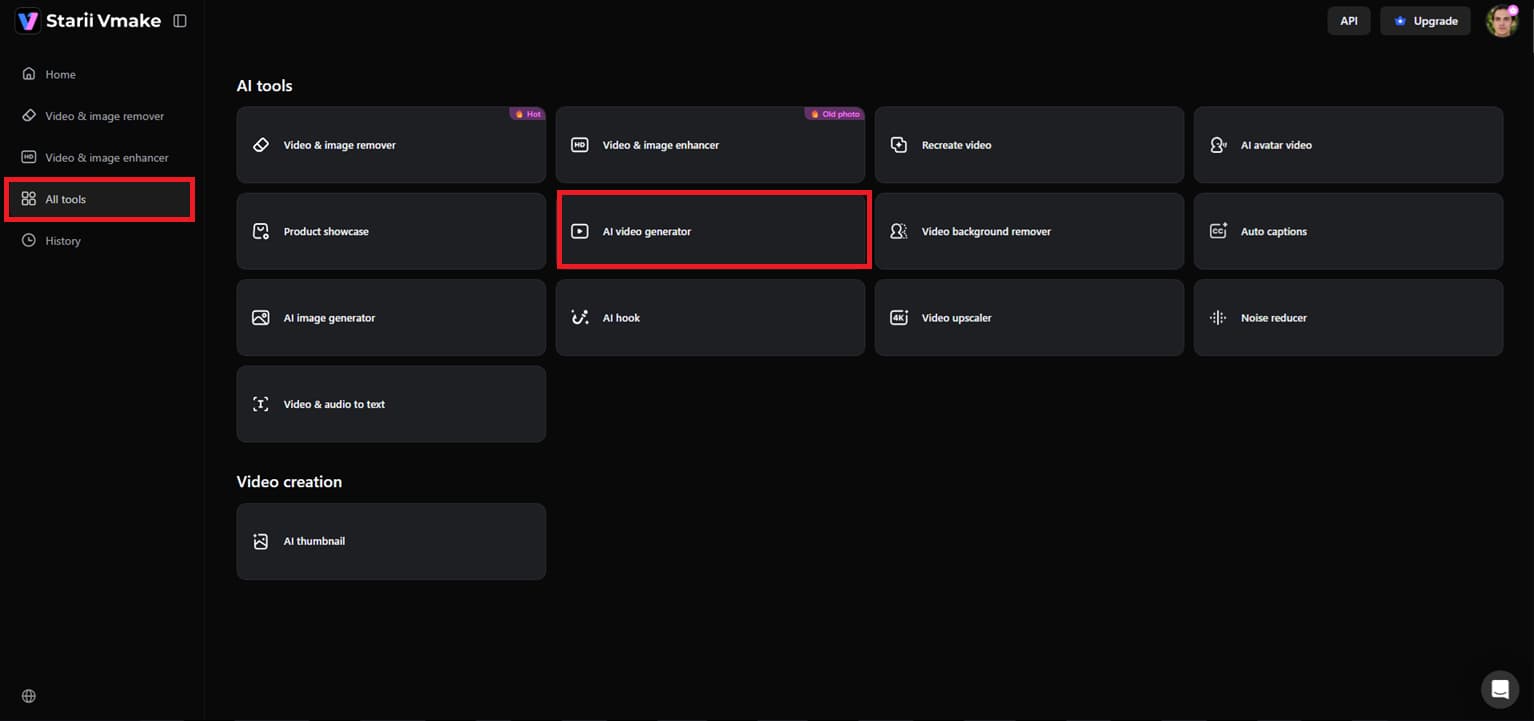
Step 2: Enter prompt and set preferences
Select the generation mode of your liking, i.e., Text to Video, Image to Video, or Video to Video. Type your text prompt and add reference photographs if you like. Select the AI model, set options such as video length (2-15 seconds), aspect ratio, and visual style, then hit "Generate."
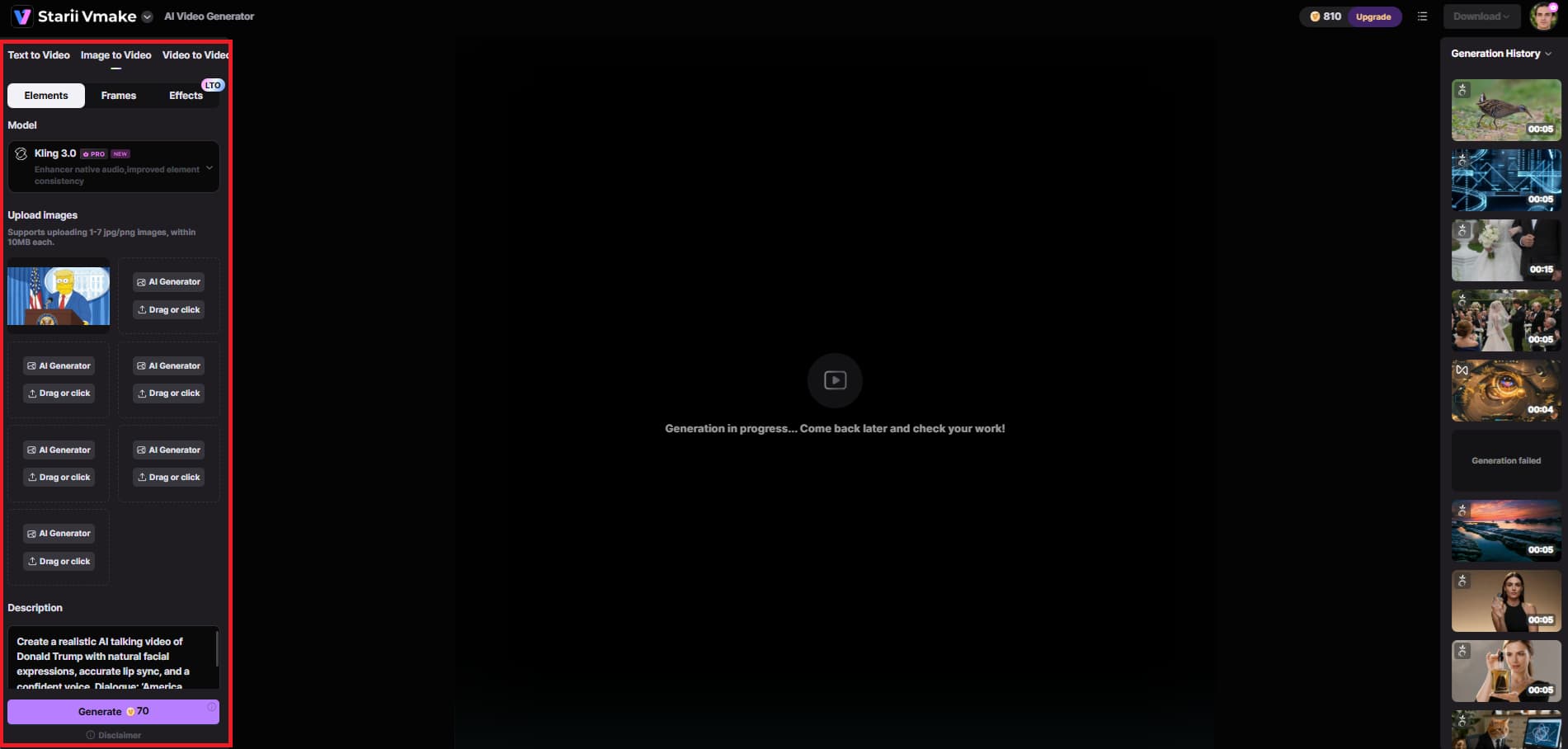
Step 3: Preview and download the video
Once you create the movie, preview the final product to see how the animation, motion, and overall look feel. If you like the result, click on "Download" to save and export the video for social media or content creation.
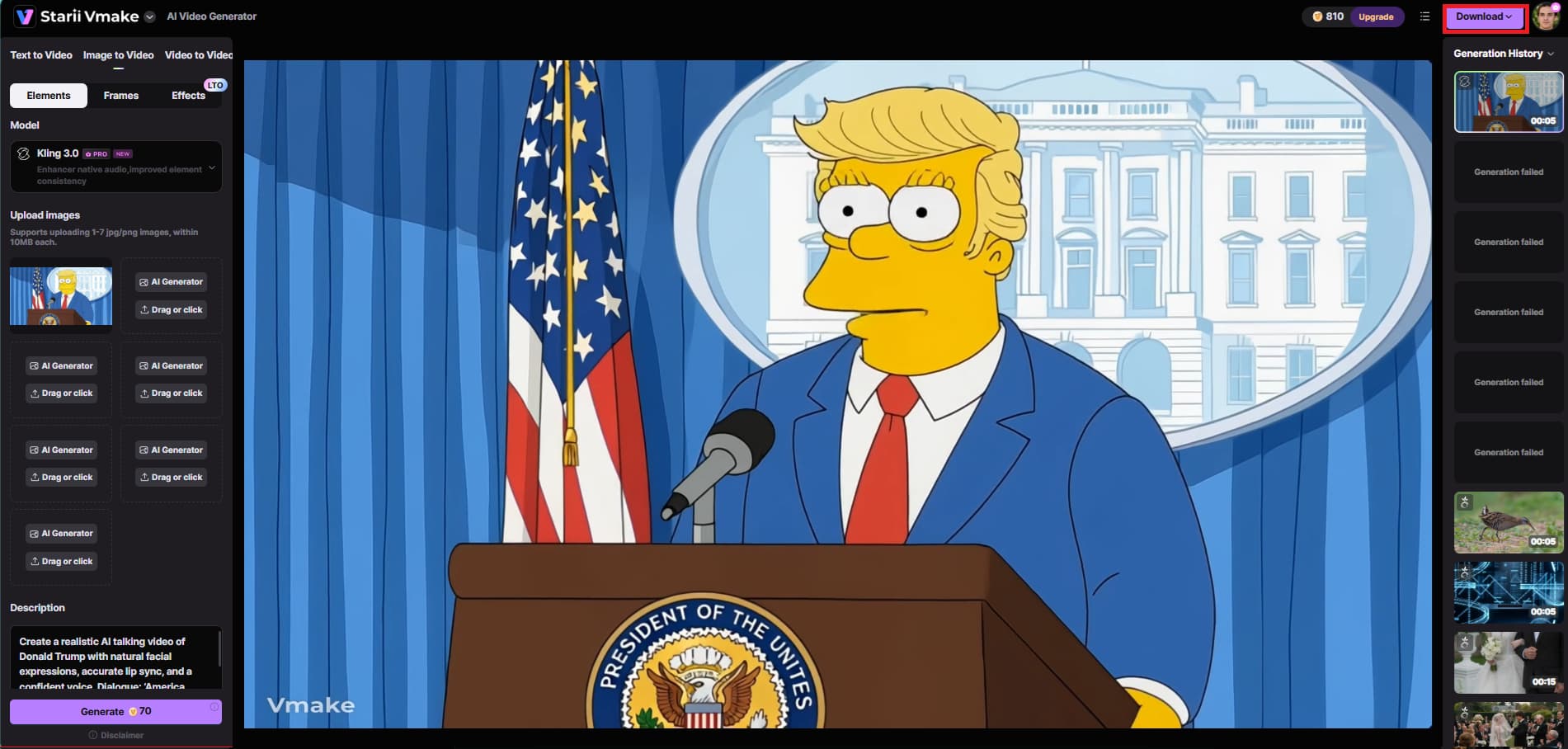
Key feature of Vmake's video generator tool
-
Multi-model creation engine: Vmake combines multiple advanced AI video models, including Seedance 2.0, Kling 3.0, Google Veo 3, Sora 2, and more to deliver diverse, high-quality video generation results.
-
Generate more than talking-head videos: Vmake lets you create dynamic content beyond basic talking-head videos, including Trump parody or meme videos, political satire, AI spokesperson clips, and story-driven cinematic videos.
-
Flexible creative inputs: Vmake supports text-to-video, image-to-video, and video-to-video production, allowing users to create videos from prompts, images, or existing video clips.
-
Dynamic motion effects: Vmake automatically adds cinematic transitions, fluid animations, and realistic movement effects to enhance the overall visual experience.
-
Adjustable ratios & pacing: Users can adjust video duration, aspect ratio, pacing, and output settings before creating the final video.
-
Unified workflow studio: While most generators stop at basic animation, Vmake includes a unified workflow studio with post-generation editing tools, such as AI video enhancement, video upscaling, sharpening, noise reduction, a video watermark remover, and a subtitle generator.
Points to keep in mind while generating AI Trump videos
-
Avoid offensive language: Create content that stays respectful and suitable for a wider audience across social media platforms. Avoid using harmful, abusive, or inappropriate dialogue in AI-generated videos.
-
Use AI responsibly: AI-generated celebrity videos are for entertainment, parody, and creative narrative. Responsible use helps to keep the development of online material ethical and safe.
-
Do not spread misinformation: Do not create videos that could mislead viewers into thinking they are authentic political remarks or official releases. Clearly mark AI-generated content as fiction or entertainment content where appropriate.
-
Respect public figure guidelines: When making celebrity AI videos, it is vital to use public figure images responsibly and adhere to ethical content guidelines. Do not engage in malicious impersonation or abuse of AI-generated identities.
-
Follow platform policies: Social media platforms have rules regarding AI-generated and deepfake-type content. Just ensure your videos adhere to community guidelines before publishing or sharing them online.
Conclusion
A Trump AI video generator makes it easy for users to produce talking, parody, meme, and viral short-form videos. In this article, we discussed technologies such as Vmake, Fameo.ai, and Elon Talks, along with their capabilities and video production methods. Among these, Vmake is notable for its powerful AI models, versatile video-generating options, cinematic motion effects, and easy-to-use workflow. With Vmake, turn your ideas, prompts, and photographs into entertaining AI Trump videos for social media content creation in a snap.
FAQs
Is it legal to create AI videos of Trump?
Yes, AI-created Trump videos are generally okay for amusement, parody, or artistic projects, as long as they comply with platform rules. The videos must be clearly fictional, and there must be no misleading or damaging information. Vmake is an easy way to create safe and compliant AI films with responsible content production and user freedom over scripts, outputs, and design.
How to make AI Trump videos from photos?
You upload a clear image and add a screenplay or prompt, and the AI will turn the photo into a talking or animated film. This technology automates facial animation, motion, and lip-sync. Vmake takes this approach one step further with powerful image-to-video creation, advanced AI models, and fast rendering, enabling users to transform static photographs into entertaining animated videos in just a few clicks.
What is the best free Donald Trump AI video generator tool?
There are several online tools, but the best one will depend on output quality, ease of use, and creative flexibility. A good tool should enable numerous video generation modes and realistic animation results. In this sector, Vmake differentiates itself through advanced AI models such as Seedance 2.0, Kling 3.0, Sora 2, and more, numerous input options, and high-quality rendering, enabling users to generate professional-looking AI videos with ease, using the free credits available before taking a paid subscription for advanced features.
How accurate is AI lip sync in Trump AI video generators?
AI lip-sync technology has seen significant improvements and can create highly realistic mouth movements and facial expressions, matching the generated speech with high fidelity. Accuracy depends on the AI model and the quality of input. Vmake takes this experience to the next level with enhanced motion effects and AI-based facial animation to create smooth, natural, and expressive lip-sync results for more engaging video outputs.
Can I create AI Trump meme videos for social media?
Yes, TikTok, Instagram Reels, YouTube Shorts, and other platforms are flooded with AI-generated Trump joke videos that are very interesting and shareable. These technologies make it easy to create short-form viral content with little effort. Vmake is especially effective for this, offering social media-friendly formats, customizable aspect ratios, and dramatic effects that enable users to produce eye-catching, viral-ready meme videos.
Do I need editing skills to use a Trump AI video generator?
No, you don't need any editing knowledge to use these AI video creators. They are often meant to be user-friendly and operate on simple inputs such as text prompts, graphics, or scripts. Vmake takes it a step further with an all-in-one workflow studio that allows users to effortlessly produce, edit, enhance, and export videos, democratizing professional-quality video creation.

You May Be Interested
Resize Videos Online Without Losing Quality: A Smarter Way in 2026
How to Create Professional YouTube Thumbnails with AI: A Creator’s 2026 Strategy
YouTube Thumbnail Size 2026: The New Standard for High-CTR Visuals
Best Quality Video YouTube: 2026 Export Settings & 4K Tricks
