
Starry AI Review: Features, Pricing, Pros, Cons & Best Alternative
Starry AI review covering features, pricing, image quality, test results, pros, cons, user feedback, and Vmake Labs as an alternative for creative and commercial AI image generation.


StarryAI is an AI-powered image and art generation platform for creating visuals from prompts and reference images. In this Starry AI review, we examine its features, image-generation workflow, pricing, public demonstration results, pros, cons, and user feedback before comparing it with Vmake Labs as an alternative.
What is Starry AI image generator?
StarryAI is designed to simplify AI-powered visual creation for users who want to turn ideas into artwork and other digital imagery. It provides a straightforward way to explore AI-generated visuals without requiring advanced design skills.
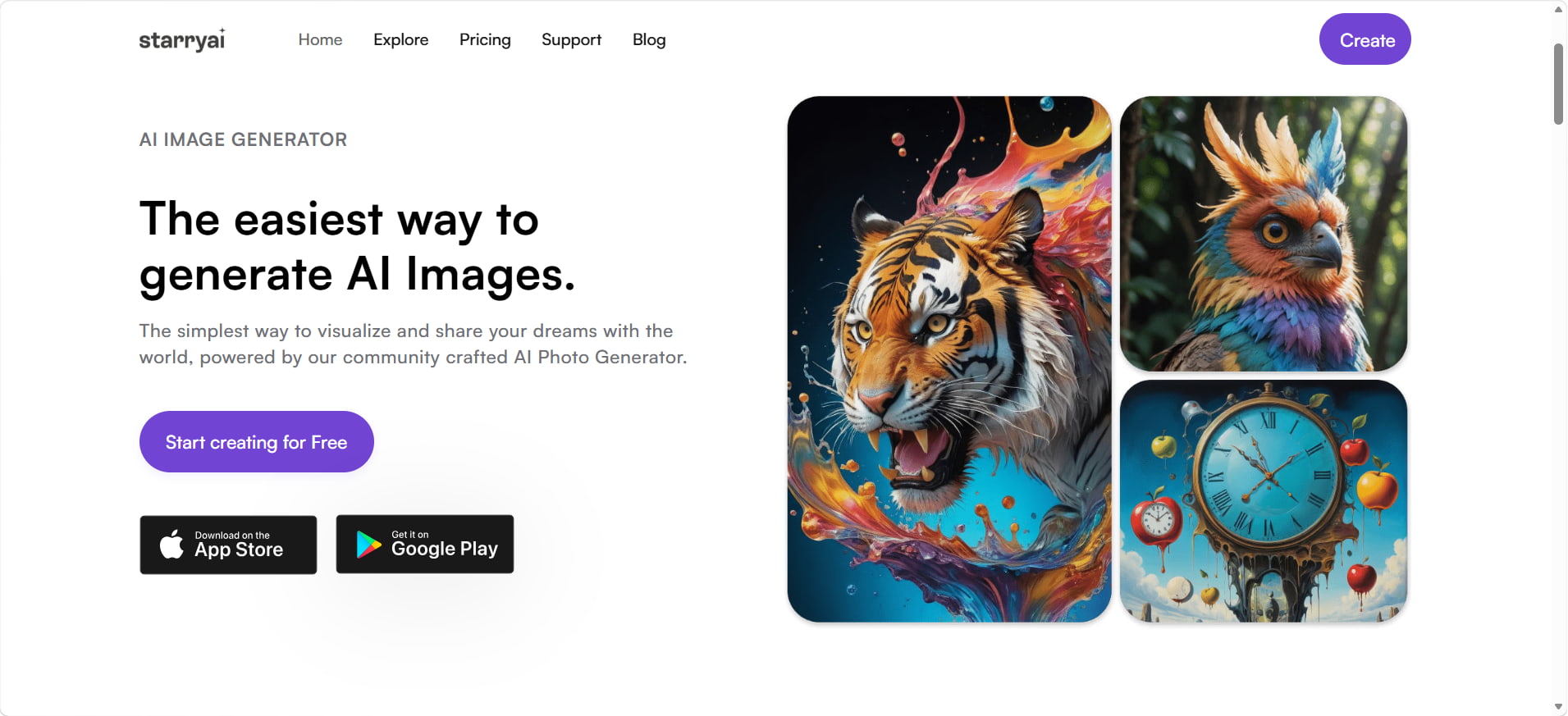
What is StarryAI?
StarryAI is an AI-powered image and art platform where users can create visuals from written prompts and reference images. Users can describe their desired subject or concept and use the generated output as a starting point for their creative project.
The platform is suited to different types of creative work, including AI artwork, portraits, illustrations, and other visual concepts. Its prompt-based approach allows creators to experiment with ideas without having to produce the artwork manually from scratch.
Starry AI features and how to use it
StarryAI combines AI image generation with creative editing and enhancement tools. You can start with a text prompt or reference image, choose available styles and settings, and refine generated results using editing, enhancement, and upscaling tools.
Starry AI key features
- Text-to-Image generation: Create AI-generated images from detailed text prompts.
- Image reference support: Use an existing image to guide the visual direction of a new creation.
- Styles and creative controls: Choose a style and adjust available settings such as canvas size and other creative options.
- AI Image editing: Modify existing or generated images using AI-powered editing tools.
- AI filters: Apply preset artistic transformations to uploaded photos.
- Image enhancement and upscaling: StarryAI includes tools that can work as an image enhancer, helping improve image quality and resolution through its available enhancement and upscaling features.
How to use Starry AI image generator
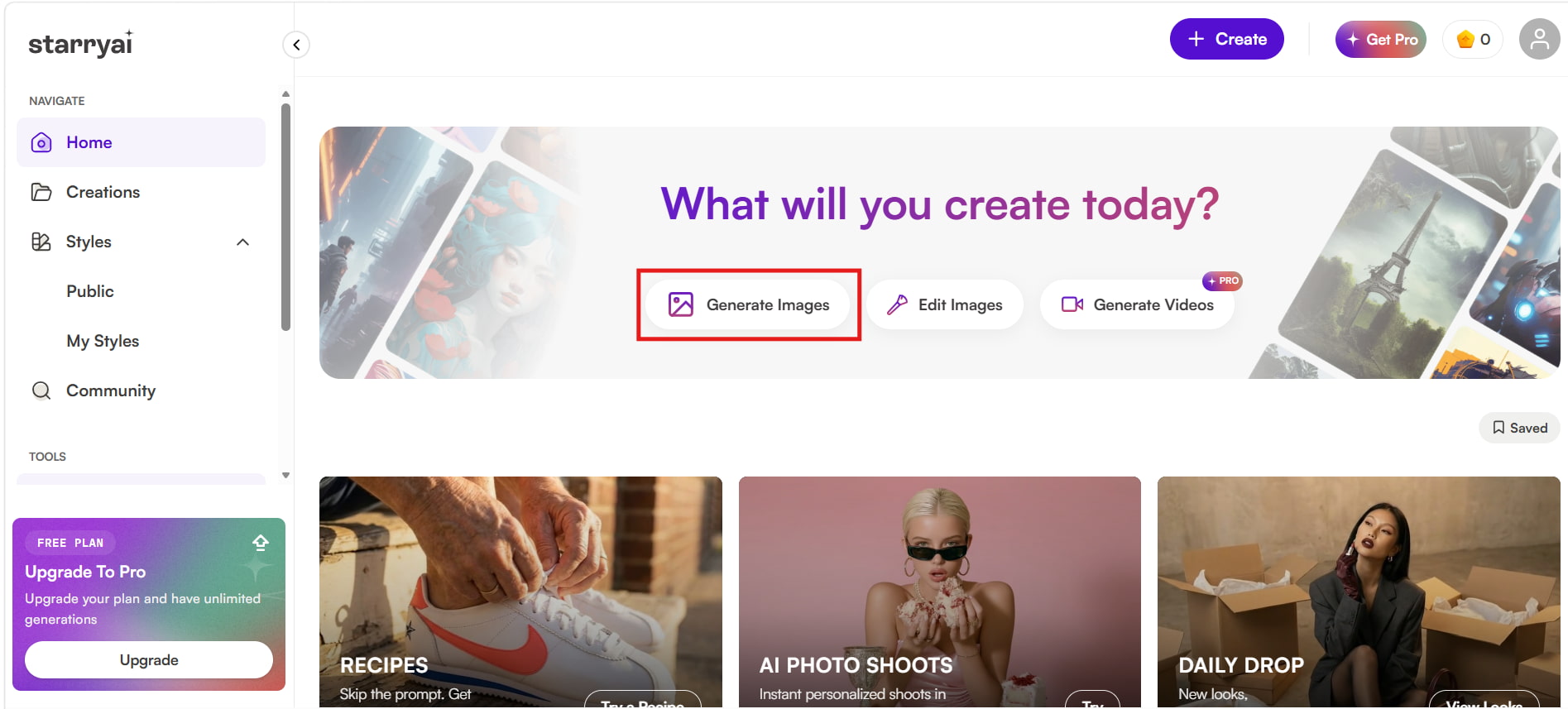
Step 1: Select generate images
Open StarryAI and click "Generate Images" from the home screen to start creating an AI-generated image.
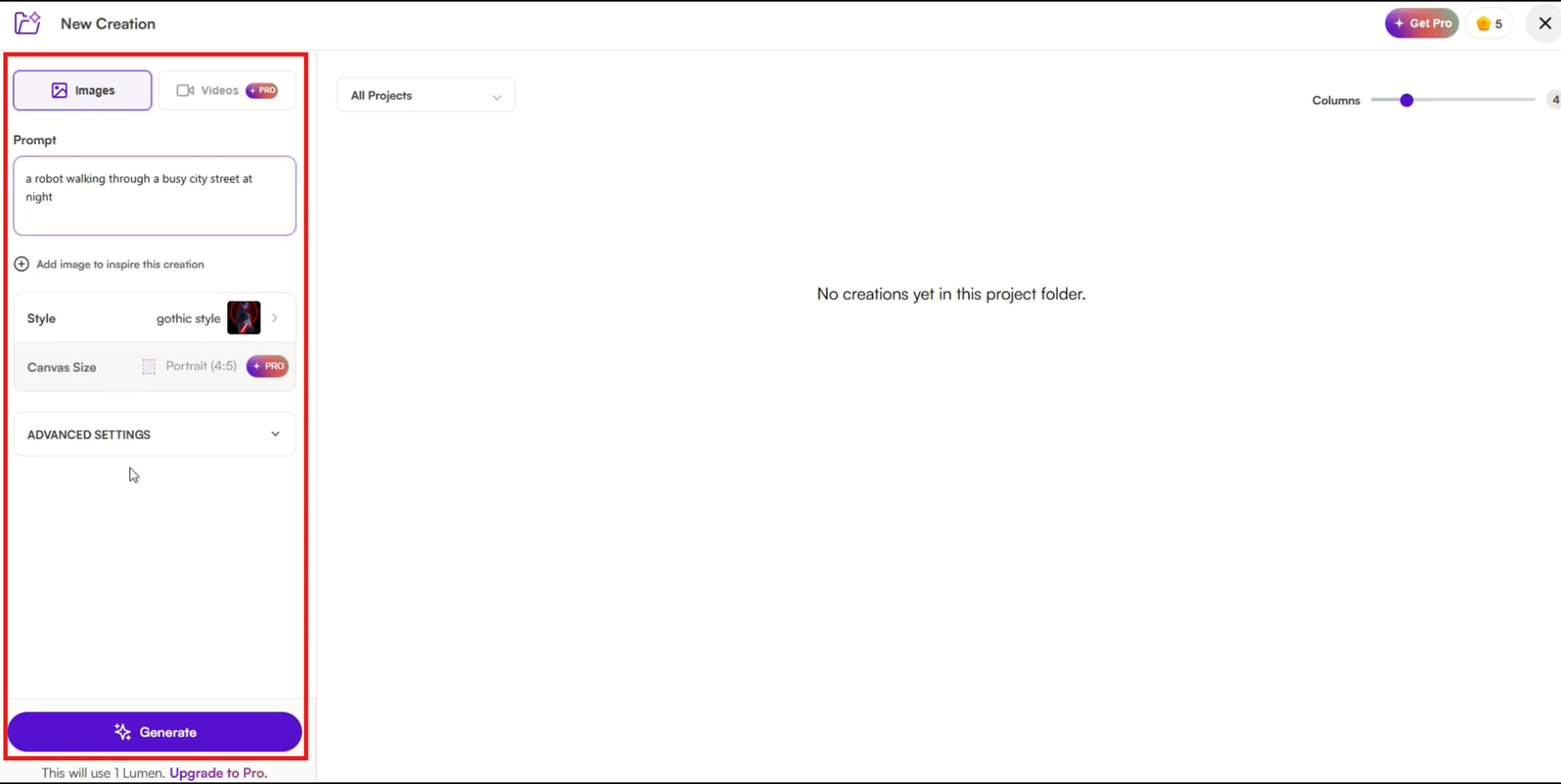
Step 2: Enter your prompt and choose your settings
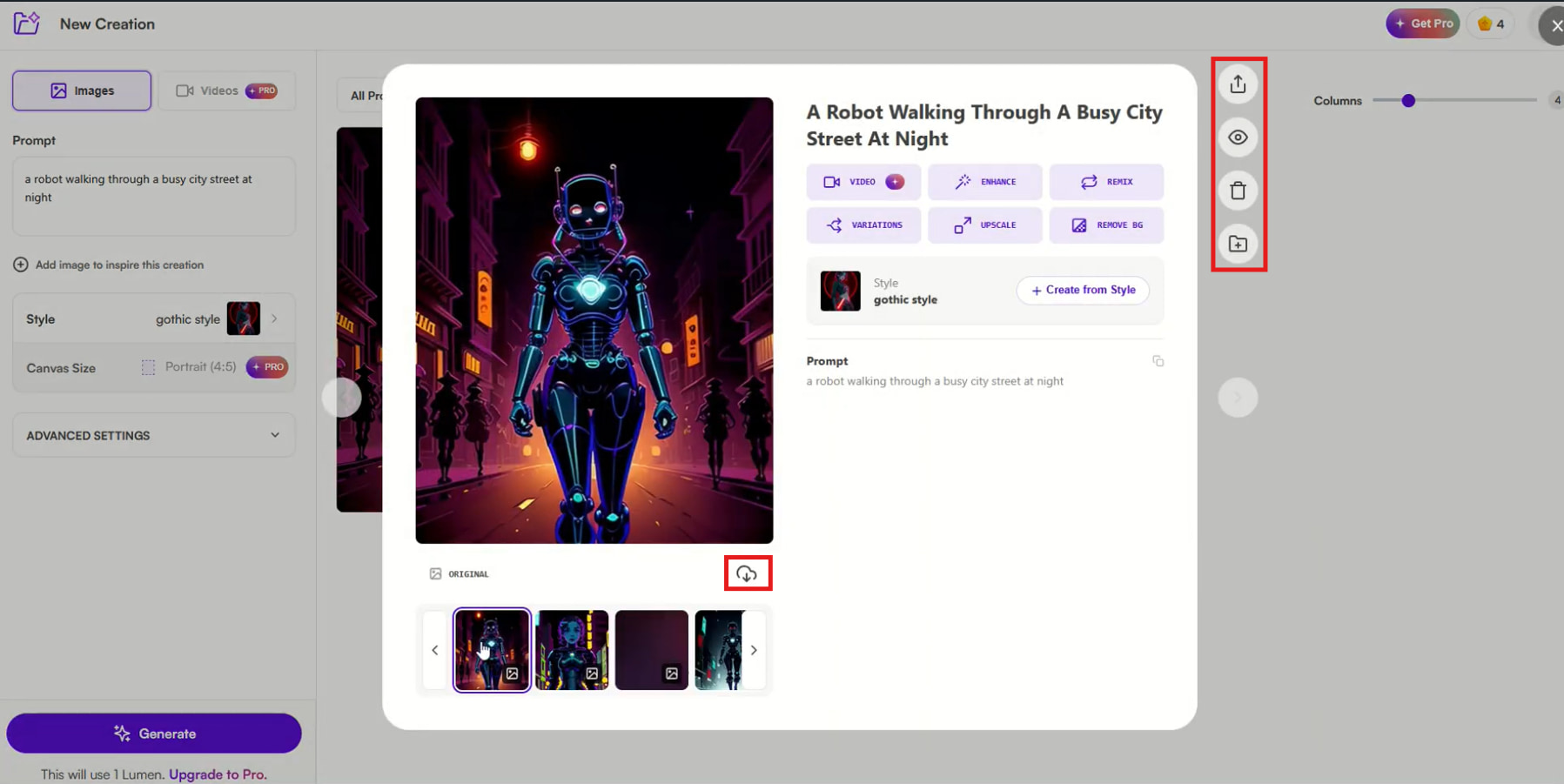
Enter a detailed description of the image you want to generate in the Prompt field. You can also add an image for inspiration, select a style, and choose the canvas size. For more control, expand advanced settings before clicking "Generate".
Step 3: Review, enhance, and download your image
Once StarryAI generates the image, review the result and use the available tools to refine it. You can create variations, enhance or upscale the image, remove the background, or remix the result. When you're satisfied, click the download icon to save the generated image.
Starry AI pricing: Plans, Lumens, and best value
StarryAI provides three types of paid subscription packages: Starter, Unlimited Pro, and Unlimited Pro Max. The difference between these plans lies in the number of generated images, fast generations, and the presence of Lumens.
Starry AI pricing
| Plan | Monthly Price | Lumens | Image Generation |
|---|---|---|---|
| Starter | $15/month | 200 Lumens | 800 image generations/month |
| Unlimited Pro | $35/month | 1,000 Lumens | 4,000 fast generations/month + unlimited standard image generations |
| Unlimited Pro Max | $95/month | 3,000 Lumens | 12,000 fast generations/month + unlimited standard image generations |
What are Lumens in StarryAI?
Lumens are usage credits for certain advanced StarryAI features, not every standard image generation. Unlimited Pro allows unlimited standard image generation and 4× upscaling in slow mode after Lumens run out. However, edits, transformations, video generation, and 8×/16× upscaling require Lumens. This makes the Lumen allowance important when choosing a plan for advanced features.
Which StarryAI plan offers the best value?
| Plan | Best For | Why Choose It? |
|---|---|---|
| Starter | Beginners and moderate users | A lower-cost option with a defined monthly generation allowance and 200 Lumens. |
| Unlimited Pro | Frequent creators | Offers the best balance of unlimited standard image generation, 1,000 Lumens, and 4,000 fast generations. |
| Unlimited Pro Max | High-volume and professional users | Provides the highest fast-generation allowance and 3,000 Lumens for heavier creative workloads. |
Starry AI test results, pros & cons, and user feedback
We evaluated StarryAI using three example outputs covering portrait generation, creative artwork, and product-style imagery. The results show how the platform handles different visual concepts, while the user feedback provides additional context on the overall experience.
Hands-on test results
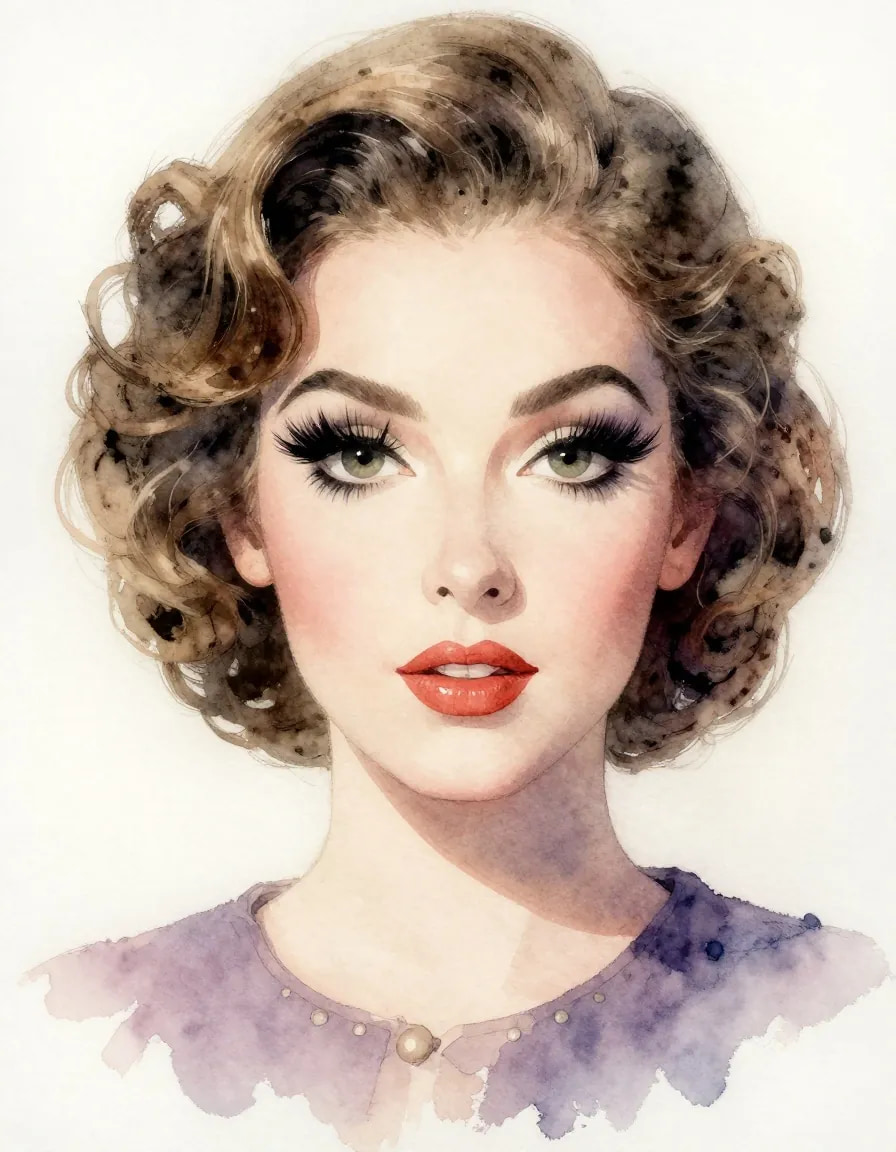
Test 1: Portrait generation
The portrait example shows a detailed human face with expressive eyes, defined facial features, and a consistent watercolor-inspired style. The result demonstrates StarryAI's ability to generate stylized portraits while maintaining clear facial details and overall visual composition.
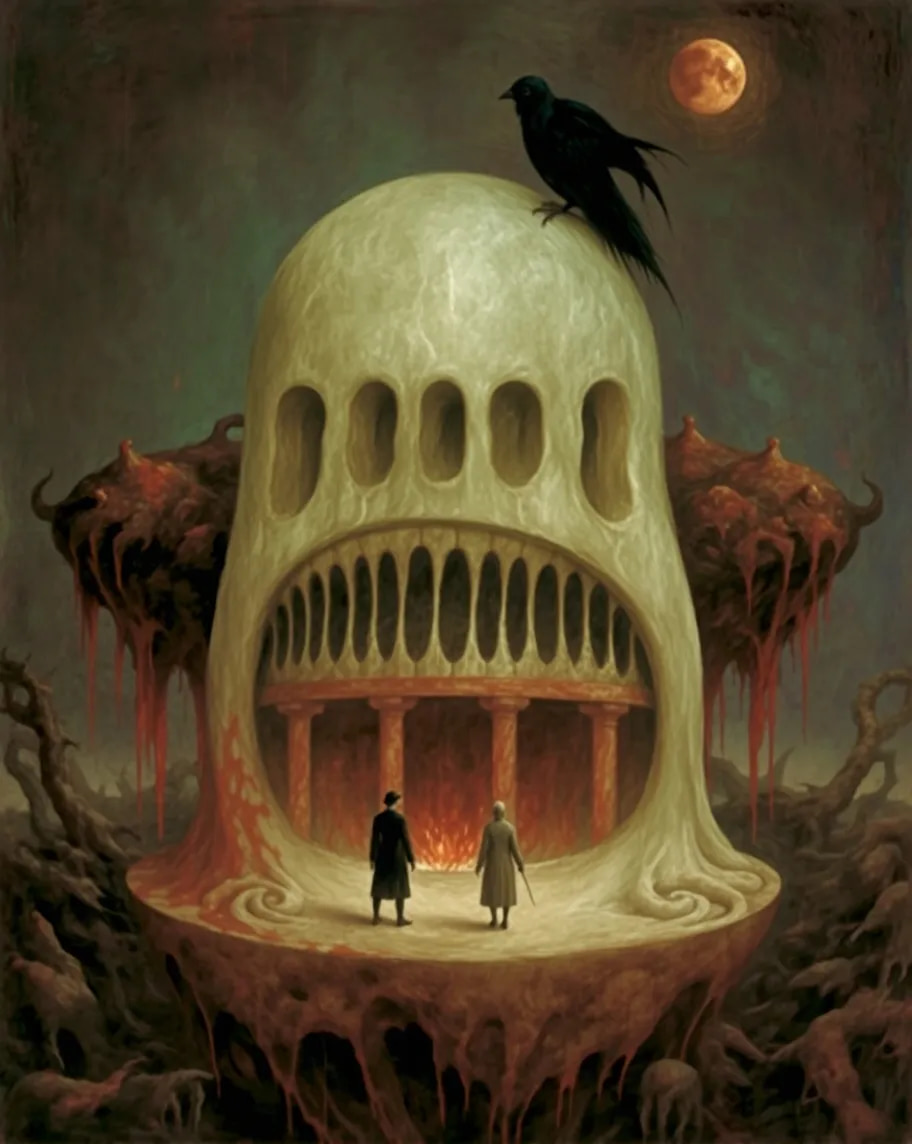
Test 2: Creative AI Art
This particular test proves StarryAI's capability to produce imaginative artwork based on an extensive description provided by users. The scene that is created by StarryAI includes a mythical creature, dark fantasy elements, intense lighting and many other components.
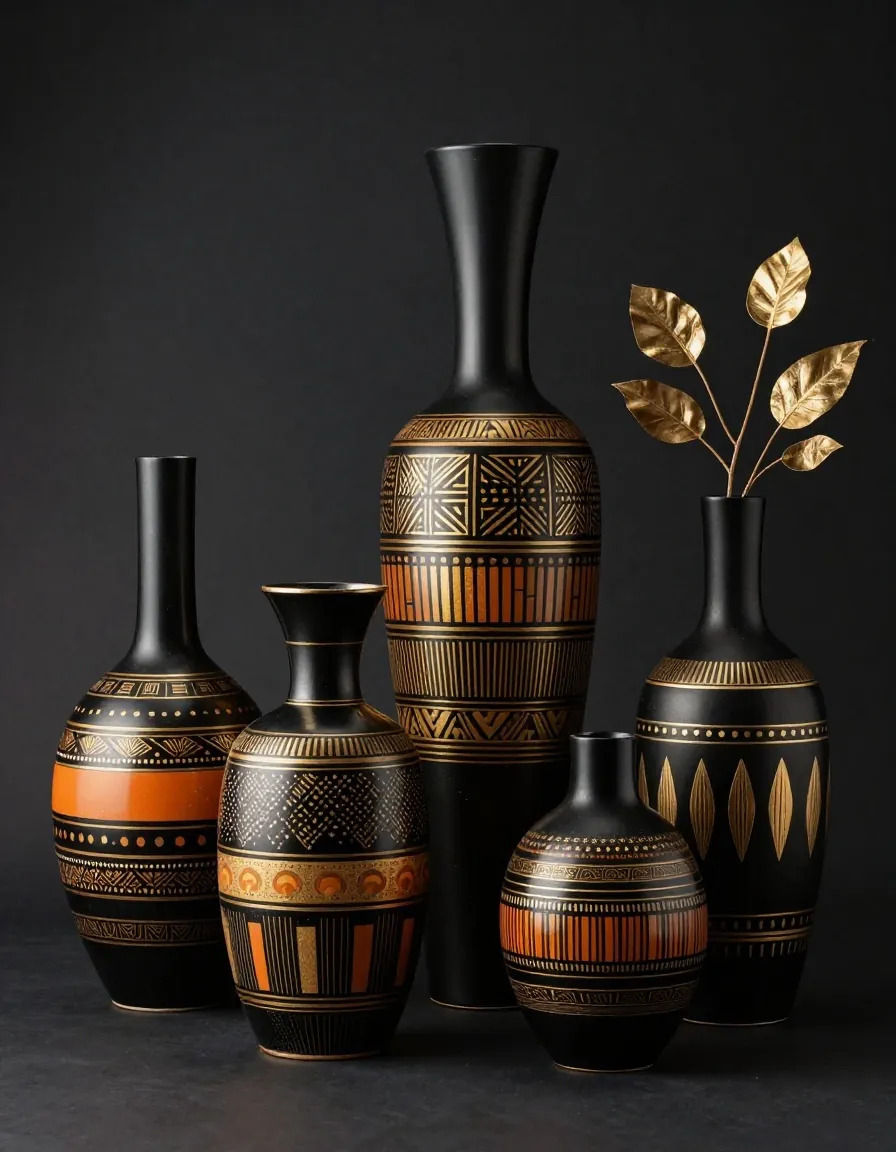
Test 3: Product visual
In this case, we see StarryAI creating an elegant product-type still life image with many decorative vases. With its elaborate details, carefully composed elements, and dark background, the image appears very professional and could be used for marketing or product ideas.
Pros and cons
| Pros | Cons |
|---|---|
| Beginner-friendly image-generation workflow | Results can vary between generations |
| 1,000+ creative styles | Some advanced features require Lumens |
| Supports reference images | Complex prompts may require refinement |
| Includes editing, enhancement, and upscaling tools | Overall cost can depend on Lumen usage |
| Supports both creative generation and image editing | Some advanced operations have separate usage requirements |
User feedback
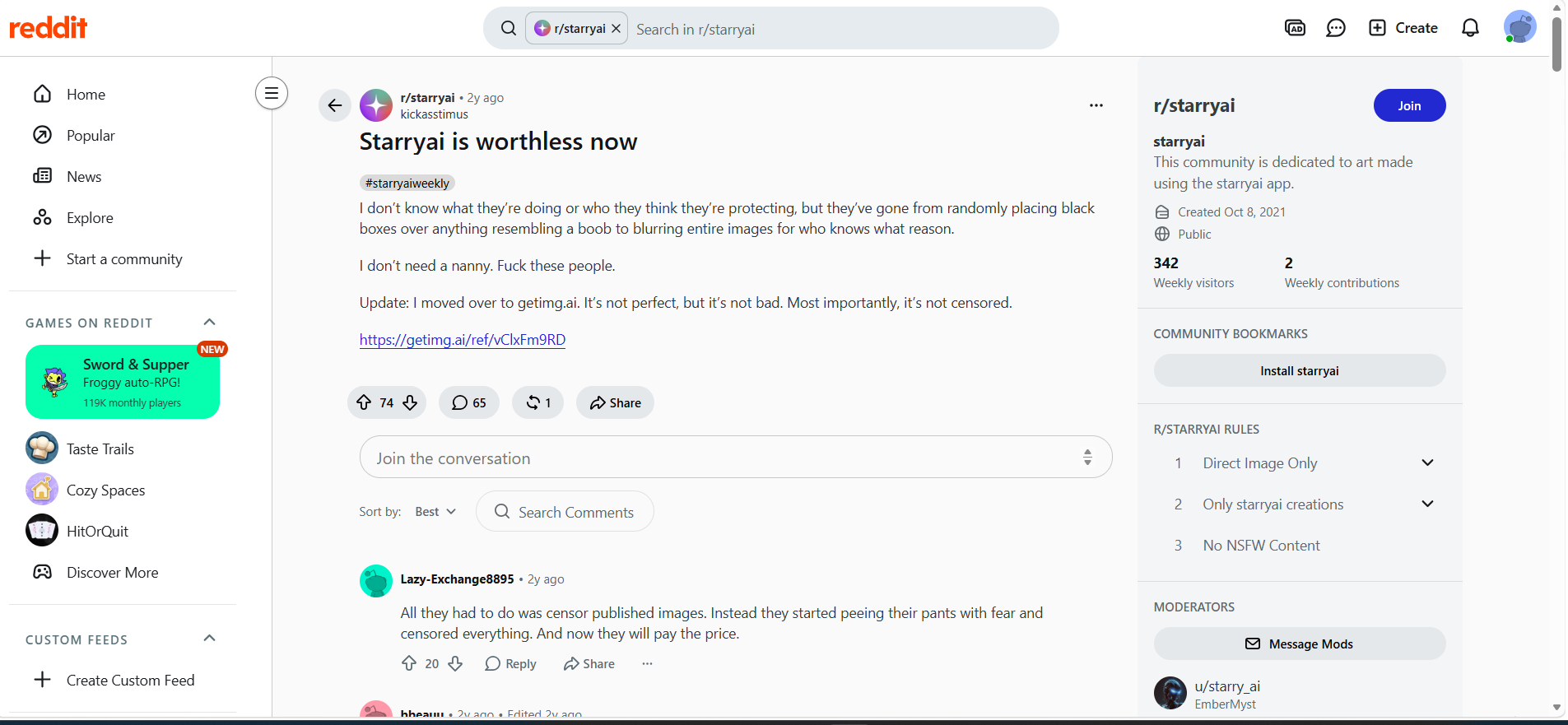
Reddit review: Some of the user comments on Reddit have been negative towards StarryAI due to changes in image moderation and restrictions on content. In one comment, the user described the platform as being less useful after making these changes and decided to switch to a different AI image generator platform.
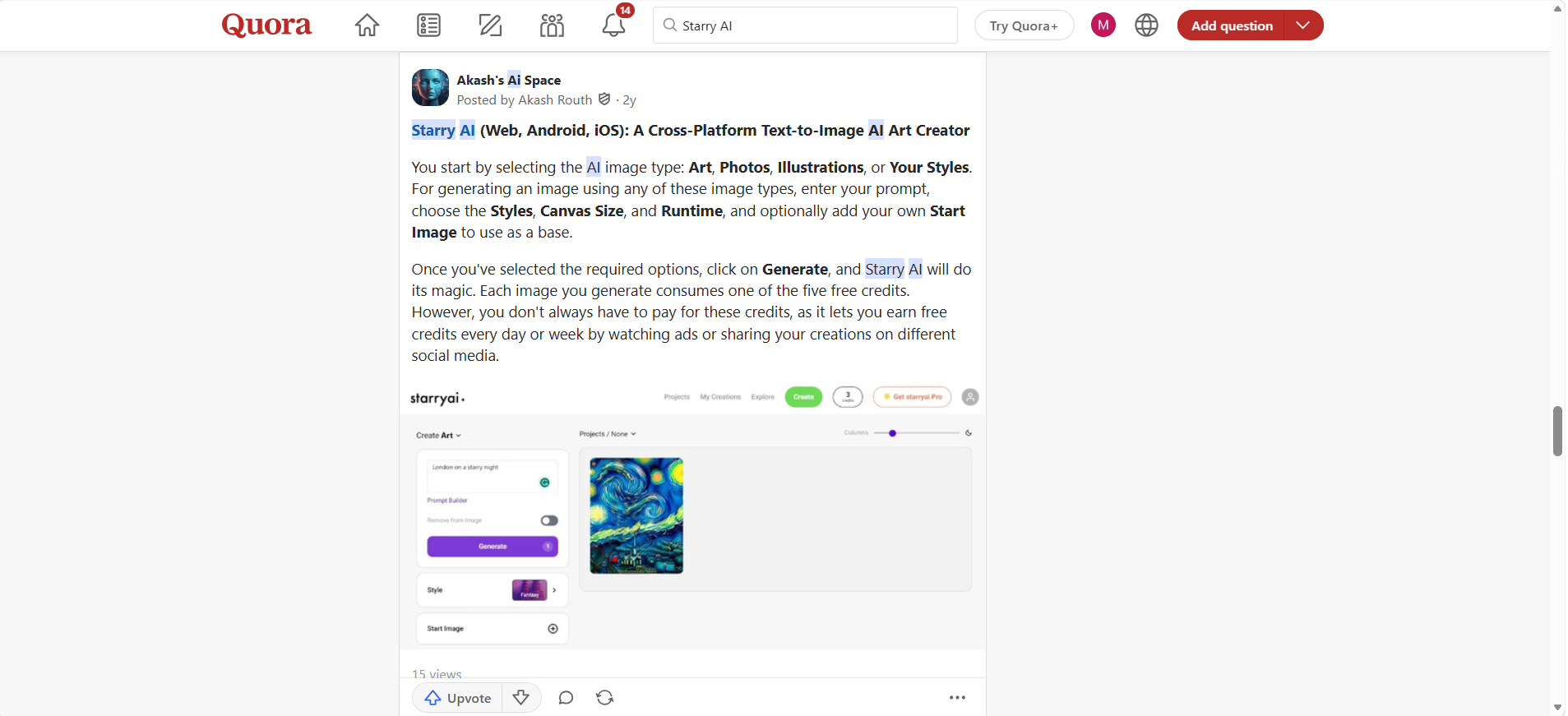
Quora review: In a Quora post, StarryAI was described as a cross-platform text-to-image generator platform, and the prompt generation feature, styles, canvas settings, and reference image feature were mentioned. The credit-based generation system was also mentioned, but the information might be out of date because it is from an old post.
Overall, StarryAI can be a useful option for users focused on AI art, creative experimentation, and image generation. However, users with different priorities such as creating product, marketing, or e-commerce visuals may want to consider an alternative with a more commercially focused workflow. This is where Vmake Labs is worth exploring.
New black tech: Choose Vmake Labs as a Starry AI alternative
Vmake Labs is an alternative for users who want to create AI-generated visuals for marketing, e-commerce, product content, and other commercial use cases. It supports text-to-image and image-to-image workflows, along with multiple AI models and reference-image options for more control over the creative process.
Why choose Vmake Labs AI image generator?
- Text-to-Image generation: Create visuals from detailed text prompts describing the desired subject, style, and composition.
- Image-to-Image generation: Transform an existing image into a new visual while using the original image as creative guidance.
- Multiple AI models: Choose from available AI models to explore different image-generation approaches and outputs.
- Reference image support: Upload reference images to guide the subject, style, or visual direction of the generated result.
- Flexible aspect ratios: Choose image dimensions suited to different content formats and platforms.
- Marketing and E-commerce visuals: Create product images, promotional visuals, and other commercial assets.
How to generate AI images with Vmake Labs
Step 1: Open the Vmake Labs AI image generator
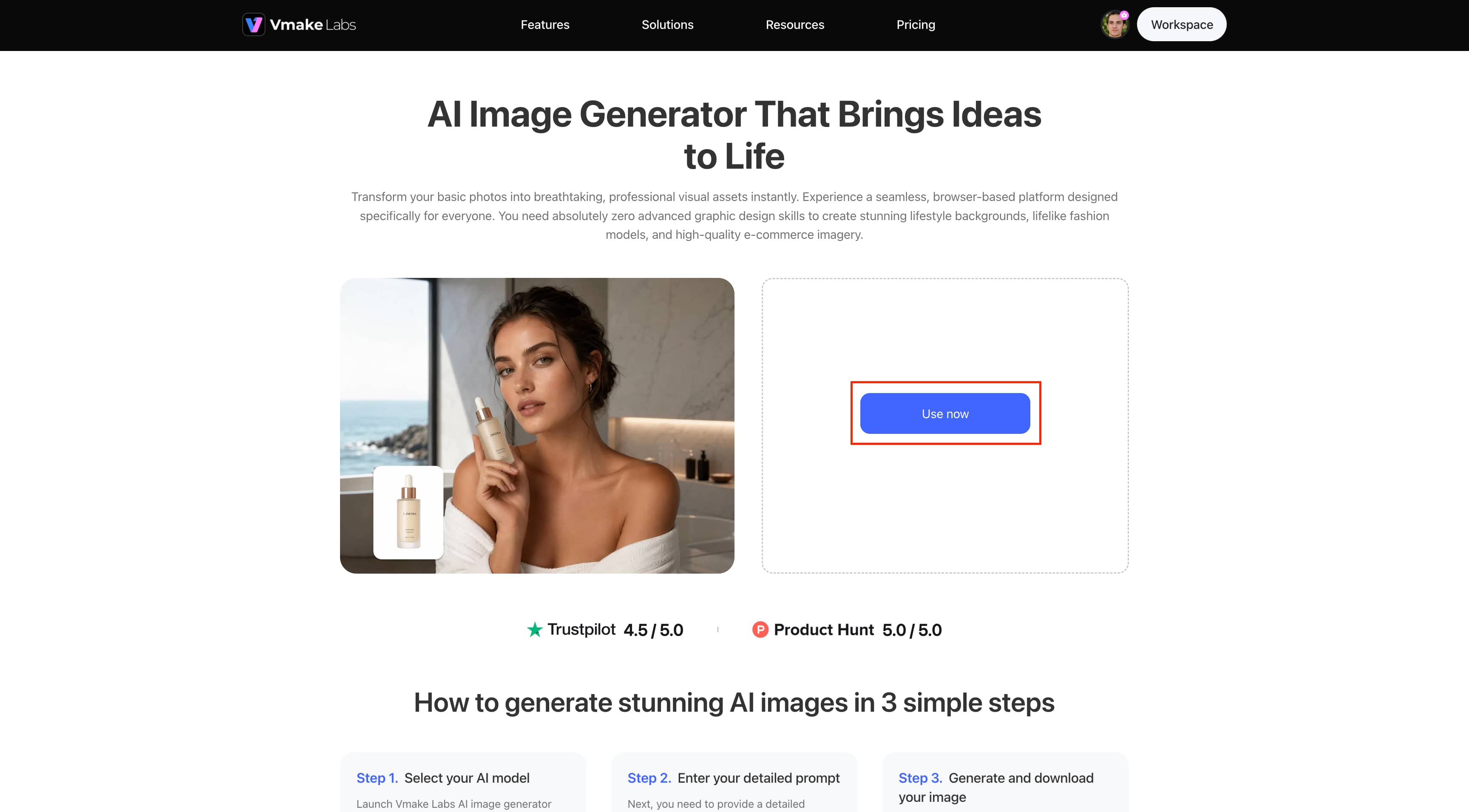
Click Use now on the Vmake Labs AI Image Generator page to enter the image-generation workspace. The generator provides Text to Image and Image to Image options.
Step 2: Choose a model, Add your prompt, and set the ratio
Select an available AI model, enter your image description in the Description box, and choose an aspect ratio such as 4:3 from the Ratio menu. Then click Generate to create the image.
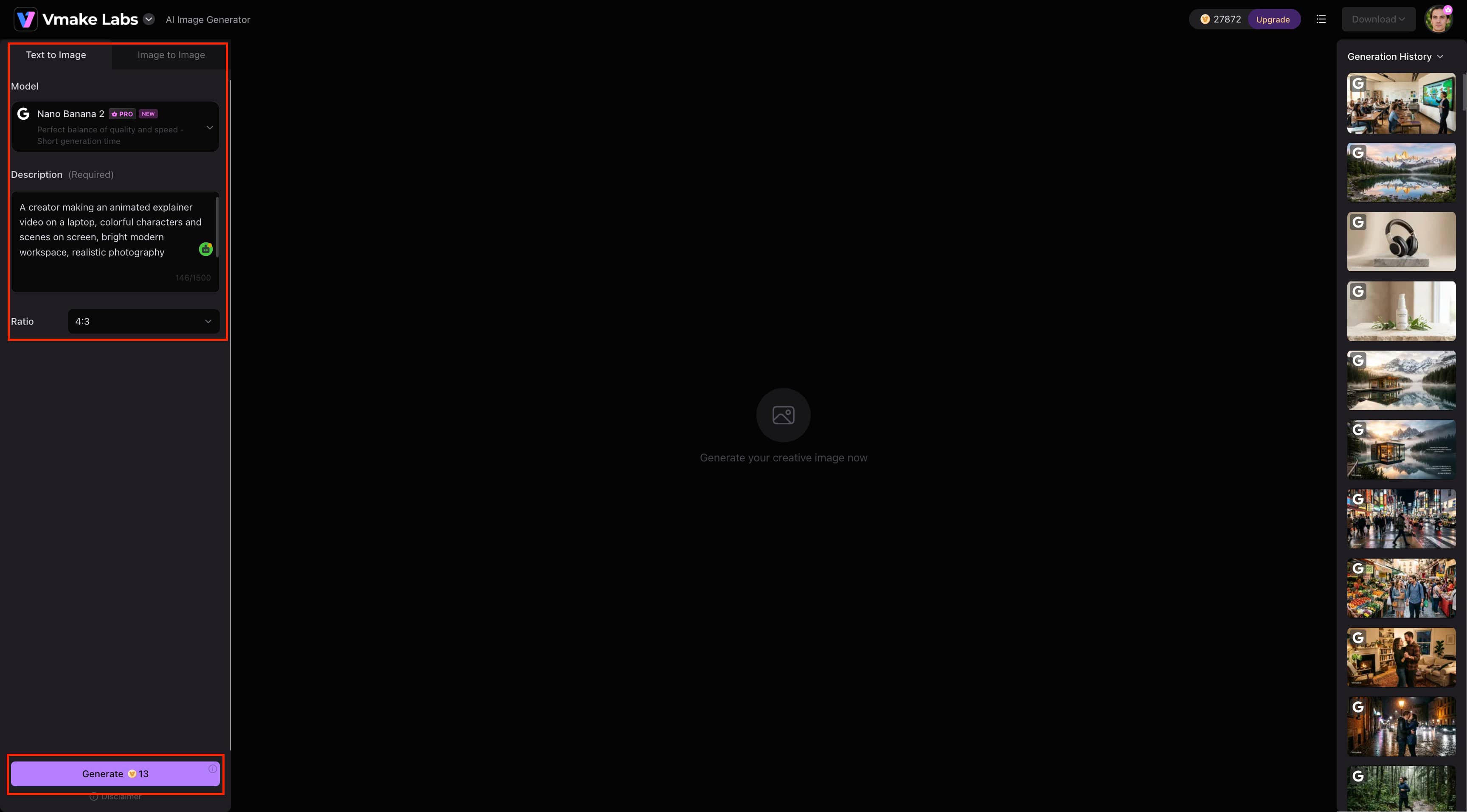
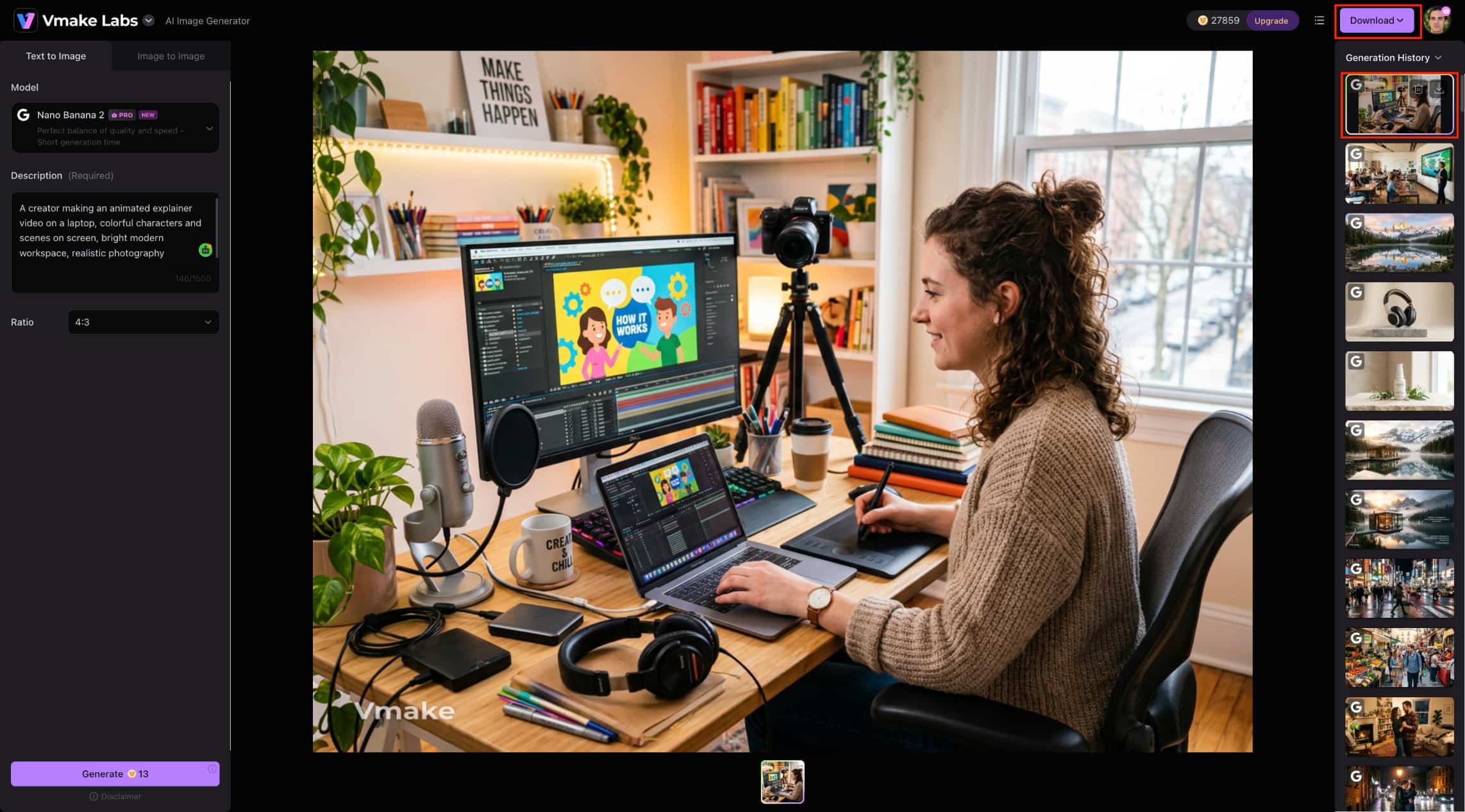
Step 3: Review and download your generated image
Vmake Labs displays the generated image in the workspace and saves it in the Generation History panel. Review the result, then click Download to save the image you want to use.
Starry AI vs Vmake Labs
| Category | StarryAI | Vmake Labs AI image generator |
|---|---|---|
| Primary focus | AI image and art generation | Creative and commercial AI image generation |
| Image generation | Text-to-image and reference-based workflows | Text-to-image and image-to-image |
| AI models | StarryAI models and styles | Multiple AI models |
| Reference images | Yes | Yes |
| Creative controls | Styles and creative controls | Model and generation settings |
| Image editing | AI image editing and transformations | Image-to-image generation and editing workflow |
| Enhancement | Image enhancement and upscaling | Image-generation workflow |
| Marketing visuals | Suitable for creative marketing visuals | Suitable for marketing visuals |
| E-commerce visuals | Can be used for product visuals | Strong use case for product visuals |
| Best for | AI art and creative experimentation | Marketing, e-commerce, and commercial visuals |
Which tool should you choose?
Choose StarryAI if StarryAI is a better fit if your primary goal is AI art and creative experimentation. Its range of styles and creative controls makes it suitable for exploring different artistic directions. At the same time, built-in editing, enhancement, and upscaling tools let you refine and improve your generated images within the same workflow.
Choose Vmake Labs if you need versatile AI image generation for commercial content. Its support for multiple AI models, text-to-image and image-to-image workflows, reference images, and flexible generation options makes it well suited for creating product, marketing, e-commerce, and other professional visual assets.
Conclusion
As we mentioned, StarryAI is a flexible image-generation platform based on artificial intelligence that provides text-to-image generation, styles, references, editing, enhancing, and upscaling options. Our practical research demonstrates its ability to generate images in portrait, creative-art, and product-style cases; however, the quality of generated images might depend on the prompts and settings used. The main benefit of StarryAI lies in the opportunity to play with AI artwork and edit images in one tool. If you need to work with different models and your goal is marketing, product, or e-commerce image creation, you can consider Vmake Labs instead.
FAQs
Does StarryAI allow commercial use of generated images?
Yes. StarryAI currently states that creators own their generated artwork and can use it for both commercial and non-commercial purposes, provided they have the necessary rights to any input or reference images they use. Because licensing terms can change, check StarryAI's latest license before using an image for a specific commercial project.
Can I use an existing image as a reference in StarryAI?
Yes. You can use an existing image as a reference to guide the visual direction of a new generation. Make sure you have the appropriate rights to any image you upload or use as a reference.
Why do StarryAI results vary between prompts?
Differences in results may be caused by the fact that the image generated is influenced by factors like the wording of the prompt, selected styles and settings, reference images used, and the object created.
How can I get better results from StarryAI?
Be explicit about the subject matter, composition, lighting, style, and details of the image through a well-constructed prompt. Sometimes, a reference image will be needed to help StarryAI generate an image according to your request.
Is StarryAI better for AI art or commercial images?
StarryAI is very suitable for AI art because of its style tools, editing features, enhancement, and upscaling. However, it is also possible that StarryAI could help produce commercial graphics, whereas Vmake Labs would be more appropriate for marketing, product, and e-commerce graphics.

You May Be Interested

Z Image AI Review 2026: Features, Performance, Pros and Cons
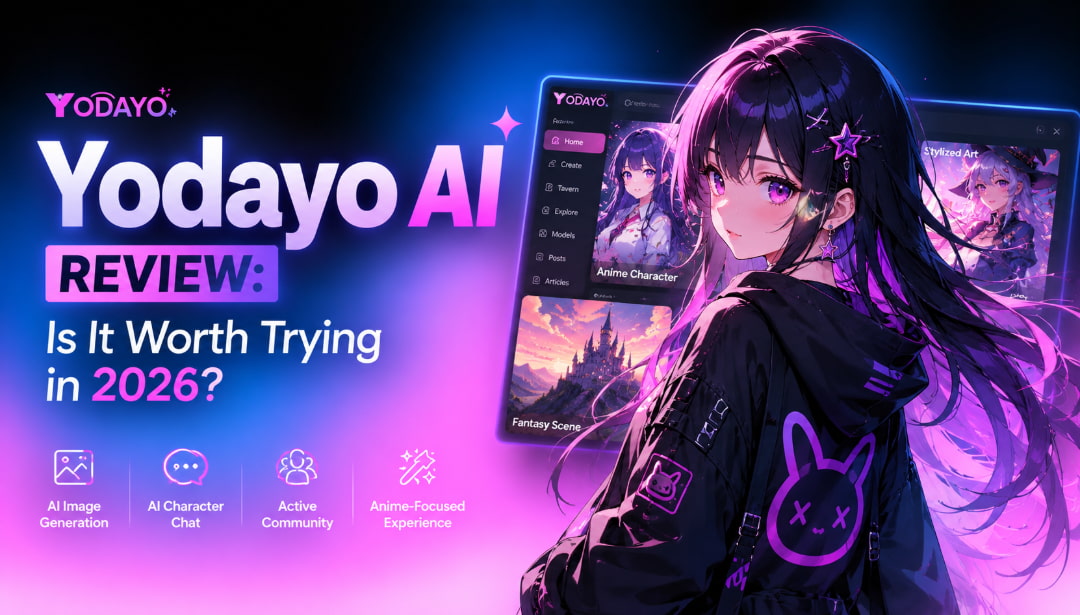
Yodayo AI Review 2026: Features, Pricing, and Alternatives
X-Design Watermark Remover Review (2026): Features & Pricing
Vidu AI Review: Is This AI Video Generator Worth in 2026?
Vadoo AI Review 2026: Features, Pricing and Alternatives
VEED Review: Does the Watermark Remover Work? (2026)

Vivideo AI Review 2026: Features, Pricing and Alternatives
Unlucid AI Review: Is this AI platform worth it in 2026?
