Pika AI Video Generator Review: Pros, Cons, and Best Alternative
Can Pika AI handle e-commerce and marketing video creation? Read our complete review to explore its features, and discover how a powerful alternative like Vmake can upgrade your production workflow.

Welcome to our detailed guide on artificial intelligence video creation. In this fast-changing digital world, picking the right software is vital for both creators and businesses. This review explores the innovative generation features of Pika AI while introducing Vmake as the perfect alternative to meet your commercial video production goals and requirements.
What is Pika AI?
Pika AI is a highly advanced generative artificial intelligence platform explicitly designed to create and edit stunning cinematic videos using simple text prompts, uploaded images, or existing video clips. By eliminating the steep learning curve of traditional editing software, it empowers digital creators, artists, and marketers to produce complex video animations effortlessly, regardless of their prior technical skill or experience.
Major features of Pika AI video generator
Discover the impressive capabilities of Pika AI. Here are five standout features that make it a favorite among creative professionals.
-
Text-to-video generation: With Pika AI, you can now start creating short AI-generated video clips from simple text prompts, with stunning visuals and impressive cinematic movements.
-
Image-to-video animation: Upload any static image to the platform, and the AI will breathe life into it, adding realistic motion, fluid dynamics, and dynamic camera movements to create an engaging animated sequence.
-
Video-to-video style transfer: Transform the aesthetic of your existing footage completely. Apply unique artistic styles, change the genre, or alter the mood of your original video while retaining its core structural composition seamlessly.
-
Inpainting & outpainting: Easily modify specific elements within your video. Change clothing, add objects using inpainting, or expand the canvas size with outpainting to fit different aspect ratios for various social media platforms.
-
AI sound effects & lip sync: Enhance your visual content by generating synchronized sound effects directly from your text prompts, or seamlessly animate characters' mouths to match custom voiceovers for a fully immersive audio-visual experience.
How to use Pika Labs AI video generator in 3 simple steps?
Creating content with Pika AI is incredibly straightforward. Follow these three simple steps to start generating your own cinematic videos.
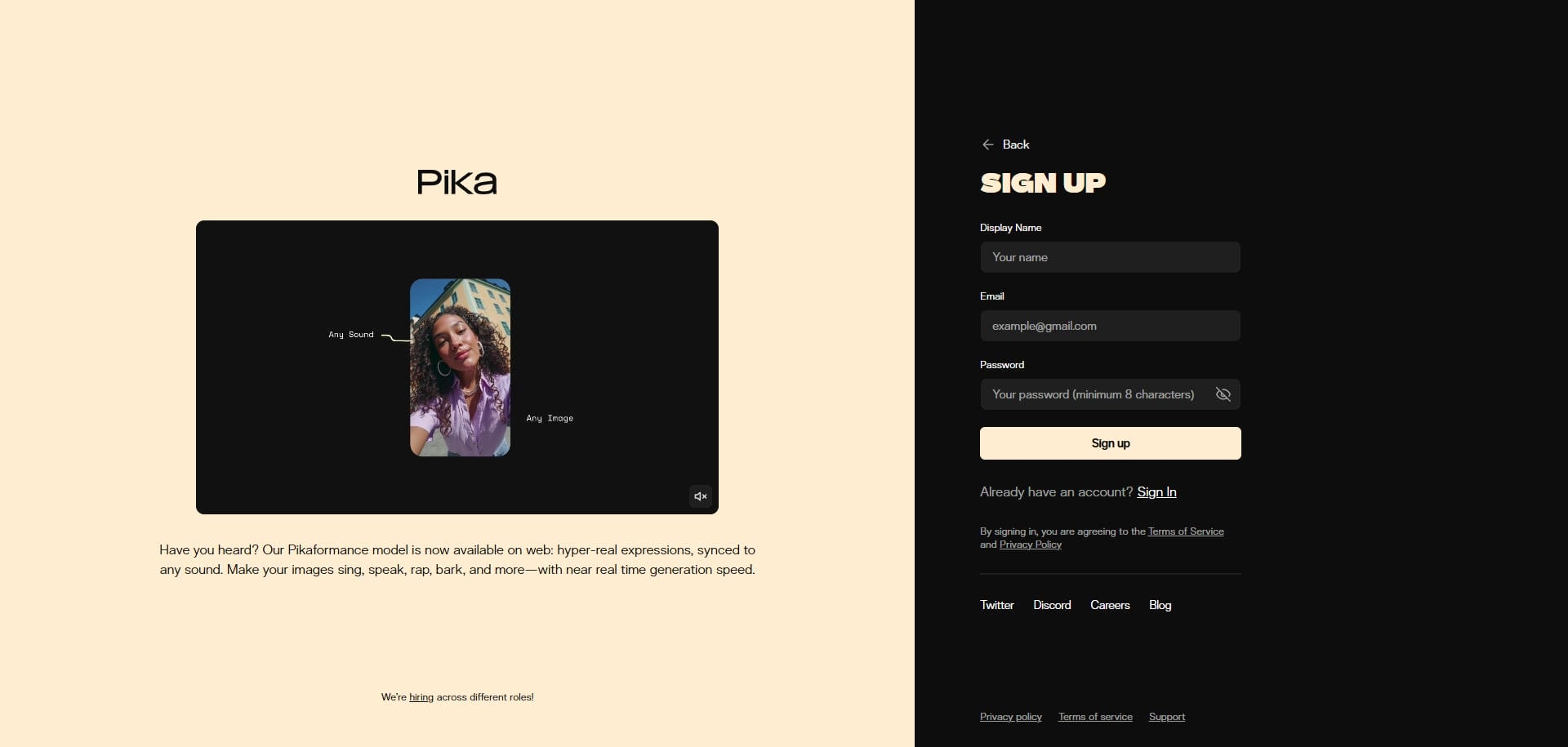
Step 1: Access Pika AI video generator
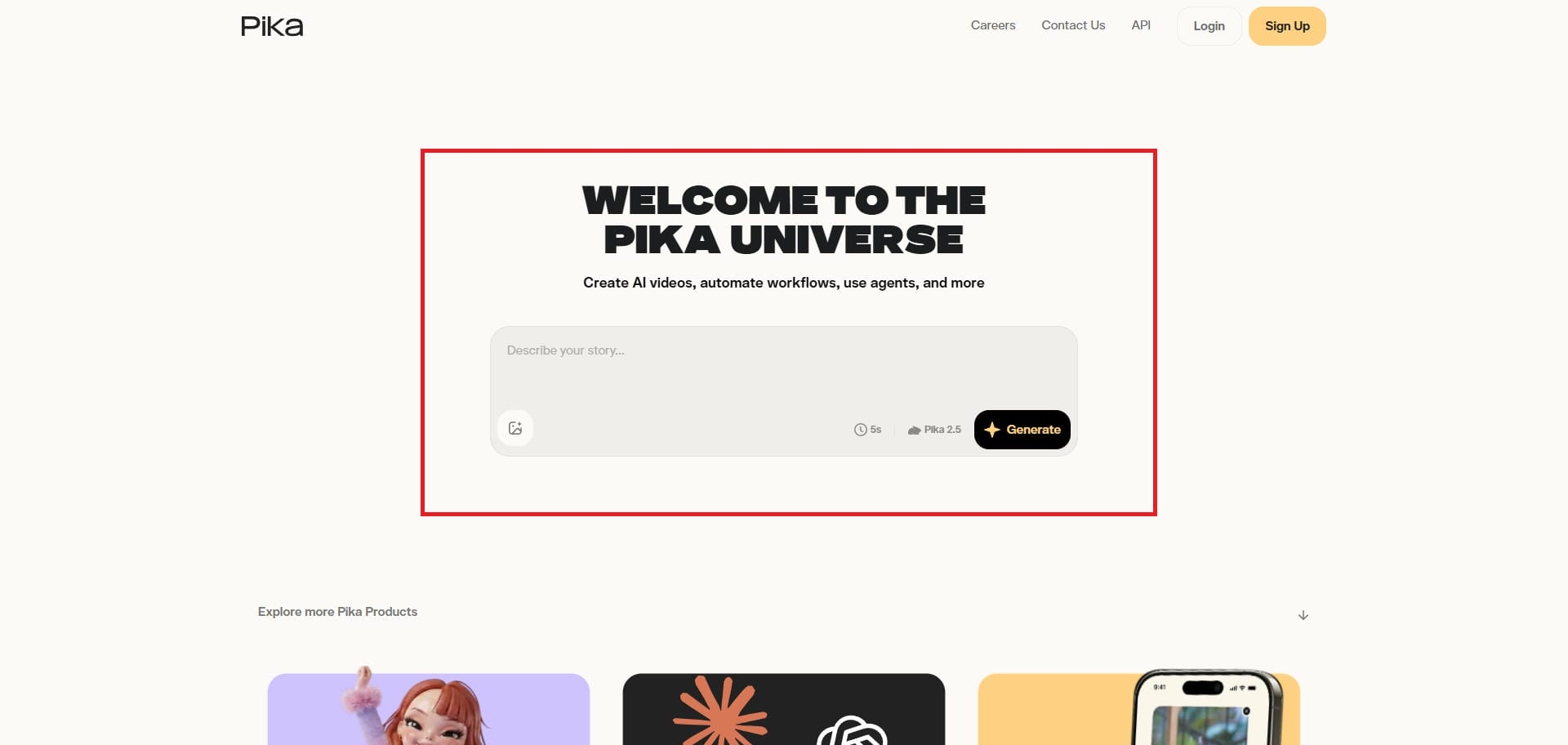
First, you need to access Pika AI's official website. Once you do that, you will be greeted with a prompt box and the option to generate your video.
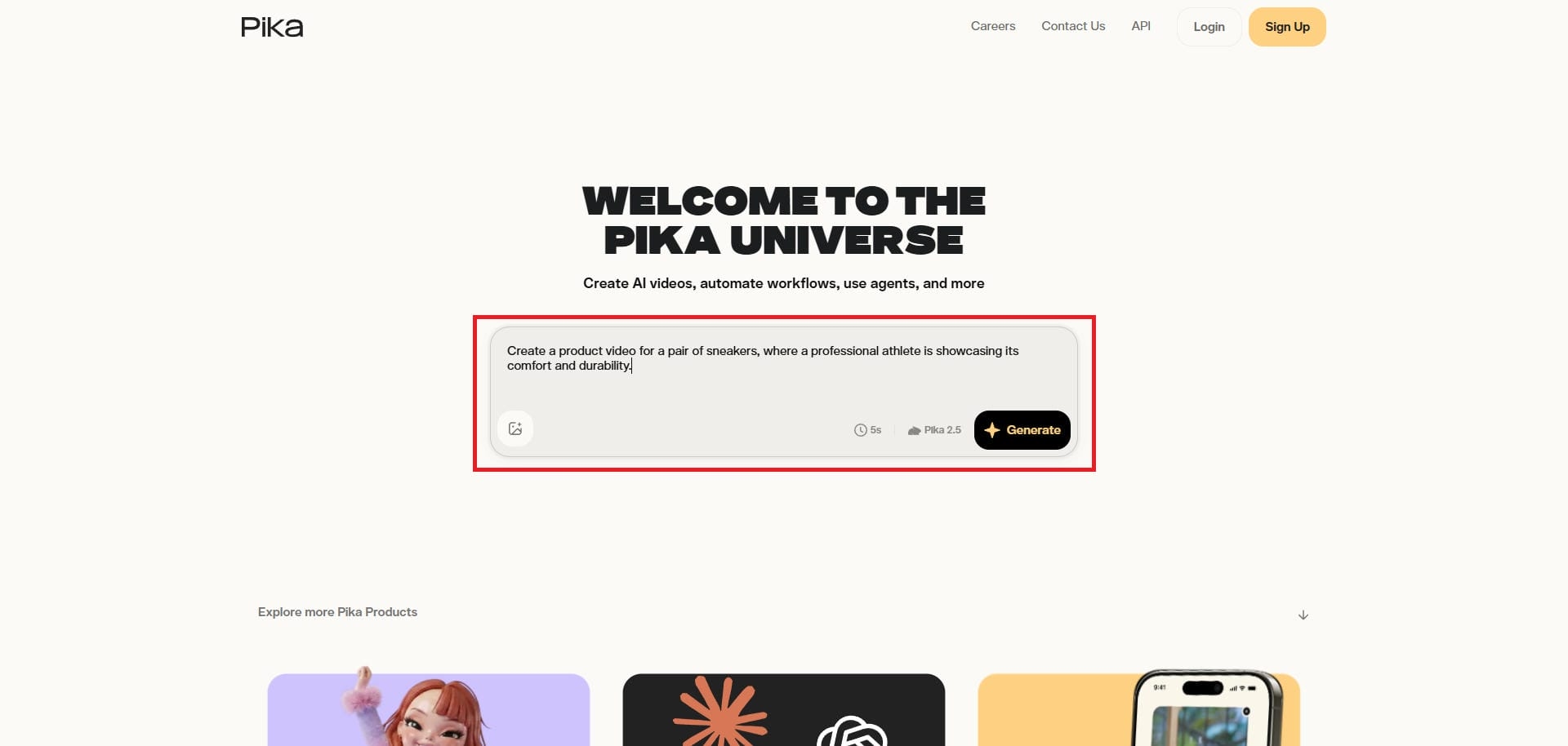
Step 2: Enter your prompt for AI video generation
Proceed to enter your detailed video generation idea into the prompt box and then choose your preferred video duration. Additionally, you also need to select your AI video generation model. Lastly, Pika AI gives you the option to upload a reference image for your video (image-to-video) as well.
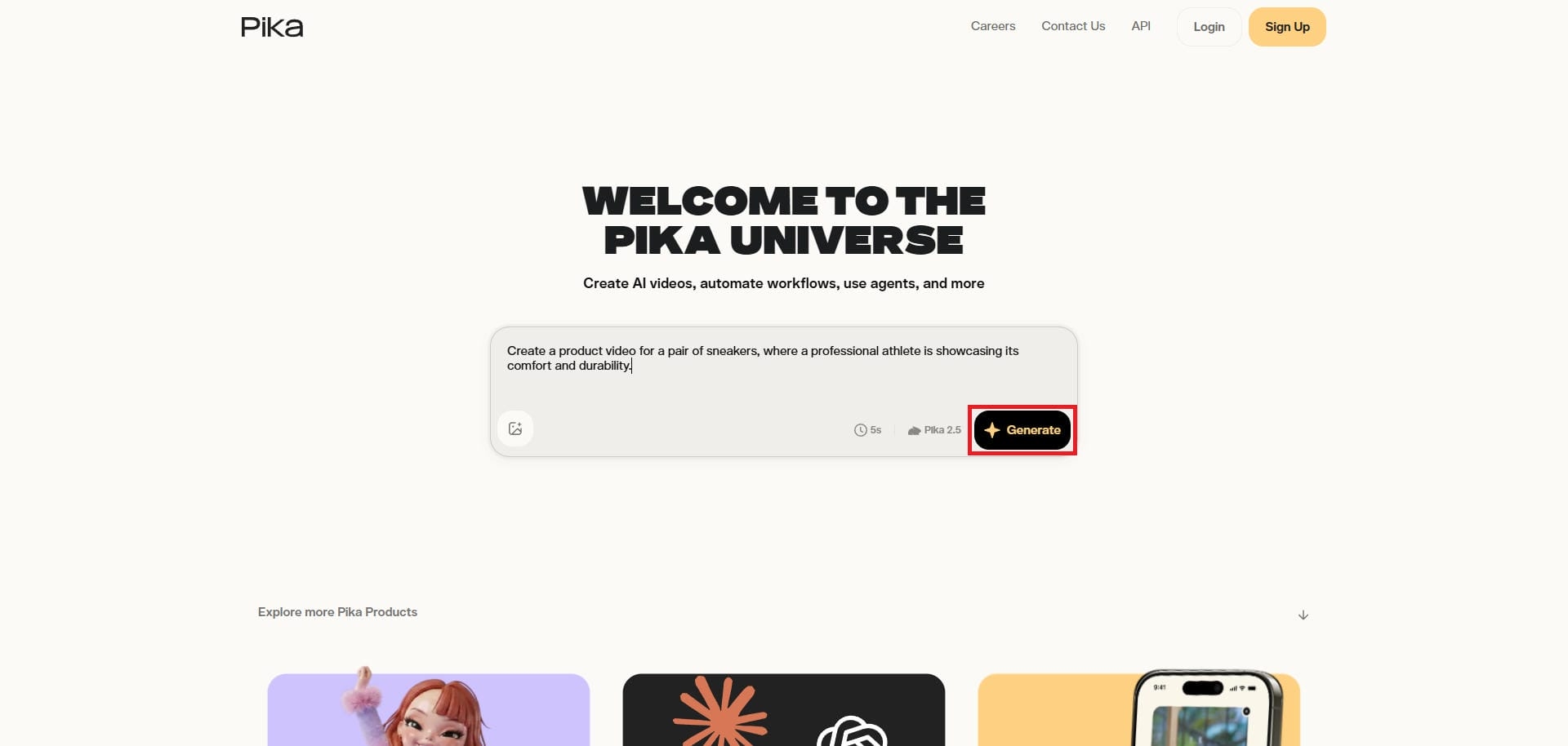
Step 3: Generate and export your video
After entering your prompt, click on "Generate". Pika AI will start generating your video, and once that is completed, you will be able to download it to your device, for further sharing.
Pika AI pricing and plans
Understanding the cost is an essential part of our complete Pika AI video generator review. Before committing, users must evaluate these subscription tiers carefully to determine which option best fits their specific budget and daily production needs.

Whether you are a casual hobbyist seeking free access or a dedicated professional demanding full commercial rights, here is a detailed breakdown of their current pricing structure.
|
Plan |
Monthly Price (Billed Annually) |
Key Features |
|---|---|---|
|
Basic |
Free |
80 initial credits, basic generation, watermarked |
|
Standard |
$8/month |
700 credits/month, no watermark, video upscaling |
|
Pro |
$28/month |
2300 credits/month, unlimited relaxed generations |
|
Fancy |
$76/month |
6000 credits/month, highest quality, all features |
Ideal use cases of Pika Labs AI video generation:
Wondering how to maximize this tool? Here are the five best practical applications for using Pika AI in your projects.
-
Social media content: Create highly engaging, short-form visual content perfectly optimized for modern social media platforms like TikTok, Instagram Reels, and YouTube Shorts to rapidly capture audience attention and boost your daily viewership.
-
Visual storyboarding: Rapidly generate stunning concept art prototypes and detailed visual storyboards for upcoming creative projects, allowing ambitious filmmakers and digital artists to pitch complex cinematic ideas with incredible speed and accuracy.
-
Animating static art: Breathe new life into existing static digital artwork or historical photographs by seamlessly adding fluid motion, dynamic camera angles, and subtle ambient effects to create captivating and nostalgic visual experiences.
-
Cinematic B-roll: Produce short cinematic teasers and high-quality B-roll footage effortlessly, providing independent video editors with a vast library of custom background visuals to enhance their main narrative without expensive stock subscriptions.
-
Immersive audio addition: Transform silent video clips into fully immersive multimedia experiences by generating and synchronizing realistic ambient sound effects and custom lip-synced audio directly from your text prompts within the editing interface.
Pika AI video generation: where it's good at & where it isn't
Every tool has its strengths and weaknesses. Let us examine the major advantages and drawbacks of using the Pika platform.
Pros: |
Cons: |
|---|---|
|
|
See what our users are saying
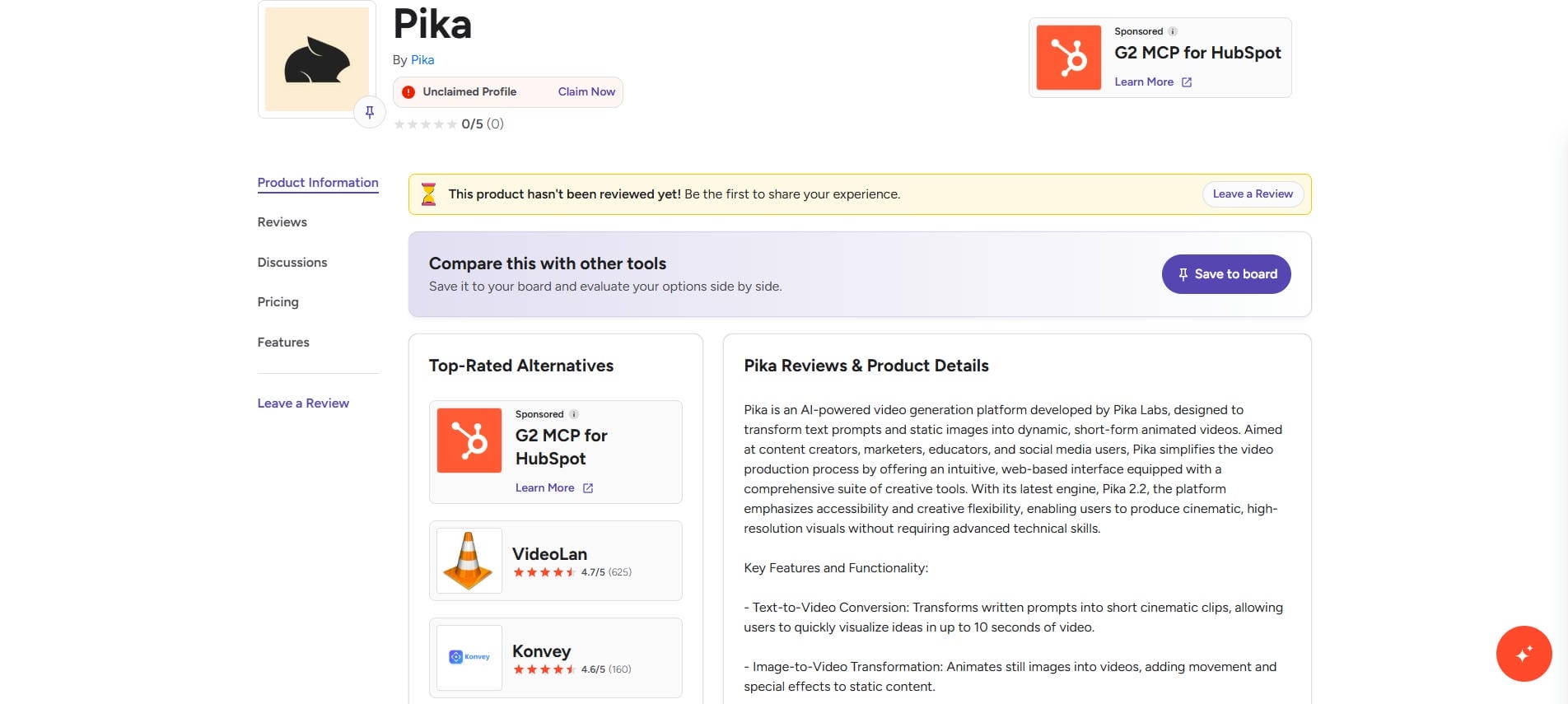
On G2
Users on G2 highly praise Pika AI for its incredibly intuitive interface and fast processing speeds, though some mention occasional inconsistencies when generating highly complex, multi-layered visual prompt sequences consistently.
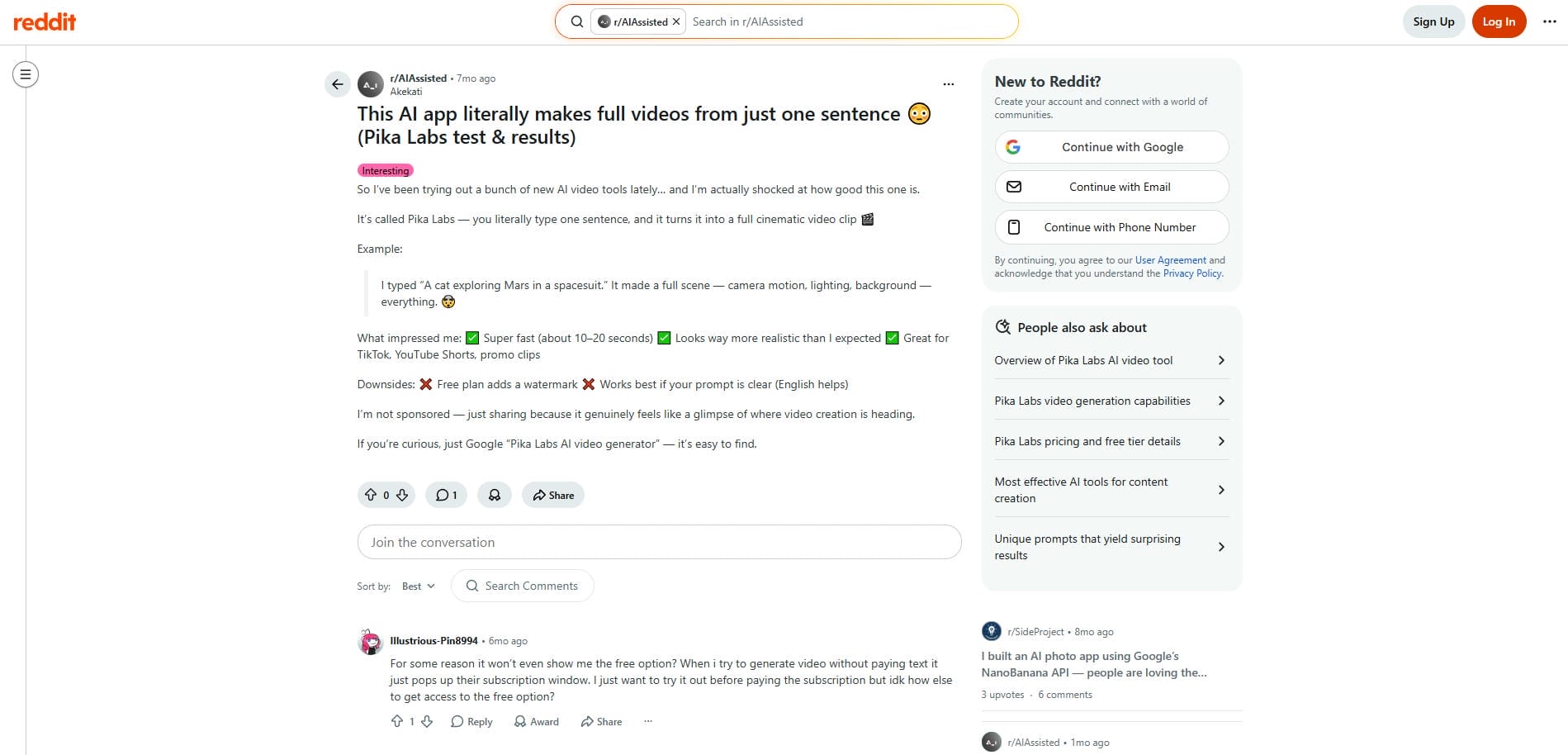
On Reddit
Reddit users frequently praise Pika AI’s fast processing and creative effects for social media. However, many consistently complain about unpredictable morphing artifacts, character inconsistency, and frustratingly expensive credit consumption.
Final verdict
Generally speaking, user feedback confirms that while Pika AI excels in quick, artistic experimentation, businesses requiring precise commercial quality and realistic consistency often seek specialized alternatives designed explicitly for professional workflows.
The more realistic alternative: Vmake AI video generator
Although Pika AI demonstrates exceptional proficiency in generating artistic and cinematic sequences, it frequently encounters limitations when producing the photorealistic human motion and accurate physical dynamics required for retail applications. Consequently, commercial enterprises require robust, enterprise-grade solutions tailored for product marketing.
Vmake AI video generator emerges as the premier alternative specifically engineered to address this critical industry gap. By focusing exclusively on e-commerce demands, Vmake AI provides a highly comprehensive suite of specialized tools designed to generate hyper-realistic, high-converting promotional video content.
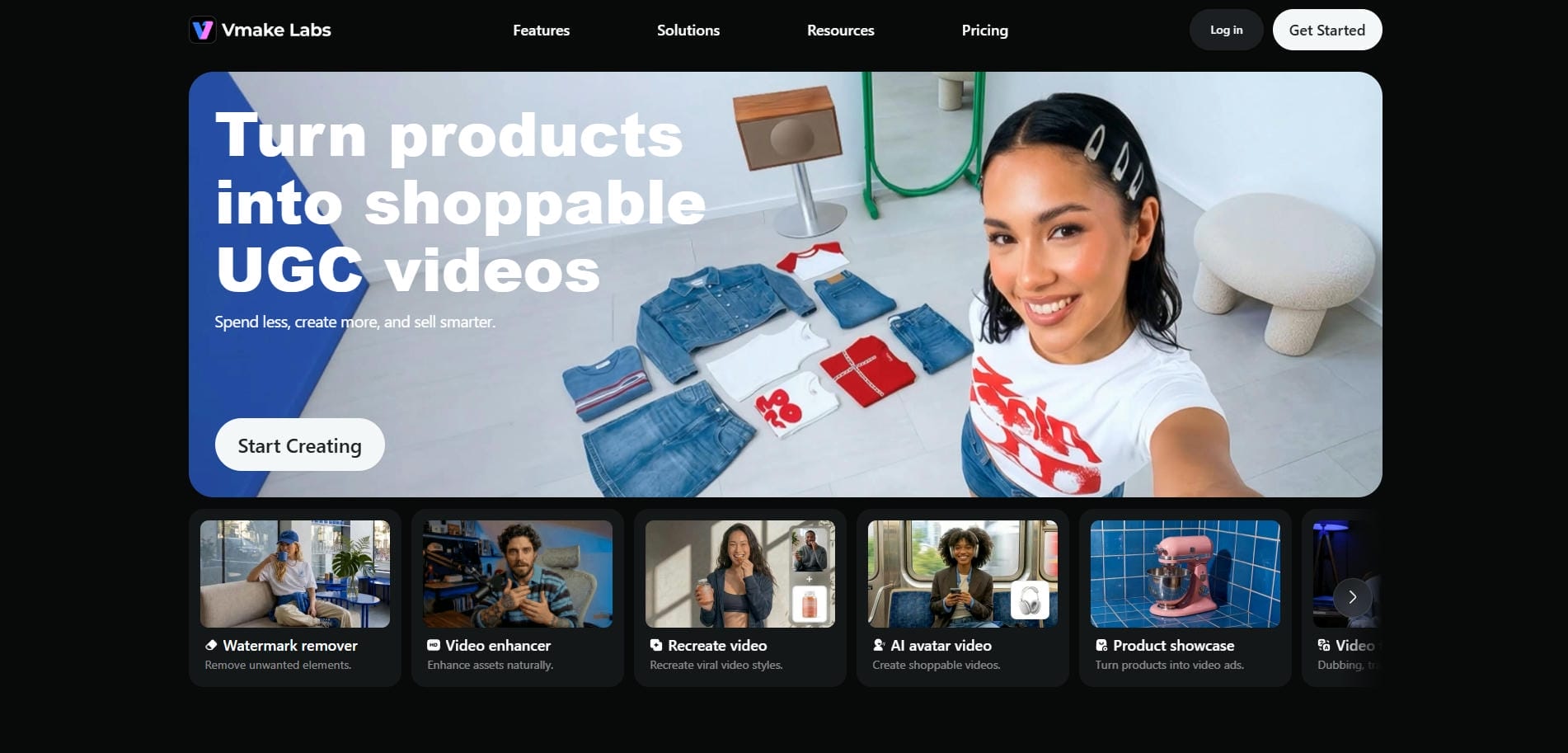
Top features of Vmake AI video generator
Vmake AI specializes exclusively in commercial content. Explore these five powerful video generation features designed to boost your e-commerce marketing strategy.
-
Image-to-video product animation: Convert flat, static product photos into highly dynamic, three-dimensional video showcases automatically, adding smooth camera sweeps and professional lighting effects to highlight your merchandise from every single angle beautifully.
-
Text-to-video generation: Type your product descriptions directly into the text prompt box, and the platform seamlessly generates quality promotional video content, transforming your written marketing concepts into engaging commercial advertising materials instantly.
-
AI fashion model video generation: Bring your apparel to life by generating realistic videos of virtual fashion models wearing your clothing, showcasing fabric movement and realistic fit without the need for expensive physical photoshoots.
-
Dynamic video background generation: Instantly replace boring white backdrops by generating and rendering moving, contextual video environments behind your isolated product images, placing your items in stunning lifestyle settings to increase buyer engagement.
-
Marketing video creation: Seamlessly compile text overlays, brand logos, and product assets to generate ready-to-post, short-form video commercials for marketing purposes, perfectly optimized and formatted for platforms like TikTok, Instagram Reels, and YouTube Shorts.
How to use Vmake AI video generator in 3 easy steps?
Generating commercial videos with Vmake is incredibly fast and efficient. Follow these three steps to create your professional e-commerce content.
Step 1: Access the AI video generator tool
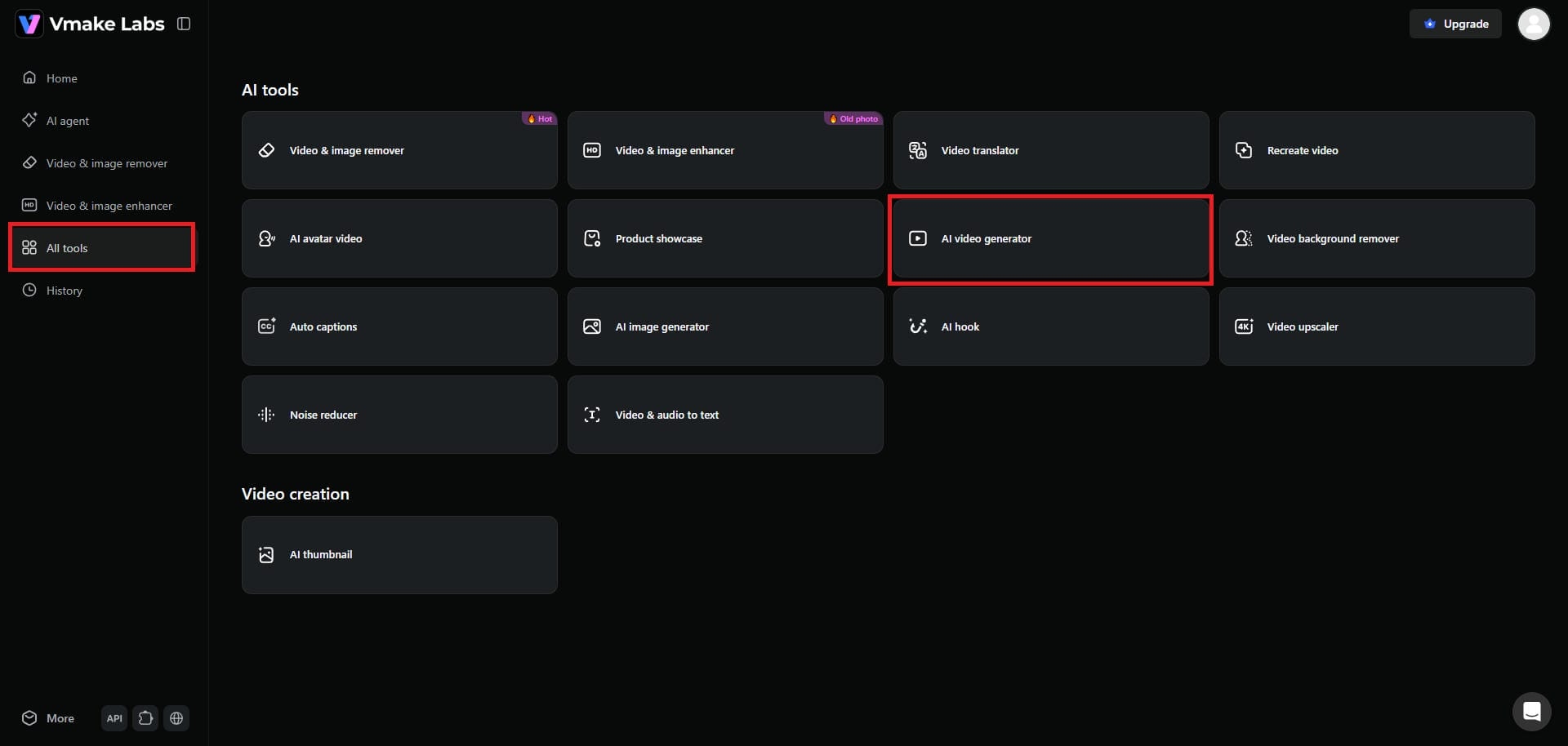
Begin your journey by first accessing the Vmake AI dashboard. From there, you need to select the "All tools" option from your left-hand panel. Here, you need to select the "AI video generator" option.
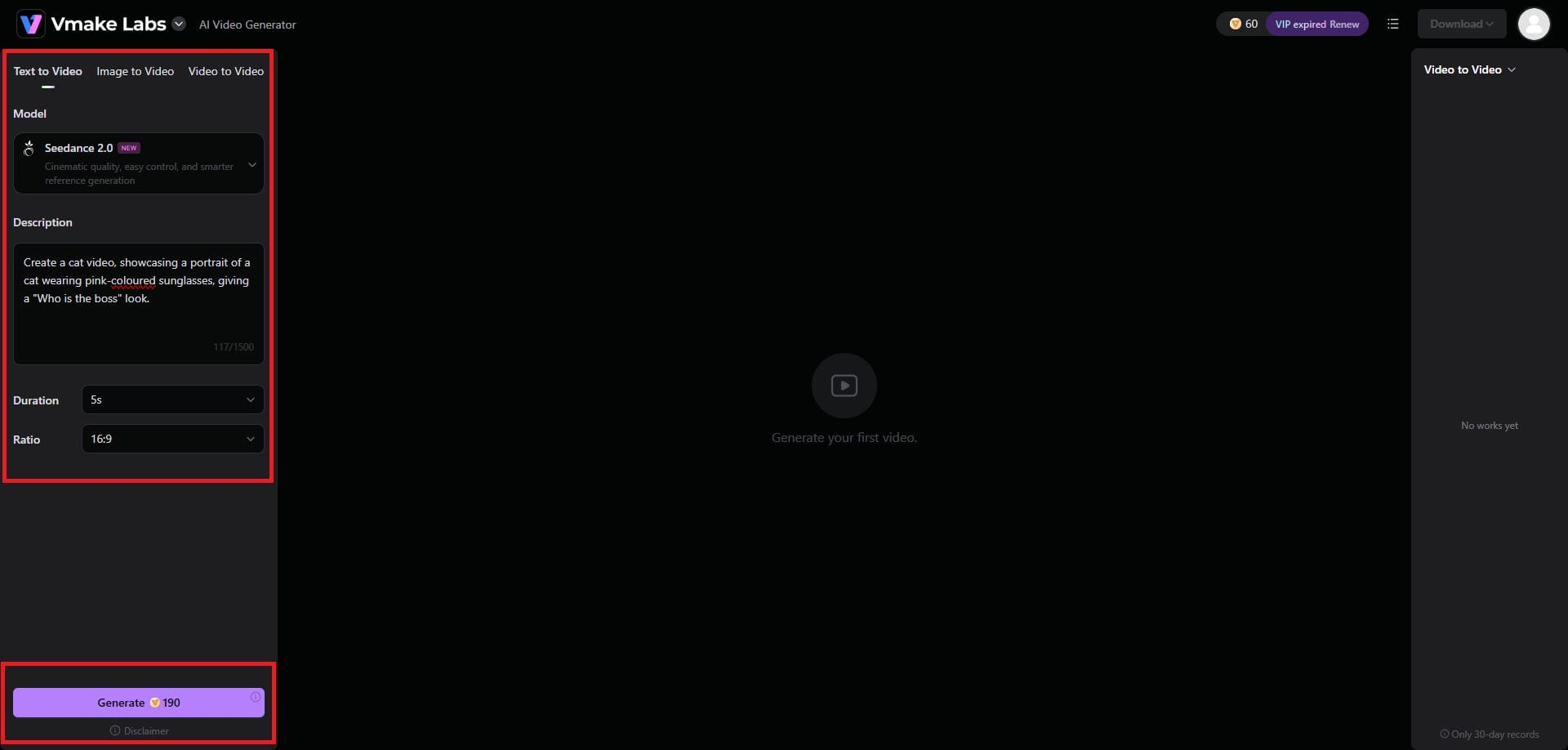
Step 2: Provide your detailed prompt for video generation
A new web page will open where you will need to input your idea for video generation. Vmake AI supports video generation via text, image, or video, so choose the input process that best fits your use case. Additionally, provide a detailed prompt, choose your video model, duration, and aspect ratio, before clicking on the "Generate" option.
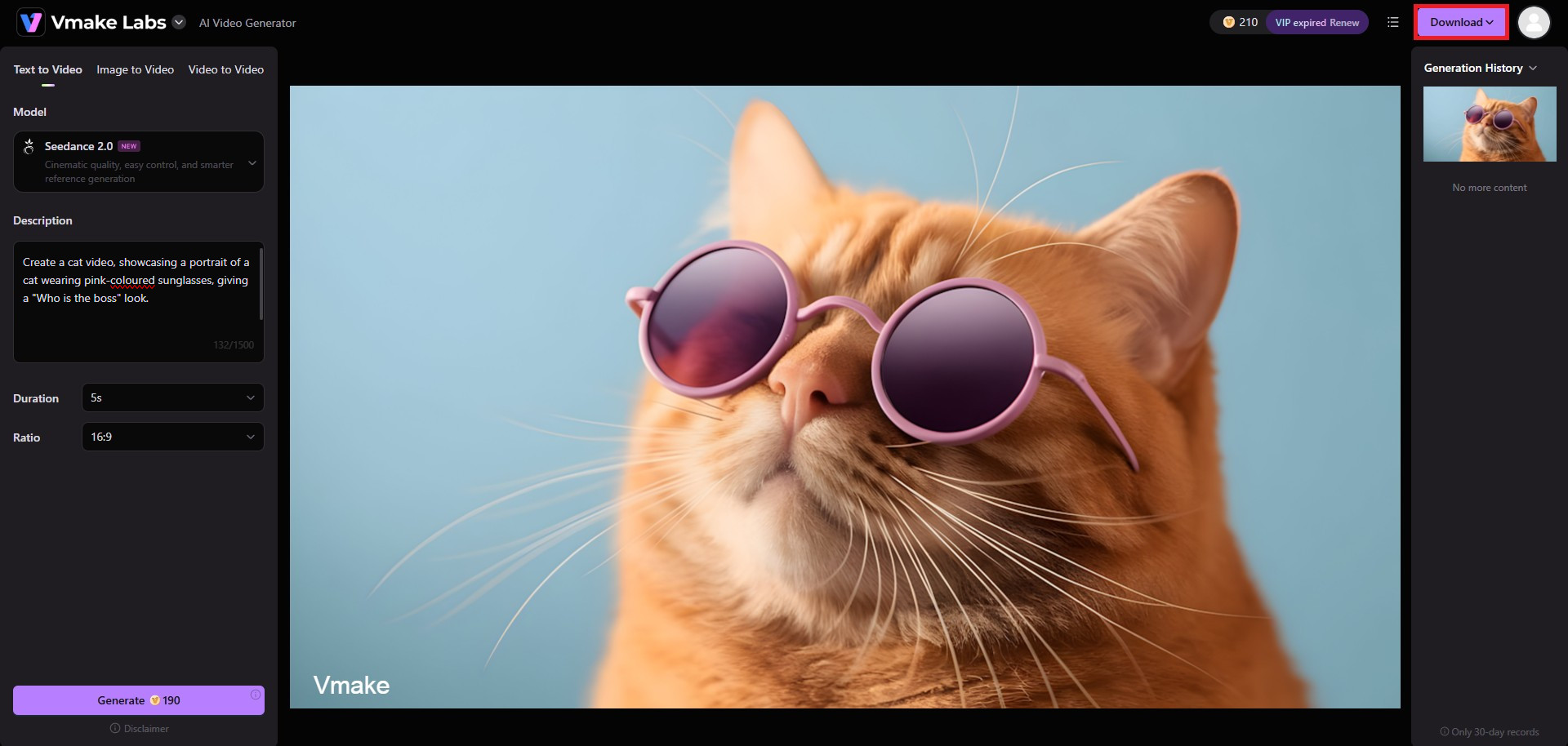
Step 3: Export your AI-generated video
Vmake AI will take some time to generate your video, and once that is done, the same will be showcased on your screen. Be sure to click on "Download" to be able to export your video, in your preferred resolution and format.
Pika AI vs. Vmake AI: crucial differences that can help you make the decision
Choosing between these platforms depends entirely on your specific goals. Here is a quick breakdown of their core philosophical differences.
|
Feature / Aspect |
Pika AI |
Vmake AI Video Generator |
|---|---|---|
|
Primary Focus |
Creative filmmaking, abstract animation, and fantasy content |
Commercial e-commerce, product marketing, and retail ads |
|
Visual Output |
Abstract, stylistic motion graphics and cinematic scenes |
Hyper-realistic human physics and precise product placement |
|
Generation Method |
Heavy reliance on complex text prompts for styling |
AI-powered generation optimized for product marketing and ecommerce content |
|
Ideal User Base |
Hobbyists, digital artists, and independent filmmakers |
Business owners, marketers, and e-commerce brand managers |
Wrapping up
To wrap up our Pika AI video generator review, let us summarize which platform is the best fit for you. If you are an artist, filmmaker, or hobbyist looking to create stylized, imaginative animations, Pika AI is an incredible tool. However, if you are a business owner or marketer needing realistic product showcases and high-converting ad creatives, Vmake Video Generator is undoubtedly the superior choice.
At the end of the day, you need to pick the best that fits your use case, so be sure to make a smarter decision.
FAQs
Is Pika AI video generator free to use?
Yes, Pika AI provides a free basic tier offering limited daily credits for casual testing. However, for professional ecommerce output without watermarks, upgrading to the specialized Vmake AI video generator is definitely a smarter investment.
Can you monetize videos generated by Pika AI?
Yes, but full commercial monetization rights are strictly limited to the paid subscription tiers of Pika. For businesses explicitly focused on creating effective social media advertisements, the Vmake AI video generator remains the superior choice.
How does Vmake compare to Pika AI for business marketing?
While Pika excels at abstract artistic creation, the Vmake AI video generator is vastly superior for business marketing. It specifically focuses on highly realistic product rendering, seamless virtual fashion models, and optimized ecommerce advertising campaigns.
Can I use Pika AI on my mobile phone?
Yes, Pika AI is easily accessible through standard mobile web browsers for quick creative edits. Similarly, the Vmake AI video generator provides excellent mobile accessibility, allowing you to manage your commercial product campaigns anywhere effortlessly.
Does Pika AI generate audio or music along with video?
Pika AI uniquely generates synchronized sound effects and vocal capabilities, though it lacks full background music. Conversely, the Vmake AI video generator streamlines commercial production by integrating ready audio tailored specifically for modern ecommerce advertising.

You May Be Interested

AI TikTok Video Generator | Create High-Quality AI Videos

Best AI Video Generator: Top Tools Tested (2026)
Viggle AI Video Generator Review & Top 2026 Alternatives
Nero AI Review 2026 Explained: Is the Tool Worth Using?

Canva AI Video Generator Review: A Complete Hands-On Test

Luma AI vs Pika AI: Resolving Persistent Issues
Nano Banana vs Pika AI: Essential Q&A for Users