Top AI Animation Tools for Producing Images and Videos
 Ken DawsonMarch 30, 2026
AI animation generators have made producing anime images and animations more accessible than ever before. However, selecting the right tool still poses challenges to new users and other creators on the web. When trying to produce an anime-style image or animated video, it can be very difficult to find an AI animation generator that meets your needs due to the multitude of online platforms available. Some tools will be very difficult to use, and others will fail to produce your desired outcome. If you are having difficulty finding an appropriate tool, this guide should help you out.
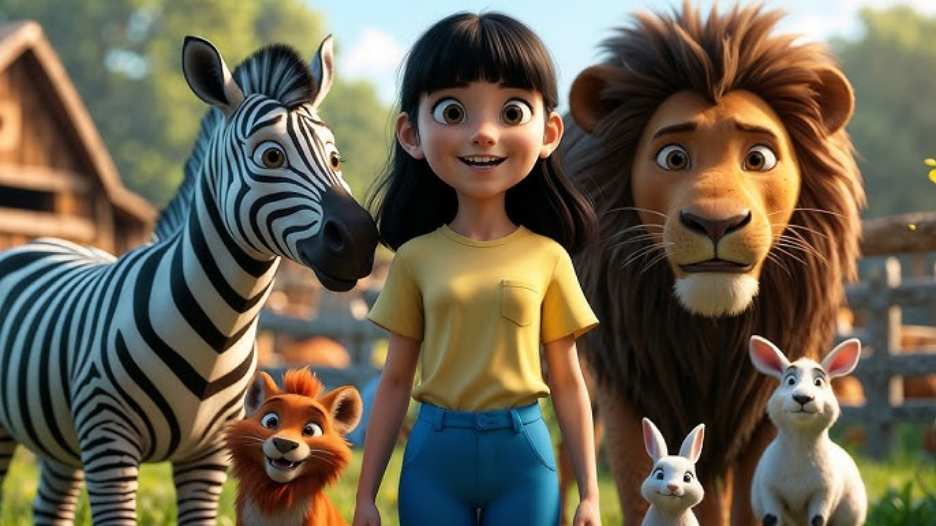 In this article, we will be discussing the best AI animation generators for producing both animated images and videos, their various features, and how to choose one that is appropriate for your objectives.
Top AI Animation Generators for Images and Videos
Here is a list of some of the best currently available tools for using AI technology to make animated images and anime-style animated videos.
1. Vmake
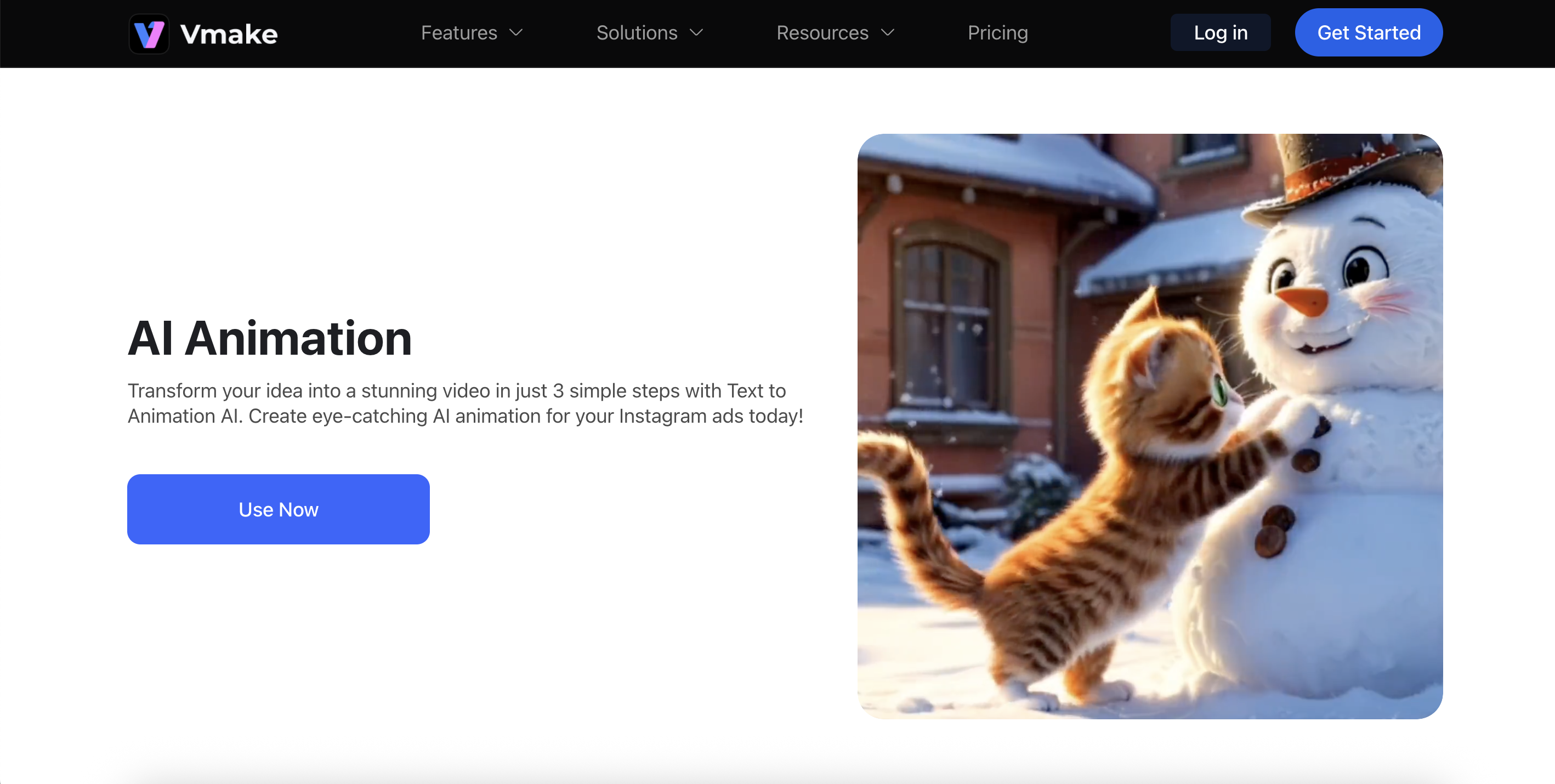
Vmake is an AI web-based platform that allows users to create, edit, and animate their own videos easily. Users can quickly make animated videos from scripts, images, or ideas, even if they have no prior experience creating or editing videos or animation. Vmake combines AI generated and enhanced video creation and automation tools, which allow video creators to produce high-quality visual content in a short amount of time.
 Key Features
- AI animation generator that converts scripts or ideas into animated videos
- Text-to-video generation with automated storyboard creation
- Multiple visual styles including manga and comic styles
- AI character and scene generation from prompts
- Built-in video enhancement and upscaling tools
- Automatic subtitles and voiceover support
- Background removal and watermark remover tools
- Cloud-based platform with browser access (no installation needed)
Pros
- Beginner-friendly interface with a simple workflow
- All-in-one platform combining animation, editing, and enhancement tools
- Fast AI processing for creating videos in minutes
- Works online without heavy software installation
- Supports different video formats and social media aspect ratios
Cons
- Some advanced features require a paid subscription
- Processing speed may depend on internet connection
Limitations
The primary limitation of Vmake is that it does not allow for frame-by-frame adjustment of animation or video content. In addition, both Vmake and Fotor are limited in how much control they give users over the project timeline; however, TopView AI offers the most extensive control of all three programs.
Step-by-Step Guide to Generate AI Animation Video Using Vmake
Creating an animated video with Vmake is simple and can be completed in just a few steps.
Step 1: Visit the AI Animation Tool
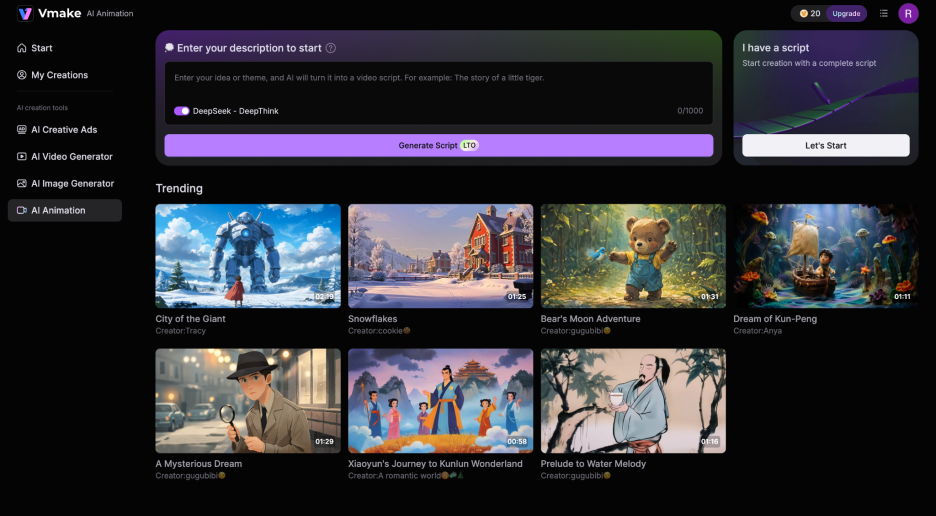
First of all, visit the Vmake AI Animation tool page. Now you have 2 options: the first one is for users who have their script ready, and the other one is for people who have just an idea of an animation.
 Step 2: Provide Input and Generate Script
Now write down your idea in the description section. For example, “the story of a little duck left behind” and hit the " Generate Script button.
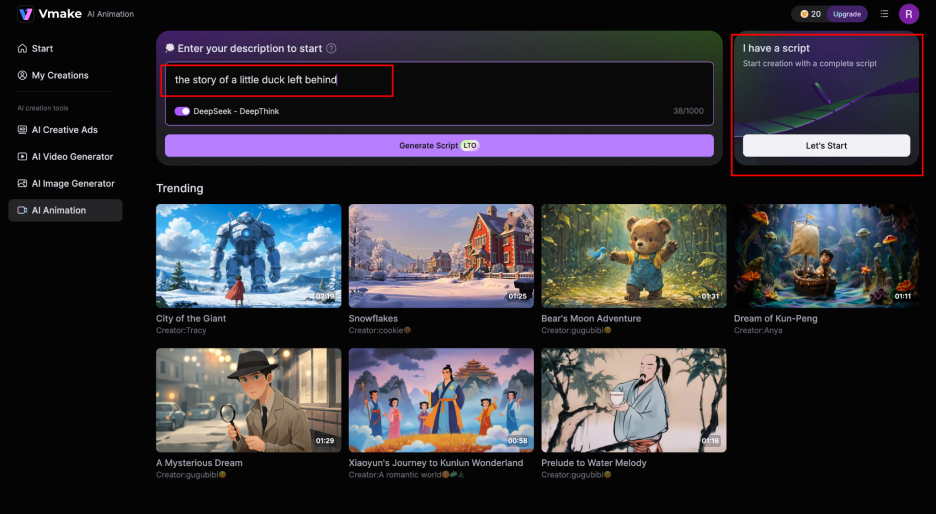 If you already have your script, just click the Let’s Start button under I have a Script option and paste your script.
Step 3: Edit Script and Choose Animation Settings
Once your script is ready, carefully review it and make changes if you feel something isn’t right. After that, select the Visual Style of your animation and then add your Character Image.
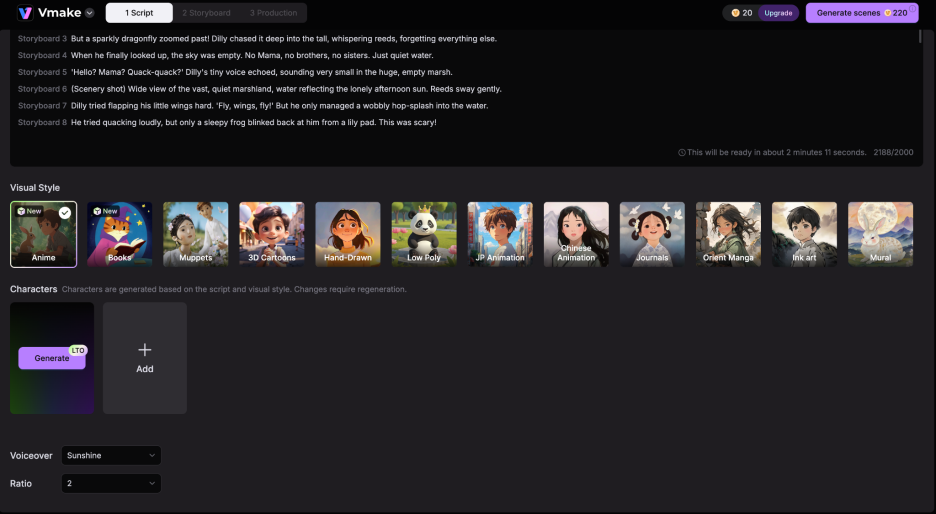
Step 4: Generate the Animation
Now choose the Voiceover according to your need, set Ratio, and click Generate Scenes.
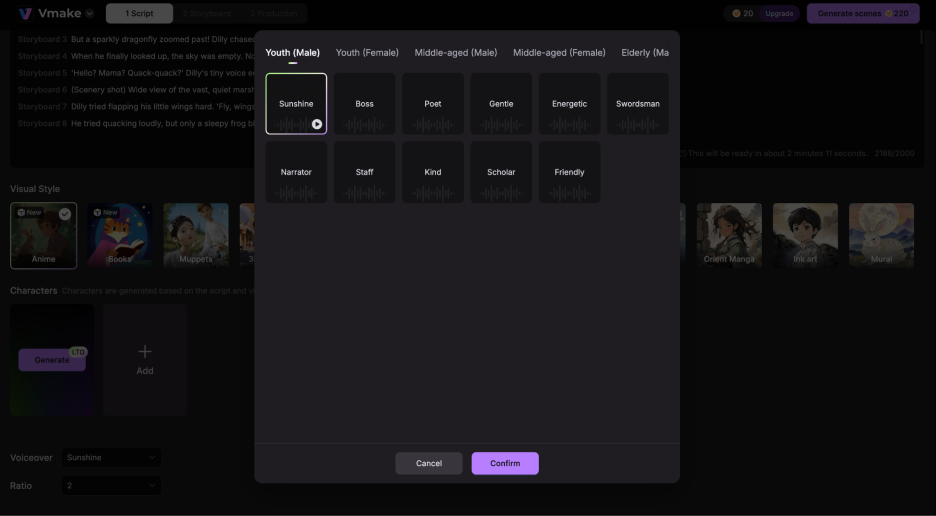
Step 5: Download or Share
Once the animation is ready, you can download the video.
This simple process makes Vmake one of the easiest AI animation video generators available today.
2.Fotor
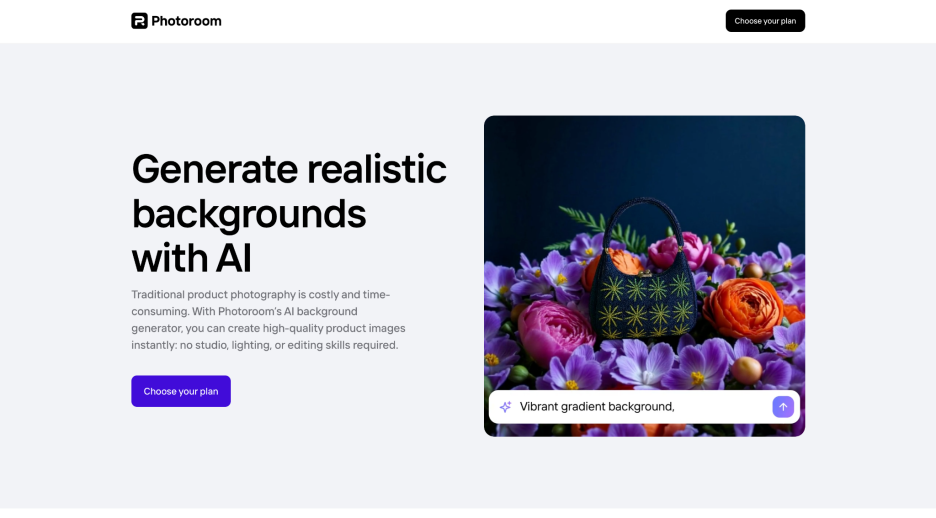
Fotor is an AI-based design platform that provides users with powerful tools for photo editing and creating digital artwork, anime images, and animations based on simple text prompts or uploaded images. Fotor combines traditional photo editing features with AI generative tools, so users can instantly generate visual artwork from their ideas without having extensive design experience.
Key Features
- AI text-to-image generator for creating artwork from prompts
- AI anime art generator to create anime-style characters and scenes
- Image-to-anime converter that transforms photos into anime visuals
- AI animation generator that converts ideas into animated scenes
- AI photo enhancement tools such as image upscaling and sharpening
- Multiple artistic styles and filters for different design needs
- Online cloud-based editor accessible through browser
- Built-in design editor with templates, assets, and backgrounds
Pros
- Very easy to use for beginners and non-designers
- Fast AI generation that produces results in seconds
- Works directly in a web browser without installing software
- Supports creative projects like avatars, posters, and social media graphics
- Allows users to experiment with many art styles quickly
Cons
- Advanced features often require paid credits or subscription
- Animation options are more basic compared to dedicated animation software
- Output quality may vary depending on prompt details
Limitations
Fotor has powerful AI capabilities to create simple animations and generate anime-style images with minimal effort; however, Fotor was not created for animation. Therefore, there are fewer capabilities for advanced animation timelines or frame-by-frame animation in Fotor than in other professional animation programs. If you are looking for complex animation capabilities and features typically found in a professional video production environment, you will likely be disappointed when using Fotor.
3. TopView AI
TopView AI is an automated video generation program that creates short, animated videos from images or prompts and product links. TopView AI generates scripts, images/animations, voice, and any effects necessary to complete a finished product, which allows users to create engaging videos for use on social media without needing to have any filming or advanced editing experience.
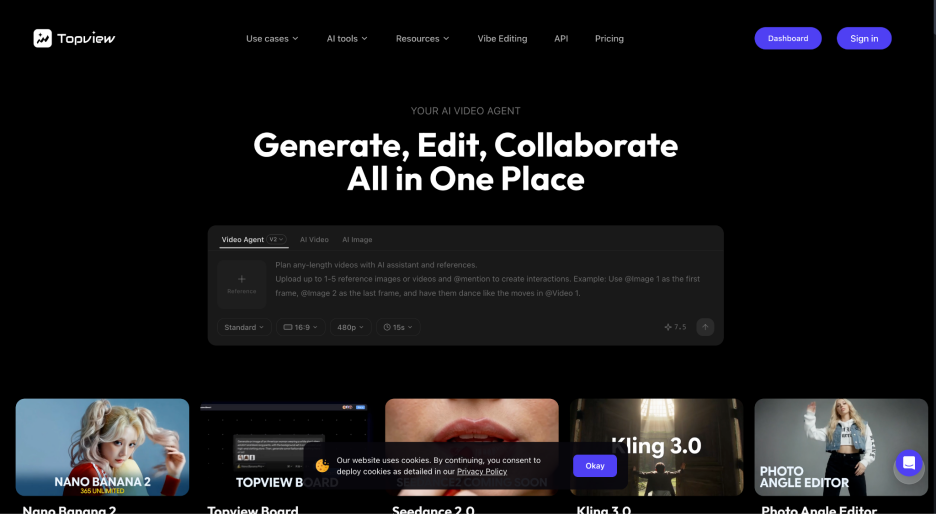 Key Features
- AI video generation from product images or prompts
- Automatic scriptwriting and storytelling for videos
- AI avatars that present or promote products in videos
- AI voiceover generation with multiple voice styles
- Automatic clip editing with transitions and effects
- Multilingual subtitles and caption generation
- Templates optimized for TikTok, Instagram Reels, and YouTube Shorts
- Scene editor for adjusting visuals, images, and subtitles
Pros
- Helps create marketing or social media videos quickly
- Reduces the need for cameras, actors, or video production equipment
- Suitable for beginners with little editing experience
- Supports multiple languages for global audiences
- Can generate different video versions for testing ads or content
Cons
- Many advanced features require a paid plan
- Video generation may take time depending on project complexity
- Customization options are limited compared to professional editing software
Limitations
The primary limitation of TopView AI is that it is geared to create automated marketing videos and does not produce detailed, animated videos. Because TopView AI uses an automated approach to produce videos, users do not have a lot of flexibility when it comes to controlling the timing of their scenes, motion design, or higher-level animated effects typically found in traditional video editing or animation.
4. Pippit AI
Pippit AI is a content creation platform powered by AI that makes it easier for individual creators and businesses to create animated content, product imagery, and promotional videos with speed. It simultaneously takes a product link, image, or prompt and converts these items into animations that are fully complete and ready to be published, including the appropriate voiceover, script and captions. Pippit AI streamlines the video production process and makes it easier for individuals and businesses to create animated content.
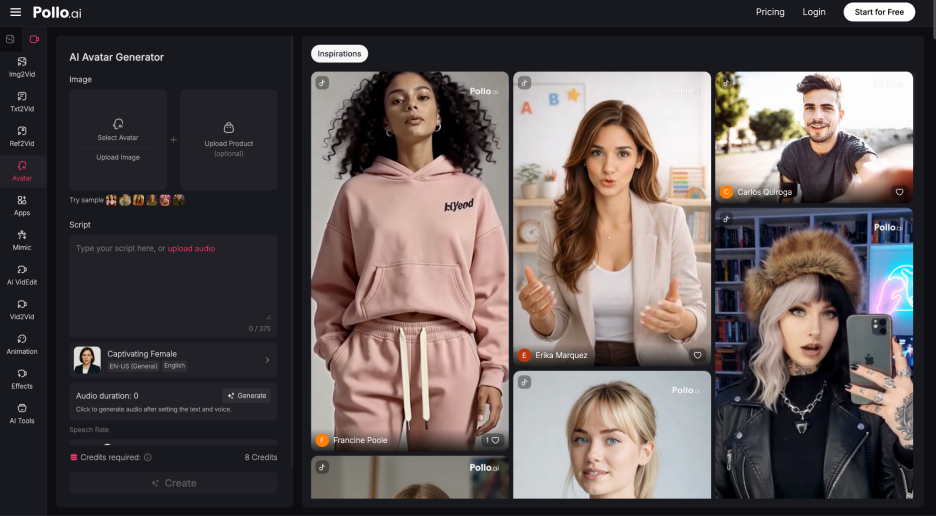
Key Features
- AI video generator that creates videos from product links, images, or prompts
- AI avatars and voiceovers for automated video narration
- Text-to-motion technology for generating motion graphics from text input
- Built-in video editor with scene editing, effects, and transitions
- Large library of commercially licensed templates for quick video creation
- Auto-publishing tools for sharing content on social media platforms
- Multi-language video generation and subtitles support
- Analytics dashboard to track content performance and engagement
Pros
- Helps create marketing and social media videos quickly
- Reduces the need for complex video editing skills
- Supports automated workflows for content creation and publishing
- Suitable for e-commerce sellers and digital marketers
- Generates multiple video variations for testing campaigns
Cons
- Some advanced features require credits or a paid subscription
- Generated videos may need manual adjustments for best results
- Not specifically designed for professional animation production
Limitations
Pippit AI automates the video and animation process, but the platform also emphasizes traditional marketing and social media platforms. Many of the animations produced through Pippit AI are produced automatically, and thus, users will likely have limited control over fine-detail animated timing (how fast the animation occurs), complex motion graphics, and frame-editing differences when compared to traditional animation software that is professionally produced.
How to Choose the Right AI Animation Generator
With so many AI animation options available today, finding the right AI animation creation software will depend on what you want to achieve with AI animation.
Anime Images vs Animation Videos
Some animation tools produce only images (e.g., anime images) while some tools produce only animated video. If your primary goal is to create character art, profile images, or concept illustrations, using an anime image generator may be sufficient for you.
Conversely, if you wish to create animated images, motion graphics, short clips, or any type of video, you will require an AI animation video generator that can turn static images into motion.
For creators that produce content for social, they tend to prefer to use AI animation video creating tools because videos produce more search and social engagement compared to image-based content.
Free vs Paid AI Animation Generators
Many platforms offer a free AI animation generator option, but these versions usually include limitations such as watermarks, lower export quality, or limited daily generations.
Paid plans typically provide:
- Higher resolution output
- Faster rendering speeds
- Additional animation styles
- Commercial usage rights
If you only need occasional animation, a free AI animation generator might be enough. However, professionals and content creators often benefit from paid plans that offer greater flexibility.
FAQs About AI Animation Generators
What is an AI animation generator?
An AI animation generator is a software application that generates animated content automatically, using artificial intelligence, based on image files, text prompts, or existing video files.
Can AI generate anime-style animations?
Yes! Most AI animation generators available today include an anime feature for generating anime-style characters and scenes, as well as creating short animated video clips in the anime style.
Are free AI animation generators available?
Yes, while free AI animation generators exist, the number of animation generators with free or at least limited export functionality, as well as features that include a watermark, will greatly limit those available to you.
Can I create animation from an image?
Many AI animation generators on the market allow people to upload a static image file and convert it to a moving animation.
Are AI-generated animations good for content creation?
Yes, there are numerous types of media on social media, marketing video, educational video and digital storytelling are all examples of how AI can be used to produce animations.
Final Thoughts: Which AI Animation Generator Should You Try First?
AI animation tools have made it much easier for anyone to create anime images and animated videos without complex software or advanced skills. In this article, we explored several popular options, including Fotor, TopView AI, and Pippit AI. Each tool offers useful features depending on your needs, whether you want simple designs, AI-generated images, or automated videos.
However, if you want an easy and reliable AI animation generator that can quickly turn images or ideas into animated videos, Vmake is a great place to start. Its simple interface and AI-powered tools make animation creation faster and more accessible for beginners and creators alike

You May Be Interested

5 Best Free Green Screen Video Backgrounds for Creators
2025 Best Tools to Create Clean and Readable Subtitle Fonts