PicWish Unblur Image Review: Is It Worth Using in 2026?
Explore our PicWish Unblur Image review to see how it performs for blurry photos, portraits, and old images, then compare it with Vmake Labs Image Enhancer for AI-powered photo restoration.

Personal memories, social media posts, and product listings are less effective when blurry and low-quality photos. Do AI image enhancers really work? They promise quick improvements with little effort. In this PicWish Unblur Image review, we’ll take a look at its features, performance, and ease of use, and compare it to Vmake Labs Image Enhancer.
What is PicWish Unblur Image and how does it work?
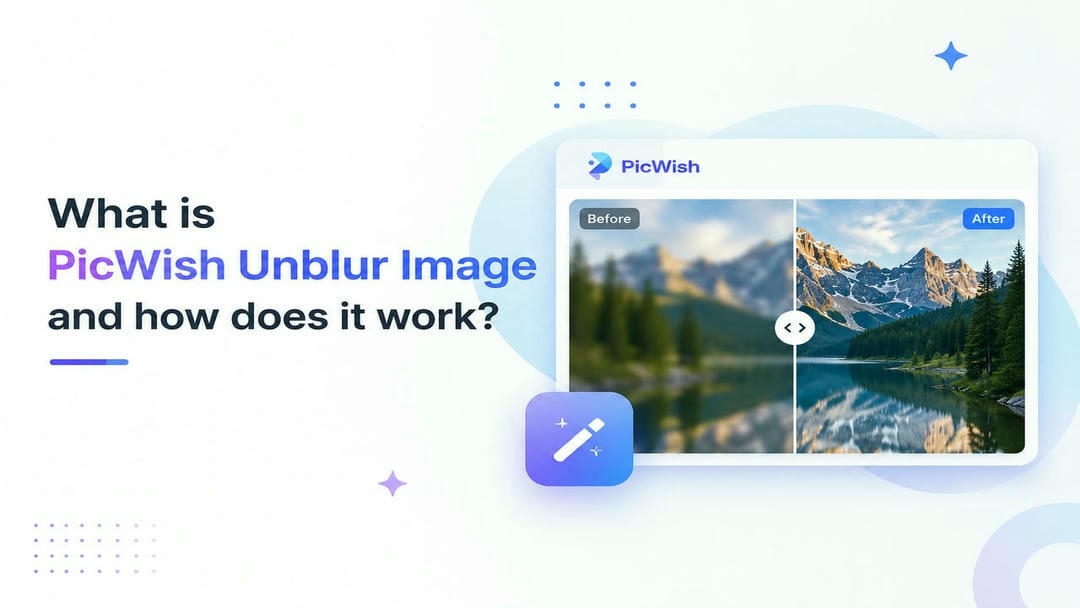
PicWish Unblur Image is a photo enhancer that uses AI to enhance image sharpness with little manual editing. It uses artificial intelligence to sharpen blurry photos, upscale low-resolution pictures, improve portraits, and restore old photographs. With PicWish, it is simple to improve personal photos or make professional images using a simple and intuitive interface that requires only a few clicks.
Core AI enhancement capabilities
PicWish uses a set of AI-powered enhancement tools to improve different types of images. Rather than complicated editing software, users upload a photo, and the AI automatically analyzes and enhances photo quality based on the chosen mode.
-
AI blur removal: Sharpens blurry images by improving clarity and recovering visible details.
-
Image upscaling: Increases image resolution while preserving textures for clearer, larger photos.
-
Portrait enhancement: Improves facial details, skin clarity, and overall portrait quality using AI.
-
Old photo restoration: Restores faded or damaged photographs by enhancing colors and reducing imperfections.
-
One-click enhancement: Automatically applies AI improvements without requiring advanced editing skills.
Best use cases
PicWish is flexible with a lot of image enhancement scenarios, good for all kinds of people, from casual users to professionals. Its AI tools provide quick image quality improvements without needing advanced editing skills.
-
Portraits: Enhance selfies, family photos, and professional headshots with clearer facial details.
-
Old photos: Restore faded family memories and scanned photographs with improved quality.
-
Ecommerce images: Create cleaner, sharper product images for online marketplaces and websites.
-
Social media content: Improve photos before posting them on Instagram, Facebook, or other platforms.
-
Low-resolution pictures: Increase clarity and resolution for images captured on older devices or downloaded from the web.
How to enhance images with PicWish Photo Enhancer
PicWish Photo Enhancer offers a simple workflow for users to enhance the quality of images in minutes. While it's perfect for beginners because the platform handles most of the editing process, it still delivers useful results for creators, marketers, and ecommerce sellers.
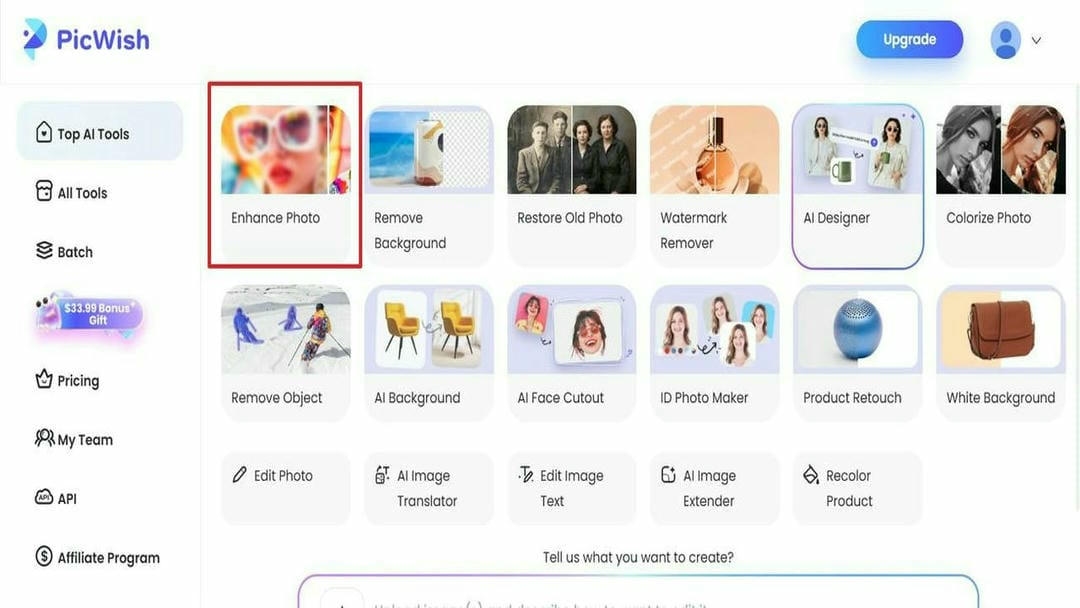
Step 1: Open the Photo Enhancer tool
Open PicWish Photo Enhancer and then choose "Enhance Photo" under Top AI Tools. This opens the AI Photo Enhancer page for clarity repair.
Step 2: Upload the Image
After that, choose "Upload Image" to add your blurry photo file. You can also drop, paste, or use a URL.
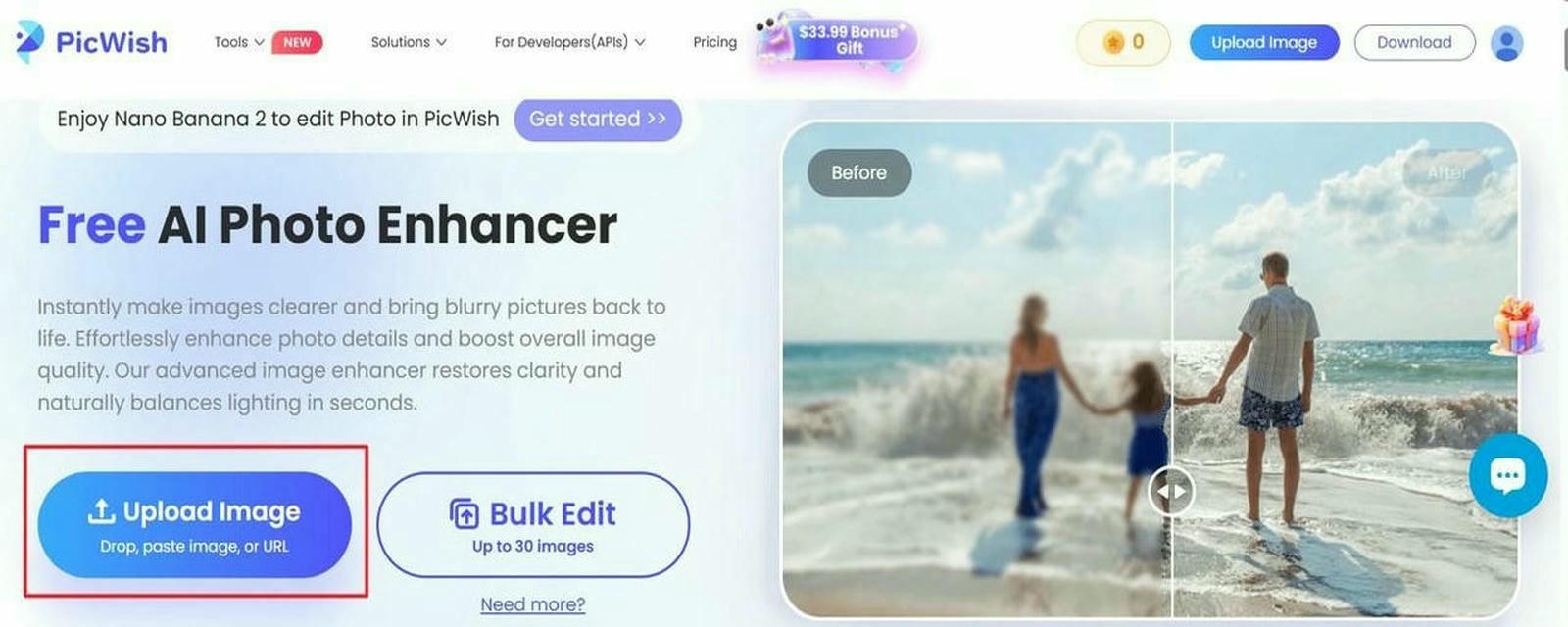
Step 3: Select the AI enhancement option and download the enhanced image
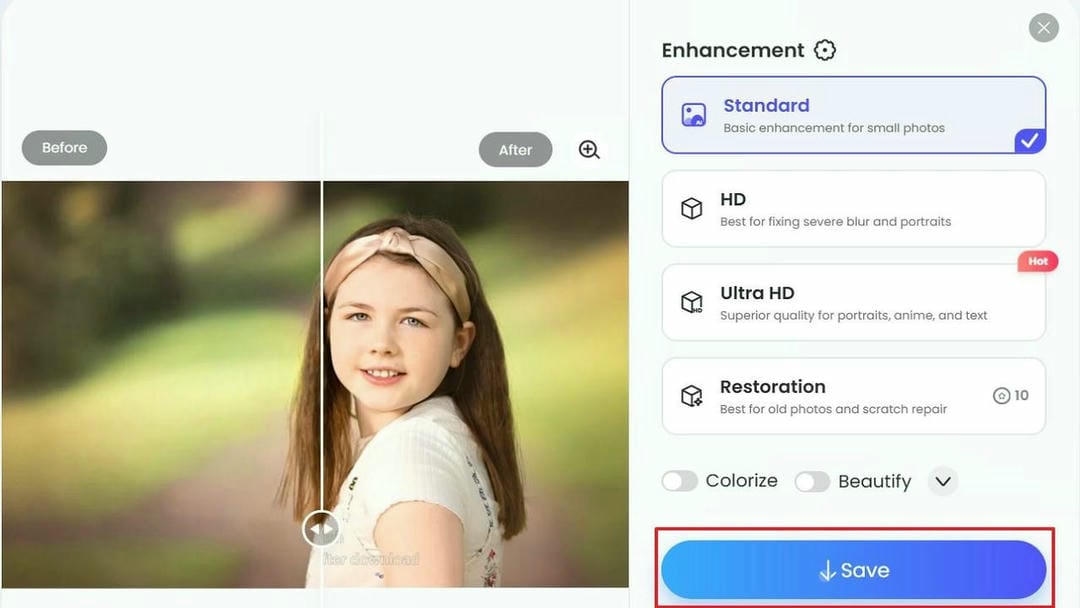
After processing, choose "Standard" for small photos and basic clarity. Moreover, select "HD" for severe blur or portraits, "Ultra HD" for sharper portraits, anime, or text, and "Restoration" for old photos or scratch repair. Then preview the result and press "Save" to download the result.
Is PicWish Photo Enhancer worth using?
PicWish Photo Enhancer is a user-friendly tool to enhance blurry and low-quality photos without professional editing skills. It’s so simple to use, even beginners can handle its AI-powered workflow, but it also boasts useful enhancement features for content creators, ecommerce sellers, and marketers. But like most AI photo editors, its overall value is based on your editing needs, budget and the quality of the original image. Here is an in-depth review of the pros, cons, pricing and user feedback.
Pros and Limitations
|
Pros |
Limitations |
|---|---|
|
Easy to use: Clean, beginner-friendly interface with a simple enhancement workflow. |
Limited free exports: Free users have restricted credits and download options. |
|
Fast AI processing: Most standard images are enhanced within seconds. |
Processing time varies: Larger or high-resolution images may take longer to process. |
|
Multiple AI enhancement tools: Supports image enhancement, portrait enhancement, upscaling, and old photo restoration. |
Results depend on the original image: Better-quality inputs generally produce better enhancements. |
|
Batch editing: Supports processing multiple images for improved productivity. |
Severe blur isn't always fully restored: Extremely blurry or damaged images may still lose fine details. |
|
Suitable for everyday photos: Delivers reliable improvements for portraits, social media images, and product photos. |
Limited editing controls: No manual or selective editing options for fine-tuning specific areas. |
Pricing and plans
|
Plan |
What's Included |
Best For |
|---|---|---|
|
Free Version |
Access to basic tools and low-resolution downloads |
Casual or one-off users |
|
Credit System |
1 credit = 1 HD download or advanced AI edit |
Users who pay based on individual edits |
|
Pro Subscription(Starts at ~$4.99/month) |
Monthly or yearly credits with daily HD download allowances |
Ecommerce sellers, social media managers, and designers |
|
Pay-As-You-Go(Starts at ~$12.99 for 300 credits) |
One-time credit bundles that never expire |
Freelancers and occasional project-based users |
Before selecting a plan, consider how frequently you'll edit images and whether the available credits align with your workflow. Users handling high volumes of images may benefit from paid plans with increased processing capacity.
Community feedback
Trusted review platforms suggest that PicWish is well regarded for its easy-to-use interface, fast AI processing, and effective image enhancement. Users commonly praise its ability to improve portraits and old photos, while feedback is more mixed regarding subscription experiences and restoring severely blurred or damaged images.
-
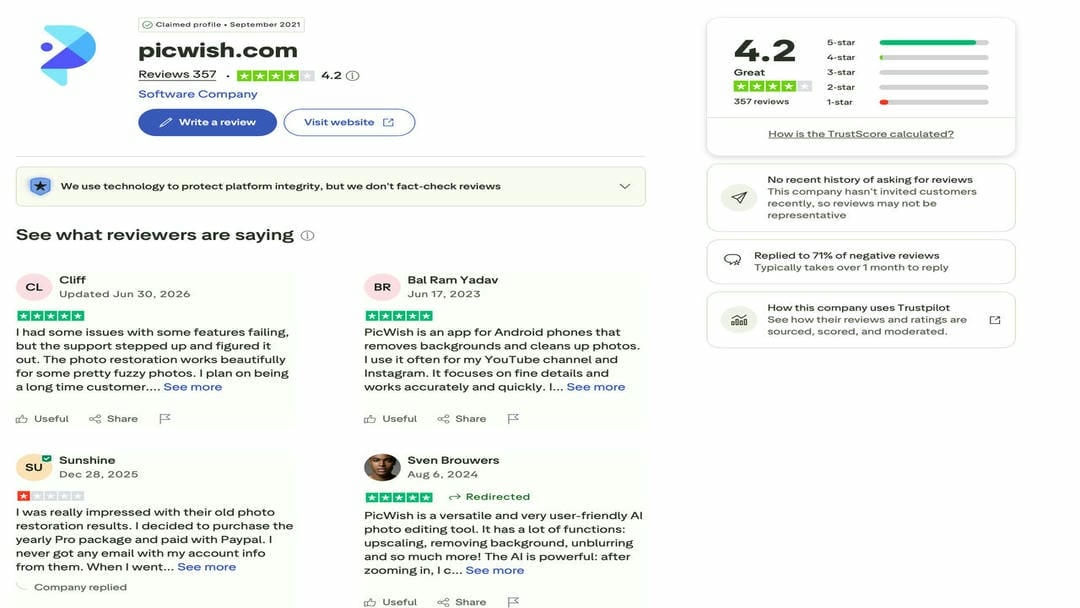
Trustpilot: Users frequently highlight photo restoration, image enhancement, and ease of use, though some mention subscription or account-related issues.
-
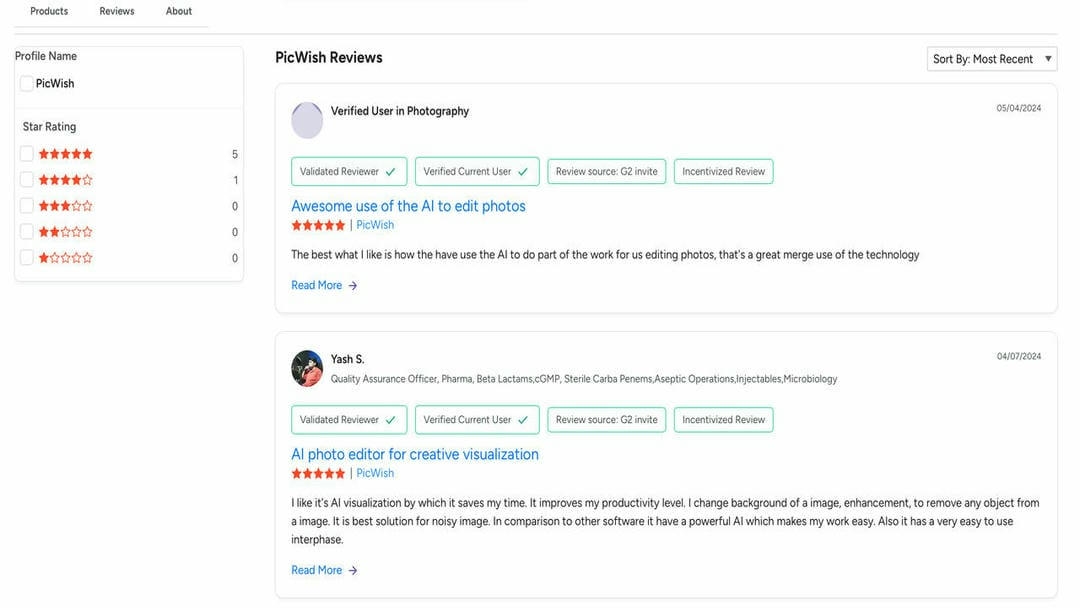
G2: Reviewers appreciate the intuitive interface, AI-powered editing tools, and productivity benefits, while noting occasional feature limitations for more complex editing tasks.
Editorial review
PicWish is a practical choice for users who want to improve blurry or low-quality images with minimal effort. Its AI-powered enhancement tools, simple interface, and quick processing make it suitable for everyday photo editing. However, users working with severely blurred images, larger batch workflows, or advanced restoration needs may find its capabilities somewhat limited. If you need more comprehensive AI image enhancement, higher-quality restoration, or efficient batch processing, Vmake Labs is a worthwhile alternative to consider.
Enhance blurry photos with Vmake Labs Image Enhancer
If you are looking for an alternative that is focused on restoring image quality with better clarity, Vmake Labs Image Enhancer is worth a try. Powered by advanced AI restoration technology, it enhances blurry and low-resolution images, restores portraits and old photos, and improves eCommerce product images through an intuitive three-step workflow. It is aimed at users who want good results without spending time on manual editing.
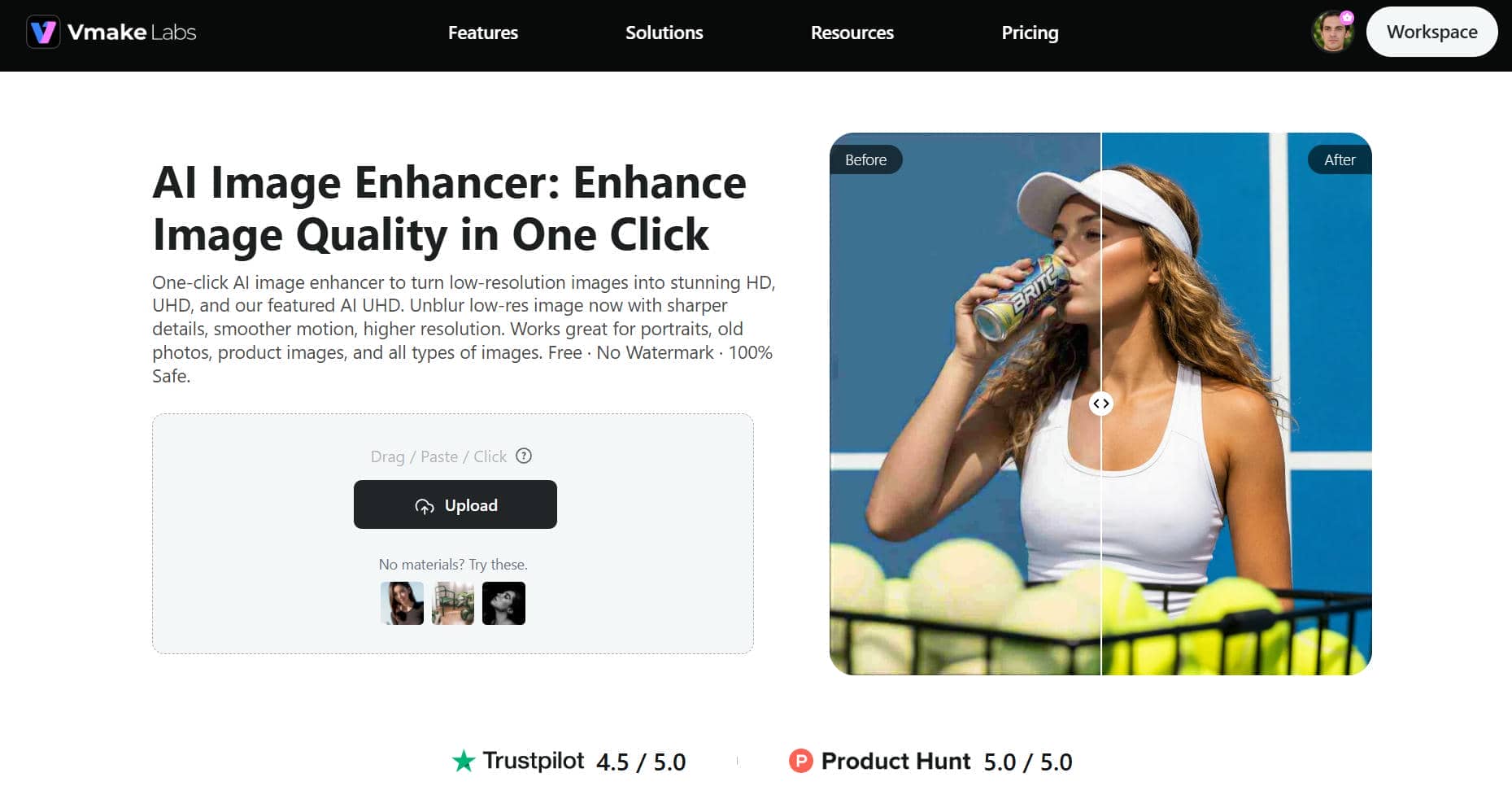
Step 1: Upload your image
Upload a low-quality image (portrait, product photo, old photograph, etc. straight into Vmake Labs. The platform supports all popular image formats, so you can get started enhancing straight away.
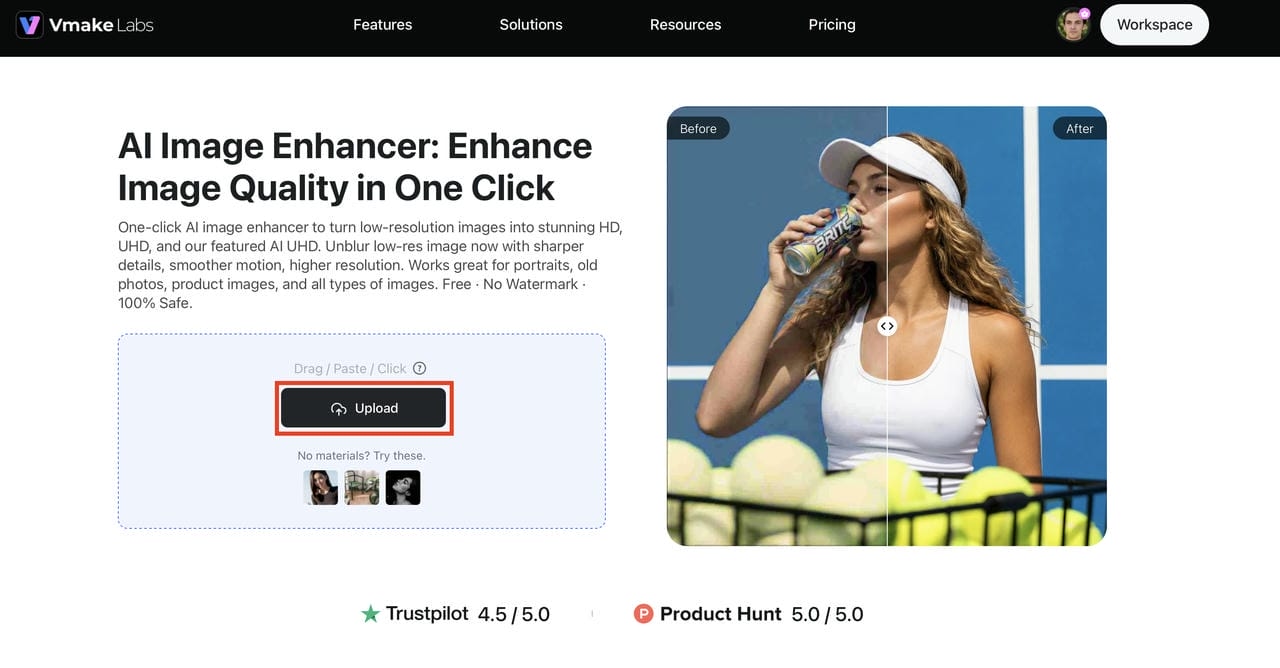
Step 2: Let AI automatically enhance image quality
Once the improvement is done, look at a preview of the better picture before you download it. You can now share the improved version on social media, put it on e-commerce sites, or use it in work projects.
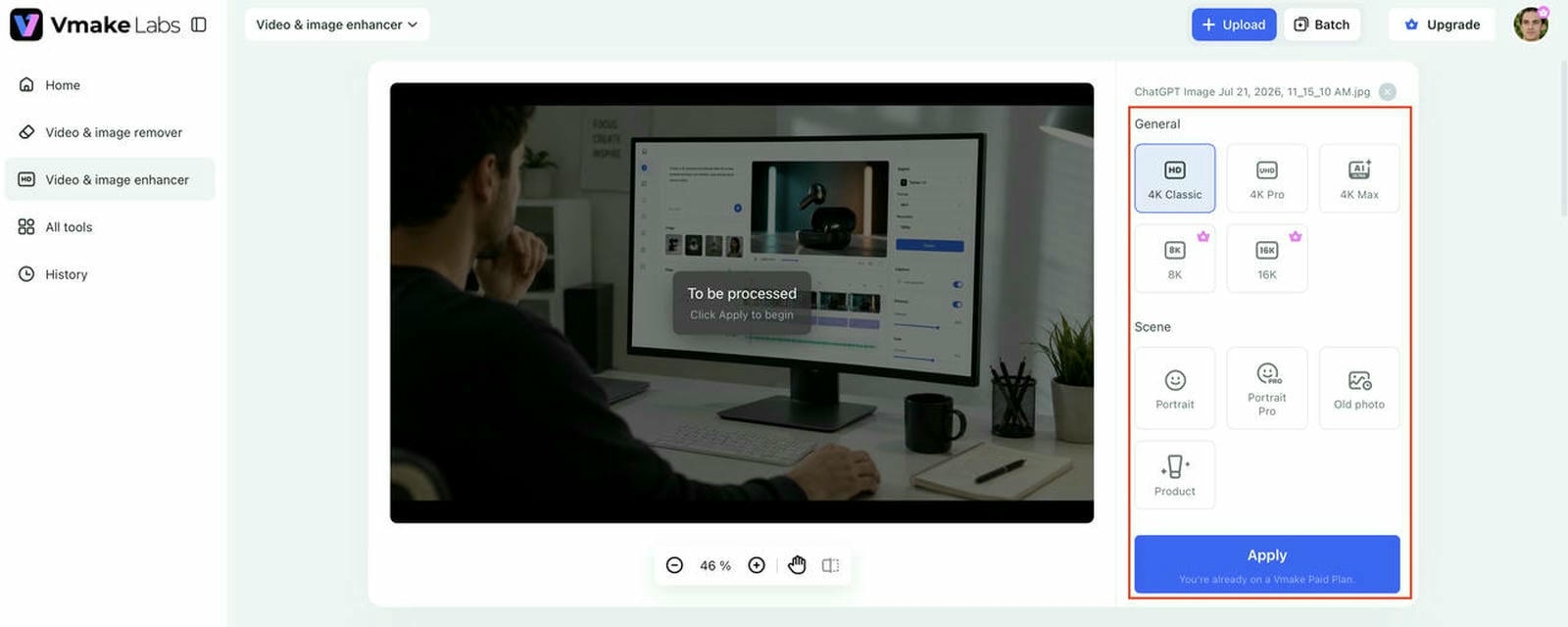
Step 3: Download your enhanced image
Once the enhancement is complete, preview the improved image before downloading it. The enhanced version is ready for sharing on social media, publishing on ecommerce platforms, or using in professional projects.
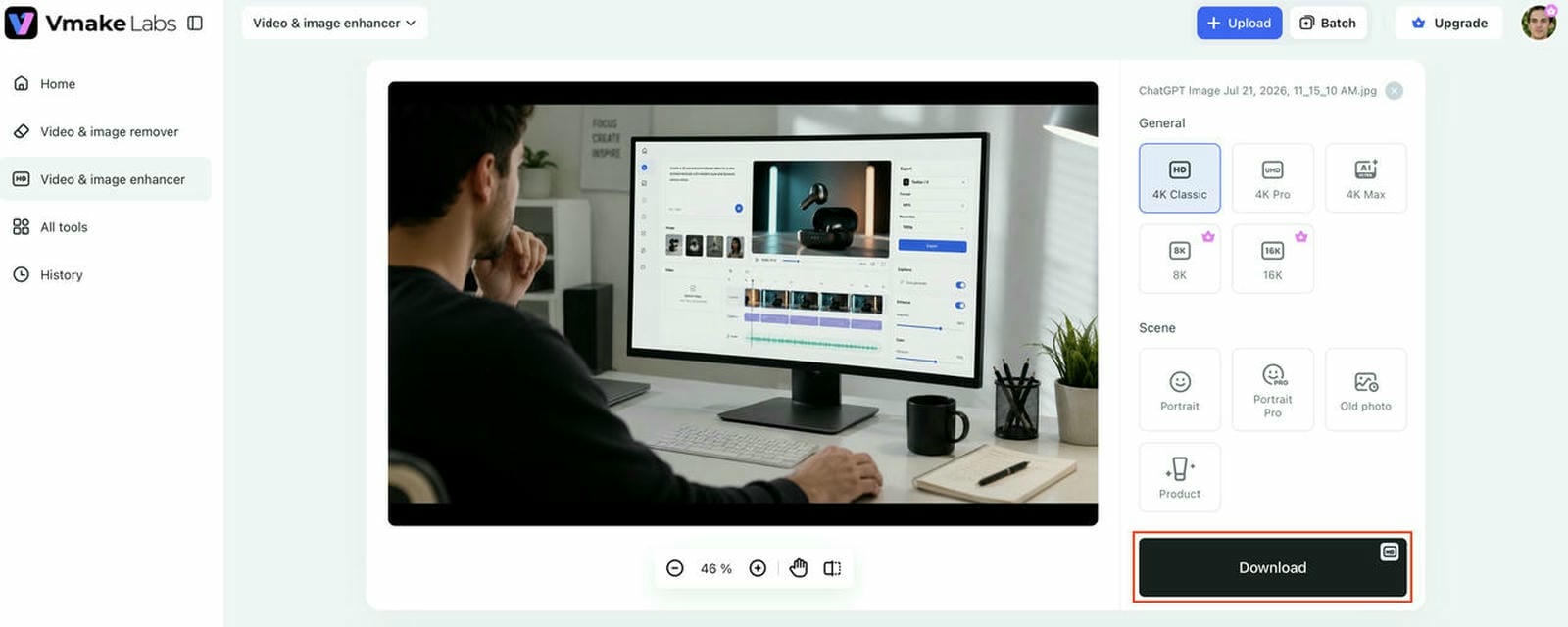
Key features of Vmake Labs Image Enhancer
-
Proprietary AI repair model: Uses a self-developed AI model to restore blurry, low-quality, and AI-generated images with improved clarity and detail.
-
AI-generated image optimization: Reduces common AI artifacts such as fake faces, distortion, overbrightness, and unnatural reflections.
-
Product mode for ecommerce: Enhances product images with sharper details and cleaner visuals for professional online listings.
-
Portrait mode: Restores facial features and improves portrait quality while maintaining natural-looking skin texture and expressions.
-
One-click batch processing: Enhances up to 30 images simultaneously, making large image workflows faster and more efficient.
-
High-resolution enhancement: Improves the clarity and resolution of blurry or low-resolution images using AI super resolution.
PicWish Unblur Image vs Vmake Labs Image Enhancer
Vmake Labs Image Enhancer and PicWish Unblur Image both employ AI to boost picture quality, but they cater to different types of users. When it comes to professional results, PicWish is great for everyday edits and advanced AI restoration, but Vmake Labs is where it's for advanced batch processing, image quality enhancement, and advanced AI restoration. The main distinctions between the two systems are illustrated in the following comparison.
Comparison table:
|
Feature |
PicWish Unblur Image |
Vmake Labs Image Enhancer |
|---|---|---|
|
Primary purpose |
AI photo enhancement and unblurring |
AI image enhancement, restoration, and upscaling |
|
AI enhancement quality |
Good for everyday photo enhancement |
Advanced AI restoration with high-quality detail recovery |
|
Image enhancement |
AI unblur for blurry photos |
Improves blurry and low-resolution images through AI clarity enhancement, portrait enhancement, and old photo restoration |
|
Portrait enhancement |
Face enhancement |
Portrait quality enhancement with improved facial details |
|
Old photo restoration |
Basic restoration |
Advanced old photo restoration |
|
Image upscaling |
AI upscaling available |
AI super resolution and image upscaling |
|
Batch processing |
Supported |
One-click batch enhancement for up to 30 images |
|
Free features |
Limited free credits/features |
Free trial available |
|
Best for |
Quick personal photo edits |
High-quality image restoration, ecommerce, and professional enhancements |
Conclusion
PicWish Unblur Image is an easy-to-use AI photo enhancer that delivers reliable results for improving everyday images, portraits, and lightly blurred photos. With its intuitive interface, wide range of enhancement features, and quick processing, it is suitable for casual users and content creators alike. But limitations such as credit-based usage and inconsistent results on heavily blurred images may not fit every workflow. If you need more advanced image restoration, AI super resolution, portrait enhancement, and batch processing for up to 30 images, Vmake Labs Image Enhancer offers a more powerful alternative for achieving consistently high-quality results.
FAQs
Is PicWish Unblur Image free?
Yes, PicWish offers a free version so users can try out its AI image enhancement features. But you do get limited credits, limited downloads, and fewer premium features compared to its paid plans.
Does PicWish Photo Enhancer really work?
Yes, PicWish Photo Enhancer can greatly improve the quality of an image, sharpen images, increase low-resolution images, and restore old images. It generally works well with moderately blurry images, but very blurred photos may not recover all of the details.
Is PicWish safe to use?
PicWish is safe for image enhancement. As is the case with any online editing platform, it is recommended to check its privacy policy before uploading sensitive or confidential images.
What is the best alternative to PicWish Unblur Image?
Vmake Labs Image Enhancer is a strong alternative for users who need advanced AI image restoration, super resolution, portrait enhancement, old photo restoration, ecommerce image enhancement, and one-click batch processing for up to 30 images.
Which AI image enhancer produces better results for blurry photos?
The answer depends on your needs. PicWish is suitable for quick everyday photo enhancement, while Vmake Labs Image Enhancer is better suited for improving blurry and low-resolution images through advanced AI restoration, clarity enhancement, portrait enhancement, and old photo restoration.

You May Be Interested
A Complete Guide to PicWish Watermark Remover in 2026
Unblurimage 2026 Review: Video Enhancer Hands-On
Best AI Image Upscaler Tools in 2026: Upscale Images to 4K, 8K & Beyond

Airbrush Video Enhancer Review 2026: Features, Pros, and Cons

Best AI Image Enhancer in 2026: Top Tools to Upscale and Fix Blurry Images