
Unblurimage Video Enhancer: Revolutizing Video Enhancement with AI
 Ken DawsonFebruary 10, 2026
As people look for the best ways to improve video quality, AI video upscaling and enhancement tools can be a big help. One name that frequently pops up in this regard is Unblurimage Video Enhancer.
Powered by artificial intelligence, it claims to unblur your videos with a single click, restoring clarity and sharpness in seconds. But does it actually work up to the mark? And for whom is it best suited? No worries.
This post aims to provide everything you need to know about Unblurimage Video Enhancer, covering its features, strengths & limitations, a step-by-step tutorial, and a comparison with popular alternatives.
Introduction to Unblurimage Video Enhancer
Unblurimage Video Enhancer is a remarkable platform that leverages advanced technology to instantly improve video quality without requiring manual editing skills. In addition to the video enhancer, there is much more offered by Unblurimage that can’t be overlooked.
Known for image enhancement, it helps you blur & unblur, denoise, restore photos, remove watermarks from video or images, and more. With a straightforward, intuitive interface and a variety of image and video tools, it appeals to content creators, marketers, and anyone looking to upgrade their video content.
Additional Features:
AI Unblur: With this tool, you can unblur and sharpen photos and videos effortlessly with a single click for stunning clarity.
Image Upscaler: It helps upscale image resolution to 2K, 4K, 8K, and even 16K, with no quality loss, using cutting-edge AI.
Photo Enhancer: This can transform your photos (up to 3 at once) in seconds by restoring clarity, boosting resolution, and enhancing every detail.
Text Enhancer: It helps restore readability in scanned documents, screenshots, and notes by sharpening faint or blurry text without changing the original look.
Old Photo Restoration: You can repair damage, enhance clarity, and automatically add natural, vibrant colors to bring your faded memories back to life.
Blur Background: Whether you want to blur the background for stunning portraits or remove it entirely for personal projects, branding, products, or social media, it can help.
Unblurimage Video Enhancer: Key Features & Performance Review
Although Unblurimage Video Enhancer only works online, it offers specialized video enhancement for simple and AI-generated videos. Hence, here is the performance of each one as per my insights:
Unblurimage Video Enhancer (Web)
Unblurimage Video Enhancer is an AI-driven, browser-based tool designed to improve video quality and deliver professional-grade results. It can eliminate blur and upscale to 2K or 4K resolution, depending on the video. If the video is blurry, it can detect and automatically fix blurry areas. It can sharpen edges and enhance details, making your video look more defined.
Its AI technology analyzes each frame and optimizes every detail to ensure smooth resolution enhancement without pixelation or distortion. It can also remove unwanted grain and noise, providing a cleaner visual experience. It is suitable for restoring family memories, creating stunning social media content, enhancing business videos, and improving personal or professional footage.
Unblurimage Sora Enhancer (Web)
Unblurimage Sora Enhancer is a powerful tool that assists you in enhancing Sora or Sora 2 videos with AI. It can upscale the AI-generated videos to 4K resolution, denoise, restore details, and improve clarity. Its motion-aware frame processing adds genuine details with precision rather than just stretching pixels.
It also applies subtle color grading and contrast adjustments to give a cinematic feel. All these features make it ideal for enhancing social media content before posting, professional projects, animations, short films, and artistic videos.
Getting Started with Unblurimage Video Enhancer
It’s time to learn how to use Unblurimage Video Enhancer in the right way. Let’s comply with the given tutorials, based on your video:
Guide 1. How to Use Unblurimage Video Enhancer
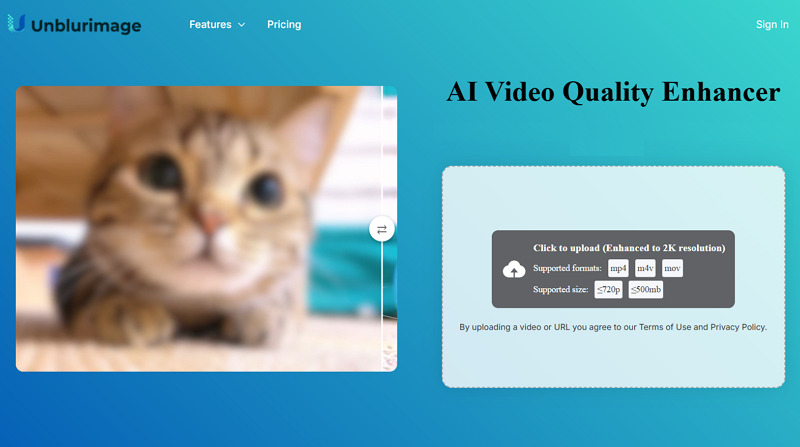
Step 1. Upload Video
The first step is to open the Unblurimage Video Enhancer in your browser and tap the “Click to upload” section to import the video.
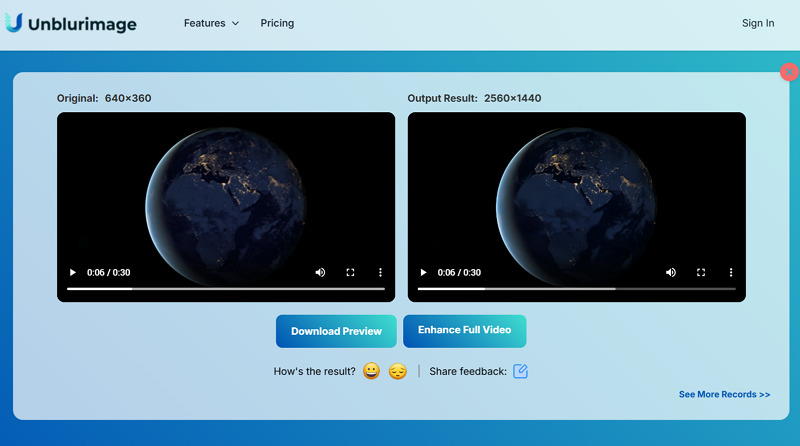
Step 2. Download Output
Next, let the AI process the video. Once complete, press “Download Preview” or “Enhance Full Video.” That’s all!
Guide 2. Steps to Enhance Sora Videos Online
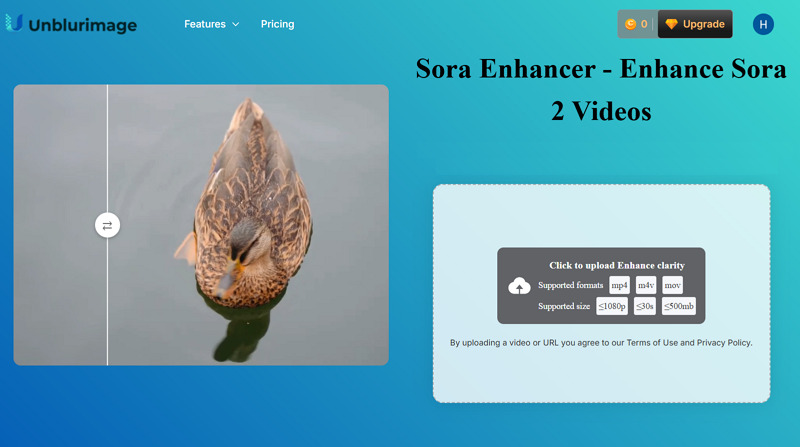
Step 1. Import Video
The first step is to access the Unblurimage Sora Enhancer website. Now, tap the specific section to import the video file.
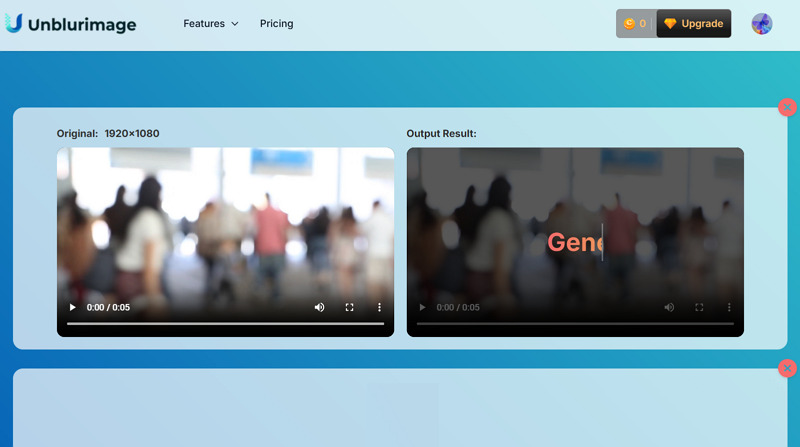
Step 2. Enhance and Download
When the AI is done processing the video, click “Enhance Full Video.” Later, save the output, and you are all done.
Unblurimage Video Enhancer: Pricing Plans
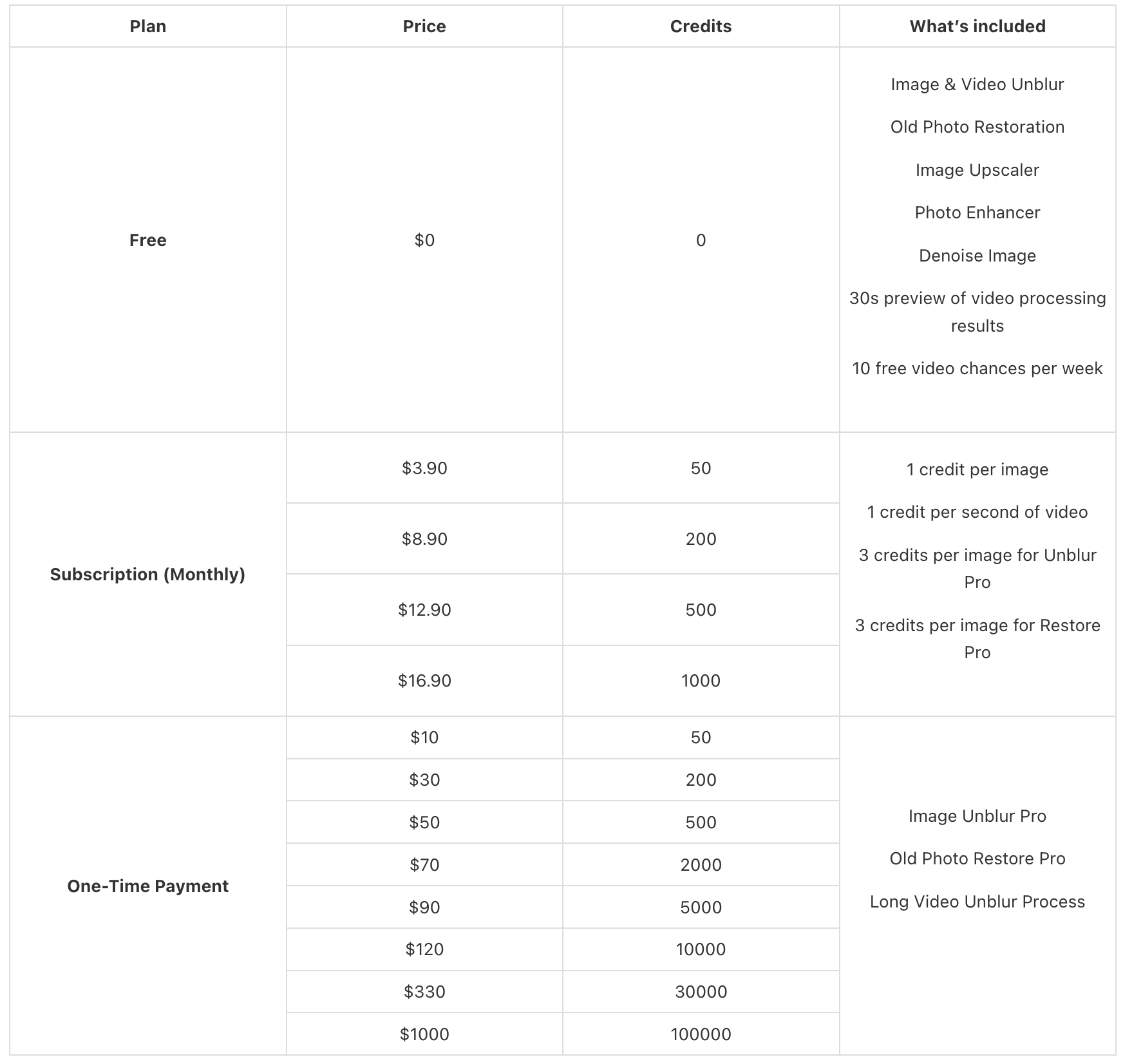
Unblurimage Video Enhancer supports both subscription and credits plans. Here is the table to better understand the pricing structure:
In addition, all the above plans contain high-resolution and multi-format support, seamless API integration, access to add-on credits, free image downloads, and personal consultations & email support.
How Unblurimage Video Enhancer Stacks Up Against Competitors?
For a comprehensive review of Unblurimage Video Enhancer, it’s a must to compare it with other alternatives. So, let’s have a look at the comparison table of Unblurimage with Vmake, X-Design, and Picwand:
Platform | Platform | Ease of Use | Speed | Key Feature |
Unblurimage Video Enhancer | Web | Easy | Slow | One-click AI video enhancer to improve general videos with support for up to 2K/4K resolution |
Web, Mobile (Android & iOS) | Very Easy | Fast | World-leading scenario-specific video enhancer. Support for 4K+ upscaling and multi-feature processing in a single workflow | |
Aiarty Video Enhancer | Desktop (Win & Mac) | A bit Complex | Moderate | Overall AI video enhancer, offering fast 4K upscaling, denoising, restoration, and fine-detail enhancement |
Picwand Video Enhancer | Web, Desktop (Win & Mac), Mobile (Android & iOS) | Complex | Moderate | High-quality video enhancement with noise reduction, up to 4K upscaling, and various custom options |
Pros & Cons of Unblurimage Video Enhancer
In addition to its several benefits, Unblurimage Videos Enhancer also has some limitations. Let’s consider the prominent ones:
Pros:
Simple and easy to use
One-click video enhancement
Specialized Sora video enhancer
Enhance both images and videos
Side-by-side preview for better comparison
Cons:
Complete automation lacks fine details
No manual adjustments and creative control
Offer only a preview in the free version
Require subscription for video enhancement
It may struggle with low-quality video clips
FAQs about Unblurimage Video Enhancer
1. Is Unblurimage Video Enhancer safe to use?
Yes, Unblurimage Video Enhancer is a legitimate, safe-to-use tool for improving videos. However, you should be aware of standard AI data processing practices. It’s not recommended to upload confidential or personal videos.
2. Does it offer a money-back guarantee?
No. Unblurimage Video Enhancer does not offer refunds once purchased, except for technical issues with their service. On confirmation of the technical issue, they may compensate you for affected credits or provide an appropriate refund.
3. Can it enhance videos from TikTok or YouTube?
Yes, Unblurimage Video Enhancer can improve the quality of TikTok or YouTube videos by reducing noise, removing motion blur, and sharpening details, provided they are downloaded first.
Final Verdict: Is Unblurimage Video Enhancer Worth It?
No doubt, Unblurimage Video Enhancer is a quick solution for enhancing your low-quality videos with no learning curve. Although it does not offer the deep customization options that some advanced video editors prefer, it shines in simplicity and speed. Whether you’re fixing personal footage, social reels, product demos, or vlogs, it gives you a clean look on any device.
However, for video-specific enhancements, extra customization such as upscaling options, batch video restoration, and high AI precision, Vmake Video Enhancer is the top choice. Try it today for enhancing low-resolution, old, or long videos.

You May Be Interested

Seedance 2.0: What's New & How to Use It

123APPS Watermark Remover Review (2026): Pros, Cons, and Pricing

5 Best Valentine's Day Video Ideas for eCommerce in 2026

How to Create a YouTube Thumbnail? Create YouTube Thumbnails Using AI
