PicWish Watermark Remover Review: Features, Pricing & Best Alternative
 Ken DawsonMay 25, 2026
Visual content drives digital marketing. You find the perfect image or video clip for a campaign, only to discover a distracting watermark plastered across the center. Manually cloning out these visual interruptions drains hours from production schedules. This friction explains why automated erasure tools have flooded the market. Finding the best AI watermark remover requires looking past marketing claims and testing the actual technology. Does the PicWish watermark remover deliver professional results, or does it leave behind unnatural, blurry artifacts? In this guide, we break down its core capabilities, analyze the pricing structure, and evaluate whether it fits your specific workflow—or if a more robust alternative suits your needs better.
What is PicWish Watermark Remover?
PicWish operates as an AI-driven editing utility built to strip logos, text, and stray objects from visual media. While legacy software forces designers into tedious manual pixel cloning, this tool handles the heavy lifting via machine learning. By analyzing the surrounding visual data, the algorithm instantly synthesizes a realistic replacement background. You get a clean asset without degrading the original file structure.
E-commerce vendors dealing with strict Amazon or Shopify guidelines rely on it to secure pristine product shots. Social media managers and graphic designers also deploy the platform to rapidly repurpose old campaign materials. Rather than burning hours on complex masking work, professionals choose this automated route to clear visual clutter fast.
Workflow friction often stems from software limitations. PicWish mitigates this through broad availability across multiple operating environments. Users can access the core toolset directly via web browsers, executing rapid edits without downloading heavy installation files. For offline capabilities or dedicated hardware rendering, PicWish provides robust desktop applications tailored for both Windows and macOS. Finally, mobile apps for iOS and Android ensure that on-the-go creators can finalize media straight from their smartphones.

Key Features of PicWish AI Watermark Remover
Automated Detection
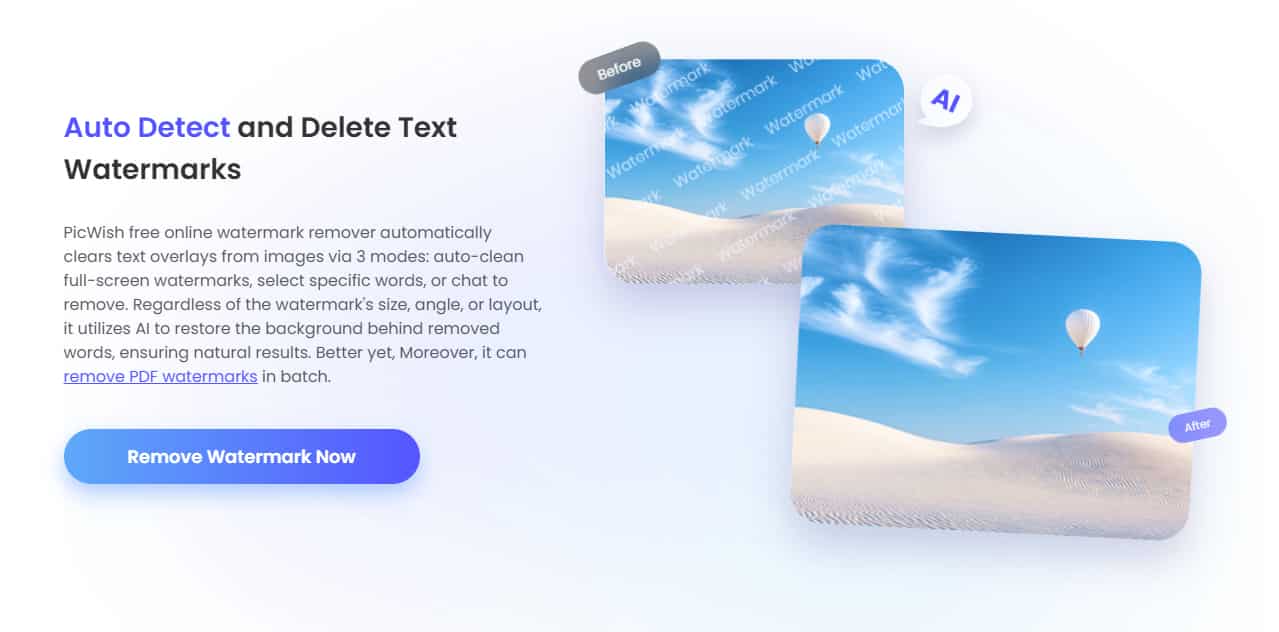
The primary advantage of the PicWish system lies in how its AI scans for and eliminates basic text and logo overlays. Users do not need precision masking skills. Upon uploading an image, the neural network evaluates the file for unnatural geometric patterns—standardized typography, semi-transparent brand marks, or digital timestamps. After the user highlights the approximate region, the AI calculates the exact edges of the watermark. It then removes the pixels and synthesizes the missing background based entirely on contextual visual clues.
Format Support
Compatibility remains crucial for media management. PicWish supports standard image formats, specifically JPG, JPEG, and PNG, handling the vast majority of digital photography needs. Furthermore, it supports basic video formats like MP4 via its desktop app. Users handling short promotional clips have the necessary tools, provided they migrate away from the browser interface and utilize the installable desktop software for video rendering.
Batch Processing
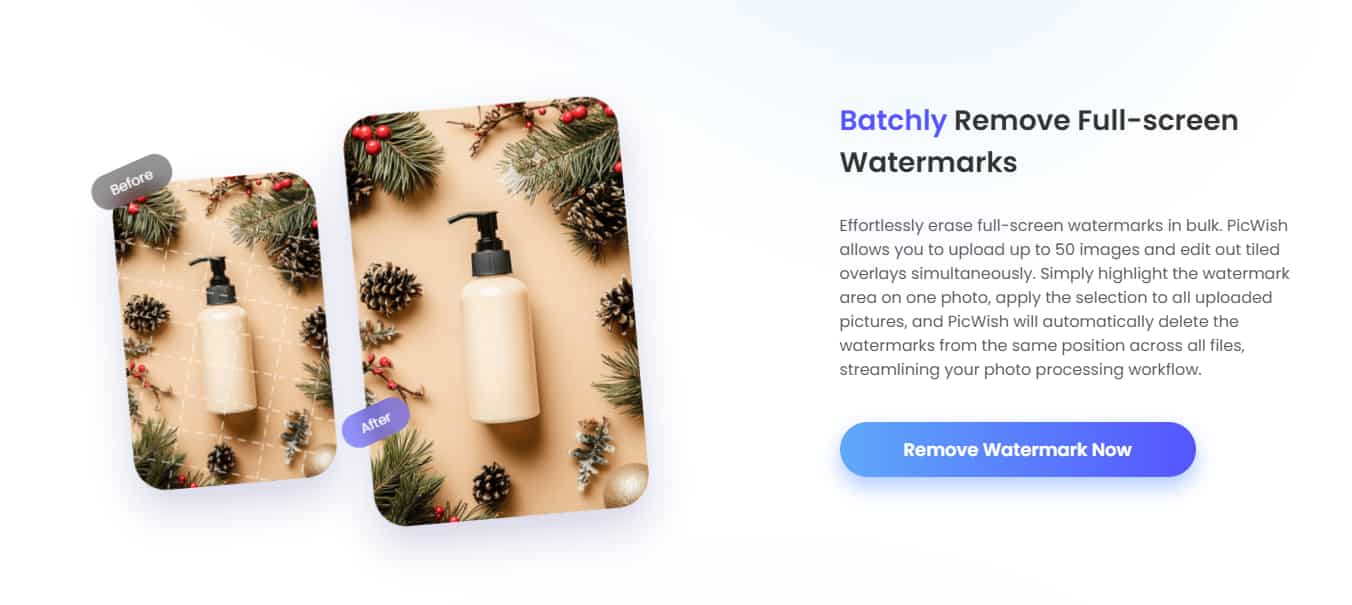
Scaling content production requires bulk capabilities. PicWish features a batch processing system that highlights its ability to process multiple files simultaneously. Users can upload up to 30 images in a single queue. If a manufacturer's logo appears in the exact same corner across a massive product catalog, the software applies the removal parameters across the entire batch. This automation drastically cuts down processing times for high-volume digital storefronts.
How to Use the PicWish Watermark Remover
Navigating the PicWish interface requires minimal technical onboarding. Follow this step-by-step guide to process your media files effectively.
-
Access the Interface: Open your web browser and navigate to the PicWish platform.
-
Upload Your File: Locate the central upload area. Click the upload button or drag and drop your target file directly into the workspace.

-
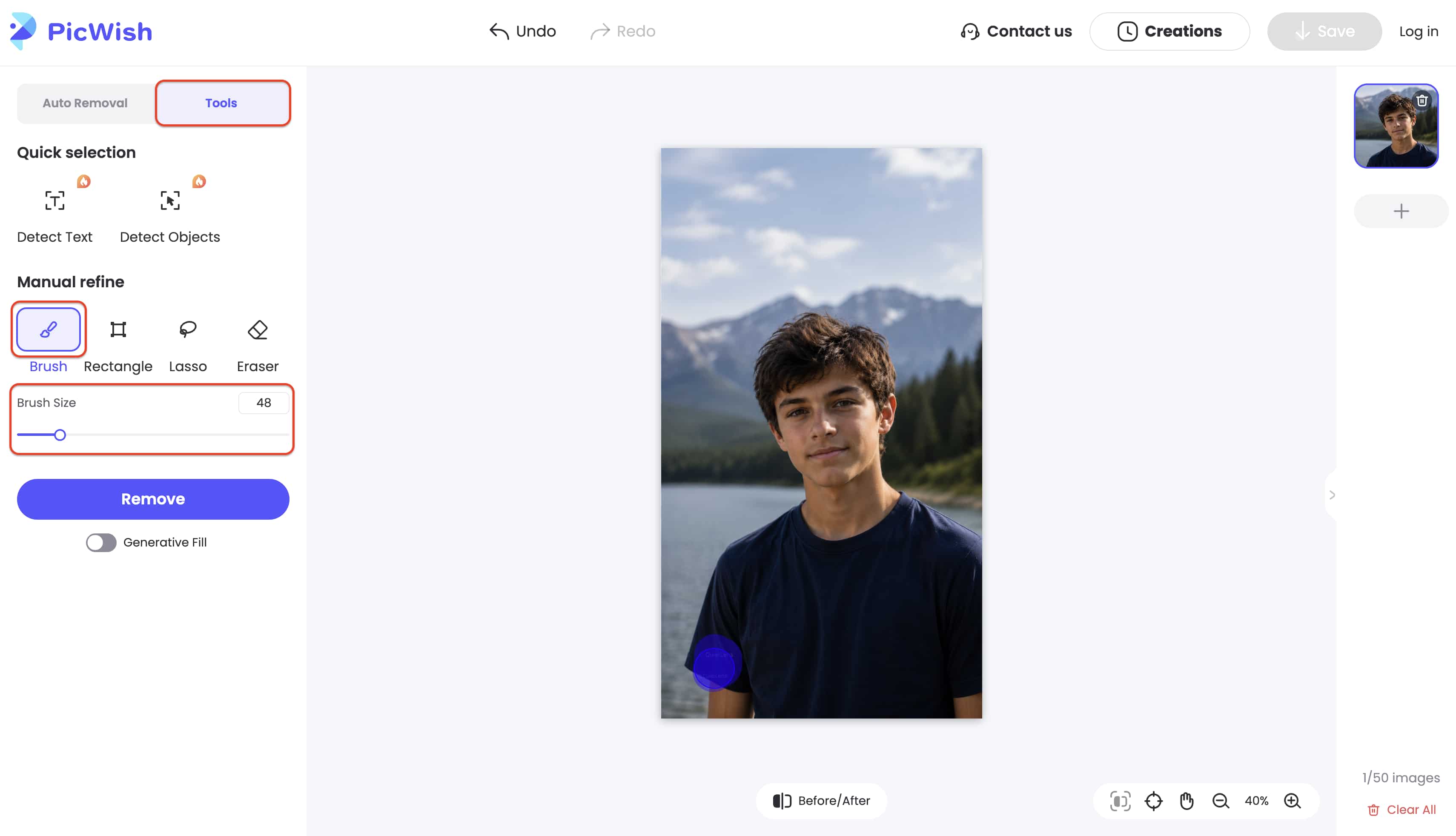
Select the Target Area: Choose the brush tool from the editing menu. Adjust the brush size to match the watermark. Paint completely over the text, logo, or stamp you wish to erase.
-
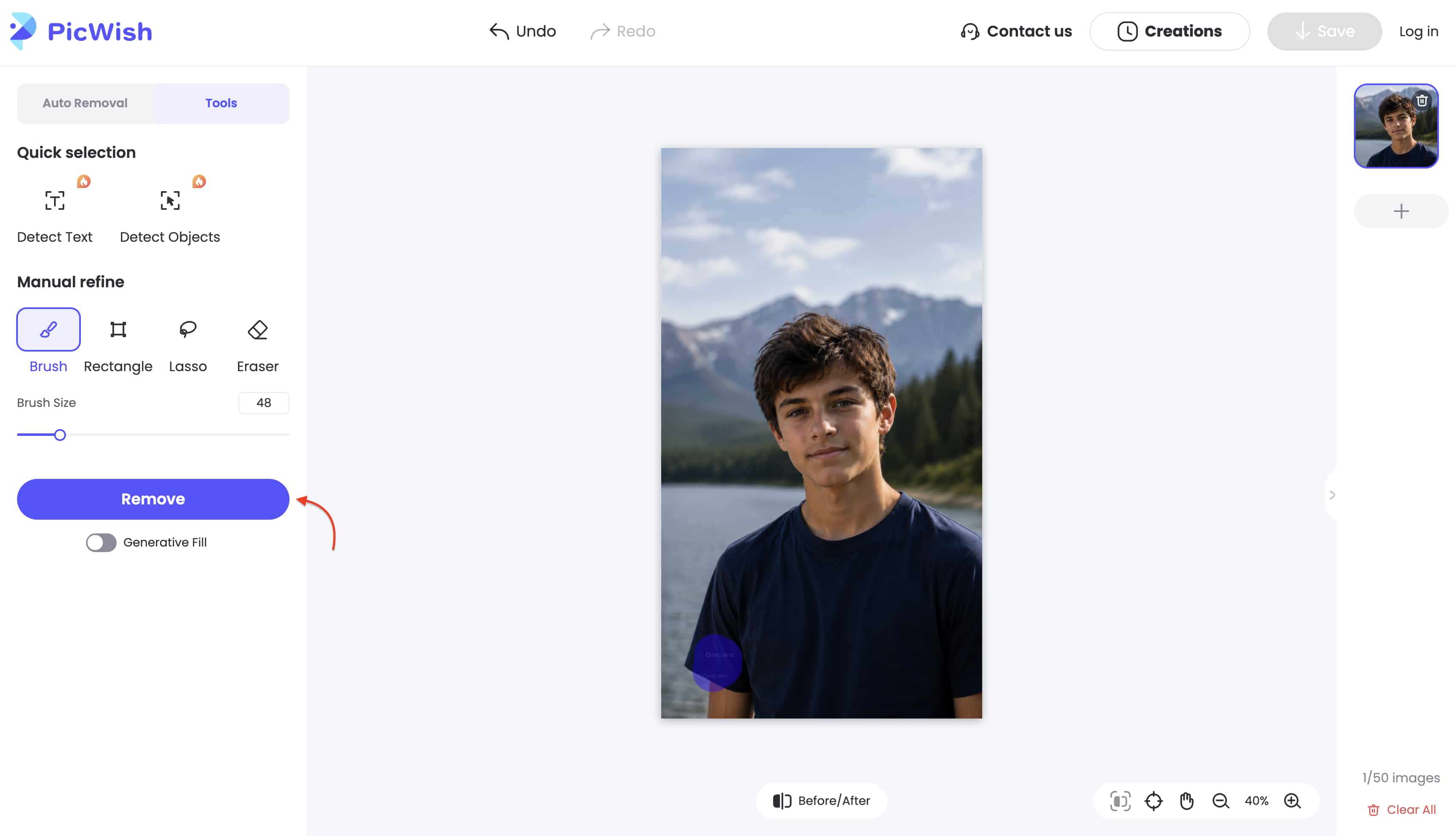
Process the Edit: Click the 'Remove' or 'Erase' button. Wait a few moments while the algorithm analyzes the background and applies the contextual fill.
-
Review and Export: Inspect the final output for any lingering artifacts. Once satisfied, click save to download the clean file to your local drive.
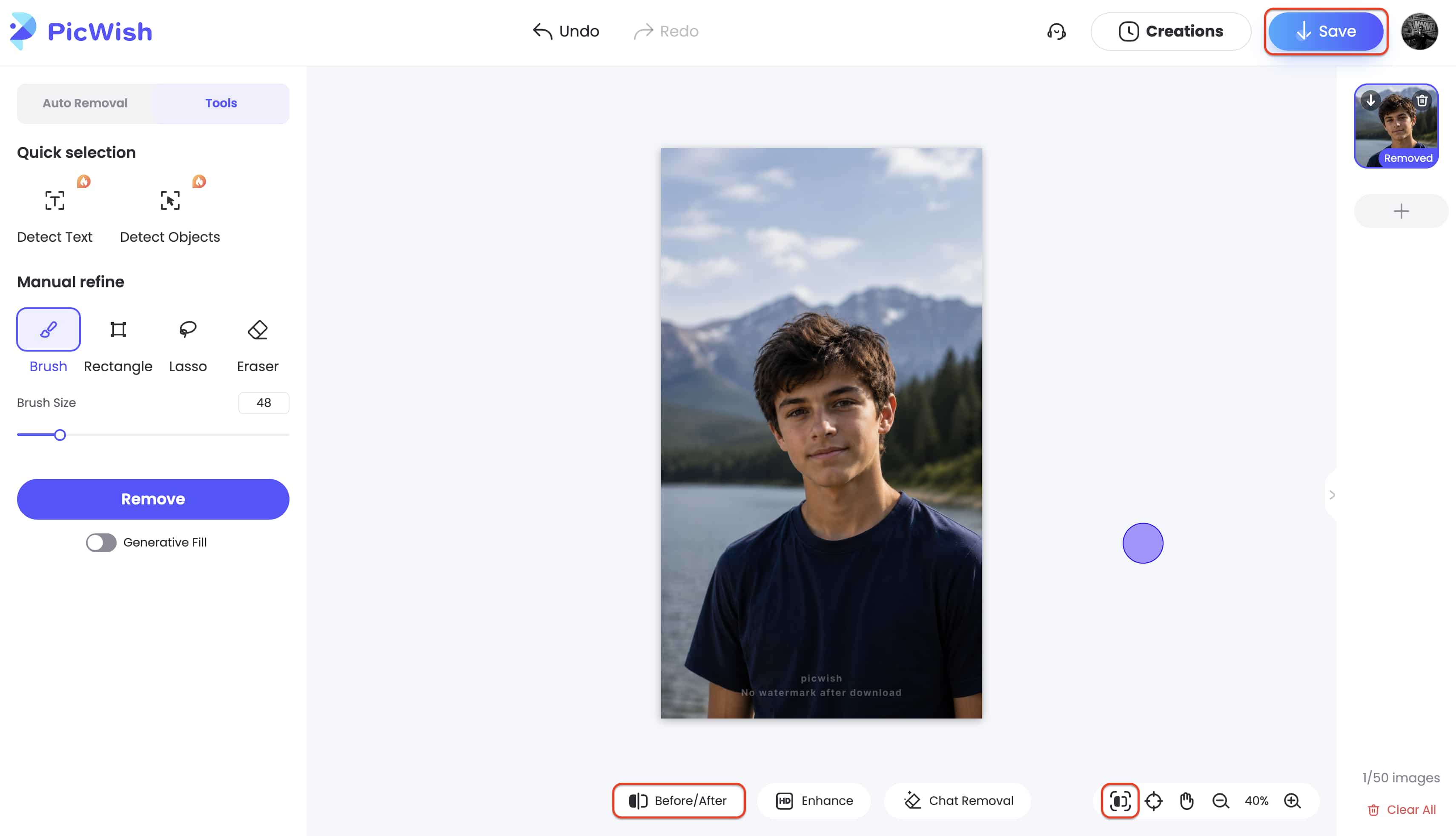
Note that while simple backgrounds work well, complex textures might require manual brush touch-ups, which can be time-consuming.
PicWish Pricing, Pros, and Cons
Software ROI depends heavily on the pricing model aligning with your output volume. PicWish ties its cost structure directly to output frequency, offering three distinct purchasing paths: a free entry tier, a recurring subscription for heavy users, and a pay-as-you-go system for occasional edits.
Pricing
The Free Entry Tier
While many assume professional-grade AI requires an immediate financial commitment, the PicWish Free Plan serves as a functional sandbox for testing the technology. This tier allows you to generate free previews for most features and provides access to a specific suite of free tools. However, significant restrictions apply to the final output. You are limited to a set number of non-HD downloads per day, meaning these assets often lack the clarity needed for professional print or high-resolution web displays.
PicWish Pro Plan (Subscription)
|
Subscription Tier |
Billing Cycle |
Cost |
Included Benefits |
|---|---|---|---|
|
Daily Pro |
One-time payment |
$1.59 / day |
30 Credits, 100 HD Downloads / Day |
|
Monthly Pro |
Billed Monthly |
$6.99 / month |
450 Credits, 100 HD Downloads / Day |
|
Yearly Pro |
Billed Annually |
$39.99 / year ($3.33/mo) |
450 Credits / Month, 100 HD Downloads / Day |
PicWish Pay As You Go (Credits)
|
Credit Package |
Total Price |
Cost Per Credit |
Expiration |
|---|---|---|---|
|
300 Credits |
$12.99 |
$0.04 |
No Expiration |
|
1000 Credits |
$33.99 |
$0.03 |
No Expiration |
|
5000 Credits |
$65.99 |
$0.01 |
No Expiration |
|
10000 Credits |
$99.95 |
$0.01 |
No Expiration |
Pros and Cons
To give you a clearer picture of what to expect, here is a quick breakdown of the platform's main advantages and potential drawbacks:
|
Pros |
Cons |
|---|---|
|
Intuitive dashboard requires zero prior editing experience. |
Video editing functionality strictly requires a desktop app download. |
|
Exceptional background synthesis on solid or simple textures. |
Struggles heavily with complex visual backgrounds and fast-moving video. |
|
Cost-effective annual subscription reduces monthly overhead. |
Free version locks high-definition (HD) downloads behind a paywall. |
|
Time-saving batch processing handles up to 30 images at once. |
High-volume users can burn through pay-as-you-go credits rapidly. |
While PicWish is solid for simple edits, it often struggles with complex backgrounds and large video files. High-volume creators need a more robust, cloud-based solution to maintain professional speed and quality. Let's look at a platform built to bridge these gaps without slowing down your system.
Meet the Best Alternative: Vmake Watermark Remover
When production constraints tighten and media complexity increases, standard image editors often fall short. We introduce Vmake as the ultimate all-in-one AI UCG video and image editor, offering industry-leading capabilities for complex watermark, text, and object removal. Vmake specifically targets the demanding requirements of modern content creators, providing enterprise-grade artificial intelligence inside a streamlined, accessible interface.

Why is it better
The primary differentiator lies in architectural accessibility. Vmake handles both high-resolution images and videos seamlessly on the web without needing a desktop app download. This makes it the perfect tool for AI creators and marketers operating on tight deadlines. Forcing users to download local software to process video creates unnecessary bottlenecks. Having a powerful, browser-native video watermark remover ensures that you can execute heavy-duty media cleanups from any workstation, instantly.
Key Features You May Need:
-
Smart Auto Removal: The system automatically detects and eliminates complex watermarks, subtitles, and moving objects with precision. Generative AI maps the motion of the underlying footage, allowing editors to remove video subtitles completely without causing frame-stuttering or pixel distortion.
-
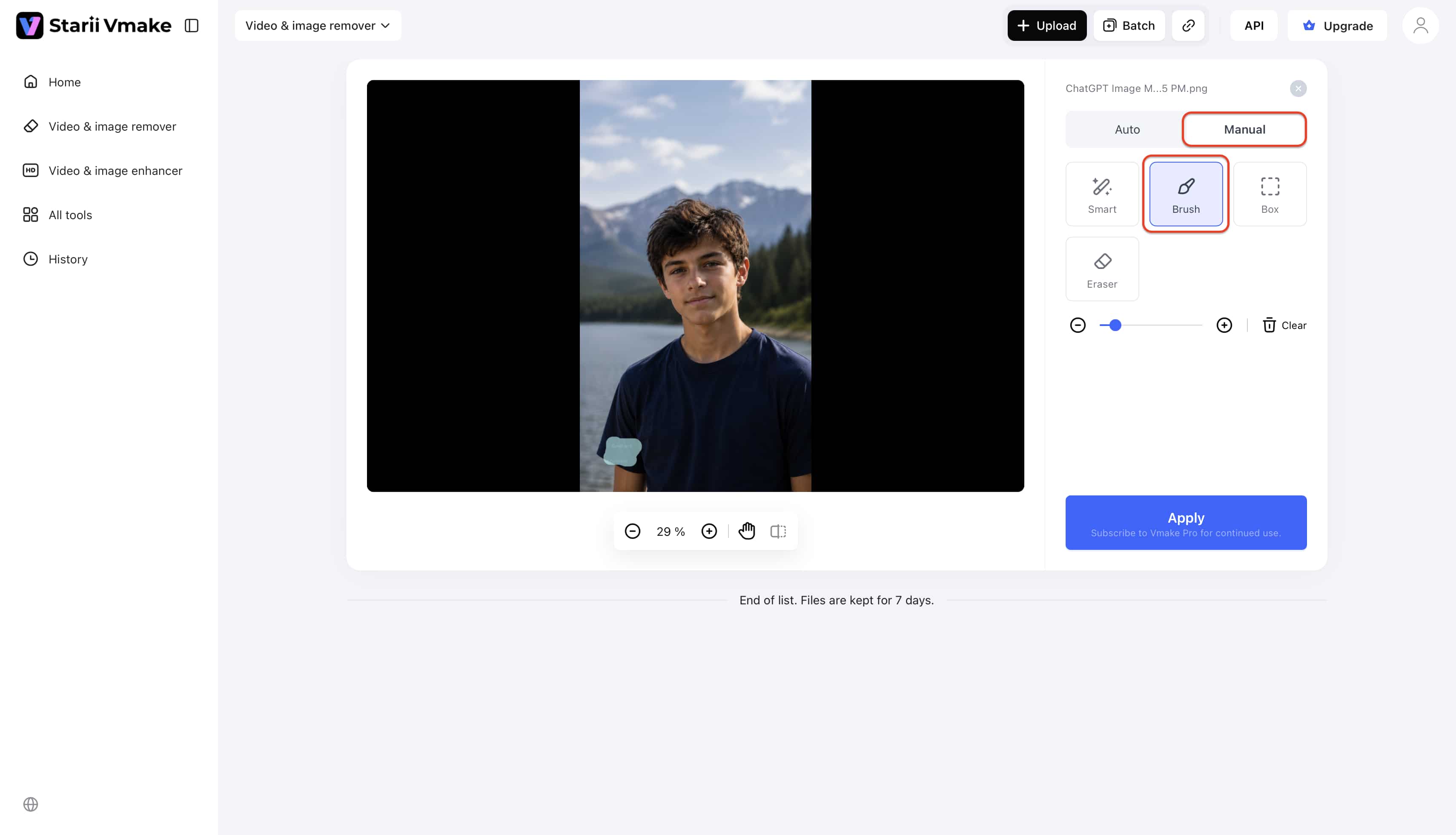
Manual Precision: Complete automation sometimes requires human oversight. Vmake allows you to manually box select and brush over unwanted areas for fine-tuned, localized editing. This granular control is vital when isolating tricky visual elements over high-contrast backgrounds.
-
High-Volume Batch Processing: Professional workflows demand scale. The platform supports the bulk removal of up to 30 media files at once to drastically improve your workflow efficiency. You upload the assets, set the parameters, and let the cloud servers handle the rendering.
How to Use Vmake Watermark Remover:
-
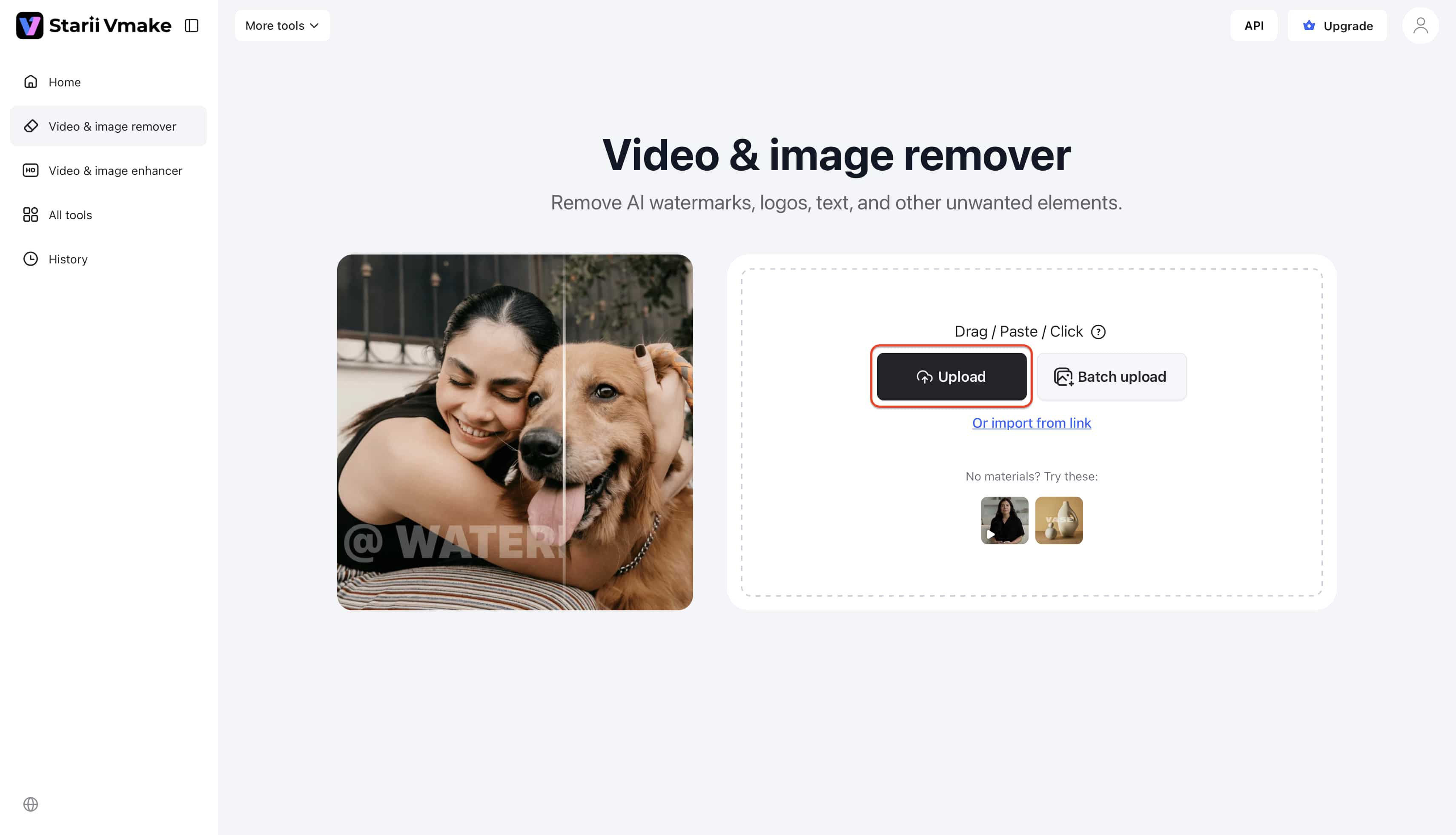
Launch the Web Portal: Navigate to the Vmake platform via your browser. No local installation is required.
-
Import Media: Drag and drop your high-resolution image or video directly into the processing zone.
-
Isolate the Distraction: Utilize the manual box select tool to draw a tight perimeter around the logo or text.
-
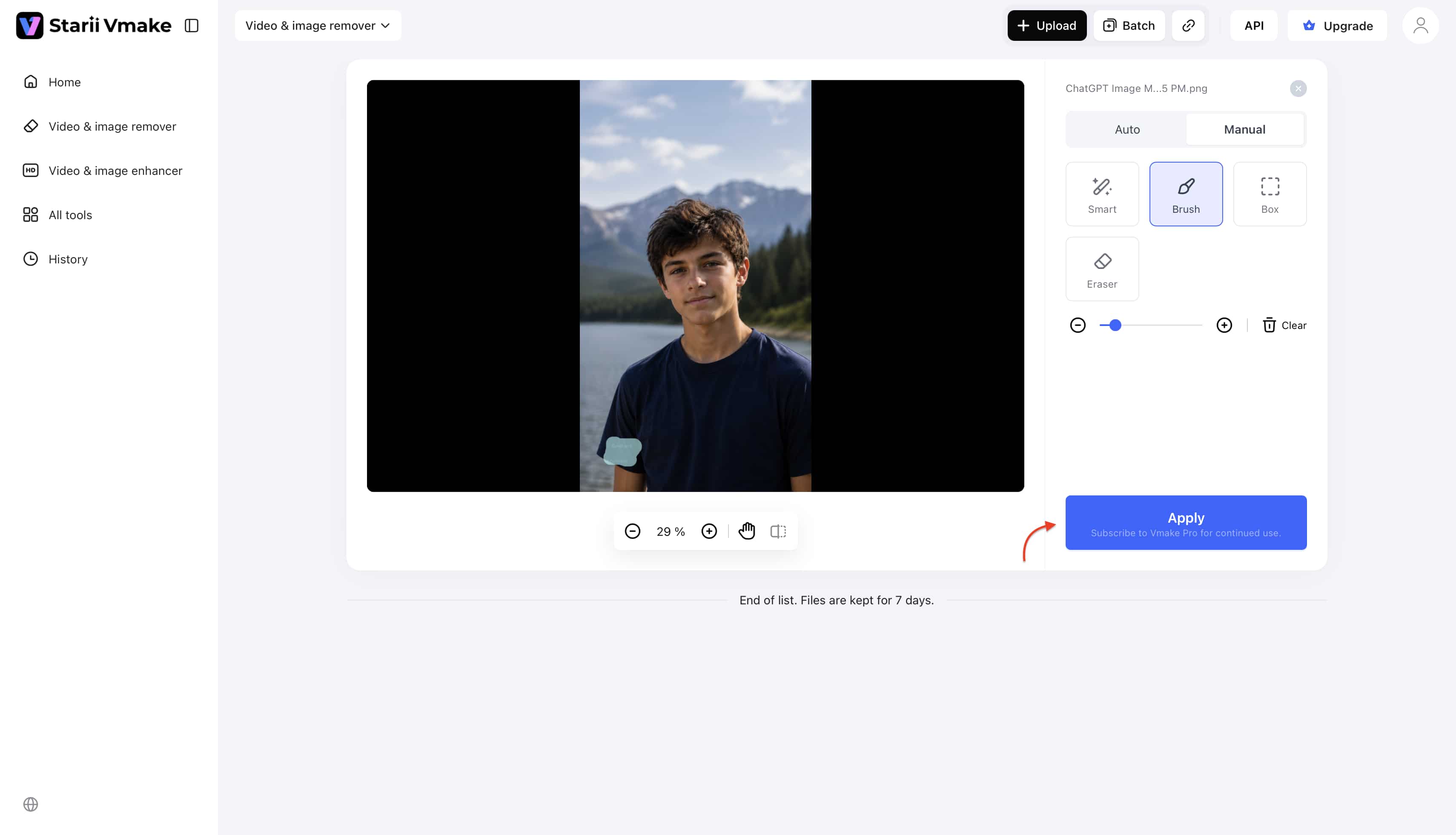
Generate the Edit: Click the processing button. The cloud infrastructure renders the contextual background replacement in seconds.
-
Download the Asset: Preview the result in the built-in media player. Click export to save the finalized, high-definition file.
Conclusion
To summarize the core takeaways about the PicWish watermark remover: The software delivers excellent value for straightforward, high-volume image editing. Its batch processing and accessible pricing make it a strong candidate for e-commerce operators dealing with simple backgrounds. However, scaling into video production or complex visual graphics exposes the limitations of its web interface and rendering engine.
While it is a capable tool for basic image edits, users dealing with complex video watermarks, subtitles, or those needing a purely web-based, heavy-duty solution will find Vmake to be a much more efficient and powerful alternative. Content standards continue to rise across all social platforms. Understanding how to seamlessly remove video text without degrading visual fidelity gives marketers a distinct operational advantage.
FAQs
Is PicWish watermark remover free?
PicWish provides a restricted free tier. Users can test the removal tools and process images, but the system locks high-definition (HD) exports behind its premium plans. Free downloads output at lower resolutions, making a subscription or credit purchase necessary for professional use.
How do I remove a watermark using AI?
AI editing platforms simplify the process into a few clicks. You upload the file, highlight the intrusive element using a brush or selection box, and command the software to process it. Advanced generative engines then analyze the surrounding pixel data to remove moving objects and seamlessly reconstruct the hidden background.
Is PicWish safe to use?
Yes. The platform utilizes standard SSL encryption to protect data during upload and download. According to their privacy policies, server scripts automatically purge uploaded files shortly after processing, ensuring your proprietary assets do not remain stored on external servers.
Does removing a watermark reduce the original image quality?
Using outdated cloning software often resulted in severe pixel degradation. Modern AI tools specifically isolate the selected region without compressing the surrounding image. Assuming you utilize a premium account that permits HD exporting, the core resolution of your file remains completely intact.
Can I process multiple images at once with PicWish?
Yes. The batch processing feature represents one of the platform's strongest assets. Users can upload up to 30 images simultaneously, applying a uniform removal parameter across the entire queue. This function saves hours of manual labor for large e-commerce catalogs.

You May Be Interested
Top 7 Watermark Remover Apps That Actually Work in 2026

Batch Watermark Removal with Vmake AI
How to Remove Seedance 2.0 Watermark from Videos
AniEraser Watermark Remover by Media.io: 2026 Hands-On Review