MyHeritage Photo Enhancer: Restore & Animate Old Photos in 2026
Restore faded memories with MyHeritage Photo Enhancer. Learn how its AI photo restoration, colorization, and Deep Nostalgia animation work, compare pricing, explore limitations, and discover a powerful AI alternative for enhancing old photos.
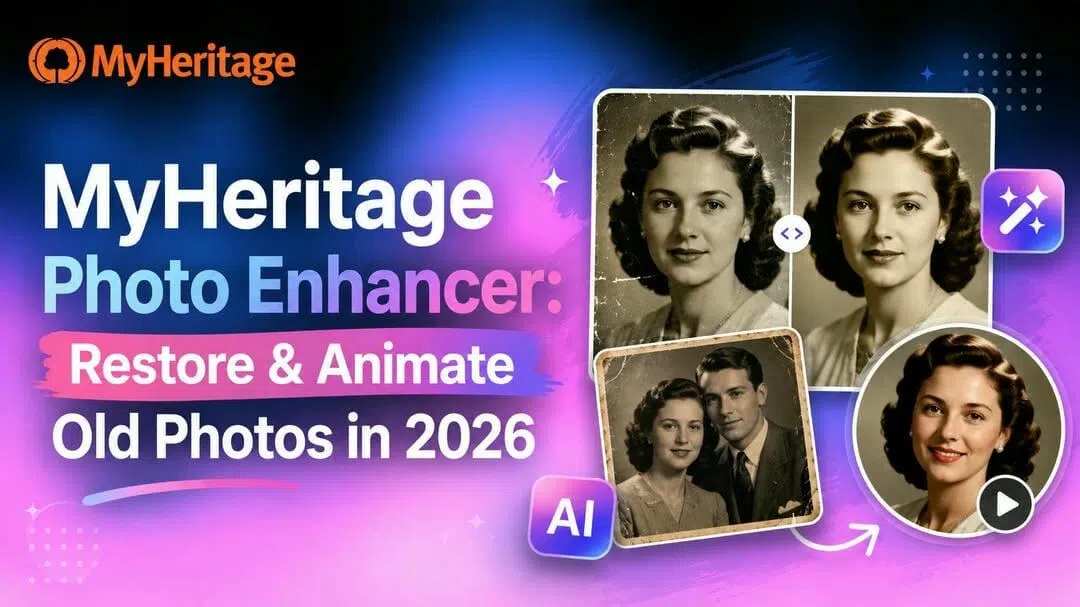
Dusting off decades-old family photo albums often brings nostalgia mixed with disappointment: faded tones, severe grain, and blurry faces hide priceless memories. I put the MyHeritage photo enhancer through a hands-on test with vintage portraits to see if its AI restoration lives up to the hype or forces an unnecessary subscription.
What is MyHeritage photo enhancer?
MyHeritage photo enhancer is a free-to-try, AI-powered online tool developed by MyHeritage, a leading genealogy and family history platform. It uses advanced deep learning technology to automatically enhance, sharpen, restore, and improve old or low-quality family photos with a special focus on bringing blurry faces into sharp focus.
Key features of MyHeritage photo enhancer
-
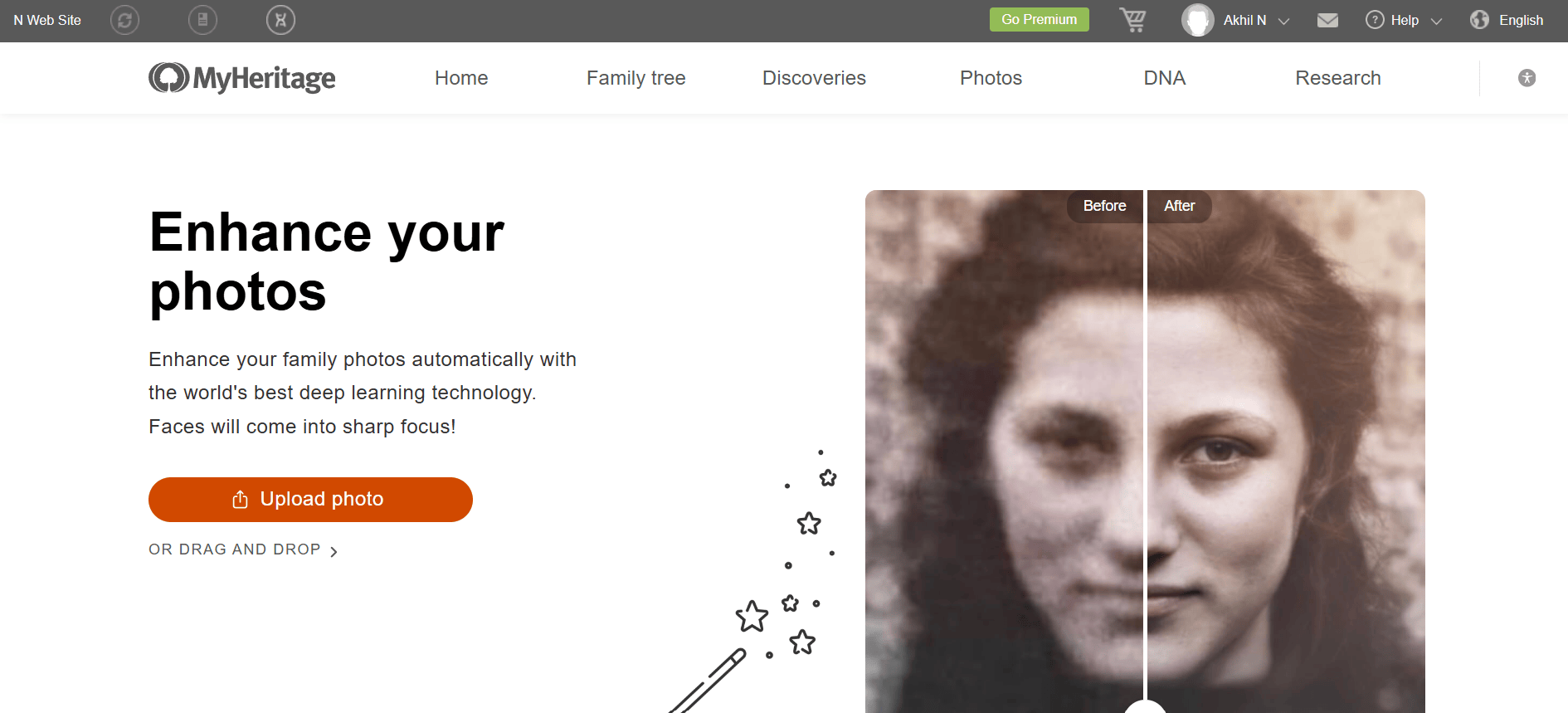
AI photo enhancement: The tool analyzes uploaded photos, automatically finds every face, and then sharpens each face using deep learning trained on millions of photos. It works best on portraits and group shots where the faces appear small, blurry or low-resolution.
-
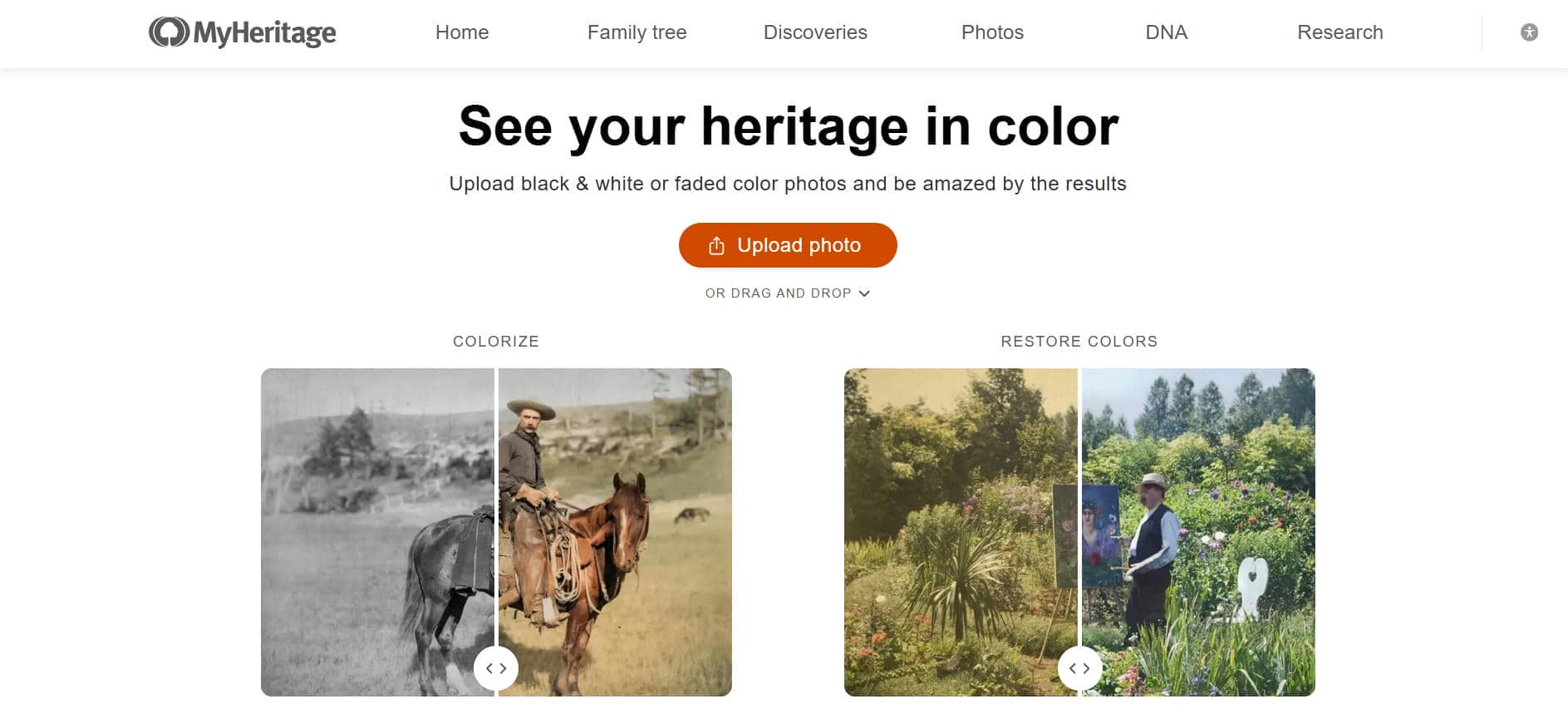
MyHeritage colorizer: MyHeritage In Color adds realistic color to black-and-white photos using AI trained to predict natural skin tones, hair, clothing, and backgrounds. Results vary by photo quality, but most come out looking convincingly lifelike rather than artificial.
-
MyHeritage photo restoration: The enhancer not only sharpens faces, but improves overall clarity in old, faded or grainy prints, making it easier to see details. It does not fix physical damage such as scratches, tears, creases, or large discolored patches on the print itself.
-
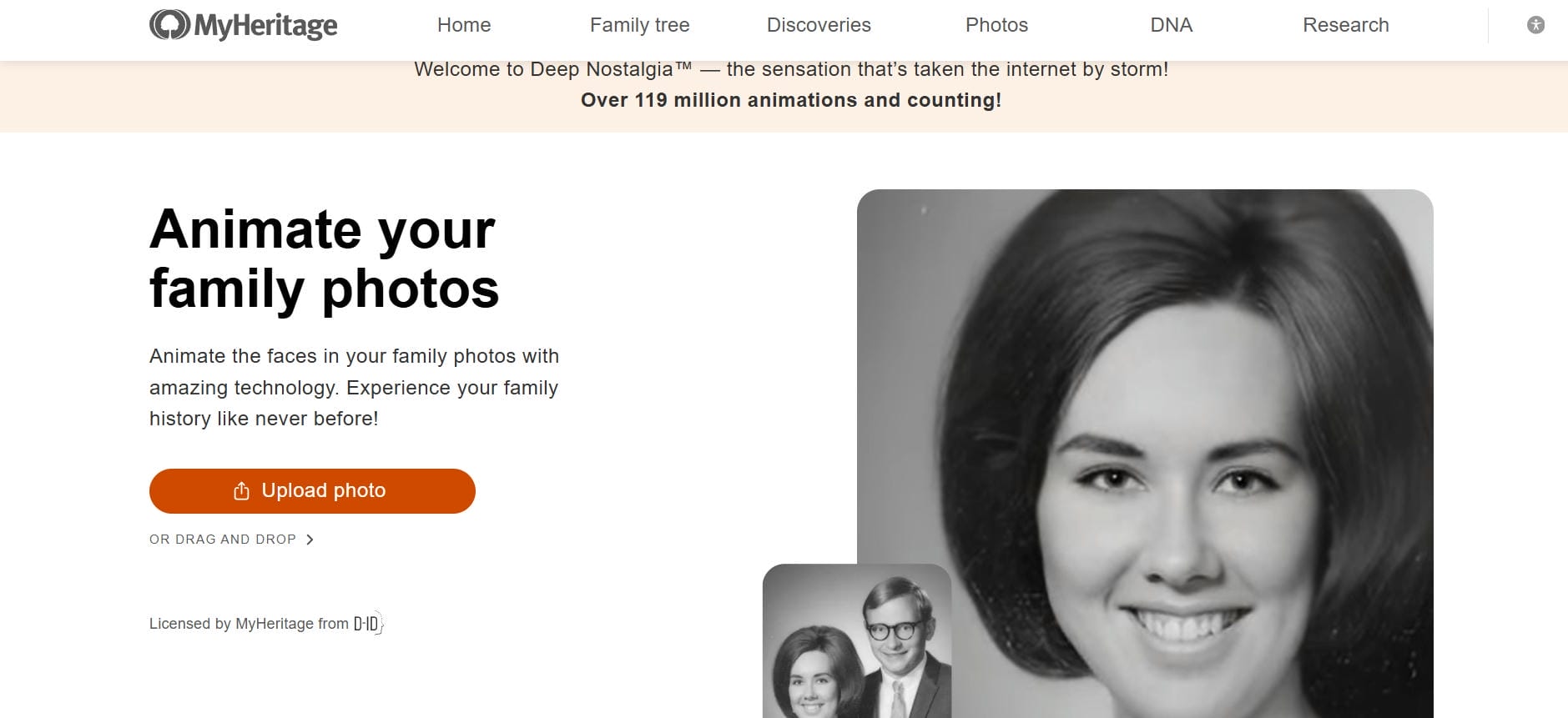
MyHeritage Deep Nostalgia: animate old photos: Deep Nostalgia turns a still portrait into a short video, animating the face to blink, smile, and turn using licensed deepfake-style technology. It's the suite's most viral feature, and also its most polarizing among family history fans.
How to enhance old photos with MyHeritage photo enhancer
MyHeritage makes it easy and fast to enhance old photos. With powerful AI, you can sharpen blurry faces, restore details, and colorize black-and-white images in just a few clicks. No technical skills needed.
Method 1: Enhance blurry photos
Getting started is straightforward. Follow these simple steps to enhance photos effortlessly.
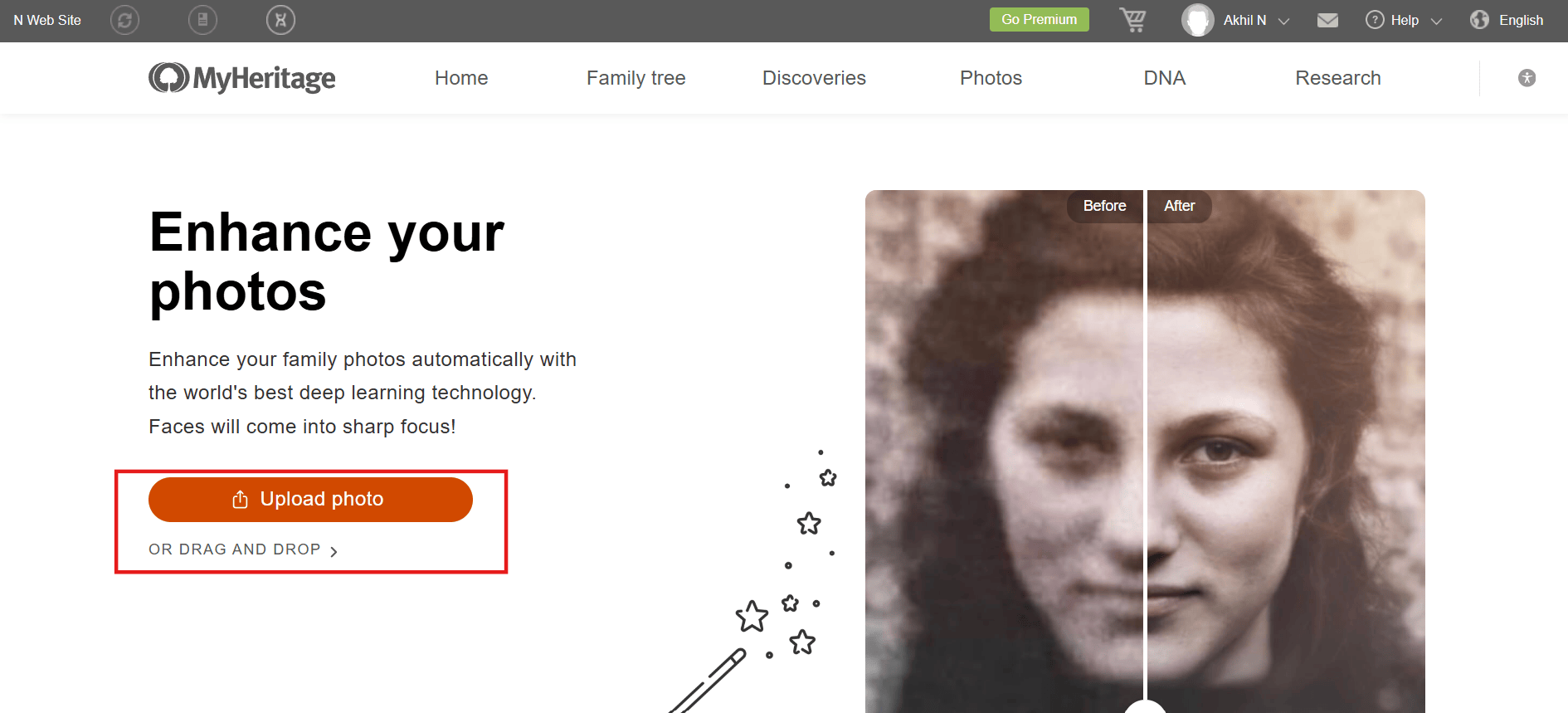
Step 1: Upload photo
Log into your MyHeritage account and navigate to the Photo Enhancer page. Click "Upload Photo" and select the old or blurry image from your device.
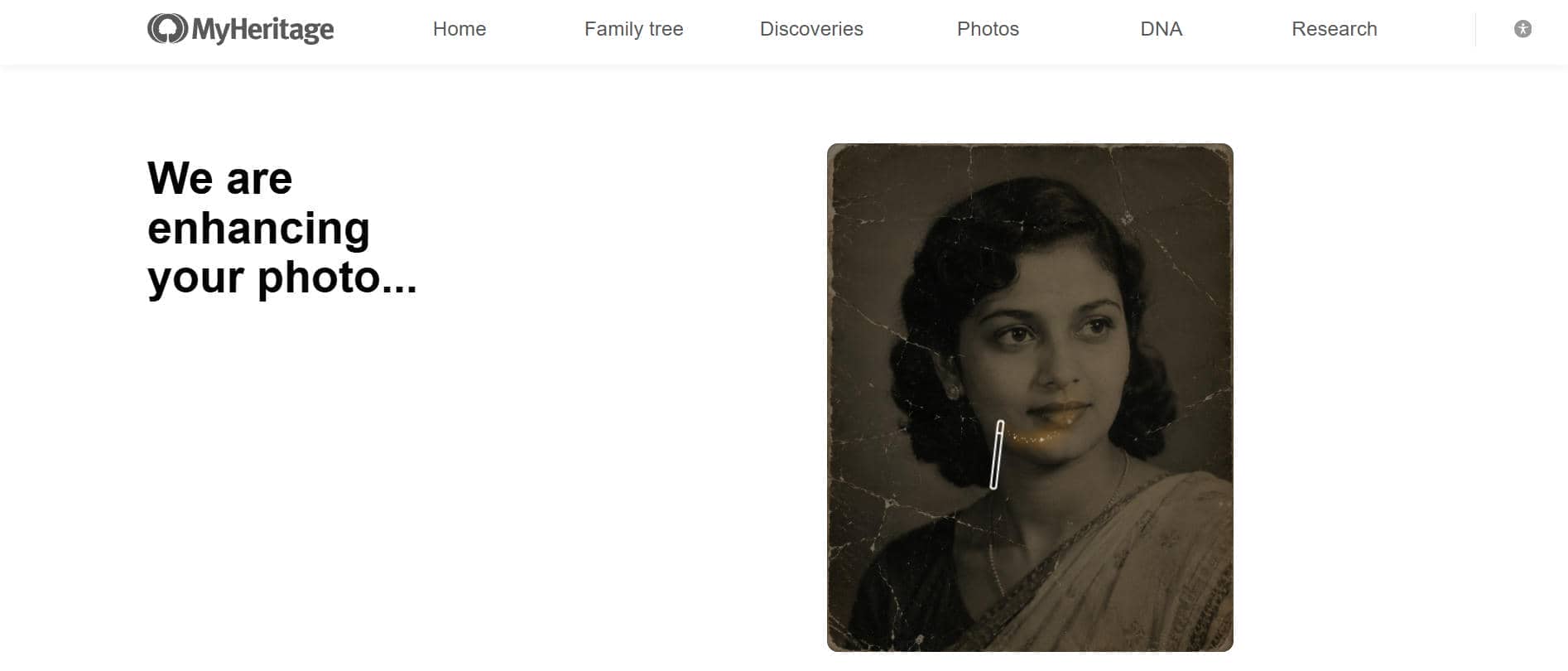
Step 2: Enhance photo
AI automatically detects faces and improves sharpness, clarity and facial details. Please wait a few moments for the processing to complete.
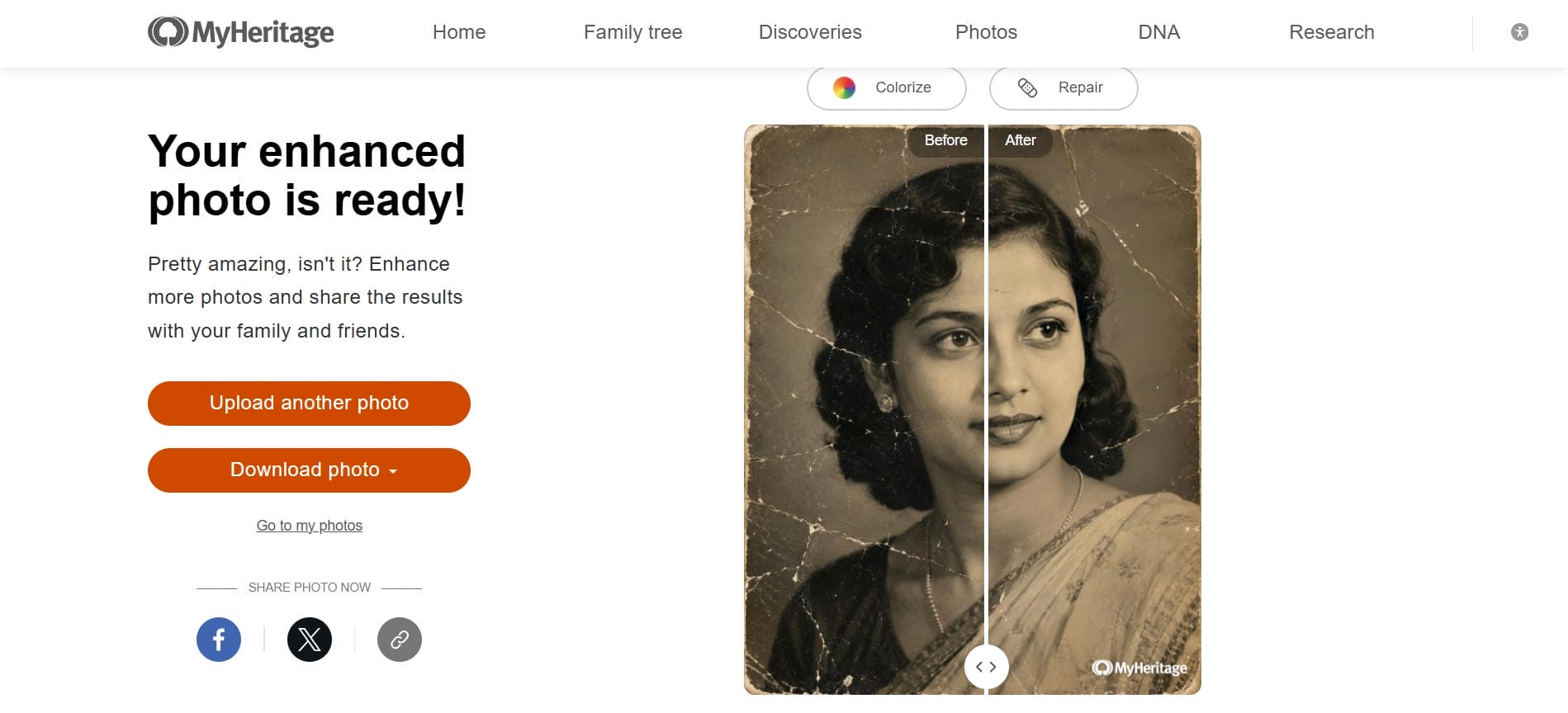
Step 3: Review and download
When the processing is done, review the before/after comparison. Click on individual faces to zoom in on details and then select "Download photo" to save your improved photo.
Method 2: Colorize old photos
MyHeritage Colorizer brings black-and-white and faded photos to life by adding realistic colors using advanced AI technology.
Step 1: Open MyHeritage In Color
From your MyHeritage account, head to the In Color tool, the platform's dedicated colorization feature. It works on any black-and-white or faded photo you want to bring back to life.
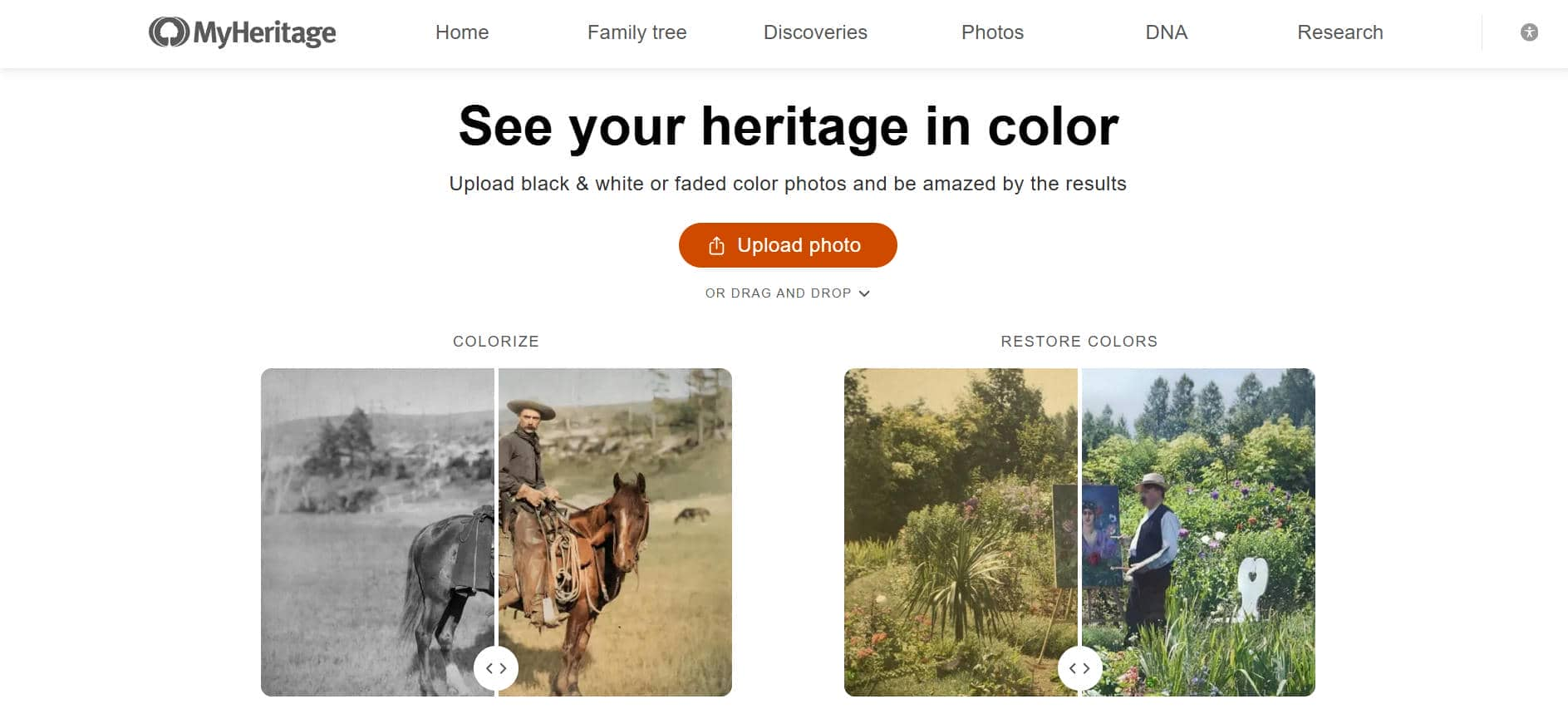
Step 2: Upload your black-and-white photo
Upload your black-and-white or faded photo by clicking "Upload Photo" or dragging the image into the upload area. Wait a few seconds for the AI to colorize the image.
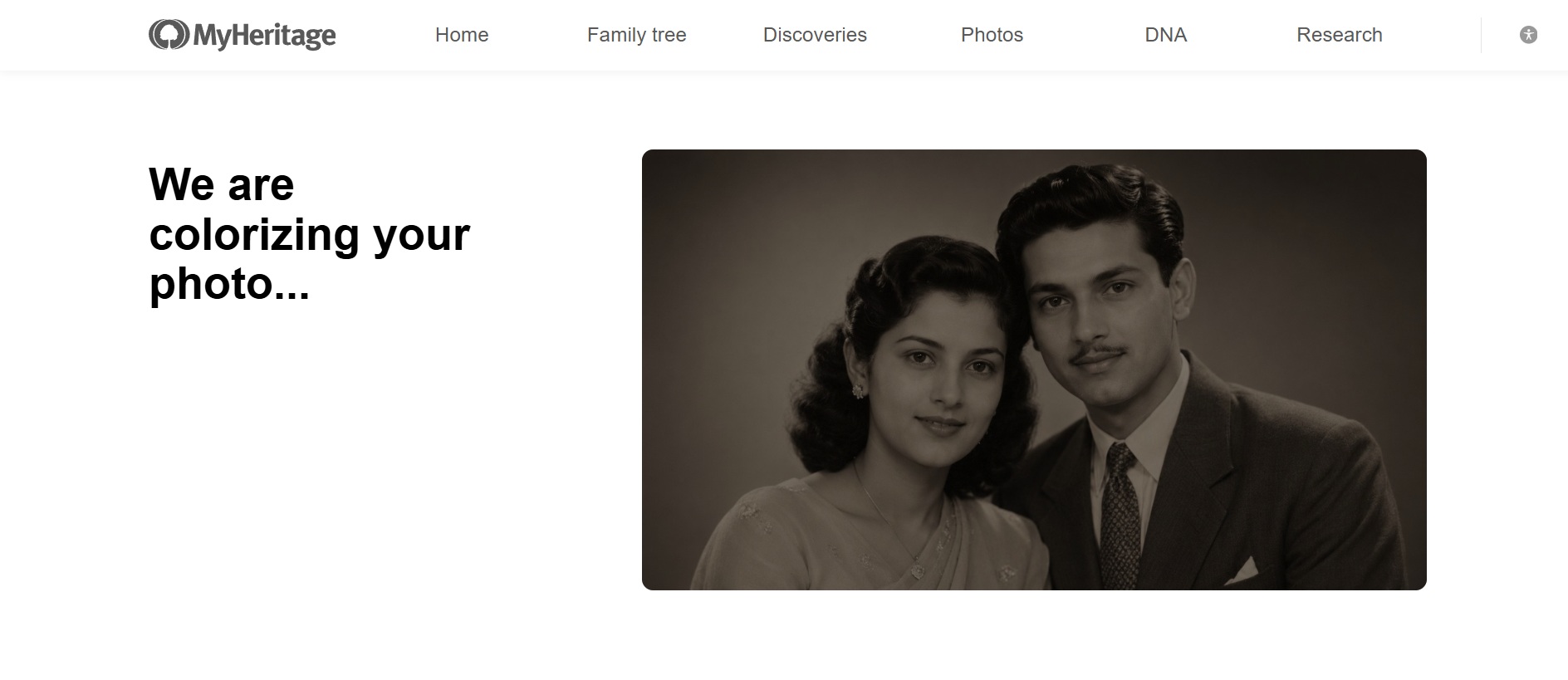
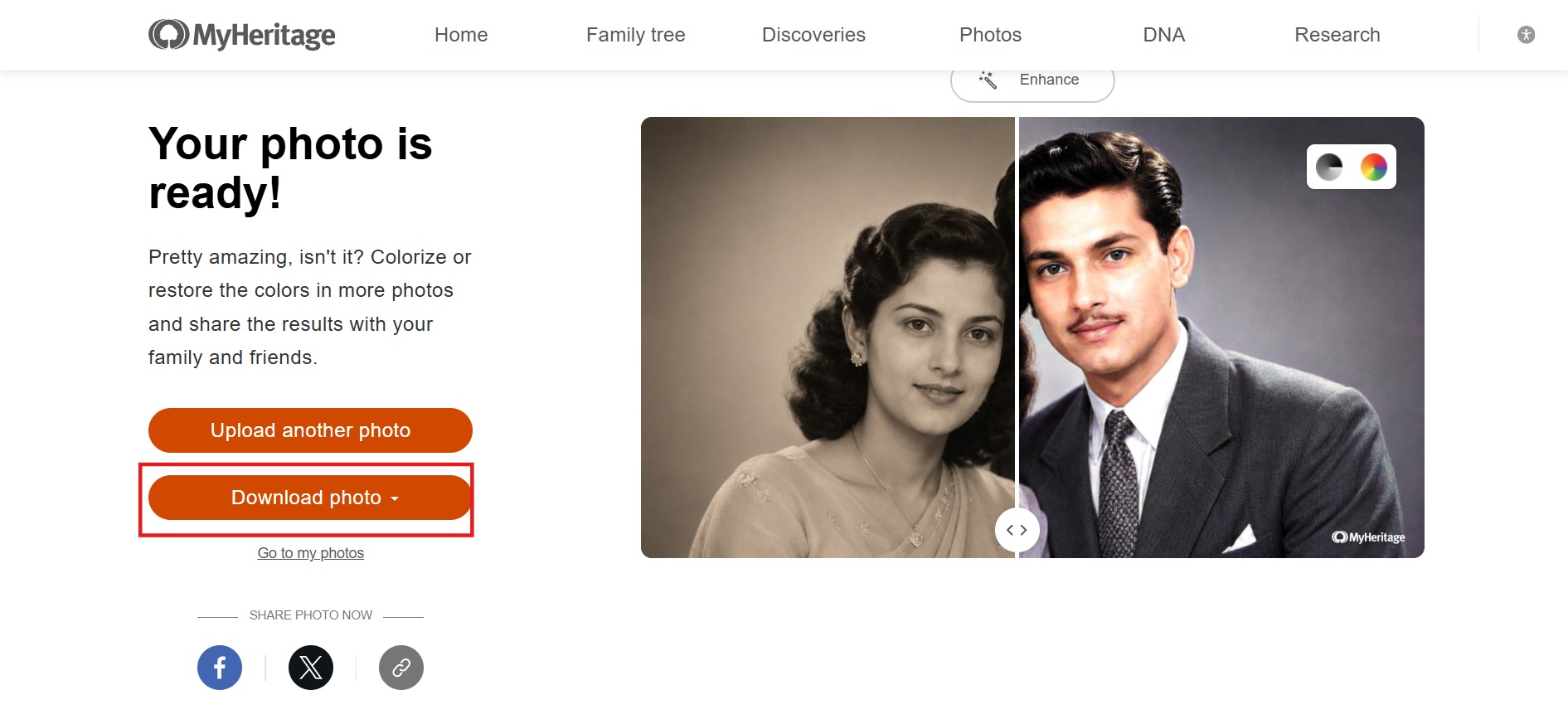
Step 3: Compare and save
Review the results using the before/after view, then hit "Download photo" to save the vibrant colorized photo.
MyHeritage photo enhancer pricing & free plan limits
Here's the honest breakdown after digging into the details and seeing what real users experience in 2026.
MyHeritage gives you a generous taste with its free plan. You can enhance up to 10 photos total. However, the downloaded results usually come with a visible MyHeritage watermark in the corner. It's enough to test the tool on a few treasured family photos, but quickly becomes limited if you have more than a handful of images to restore.
Paid subscription tiers overview
MyHeritage doesn't sell Photo Enhancer as a standalone purchase. It's bundled into the platform's broader subscription tiers, which mostly run per year rather than per month:
|
Plan |
Price |
1st Year |
Tree size |
Key inclusions |
|---|---|---|---|---|
|
Premium |
$79/year |
$49 |
2,500 people |
Smart Matches, Advanced DNA features |
|
PremiumPlus |
$129/year |
$89 |
Unlimited |
Adds Instant Discoveries, Tree Consistency Checker |
|
Data |
$129/year |
$89 |
250 people |
40 billion historical records, Record Matches, save records to tree (no tree-building perks) |
|
Complete |
$189/year |
$119 |
Unlimited |
PremiumPlus + Data combined, plus Photo Enhancement Features |
|
Omni |
$259/year |
$149 |
Unlimited |
Everything in Complete, plus OldNews.com newspaper archive, Geni.com Pro + 2,000 webinars, unlimited photo scanning |
Value for genealogy users vs. casual users
If you're deeply into family history research and building a family tree, MyHeritage is worth every penny. The photo tools are well integrated into your tree, and unlimited access seems like a natural part of the ecosystem.
For casual users who just want to restore and colorize a box of old family photos? It can feel expensive. Many people in this group end up wishing for a simpler, cheaper standalone photo plan.
Testing indicates
Based on my testing, MyHeritage Photo Enhancer is not completely free. You can sign up and try its AI enhancement tools, but the free plan restricts the number of photos you can enhance before having to pay.
The free version usually exports images with a prominent MyHeritage watermark, and only subscribers can download full-resolution, watermark-free images. You get to try out core features like AI photo enhancement, colorization, and Deep Nostalgia animation, but the use is limited to around 10 processed photos. Also, the free plan doesn't include batch processing or unlimited access.
MyHeritage photo enhancer review: Pros and cons
After testing MyHeritage photo enhancer on several old photos, here are the biggest strengths and limitations I found during everyday use.
Pros |
Cons |
|---|---|
|
|
MyHeritage's photo suite works well if you're already inside its genealogy ecosystem. But if you just want to fix a photo without signing up, hitting a 10-photo cap, or seeing a watermark on the result, it's worth looking outside that ecosystem.
Meet Vmake Labs: A powerful MyHeritage photo enhancer alternative
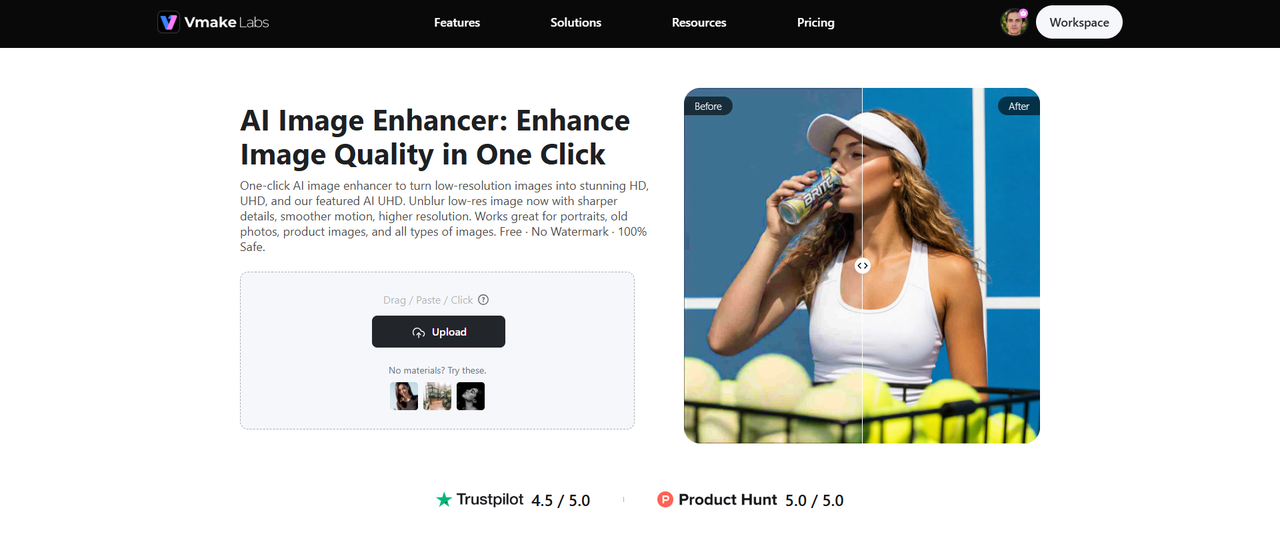
Vmake Labs is a browser-based AI image enhancer designed for a variety of image enhancement works. MyHeritage is primarily focused on family photo restoration and genealogy. Vmake Labs supports old photo restoration, portrait enhancement, AI upscaling, noise and artifact removal, and batch processing. It also comes with multiple AI enhancement modes, making it a versatile solution for enhancing both vintage memories and modern digital images.
Steps to enhance photos with Vmake Labs
Follow these three simple steps to enhance photos easily.
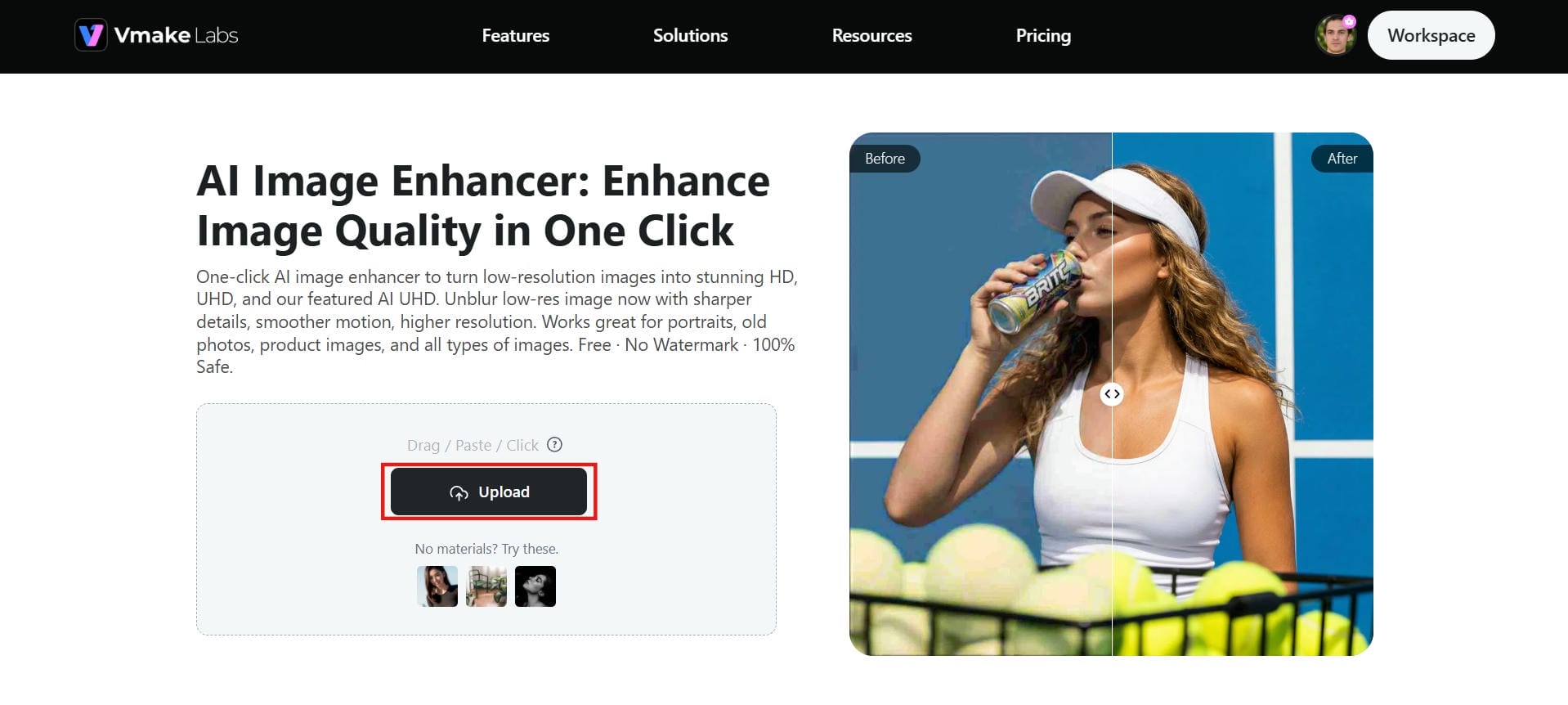
Step 1: Upload image
Head over to the Vmake Labs Image Enhancer. To get started, simply drag and drop your photo directly into the upload area, or click the "Upload" button to browse and select a file from your device. Vmake Labs supports all major image formats, making it easy to enhance old photos, portraits, product images, and other low-quality pictures in just a few clicks.
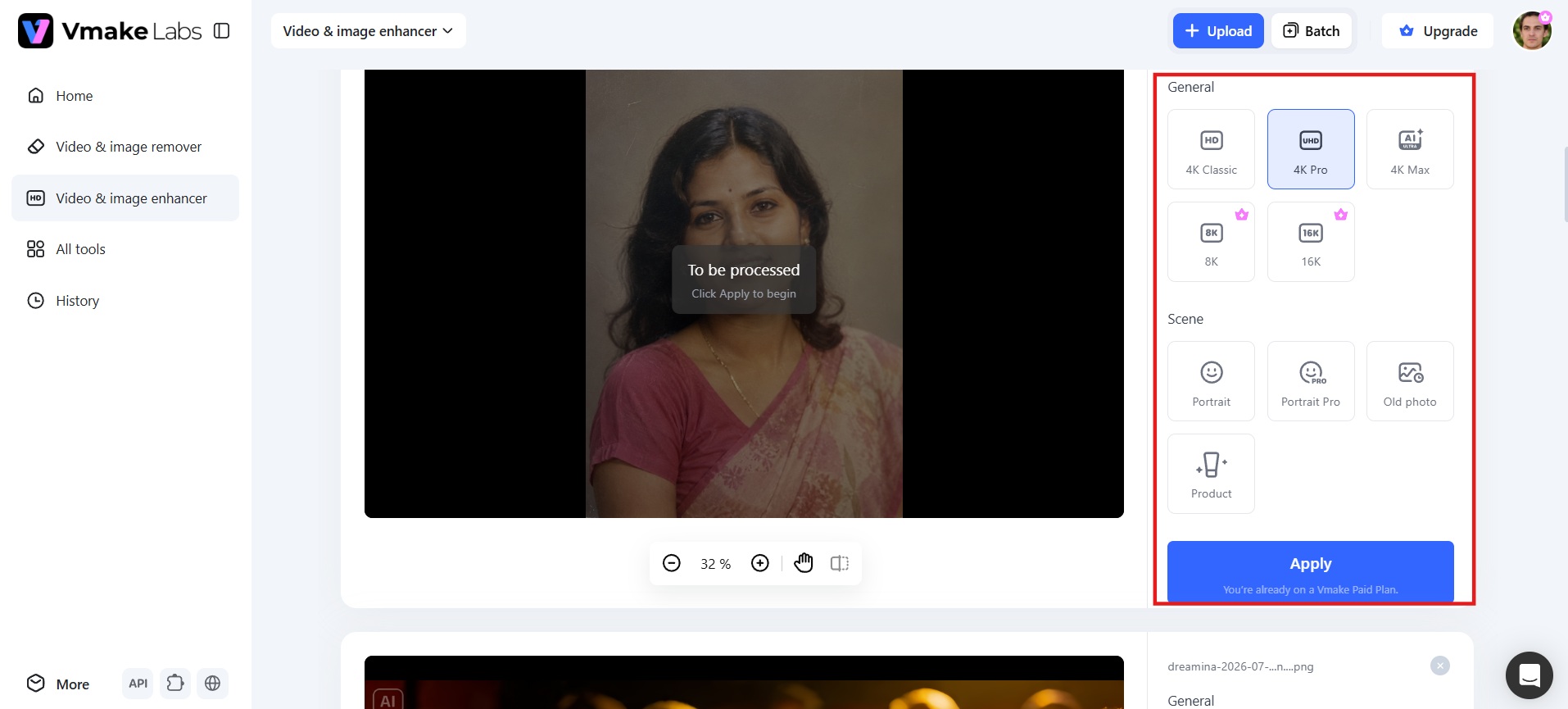
Step 2: Let AI enhance the photo
Select the suitable enhancement mode and type for your image, and click the Apply button. Vmake Labs will automatically enhance the image by adding sharpness to it, minimizing noise and artifacts, and upscaling the image based on the selected enhancement settings.
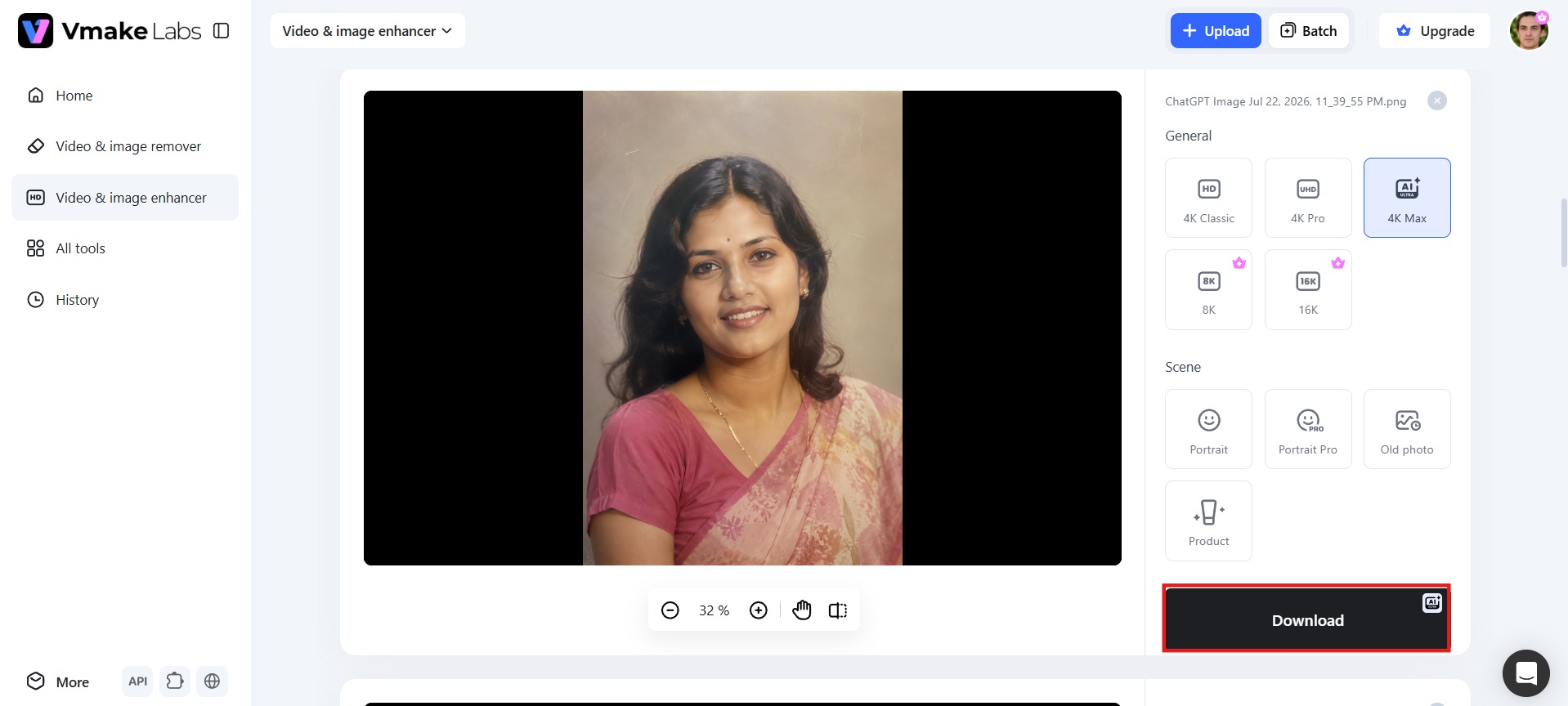
Step 3: Download the image
Once the enhancement is complete, compare the original and improved versions to review the results. If you're satisfied, click "Download" to save the enhanced high-resolution image for personal or professional use.
Key features of Vmake Labs
-
Multiple AI enhancement modes: Choose from HD, UHD, AI UHD, 8K, or 16K output to get exactly the right quality for your project. Whether you're breathing new life into cherished old family photos, sharpening everyday portraits, or creating crisp, professional images ready for digital sharing or large-format prints, you get results that match your intended use without guesswork or multiple tools.
-
Old photo restoration: Vmake Labs photo restoration tool repairs scratches, fading, blur, noise, and tilted framing in scanned photographs. Instead of only making an image sharper, it rebuilds missing details and improves overall clarity, helping you preserve valuable family memories and create digital copies that are easier to archive, print, and share.
-
Natural portrait enhancement: Improve blurry or low-quality portraits while keeping faces realistic. The AI restores facial features, skin texture, and hair detail without creating an overly edited appearance, helping selfies, profile pictures, and professional portraits look sharper while still looking like the original person.
-
Noise and artifact removal: Clean up grain, compression artifacts, blocky edges, and unwanted visual noise that reduce image quality. This is especially useful for scanned photos, screenshots, and heavily compressed images, producing cleaner results that look natural instead of artificially sharpened.
-
Batch image enhancement: Enhance up to 30 images in one session, saving significant time when restoring family photo albums, digitizing archives, or improving large collections of images. Instead of editing each photo individually, you can apply AI enhancement across the entire batch with minimal effort.
MyHeritage photo enhancer vs. Vmake Labs
|
Feature |
MyHeritage Photo Enhancer |
Vmake Labs AI Image Enhancer |
|---|---|---|
|
Enhancement scope |
Primarily enhances faces while leaving backgrounds and other image areas largely untouched. |
Enhances the entire image, including faces, backgrounds, textures, and fine details. |
|
Damage repair |
Does not specifically repair scratches, tears, or severe fading. |
Dedicated old photo restoration that fixes scratches, fading, blur, and other damage. |
|
Portrait quality |
Strong facial enhancement but may over-smooth skin during heavy upscaling, creating a "plastic" look. |
Designed to preserve natural-looking skin, hair, and facial textures while improving clarity. |
|
Account requirement |
Requires a MyHeritage account before using the tool. |
Browser-based with no software installation and minimal sign-up friction. |
|
Free tier |
Limited to around 10 enhanced photos with watermarked downloads. |
Free usage available with no watermark on exported images. |
|
Batch processing |
Not available on the free plan and limited on paid plans. |
Supports batch enhancement for processing up to 30 images simultaneously. |
|
Beyond photos |
Focuses on genealogy with AI colorization (In Color) and Deep Nostalgia photo animation. |
General-purpose AI enhancer for portraits, old photos, product images, e-commerce visuals, and AI-generated content. |
|
Integration |
Integrated with the MyHeritage family tree and genealogy platform. |
Standalone AI image enhancement tool with no genealogy platform dependency. |
|
Pricing model |
Free tier with paid MyHeritage subscriptions for full feature access. |
Free tier with credit-based paid plans for higher usage and premium features. |
Choose MyHeritage photo enhancer if:
-
You mainly restore old family photos and historical portraits.
-
You want AI colorization and Deep Nostalgia photo animation.
-
You already use MyHeritage for genealogy or family tree research.
-
You prefer a simple, fully automated restoration workflow.
Choose Vmake Labs image enhancer if:
-
You want a dedicated tool focused only on image quality, not genealogy features.
-
Your photos have scratches, noise, compression artifacts, or heavy fading, not just blur.
-
You need batch processing for a large set of images at once.
-
You want multiple enhancement modes, including HD, UHD, AI UHD, 8K, and 16K output.
Conclsion
MyHeritage photo enhancer is an excellent choice for restoring old family photos, adding realistic color, and bringing portraits to life with Deep Nostalgia. However, its free usage is limited, and most advanced features require a subscription. If you need a more versatile AI image enhancer with multiple enhancement modes, high-resolution upscaling, and batch processing, Vmake Labs image enhancer is a strong alternative. Try Vmake Labs today to restore old memories and enhance your photos for free.
FAQs
Is MyHeritage Photo Enhancer free?
The MyHeritage photo enhancer is not completely free. You can enhance up to 10 photos for free after creating an account, but any enhancements beyond that require a paid subscription. Additionally, the free tier stamps a MyHeritage watermark on your processed images.
What kind of photos work best with the enhancer?
MyHeritage works best with old family portraits, scanned photographs, and slightly blurry images where faces are clearly visible. For modern portraits, product photos, old photos, and heavily compressed images, Vmake Labs provides more versatile enhancement options.
Can I enhance multiple photos at once with MyHeritage?
No, MyHeritage forces you to upload and process images individually one by one. Vmake Labs excels here by letting you batch-enhance up to 30 photos simultaneously, drastically speeding up album digitizing projects.
How will I know if a photo has been enhanced?
MyHeritage automatically stamps small visual symbols (like a magic wand, palette, or motion icon) on the bottom left corner of exported photos. These distinct badges indicate whether AI enhancement, colorization, or animation was applied.
Is there a better alternative to MyHeritage photo enhancer?
If your priority is genealogy features and Deep Nostalgia animation, MyHeritage is an excellent choice. However, for AI upscaling, multiple enhancement modes, noise removal, and batch processing, Vmake Labs offers a more comprehensive image enhancement solution.

You May Be Interested
Canva Video Enhancer Review [2026]: Pros, Cons, and Pricing
Best AI Image Upscaler Tools in 2026: Upscale Images to 4K, 8K & Beyond

Airbrush Video Enhancer Review 2026: Features, Pros, and Cons

Best AI Image Enhancer in 2026: Top Tools to Upscale and Fix Blurry Images
Best AI Photo Enhancer Tools in 2026 (Free & Online): Improve Image Quality Instantly