
Lovart Review: Key Features, Performance, Pricing & Alternative
Get a detailed Lovart review covering its features, pricing, creative tools, output quality, pros, cons, and who should use it. Compare it with Vmake Labs AI Image Generator and see which is better.

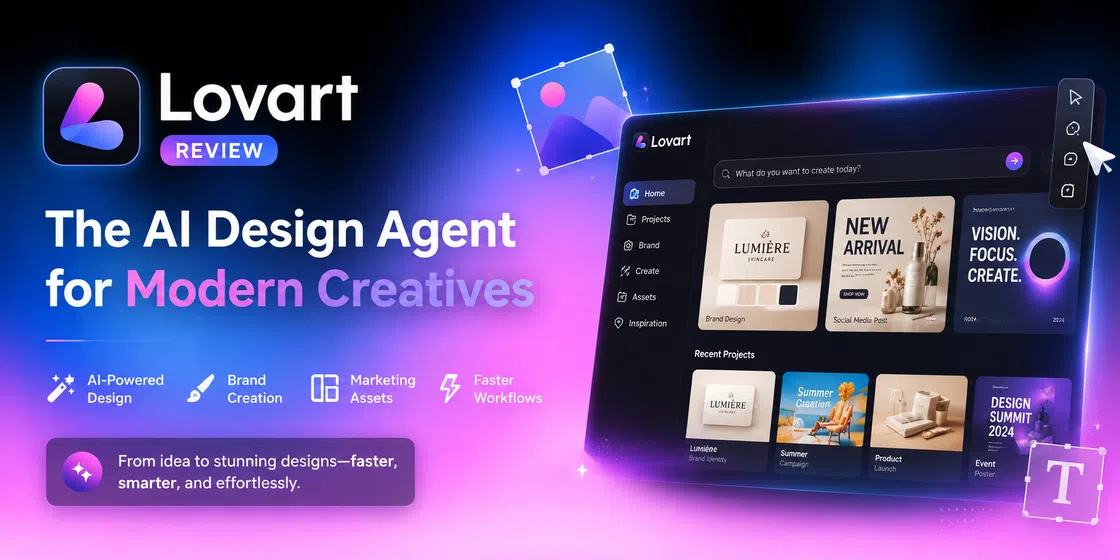
Lovart positions itself as more than a conventional AI image generator. Rather than requiring users to create single graphics in isolation, it serves as an AI design agent that can parse creative briefs, structure design workflows, generate associated assets, and refine using natural language instructions. In this Lovart review, we'll explore its features, pricing, user reviews, and limitations. Besides, we will explore an image creation tool, Vmake Labs, to streamline design workflows.
What is the Lovart AI image generator
Lovart is an AI-driven design agent that guides users from an initial idea or creative brief to a more complete design project. Instead of making users manually select templates, arrange elements, choose fonts, and build each asset individually, Lovart is built to comprehend natural-language prompts and generate linked creative outputs.
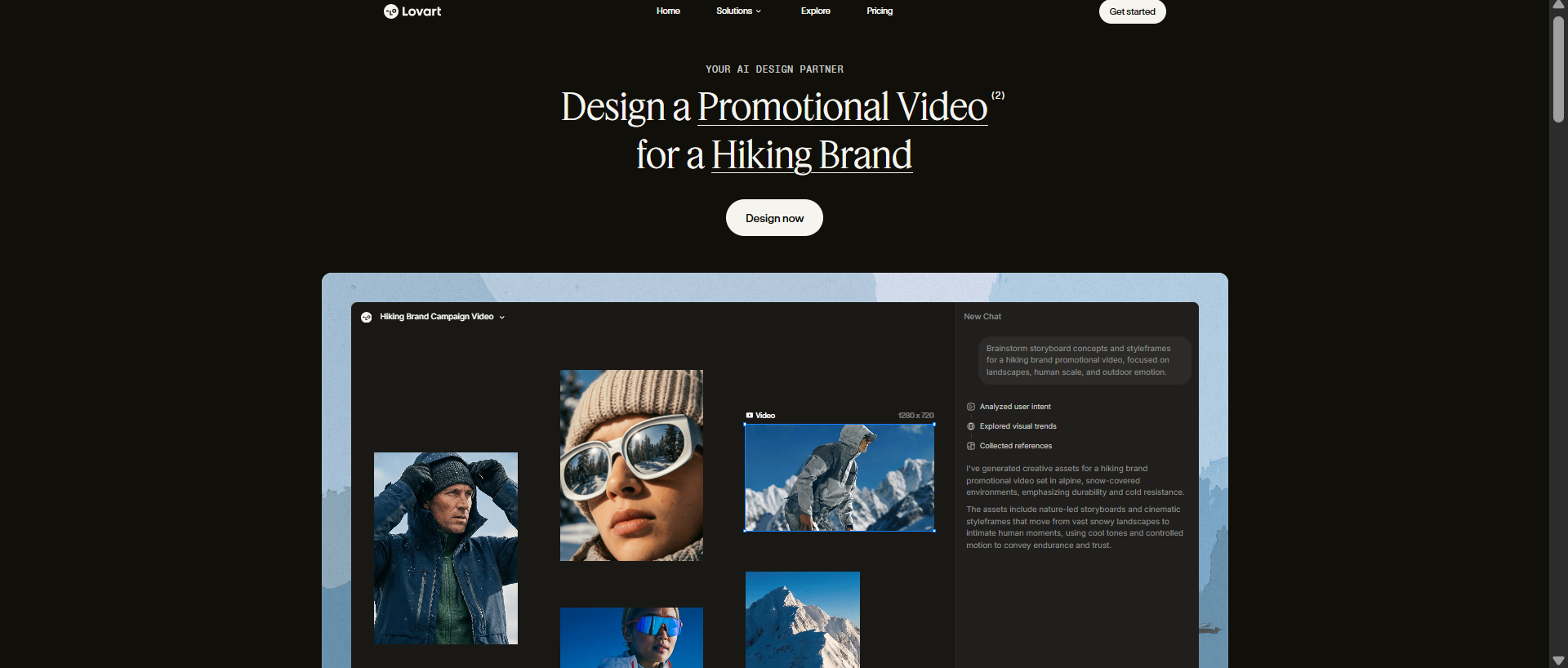
The main distinction is that Lovart is more than a single AI image generator. It can handle visual concepts, brand assets, marketing materials, images, videos, and other creative deliverables in its workflow. Lovart is a design agent that can create editable assets for multiple media types from one workspace.
Lovart AI key features at a glance
Lovart's main selling point is its agent-based approach. Instead of treating each image as an independent problem of generation, it tries to understand the overarching design objective and coordinate multiple generation processes. This moves its feature set closer to an AI design workspace than a simple prompt-to-image generator. Here are some of the key features you should know.
-
Generate complete designs from a single prompt
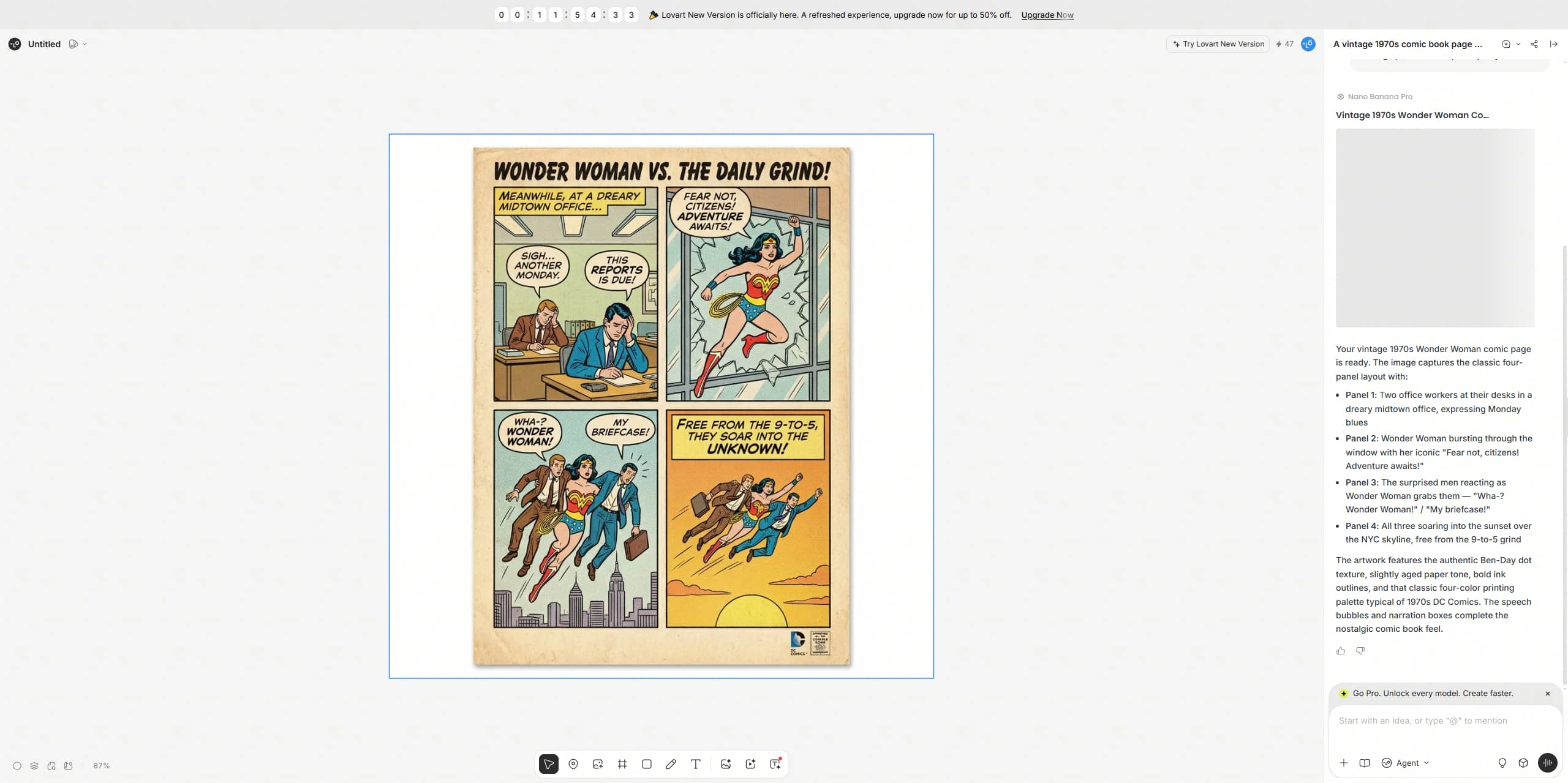
Lovart AI image generator allows users to specify their design requirements using natural language rather than the traditional design controls. The user can present the AI with a creative brief, detailing the target audience, visual style, subject, mood, format, and purpose. This lowers the technical barrier for people who know what they want to convey but not necessarily how to build the design themselves. Lovart can offer users a starting direction for review, change, and development, instead of building everything from scratch.
-
Create brand identities with AI
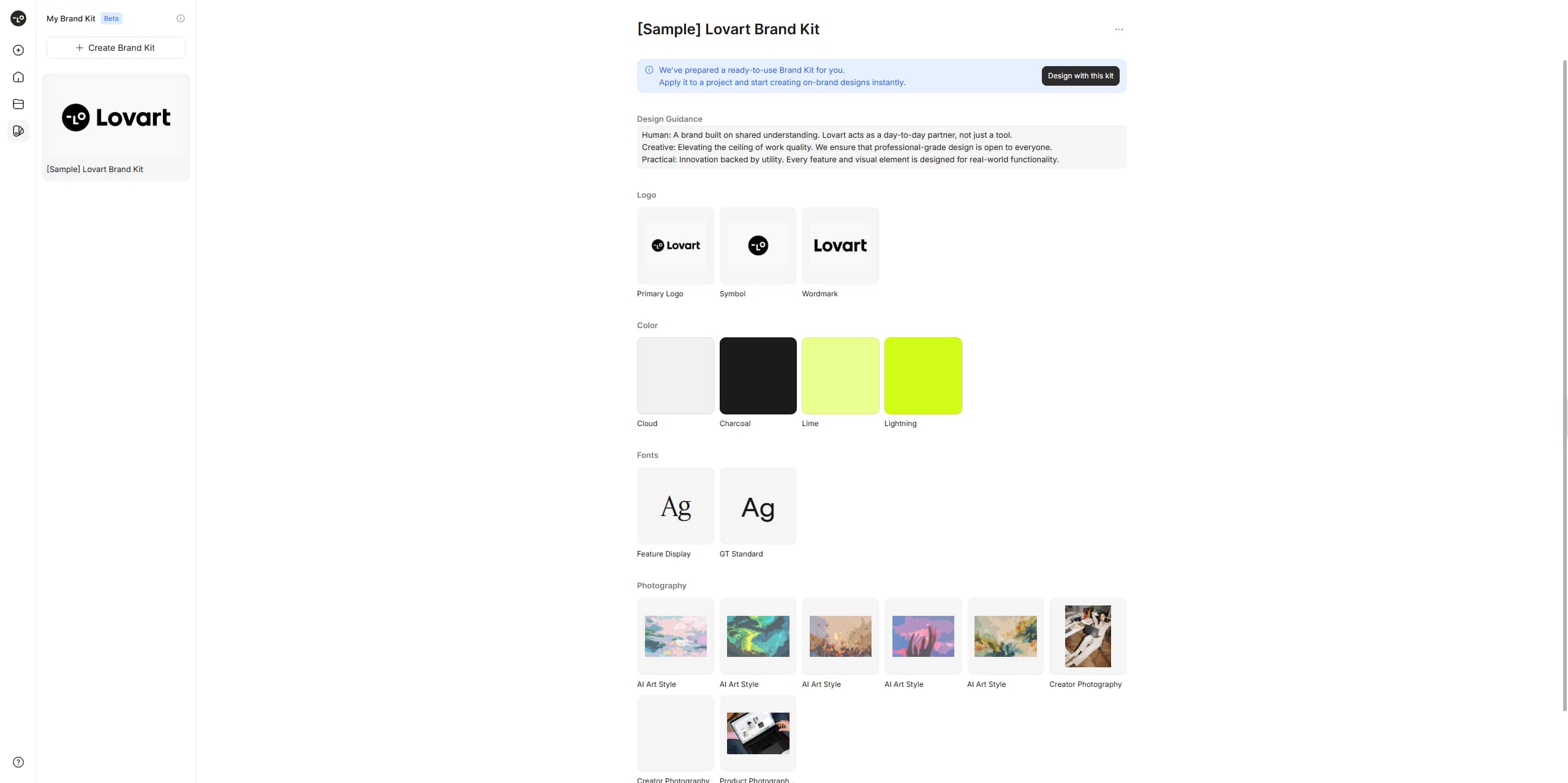
Lovart can help take on a basic business idea and give it a more consistent visual identity. Users can describe their brand personality, target audience, preferred style, and industry, and Lovart can generate related branding elements like logo concepts, typography, color palettes, and branded graphics. This can speed up early-stage branding by letting users try out different creative directions without manually creating every element from scratch.
-
Generate marketing and social media assets
Lovart can generate a variety of marketing content, including posters, ads, social media content, banners, marketing graphics, and more. Instead of building each asset individually, users can define a central campaign concept and then adapt it to different marketing formats. This allows for the simpler creation of a collection of visually related assets, while saving time on repetitive design work.
-
Multi-step creative workflows
Lovart is designed to work on creative projects as a series of connected tasks, not just to create one image from a prompt. A user could start with a product idea, define its visual direction, generate supporting graphics, and then adapt those visuals to multiple uses. This multi-step workflow is especially useful for campaigns, brand projects, and other workflows that require multiple related creative assets.
-
Editing and refining AI-generated designs
Rather than creating a design each time, Lovart lets users continue to tweak generated designs with follow-up instructions. Users can ask the AI to edit layouts, swap or tweak elements, change visual styles, or change the overall creative direction. This iterative workflow is important as complex AI-generated designs are rarely perfect on the first attempt. Clear, specific follow-up prompts can help gradually nudge the result closer to the intended outcome.
Is Lovart AI suitable for you? Test, pricing, pros, and cons
Test
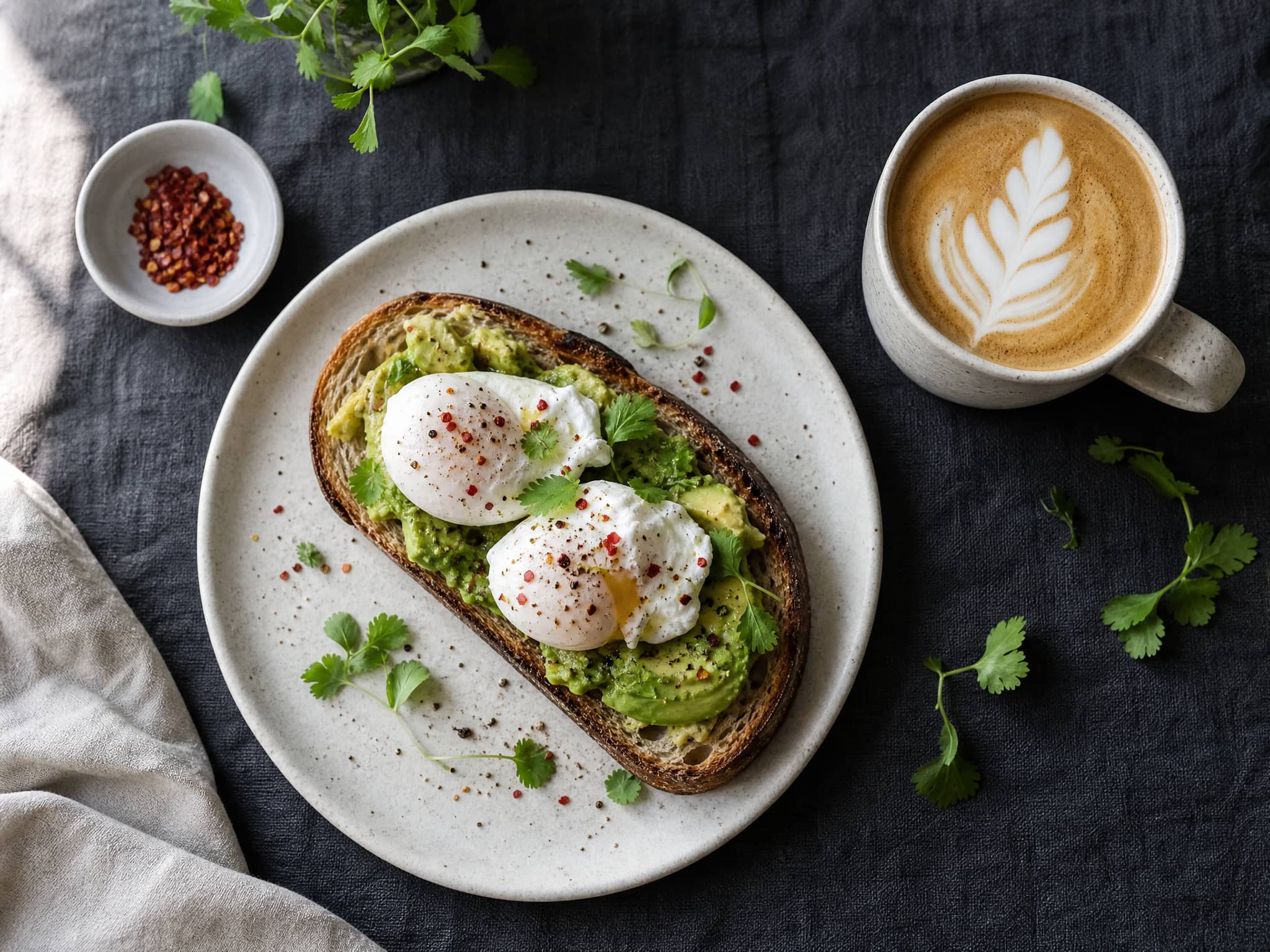
Image generation

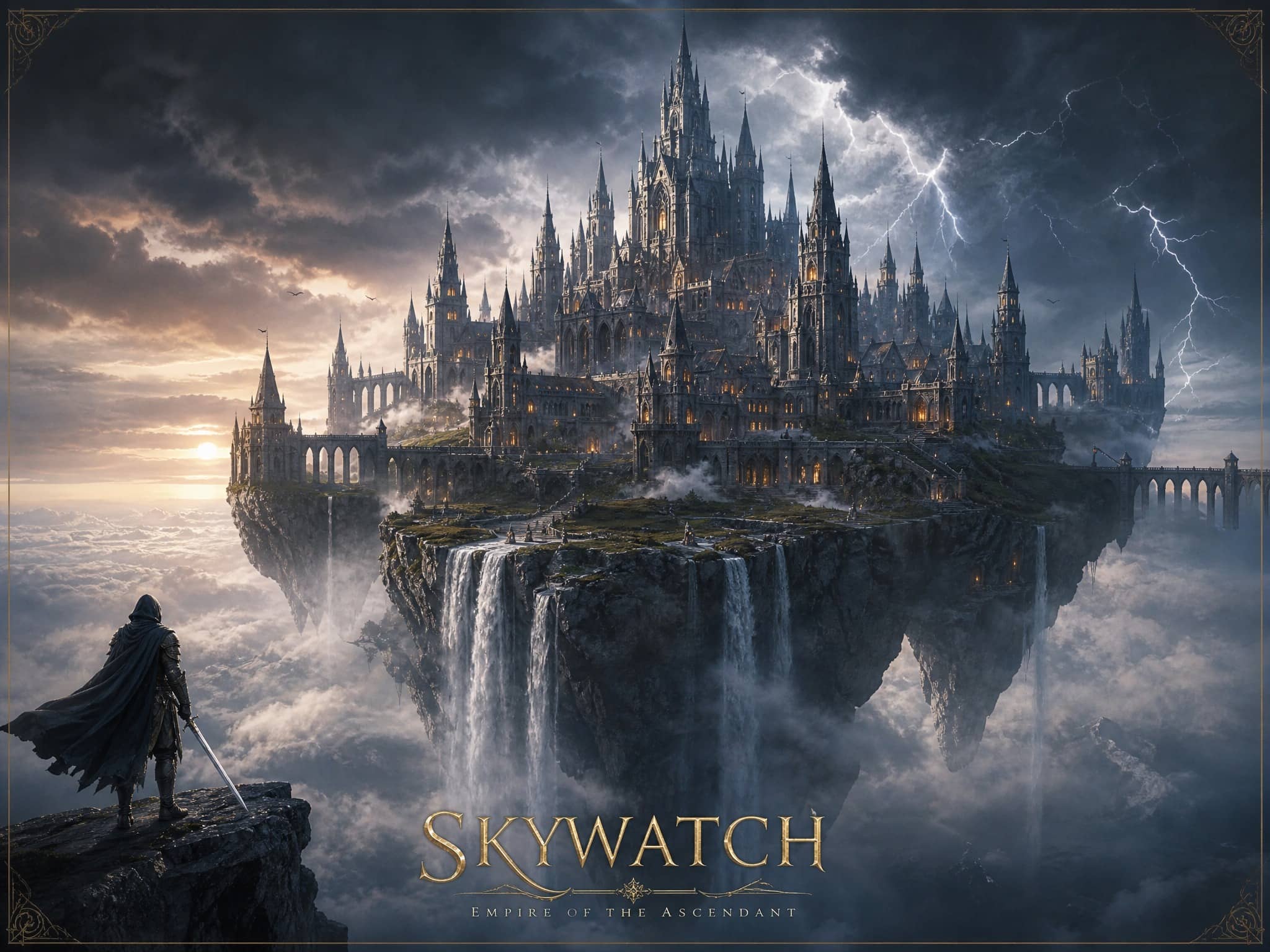
Video generation
Pricing
Lovart offers a subscription-plus-credit model. The amount of credit consumed depends on the model and tool used, the generation settings, and the complexity of the task. Unused monthly subscription credits do not roll over. Monthly subscription credits reset at the end of each billing cycle. Lovart also offers other credit packs.
|
Starter |
Basic |
Pro |
Ultimate |
|---|---|---|---|
|
$19/mo |
$32/mo |
$79/mo |
$169/mo |
|
|
|
|
Which Lovart AI plan to choose
The choice of the right Lovart plan depends largely on how often you design and the number of credits your projects need. Different models and tasks may use different amounts of credit, so it's worth considering what your typical workload will be before you subscribe.
-
Starter: Best for new and casual creators who want to experiment with Lovart's AI design capabilities without needing to commit to a higher-tier plan.
-
Basic: Perfect for content creators, freelancers, and small businesses who regularly create social media graphics, marketing visuals, and other creative assets.
-
Pro: Ideal for professional designers, marketers, and heavy AI users needing a larger credit allowance for ongoing projects and multiple design iterations.
-
Ultimate: Best for agencies, creative teams, and power users working with large volumes of AI-generated designs or complex, multi-step creative projects.
Pros and cons
Lovart brings a more agent-driven approach to AI design, making it possible to move from a creative brief to multiple visual assets within a connected workflow. However, its broader capabilities also come with some limitations, including credit-based usage, variable output quality, and expensive pricing. Here are the key pros and cons to consider before choosing Lovart.
|
Pros |
Cons |
|---|---|
|
|
Lovart reviews: What do people actually think about it?
Lovart has had a strangely mixed public response, so just looking at one review platform would not give you the full picture. G2, Trustpilot, and Reddit reveal a clear divide between users impressed by the platform's design-agent concept and users frustrated by pricing, credit consumption, output consistency or customer support.
Reddit review
Reddit discussions tend to be more critical than the company's marketing materials. A detailed Reddit review (from 2026) by a self-described designer said Lovart was only useful for design research and inspiration, criticizing its ability to produce reliable final designs for professional workflows. The same reviewer also raised concerns about brand consistency, updating existing artwork, and producing multiple formats.
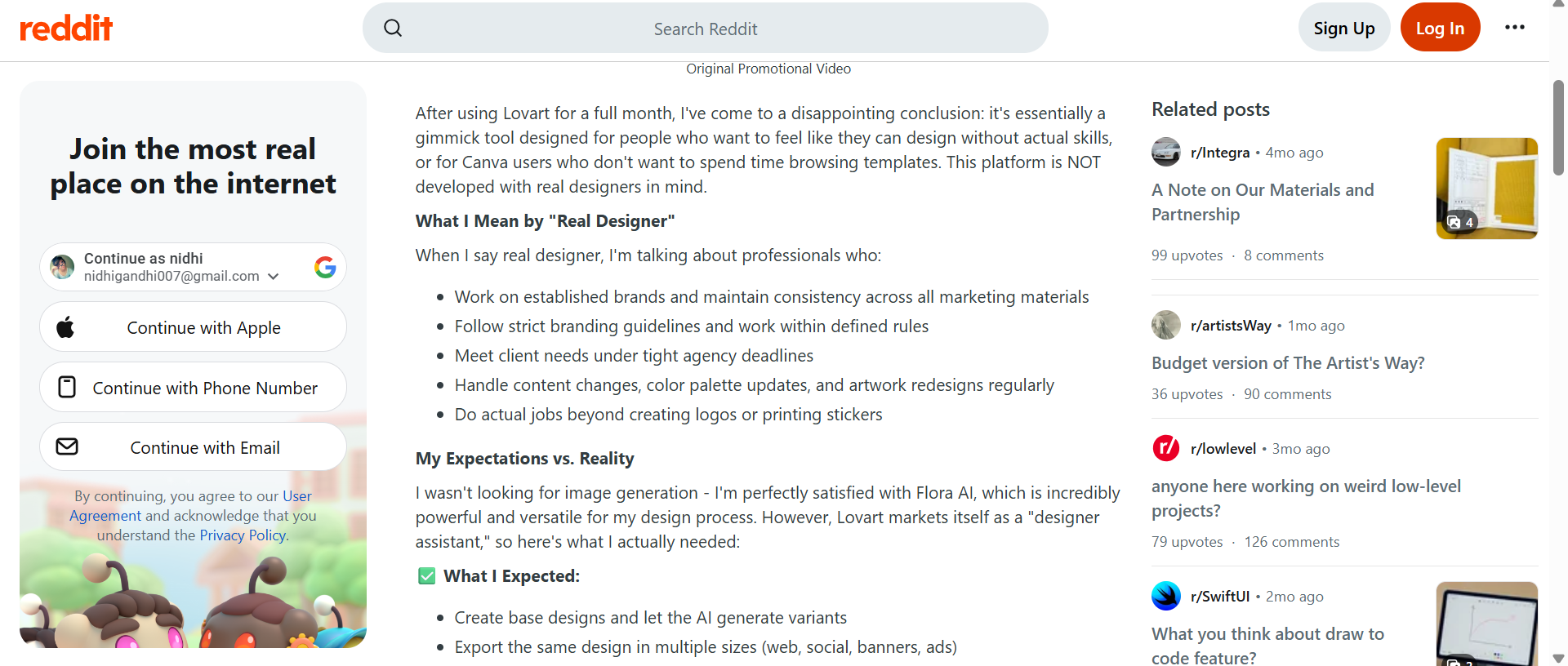
Some users have reported good results with certain models, but slow generation, inconsistent quality when switching models, or problems with accounts and subscriptions. The takeaway from Reddit is not that Lovart is bad all over. Instead, it seems that more experienced users are more likely to compare it to demanding professional workflows, where consistency and precise editing are more important than impressive first-generation concepts.
Trustpilot review
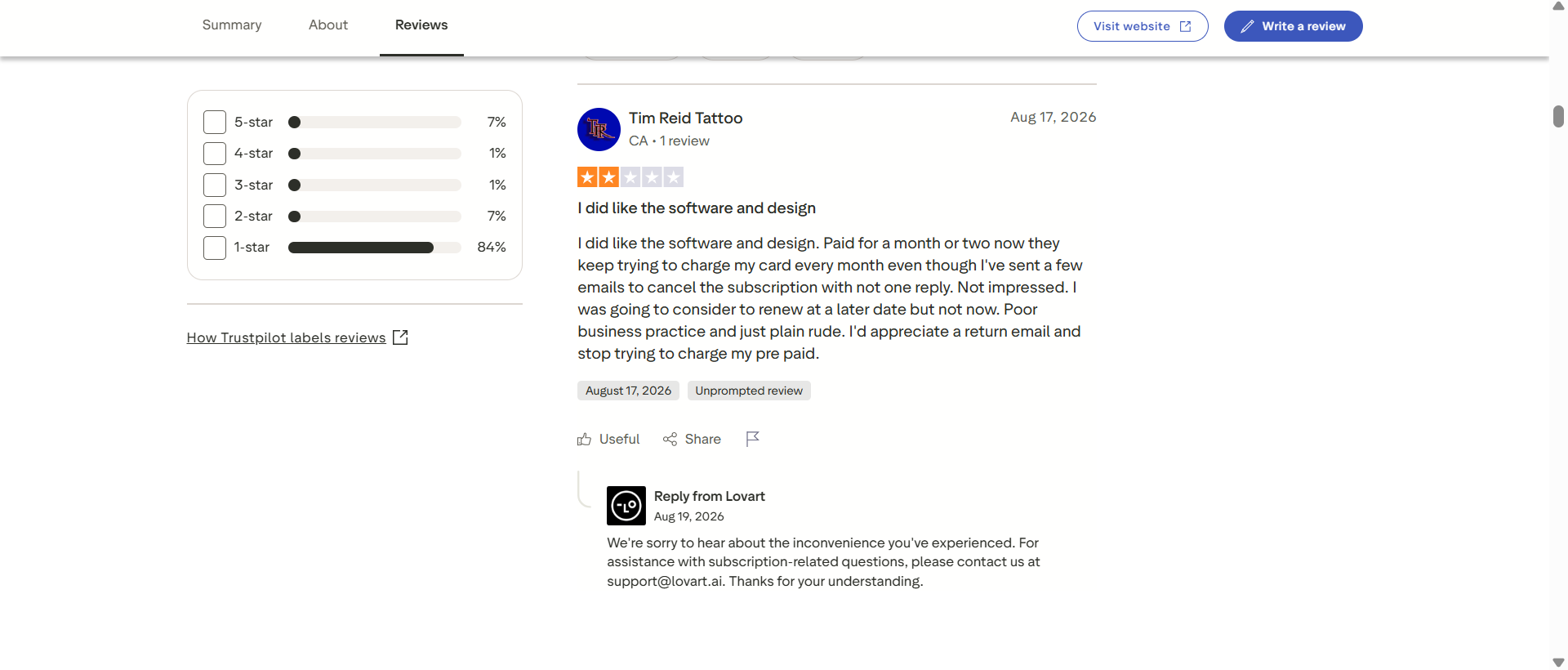
Trustpilot has a TrustScore of 1.5/5 based on 77 reviews, indicating that most of the reviews are one star. Several issues are repeatedly mentioned in recent reviews, such as subscription cancellation, credit deductions, refunds, customer support, and differences between expected and actual credit utilization. Other reviewers also criticize the quality of output after subscription.
G2 review
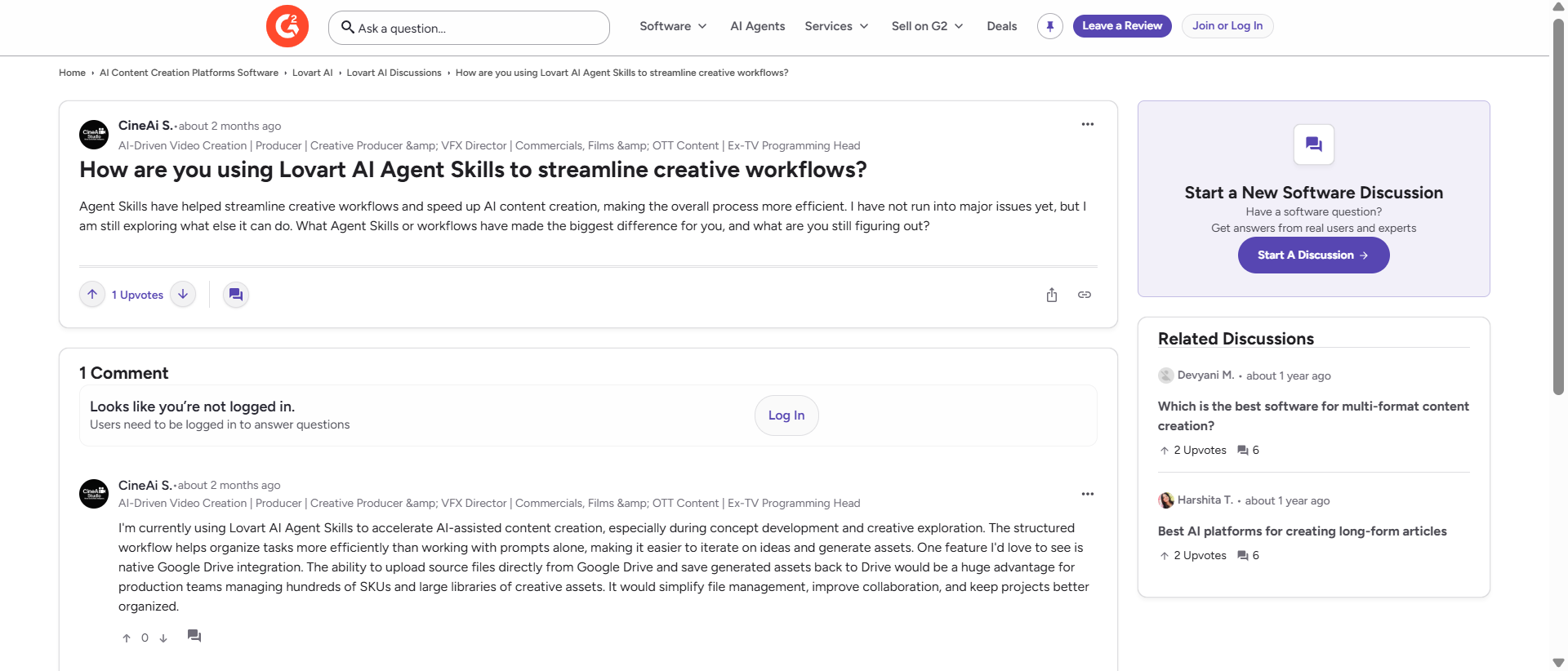
On G2, the picture is much more positive, but the number of reviews is significantly lower. The reviewer appreciated Google Drive integration, the ability to help a non-designer produce marketing and branding materials, and Lovart's natural-language interaction. But the reviewer also suggested simplifying file management and keeping projects organized.
Final verdict
Lovart is an AI design agent. You start with a creative brief, and it works through a linked series of design tasks, which suit branding, campaign concepts, marketing graphics, and multi-asset projects. The tradeoff is that the broader scope brings more complexity, and a likely higher price, than a tool that only makes images.
Pick Lovart when you want the whole design workflow. Pick a tool that only makes images when you just need images fast, from a prompt or a reference. Vmake Labs covers text-to-image and image-to-image across several models, reference-image workflows, and adjustable generation settings. It doesn't try to clone Lovart's design-agent loop.
Vmake Labs: An image-creation tool for AI design workflows
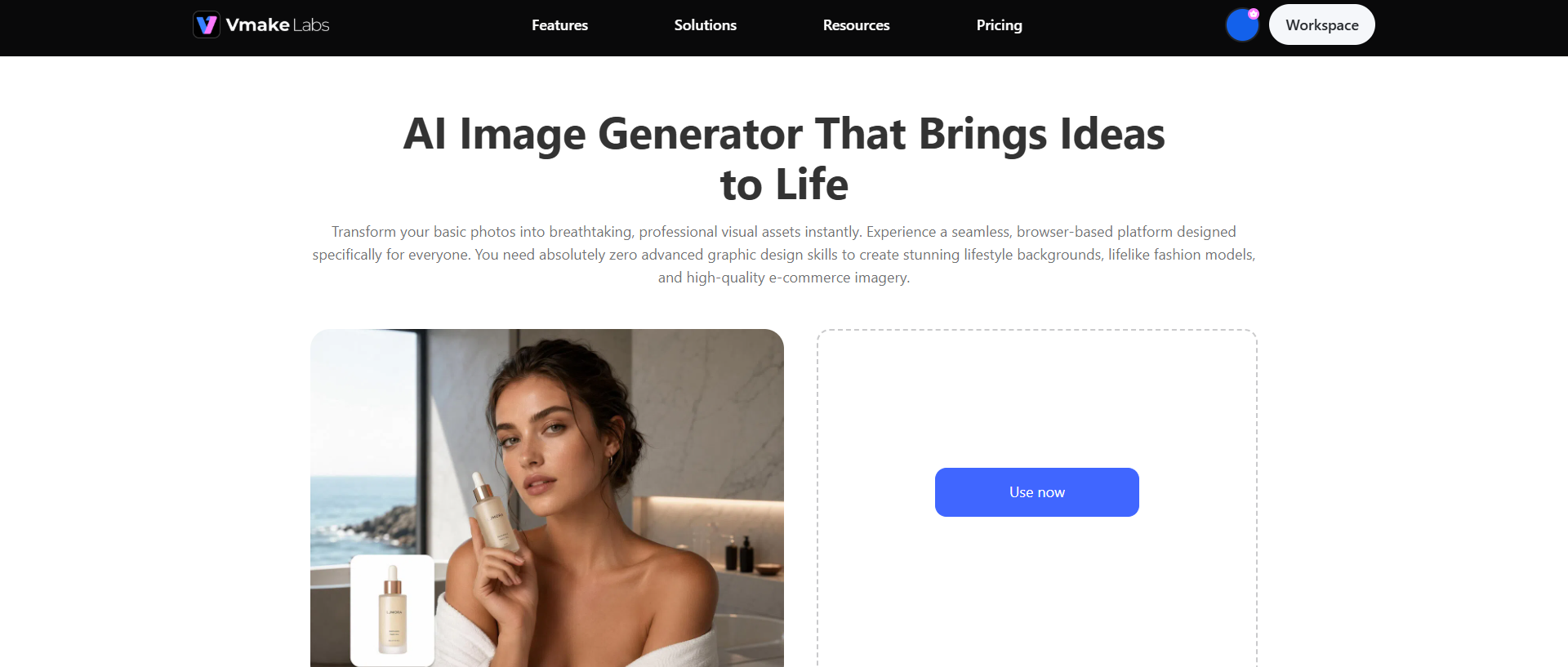
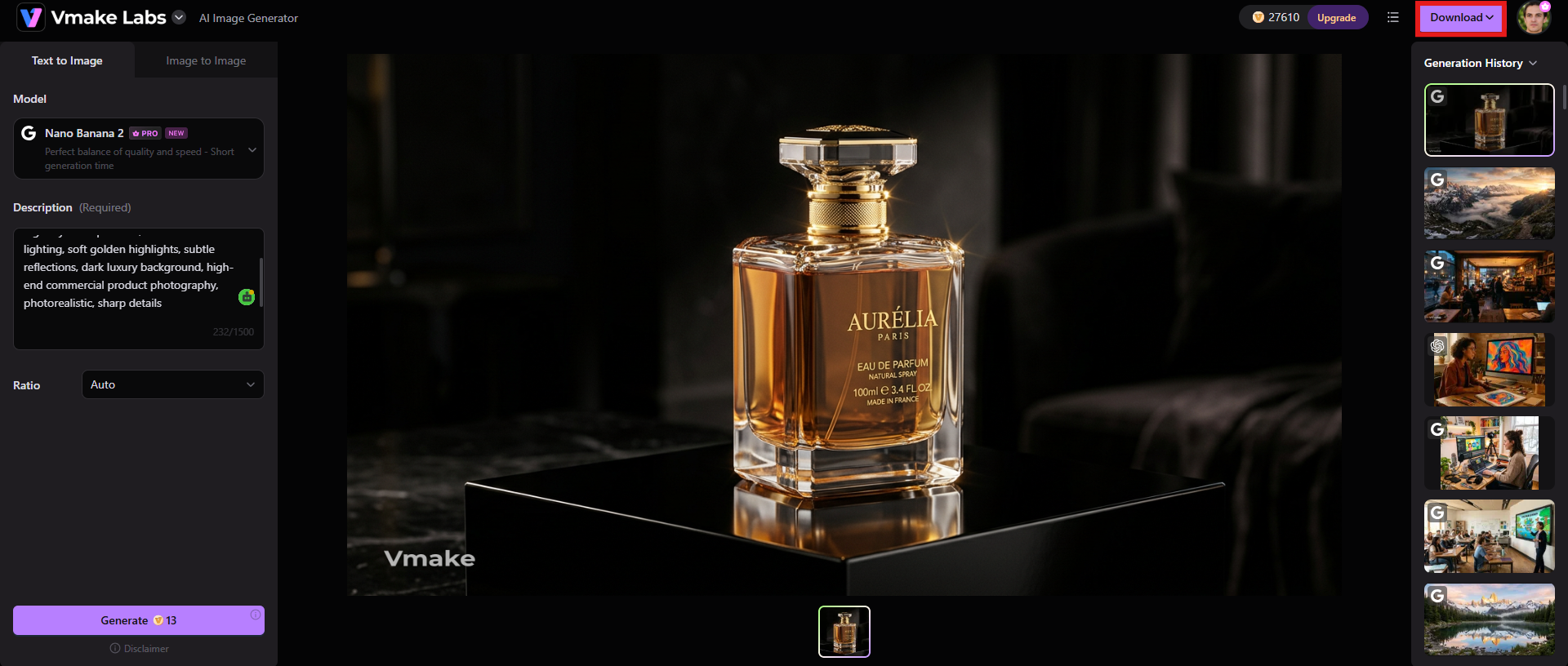
Vmake Labs AI Image Generator is more of an image-generation piece of an AI design workflow than a replacement for the full design-agent capability of Lovart. It offers a more targeted pipeline for generating single visual assets from prompts or reference images. The tool offers Text to Image and Image to Image modes with access to multiple image-generation models. The present interface also enables you to upload between 1 and 3 reference images and set generation parameters, including the aspect ratio, to match your project needs.
Steps to generate images using Vmake Labs
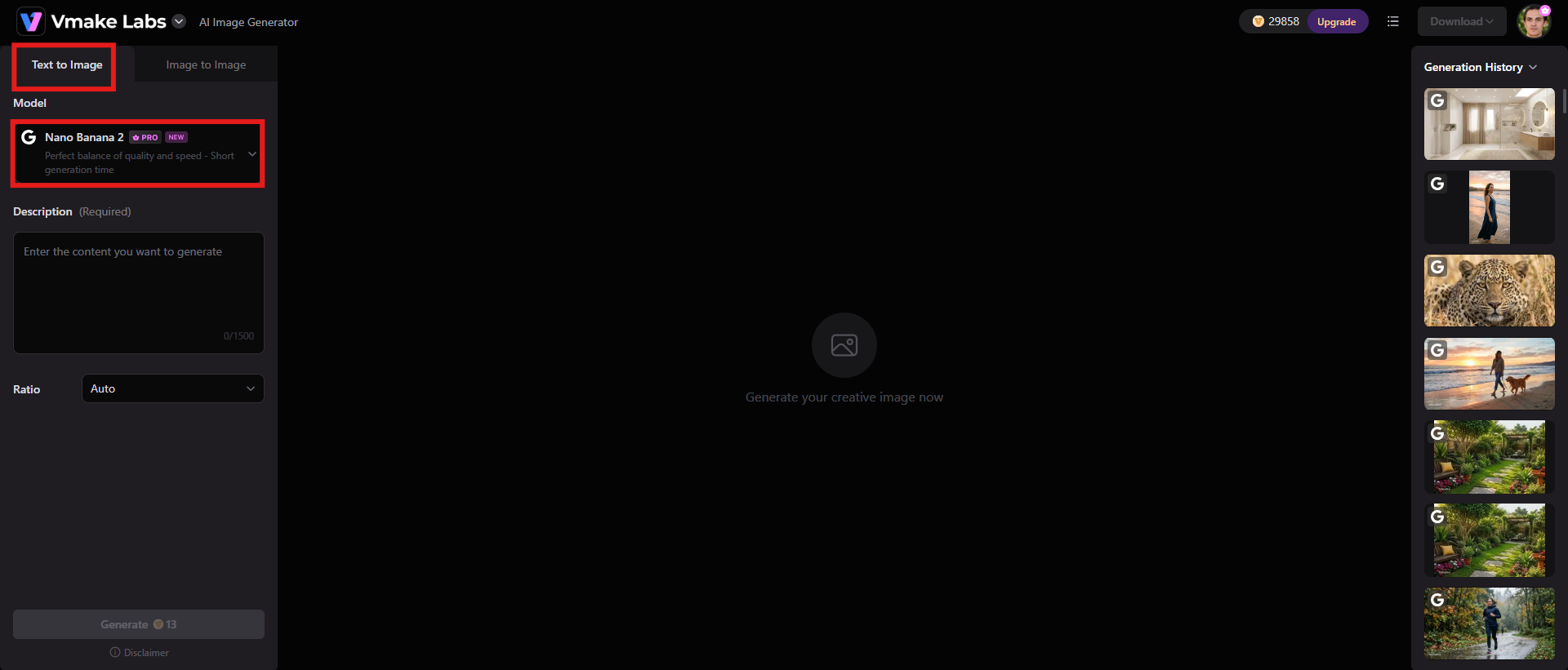
Step 1: Select Text to Image or Image to Image and choose a model
If you have a written concept to begin with, open the Vmake Labs AI Image Generator and pick Text to Image. If you want to use an existing visual as a reference, pick Image to Image. Choose an available AI model based on the type of visual you want to generate.
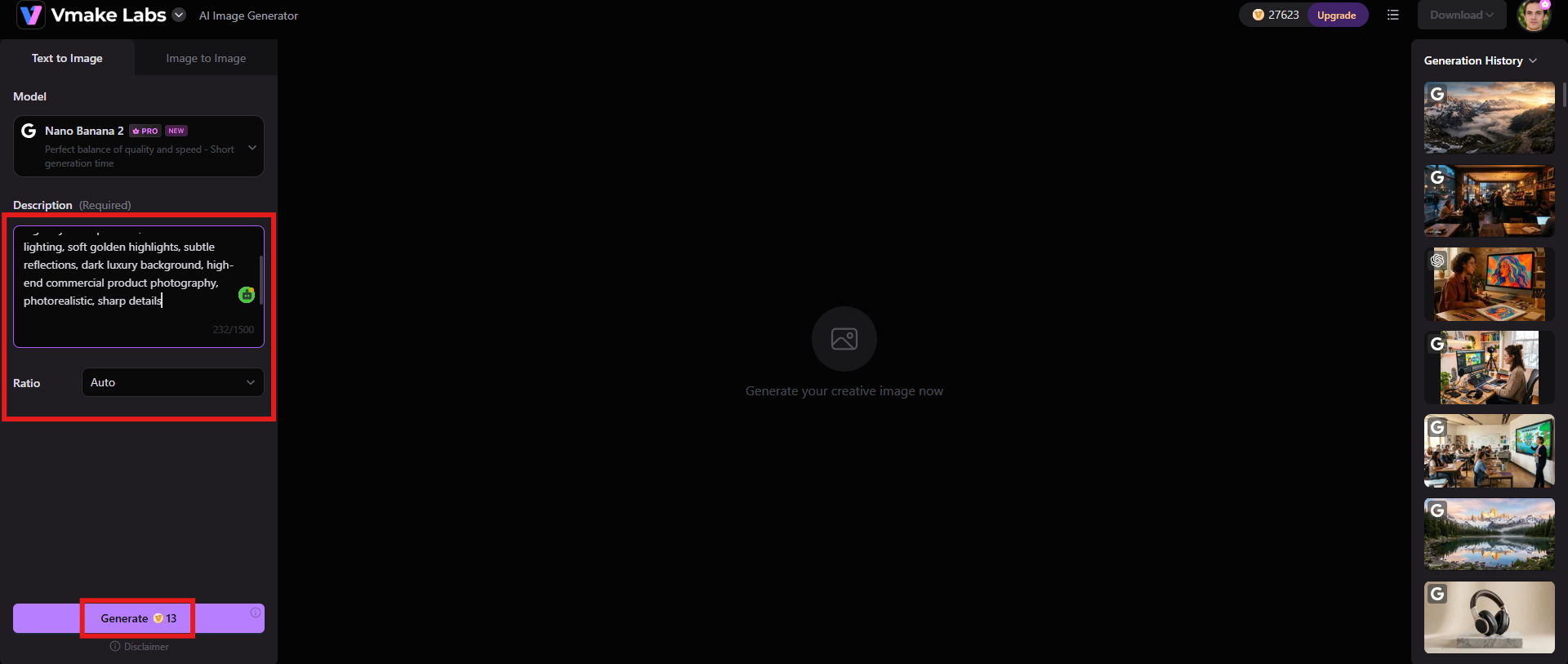
Step 2: Input a prompt or upload 1-3 reference images
For Text to Image, give a detailed prompt that describes the subject, setting, composition, lighting, style, and desired mood. For Image to Image, upload 1-3 reference images and describe how you want the new visual edited. Add your prompt, select the aspect ratio you want, and hit Generate.
Step 3: Preview and download after generation
Review the visual, and if everything seems fine, click the "Download" button once it meets your requirements for further sharing.
Key features
-
Text-to-image generation for custom visuals
Vmake Labs allows users to describe a desired visual in natural language and generate an image from that description. This can be utilized for product concepts, marketing visuals, social media graphics, lifestyle scenes, and creative exploration.
-
Image-to-image generation with reference images
Existing images can serve as a visual guide for a new generation. Image to Image generation feature is useful when the composition, product, character, or just the overall visual direction needs to be tied to an existing asset.
-
Flexible aspect ratios and image generation settings
Vmake Labs offers generation controls for variables and aspect ratios to make it easy to create images for different placements, such as social posts, real estate images, advertising creatives, websites, and ecommerce product content.
Lovart AI vs Vmake Labs: A quick comparison
Lovart AI and Vmake Labs serve different functions in an AI-enabled creative workflow. Lovart is based on an AI design-agent approach that helps users plan and carry out broader design projects, while Vmake Labs is more directly oriented toward creating and transforming individual images. The table below compares their core capabilities to help you understand which tool is a better fit for your workflow.
|
Features |
Lovart |
Vmake Labs |
|---|---|---|
|
Primary purpose |
An AI design agent designed to take a creative brief and turn it into connected design outputs, including branding, marketing materials, and other visual assets. |
An AI image-creation tool focused on generating and transforming visuals through text prompts or reference images. |
|
Marketing assets |
Designed to help create connected campaign assets such as advertisements, posters, social graphics, and promotional designs. |
Better suited to generating individual images that can later be incorporated into marketing campaigns and designs. |
|
Creative control |
Provides broader control over a project's creative direction through an agent-based workflow and iterative instructions. |
Provides direct control over image prompts, reference images, models, aspect ratios, and generation settings. |
|
Best suited for |
Designers, marketers, businesses, and creative teams looking for an AI-assisted workflow that goes beyond individual image generation. |
Creators, marketers, and businesses that primarily need custom AI-generated images as part of a larger creative workflow. |
|
Pricing |
$19/mo |
$9.99/mo |
Conclusion
As far as the Lovart review is concerned, the tool is unique, as it aims to change the way people think about AI-assisted design. More than just a prompt-to-image generator, it understands more complex creative briefs and helps users with related design tasks. Its strongest points are branding concepts, campaign development, marketing assets, natural-language iteration, and multi-step creative workflows. The main drawbacks include the complexity of credit-based pricing, the variable cost of different generation tasks and mixed user feedback around output consistency, billing, refunds and customer support.
On the other hand, Vmake Labs is a more streamlined workflow for creators who primarily want to generate single AI images. It has text-to-image and image-to-image tools, reference-image support, multiple models, aspect-ratio controls, and makes for a good visual-asset producer without the need for a full AI design-agent workflow.
FAQs
-
What is Lovart AI used for?
Lovart AI is used for AI-assisted design and creative production. A user can start with a brief in natural language and then move on to assets like brand concepts, marketing graphics, social media visuals, images, videos, and other creative materials. The key difference is that it considers these tasks as an interconnected design workflow, rather than treating each generation as a separate image.
-
Is Lovart AI free to use?
Lovart offers a free option to begin with, but for more extensive use it has subscription plans and credits. Paid plans include varying amounts of credits per month. The amount of credits consumed depends on the model, tool, settings, and complexity of the task you perform. Monthly subscription credits expire at the end of the billing cycle, and unused credits do not carry over.
-
Can Lovart AI create a complete brand identity?
Lovart can help you with wider brand-identity development, including logo concepts, visual directions, colors, typography, and branded graphics. It's especially useful for exploring and developing an initial identity system quickly. Businesses should still have a professional designer review the final identity for originality, typography, brand consistency, trademark issues, and production requirements.
-
Is Lovart AI suitable for professional designers?
Yes, but its value depends on the designer's workflow. It can be useful for ideation, rapid concept development, variations, campaign exploration, and accelerating repetitive creative work. However, professional designers should not assume every AI-generated result is production-ready. The end design may require manual effort.
-
What are the main limitations of Lovart AI?
Major constraints are its credit-based pricing, ever-changing generation prices, sometimes inconsistent results with complex requests, and mixed customer reviews on billing, cancellation, refunds, and support.

You May Be Interested

Z Image AI Review 2026: Features, Performance, Pros and Cons
Yodayo AI Review 2026: Features, Pricing, and Alternatives
X-Design Watermark Remover Review (2026): Features & Pricing
Vidu AI Review: Is This AI Video Generator Worth in 2026?
Vadoo AI Review 2026: Features, Pricing and Alternatives
VEED Review: Does the Watermark Remover Work? (2026)

Vivideo AI Review 2026: Features, Pricing and Alternatives
Unlucid AI Review: Is this AI platform worth it in 2026?
