KontenAI Watermark Remover: Is It Worth Using in 2026?
Explore the KontenAI watermark remover to learn its features, strengths, and limitations. For broader format support and cleaner results, Vmake Labs' watermark remover is a faster, more versatile alternative.

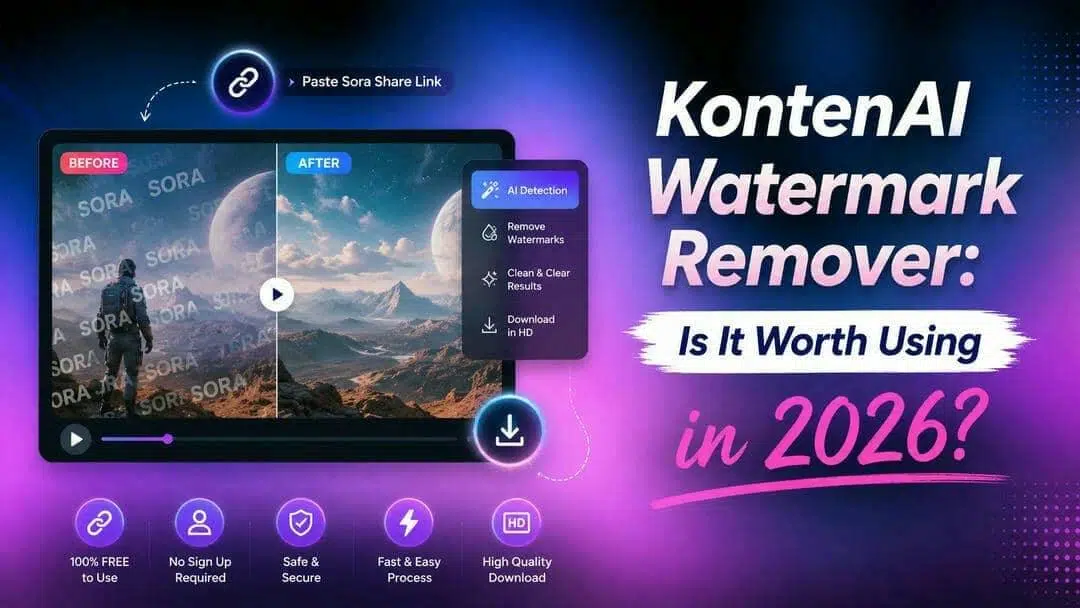
KontenAI's Sora 2 watermark remover is a simple, free tool tailored for OpenAI Sora users. It lets creators quickly strip the visible watermark from shared Sora 2 videos without quality loss or uploads. While effective for basic Sora needs, it has limitations in versatility. For broader support and advanced features, Vmake Labs offers a stronger alternative.
What is KontenAI watermark remover?
KontenAI is an AI content platform designed for e-commerce creators and marketers, offering tools for image/video generation, custom model training, and viral content creation. Its Sora 2 watermark remover is built specifically for creators using OpenAI's Sora 2 video platform. Instead of uploading files, you paste the shared video's link from the Sora app directly into the tool. It then extracts and generates a clean, watermark-free version in seconds, with no signup or payment required.
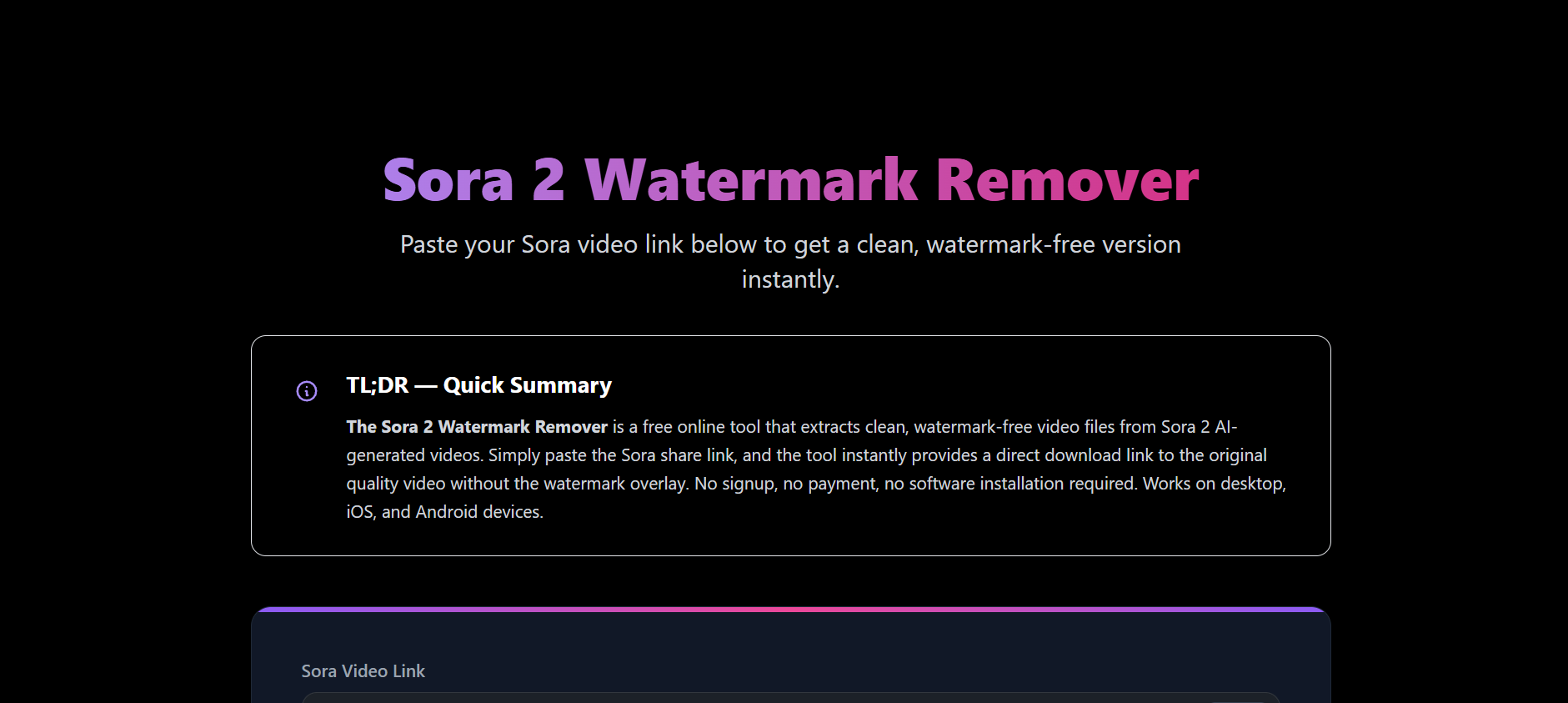
Key features of KontenAI watermark remover
-
Targeted OpenAI Sora integration
The tool runs a specialized processing pipeline built to automatically recognize Sora 2's watermark structure. It handles the platform's specific overlay patterns reliably, making it purpose-built rather than a generic, one-size-fits-all removal solution.
-
Link-based processing
No need to upload video files. Simply paste your public Sora share link, and the tool instantly fetches and processes the original source for fast, seamless watermark removal.
-
Original quality preservation
KontenAI aims to keep the video's original resolution, frame rate, and overall visual quality after watermark removal. This helps creators download cleaner videos without noticeable quality loss in most supported Sora content.
-
No signup required
Offers frictionless access without needing account creation, email verification, or subscriptions. Creators can immediately remove watermarks directly in their browser for fast, hassle-free results on demand.
Step-by-step guide: How to use KontenAI watermark remover
Getting a clean Sora 2 video takes under a minute. Here's how to go from a watermarked clip to a downloadable file.
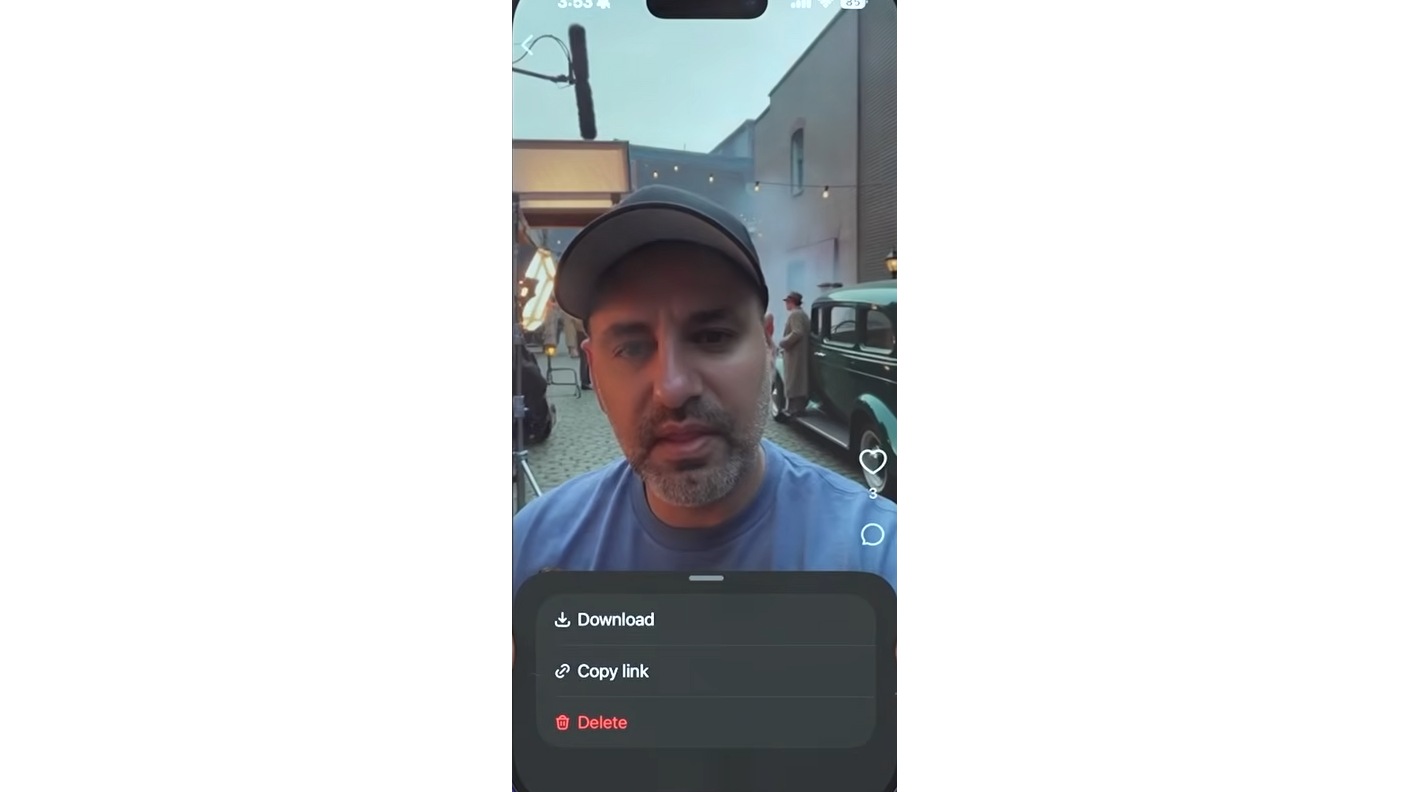
Step 1: Copy the Sora video link
Open the video you want in the Sora app and browse as you would normally. Once you locate the clip you want to tidy up, tap the "More" button (three dots) to bring up the action menu, then select "Copy Link" to copy the video's share URL to your clipboard.
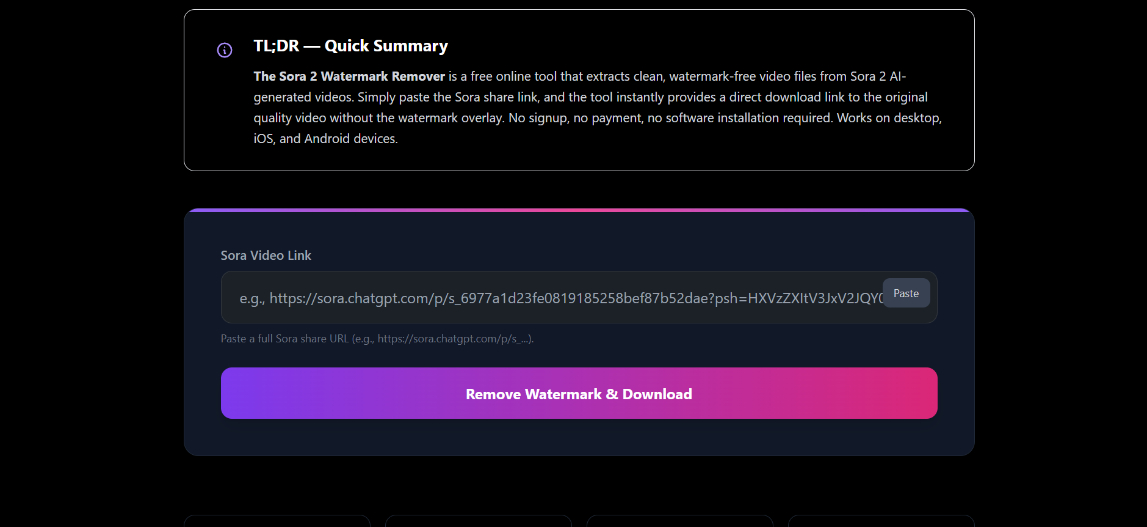
Step 2: Paste the link
Paste the copied share link into the input field. No account, upload, or file conversion needed. Then click "Remove Watermark & Download" to let the tool start processing the video.
Step 3: Download your clean video
Within seconds, the tool extracts a clean, watermark-free version of your video in its original quality. Click "Download Video" to save it directly to your device, whether you're on desktop, iOS, or Android.
KontenAI watermark remover Pricing
The Sora watermark remover tool itself is completely free. No signup, no credits, no subscription required. It's offered as a standalone free tool separate from KontenAI's paid content platform. The paid pricing only applies if you want to use KontenAI's broader AI content platform (image/video generation, custom model training, etc.):
|
Plan |
Price |
What's Included |
|---|---|---|
|
Pay-As-You-Go |
$0/month base — top-ups from $5 |
1,000+ images per top-up, 50+ videos per top-up, full commercial license, and credits never expire. |
The watermark remover is a single-purpose utility. It strips a watermark from a video you already have. That's a lightweight, low-cost operation to run, so KontenAI offers it free as a way to bring people to the site.
The paid plans are for a completely different product: generating new AI images and videos (including models like Seedance 2.0), training custom models, and getting commercial licensing. That's compute-heavy, ongoing work, which is why it carries a cost.
Unless you plan to regularly create AI content within KontenAI's ecosystem, there's little reason to upgrade. Most casual users can continue using the free watermark remover without purchasing a paid plan.
Hands-on testing: How KontenAI performed
We tested KontenAI's watermark remover on multiple Sora 2 videos, ranging from simple static shots to more complex scenes with motion and layered detail, to see how it holds up in practice.
We pasted a public Sora share link into the input box, and the tool recognized it immediately without requiring an account or file upload. The entire processing took less than 5 seconds, making it one of the fastest watermark removal workflows we tested.
For videos with simple backgrounds or static scenes, the watermark was removed cleanly while preserving the original resolution. On more complex footage containing fast motion or detailed textures near the watermark area, minor visual artifacts could occasionally remain, although they were not noticeable enough to affect casual viewing.
The workflow felt smooth from start to finish, with no unnecessary setup or waiting time. However, because the tool is fully automated, there are no manual editing controls to fine-tune difficult removals. It's an excellent choice for quick Sora-only cleanup, but creators who need batch processing, local file uploads, or advanced editing features may find it limiting.
Strengths and limitations of KontenAI watermark remover
Before using KontenAI watermark remover, it helps to understand where the tool performs well and where its limitations may affect your workflow.
Pros |
Cons |
|---|---|
|
|
While KontenAI excels for quick Sora-only tasks, it falls short for users needing file uploads, batch processing, support for other AI generators (Kling, Seedance, etc.), or manual editing tools. These limitations make it less ideal for creators handling diverse content or scaling their workflow.
Vmake Labs: Powerful alternative to KontenAI watermark remover
Vmake Labs video watermark remover is an AI-powered tool designed to remove watermarks from both uploaded videos and AI-generated content. Unlike KontenAI, it supports videos from multiple platforms (Sora 2, Seedance 2.0 and Kling 3.0) and handles local video files. It can remove moving watermarks, subtitles, logos, unwanted objects, and even background people using intelligent AI detection and reconstruction. With automatic processing and manual editing tools for precise adjustments, Vmake Labs is a versatile choice for creators, marketers, and businesses who need clean, professional videos with minimal effort.
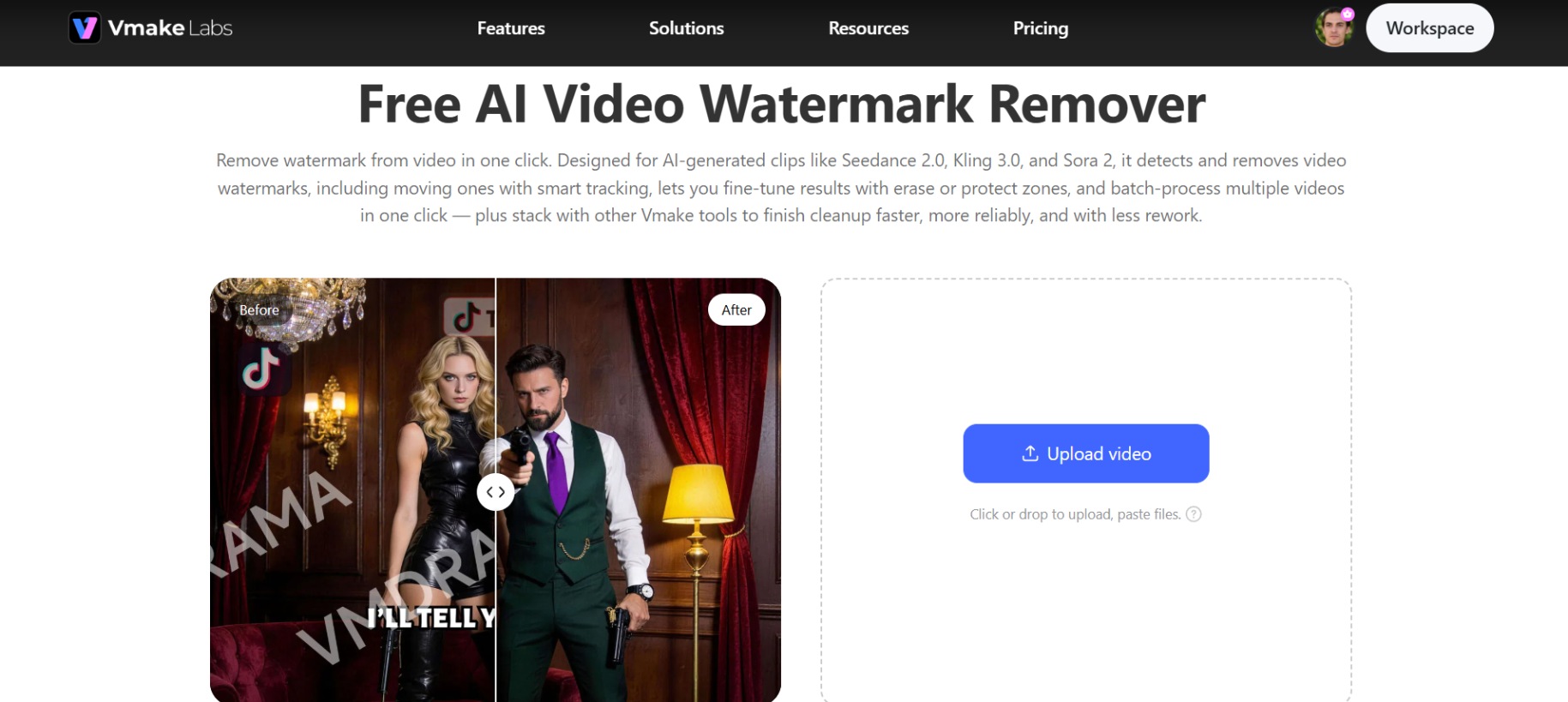
How to remove watermarks with Vmake Labs (Step-by-Step)
Cleaning your video with Vmake Labs is fast and beginner-friendly. Follow these three simple steps to remove watermarks effortlessly.
Step 1: Upload your video
Open Vmake Labs Video & Image Remover and upload your video by clicking Upload, dragging and dropping the file, or selecting "Import from link." If you need to process multiple videos, choose "Batch upload" to upload several files at once.
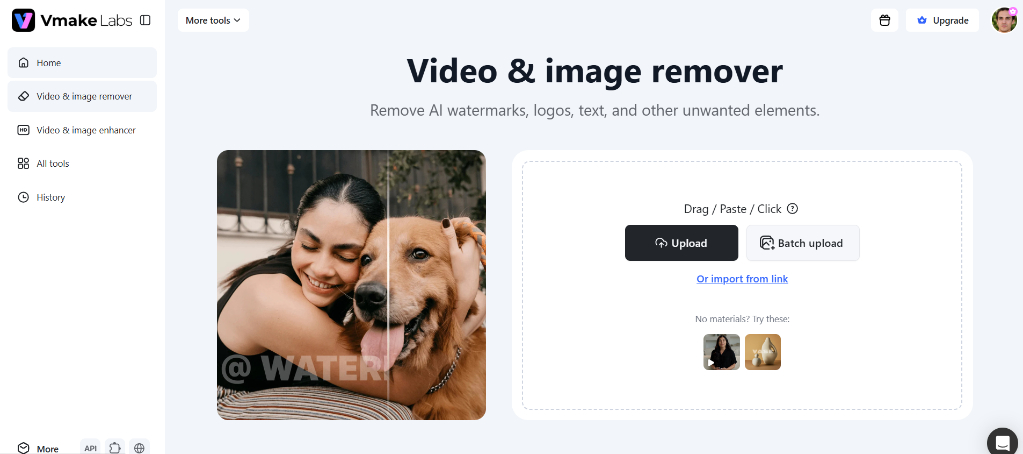
Step 2: Remove watermarks automatically
Once your video is uploaded, pick "Auto" for automatic detection or "Manual" for hands-on control. Then select the removal type based on what you want cleaned up, and click "Apply" to let Vmake Labs process the video.
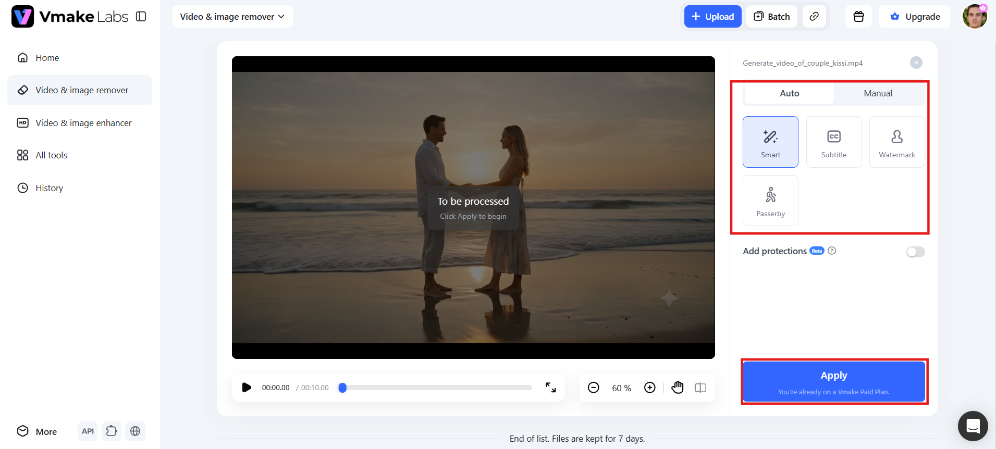
Step 3: Preview and download your clean video
Once processing finishes, preview the watermark-free result right in your dashboard to check quality. Download a free 5-second preview to confirm the removal looks clean, then export the full video in HD once you're satisfied with the result.
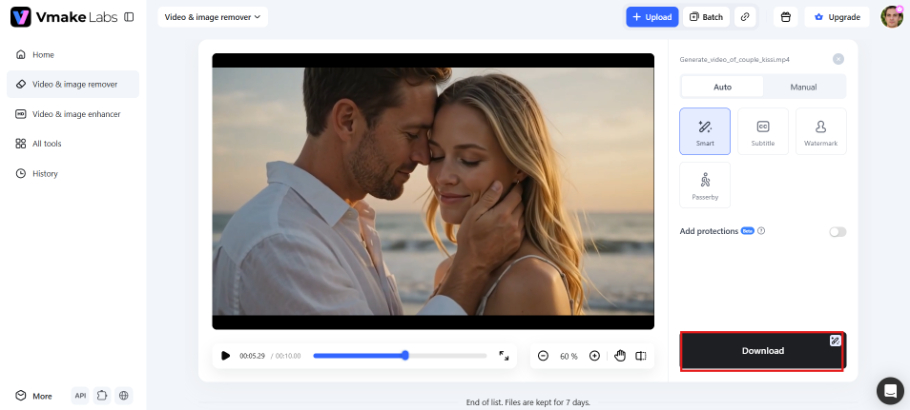
Key features of Vmake Labs video watermark remover
-
Automatic detection & removal: AI automatically detects and removes static and moving watermarks from videos, including content generated by Seedance 2.0, Kling 3.0, and Sora 2, reducing manual editing and saving valuable time.
-
Stable removal for motion: Smart tracking follows moving watermarks across every frame, delivering smooth and consistent removal while minimizing flickering, ghost outlines, or shifting patches throughout the entire video.
-
Manual precision tools: Fine-tune difficult edits with erase brushes and protect zones, making it easier to remove watermarks that overlap faces, products, text, or other important objects.
-
Batch processing: Upload and process up to 30 videos at once, instead of editing them individually, making it a time-efficient solution for creators, marketers, and teams managing large content libraries.
-
Natural reconstruction: AI intelligently rebuilds the removed area with matching textures, lighting, and motion, producing clean results that seamlessly blend with the surrounding background and show no noticeable artifacts.
-
Handles complex scenes: Delivers reliable performance on challenging footage containing hair, hands, reflections, camera movement, and fast motion, achieving up to 98.7% detection accuracy in mainstream watermark removal scenarios.
-
Removes more than watermarks: Beyond watermark removal, the tool can also erase subtitles, logos, on-screen text, unwanted objects, and background people, making it useful for a wide range of video cleanup tasks.
KontenAI vs. Vmake Labs watermark remover
Both tools remove watermarks for free, but they're built for very different workflows and levels of control. Here's how they compare.
|
Feature |
KontenAI |
Vmake Labs |
|---|---|---|
|
Input method |
Public Sora share link only |
Direct file upload (drag/drop or paste), or link |
|
Supported sources |
Sora 2 only |
Sora 2, Seedance 2.0, Kling 3.0, TikTok, and general video files |
|
Moving watermark tracking |
Not specified |
Yes, smart tracking prevents flicker/ghosting |
|
Batch processing |
No, one video at a time |
Yes, up to 30 videos at once |
|
Manual precision tools |
None |
Erase/protect zones for fine-tuning |
|
Removes beyond watermarks |
No |
Yes, subtitles, text, objects, background people |
|
File format support |
Sora video links only |
MP4, MOV, AVI, and more, up to 4K |
|
Processing speed |
Seconds |
About 30 seconds to 1 minute |
|
Cost |
Free, unlimited |
Free preview (first 5 sec), full HD export on paid/free tiers |
|
Processing speed |
Very fast (<5s) |
Fast |
|
Best for |
Quick, one-off Sora clip cleanup |
Multi-platform, high-volume, or precision cleanup work |
Choose KontenAI if you only need to remove watermarks from the occasional Sora video and want the fastest free solution. It takes less than five seconds, requires no signup, and is ideal for simple one-off tasks.
Choose Vmake Labs if you regularly edit videos from multiple AI generators, work with local video files, or need features like batch processing, manual editing tools, moving watermark removal, and support for subtitles, logos, or other unwanted objects. It's the better option for creators and businesses with more demanding workflows.
Conclusion
KontenAI's watermark remover is a solid pick if you only need quick, free cleanup for Sora 2 share links, no signup, no fuss. But its narrow scope, lack of batch processing, and limited manual control make it less practical for creators juggling multiple AI platforms or tricky footage. Vmake Labs fills those gaps with support for Sora 2, Kling 3.0, Seedance 2.0, and more, plus batch processing, manual precision tools, and natural background reconstruction. If you want a watermark remover that scales with your workflow, it's worth trying.
FAQs
Is KontenAI watermark remover really free?
Yes, it's completely free with no signup, credits, or subscription required. You can paste as many Sora share links as you want and download clean videos without ever hitting a paywall or usage limit.
Does KontenAI watermark remover work on videos other than Sora?
No, it's built specifically for Sora 2's watermark structure and only processes videos via valid Sora share links. If you need to clean footage from other platforms, Vmake Labs supports Sora 2, Kling 3.0, Seedance 2.0, and more.
Does KontenAI Sora watermark remover reduce video quality?
KontenAI states the tool preserves original video quality during processing, avoiding visible compression or degradation. That said, results can vary slightly depending on the footage's complexity and the watermark's placement. Vmake Labs also preserves quality, even on complex, high-motion scenes.
Can I remove watermarks in bulk with KontenAI?
No, KontenAI processes one video link at a time with no batch option. If you're cleaning multiple clips, Vmake Labs lets you upload and process several videos at once, saving significant time on bulk workflows.
What's the best alternative to KontenAI watermark remover?
If you need support beyond Sora videos, Vmake Labs is an excellent alternative. It supports local uploads, batch processing, moving watermark removal, subtitles, logos, unwanted objects, and videos from multiple AI generators.

You May Be Interested

Airbrush Watermark Remover Review (2026): Features and Pricing
AniEraser Watermark Remover by Media.io: 2026 Hands-On Review
Batch Watermark Removal with Vmake AI

Best AI Watermark Remover for Clean, Fast Edits
How to Remove CapCut Watermark