
Insmind review 2026: Features, pricing, quality & alternatives
Explore our insmind review to see how its AI image generator and photo-editing tools perform, what they cost, and how Vmake Labs compares as another option for creating polished visuals.

Insmind combines AI image generation with practical photo-editing tools for creators, marketers, and ecommerce sellers. In this Insmind review, we examine its features, image quality, usability, pricing, pros and cons, user feedback, and alternatives such as Vmake Labs, Photoroom, Canva, and Fotor.
What is Insmind?
Insmind is an AI-powered image creation and editing platform designed for users who want to produce or modify visuals without advanced editing software. Its tools cover image generation, background editing, object removal, enhancement, and product photography.
The platform is aimed at a broad audience, from ecommerce sellers and marketers to social media creators and casual users. Its appeal comes from having several common image tasks available from one interface.
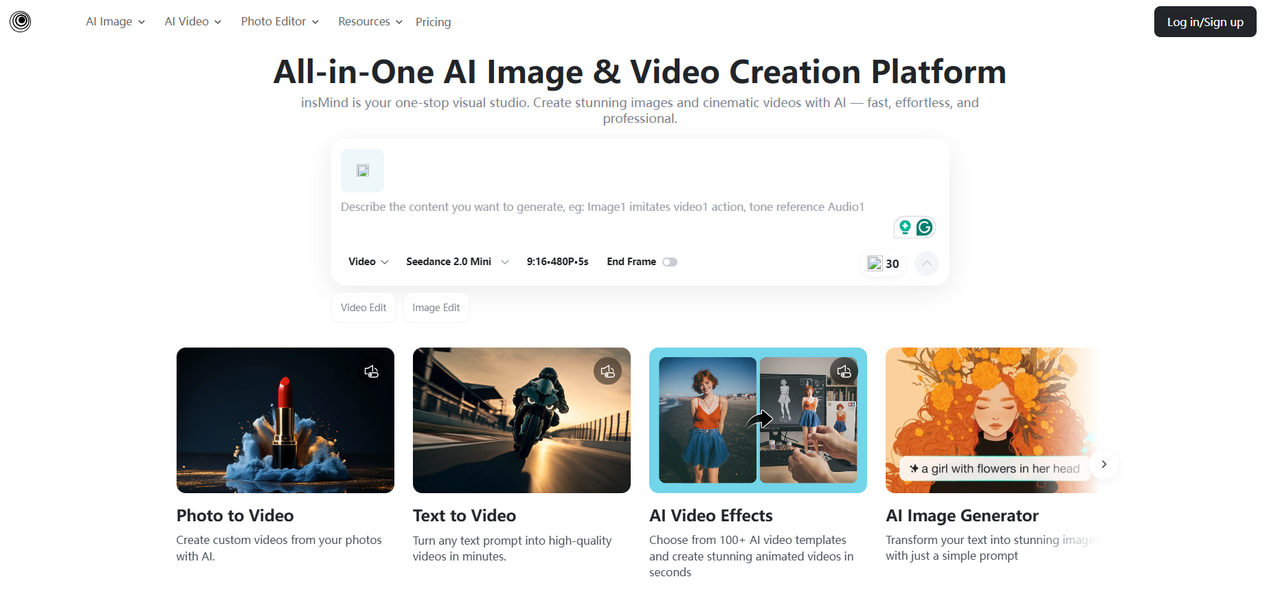
What can you do with Insmind?
Insmind can handle a range of visual tasks, from creating new images to improving existing photos. It is particularly useful for creators and businesses working on ecommerce visuals, marketing assets, portraits, and creative projects.
-
Create new visuals: Generate images from descriptions when you need an original concept or marketing asset.
-
Improve existing photos: Edit, enhance, or transform uploaded images without extensive manual adjustments.
-
Prepare product images: Clean up product photos and create more suitable visuals for ecommerce listings and campaigns.
-
Change image compositions: Modify backgrounds, remove unwanted elements, or alter the overall setting of an image.
-
Create artistic variations: Transform photographs into different visual styles, including line-art-style results.
Insmind features: What does the platform offer?
-
AI image generator: The Insmind AI image generator creates visuals from text prompts. It can be used for creative concepts, social media content, marketing visuals, and other image-generation tasks.
-
AI photo editor: The editor handles common image changes with AI assistance, making routine edits easier for users without professional photo-editing experience.
-
Background remover: The background removal tool separates the main subject from its surroundings. This is particularly useful for product listings, portraits, and promotional images.
-
AI background generator: Users can replace an existing background or create a new setting around a subject. This gives basic product or portrait images a different visual context.
-
Object remover: Unwanted elements can be removed from photographs while the surrounding area is reconstructed. Results are more reliable on simple backgrounds than highly detailed scenes.
-
AI product photography: Product-focused tools help sellers create cleaner visuals and different presentation styles without photographing every variation from scratch.
-
Image enhancement: Enhancement tools can improve clarity and detail in images that need a quality boost before publication.
-
Photo-to-line-drawing: The Insmind photo-to-line-drawing feature converts photographs into line-art-style visuals. It can be useful for illustrations, creative projects, and coloring-style artwork.
Insmind review: Image quality, usability, and performance
We evaluated the usability, output quality, accuracy, and consistency of Insmind on typical editing and generation tasks. The tests included background removal, object removal, image enhancement, portrait editing and AI image generation.
Insmind usability and workflow
The interface is easy to navigate and it has separate tools for different editing needs. It’s beginner-friendly as uploading an image and starting an edit takes a few steps.
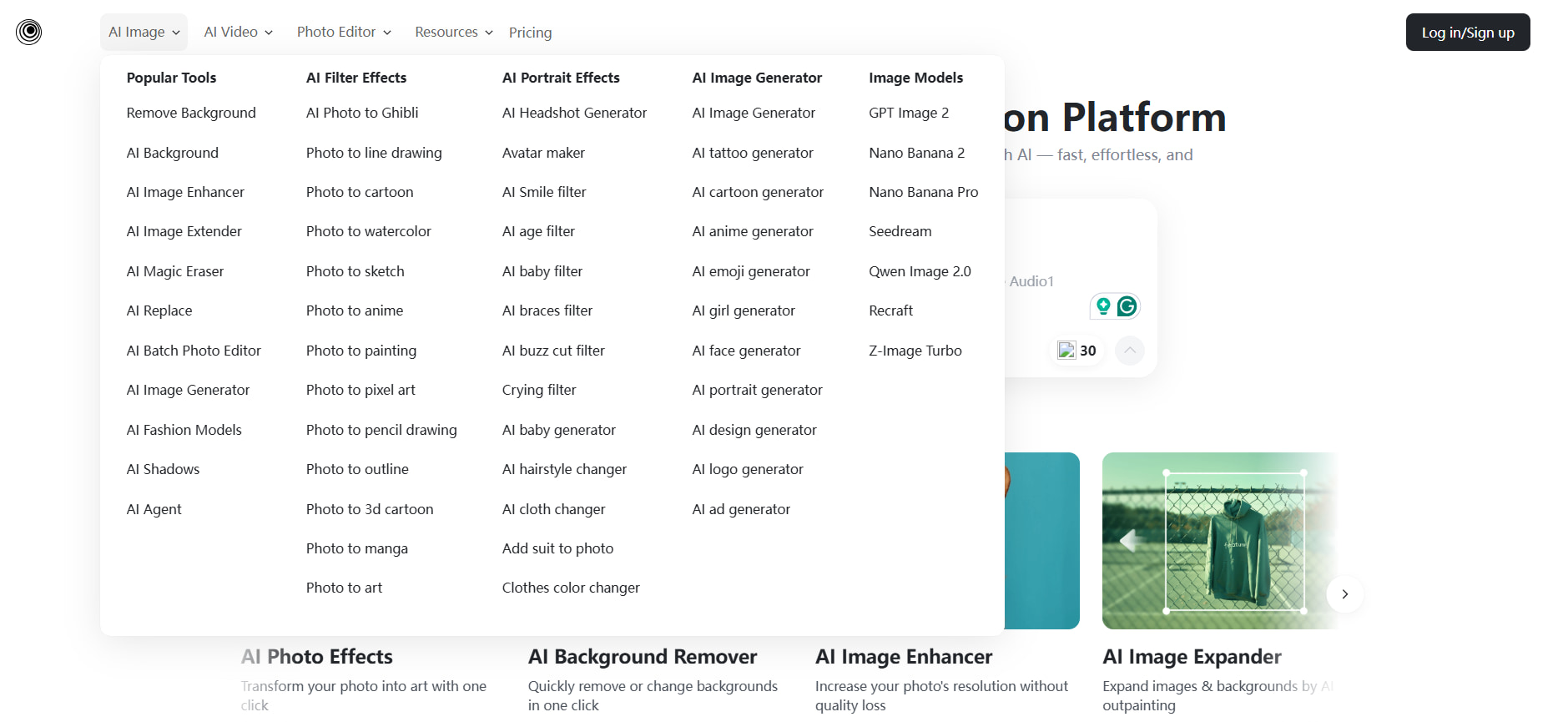
Background removal and replacement
We ran a background remover on a product image and found the subject cleanly separated in most areas. The background replacement worked well for simple scenes, but for complex scenes, it might be necessary to try again.
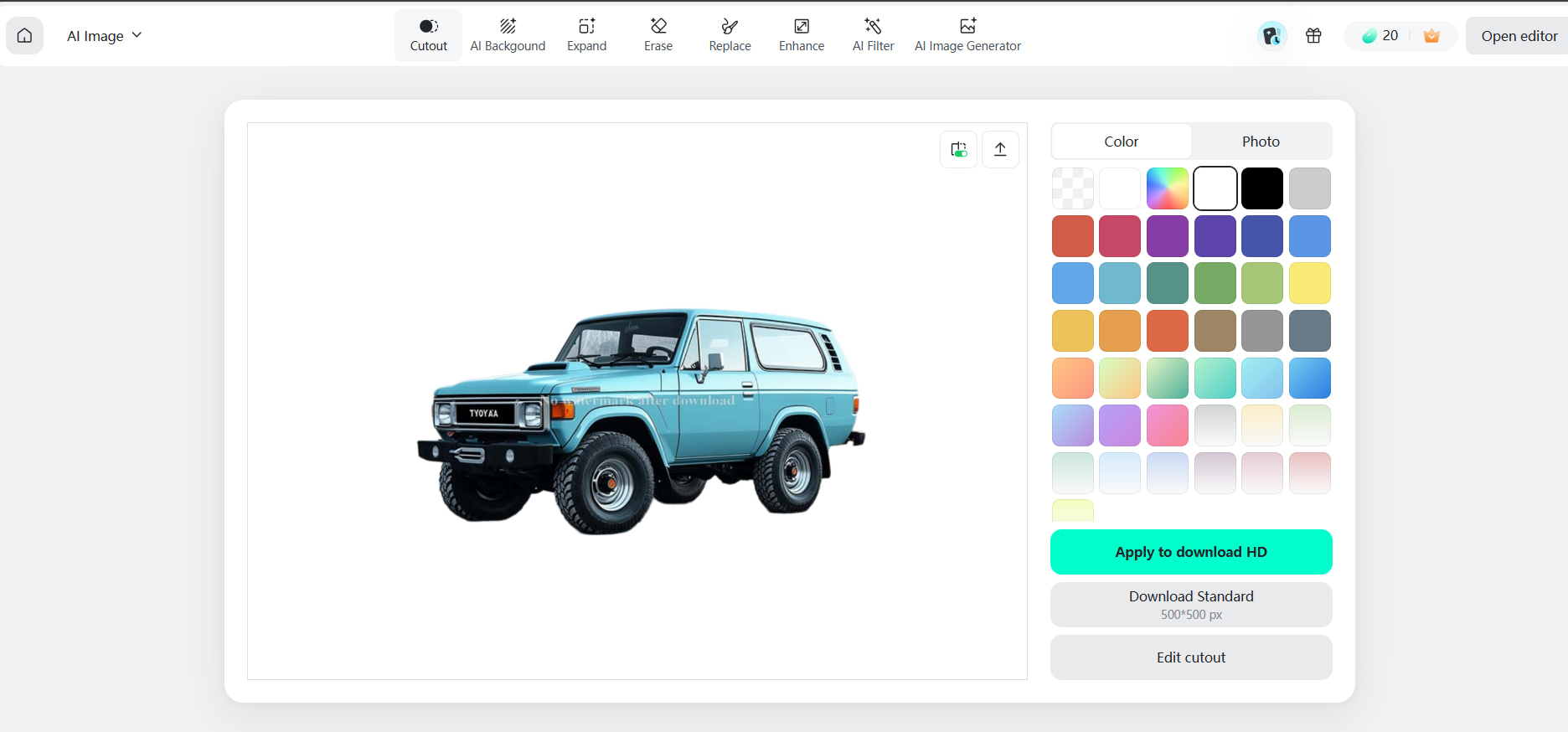
Object removal and image enhancement
Object removal worked well for unwanted elements when the background surrounding it was simple. Image enhancement made the images clearer and sharper, especially for ones that were not of the best quality.
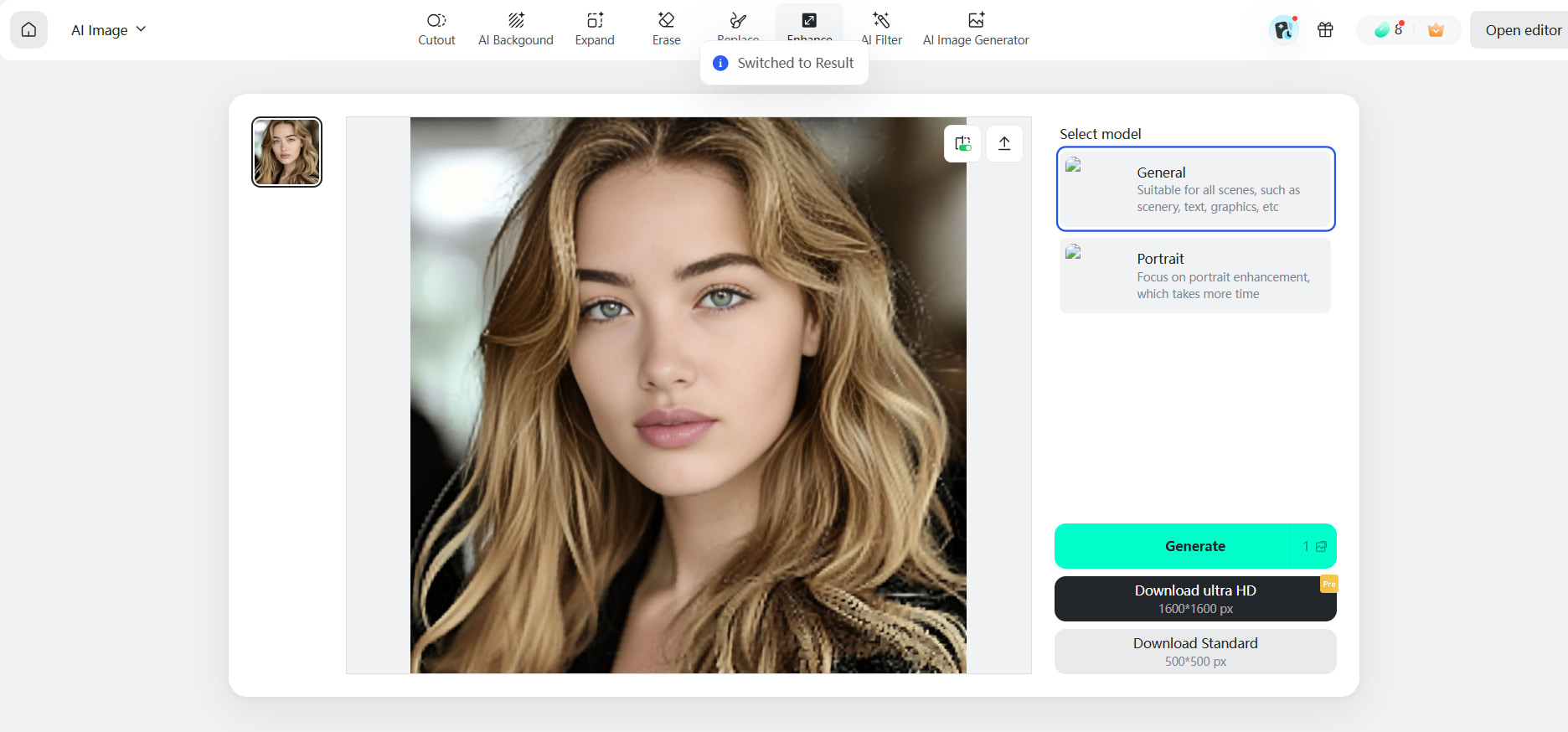
Portrait editing
Usually, portrait edits are simple adjustments that keep the main details of the face and clothing intact. More deep-set changes demanded a more detailed scrutiny for accidental alterations to facial features, hair, or other particulars.
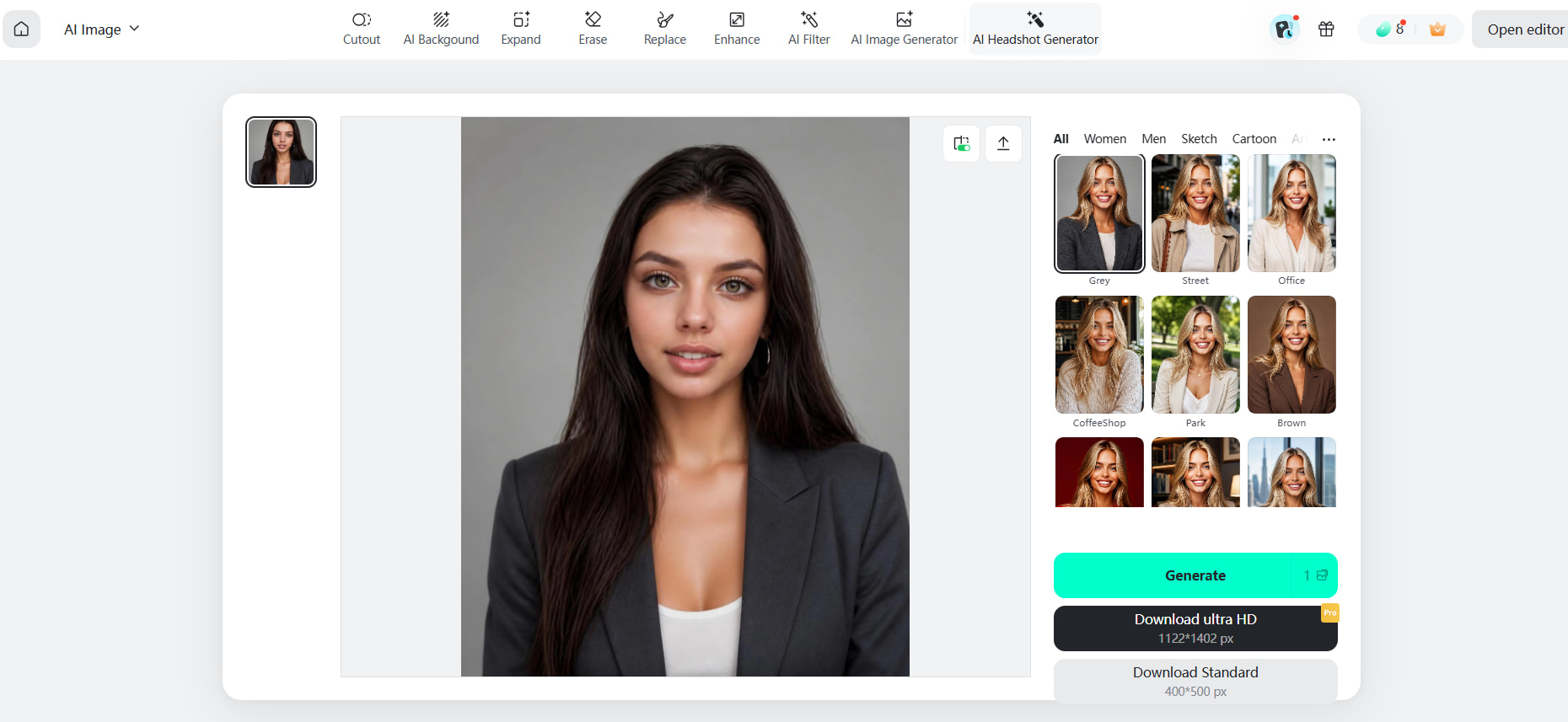
Insmind AI image generator test
We used straightforward and comprehensive prompts covering various topics, settings, and styles to test the Insmind AI image generator. While complex scenes occasionally required multiple generations, simple prompts yielded more consistent results.
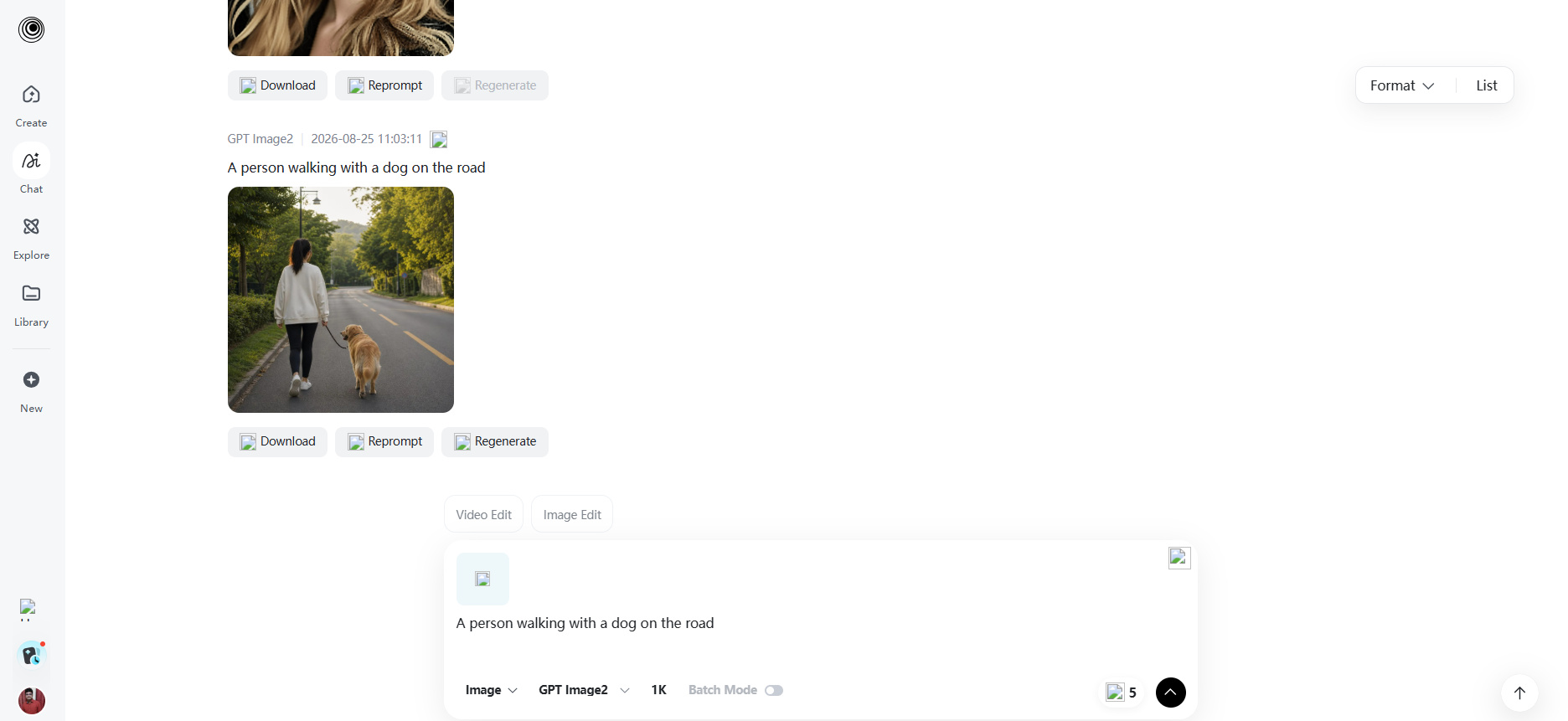
In general, Insmind is useful for creating and editing images quickly, but quality can change based on how difficult the task is. It is still crucial to review every output before publishing, especially for commercial visuals.
Insmind pricing and plans
Insmind offers paid plans with different monthly credit allowances, image and video limits, and the same core premium benefits. The annual billing option shown on the pricing page offers a lower effective monthly rate than monthly billing.
|
Plan |
Annual price |
Credits/month |
Image limit |
Video limit |
Key benefits |
|---|---|---|---|---|---|
|
Basic |
$5.83/month, billed at $69.99/year |
1,000 |
Up to 100/month |
Up to 40/month |
Premium templates and backgrounds, premium fonts and elements, no watermark, HD download, batch editing, unlimited background removal, limited free cloud storage |
|
Pro |
$25/month, billed at $299.99/year |
5,000 |
Up to 500/month |
Up to 200/month |
All Basic benefits, with higher credit, image, and video allowances |
|
Ultra |
$100/month, billed at $1,199.99/year |
30,000 |
Up to 3,000/month |
Up to 1,200/month |
All core premium benefits, with substantially higher usage limits for high-volume workflows |
Insmind review: Pros, cons, and user feedback
Insmind covers a wide range of image tasks, but the value depends on how often you use those tools and how much control you need over the final result.
Insmind pros and cons
|
Pros |
Cons |
|---|---|
|
Broad range of AI photo-editing tools |
Output quality can vary by task |
|
Simple workflows for common image-editing needs |
Advanced users may want more granular controls |
|
Useful ecommerce and product-image features |
Usage or credit limits may affect frequent users |
|
Multiple ways to transform existing images |
Some features may require a paid plan |
|
Accessible for users with limited editing experience |
Complex edits may still require manual refinement |
What do users say about Insmind?
-
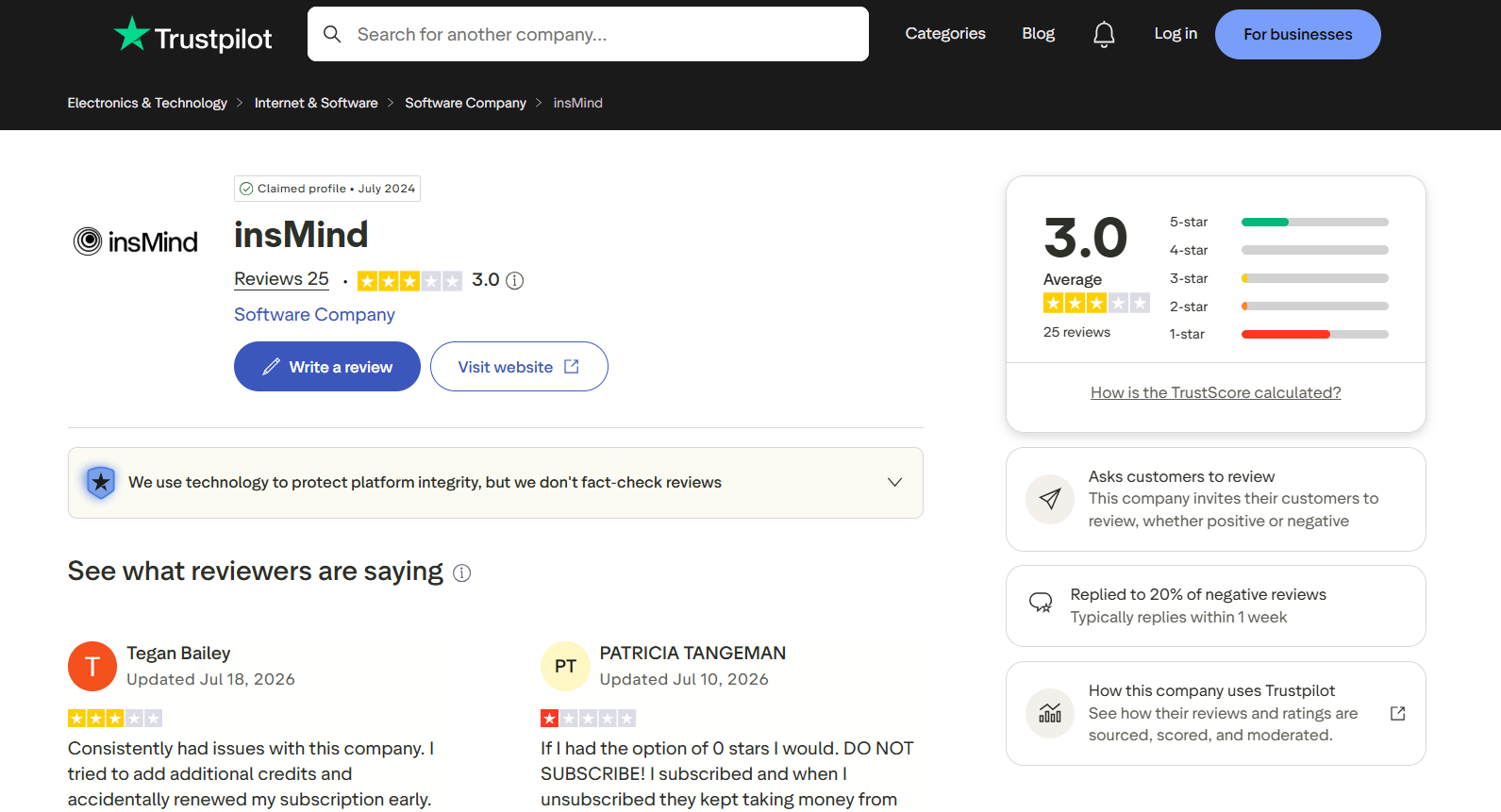
Trustpilot: Insmind has a 3.0/5 average rating from 25 reviews on Trustpilot. The visible reviews include complaints about subscription and billing experiences, including issues with credits and cancellation. Since the review count is relatively small, these comments should be treated as recurring customer feedback rather than a complete measure of the platform's overall performance.
-
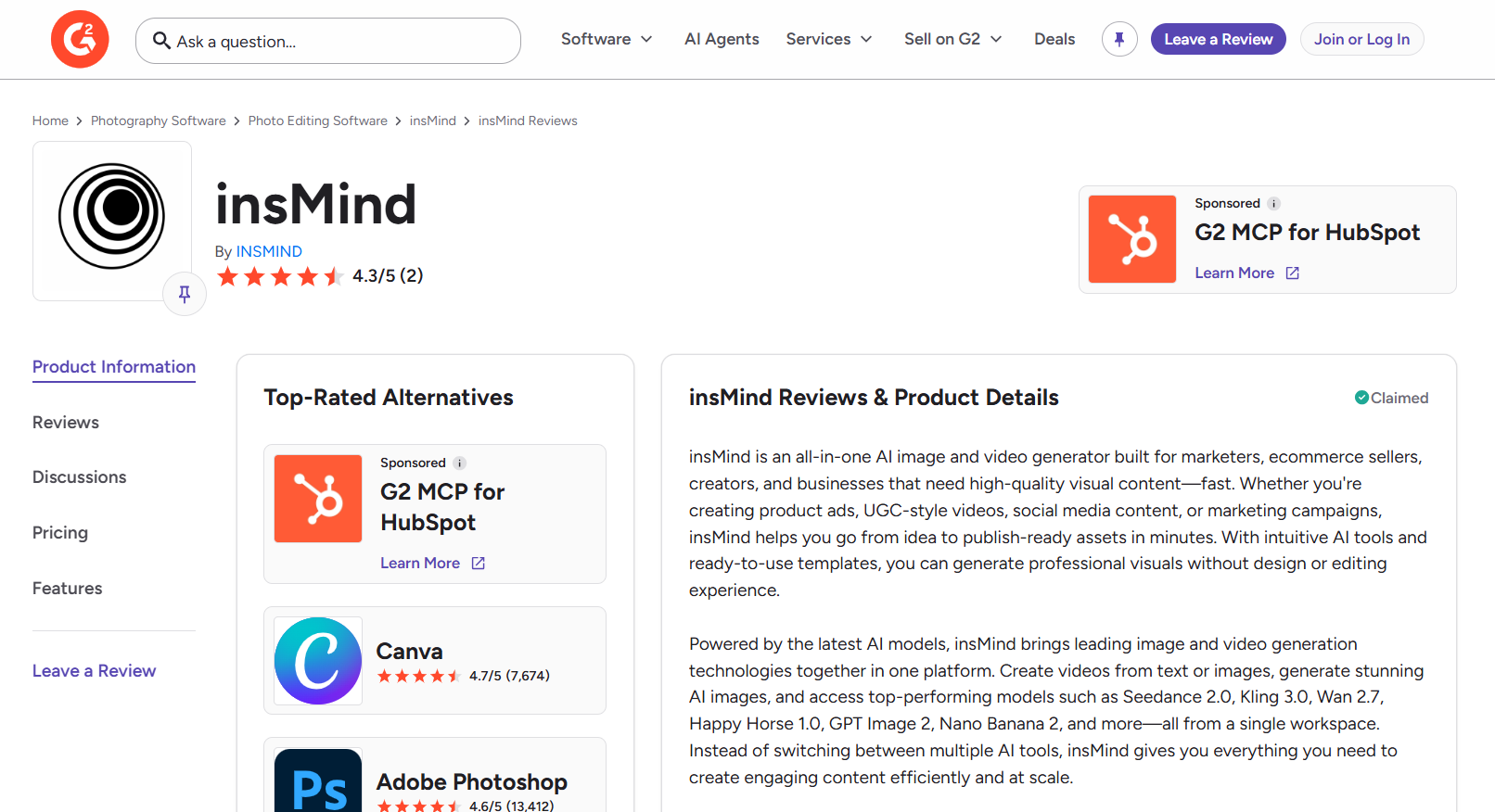
G2 Reviews: Insmind has a 4.3/5 rating from 2 reviews on G2. The available feedback gives a more positive impression of the product, but the very small number of reviews makes it difficult to draw broad conclusions about usability, features, or customer experience. For a balanced Insmind review, these ratings are best considered alongside hands-on testing and other user feedback.
Is Insmind worth it?
Insmind is worth a look if you’re looking for accessible AI tools for photo editing, ecommerce images, and creative image generation. Its broad set of tools is useful to users who often have to work on different types of image tasks. It may not be ideal for advanced users who want granular manual controls or need consistent results for complex image-generation workflows.
4 best Insmind alternatives
The best Insmind alternative depends on the type of visual work you do. Vmake Labs focuses on AI image generation for content and marketing, while Photoroom, Canva, and Fotor take different approaches to editing and design.
Vmake Labs
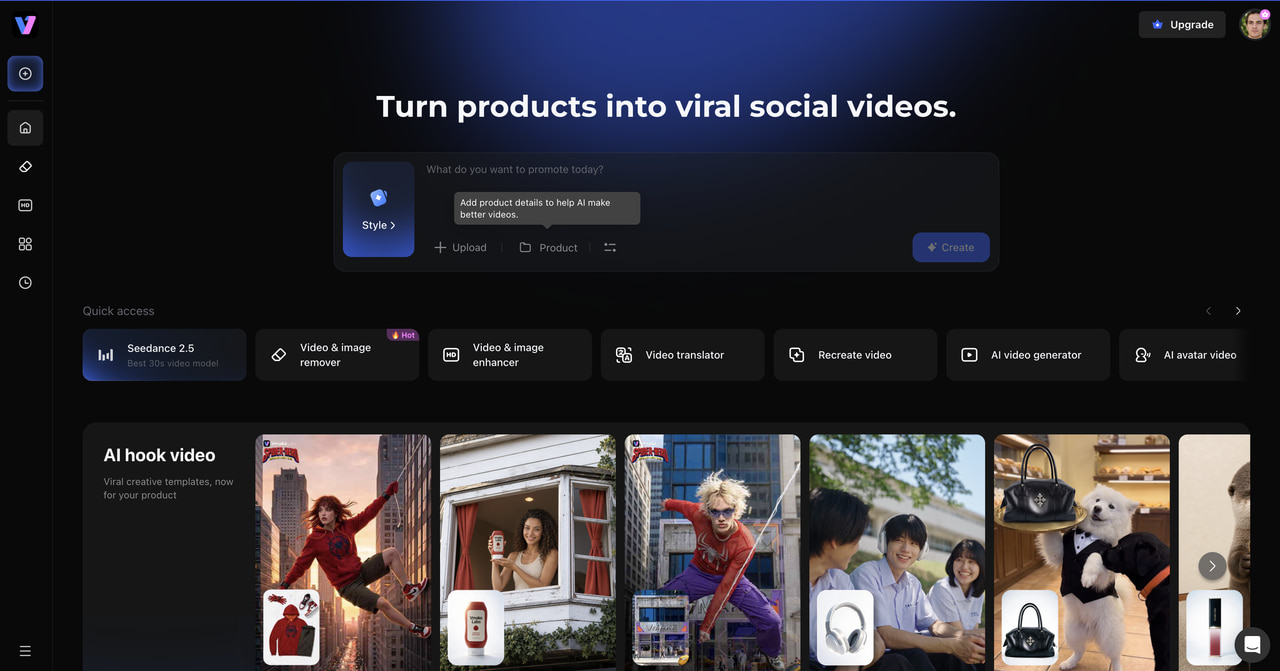
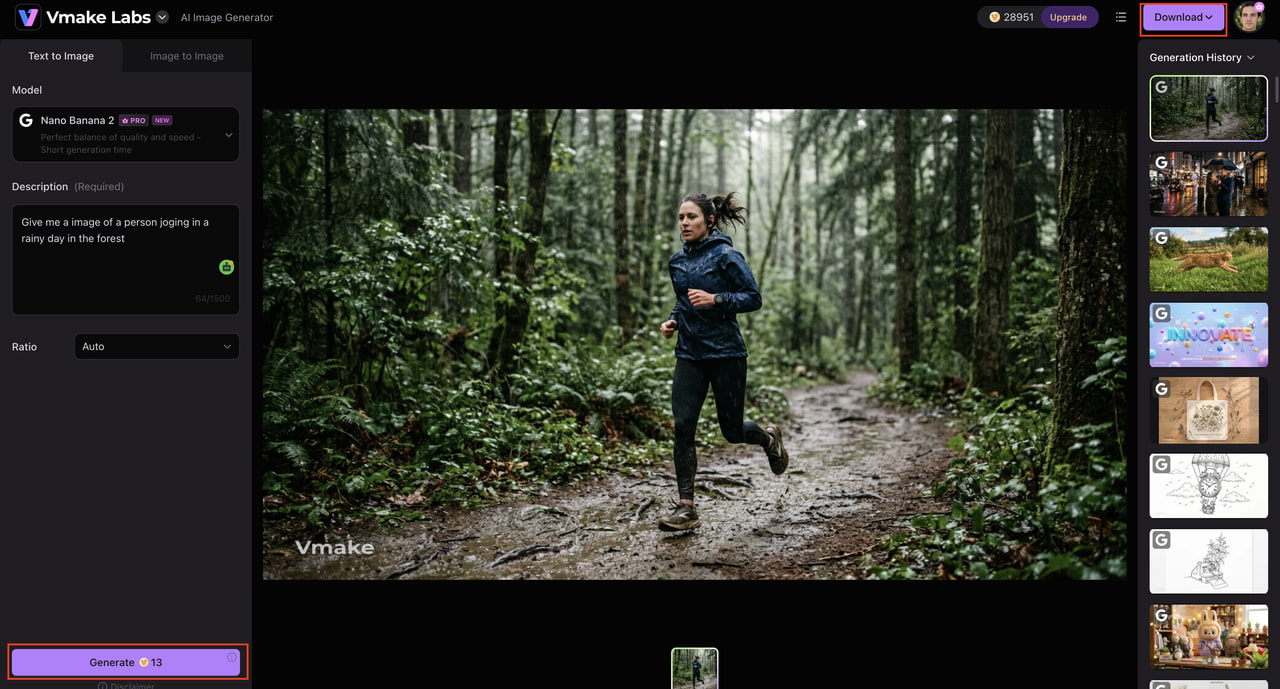
Vmake Labs is an AI-powered visual creation platform that enables creators to create and refine marketing and ecommerce content. Along with AI image generation from prompts and reference images, it offers tools for image editing, product visuals, and other content workflows. This makes it useful for sellers, marketers, and creators who need polished assets without starting every project from scratch.
How to create images with Vmake Labs
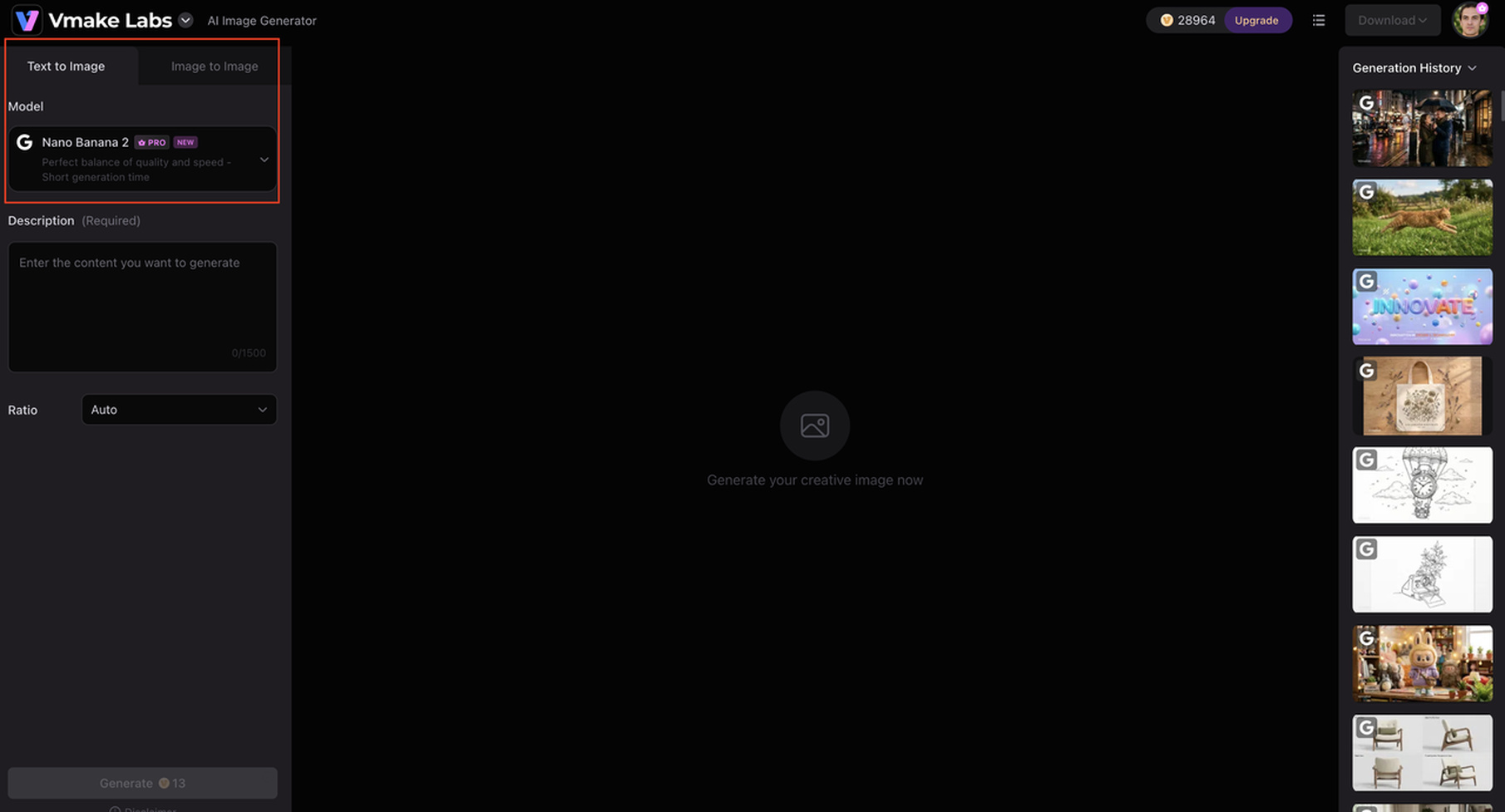
Step 1: Choose an image generation workflow.
Open the Vmake Labs AI Image Generator and select the generation method that fits your project. Choose text-to-image when creating a visual from scratch or an image-based workflow when you want to transform an existing asset.
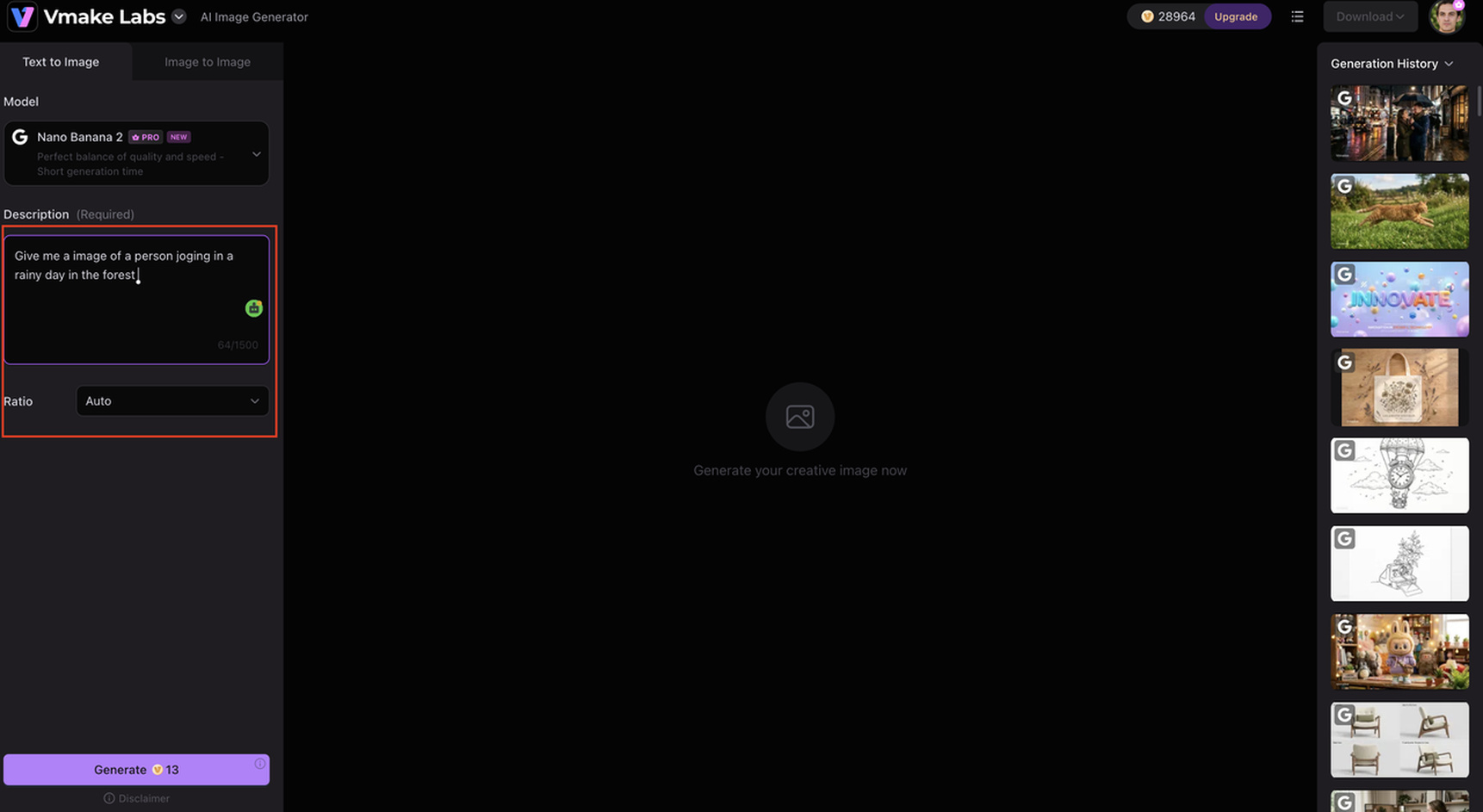
Step 2: Enter a prompt or add a reference image.
Describe the subject, setting, composition, style, lighting, and other important details in the prompt. If you are using a reference image, upload it to guide the generated result and maintain the desired visual direction.
Step 3: Generate, review, and export the image.
Start the generation and review the result for composition, details, and prompt accuracy. If the output does not match your requirements, refine the prompt or reference and generate another version before exporting the final image.
Key features
-
AI image generation: Create visuals from text prompts for ecommerce, advertising, social media, and creative projects.
-
Image-to-image generation: Transform existing images into new variations while retaining important visual elements.
-
AI image editing: Refine and modify existing visuals with AI-powered editing workflows.
-
Reference image support: Use existing images to guide the style, composition, subject, or direction of new visuals.
-
Product image creation: Create and adapt product visuals for ecommerce listings, campaigns, and marketing materials.
-
Background generation and editing: Replace or create backgrounds to place products and subjects in more suitable settings.
-
Image enhancement: Improve the clarity and overall quality of existing images before using them in marketing or ecommerce content.
Photoroom
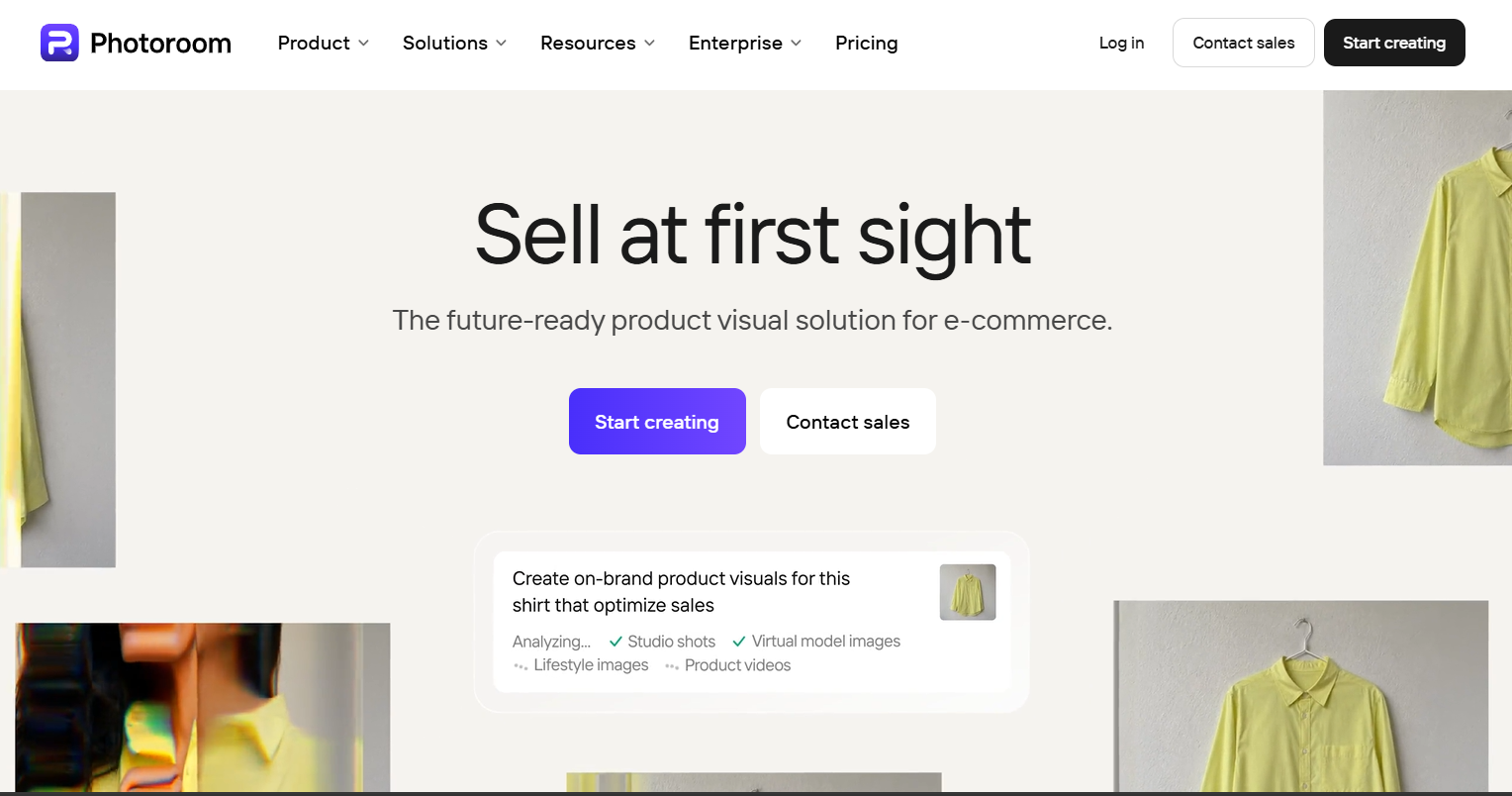
Photoroom is geared toward product photography and fast image editing, making it a practical choice for ecommerce sellers who need to create clean, professional-looking product visuals without complex editing workflows.
-
AI-powered product photo editing: Create polished product images with automated editing tools.
-
Background removal and replacement: Remove existing backgrounds and replace them with new settings.
-
Product staging and background generation: Place products in different scenes or generate suitable backgrounds.
-
Ecommerce-focused workflows: Prepare visuals for online stores, marketplaces, advertisements, and social media.
Canva
Canva combines AI image creation with templates and design tools, making it suitable for users who want to generate visuals and turn them into complete marketing, social media, or presentation assets.

-
AI-powered image creation: Generate visuals from text prompts for different creative and marketing needs.
-
Background and object editing: Remove unwanted elements or modify backgrounds with AI-assisted editing.
-
Templates and design tools: Combine generated images with layouts, graphics, typography, and other design elements.
-
Marketing and social media workflows: Create promotional content for social platforms, campaigns, presentations, and other channels.
Fotor
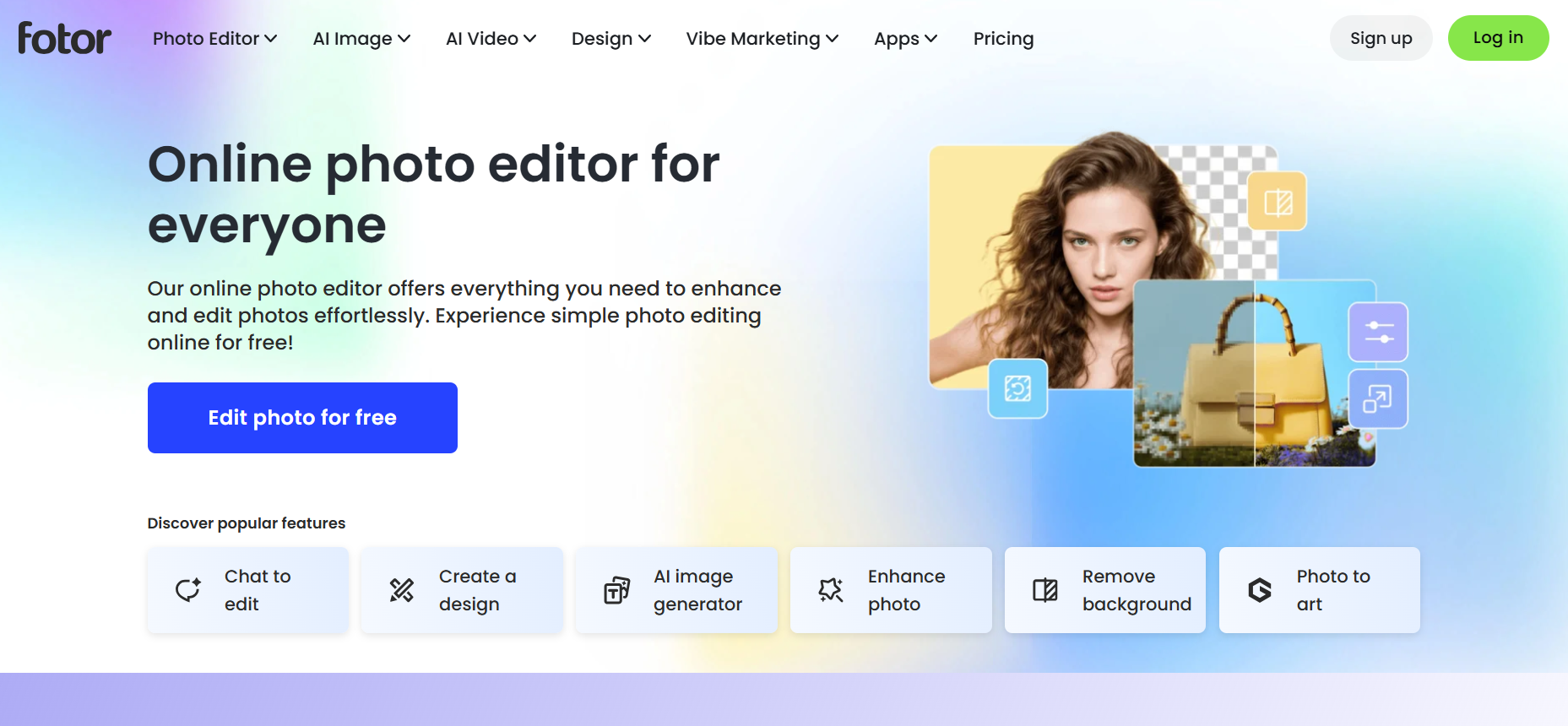
Fotor is an all-in-one platform that provides AI image generation, photo enhancement and editing tools. It is ideal for those who want to create new visuals and enhance and change existing photos.
-
AI image generation: Generate images from text prompts for art, personal or promotional projects.
-
AI photo enhancement: Improve image clarity, sharpness, and overall appearance automatically.
-
Background and object editing: Remove unwanted elements or change backgrounds to create cleaner compositions.
-
Creative effects and transformations: Apply artistic effects or transform photos into different visual styles.
Insmind vs alternatives: Which AI image tool should you choose?
|
Tool |
Best for |
Image generation |
Photo editing |
Ecommerce |
Ease of use |
Why choose it? |
|---|---|---|---|---|---|---|
|
Insmind |
AI photo editing and product visuals |
Yes |
Strong |
Strong |
Easy |
A broad set of AI editing tools on one platform |
|
Vmake Labs |
AI-generated marketing and ecommerce visuals |
Strong |
Good |
Strong |
Easy |
Useful for creating visuals from prompts and reference images |
|
Photoroom |
Product photography |
Yes |
Strong |
Excellent |
Easy |
Focused on product images, backgrounds, and ecommerce workflows |
|
Canva |
Design and marketing content |
Yes |
Good |
Good |
Very easy |
Combines AI image creation with templates and broader design tools |
|
Fotor |
General image creation and editing |
Yes |
Good |
Good |
Easy |
Combines AI generation with enhancement, effects, and photo editing |
Conclusion
Insmind is a practical choice for creators, marketers, and ecommerce sellers who want accessible AI image generation and editing tools. Its broad feature set works well for everyday visual tasks, although output consistency and usage limits may affect frequent users. Vmake Labs is another option for creating marketing and ecommerce visuals from prompts and reference images. Before choosing between them, compare image quality, pricing, and workflow to see which platform better fits your needs.
FAQs
Is Insmind free to use?
Insmind is free but with different limits and features. Free users may have restrictions on credits, exports or premium tools. Please refer to the official Insmind website for the latest plan and usage information.
Is Insmind AI safe and legitimate?
Insmind is an established AI photo-editing and image-generation platform. Before uploading sensitive or business-critical images, review its current privacy policy and terms. This can help you understand how uploaded content is handled.
What is Insmind used for?
Insmind is an AI image generator, background remover, object remover, and image enhancer. It also supports product photography, creative effects, and other AI-powered photo editing tasks. These tools are great for marketers, creators, and ecommerce sellers.
Does Insmind have an AI image generator?
Yes, the Insmind AI image generator creates visuals from text prompts. Results can vary depending on the prompt, requested style, and scene complexity. Vmake Labs is another option if you want to create visuals from prompts and reference images.
Can Insmind turn a photo into line art?
Yes, Insmind can convert photographs into line-art-style images using its photo-to-line-drawing tool. The final result can vary depending on the source image and its level of detail. Simple images generally provide clearer results.
What are the best Insmind alternatives?
Vmake Labs is good for AI image generation and marketing visuals. Photoroom is good for e-commerce photography. Fotor combines AI generation and photo editing, while Canva is more suited to general design workflows. Which one is right for you depends on your particular image creation and editing needs.

You May Be Interested

Z Image AI Review 2026: Features, Performance, Pros and Cons

Yodayo AI Review 2026: Features, Pricing, and Alternatives
X-Design Watermark Remover Review (2026): Features & Pricing

Vidu AI Review: Is This AI Video Generator Worth in 2026?

Vadoo AI Review 2026: Features, Pricing and Alternatives

VEED Review: Does the Watermark Remover Work? (2026)

Vivideo AI Review 2026: Features, Pricing and Alternatives

Unlucid AI Review: Is this AI platform worth it in 2026?
