Can PLAUD Transcribe Podcasts? Check the Guide Before Buying
Can PLAUD transcribe podcasts? Discover how the PLAUD AI transcriber converts podcast audio into text and learn how Vmake Labs helps transcribe, edit, and translate podcast content with AI.

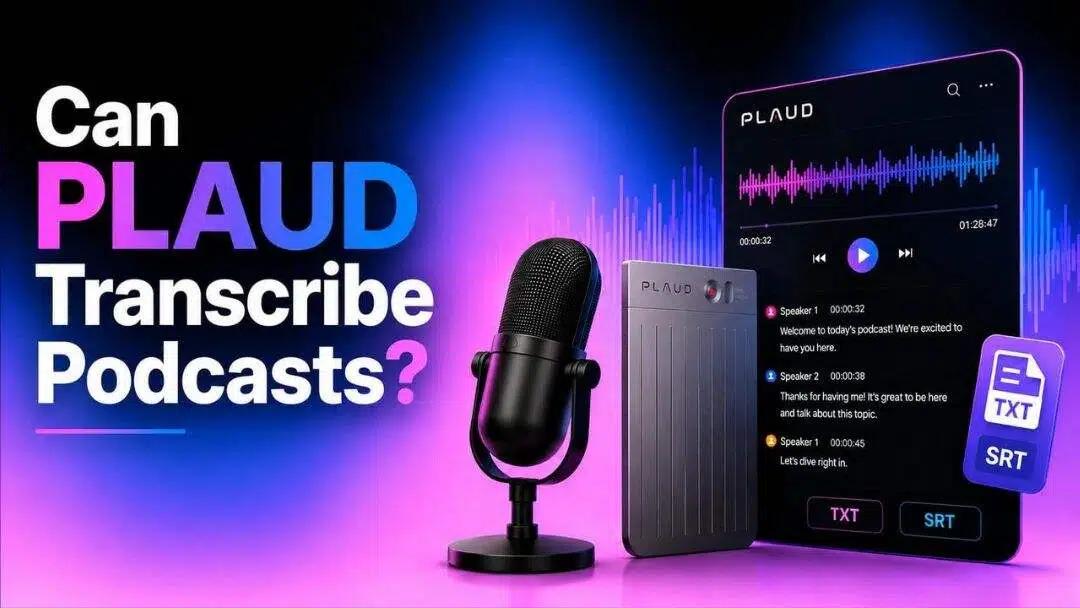
Wondering if PLAUD transcribes podcasts? PLAUD's AI transcription technology can convert podcast audio into searchable text, making it easier to review, edit, and repurpose content. This guide explains how the PLAUD AI transcriber works, its strengths and limitations, and when an alternative workflow may be a better fit.
Can PLAUD transcribe podcasts?
Yes, PLAUD can transcribe podcasts with AI-powered speech recognition. The platform converts spoken conversations into editable text, whether you record directly with a PLAUD device or import supported audio into the PLAUD app. It's designed to help creators, professionals and everyday users save time compared to manual transcription while making podcast content easier to review, search and repurpose.
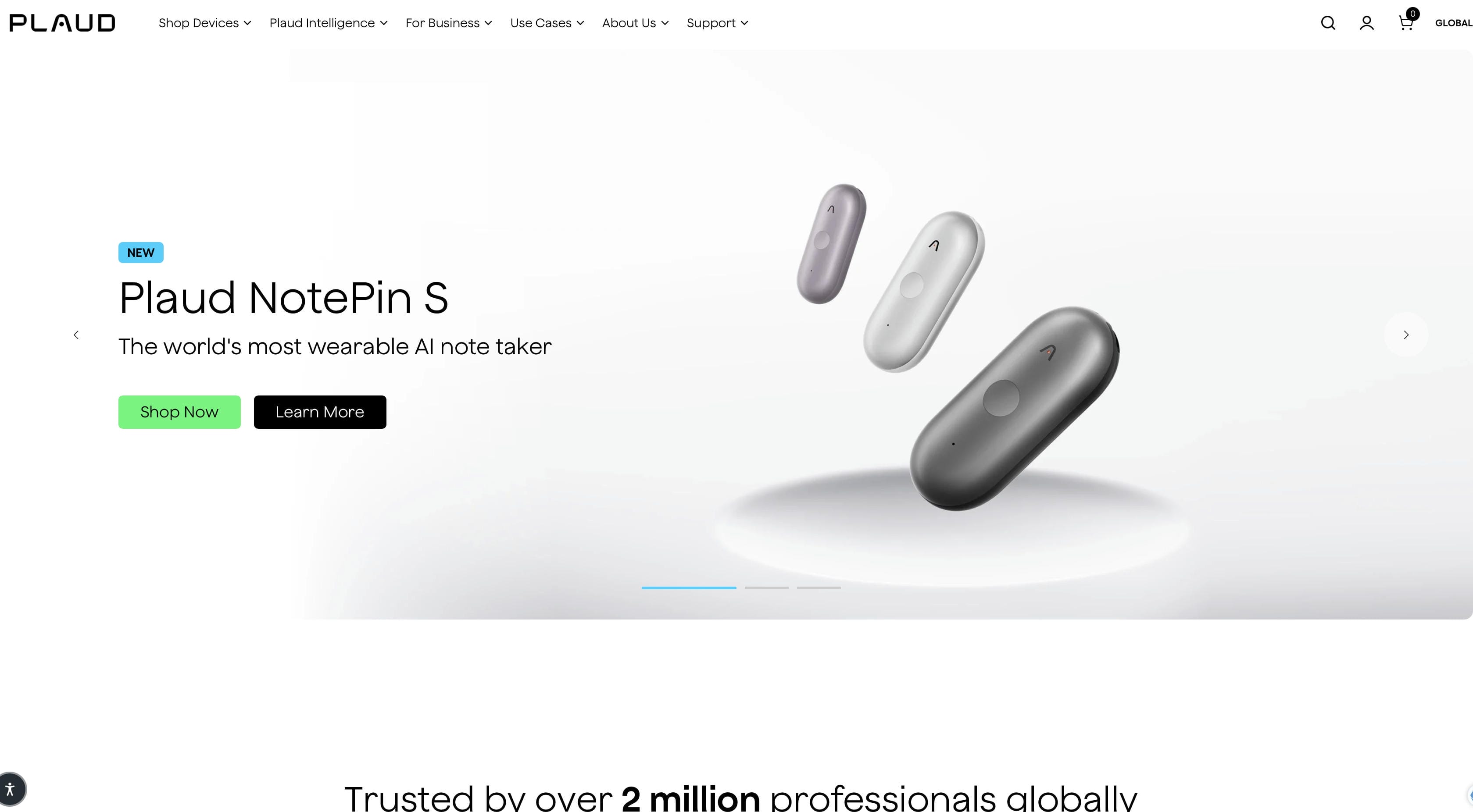
Overall transcription quality will be dependent on variables such as audio clarity, speaker overlap and background noise. In general, podcasts that are spoken clearly and have little background noise will be the most accurate in terms of transcripts, but those with multiple speakers or those that use industry-specific vocabulary might need some human editing before they are published.
How does the PLAUD AI transcriber work?
The PLAUD AI transcriber combines AI speech recognition with language processing to transform spoken audio into written text. After receiving an audio recording, the system analyzes speech, separates speakers where possible, and generates a transcript that users can edit or export for different purposes.
-
Records or imports podcast audio: Capture conversations with a PLAUD recording device or import supported podcast audio into the PLAUD app for transcription.
-
Uses AI speech recognition: The AI converts spoken dialogue into text automatically, reducing the need for manual transcription.
-
Supports speaker identification: For interviews and conversations, the system can distinguish between different speakers when the audio is clear.
-
Creates editable transcripts: After processing, transcripts can be reviewed, corrected, and exported for articles, show notes, captions, or documentation.
What types of podcasts can PLAUD transcribe?
PLAUD works with many common podcast formats, making it suitable for individual creators as well as teams producing different types of spoken content. The better the recording quality, the more accurate the final transcript is likely to be.

Solo podcasts
Single-speaker podcasts are typically the easiest to transcribe because there is only one voice throughout the recording. With minimal interruptions or overlapping dialogue, AI can usually generate accurate transcripts that require very little editing.
Interview podcasts
Transcription also lends itself well to podcasts in interview style involving two speakers. Speaker recognition helps in structuring the dialogue, but it is still good practice to check the names and the speaker tags that sometimes appear before publication.
Multi-speaker discussions
Roundtable discussions and panel conversations can be harder, especially if people are talking over each other or all at once. In most cases, the PLAUD AI transcriber can identify different speakers; however, some parts might need to be manually corrected for better readability.
Educational podcasts
Generally, educational podcasts, lectures, webinars and training sessions are good candidates for AI transcription as the speech is often structured and the speaker is clear. Then these transcripts can be turned into study material, blog posts or searchable knowledge bases.
Recorded conversations and voice content
PLAUD can also transcribe meetings, interviews, voice notes and other recorded conversations, besides podcasts. This makes it a flexible solution for users looking to structure the spoken content into editable text for future reference.
How to transcribe a podcast with PLAUD AI transcriber
Getting a transcript out of PLAUD follows a fairly simple three-step process, whether you're recording live or importing an existing file.
Step 1: Record or import your podcast audio
Capture the episode directly through PLAUD's recording hardware or app, or bring in an existing audio file that's compatible with the platform.
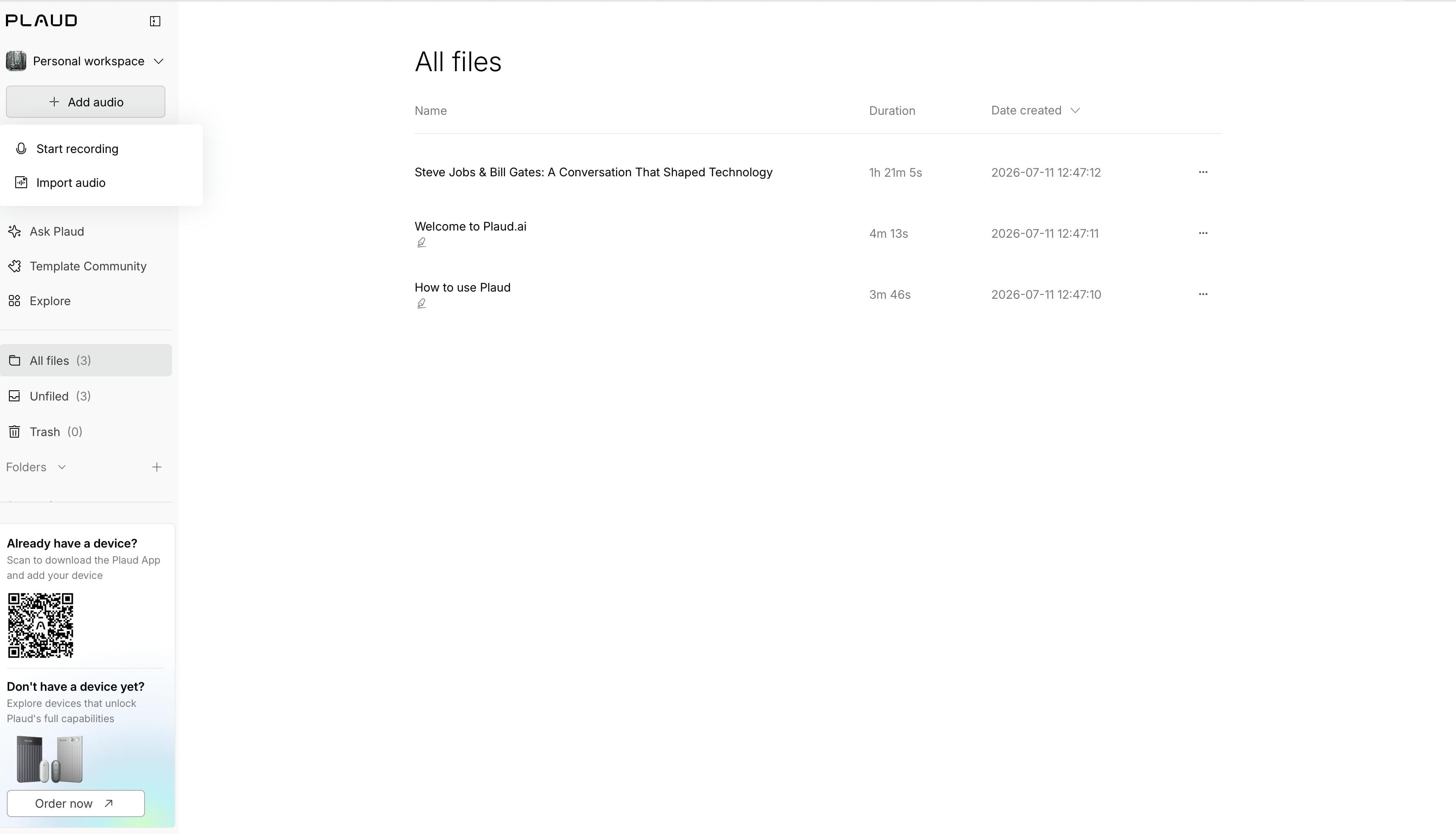
Step 2: Generate the AI transcript
Once the audio is loaded, PLAUD's speech recognition engine processes it and produces a text version of the conversation, attempting to separate speakers where the recording allows for it.
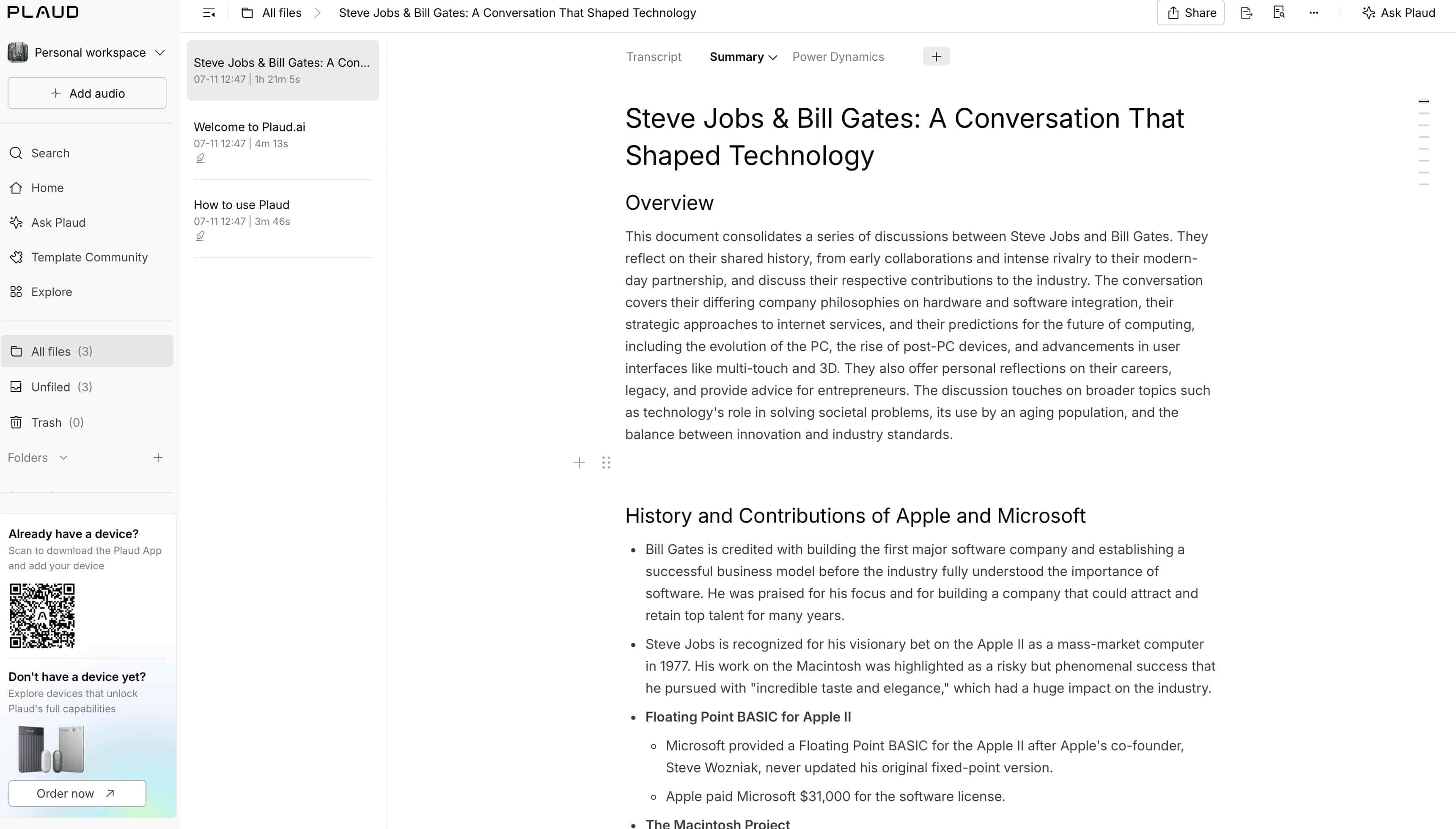
Step 3: Review, edit, and export your transcript
Read through the output to catch any misheard words or names, make corrections, and export the transcript in the format you need for your workflow.
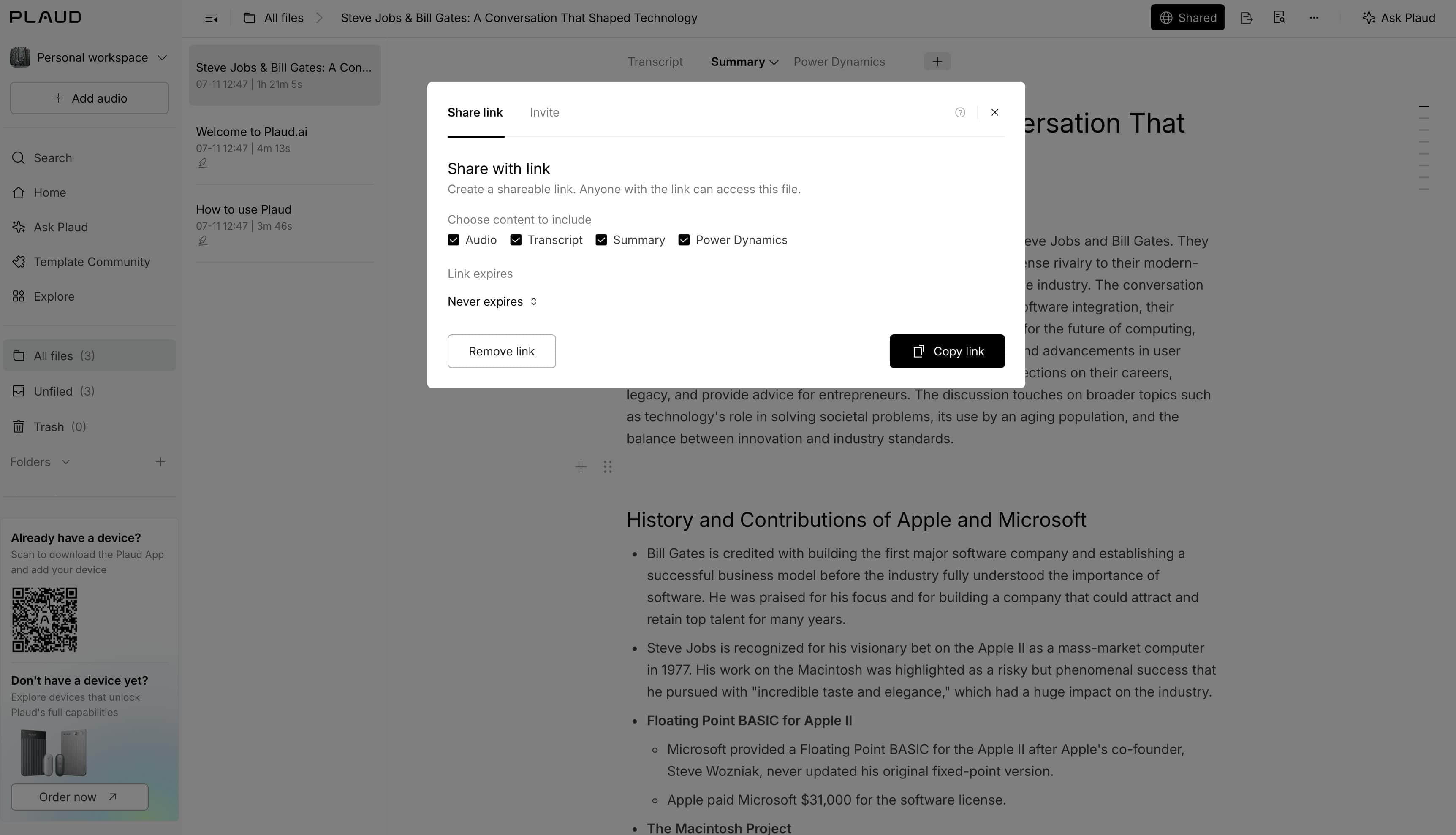
Is PLAUD AI transcriber the right choice for podcast creators?
Whether the PLAUD AI transcriber is the right solution for you really depends on how you're creating and publishing your podcast. If you already record audio with PLAUD devices, the built-in transcription workflow provides a quick way to get your recordings into editable text. However, if a creator already has completed podcast files or published videos, a browser-based transcription tool might be a better option because it doesn't need any special recording hardware.
Why creators use PLAUD AI transcriber
The PLAUD AI transcriber offers several features that simplify podcast transcription and reduce the time spent on manual editing.
-
Saves time: AI automatically converts podcast conversations into text, eliminating the need to transcribe recordings manually.
-
Speaker recognition: It identifies different speakers in many interviews or discussion-style podcasts, making transcripts easier to follow.
-
Searchable and editable transcripts: Users can review, edit, and search transcripts before exporting them for publishing or documentation.
-
AI-generated summaries and notes: The platform can organize conversations into concise summaries, making it easier to review lengthy recordings.
-
Supports multiple languages: Multiple language options help creators work with podcasts produced for different audiences.
Things to consider before using PLAUD
Although PLAUD works well for many podcast workflows, there are a few factors to consider before choosing it as your primary transcription solution.
-
Clear audio improves accuracy: Background noise and poor microphone quality can reduce transcription accuracy.
-
Overlapping speakers require editing: When multiple people speak simultaneously, manual corrections may still be necessary.
-
Review technical terms: Industry terminology, names, and uncommon words should always be checked before publishing.
-
Works best within the PLAUD ecosystem: Users who already record PLAUD devices will benefit most from its integrated workflow.
PLAUD AI transcriber works best if your podcast is captured through the PLAUD recording workflow. However, many creators already have finished podcast audio or published videos that need transcription. In those cases, Vmake Labs provides an alternative workflow by letting you upload audio or video files, or paste supported links from platforms like YouTube, TikTok, Instagram, and Facebook to generate editable transcripts that can be exported as TXT or SRT files.
Transcribe podcasts with Vmake Labs
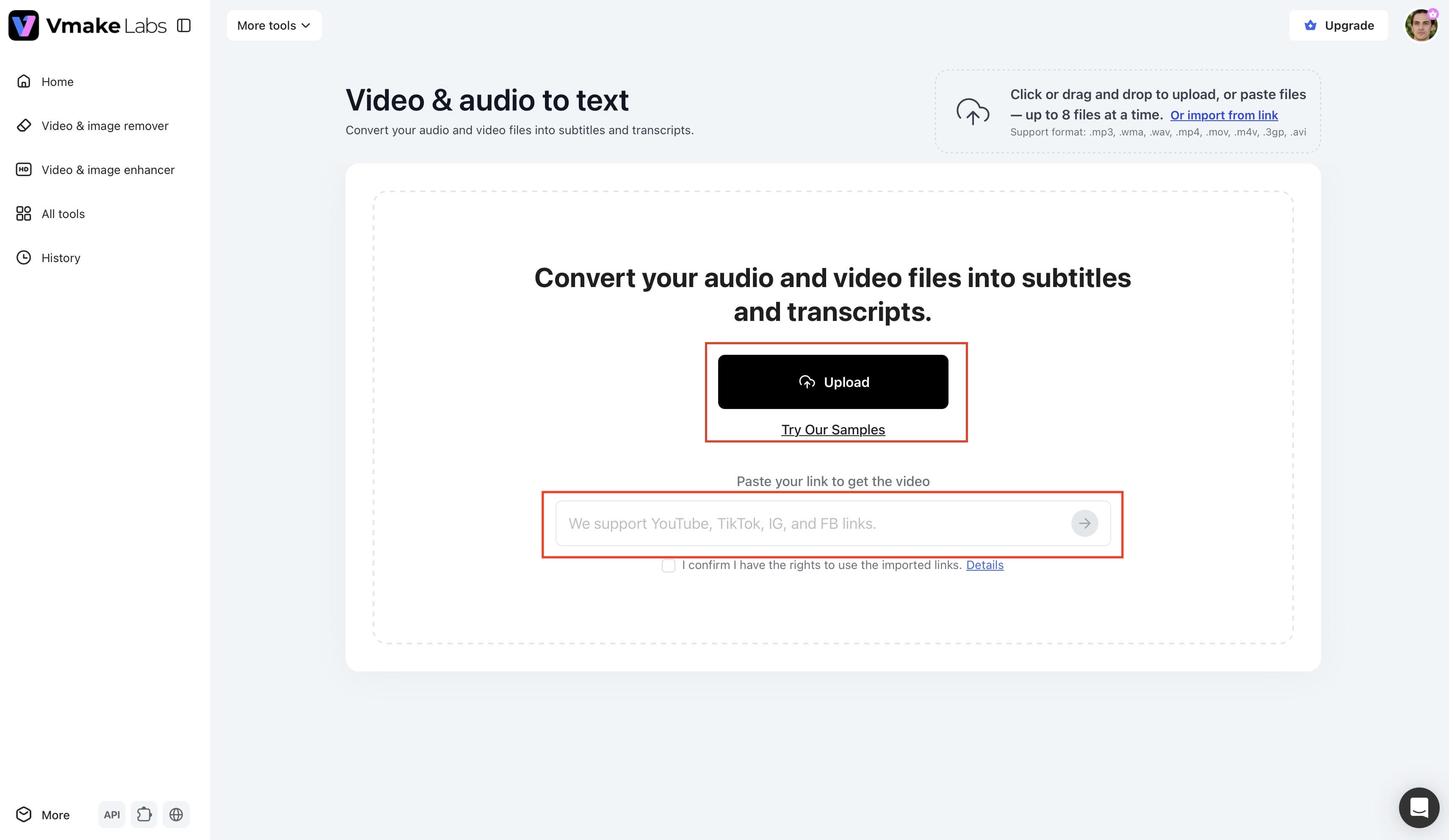
If your podcast has already been recorded or published online, Vmake Labs offers a browser-based video transcript generator that lets you upload audio or video files, or paste a supported video link to generate accurate AI transcripts. You can then edit the transcript and export it in TXT or SRT formats for captions, subtitles, articles, or other written content.
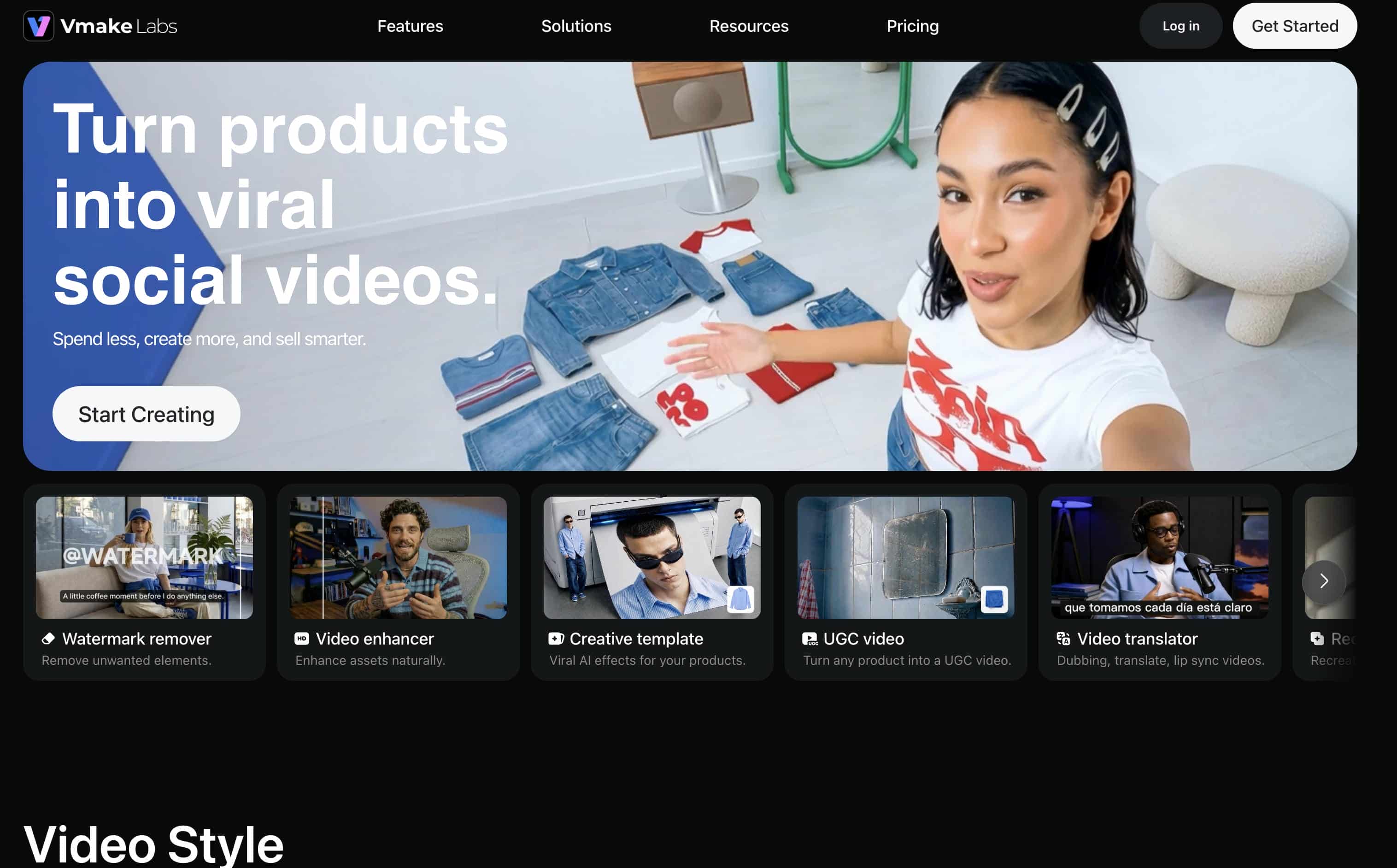
Step 1. Upload your podcast or paste a video link
Besides uploading podcast files, you can paste public links from YouTube, Instagram, Facebook, or transcribe TikTok videos directly in your browser, making it easy to convert published content into editable text.
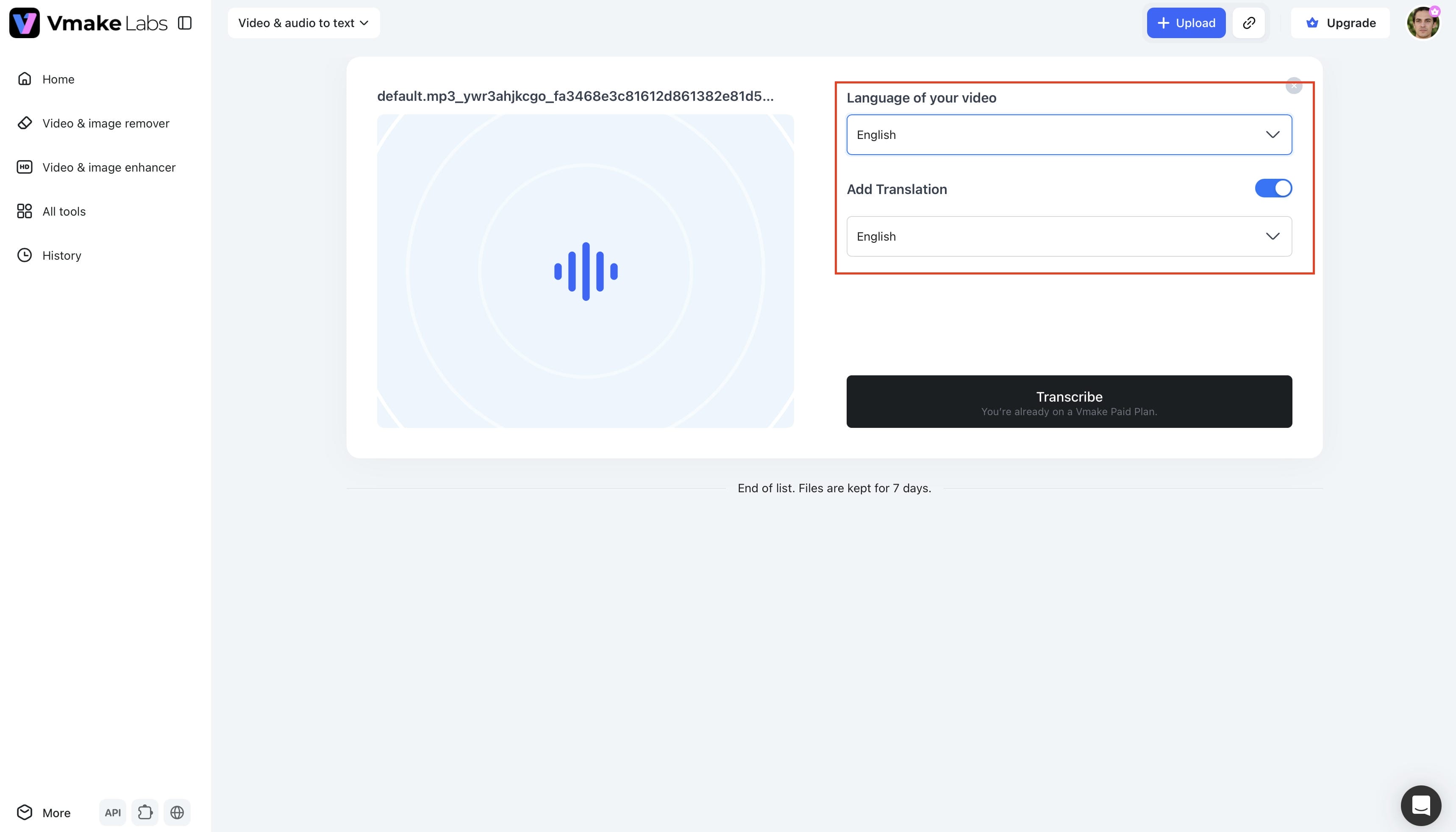
Step 2. Choose the transcription language
Select the language spoken in your podcast before starting the transcription. The AI then processes the recording and generates an editable transcript that you can review and refine.
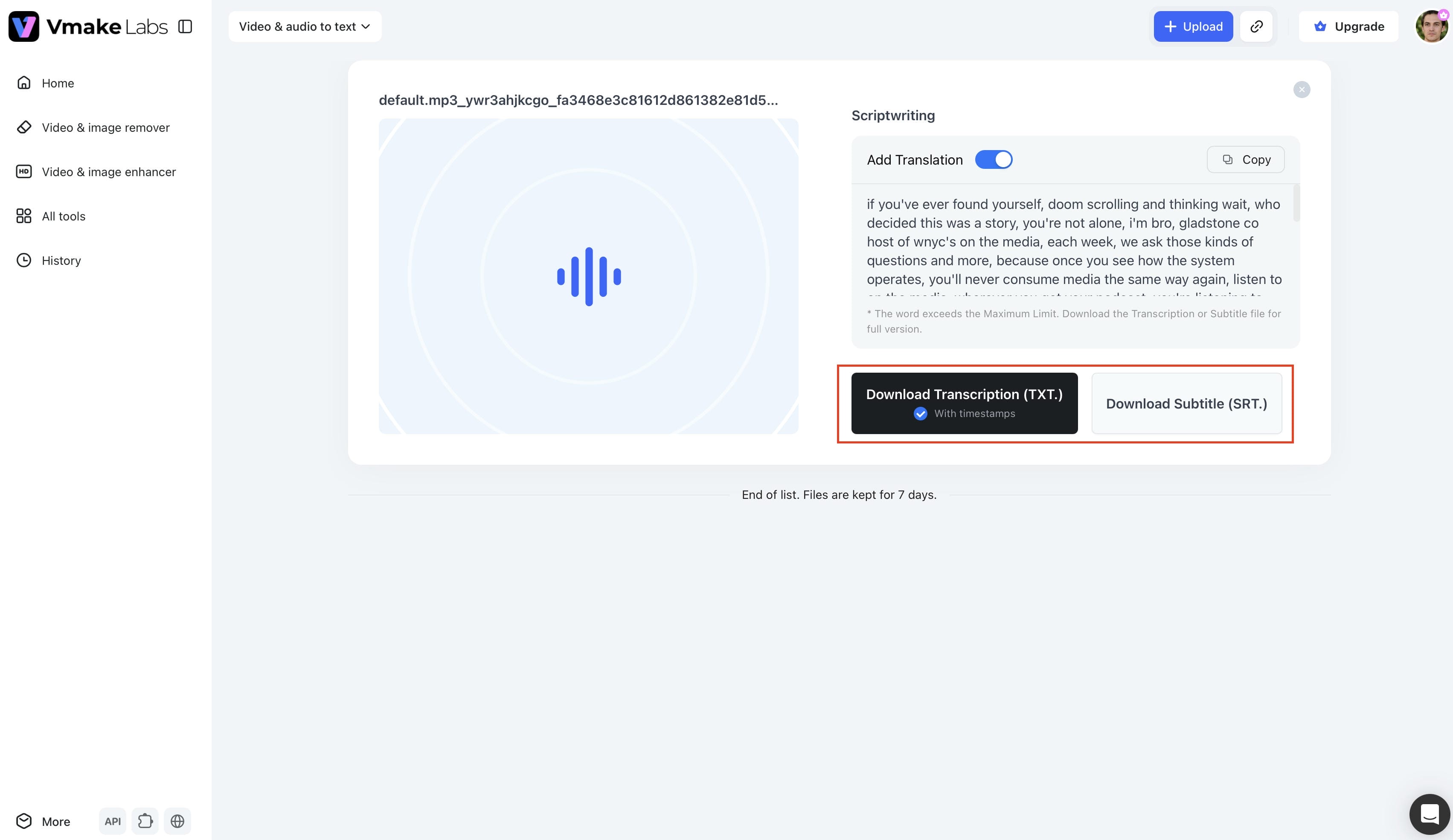
Step 3. Copy or export your transcript
Export your transcript in TXT or SRT format to create auto generated captions for podcast episodes shared on social media or video platforms.
Key features of Vmake Labs Video & Audio to Text
-
Upload audio and video files: Transcribe podcast recordings by uploading audio or video files directly from your device.
-
Paste supported video links: Generate transcripts from public YouTube, TikTok, Instagram, and Facebook videos without downloading them first.
-
Editable AI transcripts: Create transcripts in multiple languages and edit the text before exporting.
-
TXT and SRT export: Download transcripts in TXT or SRT formats for articles, captions, subtitles, and other publishing needs.
-
Browser-based workflow: Transcribe podcasts online without installing software or using dedicated recording hardware.
-
Supports recorded and published podcasts: Generate transcripts from existing podcast episodes, uploaded recordings, or publicly available videos.
Tips for More Accurate Podcast Transcription
-
Record in a Quiet Room: Background noise, fan hums, or outdoor traffic make it harder for the AI to isolate voices clearly, leading to transcription errors.
-
Invest in Quality Microphones: Crisp, high-quality audio signals provide the sharp vocal frequencies that AI models need to decode speech accurately.
-
Minimize Speaker Overlap: Encourage your guests to speak one at a time, as cross-talk can confuse speaker detection and cause words to get dropped.
-
Select the Spoken Language Manually: Choosing the correct language manually before transcribing helps the AI model use the right dictionary from the start.
-
Double-Check Proper Nouns: Do a quick search to verify the spelling of brand names, guest names, and industry jargon before you publish the text.
-
Split Up Massive Files: If you are working with an exceptionally long podcast recording, cutting it into smaller segments can help speed up processing and prevent errors.
Conclusion
So, can PLAUD transcribe podcasts? Yes. The PLAUD AI transcriber provides an efficient way to convert podcast recordings into editable text, especially for users already working within the PLAUD ecosystem. However, if you need to transcribe existing audio files or published videos without dedicated recording hardware, Vmake Labs offers a flexible browser-based alternative. With support for audio and video uploads, public video links, multilingual transcription, and TXT or SRT exports, it helps creators turn podcast content into transcripts, captions, and written resources with a streamlined AI-powered workflow.
FAQs
Can PLAUD transcribe podcasts?
Yes. PLAUD can transcribe podcasts using AI speech recognition to convert recorded audio into editable text. It works well for solo podcasts, interviews, educational content, and many multi-speaker recordings with clear audio.
Can I use PLAUD to transcribe a podcast I already recorded?
Yes, provided the recording can be imported into the PLAUD app. If you already have published podcast audio or video, Vmake Labs also lets you upload files or paste supported video links for browser-based transcription.
How accurate is PLAUD AI transcriber?
The PLAUD AI transcriber works best when the speech is clear and the background noise is minimal. Like most AI transcription tools, you'll want to double-check names, technical terms, and overlapping conversations before publishing.
Does PLAUD support multiple speakers?
Yes. PLAUD supports speaker identification for many interviews and discussion podcasts. Accuracy is dependent on the quality of the recording. Some manual adjustments may be necessary in conversations with heavy speaker overlap.
What is a good alternative to PLAUD AI transcriber?
If you need to transcribe existing audio or online videos and don't have dedicated recording hardware to do it, Vmake Labs is a handy alternative. It supports audio and video upload, public video links, multilingual transcription and exports to TXT or SRT.

You May Be Interested
How to Transcribe Audio Recording to Text in Minutes
What Is Video Translation and How Does AI Work?
How to Transcribe a Video to Text: Guide to Accurate Transcriptions
How to Transcribe Video to Text in 2026: Free Online AI Tool