
Hedra AI Review 2026: Video Generation, Pricing & Alternatives
Explore this Hedra AI review to learn about video generation, avatars, lip sync, pricing, features, and creative workflows, then discover a flexible alternative with Vmake Labs for creators today.

AI video generators have developed far beyond the simple text-to-video systems of old. Hedra AI blends characters, avatars, audio, and video generation into one creative workstation. This review discusses its essential features, process, cost, pros and cons, and who it is most suited for as a creator and marketer.
What is Hedra AI and what can you create with it?
Hedra AI is an AI-powered creative platform for Video, Character, image, and Audio Creation. It has developed from a talking-avatar tool to a multi-model creative studio that enables users to create animated characters, make images, and produce video scenarios in one workspace. Rather than relying on a single model, Hedra offers customers the flexibility to select among its own models as well as Veo, Kling, Seedance, MiniMax, and Sora. This makes it useful for social media material, marketing campaigns, educational films, storytelling, and experimental creative ventures.
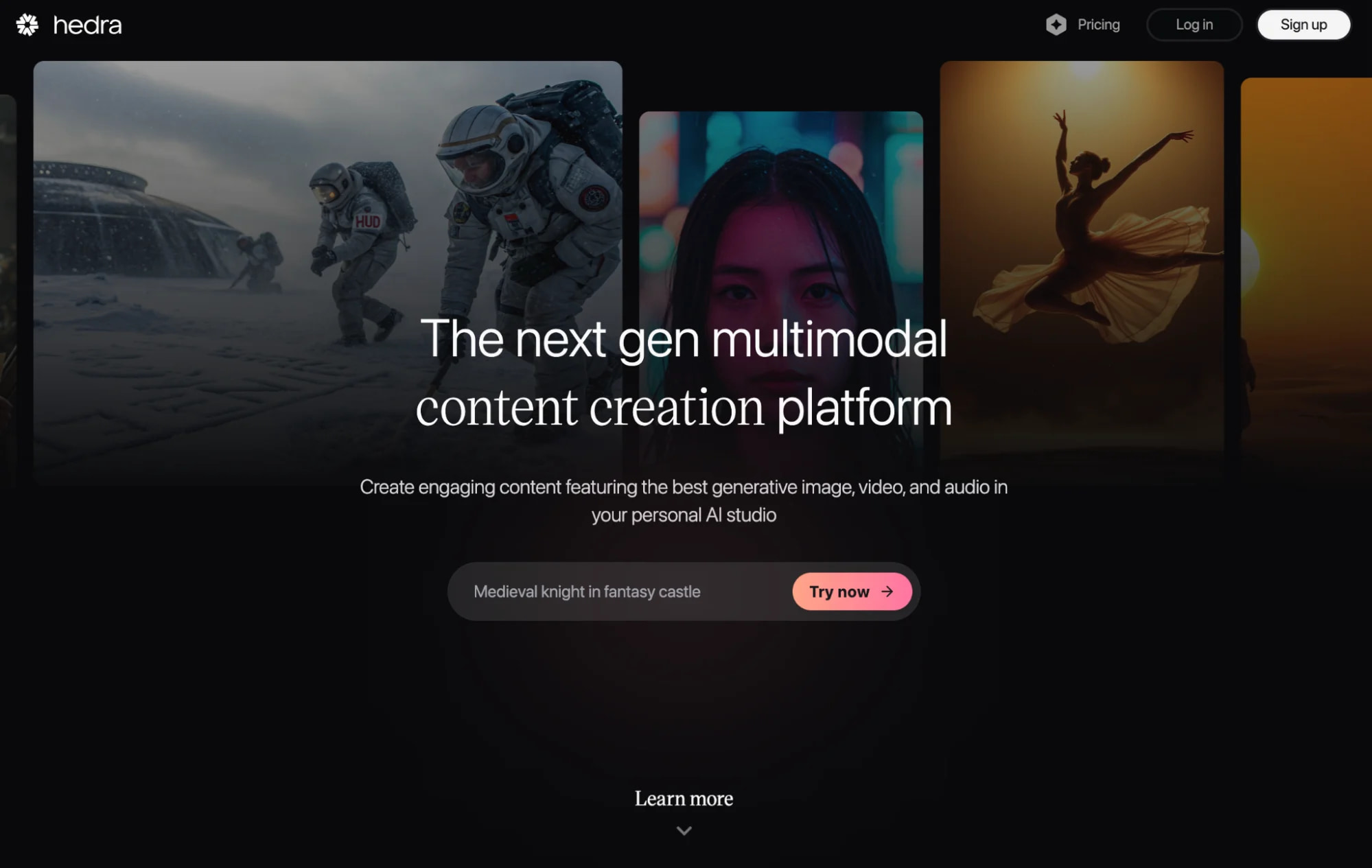
Key capabilities of Hedra AI
-
AI video generation: Create clips from text, images, characters, and other creative inputs.
-
AI avatar and character creation: Build talking characters for explainers, social posts, ads, and storytelling.
-
Hedra AI lip sync: Use audio to drive mouth movements, timing, and facial expressions for speaking characters.
-
Character animation: Animate characters with speech, expressions, and movement.
-
Multiple AI video models: Choose models based on the visual style, motion, speed, or character performance required.
-
AI-assisted video creation: Hedra's prompt enhancement and AI agent can help turn a rough idea into a more developed video workflow.
-
Creative customization: Adjust prompts, references, audio, models, aspect ratios, and other generation settings.
How to make a video with Hedra AI
Creating a video with Hedra AI starts with choosing a generation model and adding your prompt or reference image. You can then customize the character, visuals, motion, and other settings before generating the video. Once created, you can review the result and refine it as needed.
Step 1: Choose a video creation workflow
Start by deciding what you want the video to do. You can work from a text prompt, image, character, or audio-driven workflow. For a talking character, for example, you can start with a face or character and then build the performance around audio.
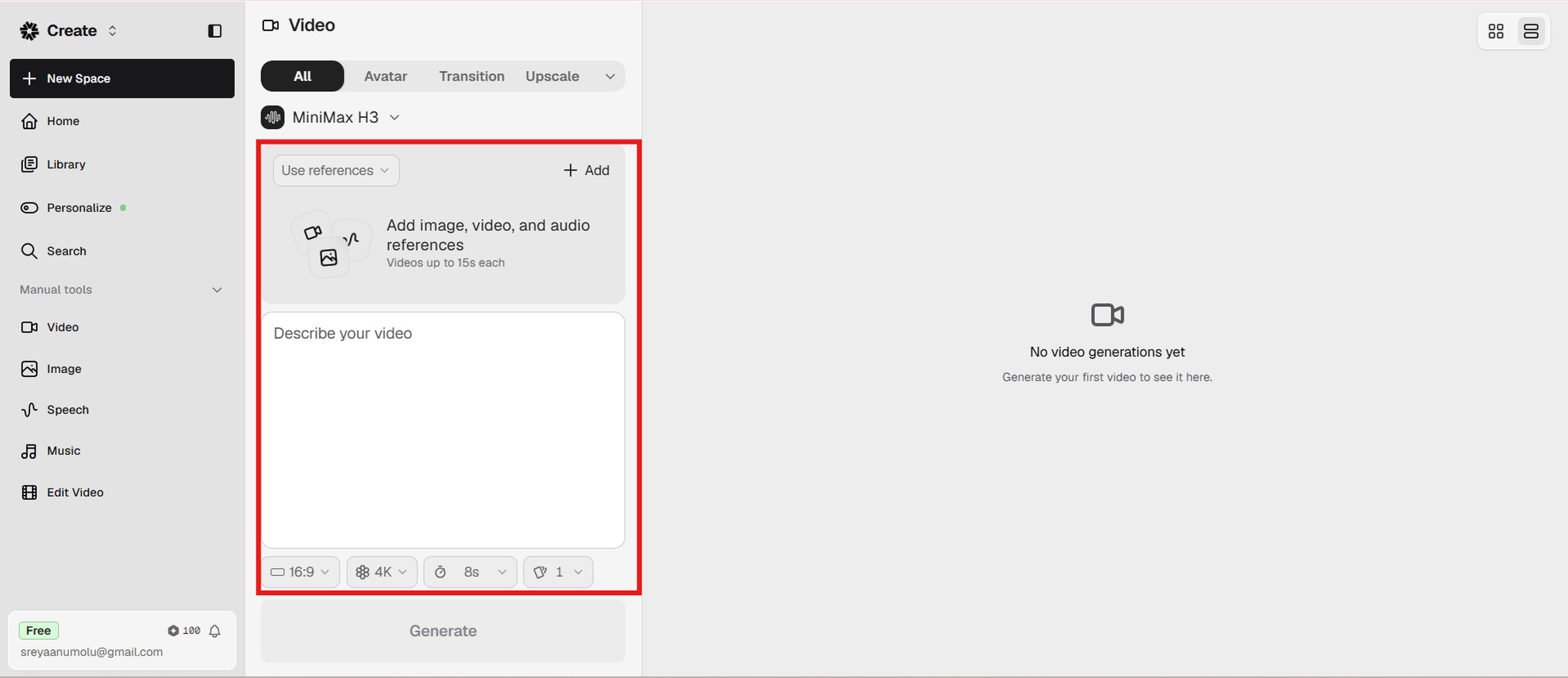
Step 2: Add your creative inputs and customize the generation
Enter your prompt and upload any reference material required by the selected workflow. If you're creating a speaking character, you can add an audio recording, record directly, or use an AI-generated voice. Hedra's lip-sync workflow uses the audio to drive mouth movements, timing, and expressions.
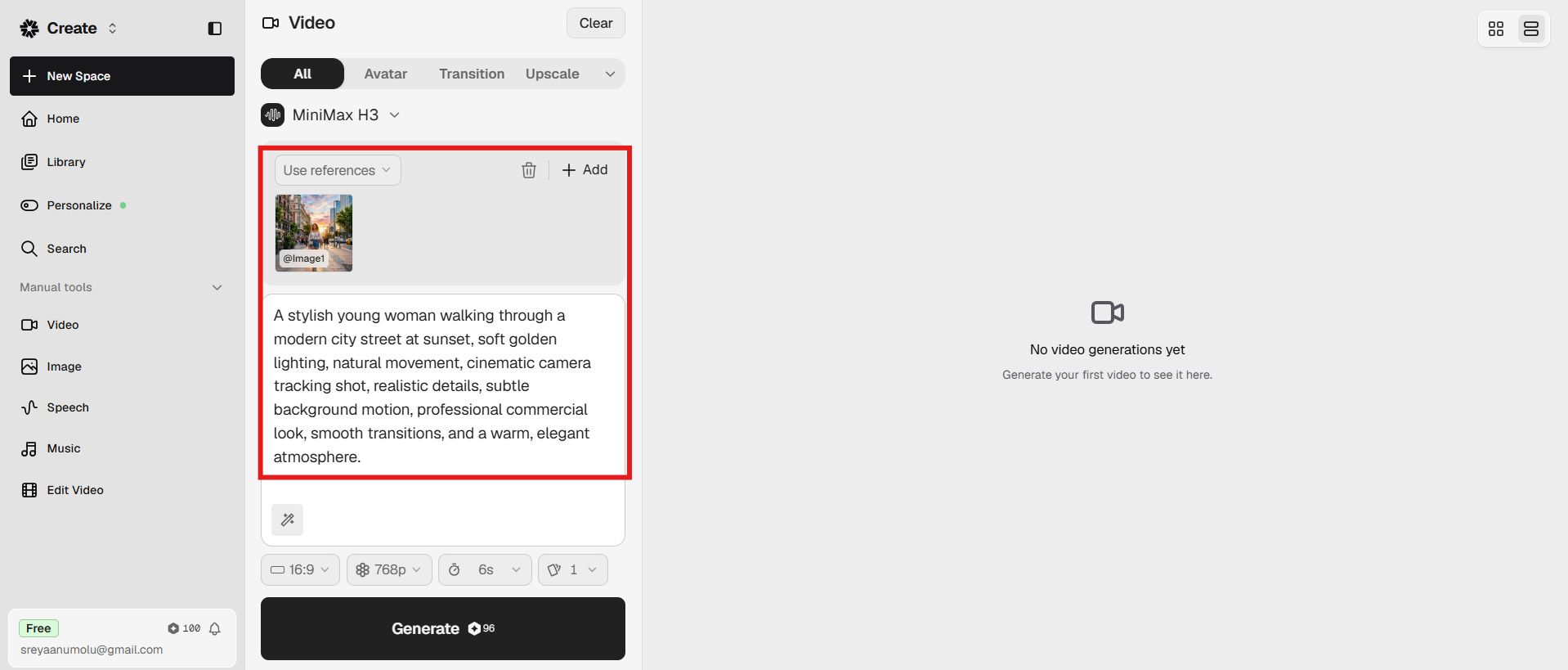
Step 3: Generate and download your video
Once your inputs and settings are ready, click the generate option to create your video. Hedra processes the selected model and inputs to produce the final result. Preview the generated video to check the visuals, motion, and audio, then download it if you're satisfied with the output.
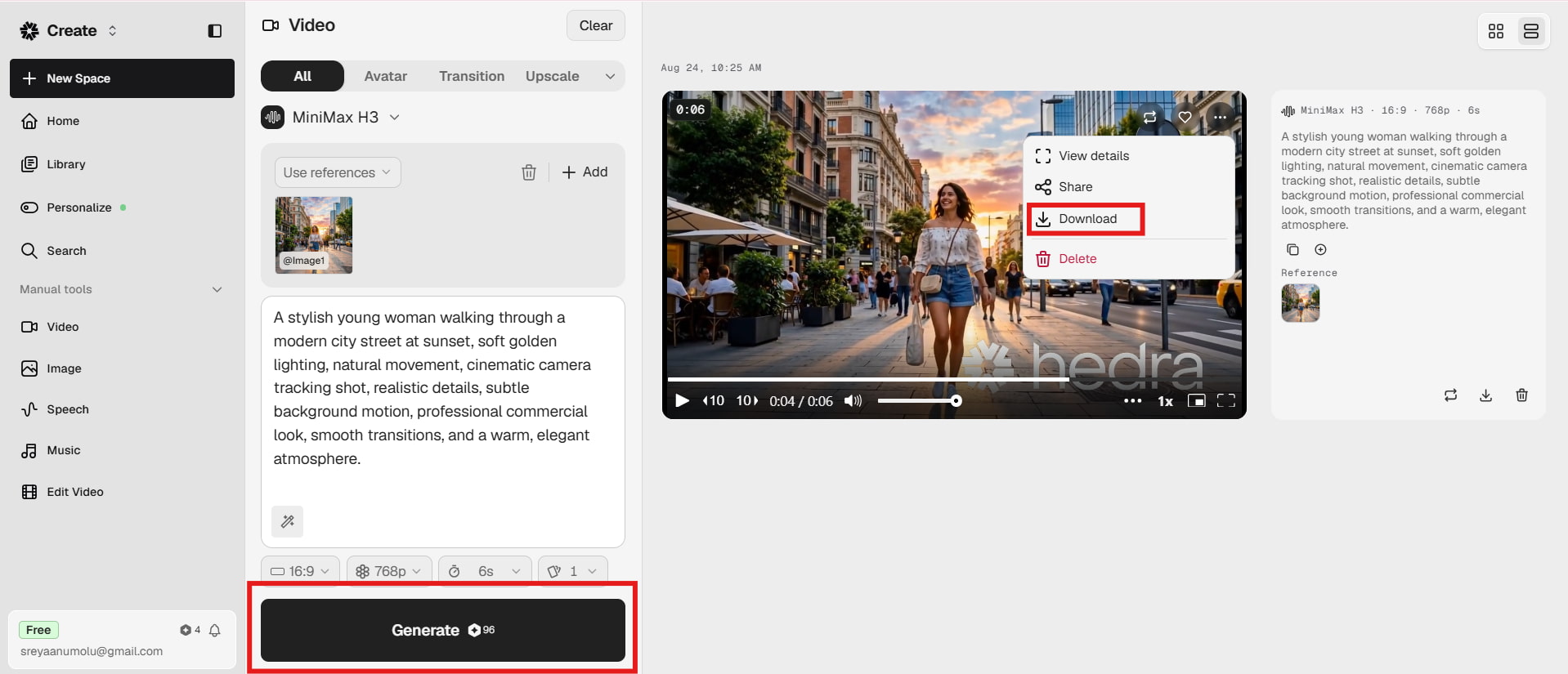
How well does Hedra AI perform? Pros, cons, pricing, and user experience
Hedra performs particularly well when the project depends on characters, talking faces, or audio-driven performance. Its broader model library also gives creators more room to experiment with different visual approaches. However, output quality can still vary between models, and complex scenes may require several attempts.
Test samples
Test results
|
Test scenario |
What we found |
|---|---|
|
Talking character |
Strong facial performance and useful lip-sync workflow |
|
Prompt-based video |
Good creative flexibility, with results varying by model |
|
Character animation |
One of Hedra's strongest use cases |
|
Complex scenes |
More likely to show inconsistencies in motion or details |
|
Creative experimentation |
Strong because multiple models are available |
|
Repeat generation |
Useful for refinement, but can increase credit usage |
The whole experience seems more appropriate for artists who are comfortable experimenting, rather than users who need every suggestion to generate a perfect product immediately.
Pros and cons
|
Pros |
Cons |
|---|---|
|
|
|
|
|
|
|
|
|
|
|
|
Pricing
|
Plan |
Pricing |
Best For |
|---|---|---|
|
Free |
$0 |
Beginners who want to test Hedra AI and explore its basic image and video creation features |
|
Basic |
$15/month |
Casual creators who need more credits and features for personal or occasional content creation |
|
Creator |
$30/month |
Content creators, social media users, and freelancers produce AI videos and visuals regularly |
|
Professional |
$75/month |
Professional creators, marketers, and businesses with higher-volume AI content needs |
|
Teams |
$75/month |
Small teams and creative groups collaborating on AI-generated video and visual content |
|
Enterprise |
Contact sales |
Larger organizations that need high-volume generation, collaboration, and customized business solutions |
The Basic plan includes 1,500 credits, Creator includes 5,400, and Professional and Teams includes 14,400 credits per month. Monthly subscription credits reset rather than rolling over, while separately purchased credit packs do not expire.
Community feedback
On Reddit
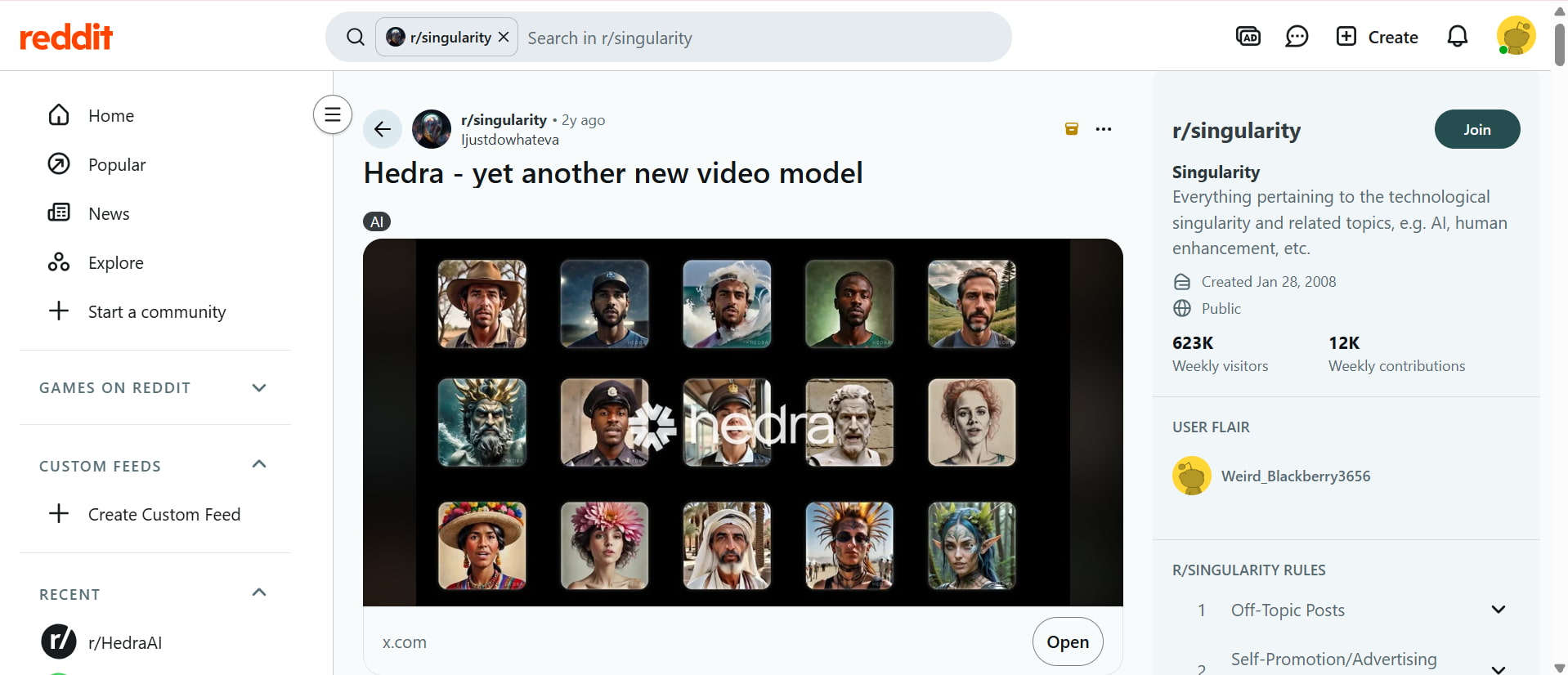
Reddit discussions about Hedra show interest in its AI video-generation capabilities and new video models. The shared post highlights examples of AI-generated characters and portraits, showing the platform's ability to create varied visual content. Overall, the discussion reflects curiosity and experimentation around Hedra's evolving AI video tools.
On Trustpilot
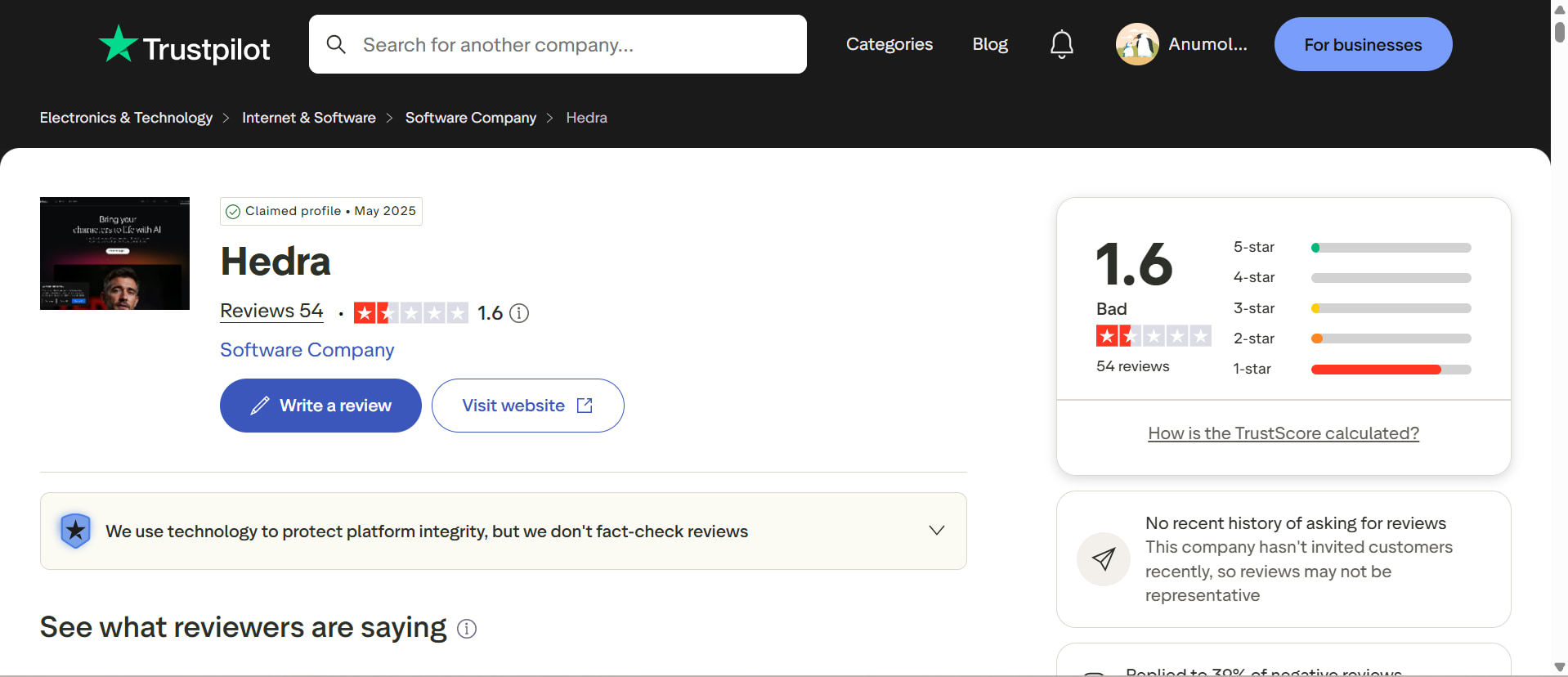
Trustpilot feedback for Hedra is considerably more critical, with a 1.6/5 rating from 54 reviews shown in the screenshot. The profile is rated Bad, with a large share of reviews receiving one star. This suggests that users have reported several concerns with their overall experience, making Trustpilot feedback an important counterpoint to the more exploratory Reddit discussions.
Hedra AI offers a flexible creative workflow, particularly for character-driven and audio-based videos. However, creators may also want a platform with a broader focus on streamlined content creation and editing. This makes it useful to compare Hedra with other AI video tools. One such option is Vmake Labs, which provides additional tools for creating and refining visual content.
Vmake Labs as a Hedra AI alternative for content creation
Vmake Labs is worth considering if your needs extend beyond talking characters and avatar videos. Its AI video generator supports text-to-video, image-to-video, and video-to-video workflows, while its AI Avatar tools can help create engaging character-based content. The platform also combines generation, editing, enhancement, and optimization for social and commercial content.
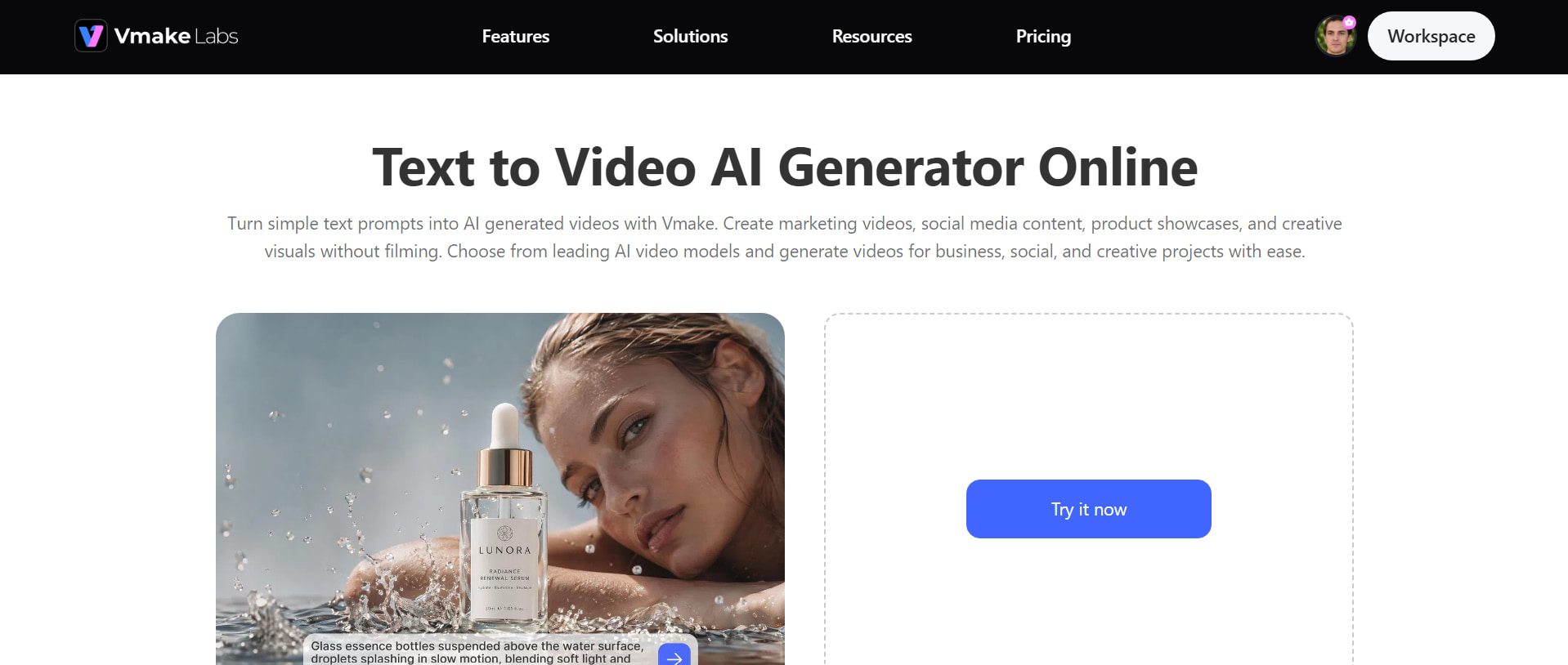
How to create AI videos with Vmake Labs
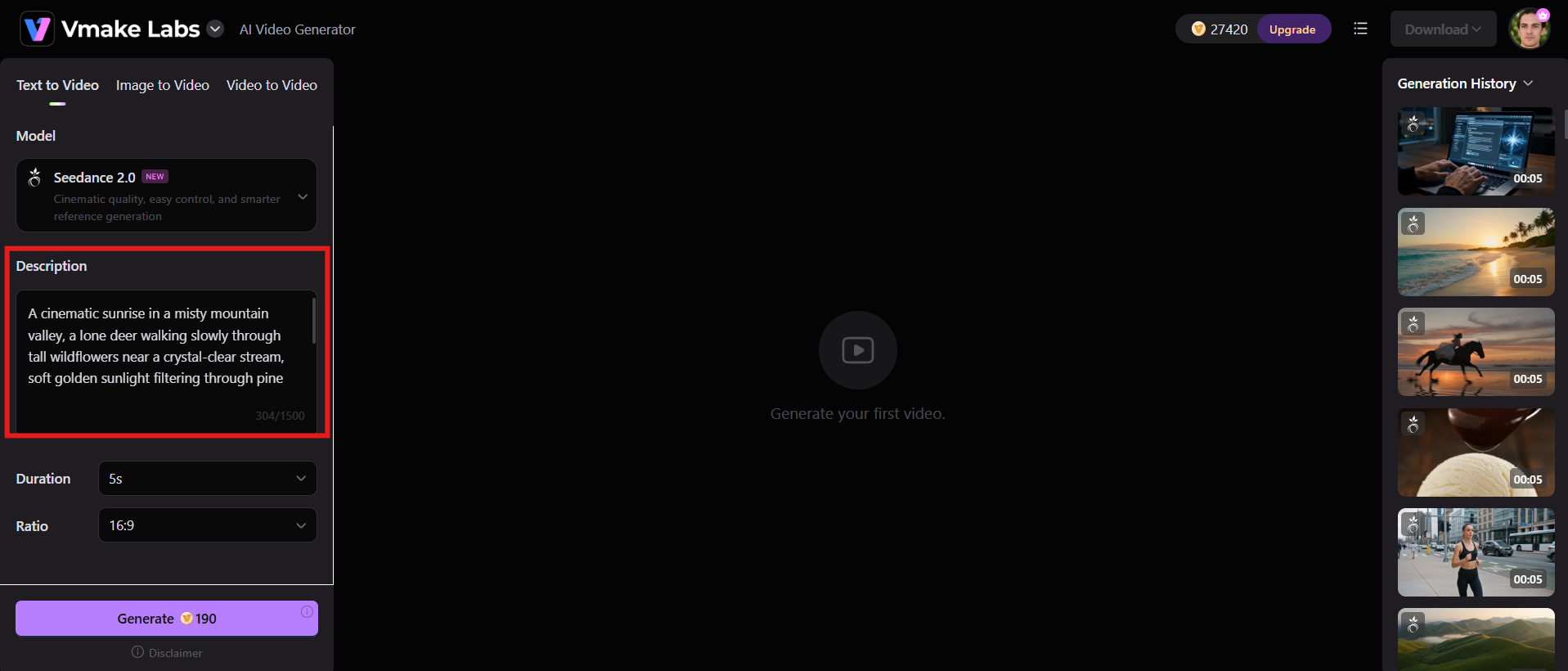
Step 1: Enter your video idea or upload your source material
Start by entering a description of the video you want to produce into the prompt box, including the subject, action, setting, visual style, and mood. You can contribute a picture, video or other supported reference material to influence the created video's look and direction.
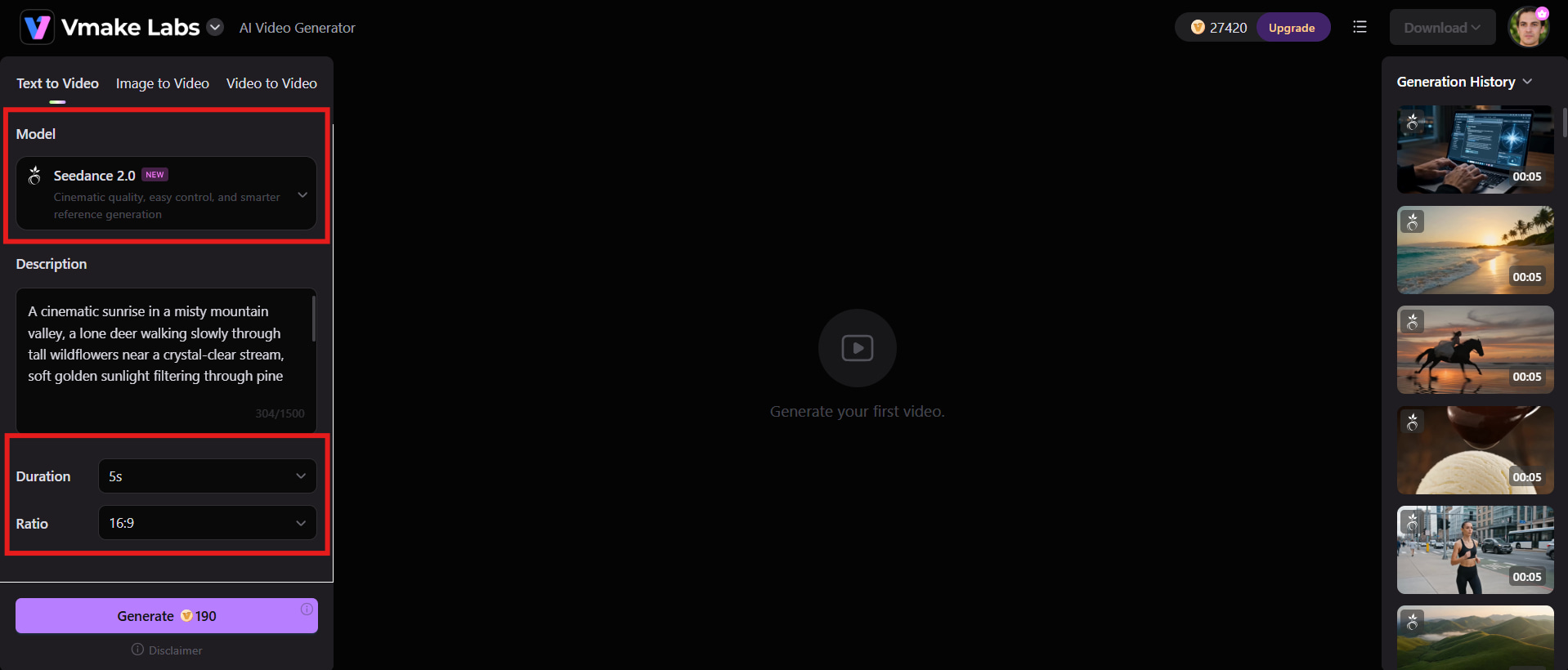
Step 2: Choose the appropriate AI video workflow and customize your settings
Choose the AI video workflow and model that best match your creative goal. Adjust available settings such as aspect ratio, resolution, and duration, then review your prompt and reference material before starting the generation.
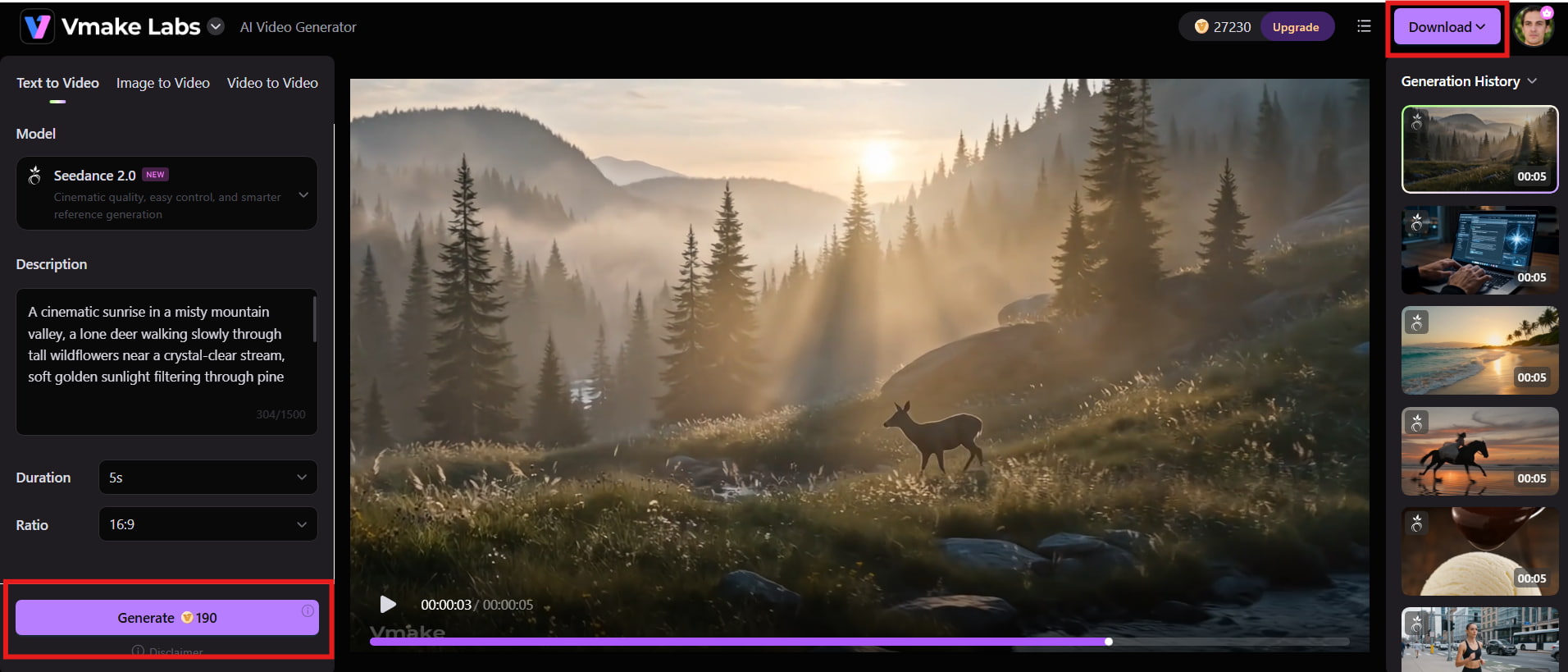
Step 3: Generate and export your video
Click Generate to create your video and preview the result for visual quality and prompt adherence. If needed, refine your prompt or settings and generate another version before exporting or downloading the final video.
Why choose Vmake Labs?
-
AI video generation: Create engaging videos from prompts, images, or existing content for social media, marketing campaigns, and creative projects.
-
AI video enhancement: Improve the clarity, sharpness, and overall quality of videos with AI-powered enhancement tools.
-
Video editing workflows: Refine existing or generated videos by making adjustments that better match your creative and marketing requirements.
-
AI-powered creative tools: Combine video generation with other AI tools to create, edit, and optimize visual content from one platform.
-
Marketing-focused use cases: Create visual content for ecommerce, social media, advertising, product promotion, and brand campaigns.
-
Beginner-friendly workflow: Use an intuitive browser-based interface to create and refine content without requiring advanced technical skills.
Hedra AI vs Vmake Labs: Which video tool should you choose?
If you're a creator who wants to use AI avatars, character animation, lip sync, and storytelling videos, Hedra AI is a good option. Vmake Labs is better suited for customers that need a larger workflow of content creation, including video generation, editing, enhancement and marketing-oriented material. The preferable choice depends on your focus: character-based creativity or flexible commercial content creation.
|
Category |
Hedra AI |
Vmake Labs |
|---|---|---|
|
Best For |
AI avatars, characters, and generative video |
Marketing, social, ecommerce, and broader AI content creation |
|
AI video generation |
Character and generative video workflows |
AI-powered video creation workflows |
|
Avatar creation |
Strong focus |
Available depending on workflow |
|
Lip sync |
Dedicated lip-sync capabilities |
Depends on available video workflow |
|
Video editing |
Focused primarily on AI generation workflows |
Broader AI video editing and enhancement capabilities |
|
Video enhancement |
Not its primary focus |
Dedicated AI video enhancement |
|
Creative workflow |
Character and AI video focused |
Broader visual content workflow |
|
Ease of use |
Designed for creative experimentation |
Beginner-friendly browser workflow |
|
Best use cases |
Avatars, characters, storytelling, AI video |
Marketing, ecommerce, social media, and commercial content |
Which one should you choose?
Choose Hedra AI if your priority is creating AI avatars, character-driven videos, and storytelling content. Its dedicated lip-sync and character animation capabilities make it a good choice for creators who want to experiment with talking characters, audio-driven performances, and generative video.
Choose Vmake Labs if you are focused on marketing, e-commerce, social media, and professional visual content. Its video generation, editing, enhancement, and broader AI creative workflows make it more suitable for creators and businesses that need to produce and refine different types of commercial content.
Conclusion
Hedra AI is a capable choice for creators who want expressive avatars, character animation, lip sync, and access to several video models in one workspace. Its credit-based pricing can work well for regular creators, although repeated generations may become costly, and community feedback shows some concerns around support and credit usage. Vmake Labs is a stronger alternative when your goal extends beyond character videos to marketing, e-commerce, social content, enhancement, and broader visual workflows. Overall, choose Hedra for character-led storytelling and experimentation; choose Vmake Labs for a more commercial, versatile content creation workflow with less platform switching and daily setup.
FAQs
-
What is Hedra AI used for?
Hedra AI is used to create AI-generated videos, talking avatars, animated characters, images, and audio-driven content. It is particularly useful for storytelling, social media, explainers, and marketing videos. For creators who need broader visual content tools, Vmake Labs offers additional workflows for video creation and editing.
-
Is Hedra AI free to use?
Yes, Hedra AI offers a free option for users who want to explore its creative tools before upgrading. Free usage may come with limitations such as credits, watermarks, or commercial-use restrictions. Vmake Labs also provides AI-powered creative tools for users who need additional content creation capabilities.
-
How much does Hedra AI cost?
Hedra's paid plans currently start at $15/month for Basic, followed by $30/month for Creator and $75/month for Professional or Teams. Enterprise pricing is customized. The platform uses credits for generation, so your actual usage depends on the models and amount of content you create.
-
How does Hedra AI lip sync work?
Hedra's lip-sync workflows use audio to drive mouth movements, timing, and facial expressions. You can upload or record audio, or use generated voices, and the selected audio-driven model creates the corresponding character performance.
-
Is Hedra AI good for AI video generation?
Hedra is a strong option for creators who want character-focused generation, talking avatars, lip sync, and access to multiple video models. Its main limitation is that results can vary between models and prompts, so getting the best output may require experimentation and multiple generations.
-
Is Vmake Labs a good Hedra AI alternative?
Yes, particularly if you need more than avatar or character generation. Vmake Labs combines AI video generation with broader workflows for marketing, ecommerce, social content, editing, and enhancement, making it a practical option for creators and businesses producing different types of visual content.

You May Be Interested

Z Image AI Review 2026: Features, Performance, Pros and Cons
Yodayo AI Review 2026: Features, Pricing, and Alternatives
X-Design Watermark Remover Review (2026): Features & Pricing
Vidu AI Review: Is This AI Video Generator Worth in 2026?
Vadoo AI Review 2026: Features, Pricing and Alternatives
VEED Review: Does the Watermark Remover Work? (2026)

Vivideo AI Review 2026: Features, Pricing and Alternatives
Unlucid AI Review: Is this AI platform worth it in 2026?
