
Gencraft Review Explained: A Complete Hands-on Analysis for Creators
Discover what Gencraft offers in this detailed Gencraft review. Compare its AI image generation features, pricing, creative tools, pros, and cons with Vmake Labs AI Image Generator before you try it.

Gencraft is an AI-powered creative platform that turns prompts and reference images into creative visuals, video and personalized content. In this Gencraft review, we will explore its features, pricing, ease of use, quality of output, pros and limitations, and user feedback to see if Gencraft is worth using. Besides, we'll compare it with Vmake Labs image generator to make your choice simpler.
What is Gencraft
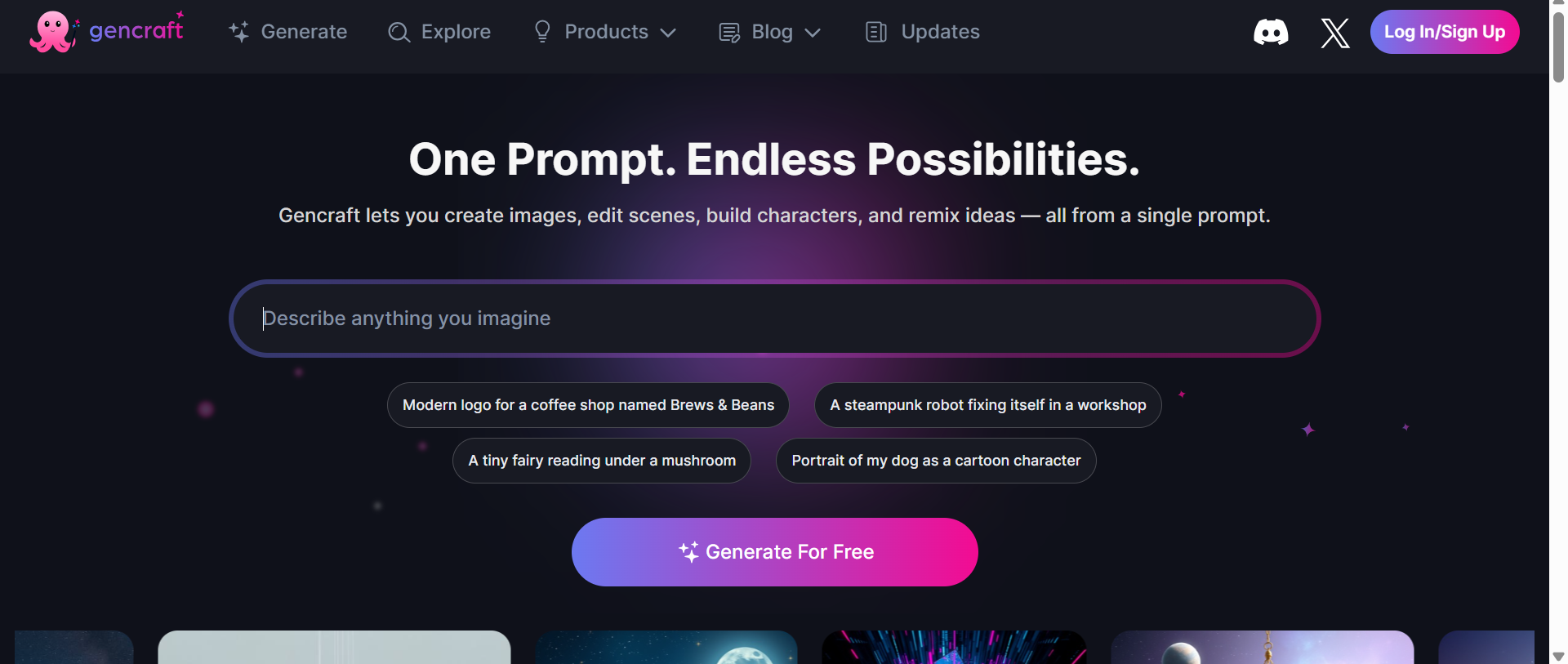
Gencraft is a creative AI platform that lets users create images, videos, and other generative content from text prompts and visual ideas. It's a workflow that spans prompt-based generation, various AI models, creative styles, image editing, and custom model training. The platform aims to support both loose experimentation and more formal visual-content workflows. Currently, Gencraft advertises image, video, character, and scene generation from one platform.
This can be useful for a wide range of users, especially those who need to create visual assets without having to build from scratch, such as
-
Social media creators
-
Designers
-
Marketers
-
Bloggers and content teams
-
Artists and visual storytellers
Gencraft AI key features at a glance
Gencraft is a platform that brings together different AI creation tools. From generating images from simple prompts to building custom models, these features cover the different stages of an AI-driven creative workflow. Here are a few of them.
AI text-to-image generation
Central to Gencraft's workflow is text-to-image generation. Describe what subject, environment, style, composition or mood you want and the platform creates visual variations from the prompt. Gencraft AI image generator's current generation workflow allows users to choose from different models, and its model library includes options focused on realistic photography, art styles, characters, logos, stickers and other specialized outputs.
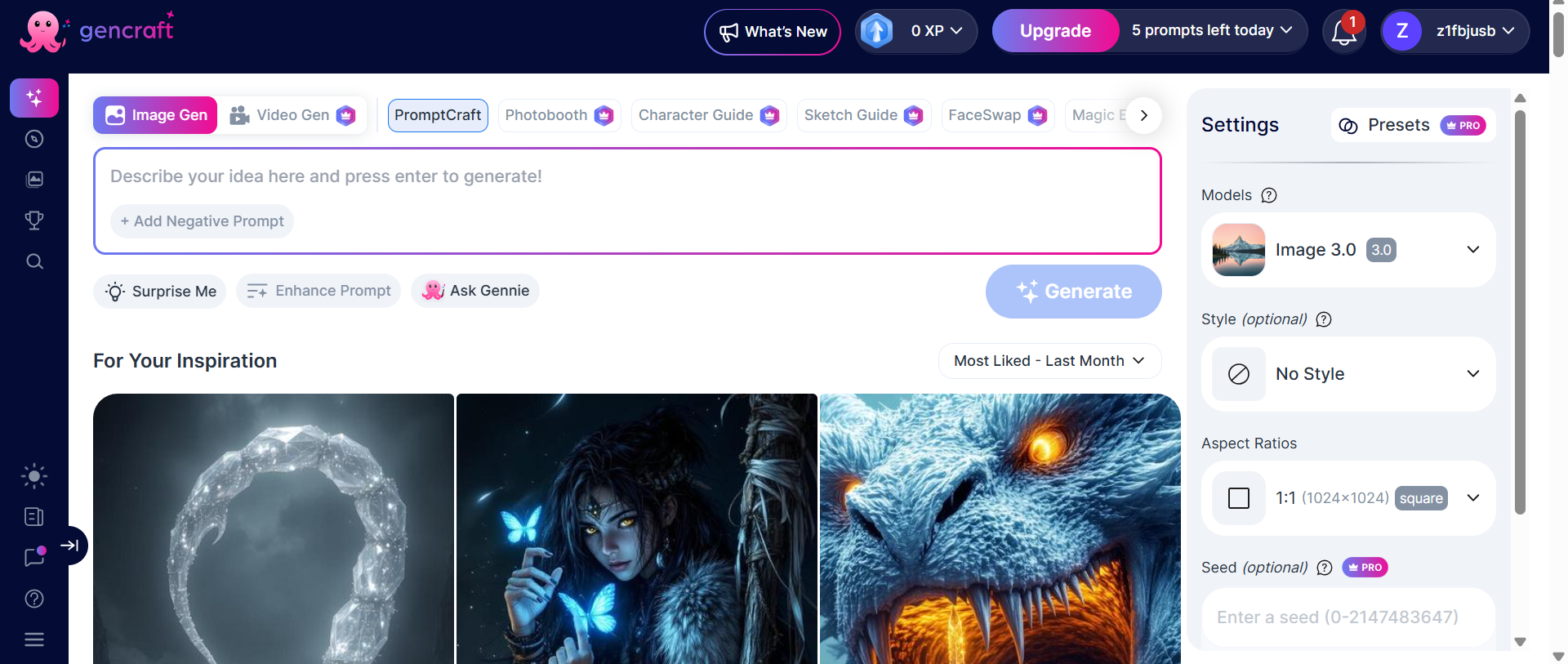
Image-to-image generation
AI image generator Gencraft also supports workflows where you can start from an existing image. This is useful if you already have a character, photo, artwork or concept and want to reinterpret it, rather than generate everything from a blank prompt. While its reference-based generation retains characteristics from a source image, the control level may differ depending on the workflow and model.
AI video generation
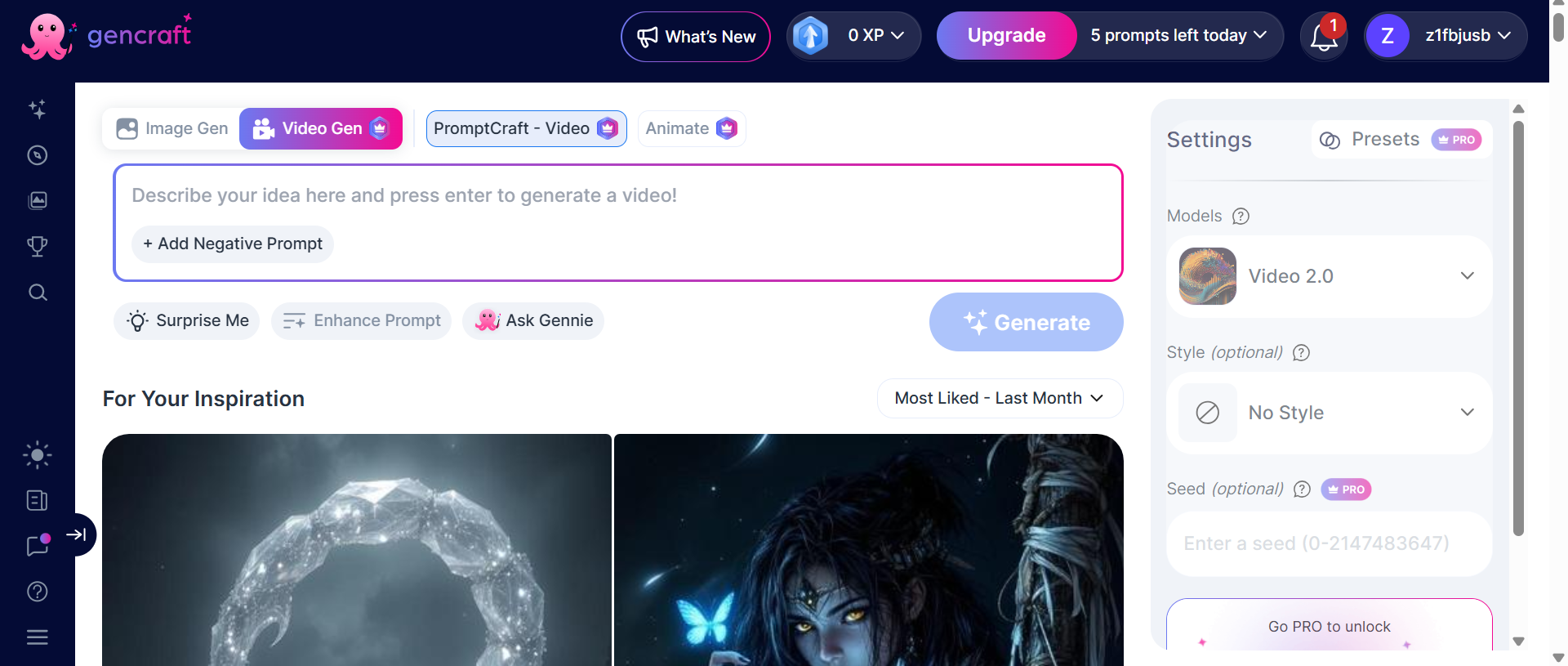
Gencraft isn't limited to static images. Its current platform also promotes AI video creation, allowing users to create visual content from prompts. Its official guide describes a workflow where the user can select between image and video generation and can generate a short video from a text prompt.
Creative styles and customization
Gencraft offers a wide variety of models and styles so users can switch from realistic photos to illustrations, anime-inspired images, 3D characters, logos, stickers, and other creative designs. Paid users have access to some specialized models, and Gencraft occasionally rotates select models into the free tier. Pro presets offer an additional layer of customization for creators who generate similar types of content over and over again.
Custom AI model training
Gencraft also has a unique feature of custom model training. Users can upload their own images, caption them, and train a personalized model that can reproduce a particular visual style or help generate images around a particular subject. Users can upload as many as 500 images to build custom models. The feature is particularly interesting for artists, creators and teams looking for a repeatable visual identity.
Gencraft AI image generator review: Test, pricing, pros, and cons
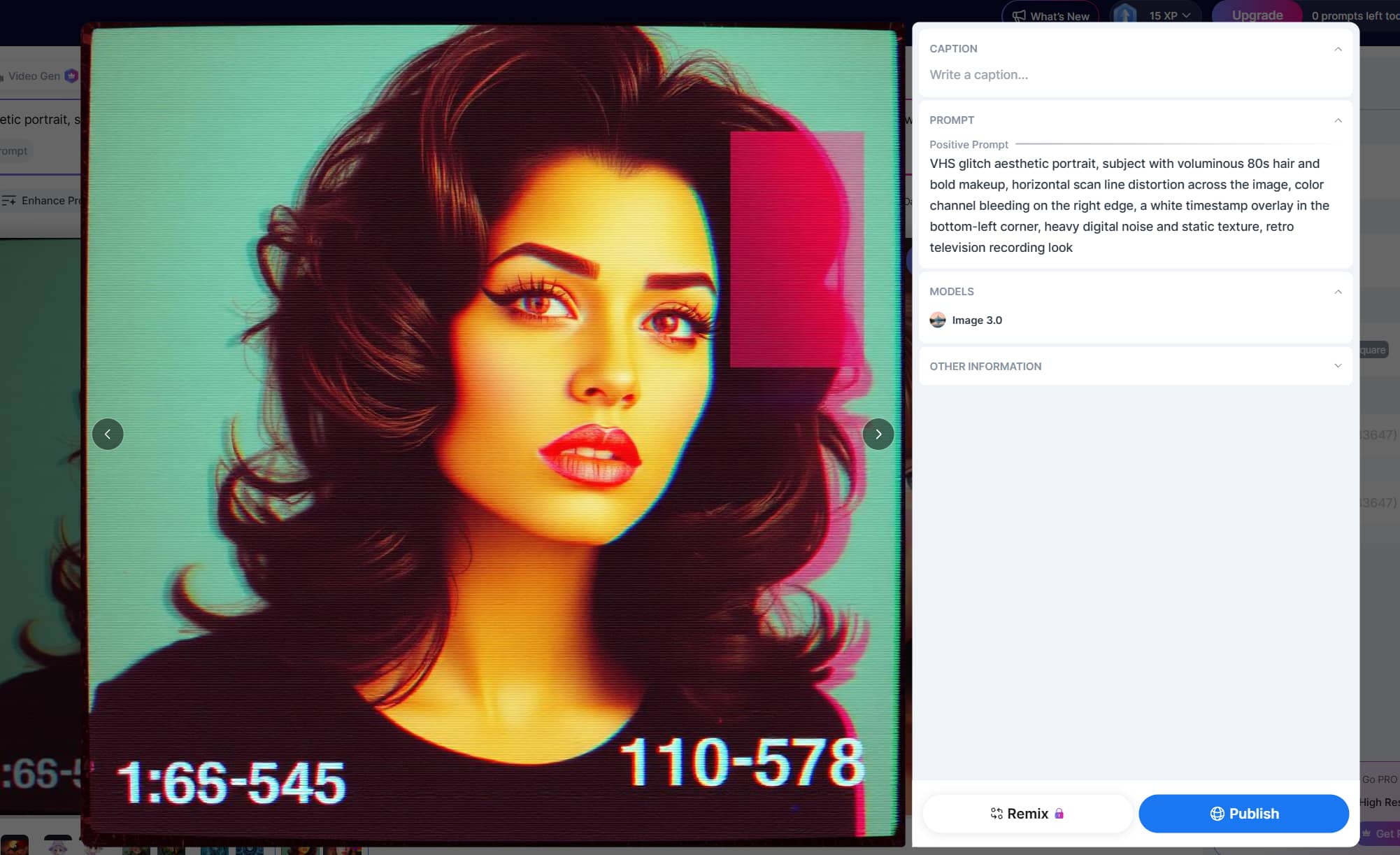
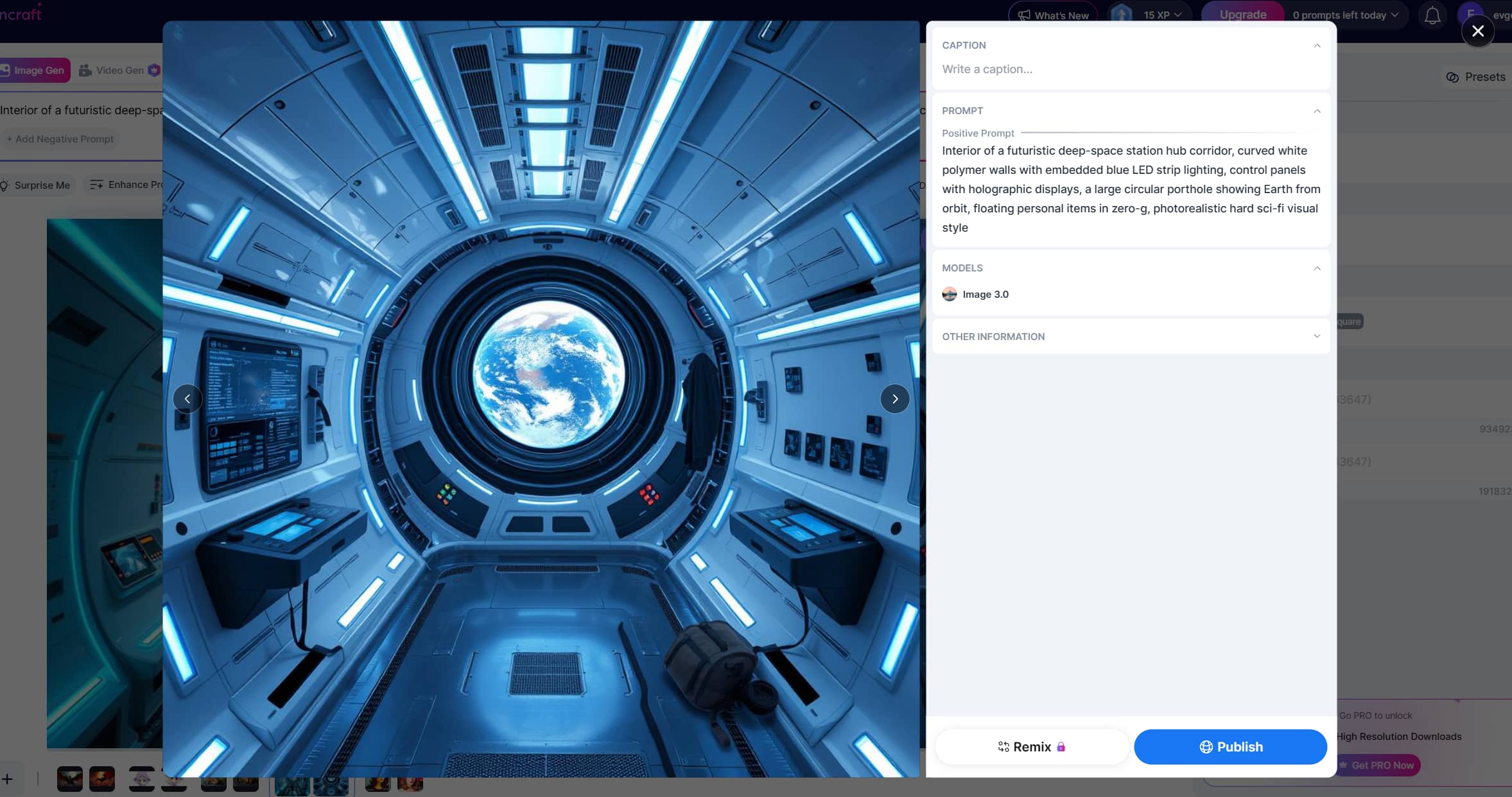
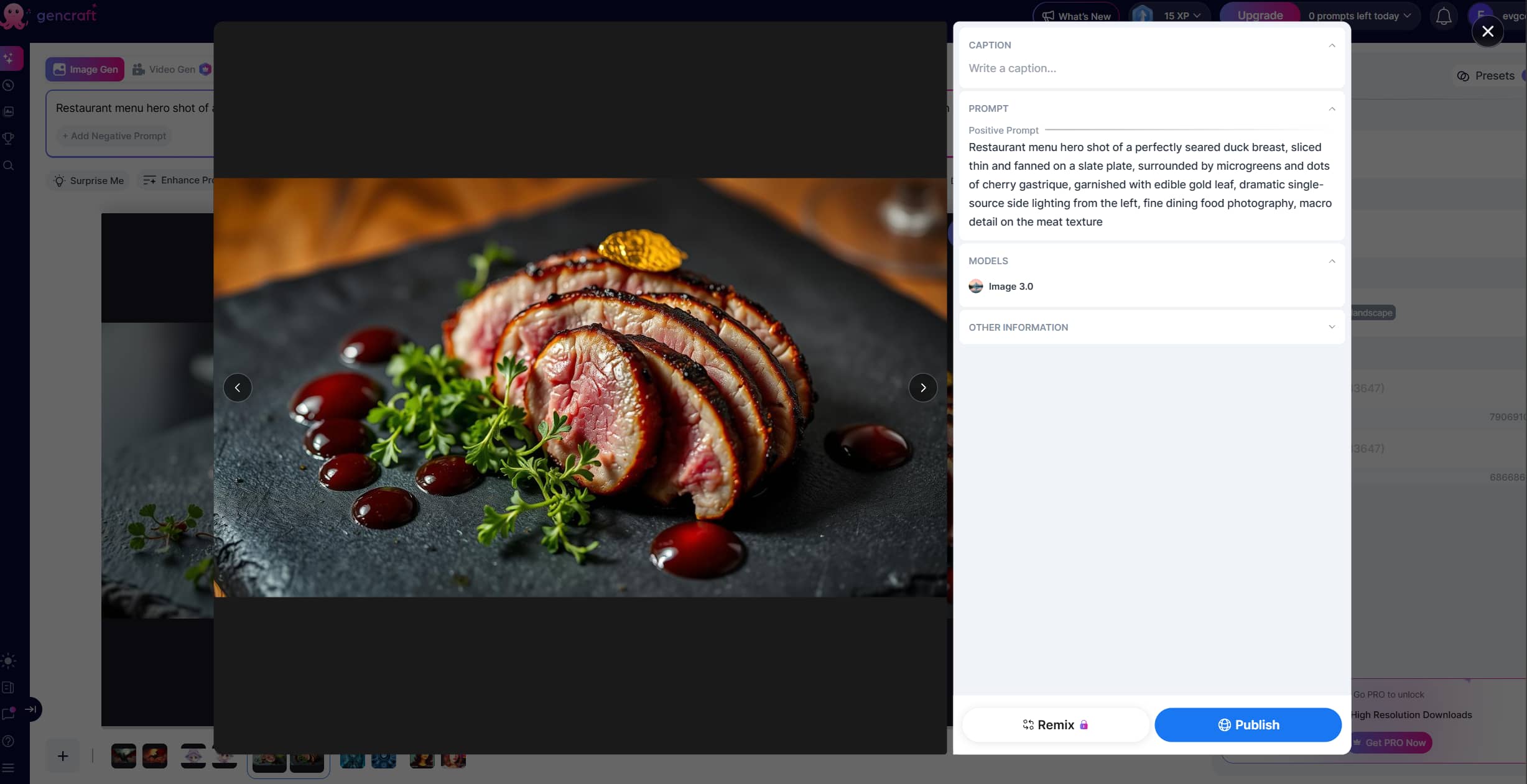
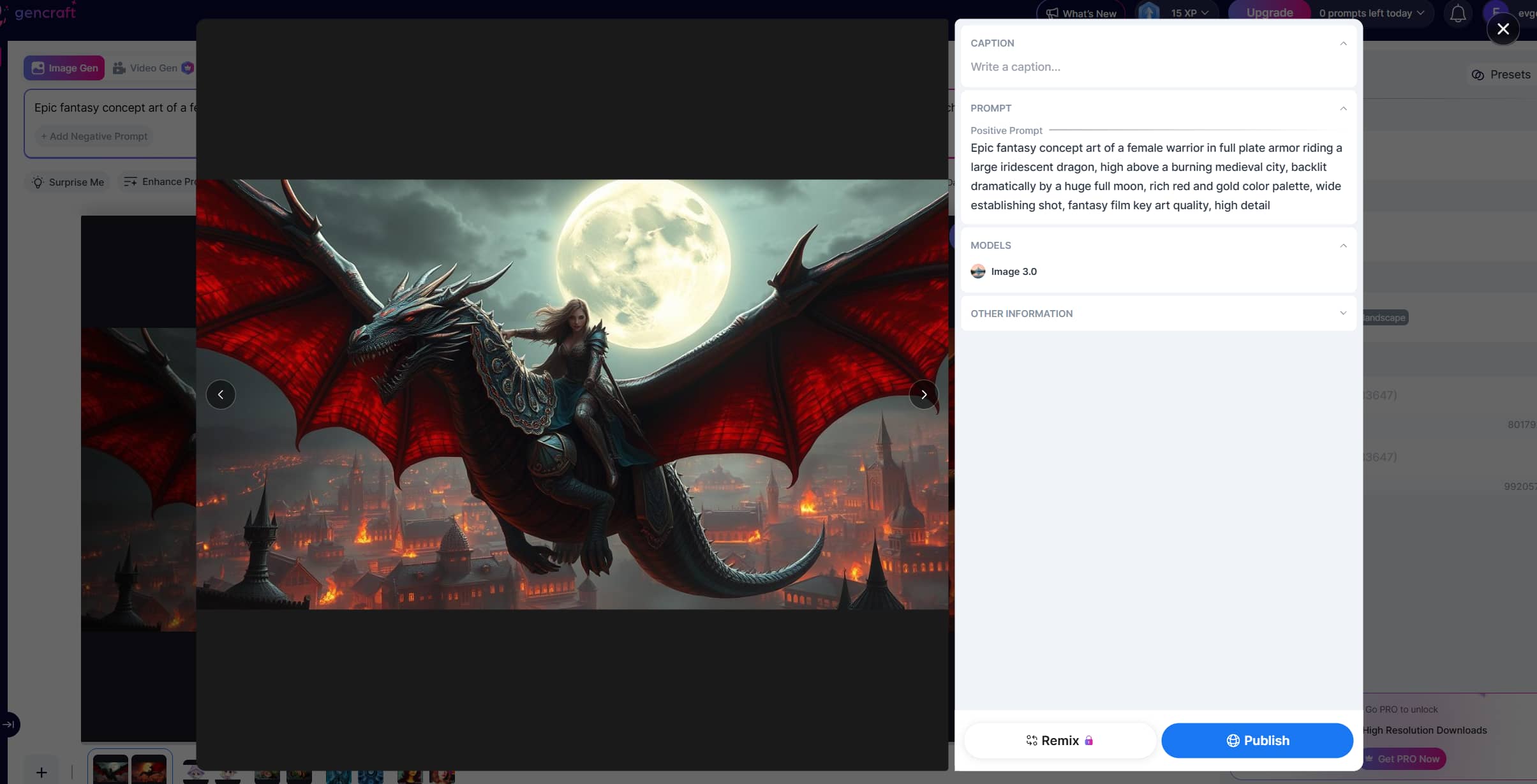
Test samples
Vintage portrait
Futuristic image
Realistic food
Anime character
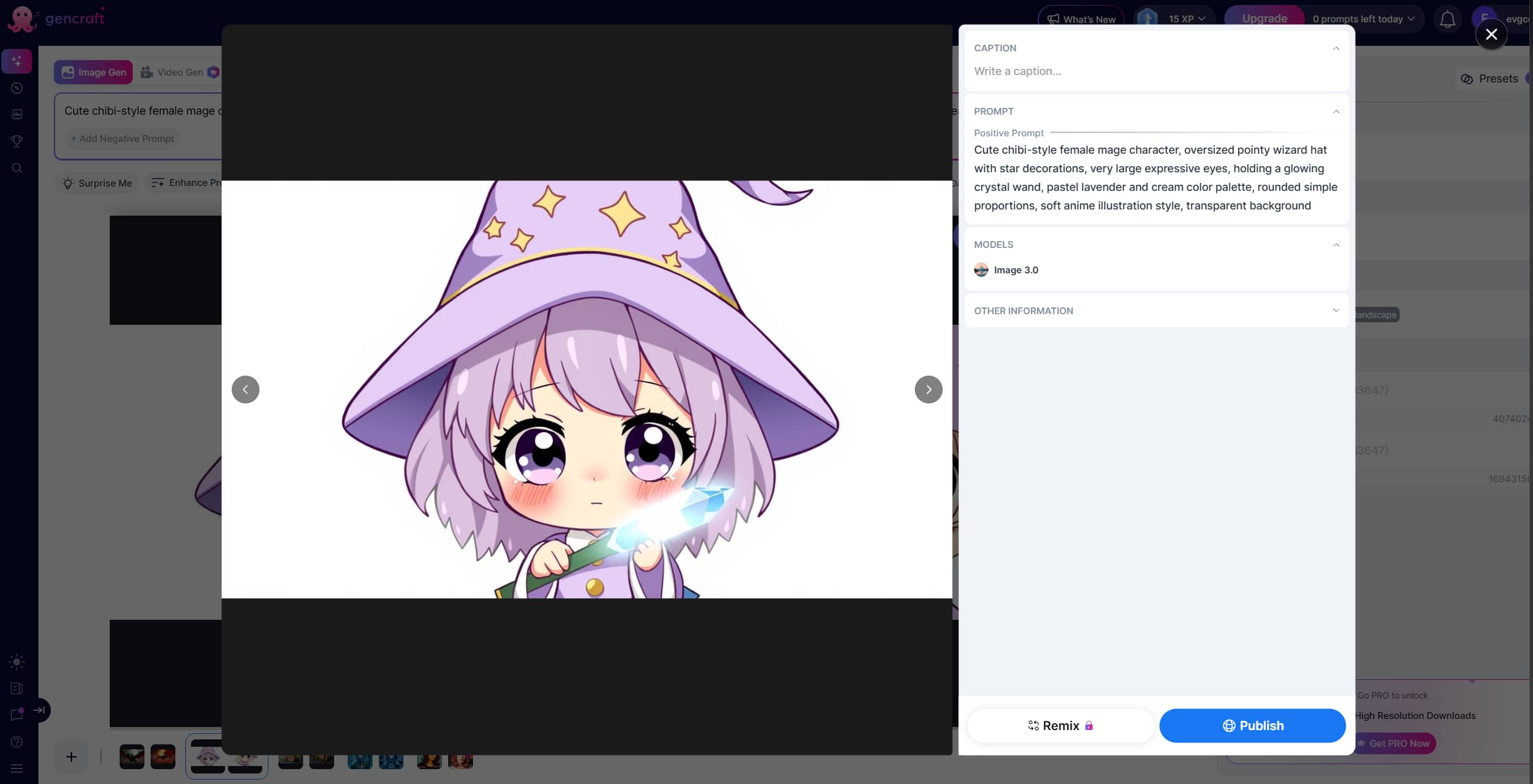
Epic fantasy
Pricing
Gencraft uses a free-plus-paid model, but the exact pricing and available features can vary depending on whether you subscribe through the website or an app store. You can either use this tool for free just to check if it's worth the money or directly upgrade to the Pro model and pay weekly or monthly, as desired.
|
Gencraft Pro (Weekly) |
Gencraft Pro (Monthly) |
|---|---|
|
$9.99/ week |
$19.99/ mo |
|
|
Free vs. Pro plan: Which should you choose?
The free tier is a great way to get a feel for Gencraft's interface and generation quality, but it's not meant to be unlimited access to all models and features. The tool rotates the models from time to time, with some specialized models only available to Starter and Pro users, and other models made available periodically for free users.
If you generate regularly, want commercial use, need more models, or depend on features like Pro presets and custom model training, paid access makes sense. Gencraft's help center states that pro users also get lifetime retention of their creations, while free-user creations are retained for 30 days.
What should creators think about before upgrading?
First, creators should try the free experience with the types of prompts that they actually use before they subscribe. The important question is not whether Gencraft can make good-looking images, but whether it can reliably deliver the level of detail, subject accuracy, style consistency and control your workflow requires.
Gencraft packs a wide range of AI creative features into one platform, but its strengths come with a few trade-offs. Looking at both sides together can help you decide whether its generation quality, customization options, and creative tools outweigh limitations such as inconsistent outputs, usage restrictions, or pricing concerns.
Pros and cons
|
Pros |
Cons |
|---|---|
|
|
Gencraft reviews: What people are actually saying
When we go beyond Gencraft's marketing materials, we see a broader picture. There are definitely users on the platform that love simplicity, creative styles, and the ability to create attractive images quickly. But third-party feedback also repeatedly points out problems with output consistency, billing, support, censorship and feature limitations.
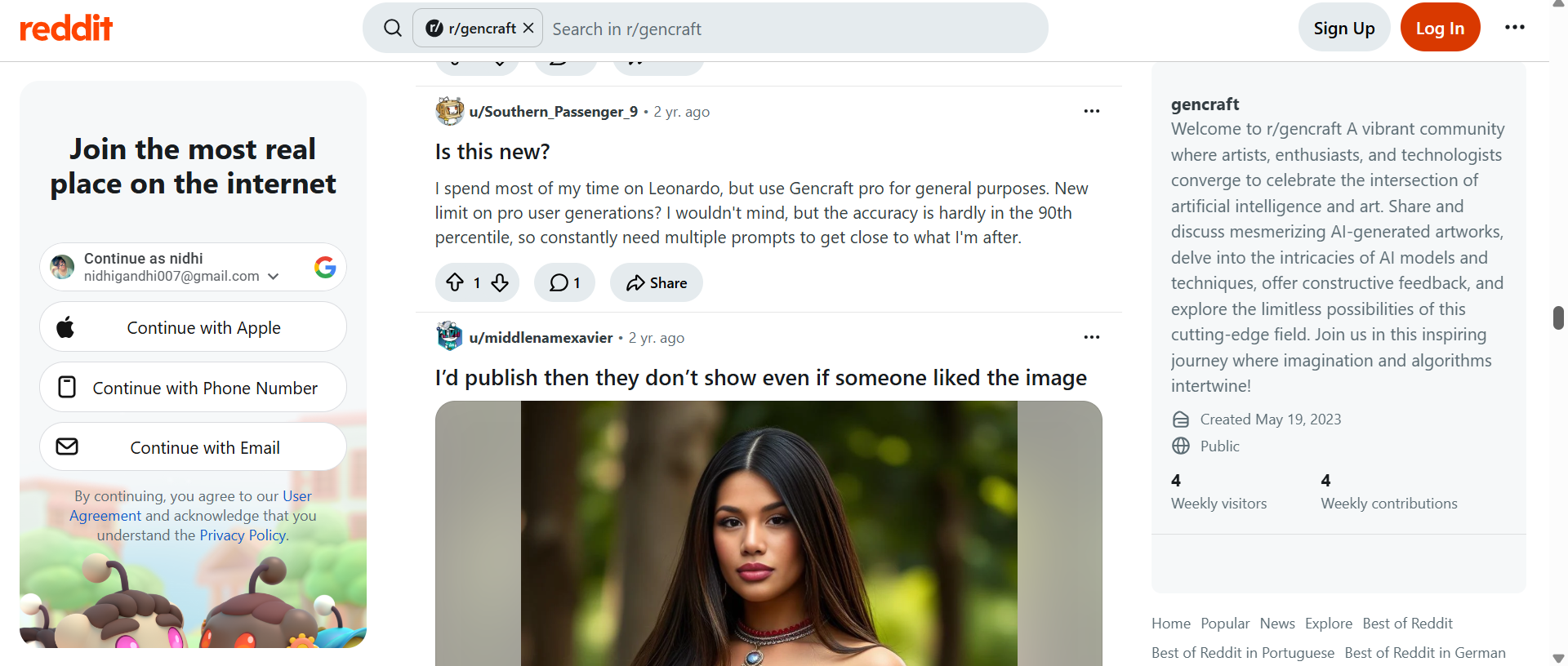
Reddit review
On Reddit, Gencraft is often pitched as something useful for experimentation, not a perfect professional generator. People have posted their successful creations and praised the ease of use of the image-generation workflow, but other conversations include problems with details such as abnormal fingers, and the difficulty of correcting small visual errors.
Trustpilot review
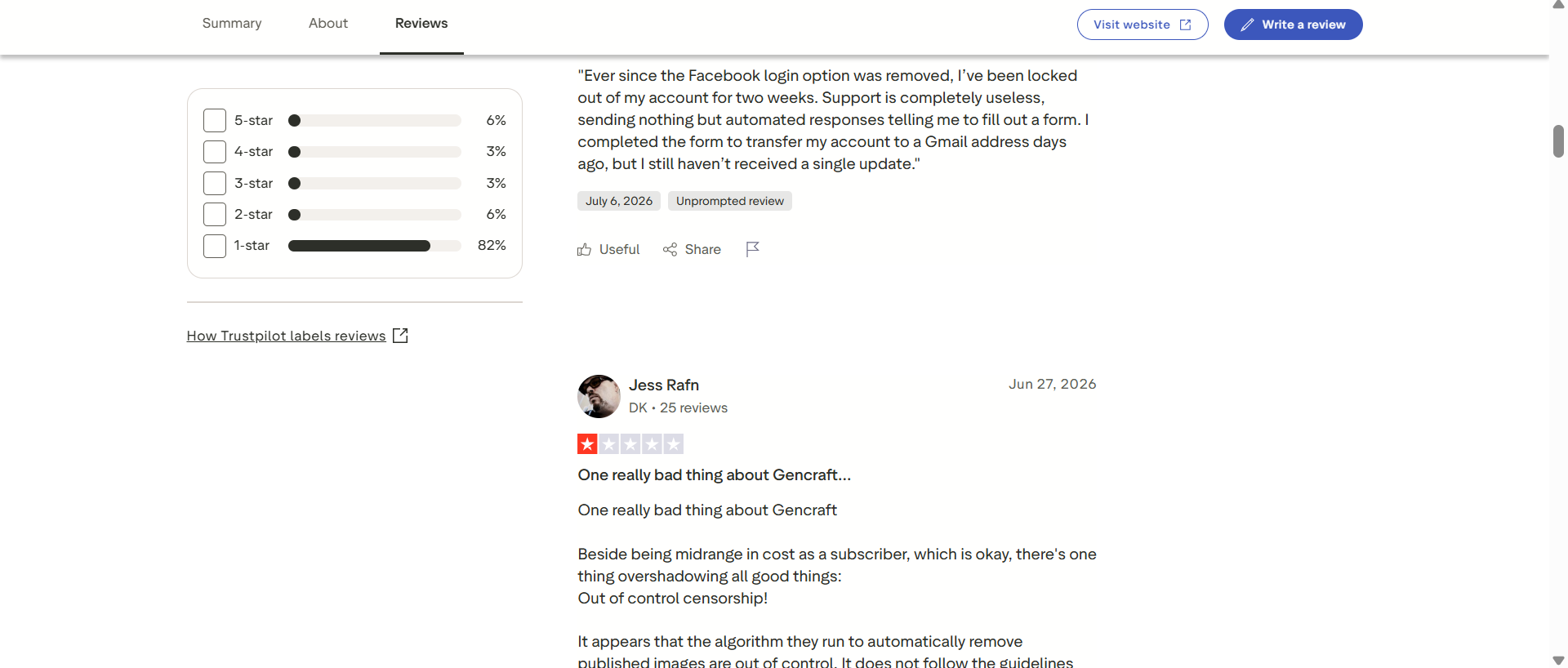
Trustpilot paints a much more negative picture. Gencraft has 34 reviews on Trustpilot, with an overall consumer rating of 1.6/5. 82% of the reviews presented are one-star reviews. The latest complaints include subscription and billing issues, account-access issues, inconsistent content moderation, and dissatisfaction over image quality. That's not to say every Gencraft user is having a bad experience. Trustpilot reviews are self selected and likely over represent people who have problems.
Final verdict
As far as Gencraft review is concerned, it is a good AI art platform, particularly if you're looking for a simple way to play around with different visual styles, generate concepts, and try out personalized models. Its custom model training is a real differentiator, and the platform has moved beyond basic text-to-image generation to include video and more expansive creative workflows. But Gencraft isn't the right fit for all creators. The problems with inconsistent results, lack of control over detail, usage limits, subscription experiences, and customer support are repeated, so it is not as easy to recommend as a universal production tool.
If you are a creator who mainly needs fast and simple image generation and image transformation, Vmake Labs is an alternative worth considering. The image generator is designed for text-to-image and image-to-image workflows, supports multiple models, takes 1-3 reference images, and has flexible aspect-ratio settings in a browser-based workflow.
Vmake Labs: An alternative to AI art generator Gencraft
Vmake Labs AI Image Generator is a perfect choice for creators, marketers, and businesses to create and optimize images. Its image-generation process is simple. You choose generation mode, model, enter prompt or reference images, set the format and generate. It has an AI Image Generator that creates images from text and images, multiple AI models and flexible aspect ratios. Image-to-image mode accepts 1-3 uploaded reference images, allowing creators a simple way to steer the visual direction of a new generation.
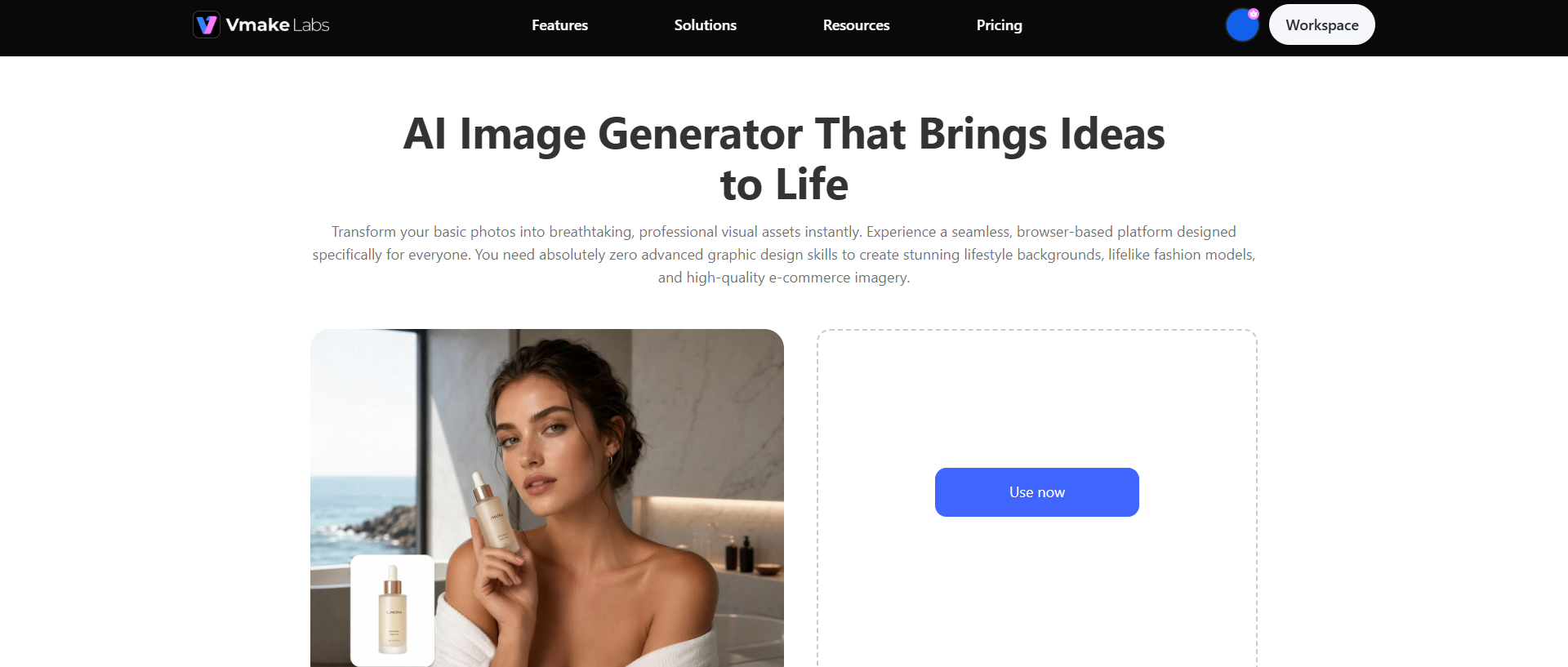
Steps to generate images using Vmake Labs
Step 1: Select Text to Image or Image to Image and choose a model
To start, open the Vmake Labs AI Image Generator and tap Text to Image to create a visual from a text concept. Use Image to Image if you already have a photo, artwork, sketch, product image or other visual reference. Then you can choose an available AI model based on the type of result you want.
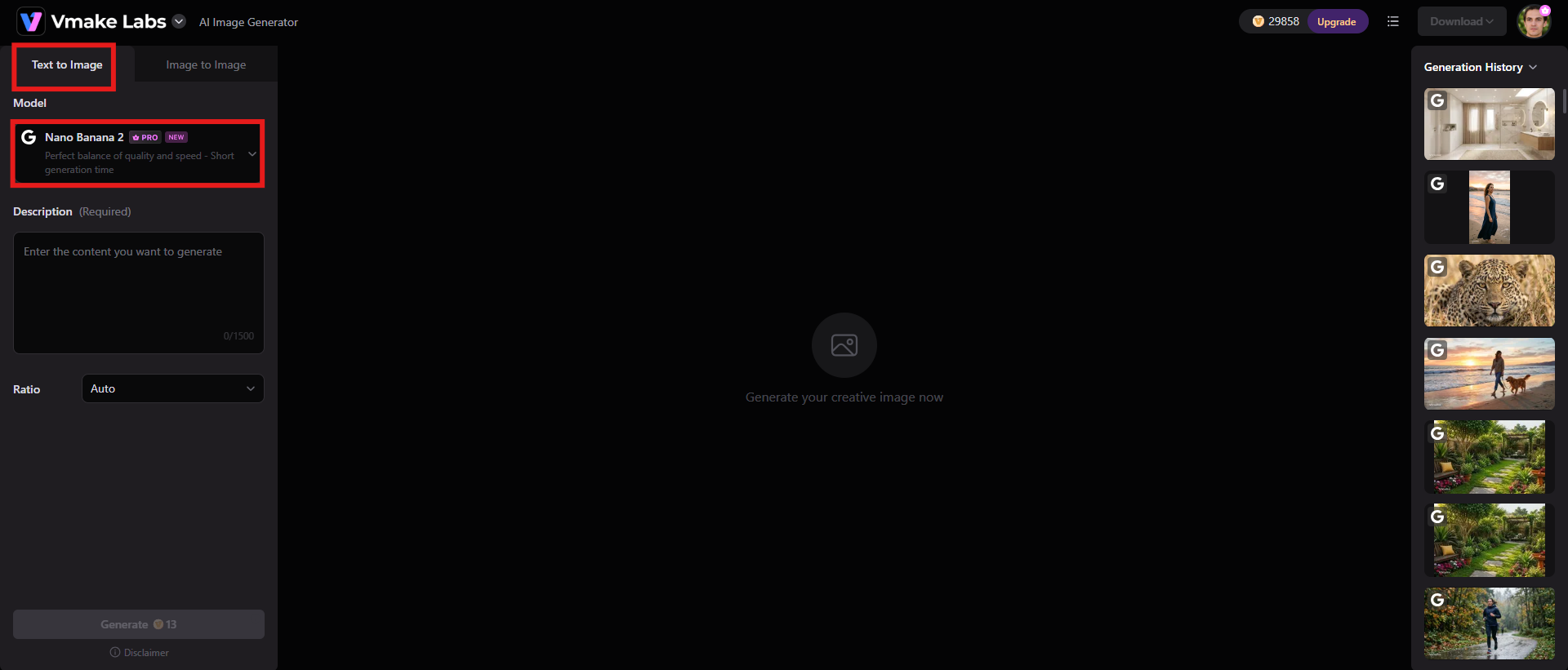
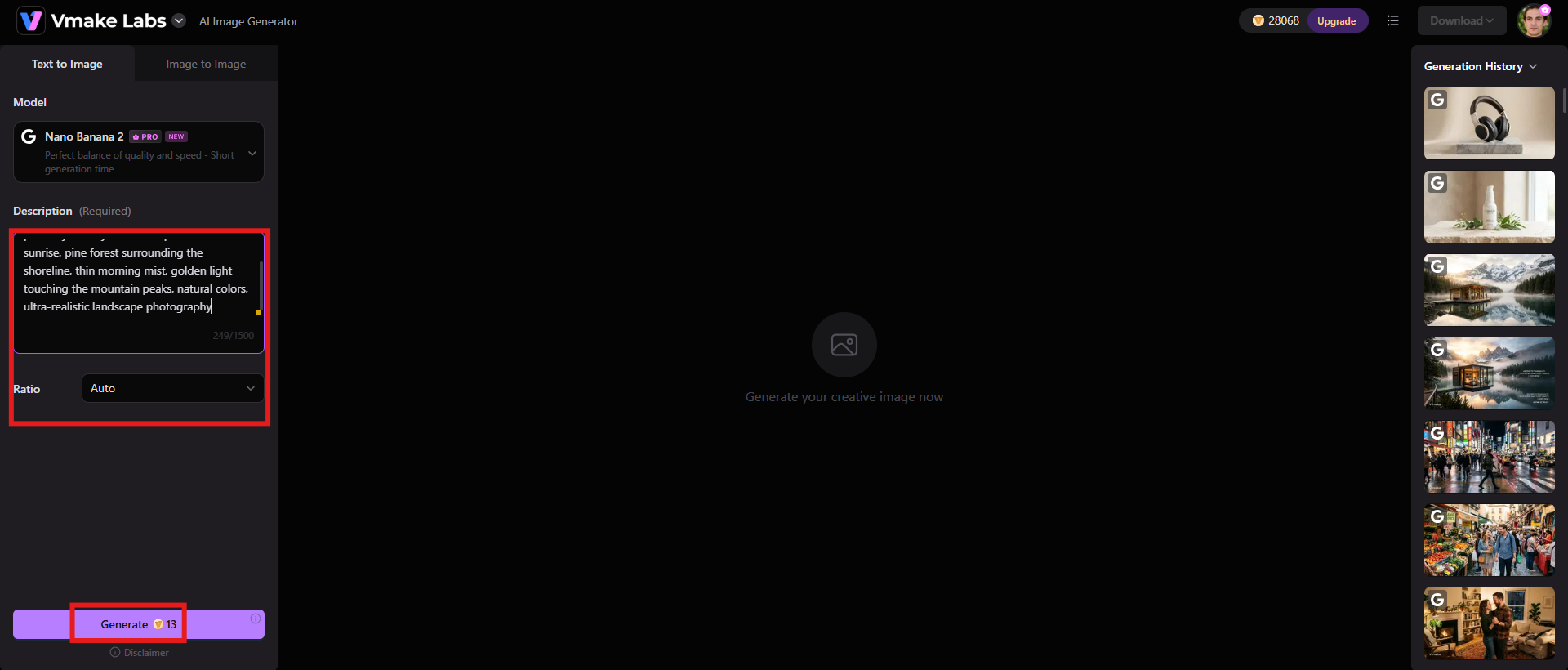
Step 2: Input a prompt or upload 1-3 reference images
When creating text-to-image, include in the prompt a description of the subject, setting, composition, lighting, mood, style, and other important details. In Image to Image generation, upload 1-3 reference images and describe how you want the new visual to look. After you type in the prompt or reference, select the desired aspect ratio and hit generate.
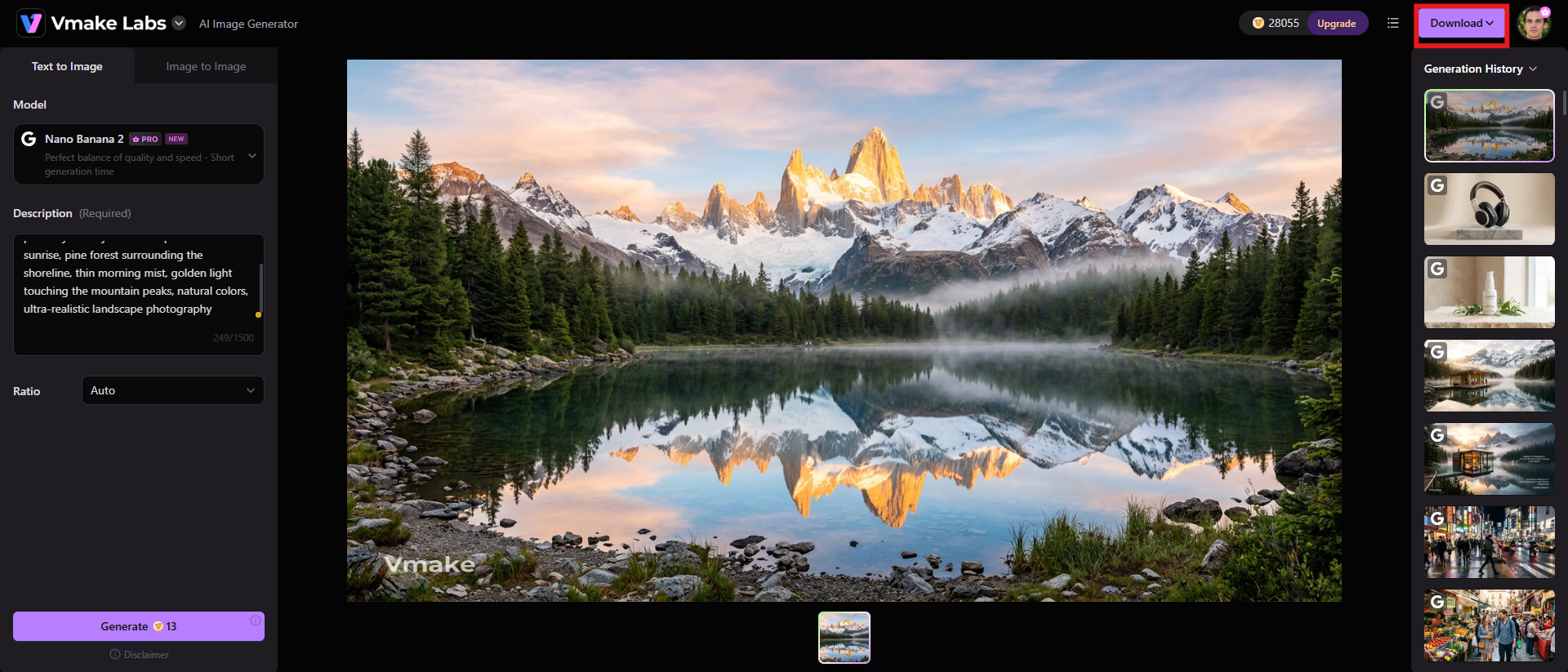
Step 3: Preview and download after generation
Preview the output and if you need to refine the output, create another generation. Click "Download" to save the version that fits your project best.
Key features
-
Text-to-image generation for custom visuals
With Vmake Labs text-to-image generation feature, you can transform your written ideas into imagery for social media, real estate marketing, product content, presentations, articles, and other creative projects.
-
Image-to-image generation with reference images
Upload existing visuals and use them to guide a new image, useful for style transformations, creative variations and reference-led visual development.
-
Flexible aspect ratios and image generation settings
Whether you are creating ecommerce product images or banner visuals, select the best image format for each location with Vmake Labs and experiment with different AI models and generation parameters to obtain a result that is suitable for your project.
Gencraft AI vs Vmake Labs: A quick comparison
Both platforms can generate AI visuals, but their strengths are somewhat different. Comparing their generation methods, customization options, model support, and intended workflows makes it easier to see which one fits a particular creator's needs.
|
Feature |
Gencraft AI |
Vmake Labs |
|---|---|---|
|
Text-to-image workflow |
Prompt-based image generation is a core Gencraft workflow, with multiple specialized models and styles. |
Generate visuals directly from text prompts and choose from available AI image models. |
|
Image-to-image |
Gencraft supports reference-based and transformation workflows through features such as PhotoBooth and image-editing tools. |
Upload 1–3 reference images and describe the desired transformation. |
|
Custom model training |
Users can train personalized models from their own images; Pro access and an additional training fee are required. |
Not positioned around custom model training; its image workflow instead focuses on selecting existing AI models and using prompts or reference images. |
|
Creative styles |
Strong emphasis on specialized models and artistic styles, including realistic, 3D, logo, sticker, and other options. |
Supports different AI image models and can be used for realistic, artistic, product, marketing, and social-media visuals. |
|
Pricing |
$19.99/mo |
$9.99/mo |
Conclusion
Gencraft really stands out, with its massive AI-art toolkit. With text-to-image generation, specialized models, creative styles, image editing, video generation, and custom model training all in one place, creators have plenty of room to experiment. The interest in custom model training is especially high for anyone who wants to create a recognizable visual style or generate repeated content about a specific subject.
The main negatives are control and consistency. Different Gencraft review profiles also suggest that your experience might depend a lot on how you use the platform. If you are looking for a simple way to create AI images and image-to-image conversion without training custom models, Vmake Labs is a great alternative to give it a try. Its workflow revolves around text prompts, reference images, multiple models and flexible formats, making it especially well-suited for social, marketing, product and other everyday visual-content needs.
FAQs
-
What is Gencraft used for?
Gencraft is for generating and transforming visual content with AI. Its tools can generate images and videos from prompts, explore different artistic styles, edit scenes, and create personalized AI models. It is for creators, designers, marketers, artists and other users who want to create visual content without having to manually create every asset.
-
Is Gencraft good for beginners?
Yes, Gencraft is good for beginners because it is mostly a prompt-driven workflow and does not require any advanced design or AI knowledge. Many reviewers also mention the platform is straightforward and easy to use. But prompt engineering and multiple generations may still be required for consistently accurate results.
-
Can Gencraft generate AI videos?
Yes. Gencraft supports AI video generation as well as image generation. Its official guide explains how to choose video generation, and then types a prompt to generate a short video. But user feedback indicates that video performance can be inconsistent, especially with complex prompts or resource-intensive workflows.
-
Does Gencraft support image-to-image generation?
Yes. Gencraft helps creative workflows that are image-driven, where an existing visual can be transformed into a new outcome or influence it. Features like PhotoBooth have also been leveraged by community members to transfer characteristics from a source image into generated scenes.
-
Can you train a custom AI model with Gencraft?
Yes. Gencraft enables users to train their own AI models on their own images. The purpose of that feature is to capture a certain style or subject and apply it to new generations. Custom model training is available to Pro users and comes with an additional charge per model, and its current plans page says users can upload up to 500 images for training.

You May Be Interested

Z Image AI Review 2026: Features, Performance, Pros and Cons
Yodayo AI Review 2026: Features, Pricing, and Alternatives
X-Design Watermark Remover Review (2026): Features & Pricing
Vidu AI Review: Is This AI Video Generator Worth in 2026?
Vadoo AI Review 2026: Features, Pricing and Alternatives
VEED Review: Does the Watermark Remover Work? (2026)

Vivideo AI Review 2026: Features, Pricing and Alternatives
Unlucid AI Review: Is this AI platform worth it in 2026?
