Eternal AI Image Generator Review: Is It Worth Trying?
Explore our Eternal AI Image Generator review to learn about its features, image quality, pricing, and usability, then compare it with Vmake Labs AI Image Generator for your creative projects.

AI image generators continue to evolve rapidly, making it easier than ever to turn ideas into visuals. This Eternal AI Image Generator review explores its features, image quality, pricing, ease of use, and real-world performance. We'll also compare it with Vmake Labs AI Image Generator to help you choose the right tool for your creative projects.
What is Eternal AI and who is it for?
Eternal AI is an AI-powered character interaction platform that allows users to create interactive AI characters with unique personalities, stories, and conversations. Instead of functioning as a traditional text-to-image generator, the platform uses AI image generation to create custom character cover images based on text descriptions. Users can build immersive AI experiences by combining visual character creation with storytelling and conversational design, all through a browser-based interface.
Main features
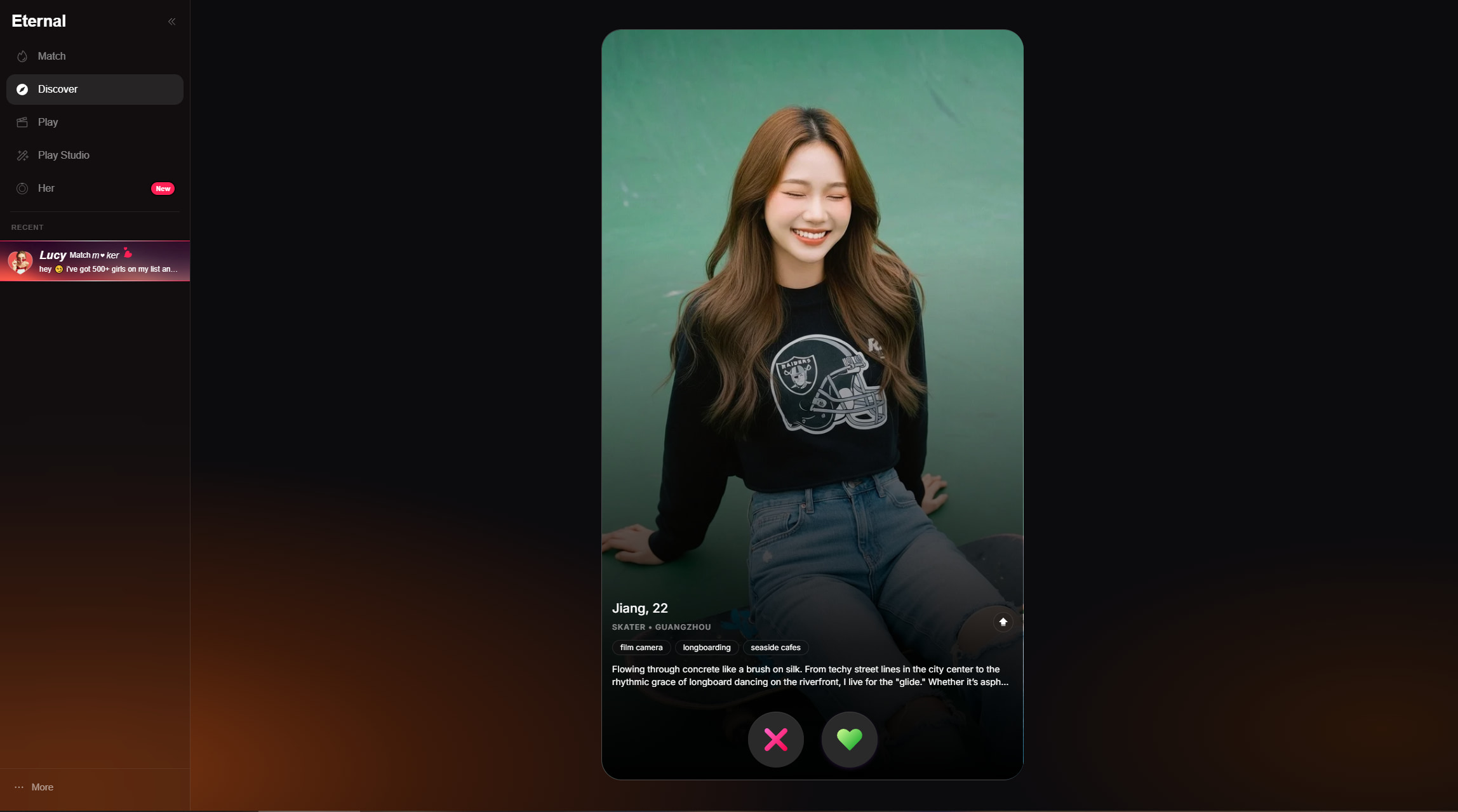
Eternal AI combines AI-generated visuals with interactive character creation, making it a platform for storytelling and virtual character experiences.
-
AI character creation: Create original AI characters by defining their identity, personality, and role. The platform lets you build unique virtual characters for storytelling, roleplay, or interactive conversations.
-
AI-generated character cover images: Generate custom cover images from text descriptions or reference images. These visuals help bring your characters to life and give each creation a distinct appearance.
-
Story and conversation builder: Develop your character's backstory, opening message, and conversation flow. This helps create more engaging and consistent interactions with users.
-
Personality customization: Adjust personality traits, tone of voice, and behavioral characteristics to match your character's purpose. Each character can have a unique style and way of interacting.
-
Community publishing: Publish your completed characters for the Eternal AI community to discover and interact with. You can also use features like Welcome Boost to increase visibility.
-
Browser-based platform: Access Eternal AI directly from your web browser without installing additional software. Create, edit, and manage your AI characters from virtually any device with an internet connection.
Best suited for
Eternal AI is ideal for writers, roleplay enthusiasts, AI companion creators, content creators, and hobbyists who enjoy building interactive characters. It is well suited for creating fictional personalities, experimenting with AI conversations, designing character artwork, and publishing engaging AI experiences. Users looking for a dedicated AI image generator with advanced editing features may find the platform more focused on character creation than standalone visual design.
How to create an AI character with Eternal AI
Creating an AI character in Eternal AI is a simple process that combines storytelling, personality design, and AI-generated visuals. After setting up your play, you can customize your character, generate a cover image, and publish it for others to interact with.
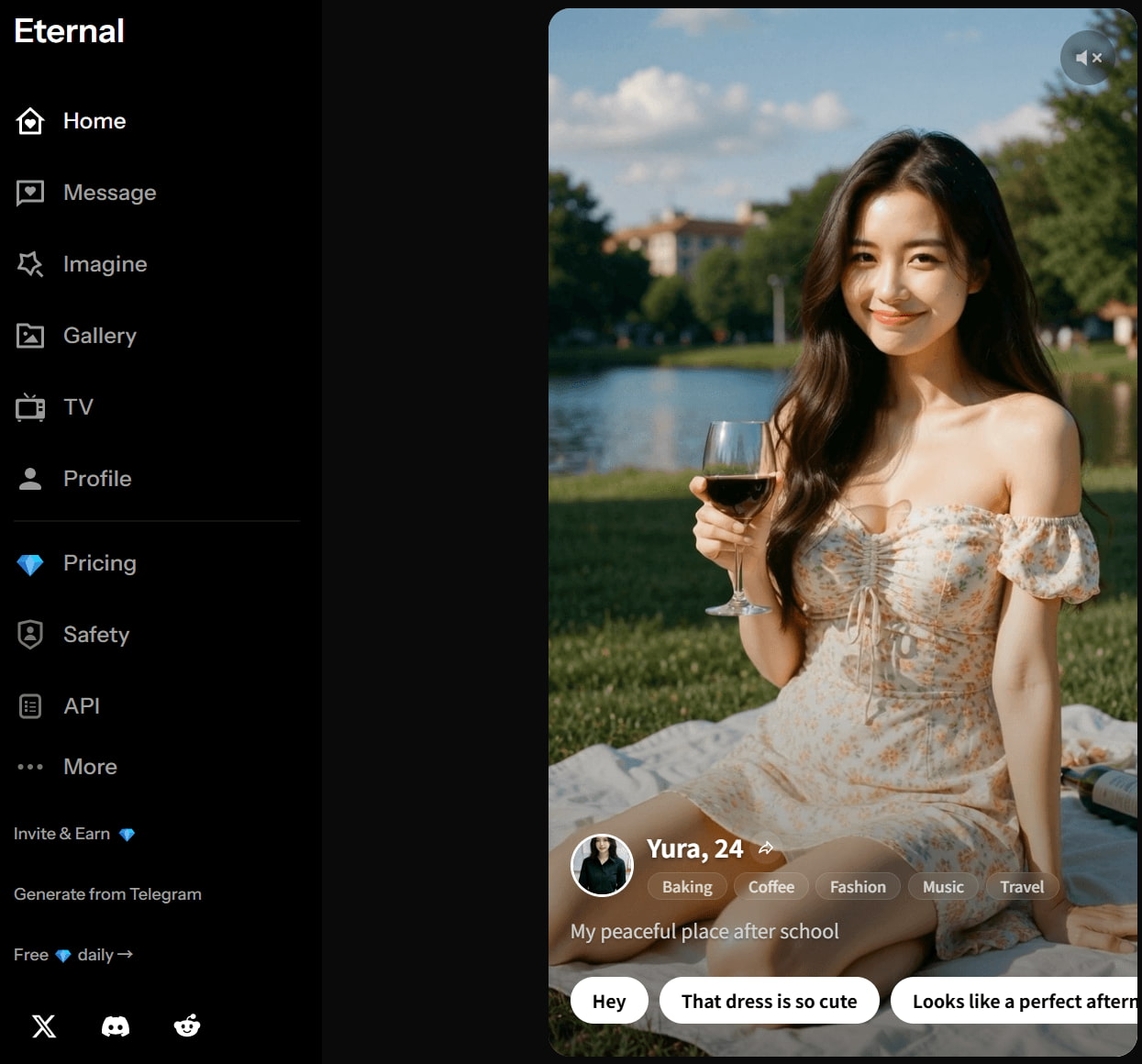
Step 1: Open Eternal AI and create your play
Sign in to Eternal AI and select Create Play from the dashboard. Choose either Magic or Advanced mode, then define your character's story, personality, and conversation flow to establish the foundation of the experience.
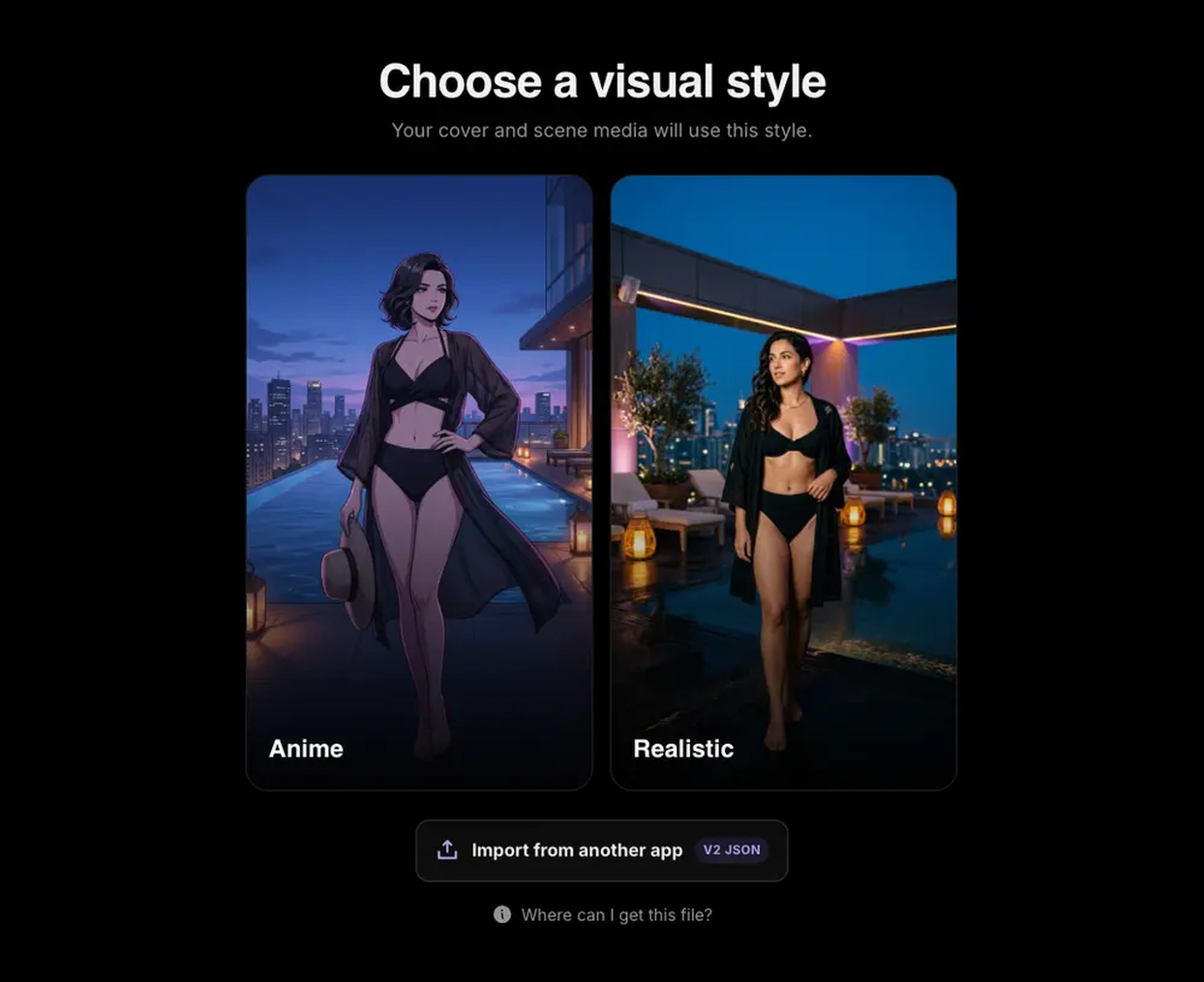
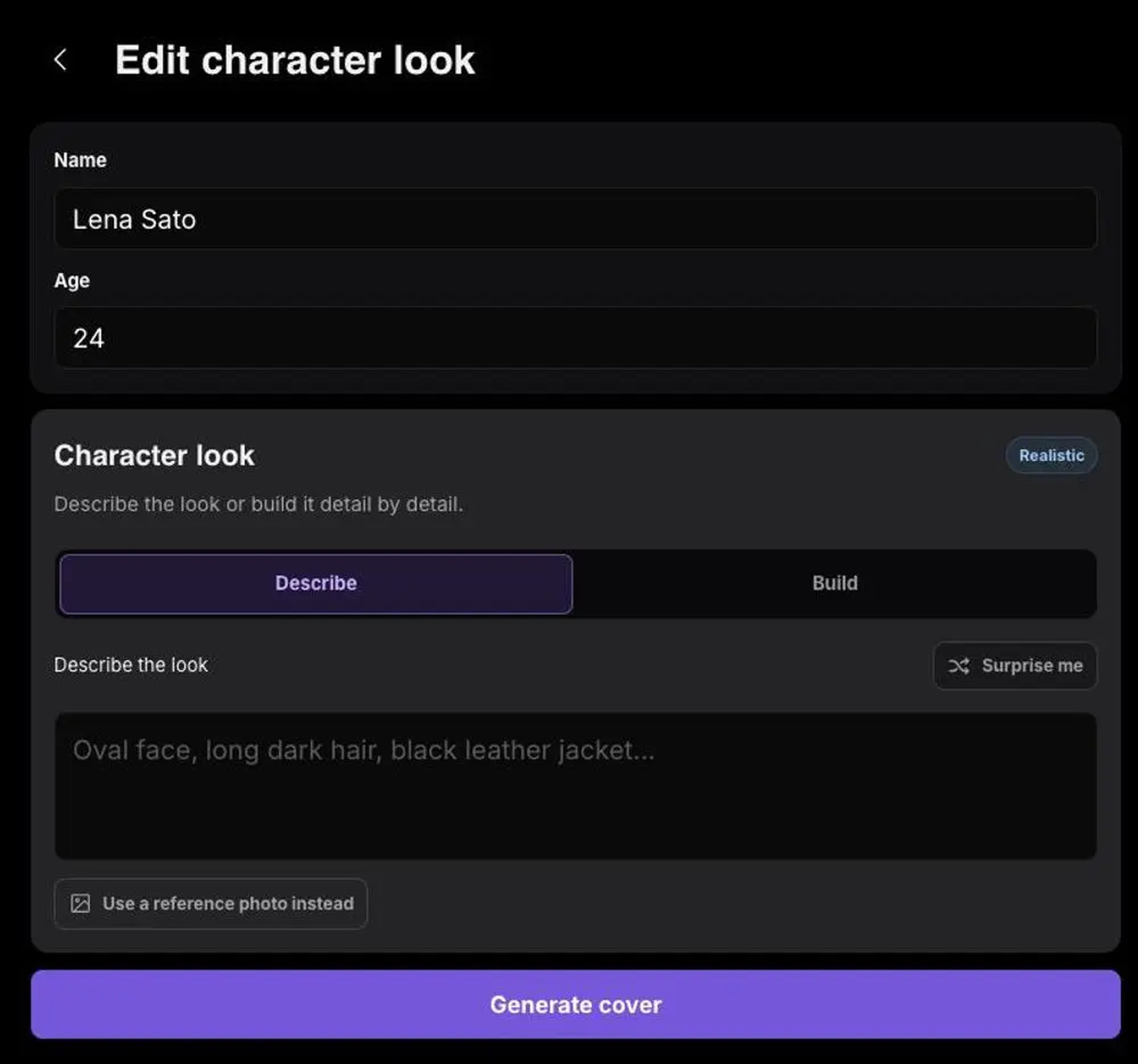
Step 2: Build your character Enter your character's name and age, then create their appearance by describing the look, uploading a reference photo, or selecting visual attributes manually. Generate the cover image and regenerate it if needed until you're satisfied with the result.
Step 3: Preview and publish Review your play to ensure the story, personality, and opening messages are consistent. Submit it for approval, then publish it and optionally enable Welcome Boost to attract new players.

Advantages and limitations
|
Advantages |
Limitations |
|---|---|
|
Simple workflow for creating interactive AI characters. |
Primarily designed for character creation rather than standalone AI image generation. |
|
AI-generated cover images help visualize original characters. |
Limited image editing capabilities after generating the cover image. |
|
Flexible personality, story, and conversation customization. |
Some features require approval before characters can be published. |
|
Browser-based platform with no software installation required. |
Advanced features and higher usage limits may require a paid plan. |
|
Community publishing allows creators to share their AI characters. |
May not satisfy users looking for a professional AI art generation tool. |
Pricing overview
Eternal AI operates on a pay-as-you-go credit system (Diamonds 💎) rather than traditional recurring monthly subscriptions.
|
Plan / Tier |
Price |
Diamond Credits 💎 |
Features & Best For |
|---|---|---|---|
|
Free Plan |
$0 |
5 Images + 1 Video |
Starter trial credits & daily check-ins for casual testing |
|
New User Special |
$0.99 |
100 💎 (150% bonus) |
Best introductory value for first-time buyers |
|
Standard Pack |
$9.99 |
400 💎 |
Flexible top-up for regular creators (~0.8 💎/img, ~4 💎/video) |
|
Pro Pack |
$49.99 |
2,500 💎 (25% bonus) |
Faster processing & higher volume for frequent generation |
|
Max Pack |
$199.99 |
12,000 💎 (50% bonus) |
Lowest cost-per-credit rate for heavy power users |
|
Enterprise |
Custom |
Custom Volume |
Dedicated GPU clusters & custom models for business needs |
Eternal AI Image Generator review: Testing image quality and usability
We tested the Eternal AI Image Generator with various prompt categories, and this is our overall user experience rating. We didn't just look at the features that were advertised; we looked at image quality, consistency, generation speed, and how well the outputs followed a variety of creative prompts.
Depending on the prompt, the quality of the generated images varies a lot, but all in all Eternal AI Image Generator is quite successful at creating creative artwork and stylized images. The more details you put in your prompt, the better the composition and the finer the details of the resulting image.
Realistic portraits
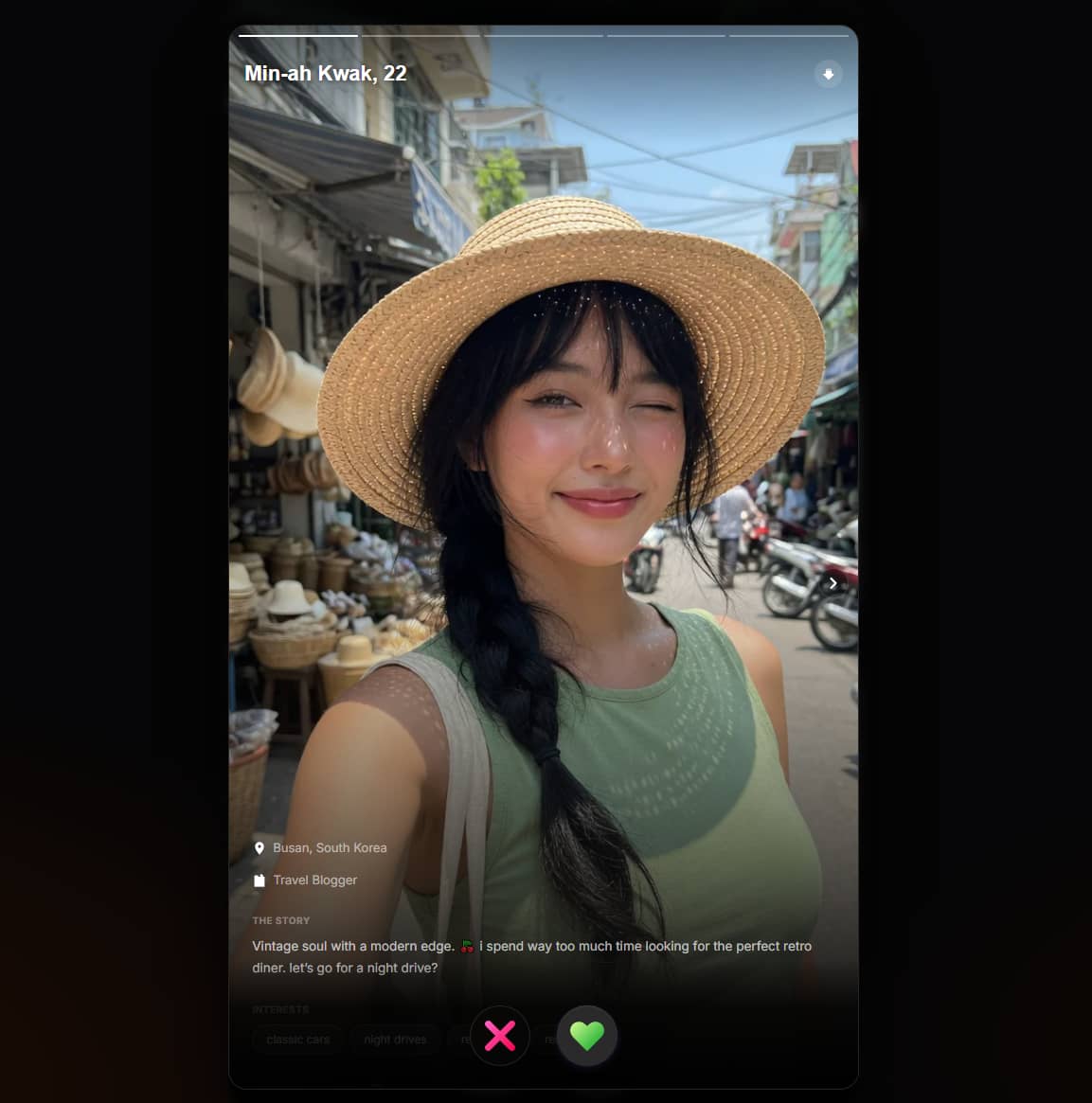
This tool generates beautiful portraits with natural lighting and facial expressions. Most of the outputs are polished, but you may also see some inconsistencies in the facial features or in the hands, especially with complex prompts.
Anime and illustrations
Some of its best results are anime-style images. Usually, characters are colorful, expressive, and drawn with clean lines. This category is great for concept art and creative projects.

Fantasy artwork
Eternal AI Image Generator handles fantasy prompts well, producing imaginative environments, magical creatures, and cinematic scenes. Rich descriptions generally result in more detailed and visually engaging artwork.
Social media graphics
It produces stunning visuals for posts, banners, and creative content. As it is focused on image creation rather than graphic design, users may still need separate editing software to overlay text or branding elements.
User experience
Beyond image quality, the overall experience is designed to be approachable for both beginners and experienced users. The interface keeps the generation process simple while allowing users to experiment with different prompts.
|
Aspect |
Review |
|---|---|
|
Prompt writing experience |
Simple text-based workflow that encourages experimentation with descriptive prompts. |
|
Generation speed |
Most images are generated within a short time, although processing may take longer during busy periods. |
|
Interface usability |
Clean layout with an easy-to-follow workflow that requires little learning. |
|
Image consistency |
Results are generally consistent with simple prompts, while more complex requests may require multiple attempts. |
|
Download quality |
Generated images are suitable for digital use, though available export quality depends on the selected plan. |
Community feedback
-
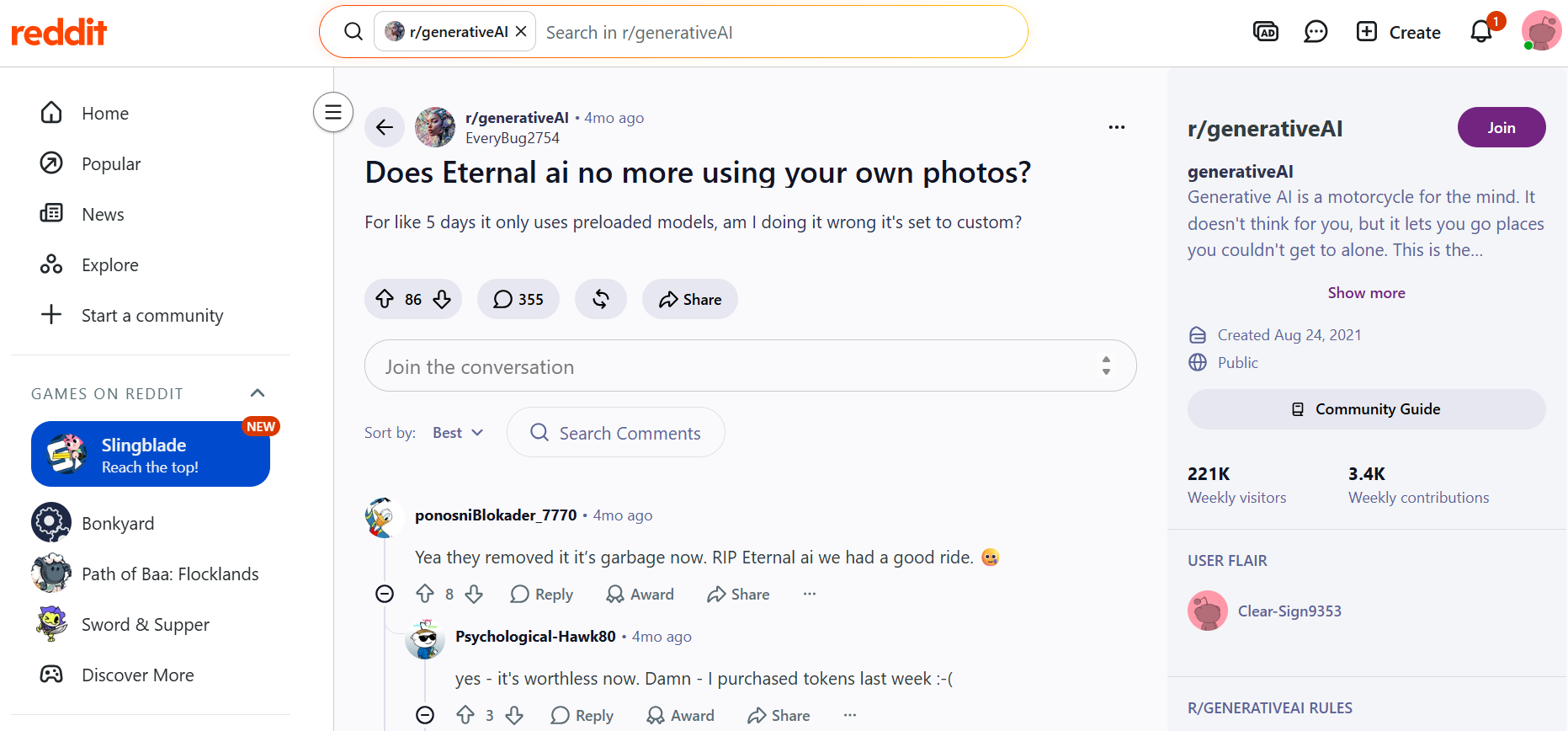
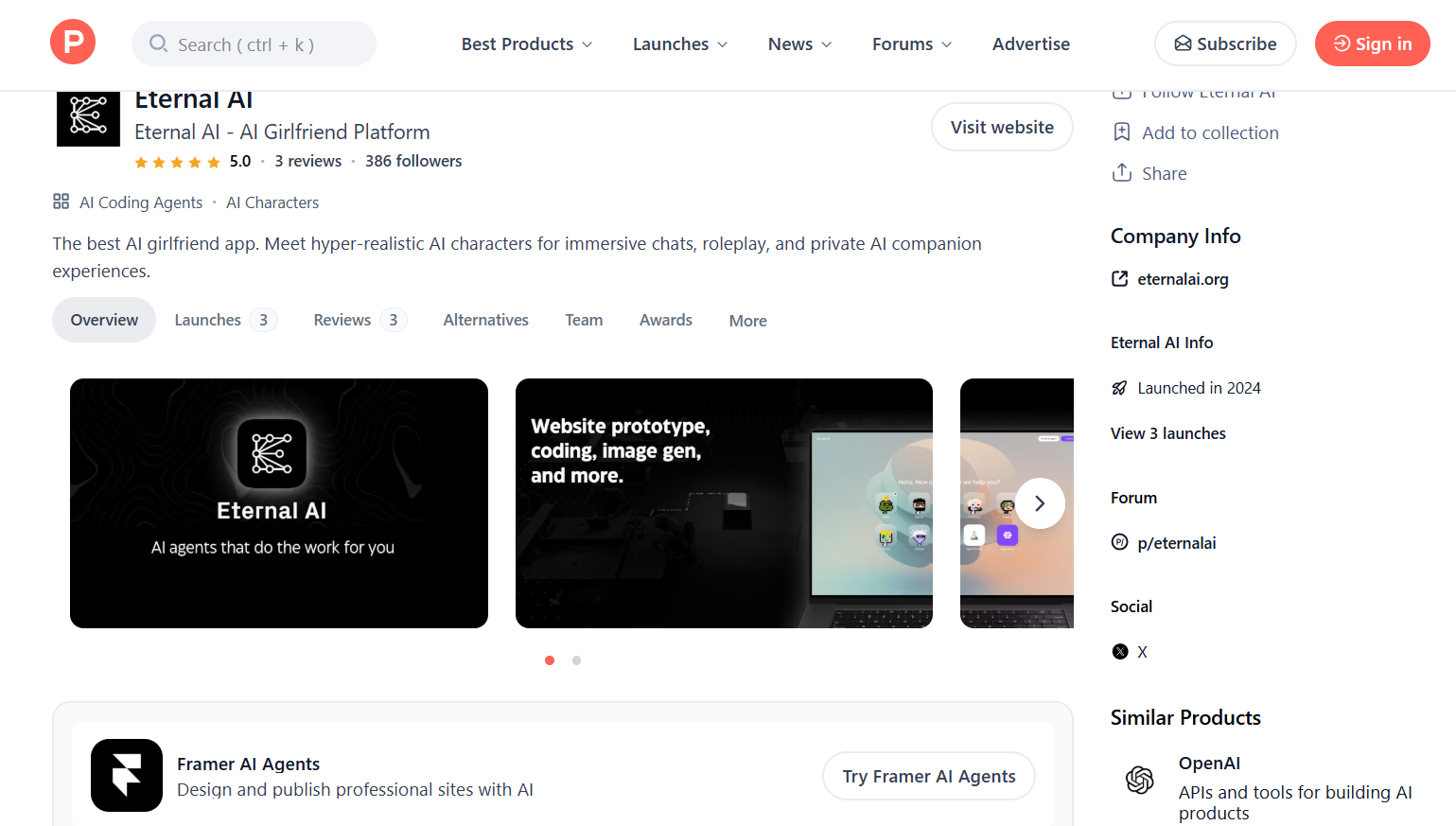
Reddit: Reddit discussions of Eternal AI are generally more critical. Some users praised Eternal AI for its ease of use and creative AI interactions, but several recent posts expressed disappointment after changes to certain features, particularly the removal of custom photo support. Others also mentioned that recent updates affected their overall experience, making the platform less appealing than before.
-
Product Hunt: Product Hunt feedback is considerably more positive. Users highlight the platform's intuitive interface, immersive AI characters, and enjoyable conversational experience. Reviewers also appreciate its modern design and responsive performance, although the number of reviews remains relatively small compared to more established AI platforms.
Afterthought
While Eternal AI Image Generator offers a simple way to create AI artwork, it may not meet every creator's needs, especially if you're looking for more generation options or greater creative control. If that's the case, it's worth exploring alternatives that provide additional AI models, flexible workflows, and broader content creation capabilities, such as Vmake Labs AI Image Generator.
A creative studio: Design AI images with Vmake Labs AI Image Generator
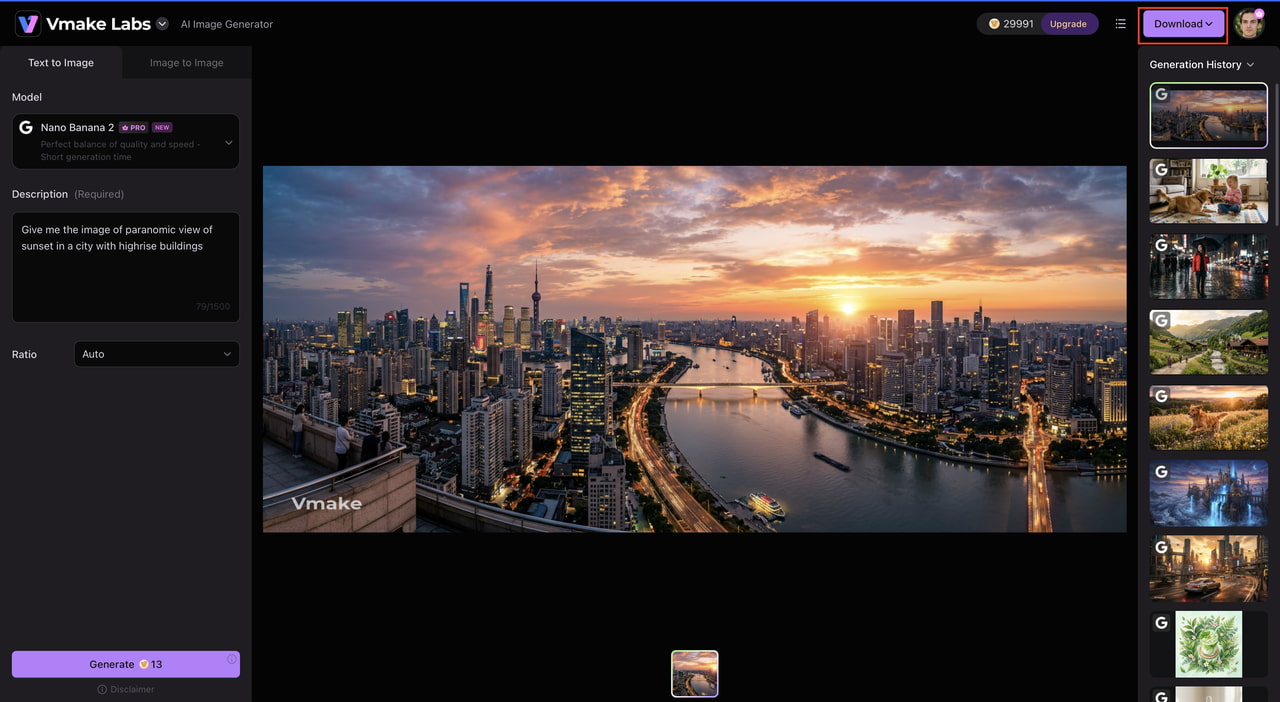
If you want more creative flexibility, Vmake Labs AI Image Generator is a good alternative to consider. It supports a variety of leading AI models, text-to-image generation, image-to-image generation, and customizable settings that help users create visuals for marketing, ecommerce, social media, and creative projects from a single platform.
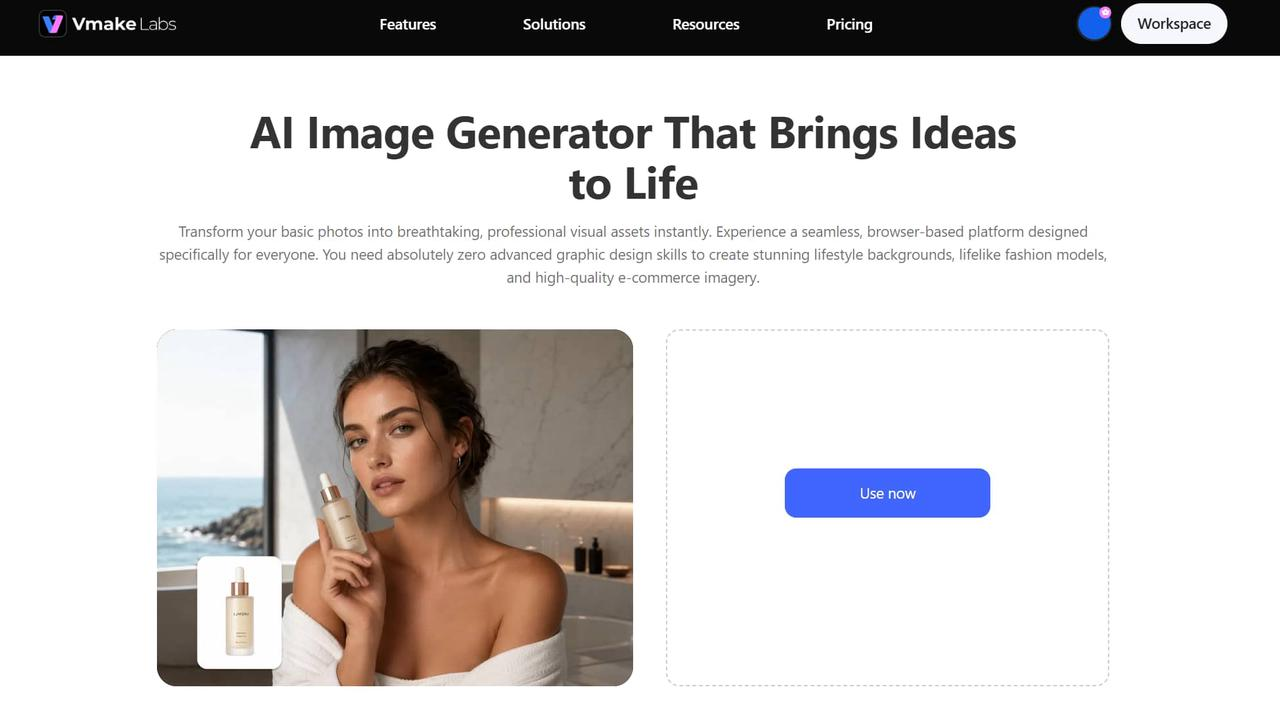
Step 1: Open the Vmake Labs AI Image Generator and enter your prompt
Visit the Vmake Labs AI Image Generator, type a detailed prompt describing the image you want, or upload a reference image if you prefer an image-to-image workflow.
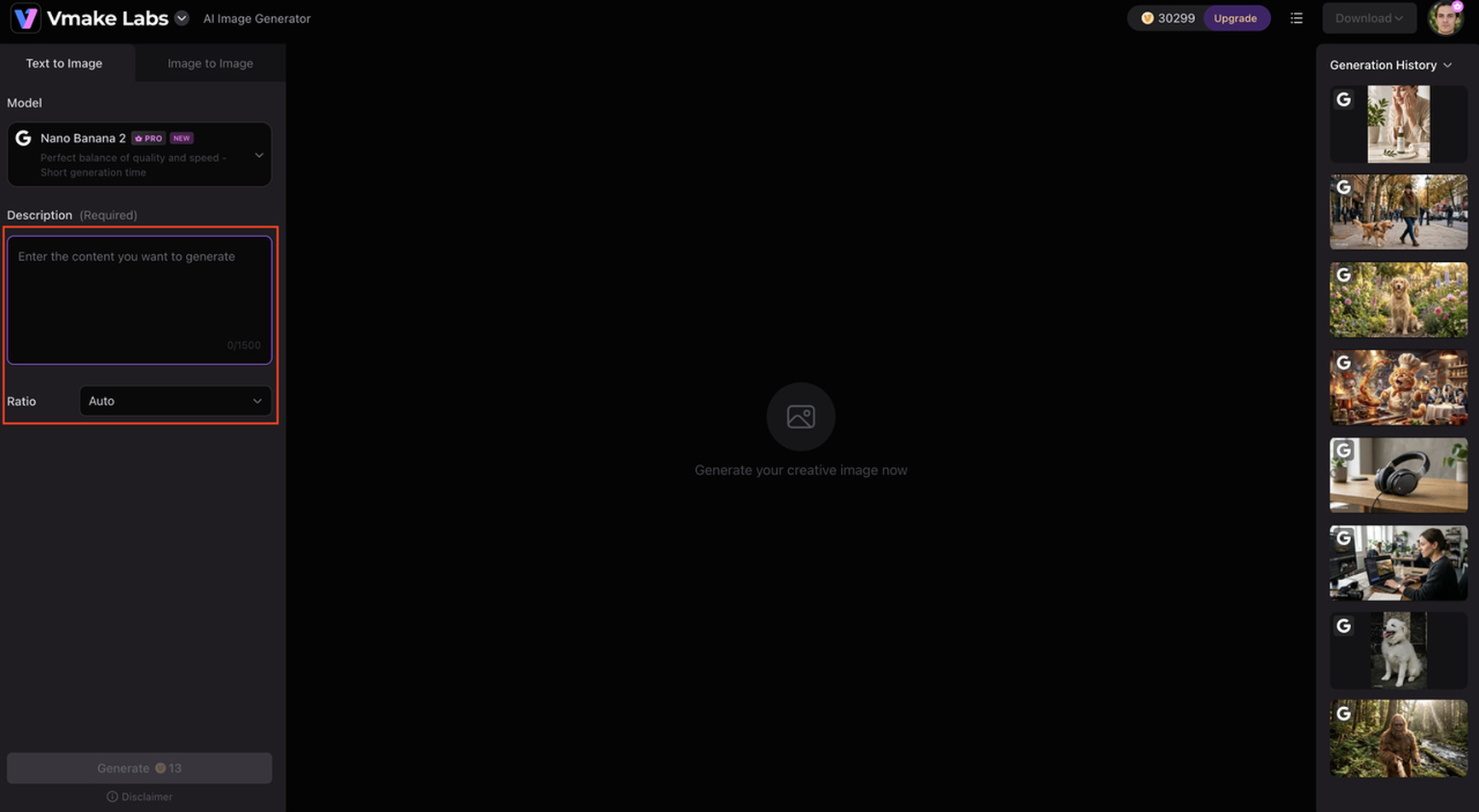
Step 2: Select your preferred AI model, aspect ratio, and generation settings
Choose from available AI models, adjust the aspect ratio, and customize generation settings to match your creative requirements before generating the image.
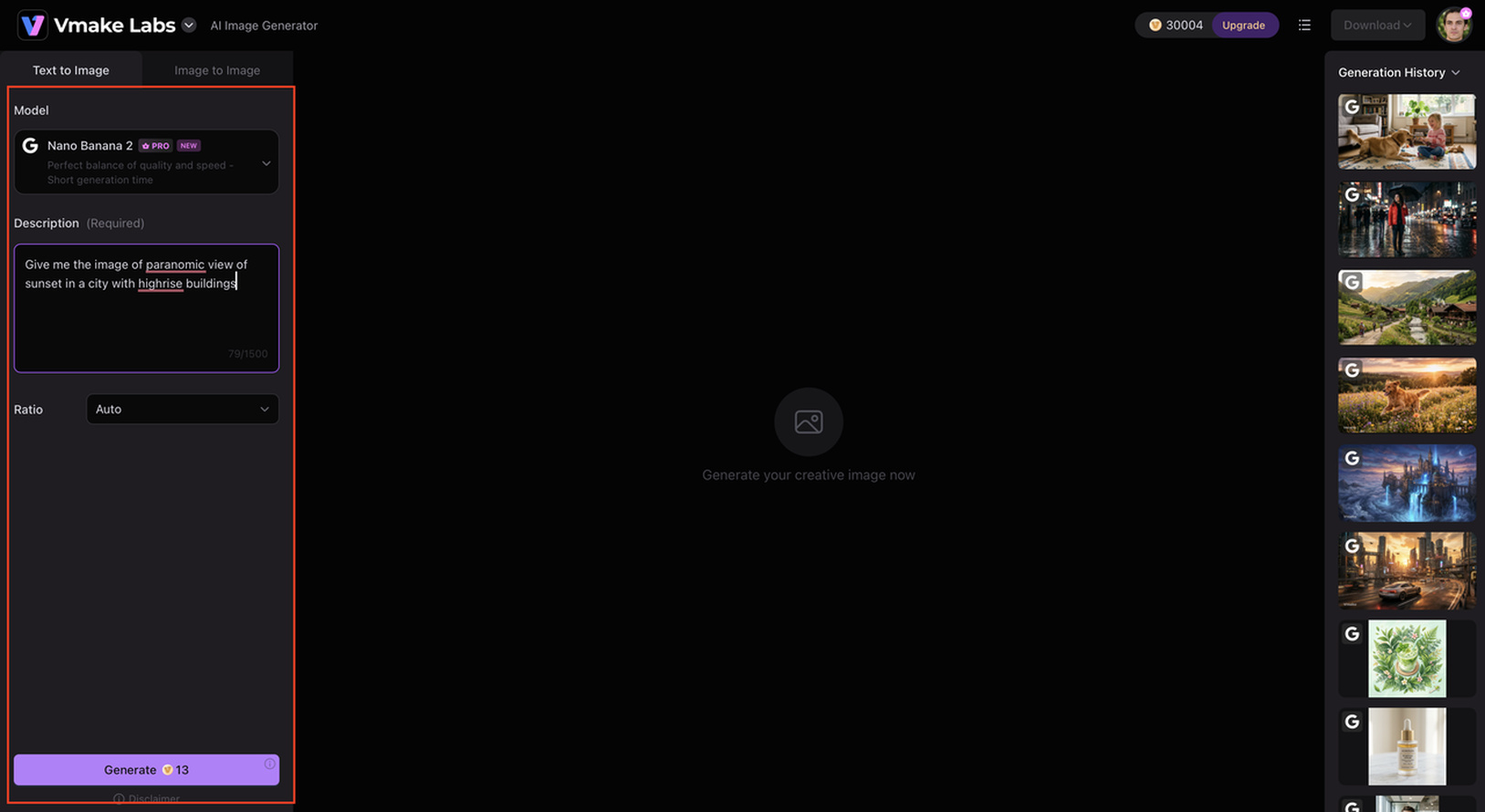
Step 3: Generate, preview, and download your image
Click Generate to create your image. Preview the results, regenerate if necessary, and download the version that best suits your project.
Why choose Vmake Labs AI Image Generator
Vmake Labs AI Image Generator is more than just a text-to-image generator. It is a tool that can be used to create high-quality visuals for a wide range of creative projects. It has an intuitive workflow and advanced AI capabilities, making it the perfect choice for both beginners and professionals.
-
Multiple AI image generation models: Choose from several leading AI models to create images in different styles and achieve results that best match your creative vision.
-
High-quality text-to-image creation: Transform detailed text prompts into sharp, visually appealing images suitable for digital content, presentations, and promotional materials.
-
Wide range of artistic styles: Generate everything from realistic photos and digital illustrations to anime, fantasy, and artistic concepts using a single platform.
-
Suitable for marketing, ecommerce, and social media visuals: Produce eye-catching product images, advertisements, banners, and social media graphics tailored to different business and creative needs.
-
Simple browser-based workflow: Access the tool directly from your browser, enter a prompt, customize your settings, and generate images in just a few clicks.
Eternal AI vs Vmake Labs AI Image Generator
Although both Eternal AI and Vmake Labs use AI to generate images, they are designed for different purposes. Eternal AI uses AI-generated images as part of its character creation workflow, allowing users to create custom cover images for interactive AI characters. In contrast, Vmake Labs AI Image Generator is built specifically for AI image generation, offering multiple AI models and flexible creation modes for a wide range of creative and commercial projects.
|
Feature |
Eternal AI |
Vmake Labs AI Image Generator |
|---|---|---|
|
Primary purpose |
AI character creation platform |
AI image generation platform |
|
AI image generation |
Character cover image generation |
Dedicated text-to-image and image-to-image generation |
|
Character creation |
Yes |
No |
|
Multiple AI models |
Limited |
Multiple leading AI models |
|
Creative customization |
Character personality, stories, and conversations |
Flexible image generation settings and styles |
|
Best for |
Interactive AI characters and storytelling |
Marketing, ecommerce, social media, and creative visuals |
|
Browser-based |
Yes |
Yes |
|
Image generation modes |
Text-to-image |
Text-to-image and image-to-image |
If your goal is to create interactive AI characters with unique personalities and AI-generated cover images, Eternal AI provides an engaging and beginner-friendly experience.
However, if you need a dedicated AI image generation platform with multiple AI models, image-to-image support, and tools for creating professional marketing or ecommerce visuals, Vmake Labs AI Image Generator offers greater creative flexibility.
Conclusion
Eternal AI offers a unique approach to AI creativity by combining character creation with AI-generated cover images, allowing users to build interactive personalities, stories, and conversations from a single browser-based platform. Its simple workflow and community publishing features make it an excellent choice for writers, roleplay enthusiasts, and creators who enjoy designing AI characters. However, users looking for a dedicated AI image generator with multiple AI models, advanced customization, and professional image creation features may benefit from a more specialized solution. For those needs, Vmake Labs AI Image Generator provides a flexible workflow with powerful AI image generation capabilities for creative, marketing, and ecommerce projects.
FAQs
-
Is Eternal AI free to use?
Yes. Eternal AI offers a free plan that allows users to create AI characters and generate character cover images with basic features. Depending on the plan, usage limits or premium features may apply. If you need a dedicated AI image generation platform with more creative controls, Vmake Labs AI Image Generator is another option to consider.
-
What can I create with Eternal AI?
Eternal AI lets you create interactive AI characters complete with custom personalities, stories, conversations, and AI-generated cover images. It is designed for storytelling, roleplay, and creative character experiences rather than general-purpose image generation. For marketing visuals, product images, or social media graphics, Vmake Labs AI Image Generator offers more specialized image creation tools.
-
Is Eternal AI suitable for beginners?
Yes. Eternal AI features a simple browser-based workflow that guides users through creating a play, building a character, generating a cover image, and publishing it. This makes it easy for beginners to start creating interactive AI characters without technical knowledge.
-
How is Eternal AI different from traditional AI image generators?
Unlike traditional AI image generators that focus solely on creating artwork from text prompts, Eternal AI combines AI-generated character cover images with personality creation, storytelling, and interactive conversations. Its primary focus is on building engaging AI character experiences rather than standalone image generation.
-
When should I choose Vmake Labs AI Image Generator instead of Eternal AI?
Choose Vmake Labs AI Image Generator if your main goal is creating AI-generated artwork, marketing visuals, ecommerce images, or social media content. It supports multiple AI models, text-to-image and image-to-image generation, and flexible customization options, making it a better choice for dedicated image creation workflows.

You May Be Interested
Best AI Video Generator: Top Tools Tested (2026)
Aiarty Image Enhancer Review: Is It Worth It for 2026?

ChatGPT Video Generator Review: Features, Pricing & Best Alternative
Can ChatGPT Transcribe Audio? Complete 2026 Guide

Canva AI Image Generator Review: Is It Worth It in 2026?

11 Best Image to Video AI Generators Compared in 2026