Can ChatGPT Transcribe Audio? Complete Guide for 2026
Wondering if ChatGPT can transcribe audio? Discover how it works, what file types it supports, its limitations, and when a dedicated AI transcription tool like Vmake Labs delivers better results.

Can ChatGPT transcribe audio? Here's what you need to know. Yes, it can transcribe supported audio files to text for your daily transcription needs. However, the accuracy and workflow of the transcription will depend on the quality of the recording, the file size and the complexity. Dedicated transcription tools are a better option for bigger projects.
Can ChatGPT transcribe audio?
Yes, ChatGPT is able to transcribe audio. It can convert audio files that it supports to text. It's perfect for everyday use cases like meetings, interviews, lectures, podcasts and voice memos, so it's a nice choice for your daily transcription needs. But the quality of the transcript depends on the recording itself. Good quality audio will often give better results, but long recordings, heavy accents, background noise or multiple speakers can reduce accuracy and require more editing.
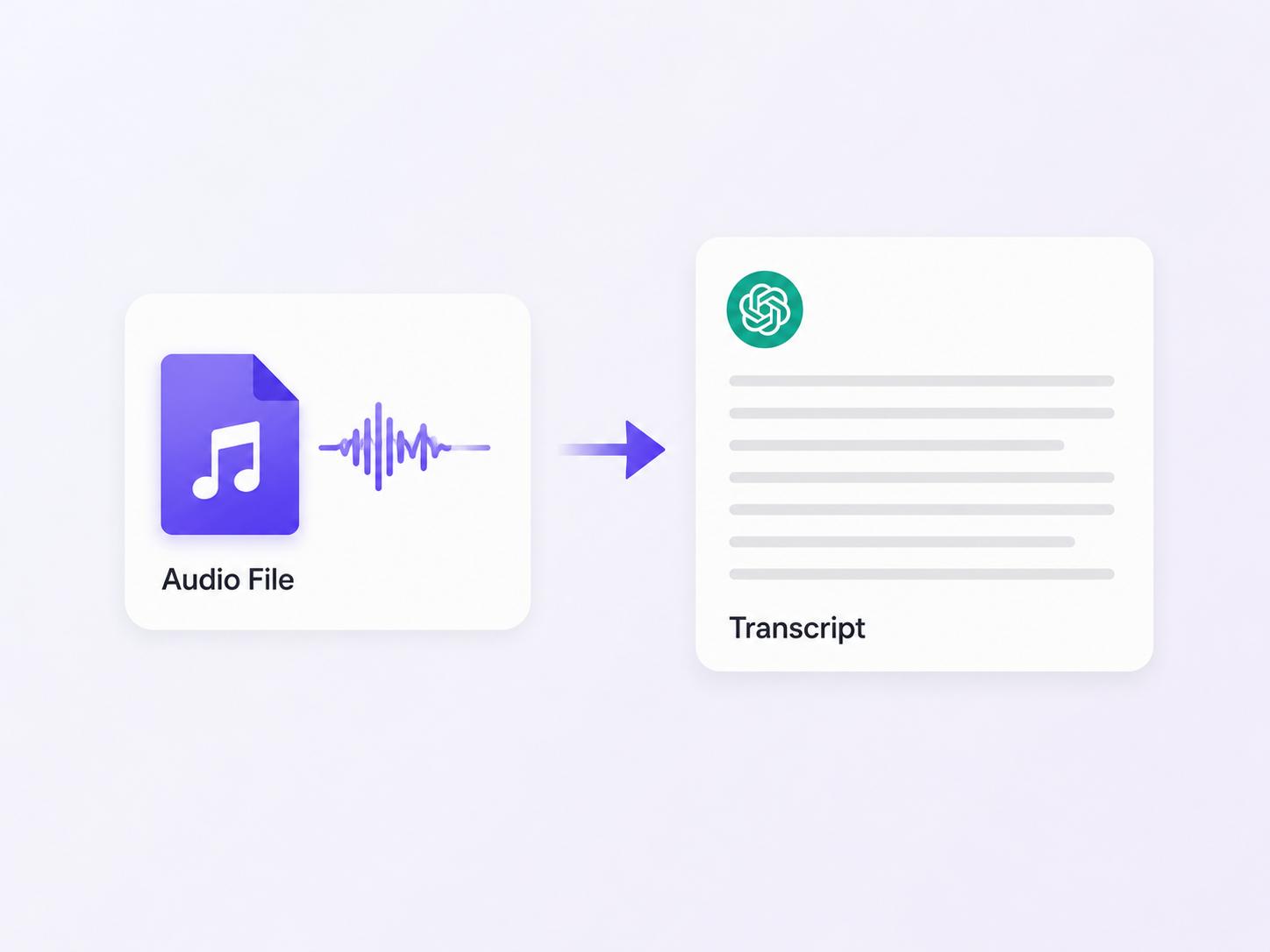
How to transcribe audio using ChatGPT
ChatGPT can easily transcribe audio, as long as your recording is supported and easy to listen to. Once you upload your file, ChatGPT will listen to the speech and create a transcript for you to read or edit in text form. Depending on your subscription and the available, your experience may be slightly different. The general workflow is simple.
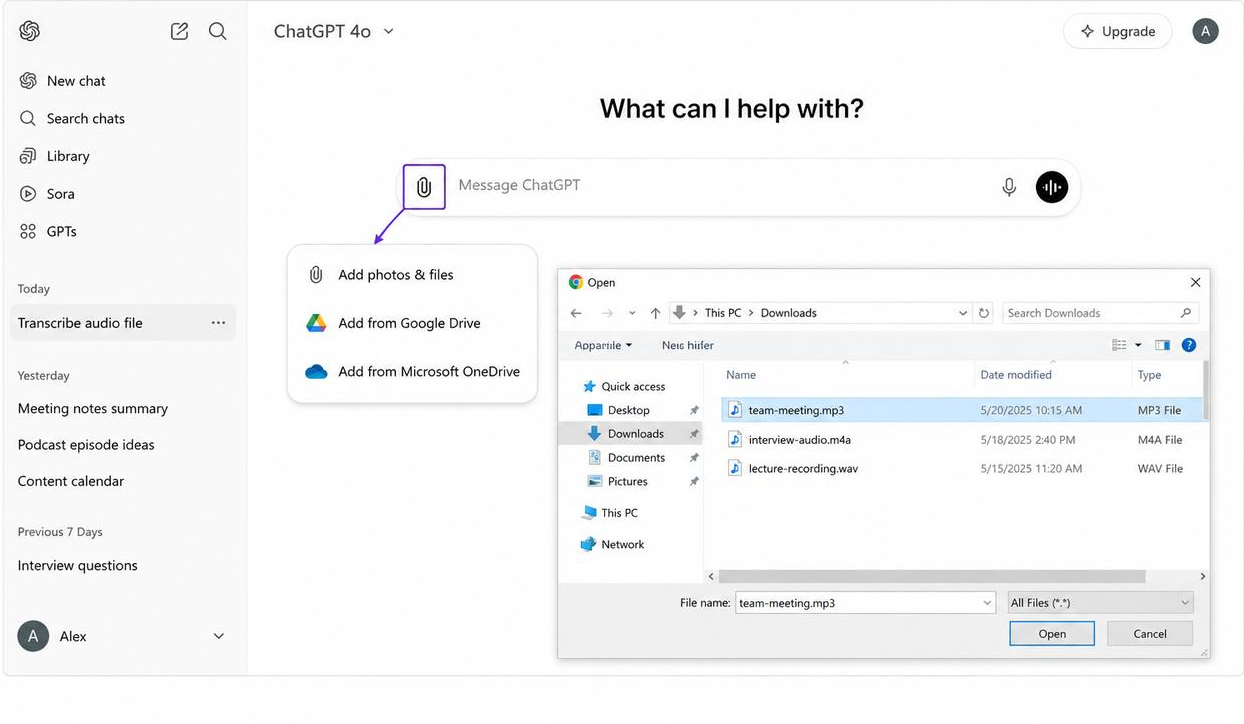
Step 1. Upload your audio file
Open ChatGPT and create a new chat. Click the attachment icon to upload a supported audio file from your device. For the best transcription results, use a clean recording with little background noise.
Step 2. Generate the transcript
Once the file uploads, have the AI transcribe the audio. It will convert the spoken content into text, and you can even request speaker labels, punctuation, summaries, or key takeaways.
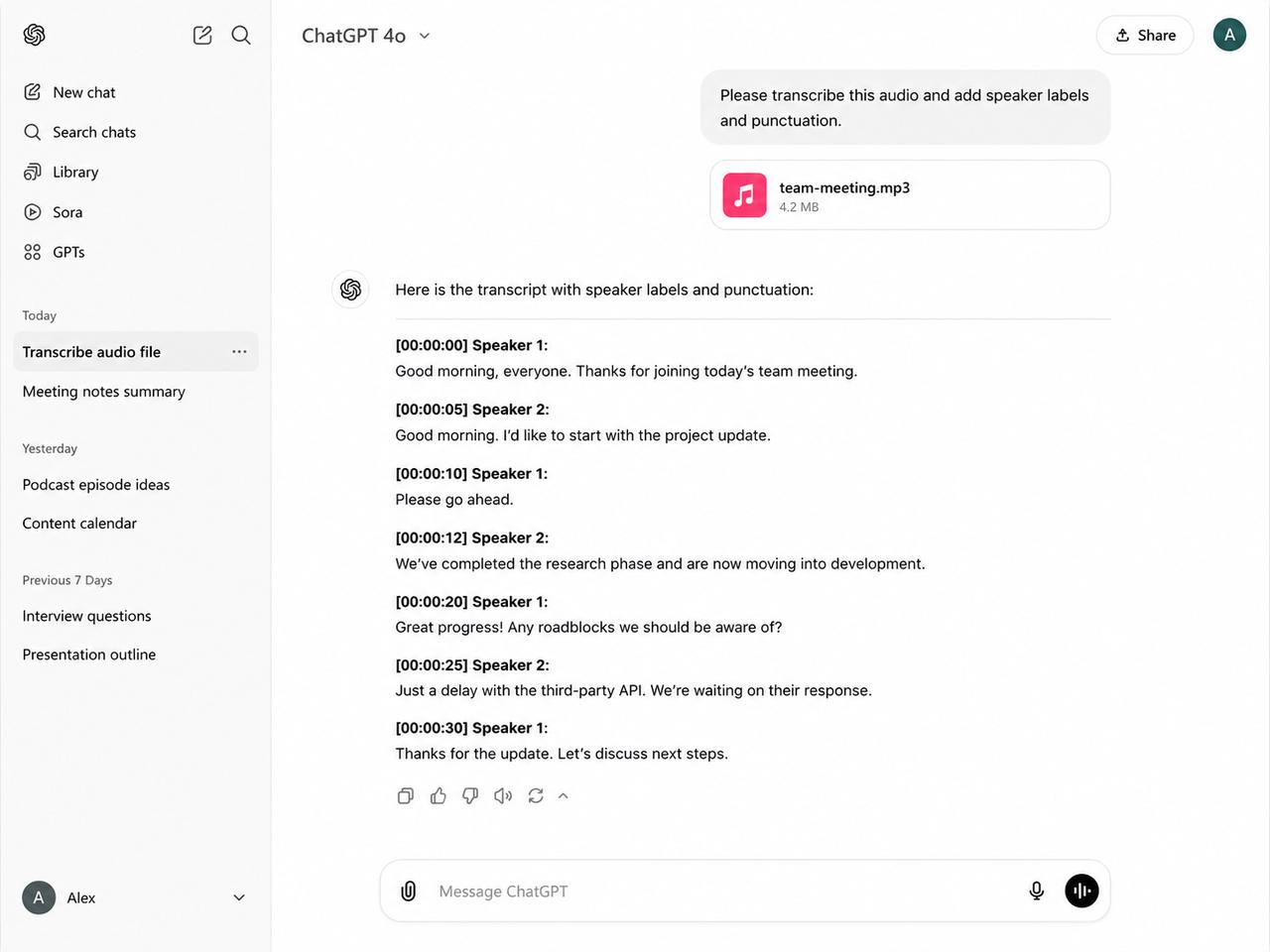
Step 3. Review, edit, and export the transcript
Carefully review the transcript for any errors, especially names, numbers, or technical terms. Make the necessary edits, then copy or export the text to your preferred document or note-taking app for future use.
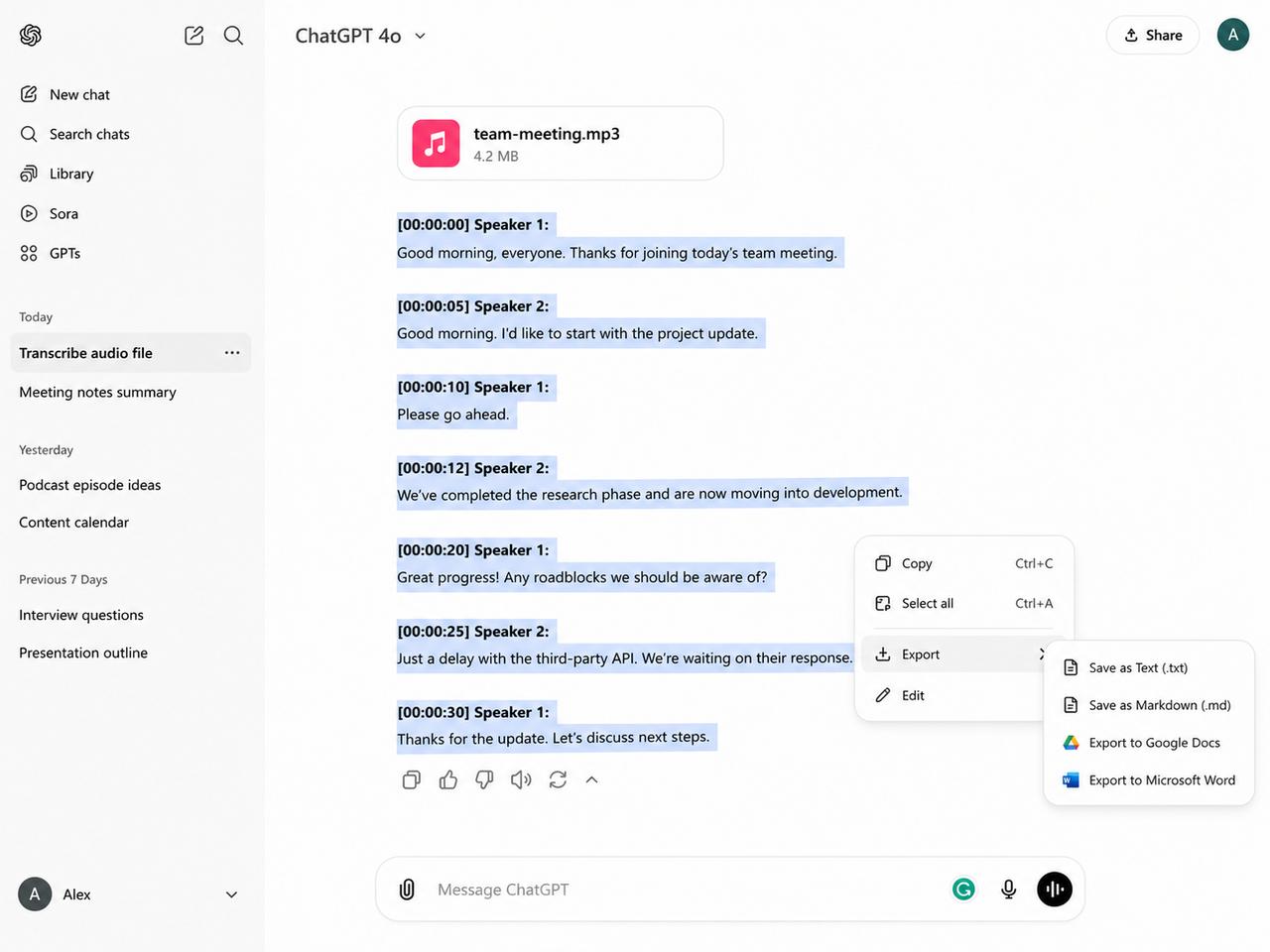
Pros and limitations of ChatGPT for audio transcription
For those who need occasional transcription, ChatGPT is an easy alternative for turning audio into text. It can do more than create a transcript. It can summarize a conversation, rewrite content and pull out key points in the same chat. But it's not intended to replace dedicated transcription software for any workflow. Know its strengths and weaknesses, and it will help you decide when it's the right tool and when another solution is more appropriate.
Pros
-
Easy to transcribe short audio files: Great for quick recordings such as meetings, voice notes, interviews, and lectures.
-
Can summarize and refine transcripts: Turn raw transcripts into meeting notes, action items, or concise summaries with simple prompts.
-
Simple conversational workflow: Upload your file, request a transcript, and continue editing or asking follow-up questions in one place.
-
Suitable for everyday transcription: Ideal for students, professionals, creators, and researchers handling occasional transcription tasks.
Limitations and impacts
|
Limitation |
Impact on users |
|---|---|
|
File upload restrictions |
Large recordings may require splitting |
|
Background noise sensitivity |
Lower transcription accuracy |
|
Multiple speakers |
Speaker separation may be inconsistent |
|
Limited export formats |
Extra editing may be required |
|
Batch transcription |
Not suitable for processing many files |
|
Workflow automation |
Limited to business-scale transcription |
Is ChatGPT transcription free?
Whether ChatGPT transcription is free depends on your ChatGPT plan and the features currently available on your account. Audio transcription isn't universally available to every user, and access may vary over time. If your plan supports audio uploads, you can transcribe supported audio files directly within ChatGPT. Users who need advanced transcription workflows, such as long recordings, multilingual transcription, subtitle generation, or TXT and SRT exports, may find a dedicated tool like Vmake Labs more suitable for regular use.
|
ChatGPT plan |
Approximate monthly price* |
Audio transcription availability |
|---|---|---|
|
Free |
$0 |
Limited feature access. Audio transcription may not be available for all users. |
|
Plus |
Around $20/month |
Includes access to more AI features, with audio transcription available where supported. |
|
Pro |
Around $200/month |
Higher usage limits and broader access to supported audio capabilities. |
|
Business |
Starts at ~$20–$25 per seat/month |
Designed for teams with higher limits and shared workspace features. |
|
Enterprise |
Custom pricing |
Enterprise-grade features with pricing based on organizational requirements. |
*Pricing is approximate and may vary by region or change over time. Refer to OpenAI's official pricing page for the latest information.
Why can't ChatGPT transcribe audio sometimes?
If you have ever asked yourself, "Why can't ChatGPT transcribe audio?" There are actually several common reasons. The problem is mostly the quality of the file or recording being uploaded, not the transcription ability itself.
Some of the most common causes include:
-
Unsupported file formats: The uploaded audio format may not be supported.
-
Corrupted files: Damaged or incomplete audio files may fail to process.
-
Background noise: Loud music, echoes, or environmental sounds can make speech difficult to recognize.
-
Overlapping conversations: Multiple people speaking simultaneously can reduce transcription accuracy.
-
File upload size limits: Very large recordings may exceed upload limits or require splitting.
-
Internet or session issues: Temporary connectivity problems or interrupted sessions can prevent successful processing.
Before uploading, make sure that your audio recording is clear and in a supported format and that you have a stable connection to the Internet. However, if you regularly work with long recordings or multilingual content, or if you have many files to transcribe, a dedicated AI transcription platform will give you a better experience.
Your AI transcriber: Transcribe faster and easier with Vmake Labs
Vmake Labs is built specifically for fast and efficient speech-to-text workflows, but you can use ChatGPT for occasional transcription. Vmake Labs allows you to transcribe audio and video into accurate transcripts in a few clicks, whether you're a content creator, educator, marketer, business professional, or researcher. It also allows video uploads and online links, making it easier to handle different types of content from one platform.
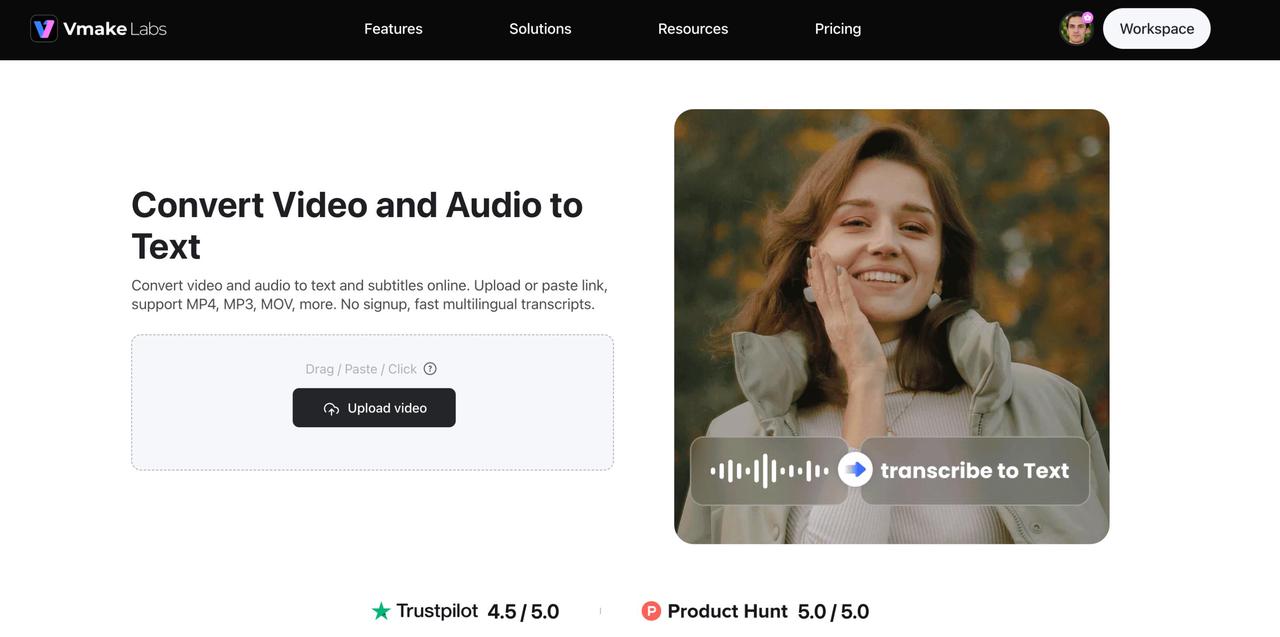
Step 1: Upload audio or video
Upload an audio or video file directly from your device, or simply paste a YouTube or TikTok link. Vmake Labs supports multiple popular file formats, allowing you to start transcription without additional conversions.
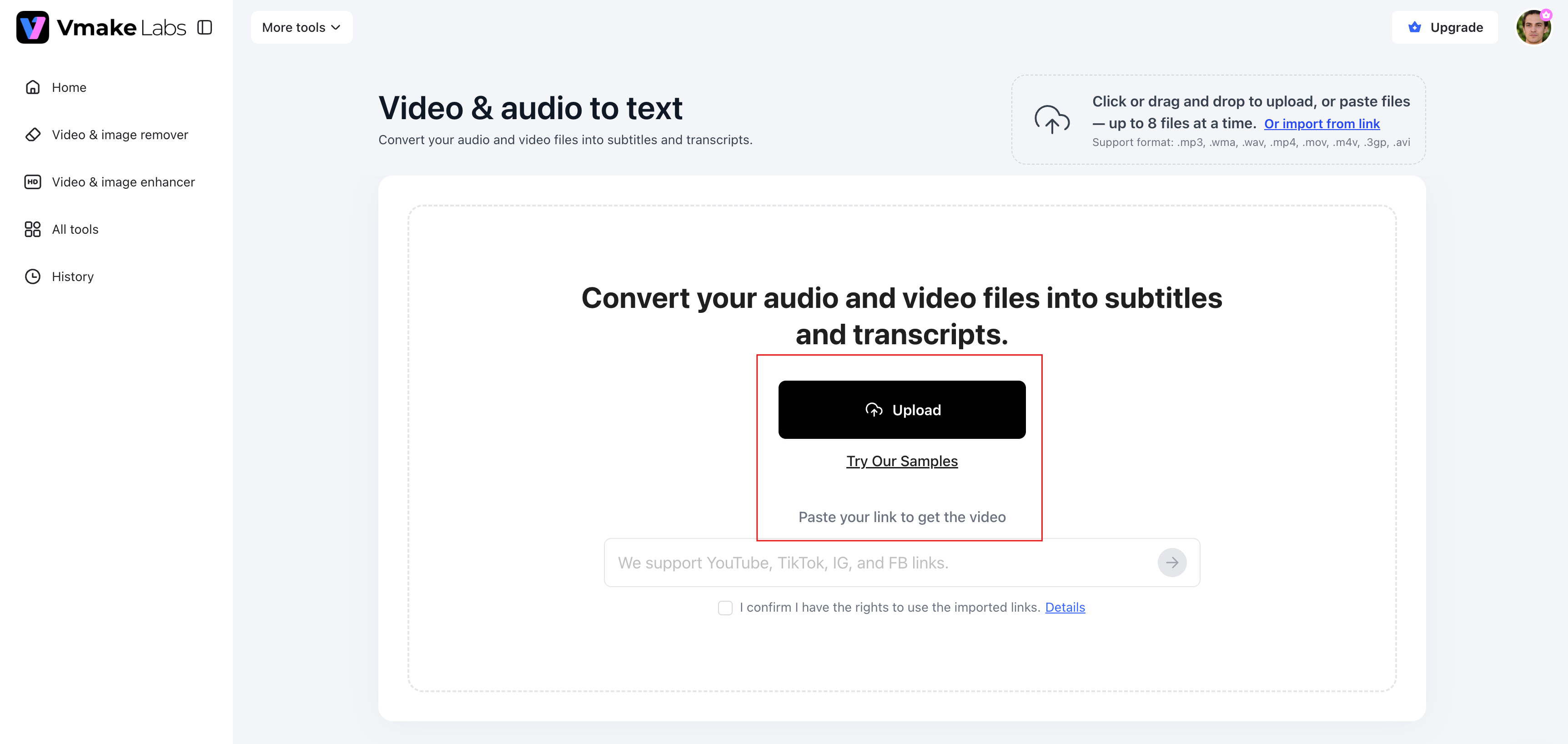
Step 2: Generate an accurate transcript
Once your content is uploaded, AI will automatically convert speech into text within minutes. The system understands spoken dialogue and generates a transcript of the conversation that is ready to be reviewed or modified.
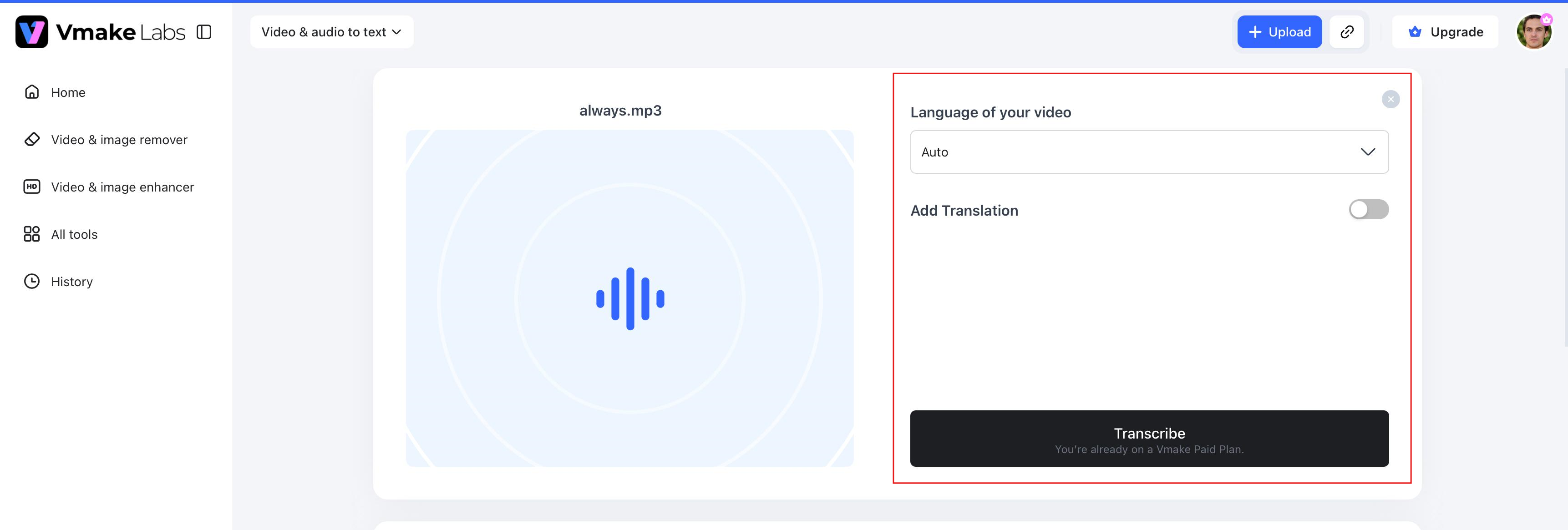
Step 3: Edit, download, or reuse your transcript
Review the transcript, edit as needed and export to your preferred format. You can also reuse the transcript to generate subtitles, captions, blog content, meeting notes or social media posts.
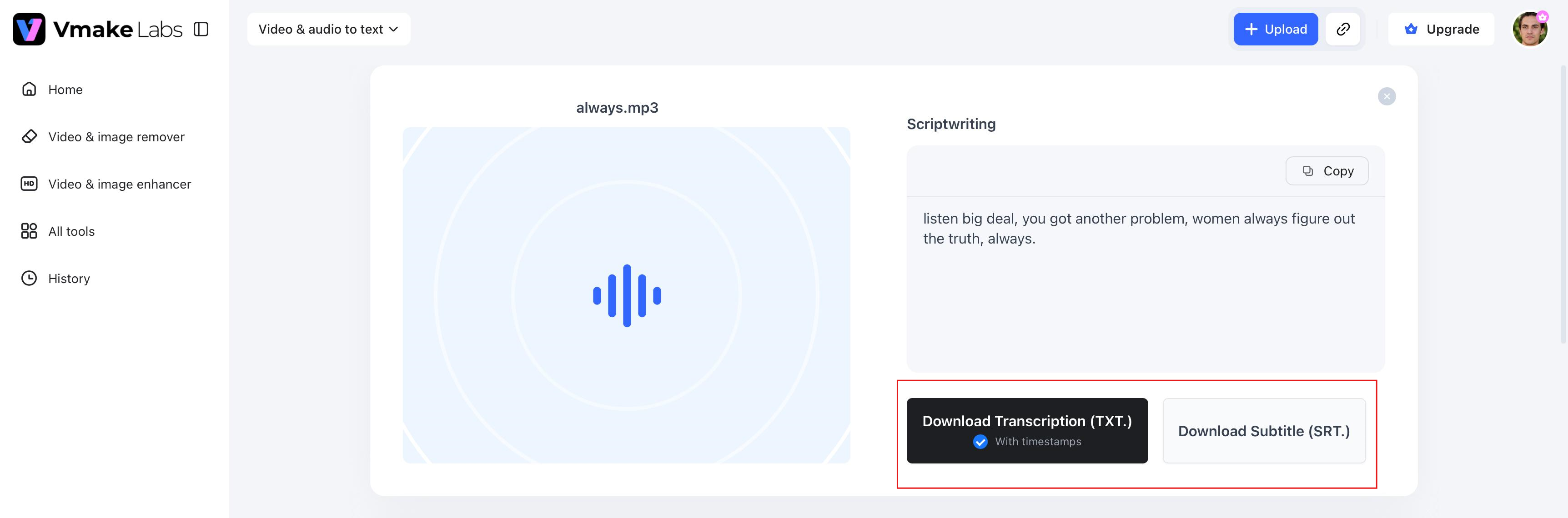
Key features of Vmake Labs Audio to Text
Vmake Labs offers a set of AI-powered tools that make transcribing audio and video faster, more accurate, and easier to organize for all types of content.
-
Upload audio, video, or YouTube/TikTok links: Upload files directly from your device or paste a YouTube or TikTok link to start transcription. This flexible input option saves time and eliminates the need to download online content first.
-
AI-powered multilingual transcription: Speech to Text with AI-driven recognition in various languages. Perfect for multilingual meetings, interviews, educational content and projects for a global audience.
-
Fast speech-to-text conversion: Create accurate transcripts from existing audio or video files within minutes. This helps to streamline transcription workflows and reduces manual typing time.
-
Automatic subtitle generation: Create subtitles automatically while generating your transcript. This makes it easier to improve accessibility and prepare videos for publishing on different platforms.
-
Export transcripts in TXT and SRT formats: Download transcripts in TXT files for editing or SRT files for subtitles. These formats are widely used for documentation, video editing and content publishing.
-
Supports multiple audio and video file formats: Upload a variety of commonly used audio and video formats without converting them beforehand, making the transcription process faster and more convenient.
-
All-in-one browser-based workflow: Complete your transcription from start to finish in one place. Paste a YouTube or TikTok link, generate a transcript, edit it online, create subtitles, and export your files without switching between multiple tools or downloading source videos.
Here's a stronger replacement that addresses the editor's feedback by helping readers decide which option is right for their use case, while naturally introducing Vmake Labs.
ChatGPT vs Dedicated transcription tool: Which should you use?
ChatGPT is a practical choice for occasional transcription, especially if you already use it for writing, summarizing, or brainstorming. It can quickly convert supported audio files into text and help refine the transcript in the same conversation. However, if you regularly work with long recordings, subtitles, multilingual content, or multiple files, a dedicated transcription platform offers a more efficient workflow and specialized features.
|
Feature |
ChatGPT |
Dedicated transcription tool (Vmake Labs) |
|---|---|---|
|
Best for |
Occasional transcription and content refinement |
Regular transcription for creators, businesses, educators, and marketers |
|
Long recordings |
May require splitting large files |
Handles long audio and video files more efficiently |
|
Input sources |
Supported audio file uploads |
Audio, video, and YouTube/TikTok links |
|
Multilingual transcription |
Available depending on features and plan |
Built for multilingual transcription workflows |
|
Subtitle generation |
Not a dedicated feature |
Automatically generates subtitles |
|
Export options |
Basic copy or supported exports |
TXT and SRT exports |
|
Workflow |
Transcription plus chat-based editing |
End-to-end transcription, editing, subtitle generation, and export in one browser-based workflow |
|
Batch processing |
Limited |
Better suited for handling multiple transcription projects |
Choose ChatGPT if you occasionally need to transcribe a meeting, lecture, interview, or voice memo and want to summarize or rewrite the transcript in the same chat. Choose Vmake Labs if you need a faster, purpose-built solution for long recordings, multilingual transcription, subtitle generation, flexible export formats, or recurring transcription projects.
Conclusion
So can ChatGPT transcribe audio? Yes, it is good for a lot of everyday transcription tasks and is good for meetings, interviews, lectures, podcasts, and voice memos. However, the accuracy and the overall experience depend on the recording quality, file size, and the complexity of the conversation. If you need a transcript once in a while, ChatGPT is a good solution. Vmake Labs is a more complete AI transcription solution, supporting longer recordings, multilingual transcription, automatic generation of subtitles, flexible export formats and a faster workflow. Pick the right tool for your content, workflow, and transcription requirements.
FAQs
Can ChatGPT transcribe audio files?
Yes, ChatGPT can transcribe supported audio files to text, making it useful for meetings, interviews, lectures, podcasts and voice memos. Accuracy varies based on the quality of the recording and the complexity of the conversation.
Can ChatGPT Pro transcribe audio?
Yes. Can ChatGPT Pro transcribe audio is a common question, and the answer is yes. Depending on the available features in your subscription, ChatGPT Pro can transcribe supported audio files into text. If you need additional options such as subtitle generation or transcript exports, you may also consider a dedicated tool like Vmake Labs.
Why can't ChatGPT transcribe audio sometimes?
Some common reasons include unsupported file formats, corrupted uploads, too much background noise, overlapping speakers, upload size limits or temporary internet and session issues. In many cases, the solution is a quick check of the quality of your recording and the file format.
Can ChatGPT transcribe audio to text accurately?
Yes, the transcription accuracy of audio to text by ChatGPT is high when the audio recordings are clear and have minimal background noise. However, accuracy may suffer with poor quality audio, overlapping speakers or strong accents. For more consistent results on longer or complex recordings, Vmake Labs has AI-powered transcription for those workflows.
When should I use Vmake Labs instead of ChatGPT for transcription?
Vmake Labs is a better choice when you need more than occasional transcription. It supports long audio and video recordings, YouTube and TikTok links, multilingual transcription, automatic subtitle generation, and TXT or SRT exports. If you regularly create content or manage multiple transcription projects, it provides a faster and more streamlined workflow.

You May Be Interested
VEED.io Audio to Text: Everything You Need to Know in 2026

ChatGPT Video Generator Review: Features, Pricing & Best Alternative
How to Generate Thumbnails with AI: Guide for Optimized Previews
How to Transcribe Video to Text in 2026: Free Online AI Tool