Deepfake Video Generator: Is It Worth Using in 2026?
Create realistic AI videos with a deepfake video generator. Explore features, pricing, limitations, and Vmake Labs as a simpler alternative for AI video creation.

As AI makes it easier to manipulate video, more creators have access to face swaps and synthetic footage. But not all deepfake video generators are created equal in terms of quality, controls, or value. This guide explains how they work, what they can do, their limitations, pricing and a more accessible alternative worth considering.
What is a deepfake video generator?
A deepfake video generator is an AI tool that can alter or create video content by changing a person's face, expressions, voice, or other visual elements. The most familiar example is face swapping, where one person's face is replaced with another while the original video, background, and movement remain largely intact. These tools use AI to analyze faces and video frames, then generate the changes needed to make the result appear natural. Depending on the platform, a deepfake video generator may also support talking-person videos, AI avatars, or other forms of synthetic video. The available features and the quality of the results can vary considerably from one tool to another.
How does a deepfake AI video generator work?
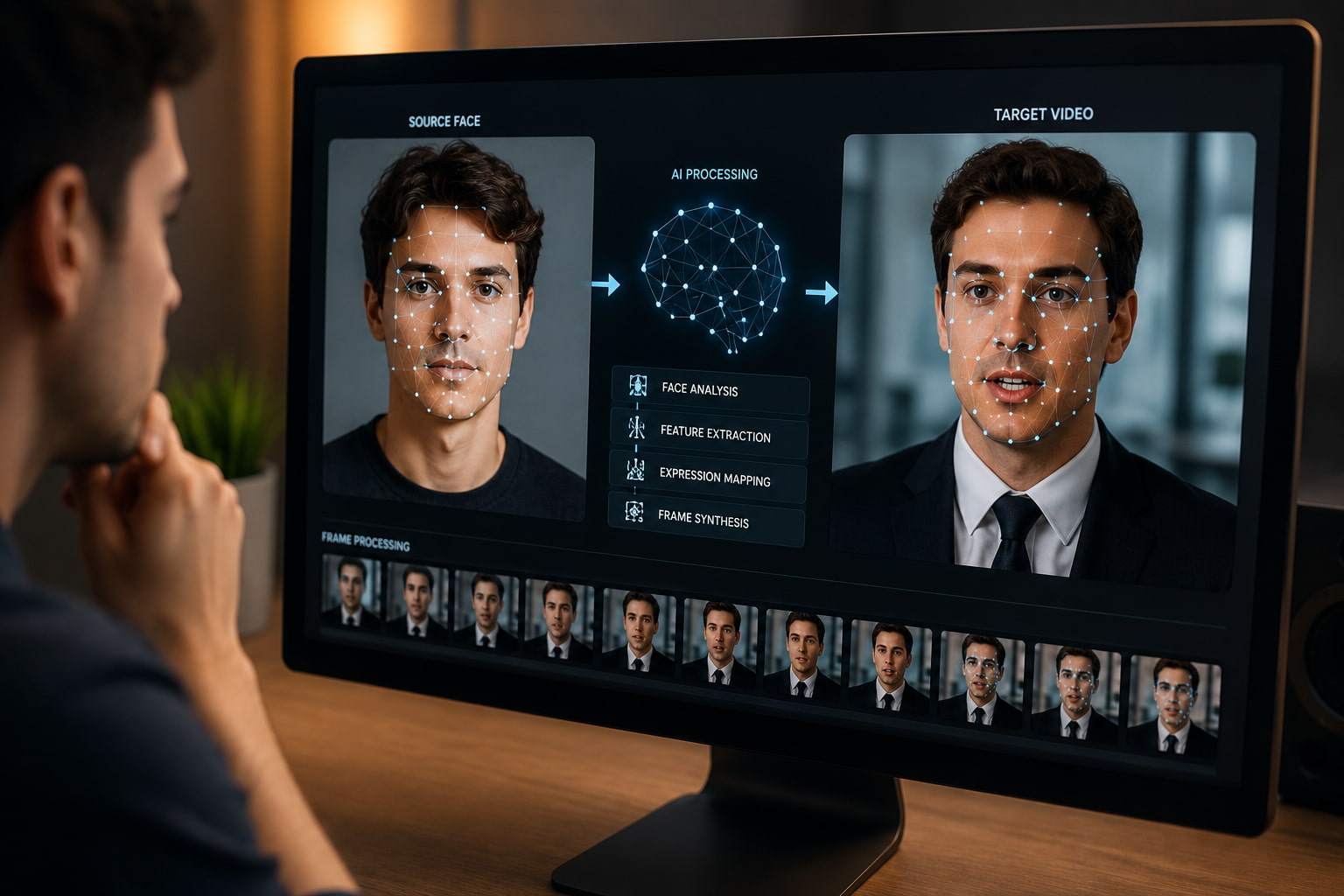
A deepfake AI video generator typically works by comparing source and target media. The source contains the face or visual identity you want to use, while the target is the image or video that will be modified. The AI analyzes facial features, positioning, expressions, and other visual details in both pieces of media to determine how the source should fit into the target.
The system analyzes the faces. After the faces are analyzed, the system generates the transformation, and adjusts it to follow the target 's expressions and movement . Video uses the same process across frames, so the face stays aligned as the person turns, speaks or changes expression. How well this works depends on the generator, some tools handle different angles, movement and lighting are more reliable than others.
What can you create with a deepfake video maker?
A deepfake video maker can be used to create or alter different types of video content, depending on the features offered by the platform. Face swapping is the most familiar use, but some tools go further with talking-person videos, avatars, character content, and other creative applications.
-
Face-swap videos: Replace one person's face with another in existing footage while retaining the original scene and movement. This is one of the most common uses of a deepfake video maker.
-
Talking-person videos: Create videos where a person appears to speak or deliver dialogue, with facial movement and lip-sync added when the tool supports these features.
-
Character and entertainment videos: Experiment with different identities or fictional characters to create short-form entertainment, visual effects, and creative video concepts.
-
Social media content: Produce short videos, memes, and other attention-grabbing content for platforms such as TikTok, Instagram, and YouTube.
-
Creative and educational videos: Use face or character transformations in visual storytelling, demonstrations, presentations, and other projects where an altered appearance helps convey an idea.
-
AI avatar-style content: Create digital presenters or talking characters for videos when the platform includes avatar or similar capabilities.
Available workflows vary from generator to generator. Some are working on face replacement, some are doing that combined with voice, lip sync, avatars or general AI video creation. Checking those capabilities first can help you choose a tool that matches the type of video you really want to create.
Deepfake video vs. AI-generated video
A deepfake video and an AI-generated video may look alike, but they begin with different ideas. Deepfakes generally take existing media and manipulate it to change a person’s identity or likeness, such as swapping one face for another. AI-generated video, in contrast, can generate new footage from a text prompt, an image or existing video, without necessarily using the identity of a real person.
The difference isn’t always black and white. And some modern platforms give you both face swapping and more general AI video tools, so you might have a single project that uses both. So, which is the better choice? It all depends on the result you want. If the goal is to preserve an existing scene but change a face, a face-swap workflow is the way to go. But if you want to create or transform the video itself, an AI video workflow is better.
Key features of a deepfake AI video generator
Not all deepfake AI video generators treat faces, movement or output the same. But when you compare tools, look at features that affect the end result and how much control you have over the video.
Face swapping and identity consistency
A good face-swap tool should accurately align the source face with the target footage while keeping the person's identity consistent throughout the video. This includes handling changes in facial expression, head position, and viewing angle without making the face look distorted or out of place. Consistent tracking across frames is particularly important for video, as even small shifts can become noticeable when the subject moves.
AI video and motion capabilities
Depending on what you want to create, see if the generator supports such workflows as video-to-video transformation or image-to-video. Motion handling is also important, as facial expressions, head movement and change of position need to look natural from frame to frame. A good tool would keep the transformation consistent as the subject moves, not flicker or have other obvious inconsistencies.
Voice and lip-sync features
If your video has talking in it, make sure the lip sync is right. Keep the mouth movements in sync with the dialog. Some platforms also have voice options and talking-avatar features, which can come in handy when you want to create speaking characters or presenters. Not all generators have these capabilities, so be sure to double-check that the generator you choose for a speech project has voice and lip-sync capabilities.
Output and editing controls
Practical output options can make a big difference once the video has been generated. Check the available video length, resolution, aspect ratios, preview and refinement options, and export formats. Watermarks and restrictions can also vary by plan, particularly with free versions, so review these limits if you need a finished video that is ready for publishing or further editing.
How to make a deepfake video
The process usually involves preparing your media, applying the transformation, and checking the final result.
Step 1: Choose a deepfake video generator and prepare your media
Choose a generator that supports the type of video you want to make. For a face swap, prepare a target image or video and a clear source image containing the face you want to use. Make sure you have permission to use the source media and person's likeness.

Step 2: Upload your media and apply the transformation
Upload the source and target media, then select the appropriate face-swap or video transformation option. Start the generation and wait for the tool to process the files.

Step 3: Review, refine, and export the video
Check the result for face alignment, expressions, movement, and visible artifacts. If needed, use a better source image or adjust the available settings and generate the video again. Once the result is satisfactory, export the finished video.
Deepfake video generator review: quality, pricing, pros, cons, and community feedback
The quality of a deepfake video generator is dependent on how clear the source footage is and how easy it is to track the subject. But the quality varies between tools and even the same generator may vary depending on the video. We discuss quality of output, common issues, pricing, user feedback and when these tools are a good fit.
Deepfake video quality and results
The quality of a deepfake video depends on the generator, the source media and type of footage. Talking-head videos need precise facial movement and lip-syncing, but short face-swap clips with steady movement and clear faces can get good results. Different angles of the face and lighting conditions can also affect the output. When comparing results, look at facial realism, identity consistency, expression accuracy, motion quality, lip-sync and frame consistency instead of looking at the video from one single frame.
Where deepfake video generators struggle
Deepfake video generators don't always deliver consistent results when the footage is hard to track. Fast or complex motion, occluded faces, extreme face angles and sudden changes in lighting can make the face harder to match. Also, the lip-sync can also be shaky when the video includes more complicated speech or motion.
Deepfake video generator pricing and free options
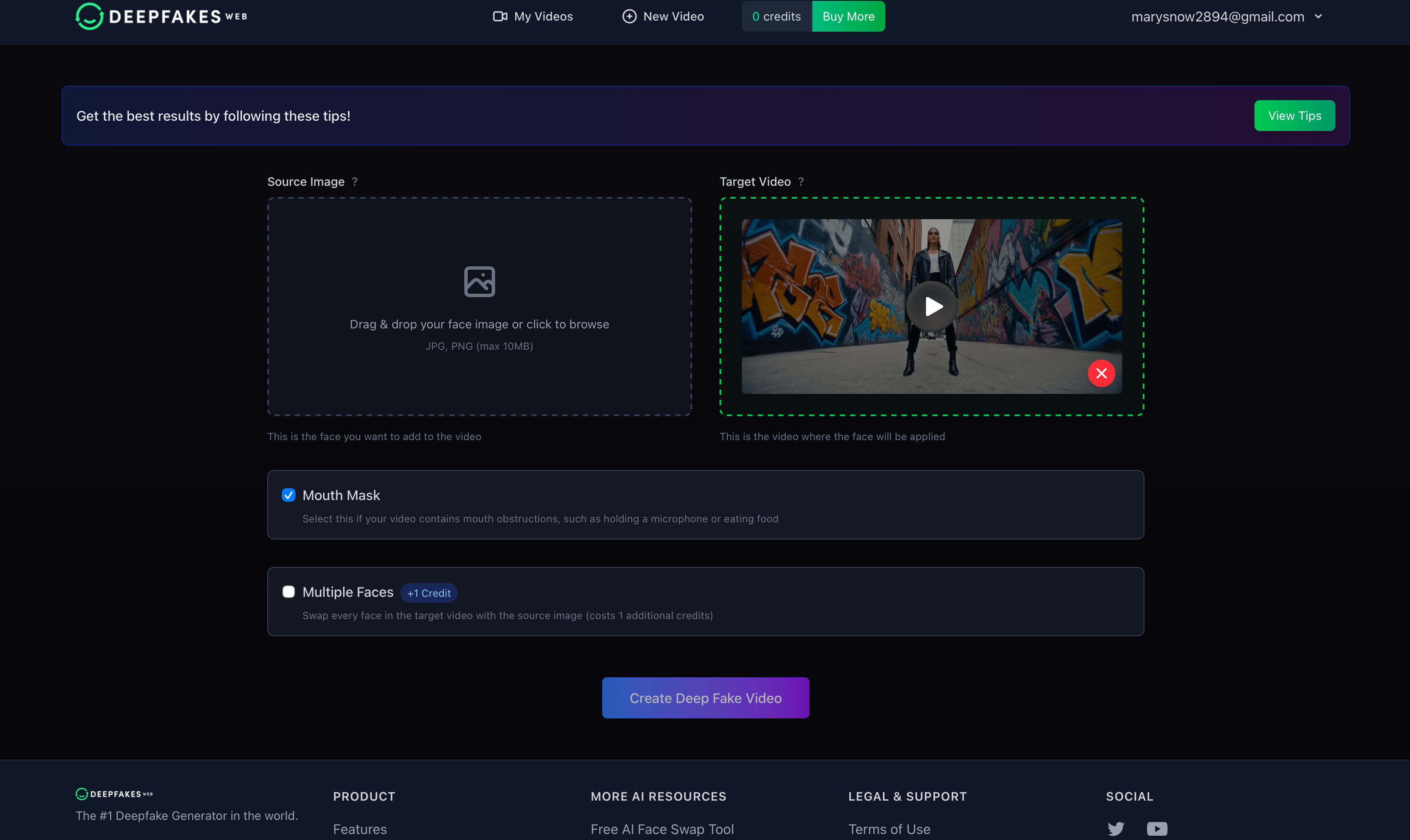
Pricing for deepfake video tools can vary by platform and payment model. Deepfakes Web currently offers separate web and mobile options, with the app priced lower per video.
|
Option |
Price |
Payment |
Account |
|---|---|---|---|
|
Deepfakes Web |
$10/video |
Crypto only |
Required to use the web service |
|
Deepfakes App |
$1/video |
Card or in-app payment |
No account required |
Pros and cons
|
Pros |
Cons |
|---|---|
|
Convincing video transformations |
Results vary between tools |
|
Fast creative experimentation |
Complex footage can produce artifacts |
|
Multiple potential video applications |
High-quality source media is often important |
|
Less traditional production work |
Free plans may impose restrictions |
|
|
Some tools have a learning curve |
Community feedback
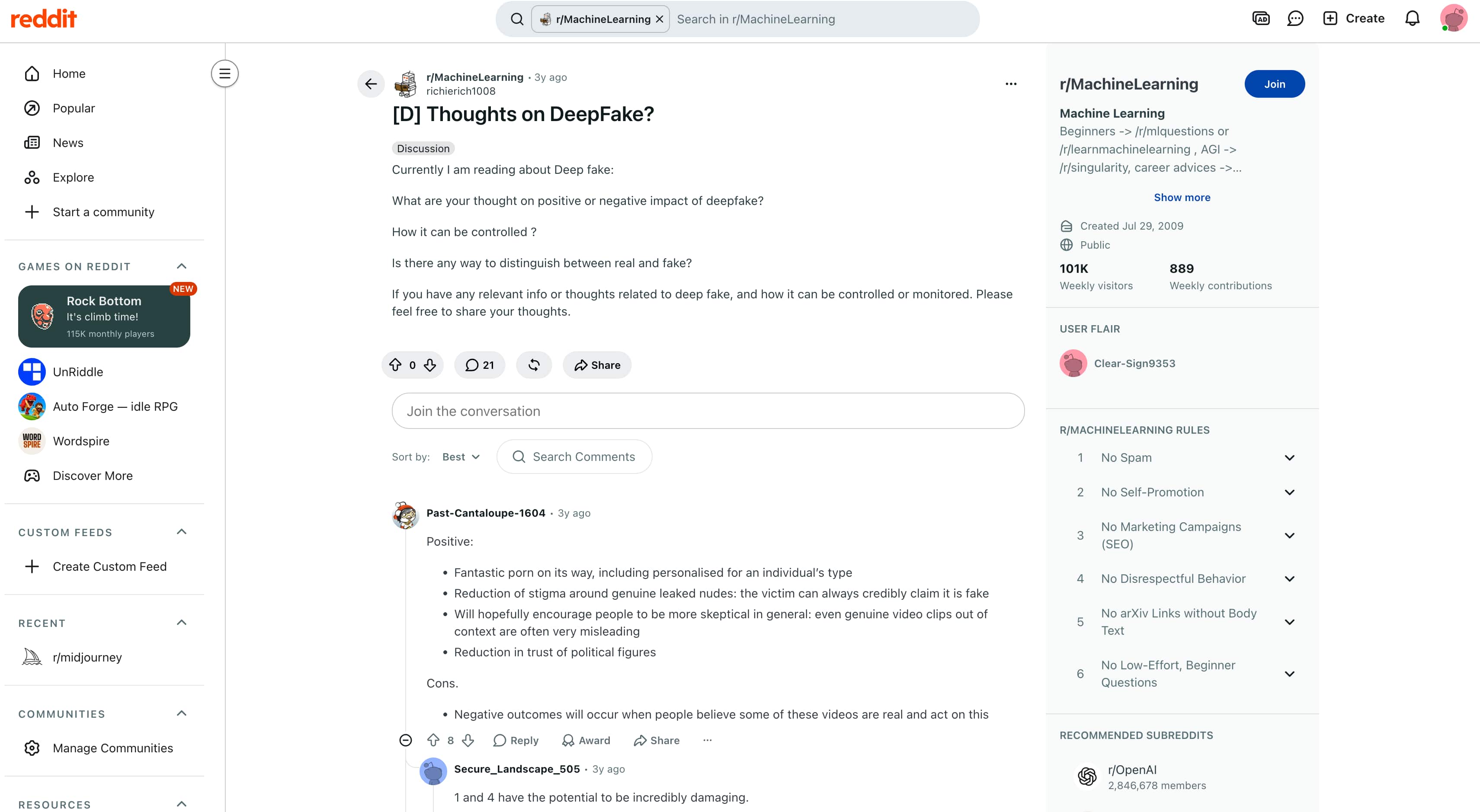
Reddit: A discussion in Reddit's r/aiwars community focuses specifically on deepfakes and hyperrealistic image and video generation. One commenter argues that the concern is not limited to AI-made content, noting that manipulated media can be harmful regardless of how it is created. The discussion also points to the growing number of state and federal laws addressing deepfakes, while another commenter raises concerns about how quickly AI can make realistic manipulated content.
Trustpilot: Deepfakes Web has a 4.5/5 rating from 236 reviews on the screenshot provided. Reviews are mixed on specific features: one reviewer praised the mouth-mask function but said the face-swap results were less convincing, while another described the platform as good enough after learning how to use it. Trustpilot also notes that the company has not invited customers to review it and that it does not fact-check reviews.

Our Verdict
A deepfake video generator can be handy for short creative projects where you want to change a face but want to keep the original footage. But the results are very dependent on the source media and the tracking quality of the tool. Free options can help with testing, while paid tools may provide better limits and output options. Be sure to check pricing and licensing before use. If you are more interested in swapping faces rather than creating a whole new video, you should try the Face Swap workflow of Vmake Labs.
How to create deepfake-style AI videos with Vmake Labs
If you want to create a face-swapped video without rebuilding the entire scene, Vmake Labs Face Swap is a suitable option. It supports face swapping for both images and videos while preserving the target media's original scene and motion. The tool also matches the replacement face to the target's expression, angle, and lighting, with cross-frame tracking to help keep the face aligned throughout the video.
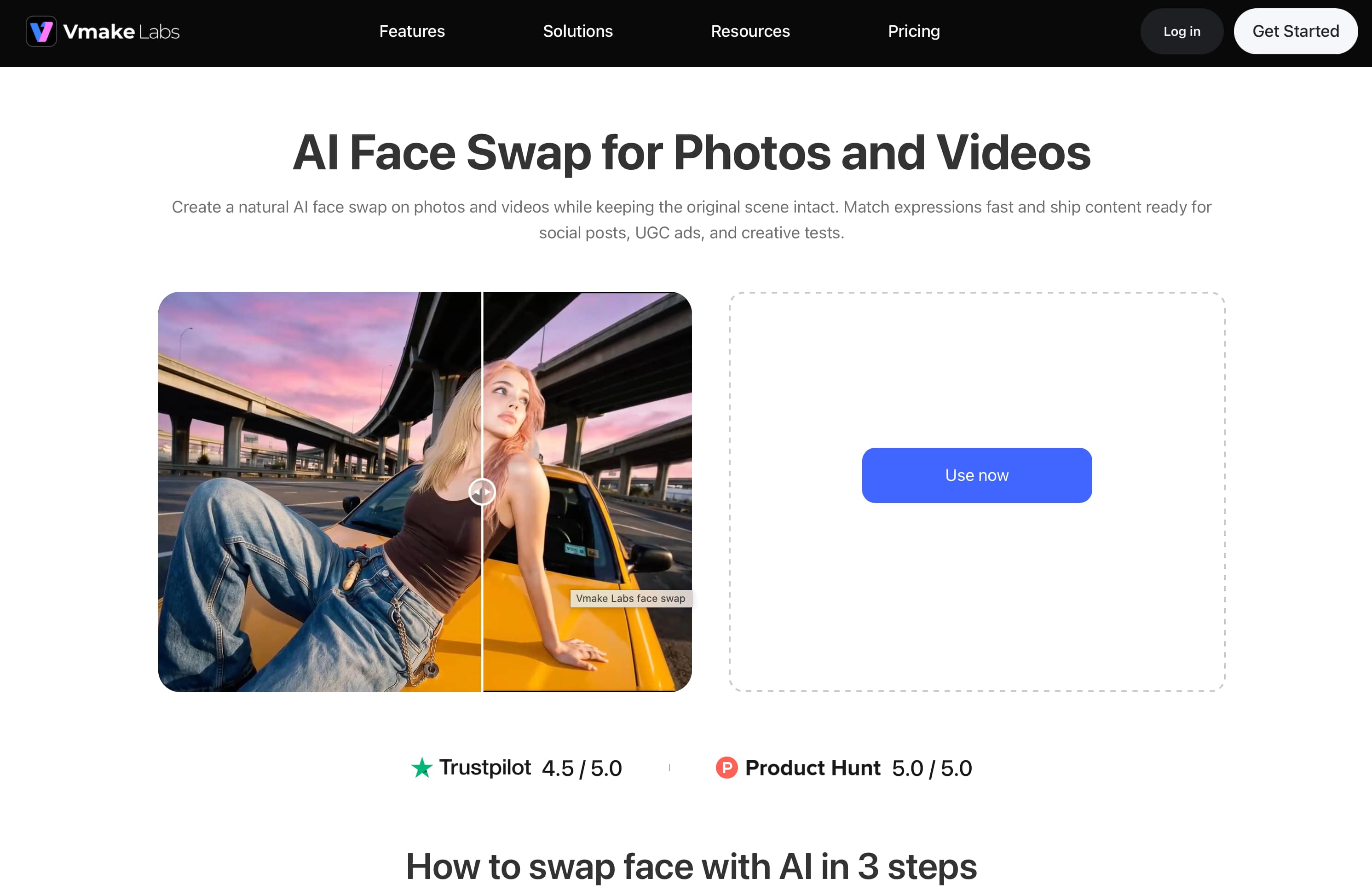
How to Use Vmake Labs Face Swap
Using Vmake Labs Face Swap takes just a few steps, from uploading your media to reviewing the finished result.
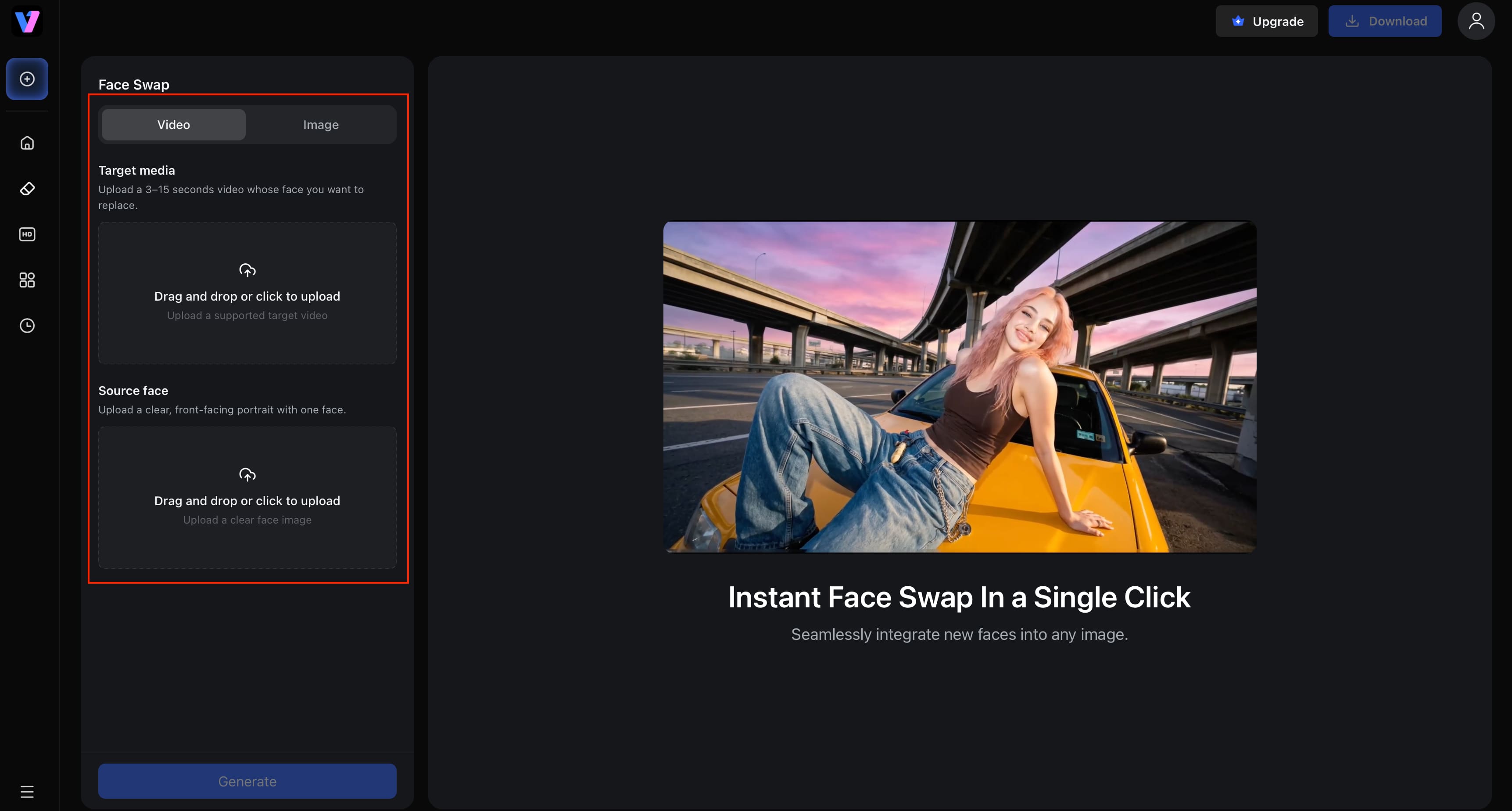
Step 1: Upload the target and source media Upload the target image or video where you want the face changed, along with the source image containing the face you want to use.
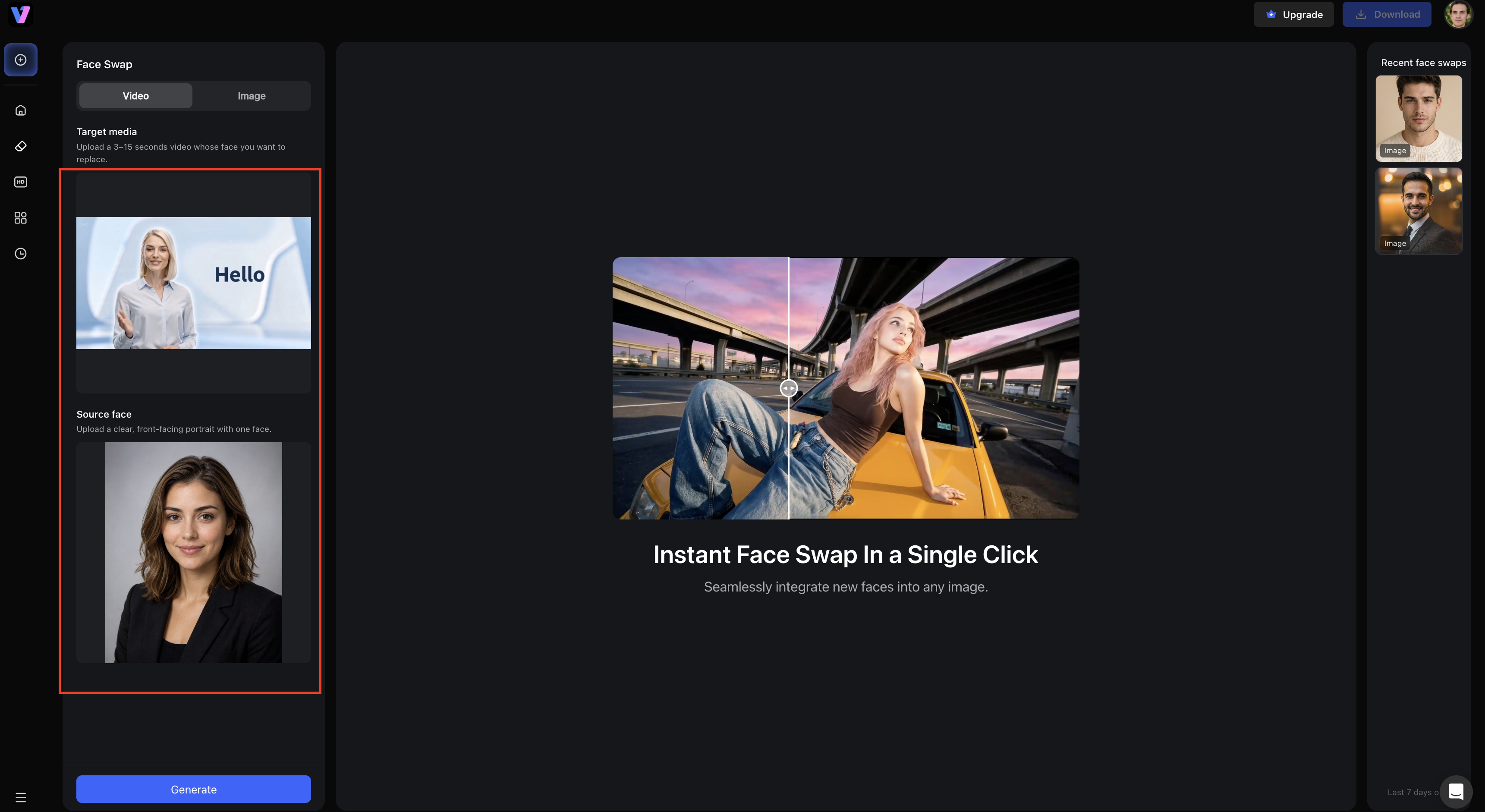
Step 2: Choose image or video Face Swap Select the Face Swap workflow and start processing. For video, Vmake Labs supports clips between 3 and 15 seconds.
Step 3: Preview and download Review the generated result to check the face replacement, then download the finished image or video if it meets your requirements.
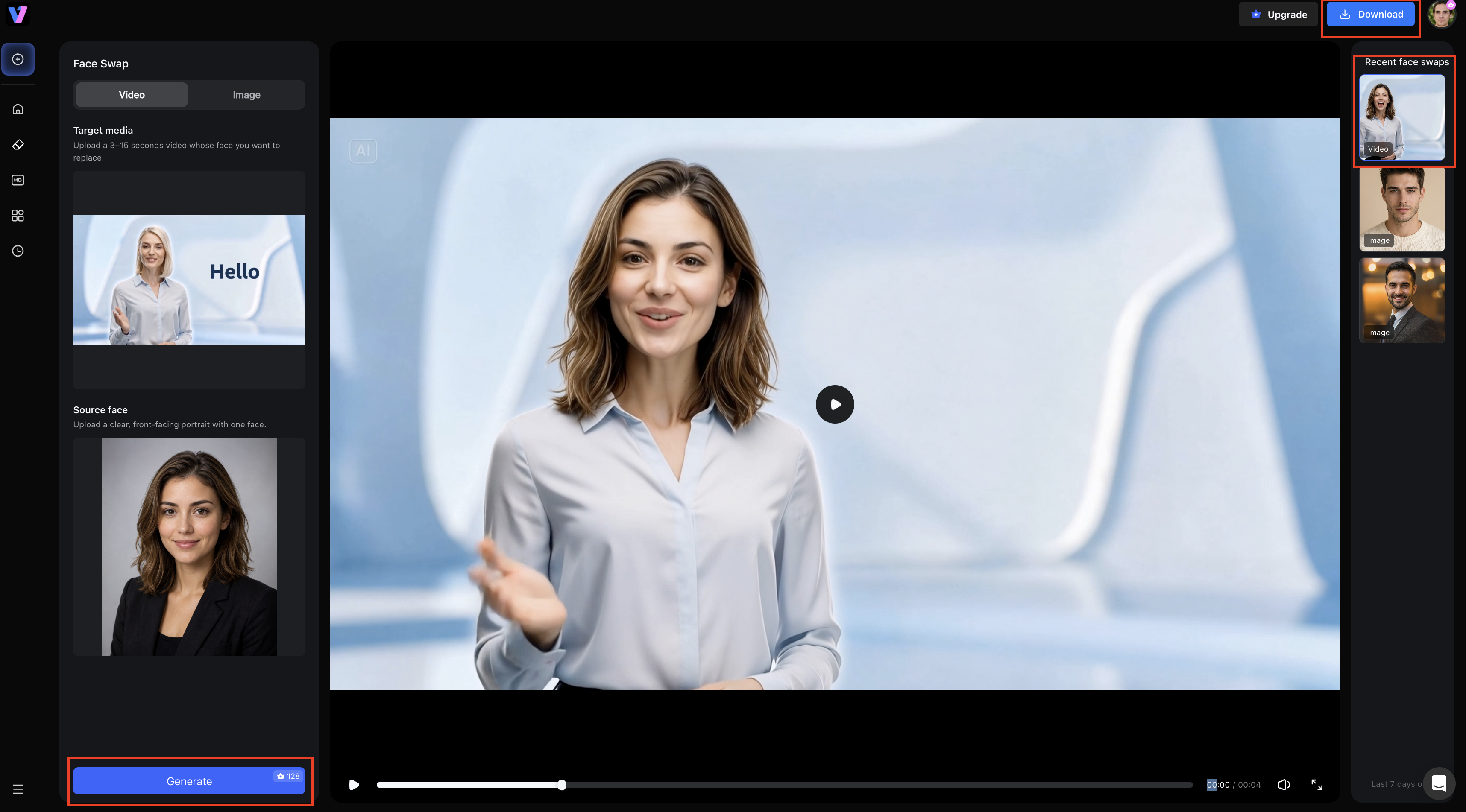
Key Features of Vmake Labs Face Swap
Vmake Labs Face Swap includes several features designed to keep the replacement face consistent with the original image or video.
-
Image and video face swapping: Swap faces in both images and videos through the same workflow. This makes the tool suitable for both still content and short video clips.
-
Original scene preservation: The tool keeps the target media's composition, background, rhythm, and video motion while replacing the face, so the rest of the scene remains unchanged.
-
Expression and angle matching: The source face is matched to the target's expression, angle, and lighting to produce a more stable face replacement across different shots.
-
Cross-frame tracking: Face alignment is maintained across video frames to help reduce flickering, shifting, and visible edge problems as the subject moves.
When to use Vmake Labs AI video generator
For projects that require new AI-generated or transformed video rather than face swapping, Vmake Labs also offers an AI Video Generator. It supports Text to Video, Image to Video, and Video to Video workflows. This is a separate capability from Face Swap and is better suited to creating or transforming video content rather than replacing a person's face.
Recommendation: Use Vmake Labs Face Swap when your goal is to replace a face in an image or video while retaining the original scene and motion. Choose the AI Video Generator when you want to create or transform video from text, images, or existing footage.
Deepfake video generators vs. Vmake Labs
|
Factor |
Deepfake Video Generators |
Vmake Labs |
|---|---|---|
|
Primary focus |
Face/identity transformation |
Face swapping and AI video creation |
|
Face swapping |
Core capability |
Dedicated Face Swap for images and videos |
|
AI video creation |
Varies by tool |
Separate AI Video Generator |
|
Ease of use |
Varies widely |
Browser-based and beginner-friendly |
|
Technical setup |
Can range from simple to advanced |
No complex setup required |
|
Best for |
Specialized identity/video transformations |
Face swapping and accessible AI video creation |
Recommendation: Use a purpose-built deepfake tool if your project specifically needs consent-based face or identity replacement. If you want to do face swapping or create videos with AI with an easier, browser-based workflow, check out Vmake Labs.
Conclusion
Deepfake video generators simplify the creation of face-swapped and transformed videos without traditional editing workflows. Results depend on the tool, source media, movement, lighting and other factors so you might want to check the quality of the output before deciding on a generator. Prices are also variable with free versions often limiting the number of generations, video length or resolution. Vmake Labs Face Swap makes it easy to swap faces in images and videos for face-swapping projects, keeping the scene and motion of the original. For more intense video making and editing, its AI Video Generator supports Text to Video, Image to Video and Video to Video workflows.
FAQs
-
What is a deepfake video generator?
A deepfake video generator creates manipulated videos by replacing or modifying a person’s face or identity. The tools range from simple face-swapping to broader video creation, and the features and results vary. Vmake Labs Face Swap allows users to swap faces in images as well as videos.
-
Are deepfake video generators free?
Some deepfake video generators provide free plans, trials or credits, but there may be limits on video length, resolution or generations. Paid options might have higher limits and more features. Vmake Labs has a browser-based Face Swap workflow for images or videos.
-
What is the best deepfake video maker for beginners?
A beginner-friendly tool should have a simple workflow without requiring complex technical setup. Vmake Labs provides a browser-based Face Swap workflow for replacing faces in images and videos. It can be a practical choice when you want face swapping without a complicated setup.
-
Can I make a deepfake video from an image?
Yes, some tools allow you to use a source image for a face swap in a video. Vmake Labs Face Swap supports image and video face swapping, including using a source image for the replacement face. This makes it useful when you have a suitable face image but want the result in video form.
-
Are deepfake videos legal?
It depends on how the video is created and used, along with the laws that apply to your situation. Using someone's likeness without permission or creating misleading or harmful content can create legal issues. Always make sure you have the necessary rights and consent before using Vmake Labs Face Swap or similar tools.
-
How can I use deepfake technology responsibly?
Use only media and likenesses if you have permission or the appropriate rights to use. Avoid creating content that impersonates, misleads, or harms another person. These considerations also apply when using Vmake Labs Face Swap for face-swapping projects.

You May Be Interested
Best AI Video Generator: Top Tools Tested (2026)

Canva AI Video Generator Review: A Complete Hands-On Test
CapCut AI Video Generator Review: Features, Pricing & Alternatives

ChatGPT Video Generator Review: Features, Pricing & Best Alternative

Clipfly AI Video Generator Review: Pros, Cons, and Best Alternative