
Clipfly AI Video Generator Review: Features, Pricing & Comparison
Is Clipfly the right AI tool for you? Read our comprehensive Clipfly AI video generator review and compare it directly with Vmake AI video generator features. Learn to create video content easily!

In today's rapidly evolving digital landscape, artificial intelligence is fundamentally transforming how creators and businesses approach video production. Finding the right AI video generator can significantly streamline your workflow, reduce production costs, and elevate content quality.
This comprehensive review explores Clipfly's capabilities and introduces a powerful alternative to help you make an informed decision for your video marketing strategy.
What is Clipfly AI?
Clipfly is an innovative, cloud-based artificial intelligence workspace designed to streamline video creation and editing for digital creators. It functions as an all-in-one platform that eliminates the need for complex, heavy desktop software.
By leveraging advanced AI algorithms, Clipfly empowers users to transform static text prompts and images into dynamic, engaging video content. Beyond simple generation, it offers a comprehensive suite of editing tools, enabling users to seamlessly assemble clips, enhance visual quality, and add professional-grade talking avatars.
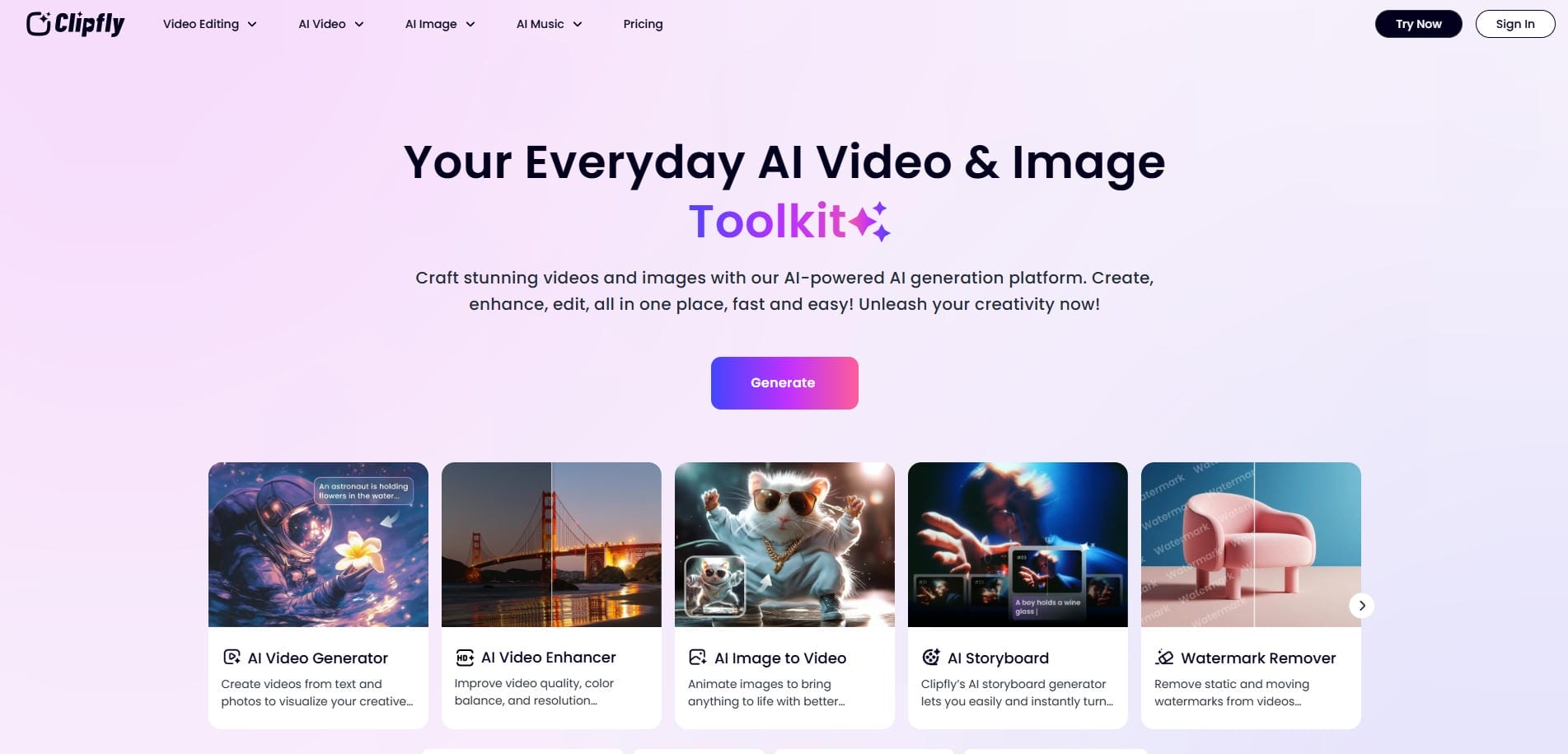
Notable Clipfly AI video generator features
Before you start using Clipfly's AI video generator tool, it makes sense to take a look at some of its major features that actually matter.
-
AI text-to-video generation: This feature allows users to instantly generate high-quality video footage simply by typing descriptive text prompts, significantly reducing the time spent searching for stock footage or filming new material.
-
Image-to-video conversion: Transform your static images into dynamic, moving scenes. This tool intelligently analyzes uploaded photos and animates them, adding depth and motion to otherwise lifeless visual assets for enhanced engagement.
-
AI video quality enhancer: Elevate the clarity of your existing footage. This advanced enhancer automatically upscales resolution, reduces visual noise, and corrects lighting, ensuring your final video output looks incredibly crisp and professional.
-
AI talking avatars: Produce engaging presentations without a camera. Clipfly provides highly realistic digital avatars that perfectly lip-sync to your provided text or audio, creating a personalized, humanized touch for your videos.
-
Cloud-based timeline editor: Arrange and polish your generated assets using an intuitive timeline editor. This cloud-based workspace allows seamless multi-track editing, adding transitions, text overlays, and background music directly within your browser.
How to use Clipfly AI anime video generator in 3 simple steps?
Clipfly is an easy-to-use AI video generator tool. Simply follow the suggested steps outlined below and you will be able to create stunning videos with ease.
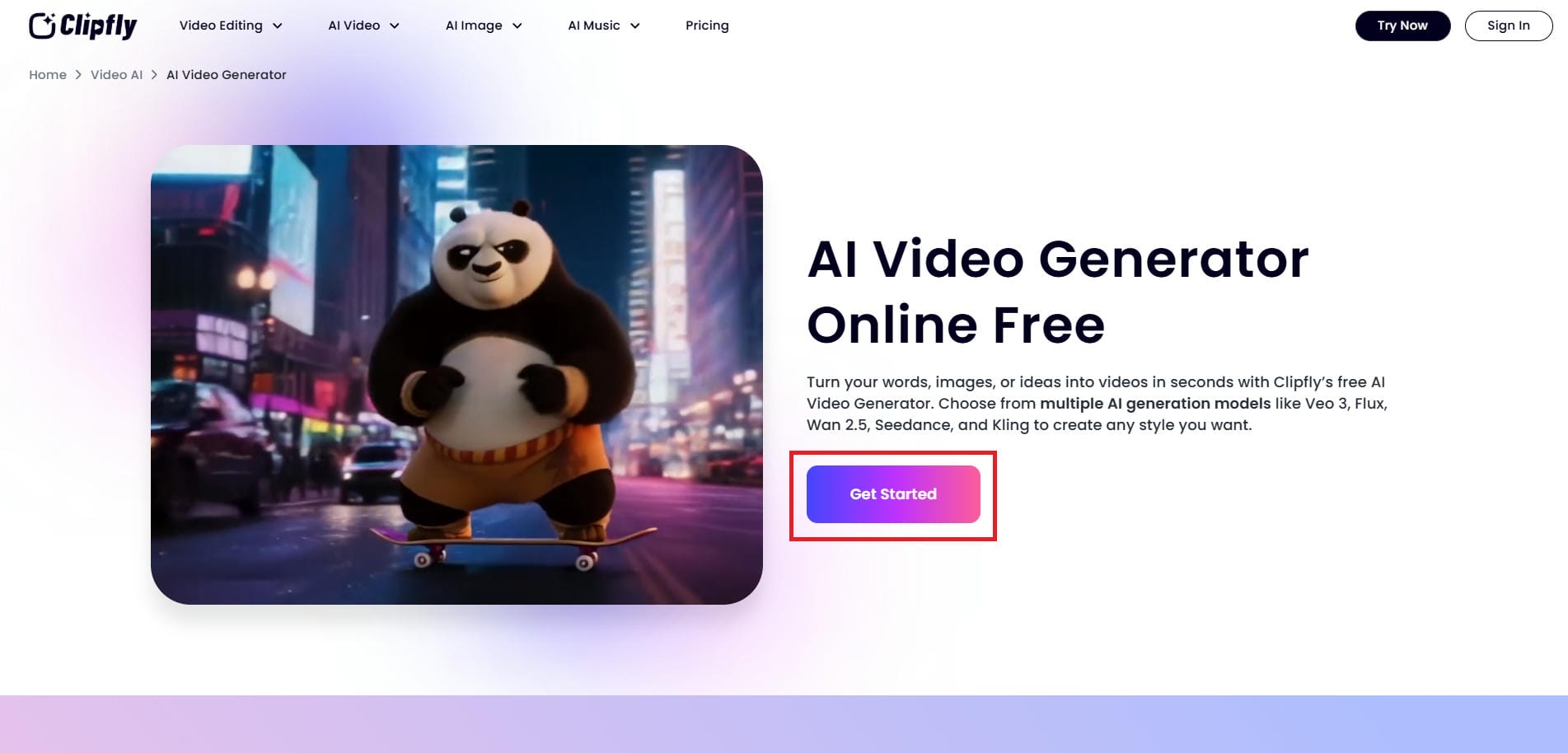
Step 1: Access the Clipfly AI video generator tool
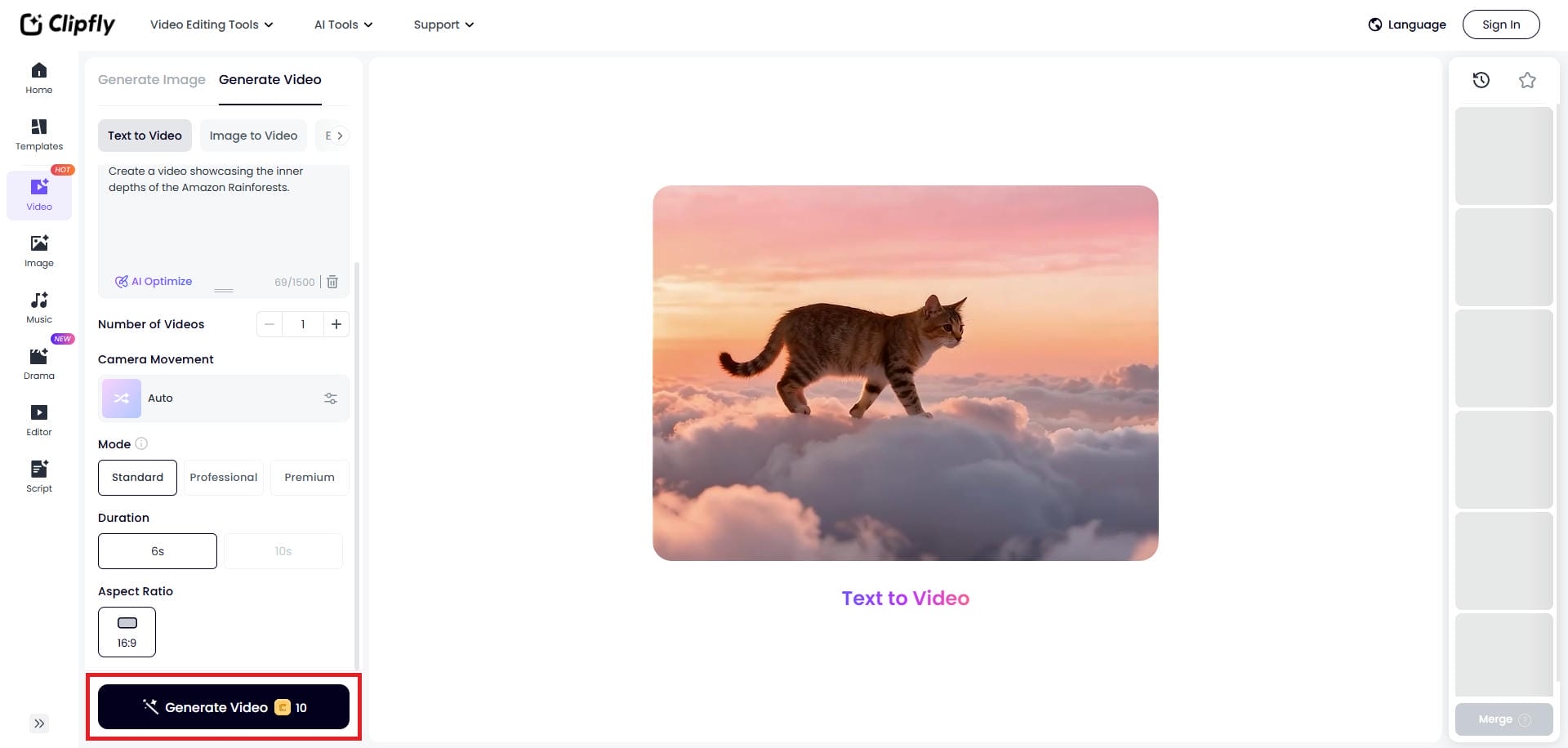
Head over to the official website of Clipfly and from the "AI Video" drop-down menu, select the "AI Video Generator" option. Then, click on the "Get Started" icon.
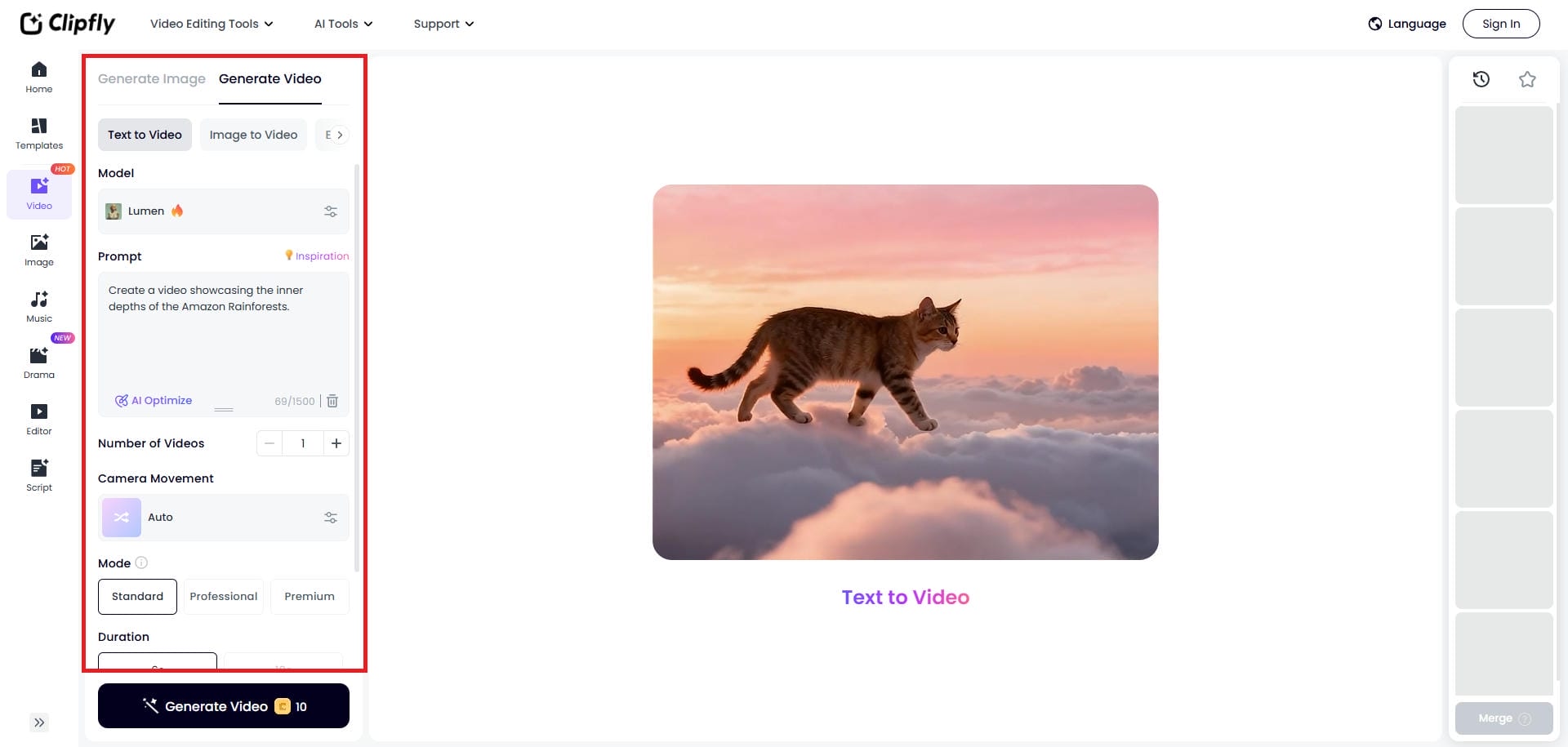
Step 2: Enter your video generation prompt
In the next step, you need to add a detailed description of the video you want to generate. Additionally, Clipfly supports an image-to-video option. After entering the prompt, you need to select the AI video generation model, the number of videos you want, the camera movement, the video mode, duration, and aspect ratio.
Step 3: Generate and export your video
After entering your video generation details, click on "Generate". Clipfly will start creating your video, and once that is done, you will be able to download it to your device, for further sharing.
Clipfly AI video generator pricing: how much does it cost?
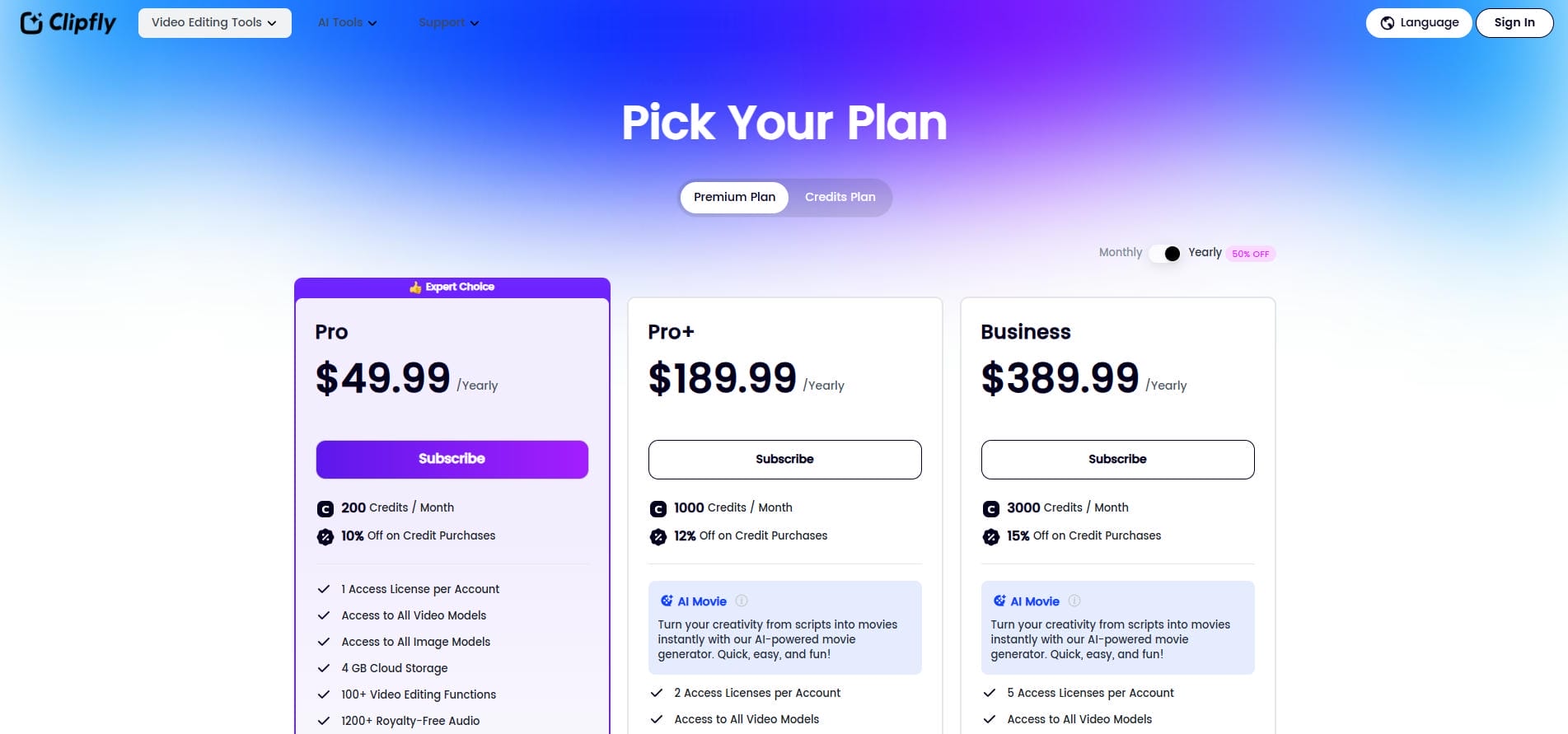
Understanding financial investment is critical when adopting new software. Clipfly offers a tiered pricing structure designed to accommodate varying levels of video production needs. Below is a clear comparison of the available plans.
|
Feature |
Free Plan ($0) |
Pro Plan (~$40/yr) |
Business Plan (~$390/yr) |
|---|---|---|---|
|
Export Quality |
Up to 1080p |
2K / 4K Resolution |
2K / 4K Resolution |
|
Watermark |
No Watermark |
No Watermark |
No Watermark |
|
Monthly Credits |
Limited (Basic AI) |
200+ AI Credits |
4000 AI Credits |
|
Cloud Storage |
500 MB |
4 GB |
100 GB |
|
Team Support |
1 User |
1 User |
Up to 5 Users |
-
Free Plan: Ideal for beginners testing the platform. It uniquely offers 1080p exports without watermarks, 500 MB of cloud storage, and basic editing tools, but restricts monthly AI generation credits.
-
Pro Plan: Tailored for frequent creators at roughly $39.99 annually. This tier unlocks 2K/4K high-resolution exports, advanced AI models, over 200 monthly AI credits, and expanded stock asset libraries.
-
Business Plan: Built for larger teams and agencies at approximately $389.99 annually. It provides 4000 monthly AI credits, 100 GB of cloud storage, priority processing, and supports up to five team members.
Best use cases for the AI video generator by Clipfly
Clipfly’s versatile functionality makes it highly applicable across multiple industries. Here are the most effective scenarios where this AI video generator provides significant strategic value.
-
Social media marketing (TikTok/Reels): Marketers can rapidly produce highly engaging, vertical short-form content. The fast generation speed allows brands to maintain a consistent posting schedule and capitalize on quickly evolving social media trends.
-
E-commerce product promos: Online retailers can transform basic product photos into dynamic promotional videos. Adding motion to static images effectively captures audience attention and drastically improves conversion rates on product landing pages.
-
Educational tutorials: Educators and instructional designers can leverage AI avatars to deliver complex information clearly. This creates an engaging, face-to-face learning experience for students without requiring costly and time-consuming professional filming setups.
-
Corporate presentations: Business professionals can elevate internal communications and client pitches. Generating high-quality B-roll and avatar-led explanations helps deliver data and corporate updates in a significantly more compelling and visually appealing format.
-
Faceless YouTube channels: Content creators can build entire YouTube channels without appearing on camera. By combining text-to-video capabilities with AI voiceovers, users can efficiently generate massive volumes of narrative or informational content.
Clipfly AI video generator review: advantages & disadvantages
Objective evaluation requires looking at both the strengths and limitations of the software. Below is a balanced breakdown of Clipfly's operational advantages and disadvantages.
Pros and cons
Pros |
Cons |
|---|---|
|
|
See what our users are saying
On G2
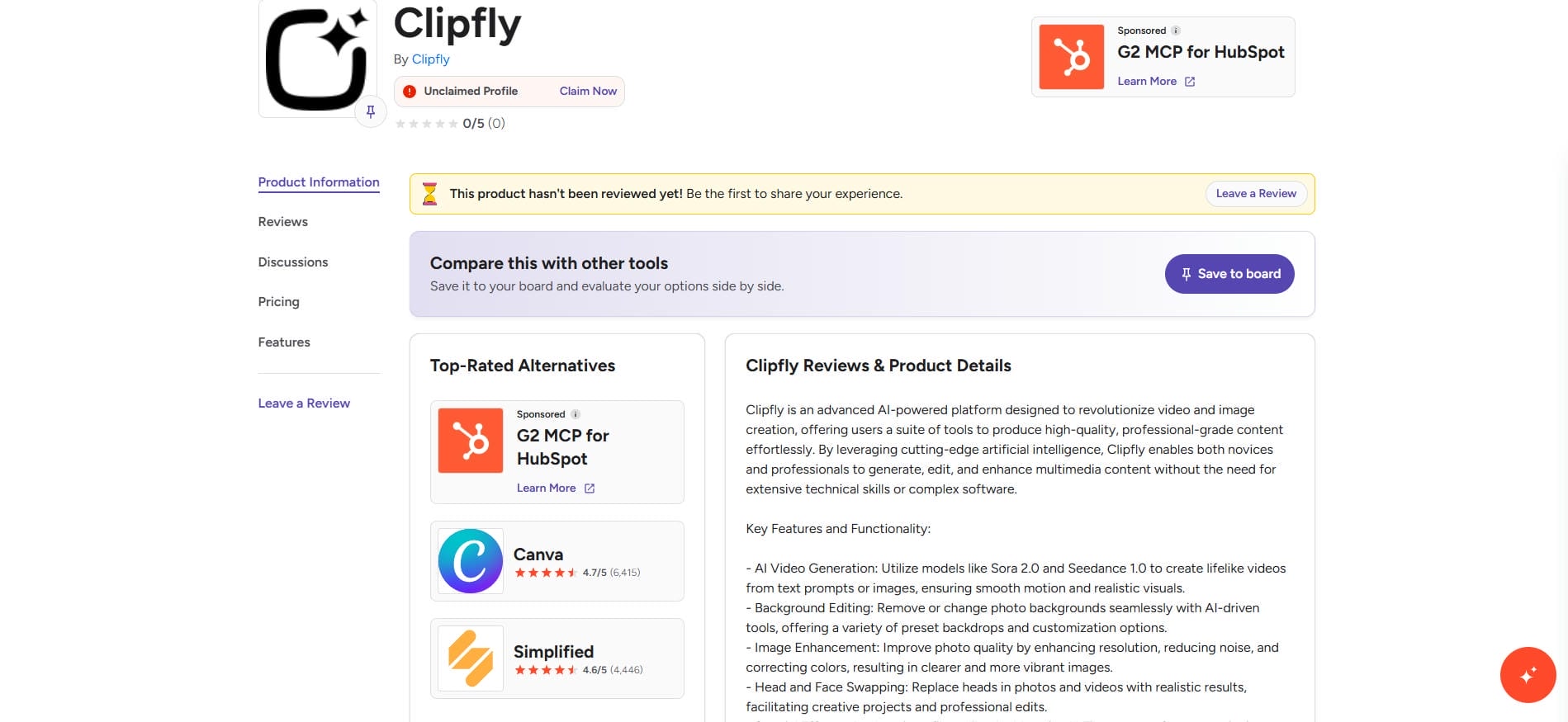
On G2, users frequently praise Clipfly for its highly beginner-friendly interface, accessible learning curve, and rapid generation speeds. However, several reviewers note that the advanced editing tools feel too limited for professional creators needing precise, frame-by-frame control over their projects.
On Trustpilot
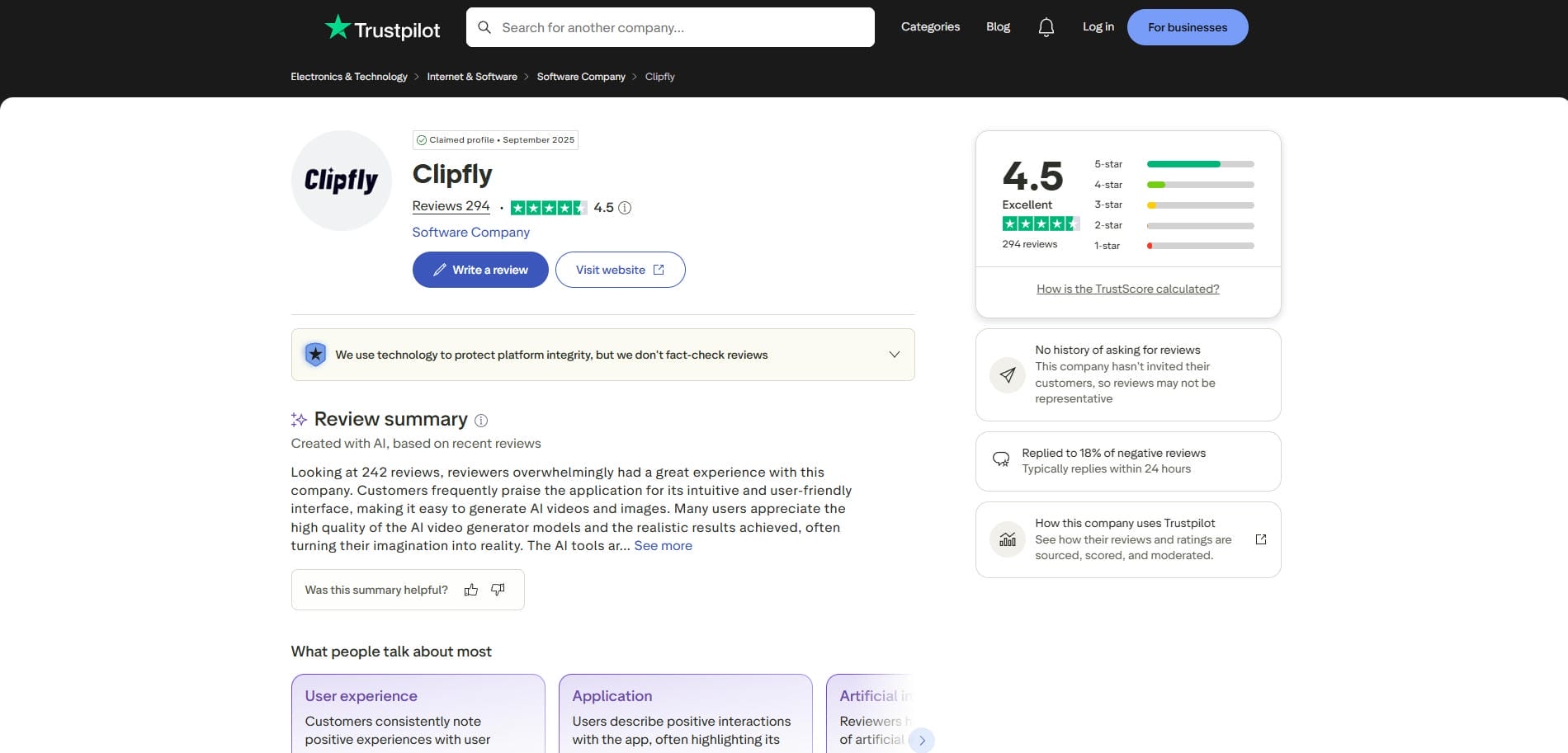
Trustpilot reviewers echo similar sentiments, highlighting the platform's overall affordability, ease of use, and excellent AI avatar lip-syncing capabilities. Conversely, a few users consistently mention that customer support response times could be significantly improved during complex technical troubleshooting or inquiries.
Final verdict
Ultimately, Clipfly stands out as a highly accessible, rapid AI video generator perfectly tailored for beginners who value ease of use, affordable entry points, and impressive avatar lip-syncing. However, it falls short for power users and professionals due to a lack of precise, frame-by-frame editing control and slow customer support response times.
Vmake AI video generator: the ideal alternative to Clipfly
While Clipfly lacks advanced control for specialized marketing, Vmake AI excels by offering precise, e-commerce-focused video generation. It is designed for marketers, brand owners, and creators who need high-converting User-Generated Content (UGC) without the exorbitant costs of hiring actors or agencies.
By providing sophisticated models tailored for product showcasing and social media hooking, Vmake AI delivers a far more targeted and commercially viable solution for businesses seeking a powerful, scalable video marketing engine.
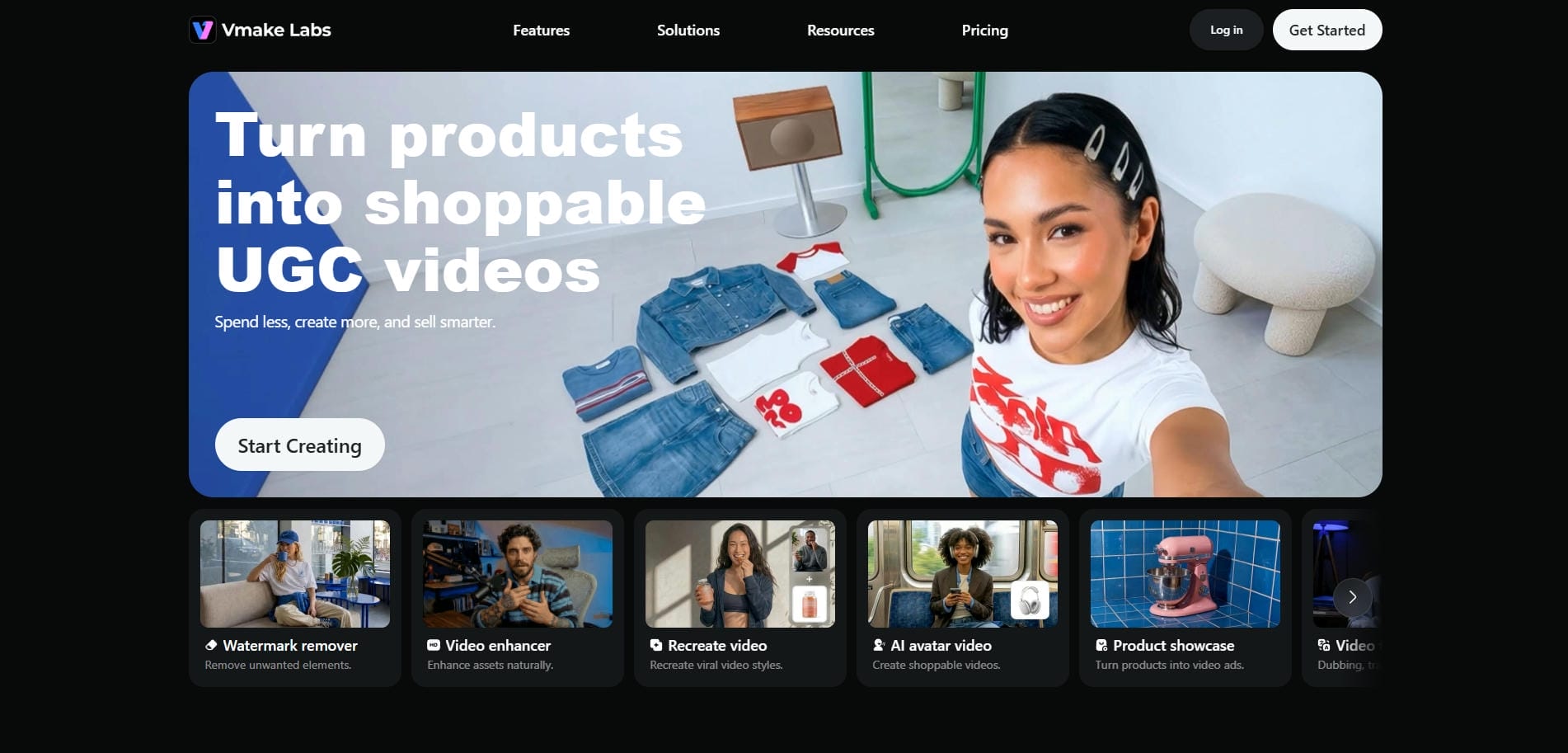
Key features of Vmake AI video generator
Vmake AI distinguishes itself through highly targeted AI generation tools built for modern digital commerce. Let us explore the core features that make Vmake exceptionally powerful.
-
AI video generation with multi-model technology: Generate highly specific, cinematic, and commercial-grade video clips directly from text prompts, using AI models such as Seedance and Veo. This feature is optimized to produce visually stunning sequences ideal for advertising and brand storytelling.
-
Video-to-video and image-to-video generation: Transform existing videos or static images into new video content using AI-powered generation workflows. Users can apply creative styles, motion effects, and visual enhancements while preserving the core subject and composition.
-
AI avatar & talking video creation: Create digital avatars that can speak, present information, or deliver messages from text inputs. Vmake's AI-generated facial animations help produce engaging talking videos without traditional filming requirements.
-
AI-enhanced video processing and upscaling: Improve video quality with AI-driven enhancement tools that sharpen details, reduce visual noise, and increase resolution. This helps older, compressed, or low-quality footage appear clearer and more professional.
-
Adjustable export options and time settings: Customize output settings to match different publishing needs. Users can adjust video duration, aspect ratios, and export quality, to optimize content for various platforms and use cases.
How to use Vmake AI video generator in 3 easy steps?
To start using the Vmake AI video generator, all you have to do is to follow the three steps below:
Step 1: Choose the AI video generator tool
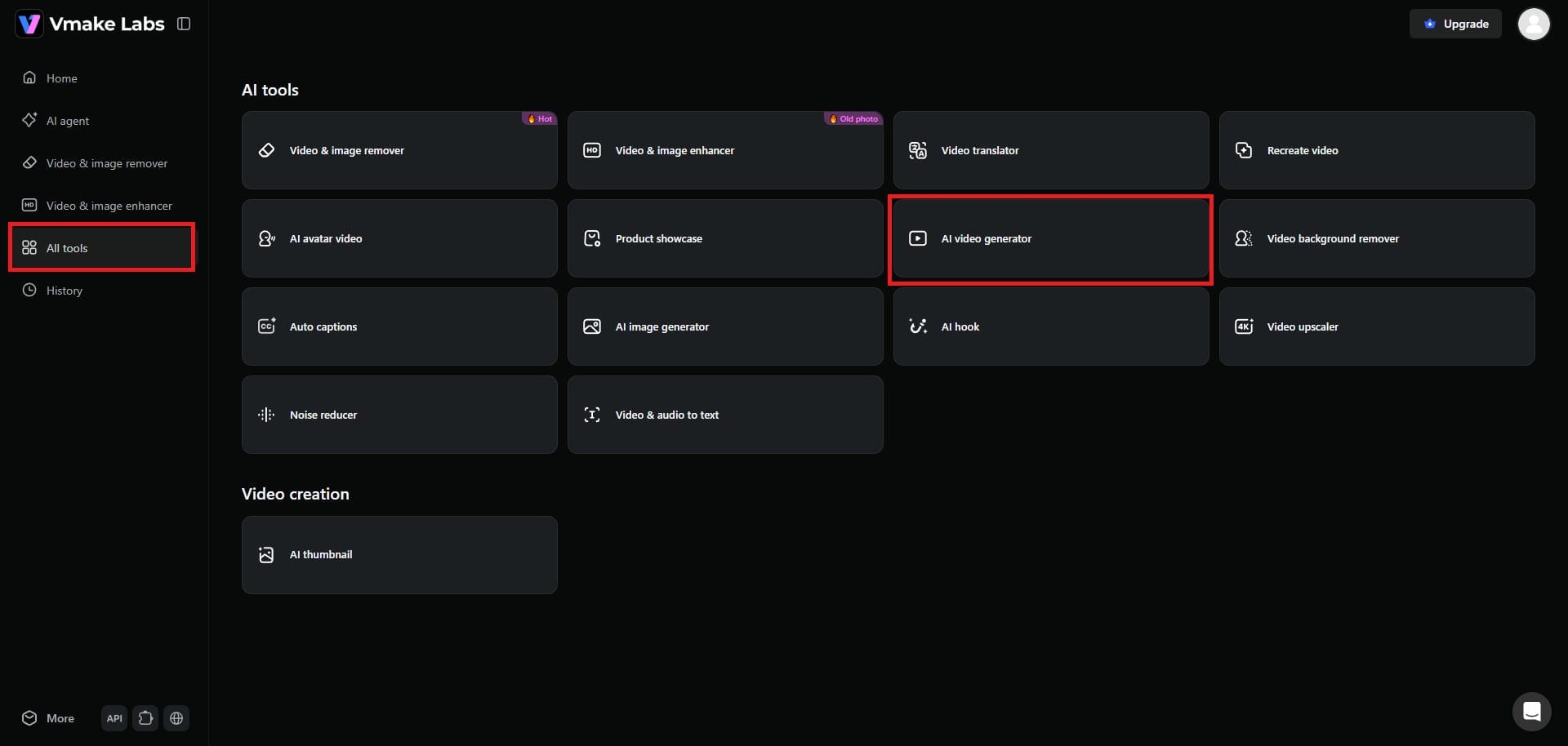
Start your journey by first signing into your Vmake account. After logging in, you need to select the "All tools" option from the left-side of your dashboard. Then, hit the "AI video generator" option.
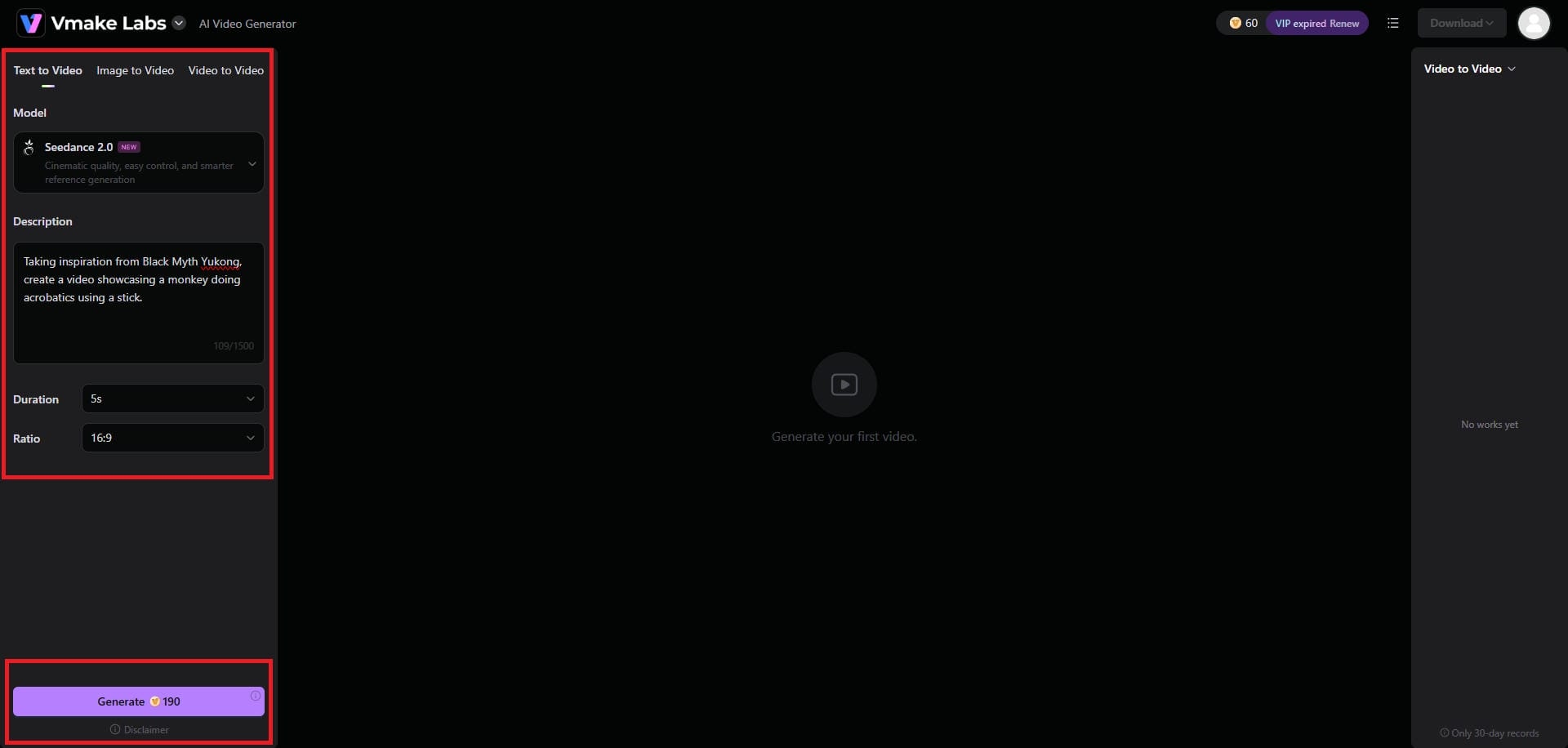
Step 2: Provide your video generation prompt
Next, you need to provide your video generation prompt. Keep in mind that Vmake AI supports text-to-video generation, image-to-video generation, and video-to-video generation options, so select the one that suits your preferences. Additionally, choose your ideal AI video model (we have chosen Seedance 2.0), the video duration, and aspect ratio. Once done, click on "Generate".
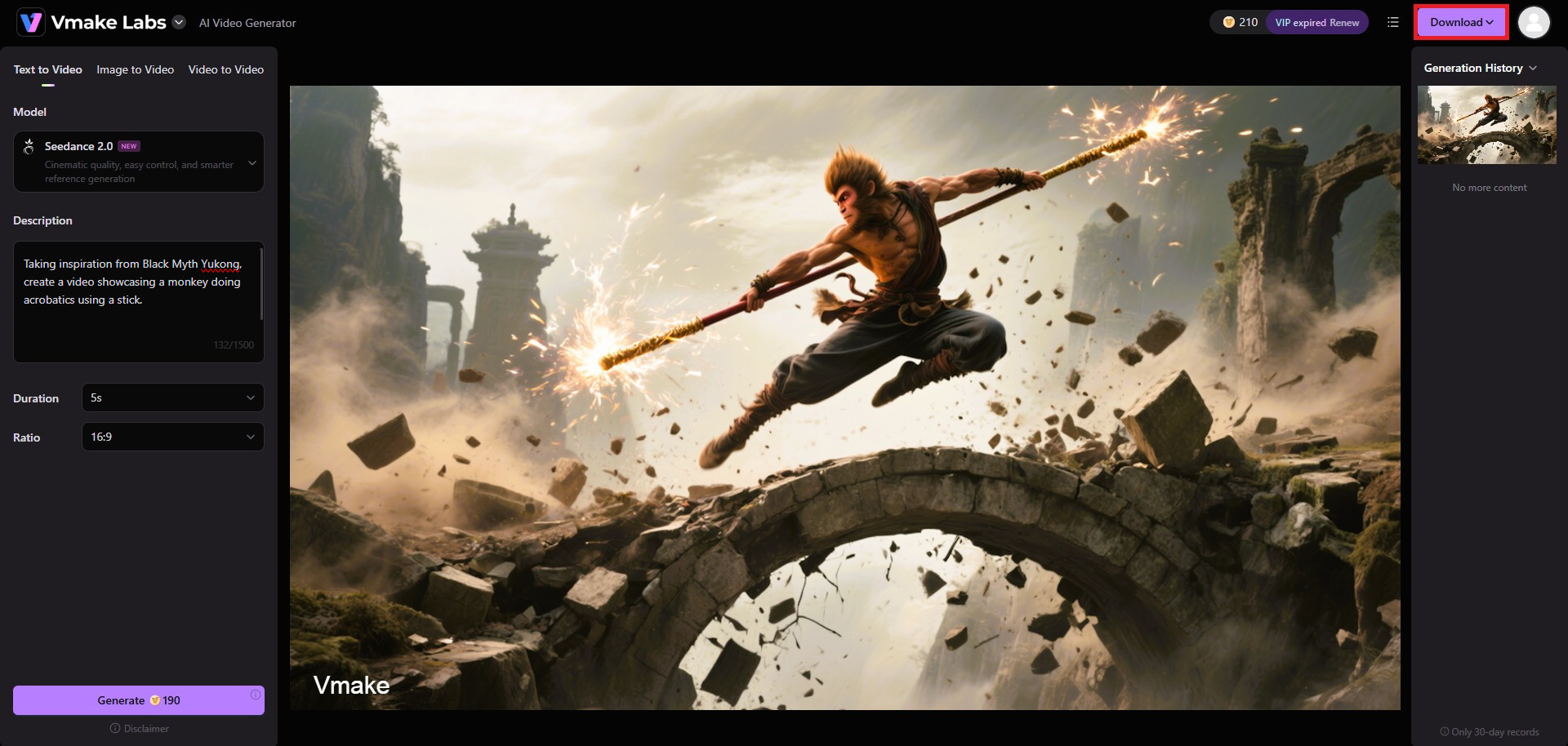
Step 3: Export your generated video
Wait for Vmake AI to generate your video, and once that is completed, you will be able to download the same to your local device, for further sharing.
Clipfly vs Vmake AI: what differences actually matter?
Choosing between these platforms depends heavily on your specific objectives. Let us highlight the fundamental operational differences between Clipfly and the specialized Vmake AI platform, so that you can make a better decision.
|
Feature / Capability |
Clipfly AI |
Vmake AI |
|---|---|---|
|
Primary Focus |
General video creation & editing |
E-commerce & UGC video marketing |
|
Target Audience |
Beginners, educators, creators |
E-commerce sellers, brands, marketers |
|
Video Editing |
Cloud-based timeline editor |
Specialized AI generation models |
|
AI Avatars |
Standard professional avatars |
Marketing & product-focused UGC-style avatar videos |
|
Style Cloning |
Basic manual editing required |
Intuitive video style selection & replication (video-to-video) |
While Clipfly operates as a versatile, general-purpose video generator suitable for broad content creation, Vmake AI is explicitly engineered for e-commerce and performance marketing.
Clipfly’s timeline editor is excellent for assembling various media clips manually, but Vmake AI offers superior specialized generation models, particularly in crafting authentic-looking UGC avatars and directly converting product URLs into fully optimized, ready-to-publish video advertisements.
Signing off
Both platforms represent significant advancements in AI video production. Your final choice should align directly with your technical requirements, budget, and primary content distribution strategy.
Clipfly is an excellent, user-friendly choice for beginners, educators, and general content creators looking for an accessible, all-in-one generation and editing workspace.
However, if your primary goal is driving e-commerce sales, replicating viral social media trends, and generating highly persuasive UGC-style advertisements, Vmake AI stands out as the superior, more specialized alternative for serious digital marketers.
FAQs
Is Clipfly AI free to use?
Clipfly provides a limited free tier allowing users to explore basic tools, though exported videos contain watermarks. For high-resolution, professional commercial outputs, upgrading to a paid subscription or utilizing robust alternatives like Vmake AI is necessary.
Does Clipfly leave a watermark on exported videos?
Yes, videos exported using the free version of Clipfly will always feature a prominent watermark. To remove this branding and maintain a professional appearance, similar to Vmake AI’s premium outputs, users must purchase a paid plan.
Can I use AI-generated videos from Clipfly for commercial purposes?
Commercial usage rights depend heavily on your specific subscription tier. While Clipfly’s higher-tier business plans grant these essential rights, specialized platforms like Vmake AI are inherently built and licensed directly to support intensive commercial e-commerce advertising.
How does Vmake compare to Clipfly for e-commerce sellers?
Vmake significantly outperforms Clipfly for e-commerce due to its specialized features. While Clipfly handles general videos, Vmake AI instantly converts product URLs into optimized ads and generates highly authentic UGC avatars designed specifically to drive sales.
Do I need video editing experience to use these AI generators?
No prior editing experience is necessary. Both platforms prioritize extreme user-friendliness. Clipfly utilizes an intuitive drag-and-drop cloud timeline, while Vmake AI simplifies the entire process by automatically generating complex, broadcast-ready promotional videos directly from simple prompts.

You May Be Interested

Best AI Video Generator: Top Tools Tested (2026)
Viggle AI Video Generator Review & Top 2026 Alternatives
Nero AI Review 2026 Explained: Is the Tool Worth Using?

Canva AI Video Generator Review: A Complete Hands-On Test