
D-ID AI Video Generator Review: Is It Worth Using in 2026?
D-ID AI Video Generator is known for creating talking avatars from photos and scripts. This D-ID AI video generator review explores its features, pricing, ease of use, limitations, and the best alternative.

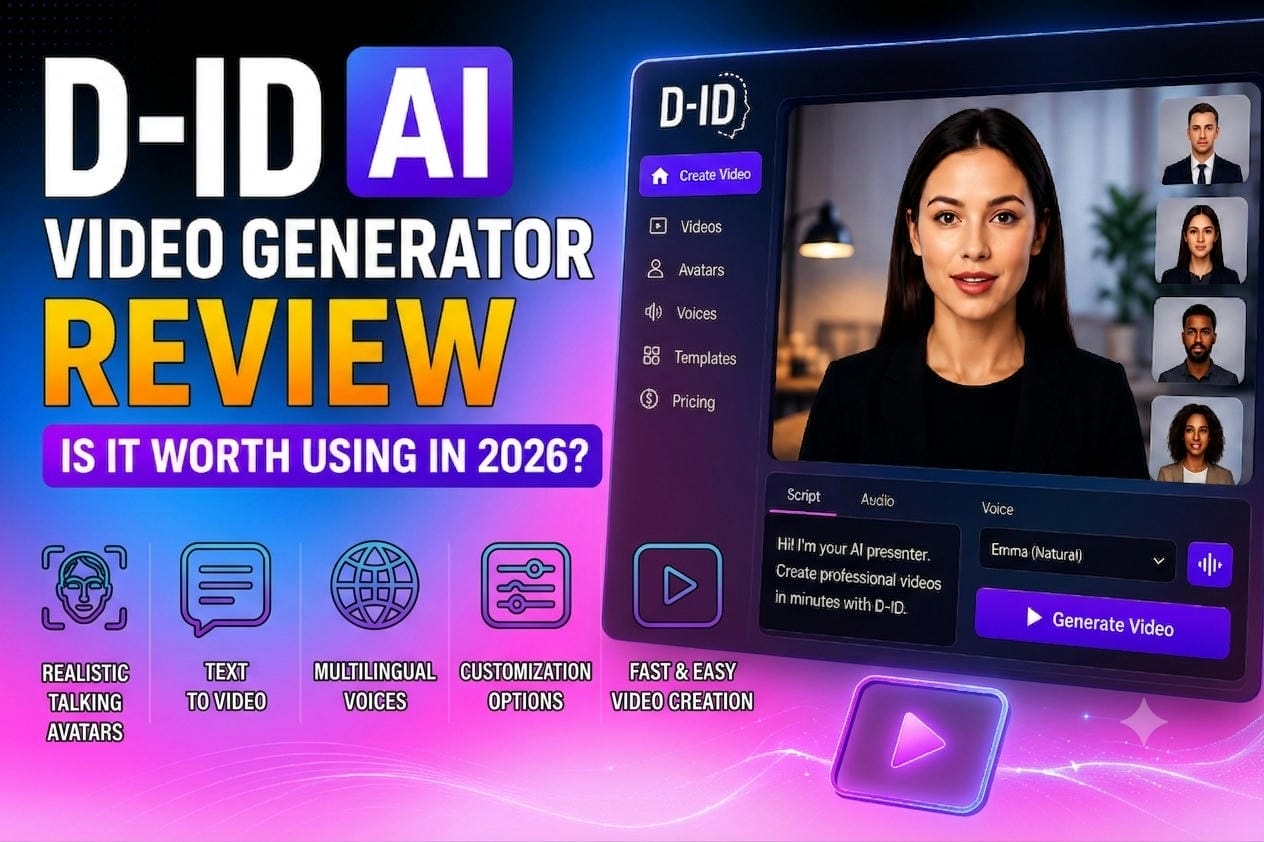
Traditional video production is slow and costly, but AI text-to-video tools have rewritten the rules. While D-ID excels at animating static portraits into talking personas, modern marketing demands dynamic storytelling. This review covers D-ID's features and limitations, and explains why Vmake AI is the superior alternative for versatile, production-grade video automation.
Overview of D-ID AI Video Generator
D-ID AI Video Generator, operating through its flagship Creative Reality Studio, is a specialized cloud-based platform designed to convert still portraits, written scripts, or audio recordings into photorealistic talking avatar videos. By combining facial animation algorithms with advanced text-to-speech (TTS) engines, the software syncs vocal tracks with human micro-expressions, producing simulated presenters, educators, and customer support representatives.
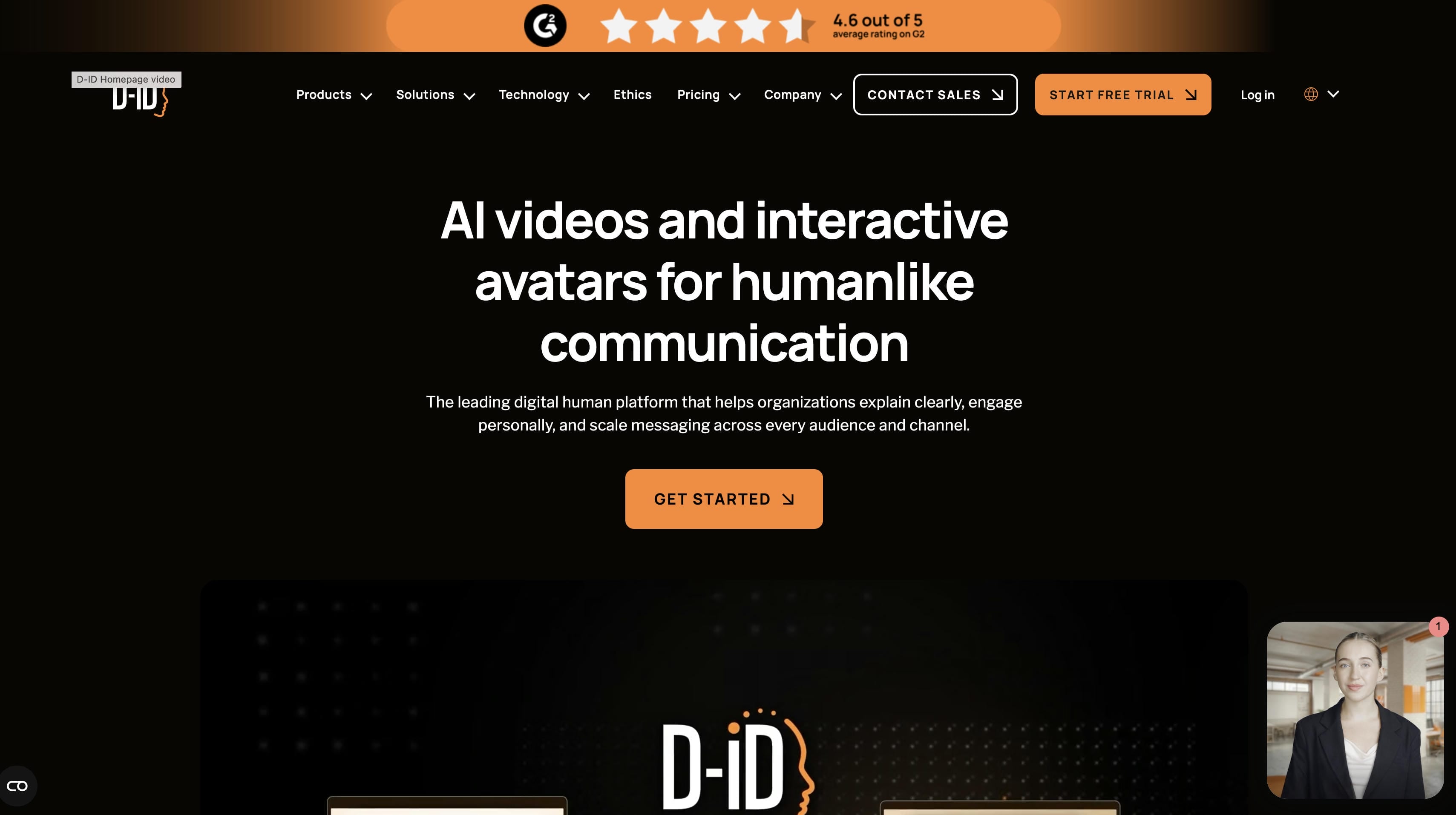
Key Features and Best Use Cases of D-ID AI Video Generator
D-ID's workspace centers entirely around human facial recreation. Understanding its primary tools allows businesses to gauge exactly where this software can integrate into their existing production pipelines.
Realistic Talking Avatars
D-ID uses deep neural networks to isolate human faces within digital images, mapping out key structural coordinates to simulate natural biological motion. The software introduces automated eye blinking, subtle head tilts, and precise lip movements that mirror spoken words.
Best Use Cases: Developing standardized corporate compliance training modules, distributing regular internal human resource announcements, creating static FAQ guides, and generating face-to-face instruction videos for online educational courses.
Multilingual Voice Support
D-ID offers an extensive selection of synthetic voices in 100+ languages, specialized dialects and regional accents to ease international campaign scaling. This means that one graphic avatar may speak with different demographics all across the world without the need for several interpreters.
Best Use Cases: Initiating integrated cross-border marketing campaigns, localizing digital software documentation for foreign markets, and disseminating regulatory training to worldwide business offices.
AI-Powered Video Creation
By bridging its animation framework with large language models, the platform features tools that assist with content creation directly inside the dashboard. Users can generate video outlines, refine phrasing, and translate ideas into structured video scripts automatically before hitting the render button.
Best Use Cases: Generating simple product explainer scripts, creating minor social media variations for localized ad testing, and building visual mockups for agency sales pitches.
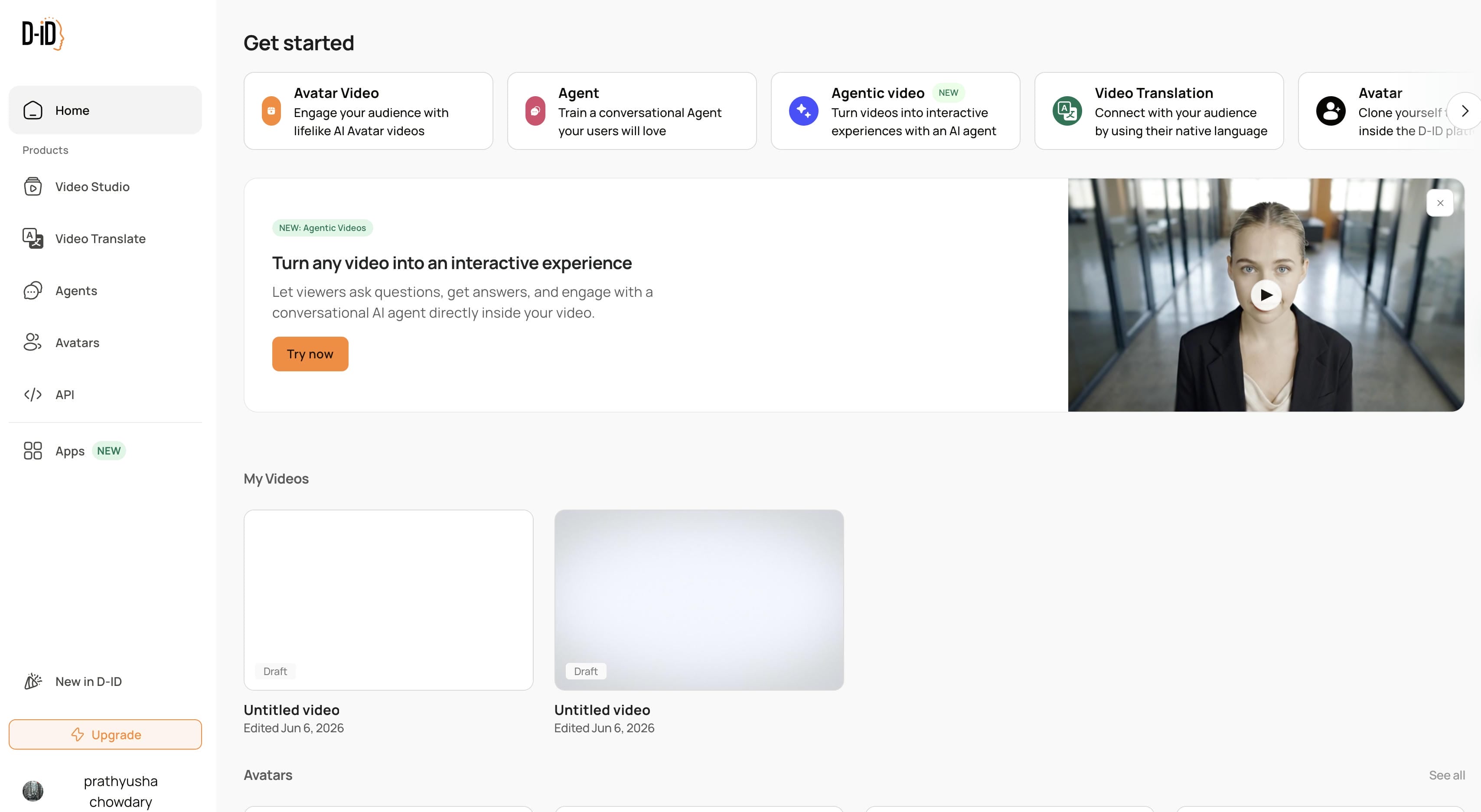
Customization Options
Users can adjust the structural presentation by choosing specific pre-made stock characters, altering basic backdrop colors, changing frame layouts, or utilizing personal portrait uploads to align the generated asset with corporate styles.
Best Use Cases: Personalized customer success outreach clips, updated brand communication styles, and uniform video assets for ongoing corporate communications.
D-ID AI Video Generator: How to Use (Step-by-Step Guide)
The work of D-ID's Creative Reality Studio for video creation is simple and sequential.
Step 1: Create or Choose an AI Avatar
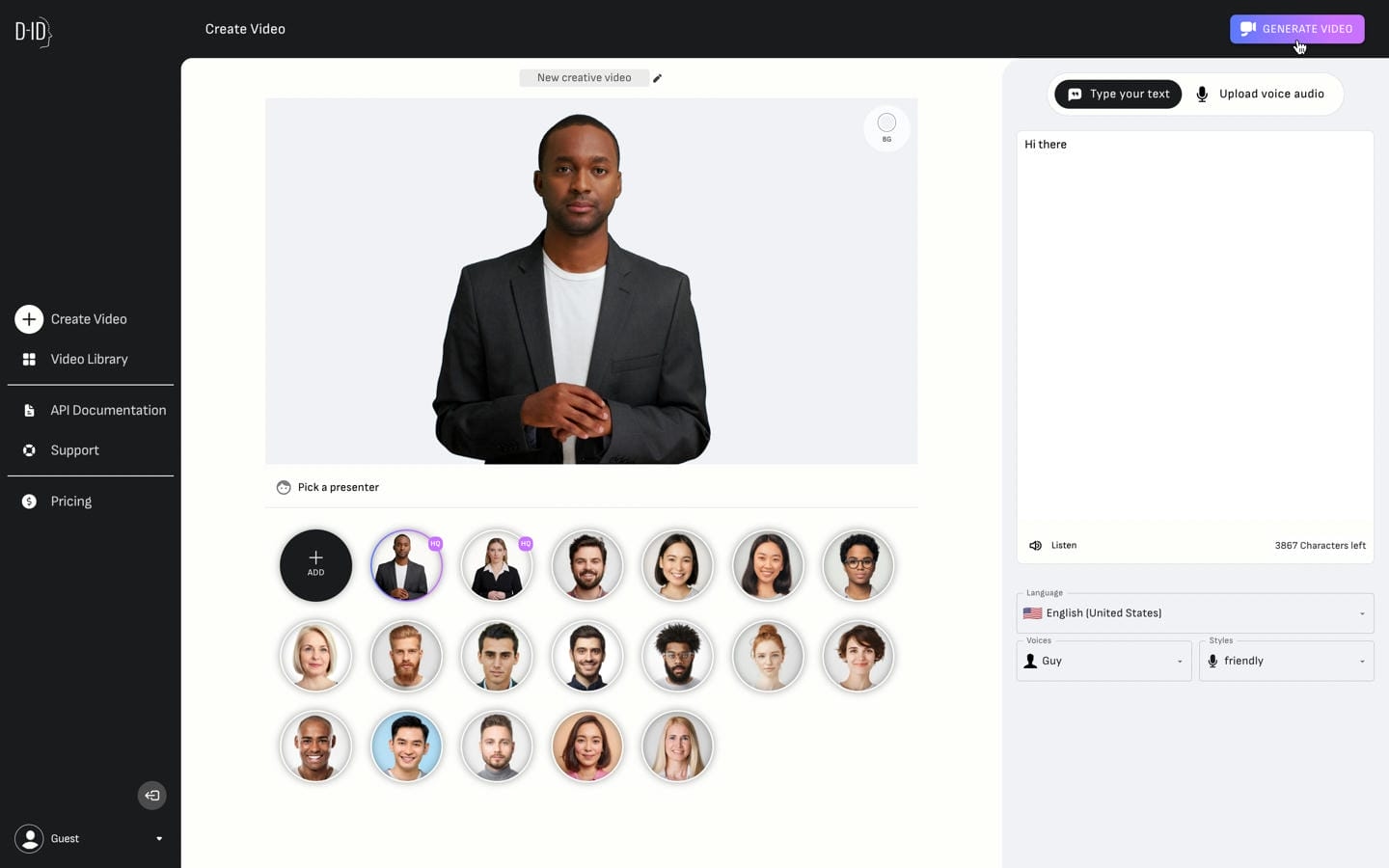
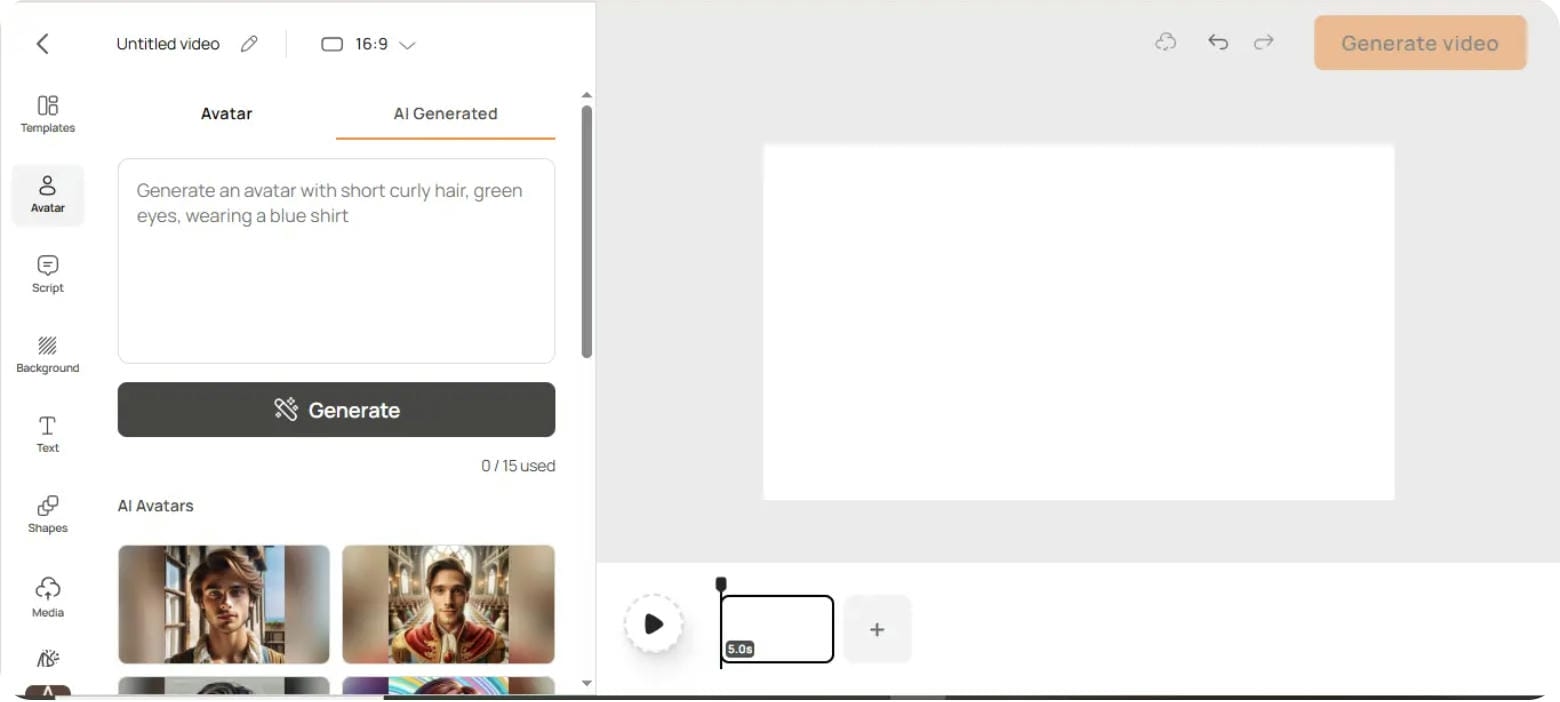
Go to the Avatar tab and create a new Avatar Video project. In the AI-produced section, you can enter a description and develop a new AI avatar or choose an avatar from the avatar library on D-ID. Once you have chosen your presenter, you may adjust basic avatar settings, place it on the canvas and then continue on to the next phase.
Step 2: Enter Your Script and Choose a Voice
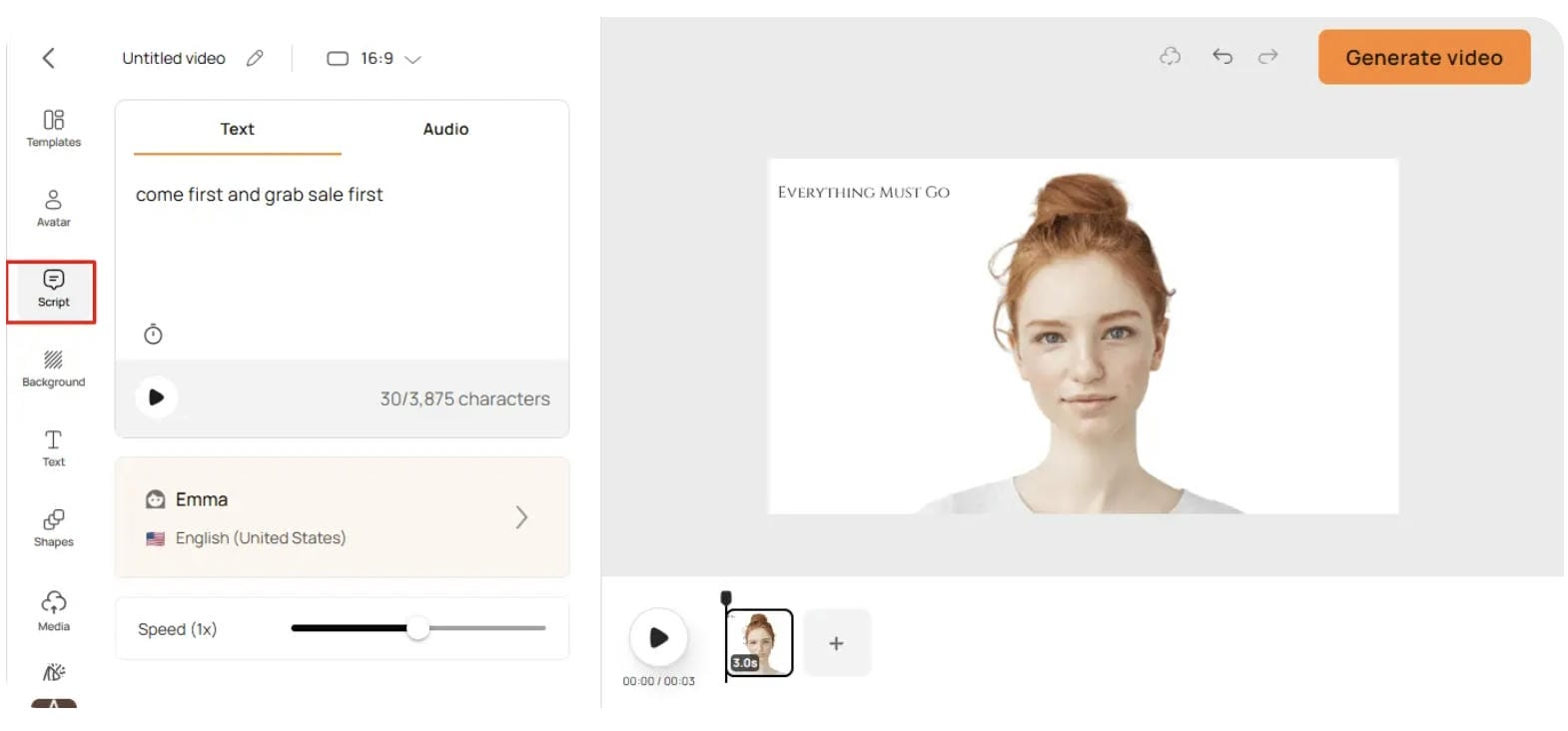
Go to the Script tab and input what you want the avatar to say. Select an AI voice from the selection and adjust the speaking pace as desired. D-ID offers many languages and voice styles so it is easy to make videos for different audiences and use cases.
Step 3: Customize and Generate the Video
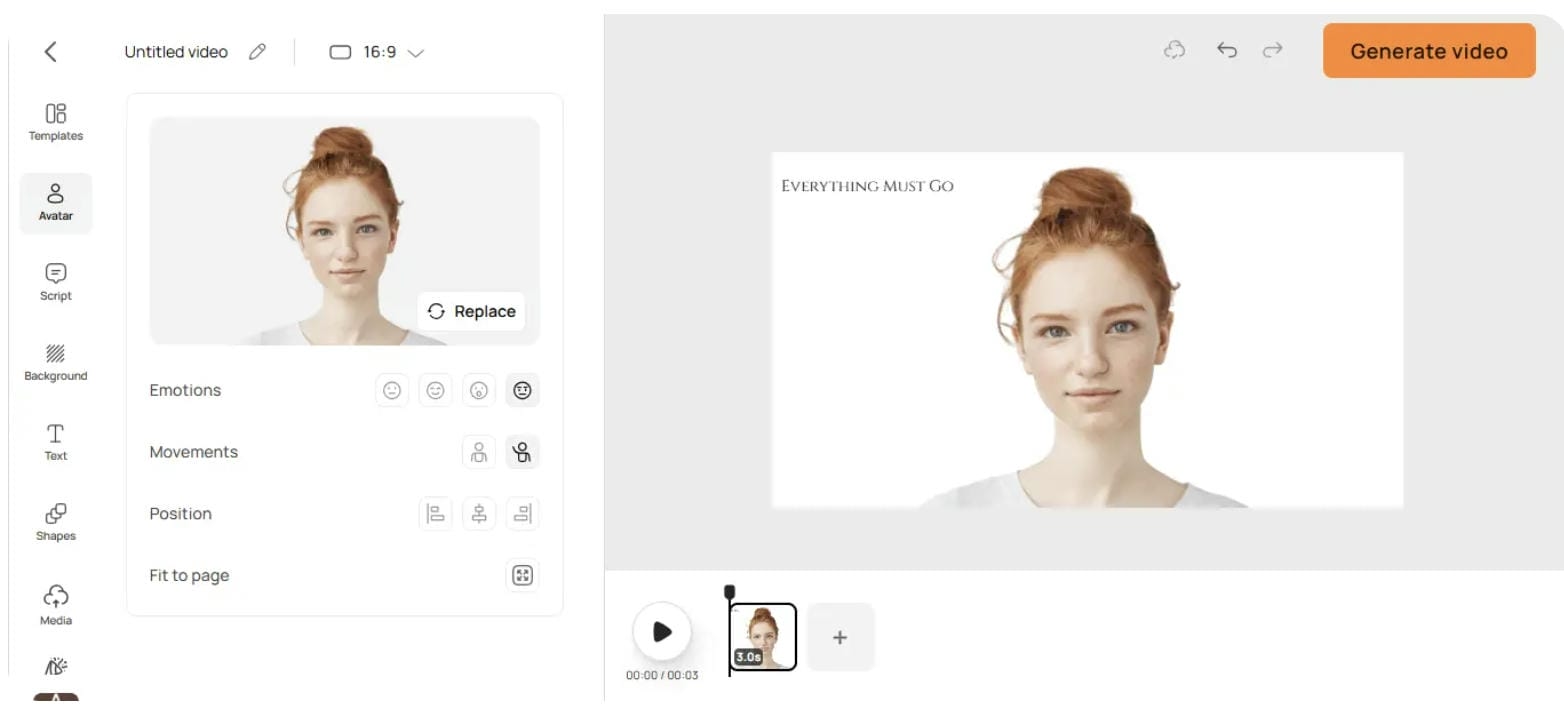
Make your video your own by modifying avatar emotions, gestures, positioning, backgrounds, text elements and other graphic elements. Once everything is ready, click Generate Video to generate the final product. Preview and download the finished avatar video.
Pros, Cons, and Pricing of D-ID AI Video Generator
A critical assessment of D-ID reveals its distinct functional balances, technical limits, and financial structure.
Pros and Cons
|
Advantages & Strengths |
Disadvantages & Limitations |
|---|---|
|
A simple user experience allows teams to generate a talking headshot video within minutes. |
No true post-production editing suite, multi-track timeline control, or contextual scene layers. |
|
Clear portrait animation technology ensures highly precise, recognizable lip-sync alignment. |
Credit-based usage models can scale up quickly, making high-volume output expensive. |
|
Extensive multi-language sound libraries allow localized global audio expansion. |
Final animation quality is highly dependent on the clarity and angling of the initial image. |
|
Tailored for corporate communication, presentation slide decks, and training workflows. |
Strictly locked to presenter formats; completely unable to build cinematic action or complex scenery. |
Pricing and Plans
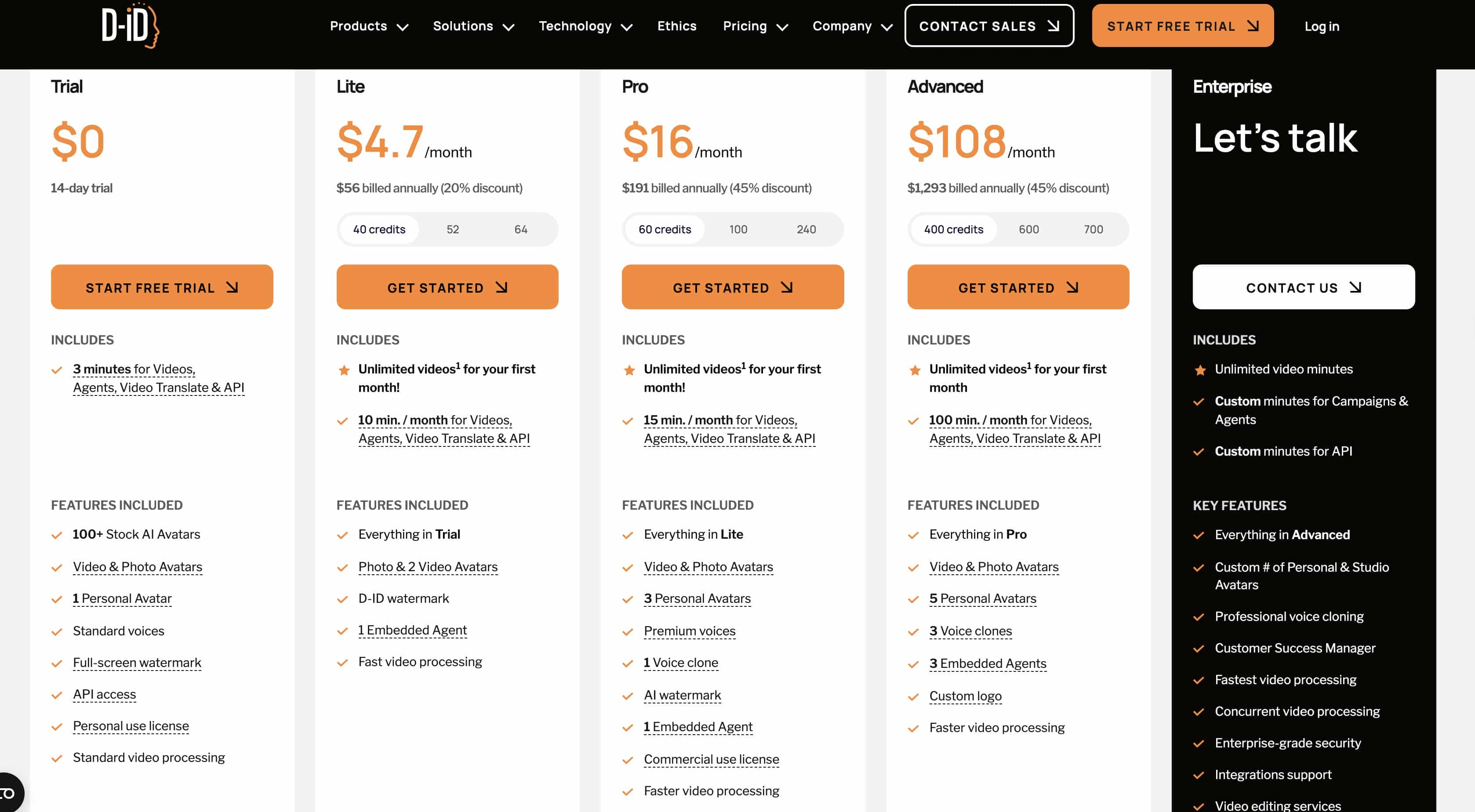
D-ID operates on a credit consumption system where video generation subtracts credits from your balance based on factors like video duration and character tier selection.
|
Plan |
Price |
Video Minutes |
Key Features |
|---|---|---|---|
|
Trial |
$0 (14 days) |
3 minutes |
100+ stock avatars, 1 personal avatar, standard voices, API access, full-screen watermark |
|
Lite |
$4.7/month* |
10 min/month |
Everything in Trial, photo & video avatars, D-ID watermark, 1 embedded agent, faster processing |
|
Pro |
$16/month* |
15 min/month |
Everything in Lite, 3 personal avatars, premium voices, 1 voice clone, commercial license |
|
Advanced |
$108/month* |
100 min/month |
Everything in Pro, 5 personal avatars, 3 voice clones, custom logo, priority processing |
Testing Experience
Putting D-ID through a rigorous content creation test reveals several functional insights:
-
Setup and Onboarding: The platform features an incredibly low barrier to entry. Navigating the dashboard is straightforward, and the studio layout remains uncluttered, allowing new users to orient themselves instantly.
-
Image Animation & Lip-Sync: The portrait processing engine operates smoothly. Front-facing photos map quickly, and the lip alignment balances accurately against standard script patterns. However, if your narration script features rapid-fire technical terminology or highly niche phrasing, the mouth shapes can occasionally appear rigid or unnatural.
-
Generation Speeds: Short, under-thirty-second test clips render quickly on cloud servers, often wrapping up in under a minute.
-
Overall Assessment: D-ID functions exceptionally well as a digital presenter tool. It fulfills its specific promise of animating headshots, but it cannot step out of that box to generate complex environments or multi-subject commercial scenes.
While D-ID is highly effective for talking-avatar content, creators who need broader AI video-generation capabilities may want to consider alternatives. Vmake AI stands out by offering text-to-video generation, image animation, and video enhancement tools within a single platform, making it suitable for a wider range of creative and marketing projects.
Meet Vmake AI: A Powerful Alternative to D-ID AI Video Generator
Vmake AI is a comprehensive, production-oriented artificial intelligence video creation platform designed from the ground up for commercial marketers, digital agencies, and e-commerce business models. Rather than limiting users to a single talking head against a static backdrop, Vmake AI provides tools to build entire video environments from raw text descriptions or flat product images.
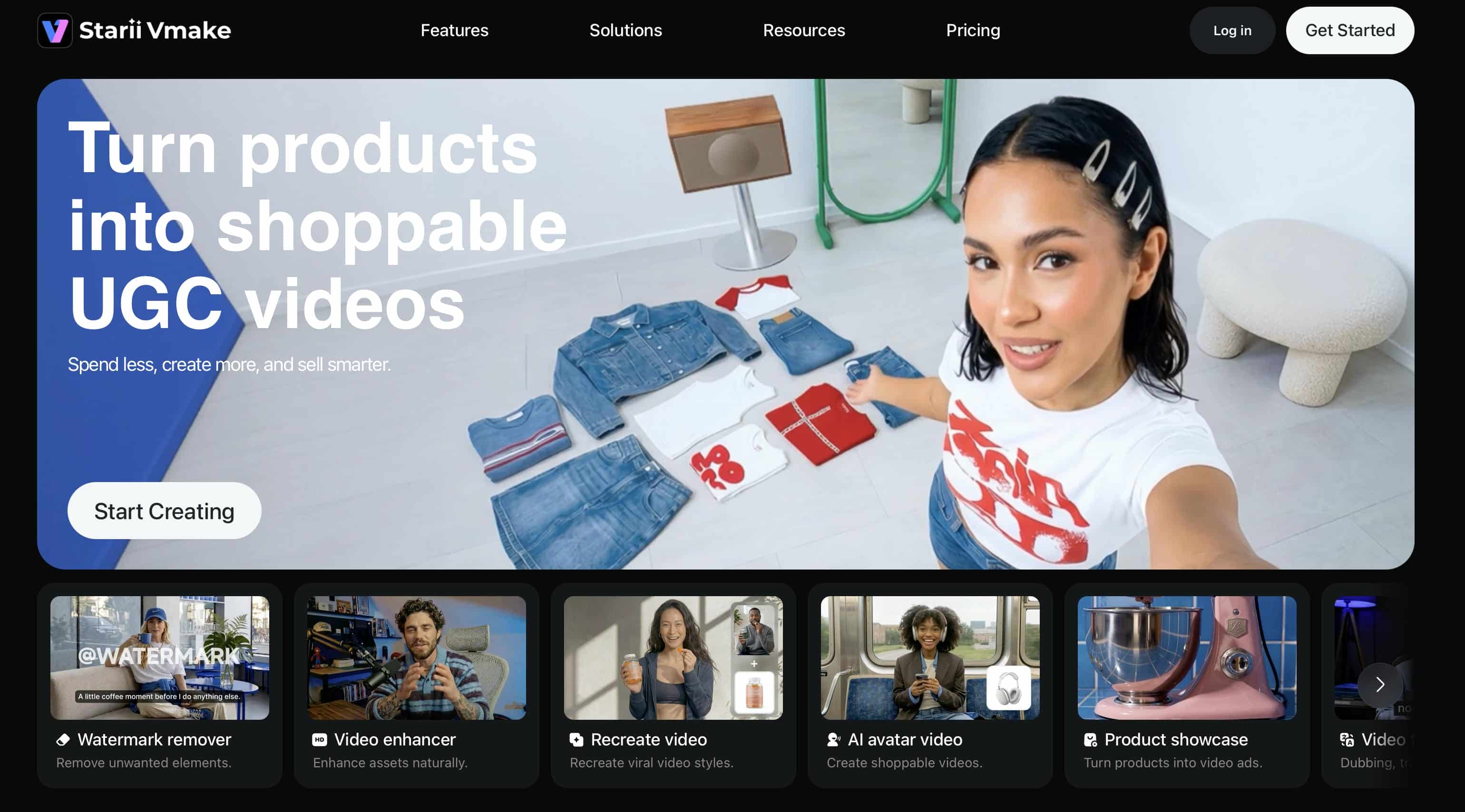
Key Features of Vmake AI Video Generator
-
AI Text-to-Video Generation: Users can enter descriptive text prompts to generate complete video sequences, creating dynamic scenes, environmental details, and realistic motion without requiring filming or editing expertise.
-
AI Image-to-Video Creation: This feature transforms static images into animated video content through reference-image animation, first-and-last-frame generation, and built-in visual effects that bring still visuals to life.
-
Flexible Output Controls: The platform supports multiple aspect ratios, durations ranging from 2 to 15 seconds, and high-resolution outputs, helping creators optimize videos for different platforms and content formats.
-
High-Quality Video Outputs: The rendering system is designed to produce sharp, professional-quality videos with smooth motion and detailed visuals suitable for ecommerce campaigns, advertising campaigns, and branded content.
-
User-Friendly Workflow: The streamlined interface allows users to generate videos from text, images, or existing footage in just a few steps, reducing production complexity and accelerating content creation.
How to Generate Videos Using Vmake AI
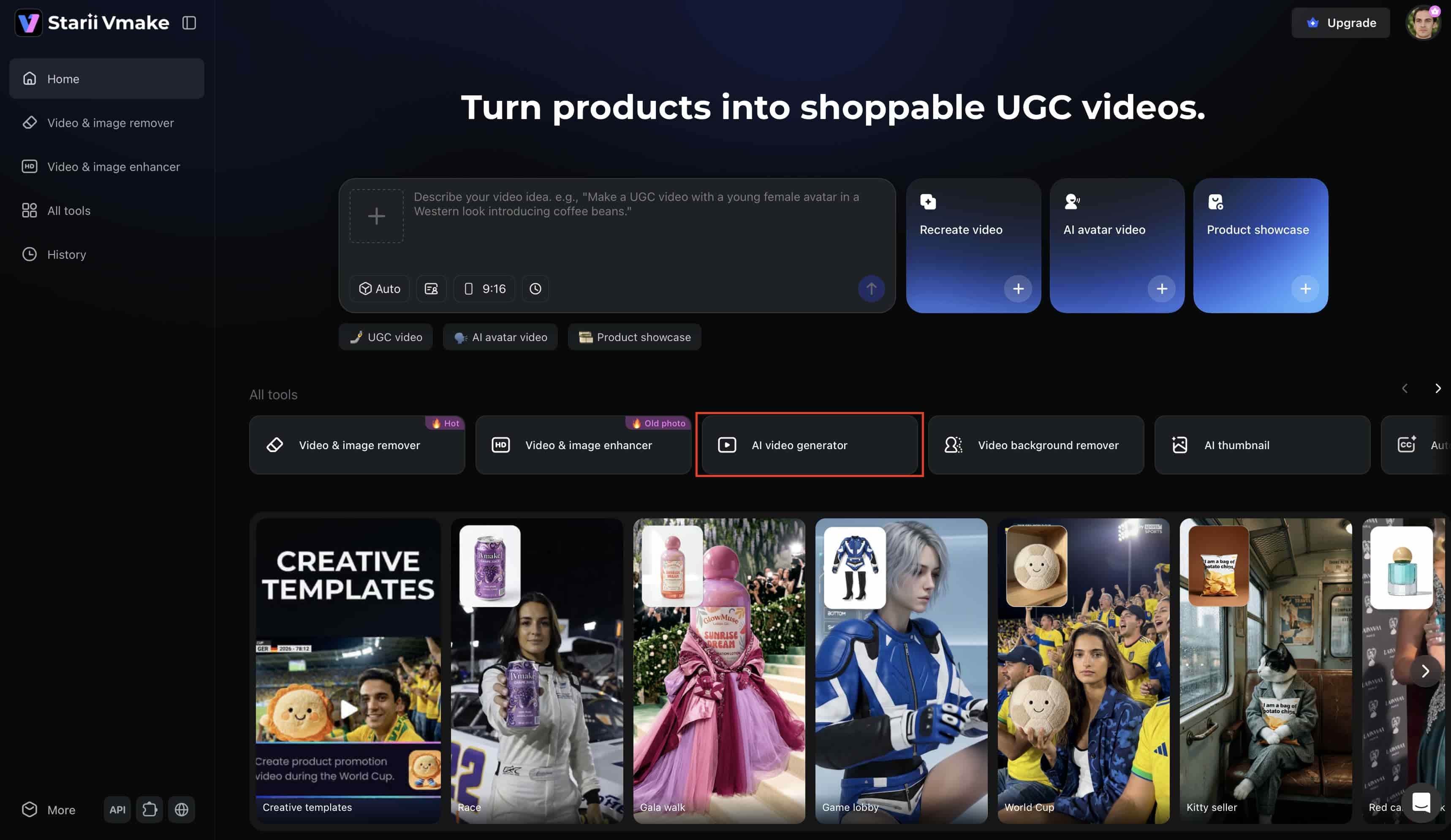
Step 1: Open Vmake AI Video Generator
Begin by accessing the Vmake AI platform and selecting the AI Video Generator. The dashboard presents multiple creation options that accommodate different project requirements.
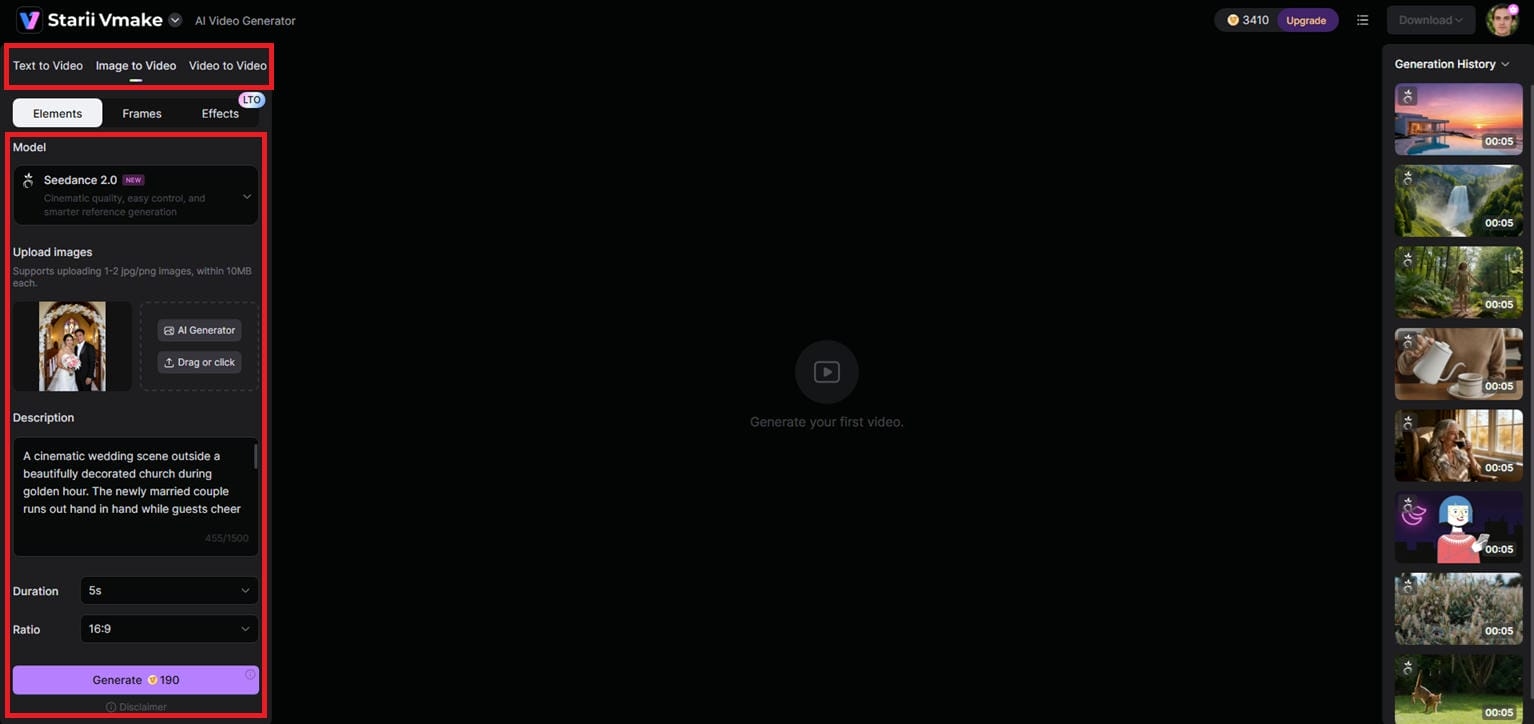
Step 2: Enter Your Prompt or Upload an Image
Users can either provide a text description or upload an image as the foundation for their project. Clear instructions generally produce stronger results and allow the AI to better understand the intended outcome.
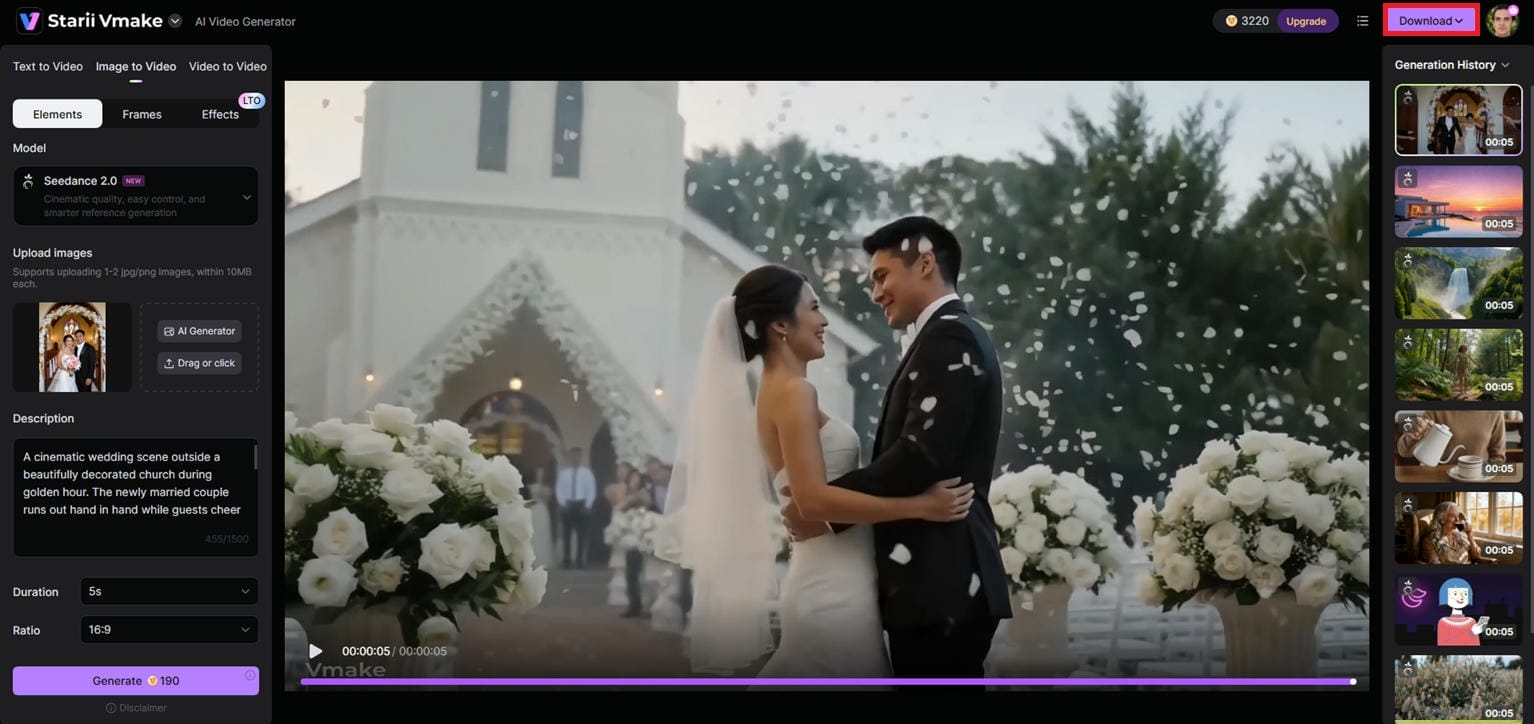
Step 3: Generate, Preview, and Export the Video
Once the input is ready, generate the video and review the output. If adjustments are needed, refine the prompt or settings before creating another version. After final approval, export the completed project for distribution.
D-ID AI Video Generator vs. Vmake AI
|
Feature |
D-ID AI Video Generator |
Vmake AI |
|---|---|---|
|
Core focus |
AI talking avatars and presenters |
AI video generation and enhancement |
|
Text-to-video |
Basic presenter-style videos |
Advanced creative video generation |
|
Image-to-video |
Photo animation and talking avatars |
Dynamic AI image-to-video creation |
|
Editing tools |
Basic customization |
Broader video enhancement tools |
|
Ease of use |
Beginner-friendly |
Beginner-friendly |
|
Best for |
Businesses needing AI presenters |
Creators producing diverse AI videos |
|
Output flexibility |
Avatar-centered content |
Multiple AI video workflows |
Final verdict
D-ID is good at generating AI presenters and talking avatar films from pictures, which is useful for training, marketing, and communication content.
If you want more ability to generate AI videos with more creativity and to enrich videos other than avatar-based material, then Vmake AI is a superior option.
Conclusion
D-ID's strength is in transforming static photos into lip-synced digital presenters for corporate training and internal messaging, but its avatar-only format feels limited to dynamic social media campaigns, e-commerce commercials, or cinematic storytelling.
For a more varied look, high-volume workflow, Vmake AI is the better choice, featuring full text-to-video scenery creation, product animation for commercial purposes, and extensive post-production upscaling features. In the end, it all comes down to your content style: pick D-ID for typical instructor-led lectures and Vmake AI to scale high-converting, dynamic marketing videos.
FAQs
Is D-ID AI video generator free to use?
No, D-ID offers just a 14-day free trial with 3-minute credits, limited features, and full-screen watermarks. Vmake AI provides an accessible, creator-friendly trial environment for marketers looking for a more adaptable platform for testing commercial marketing assets.
What is D-ID AI video generator?
D-ID AI Video Generator is a cloud platform that turns images, text, and audio into talking-avatar videos. It builds digital presenters that can talk scripts using AI voice and facial animation for training, education, marketing, and commercial communication.
How does D-ID AI video generator create videos from photos?
D-ID's deep-learning algorithms can map human facial traits in a still image. It then adds realistic motions like eye blinks and head tilts while transforming the mouth forms to exactly fit the time of your spoken speech.
How do I use the D-ID AI video generator?
First, pick or make an avatar, then input your script and pick a voice for your video. Customize the avatar and video settings, and click on Generate Video. This will produce the final output, and you can export it for distribution.
Is D-ID good for business video creation?
Yes, it's great for corporate training, HR onboarding, and educational presentations with a digital teacher. But, if you need product-centric marketing, commercial commercials, or retail showcases for your brand, then Vmake AI is a far more flexible solution.
What is the best alternative to D-ID AI video generator?
The best alternative depends on your creative goals. If you need to step away from single-subject avatars and want to generate cinematic product environments, dynamic camera movements, and high-definition marketing clips, Vmake AI is the top choice.

You May Be Interested

AI TikTok Video Generator | Create High-Quality AI Videos

Best AI Video Generator: Top Tools Tested (2026)

11 Best Image to Video AI Generators Compared in 2026

Funny Video Memes: Best Clips, Short Reels & Meme Compilations
