Deep AI Image Generator Review: Features, Pricing, Pros, Cons & Best Alternative
Explore our Deep AI image generator review to learn about its features, pricing, image quality, hands-on testing, pros, cons, and why Vmake Labs AI Image Generator is a better alternative.

DeepAI is a browser-based AI platform for generating images from text prompts. In this Deep AI image generator review, we'll cover its features, pricing, hands-on experience, pros, cons, user feedback, and compare it with Vmake Labs AI Image Generator.
What Is Deep AI Image Generator?
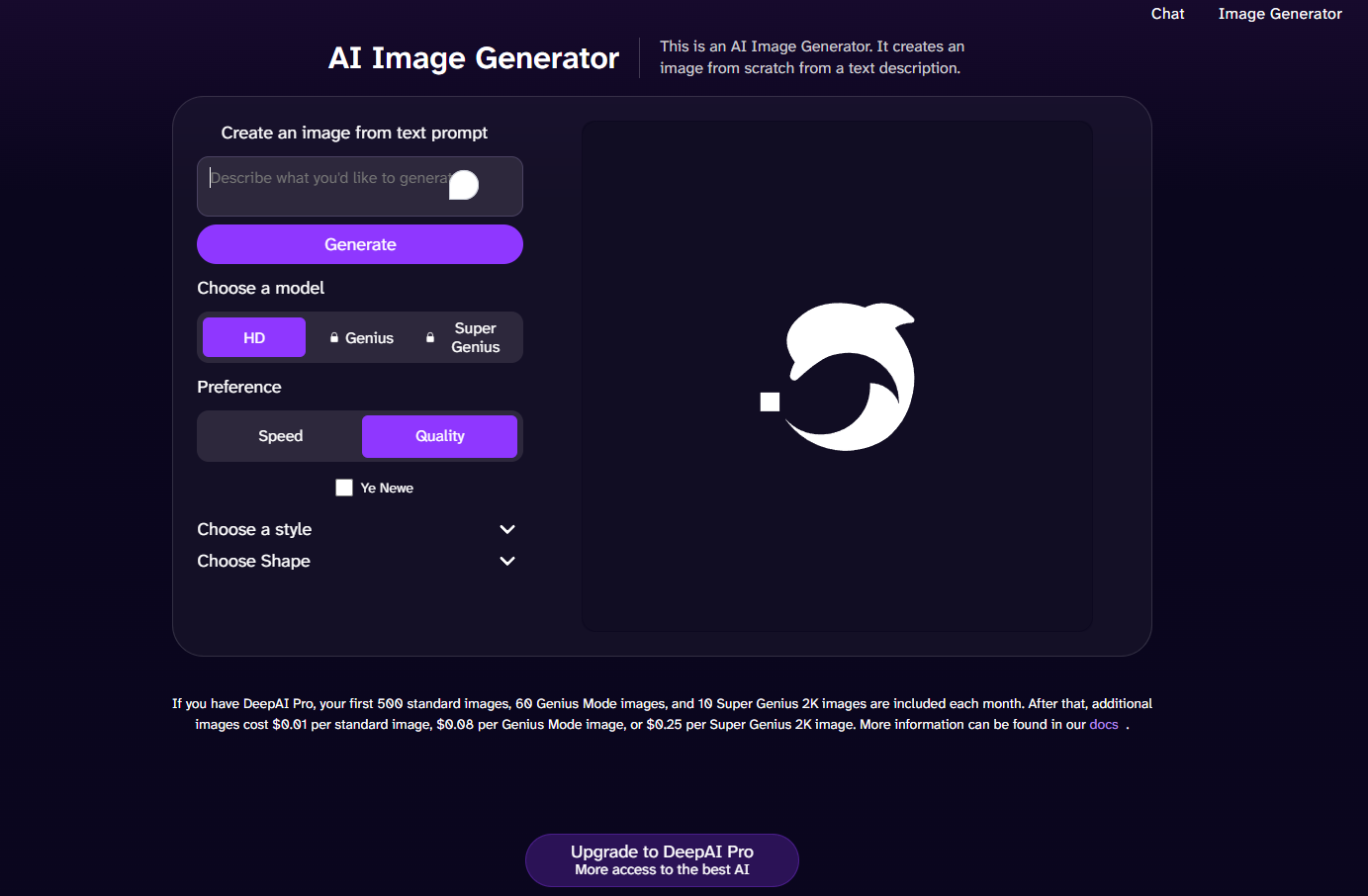
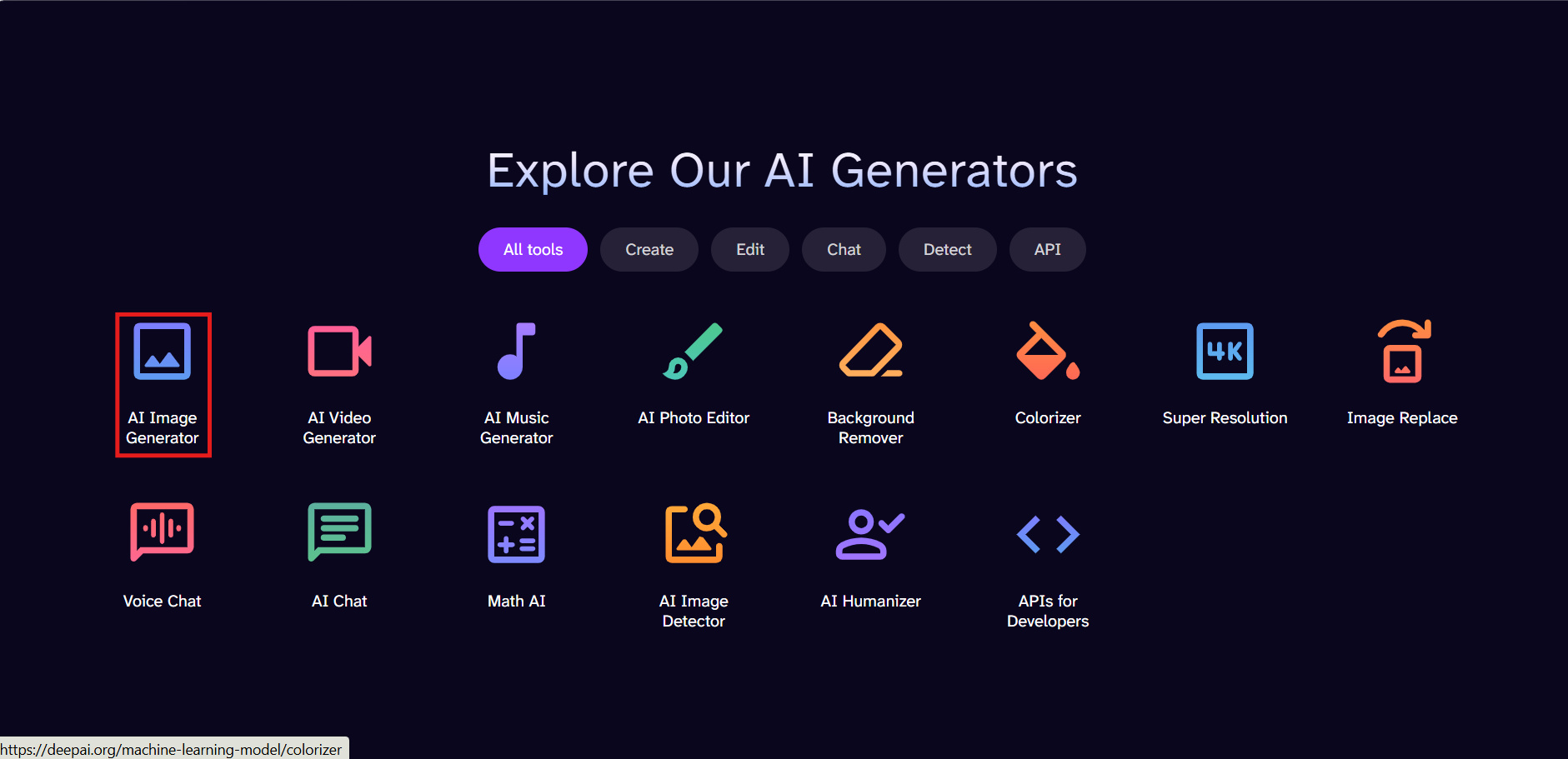
Deep AI Image Generator is part of the DeepAI creative platform, allowing users to generate AI images from simple text prompts. Besides image generation, the platform also includes AI tools for video creation, music generation, chat, image editing, and developer APIs, making it suitable for both casual creators and businesses.
Deep AI Image Generator Features & How to Create AI Images
DeepAI makes AI image generation simple with a browser-based interface that lets users create images from text prompts in just a few clicks. It offers multiple image models, creative styles, built-in editing tools, and API access for a smooth creative workflow.
Key Features
-
Text-to-image generation: DeepAI generates AI images from text prompts, allowing users to create artwork, illustrations, concept designs, and marketing visuals without requiring advanced design skills.
-
100+ image styles: The platform offers over 100 artistic styles, allowing users to generate images in realistic, anime, fantasy, painting, sketch, and other creative formats.
-
AI editing tools: DeepAI includes built-in AI editing tools for refining and enhancing generated images with Image Enhancer without switching to separate editing software.
-
API access: DeepAI's API allows developers to embed its image generation features into websites, apps, and custom workflows, making it suitable for personal and commercial projects.
How to Create AI Images
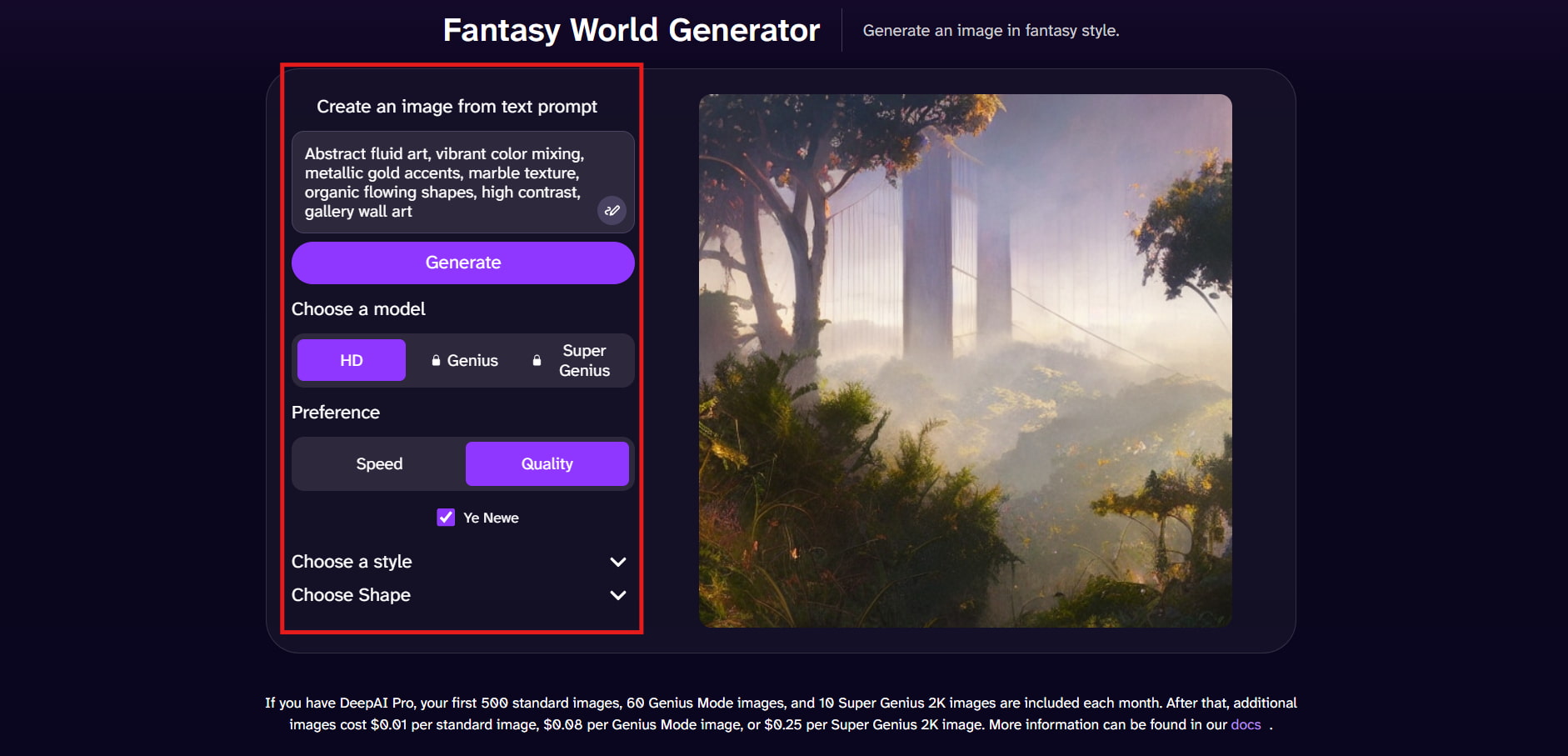
Step 1: Open AI Image Generator and Enter Your Prompt
Open the AI Image Generator from the DeepAI homepage and enter a detailed text prompt describing the image you want to create. Then click Generate to proceed.
Step 2: Choose an AI Model and Customize Your Settings
Select an AI model such as HD, Genius, or Super Genius based on your subscription. You can also adjust preferences like speed or quality, choose an image style, and select the output shape before generating your image.
Step 3: Review, and Download Your Image
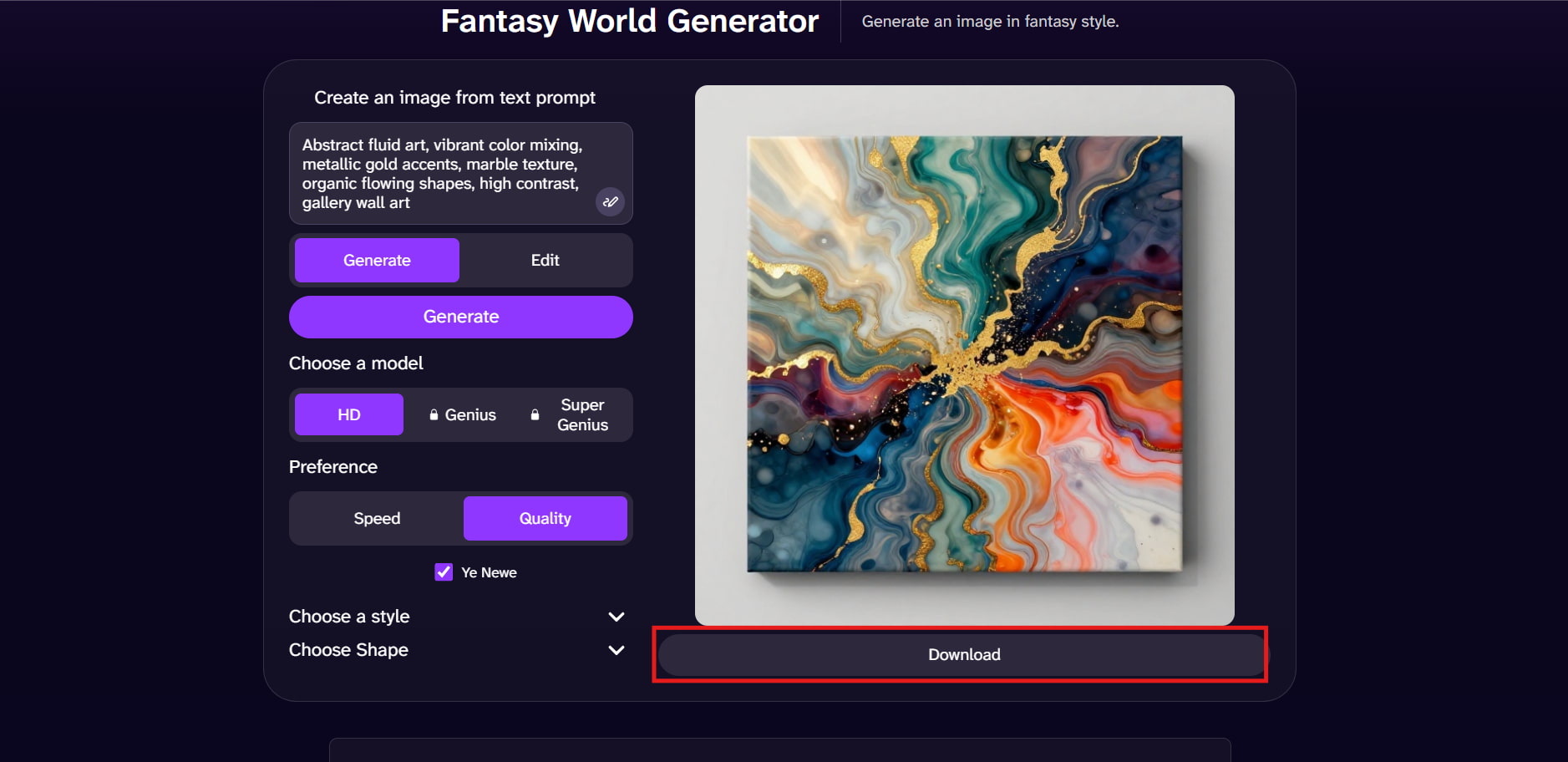
Once the image is generated, preview the result and make edits if needed. When you're satisfied with the final output, click Download to save the AI-generated image to your device.
Deep AI Image Generator Pricing
DeepAI has basic monthly and yearly subscription plans for its AI image generator and other art tools for those who want to use them. Both plans include monthly usage allowances and a prepaid wallet, but you will save more with the yearly plan if you are a long-term user.
|
Plan |
Price |
Best For |
Key Highlights |
|---|---|---|---|
|
Monthly Plan |
$9.99/month |
Regular creators |
Access to AI tools, monthly usage allowances, prepaid wallet |
|
Yearly Plan Best Value |
$89.99/year |
Frequent creators |
Save $29.89/year, monthly allowances, prepaid wallet |
Which Plan Offers the Best Value?
If you're new to DeepAI or only generate images occasionally, the Monthly Plan offers the flexibility of paying month to month. However, if you regularly use AI image generation and other DeepAI tools, the Yearly Plan provides the best overall value with significant annual savings.
|
Plan |
Best For |
Recommendation |
|---|---|---|
|
Monthly Plan |
Casual users |
Flexible monthly subscription |
|
Yearly Plan |
Frequent creators |
Best overall value with annual savings |
Hands-on Deep AI Image Generator Review
DeepAI was tested on common creative workflows such as creating blog illustrations, product images, photo editing, and image-to-video generation to evaluate image quality, prompt accuracy, ease of use, and generation speed.
Test results
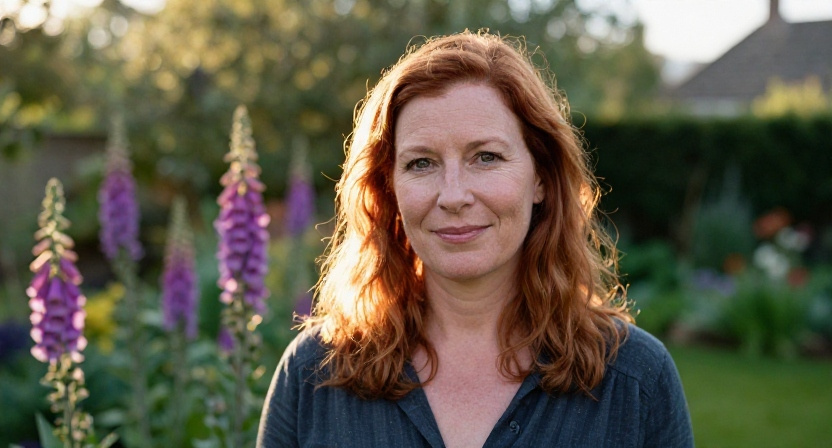
Test 1: Portrait Generation
What we tested: A realistic portrait with natural lighting and facial details.
Result: DeepAI generated a well-composed portrait with good lighting and color, though finer facial details appeared slightly soft compared with more advanced AI image generators.
Image:
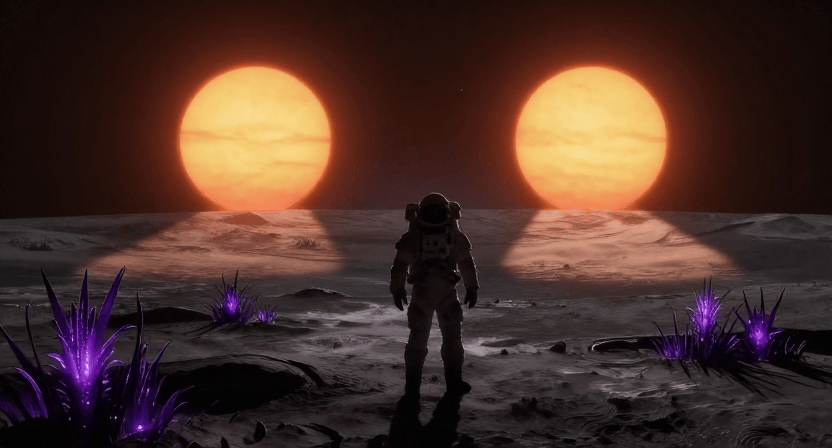
Test 2: Sci-Fi Scene
What we tested: A futuristic scene with complex lighting and environmental effects.
Result: DeepAI created visually appealing sci-fi artwork with imaginative compositions, although some finer details required prompt refinement.
Image:
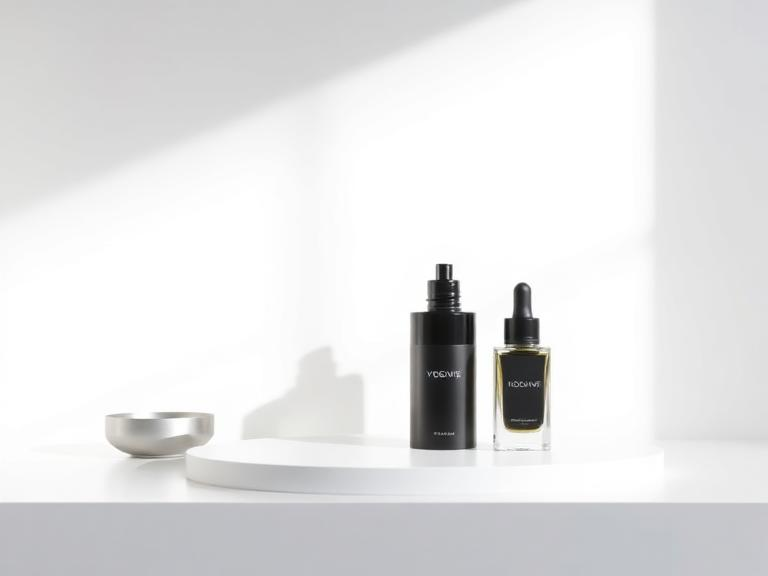
Test 3: Product Image
What we tested: A clean product render created for e-commerce and marketing to evaluate product presentation, composition, and overall image quality.
Result: DeepAI generates clear product concepts with good overall composition. While the outputs were useful for brainstorming and early design ideas, they sometimes lacked the consistency needed for production-ready commercial visuals.
Image:
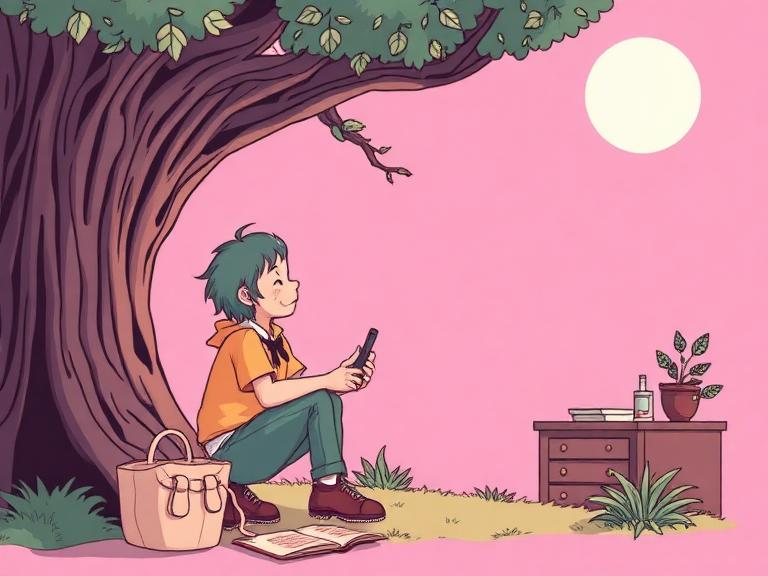
Test 4: Illustration & Concept Art
What we tested: A stylized illustration created from a detailed creative prompt to evaluate artistic style, composition, and color consistency.
Result: DeepAI performed well for illustrations and concept art, generating creative compositions with consistent visual styles and vibrant colors.
Image:
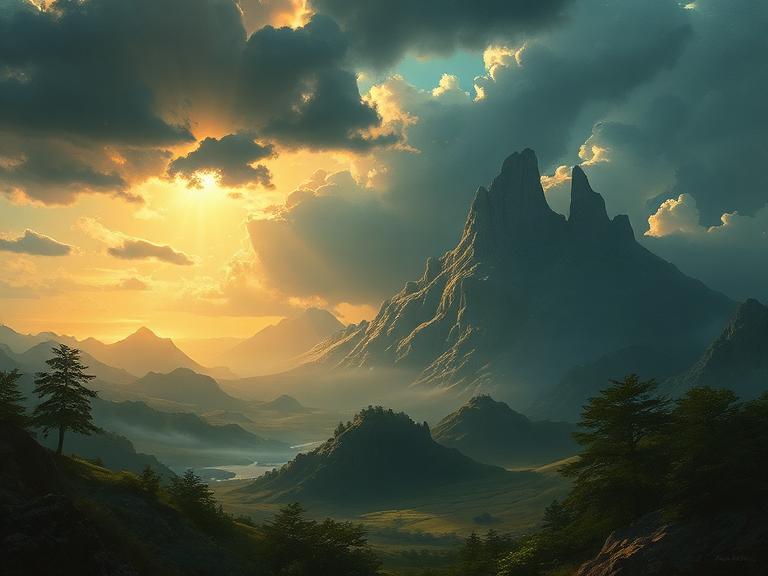
Test 5: Fantasy Landscape
What we tested: A fantasy landscape featuring dramatic scenery and lighting effects to evaluate environmental detail, composition, and color quality.
Result: DeepAI generated imaginative landscapes with vibrant colors and creative compositions, although finer environmental details occasionally varied between image generations.
Image:
Pros & Cons
|
Pros |
Cons |
|---|---|
|
Beginner-friendly interface |
Image quality varies with complex prompts |
|
Affordable pricing |
Limited creative control |
|
100+ image styles |
Usage allowances can be restrictive |
|
Multiple AI tools on one platform |
Video generation has limited included usage |
|
API access for developers |
Better for concepts than production-ready visuals |
Community Feedback
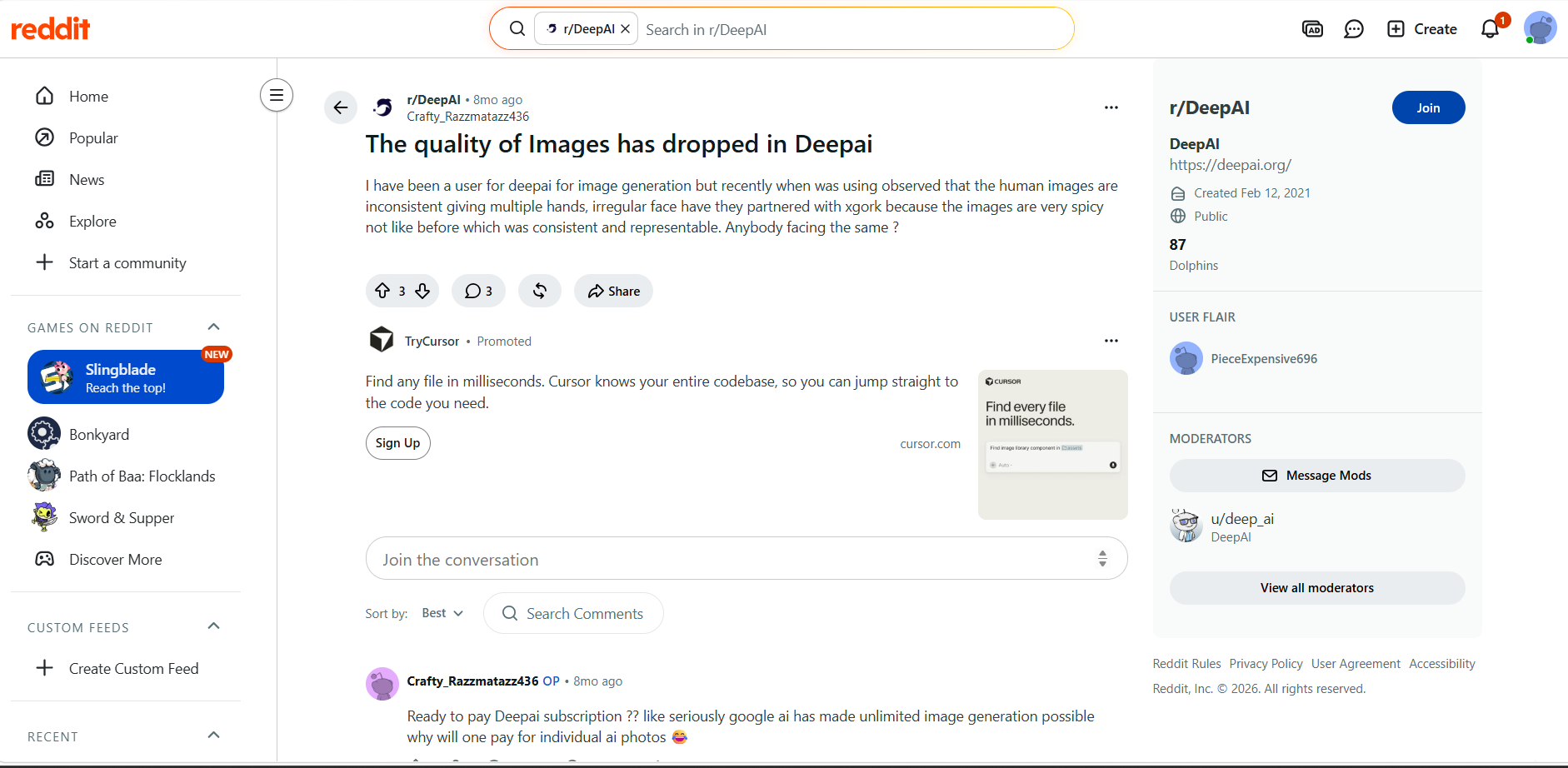
Reddit users love DeepAI for its simple interface, quick image generation, and a range of creative styles. It's a great choice for beginners and casual creators. However, some users say that image quality can vary with complex prompts, and that you need to be on a paid plan to get access to advanced models and other features.
Trustpilot
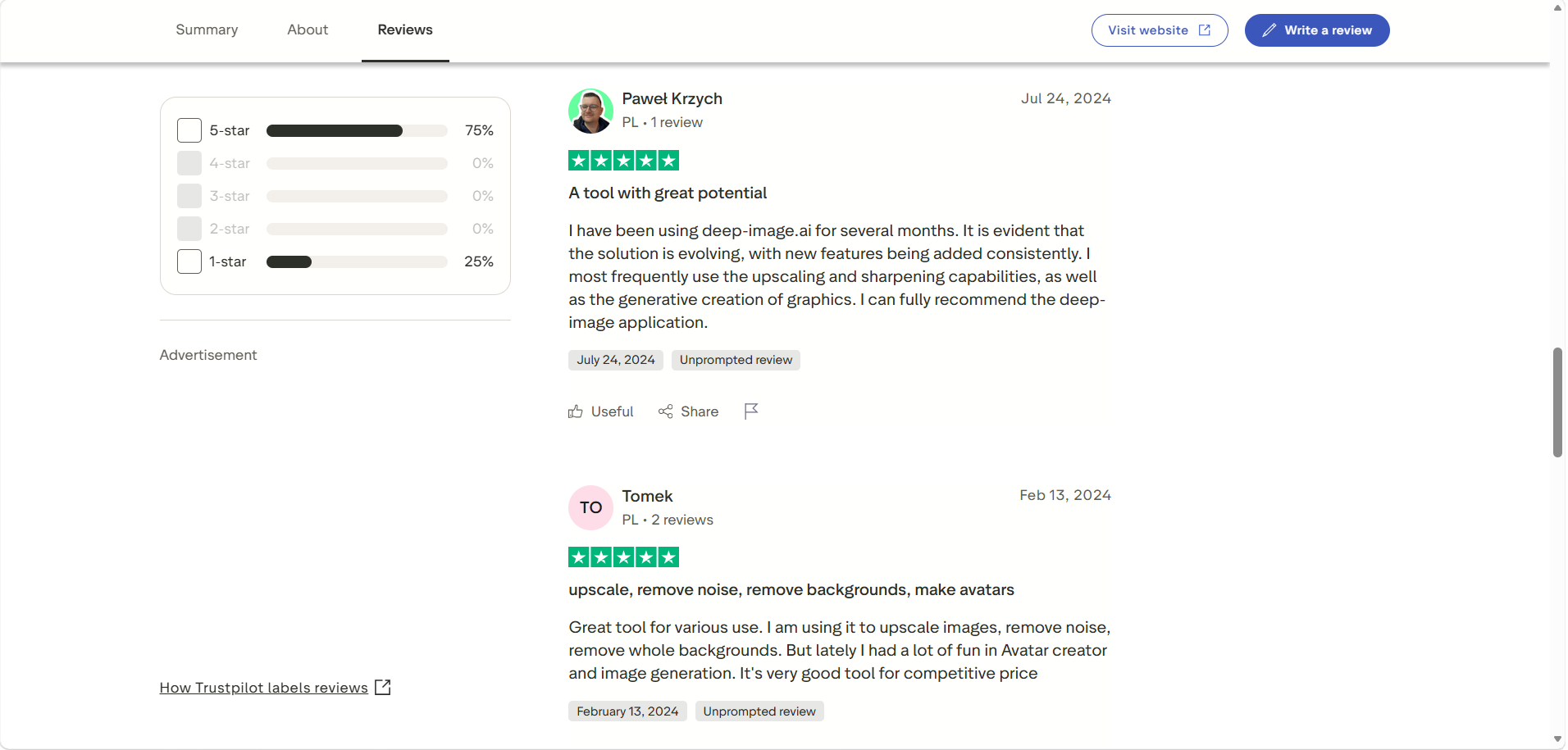
DeepAI reviews on Trustpilot mention the low price, ease of use, and the huge range of AI tools available. Most users are happy with the image generation and editing features, but a few report occasional inconsistencies in image quality. Overall, it is a good platform for daily creative work, according to users.
Editorial verdict:
To be honest, DeepAI is a solid, budget-friendly playground for quickly testing out rough concepts and style variations without overcomplicating things. However, because it leans heavily toward abstract ideas rather than production-ready marketing visuals, it falls short when you need a polished, commercial edge.
If your goal is to turn those raw ideas into actual high-converting business assets—like e-commerce product videos, virtual try-ons, and automated social media clips—you'll need to upgrade to a tool built specifically for professional workflows. Let's shift our focus to Vmake Labs to see how its suite can elevate your day-to-day content strategy.
Vmake Labs AI Image Generator as a DeepAI Alternative
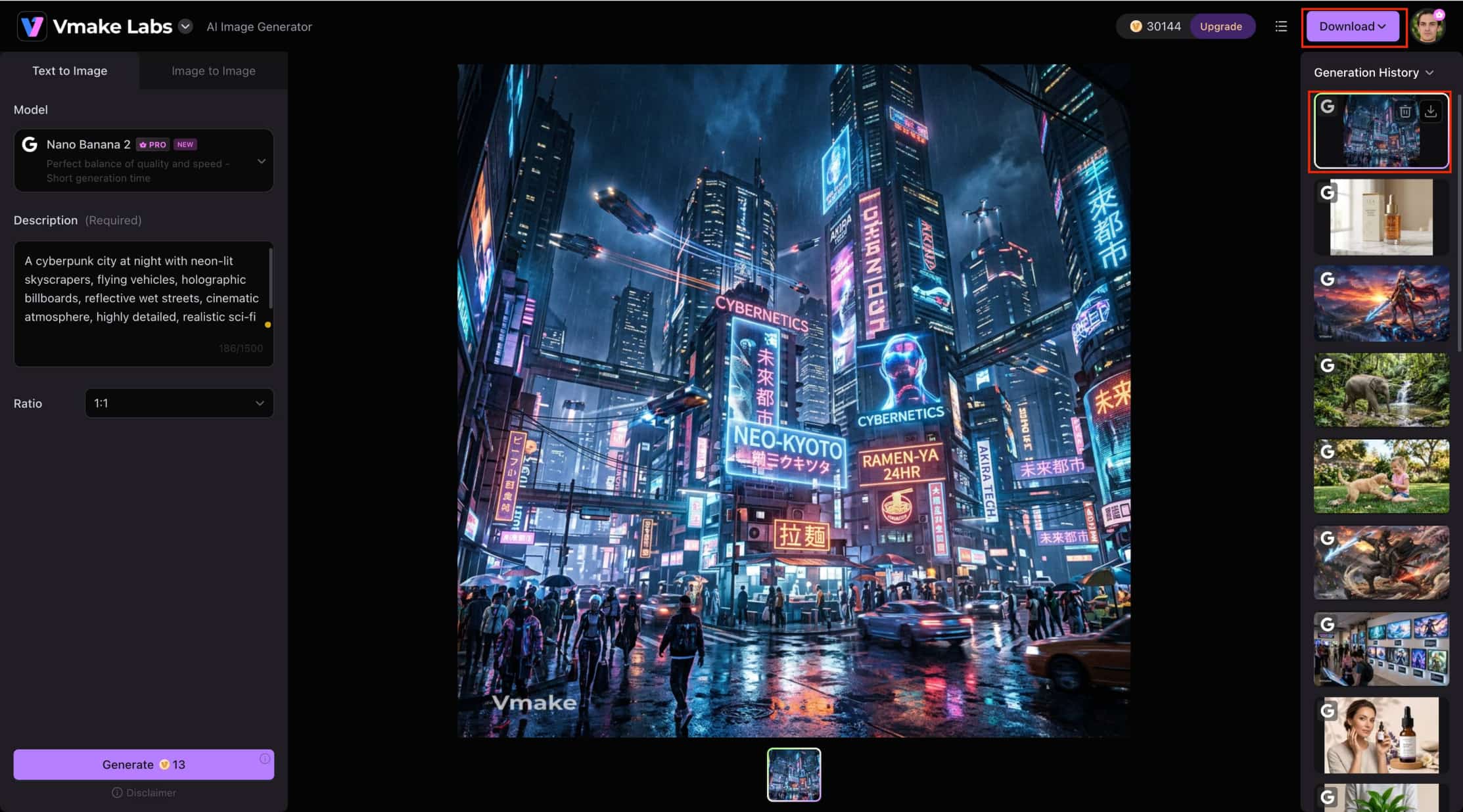
If you are looking for an alternative to DeepAI, Vmake Labs AI Image Generator is worth considering. It offers Text-to-Image and Image-to-Image generation, multiple AI models, and a streamlined workflow for creating high-quality visuals.
Why Choose Vmake Labs AI Image Generator?
-
Beginner-friendly workflow: Vmake Labs features a clean, intuitive interface that simplifies AI image generation. This helps both beginners and experienced creators generate images with minimal learning curve, making it suitable for everyday creative work and fast content production.
-
Text-to-Image & Image-to-Image generation: Generate original images from text prompts or transform existing images using AI. This gives you greater creative flexibility, whether you're creating new concepts or refining existing visuals for marketing, branding, product photography, or social media.
-
Multiple AI models for different image-generation needs: Choose from AI models including Nano Banana 2, Nano Banana Pro, Nano Banana, Seedream 4.0, and GPT Image 1. This allows you to select the model that best fits your project, whether you're creating realistic product images, creative artwork, marketing visuals, or concept designs.
-
Flexible aspect ratios: Generate images in multiple aspect ratios optimized for different platforms. This reduces the need for manual resizing and makes it easier to create content for social media, e-commerce, presentations, websites, and marketing campaigns.
-
Suitable for marketing, e-commerce, and creative projects: Vmake Labs supports a wide range of creative workflows, including product photography, advertising, branding, and social media content. This helps creators, marketers, and businesses produce visuals tailored to different campaigns and industries.
How to Generate AI Images with Vmake Labs
Step 1: Open AI Image Generator
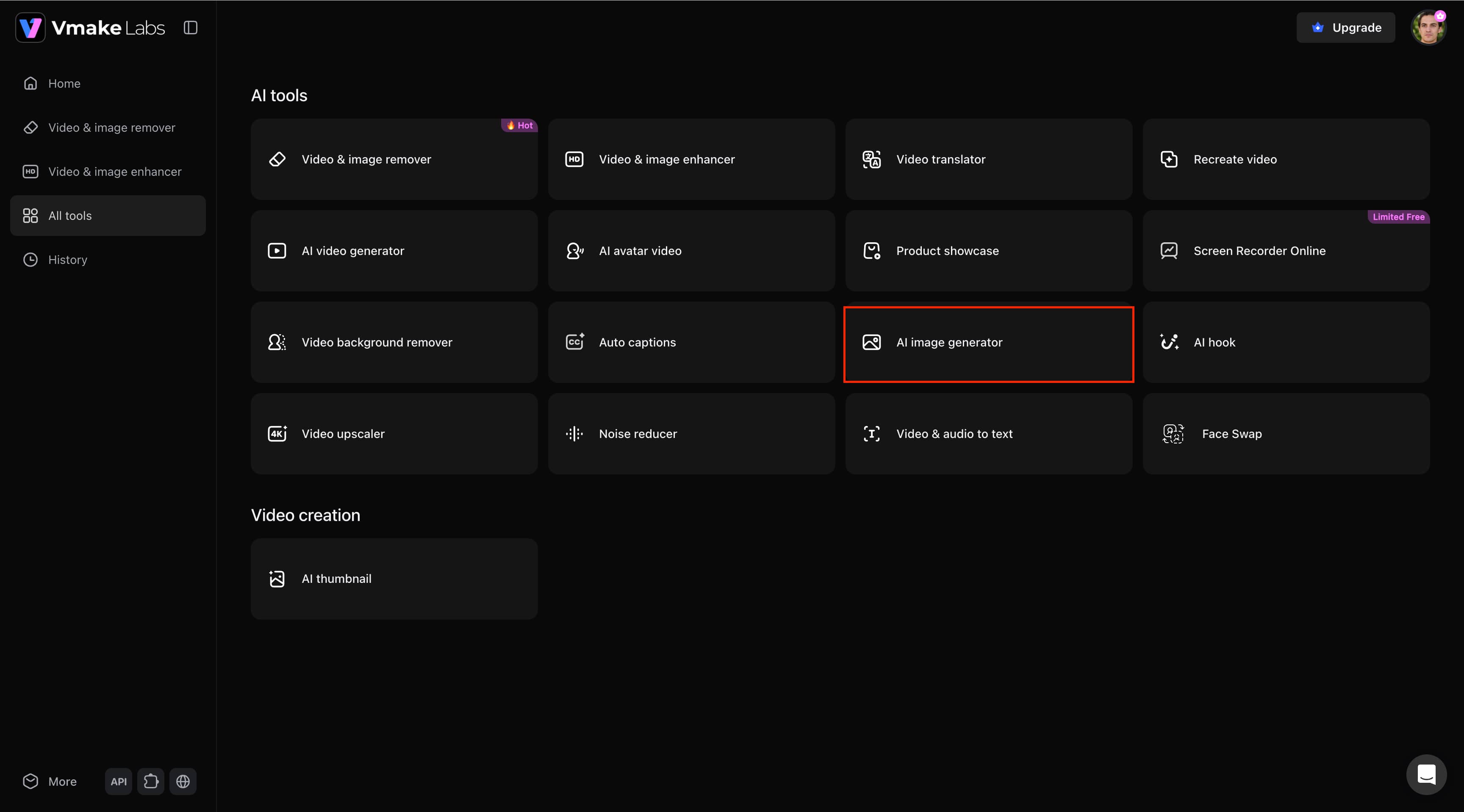
Open Vmake Labs, go to All Tools, and select AI Image Generator. Then choose either Text-to-Image or Image-to-Image to start creating your AI image.
Step 2: Select an AI model and customize your settings.
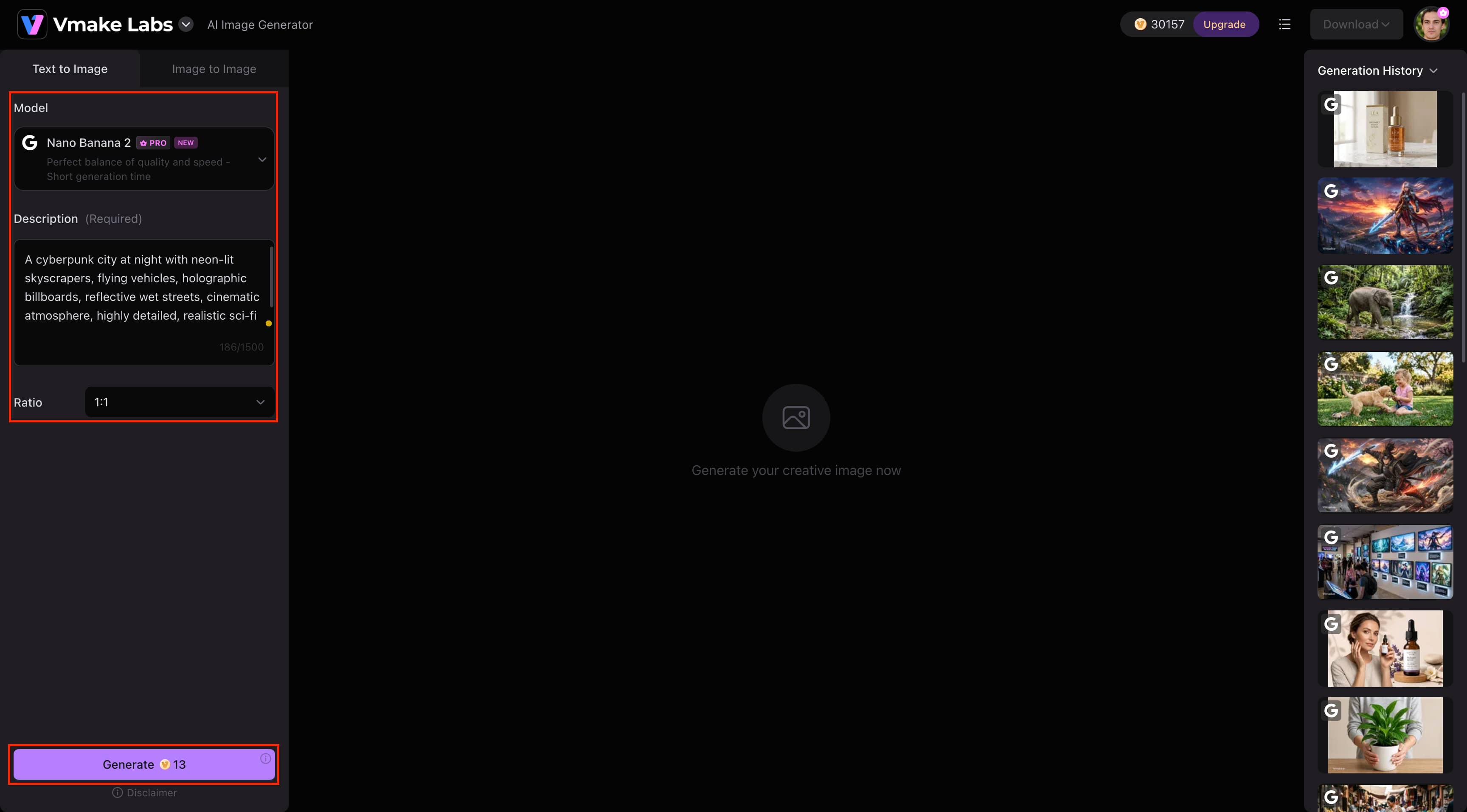
Choose an AI model such as Nano Banana 2, Nano Banana Pro, Nano Banana, Seedream 4.0, or GPT Image 1. Then customize settings like the aspect ratio before generating your image.
Step 3: Generate and download your image.
Click Generate to create your image. Review the result and download the final image once you're satisfied.
Deep AI Image Generator vs Vmake Labs AI Image Generator
DeepAI and Vmake Labs both offer AI image generation for anyone to use, but they’re meant for different users. DeepAI is simple and cheap for casual users, while Vmake Labs has more AI models, Image-to-Image generation and more flexibility for professional creative workflows.
|
Category |
Deep AI Image Generator |
Vmake Labs AI Image Generator |
|---|---|---|
|
Best For |
Beginners & casual creators |
E-commerce, marketing & content creators |
|
Generation Modes |
Text-to-image |
Text-to-image & Image-to-image |
|
AI Models |
HD, Genius & Super Genius |
Nano Banana 2, Nano Banana Pro, Nano Banana, Seedream 4.0, GPT Image 1 |
|
Reference Images |
Limited |
Upload 1–3 reference images |
|
Aspect Ratios |
Multiple options |
Multiple aspect ratios |
|
Workflow |
Browser-based |
Browser-based |
|
Commercial Use |
Supported |
Supported |
|
Pricing |
Monthly & yearly plans |
Free trial & paid plans (if applicable) |
Choose Deep AI Image Generator if:
Choose DeepAI if you're a beginner or casual creator looking for an affordable AI image generator with a simple browser-based workflow. It's a good option for generating images from text prompts while also accessing additional AI tools like image editing, video, music, chat, and API integration.
Choose Vmake Labs AI Image Generator if:
For quality AI images for marketing, e-commerce or professional content creation, Vmake Labs is the best place to get them. It’s a better tool for creators who need more control and more consistent results, with advanced AI models, Text-to-Image and Image-to-Image workflows, reference image support, and flexible aspect ratios.
Conclusion
For newcomers and casual creators looking for a simple, browser-based workflow for generating AI images, DeepAI Image Generator is a good option. There are multiple creative tools, low prices, and it is user-friendly for everyday image generation. However, for advanced AI models, Image-to-Image generation, and more reliable results for marketing or commercial projects, Vmake Labs AI Image Generator is a good alternative to consider.
FAQs
-
Does Deep AI Image Generator require design experience?
No. DeepAI is made to be easy to use for beginners; no graphic design skills or previous experience in AI needed. Enter a text prompt, choose an AI model, and get images from its browser interface, with a simple workflow that allows anyone to start generating AI images in a matter of clicks.
-
Can I customize AI-generated images with different styles?
Yes. DeepAI offers over 100 image styles and multiple AI models, allowing you to create images in a variety of artistic styles. You can also adjust settings such as image quality, style, and shape to match your creative needs better. For more advanced workflows, Vmake Labs AI Image Generator also supports both Text-to-Image and Image-to-Image generation.
-
What image formats can I download from Deep AI?
Once the creation process is finished, DeepAI lets you download your generated images. The download format will be based on the export options and subscription features currently available on the platform. This makes it easy to store, share, or use your AI-generated images for personal or professional projects.
-
Can I use Deep AI Image Generator on mobile devices?
Yes. DeepAI is a browser-based platform that works on desktops, tablets, and most modern smartphones. You don't need to install any additional software or mobile apps to access its AI image generation features. Open the website in your browser and start creating images from anywhere.
-
Does Deep AI support text-to-image generation only?
No. Besides Text-to-Image generation, DeepAI also includes AI tools for image editing, video creation, music generation, chat, and developer APIs. This makes it a versatile platform for a variety of creative tasks beyond image generation. If you also need Image-to-Image generation with advanced AI models, Vmake Labs AI Image Generator is a strong alternative.

You May Be Interested
Best AI Video Generator: Top Tools Tested (2026)
Viggle AI Video Generator Review & Top 2026 Alternatives
Trump AI Video Generator: 3 Best Tools to Create AI Videos
How to Remove CapCut Watermark

Nero AI Review 2026 Explained: Is the Tool Worth Using?
ImgGen AI Image Upscaler Review: Features & Pricing in 2026
Picsart Image Enhancer Review 2026: Tested, Worth It?