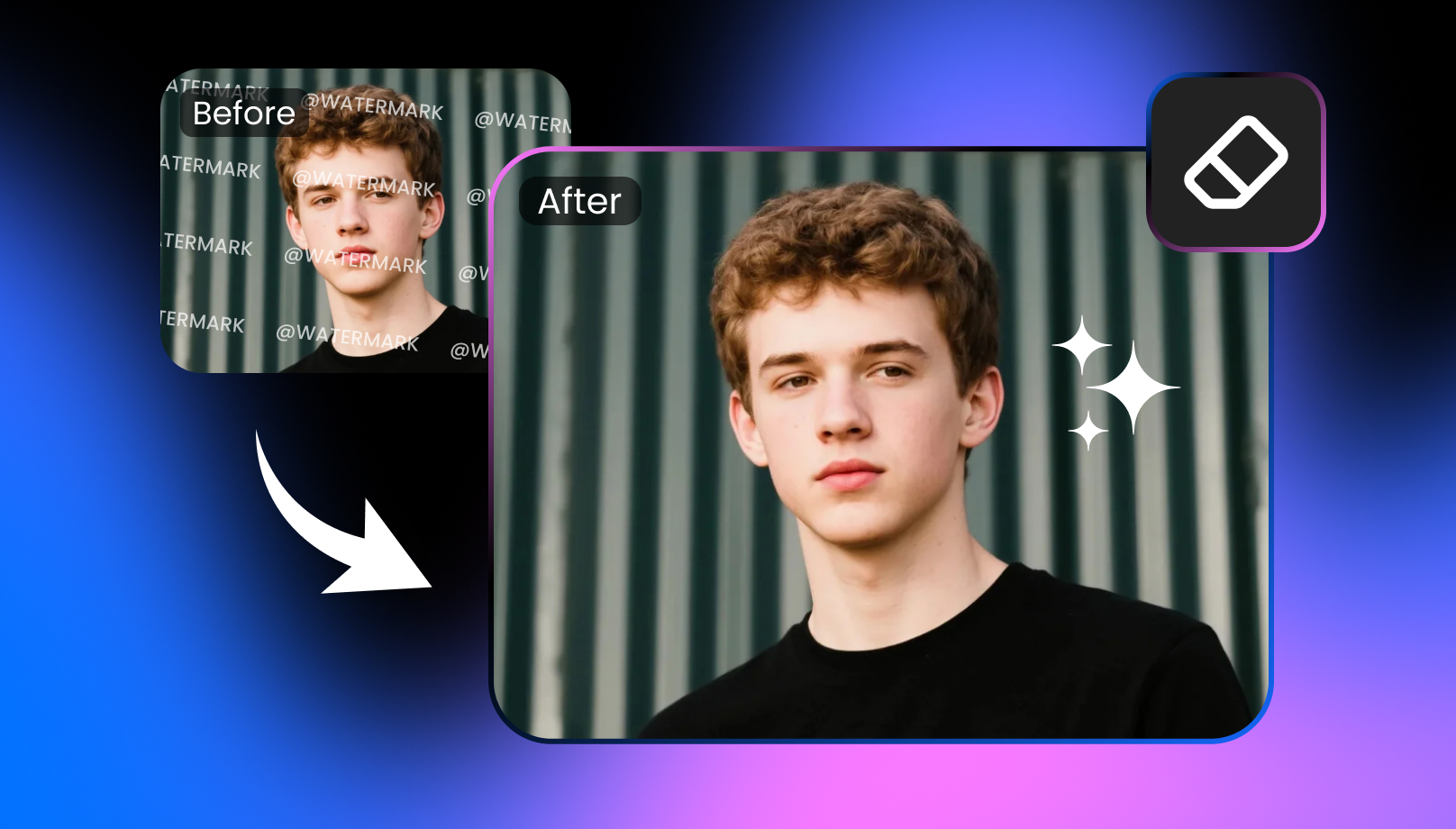
Choppity Review: Worth It? (Plus How to Remove Choppity Watermark)
Learn how the Choppity watermark affects exported content, what the free plan offers, and why Vmake Labs Video Watermark Remover is a smart AI solution for removing watermarks.

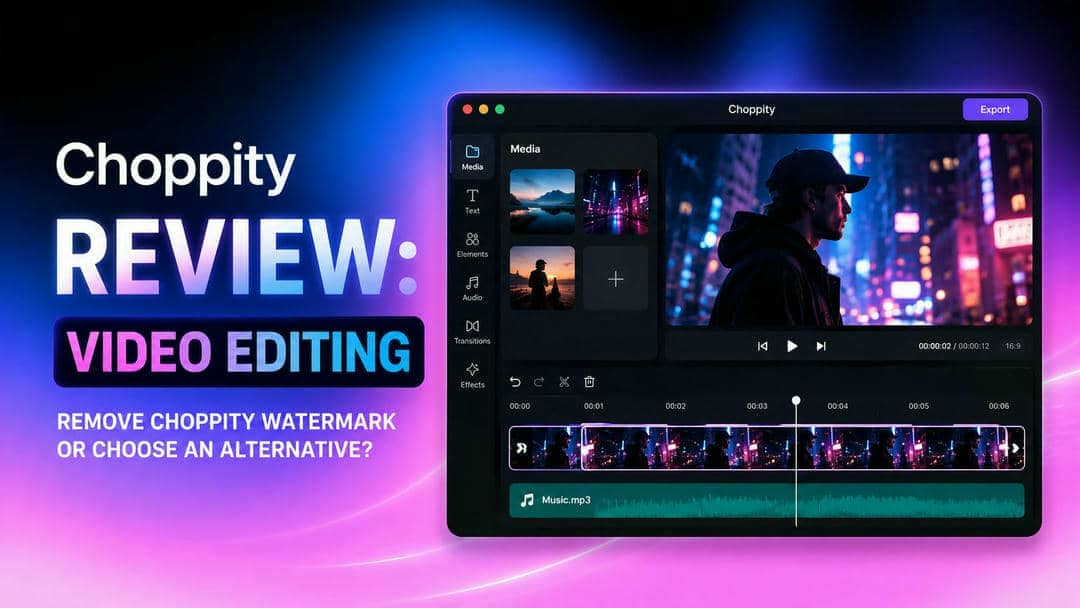
We tested Choppity AI to evaluate its editing quality, export limitations, watermark visibility, pricing, and overall usability. This review shares our hands-on experience, highlights its strengths and drawbacks, and explains whether upgrading is worthwhile. We also compare it with an AI watermark remover for users with watermarked videos.
What is the Choppity watermark and how does Choppity AI work?
Choppity AI is an AI-powered video editing platform that helps creators transform long-form videos into short, engaging clips for social media. Users on the free plan often notice the Choppity watermark on exported videos, while paid subscriptions unlock watermark-free downloads along with additional editing capabilities. Understanding these differences makes it easier to decide whether the platform fits your workflow and budget.
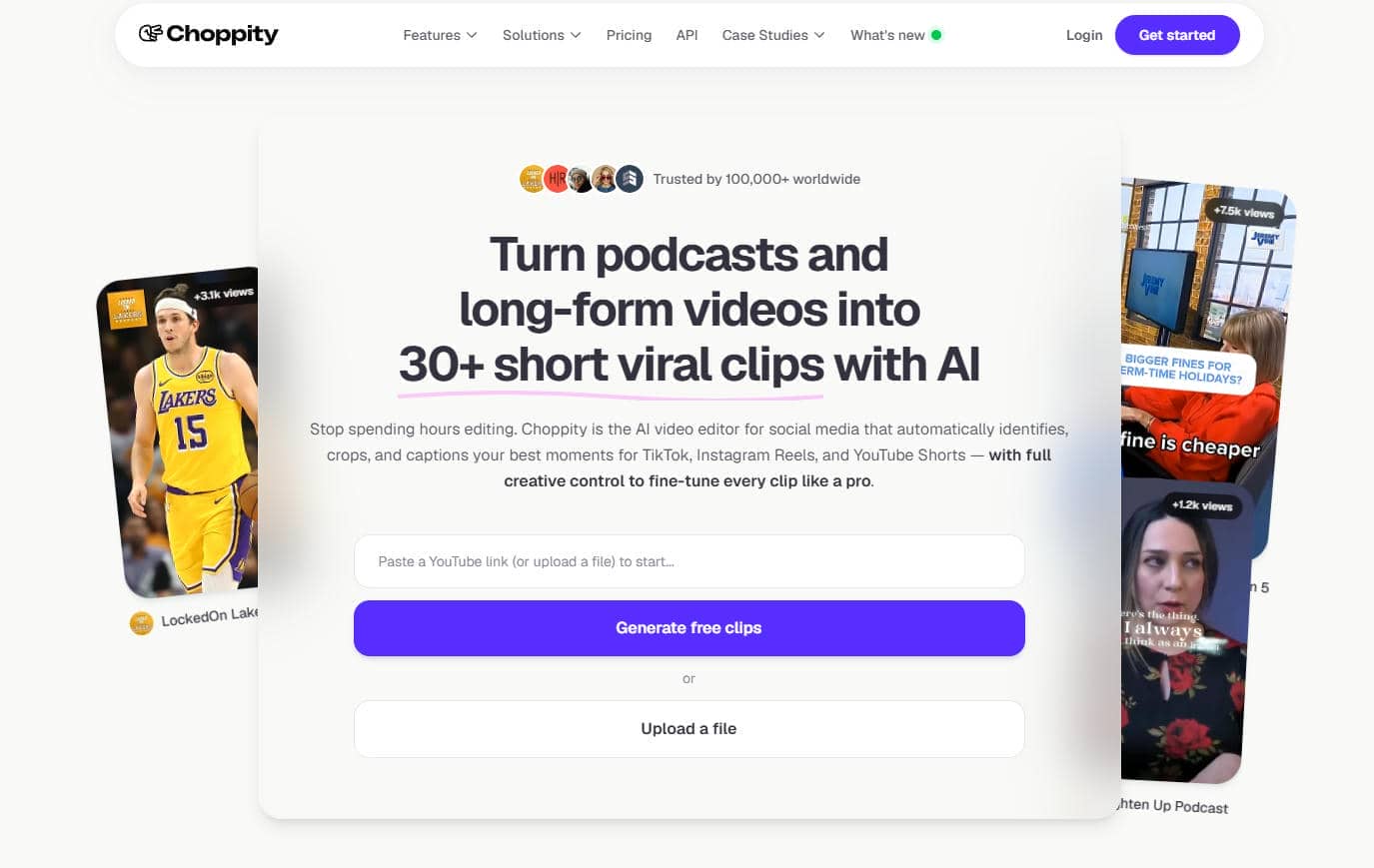
Core features of Choppity AI
Choppity AI focuses on simplifying video editing through automation. Instead of manually trimming footage and adding captions, users can rely on AI to speed up the production process for short-form content.
-
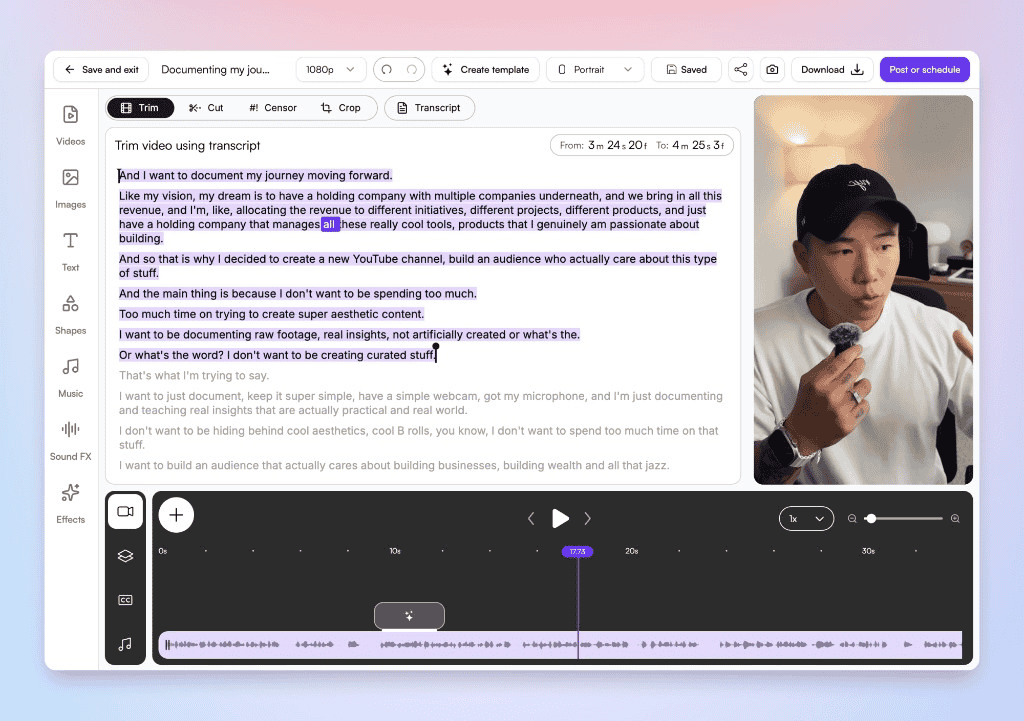
AI-powered editing: Automatically detects highlights and creates engaging clips from longer videos. During testing, highlight detection worked well for interviews and podcasts but occasionally overlooked rapid scene changes or fast-paced action sequences.
-
Automatic clip creation: Converts podcasts, interviews, webinars, and videos into social-ready short clips. The generated clips required only minor adjustments in most cases, although longer videos sometimes benefited from manual refinement.
-
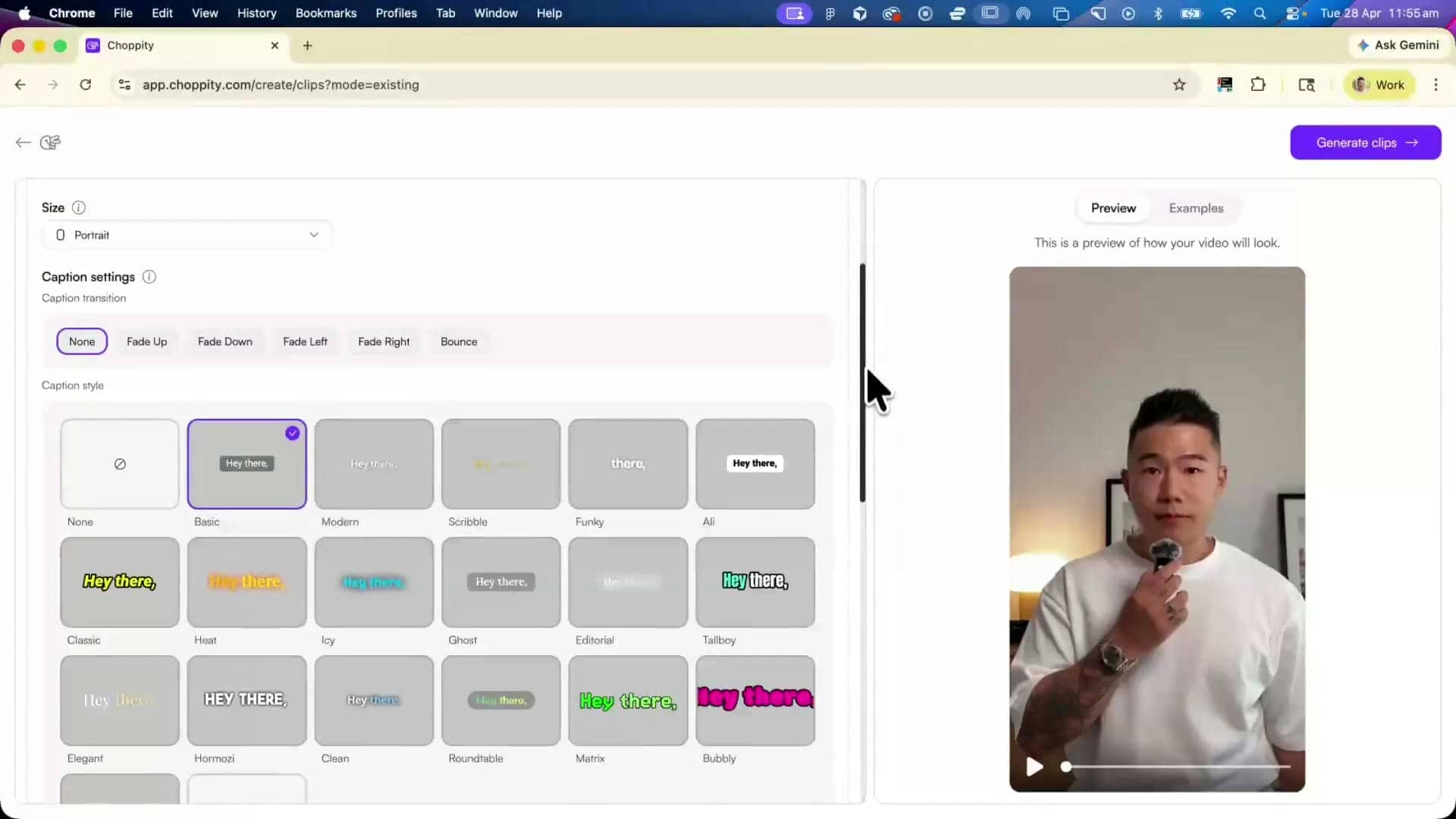
Caption generation: Creates AI-generated captions that improve accessibility and engagement. Caption accuracy was generally high for clear speech, but names, technical terms, and heavy accents occasionally required manual correction.
-
Social media formatting: Optimizes videos for platforms such as TikTok, Instagram Reels, and YouTube Shorts. Export presets produced platform-friendly aspect ratios, reducing the need for additional formatting before publishing.
-
Cloud-based workflow: Edit projects directly in the browser without installing desktop software. The browser-based editor remained responsive during testing, though upload and processing times depended on video length and internet speed.
-
Team collaboration: Supports shared editing workflows for creators and marketing teams working together. Collaboration features are useful for shared projects, but smaller teams or individual creators may not fully utilize the available workspace tools.
Pricing, limitations, and whether upgrading is worthwhile
Choosing between the free and paid versions of Choppity AI depends on how frequently you create content. While the free plan offers an easy way to explore the platform, watermark-free exports and additional editing capabilities are reserved for subscribers. Before upgrading, it helps to understand how to remove the Choppity watermark and what each plan provides.
Advantages and drawbacks at a glance
Choppity AI offers a fast and beginner-friendly editing experience, but its free plan comes with certain trade-offs. The table below highlights the key strengths and limitations to help you decide whether the platform meets your editing needs.
|
Advantages users appreciate |
Drawbacks to consider |
|---|---|
|
Fast editing: AI speeds up clipping, trimming, and caption creation. |
Watermarked free exports: Videos exported from the free plan include the Choppity watermark. |
|
Beginner-friendly interface: Simple navigation makes editing approachable for new users. |
Subscription requirement: Premium features require a recurring paid subscription. |
|
AI automation: Reduces repetitive editing tasks through intelligent recommendations. |
Limited free usage: Some editing capabilities and export options are restricted. |
|
Quick publishing workflow: Helps creators produce content for multiple social platforms efficiently. |
Fewer advanced editing controls: Professional editors may find manual customization options limited. |
Free vs paid plans
|
Plan |
Yearly Price (USD) |
Key Features & Limits |
Best Value Users |
Should you upgrade? |
|---|---|---|---|---|
|
Free |
$0/month |
1 hr AI video analysis, 2 GB storage, 3-day project retention, 1 seat |
Hobbyists and casual testers |
Stay on this plan if you're evaluating Choppity AI. Upgrade if you need watermark-free exports, more AI analysis, or longer project retention. |
|
Starter |
$20/month or $14/month (billed annually) |
3 hrs AI video analysis, 40 GB storage, 1080p exports, 1 social account |
Solo creators manage one channel |
Upgrade if you publish content regularly and need more storage and AI processing than the free plan. |
|
Creator |
$32/month or $22.40/month (billed annually) |
5+ hrs AI analysis, 100 GB storage, forever project retention, 3 social accounts, custom fonts |
Serious creators and podcasters |
Upgrade if you manage multiple channels or need permanent project storage and branding features. |
|
Team |
$48/month or $33.60/month (billed annually) |
5+ hrs AI analysis, 200 GB storage, unlimited seats, 10 social accounts, 5 brand templates |
Agencies, brands, and teams |
Upgrade if multiple users collaborate on content and require shared brand assets. |
Testing the Choppity watermark experience in real projects
Beyond its feature list and pricing, the real value of Choppity AI depends on how it performs during everyday editing. We tested the platform using typical content creation workflows to evaluate upload speed, AI processing time, caption accuracy, export speed, watermark visibility, browser responsiveness, and overall usability. We also reviewed community feedback to understand how existing users rate the platform in real-world editing scenarios.
Export quality and watermark visibility
The Choppity watermark is one of the most noticeable differences between the free and paid plans. While the platform produces clear, social media-ready videos, the watermark may affect the professional appearance of your content if you rely on free exports.
|
Aspect |
Our observations |
|---|---|
|
Free export results |
Videos remain clear and suitable for online sharing, but exported files include the Choppity watermark. |
|
Watermark placement |
The watermark is consistently visible, making it difficult to overlook during playback. |
|
Visual impact |
Personal projects may not be affected, but branded or client-facing videos can appear less polished. |
|
Video quality |
Resolution and playback quality remain good, with AI-generated captions and edits preserved after export. |
|
Social media readiness |
Videos are automatically formatted for platforms like TikTok, Instagram Reels, and YouTube Shorts, making them ready to publish. |
Bonus: How to remove the Choppity watermark
Removing the Choppity watermark requires upgrading to a paid subscription because watermark-free exports are not included in the free plan.
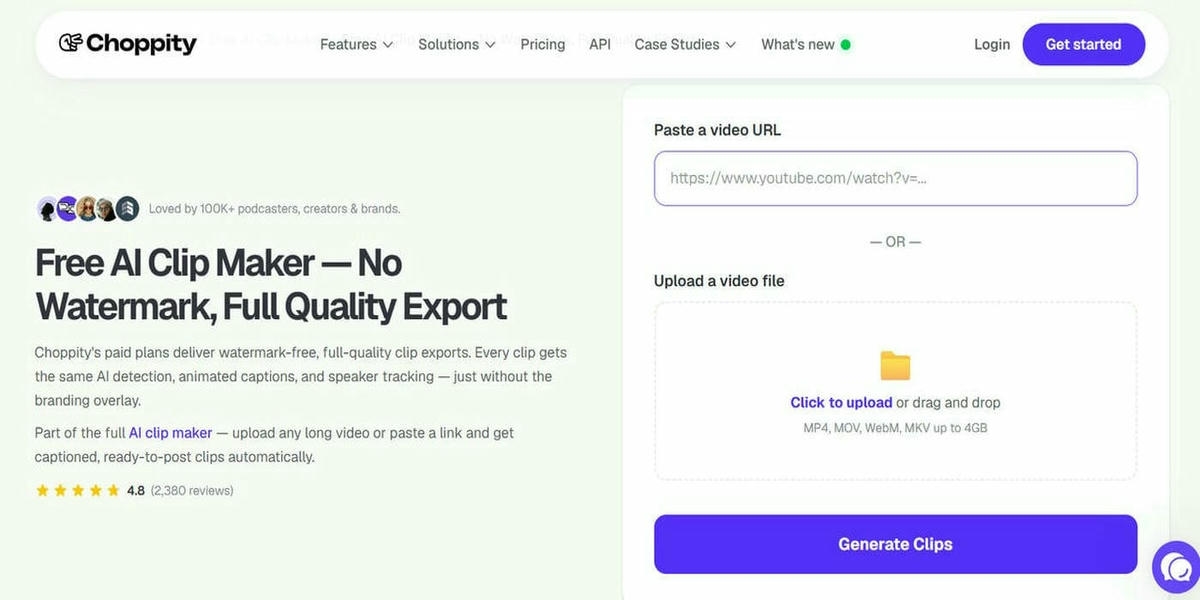
Step 1: Sign in to your Choppity AI account
Open your Choppity AI dashboard and access the project containing the video you want to export. Ensure you've saved all editing changes before continuing.
Step 2: Upgrade to a paid plan
Choose a subscription that includes watermark-free exports. Complete the payment process to unlock premium export options and additional editing features.
Step 3: Export your video without the Choppity watermark
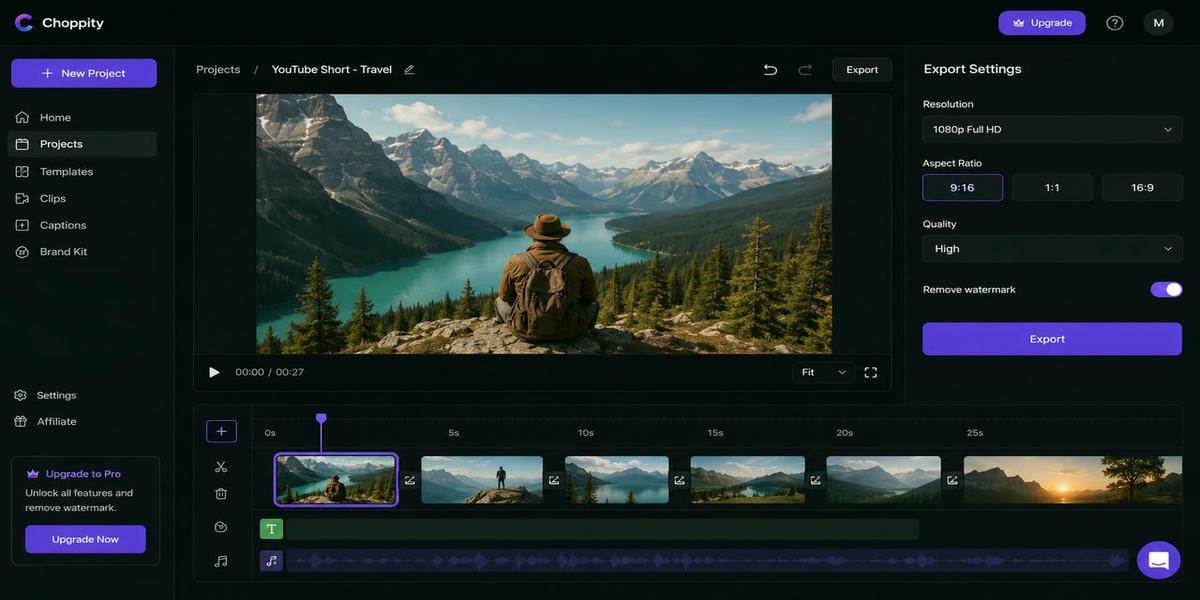
Return to your project, export the finished video, and select the available export settings. Your downloaded video will no longer include the Choppity watermark.
Editing workflow and overall usability
Choppity AI is designed to simplify video editing through automation. Most users can complete projects without prior editing experience, making it a practical option for creators who prioritize speed over manual customization.
The dashboard is clean and easy to navigate, while uploading videos is quick and straightforward. AI automatically identifies highlights, generates captions, and creates short clips, helping users save time on repetitive editing tasks. Export options are optimized for social media, and premium users can download videos without the Choppity watermark. Overall, the intuitive interface and minimal learning curve make the platform accessible for both beginners and experienced creators.
Community feedback
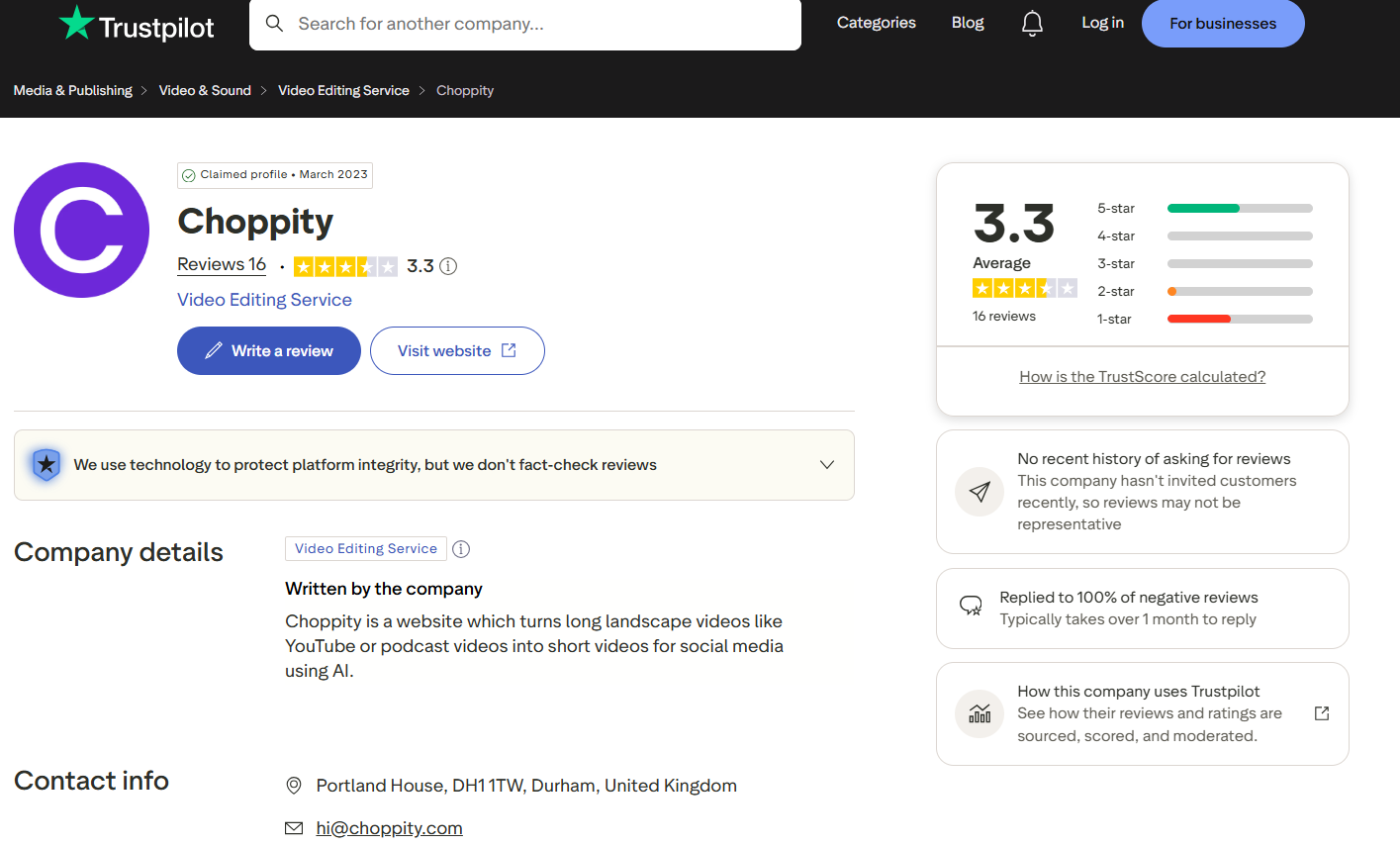
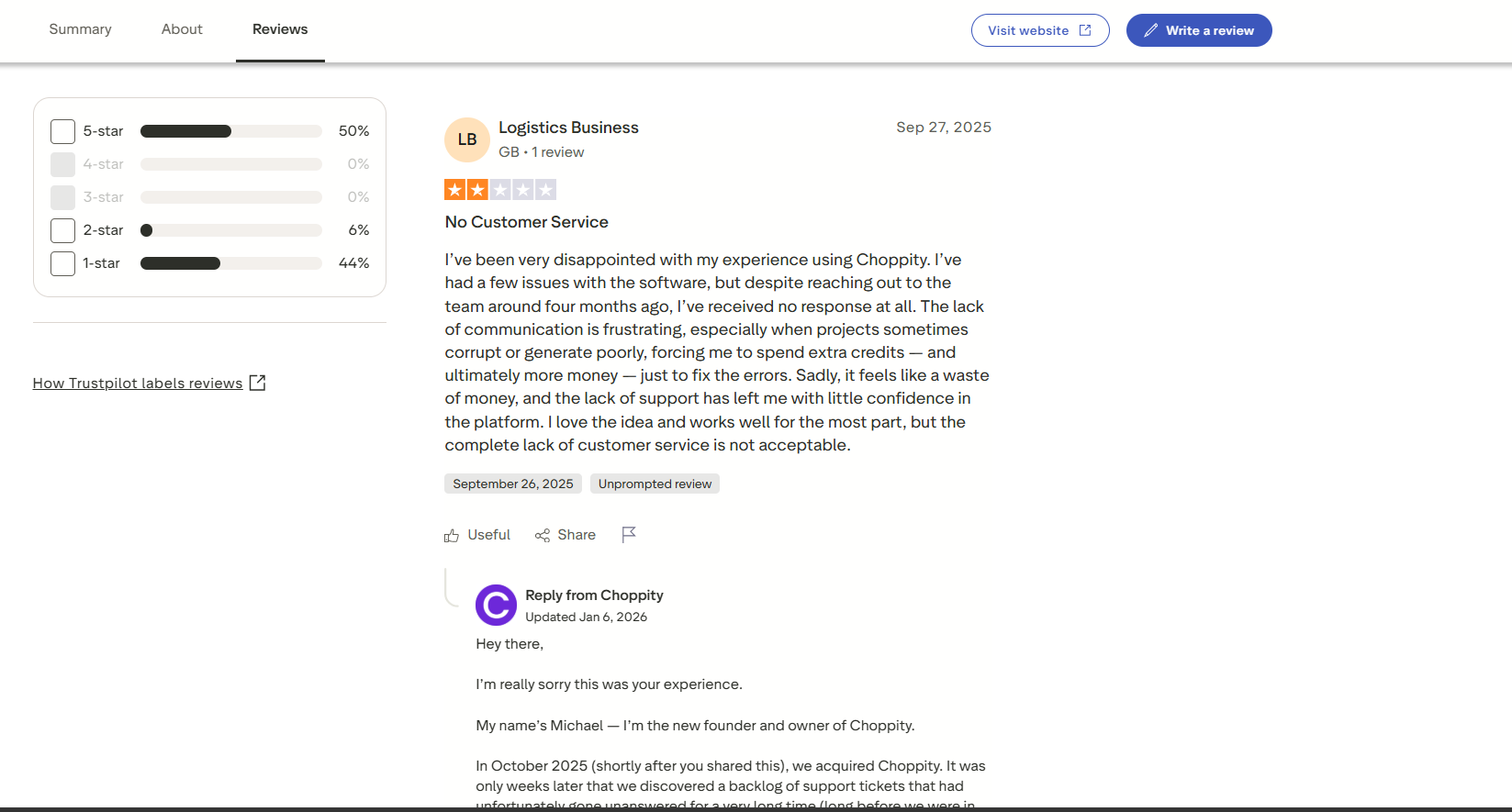
Community feedback on Choppity AI is mixed. Many users appreciate its AI-powered editing, automatic clip generation, and time-saving workflow for creating short-form content. However, reviews on Trustpilot and discussions on Reddit indicate that some users have experienced inconsistent performance, limited free plan functionality, and customer support concerns.
Make your video clean: Remove video watermarks with Vmake Labs
If you've downloaded a video with an unwanted watermark or need to remove logos, subtitles, or other distracting elements, Vmake Labs Video Watermark Remover provides a dedicated AI solution. Instead of requiring a platform upgrade, it intelligently removes unwanted content from existing videos while preserving visual quality. The tool also supports images, making it suitable for creators, marketers, and businesses handling different types of media.
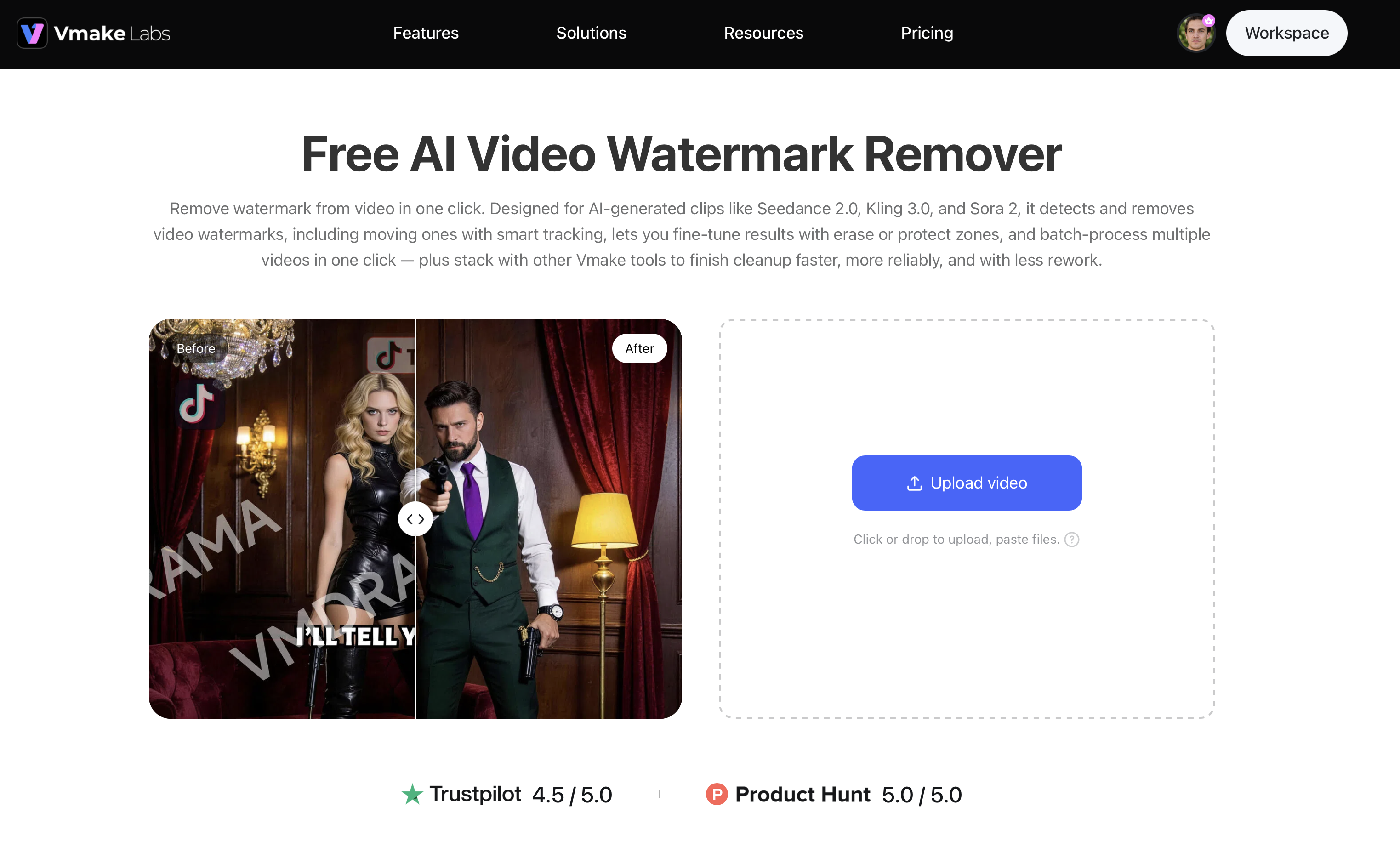
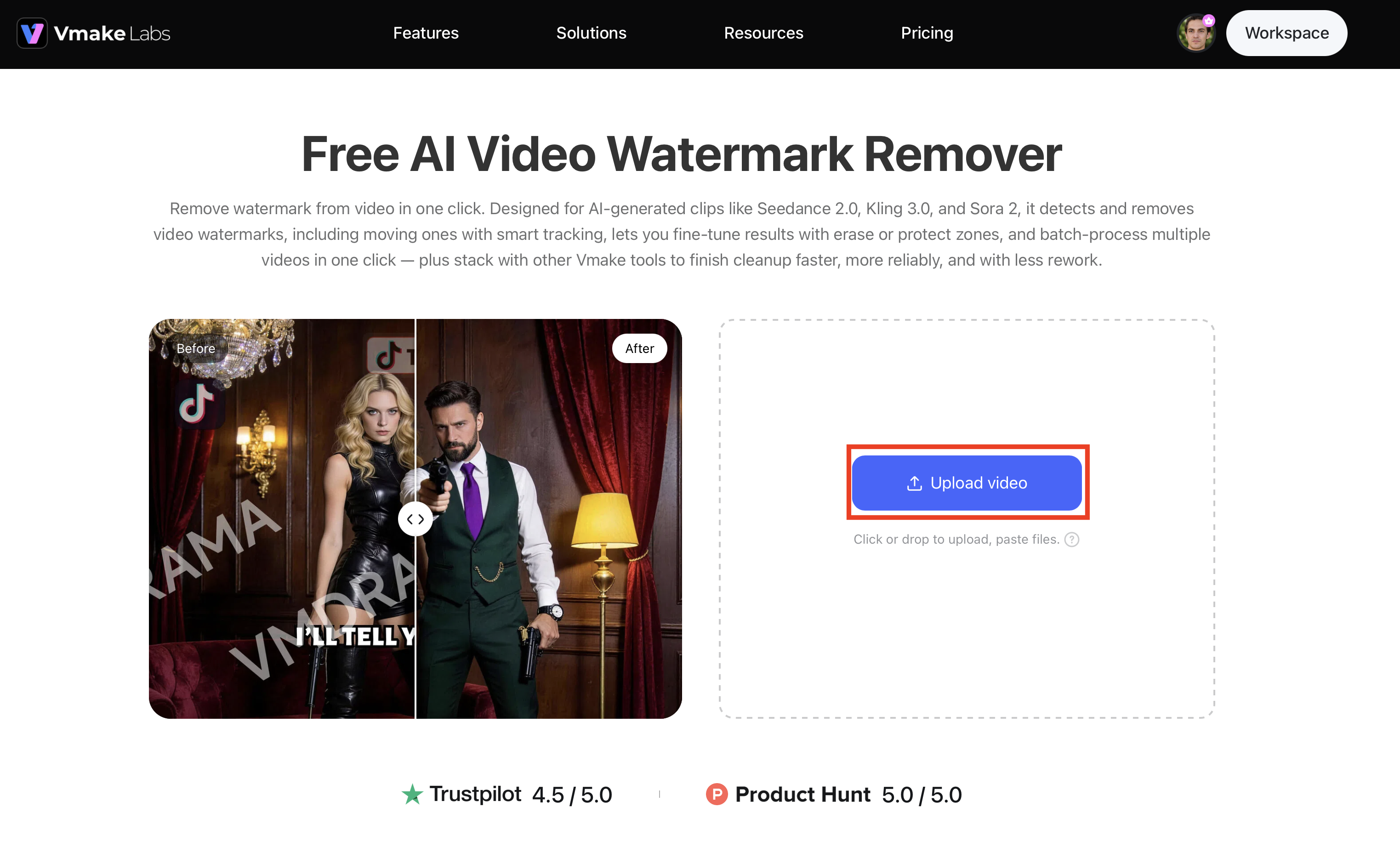
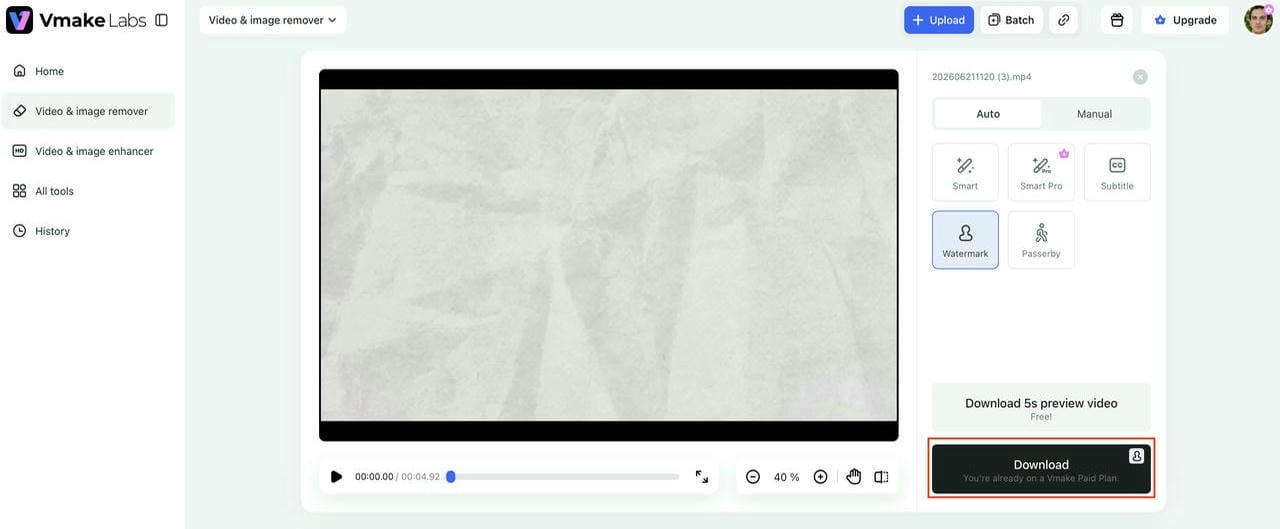
Step 1: Upload your video
Upload the video containing the watermark, logo, subtitle, or other unwanted element. Vmake Labs supports common video formats and begins preparing the file for AI processing automatically.
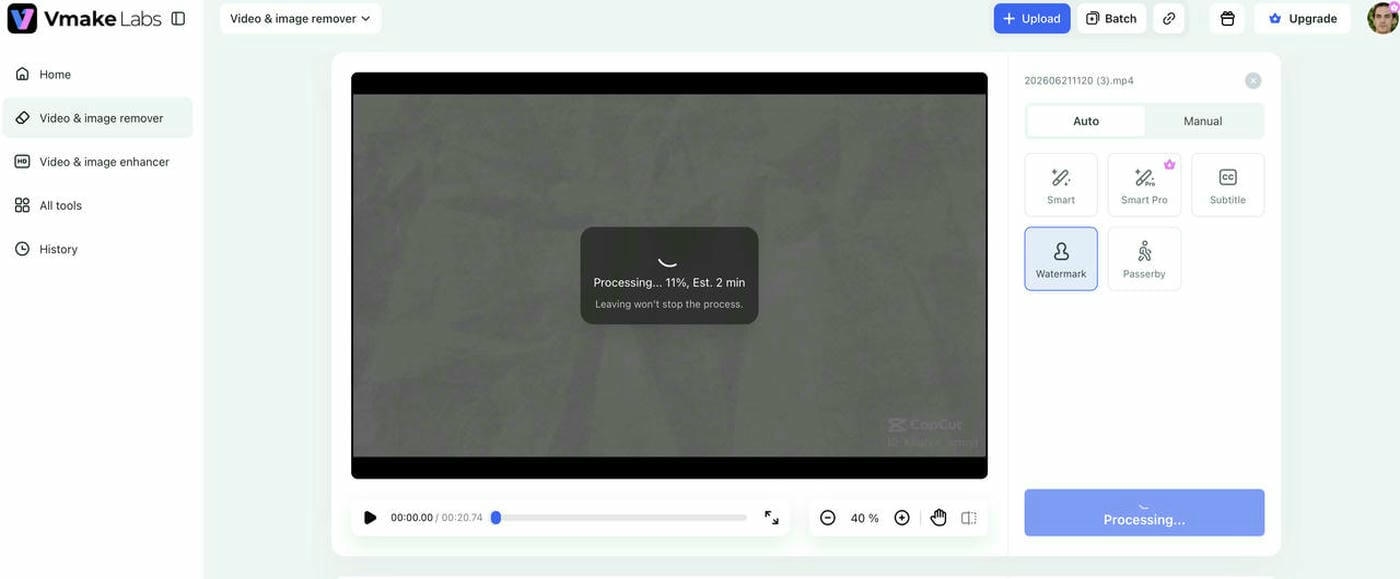
Step 2: Select the watermark or unwanted area and let AI remove it
Highlight the watermark or object you want to remove. The AI intelligently detects the selected area, tracks moving watermarks when necessary, and reconstructs the surrounding background for a natural-looking result.
Step 3: Preview and download your watermark-free video
Review the edited video to ensure the unwanted element has been removed successfully. Once you're satisfied with the results, download the clean video for sharing or further editing.
Why choose Vmake Labs Video Watermark Remover
Vmake Labs goes beyond basic watermark removal by offering AI-powered tools that handle a wide range of editing scenarios for both videos and images.
-
AI-powered watermark removal: Automatically detects and removes both static and moving watermarks while preserving the surrounding video content. This helps create clean, professional-looking videos with minimal manual effort.
-
Intelligent tracking for moving watermarks: AI follows watermarks frame by frame to ensure consistent removal throughout the video. This reduces visual artifacts and delivers smoother editing results.
-
Remove subtitles, text, and logos: Erase embedded captions, text overlays, and brand logos without affecting the rest of the footage. It is ideal for repurposing videos for different audiences or platforms.
-
Remove people and unwanted objects: Eliminate distracting pedestrians, background objects, or unwanted elements from your videos using AI. The tool fills the removed areas naturally for a seamless look.
-
Manual selection for precise removal: Customize the editing process by selecting removal and protected areas manually. This provides greater control when working with complex scenes or sensitive content.
-
Batch processing for videos and images: Enhance productivity by processing multiple videos or images at the same time. It is especially useful for businesses, agencies, and creators handling large volumes of content.
Choppity AI vs Vmake Labs Watermark Remover: Choose your tool
Choppity AI and Vmake Labs serve different purposes, even though both can help improve your content workflow:
|
Feature |
Choppity AI |
Vmake Labs Watermark Remover |
|---|---|---|
|
Primary purpose |
AI video editing and clip creation |
AI watermark and object removal for videos and images |
|
Watermark removal |
Removes Choppity watermark with a paid plan |
Removes existing watermarks, logos, subtitles, and text from content |
|
AI removal quality |
Not designed for removing third-party watermarks |
Advanced AI with intelligent detection and tracking |
|
Moving watermark support |
No |
Yes |
|
Subtitle & text removal |
Caption editing only |
Yes |
|
Logo removal |
No |
Yes |
|
People & object removal |
No |
Yes |
|
Manual selection |
Limited |
Yes, with removal and protection areas |
|
Batch processing |
Limited |
Yes, it supports batch processing for videos and images - up to 30 creatives per batch |
|
Supported media |
Videos |
Videos and images |
|
Ease of use |
Beginner-friendly editor |
One-click AI removal with manual refinement |
|
Best for |
Content creators editing short-form videos |
Users needing clean, watermark-free videos and images |
If your goal is to create short-form videos with AI-assisted editing, Choppity AI is a convenient option, especially for beginners.
However, if you need to remove existing watermarks, subtitles, logos, text, or unwanted objects from videos and images, Vmake Labs Video Watermark Remover provides a more specialized and flexible solution.
Conclusion
The Choppity watermark is one of the main limitations of the platform's free plan, making a paid subscription necessary for watermark-free exports. While Choppity AI is a capable tool for creating short-form videos with AI-powered editing, it is not designed to remove existing watermarks from videos. If you need a dedicated solution for removing watermarks, subtitles, logos, text, or other unwanted elements from videos and images, Vmake Labs Video Watermark Remover offers advanced AI features, precise editing controls, and batch processing to streamline your workflow while maintaining high-quality results.
FAQs
What is the Choppity watermark?
The Choppity watermark is a branding overlay added to videos exported using the platform's free plan. It appears on the final video to indicate that it was created with Choppity AI. To export videos without the watermark, you'll need to upgrade to a paid subscription.
Can I remove the Choppity watermark for free?
No. Choppity AI does not allow watermark-free exports on its free plan. To remove the Choppity watermark from newly exported videos, you must subscribe to an eligible paid plan. Otherwise, the watermark will remain on all free exports.
Is Choppity AI worth paying for?
If you regularly create short-form videos for social media, the paid plan can be worthwhile because it removes the watermark and unlocks additional editing features. Occasional users may find the free version sufficient for testing the platform.
Does Choppity AI support watermark-free exports?
Yes. Choppity AI supports watermark-free exports, but this feature is only available with eligible paid subscription plans. If you use the free plan, exported videos will include the Choppity watermark. Upgrading to a premium plan removes the watermark and unlocks additional editing features.
Is Vmake Labs Video Watermark Remover a good alternative to Choppity AI?
Yes. While Choppity AI focuses on AI video editing, Vmake Labs Video Watermark Remover is designed specifically to remove watermarks, subtitles, logos, text, people, and other unwanted elements from videos and images, making it a better choice for content cleanup tasks.

You May Be Interested
123APPS Watermark Remover Review (2026): Pros, Cons, and Pricing
AI Editing Images Remove Paper Creases: Easy Guide
AI Remove Echo: Clean Audio for Every Podcast
AniEraser Watermark Remover by Media.io: 2026 Hands-On Review
BeeCut Review: Watermark Remover + Editor Tested (2026)