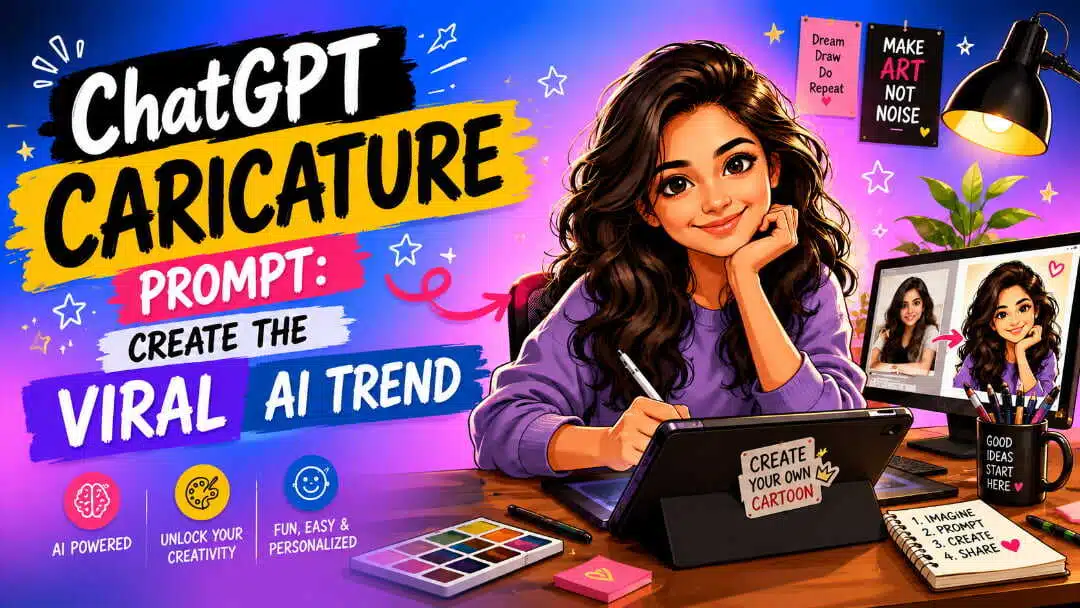
ChatGPT Caricature Prompt: Create the viral AI trend
Explore the ChatGPT caricature prompt, discover viral styles, and turn your ideas into engaging AI visuals with creative controls and simple workflows using Vmake Labs for fast, polished results!

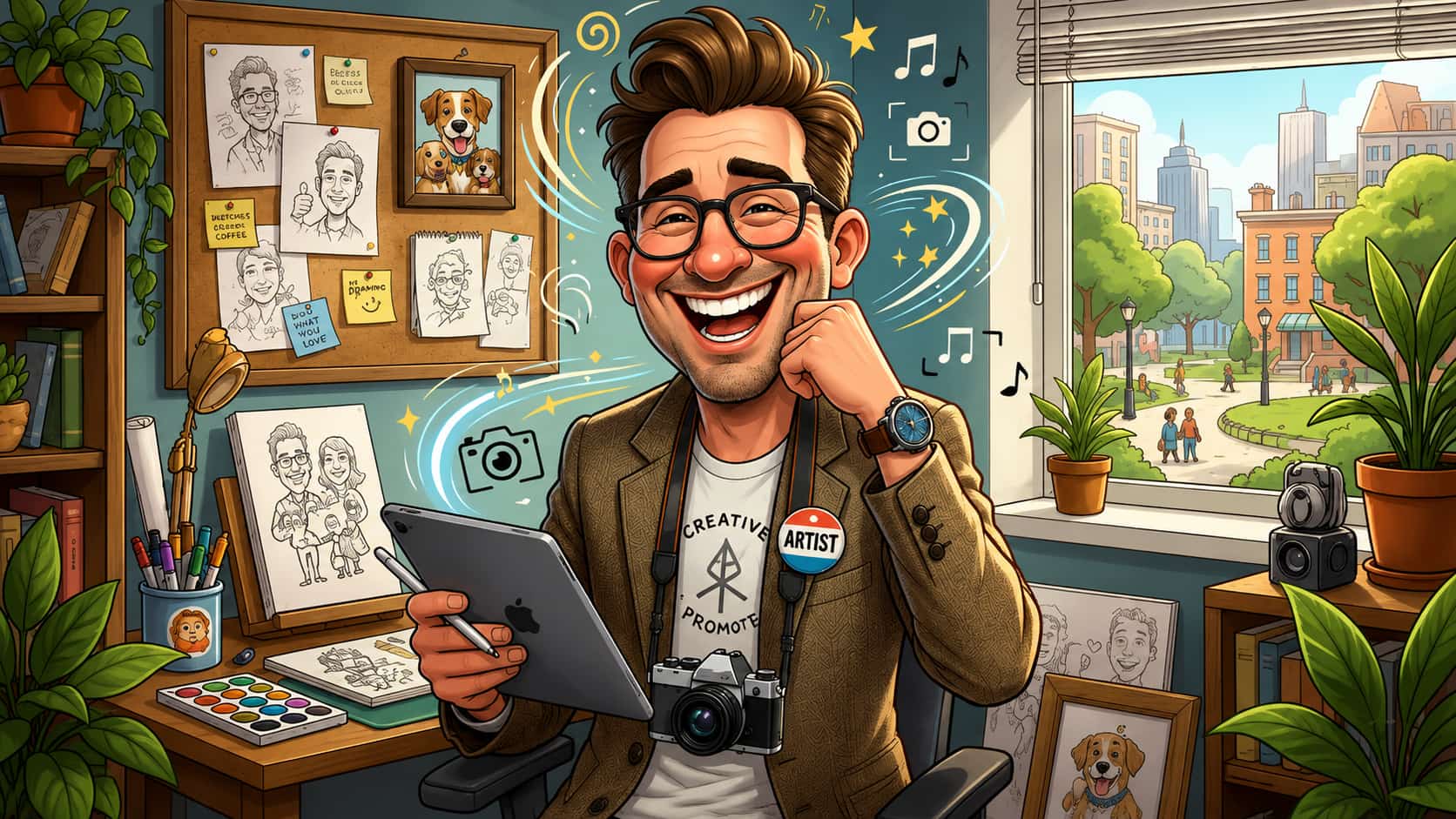
The ChatGPT caricature trend makes it easy to transform a regular portrait into a creative and eye-catching illustration. With a well-written prompt and a good reference photo, you can play around with exaggerated features, unique styles, expressive poses, and personalized backgrounds to create a fun and distinctly yours caricature.
What is the ChatGPT Caricature Prompt?
A ChatGPT caricature prompt is a detailed instruction that tells an AI image tool how to turn a reference photo into a playful caricature. Rather than just asking for a cartoon version, you can describe facial features, artistic style, expression, clothing, background, and personality details. The ChatGPT caricature trend is so appealing because it's personal. The result is not simply a random cartoon character, but the prompt can guide the AI to keep recognizable characteristics and exaggerate them creatively. AI caricatures are gaining popularity as they liven up common portraits and make them more shareable. A familiar face can become a funny illustration, professional avatar, social media profile picture, or personalized gift without the need for traditional drawing skills.
Key features of a ChatGPT caricature prompt
-
Personalized appearance: A reference photo helps to steer the caricature away from familiar characteristics.
-
Exaggerated facial features: Fun features can be made bigger or more pronounced without making the subject unrecognizable.
-
Customizable style: You can request cartoon, sketch, illustration, hand-drawn, comic, or other artistic treatments.
-
Personality-based details: Hobbies, interests, profession, or personal characteristics can become part of the scene.
-
Creative backgrounds: Add objects, places, colours, and environmental details to reinforce the idea.
-
Expressive poses and emotions: Ask for a smile, a surprised expression, a confident pose, a funny gesture, or another mood.
-
Flexible customization: Clothing, composition, lighting, colours, camera angle, and other visual details can be adjusted through the prompt.
How to use a ChatGPT caricature trend prompt
Creating a caricature does not have to be complicated. The key is to start with a good reference photo and give the AI enough information to understand what you want.
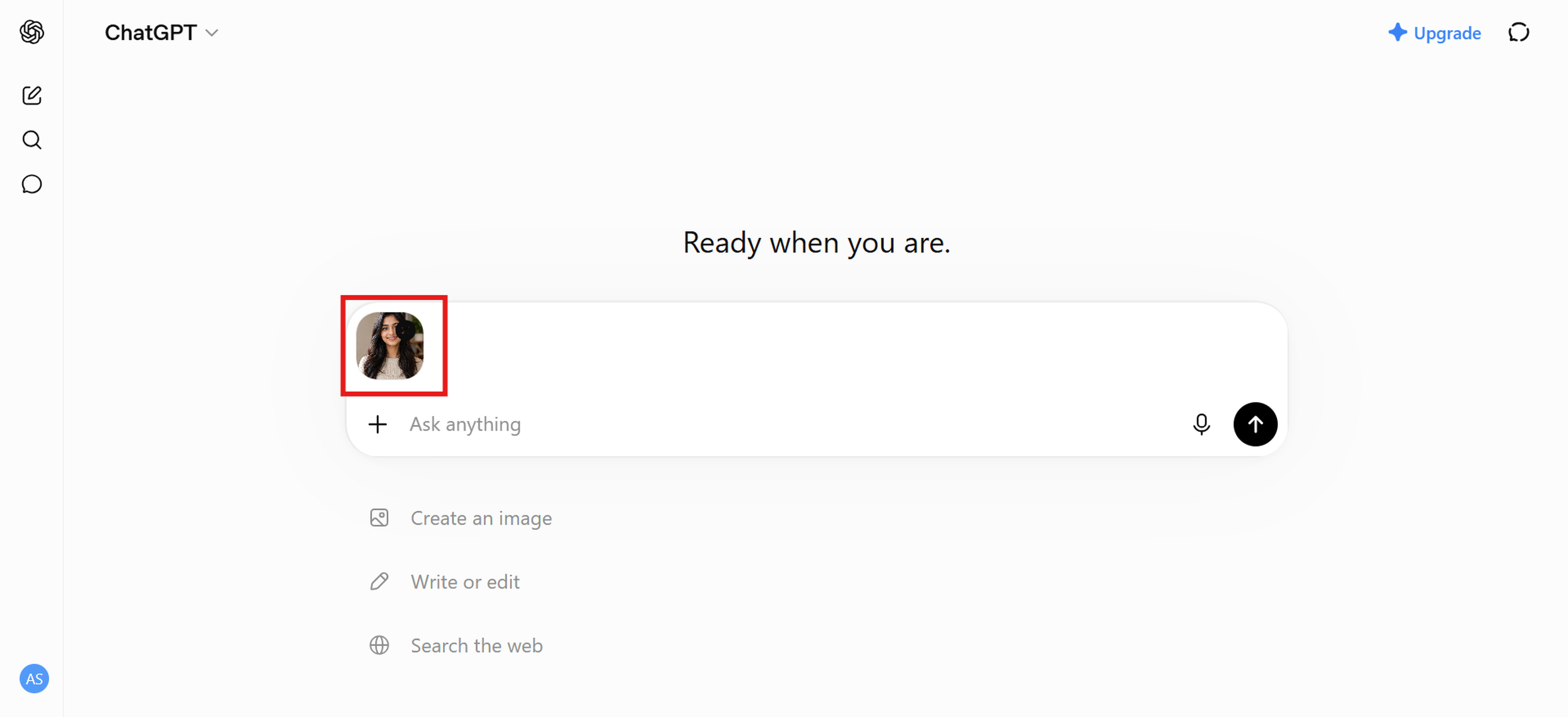
Step 1: Upload a clear reference photo
Choose a photo that is clear, well-lit, and easy to see the person's face. A straight-on or slightly off-centre portrait is usually better than a heavily cropped, blurry, or obstructed image.
Step 2: Add and customize the caricature prompt
Change this prompt to suit your idea. Paste a detailed prompt. Example: “Style, facial exaggeration, expression, clothing, background, and overall mood desired.”
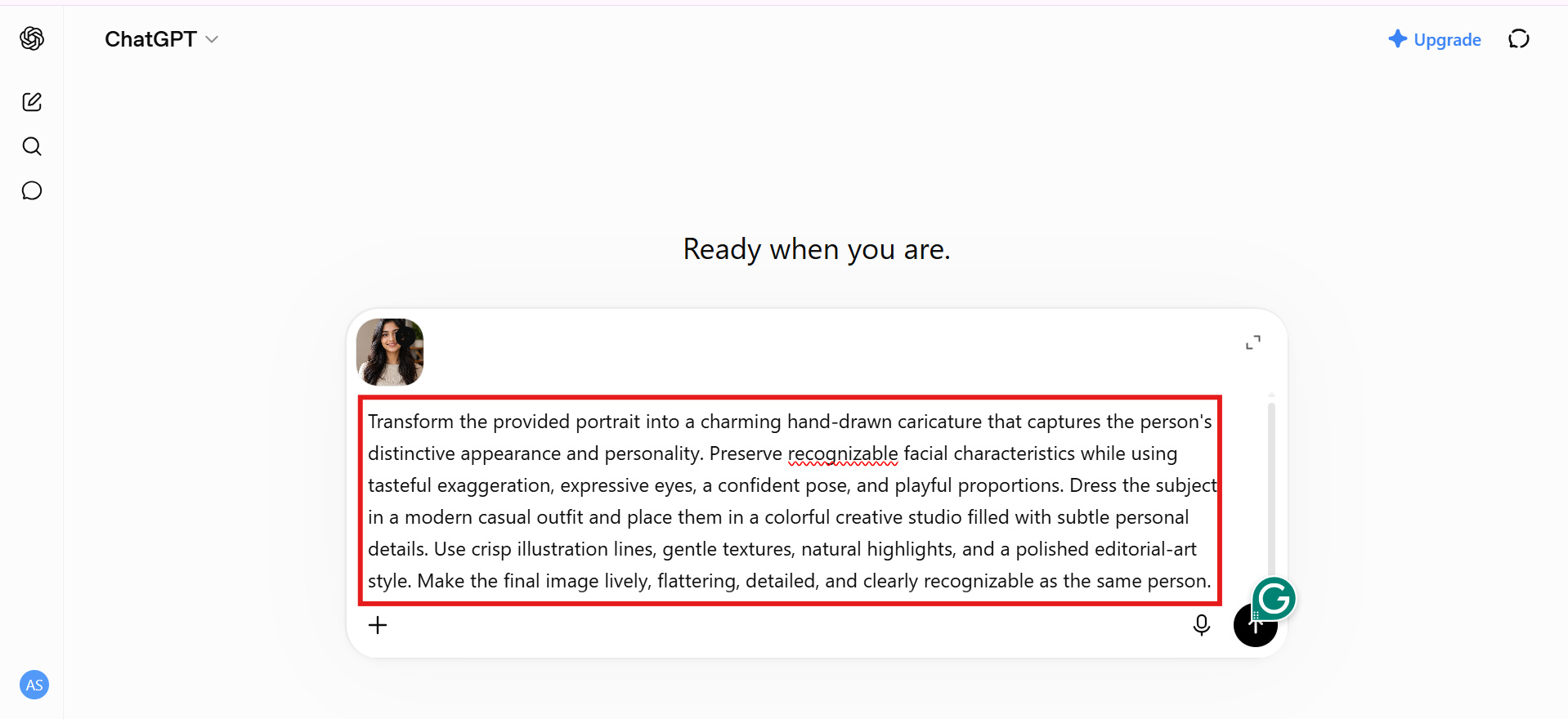
Step 3: Generate and refine the result
Look at the generated image and tell me what can be improved. If the face appears too generic, add more detail to the instructions on identifiable facial characteristics. If it's too real, ask for more illustrative or cartoon things.
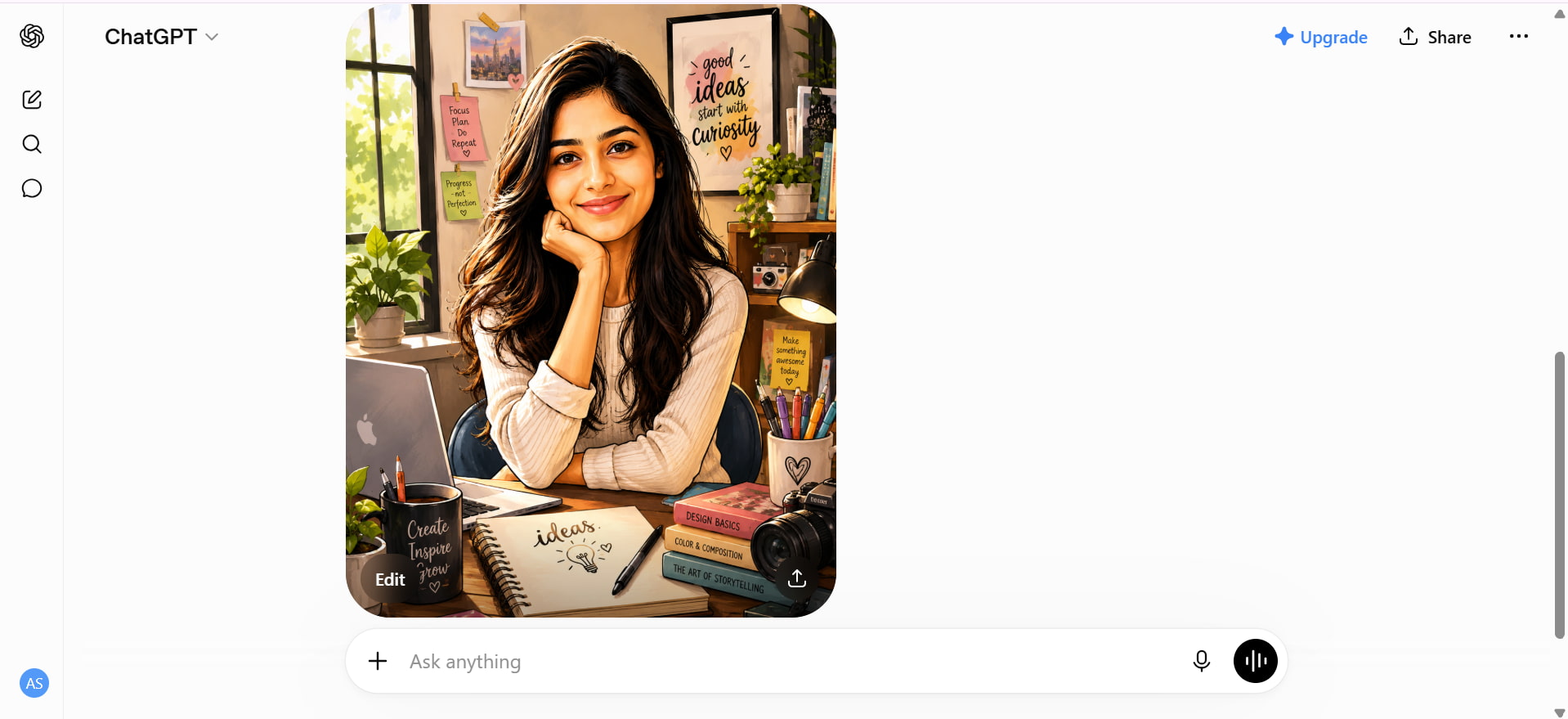
Best ChatGPT caricature prompts to try
You can choose whether you want a humorous portrait, a professional avatar, or a caricature based on your hobbies. With the right prompt, you can shape the final result. These ChatGPT caricature prompts will give you different styles, expressions, settings, and creative ideas while keeping the image personal and recognizable.
Classic personalized caricature prompt
Prompt: Create a fun and recognizable caricature of a young person with expressive facial features and a friendly look. Use exaggerated playfulness, clean cartoon lines, and a polished illustrated style. Add natural expression, balanced proportions, and pleasing composition.
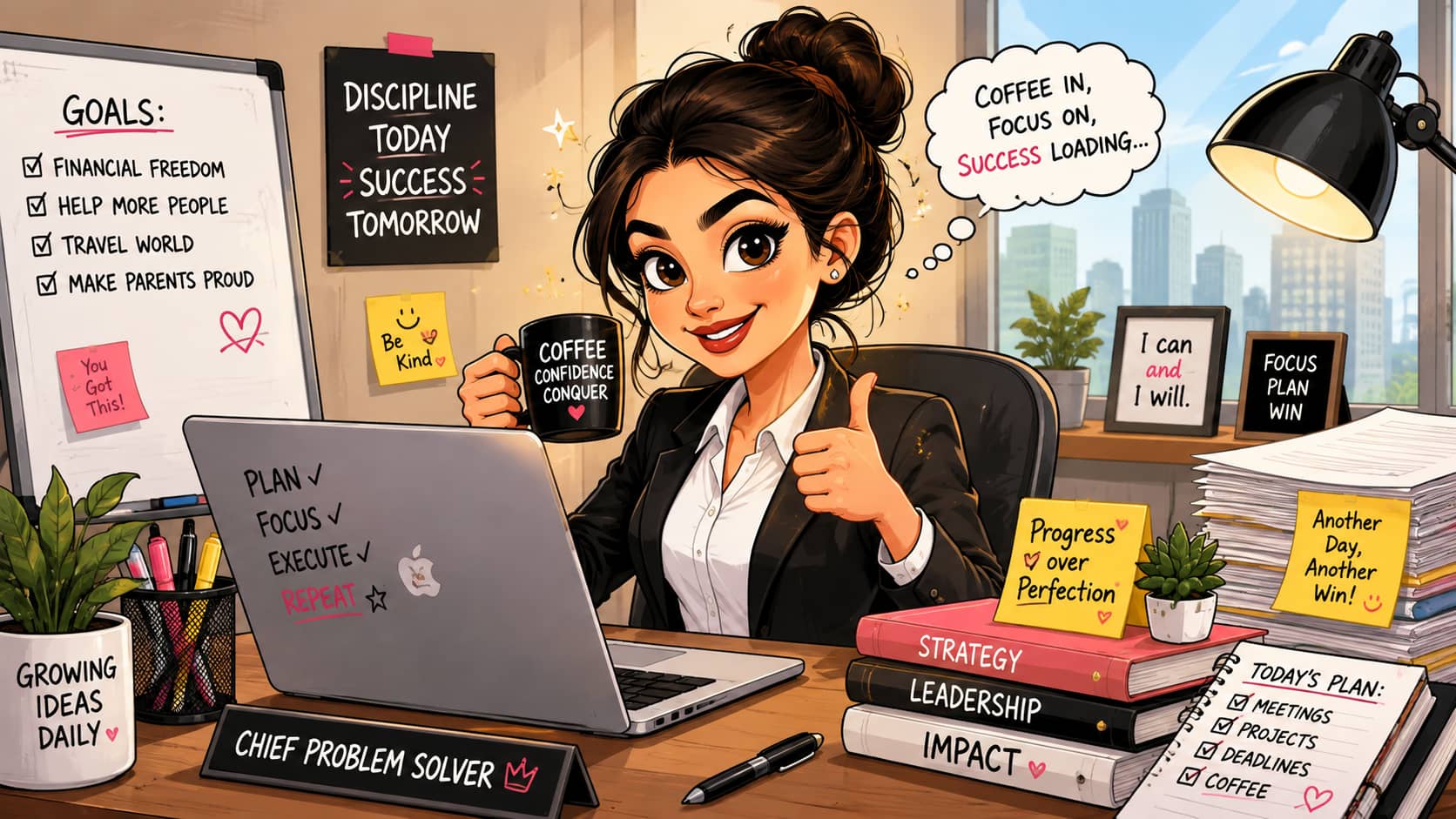
Caricature of me and my job
Prompt: Create a funny caricature of a young professional in a modern office environment. Business clothes, laptops, office supplies, and other work-related items. Use expressive faces, good taste with exaggeration, and a lively illustrated style.
Funny caricature prompt
Prompt: Create a humorous cartoon of a joyful individual. Emphasize facial features and give it some personality! Keep the proportions pretty, then pose the character, and really get some expression into body language. Cartoon style, clean lines, polished details, playful.
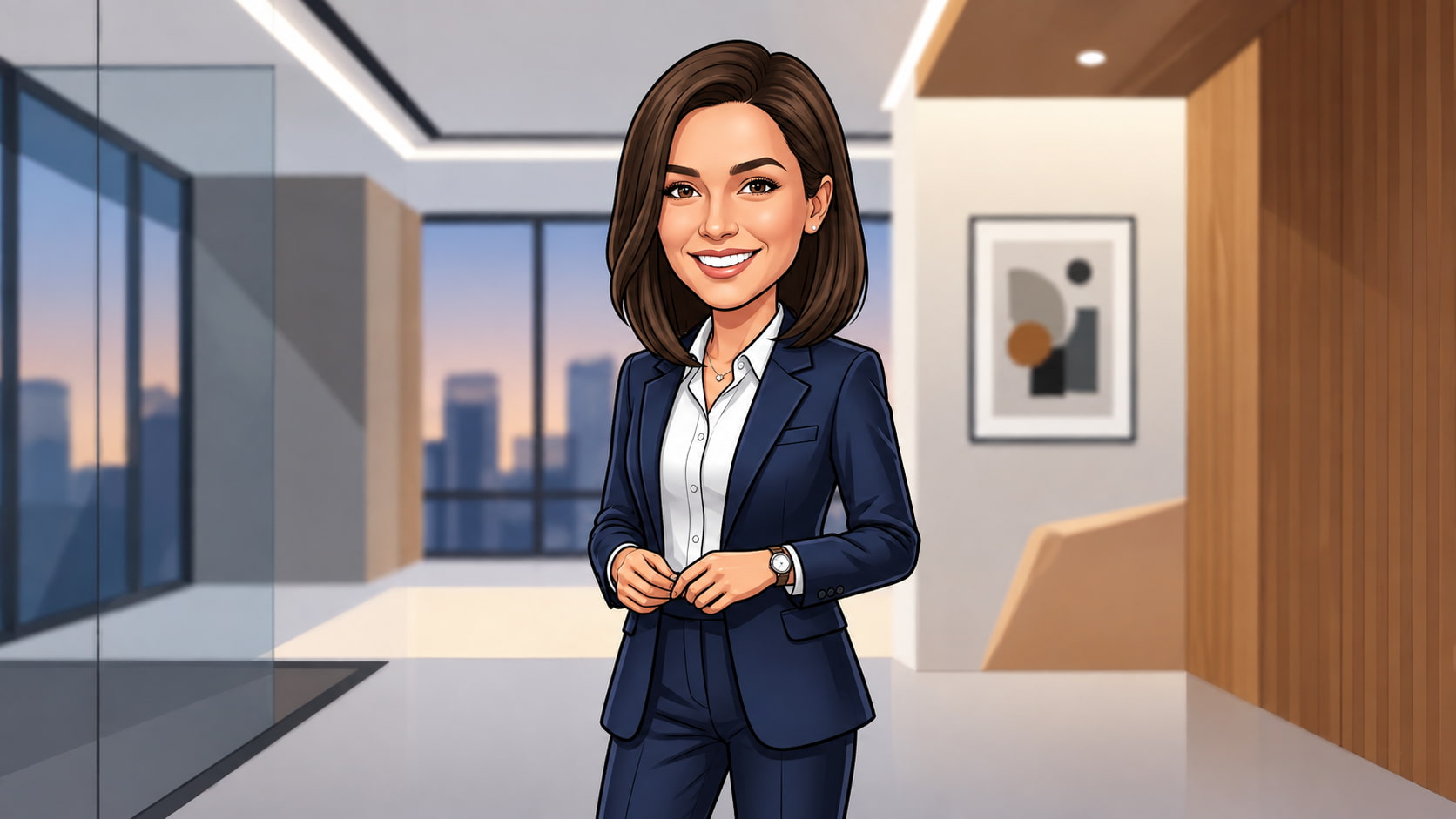
Professional caricature prompt
Prompt: Create a stylish professional caricature of a confident young professional in elegant business attire, with recognizable facial features, subtle exaggeration, crisp cartoon lines, soft lighting, and a modern minimalist background. Keep the look polished, premium, and suitable for a professional profile.
Social media caricature prompt
Prompt: Create a vibrant, eye-catching caricature of a stylish young person with an expressive pose and confident personality. Add visually interesting props, dynamic composition, and bright creative elements suitable for a social media profile picture or post.
Hobby or personality-based caricature prompt
Prompt: Create a personalised caricature of an energetic, creative person who enjoys photography, music, and travel. Include relevant objects, clothing, colours, and background elements that represent these hobbies. Use a playful illustrated style with expressive features and polished details.
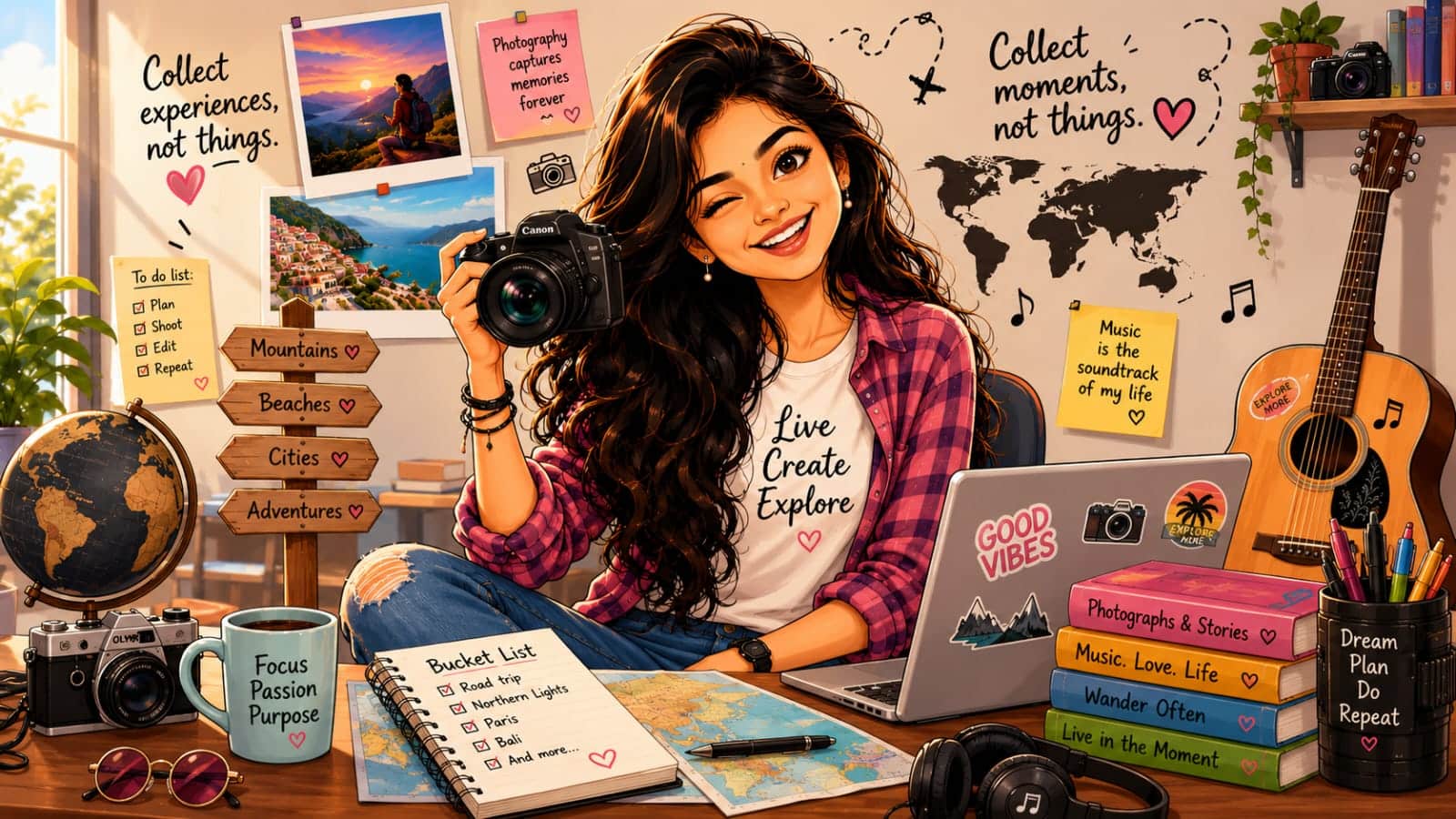
These prompts give you a simple starting point for experimenting with different caricature styles and themes. You can also adjust the character, setting, expression, colours, and visual details to match your creative idea. If you want to take your experiments further, Vmake Labs offers another way to turn text descriptions into customized AI-generated images with an easy-to-use workflow.
Create AI caricature images with Vmake Labs
If you want another way to experiment with personalized AI visuals, Vmake Labs provides an AI image generation workflow that supports both text-to-image and image-to-image creation. Its current image generator lets users select an AI model, enter a detailed prompt, add reference images, choose quality and ratio settings, and generate the result directly in the browser. For example, you can use the AI image generator to explore caricature-inspired concepts, stylized portraits, social media visuals, and other creative image ideas.
Key features of Vmake Labs
-
AI-powered image generation: Create images from descriptive text prompts and turn creative ideas into visuals. For more image editing options, you can also explore Vmake's AI image enhancer.
-
Creative customization: Adjust the visual style, subject, composition, and overall appearance according to your prompt.
-
Image-to-image creativity: Use reference images to guide the generated result when supported by the workflow.
-
Multiple creative use cases: Generate social media visuals, profile images, marketing creatives, and other personalized content.
-
Easy-to-use workflow: Create customized visuals without complicated editing processes. You can also explore the AI cartoon generator for more cartoon-style creations.
How to create a caricature with Vmake Labs
Step 1: Open the Vmake Labs AI image generator
Open the Vmake Labs AI image generator and access the image-generation workflow. Choose the appropriate settings for your caricature project.
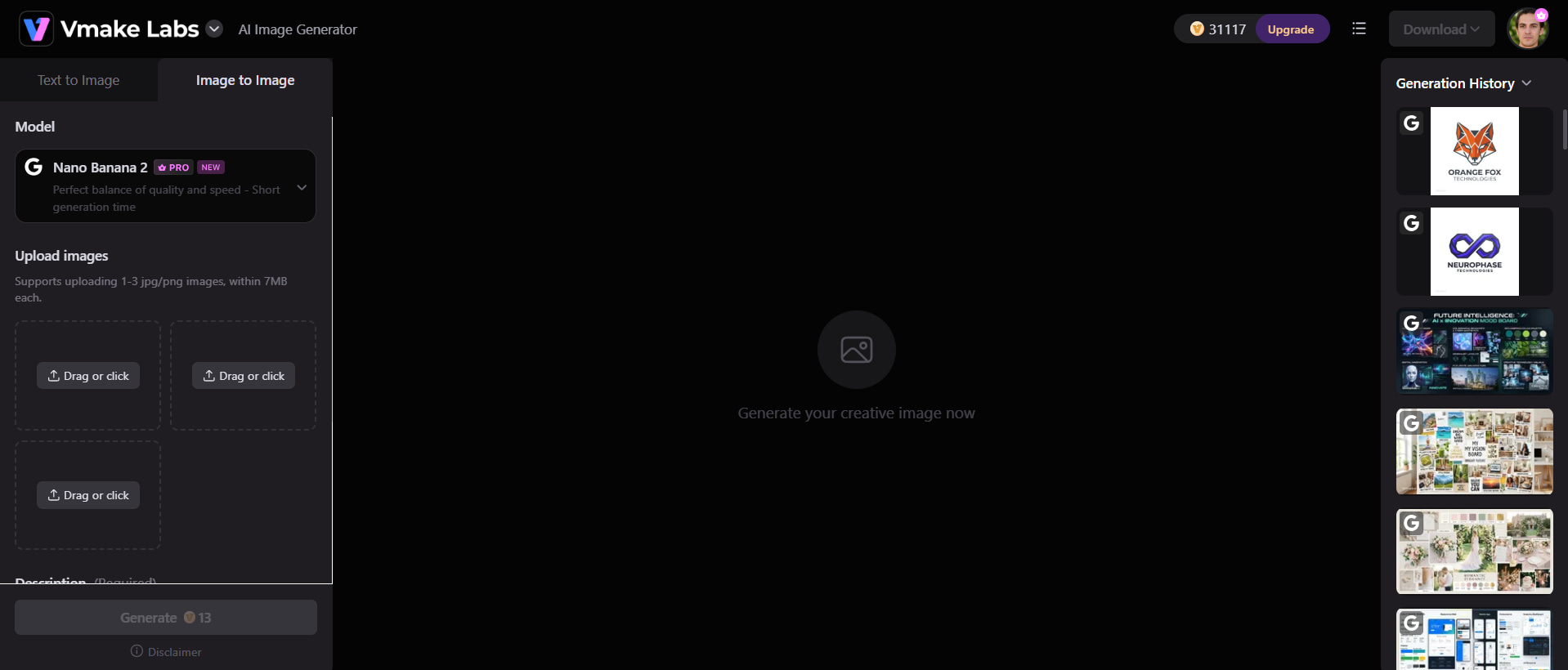
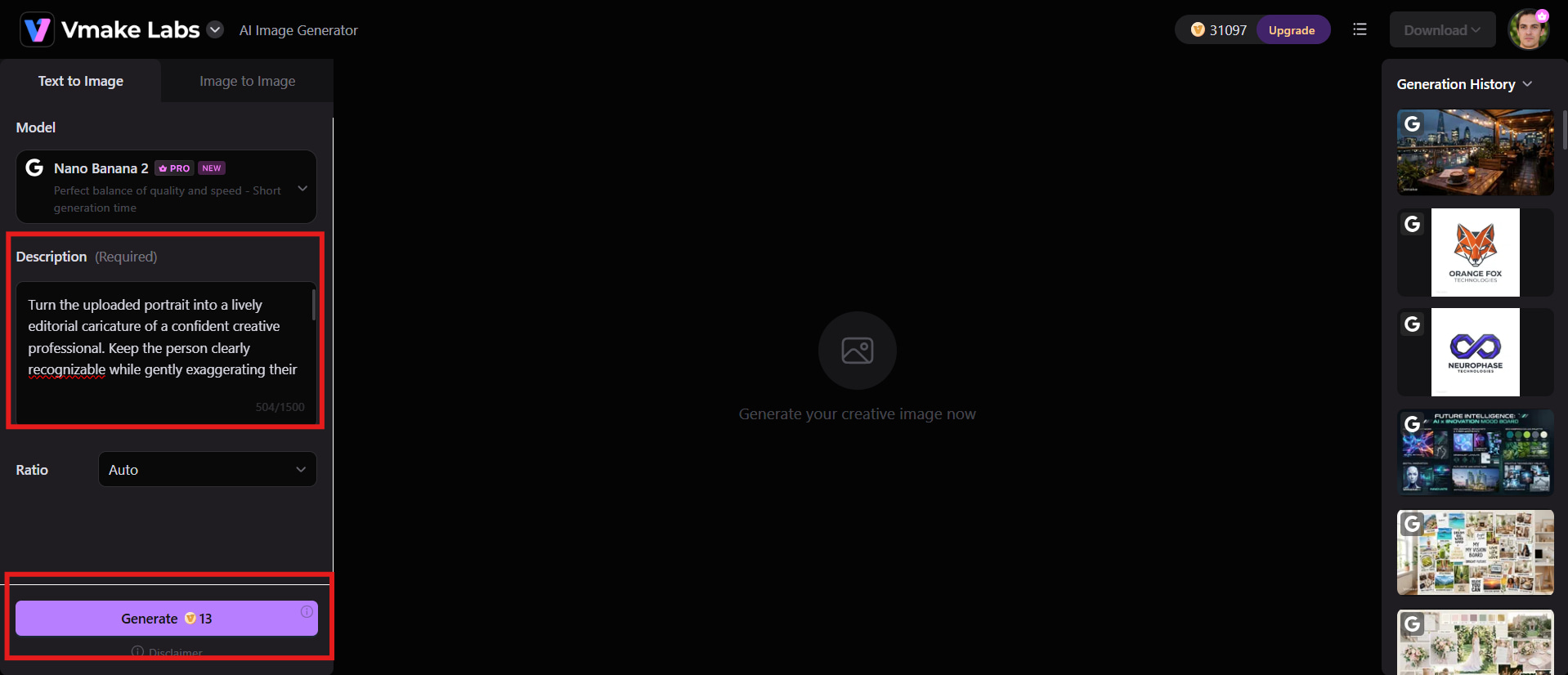
Step 2: Add your caricature prompt and generate
Enter a detailed caricature prompt on the style, look, expression and background you want. Add a reference image if needed and generate your caricature.
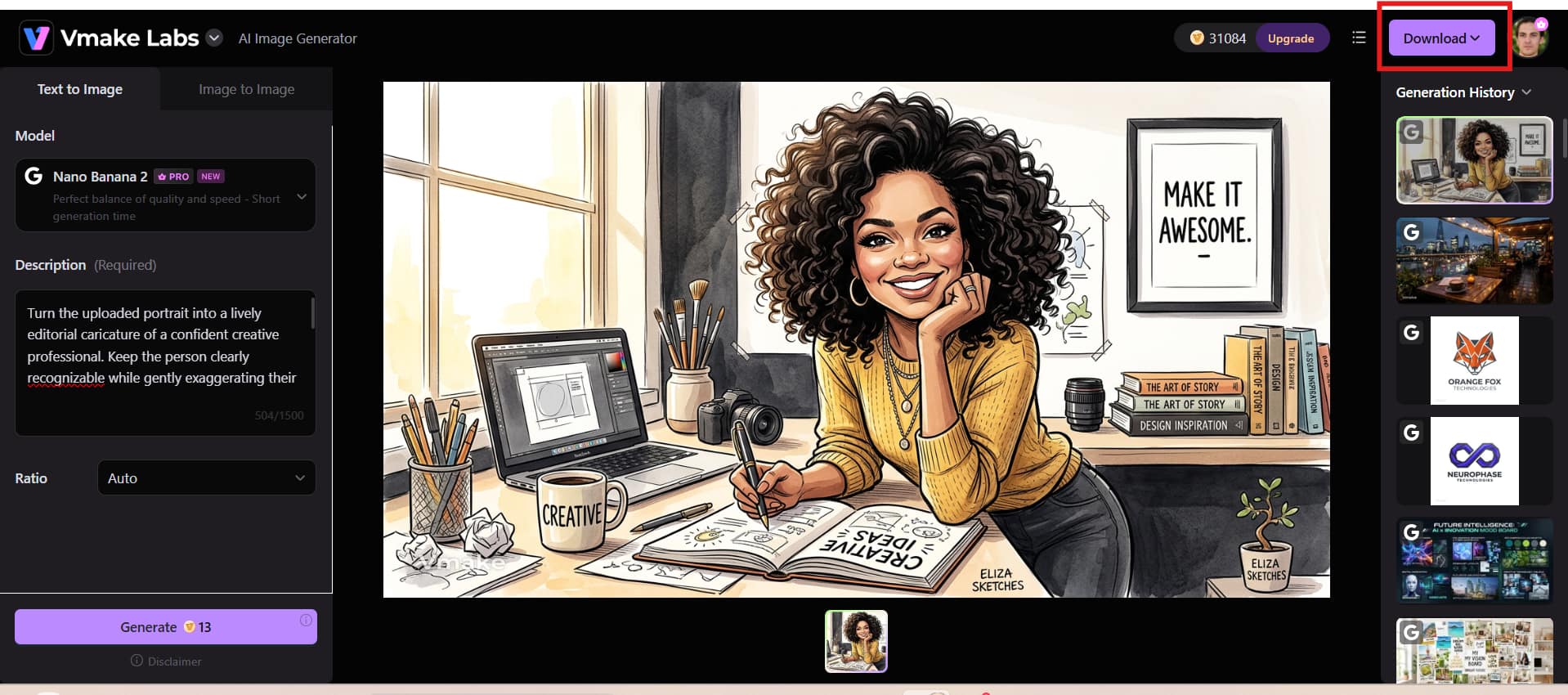
Step 3: Download your image
Examine the caricature generated and see if it is in the style and details you want. When you're satisfied with the outcome, download the completed image.
ChatGPT caricature prompt: Common problems and fixes
Even with a good ChatGPT caricature prompt, the result may not always look exactly as you had envisioned. You may see that the face looks different, the caricature is exaggerated, or there are unexpected details in the image. Don't worry; slight alterations to your prompt can frequently have a significant impact. These are some typical problems and easy fixes that can help you get better, more accurate results.
-
The face does not look like me: Use a better reference photo and explicitly instruct the AI to retain recognizable facial features. Identity is important; don't ask for extreme distortion.
-
The Caricature looks too realistic: Add terms such as illustrated caricature, clean cartoon lines, hand-drawn appearance, or playful exaggeration. You can also specify that you want an artistic rather than photo-realistic result.
-
The result is too exaggerated: If the face becomes distorted, ask for subtle exaggeration and specify which features should remain natural. This gives the AI a better balance between caricature and recognizability.
-
The background does not match: Describe the setting in greater detail, including the location, colors, lighting, mood, and important objects you want to appear in the scene.
-
The AI adds incorrect details: Tell the AI which details must remain unchanged and which elements can be creatively modified. A detailed reference image can also reduce unwanted interpretations.
-
The result looks like a generic cartoon: Add personal details such as the subject's hairstyle, clothing, profession, hobbies, expression, accessories, or environment. The addition of specific and relevant details can help create a more personalised and identifiable caricature.
Conclusion
ChatGPT caricature prompts help you turn a simple portrait into a fun and personalized illustration. The trick is not to just ask for something, but describe what you want in terms of facial features, style of art, expression, clothing, setting, and personality details. A clear reference photo also helps keep the result still recognizable. Vmake Labs provides text-to-image and image-to-image workflows for those who want to experiment with more AI-generated visuals for creative projects. With a good prompt and a little polish, you can make caricatures that are personal, expressive, and ready to share.
FAQs
-
What is the ChatGPT caricature prompt?
A ChatGPT caricature prompt is an instruction that tells AI how to create a caricature with specific visual details. It can describe the subject's facial features, artistic style, expression, clothing, pose, and background. A detailed prompt gives the AI clearer direction and helps create a more personalised and recognizable result.
-
What is the best prompt for ChatGPT caricature images?
The best prompt clearly describes the caricature style, facial characteristics, expression, pose, and overall composition. You can also include details about clothing, colors, lighting, background, and mood. If you use Vmake Labs, these details can help guide the image-generation process toward the look you want.
-
Can I use a photo with a ChatGPT caricature prompt?
Yes, a good reference photo will help AI create a more personalized caricature. Choose a well-lit picture where the face is visible, and avoid strong shadows, filters or anything that obscures the facial features. Vmake Labs also supports reference-image workflows, so you can use an image to help direct your creative result.
-
How can I make my ChatGPT caricature look more realistic?
Ask for subtle exaggeration, natural facial proportions, realistic textures, and a refined illustration style. Avoid commands that distort the face too much or exaggerate each feature. You can also tell the AI to preserve the person's recognisable characteristics while adding the desired caricature effect.
-
Can Vmake Labs create images similar to ChatGPT caricatures?
Vmake Labs can generate AI images from text prompts and reference images, making it suitable for experimenting with caricature-inspired concepts. Describe the subject, illustration style, expression, pose, clothing, and background in your prompt. This gives you more control over the visual direction of the generated image.
-
Why does my ChatGPT caricature prompt give inaccurate results?
Inaccurate results can occur when the prompt is too vague, or the reference image does not provide enough visual information. Try using a clear photo and describe important features, style, expression, and background more precisely. When refining prompts in Vmake Labs, making small changes at a time can also help you identify which instructions improve the result.

You May Be Interested
Can ChatGPT Transcribe Audio? Complete 2026 Guide
Can ChatGPT Generate Images? Limits & Alternatives
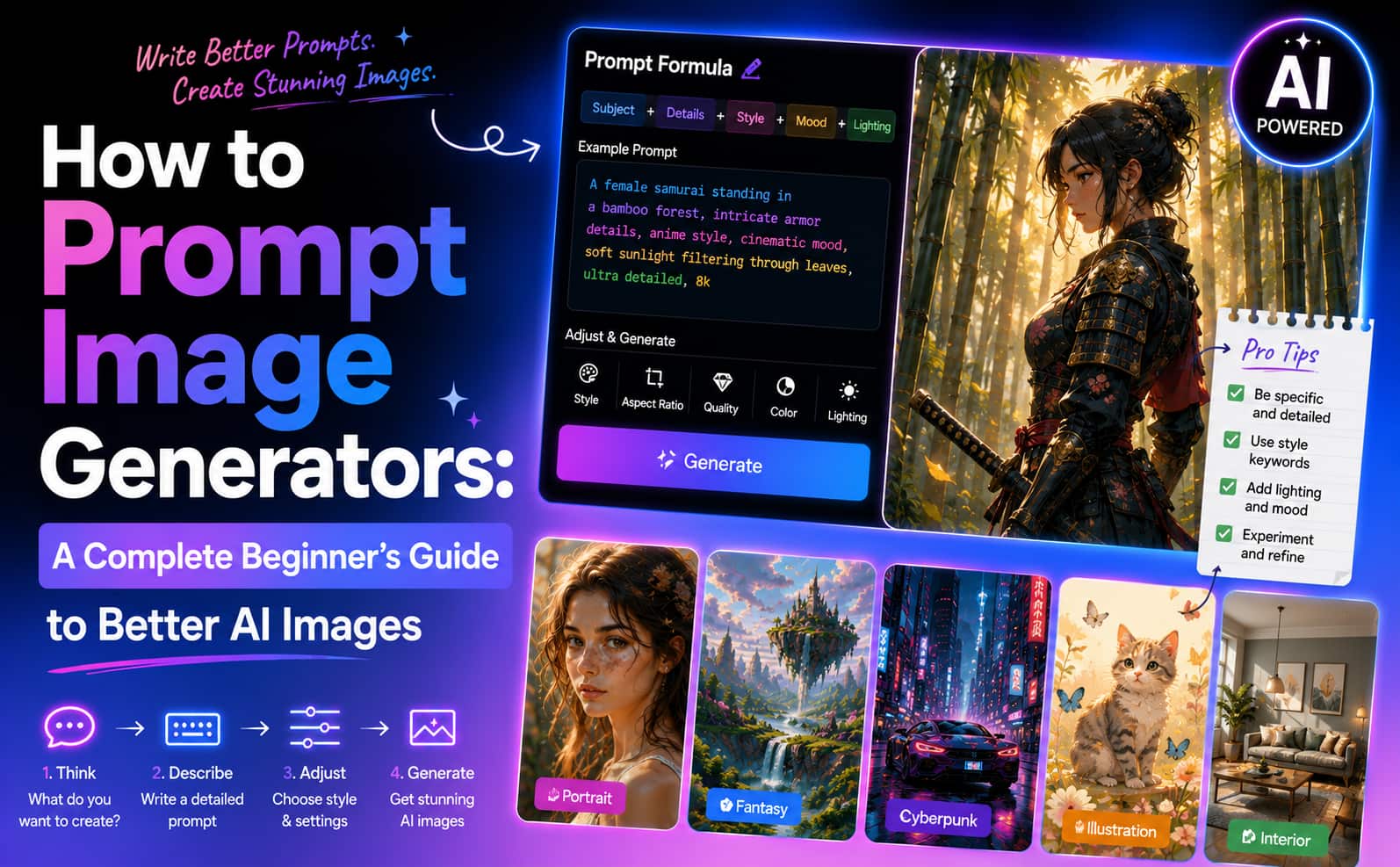
How to Prompt Image Generators: Write Better AI Image Prompts
20+ AI Art Prompts for Stunning AI-Generated Artwork
Veo 3 Prompt Guide: Best Veo 3 Prompts for Better Videos
20+ Best ChatGPT Image Prompts for Stunning AI Images
ChatGPT Christmas Photo Prompts: Create Festive AI Images