Can ChatGPT Generate Images? Limits & Alternatives
Can ChatGPT generate images? Discover how AI image generation works, which plans support it, ChatGPT Free vs Plus limits, and an alternative for creating more AI images with Vmake Labs.

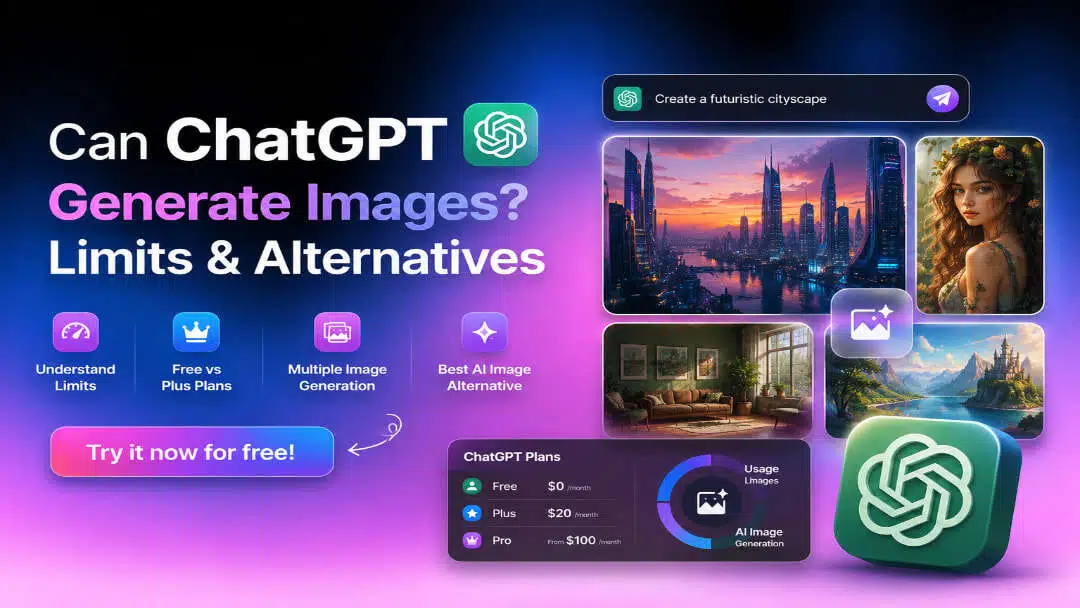
Can ChatGPT generate images? Yes. ChatGPT can create AI images from text prompts, edit existing images, and generate multiple variations across supported plans. This guide explains how ChatGPT image generation works, its usage limits, supported plans, and when a dedicated AI image generator like Vmake Labs may be a better choice.
Can ChatGPT generate images?
Yes. ChatGPT can generate AI images from natural language prompts and edit existing images through simple conversations. Instead of using complicated prompt syntax or separate editing software, you can describe your idea in plain language, refine the results through follow-up prompts, and quickly create visuals for different creative needs.
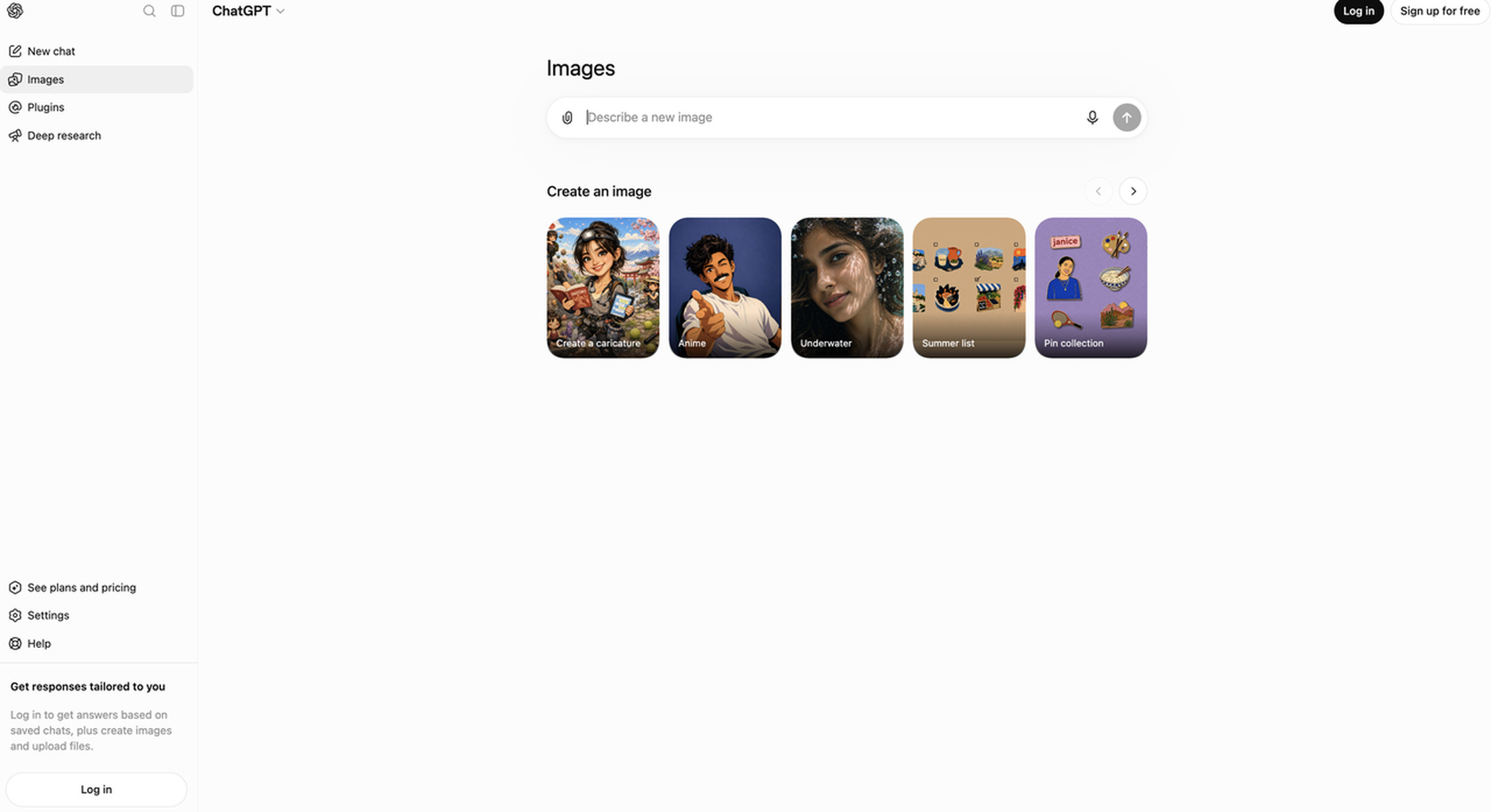
How ChatGPT image generation works
ChatGPT uses OpenAI's image generation models to convert text prompts into images. You can describe the subject, style, lighting, background, composition, or mood, and the AI generates a matching visual. It also supports editing uploaded images, allowing you to remove objects, replace backgrounds, change colors, or transform the image into another artistic style. Since the workflow is conversational, you can continue refining the same image without starting over, making it suitable for brainstorming, content creation, and design exploration.
Pricing tier: How many images can you generate with ChatGPT
Image generation is available across multiple ChatGPT plans, although the experience varies depending on your subscription. Higher-tier plans generally provide greater usage allowances and faster responses, while the Free plan has more limited access, especially during periods of high demand.
|
Plan |
Estimated Image Generation Limit |
Notes & Conditions |
|---|---|---|
|
Free |
Limited daily access |
Operates on a strict 24-hour rolling window. |
|
Plus |
Higher allowance per session |
Equals ~200 images daily; subject to peak traffic drops. |
|
Pro |
Unlimited |
Offers the highest speeds and un-capped usage. |
|
Team |
Same as Plus or higher |
Higher thresholds per workspace; shared fair-use policies. |
|
Enterprise |
Custom high-tier allowances |
Scaled for corporate use with extensive administrative tracking. |
Can ChatGPT generate multiple images at once?
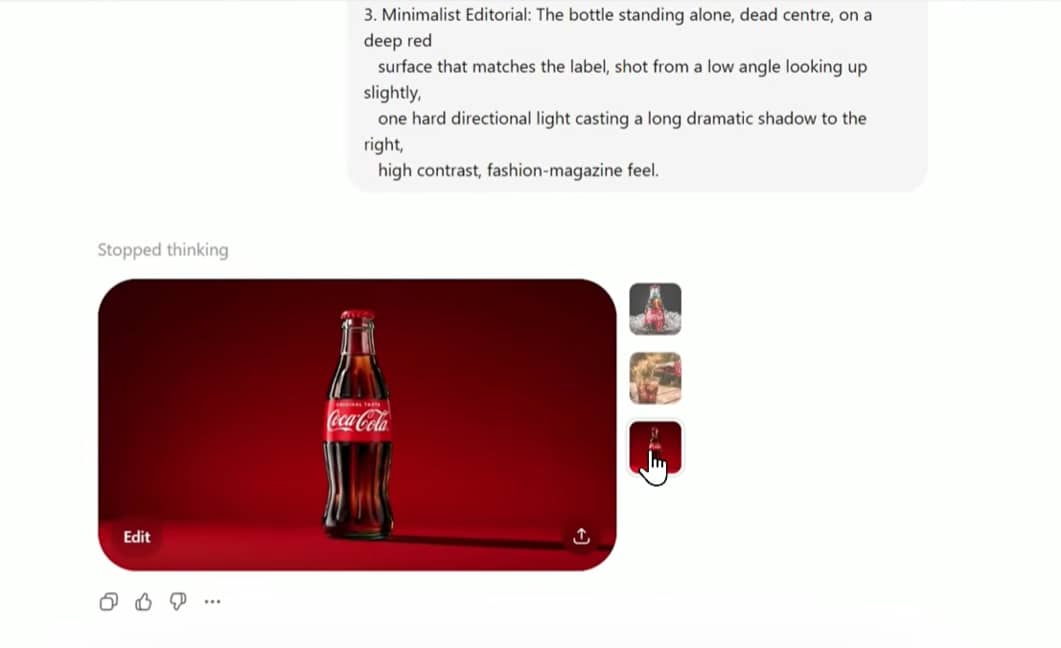
Yes. That said, the actual number of images returned in a single request depends on current usage limits and system availability. ChatGPT may generate one image or several depending on your plan and how busy the platform is at the time. Results are not guaranteed to match the exact quantity requested.
For example: Generate 3 different design concepts for a homepage hero image for a smart home battery storage company. Give me one in a modern architectural style, one that focuses on a family feeling safe during a storm, and one that is a clean 3D tech schematic.
What can you create with ChatGPT images?
ChatGPT can create images for a wide variety of personal, creative, and business use cases. From simple illustrations to marketing assets, it helps users quickly turn ideas into visuals without requiring professional design skills:
-
Core Design Capabilities: Generates social media graphics, product mockups, blog illustrations, marketing creatives, and presentation visuals.
-
Creative Asset Generation: Produces logo concepts, character designs, and creative concept art from text prompts.
-
Image Editing & Refinement: Modifies existing images by changing backgrounds, removing distracting elements, or applying new artistic styles.
-
Production Limitations: Suitable for most everyday projects, though not for high-end professional branding or commercial campaigns.
ChatGPT image generation limitations
Although ChatGPT is capable of producing high-quality AI images, it isn't without limitations. Image generation availability, creative flexibility, and output quality can vary depending on your subscription, system demand, and the type of prompt you provide. Understanding these limitations can help you set realistic expectations and achieve better results.
Common limitations
One of the biggest limitations is that ChatGPT doesn't offer unlimited image generation. OpenAI uses dynamic usage limits that may change based on server capacity, meaning you could temporarily reach your image generation allowance during busy periods.
ChatGPT also applies safety policies that restrict requests involving copyrighted material, harmful content, or realistic depictions that violate its guidelines.
Additionally, vague prompts may produce inconsistent results, while highly detailed commercial designs often require multiple revisions to achieve the desired outcome.
Troubleshooting image generation
If ChatGPT stops generating images, the issue is usually temporary and can often be resolved with a few simple steps. The following suggestions may help restore image generation more quickly:
-
Wait for your usage window to reset.
-
Rewrite your prompt with clearer instructions.
-
Try again during off-peak hours if demand is high.
-
Check OpenAI's service status for any ongoing issues.
-
Consider a dedicated AI image generator if you regularly encounter usage limits.
Although these steps resolve most temporary issues, some users may need higher image generation allowances, access to multiple AI models, or more customization for their creative projects. In those cases, exploring a dedicated AI image generator can provide a more flexible workflow.
Meet Vmake Labs: An alternative for generating AI images
If ChatGPT's image generation limits interrupt your workflow or you need access to multiple AI models, Vmake Labs offers a dedicated platform for creating AI images. It combines text-to-image and image-to-image generation with customizable settings, making it suitable for designers, marketers, ecommerce sellers, and content creators who regularly produce visual content.
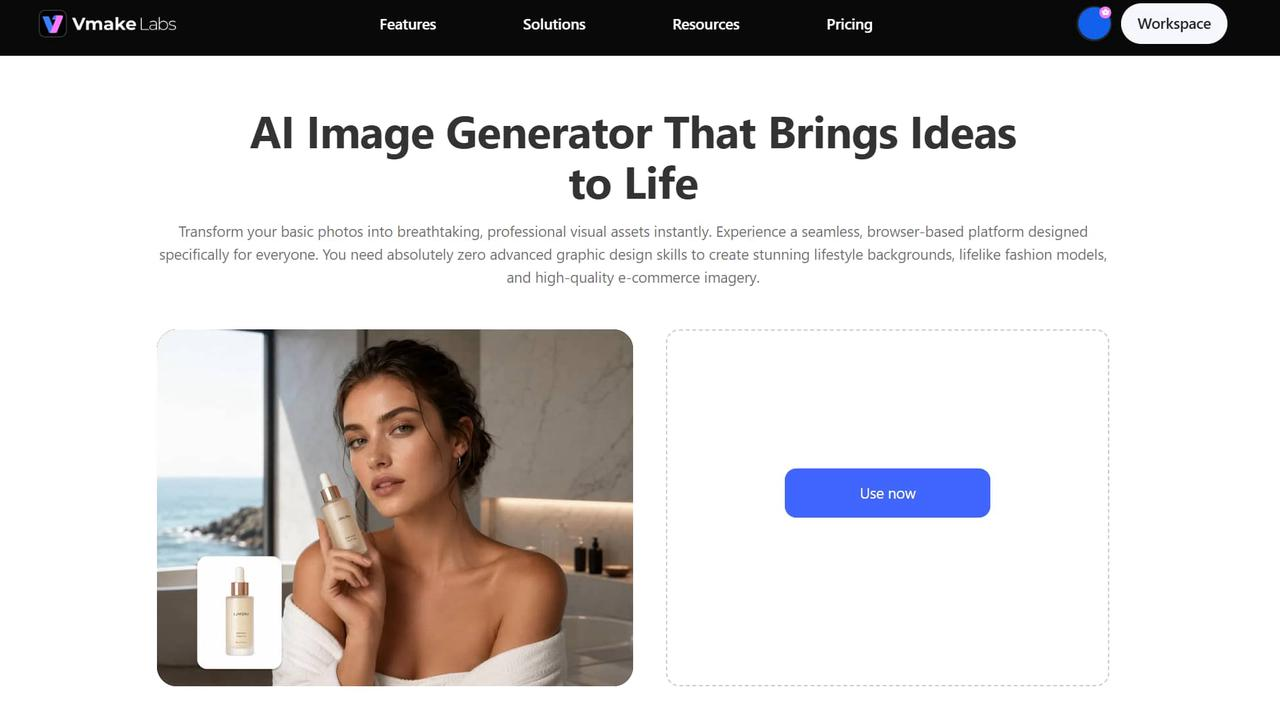
Key features
Vmake Labs offers a range of AI-powered tools for generating and customizing images. Its features are designed to support different creative workflows, from simple text prompts to advanced image transformations.
-
Text-to-image generation: Turn a text prompt into a finished visual in seconds, no design software or technical skills needed. You go from idea to image faster than briefing a designer.
-
Image-to-image generation: Upload a reference image and transform or reimagine it while keeping the original concept intact. Ideal for creating variations without starting from scratch.
-
Multiple leading AI image models: Switch between AI models optimised for realism, illustration, or artistic styles, so you always have the right output for your project without using a separate tool.
-
Various artistic styles: Generate images in realistic photography, anime, digital art, sketches, and more, giving you the creative flexibility to match any brand or project tone.
-
Multiple aspect ratios: Get images sized correctly for social media, websites, or presentations from the start, cutting out the extra step of resizing or cropping after export.
-
High-resolution image creation: Download sharp, detailed images suitable for both digital and print use, no resolution workarounds needed for professional work.
-
Browser-based workflow: Open Vmake Labs, generate, and download, no installs, no setup, no interruption to how you already work.
How to generate images with Vmake Labs
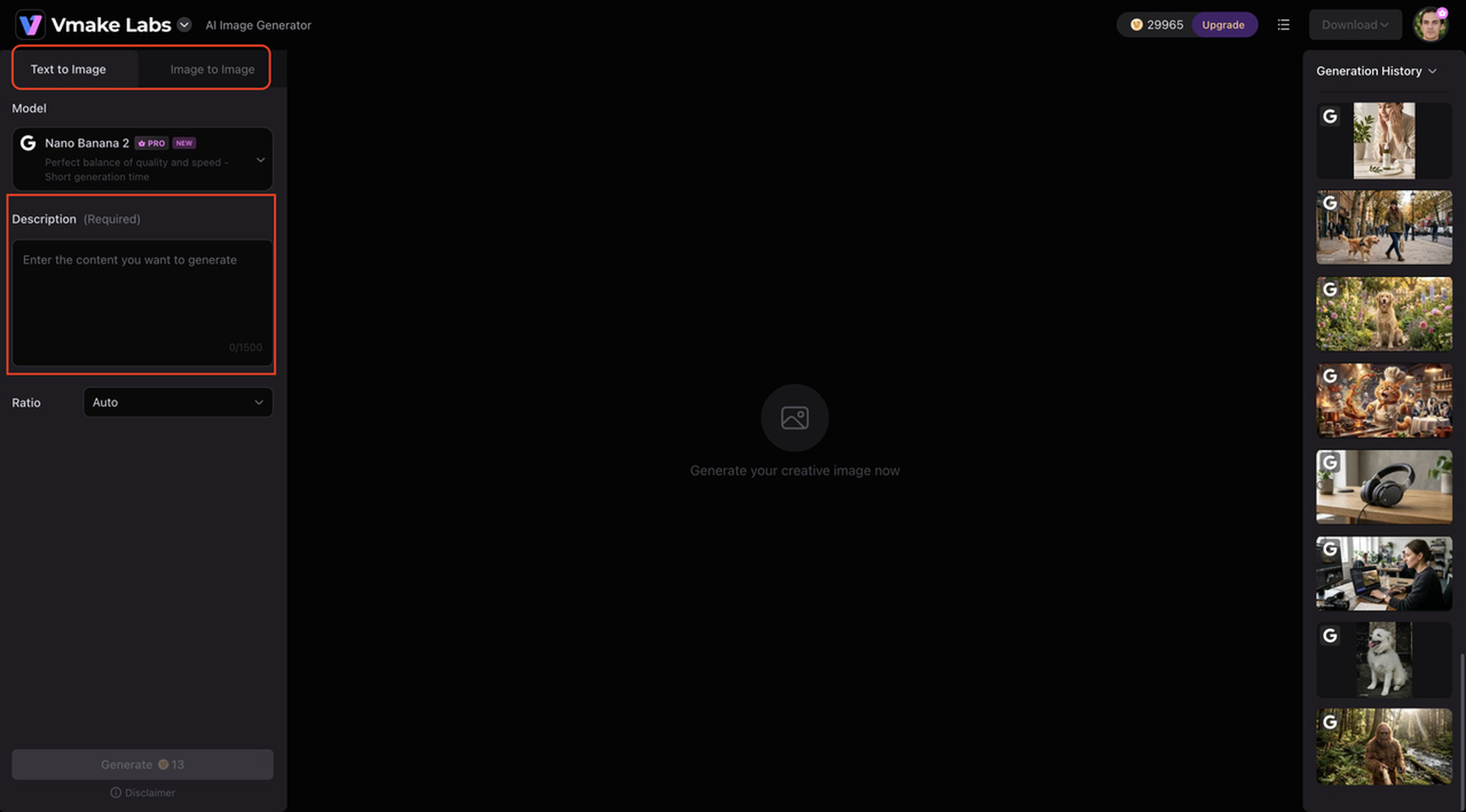
Step 1: Enter a text prompt or upload a reference image.
Describe the image you want to create, or upload a reference image if you'd like to transform or enhance an existing visual.
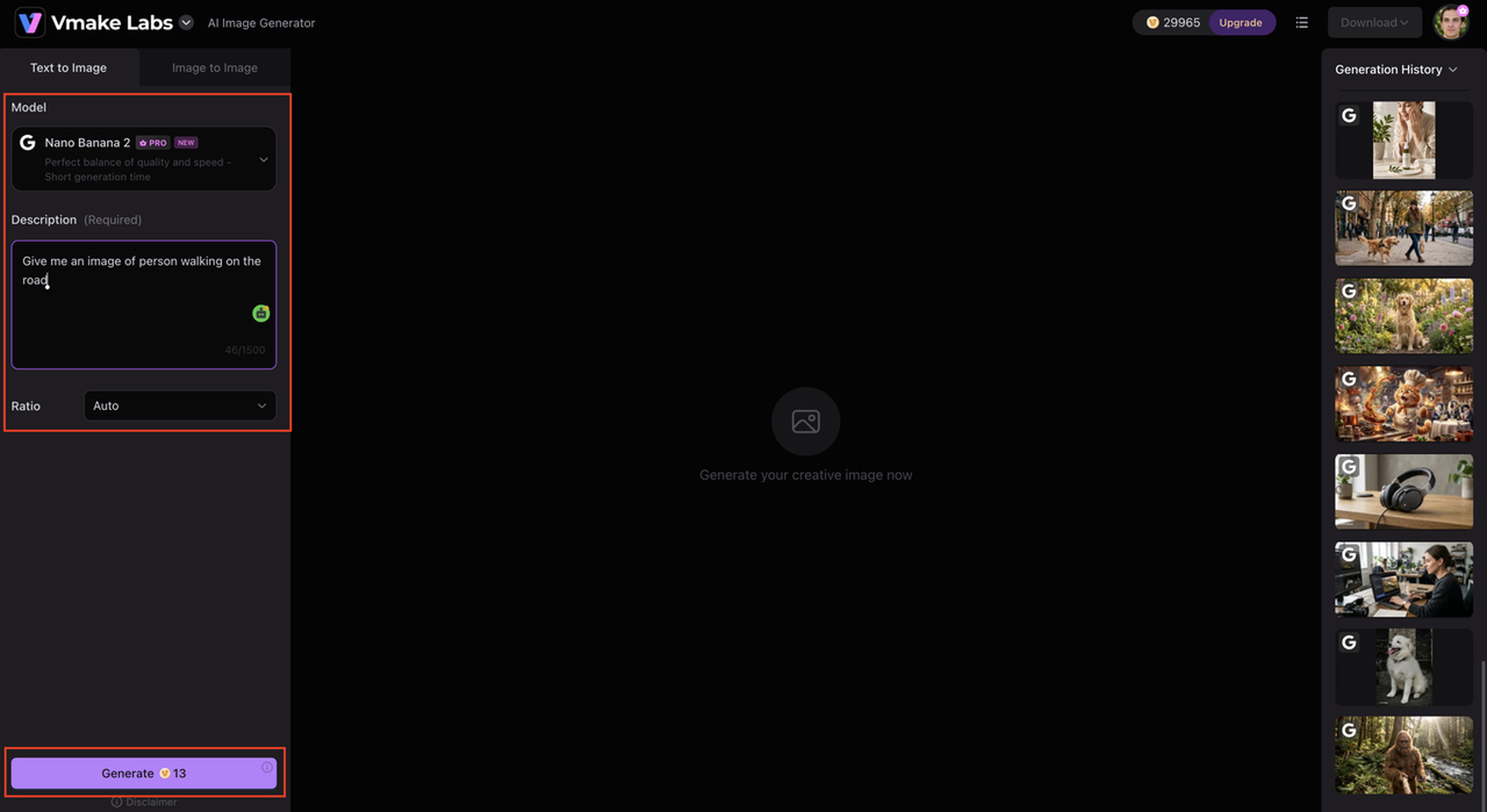
Step 2: Choose your preferred AI model and customize generation settings.
Choose the AI model that best suits your project, then adjust options such as aspect ratio, style, or other available generation settings before creating your image.
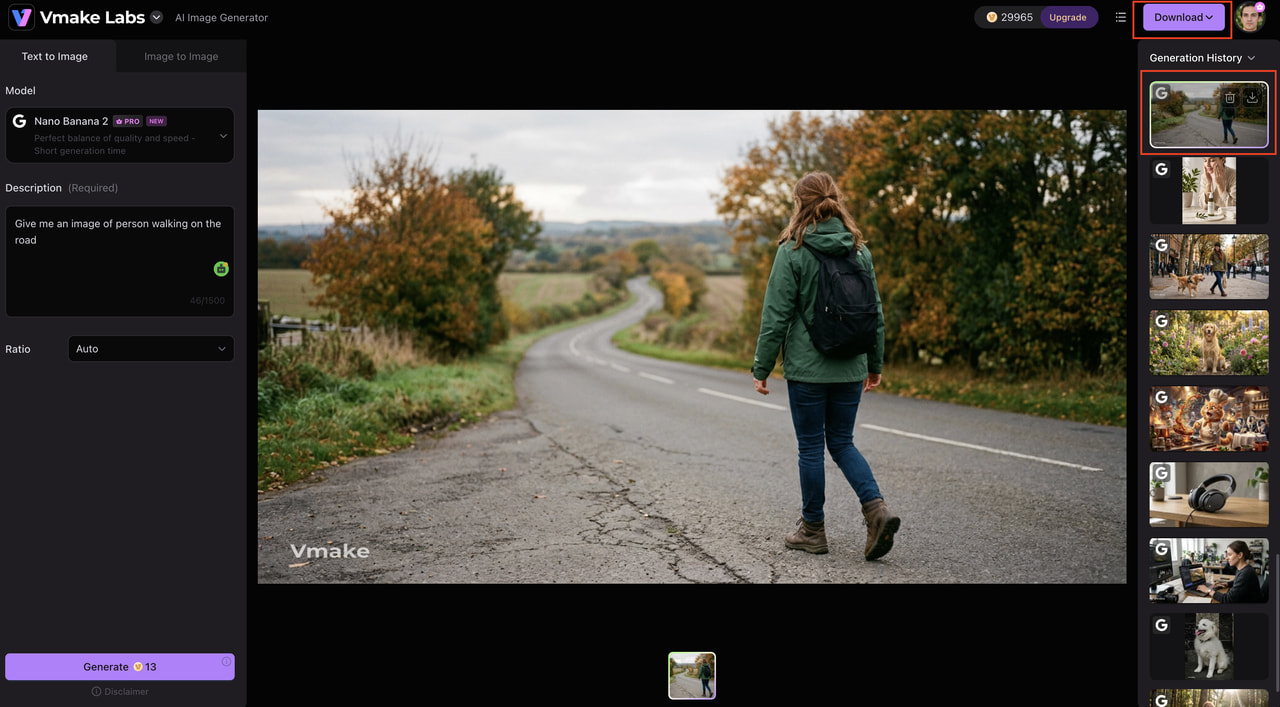
Step 3: Generate, review, and download your AI image.
Review the generated result, make additional adjustments if needed, and download the final image in your preferred format for personal or commercial use.
ChatGPT vs Vmake Labs
Both ChatGPT and Vmake Labs can generate AI images, but they're designed for different types of users. ChatGPT combines image generation with conversational AI, while Vmake Labs focuses on providing a dedicated image creation experience with multiple AI models and creative customization options.
|
Feature |
ChatGPT |
Vmake Labs |
|---|---|---|
|
Primary purpose |
AI assistant with built-in image generation |
Dedicated AI image generation platform |
|
Image generation |
Text-to-image and image editing |
Text-to-image and image-to-image generation |
|
AI models |
Built-in image generation model |
Multiple leading AI image models |
|
Multiple image generation |
Supported, subject to usage limits |
Supports generating multiple images with available credits |
|
Prompt customization |
Natural language prompts |
Prompt customization with model and aspect ratio selection |
|
Creative flexibility |
Best for general-purpose creative tasks |
Best for dedicated AI art and marketing visuals |
|
Best for |
Everyday AI assistance and image creation |
Content creators, designers, marketers, and e-commerce users |
Which tool is right for you?
The right choice depends on how you plan to use AI image generation. If you occasionally need images while chatting with an AI assistant, ChatGPT offers a convenient all-in-one experience. However, if your workflow involves creating images regularly, experimenting with different AI models, or producing visuals for marketing and e-commerce, Vmake Labs provides greater flexibility and customization. Consider your creative requirements, preferred workflow, and image generation needs to decide which platform best fits your projects.
Conclusion
Yes, ChatGPT can generate images, edit existing visuals, and create multiple variations using natural language prompts. It works well for everyday creative tasks, brainstorming ideas, and simple image editing across supported plans. However, its dynamic usage limits and built-in restrictions may not suit users who generate images frequently or require more creative control. In those situations, a dedicated platform like Vmake Labs offers additional flexibility with multiple AI image models, image-to-image generation, customizable settings, and high-quality outputs. Choosing the right tool ultimately depends on your creative workflow, project requirements, and how often you generate AI images.
FAQs
-
Can ChatGPT generate images?
Yes. ChatGPT can generate AI images from text prompts, edit uploaded images, and create multiple variations. It's suitable for everyday creative tasks such as illustrations, social media graphics, product concepts, and simple image editing.
-
Can ChatGPT generate images for free?
Yes. ChatGPT's Free plan includes AI image generation, but usage is limited and may be affected by server demand. If you need to generate images more frequently or want access to multiple AI models, dedicated platforms like Vmake Labs offer additional flexibility for creative projects.
-
Can ChatGPT generate multiple images at once?
Yes. ChatGPT can generate multiple images from a single prompt, allowing you to compare different concepts or styles. For users who regularly create multiple image variations or require more customization, Vmake Labs provides additional image generation options and supports different AI models.
-
How many images can I generate with ChatGPT Plus?
OpenAI doesn't publish a fixed image generation quota for ChatGPT Plus. Instead, usage limits are dynamic and may vary depending on system demand, your recent activity, and overall platform capacity.
-
What should I use if I need more flexibility for AI image generation?
If you frequently reach ChatGPT's usage limits or want greater control over image generation, a dedicated AI image generator may be a better choice. Vmake Labs supports text-to-image and image-to-image generation, multiple AI models, various artistic styles, and customizable aspect ratios, making it well suited for content creators, marketers, designers, and ecommerce businesses.

You May Be Interested

ChatGPT Video Generator Review: Features, Pricing & Best Alternative
Can ChatGPT Transcribe Audio? Complete 2026 Guide

Canva AI Image Generator Review: Is It Worth It in 2026?

11 Best Image to Video AI Generators Compared in 2026