
ChatGPT Barbie Prompts to Create Your Own Viral Barbie Box AI Doll
Create your own Barbie Box AI doll with a ready-to-use ChatGPT Barbie prompt. Customize outfits, accessories, careers, and packaging, then generate stunning images with Vmake Labs.

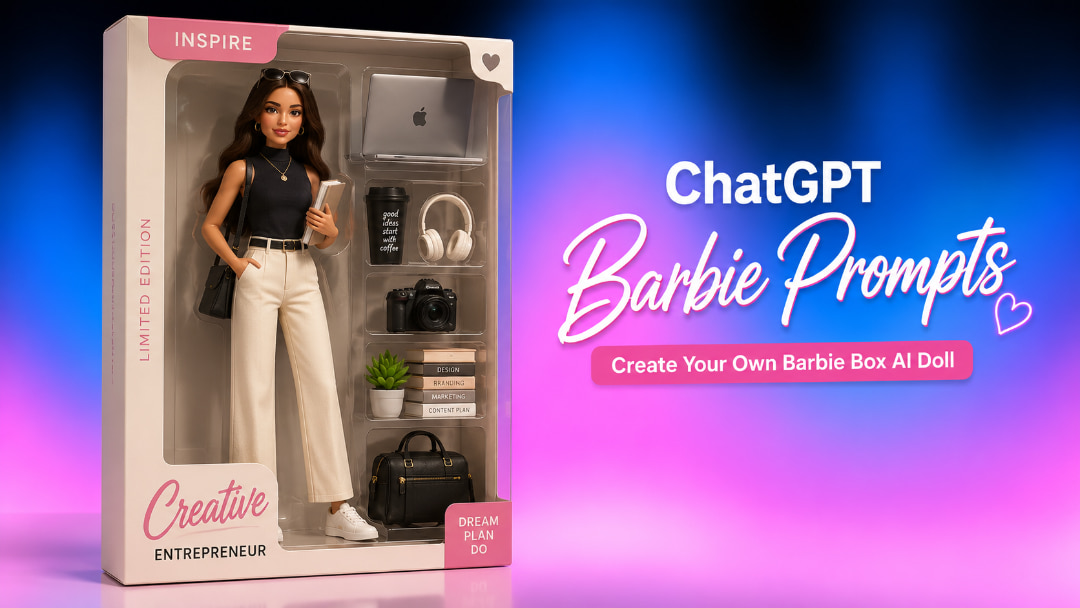
ChatGPT Barbie prompts let you turn a person, profession, or personality into a personalized doll inside collectible-style packaging. You can customize everything from outfits and accessories to box colors and labels. Here's how the trend works and how to create more convincing Barbie Box images.
What is the ChatGPT Barbie Box trend?
The ChatGPT Barbie Box trend turns a person into a personalized doll displayed inside realistic toy packaging. Instead of creating a standard portrait, users describe the character, outfit, accessories, pose, and box design in a detailed prompt. The result looks like a miniature collectible designed around a specific person, profession, hobby, or lifestyle.
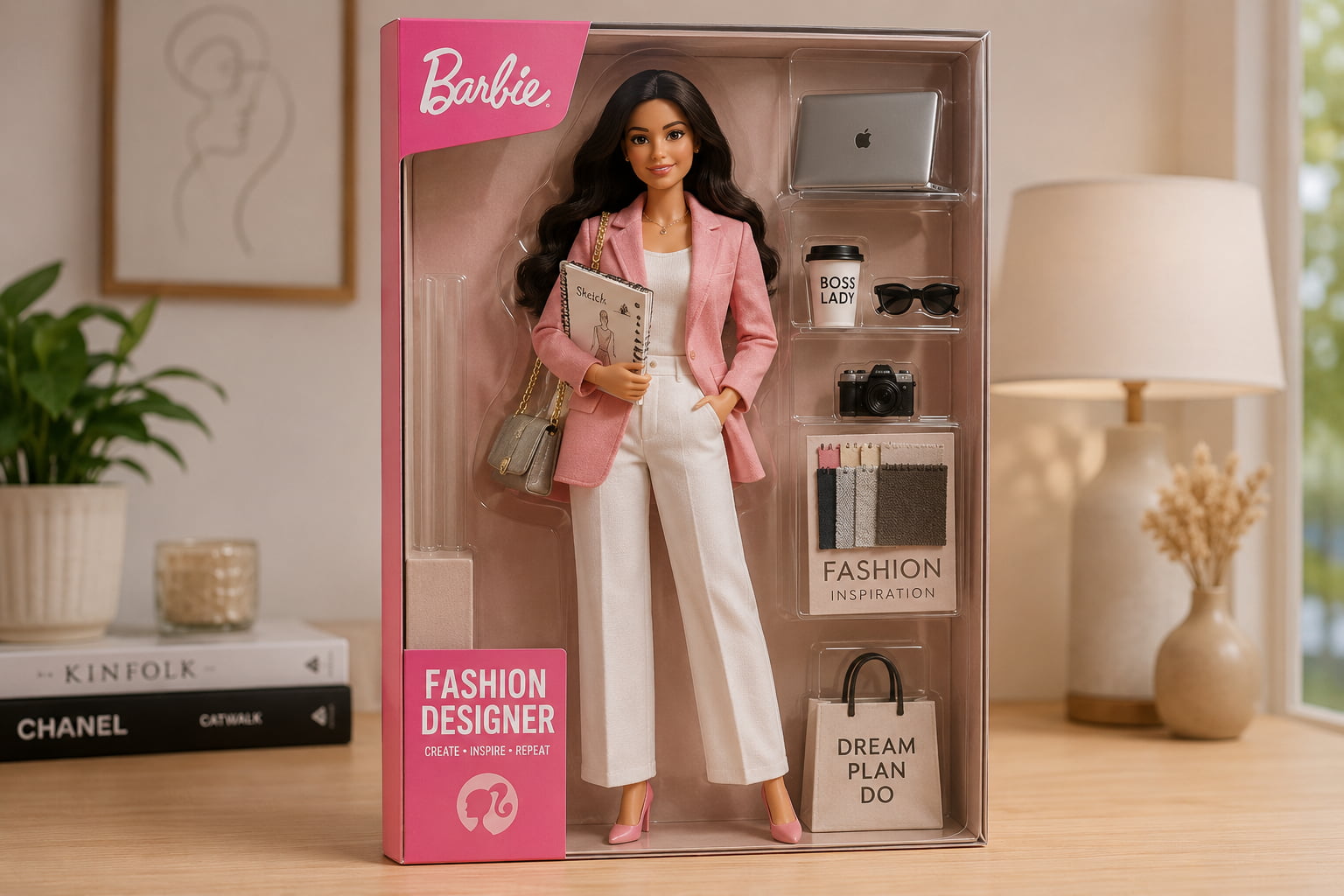
The trend gained popularity, especially on social media, because it turns everyday personal details into part of the visual. A doctor could be a doll with a stethoscope and medical bag, a traveler packaged with a suitcase, camera and passport. The concept can also be used for couples, families, friends, pets, fictional characters and fantasy themes.
Why Barbie Box AI images became popular
Part of the appeal is how easy the format is to personalize. Rather than choosing from a fixed character template, users can decide what their doll wears, what it carries, and even what appears on the packaging. A name, job title, favorite accessory, or "Limited Edition" label can make the image feel much more personal.
The finished images are also naturally suited to social platforms. The recognizable doll-box format gives the image an instant visual hook, while the customized details give people something to look at and share. That combination helped turn personalized Barbie Box images into a popular AI image trend.
What makes a Barbie-style image look authentic?
A convincing result depends less on adding lots of adjectives and more on describing the physical details of the doll and its packaging. Think about the image as a toy product photographed for a catalog rather than simply a portrait of a person.
|
Element |
Example |
|---|---|
|
Character |
Fashion designer |
|
Outfit |
Pink blazer, white trousers, heels |
|
Accessories |
Laptop, sketchbook, coffee cup |
|
Box design |
Pink cardboard backing with clear plastic |
|
Pose |
Standing confidently with one hand on the hip |
|
Background |
Toy store display shelf |
|
Packaging text |
"Fashion Designer Barbie" |
|
Visual style |
Realistic commercial toy photography |
For example, "create a Barbie version of a fashion designer" gives the image model plenty of room to make its own decisions. Adding clothing, accessories, packaging, pose, and photography style gives you much more control over the final result. The same approach works for any ChatGPT Barbie prompt. Start with the person or character, then build out the details that make the doll recognizable and the packaging believable.
How to customize your ChatGPT Barbie prompt
A good character concept leads to a good Barbie Box image. Complete the look by writing down the profession or theme, outfit, hairstyle, expression, pose, and a few related accessories. Then describe the packaging separately.
Personalize your Barbie doll
Choose a profession, hobby or lifestyle that provides a clear identity for the doll. A designer might have a pink blazer, a sketchbook and a laptop; a traveller might have a suitcase and a camera. Add a hairstyle and expression, and a pose, to make the character feel more personal, without overloading the prompt.
For example:
Create a fashion designer Barbie doll wearing a pink blazer, white trousers, and heels, with a sketchbook, laptop, fabric samples, and coffee cup. Give her a confident smile and a relaxed standing pose.
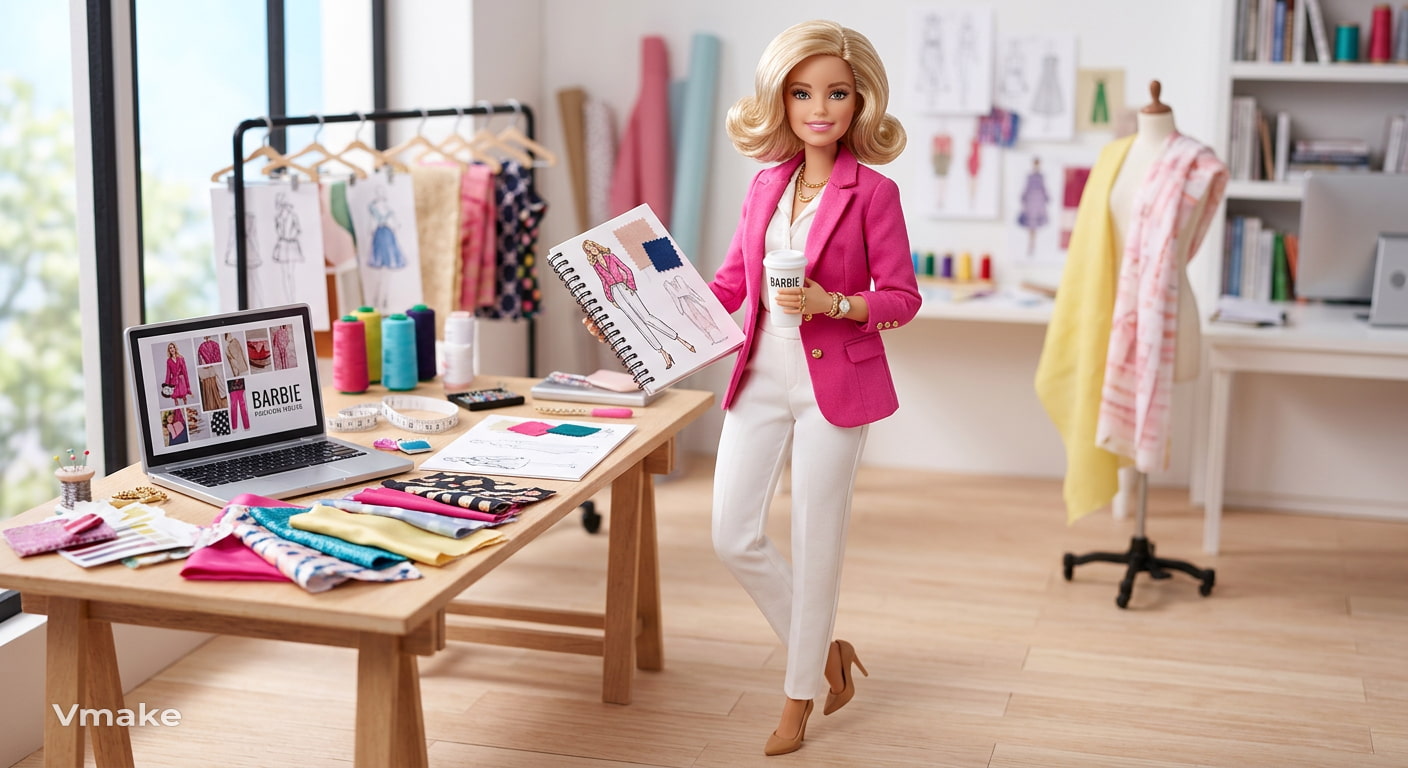
This ChatGPT prompt for Barbie doll gives the image generator the main visual details while leaving enough room for variation.
Customize your Barbie Box design
The packaging helps establish the collectible-toy look, so describe its color, materials, label, and layout. You can add a name, profession, or "Limited Edition" text, along with accessories arranged in separate compartments. For a more convincing result, mention details such as clear moulded plastic, glossy cardboard, and commercial product photography.
|
Box element |
Ideas |
|---|---|
|
Color |
Pink, lavender, cream |
|
Label |
Your name or profession |
|
Edition |
Limited Edition, Collector's Edition |
|
Accessories |
Laptop, camera, books |
|
Packaging |
Clear plastic, glossy cardboard |
|
Background |
Toy shelf, studio display |
The best Barbie prompt for ChatGPT has just enough detail, but still leaves room for creativity. Once you have the basic structure, you can change the outfit, profession, accessories or packaging colors to make completely different versions.
Best ChatGPT Barbie prompts to use
These ready-to-use prompts come in a variety of Barbie Box themes, including professional and lifestyle characters, fantasy, couples and family editions. Copy the prompt exactly, or change the details to fit your idea.
Professional Barbie prompts
Doctor Barbie
Create a Barbie doctor doll in pink collectible packaging wearing a white medical coat with pink details. Accessories: Comes with a stethoscope, medical bag, clipboard and coffee cup. Add "DOCTOR BARBIE" to the box and make it realistic commercial toy photography.
Teacher Barbie
Create a Teacher Barbie, in pastel pink packaging, with a smart cardigan, skirt and comfy shoes. Separate compartments for books, markers, notebook and coffee mug. Label the box with “TEACHER BARBIE” and use soft studio lighting.
Chef Barbie
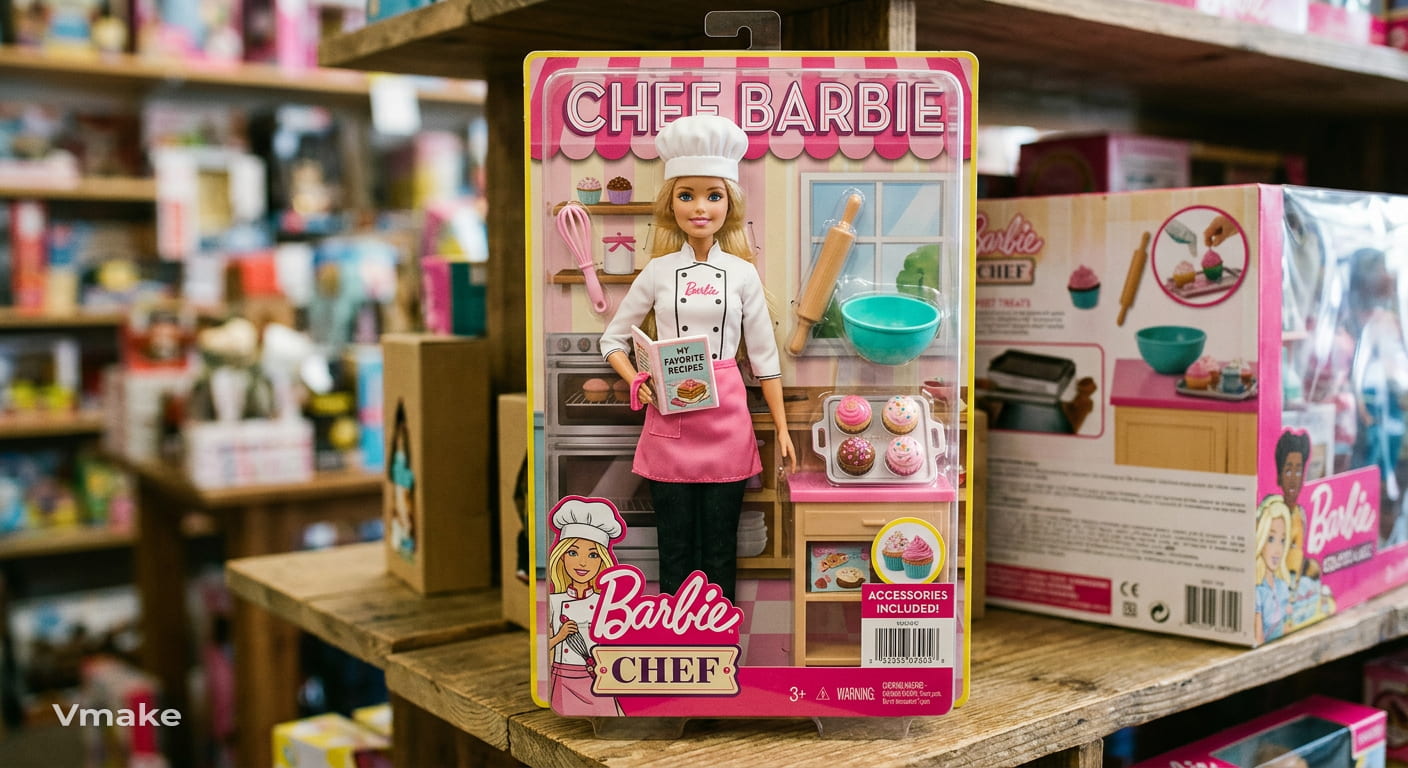
Create a Chef Barbie doll in pink and cream retail packaging. Have her dressed in a white chef's jacket and pink apron. Add a recipe book, rolling pin, whisk, mixing bowl, and cupcakes. Add “CHEF BARBIE” to the box and take a picture of it as a real collectible toy.
Designer Barbie
Create a fashion designer Barbie in a pink tailored blazer, white trousers, and heels. Pop her into shiny pink packaging with a sketchbook, laptop, fabric swatches, and measuring tape. Add “FASHION DESIGNER BARBIE” to the box and use polished product photography.
Entrepreneur Barbie
Create a Barbie doll, in pink and gold collector packaging, dressed in a smart blazer and trousers. Accessories include a laptop, smartphone, notebook, coffee cup, and business charts. Add to box: "ENTREPRENEUR BARBIE" "LIMITED EDITION"
Lifestyle Barbie prompts
Traveler Barbie
Create a Traveler Barbie in hot pink packaging, dressed in a trendy casual travel outfit, sneakers, and sunglasses. Add a suitcase, passport, camera, headphones, and travel journal. Use realistic toy photography and put the box label as "TRAVELER BARBIE".
Fitness Barbie
Create a Fitness Barbie doll in current pink packaging, wearing a coordinating athletic outfit and sneakers. Pack a yoga mat, water bottle, smartwatch, resistance bands and headphones. In the box with clean studio lighting, write "FITNESS BARBIE".
Book Lover Barbie
Create a Book Lover Barbie doll in cozy pastel packaging, wearing a cardigan, skirt, ankle boots, and round glasses. Add books, a coffee mug, a bookmark, a reading lamp, and a notebook as accessories. Label the box "BOOK LOVER BARBIE."
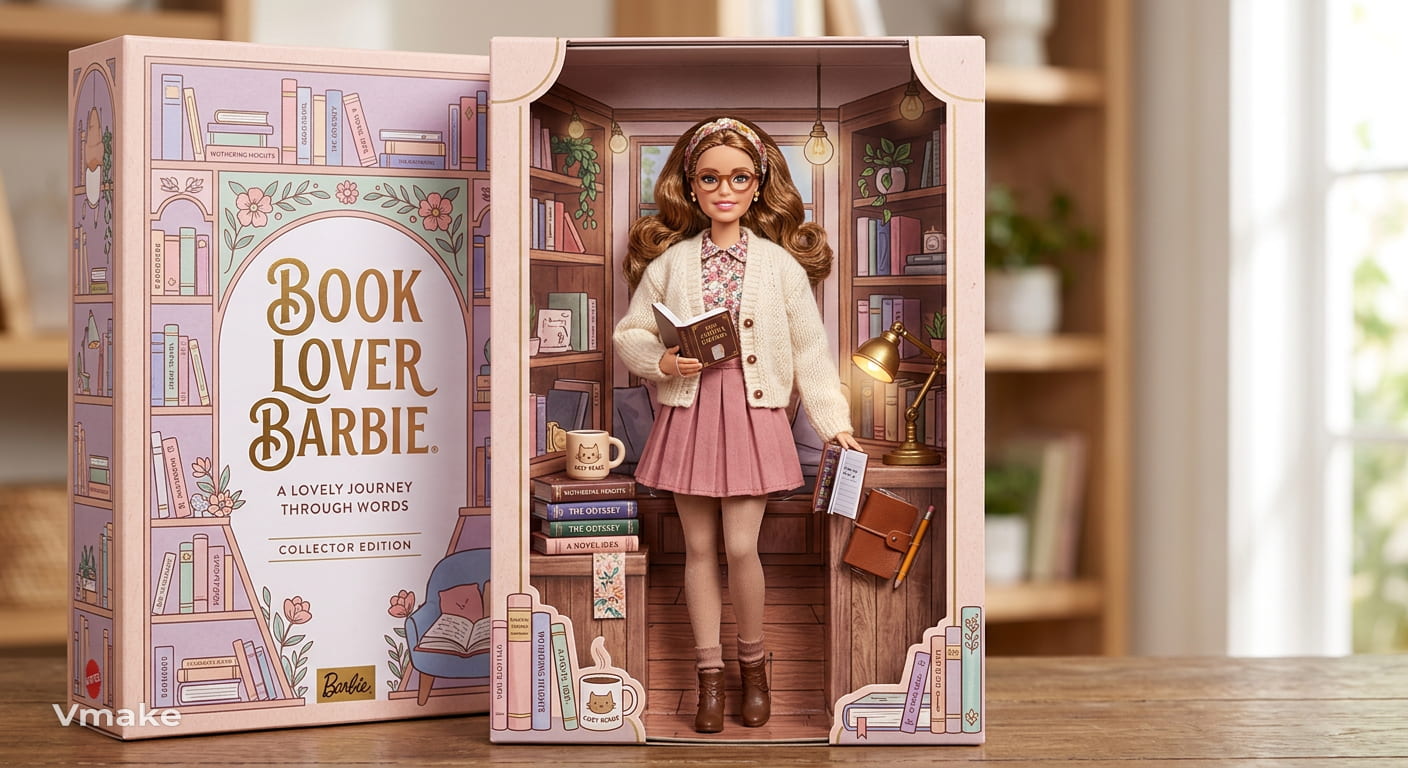
Coffee Lover Barbie
Design a Coffee Lover Barbie in a casual beige sweater, pink pants and white sneakers. Put her in pink wrapping with a takeout coffee, coffee beans, laptop, espresso machine and pastry. Add "COFFEE LOVER BARBIE" to the box.
Fashion Creator Barbie
Create a Fashion Maker Barbie in shiny pink packaging with a stylish outfit and bold sunglasses. Add smartphone. Add a camera. Add ring light. Add handbag. Add clothes rack. Commercial Product Photography. LABEL BOX "FASHION CREATOR BARBIE".
Fantasy Barbie prompts
Mermaid Barbie
Create a Mermaid Barbie with a shimmering tail and flowing hair inside an iridescent pink and turquoise box. Add pearls, seashells, coral, and a miniature treasure chest. Label the packaging "MERMAID BARBIE" and use magical underwater-inspired lighting.
Fairy Barbie
Create a Fairy Barbie with transparent wings, a sparkly pink gown and flower accessories in a pastel collector package. Add a wand, flowers, butterflies & a tiny enchanted book. Put "FAIRY BARBIE" in the box with detailed toy photos.
Princess Barbie
Create a Princess Barbie wearing a fancy pink ball gown and shiny tiara in pretty pink packaging. Includes a mini crown, bouquet, perfume bottle and castle accessory. Label the box "PRINCESS BARBIE" and "COLLECTOR'S EDITION."
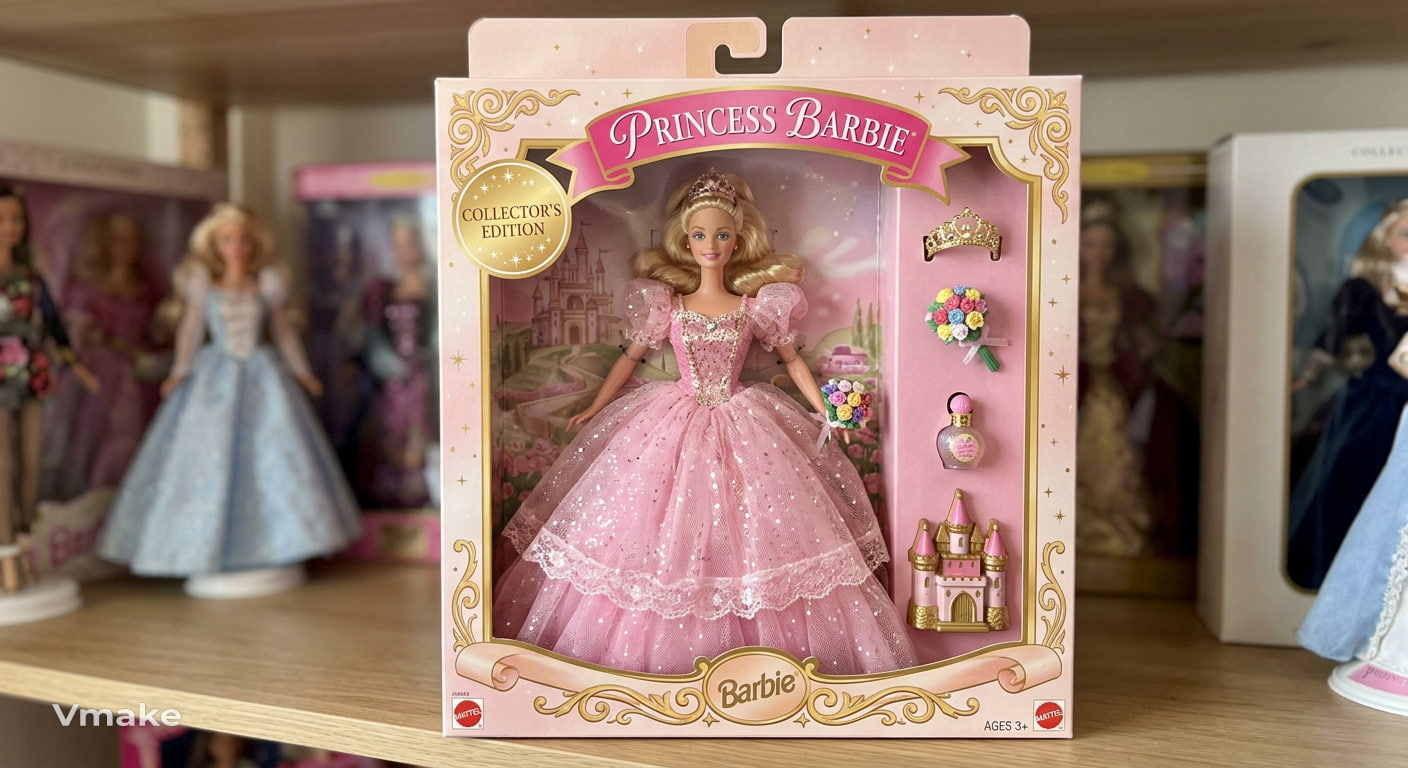
Cyberpunk Barbie
Create a Cyberpunk Barbie in clear neon-pink packaging, sporting a futuristic ensemble with metallic accents and glowing accessories. Add a holographic tablet, sunglasses of the future, a mini drone and a neon handbag. Dramatic product photography.
Superhero Barbie
Create a superhero Barbie with a stylish pink and silver superhero costume and a flowing cape in premium pink packaging. Includes shield, communicator, boots and superhero emblem. Label the box “SUPERHERO BARBIE” Shoot cinematic toy photography
Barbie Box prompts for couples and families
Barbie & Ken
Create a big pink box and place a Barbie and Ken collector's set inside. Dress Barbie in a stylish pink dress and dress Ken in a trendy matching outfit. Add sunglasses, coffee cups, travel bags, and a camera BARBIE & KEN SPECIAL EDITION is put on the packaging.
Wedding edition
Create a Barbie wedding couple in fancy pink and white wrapping. Barbie is in a fancy wedding dress, and Ken is in a classic formal suit. Wedding cake. Bouquet. Rings. Champagne flutes. Add "WEDDING EDITION" to the box.
Family edition
Create a Barbie family collectible set featuring two parents and two children inside a large pink box. Add a stroller, school bag, toys, coffee cups, and family accessories. Label the packaging "BARBIE FAMILY EDITION."
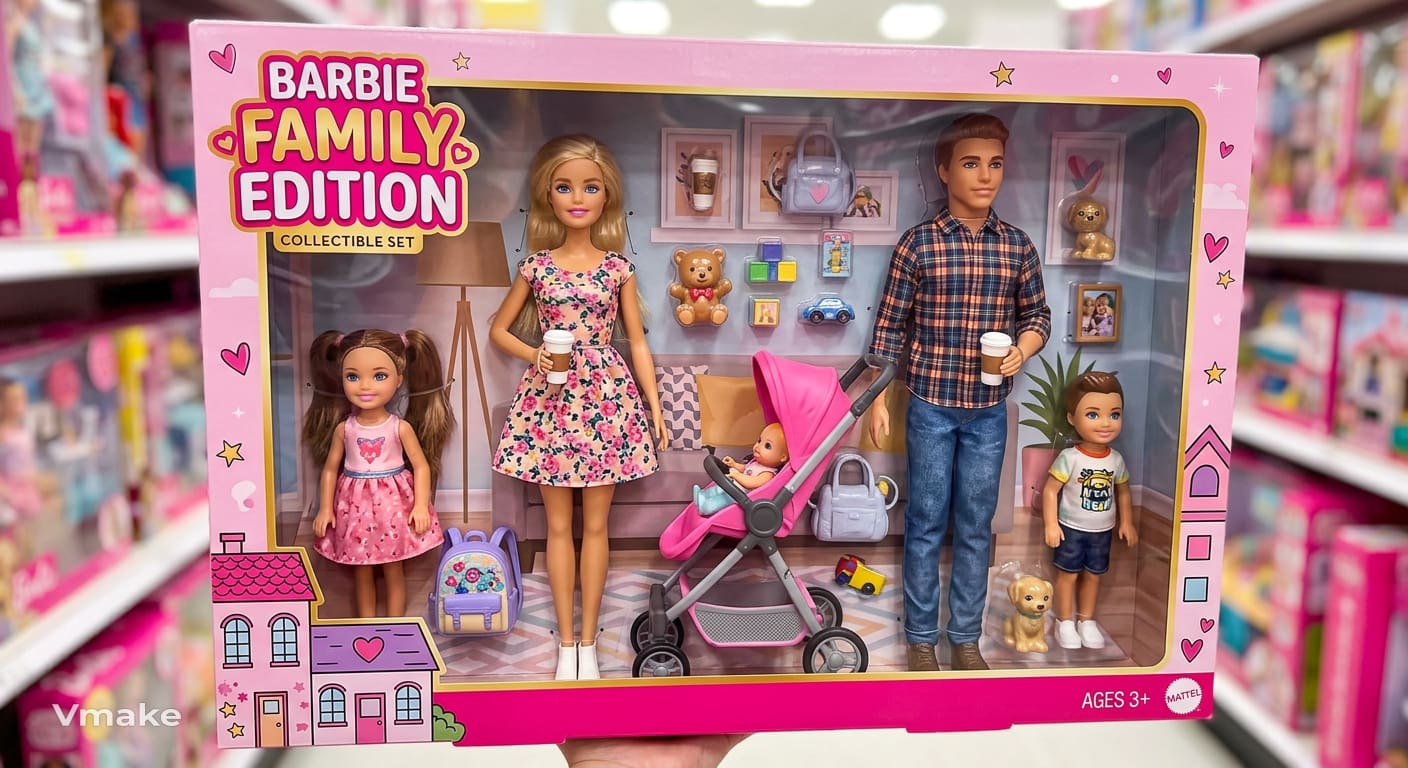
Best friends edition
Create two cool best-friend Barbie dolls in one pink collectible box, each in a different cool outfit. Add smartphones, handbags, coffee cups, sunglasses and a camera. Label the box "BEST FRIENDS EDITION."
Pet edition
Create a Barbie doll and pet in pink retail packaging. The doll is wearing a stylish casual dress and a cute dog is sitting beside her. Add a leash, pet bowl, toy, handbag and coffee mug. Click the box "BARBIE & HER BEST FRIEND."
Create Barbie-style AI images with Vmake Labs
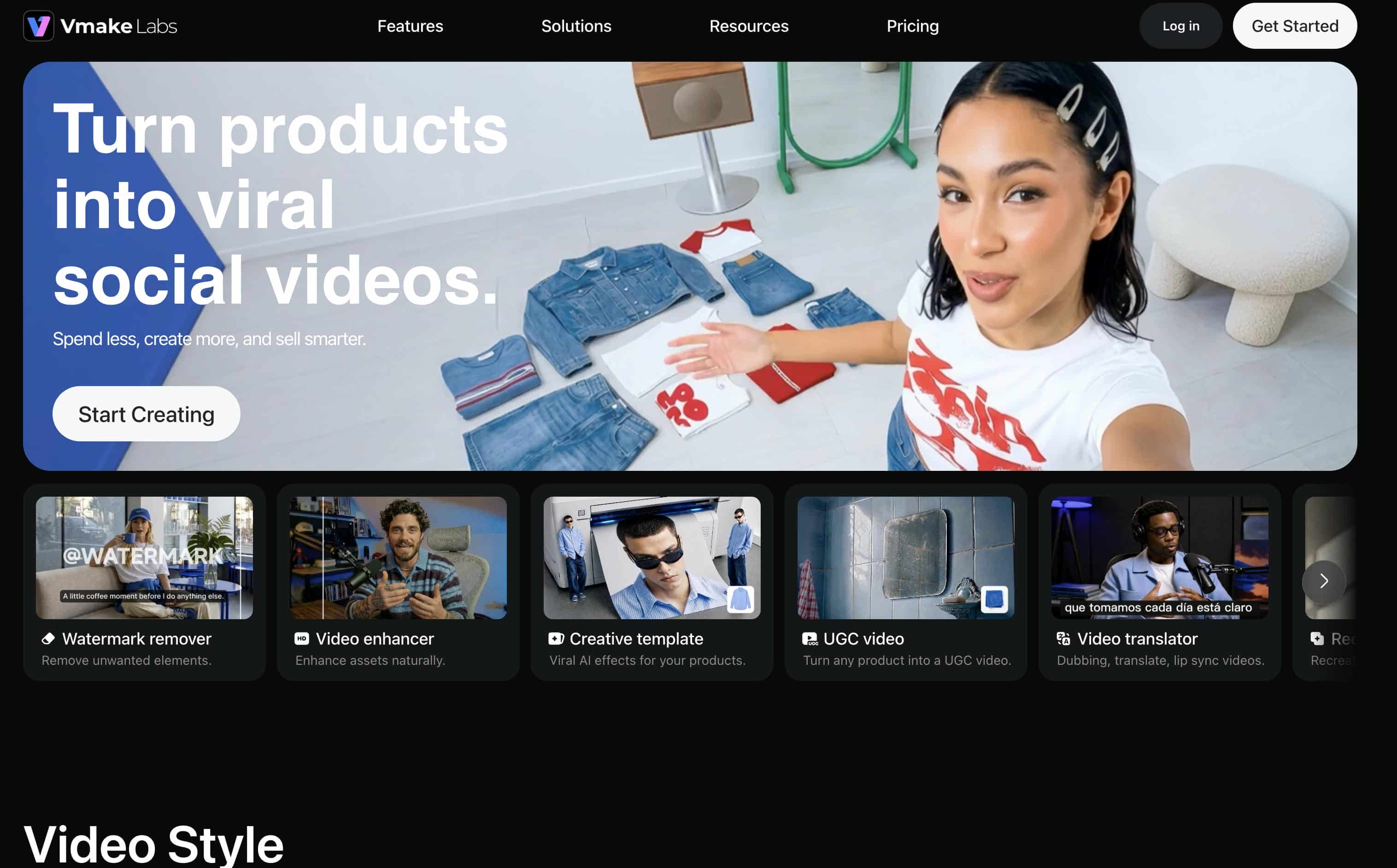
Vmake Labs AI Image Generator helps you turn a ChatGPT Barbie prompt into a personalized Barbie Box image with less manual editing. You can create the doll from text, use one to three reference images to guide its appearance, and choose from multiple AI models to compare different results. This gives you more flexibility to refine details such as the outfit, accessories, packaging, pose, and overall style until the image matches your concept.
Step 1: Choose Text to Image or Image to Image
Choose Text to Image when you want to create the Barbie Box from your prompt. If you want the doll to resemble you or another person, select Image to Image and use one to three reference images to guide the result.
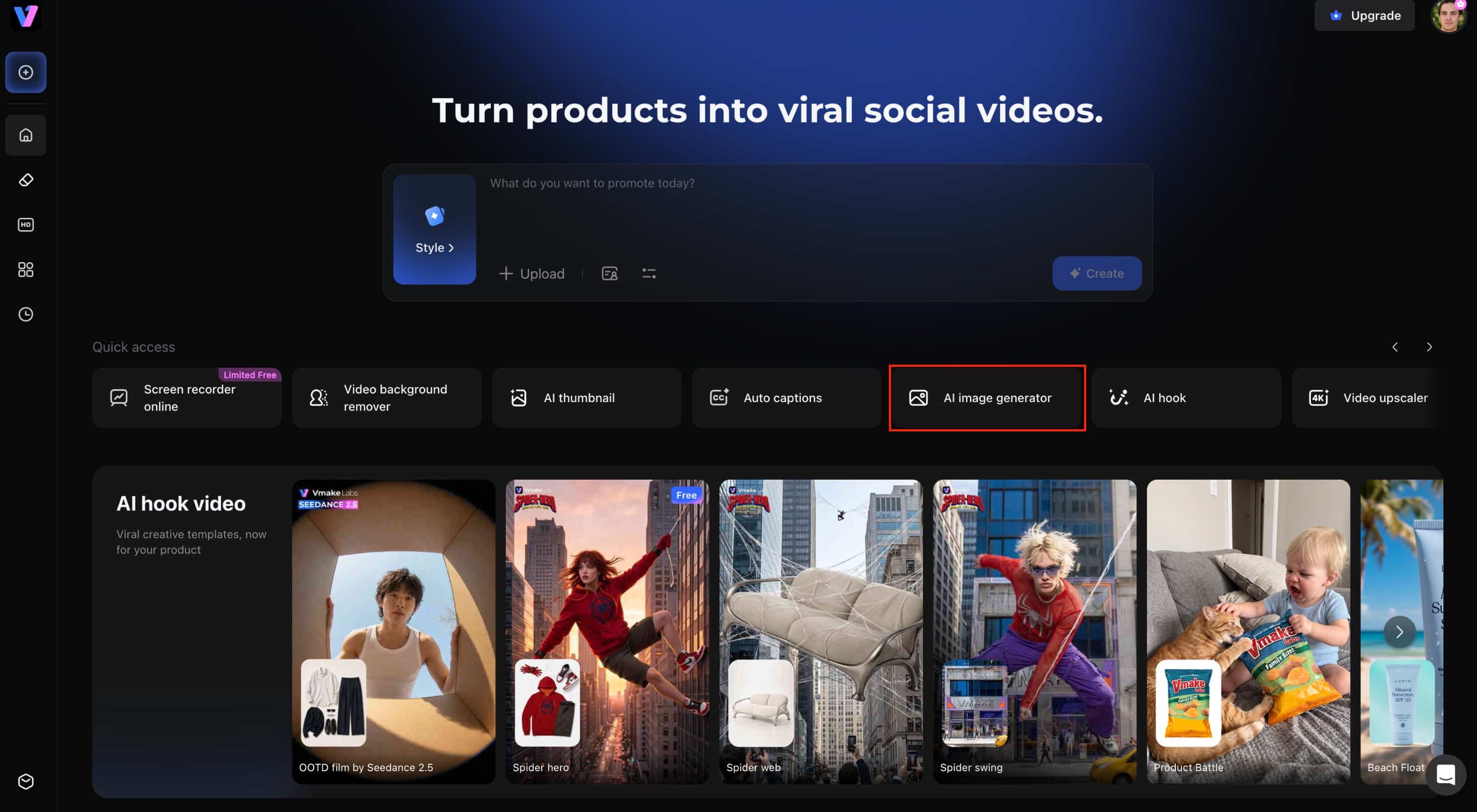
Step 2: Paste your Barbie prompt or upload a photo
Enter your prompt with details such as the character, outfit, accessories, pose, and packaging. For a personalized version, upload your reference photo and describe how you want it transformed into the Barbie Box concept.
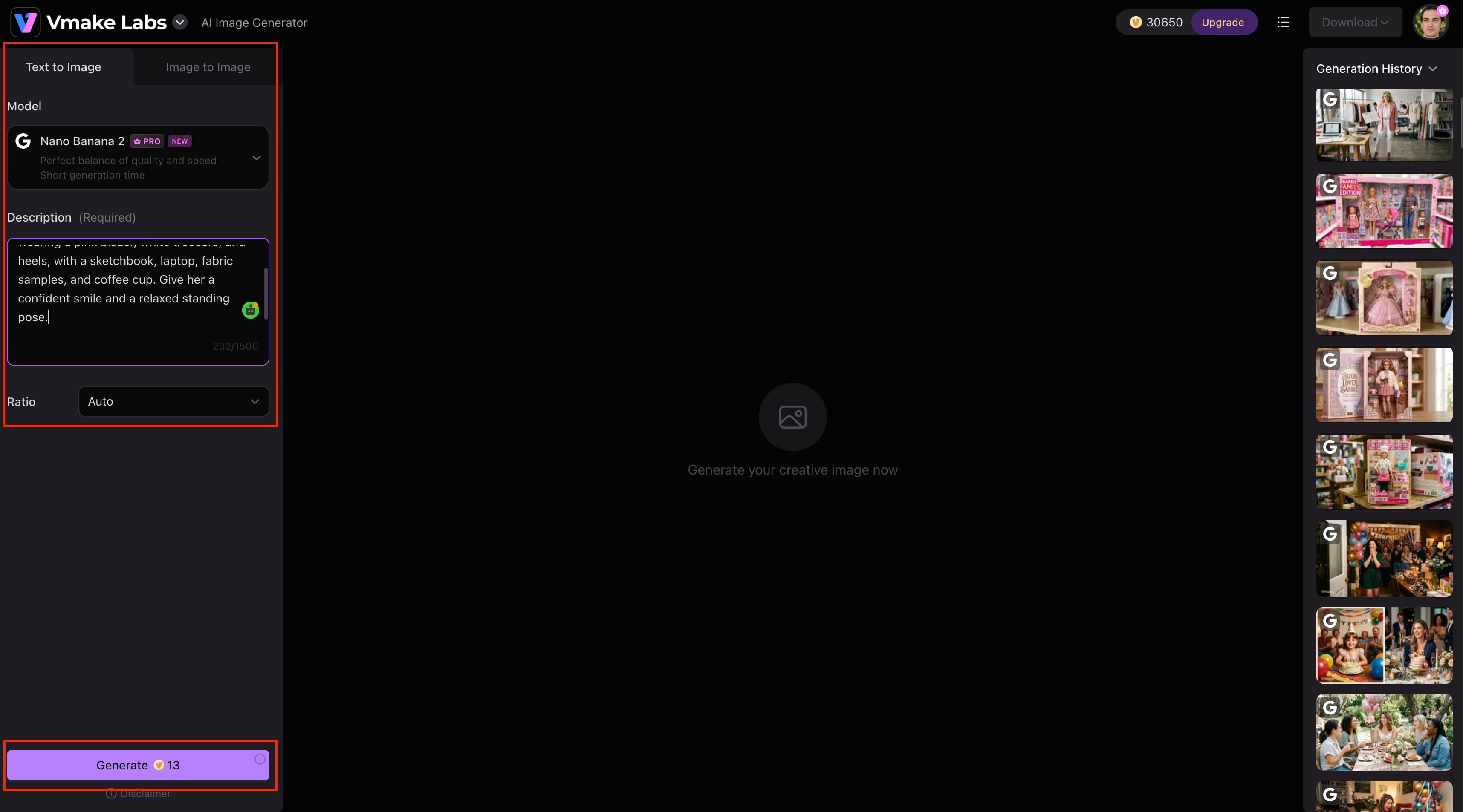
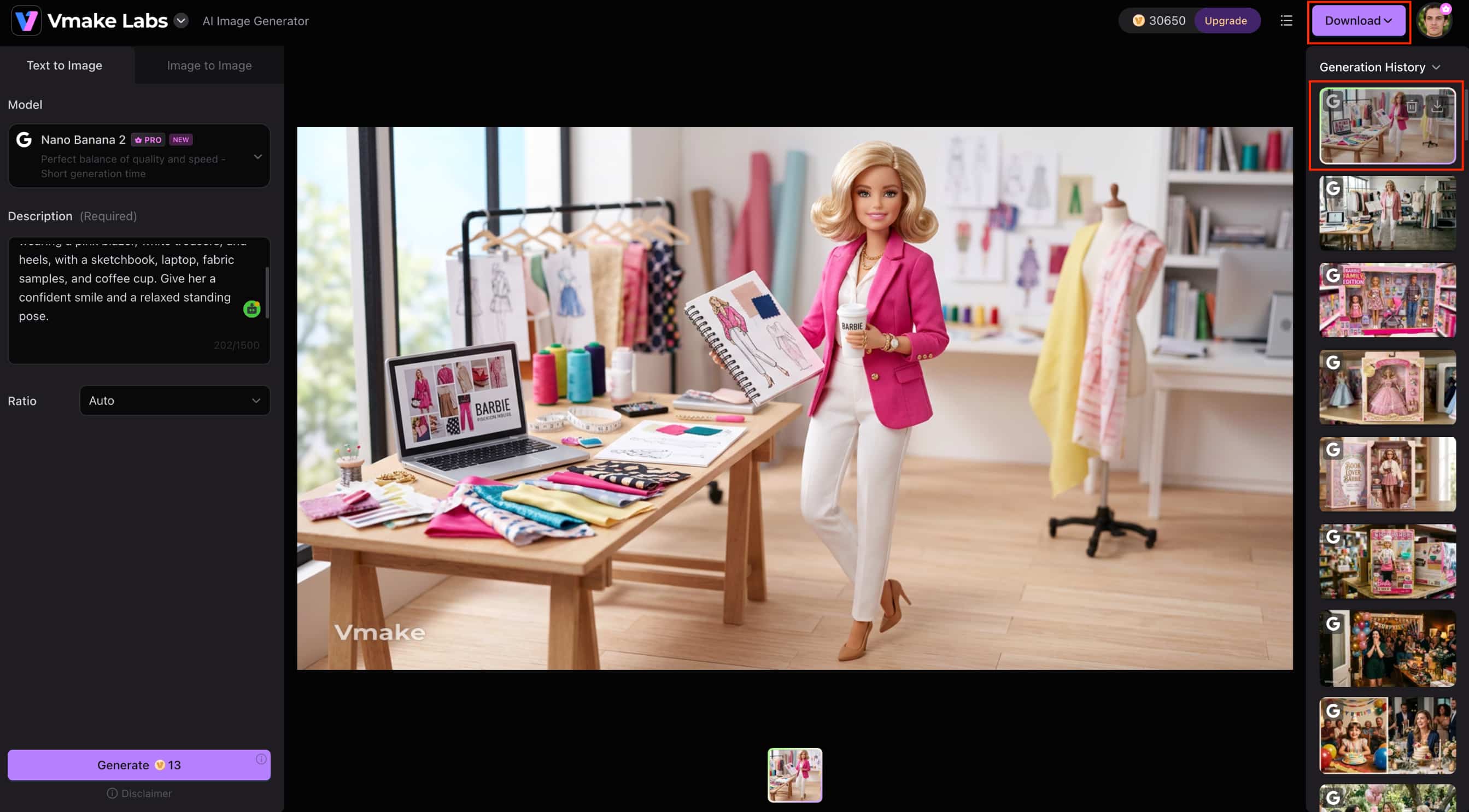
Step 3: Generate and download your image
Choose an AI model and generate the image. Vmake Labs supports multiple models like Nano Banana 2, Nano Banana Pro, Nano Banana, Seedream 4.0 and GPT Image 1, so you can compare outputs and tweak your prompt if needed. Download your image when you are happy with the result.
Key features
-
Text-to-image: Create Barbie Box visuals directly from a written prompt, including the character, outfit, accessories, and packaging.
-
Image-to-image: Upload one to three reference images to personalize your Barbie doll. For clearer references, use Vmake Labs image enhancer.
-
Multiple AI models: Compare results across Nano Banana 2, Nano Banana Pro, Nano Banana, Seedream 4.0, and GPT Image 1 to find an output that fits your concept.
-
Flexible aspect ratios: Choose an image format that suits how you plan to use or share the finished Barbie Box visual.
-
Prompt-based workflow: Refine specific details in your prompt, helping reduce repeated trial and error when adjusting outfits, accessories, poses, or packaging.
-
High-quality image generation: Create polished Barbie Box visuals that can be used for social posts, creative projects, and other visual content.
How to improve your Barbie Box AI images
The first result may not always match your idea perfectly. Instead of rewriting the entire prompt, identify what looks wrong and make targeted changes to the details that affect the final image.
Common mistakes
-
Generic prompts: Avoid vague instructions such as "create a Barbie doll." Mention the character, outfit, accessories, packaging, and pose.
-
Missing accessories: List the important props you want included, so the box does not look empty or incomplete.
-
Plain packaging: Describe the box color, materials, labels, and accessory compartments to create a more convincing retail look.
-
Weak lighting: Add lighting and photography details, such as soft studio lighting or commercial toy photography, to improve the overall presentation.
-
Low detail: Include specific visual details such as clothing textures, packaging materials, facial expressions, and camera angles instead of adding unnecessary adjectives.
Prompt refinement tips
-
Add toy photography style: Use terms such as "realistic toy photography" or "commercial product photography" when you want a polished boxed-doll look.
-
Specify packaging materials: Mention details such as clear molded plastic, glossy cardboard, and separate accessory compartments.
-
Include facial expression: Describe whether the doll should have a confident smile, relaxed expression, or playful pose.
-
Mention camera angle: Try a straight-on product shot or slightly angled front view depending on the composition you want.
-
Generate multiple variations: Keep the main prompt and change one or two details at a time to compare results and find the version you prefer.
Conclusion
Turn a person, profession, hobby or photo into a personalized Barbie Box image with a ChatGPT Barbie prompt. The best results come from describing the character, outfit, accessories, packaging, pose, and style clearly without making the prompt too complicated. Once your prompt is ready, Vmake Labs lets you generate images from text or reference images and compare outputs across multiple AI models. You can also explore Vmake Labs AI Avatar tool for other personalized character visuals.
FAQs
-
What is a ChatGPT Barbie prompt?
A ChatGPT Barbie prompt is an instruction for creating a personalized Barbie-style image. It can describe the character, outfit, accessories, packaging, pose, and visual style. You can use it with Vmake Labs to turn the concept into an AI-generated image.
-
How do I use a ChatGPT Barbie prompt?
Copy a prompt, customize details such as the outfit, accessories, pose, and packaging, and paste it into an AI image generator. With Vmake Labs, you can choose Text to Image to create the concept from scratch or Image to Image to use a reference photo and guide the final look.
-
Can I turn my own photo into a Barbie doll?
Yes. You can use your own photo as a reference and describe the outfit, accessories, pose, and packaging you want. Vmake Labs supports Image to Image generation with one to three reference images for a more personalized Barbie Box image.
-
What should I include in a Barbie Box prompt?
Describe the character, outfit, accessories, pose, packaging, colors, and photography style you want in the image. Adding specific details, such as a profession, signature accessories, or box labels, can make the result more personalized.
-
Can I customize accessories and outfits?
Yes, you can customize clothing, accessories, colors, poses and packaging to suit different themes. Vmake Labs lets you tweak these details using your prompt and compare results across different AI models.
-
Which AI image generator works well for Barbie-style images?
Vmake Labs supports Text to Image, Image to Image, and multiple AI models for creating personalized Barbie Box visuals. You can compare outputs and refine your prompt to find the result that best matches your idea.

You May Be Interested
ChatGPT Christmas Photo Prompts: Create Festive AI Images

Best AI Image Enhancer in 2026: Top Tools to Upscale and Fix Blurry Images
Can ChatGPT Generate Images? Limits & Alternatives
Can ChatGPT Transcribe Audio? Complete 2026 Guide
ChatGPT Image Generator Review: A Complete Hands-on Review
