
Best AI Tools for Fashion Ecommerce in 2026: From Product Images to Marketing Content
Discover the best AI tools for fashion ecommerce in 2026. Compare a tested workflow for product images, AI clothes try-on, marketing creatives, and product videos.

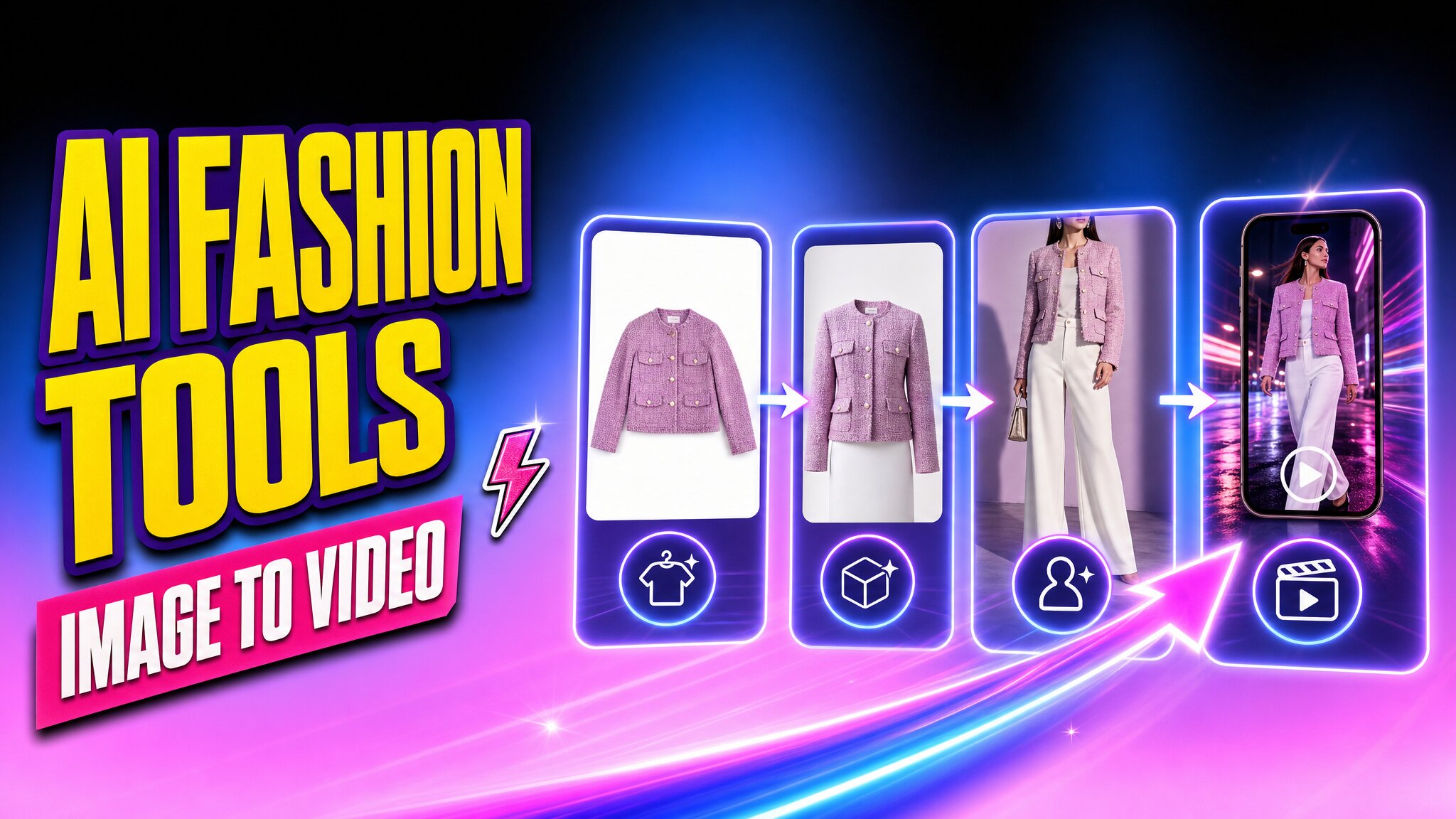
Fashion ecommerce has a content bottleneck.
Today, launching a single SKU can require:
- Clean product images for the PDP
- On-model photos for collection and product pages
- Lifestyle visuals and ad variations for social media
- Short videos for TikTok, Reels, and paid campaigns
Traditional photography cannot always scale fast enough to meet this demand. AI can help, but no single tool is equally strong at every stage of fashion content production.
A more practical approach is to build a specialized workflow:
Product Image → Image Preparation → AI Model / Virtual Try-On → Marketing Creative → Product Video / UGC
We reviewed a range of AI fashion and ecommerce tools and selected four that stood out at different stages of this workflow.
Best AI Tools for Fashion Ecommerce at a Glance
| Workflow Stage | Tool | Best For |
|---|---|---|
| Product Image Preparation | Photoroom | Cleaning and standardizing catalog images |
| AI Model / Virtual Try-On | Koozee | Creating on-model fashion visuals from clothing images |
| Marketing Creative | Flair AI | Expanding product assets into campaign and ad visuals |
| Product Video / UGC | Vmake Labs | Turning existing fashion assets into short-form videos |
Rather than comparing every feature each platform offers, we focused on one question:
Where does each tool provide the most value in a real fashion ecommerce content workflow?
What Does an AI Fashion Ecommerce Workflow Look Like?
Most fashion workflows start with a product image the brand already owns, such as a flat lay, supplier photo, mannequin shot, studio image, or model photo.
From there, AI can extend the same SKU across four stages:
- Prepare the product image: Clean backgrounds, standardize layouts, and create a stronger source asset.
- Create on-model visuals: Turn clothing images into AI model or virtual try-on content.
- Build marketing creative: Expand strong product assets into campaign, ad, and social visuals.
- Create video: Turn the best static assets into product videos, short-form social content, and UGC-style clips.
We evaluated each tool based on where it added the most value in this workflow.
Photoroom — Best for Product Image Preparation
Why We Picked It
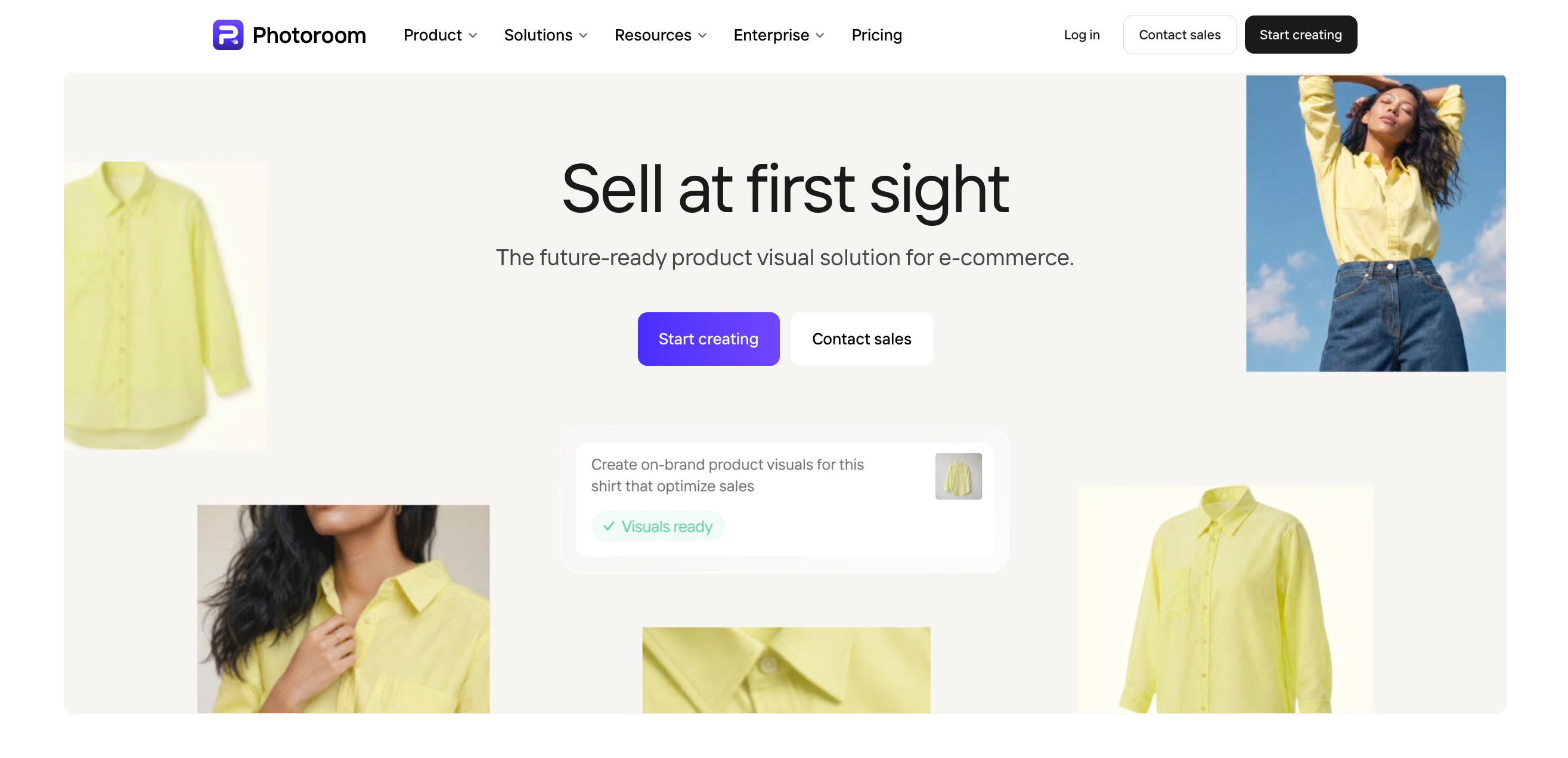
Photoroom works best at the beginning of the workflow, when fashion sellers need to clean and standardize large numbers of product images.
Its batch tools can remove or replace backgrounds, resize images, align products, and apply basic image adjustments across multiple SKUs.
Best Use Case
It is especially useful for sellers receiving inconsistent product images from different suppliers.
Instead of manually fixing every image, teams can use Photoroom to create a more consistent baseline before moving those assets into AI model, campaign, or video workflows.
Best for:
- Background removal and replacement
- Product alignment and resizing
- Basic catalog image cleanup
- Batch editing across multiple SKUs
Trade-offs
Photoroom solves image preparation, not the full fashion content workflow.
A clean product image still does not show how the garment looks on a model or how it might appear in a campaign. Once product cleanup is complete, the next step is usually product presentation.
Verdict
Choose Photoroom when inconsistent or high-volume product imagery is the first bottleneck in your workflow.
Koozee — Best for AI Clothes Try-On and On-Model Fashion Visuals
Why We Picked It
Once a product image is ready, the next challenge for many fashion sellers is creating enough on-model content.
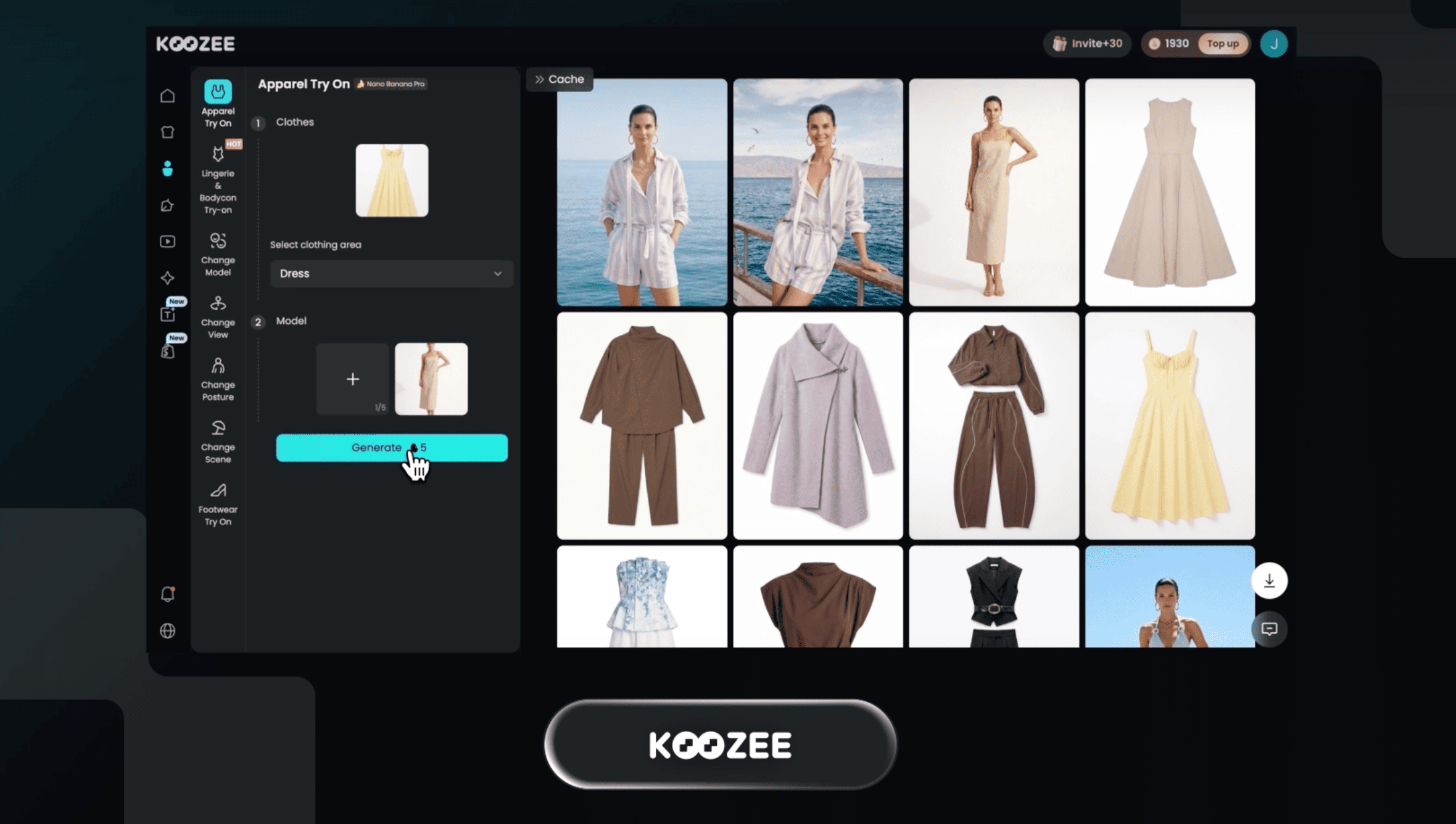
Koozee is an AI visual production platform built specifically for apparel ecommerce, covering workflows such as virtual try-on, AI fashion models, pose variations, and other product and marketing visuals.
For this stage, its AI Clothes Changer is especially relevant. Sellers can upload a garment image and a model photo to create an on-model fashion visual without arranging another full photoshoot.
Best Use Case
Koozee is most useful when a seller already has clean clothing images but does not have enough model photography for every SKU, launch, or campaign.
The core workflow is simple:
Clothing Image + Model Photo → AI Clothes Try-On → On-Model Fashion Visual
These outputs can support:
- PDP and collection pages
- New product launches
- Social media content
- Different model variations
- Ad and campaign testing
What It Does Well
Koozee's main advantage is its apparel-specific workflow.
Its AI Clothes Changer focuses on keeping the garment recognizable while generating a new on-model result. For ecommerce use, details such as garment structure, prints, proportions, fabric appearance, and how naturally the clothing sits on the model still matter.
This makes it useful when the main bottleneck is scaling AI clothes try-on and on-model imagery from existing apparel assets.
Trade-offs
AI virtual try-on still requires review, especially for complex layering, detailed prints, unusual garment construction, or partially hidden clothing.
The output should also be treated as merchandising content rather than an exact simulation of physical sizing.
Verdict
Choose Koozee when you need to turn existing clothing images into more on-model visuals without organizing another full model shoot.
Once the garment is clearly presented on a model, those assets can move into campaign creative, social content, and video production.
Flair AI — Best for Fashion Marketing Creatives
Why We Picked It
Once a brand has strong product or on-model imagery, the next task is often turning those assets into campaign and social creative.
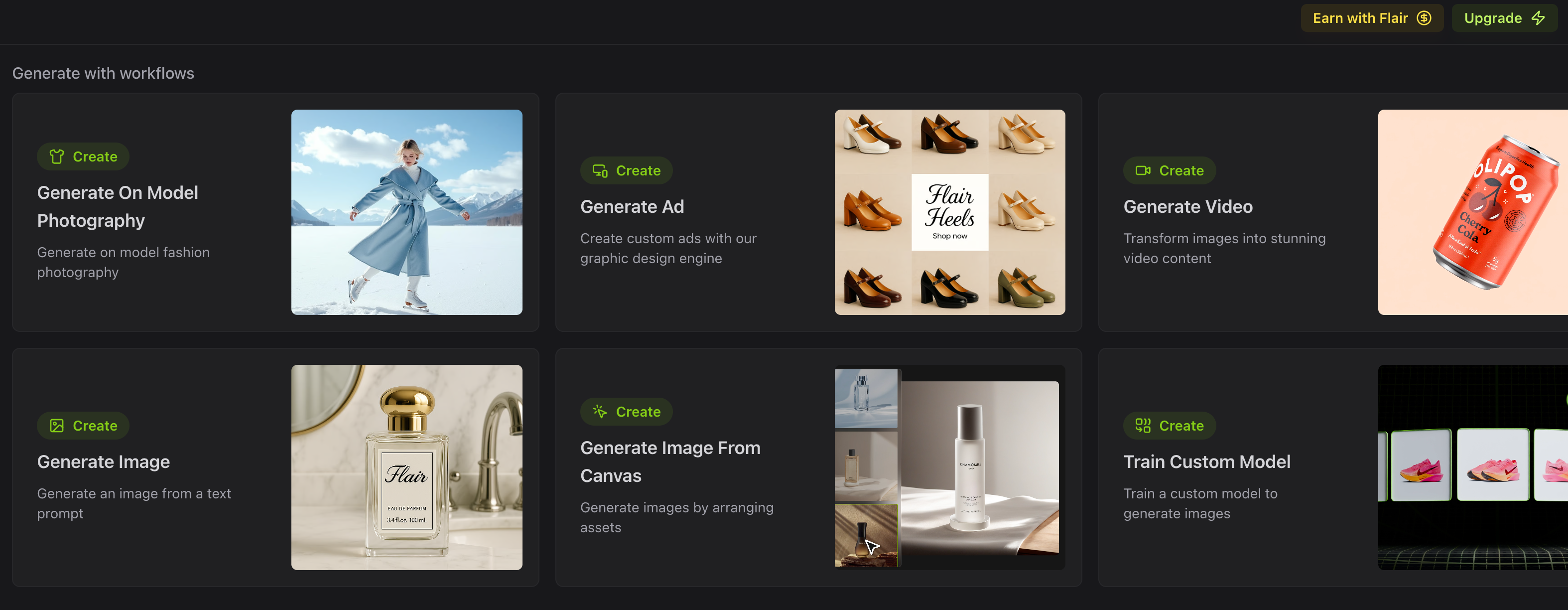
Flair AI focuses on AI product photography, branded scenes, campaign visuals, and reusable creative templates.
Best Use Case
Imagine a brand already has a strong on-model image of a new jacket but now needs several creative directions for a launch.
Flair can help expand that asset into:
- Lifestyle visuals
- Paid-social creatives
- Seasonal campaign images
- Promotional and social content
Its value is less about documenting the product and more about turning one useful asset into multiple marketing directions.
Trade-offs
More generated variations do not automatically mean better creative.
Teams still need to decide which scenes, props, layouts, and concepts fit the brand and campaign. Flair can speed up execution, but it does not replace art direction or campaign strategy.
Verdict
Choose Flair when you already have strong product assets and need to expand them into more campaign and advertising creative.
Once the strongest visuals are ready, the next bottleneck is often video.
Vmake Labs — Best for Fashion Product Videos and UGC
Why We Picked It
By the final stage of the workflow, a fashion brand may already have clean product images, on-model visuals, and campaign creative.
The remaining challenge is motion.
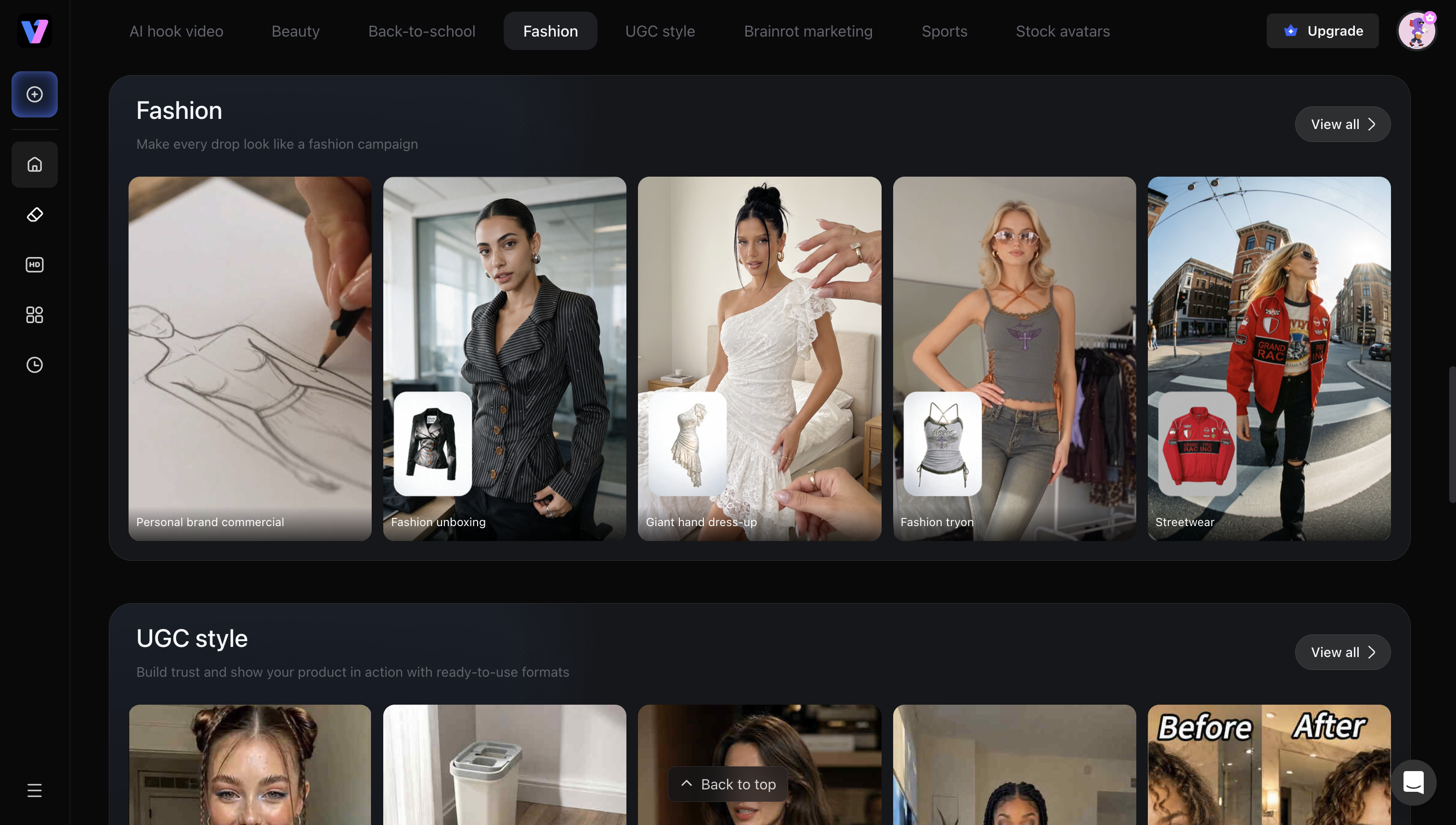
Vmake Labs fits this stage by turning existing fashion assets into product showcase videos, short-form social content, and UGC-style videos.
Best Use Case
Vmake Labs is most useful when a team already has strong static assets but needs more video for channels such as TikTok, Instagram Reels, paid social, and product launches.
Existing product or model images can become inputs for:
- Product showcase videos
- Fashion ads
- UGC-style videos
- Reels and TikTok content
- Launch and promotional videos
What It Does Well
Its main value is helping fashion teams reuse existing creative rather than starting every video from a new shoot.
That makes it useful for scaling short-form content and testing more video directions from assets the brand already owns.
Trade-offs
AI-generated video still requires review.
Movement, camera direction, garment consistency, logos, prints, and small accessories may vary between generations.
Verdict
Choose Vmake Labs when static content is no longer the bottleneck and the main need is producing more product, social, or UGC-style video.
How to Build the Right AI Workflow for Your Fashion Store
You do not need to run every SKU through all four tools.
The right workflow depends on what assets you already have and where the current production bottleneck is.
| Your Content Need | Recommended Workflow |
|---|---|
| Clean product images + on-model PDP visuals | Photoroom → Koozee |
| Launch campaign with images and video | Koozee → Flair AI → Vmake Labs |
| Scale TikTok, Reels, and UGC from existing images | Existing Assets → Vmake Labs |
| Build a complete asset set for a new collection | Photoroom → Koozee → Flair AI → Vmake Labs |
Not every SKU needs to pass through all four tools.
- If your source images are inconsistent: Start with Photoroom → Koozee to clean product images first, then create on-model visuals.
- If you already have strong product photography: Skip image preparation and move directly into Koozee → Flair AI → Vmake Labs for on-model content, campaign creative, and video.
- If video is the main bottleneck: Use your existing product or model assets and go directly into Vmake Labs.
For larger launches, the full workflow can still be useful:
Photoroom → Koozee → Flair AI → Vmake Labs
The best workflow is usually the shortest one that solves the current content bottleneck.
Frequently Asked Questions
What are the best AI tools for fashion ecommerce?
The best tool depends on the stage of content production.
Photoroom is useful for preparing and standardizing product images. Koozee fits AI clothing changes and on-model fashion imagery. Flair AI is useful for campaign and marketing creative. Vmake Labs helps turn existing static product assets into product videos and UGC-style content.
For most fashion stores, combining specialized tools around a clear workflow is more useful than choosing based only on the number of features a platform offers.
What is the best AI clothes try-on tool for ecommerce?
Koozee is one of the more relevant AI clothes try-on tools for fashion ecommerce because it focuses specifically on apparel and on-model fashion content.
Its AI clothes changer lets sellers upload garment and model images to create additional on-model product visuals.
How does virtual try-on work for fashion ecommerce?
AI virtual try-on generally uses a clothing image together with a model or human reference to generate an image showing the garment worn by that person.
For ecommerce teams, the main benefit is content scalability.
Existing product photos can become additional on-model visuals without arranging a completely separate shoot for every SKU or campaign variation.
Generated images should still be reviewed carefully for important garment details before publication.
Can AI turn clothing product photos into model images?
Yes.
Fashion-focused AI tools can use flat lays or standalone clothing images to create model-based product visuals.
The final quality can depend on the source image, garment complexity, pattern detail, pose, and occlusion.
Clear product photography usually gives the AI a better starting point.
Can AI turn fashion product photos into videos?
Yes.
AI video tools can use existing product images to generate product showcases, short-form social videos, fashion ads, and UGC-style content.
Vmake Labs, for example, allows fashion teams to reuse existing product assets rather than treating every video as a completely separate production.
Conclusion: Build a Fashion Content Workflow, Not Just a Tool Stack
The best AI tool for fashion ecommerce depends on where your content bottleneck sits.
Photoroom prepares cleaner product assets. Koozee expands clothing images into on-model visuals. Flair AI turns those assets into campaign creative. Vmake Labs brings static fashion content into video and UGC-style formats.
Together, they support a simple workflow:
Product Image → Prepare → Try On → Expand → Animate
But not every product needs every step.
Start with the assets you already have, identify the stage slowing your team down, and use the shortest workflow that solves it.

You May Be Interested

Z Image AI Review 2026: Features, Performance, Pros and Cons

Yodayo AI Review 2026: Features, Pricing, and Alternatives
X-Design Watermark Remover Review (2026): Features & Pricing

Vidu AI Review: Is This AI Video Generator Worth in 2026?
Vadoo AI Review 2026: Features, Pricing and Alternatives

VEED Review: Does the Watermark Remover Work? (2026)

Vivideo AI Review 2026: Features, Pricing and Alternatives

Unlucid AI Review: Is this AI platform worth it in 2026?
