Aqua Voice Speech to Text Tool: 2026 Features and Workflow Breakdown
The Aqua Voice speech to text tool is perfect for live dictation. To convert pre-recorded media, the Vmake Labs Video and Audio to Text tool easily transcribes any uploaded video or audio file.

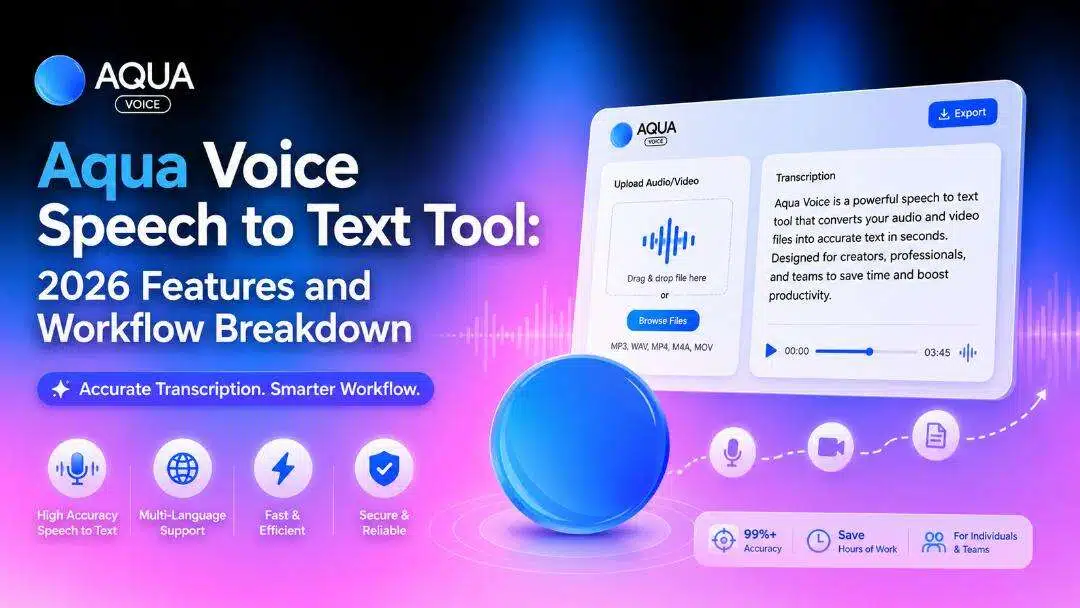
The Aqua Voice speech to text tool is becoming a popular choice for professionals who prefer speaking instead of typing. This guide explores its core capabilities, practical applications, and where a complete multilingual video translation workflow becomes a better choice.
What is the Aqua Voice speech to text tool?
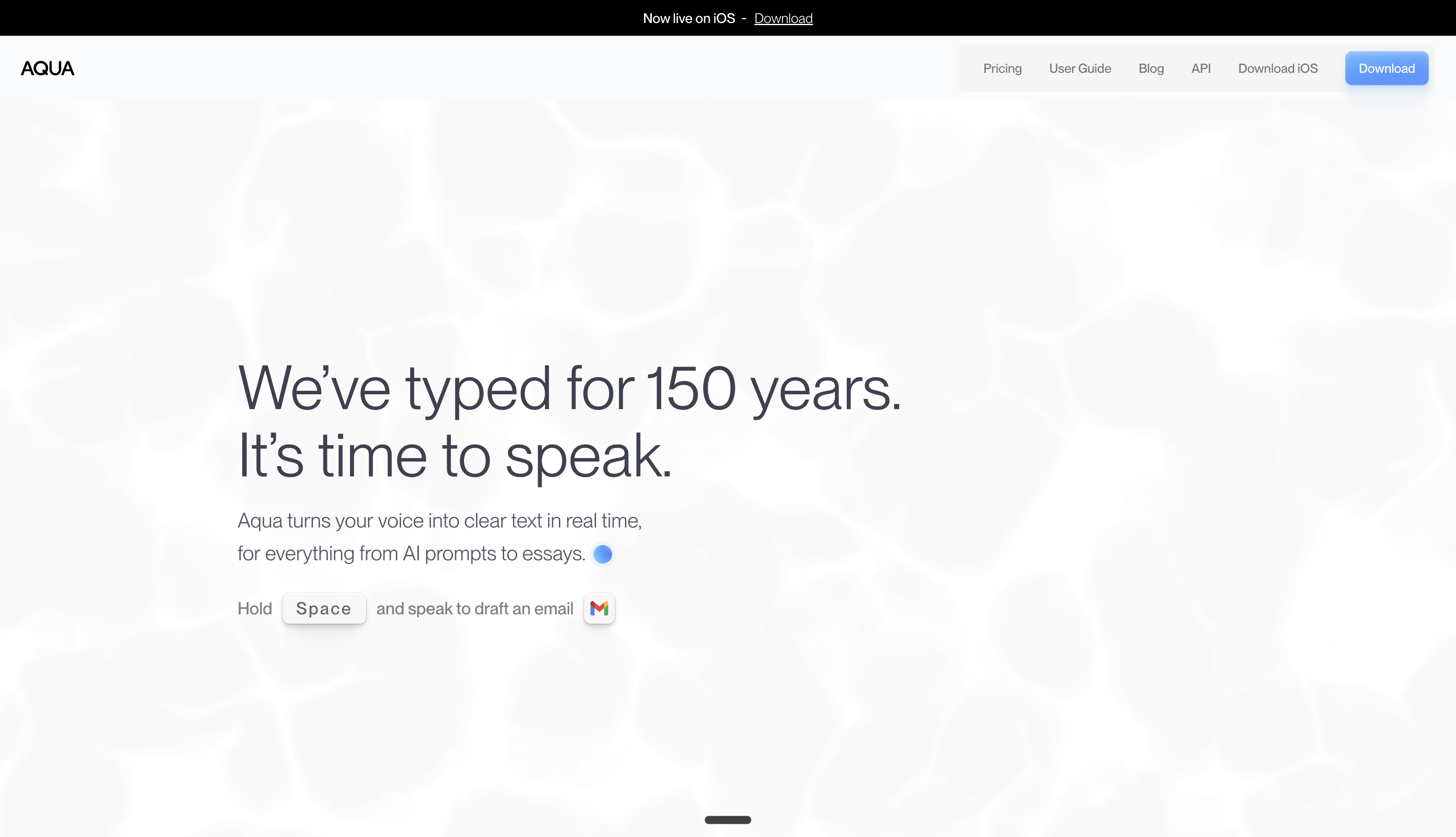
Aqua Voice represents a modern approach to voice dictation, allowing individuals to draft documents and write emails using natural speech patterns rather than manual typing. It targets professionals seeking hands-free productivity across major desktop environments.
Why Aqua Voice is gaining popularity:
-
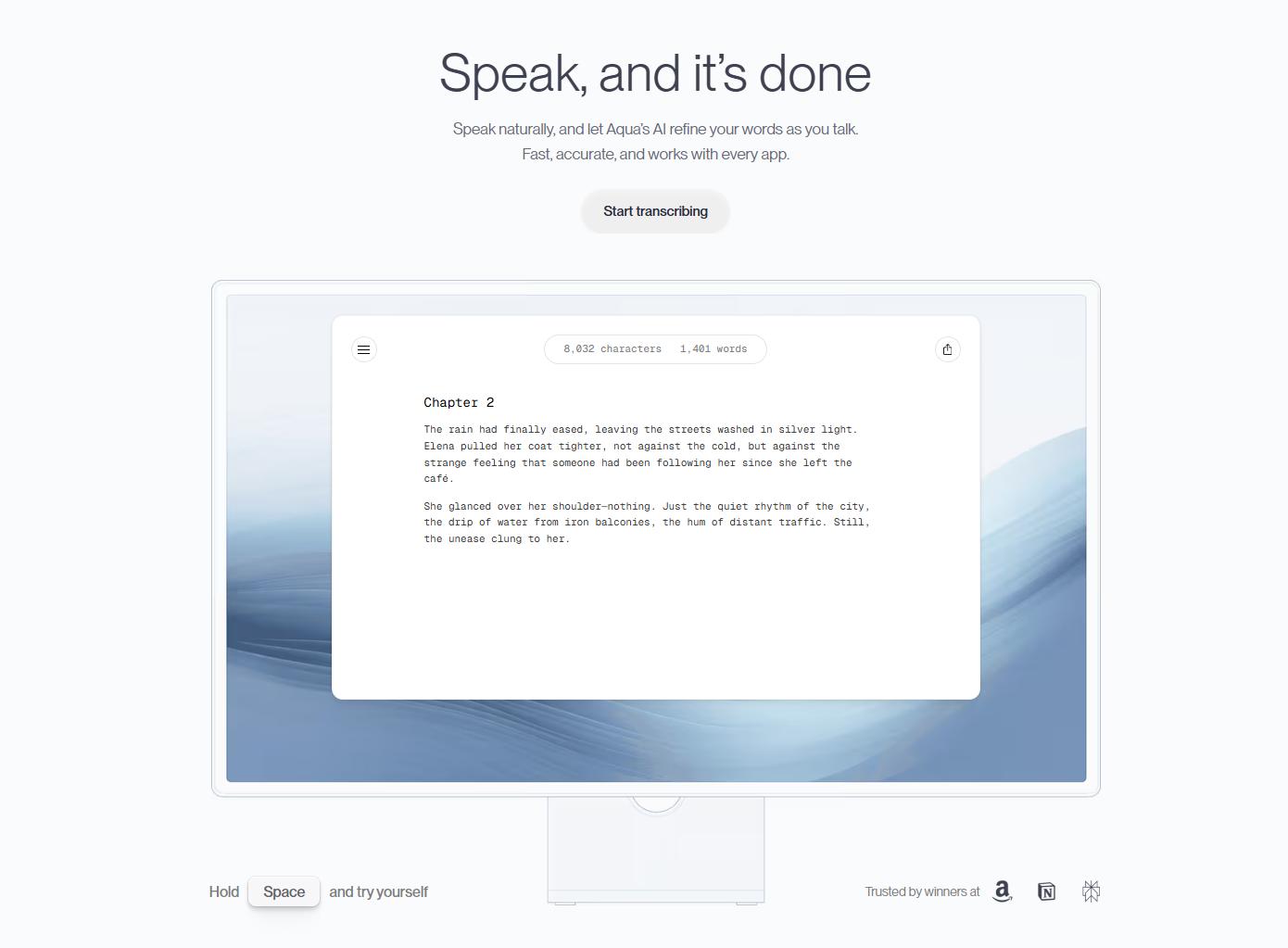
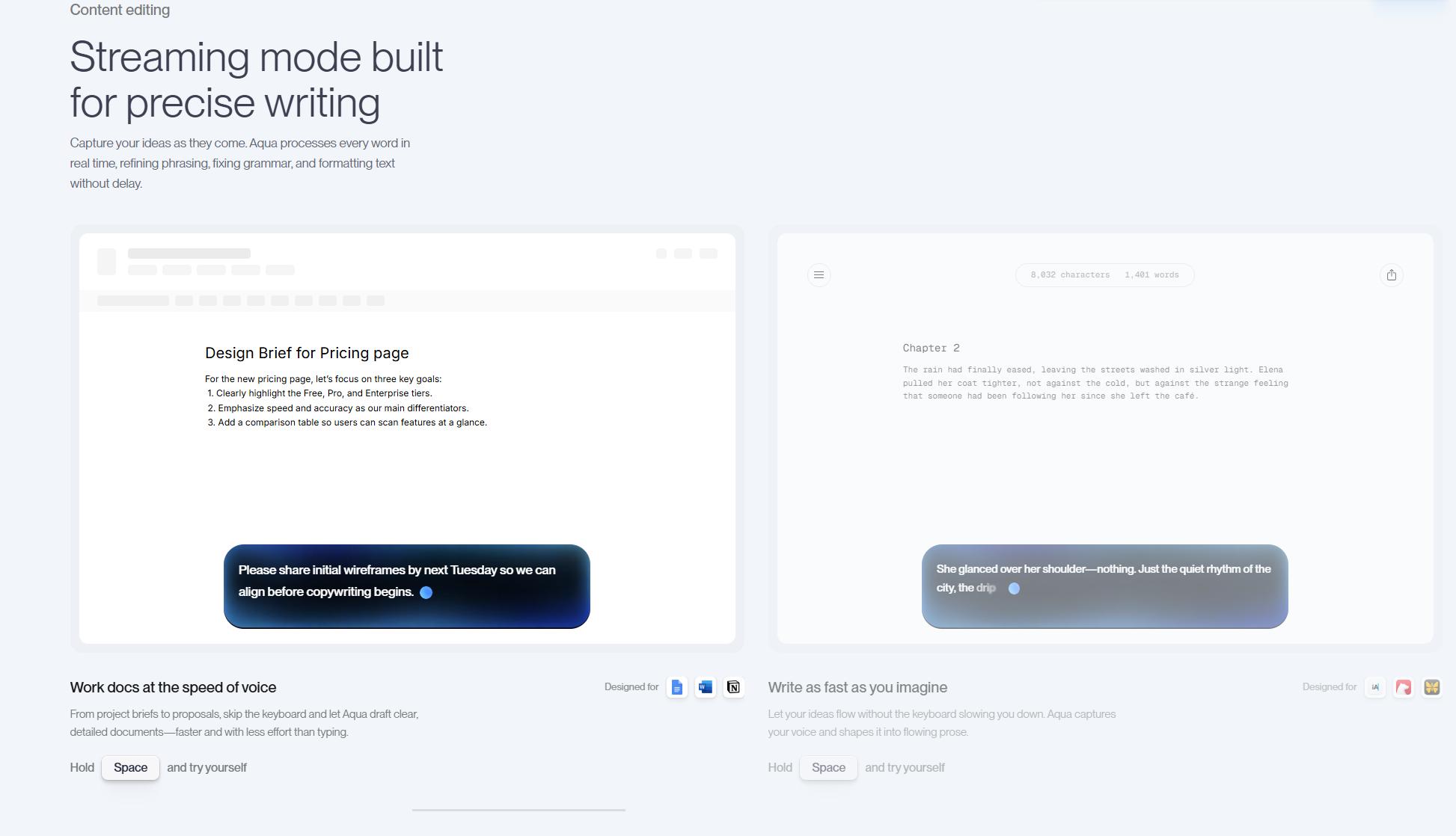
AI-powered speech recognition: The system leverages advanced AI models to understand context and syntax, significantly reducing the frequent errors commonly seen in older transcription software. It handles complex sentences with high precision.
-
Natural language dictation: Instead of rigidly memorizing specific system commands, individuals can speak naturally, and the engine interprets the intended formatting effortlessly. This fluidity lowers the learning curve for new adopters.
-
Voice-based editing commands: The application allows revising text on the fly by simply instructing the software to delete the last sentence or change a specific word. Editing becomes a seamless part of the dictation process.
-
Cross-application compatibility: Seamless integration across various productivity applications ensures that dictated text lands directly into the desired text field without manual copy-pasting. It works well with standard browsers and text editors.
-
Productivity-focused workflow: By removing the physical barrier of a keyboard, the software helps writers and developers maintain their train of thought. This results in faster drafting phases for lengthy documentation.
Aqua Voice pricing, plans, and platform availability
Understanding the pricing structure and system compatibility helps determine if the Aqua Voice speech to text app fits specific technical requirements.
Pricing and Plans
The platform offers structured options ranging from individual testing tiers to robust corporate deployment packages. Here is a simplified pricing table:
|
Plan Tier |
Price |
Included Features |
|---|---|---|
|
Starter |
Free |
1,000 free words, Aqua Engine, 5 Custom Dictionary values |
|
Pro |
$8 /month (billed annually) |
Unlimited words, Aqua Engine, Avalon model, 800 Custom Dictionary values, Tune with Custom Instructions |
|
Team |
$12 /month (billed annually) |
Centralized team billing, Team-wide settings, Enforce privacy mode org-wide |
|
Enterprise |
Custom |
SSO/SAML + SCIM, Zero Data Retention, Advanced Reporting, Team-Wide Dictionaries, Volume Discounts |
Platform Availability
The application is accessible directly via modern web browsers for universal compatibility. For a more integrated experience on mobile devices, users can utilize the official application available on iOS. Additionally, dedicated desktop applications are available for macOS and Windows, requiring a standard account sign-in to sync preferences and custom vocabularies.
Key features of Aqua Voice speech to text
-
Technical accuracy: The Avalon model achieves 97% accuracy on technical jargon and API endpoints. This high precision makes it highly reliable for developers drafting complex technical documentation.
-
Deep context awareness: The engine reads the active screen to accurately format output based on the environment. Whether coding in a specialized IDE or chatting in a workplace messenger, the text adapts to the specific context.
-
Multilingual support: The system supports 49 languages with automatic translation active during the dictation process. Global teams can communicate effortlessly across borders without needing secondary translation applications.
-
Low latency: The architecture delivers sub-500ms response times for real-time streaming dictation. Fast processing ensures the spoken words appear on screen almost instantaneously to keep up with rapid speech.
Is Aqua Voice the right speech-to-text tool for your workflow?
Rather than asking whether Aqua Voice is good or bad, it's more helpful to evaluate where it performs best. While it excels at voice-driven writing and editing, some workflows may require additional capabilities beyond text transcription.
|
Workflow |
Is Aqua Voice Suitable? |
Why |
|---|---|---|
|
Writing articles and blogs |
Excellent |
Converts spoken ideas into polished text quickly. |
|
Email drafting |
Excellent |
Speeds up everyday communication with voice commands. |
|
Meeting notes |
Good |
Captures spoken content for later editing and organization. |
|
Coding documentation |
Good |
Helps document projects without constant typing. |
|
Academic research |
Good |
Useful for brainstorming and drafting notes. |
|
Podcast transcription |
Moderate |
Primarily designed for live dictation rather than complete media workflows. |
|
Video localization |
Limited |
Doesn't provide subtitle translation, dubbed audio, or lip synchronization. |
Who should use Aqua Voice?
Aqua Voice fits anyone looking to replace heavy typing with fast, natural speech. It is particularly valuable for professionals who need to maintain their creative or logical flow without a keyboard slowing them down.
-
Writers and bloggers: This tool helps creators blast through blank-page anxiety by capturing raw ideas as fast as they can speak. It turns spontaneous thought into clean prose, cutting down the time spent on initial drafting.
-
Students and researchers: Academics can easily dictate extensive field notes, lecture summaries, or complex essay outlines. The software accurately captures dense academic vocabulary, saving hours of manual transcription later.
-
Business professionals: Managers and executives use voice input to clear out cluttered email inboxes and send quick workplace updates. Dictating directly into tools like Slack keeps communication fast and keeps projects moving.
-
Software developers: Programmers can dictate inline documentation and technical project specs without breaking their coding flow. The engine handles specialized terminology and API syntax cleanly, making documentation less tedious.
-
Customer support teams: Agents can draft comprehensive troubleshooting replies and ticket notes while actively solving customer problems. It turns casual spoken explanations into professional text, speeding up resolution times.
Aqua Voice: Pros and cons
|
Pros |
Cons |
|---|---|
|
Excellent real-time dictation accuracy |
Cannot natively process pre-recorded media files |
|
Context-aware formatting for different apps |
Requires a stable internet connection to function |
|
Allows hands-free text editing and revision |
Limited utility for video localization workflows |
|
Fast response times under 500ms |
Subscription required for unrestricted daily usage |
Aqua Voice clearly excels at live, hands-free text generation for daily tasks. However, if the project involves transcribing existing media files or extracting subtitles from a finished video, a different approach becomes necessary. This is exactly where Vmake Labs provides a specialized solution tailored for post-production workflows.
Transcribe spoken videos and audios into text with Vmake Labs
While live dictation has its merits, handling pre-recorded files requires a dedicated solution designed specifically for post-production efficiency.
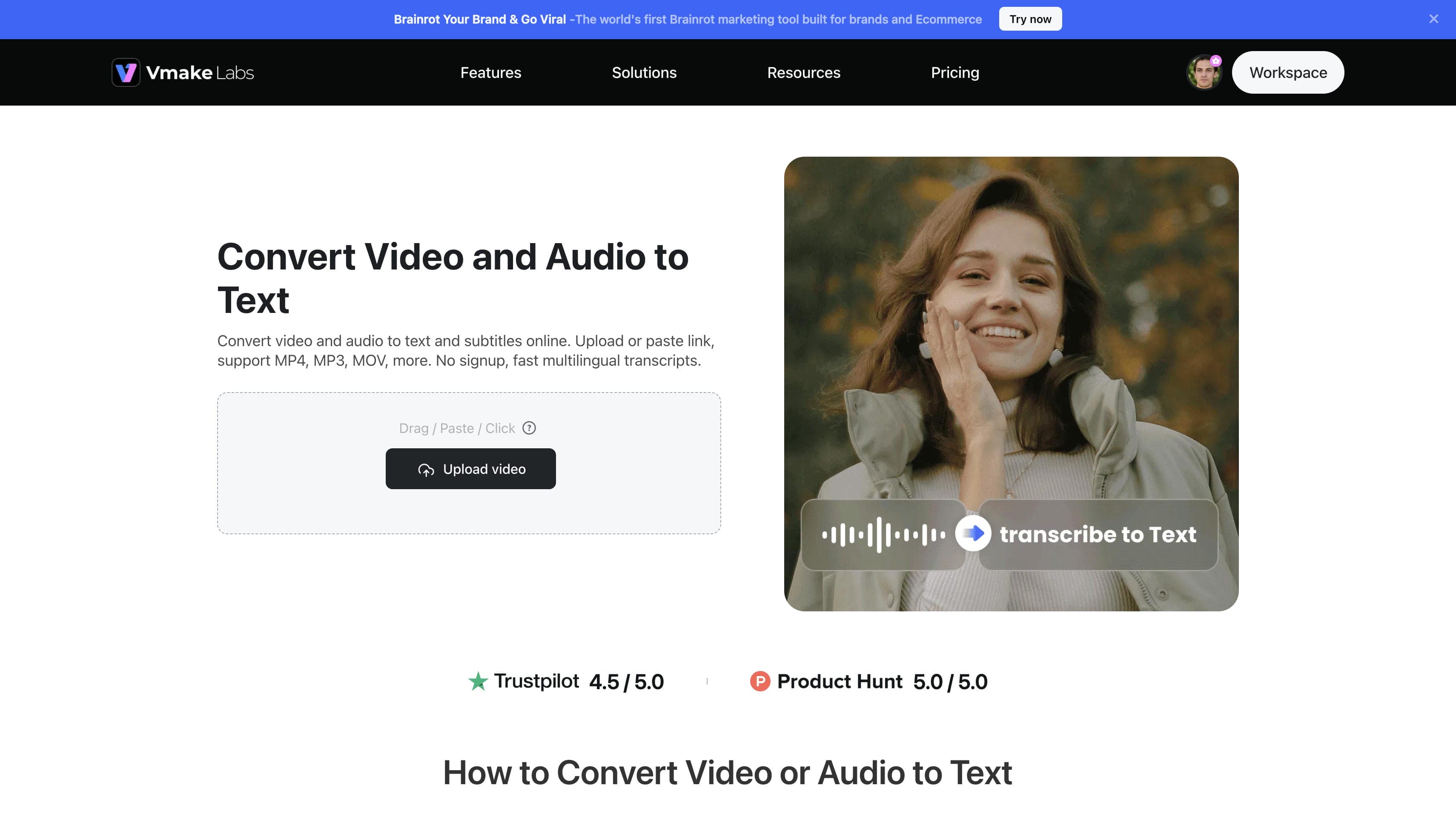
When processing pre-recorded files, the Vmake Labs Video and Audio to Text tool provides an exceptional alternative to live dictation apps. It excels at extracting spoken words from existing media, offering rapid AI-driven transcriptions with high accuracy. Content creators and editors utilize this platform to generate synchronized subtitles and readable documents effortlessly. The system streamlines the post-production process by turning lengthy media assets into easily editable text formats.
Key features of Vmake Labs Speech-to-text
-
Fast & accurate AI transcription: The advanced engine quickly scans uploaded media to produce highly precise text documents. Knowing exactly how to transcribe a video to text effectively reduces the time spent on manual corrections significantly.
-
Wide format and link support: The platform accepts various local media formats and allows direct URL pasting from popular platforms. This flexibility eliminates the need to download heavy files before initiating the transcription process.
-
Multi-lingual transcription: The platform recognizes and processes multiple global languages seamlessly. Utilizing dedicated voice translation capabilities ensures that international content reaches a wider audience effortlessly.
-
SRT subtitle generation: The system automatically generates timestamped subtitle files ready for immediate export. Editors frequently rely on a robust AI subtitle generator to finalize their multimedia projects efficiently.
How to transcribe videos with Vmake Labs Speech-to-text
Converting your media files into accurate text documents is a straightforward process when using the Vmake Labs platform. The system handles multiple inputs efficiently, allowing you to streamline your transcription and subtitle generation tasks in just a few actions.
-
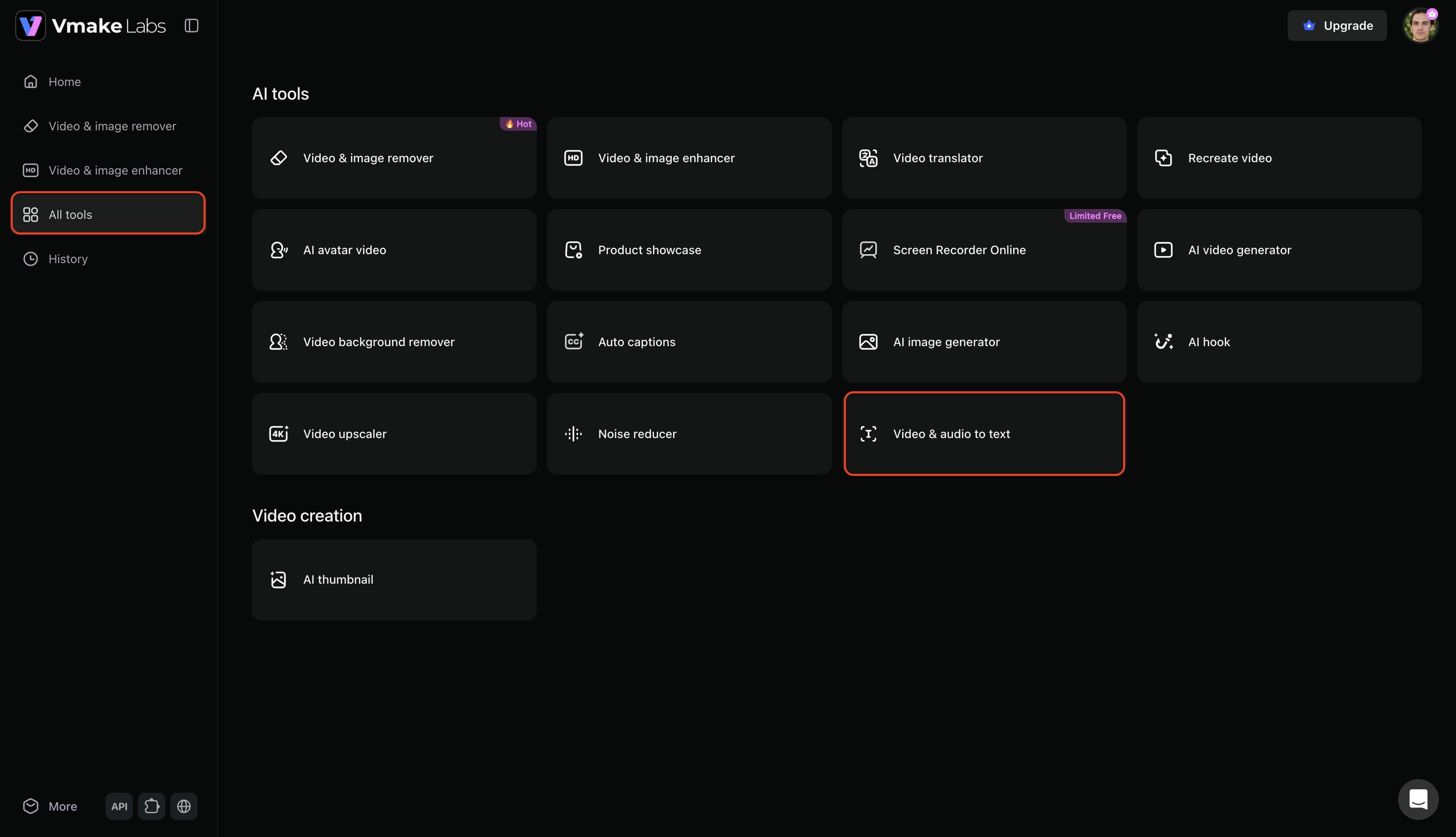
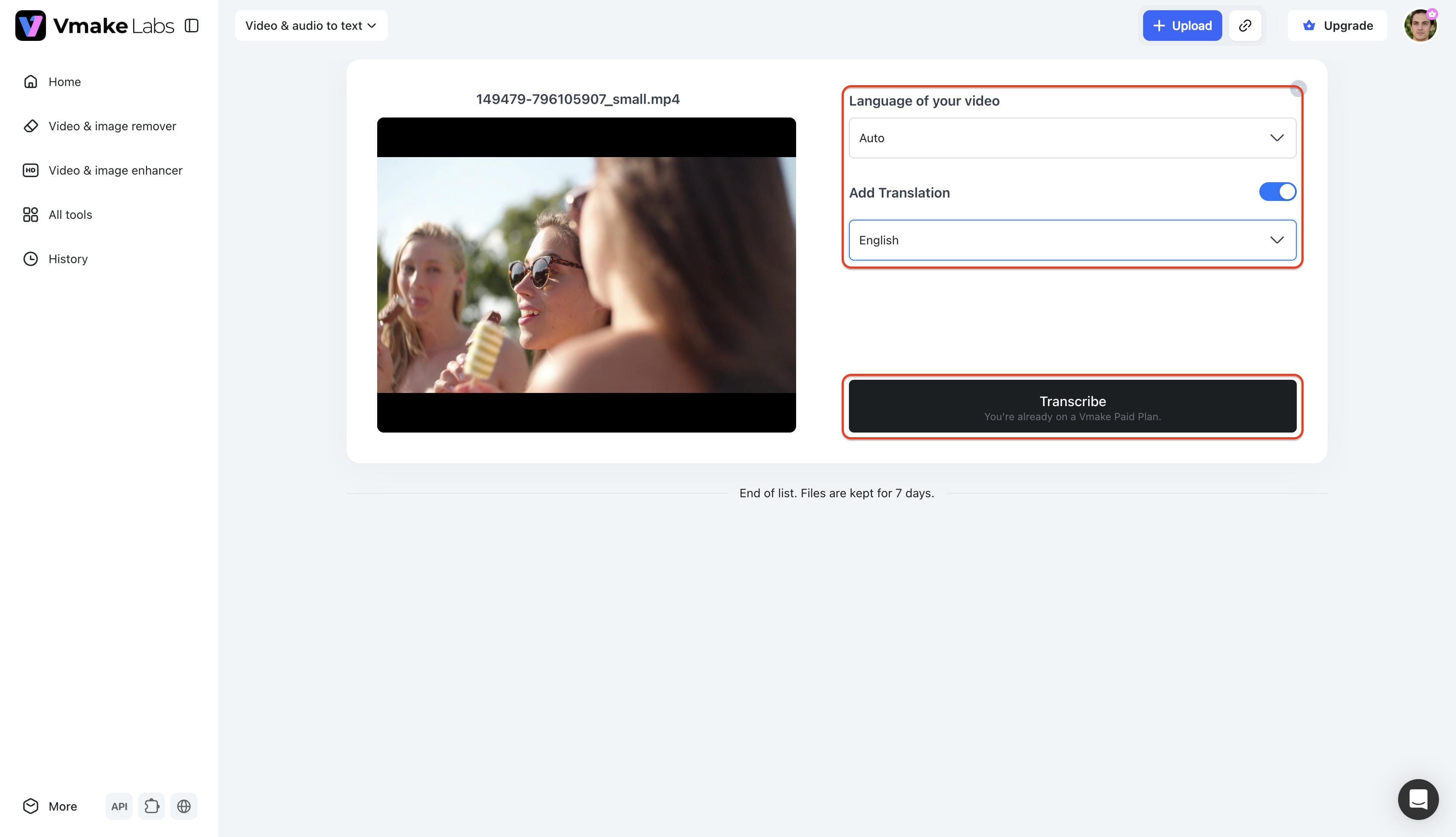
Step 1: Locate the transcription feature inside the dashboard:
Log into your Vmake Labs account and select All tools from the left-hand menu. From the AI tools list, choose the Video & audio to text option.
-
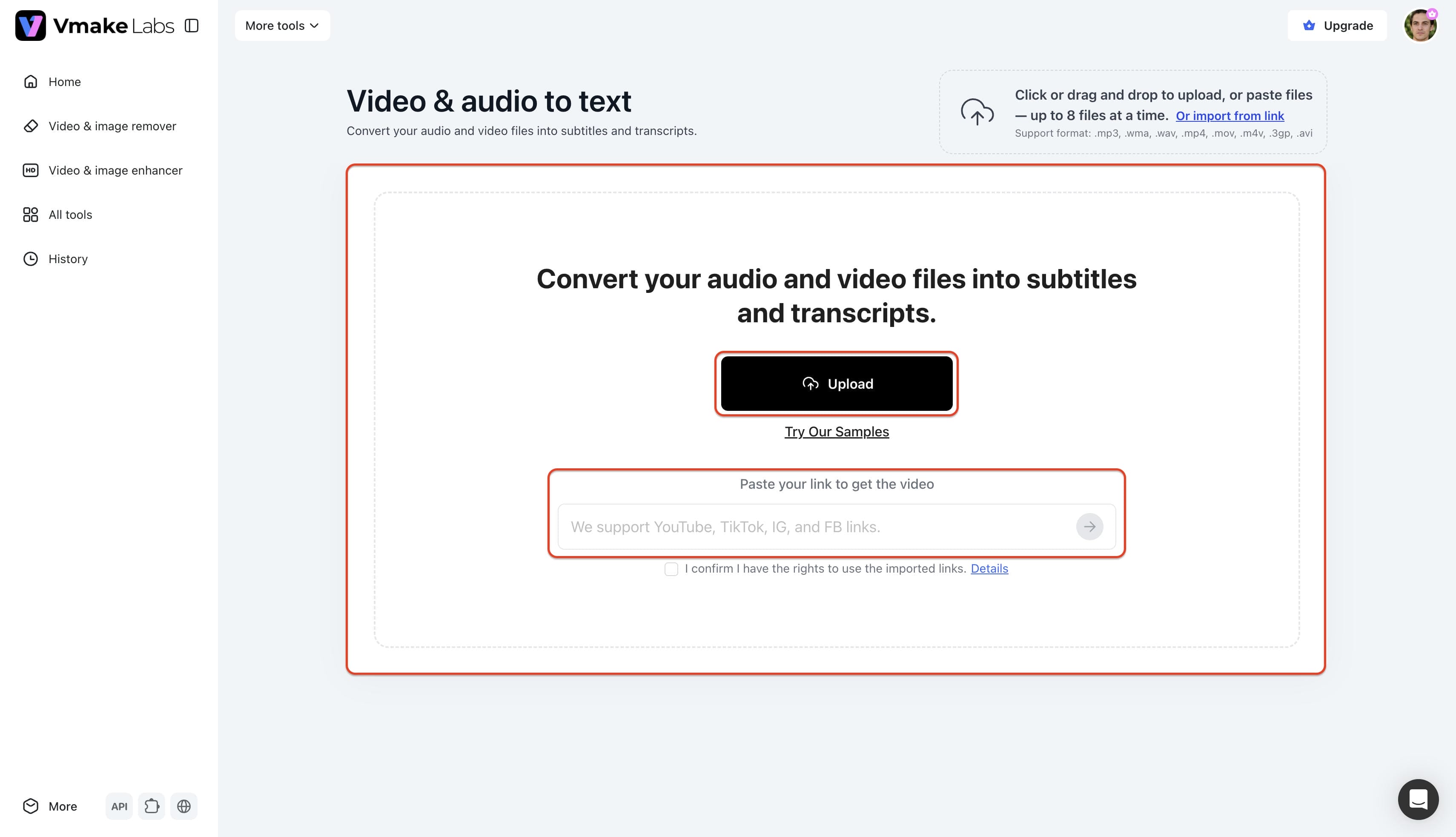
Step 2: Import your multimedia files or web URLs:
Upload up to three audio or video files simultaneously. Alternatively, you can paste up to 3 web links to transcribe.
-
Step 3: Configure language settings and download your text:
Select your source language (or choose "Auto"), toggle Add Translation if needed, and click Transcribe. Once the process is complete, export the final text file to your device.
Aqua Voice vs Vmake Labs
Comparing these two platforms highlights their distinct strengths, especially when deciding whether to perform live dictation or create subtitles for a video in post-production.
|
Feature |
Aqua Voice |
Vmake Labs |
|---|---|---|
|
Primary Use Case |
Live voice dictation |
Pre-recorded media transcription |
|
Input Method |
Real-time microphone input |
File uploads (MP4, MP3, WAV, etc.) |
|
Batch Processing |
Single continuous dictation stream |
Processes up to 3 files simultaneously |
|
Translation Capabilities |
Real-time translation while speaking |
Post-upload translation for media files |
|
URL / Web-link Import |
Does not support media links |
Directly extracts from up to 3 pasted web links |
|
Subtitle Generation |
No |
Yes (Exports directly to SRT format) |
|
Contextual Editing |
Yes (Uses voice formatting commands) |
Yes (Features a dedicated text editor) |
|
Workflow Integration |
Desktop applications and live text fields |
Post-production and video editing workflows |
|
Platform Accessibility |
Dedicated macOS/Windows apps and browser |
Universal web-based browser interface |
|
Best For |
Hands-free document drafting, live note-taking, and active voice-driven editing |
Content creators, video editors, and repurposing existing audio/video assets |
Conclusion
In summary, the Aqua Voice speech to text tool serves as a highly capable solution for real-time desktop transcription and hands-free dictation. It is uniquely tailored for professionals needing to convert spoken thoughts into text dynamically. However, when workflows require processing pre-recorded files rather than live dictation, Vmake Labs offers a more suitable fit. It provides automated transcription and direct SRT subtitle generation for multimedia assets, ensuring content creators can finalize projects without relying on real-time speech input.
FAQs
Does Aqua Voice support multiple languages for dictation?
Yes, the application supports up to 49 languages, allowing seamless dictation and automatic translation during the speaking process for global communication.
Can Aqua Voice recognize punctuation and formatting commands?
The system utilizes natural language processing to intelligently apply punctuation based on conversational context, minimizing the need to manually speak punctuation marks.
How does Aqua Voice compare with built-in dictation tools?
It generally offers higher accuracy for technical jargon and provides deeper context awareness, adapting the text format to the specific application actively being used.
Can Aqua Voice be used with third-party writing and productivity apps?
The software integrates smoothly with most desktop applications, allowing dictated text to populate directly into browsers, coding environments, and messaging platforms.
What can improve speech recognition accuracy in Aqua Voice?
Using a high-quality external microphone and speaking clearly in a quiet environment significantly enhances the engine's ability to capture complex sentences accurately.

You May Be Interested
Canva Audio to Text Converter: Complete Guide & AI Alternative
ElevenLabs Audio to Text: Complete Guide to AI Alternative
How to Transcribe Audio to Text: Efficient Guide
How to Transcribe Audio Recording to Text in Minutes

Vidnoz AI Video Generator Review 2026: Pros, Cons & Best Alternative
What Is Video Translation and How Does AI Work?