Airbrush Photo Restoration Review: Can it Revive Your Old Memories?
Discover how to revive your vintage photos. This guide covers the pros and cons of Airbrush photo restoration and introduces a top-tier alternative, such as Vmake Labs, to easily enhance your old photos.

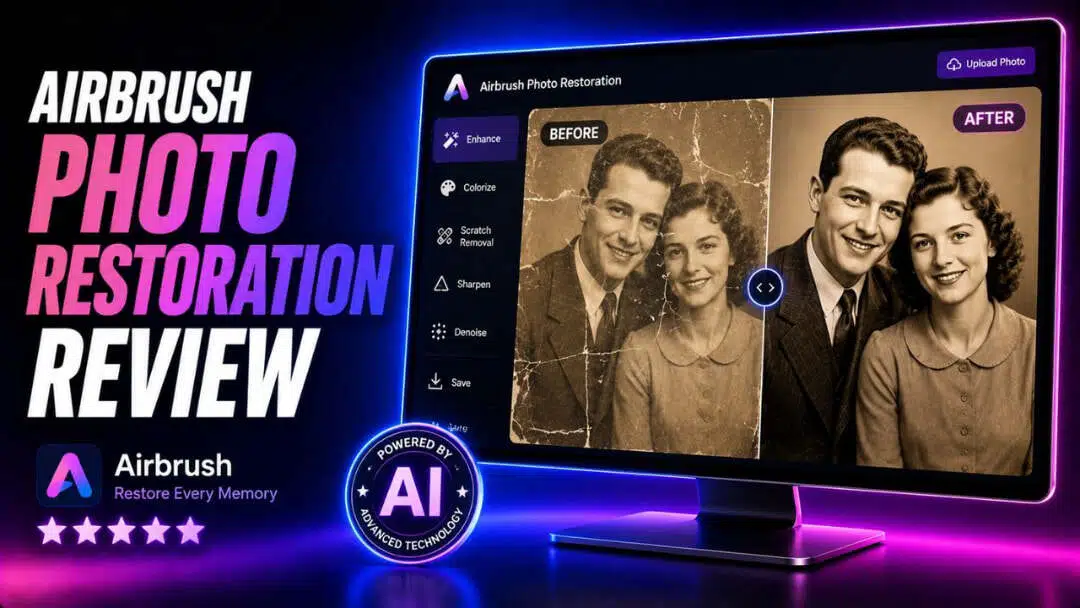
Old photographs often fade, blur, or develop scratches over time, making treasured memories harder to appreciate. AI-powered restoration tools simplify the process by automatically repairing common photo damage. AirBrush Photo Restoration is one such option designed for everyday users. This review explores its features, ease of use, pricing, strengths, limitations, and how it compares with Vmake Labs for restoring old photographs.
What is Airbrush AI Photo Restoration?
AirBrush Photo Restoration is an AI-powered feature within the AirBrush photo editing platform that helps improve old, damaged, or low-quality photographs. It automatically detects common issues such as fading, blur, scratches, dust marks, and low resolution, then enhances the image with minimal manual editing.
Available through mobile apps and the web version, AirBrush combines restoration with additional editing features like retouching, background editing, and color enhancement, making it suitable for both old family photos and recently captured images.
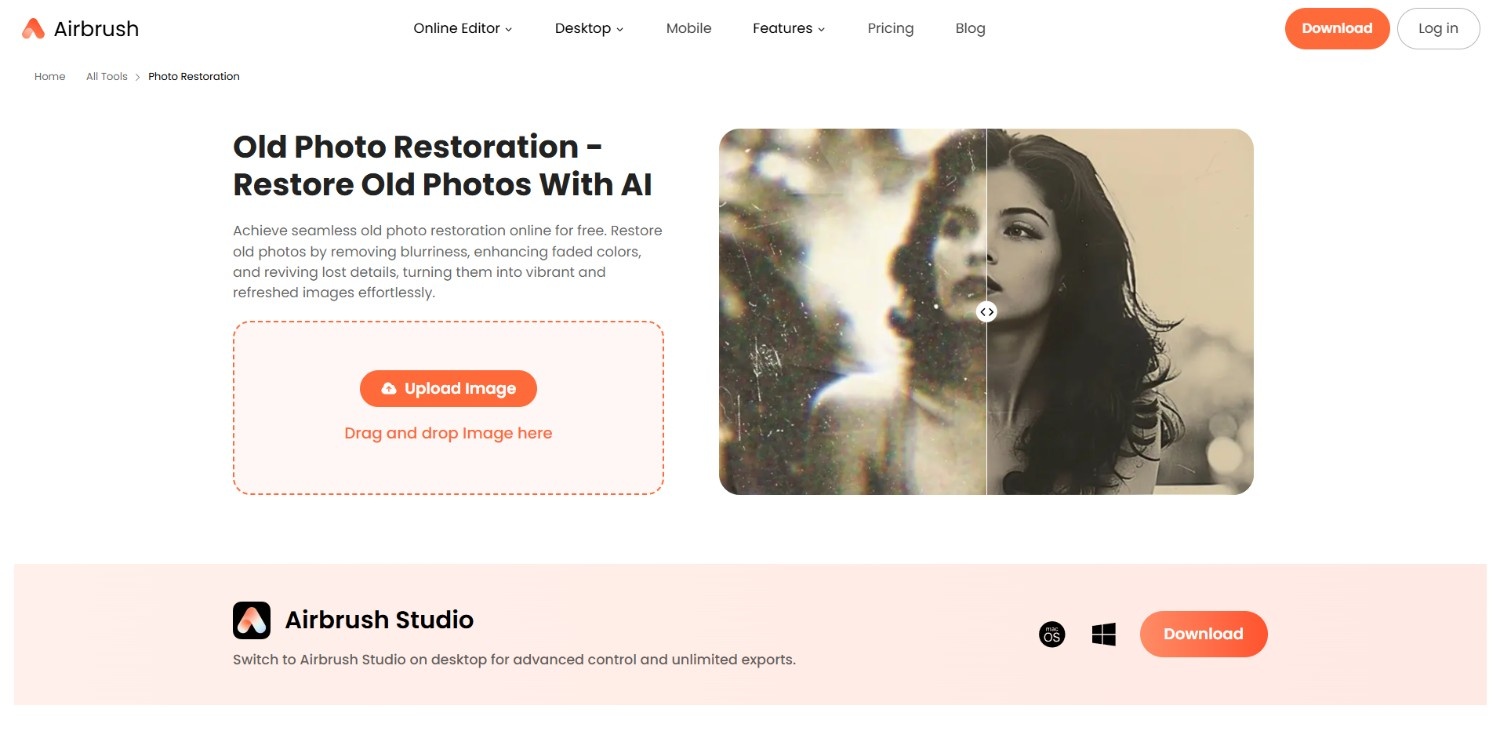
Key features of Airbrush Photo Enhancer
AirBrush focuses on automated restoration, allowing users to improve aging photographs in just a few clicks. Some of its most useful restoration features include:
-
AI photo restoration
The AI automatically detects faded colors, scratches, blur, and aging artifacts before applying intelligent enhancements that improve overall image quality without requiring manual editing or advanced editing knowledge.
-
Automatic color enhancement
The restoration engine adjusts brightness, contrast, and color balance to revive faded photographs, producing more vibrant images while maintaining a natural appearance suitable for family archives.
-
Image sharpening
AirBrush improves soft or blurry details by enhancing facial features, textures, and edges, helping older photographs appear clearer while preserving the original composition whenever possible.
-
One click processing
Users simply upload a photo, choose the restoration feature, and let AI process the image automatically, making restoration accessible even for beginners with no editing experience
How to use Airbrush Photo Restoration in 3 easy steps?
Step 1: Access the Airbrush photo restoration tool and upload a photo
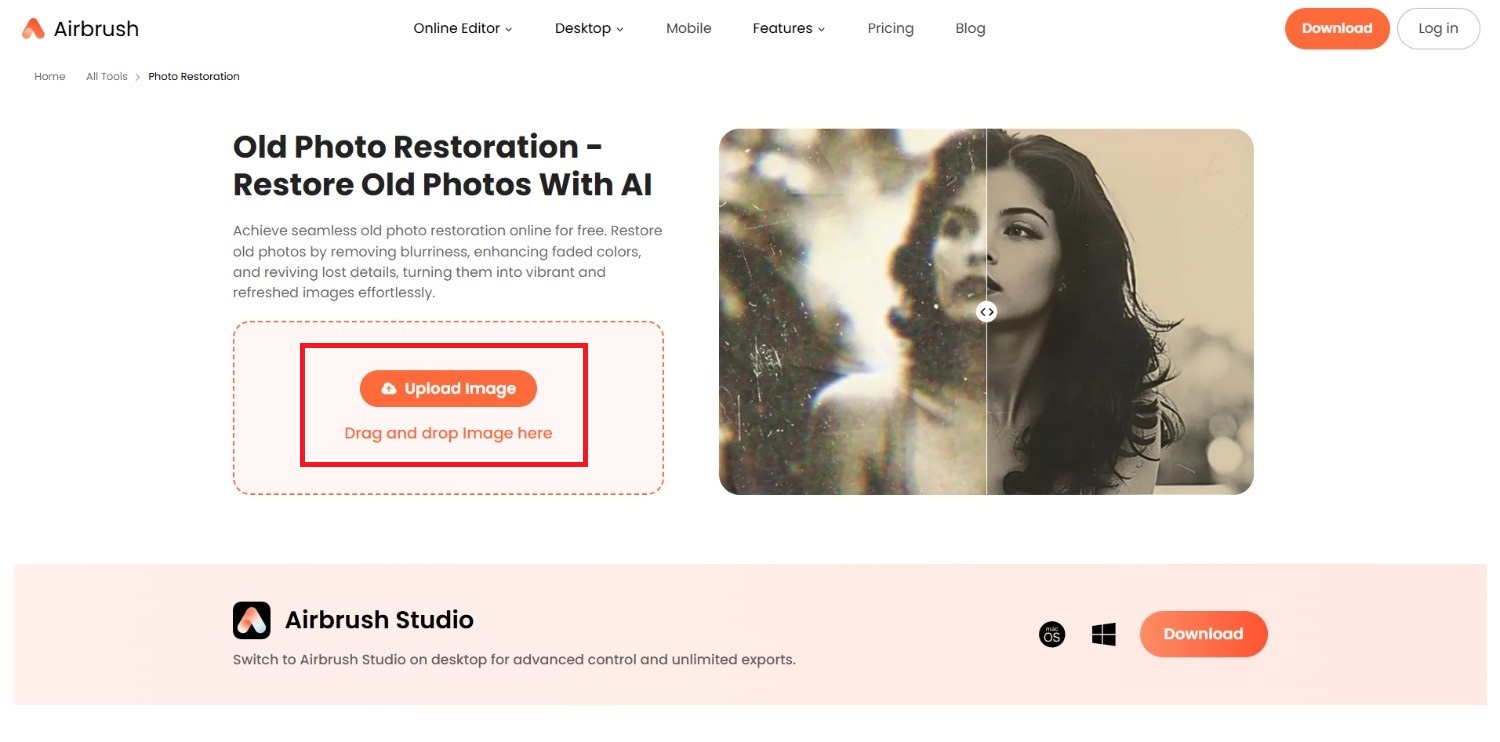
Begin your journey by first accessing the Airbrush photo restoration tool from its official website. Once done, you need to click on the "Upload image" button to start uploading your old photo. Keep in mind that there is no batch upload feature available for free.
Step 2: Restore the old image of yours
In the next step, after uploading, you need to ensure that the "Restore" toggle is turned on. Additionally, you can also colorize your old photo, by simply hitting the toggle button for "Colorize".
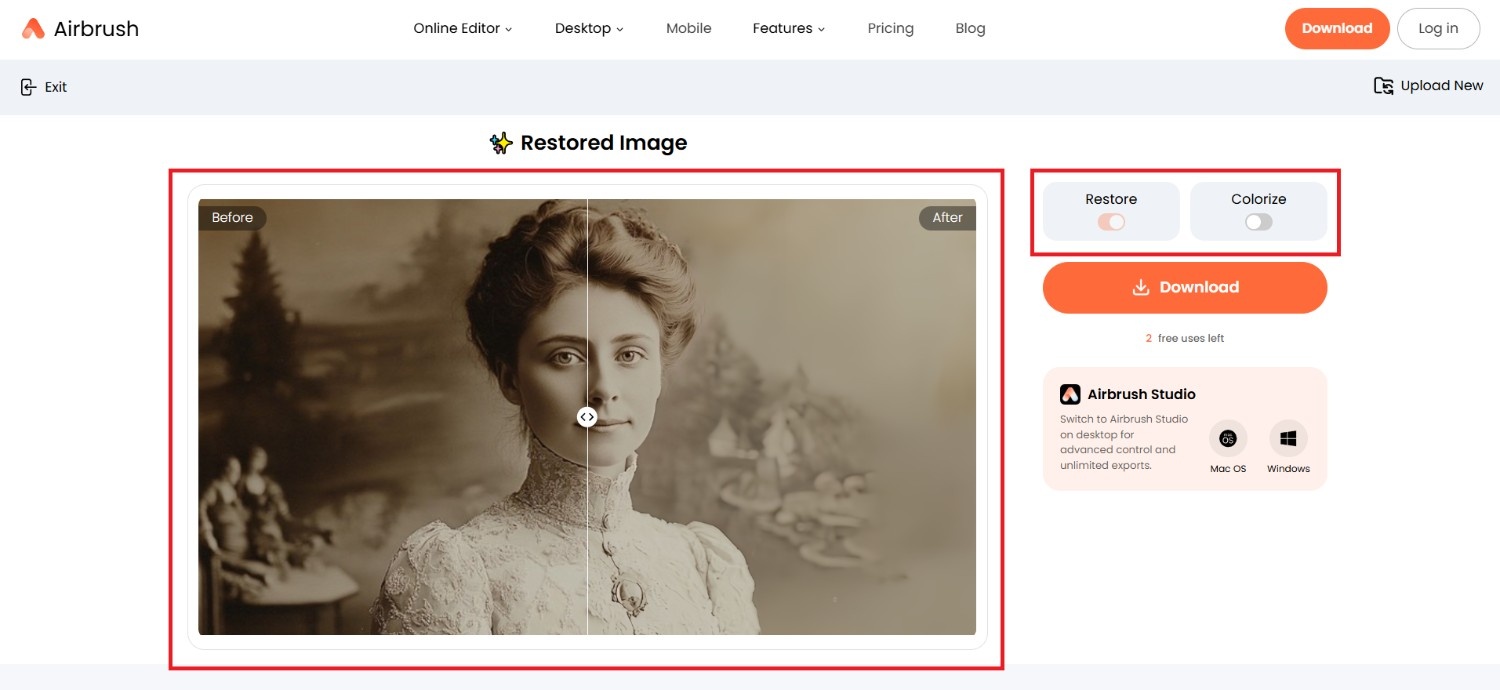
Step 3: Download your restored old photo
Once you are happy with the results, you need to click on the "Download" option. Once downloaded, you can share it with your loved ones, or simply share the same on social media.
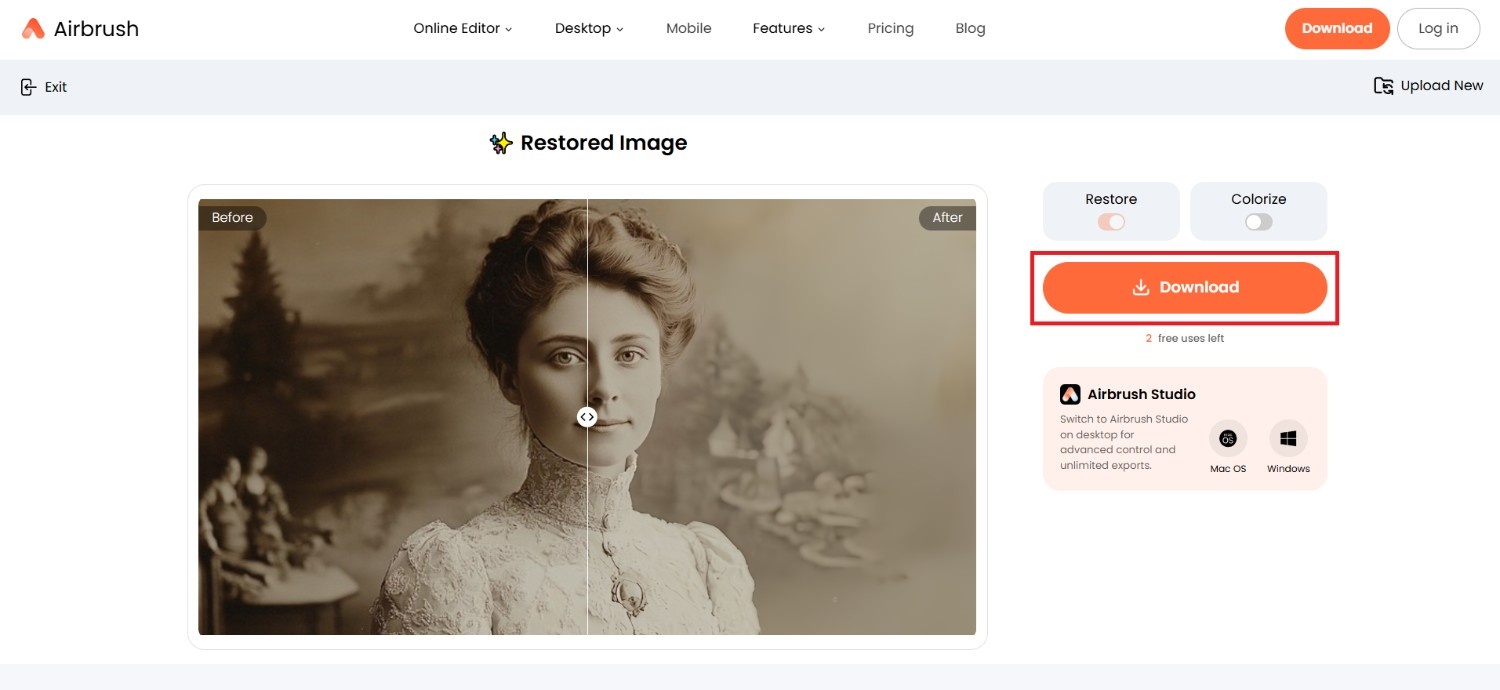
Airbrush Photo Restoration pricing review
AirBrush uses a credit-based pricing model for its web tools. You can start with a free plan, subscribe to the Web Plus plan for monthly credits, or purchase standalone credit packs if you prefer pay-as-you-go usage.
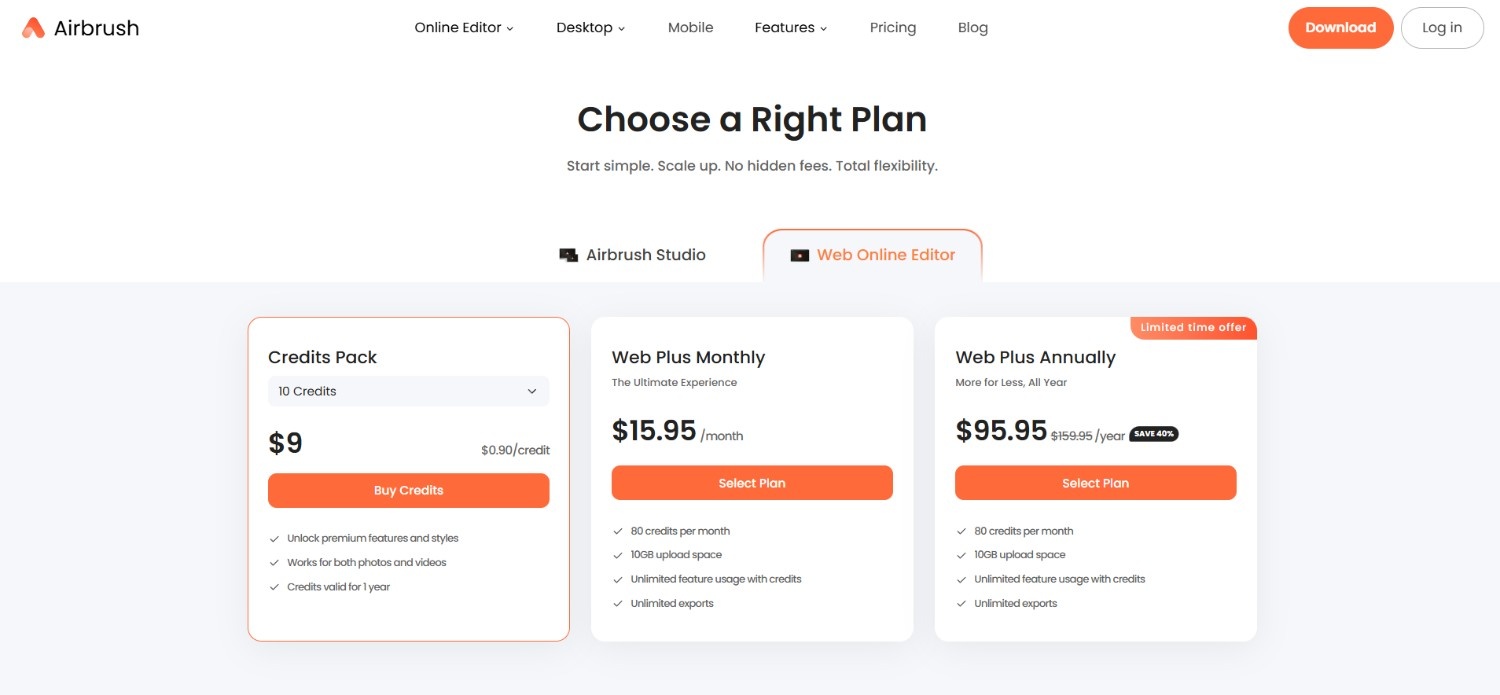
Credits are consumed when exporting AI-enhanced photos and using generative editing features. Subscription credits renew monthly, while purchased credits remain valid for one year.
|
Plan |
What's Included |
|---|---|
|
Free |
Basic editing features with limited access. AI exports and generative features require credits. |
|
Web Plus (Monthly) |
80 credits per month, 10 GB upload storage, unlimited exports, and access to premium AI editing tools. |
|
Web Plus (Yearly) |
Same features as the monthly plan at a lower annual cost per month, including 80 monthly credits and 10 GB storage. |
|
Credit Packs |
One-time credit purchases for users who don't want a subscription. Credits are valid for one year from purchase. |
Airbrush Photo Restoration review: pros and cons
Like most AI restoration tools, AirBrush offers several conveniences while still having a few limitations worth considering.
Pros |
Cons |
|---|---|
|
Easy for beginners The restoration process requires only a few clicks, making it suitable for users without photo editing experience who simply want to improve old family photographs quickly. Fast AI processing Most photos are restored within seconds, allowing users to repair multiple images efficiently instead of spending time on manual retouching or professional editing software. All-in-one editing platform Besides restoration, AirBrush includes additional editing features such as portrait retouching, background editing, filters, and color adjustments within the same application. Available across multiple platforms Users can restore photos through both mobile devices and the web version, offering flexibility when editing images from different devices. |
Limited manual restoration controls Users looking for precise scratch removal, selective repairs, or layer-based editing may find the automatic workflow less flexible than professional editing software. Some features require a premium subscription While basic editing is available, higher-quality exports and several advanced AI tools are locked behind AirBrush's paid subscription plans. |
What are users saying on Trustpilot and G2?
On G2
AirBrush receives positive feedback for its intuitive interface, fast editing workflow, and AI features. Reviewers frequently mention that it simplifies image enhancement and is accessible even for beginners. However, the number of verified reviews remains relatively small compared to more established editing platforms.
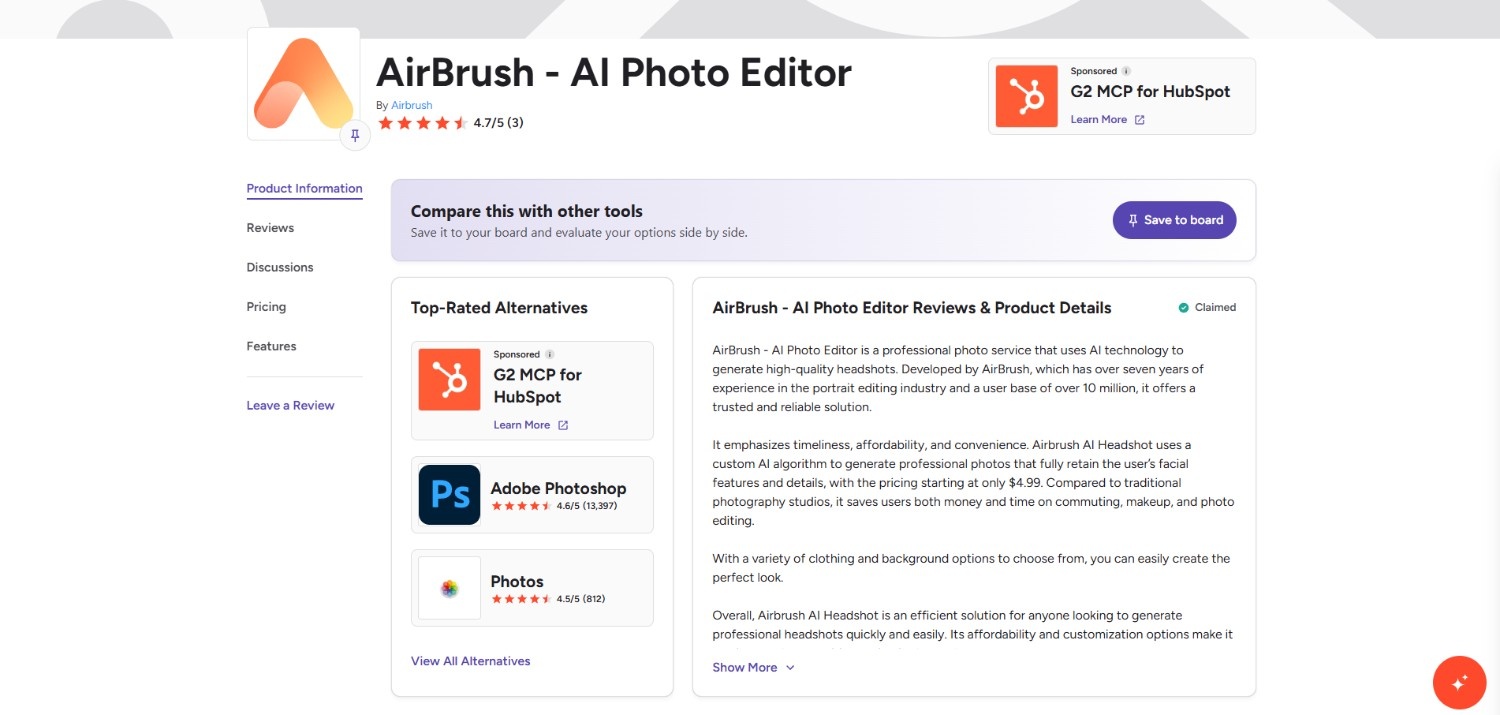
On Trustpilot
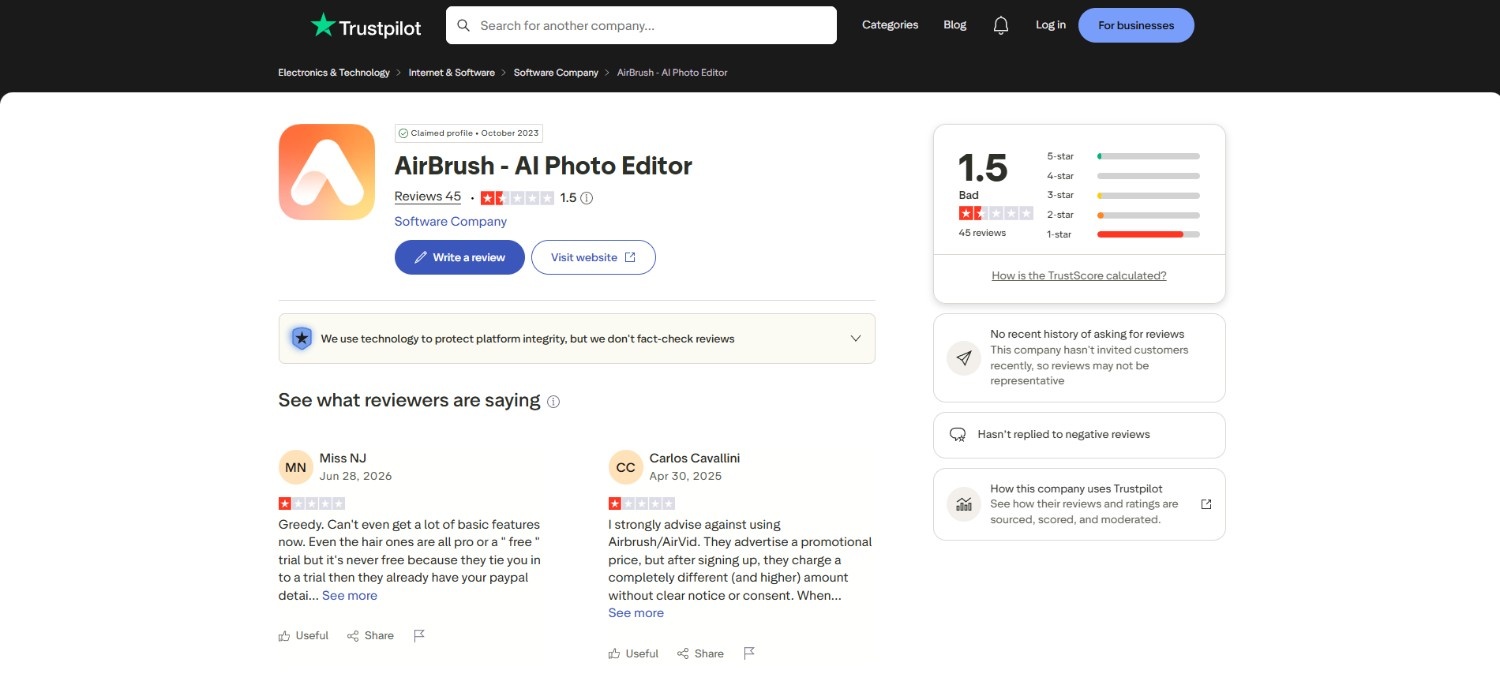
Reviews are considerably more mixed. Positive reviewers describe the app as easy to use, while negative reviews commonly mention subscription or billing concerns, feature limitations, and delayed customer support responses. As with any review platform, individual experiences vary.
Afterthought
As we discussed, Airbrush is a fantastic, user-friendly starting point, but it's far from the only AI toolkit vying for a spot on your desktop. For those who want to see what happens when you step up to an enterprise-grade AI powerhouse, Vmake Labs is the logical next stop. Let's take a look at what it brings to the table.
Discover Vmake Labs: a comparable alternative photo restoration tool
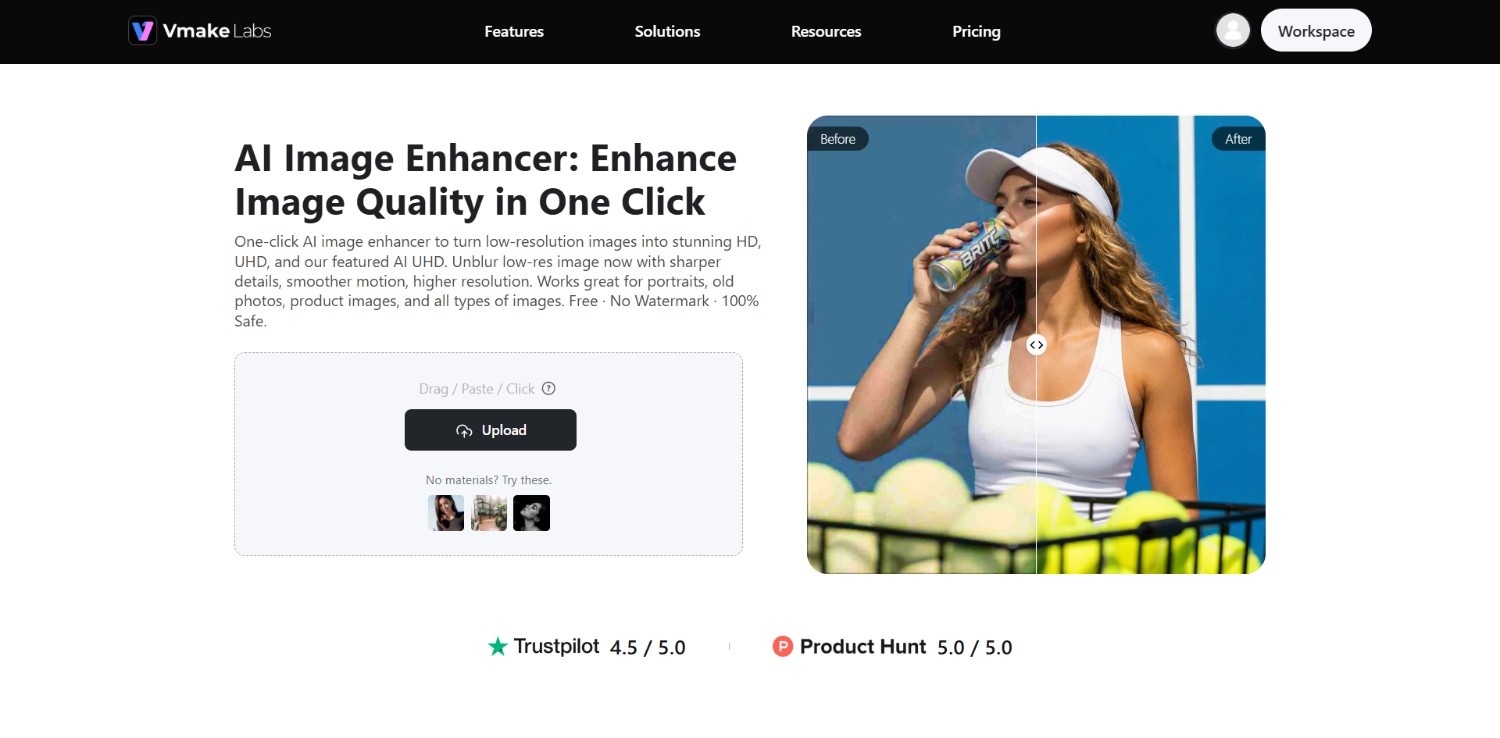
Designed for AI-powered image enhancement, Vmake Labs combines photo upscaling, scratch removal, color restoration, and clarity enhancement in a browser-based workflow. Rather than requiring extensive manual editing, it automatically analyzes uploaded images and applies suitable improvements.
Vmake Labs also supports batch processing, making it useful for restoring multiple photographs in one session. Its simple interface makes the restoration process accessible for both beginners and experienced users.
Features of Vmake Labs image enhancer tool
Vmake Labs combines several AI-powered enhancement features that help improve old photographs while reducing the need for manual retouching.
-
Advanced AI-powered upscaling
The AI increases image resolution while preserving important details, making low-resolution photographs appear sharper and more suitable for digital archives, printing, or larger displays.
-
Automatic scratch and dust removal
The restoration engine detects visible scratches, dust particles, creases, and minor imperfections, automatically reducing these defects while maintaining the original structure of the photograph.
-
Smart colorization for black and white photos
Vmake Labs can intelligently add realistic colors to black-and-white photographs, helping historical portraits and family memories appear more vibrant without requiring manual color painting.
-
Sharpness and clarity adjustment
AI enhances facial details, textures, and edges while reducing softness, producing clearer images that retain a natural appearance instead of looking excessively processed.
How to use Vmake Labs for photo restoration in 3 simple steps?
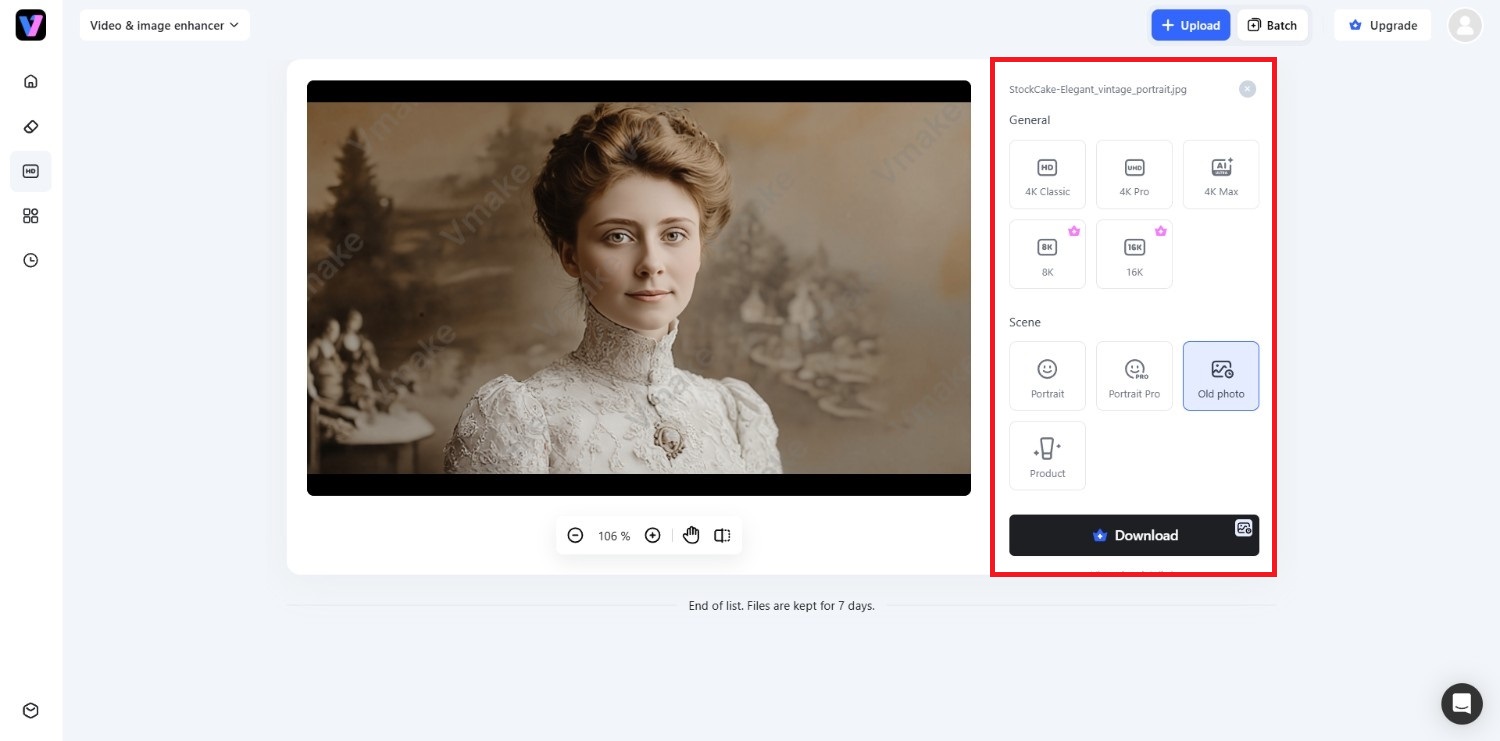
Step 1: Select the "Video & image enhancer" tool
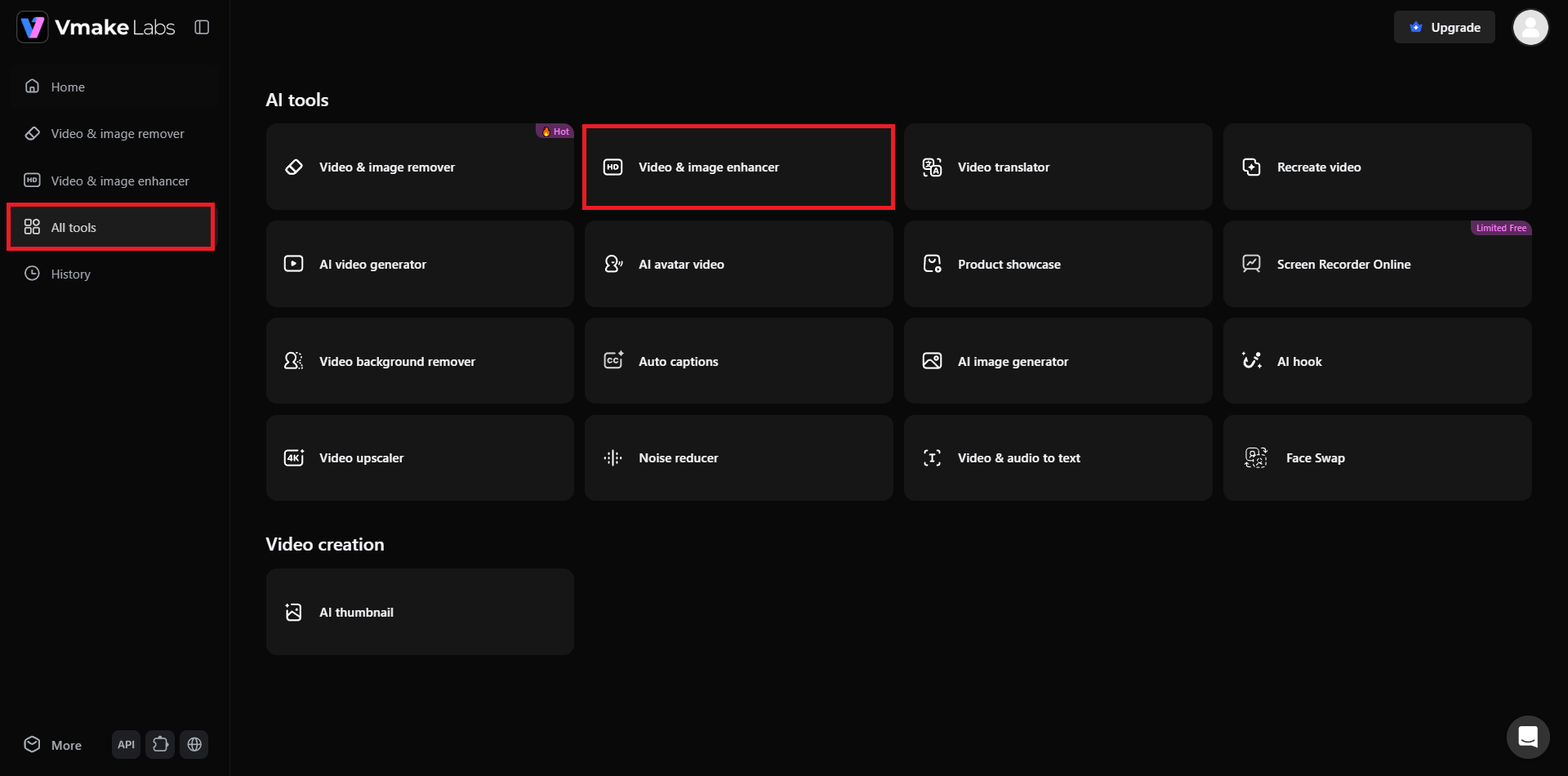
Kickstart the process by first accessing the Vmake Labs official website, and then signing into your account. However, if you don't have an account, then you can sign-up for a new one. After signing up, you need to click on the "All tools" option, and from there, you need to click on the "Video & image enhancer" tool.
Step 2: Upload your old image or paste a link
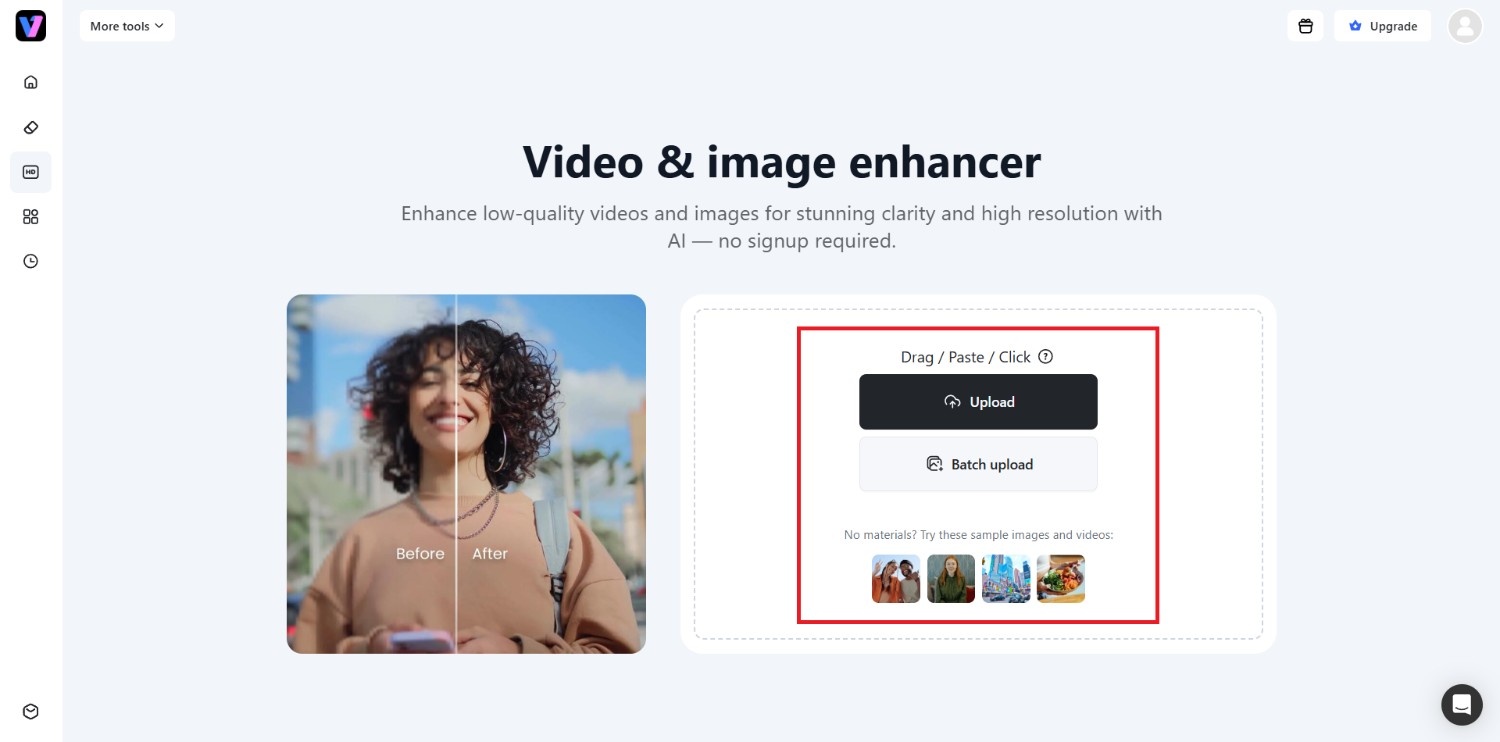
In the subsequent step, you need to upload your old image. Keep in mind that Vmake Labs supports importing files not only locally, but also by simply pasting a web link. Additionally, you can use the "Batch upload" feature to batch upload multiple old photos at once.
Step 3: Export your enhanced old photo
After uploading, Vmake Labs will provide you with two options to enhance your photo: "General" and "Scene". If you want to enhance your photo generally, use any of the resolution upscaling options provided. However, since we are working on an old photo here, you need to select the "Scene > Old photo" option here.
After selecting, hit "Apply," Vmake Labs will auto-enhance it using AI. Once completed, you can click on "Download" to export the image.
Airbrush vs. Vmake Labs: comparing the two
|
Feature |
AirBrush Photo Restoration |
Vmake Labs Image Enhancer |
|---|---|---|
|
Primary purpose |
Mobile photo editing with AI restoration |
AI-powered image enhancement and restoration |
|
AI upscaling |
Yes |
Yes |
|
Scratch & dust removal |
Basic automatic restoration |
Dedicated AI restoration |
|
Black & white colorization |
Limited |
Supported |
|
Batch processing |
Limited |
Yes |
|
Additional editing tools |
Extensive beauty and photo editing |
Focused on image enhancement |
|
Best suited for |
Everyday editing and quick restoration |
Restoring old, damaged, or low-quality photos |
Choose AirBrush if:
AirBrush is suitable for users who primarily want an all-in-one photo editing application with AI restoration, portrait retouching, filters, and social media editing features alongside basic restoration capabilities.
Choose Vmake Labs if:
Vmake Labs is better suited for users focused on restoring old photographs, improving image resolution, repairing common damage, and enhancing multiple images efficiently through an AI-powered browser workflow.
Best practices to follow for photo restoration
Following a few simple restoration practices can help AI tools produce more accurate, natural-looking results while preserving your original photographs for future editing.
-
Choosing high-resolution scans
Start with the highest-quality scan or digital copy available. Higher-resolution images provide AI with more visual information, leading to better restoration, sharper details, and fewer processing artifacts.
-
Understanding limitations of AI restoration
AI can repair many common defects, but it cannot accurately recreate missing details that no longer exist. Always review restored images carefully before considering the process complete.
-
Preserving original files
Keep an untouched copy of every original photograph before applying restoration. This allows you to compare results, re-edit later, or use different restoration tools if needed.
-
Fine-tuning results after automated processes
AI restoration provides a strong starting point, but small manual adjustments to brightness, contrast, cropping, or color balance can produce a more natural final image.
Conclusion
Based on our Airbrush Photo Restoration review, it offers a simple and beginner-friendly way to improve old photographs using AI. Its automated workflow, intuitive interface, and cross-platform availability make it suitable for users who want quick enhancements without learning advanced editing software.
However, premium restrictions and limited manual restoration controls may not meet every user's needs. For those seeking additional restoration capabilities, Vmake Labs provides features such as AI upscaling, scratch removal, batch processing, and black-and-white photo colorization in a browser-based environment.
Ultimately, the right choice depends on whether you prioritize an all-purpose photo editor or a restoration-focused enhancement tool.
Frequently Asked Questions
-
Can AI restore severely damaged photos?
AI can repair many common issues such as scratches, fading, blur, dust, and minor tears. However, photographs with extensive missing areas or severe physical damage may still require manual editing or professional restoration.
-
Is it better to use professional software or online AI tools?
It depends on your needs. Online AI tools are faster and easier for everyday restoration, while professional software offers greater control for detailed repairs, complex restorations, and advanced editing workflows.
-
Will photo restoration change the original appearance of a person?
Most AI restoration tools aim to preserve facial features while improving image quality. However, aggressive enhancements may slightly alter fine details, so reviewing the restored image before saving is recommended.
-
What file formats are best for restoration tools?
JPG, JPEG, and PNG are widely supported by most AI restoration platforms. For archival purposes, high-resolution PNG or TIFF files generally preserve more image detail than compressed formats.
-
Does Vmake Labs support batch processing for multiple images?
Yes. Vmake Labs supports batch image enhancement, allowing users to restore multiple photographs in one workflow. This feature is especially useful when digitizing family albums or processing large photo collections efficiently.

You May Be Interested

Airbrush Video Enhancer Review 2026: Features, Pros, and Cons
Airbrush Watermark Remover Review (2026): Features and Pricing
5 Best AI Photo Restoration Tools in 2026 (Tested & Ranked)

Best App for Photo Enhancing: 8 Top Picks for 2026
Best Photo Eraser Tools in 2026: Remove Objects, Text & People from Photos