
AIEase Review: Exploring Its AI Image Tools in 2026
Explore this AIEase review to learn about its AI image tools, watermark remover, baby generator, image enhancer, pricing, pros, cons, user feedback, and compare it with Vmake Labs for your creative needs.

AIEase brings AI-powered image generation and editing tools into one browser-based platform. In this AIEase review, we examine its main features, image tools, pricing, pros and cons, user feedback, and overall value. We also compare it with Vmake Labs to help you decide which platform better fits your workflow.
What is AIEase?
AIEase is an AI image creation and editing platform for creators, marketers, ecommerce sellers, and casual users. It combines image generation with tools for enhancement, watermark removal, and other creative image tasks.
AIEase overview
AIEase is designed for users who want to create or improve images without advanced photo-editing skills. Its browser-based tools cover several common workflows, from generating new visuals to improving existing images. You can use AIEase for AI image generation, image enhancement, watermark removal, and specialized creative effects. Having these tools in one place makes it useful for users who handle different types of visual content. The platform is particularly relevant to social media creators, marketers, small businesses, and ecommerce users who need quick visual assets without working in professional editing software.
Key features of AIEase
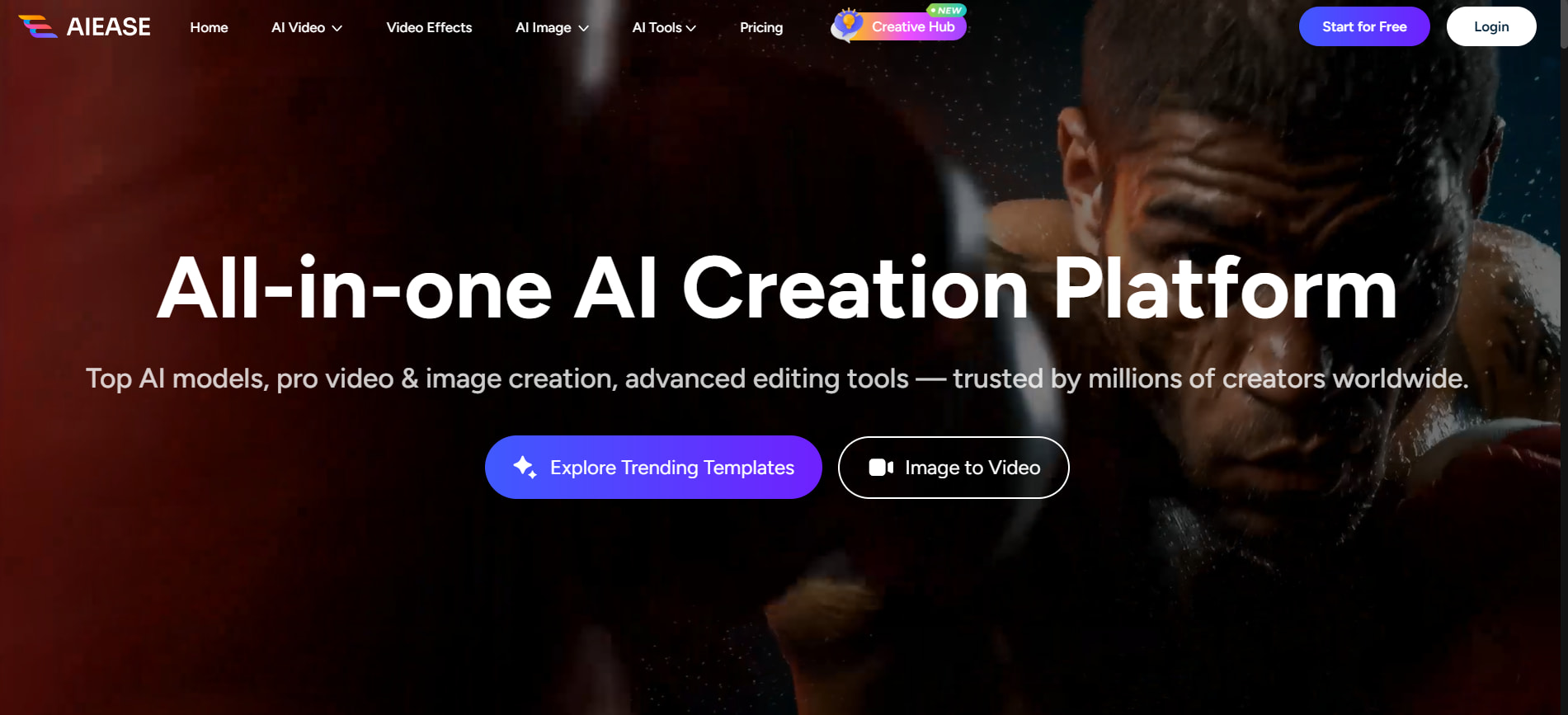
AIEase offers a broad set of AI image tools rather than focusing on one specific workflow. Its main capabilities include:
-
AI image generation: Create new visuals from text prompts and experiment with different concepts, styles, and compositions. It is useful for quickly turning creative ideas into finished images.
-
AI image editing: Modify existing images with AI-powered editing features instead of making every adjustment manually. This can help users make quick changes and prepare visuals for different purposes.
-
AI image enhancement: Improve the clarity and overall quality of lower-quality images with AI processing. The tool can enhance sharpness, details, and resolution while aiming to keep the result natural.
-
Watermark removal: Remove unwanted watermarks or marks from supported images using an AI-powered workflow. Results can vary depending on the watermark's size, placement, and the complexity of the surrounding background.
-
Creative image-generation tools: Explore additional AI features designed for creating more specialized or experimental visuals. These tools give users more options beyond standard text-to-image generation.
-
Specialized generators such as the baby generator: Create specific types of AI-generated visuals using dedicated tools. The baby generator, for example, lets users experiment with AI-generated baby images based on supported inputs.
The available tools and limits can change, so users should check AIEase's current product pages for the latest options.
A closer look at AIEase's AI image tools
AIEase is easier to assess by looking at how its individual tools handle practical image tasks. Output quality, ease of use, consistency, and the amount of cleanup required all affect its usefulness.
How to use AIEase
The exact controls vary by tool, but most AIEase workflows follow a similar process.
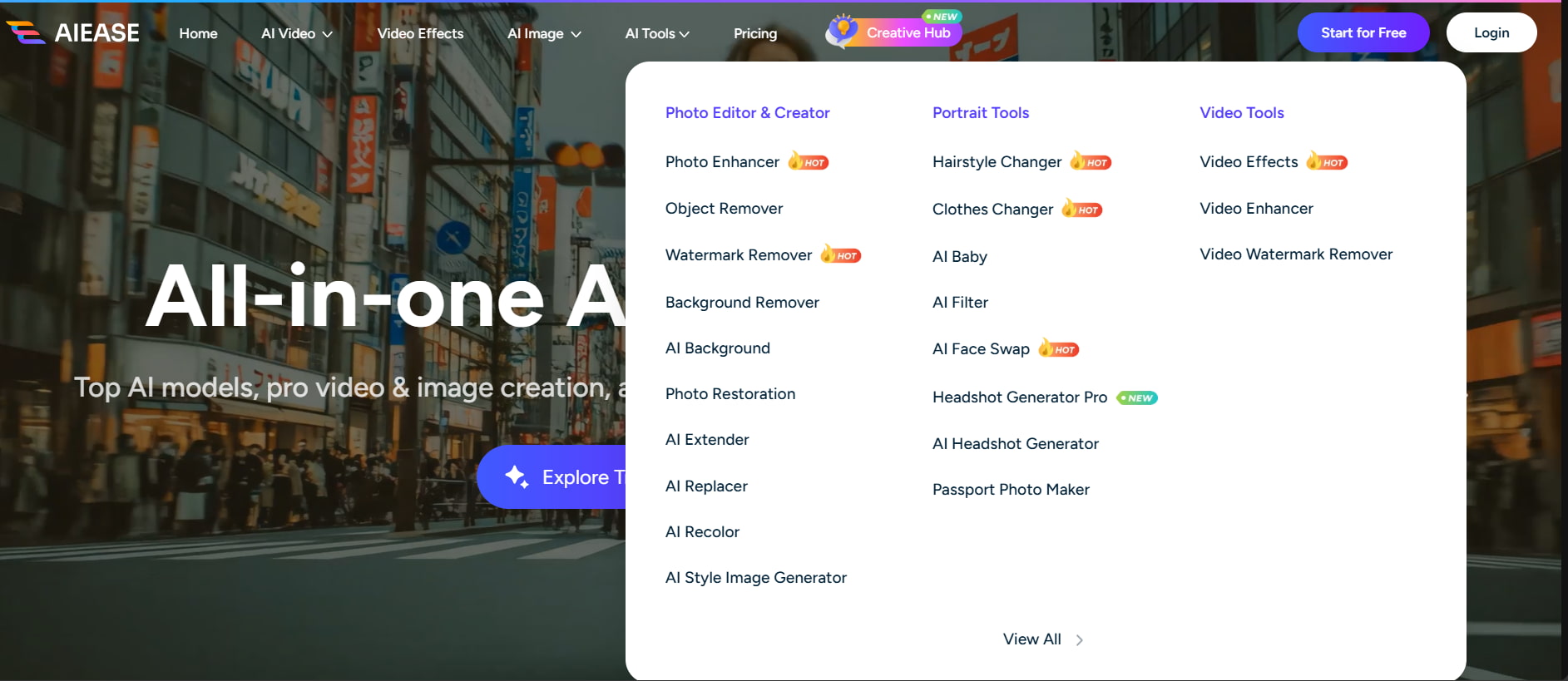
Step 1: Choose an AI image tool Select the feature that fits your task, such as image generation, enhancement, or watermark removal. The platform then provides the controls for that workflow.
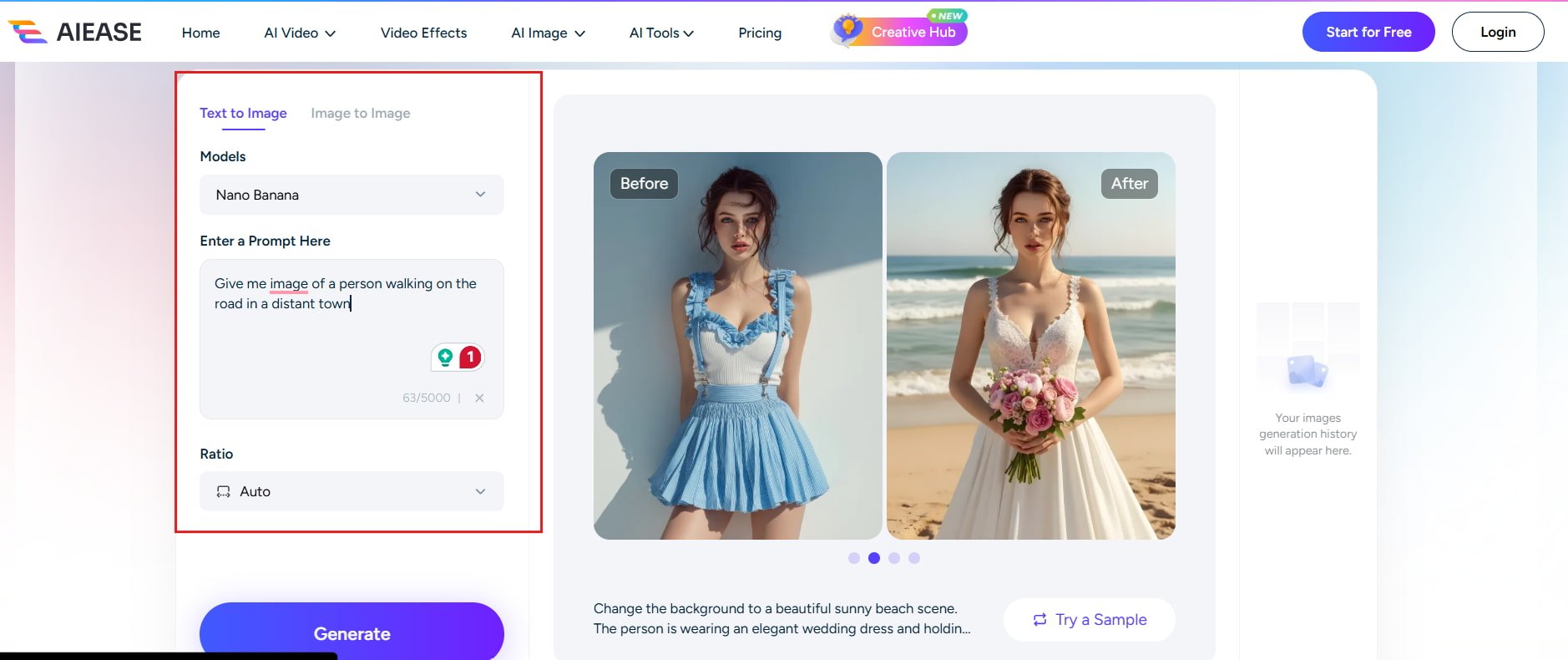
Step 2: Upload an image or enter a prompt Upload an image when required, or describe the visual you want to create. A detailed prompt gives you more control over the generated result.
Step 3: Generate or edit the image Process the image and review the output. Make another adjustment or generation if needed, then download the finished visual.
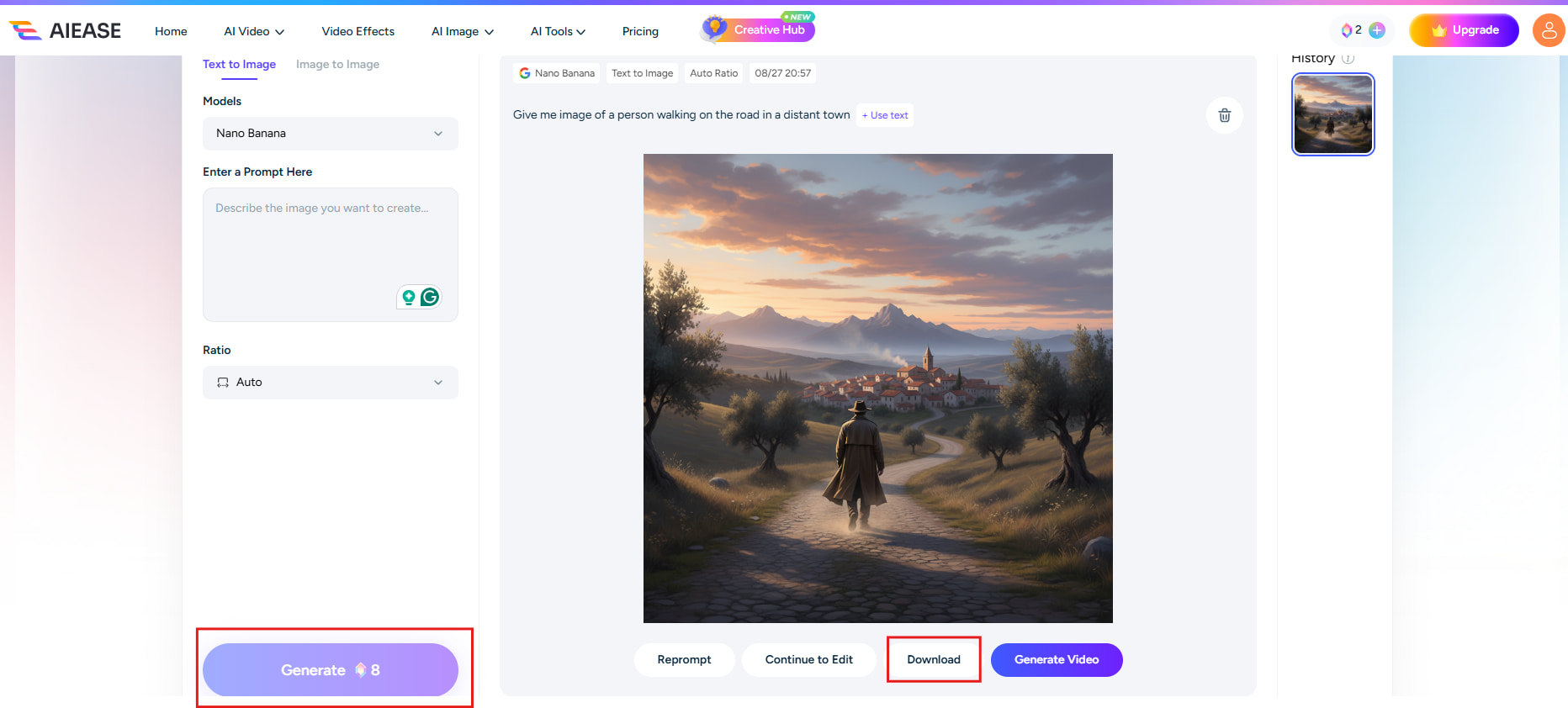
AIEase watermark remover
The AIEase watermark remover uses AI to remove marks from images. Upload an image, select the area to process, and let the tool reconstruct it. Results depend on watermark size, placement, and background complexity. Simple areas are easier to restore, while detailed backgrounds may leave artifacts or distort nearby details.
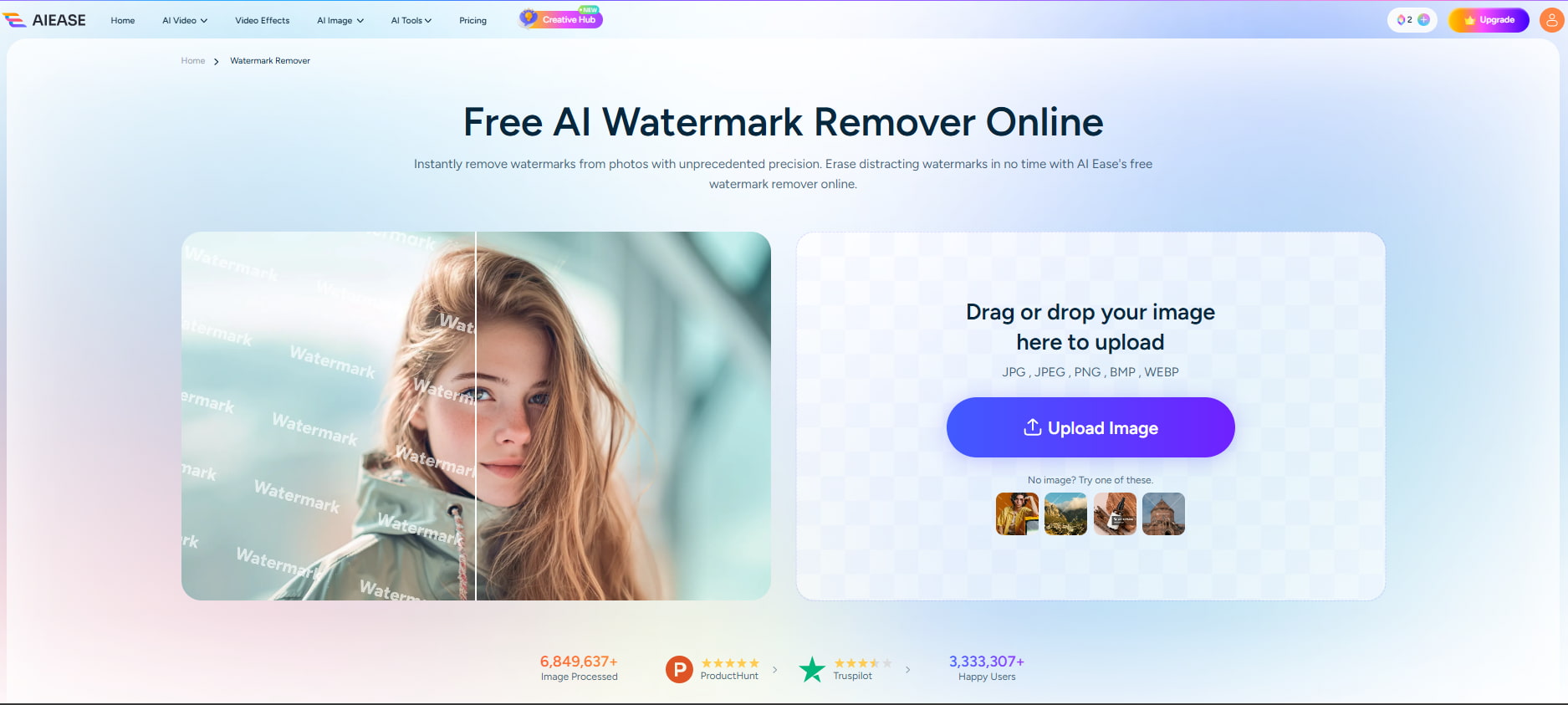
AIEase image enhancer
AIEase watermark remover utilizes artificial intelligence to remove watermarks from photos. Upload an image, select the part you want to process, and let the tool reconstruct it. Results will vary based on watermark size, placement, and background complexity. It can restore simple areas easily, but detailed backgrounds may leave artifacts or distort nearby details.
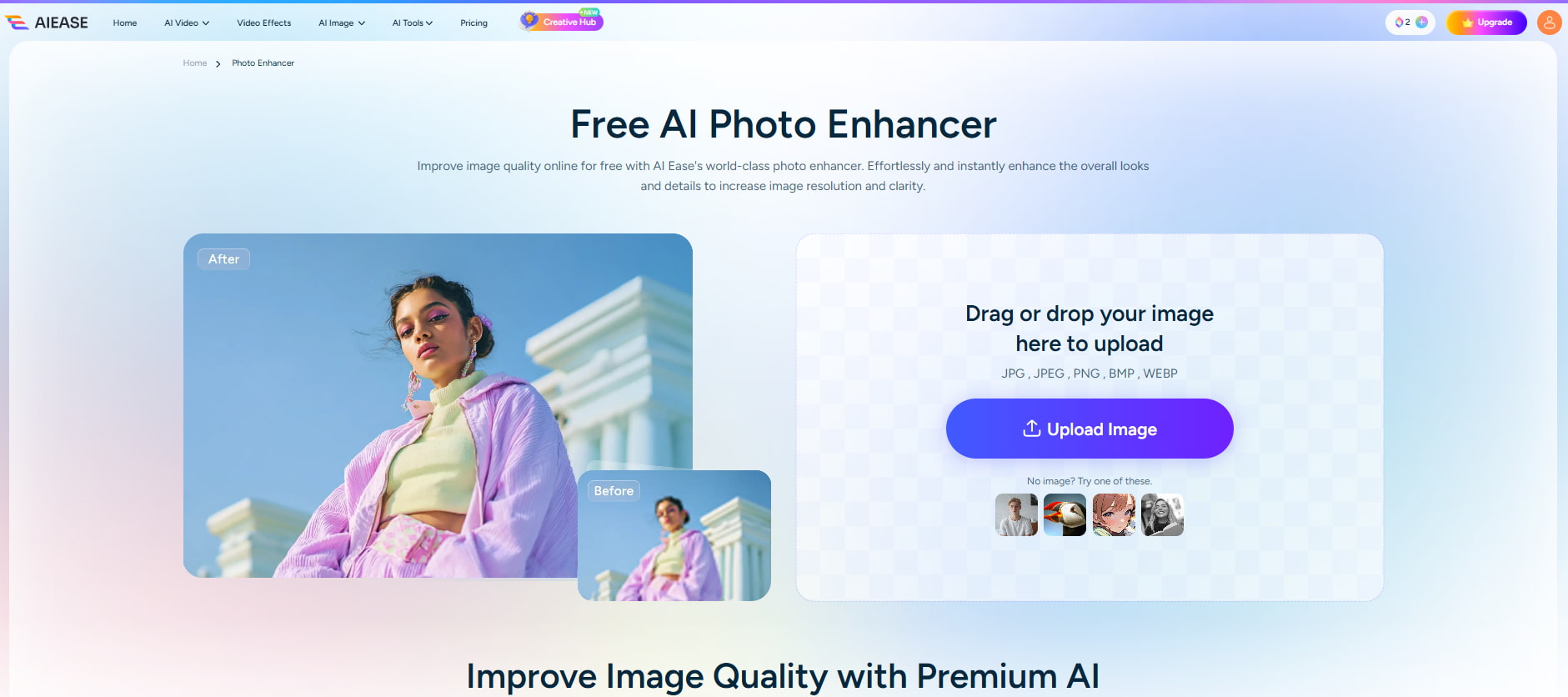
AIEase baby generator
The AIEase baby generator generates baby images from supported inputs. It is meant mostly for experimentation and not for accurate prediction. Results can vary from generation to generation, especially around facial features, eyes, hair, and details. Please think of the outputs as creative images being generated, and not what a child would look like.
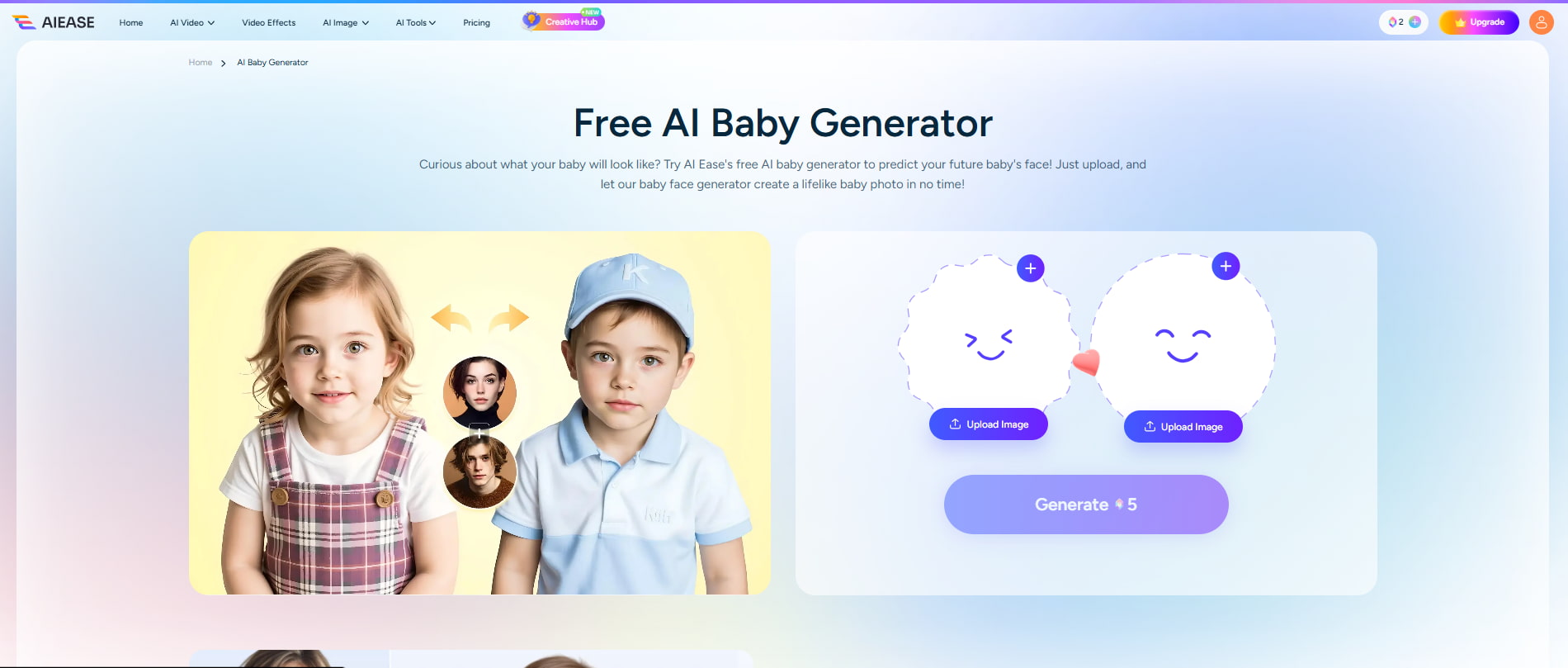
AIEase pricing, pros, cons, and user feedback
AIEase has free and paid options, but you will get the most value if you make or edit a lot of images. Before subscribing, you should consider the credits, feature access, output limits, and export conditions.
AIEase pricing
AIEase offers three main plans, with the pricing page showing discounted rates for yearly billing:
|
Plan |
Price |
Credits & Limits |
Key Features |
|---|---|---|---|
|
Free |
$0 |
Limited image/video credits |
Basic AI image tools, seven AI video tools, neural generation channel, and watermarked exports |
|
Pro |
$4.99/month |
1,000 credits/month; up to 50 videos and 200 images/month |
Unlimited image generation for most AI tools, HD watermark-free downloads, and access to a wide range of AI tools |
|
Ultra |
$9.99/month |
2,500 credits/month; up to 125 videos and 500 images/month |
Unlimited image generation for most AI tools, HD watermark-free downloads, expanded cloud storage, and access to the full AI tool collection |
Which plan should you choose? The Free plan works for occasional testing, while Pro is better for regular users who need more credits and watermark-free exports. Ultra is aimed at users with higher monthly image and video requirements. Prices and plan benefits may change, so verify the current details before subscribing.
Pros and cons of AIEase
|
Pros |
Cons |
|---|---|
|
Wide selection of AI image tools: Offers multiple tools for generating, editing, enhancing, and modifying images. |
Free usage has limitations: Free users may face restrictions on credits, features, or the number of images they can process. |
|
Useful image enhancement capabilities: Helps improve image clarity, sharpness, and visible details with AI processing. |
Credits can be restrictive: Frequent users may use up credits quickly, especially when generating or processing multiple images. |
|
Watermark-removal functionality: Provides a dedicated tool for removing unwanted watermarks from supported images. |
Image quality can vary: Generated results may differ in quality and consistency depending on the prompt and image type. |
|
Creative generators for experimentation: Includes specialized tools that let users explore different AI-generated image concepts. |
Complex watermark removal may leave artifacts: Difficult backgrounds or large watermarks can result in visible traces or distortions. |
|
Browser-based access: Users can access its image tools online without needing advanced desktop editing software. |
AI enhancement can look unnatural: Strong enhancement may sometimes create artificial-looking textures or details. |
|
Suitable for everyday image tasks: Its varied toolkit makes it useful for creators, marketers, and casual users handling different visual needs. |
Specialized generators may be inconsistent: Creative tools can produce varying results across different generations. |
What users say about AIEase
-
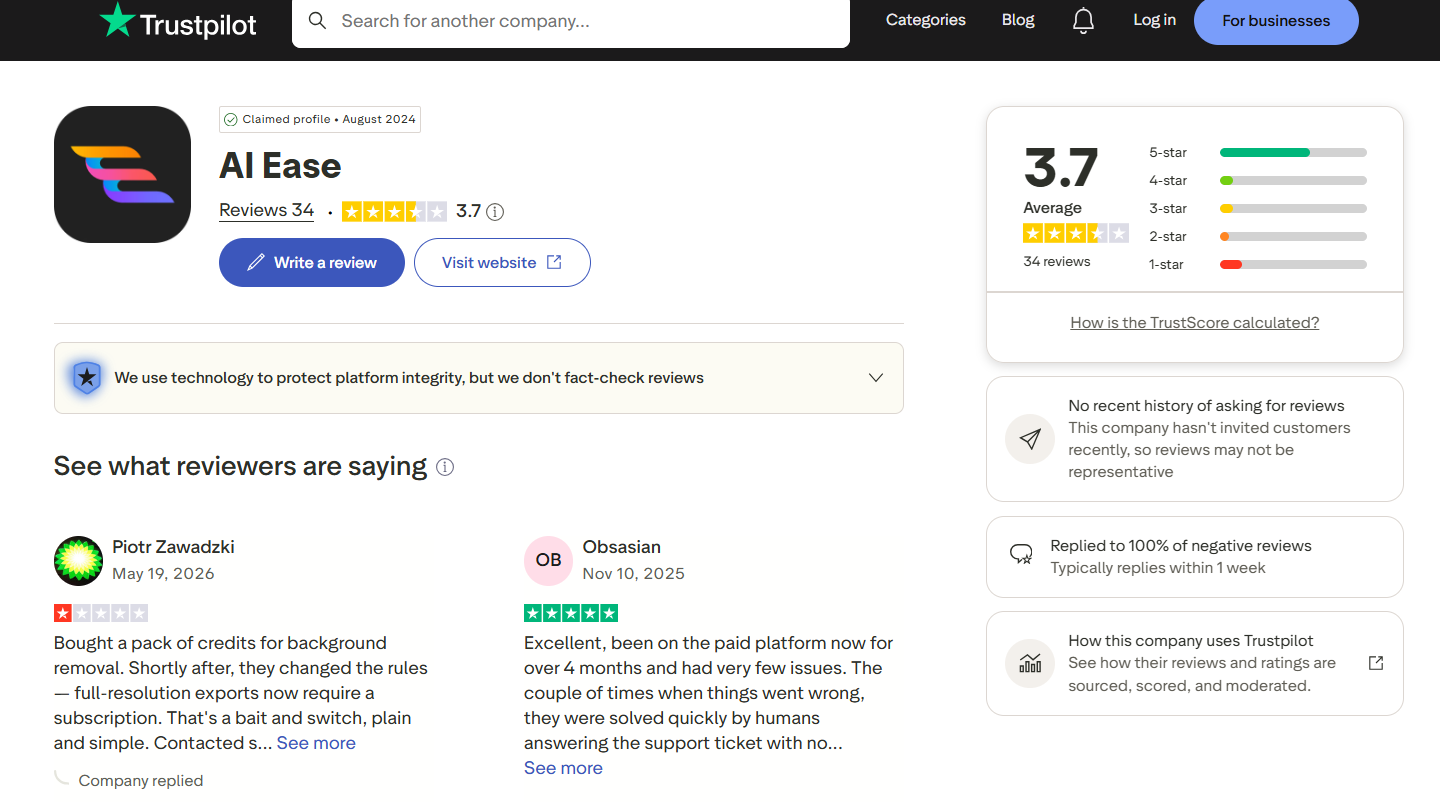
Trustpilot: The first Trustpilot screenshot shows AIEase with a 3.7/5 average rating from 34 reviews. It also displays a mix of star ratings, suggesting varied user experiences. Trustpilot notes that AIEase has not recently invited customers to leave reviews, so the available feedback may not fully represent its current customer base.
-
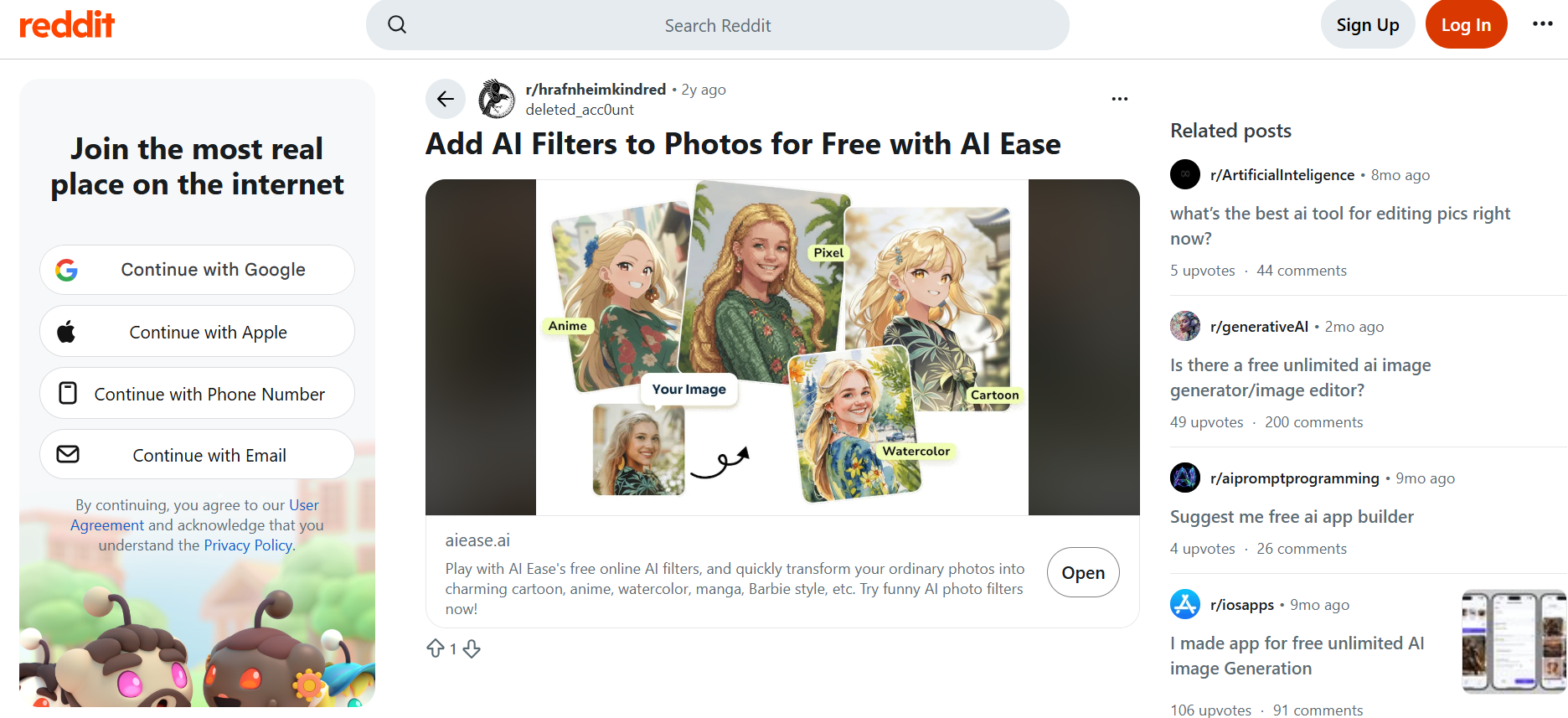
Reddit feedback: A Reddit post highlights AIEase's free AI filters for transforming ordinary photos into different styles, including cartoon, anime, watercolor, manga, and Barbie-style visuals. The post presents the tool as an easy way to experiment with creative photo effects without paying, although the screenshot alone does not provide enough feedback to judge the quality or consistency of the results.
Our verdict
AIEase is different with its collection of AI image tools for those who need more than just an image generator. Its enhancement, watermark removal, and creative tools have value in everyday image editing and experimentation.
However, the platform does have its limitations. Frequent users may find usage and credit limits restrictive, while output quality can vary across different tools. AIEase is a good fit for creators and casual users who want a versatile image toolkit. Vmake Labs is better suited to users focused on marketing and ecommerce image generation.
Vmake Labs AI Image Generator as an alternative
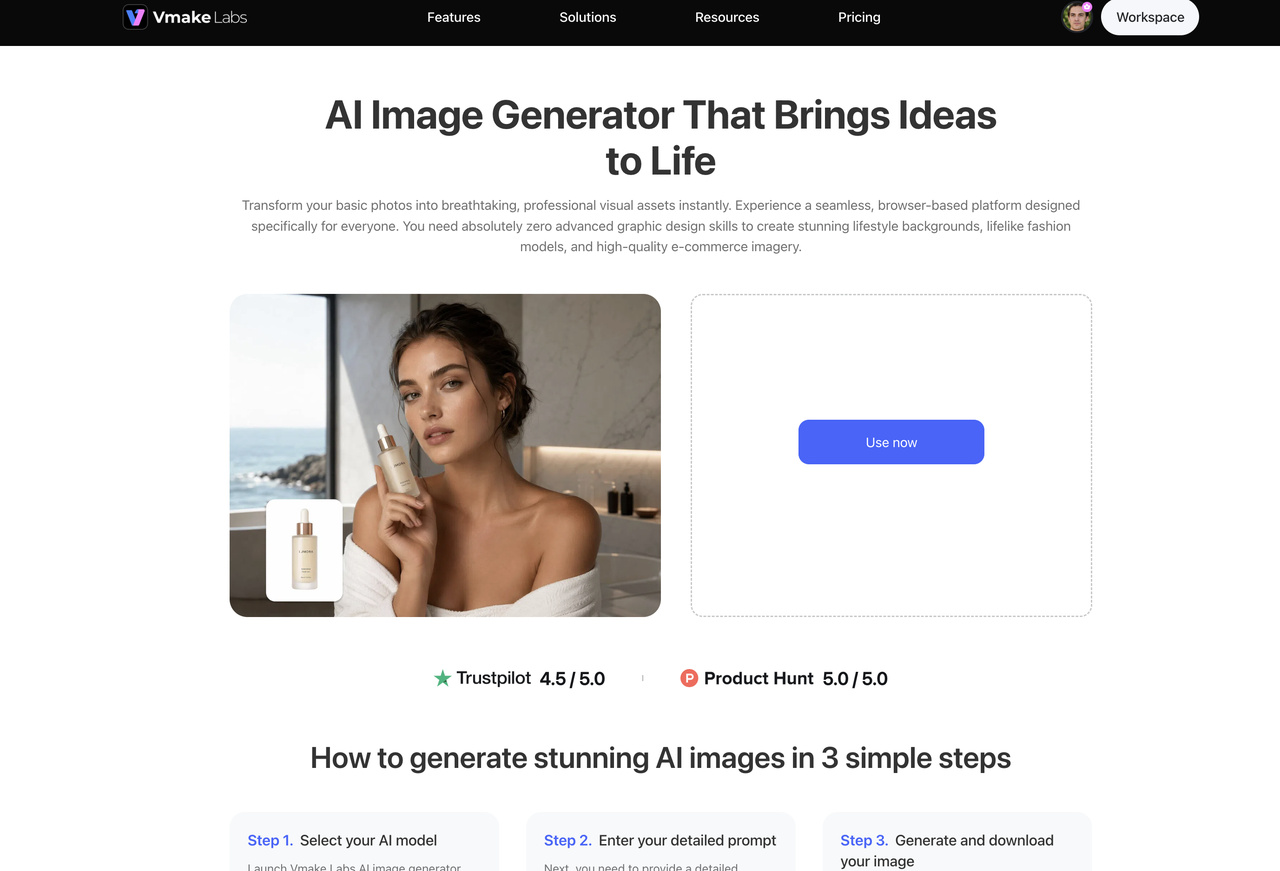
Vmake Labs is an alternative for users who want a flexible AI image generation workflow. It has an AI Image Generator that lets you create Text to Image and Image to Image, so you can begin with a prompt or an existing image. Reference-image support allows people to have more control over the direction of generated visuals, and multiple AI image models mean more options for different creative needs. This is useful for creators, marketers, and ecommerce teams alike.
How to create AI images with Vmake Labs
Vmake Labs keeps the generation process straightforward, whether you are starting with an idea or an existing visual.
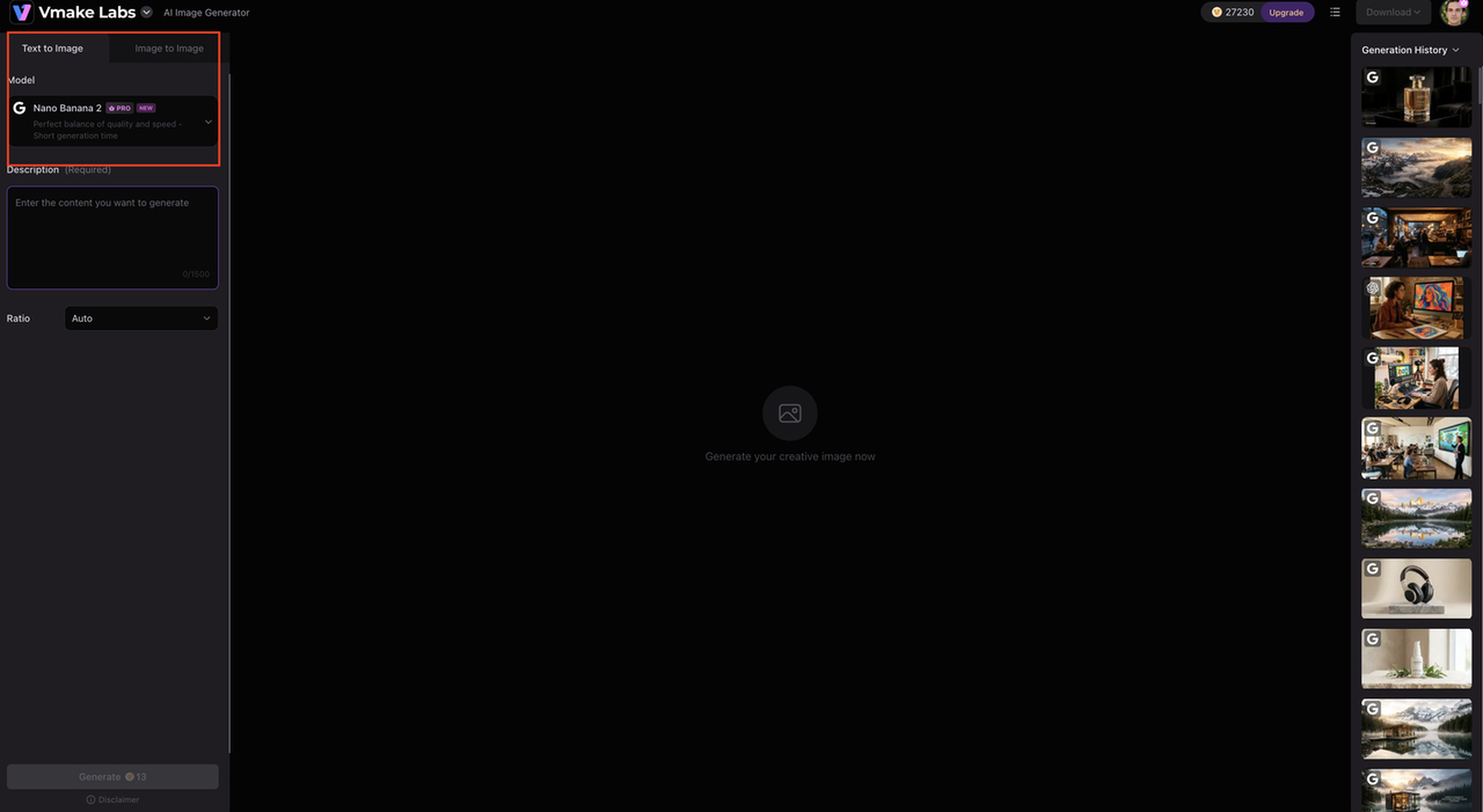
Step 1: Choose an image generation method
Select Text to Image to create a visual from a written prompt, or Image to Image when you want to work from an existing reference.
Step 2: Add your prompt or reference image
Enter your description or upload a reference image. Choose an available model and configure the relevant settings for your desired result.
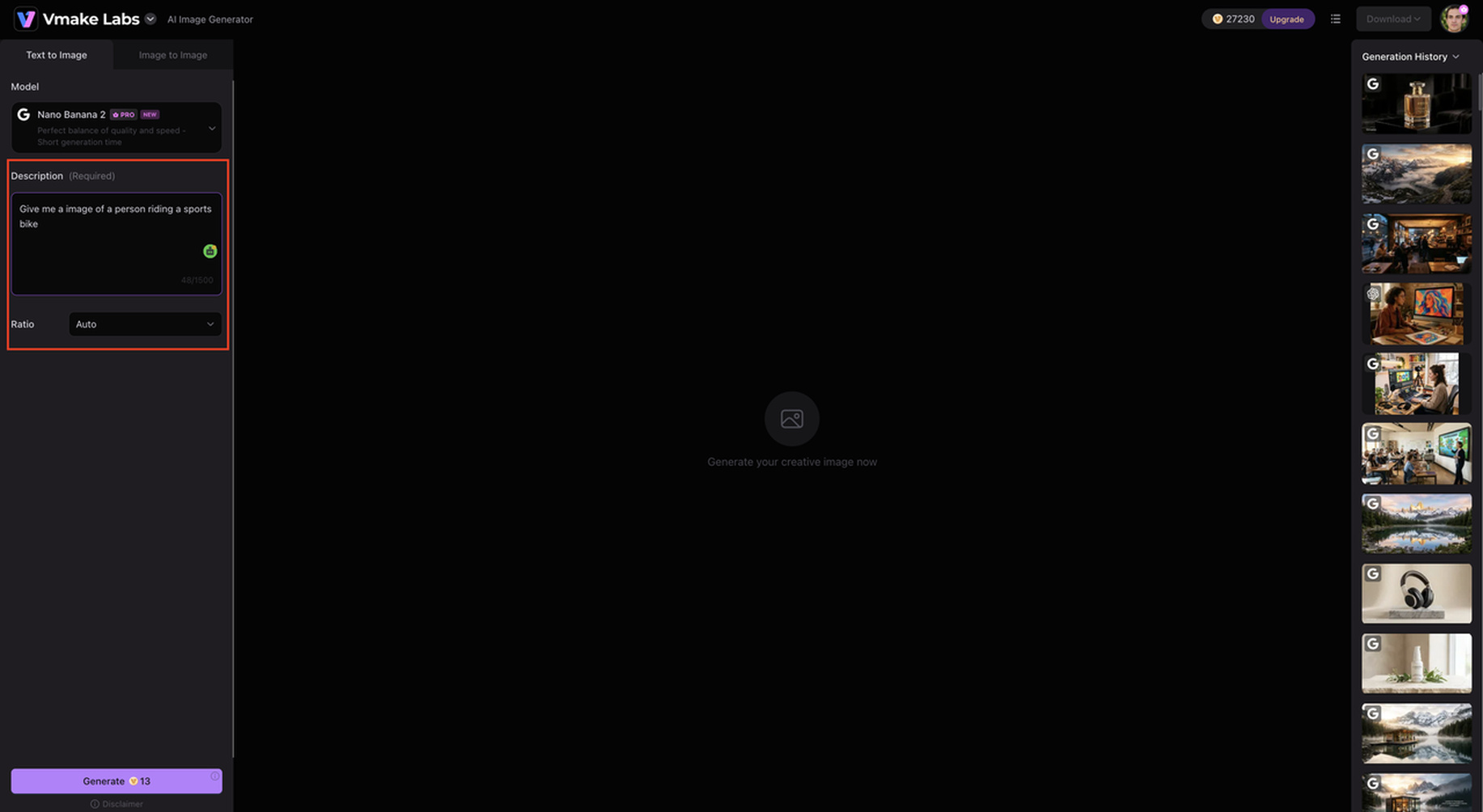
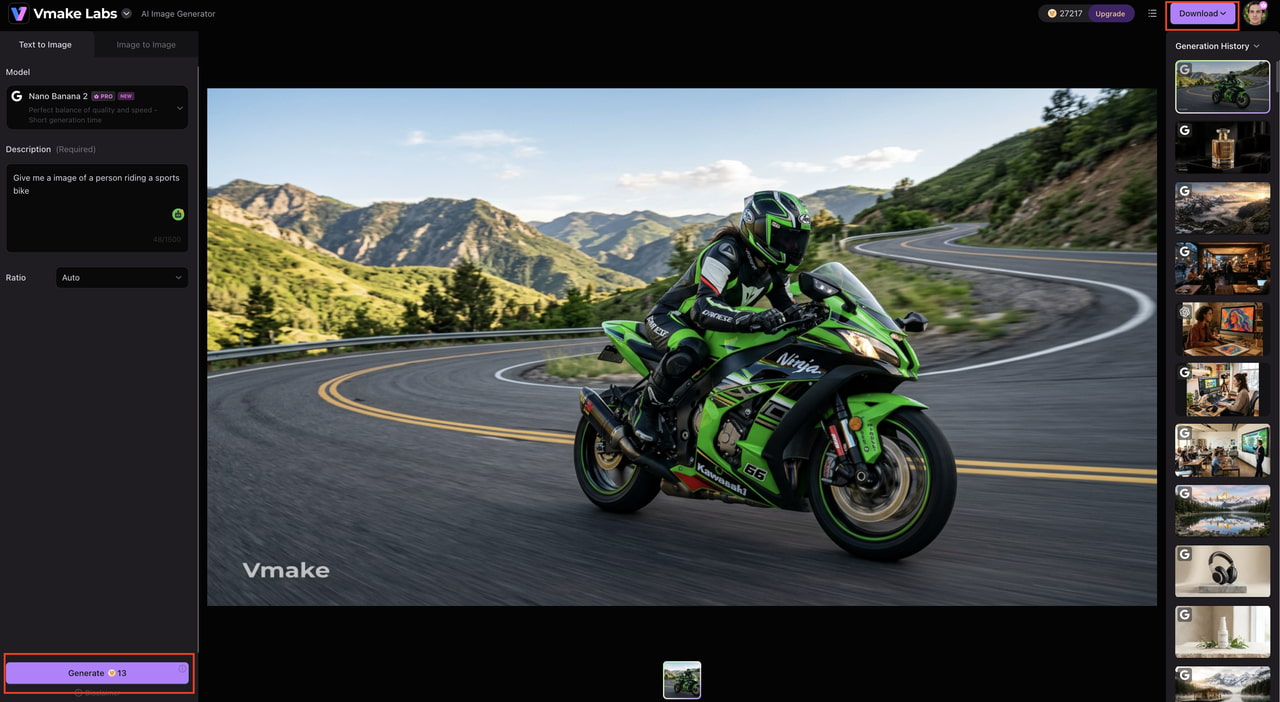
Step 3: Generate and download
Generate the image and review the output. Once it meets your requirements, download it for your marketing, ecommerce, social, or creative project.
Why choose Vmake Labs AI Image Generator?
-
Multiple AI image models: Choose from different AI models to suit your creative needs and desired output. This flexibility is useful when producing a range of marketing and visual content.
-
Text to Image: Turn written prompts into images without starting from an existing visual. It is useful for transforming ideas, campaign concepts, and creative briefs into ready-to-use visuals.
-
Image to Image: Create new image variations from an existing visual or reference. This makes it useful when you want to explore different versions while retaining elements of the original image.
-
Reference-image support: Use reference images to give clearer visual direction for your generations. This is especially helpful to maintain a certain look, style, or brand aesthetic for a product.
-
Browser-based workflow: Create AI images directly through a web browser without installing complex editing software. This makes it convenient for quick visual production across different creative projects.
AIEase vs Vmake Labs AI Image Generator
Both platforms support AI image creation, but their strengths differ. AIEase offers a wider collection of image utilities, while Vmake Labs focuses on flexible image-generation workflows for creative and commercial content.
|
Category |
AIEase |
Vmake Labs AI Image Generator |
|---|---|---|
|
Best for |
AI image creation and editing |
Marketing, ecommerce, and creative image generation |
|
Text to Image |
Supported on applicable workflows |
Supported |
|
Image to Image |
Supported on applicable workflows |
Supported |
|
Image enhancement |
Supported |
Check current availability |
|
Watermark removal |
Supported |
Check current availability |
|
AI models |
Varies by current offering |
Multiple AI image models |
|
Reference images |
Supported on applicable workflows |
Supported |
|
Workflow |
Broad AI image toolkit |
Browser-based generation workflow |
|
Best suited to |
Creators needing varied AI image tools |
Creators, marketers, and businesses |
Which tool should you choose?
Choose AIEase if you want several AI image creation and editing tools in one platform, including image enhancement and watermark removal. It is also a good option if you want to experiment with specialized features such as the baby generator or handle different everyday image tasks from one place.
Choose Vmake Labs if you want access to multiple AI image models and flexible Text to Image or Image to Image generation. It is particularly useful for creating marketing, ecommerce, and social media visuals, especially when you want to use reference images to guide the final result.
Conclusion
For creators and casual users who want a few AI image tools in one, AIEase is a good choice. Its image generator, enhancer, watermark remover, and creative features span a wide range of everyday visual tasks, but the quality of output and usage limits can vary. If your main use case is image editing and experimentation, AIEase is worth a try. If your main focus is on AI image generation across multiple models, Text to Image, Image to Image, and reference-image workflows, Vmake Labs is a stronger alternative. You can compare both platforms against your actual content needs to choose the better fit.
FAQs
What is AIEase?
AIEase is an AI-powered image creation and editing platform offering tools for image generation, enhancement, watermark removal, and other creative workflows. For users focused more specifically on AI image generation, Vmake Labs is another option worth exploring.
Is AIEase free?
AIEase offers free access to selected tools, but usage is limited. Paid options provide additional usage or features depending on the current plans, while Vmake Labs can be considered if you want to explore different AI image-generation workflows.
What can you do with AIEase?
You can generate images, enhance image quality, remove watermarks from eligible images, and experiment with specialized creative tools. If your main goal is creating marketing or ecommerce visuals, Vmake Labs also offers Text to Image and Image to Image generation.
Does AIEase have a watermark remover?
Yes. AIEase has an AI watermark remover designed to remove unwanted marks from supported images. Results vary according to the watermark and background, while Vmake Labs is an alternative to consider when your priority is generating new visuals rather than removing existing marks.
Can AIEase enhance image quality?
Yes. Its AI image enhancer can improve clarity, sharpness, and visible detail, although heavily damaged images may still have limitations. For users who want to create new images instead, Vmake Labs offers generation workflows using prompts and reference images.
What is the best AIEase alternative?
The best alternative depends on your workflow. Vmake Labs is worth considering if you want multiple AI image models, Text to Image and Image to Image generation, and reference-image support for marketing, ecommerce, and creative visuals.

You May Be Interested

Z Image AI Review 2026: Features, Performance, Pros and Cons
Yodayo AI Review 2026: Features, Pricing, and Alternatives
X-Design Watermark Remover Review (2026): Features & Pricing
Vidu AI Review: Is This AI Video Generator Worth in 2026?
Vadoo AI Review 2026: Features, Pricing and Alternatives
VEED Review: Does the Watermark Remover Work? (2026)

Vivideo AI Review 2026: Features, Pricing and Alternatives
Unlucid AI Review: Is this AI platform worth it in 2026?
