AI Flowers 101: How to Generate Flower Images with AI
Discover how to create stunning AI flowers with easy-to-use flower generators. Learn prompts, types, and tips for creating AI flower images, art, and bouquets.

AI flower generators turn a short text prompt into a finished floral image in seconds. You describe the bloom, color, light, and style. The model produces the picture. No camera, no stock search, no waiting for the right shot. This guide shows how the tools work, what you can make, and how to get clean results.
What are AI flowers?
AI flowers are images of blooms created by text-to-image models. You type a description such as rose, orchid, or wildflower bouquet, and the system builds the picture from that prompt.
Diffusion models such as Stable Diffusion and Flux do the work. They start with random noise and gradually shape it into petals, stems, and leaves by matching patterns learned from millions of training images. The prompt guides every step: color, lighting, texture, angle, and style. A few well-chosen words can produce a dew-covered macro shot, a soft watercolor arrangement, or a glowing fantasy flower that never existed in a garden.
types of AI flower images
-
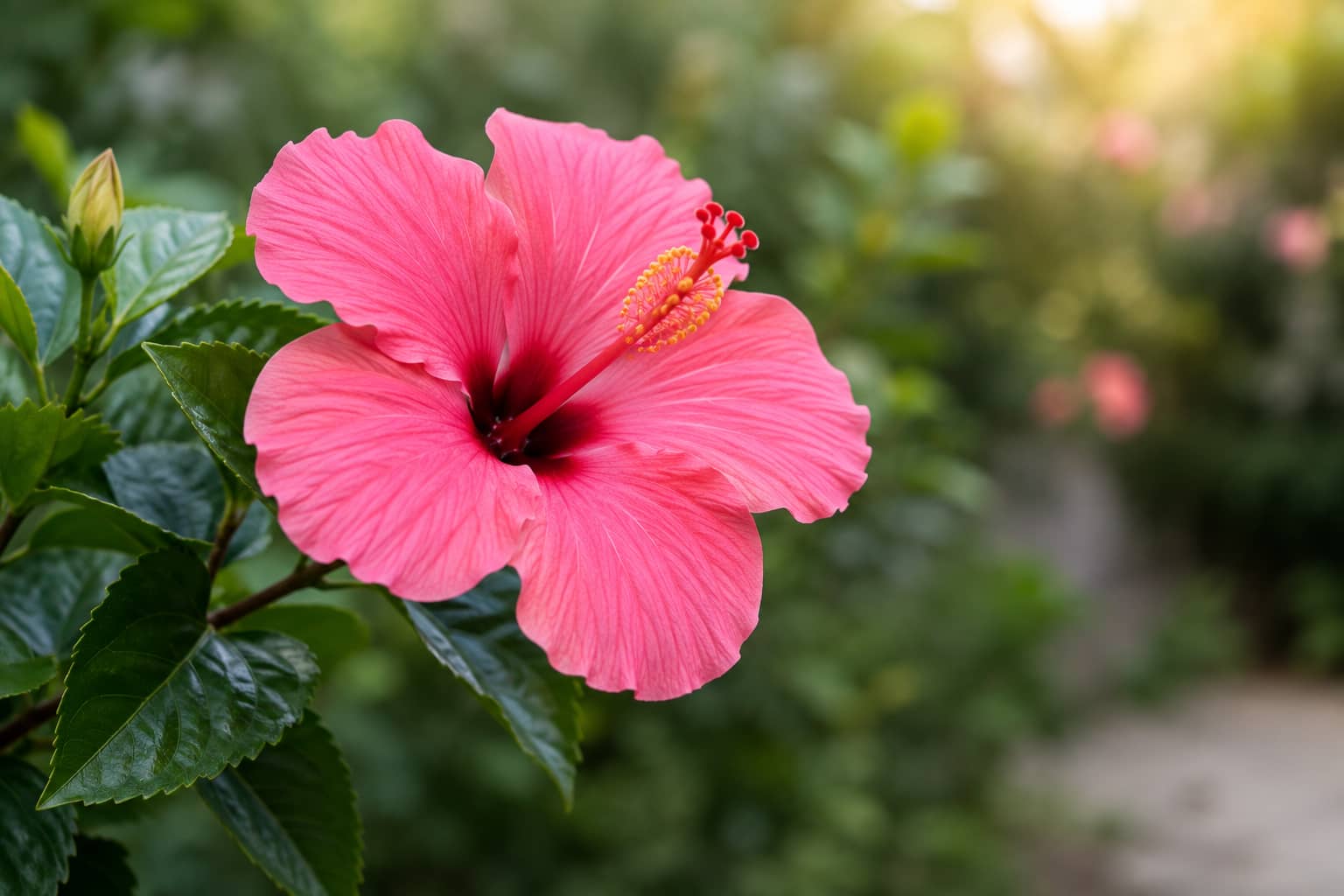
Single blooms: Generate individual roses, tulips, lilies, orchids, daisies, or sunflowers in realistic, botanical, or artistic styles. Control petal detail, lighting, and background for each one.
-
Bouquets and arrangements: Build full arrangements with chosen flower mixes, colors, vases, and compositions. Set the mood, lighting, and setting so the result matches the scene you need.
-
Seamless floral patterns and textures: Create repeating designs suited for packaging, stationery, wallpapers, textiles, or websites. The patterns tile cleanly without obvious seams or mismatched edges.
-
Photo-to-flower edits: Upload an existing image and add or change floral elements. Turn a plain product shot into a floral scene or restyle the blooms already present.
-
Fantastical and surreal flowers: Produce impossible colors, glowing petals, oversized shapes, or abstract designs. These versions go beyond real gardens into neon, dreamlike, or futuristic looks.
Best AI flower prompt ideas to try
A good prompt does most of the work. Copy any of these, swap in your own colors, setting, or mood, and start generating right away.
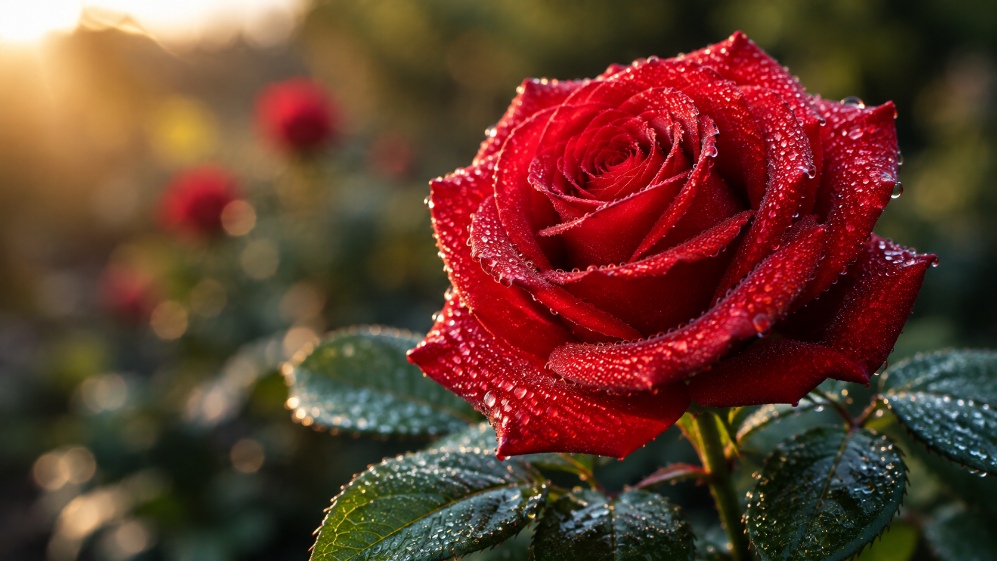
Realistic Red Rose
Prompt: A photorealistic red rose covered in tiny morning dew drops, soft natural sunlight, detailed velvety petals, dark green leaves, shallow depth of field, macro photography.
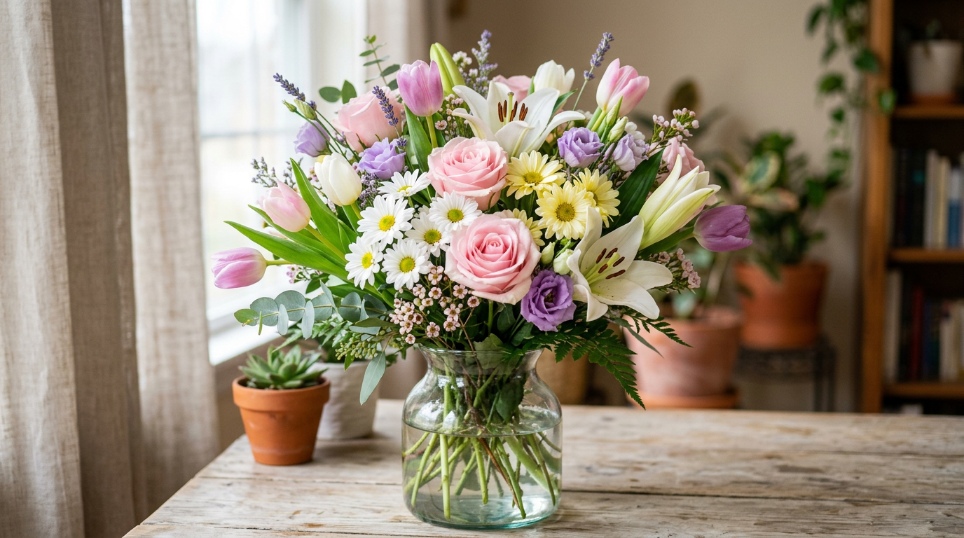
Colorful Flower Bouquet
Prompt: A vibrant bouquet of roses, tulips, lilies, and daisies in pastel pink, yellow, purple, and white, arranged in a glass vase, soft studio lighting, photorealistic.
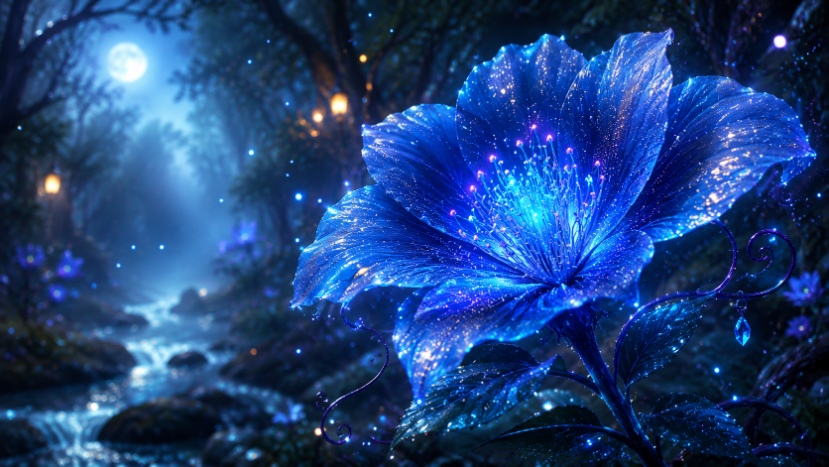
Fantasy Glowing Flower
Prompt: A magical blue flower with glowing petals in an enchanted forest, soft mist, sparkling particles, moonlight, dreamy atmosphere, highly detailed fantasy artwork.
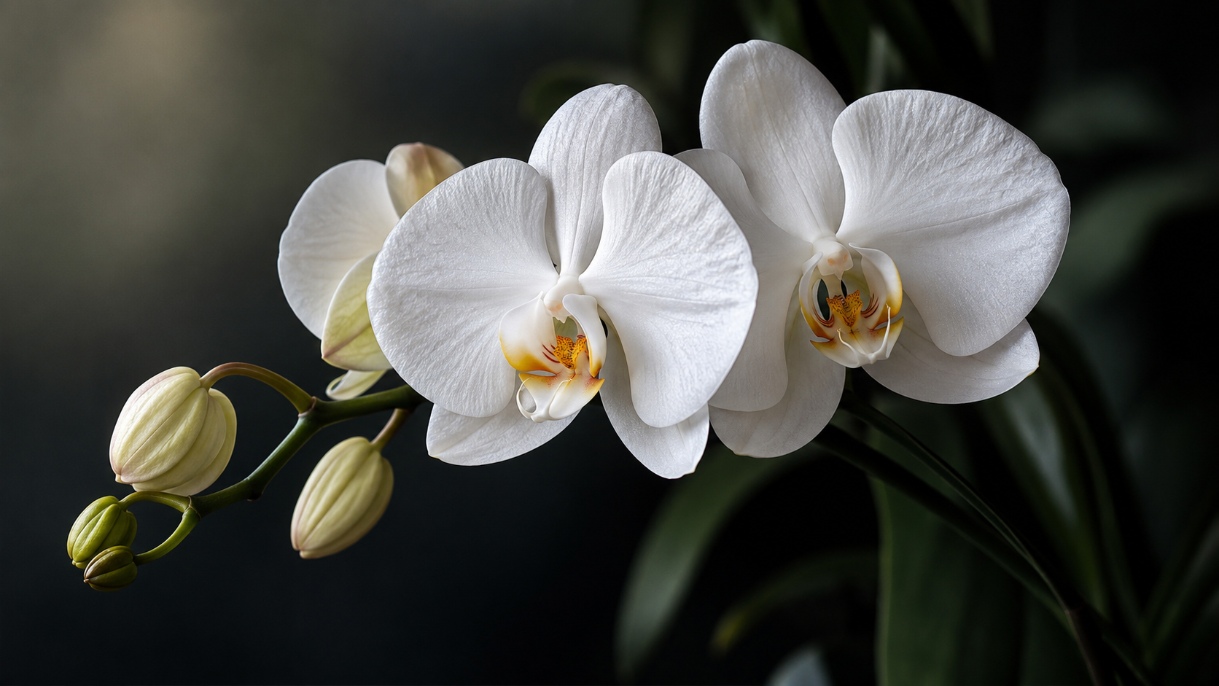
White Orchid
Prompt: An elegant white orchid with delicate petals and detailed textures, soft diffused lighting, dark blurred background, luxury botanical photography, ultra-realistic.
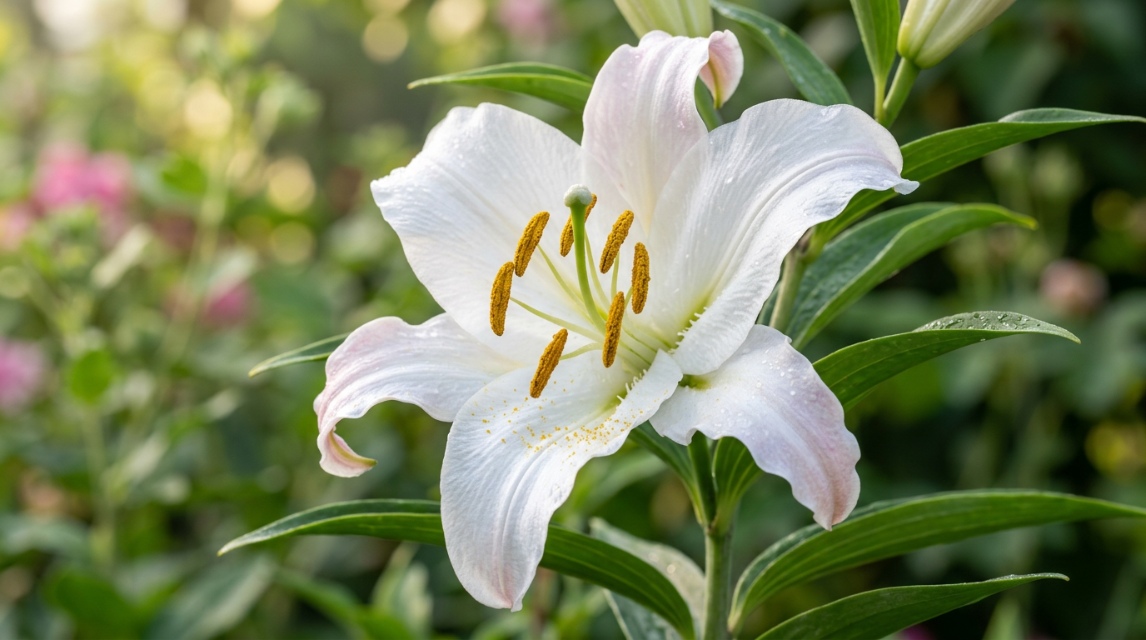
Elegant White Lily
Prompt: Ultra-detailed macro photography of a photorealistic white lily in full bloom, delicate curved petals with subtle pink accents, golden pollen-covered stamens, fresh green leaves, soft morning sunlight, natural garden background, shallow depth of field.
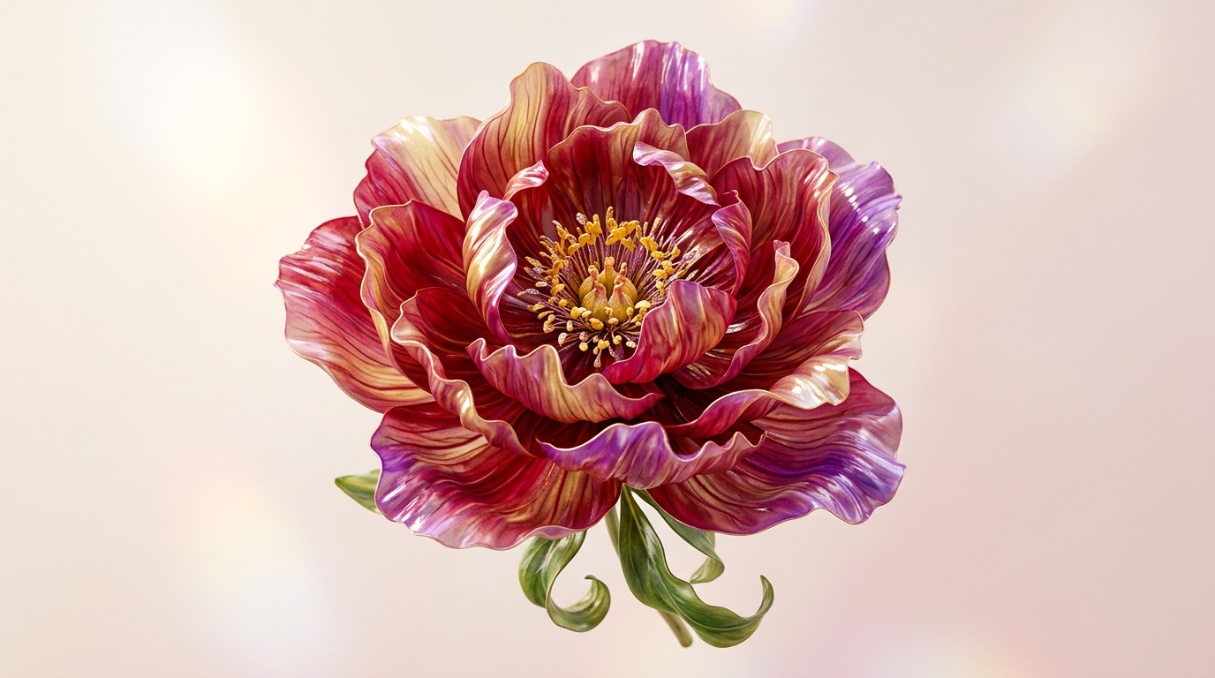
3D Flower Design
Prompt: A stunning 3D-rendered flower with intricate layered petals, glossy textures, soft studio lighting, floating against a clean background, premium digital artwork.
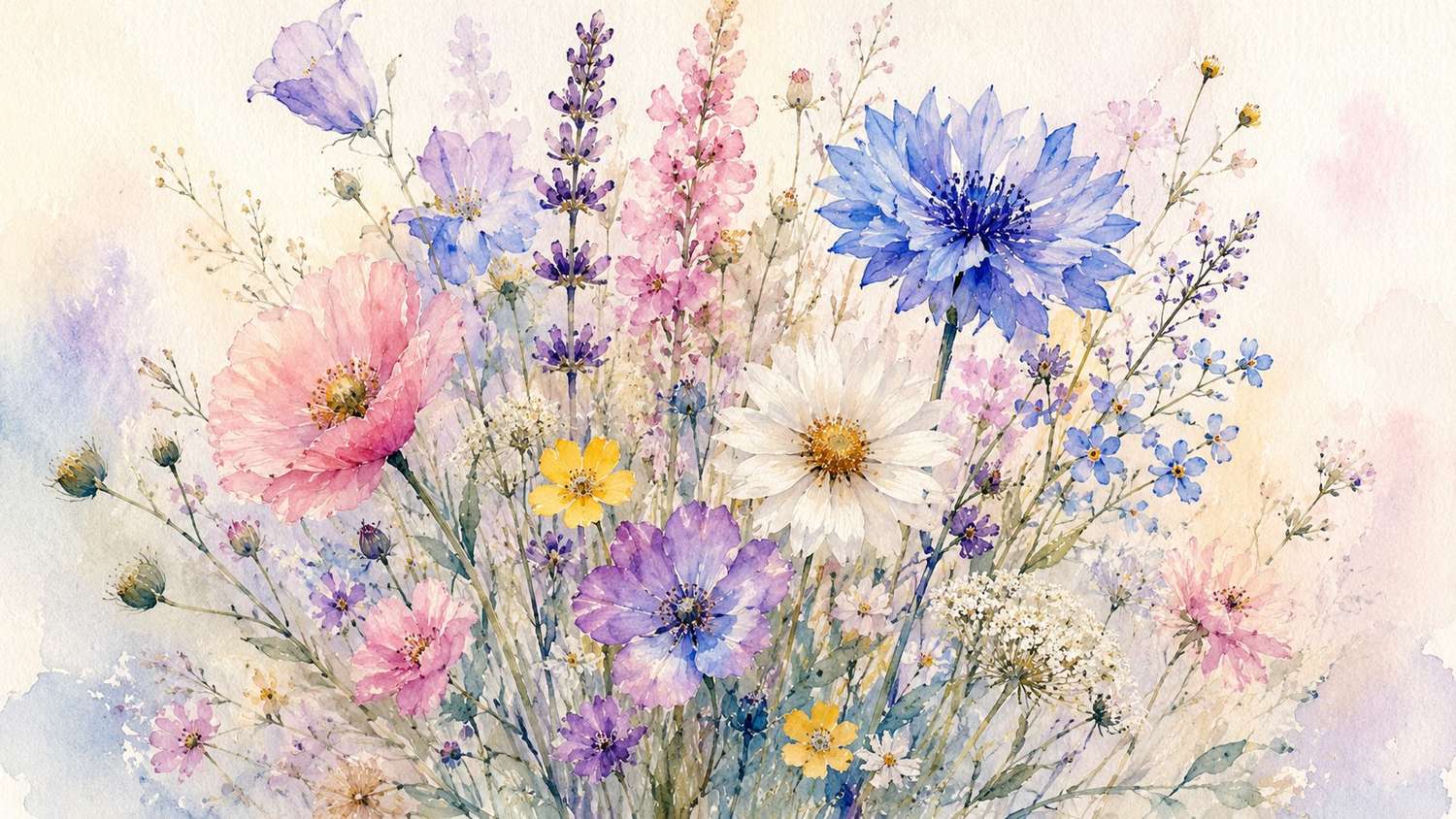
Watercolor Flower Art
Prompt: A delicate arrangement of colorful wildflowers painted in a soft watercolor style, subtle paper texture, pastel colors, elegant botanical illustration, artistic composition.
A prompt is only half the job. The tool behind it decides whether you get a usable flower image on the first try or spend an hour rerolling variations that miss the mark.
Create stunning AI flower images with Vmake Labs
Vmake Labs is an AI image generator built for fast, precise generation. You choose from several models, type a detailed flower prompt or upload a reference photo, and generate images sized for social posts, print, or web use. It supports text-to-image creation, style transfer from existing photos, custom aspect ratios, and high-resolution downloads, so the final files stay sharp for whatever project you need.
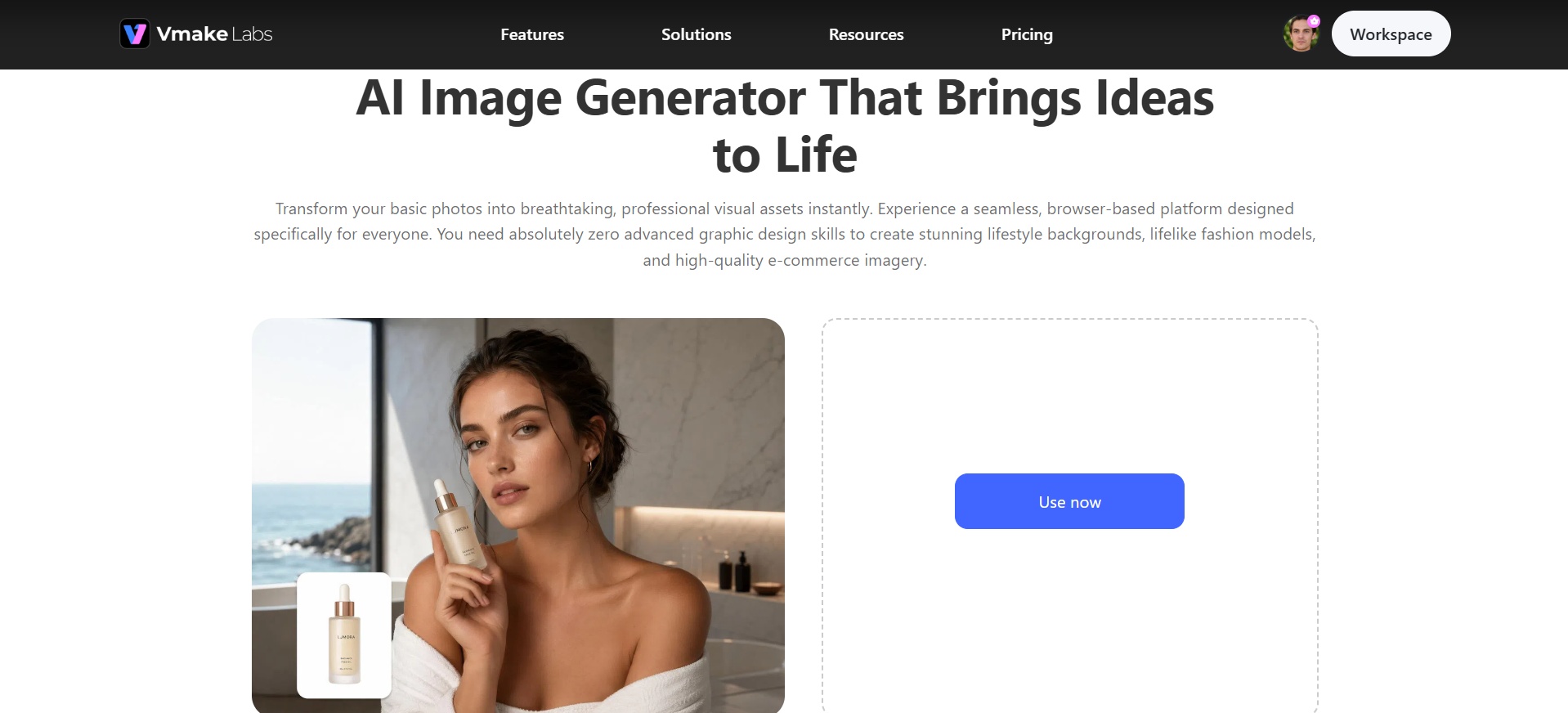
Key features of Vmake Labs AI flower generator
-
Multiple AI model choices
Switch between different AI models to get the flower style you want: photorealistic blooms, painterly florals, or soft watercolor florals. It allows you to be flexible rather than being stuck with a single visual style for every project.
-
Text-to-image generation
Describe the exact flower type, color, and mood you are picturing, and get a matching image within seconds. This saves you from digging through stock libraries for a flower photo that simply does not exist.
-
Image-to-image style transfer
Upload an existing flower photo and reimagine it in a completely new style, like turning a plain product shot into a watercolor bouquet or realistic render. It is great for quickly testing different visual directions.
-
Multiple aspect ratios
Create flower photos sized for Instagram posts, Pinterest pins, website banners, or print materials. So your flower graphics are ready to go on the platform with no cropping, resizing, or manual fiddling afterward.
-
High-resolution export
Export your finished flower images in high resolution. This ensures your floral visuals stay crisp and detailed whether used for social posts, print, or large marketing banners.
Steps to generate AI flower images using Vmake Labs
Generating a flower image on Vmake Labs takes three steps: pick a model, write your prompt, and download the result. Here's how each one works.
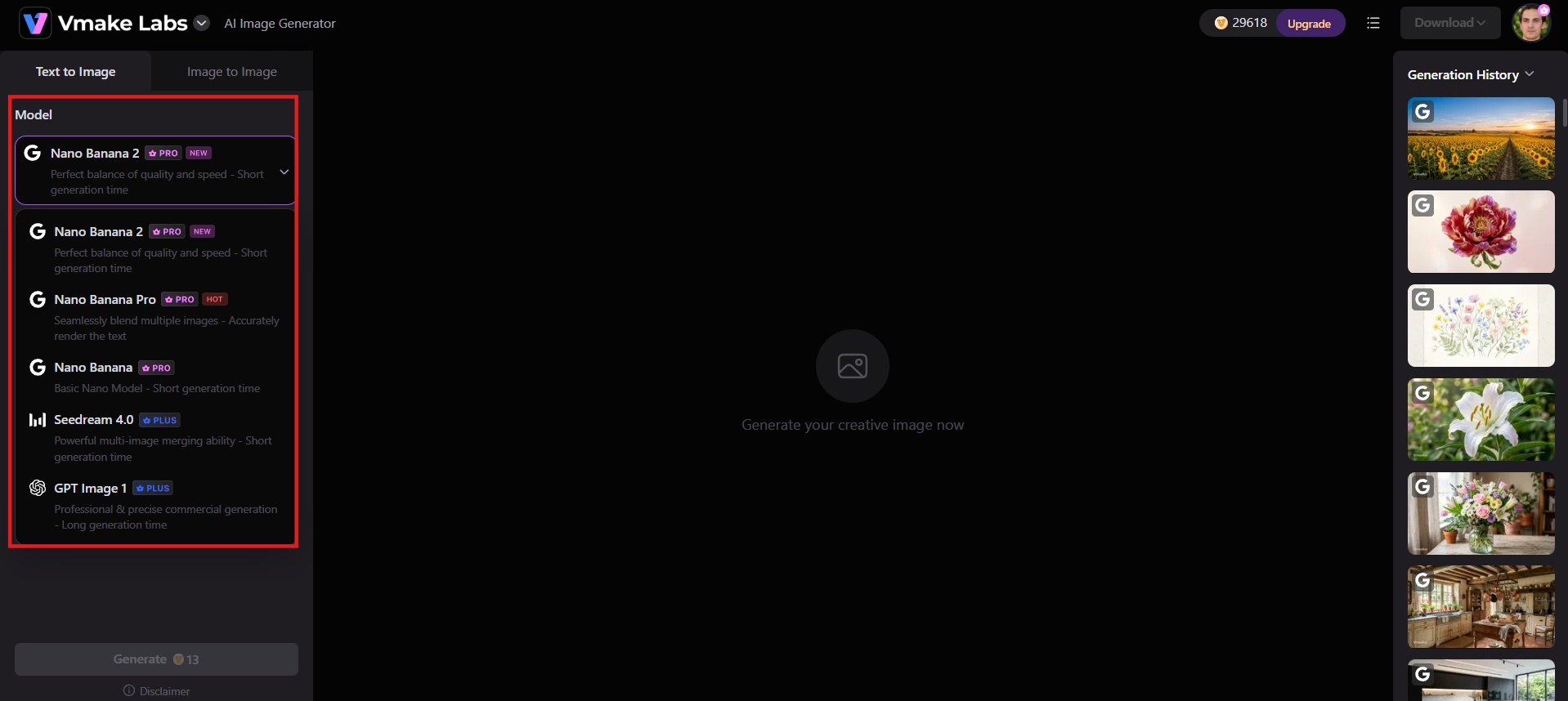
Step 1: Select your AI model
Launch the Vmake Labs AI image generator and choose the AI model you wish to use, such as Nano Banana, Seedream or GPT Image. The models will create images with slight differences in the styles used.
Step 2: Enter your detailed prompt
Specify what kind of flower or arrangement you would like to create, the color scheme, the style, and the lighting of your future image. You can also upload a reference image and select your preferred aspect ratio to match your final use case.
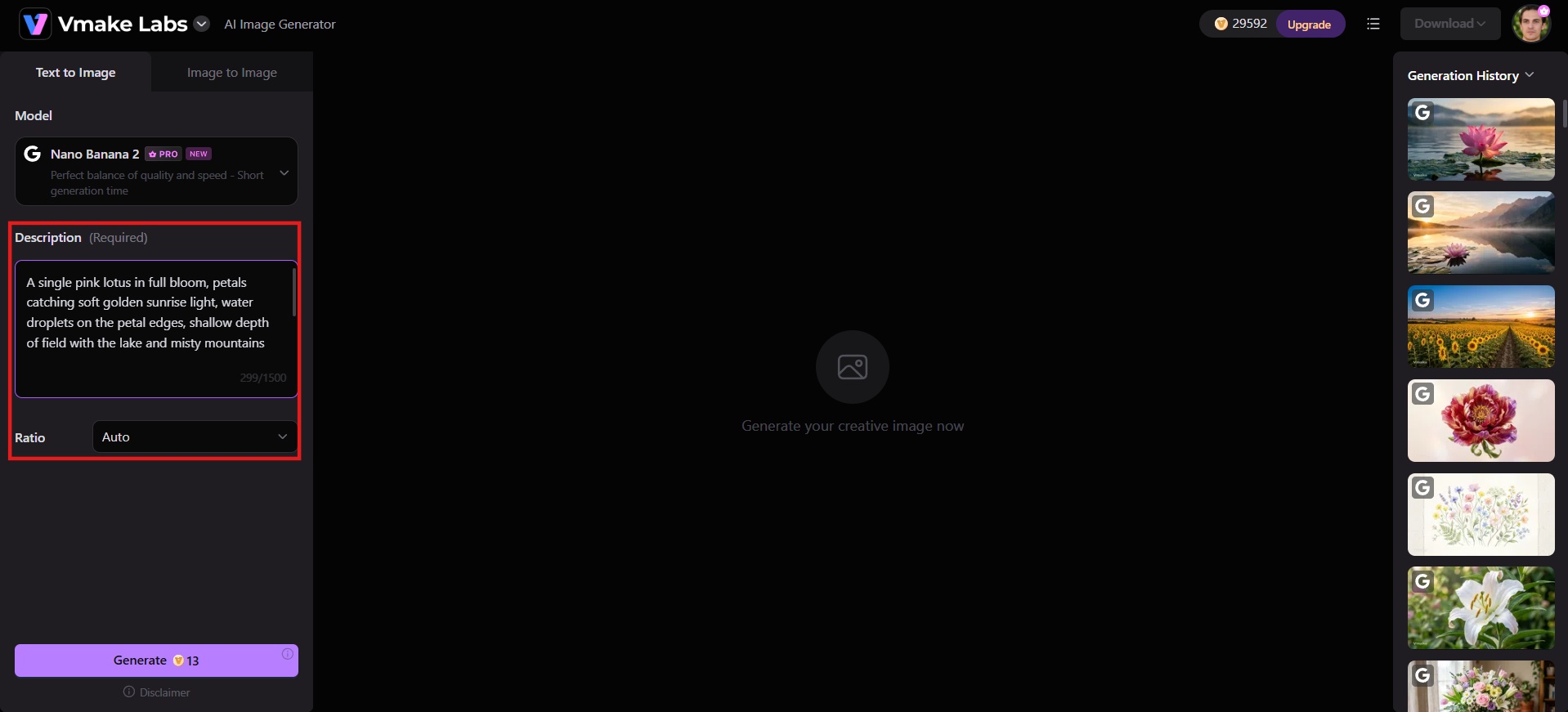
Step 3: Generate and download
Click "Generate" and wait until the AI creates your flower image. As soon as you like the result obtained, download it in your chosen resolution and use it for your project right away.
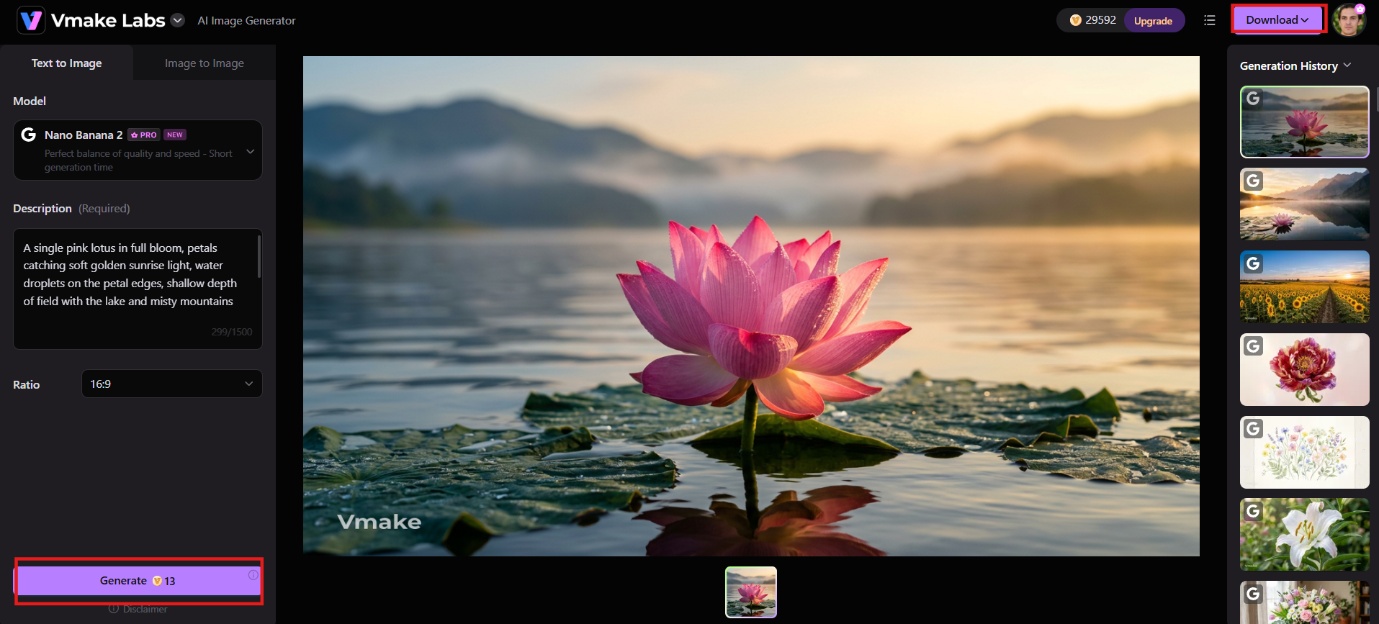
Why do people create AI flowers?
Real flowers wilt, and their colors and varieties only exist between certain months. AI removes both limits: a creator can call up any arrangement, in any color, size, or style, on demand. Here is a look at why people are turning to AI-generated flowers:
-
Weddings and event mood boards: Test bouquet styles, color palettes, table settings, and venue florals before committing. Generate options quickly to compare looks side by side.
-
Marketing and advertising visuals: Produce campaign-ready flower images that match brand colors and composition. Avoid the limits of generic stock libraries when a specific look is required.
-
Social media graphics: Make bright floral posts for Instagram, Pinterest, or seasonal campaigns. Size and style the images for the platform without extra cropping later.
-
Print, posters, and wall art: Export high-resolution flowers for posters, decorative prints, or greeting cards. Check the tool's license and export limits before commercial use.
-
Product decoration and mockups: Apply floral designs to packaging concepts, labels, backgrounds, or product shots. Test different treatments before the final artwork is produced.
-
Digital greeting cards: Design custom floral cards for birthdays, anniversaries, weddings, or holidays. Match the flowers and style to the occasion in a few prompts.
Tips for better AI-generated flowers
The gap between a generic flower image and one that matches your vision usually comes down to the prompt. These tips close that gap.
-
Be specific with flower details: Name the exact species and add petal shape, texture, or stem details. Vague prompts give generic blooms. Precise ones give the model the information it needs to match your intent.
-
Describe the color palette clearly: State the main colors and any accents or gradients. Soft pastels, deep reds, or mixed tones all work better when named directly instead of left open to the model's default choices.
-
Set the lighting and mood: Include the light source and atmosphere. Soft morning light, studio softboxes, or moonlight each changes the final look. Mood words such as calm, dramatic, or dreamy help lock the overall feeling.
-
Specify the composition and background: Decide the angle, framing, and what sits behind the flower. A blurred garden, plain studio wall, or dark void all affect focus and clarity. Clear instructions keep the subject sharp and the setting under control.
-
Generate multiple variations: Run several versions of the same prompt. Small differences appear each time. Comparing them side by side makes it easy to pick the strongest result or refine the next prompt.
Conclusion
AI flower generators turn text prompts into finished images in seconds. You control the bloom type, color, lighting, style, and composition, then refine or download the strongest results. Realistic single flowers, full bouquets, seamless patterns, and surreal designs all become practical options for moodboards, marketing, social posts, print, and product work. Skip the generic stock catalogs and turn your creative ideas into high-resolution visuals effortlessly. Ready to bring your floral concepts to life? Try Vmake Labs for free!
FAQs
-
What is an AI flower generator?
An AI flower generator is an online tool that allows you to create images of flowers based on your text prompt with the help of diffusion algorithms such as Stable Diffusion and Flux. You describe the bloom you need, and the algorithm creates a corresponding image in seconds.
-
Can I use AI-generated flowers for commercial projects?
In most cases, yes. Tools like Vmake Labs allow commercial use of generated images, but licensing terms vary by platform. Check the specific tool's terms before using an image in paid work.
-
Do I need design skills to generate AI flowers?
No. You only need a clear text prompt describing the flower type, color, lighting, and style you want. The AI model handles rendering, so no drawing or design skills are required.
-
What types of flowers can AI generate?
Any flower you can describe: real species like roses, orchids, and lilies, seamless floral patterns for backgrounds or print, photo-to-flower edits, and fictional or surreal blooms with impossible colors and shapes.
-
Can AI generate realistic flowers?
Yes. Modern diffusion models produce photorealistic flowers with accurate petal texture, natural lighting, and fine detail, especially when the prompt is specific about the flower type, color, setting, and mood.

You May Be Interested
Best AI Image Generator: 10 Top Picks for 2026 Review
Best AI Image Upscaler Tools in 2026: Upscale Images to 4K, 8K & Beyond

Best AI Image Enhancer in 2026: Top Tools to Upscale and Fix Blurry Images
How to Touch Up Photos in 2026: Best AI Tools to Retouch Images Easily

How to Fix Blurry Photos in 2026: Best Tools to Sharpen Blurry Images