How to Touch Up Photos: Free AI Tools & Step-by-Step Guide (2026)
 Vmake Labs TeamMay 26, 2026
In 2026, photo touch up has become simpler than ever thanks to AI-powered tools. Whether you are a casual social media user, a professional photographer, or an e-commerce seller, various AI photo touch up tools help elevate your images effortlessly, without manual slider adjustments.
In this article, you’ll learn about touch up photos, when to do that, and the best tools for professional-looking results.
What Does Photo Touch Up Mean?
Touching up photos refers to the process of making subtle improvements to an image to enhance its overall appearance. Unlike heavy editing, photo touch ups focus on small, precise adjustments, such as removing blemishes, smoothing skin, or refining colors. The goal is to improve visual appeal without altering the photo’s authenticity.
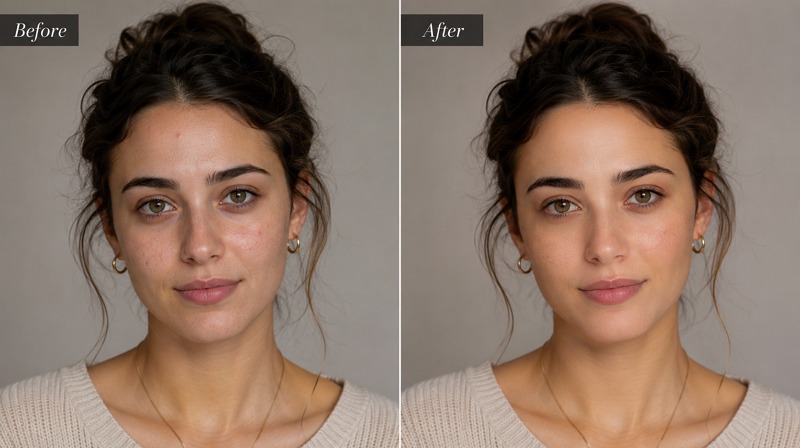
Touch Up vs Photo Enhancement
Photo touch up is generally more focused on small corrections, while photo enhancement involves broader adjustments like lighting balance, contrast correction, and color grading across the entire image. Touch up preserves the natural essence, whereas enhancement enhances overall aesthetics.
Touch Up vs Photo Editing
Photo editing is a broader term encompassing everything from lighting, contrast, cropping, and resizing to complex transformations. While touch up is a subset of editing that focuses on spot fixes, such as whitening teeth and eliminating background distractions.
Touch Up vs Photo Retouching
Retouching involves extensive, professional-level adjustments to portraits or commercial images, including advanced skin correction, reshaping, and high-end edits for a perfect look. However, touch up is simpler and more accessible for quick, minor cosmetic adjustments and is often automated by AI tools.
When Should You Touch Up a Photo?
Knowing when to use a photo touch up app ensures authenticity while improving quality. Here are a few situations:
Social Media Content
For social media, images compete in fast-scrolling feeds, so even small improvements can make a difference. Touch ups for social media photos involve removing minor distractions, such as stray hairs or small blemishes. This ensures the content looks polished, visually appealing, and shareable without over-editing.
Portrait and Selfie Retouching
Portraits and selfies are personal representations, so they often require reducing under-eye shadows, evening out skin tone, and gently smoothing skin. AI touch up tools make these adjustments simple and natural-looking, suitable for professional profiles, personal branding, or social sharing.
Product and E-commerce Photos
Product images need to showcase items while appearing attractive to buyers. Touch ups focus on removing minor imperfections or background distractions. This ensures products appear accurate, vibrant, and appealing on e-commerce platforms, which increases consumer trust and conversion rates.
Marketing and Website Images
Marketing and website visuals must convey professionalism and brand consistency. Touch ups involve adjusting colors to match brand palettes and eliminating distracting elements to create a natural aesthetic. This helps images engage viewers effectively.
Best Tools to Touch Up Photos Online
Modern AI tools simplify the process, making it accessible for everyone to touch up photo without specialized software knowledge. Let’s explore some leading tools before choosing the right one for you:
Vmake AI Image Enhancer – Best for Quick AI Photo Touch Up
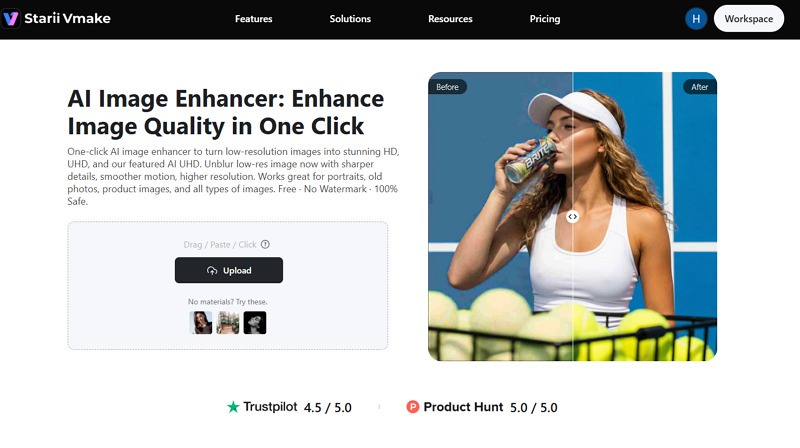
Vmake AI Image Enhancer is a remarkable free photo touch up tool online. It uses the latest AI technology to detect imperfections and instantly enhance low-quality images to stunning clarity. You can also enhance resolution while maintaining a natural look.
It can touch up any type of image, including products, old photos, and portraits, with no manual adjustments required. It is perfect for content creators, marketing teams, and e-commerce sellers.
Key Features
Upscale up to HD and UHD quality
Support batch processing
Allow side-by-side comparison
Strengths
Fast, one-click workflow
No sign-up required
API support for developers
Fotor – Best for Online Photo Retouching
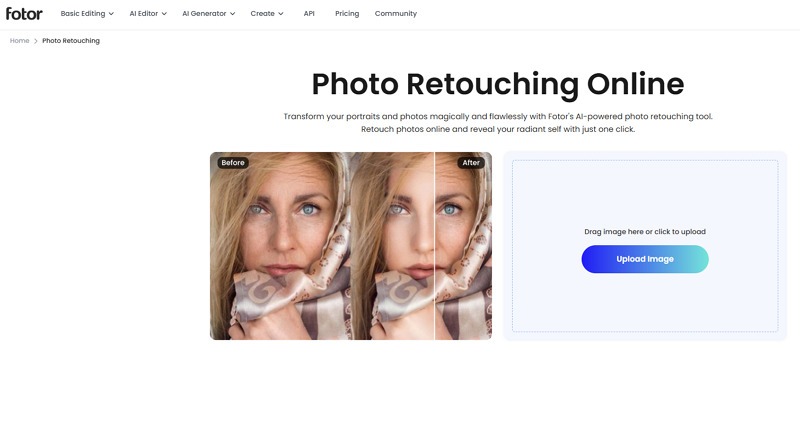
Fotor is a versatile online platform that offers various photo touch up free tools. These include skin smoothing, blemish remover, eye brightening, teeth whitening, and more. It also combines AI enhancements with manual control, allowing you to refine edits for natural-looking results.
It even provides templates, design elements, and background adjustments, making it useful for portraits, products, real estate, corporate, and branding.
Key Features
All-in-one editing studio
Bulk skin retouch option
Let you save to the cloud
Strengths
One-tap enhancement
Faster photo editing
Secure & watermark-free
Canva – Best for Social Media Photo Editing
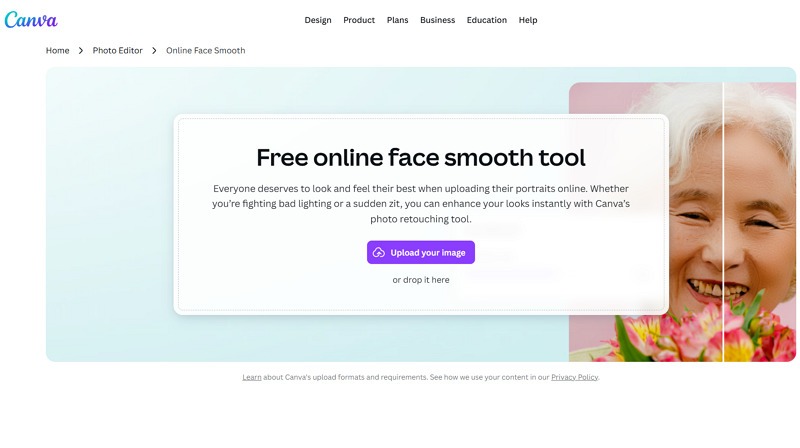
Known for graphic design, Canva is another touch up app for photos. With a built-in AI-powered face retouch tool, it helps smooth skin, remove blemishes, and adjust lighting in portraits.
The Magic Edit feature lets you touch up photos with simple text descriptions. It works well for social media managers, business owners, printing professionals, and anyone who needs quick edits.
Key Features
Magic Studio tools
Multiple effects & filters
Various export options
Strengths
Fast and free
Huge template library
Available via browser and app
Photoshop – Best for Professional Photo Retouching
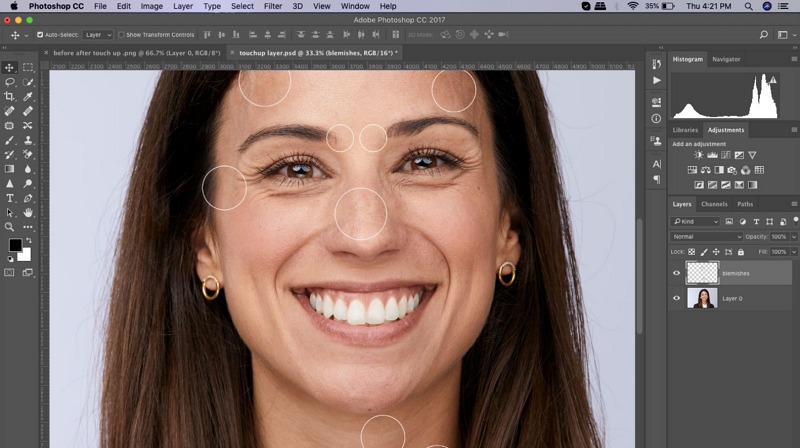
Adobe Photoshop remains the gold standard for advanced portrait retouching with neural filters. It allows precise control over skin correction through layers, masks, as well as the Spot Healing and Red Eye tools.
It also integrates AI-powered features that automate tasks such as object selection and minor retouching, saving hours of work. While the learning curve is steeper, it is suitable for professional photographers, designers, or portfolio work.
Key Features
Comprehensive editing toolkit
Content-Aware Fill improvements
Advanced color grading & correction
Strengths
Non-destructive workflow
Highly customizable results
Manual control with automation
How to Touch Up Photos with Vmake (Step-by-Step)
Although Vmake AI Image Enhancer offers a fast, intuitive way to touch up photo, here is the detailed process to facilitate you:
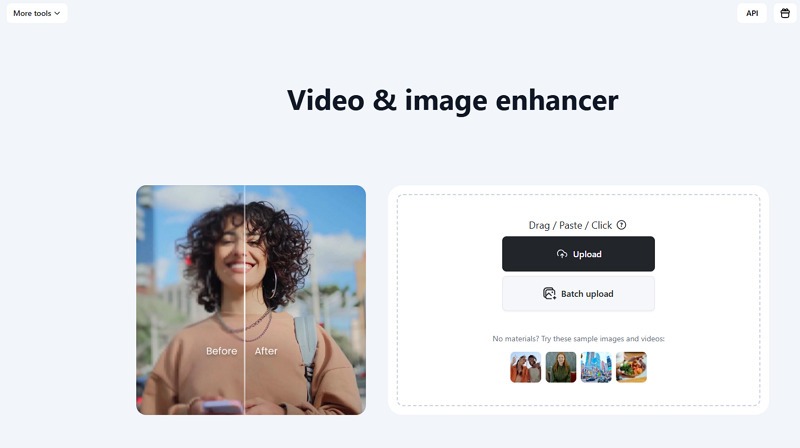
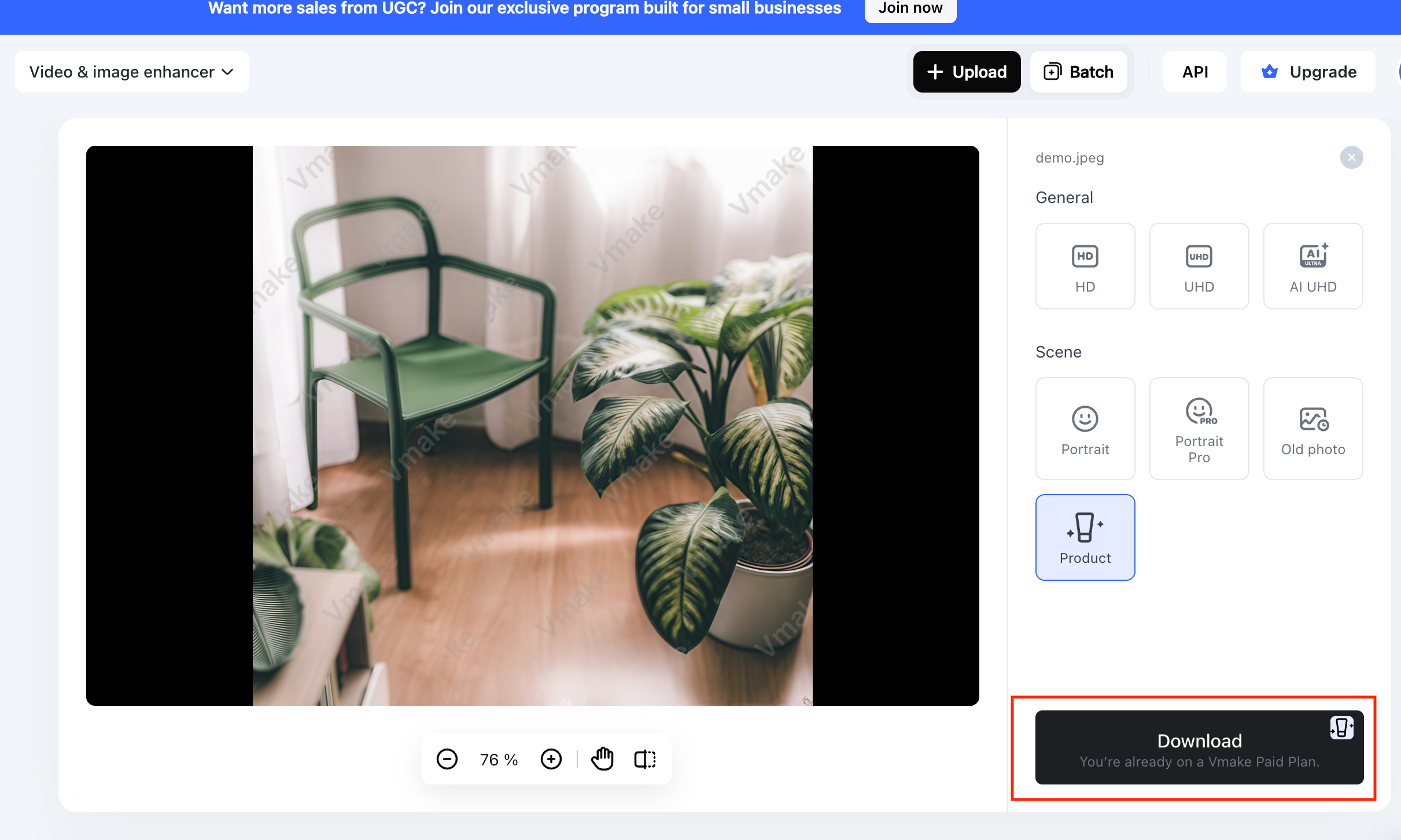
Step 1. Upload Photo
The first step is to open this tool in your browser. Now, click the “Upload” button to import the required photo.
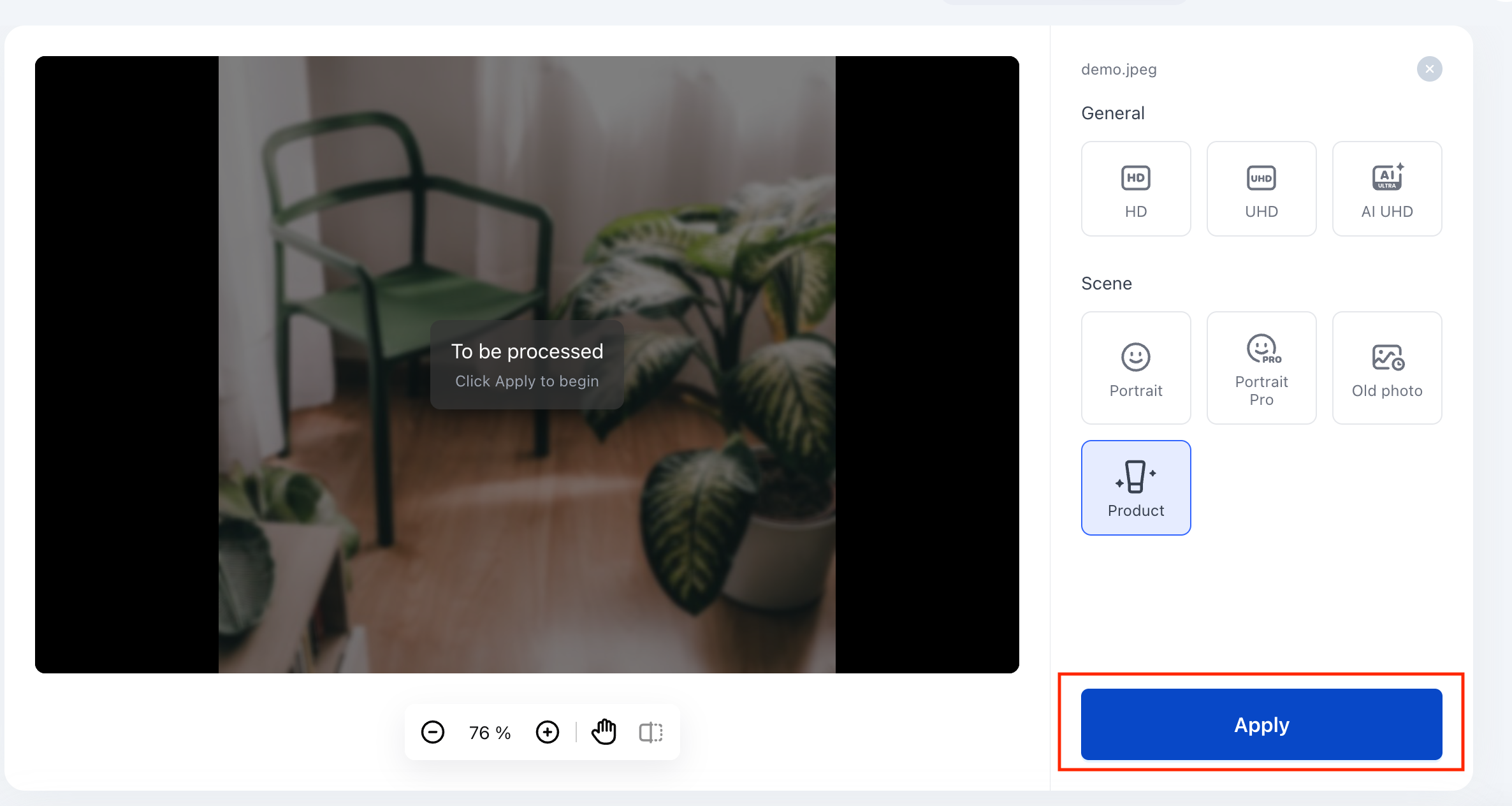
Step 2. Touch Up Photo
The AI will automatically touch up your photo based on its type, i.e., portrait, product, or an old photo. You can also select the “HD” or “UHD” resolution and press “Apply.”
Step 3. Download the Output
When the image is upscaled, preview it, and if it looks fine, hit the “Download” button. You are all done!
Common Mistakes to Avoid When Touching Up Photos
Understanding common pitfalls helps ensure that your images look natural, professional, and visually appealing. Here are a few to consider:
Over-Editing the Image
Over-editing a photo with excessive adjustments can remove natural imperfections and texture, making the image appear artificial. It reduces authenticity and diminishes the viewer’s trust in the content.
Excessive Skin Smoothing
Applying too much skin smoothing eliminates the skin’s natural texture and fine details. This results in portraits that look plastic, overly retouched, and unnatural, undermining realism and viewer perception.
Using Low-Resolution Source Images
Touching up low-resolution images often causes pixelation, blurring, and loss of detail. So it is essential to start with high-quality files to maintain clarity and a professional look in the final image.
Applying Too Many Filters
Using multiple filters can distort colors, tones, and contrast in an image, making it appear inconsistent or artificial. Try only the necessary ones to maintain realism and visual harmony.
Tips for Natural-Looking Photo Touch Ups
If you want your photos to look polished, professional, but realistic, follow the tips below:
Keep Adjustments Subtle
Make minor, precise corrections to enhance the image without overdoing edits. Subtle photo touch up preserves realism, retains natural imperfections, and ensures that the final photo looks refined yet authentic.
Focus on Lighting and Color Balance
Carefully adjust exposure, brightness, contrast, and color tones to achieve balanced lighting. Proper attention to color harmony enhances the overall aesthetic while preserving the image’s natural look.
Preserve Natural Texture
Maintain natural color tones, hair details, and fabric textures while editing. Avoid over-smoothing or blurring. Preserving texture keeps images lifelike and ensures professional-quality results without artificial appearances.
FAQ
What does it mean to touch up a photo?
Touching up a photo is about refining and enhancing fine details, such as removing blemishes, rather than adjusting overall lighting or cropping.
Can I touch up photos online for free?
Yes, many online tools let you touch up a photo online for free. Platforms like Vmake, Fotor, and Canva provide AI-powered blemish removal, but with some limitations.
What is the best tool to touch up photos?
It depends on your requirements. However, if you want fast, natural, and professional results, Vmake AI Image Enhancer is recommended. It uses AI to enhance images while keeping them realistic.
Can AI automatically retouch photos?
Yes, AI photo touch up tools can automatically detect imperfections, adjust skin tones, and balance colors. It provides fast, natural-looking photo touch ups without requiring manual editing expertise.
Final Thoughts
Whether you want to improve social media content, portraits, or product photos, this post offers a variety of tools to touch up photos. While you can choose an option based on your needs, Vmake AI Image Enhancer stands out for beginners due to its quick, natural, and professional-quality photo touch up. Let’s try it today and enhance your images effortlessly.

You May Be Interested
How to Create a YouTube Thumbnail? Create YouTube Thumbnails Using AI
1440p vs 1080p: The Ultimate Display Resolution Comparison
1440p vs 4k Comparison: Which Resolution is Better?
Best AI Image Upscaler Tools in 2026: Upscale Images to 4K, 8K & Beyond

Best AI Image Enhancer in 2026: Top Tools to Upscale and Fix Blurry Images
Best AI Photo Enhancer Tools in 2026 (Free & Online): Improve Image Quality Instantly