Top 5 Speech to Text Software Options for Faster, Flawless Transcriptions
We evaluated the best speech to text software of the year for accuracy, speed, and features. Find the perfect AI-powered transcription tool for your needs. Also, learn why Vmake Labs is the ideal option out there.

In an era where speed defines productivity, manual transcription is no longer viable. Speech-to-text software has evolved from a basic accessibility tool into an essential business asset. Whether you need to log minutes, translate global video campaigns, or generate instant captions, choosing the right platform can save you hours of manual editing while maximizing accuracy across your entire operational workflow.
What is speech-to-text software?
Speech-to-text software, also known as Automatic Speech Recognition (ASR), converts spoken audio into written text using deep learning algorithms. By analyzing acoustic patterns, language phonemes, and grammar rules, these systems translate human voices into highly structured text transcripts instantly.
Today's software can handle complex tasks such as translating live streams, generating synchronized subtitles, and separating voices in multi-speaker environments. These capabilities make the software invaluable for content creators, researchers, and global enterprises alike.
The reduction in manual correction cycles lets workflows scale smoothly. Ultimately, these tools serve as a bridge between spoken communication and accessible, searchable digital documentation, saving businesses time and money while unlocking global audience reach.

Key features to look for in good speech-to-text software
When selecting a transcription platform, evaluating core technological capabilities ensures long-term efficiency and minimal manual editing.
-
High Word Error Rate (WER) accuracy
Word Error Rate measures transcription precision. Top-tier tools utilize advanced neural networks to deliver lower WER percentages, ensuring transcripts remain accurate even when processing complex vocabularies, specialized industry terminology, fast speech, or diverse regional accents.
-
Real-time transcription vs. file-based batch processing
The best solutions support both workflows. Real-time streaming is essential for live captioning, assistive devices, and virtual meetings. Conversely, file-based batch processing handles large pre-recorded files in parallel, prioritizing overall depth, structure, and ultimate grammatical precision.
-
Speaker diarization and voice identification
Diarization is the process of identifying who spoke what and when. Robust software automatically detects changeovers in conversation, labels different speakers distinctly, and timestamps their lines, turning messy dialogue recordings into clean, easily navigable interview scripts.
-
Multi-language support and dialect detection
A global workflow demands multi-language capabilities. Superior software automatically detects the spoken language, transcending regional accents or localized dialects, and seamlessly translates voice inputs directly into translated subtitles or multi-lingual texts without requiring manual pre-selection.
-
Audio noise filtering and background isolation
Real-world audio is rarely pristine. Premium solutions integrate AI-driven noise-canceling filters that isolate spoken speech from heavy background hums, traffic noise, or low-quality microphone dynamics, drastically reducing transcription errors caused by difficult acoustic environments.
How did we evaluate the best speech-to-text software?
To find the best speech-to-text tools, we tested and evaluated several platforms against a rigorous set of criteria that directly impact professional workflows:
-
Transcription accuracy: We measured each tool's Word Error Rate (WER) across diverse accents, industry-specific terminology, and varying audio qualities to ensure they require minimal manual corrections after processing.
-
Output speed and latency: We analyzed real-time streaming speeds and batch-processing runtimes, looking for systems that transcribe hours of long-form audio in minutes or stream live subtitles with negligible latency.
-
Multilingual and translation capabilities: We assessed how effectively each tool handles diverse languages and localized dialects, ensuring the platform can easily convert global videos and audio files into translated, searchable text.
-
Feature set and value: We evaluated additional integrated features like automated speaker tagging, direct video-to-text capabilities, customized vocabulary tools, export formatting options, and flexible pricing plans to ensure maximum ROI.
Top 5 best speech-to-text software
Here is our curated list of the absolute best speech-to-text software solutions on the market today. Each caters to specific workflows, from video localizations to high-accuracy developer APIs.
|
Software |
Best For |
Languages Supported |
Key Highlight |
|---|---|---|---|
|
Vmake Labs |
Video/Audio Editing & Captioning |
14+ |
Seamless Video-to-Text Workflow |
|
ElevenLabs Scribe |
Ultra-low Latency APIs |
90+ |
Scribe v2 Real-time Streaming |
|
Synthesia |
AI Avatars & Video Localization |
120+ |
Multi-turn Script & Video Synthesis |
|
Murf.ai |
Professional E-learning & Voiceovers |
20+ |
Unified Text-to-Speech & STT Suite |
|
HeyGen |
Marketing Video Localization |
40+ |
Instant translation & voice-cloned STT |
-
Vmake Labs: the ultimate AI video & audio to text software
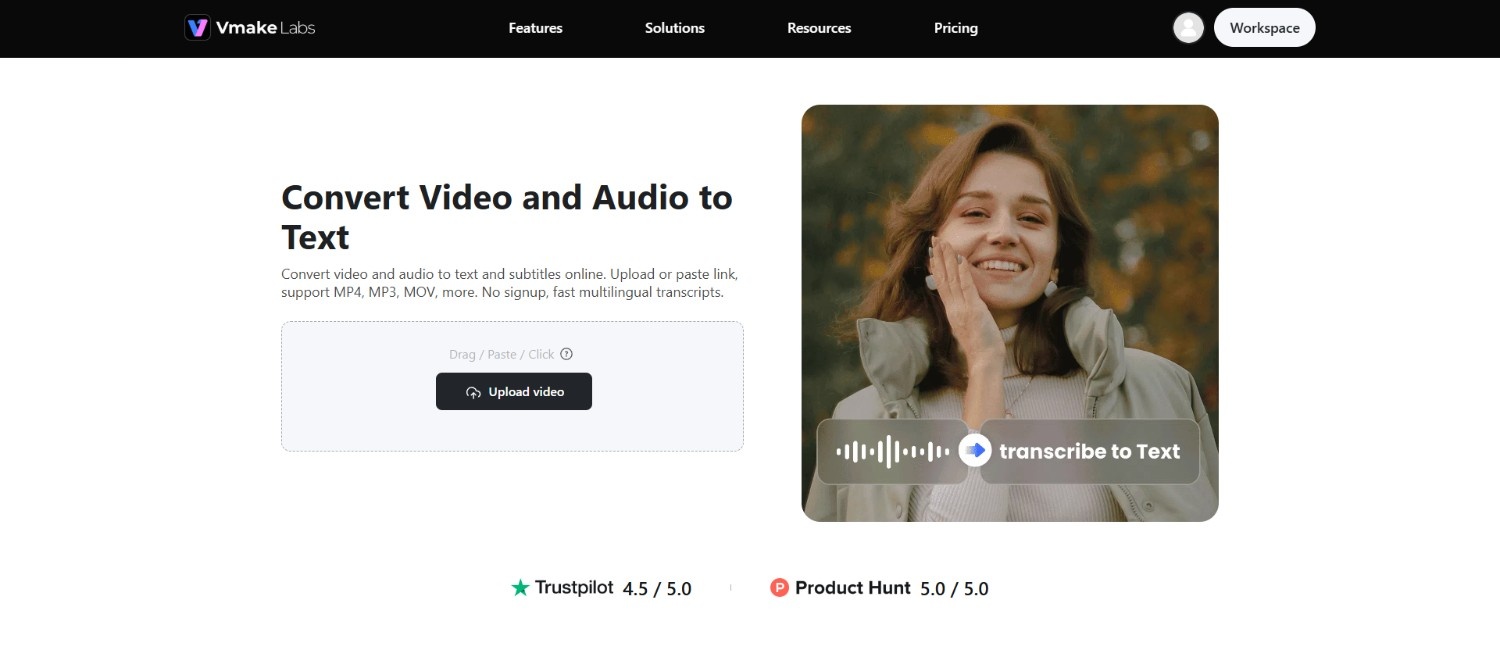
Vmake Labs stands out as an efficient online platform designed specifically for extracting text from media. It bridges the gap between raw video/audio files and clean, timed transcription outputs, making speech extraction fast and highly accessible.
Features
-
Video-to-text extractor: Converts uploaded video formats (MP4, AVI, MOV) directly into raw, highly accurate text scripts.
-
Audio-to-text converter: Transcribes standard voice recordings and audio files (MP3, WAV, M4A) into clean paragraphs.
-
AI auto-subtitle generator: Parses spoken audio to generate perfectly synchronized subtitle files for media production.
-
Link-based transcriber: Extracts spoken text directly from online video/audio links without requiring local file downloads.
-
Editable transcripts with TXT and SRT export: Provides an interactive editor to correct terms, adjust alignment, and download as plain text, or synced subtitle tracks.
-
AI-powered multilingual transcription: Leverages deep learning to accurately detect and transcribe spoken audio across 14+ international languages.
How to Use
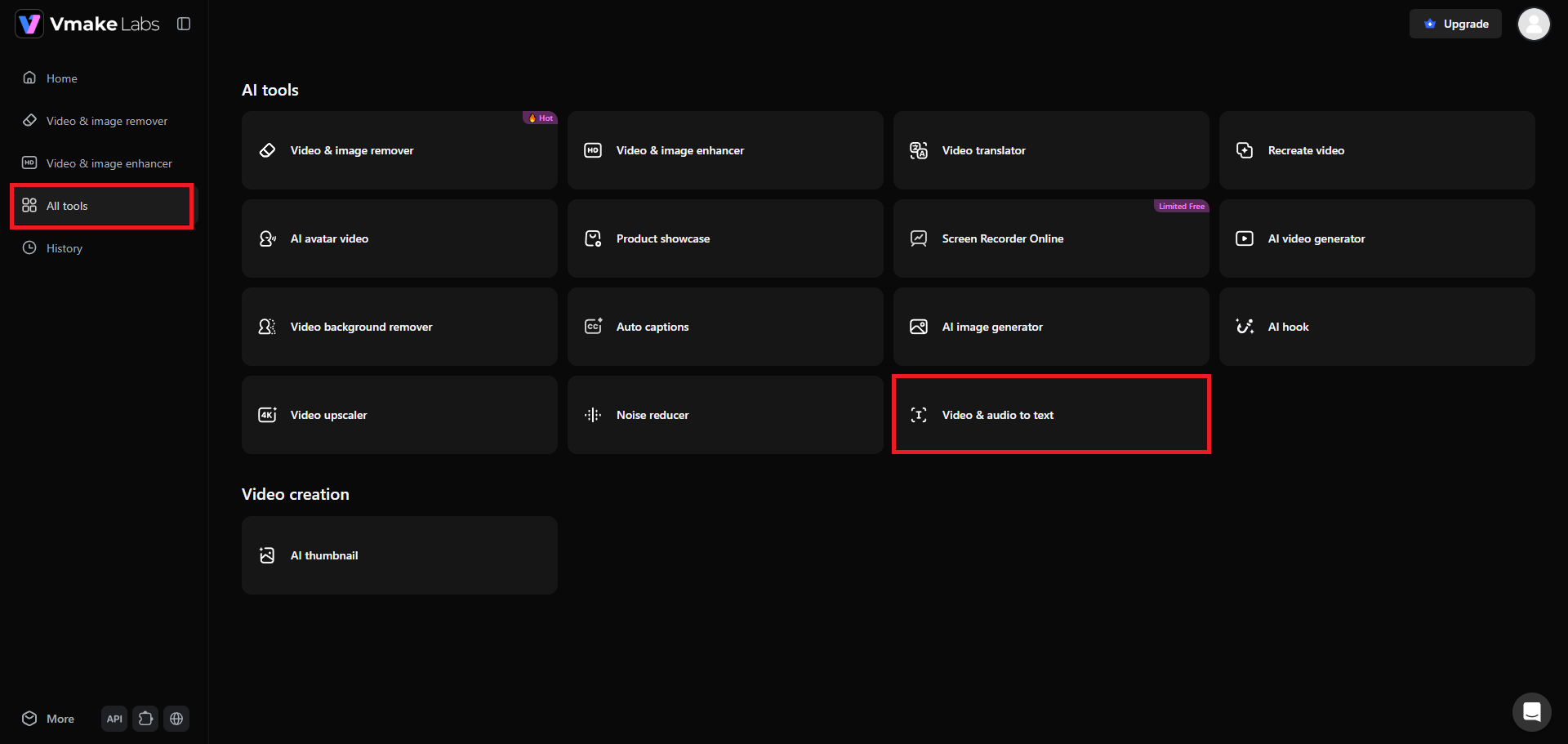
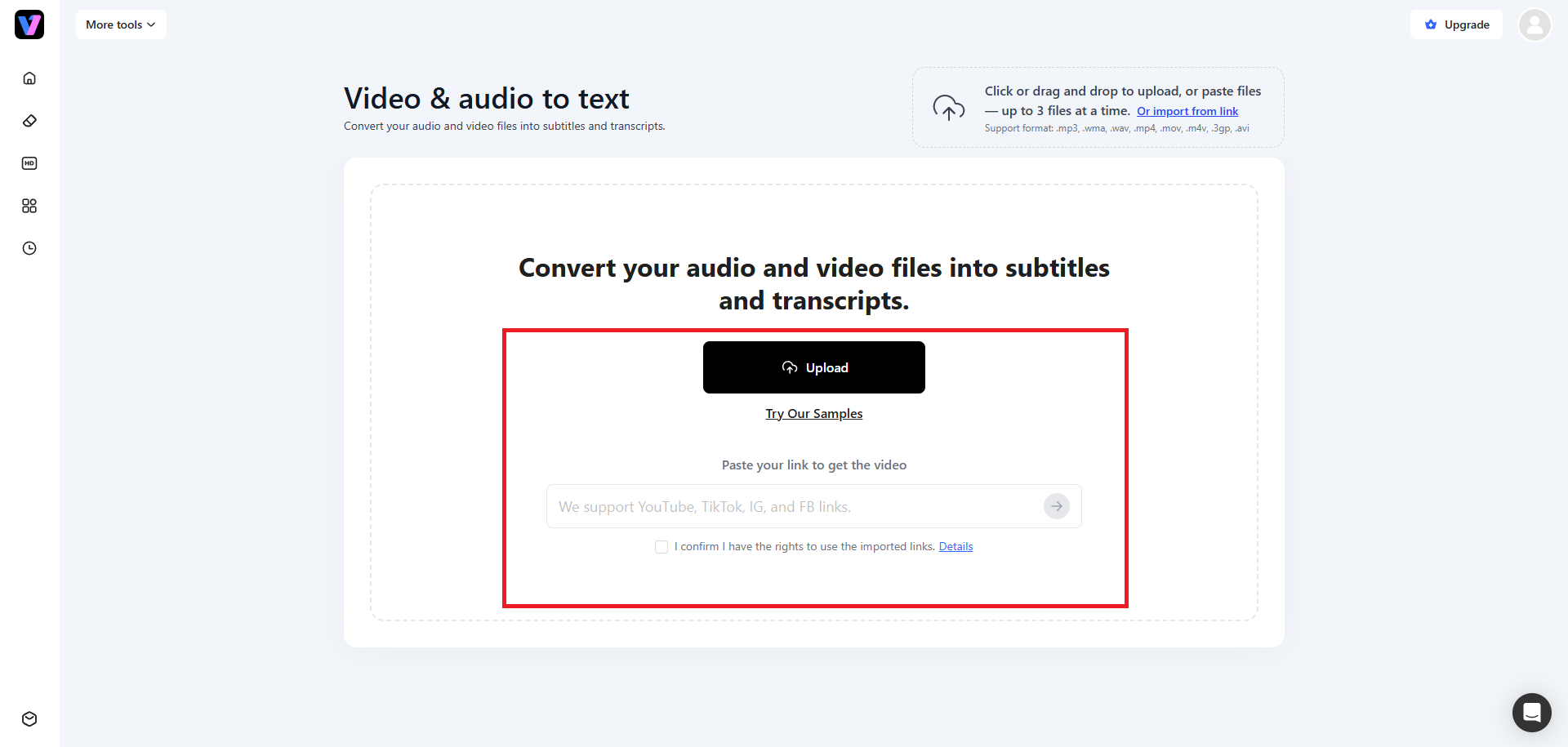
Step 1: Select the "Video & audio to text" converter
The primary step involves accessing your Vmake Labs account and then signing in. Once logged in, select the "All tools" option from the left of the dashboard section and you will be able to access the "Video & audio to text" tool. Click on it and a new web page will open.
Step 2: Upload your media or paste a link
On the new web page, you will be required to upload your media file, be it an audio track or a video file. Vmake Labs allow you to upload up to 3 files or paste 3 links, simultaneously. Wait for the uploading process to be completed before moving to the next step.
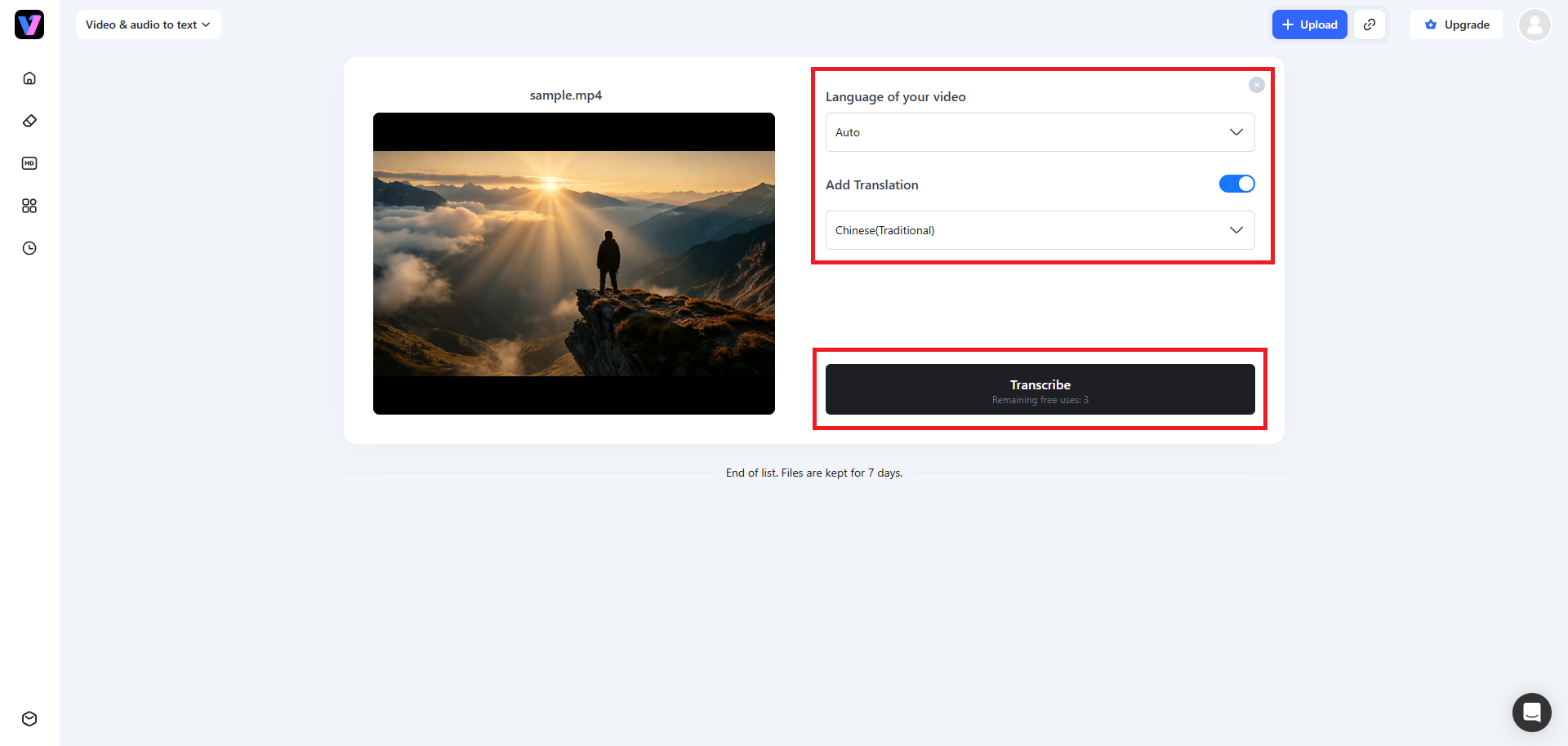
Step 3: Transcribe your video or audio file
Once the file is successfully uploaded, you need to first select the language in which your video was original (you can set it to "Auto" if you don't know the language or it has multiple languages in a single file). Then, toggle on the "Add Translation" option and then choose your target language. Finally, click on "Transcribe". Vmake Labs will start the transcription process, and once it is completed, you will be able to download the same to your local device.
Pros
-
Seamlessly extracts text from both video and audio formats.
-
Offers rapid link-based parsing for transcribing online content instantly.
-
Highly intuitive interface requiring zero technical experience to navigate.
-
Flexible output options allowing text downloads as plain transcripts or timed subtitles.
Con:
-
Free trial features processing limits on larger file sizes.
-
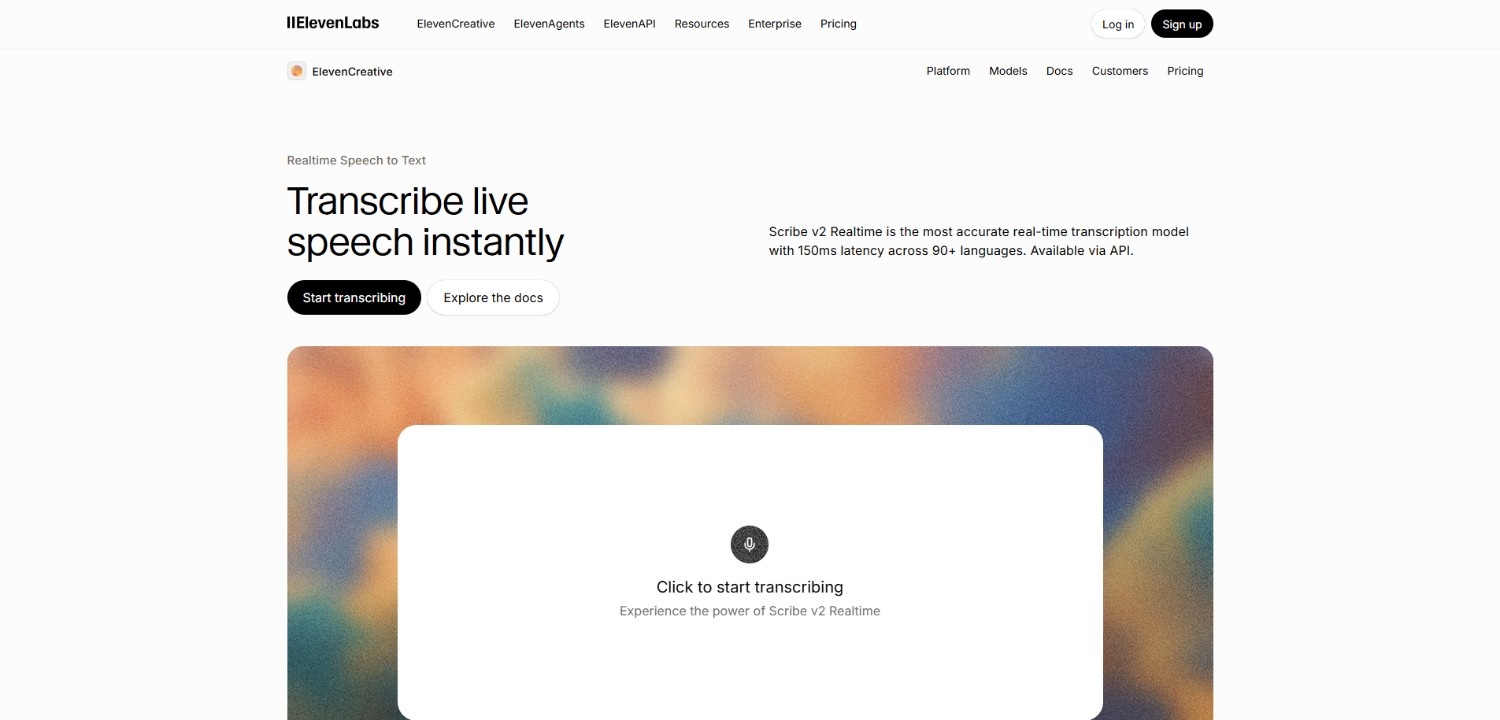
ElevenLabs Scribe
ElevenLabs Scribe v2 is a developer-first and studio-ready transcription powerhouse. Scribe leverages cutting-edge deep learning models to deliver industry-leading accuracy for both real-time streams and massive asynchronous batch jobs.
Features
-
Scribe v2 real-time: Delivers live, ultra-low latency speech-to-text streaming under 150ms for voice agents and interactive apps.
-
Dynamic audio tagging: Automatically detects and tags non-speech events like laughter, footsteps, and applause to provide full textual context.
-
Keyterm prompting: Allows users to input up to 1000 domain-specific terms or brand names to ensure flawless industry transcription.
-
Smart speaker diarization: Intuitively distinguishes and labels up to 48 speakers even on standard, mixed-mono recordings.
Pros
-
Outperforms legacy models in accuracy benchmarks across difficult accents and dialects.
-
Excellent SDK and API support for rapid integration into software and apps.
-
Extremely cost-efficient batch pricing that drops even lower at large volumes.
-
Robust enterprise-grade data protection, offering GDPR and SOC 2 security compliance.
Con:
-
Real-time streaming mode lacks simultaneous speaker diarization, requiring dual-pass setups.
-
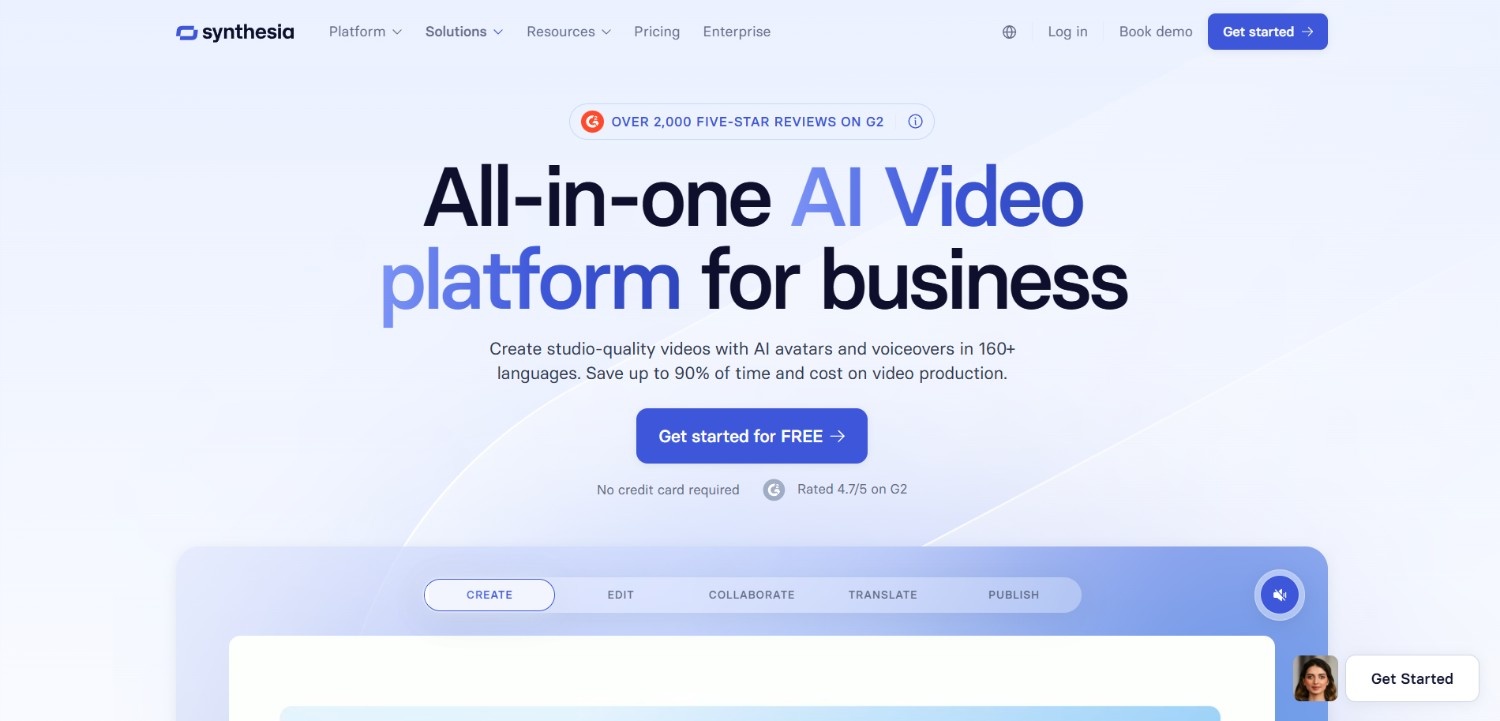
Synthesia
While primarily recognized as an AI video generator, Synthesia houses powerful automated text extraction and localization algorithms. It is ideal for corporate training teams looking to transcribe, edit, and localize video scripts.
Features
-
Automated video-to-script extraction: Converts existing instructional and training videos into editable text scripts for rapid modification.
-
Multi-language support: Effortlessly handles script translations and transcription templates across more than 120 languages.
-
Closed caption generation: Automatically designs and syncs highly readable, accessible closed captions for synthesized training media.
-
Integrated video editor: Lets you modify localized video content directly alongside your newly transcribed script drafts.
Pros
-
Unmatched efficiency for scaling corporate training across global multi-lingual teams.
-
Seamless workflow that turns flat transcripts back into high-quality AI videos.
-
Supports direct script uploads and quick transcript-to-subtitle transitions.
-
High accuracy rates with minimal correction needed for structured speech.
Con:
-
The platform features high subscription entry costs, making it expensive for casual transcription users.
-
Murf.ai
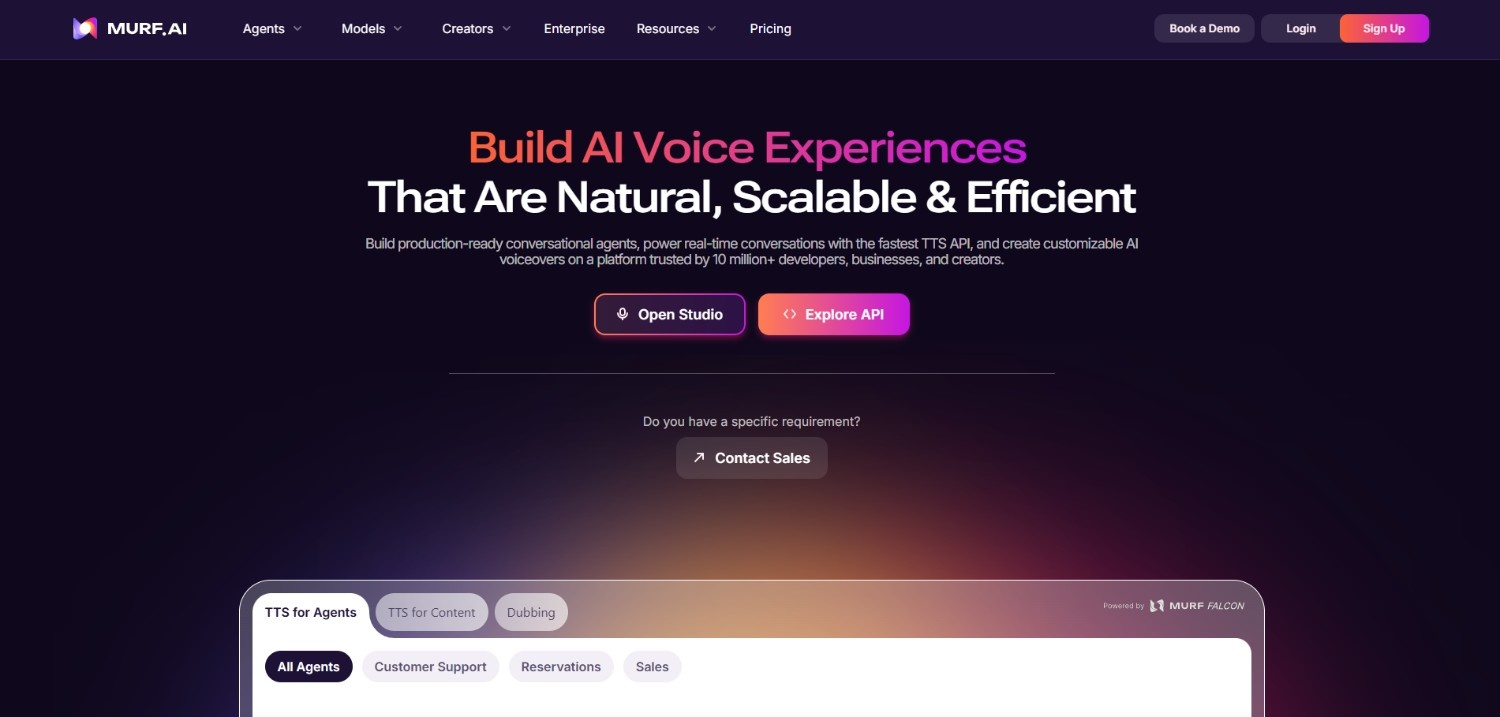
Murf.ai provides a comprehensive creative toolkit that merges speech-to-text with studio-quality voice generation. It acts as an optimal platform for educators, podcasters, and developers seeking a clean text editing interface.
Features
-
High-accuracy transcriber: Easily converts voice notes, lectures, and podcast audio into written scripts in minutes.
-
Voice changer integration: Allows you to transcribe your own voice and easily swap it out for professional AI voiceovers.
-
Word-level timeline syncing: Matches transcribed words with precise timeline markers for flawless visual alignment.
-
Multi-language recognition: Accurately processes inputs across 20+ languages, identifying unique regional inflections and accents.
Pros
-
Exceptional interface design that makes transcribing and editing audio highly intuitive.
-
Combines transcription and synthetic voiceover creation in one unified workspace.
-
Accurate, natural punctuation and capitalization generation on raw transcripts.
-
Great free-tier option to test capabilities before committing to paid tiers.
Con:
Batch processing times for long audio files can occasionally lag during peak usage hours.
-
HeyGen
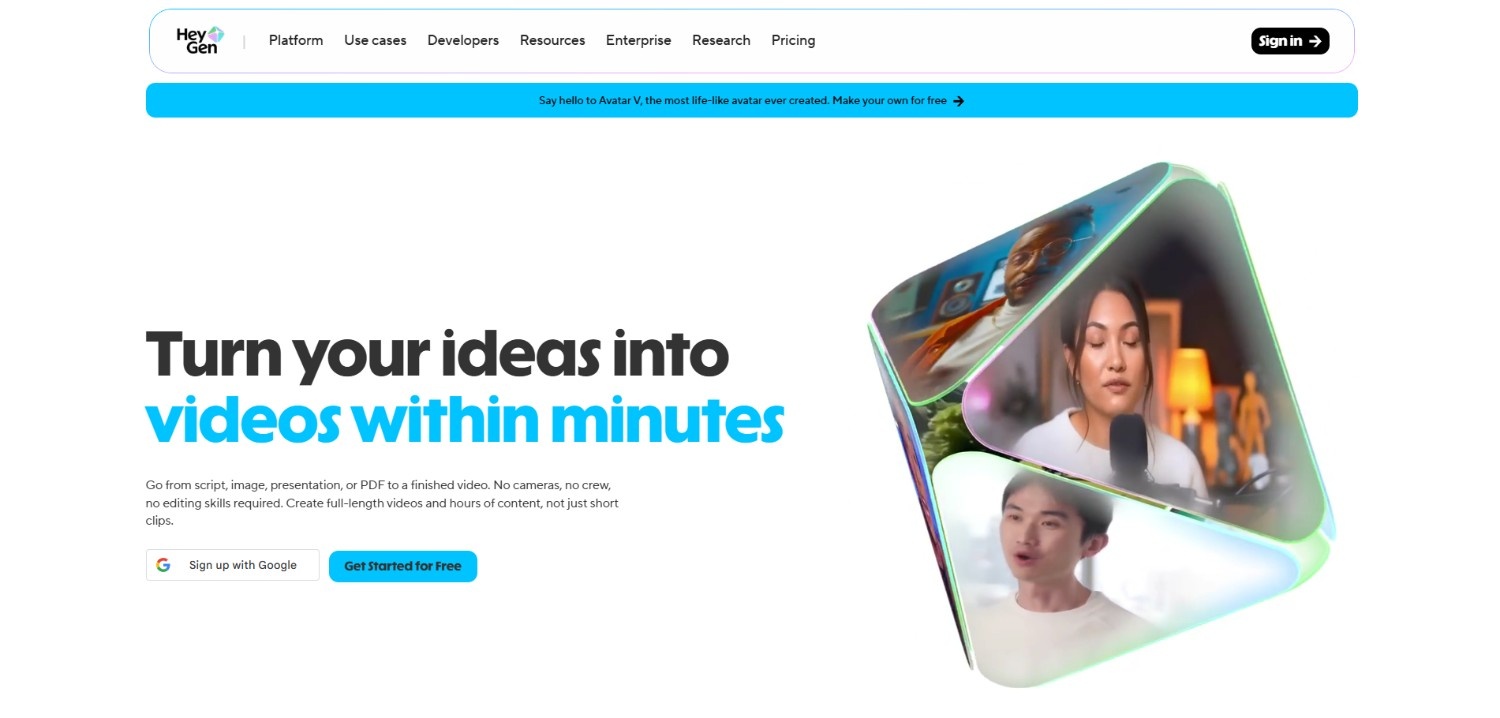
HeyGen is an advanced marketing video platform that utilizes highly refined voice translation and automated transcript engines, perfect for businesses striving to convert speaking videos into localized textual formats.
Features
-
AI voice translator: Translates spoken audio directly and generates accurate multilingual script outputs seamlessly.
-
Voice-cloned captioning: Transcribes your speech and keeps your original voice's natural tone when translating audio content.
-
Smart script refinement: Leverages underlying AI models to automatically polish grammar and formatting on transcribed audio.
-
Seamless subtitle export: Allows instant export of timed caption tracks in SRT, VTT, or plain text formats.
Pros
-
Excellent for social media managers and marketers reusing content globally.
-
Extremely accurate caption alignment that syncs perfectly with speaker mouth movements.
-
Clean, modern interface that is easy to master for non-technical creators.
-
Rapid turnarounds on video translation and script translation tasks.
Con:
-
Free and basic tiers are severely restricted on video minutes and processing credits.
Best practices to follow when using speech-to-text software
To maximize your software's accuracy and save valuable hours during the post-editing phase, follow these essential operational practices:
-
Ensure high-quality audio inputs with minimal background noise
Record in quiet rooms using professional external microphones. Eliminating echoes, background hums, and low volume keeps input signals clean, reducing transcription errors and ensuring highly precise AI text outputs.
-
Feed custom vocabularies and brand names into the AI model
Before processing your files, feed unique brand names, industry acronyms, and product terms directly into your software's library. This guides the AI to recognize and spell complex terms flawlessly.
-
Proofread and edit technical terminology or homophones
Set aside time to review homophones, specialized medical/legal jargon, and localized abbreviations. Even the most advanced AI can periodically mistake phonetically identical words, requiring a quick human proofreading pass.
-
Format your transcripts for accessibility and readability
Clean up bulk text files by inserting clear paragraph breaks, adding bullet points, highlighting speaker transitions, and appending timestamps. This makes your transcript fully searchable, engaging, and screen-reader friendly.
Conclusion
Speech-to-text software is a transformative tool that unlocks incredible efficiency, enabling teams to transcribe meetings, generate subtitles, and localize global media in mere minutes.
While developers benefit from raw API-driven speed with engines like ElevenLabs Scribe, creators and businesses can streamline their workflows with user-friendly suites like Vmake Labs. By combining high-accuracy transcription with automated video editing, these platforms take the manual labor out of transcription.
By selecting a tool aligned with your specific needs and applying simple best practices, you can successfully eliminate manual transcription, reduce editing delays, and expand your audience reach globally.
FAQs
How accurate is modern speech-to-text (STT) software?
Modern speech-to-text tools boast exceptional accuracy, often achieving Word Error Rates (WER) under 5% on high-quality recordings, closely mirroring human transcription levels across clear conversational environments.
Can these tools distinguish between multiple speakers in a recording?
Yes. Through a process called speaker diarization, advanced transcription software can automatically identify speaker shifts, label distinct voices, and timestamp dialogue changes throughout the transcribed file.
Is it possible to convert video files directly into written text?
Absolutely. Platforms like Vmake Labs and ElevenLabs permit direct uploads of video files or links, automatically extracting the audio track and transcribing the spoken words into structured text files.
Do these software options support transcription in different languages?
Yes. Top-tier tools support dozens of languages and regional accents, with premium systems offering real-time translation to convert foreign-language audio tracks into localized transcripts automatically.
Which is the best speech-to-text software free for Android?
It should be known that there are several friendly speech to text software for Android options that are currently on the market. However, if you had to choose one, then Speechnotes provides a dedicated Android app for live dictation. On the other hand, web browser-based platforms such as Vmake Labs let users transcribe audio and video without installing an app.

You May Be Interested
Speech to Text App: Best Picks and How to Choose One
How to Download Audio from Instagram: Quick Guide for 2025
How to Transcribe Audio to Text: Efficient Guide
How to Transcribe Audio Recording to Text in Minutes
VEED.io Audio to Text: Everything You Need to Know in 2026