Synthesia AI Video Generator: Transform Text Into Engaging Avatar Videos
 Ken DawsonMay 31, 2026
With the Synthesia AI video generator, you can easily create realistic avatar videos from text, in minutes. From training to marketing, studios and cameras are no longer necessary. Here we investigate how it works, its main features, and also Vmake as a powerful option for AI Video production.
What is the Synthesia AI video maker tool?
Synthesia is an AI technology that turns text scripts into professional-looking videos with avatars, no cameras, performers, or recording equipment required. Users can choose AI avatars, select from 160+ languages and voices, and produce films in minutes utilizing templates, voiceovers, and subtitles. The latest updates, such as Synthesia 3.0, provide more realistic facial expressions, lip-syncing, and body movements, making films more engaging.
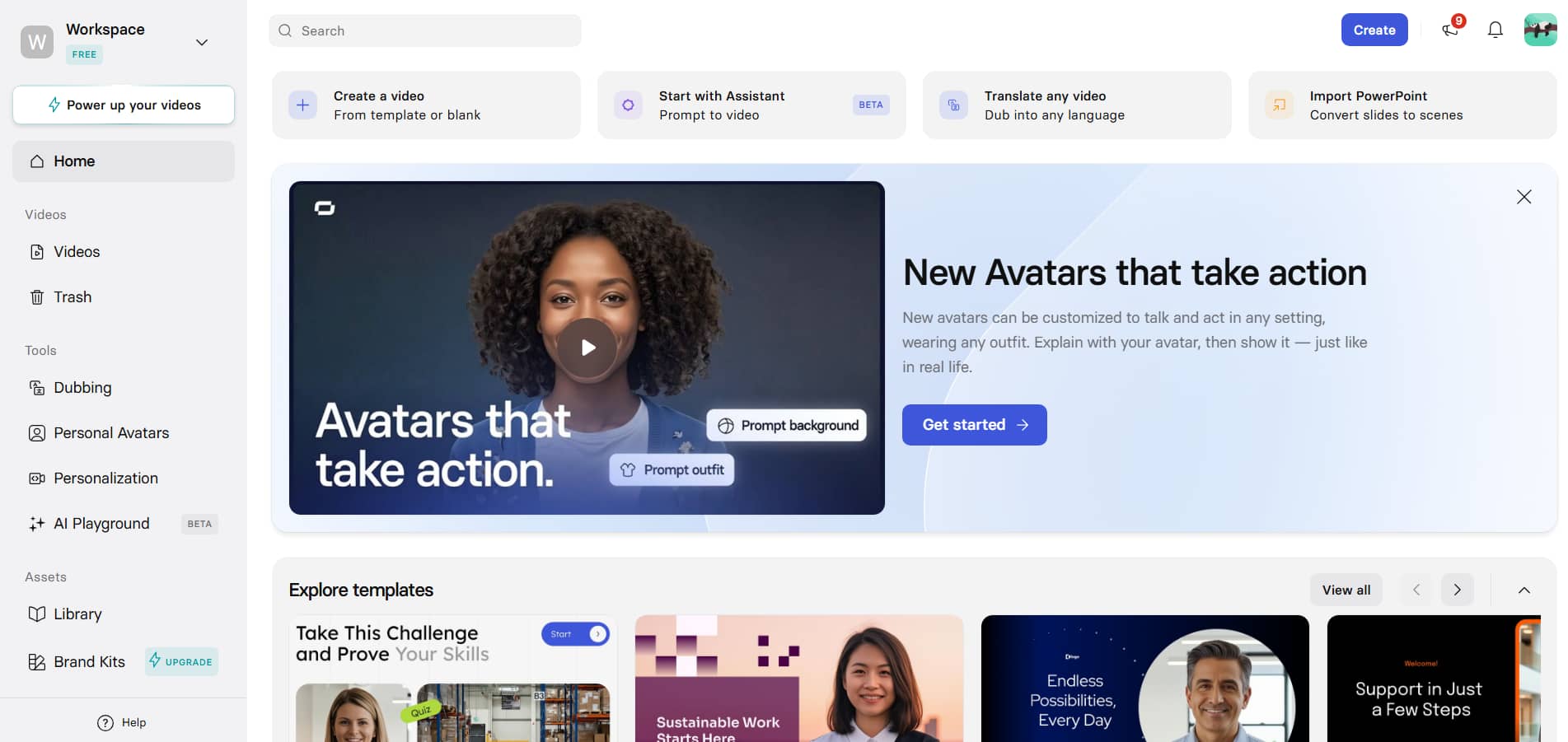
Why Synthesia AI video becoming so popular in 2026
Synthesia's text-based methods, multilingual voiceovers, and lifelike avatars simplify AI movie development. Its 3.0 update will incorporate interactive and enterprise-focused video creation.
-
Faster video production: Create professional AI videos in minutes without cameras, performers, filming sets, or manual editing.
-
Realistic AI avatars: Synthesia 3.0 avatars have improved lip-syncing, facial expressions, and more lifelike human-like movements.
-
Multilingual video generation: Create and dub videos in 160+ languages without further recordings or complex re-editing.
-
Beginner-friendly workflow: Create great AI avatar videos from text quickly with templates, AI voiceovers, and drag and drop features.
-
Scalable content creation: Update scripts rapidly and create various versions of videos for training, marketing and business communication.
Key features of Synthesia 3.0
Synthesia provides a complete text-to-video process with AI avatars, voice-overs, and built-in editing capabilities. The technology also enables scalable video creation, localized content development, and brand control.
-
Generate videos from any text with AI avatars: Transform scripts, PDFs, PowerPoint presentations, URLs, or simple prompts into videos. The Express-2 AI avatars include lifelike actions and facial expressions, and the slide-based editor makes creating videos straightforward and doesn’t need traditional editing abilities.
-
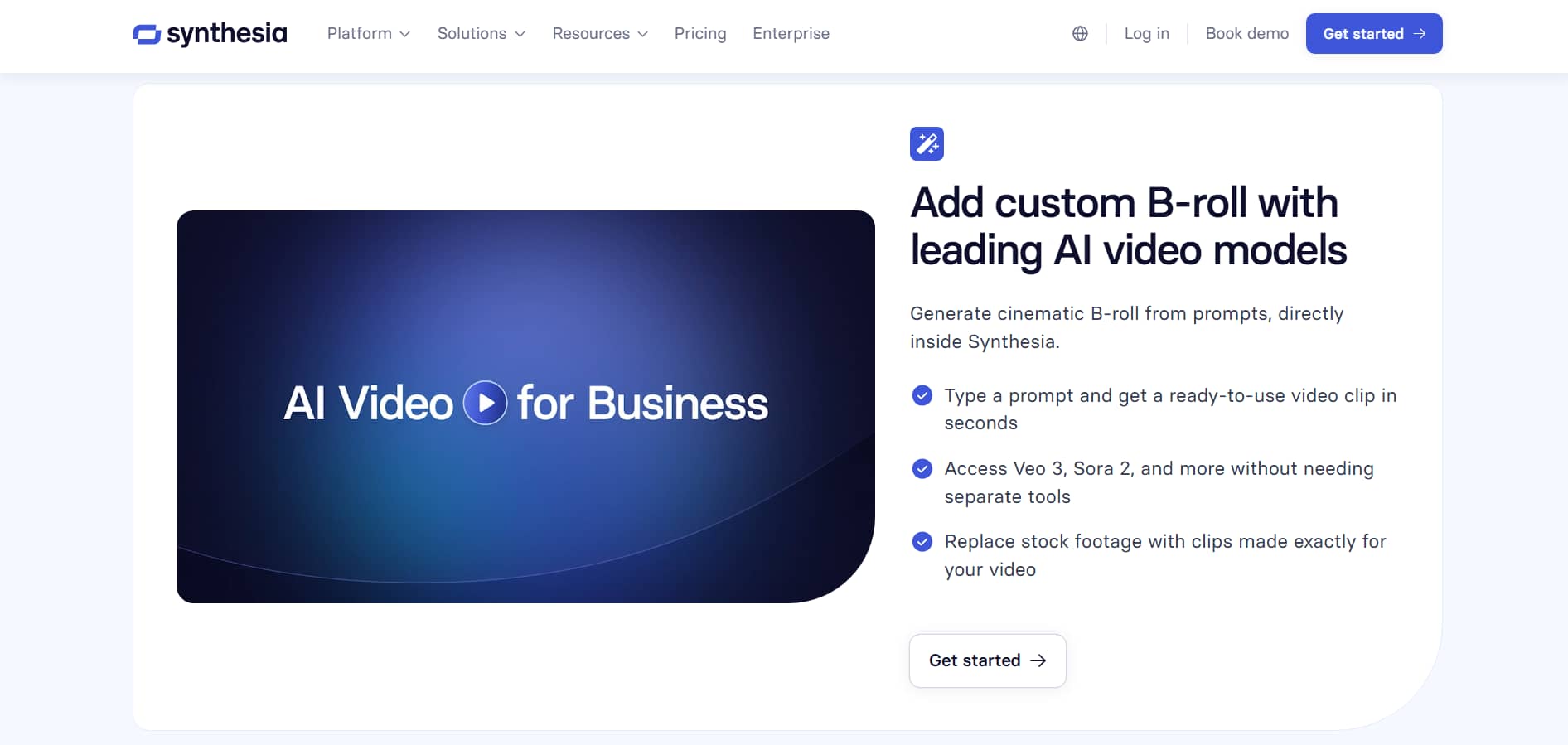
AI B-roll generation inside the editor: Use AI models like Sora 2 and Veo 3 to turn your text prompts into videos. You can replace the stock footage with your own photographs in the video timeline easily for a polished, professional look.
-
Real-time interactive Video Agents: AI agents that talk, listen, and answer in real time. Ideal for training, onboarding, customer support, and automated workflows. They even link with enterprise platforms like SharePoint, Google Drive, and CRMs to provide real-time data-driven answers.
-
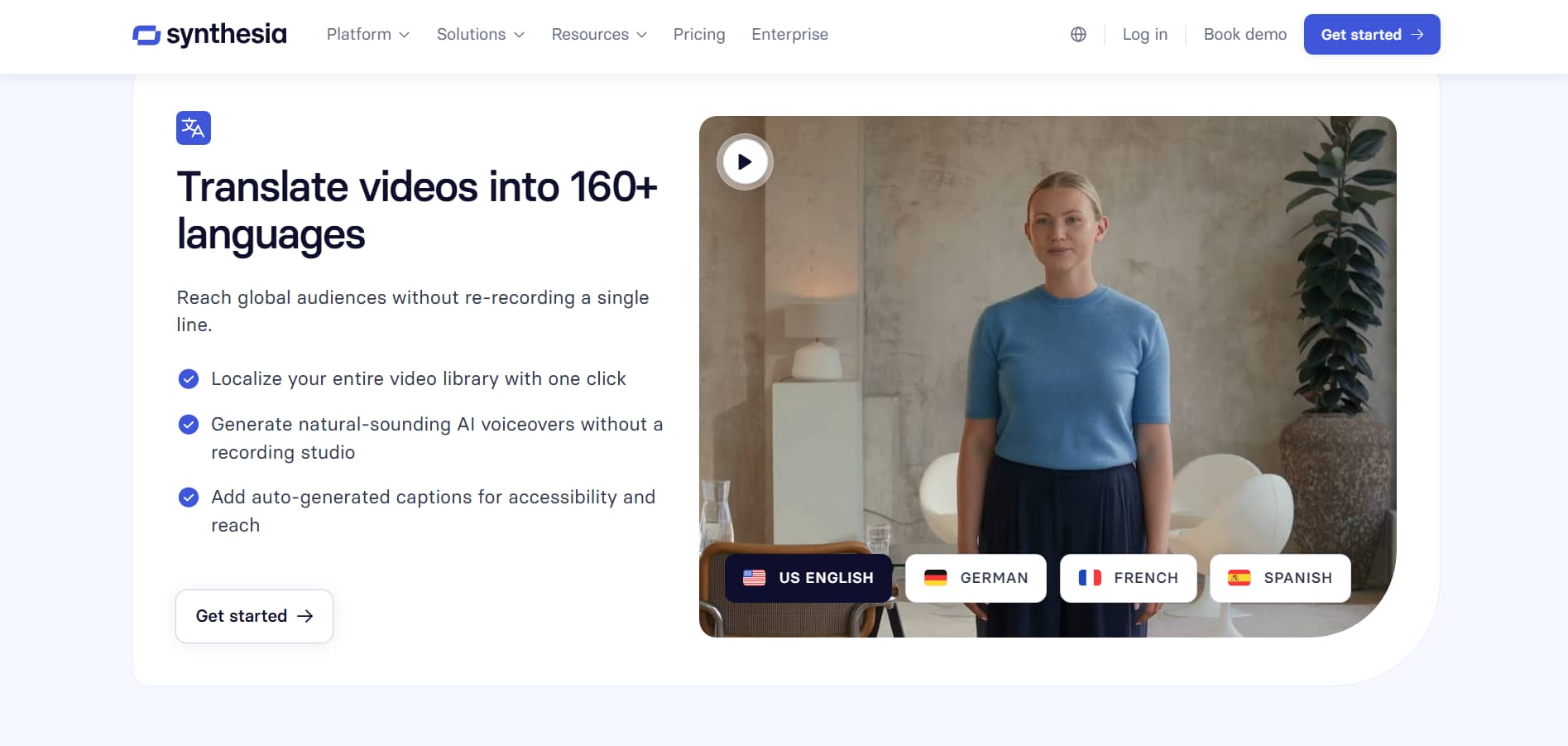
Multilingual video creation & AI dubbing: With AI dubbing in Synthesia, you can translate your video into over 160 languages. It also allows secure editing, which means translations can be reviewed and adjusted before going live, ensuring the tone of voice, timing, and lip-sync accuracy across all versions are perfect.
-
AI Copilot and brand-controlled video creation: Copilot helps write scripts, build scenarios, and suggest visuals based on linked knowledge sets. Also the brand kit tool automatically adds logos, fonts, colors, and PowerPoint templates to all videos without manual modifications to keep on-brand.
How to create videos using Synthesia video generator
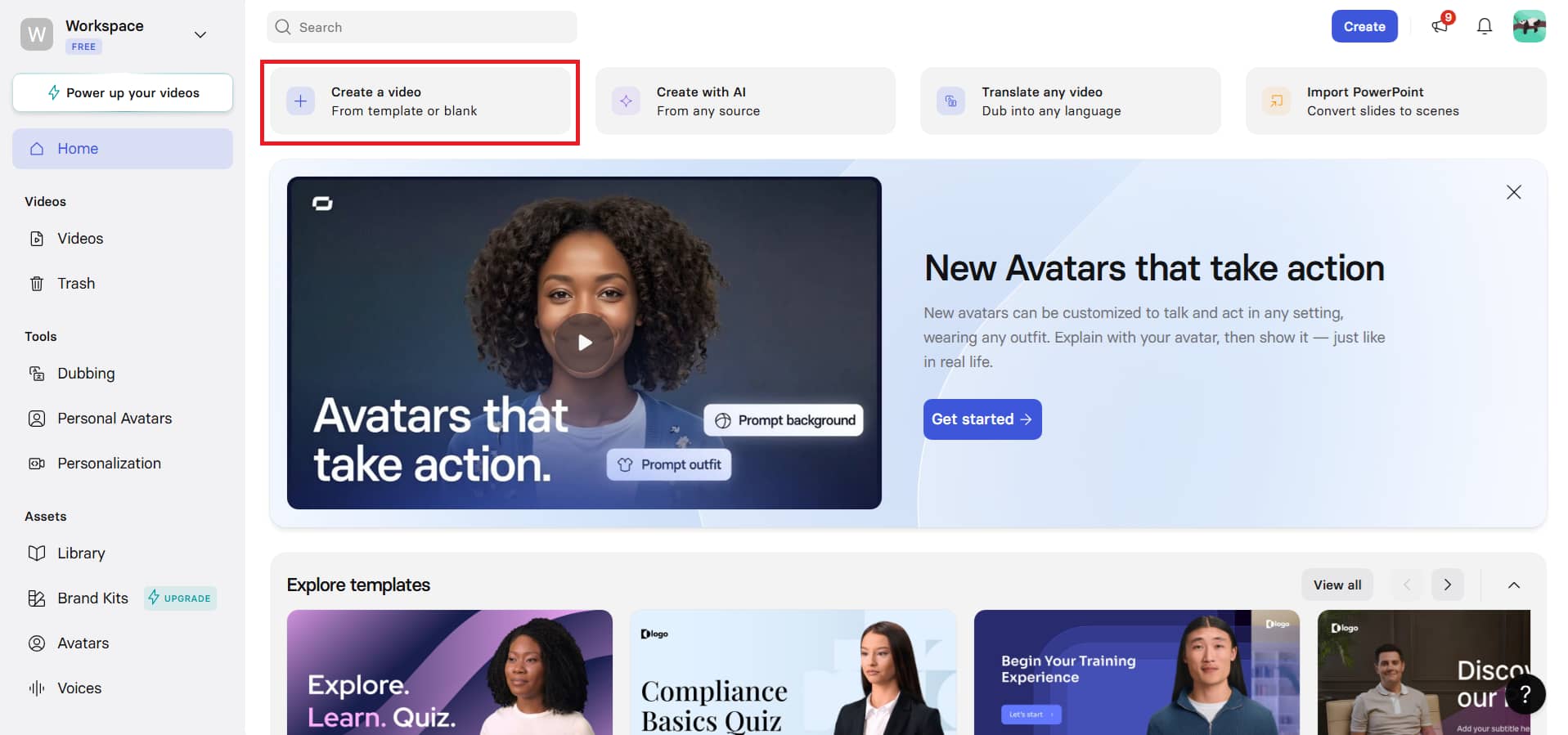
Step 1: Start from a blank workspace
On the Synthesia platform, click on "Create a video". Choose a template or create a new one. Select "Start from blank" to set up a clean editor where the video is produced from the ground up.
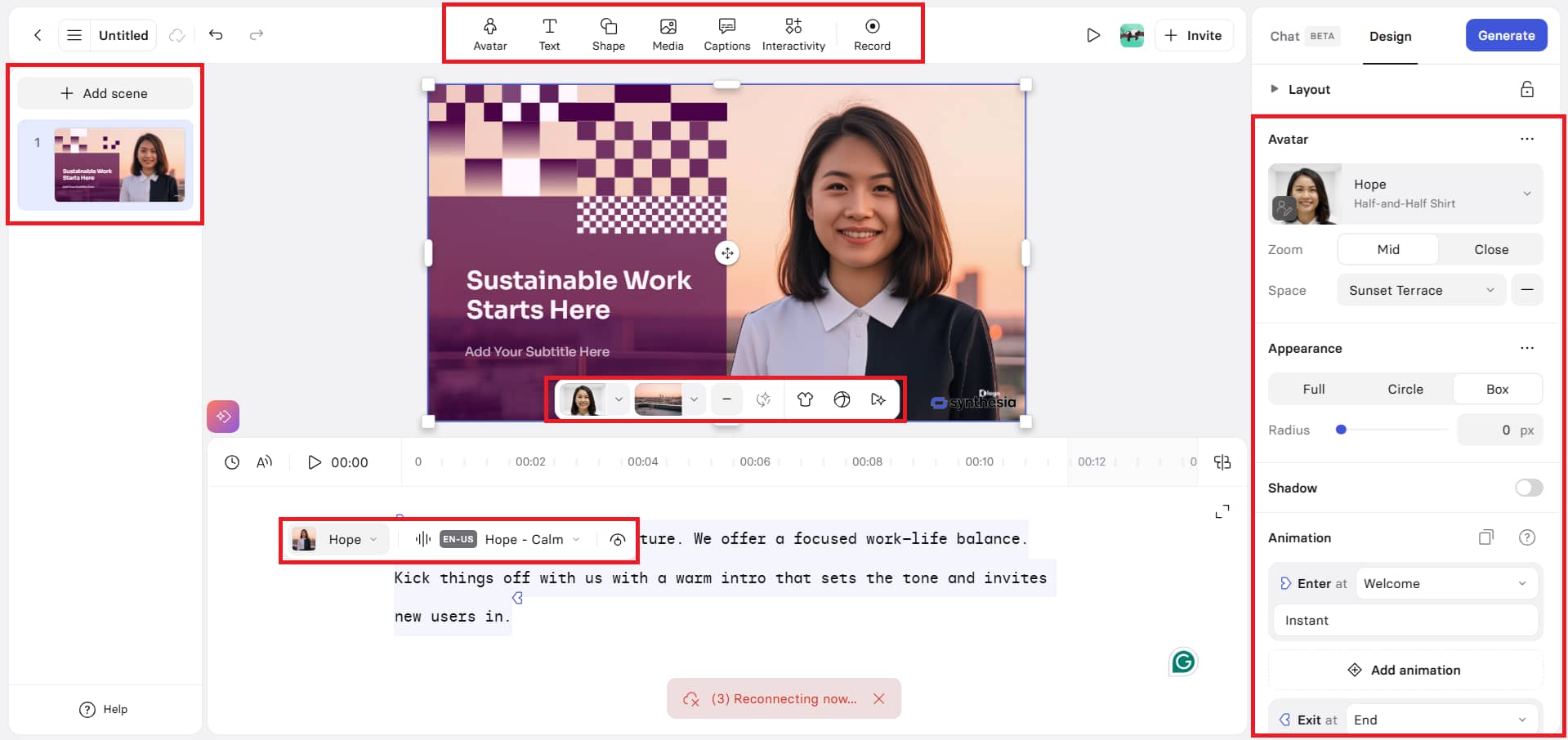
Step 2: Customize your avatar and video elements
In a new workspace, you may select or change avatars, customize their outfits, type your screenplay, choose language and voice, and modify the tempo with pauses. You can also add text, logos, backdrops, colors, scenes, music, shapes, media, animations, and appearance settings to build a complete video layout.
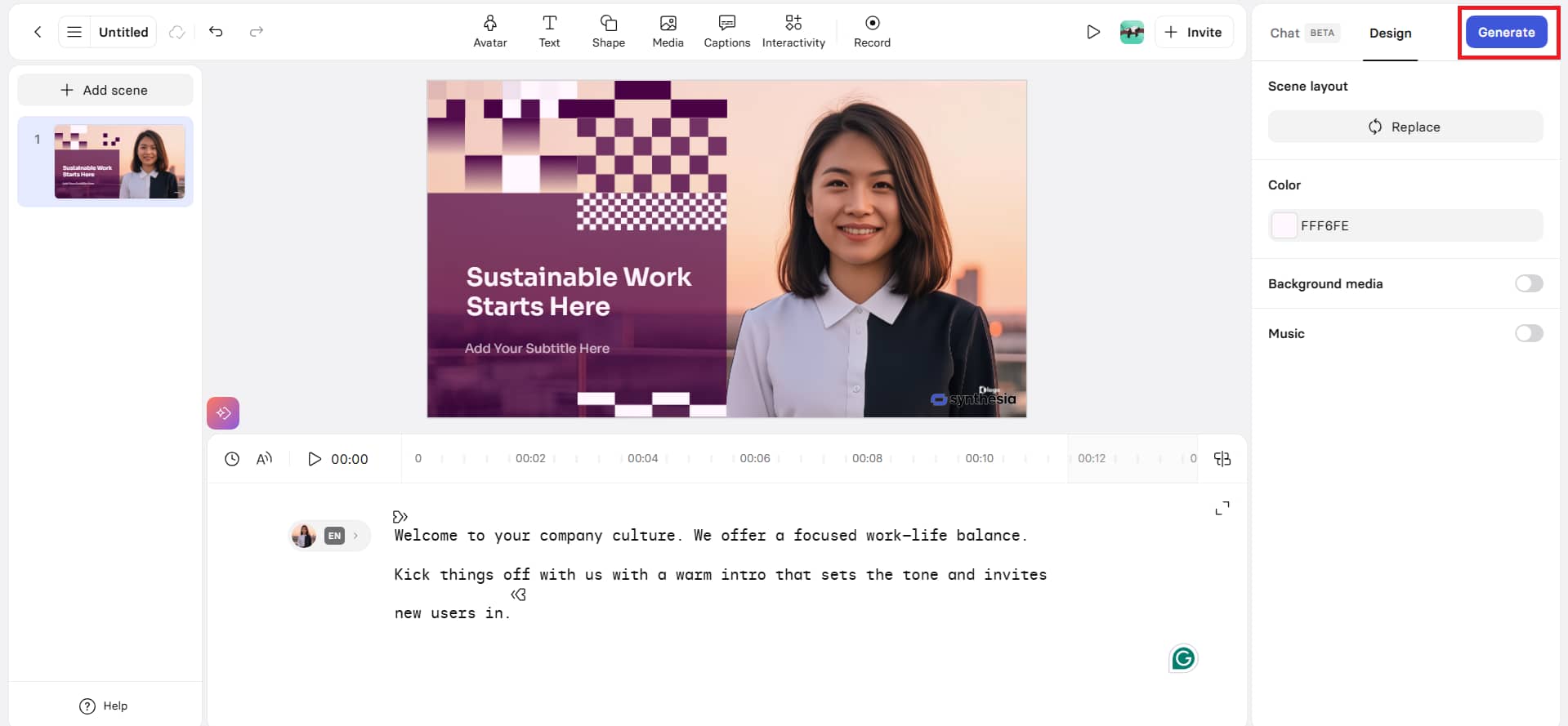
Step 3: Preview and generate your video
Use "Preview" to check the whole video before final output. Once you are pleased with the adjustments and structure, click "Generate" in the top right corner to make the final AI avatar video.
-
Internal business communication: These Synthesia-generated videos are ideal for company updates, leadership messaging, and inter-team announcements, as they ensure consistent information delivery. The best part is that changes to the script may be communicated immediately, without the need to reshoot the video.
Benefits and limitations of the Synthesia video tool
|
Benefits |
Limitations |
|---|---|
|
No hassle of filming or editing setup. Create scripts, PDFs, PowerPoint files, and prompts into quick text-to-video. |
Lack of emotional depth in certain AI avatars compared to genuine human presenters in some storytelling settings. |
|
AI voiceovers in 160+ languages & dubbing in 80+ languages for content development across the world. |
Scripts, templates, or avatar selections that aren't customized can make the output feel standardized. |
|
Express-2 avatars with motions, facial expressions, and enhanced realism for presenter-style videos. |
Internet and platform dependent. No complete offline editing or production control. |
|
Structured video creation with templates, brand kit, and Copilot support in a slide-based editing workflow. |
Advanced features like video agents and enterprise tools are only available on higher-tier or enterprise plans. |
Synthesia is a strong tool for making AI avatar-style films, but it has its disadvantages, such as limited modes of generation and customization options, which may not suit every user's needs. If you want additional freedom, a broad range of AI models, and an all-in-one workspace, Vmake is a good choice.
Best alternative to Synthesia video: Vmake
Vmake's AI video generator feature turns text, graphics, or video clips into videos. It generates text-to-video, image-to-video, and video-to-video using AI models. Vmake users can choose graphic themes, video duration, and formats to produce content. It lets users generate short movies for social media, product demos, and concept testing. Vmake emphasizes fast production, flexible inputs, and a wide range of AI video models, without requiring editing tools or production processes.
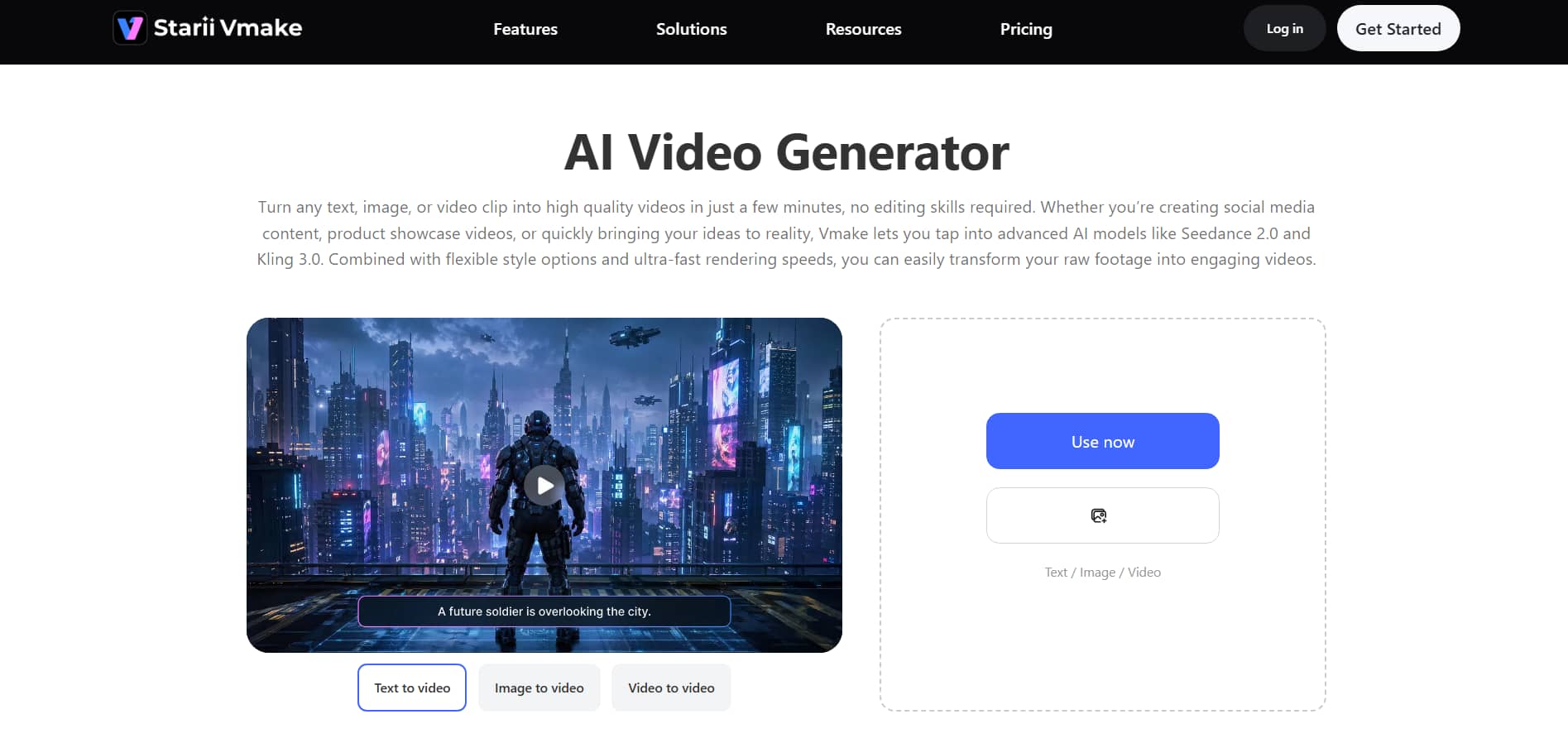
Key features of the Vmake AI video generator tool
-
Multiple video generation modes: Vmake helps you make films from text, graphics, or existing clips. Using a prompt, photo, or video clip, you may quickly transform your thoughts or materials into polished, structured videos.
-
Multi-model AI generation system: The system supports various AI models, including Seedance 2.0, Kling 3.0, Google Veo 3.1, Sora 2, Vidu Q2, Wan 2.2, and more. You can select from a range of models to create the correct style, realism, or motion effect for your project.
-
Dynamic motion effects: Vmake provides a set of ready-made cinematic effects, including seamless transitions, 360° product rotations, entrance animations, and more. They enhance the visuals automatically and don't require any manual modification.
-
Unified workflow studio: In Vmake, you can create, edit, enhance, and export, all in one workspace. We've brought together capabilities like auto-captioning, watermark remover, object & text removal, and AI video enhancement into a single flow, so you don't have to switch between different tools.
-
High customization control: The duration, structure, style, and pacing of the movie are adjustable before generation. This means the finished video is exactly what you want, with no need for intricate timeline editing.
How to use the Vmake AI video generator?
Vmake allows users to create films rapidly with simple text prompts & refrence avatar images. Ideas are transformed into visual content in minutes using the platform's AI-driven process.
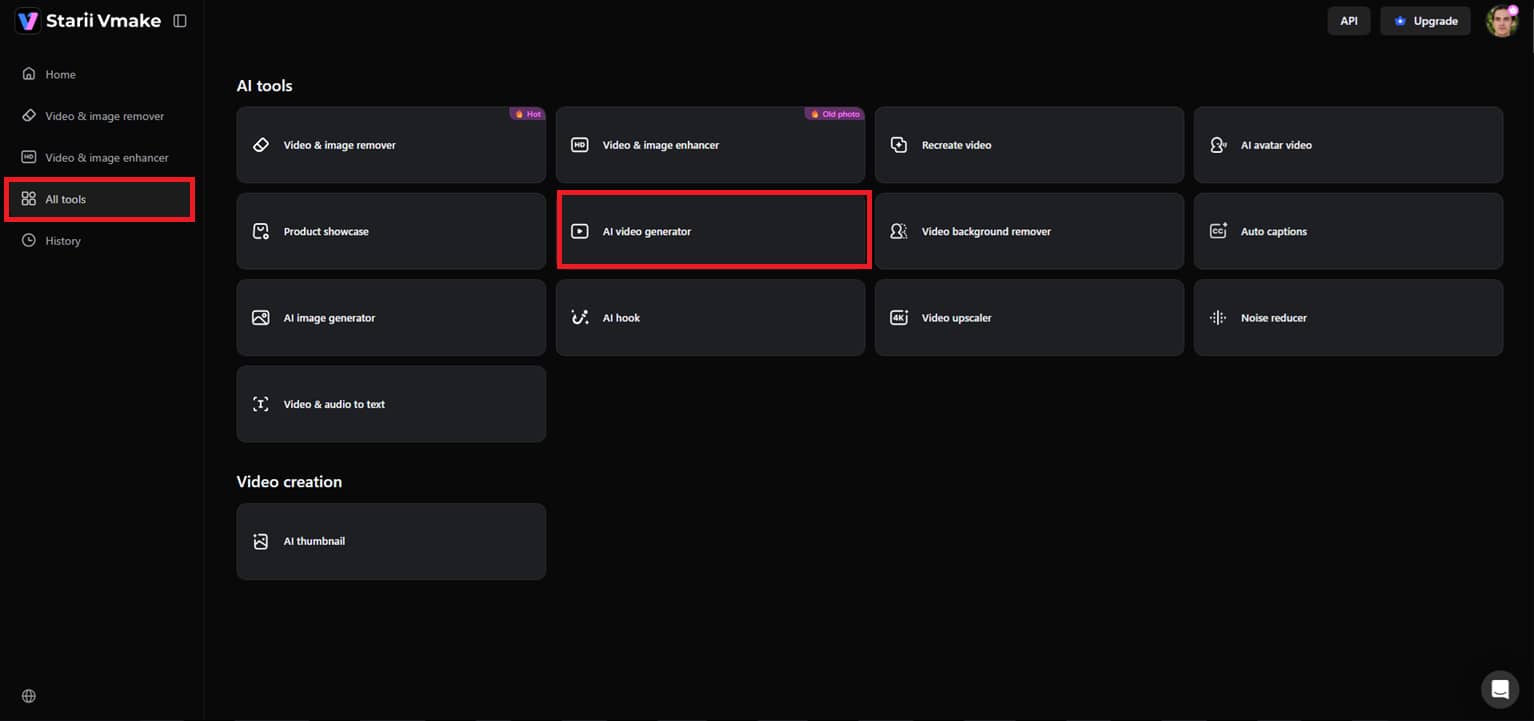
Step 1: Open the AI video generator
Click ''All tools'' in the left-hand menu. From the various options available, click "AI video generator" to open the main workspace and begin preparing your project.
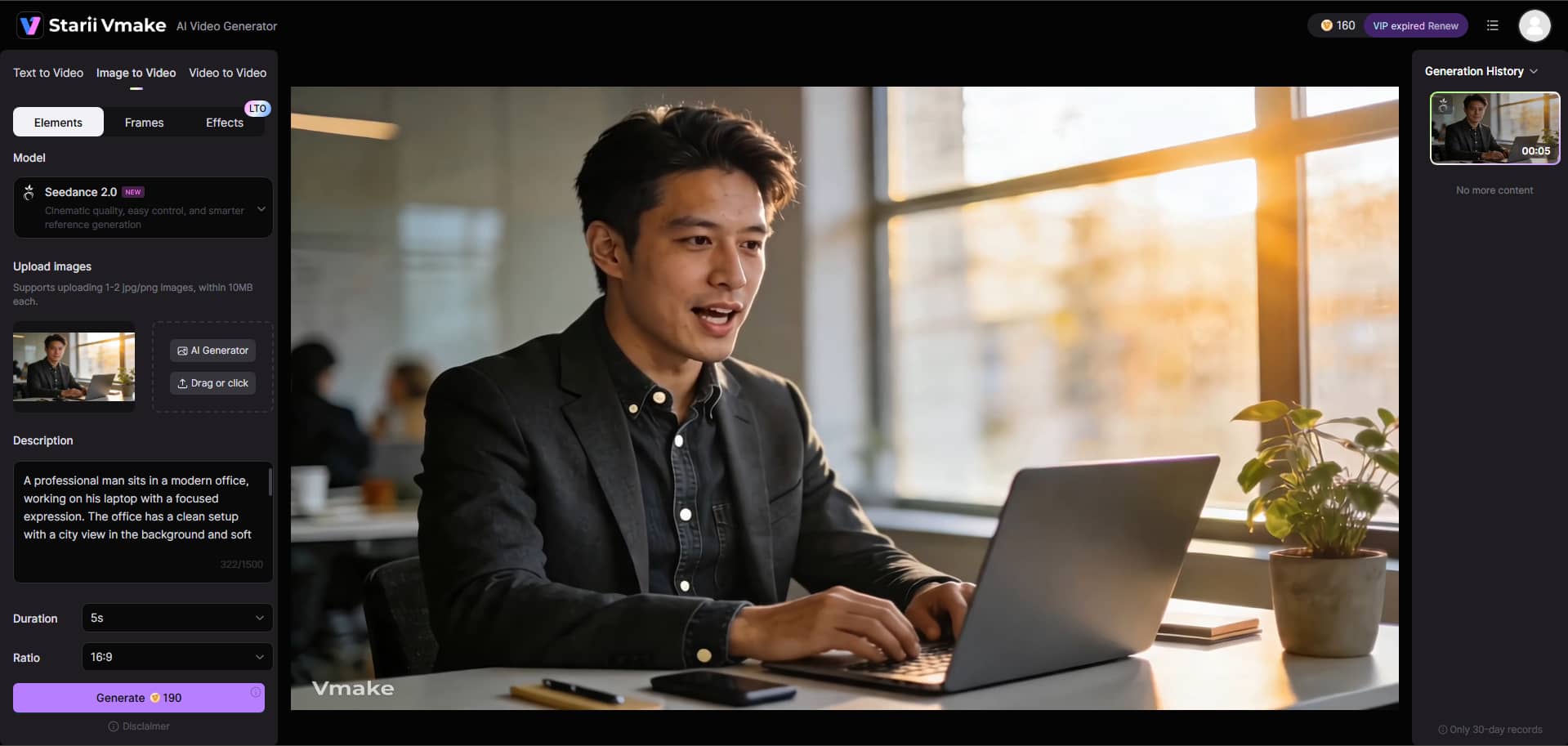
Step 2: Enter prompt and set preferences
In the editor, click the generating mode from the left panel. This might be Text to Video, Image to Video, or Video to Video. Add your prompt, upload reference photos of the avatar, choose the AI model, and then change the movie duration, aspect ratio, and click on "Generate".

Step 3: Preview and download the video
In a few moments, your video will be generated. Preview the output for visual, motion, and quality inspection. If it fits your needs, click on "Download” at the top to export the final video.
Synthesia vs Vmake AI: Which is better?
|
Aspect |
Synthesia |
Vmake AI |
|---|---|---|
|
Core focus |
Creates avatar-based AI videos for business communication, training, and presentations. |
Creates AI-generated videos from text, images, or existing clips for creative and engaging short-form content. |
|
Video creation style |
Script-to-avatar presenter videos with structured scenes, avatars, and templates. |
Text/image/video-to-video generation with flexible styles and AI models. |
|
Editing workflow |
Slide-based editor with avatars, scripts, voiceovers, and branding tools. |
Prompt-based generation with customization of style, duration, and output format. |
|
Language support |
160+ languages with AI dubbing and voiceovers for global localization. |
Limited to generation-focused outputs with style and model-based variations. |
|
Best use cases |
Corporate training, internal communication, explainer videos, professional presentations |
Social media content, product visuals, creative experiments, and fast video generation. |
In a nutshell, Synthesia and Vmake are great AI video creators, but they serve different purposes:
Synthesia is perfect for professional-looking avatar movies for corporate training, internal communications, and multilingual presentations.
Vmake AI, on the other hand, is ideal for creative content, social media videos, and quick idea-to-video generation. Which tool is best for you depends on whether you are looking for a business communication tool or a flexible, rapid, and creative video production tool.
Conclusion
In this post, we have spoken about Synthesia and Vmake, two of the top AI video generators that are reshaping the video creation industry. Synthesia is for corporate use cases, language assistance, and professional movies with avatars. On the other hand, Vmake is for fast, versatile, and creative films with text, graphics or existing videos. Both solutions simplify video production, eliminate traditional filming constraints, and reduce time and expenses. These AI tools allow anyone to create videos, from structured business presentations to ready-to-go social media postings. Craft your own AI video today and easily bring your ideas to life.
FAQs
What is Synthesia text-to-video, and how does it work?
Create AI videos with realistic avatars and actual voice-overs from written text, so you can make presentations, tutorials, or marketing content without actors or cameras. You just upload your screenplay, build an avatar, choose a voice, and the tool will create the video for you. AI tools like Vmake can also convert text into video, but it's primarily targeted at creative, short-form videos that use text, photographs, or existing clips, with more flexibility for social media and experimental content.
Is Synthesia video editor beginner-friendly?
Yes, Synthesia's editor is quite intuitive; users can pick templates, add avatars, input scripts, and change voiceovers without any prior video-editing knowledge. With its drag-and-drop UI and prebuilt layouts, it's easy for anyone to make videos, even newbies. Tools like Vmake also have a really easy workspace where you type prompts, set a style, and crank out films in no time. It's great for first-time AI video makers.
Can I use Synthesia AI video for free?
Synthesia has a free plan that lets users produce short movies and access a range of avatars and languages, which is great for trying out the site. You can test the basic features for free without a subscription. Vmake, on the other hand, also offers a free trial of its AI video generator using given free credits, letting you turn text, photos, or movies into output-ready clips before unlocking more advanced features with a paid upgrade.
How can businesses use Synthesia to create AI video tools?
With Synthesia, companies can create corporate training, internal communications, explainer videos, and multilingual marketing content at scale, saving time and production costs. Its avatars and AI voiceovers make professional videos accessible without studios or actors. Vmake also helps businesses rapidly produce short-form social media videos, product showcases, and experimental campaigns, with several generation modes to adapt to varied content strategies.
What makes the Synthesia video maker tool different from traditional video creators?
Synthesia is different from traditional video making because you don't require actors, cameras, studios, or post-production editing. Professional videos are created using AI avatars and voiceovers in minutes. This enables companies to easily grow content and provide multilingual editions. Vmake, an AI tool, differentiates itself by enabling fast, flexible, and creative video generation from text, photos, or clips, making it well-suited for rapid content testing and social media engagement.
Can teams collaborate using Synthesia video creator?
Yes, Synthesia offers collaboration features such as shared projects, team accounts, and a single workspace. This enables several users to work together on script editing, avatar adjustments, and video editing. This makes it easy for marketing or training teams to create consistent material. Vmake also enables collaborative processes, where team members can create, preview, and polish videos on a single platform, streamlining content production across projects.

You May Be Interested

5 Top Shoppable Video Generators for TikTokers in 2026
OpenClaw 2026: Ultimate Guide to World-Changing Local AI
Remove Sora 2 Video Watermark Easily with Vmake AI
5 Top Shoppable Video Generators for TikTokers in 2026