HeyGen AI Video Generator: Create AI Avatar Style Videos in Minutes in 2026
 Vmake Labs TeamMay 30, 2026
Ready to see what HeyGen AI can truly do? This guide dives deep into its powerhouse capabilities, showing you how to turn text into stunning, hyper-realistic avatar videos in minutes. Discover its game-changing features, smart workflows, and how tools like Vmake push your visual storytelling even further.
What is HeyGen AI video generator?
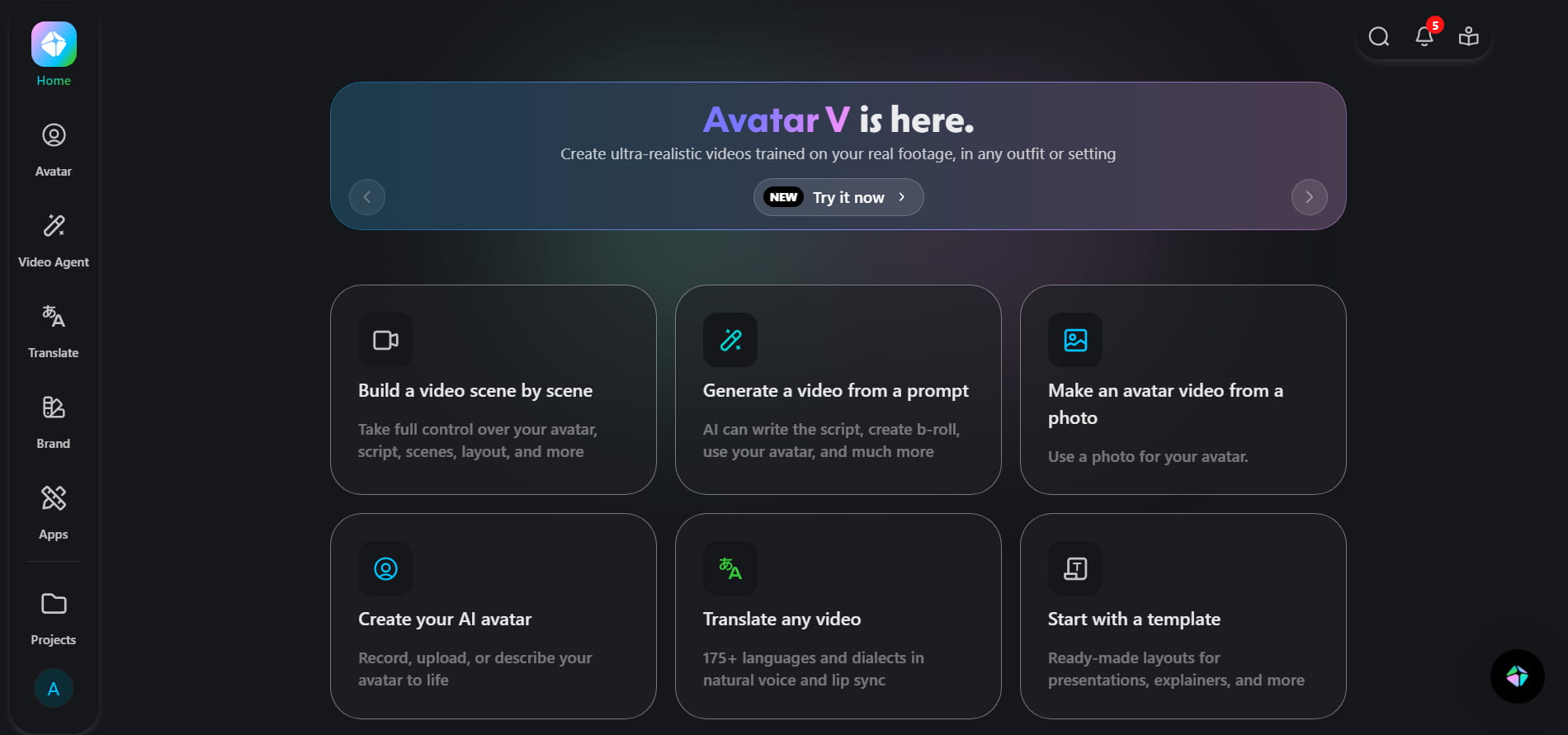
HeyGen is an AI video creation tool that enables anyone to generate professional avatar-style videos without the need for traditional filming or difficult editing. It brings together AI avatars, text-to-video, voice synthesis, multilingual dubbing, and automated workflows, all within a single browser-based ecosystem. Users simply input a screenplay or prompt, and HeyGen turns it into a talking-avatar video with realistic lip-sync, voiceovers, subtitles, and images.
Why is HeyGen AI video so popular?
HeyGen AI video has gone viral since it's easy to create videos and gives you professional-looking videos in minutes. It's a great tool for creators, entrepreneurs, and marketers in numerous industries because of its AI avatars, linguistic support, and cost-effective creation.
-
Faster AI video creation: Simply paste or type your script and let the platform convert your script into a full video in seconds, utilizing AI automation.
-
Realistic AI avatars: One of the reasons HeyGen is so special is the lifelike avatars it has created using AI that speak and move in a really genuine way.
-
Multilingual video generation: HeyGen makes it easy to create videos in multiple languages so you can reach people across different regions.
-
Budget-friendly video production: You won't need cameras, studios, actors or editing teams to make professional videos with HeyGen. All this is done by AI.
-
Beginner-friendly workflow: The platform is designed so that even absolute beginners can start generating movies without any technical skills.
Standout features of the HeyGen AI video generator
HeyGen is a leading AI video generation platform that transforms text, photos, and scripts into professional videos with the latest avatars and voice technologies. It does away with the need for cameras or editing tools, focusing on speed, realism, and global content creation. Here are the feature highlights.
-
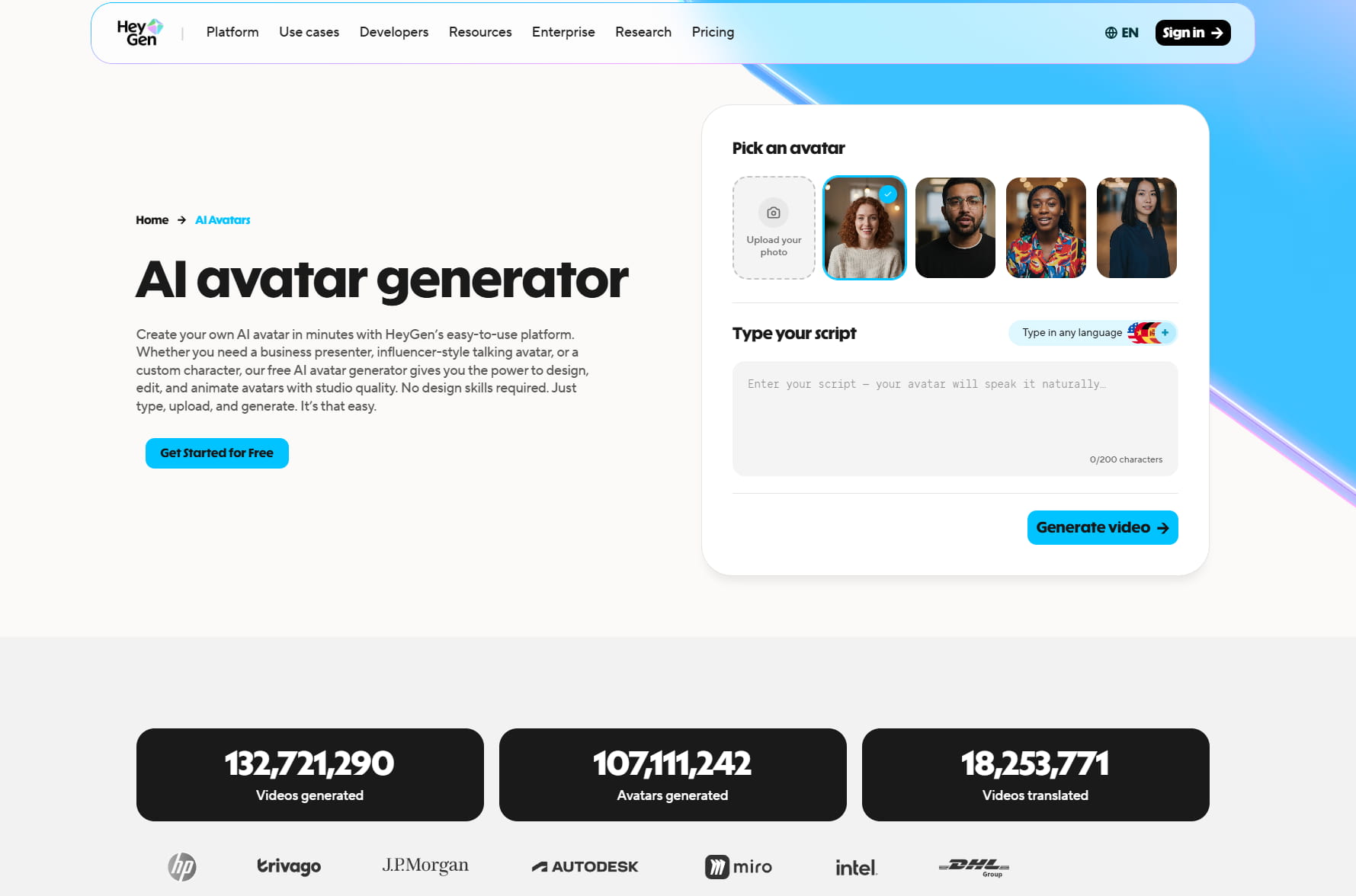
Hyper-realistic AI avatars: HeyGen lets you create videos featuring realistic AI avatars that appear genuine when speaking on screen. Upload a short clip just once, and you can create a digital twin of yourself to customize content without appearing on camera every time. The avatars have true lip-sync, gestures, eye contact, which makes the content more lifelike and enjoyable.
-
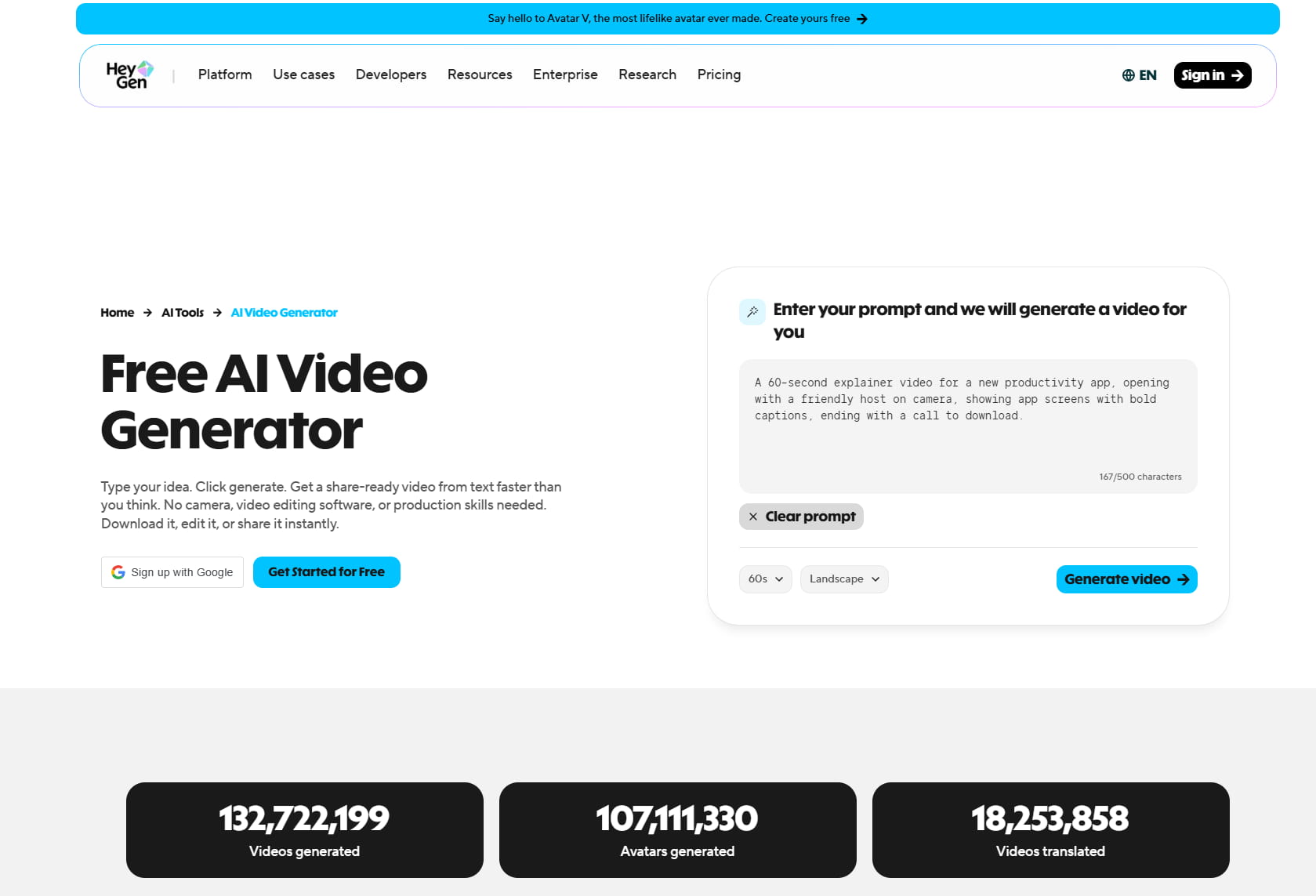
AI text-to-video generation: Turn blog entries, scripts, bullet points or simple ideas into entire movies in minutes with HeyGen. Technology doesn't make basic slideshow-type stuff. It instantly inserts lifelike AI avatars, syncs up with voiceovers, and adds matching photographs. That means the final movie is polished, interesting, and ready to go out the door with very little manual work.
-
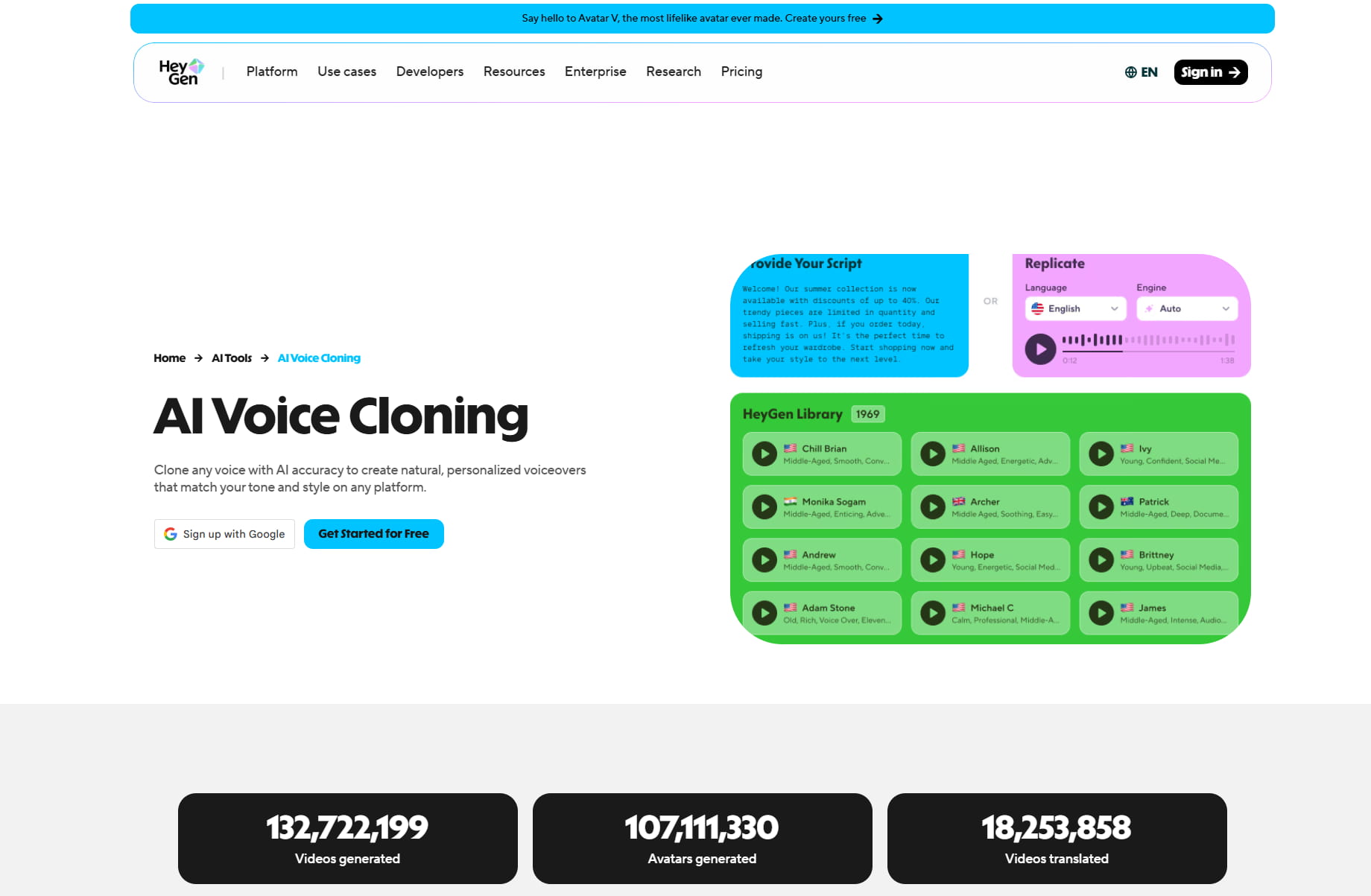
AI voiceovers and voice cloning: HeyGen offers authentic voices and accents in 175+ languages and dialects, making it perfect for multiple content categories. It also offers voice cloning features, allowing users to create personalized videos using their own voice. The program also automatically synchronizes speech, lip, and facial movements for a more realistic delivery.
-
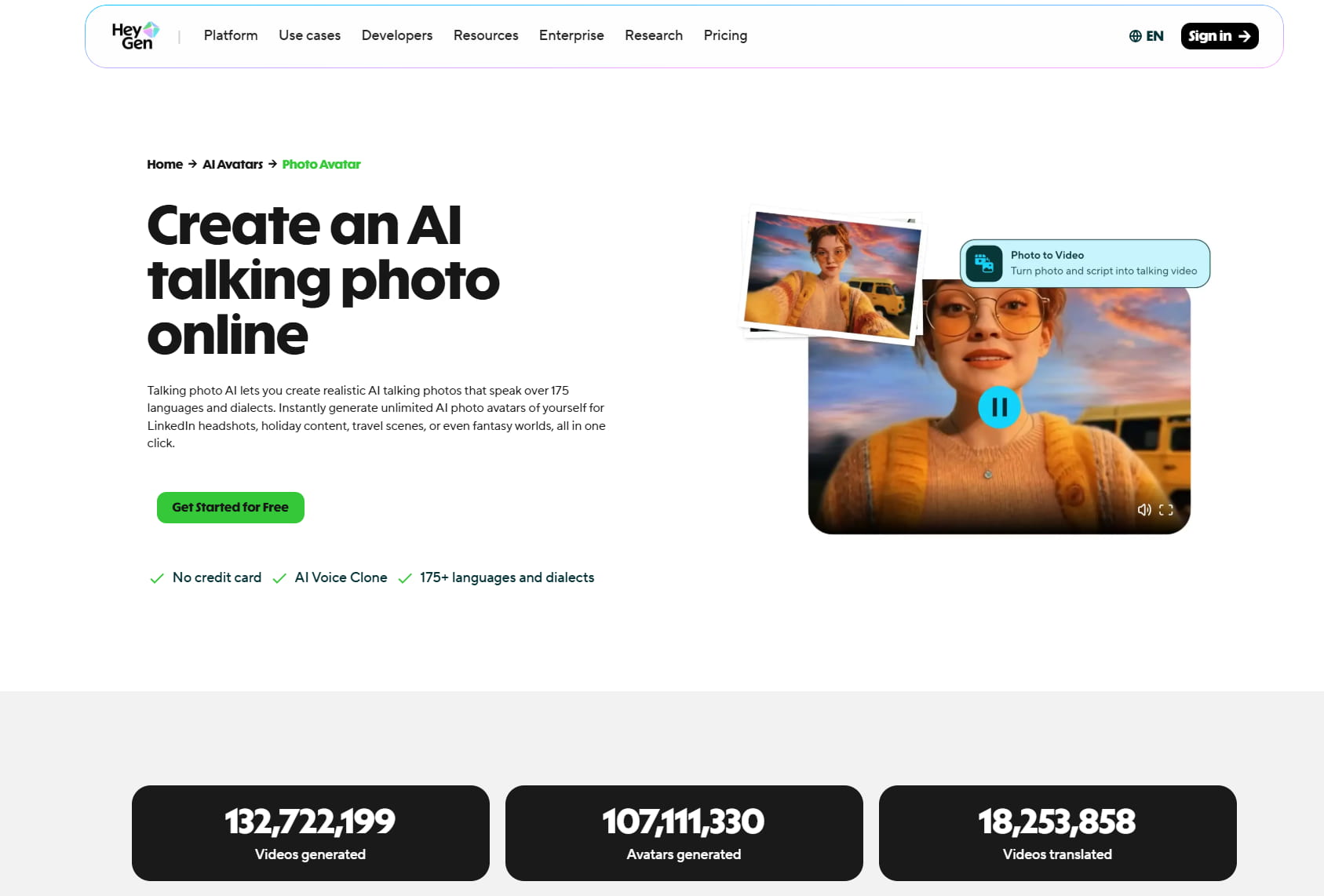
AI talking photos: With still photographs, you can have talking avatars that convey messages as though they were the actual speakers. It synchronizes voice recordings to facial movements for an authentic conversing experience. This function is quite useful for producing funny videos from still photographs, without having to record new videos.
-
Powerful AI models: The HeyGen platform allows customers access to the most advanced AI models, including Sora, Google Veo, Kling, Flux, and ElevenLabs. These models let you make dramatic video scenarios, high-quality AI images, and lifelike voiceovers without any additional tools. It helps creators to make professional-quality material quickly from one spot.
How to create clips with the AI Heygen video tool?
Step 1: Set up your video in Video Agent
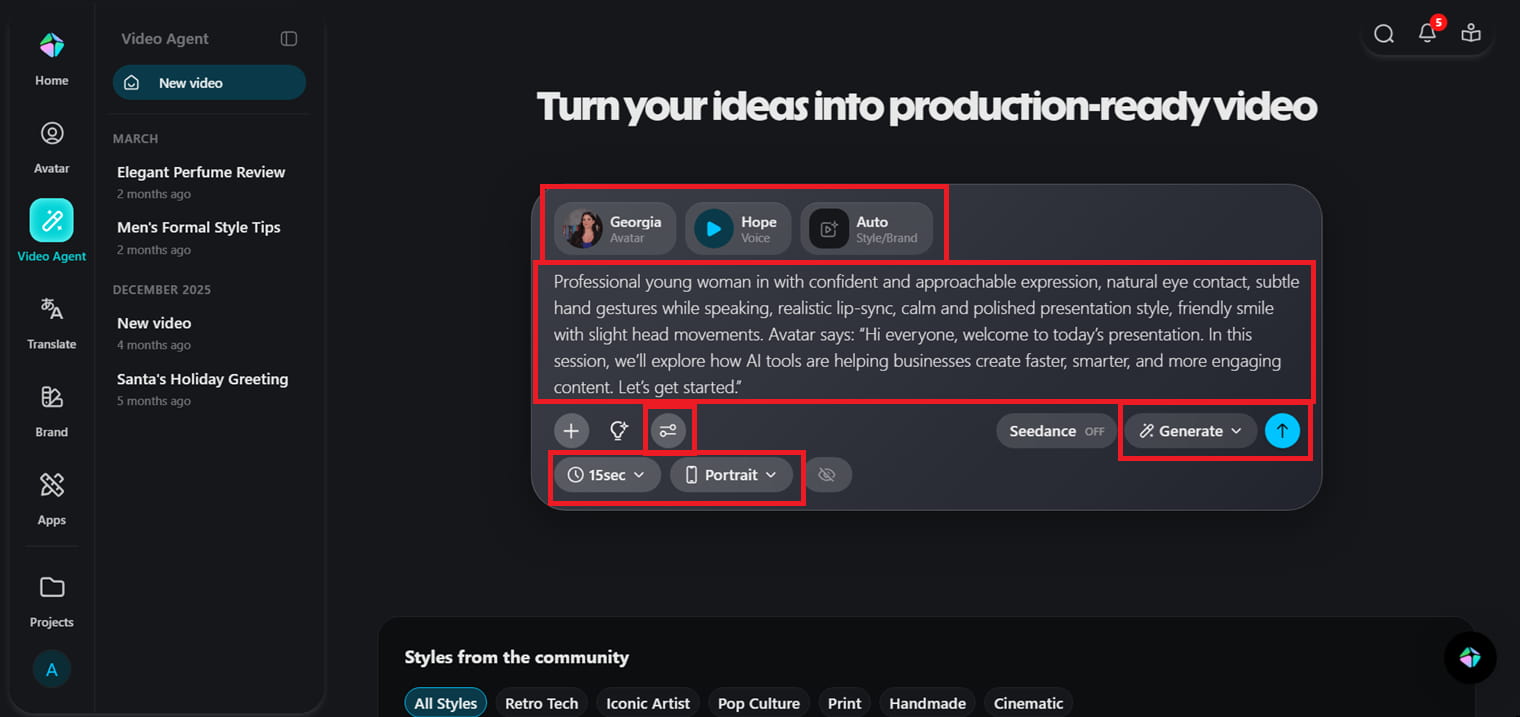
Open the main video creation workspace by clicking "Video Agent" on the left-side panel. Here, you can enter your video prompt, select an AI avatar, choose a voice, and specify the general video style based on the type of material you want to generate. You can also select the video's portrait or landscape format and its runtime. When you're ready, click "Generate" to instantly produce the video, or select "Chat" to brainstorm and fine-tune with the Video Agent before generating.
Step 2: Edit the video further or download
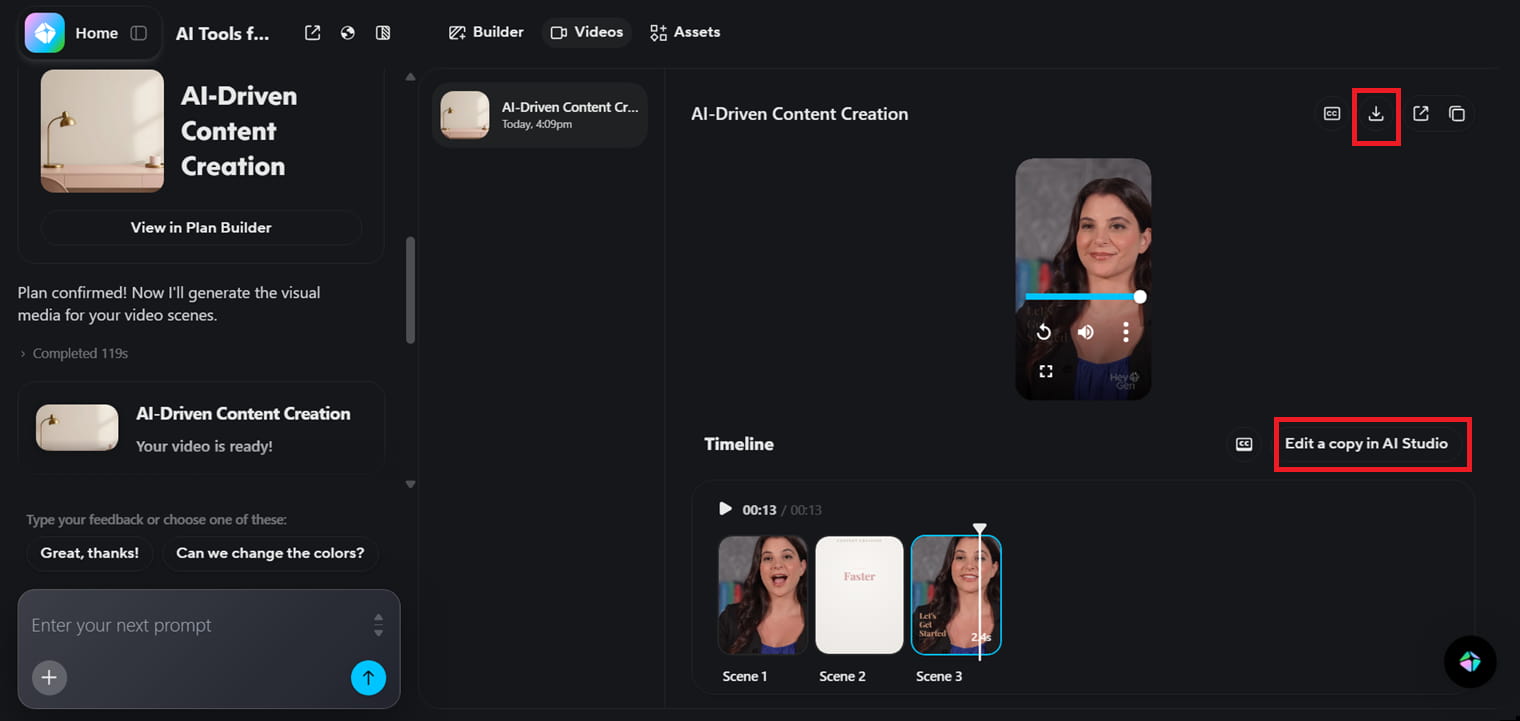
HeyGen takes a few minutes to process and create the video according to your prompt and specified settings. Once the movie is ready, you can watch the result and select "Edit in AI Studio" to further enhance the content before exporting. Or if you are satisfied, with what has been created in the first go, you can click, ''Download ''at the top to save the finished video to use on social media, for marketing, for training, or for corporate presentations.
Step 3: Edit and customize in AI Studio
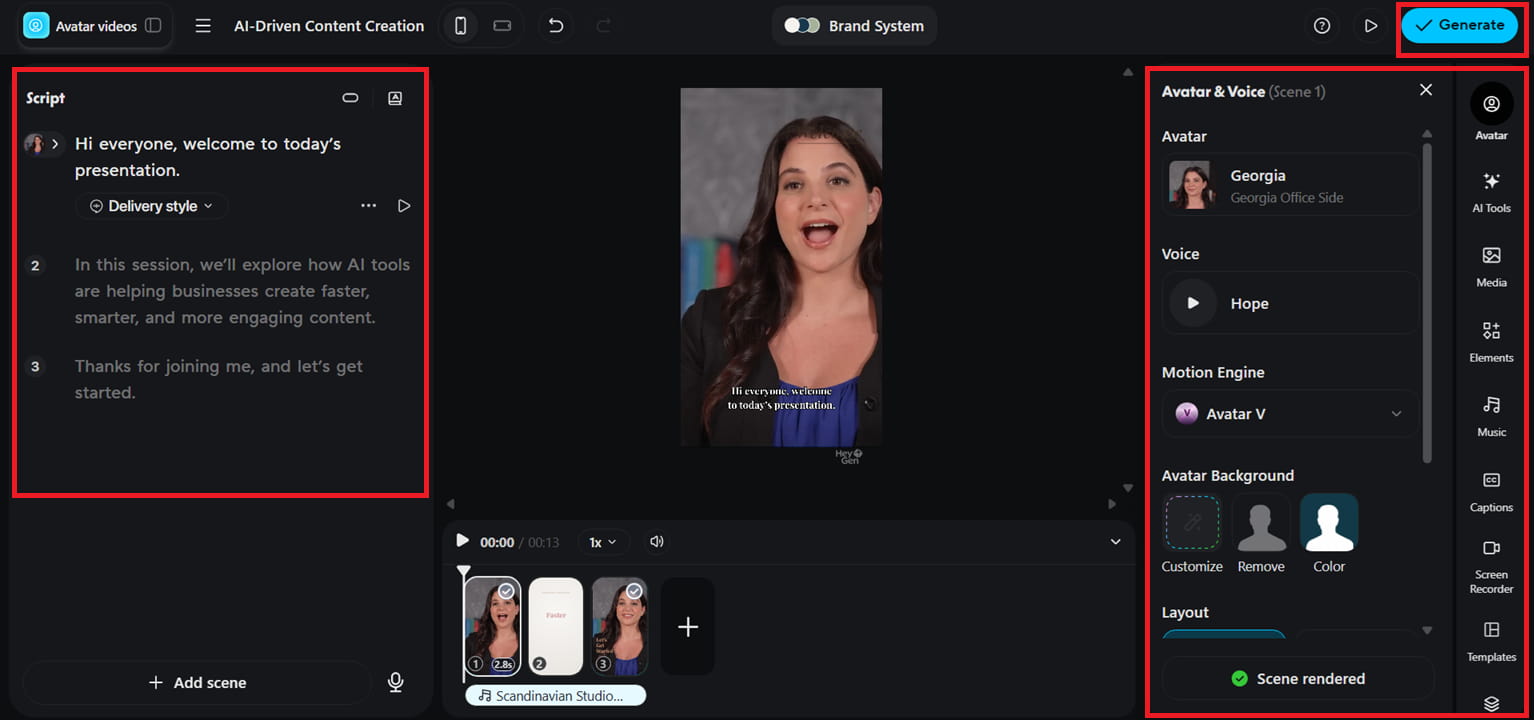
You chose to edit; AI Studio will improve the final video output. In this workspace, you can adjust the script, avatars, and voices, add music, captions, and visual elements, and use built-in AI tools for further customization. This allows you more control of your movie while keeping the editing process easy and beginner-friendly. Once you're done with the edits, click ''Generate'' at the top to apply the changes, then download the final video.
Best use cases for AI video HeyGen tool
HeyGen video AI is applicable in many different areas, making content creation much faster and more efficient. Below are the best use cases for using AI avatars and automated video generation to enhance communication, engagement, and productivity.
-
AI marketing and advertising campaigns: With HeyGen, you can easily create marketing and ad videos, even without full production equipment. AI Avatars let marketers convert scripts into exciting advertising content in no time. This helps companies to churn out commercials faster, while still maintaining clear and professional messaging.
-
Social media reels and short-form videos: Create content for Instagram, TikTok, and YouTube Shorts quickly and easily using HeyGen. With just a few clicks, you can create ideas into short, eye-catching videos. This encourages creators to be consistent and post regularly without spending hours on editing.
-
Corporate presentations and internal communication: HeyGen is used by companies to make presentations and internal updates more entertaining and easier to generate. They can also use AI presenters to clearly deliver material instead of the usual slides. This makes communication more effective and easier for the staff to follow.
-
Employee training and onboarding videos: HR organizations can use HeyGen to produce structured training and onboarding videos without a professional setup. AI can produce clear and consistent lessons that help new personnel understand processes. It takes less time for trainers and ensures that every employee gets the same material.
-
Educational and e-learning content: Teachers and educators may leverage HeyGen to turn lessons into engaging video content. AI avatars can help convey complex things visually in an easier-to-understand way. It also helps to make online learning more interactive and accessible for students.
Benefits and limitations of Heygen AI videos
Find out how HeyGen AI is changing the content creation game with rapid, AI-powered avatar video creation for businesses and creators. The table below summarises the key benefits and limitations for easy comparison and better understanding.
|
Benefits |
Limitations |
|---|---|
|
Saves a lot of time in video creation by converting screenplays into ready-to-use videos in minutes, with no need to manually record or edit. |
The subscription plans include all premium features, while the free plan provides limited access to advanced features and tools. |
|
Reduces overall production expenses by eliminating the need for cameras, studios, performers, and big editing teams. |
Sometimes AI avatars seem not expressive enough, especially during emotional or highly dramatic moments. |
|
Ensures consistent branding across videos, making it easier for businesses to maintain a professional and uniform style. |
Compared to standard video editing software, it lacks several advanced cinematic editing features. |
|
Makes it significantly easier to create multilingual content by enabling videos to be converted for different languages at scale. |
You need a reliable internet connection, as everything runs on a cloud-based platform. |
|
Helps businesses and creators create content significantly faster, boosting workflow and steady content output. |
Custom avatars sometimes take extra time to set up before they are ready to use. |
HeyGen puts the power of AI avatar video production at your fingertips. However, some producers may be disappointed by the narrow scope of visual styles, creative flexibility, or AI operations. This is where systems like Vmake start to shine with their unique spin on AI-powered video creation.
Looking Beyond HeyGen AI: Discover What Vmake Can Do
If you're feeling boxed in by conventional settings, or want a tool developed expressly for current social commerce, the Vmake AI video generator is a great choice to check out. HeyGen is all about formal presentations and corporate talking heads, while Vmake excels at automating real, hyper-engaging User Generated Content (UGC) videos.
It's an all-in-one, browser-based creative suite that turns text prompts, website links, or a single product photo into dynamic, social-ready films in seconds. Vmake isn't just about raw generation; it's loaded with an amazing selection of post-production AI capabilities, such as easy watermark removal, auto-captions, and a heavy-duty video enhancer that upscales blurry footage to crisp 4K resolution.
Key features of the Vmake video generator tool
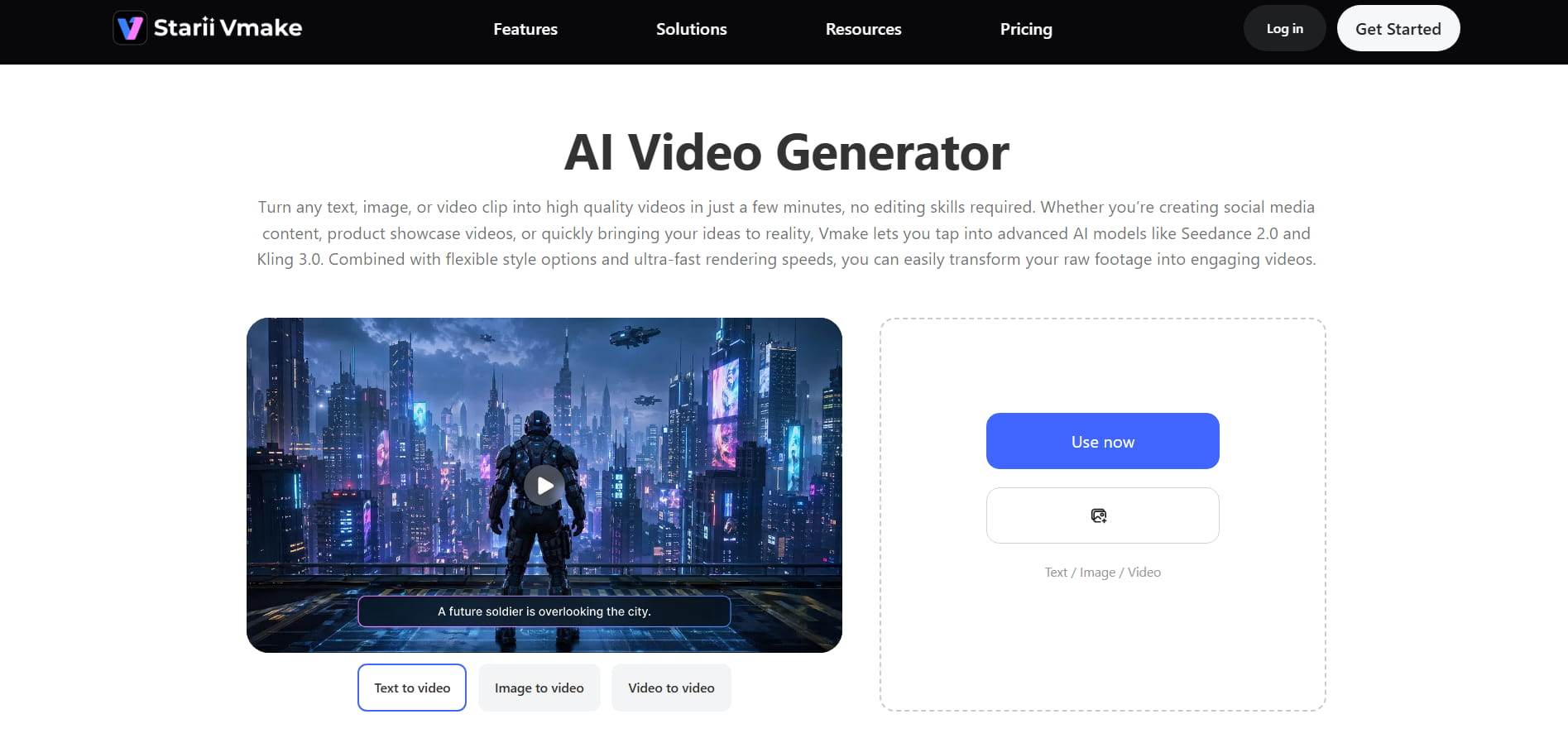
Vmake AI video generator comes packed with a host of AI-enabled features that make video-making simpler, faster, and more creative. These are some of the key factors that help users quickly create AI films across many genres.
-
Flexible multi-mode generation: Vmake offers text-to-video (converting written prompts into full scenarios), image-to-Video (animating a static photo with panning or zooming), and video-to-Video (reworking existing video and applying new styles).
-
Heavy-duty AI video enhancer: Automatically corrects fuzzy, low-quality, or heavily compressed footage, upscaling clips up to crisp 4K resolution by automatically changing brightness, contrast, and sharpness.
-
Variety of art styles for your mood: Vmake offers a variety of art styles, ranging from crisp Japanese and American comic styles to sophisticated Eastern aesthetics, rather than pushing you into a one-size-fits-all look. That means you can easily match the precise atmosphere of your business or platform, making your movies look really unique and expressive.
-
Multi-model engine support: Unlike single-workflow platforms, Vmake supports multiple powerful generative AI models (Kling 3.0, Seedance 2.0, Veo 3.1, and more), enabling developers to experiment with cinematic, realistic, or stylized aesthetics.
-
Smart object & watermark remover: Hours of arduous editing can be required to remove unwanted logos or to clean up distracting background clutter. Vmake makes this easy with a clever motion-tracking cleanup tool that automatically removes watermarks, floating text, or background clutter without affecting the remainder of your shot.
How to create videos with Vmake?
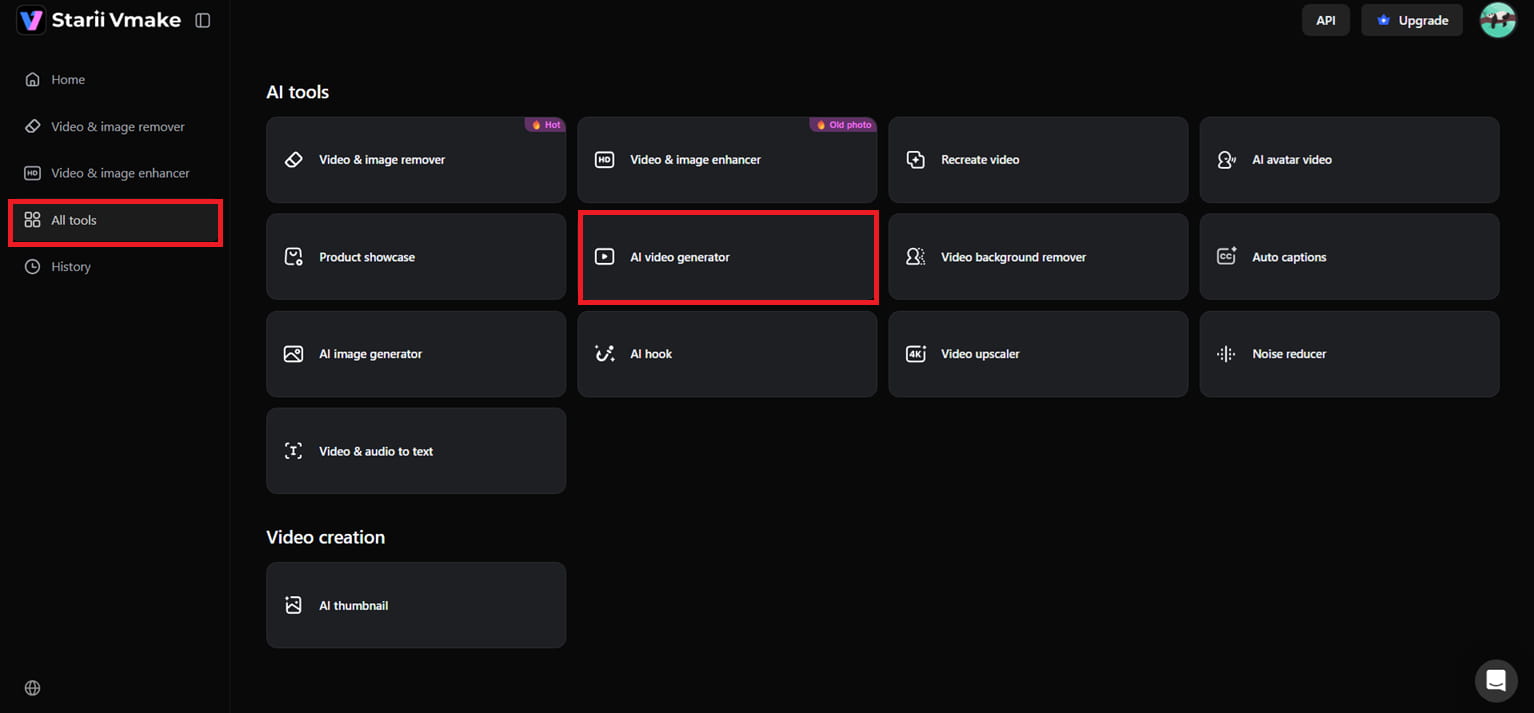
Step 1: Open the AI video generator tool
Click the "All Tools" option in the left-side panel and scroll through the available options. Then, click "AI Video Generator" to get into the primary video creation interface and begin building up your project.
Step 2: Customize your AI video settings
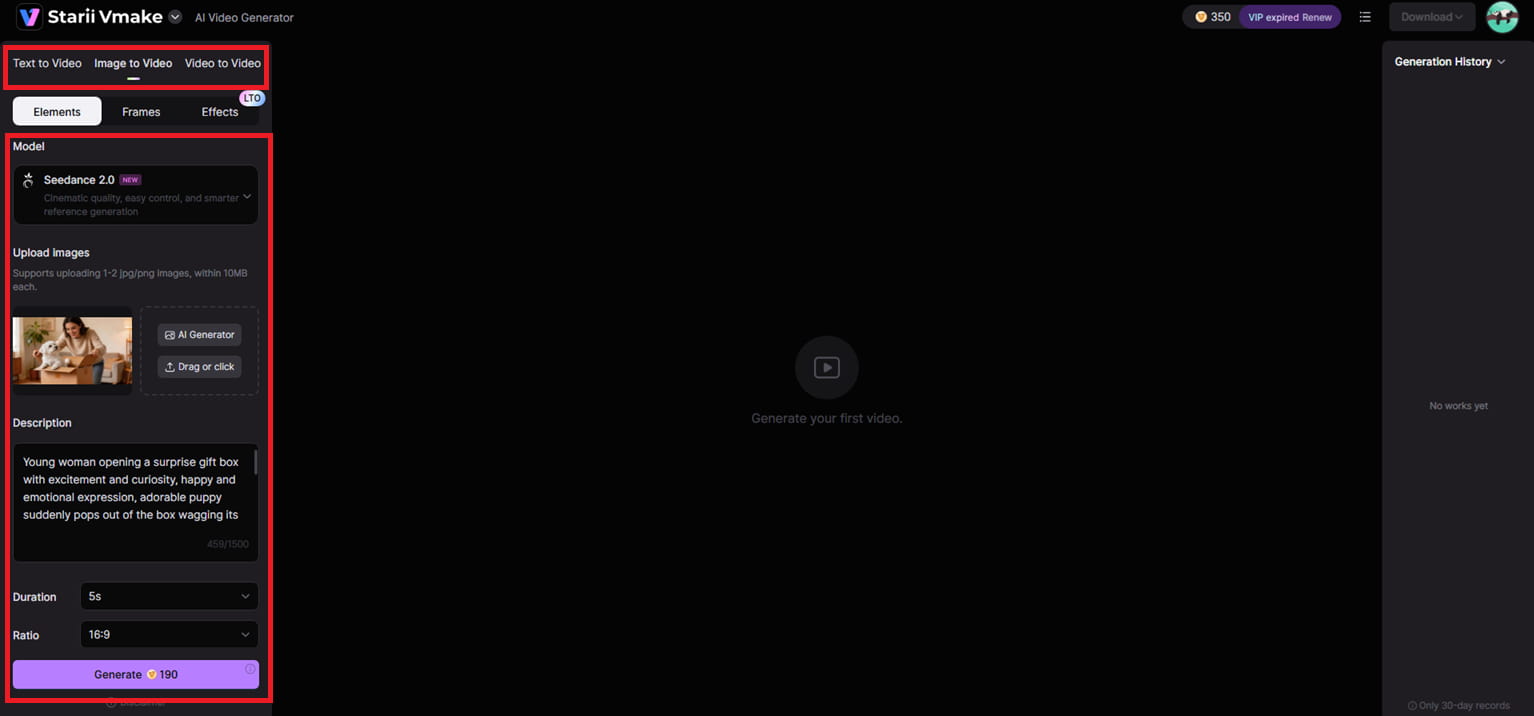
Once the workspace opens, choose from text to video, image to video, or video to video from the left panel, depending on the type of content you'd like to generate. You can also choose the AI model, submit one or two reference photos for image-based generation, and compose a thorough creative prompt. Then select the video length and aspect ratio, and hit "Generate."
Step 3: Preview and download the final video
Once you've chosen your settings and prompt, the AI will build your video within seconds. You can preview the outcome, to verify the images, the motion, and the overall quality before saving it. When you're ready, just click "Download" at the top to export your final video.
HeyGen vs Vmake: Key differences
|
Aspect |
HeyGen AI video generator |
Vmake AI video generator |
|---|---|---|
|
Primary focus |
Professional talking heads, enterprise presentations, corporate L&D, and sales outreach. |
Social commerce, automated UGC style ads, and innovative short-form content. |
|
Visual styles |
Photorealistic human presenters and typical business surroundings (restricted stylized/comic art). |
The rich diversity of visual aesthetics, such as Japanese comic style, American comic style, or Eastern aesthetics. |
|
Core capabilities |
Custom avatar cloning for digital twins, advanced multilingual lip-syncing, and a large public avatar library. |
Multi-mode workflow, text to video, image to video animation, and video to video styling. |
|
Key editing tools |
Deep video translation engine (175+ languages), text-to-speech script editor, and AI studio timeline editing. |
Built-in AI Hook generator, auto UGC ad generation from product links, smart object/watermark elimination, and 4K video enhancer. |
|
Best for |
Corporate training teams, global brands that need localisations for multiple markets, and professional educators. |
E-commerce brands, digital marketers and short-form video creators who want unique styles. |
Both platforms fulfill distinct creative needs and offer unique features. HeyGen is more geared towards professional AI avatar communication and multilingual corporate content, while Vmake is great for cinematic AI generation, creative visual styles, and short-form marketing videos. Ultimately, the choice between them comes down to the type of content, process, and creative flexibility you require for your projects.
Conclusion
In this post, you've learned how the HeyGen AI tool makes it easy to generate professional avatar-style videos without the hassle of complicated recording or editing. The platform allows creators, corporations, and educators to make content more effectively with lifelike AI avatars, multilingual voiceovers, and quick text-to-video creation. And you also talked about Vmake as an alternative creative option for users who desire something more flexible than avatar-based films. As AI video tools evolve, generating high-quality content is becoming faster and more accessible for everyone. Experiment with new features, discover creative techniques, and select the platform that best aligns with your content ambitions.
FAQs
Can HeyGen create realistic presenter-style videos from text?
Yes, HeyGen can generate realistic presenter-style movies from plain scripts or text instructions utilizing AI avatars and lifelike voiceovers. The platform is particularly popular for business presentations, educational videos, and social media material. Meanwhile, if users are looking for more cinematic AI video-generating styles, the Vmake AI video generator provides creative text-to-video workflows with numerous advanced AI models.
Does HeyGen support multilingual voice generation?
HeyGen offers over 175 languages and dialects for AI voice production with authentic accents and lip synchronization. This allows individuals and businesses to create content for worldwide audiences without having to re-record videos in different languages. The Vmake AI video generator, while more focused on creative AI video generation and cinematic images, currently lacks the same level of multilingual voice generation and dubbing capability that HeyGen provides.
Are custom avatars available in HeyGen for businesses?
Yes, businesses can upload their own staff photos or their short clips to HeyGen to build personalized digital avatars for AI training. These avatars help brands retain a consistent persona throughout their training, marketing, and communications content. In conjunction with avatar-based processes, the Vmake AI video generator focuses more on flexible AI video generation methods such as image-to-video and cinematic visual creation.
Can HeyGen videos be used for employee training content?
HeyGen is popular for onboarding, corporate communication, and staff training videos since it makes professional video production easy. AI Avatars can teach classes and deliver company information in a more engaging and consistent way. For organizations that require greater visual creativity in their AI-generated content, the Vmake AI video generator provides advanced advertising- and storytelling-style videos.
Can beginners use HeyGen without editing experience?
Yes, HeyGen is beginner-friendly and does not demand sophisticated editing skills to produce professional videos. Most of the workflow is automated, making it easy to produce films using templates, avatars, and AI voice tools. The same applies to the Vmake AI video generator, which provides a user-friendly interface that lets users create videos from text, images, and videos.
Does HeyGen offer templates for marketing videos?
With HeyGen, customers can easily create marketing films, advertisements, presentations, and branded social media content using pre-built templates. Those templates make the production process easier and help maintain videos that look visually polished and professional. For artists seeking more creative video-generation styles and complex AI models, the Vmake AI video generator offers greater flexibility for developing promotional and cinematic content.