PhotoGrid AI Image Enhancer Review: Features, Pricing & Honest Verdict
Explore our PhotoGrid AI Image Enhancer review with hands-on testing, pricing, real user feedback, and a comparison with Vmake Labs to discover the best AI image enhancement solution for your needs.

PhotoGrid AI Image Enhancer is one of the most popular AI-powered tools for improving photo quality with less effort. In this review, we look at the features, pricing, ease of use, and community feedback, and compare it to Vmake Labs to help you choose the best AI image enhancer.
What Is PhotoGrid AI Image Enhancer?
PhotoGrid AI Image Enhancer is an AI-powered online photo editing tool that improves image quality by increasing sharpness, unblur image, enhancing details, and upscaling low-resolution photos. In addition to AI enhancement, it offers collage creation, background editing, and other creative editing features on one platform.

It's designed for beginners, content creators, social media users, marketers and small businesses who want an easy way to enhance images without advanced editing skills. Covers portraits, selfies, product shots, landscapes, social media graphics, and everyday images. PhotoGrid AI Image Enhancer is an amalgamation of AI-powered enhancement and versatile editing tools, and that is why people love it. A few clicks and you can create high-quality visuals.
PhotoGrid AI Image Enhancer Hands-On Review
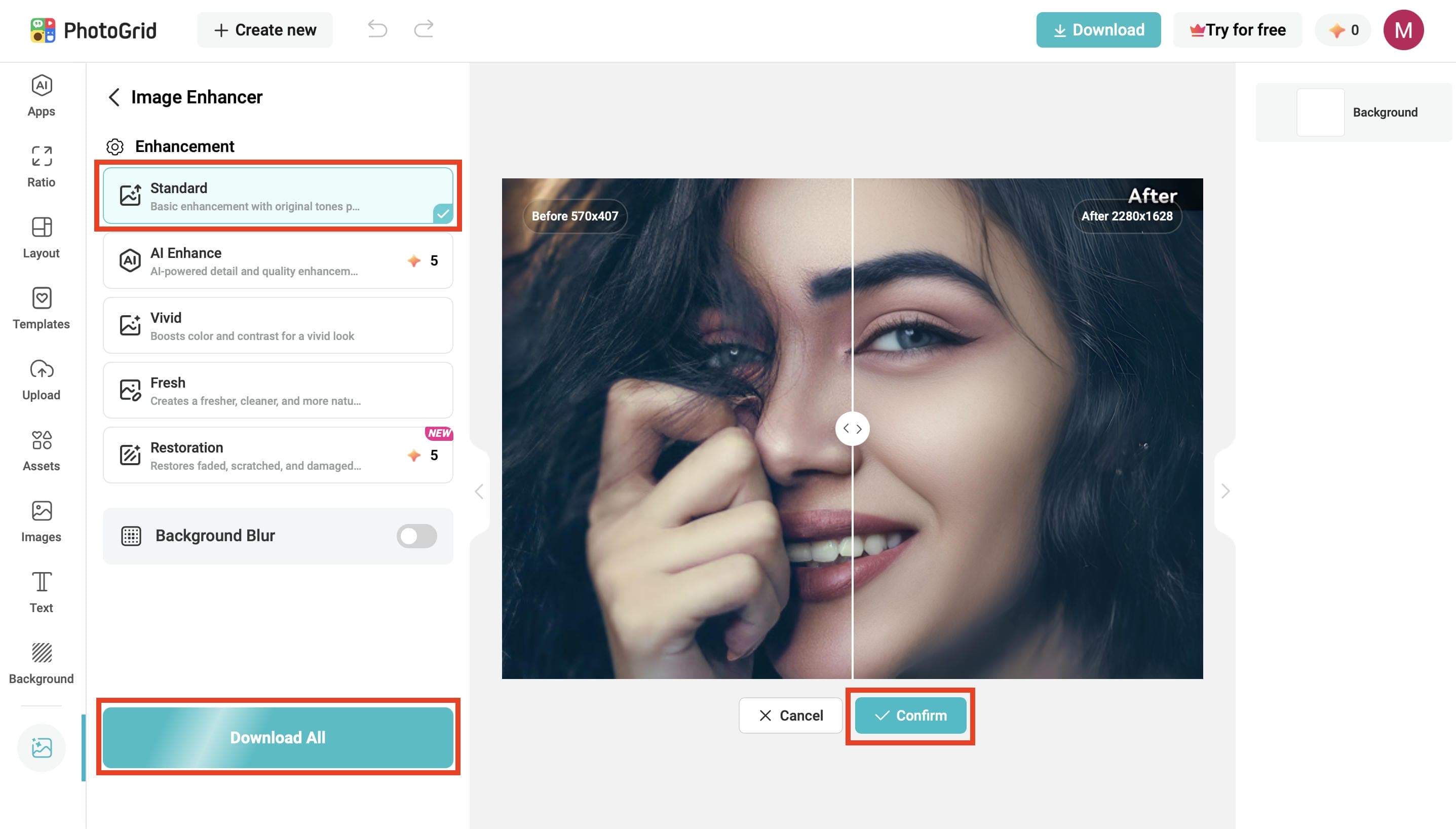
PhotoGrid AI Image Enhancer provides a straightforward workflow in which you can enhance image quality with only a few clicks. In our tests, the tool rapidly improved blurry and low-resolution images, all while keeping a beginner-friendly interface. Here is how you can see the enhancement process in action.
How to Use PhotoGrid AI Image Enhancer
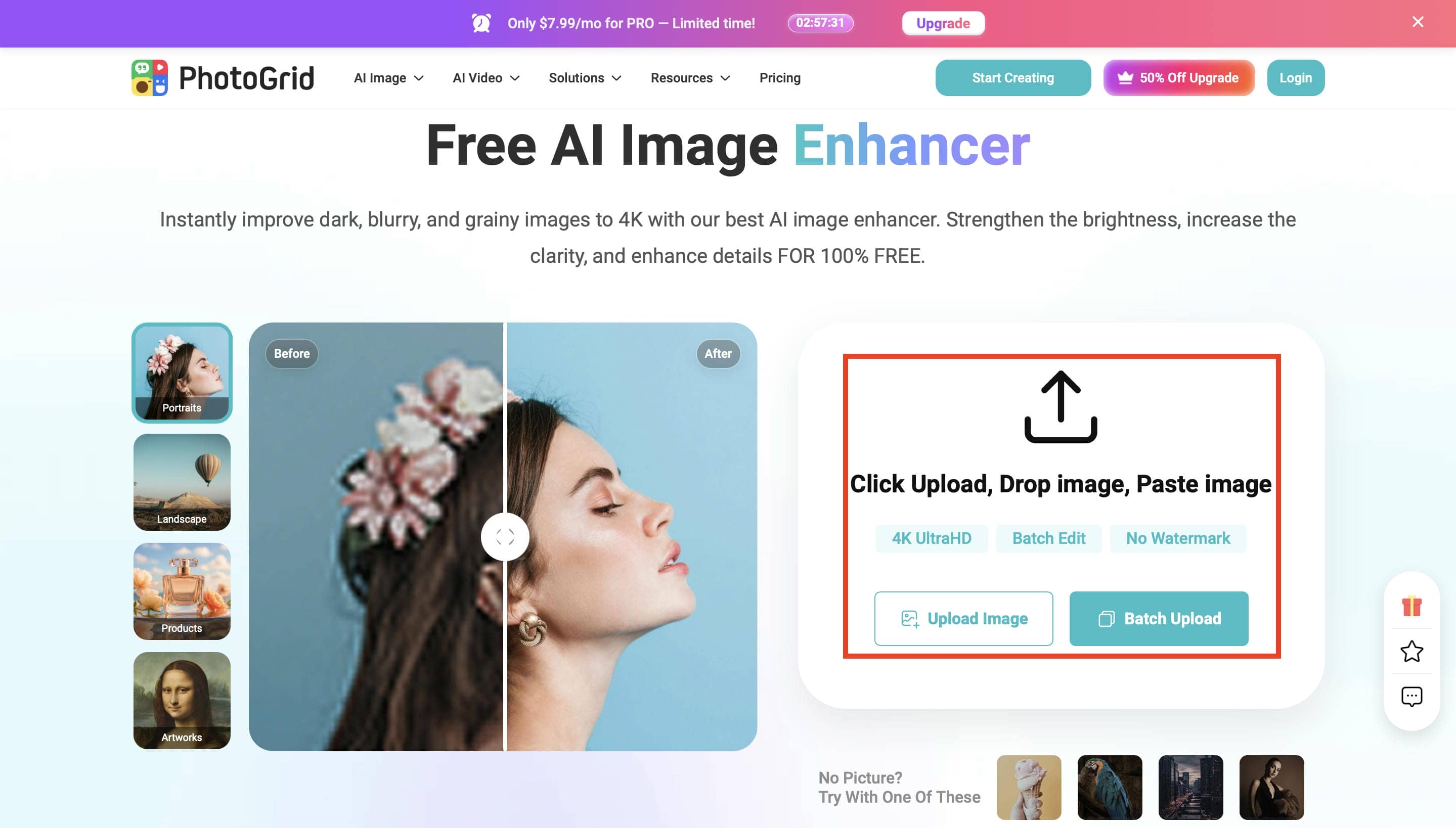
Step 1. Upload Your Image
Click Upload Image or Batch Upload to import the photo you want to enhance. PhotoGrid supports individual and multiple image uploads, making it easy to start enhancing portraits, landscapes, product photos, and other images.
Step 2. Choose an AI Enhancement Mode
Select the enhancement mode that best matches your image, such as Standard, AI Enhance, Vivid, Fresh, or Photo Restoration. Each mode is optimized for different enhancement needs, from improving clarity to restoring old or faded photos.
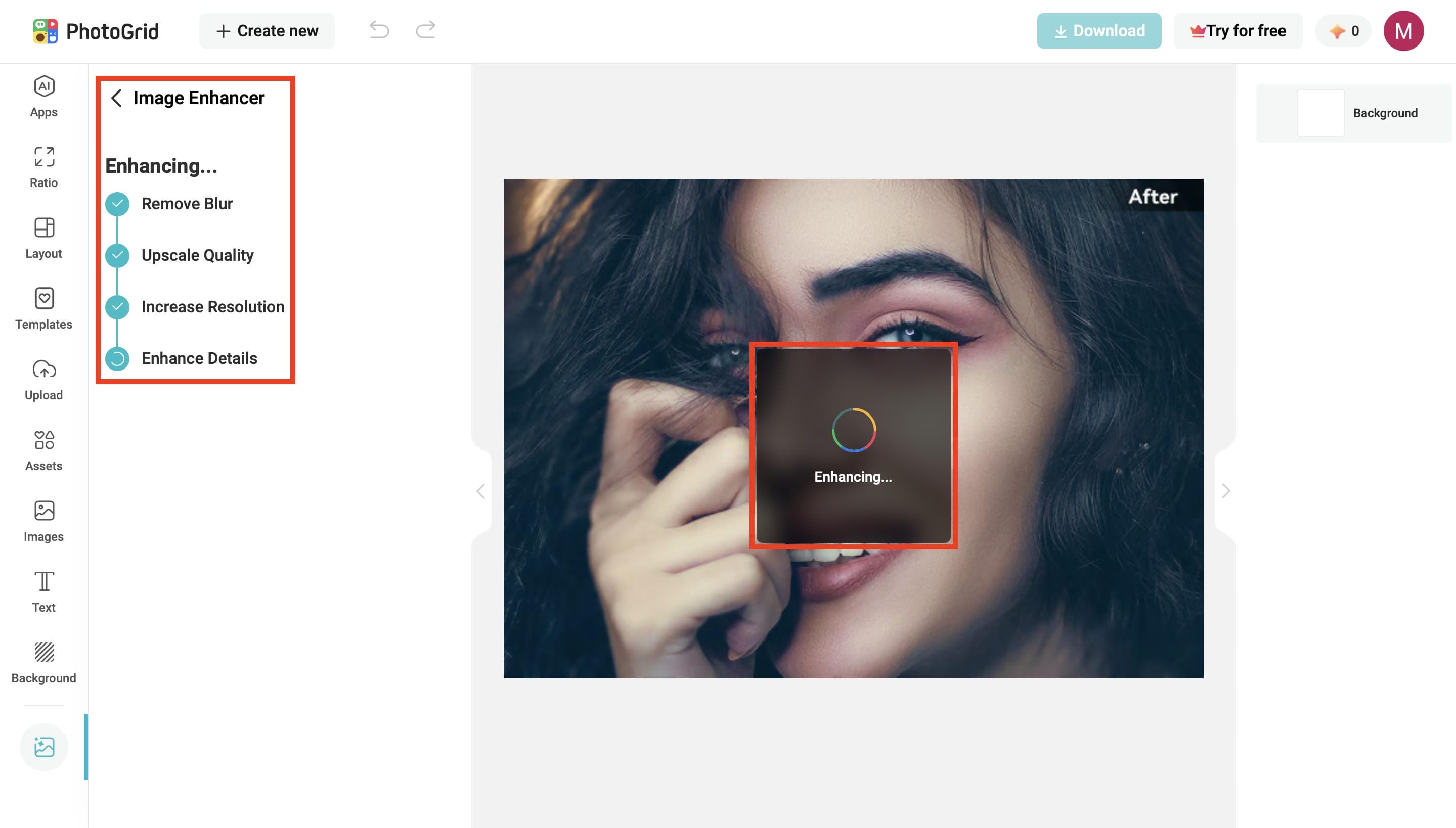
Step 3. Let AI Process and Download the Image
After selecting your preferred enhancement mode, click Confirm to let the AI process the image automatically. Once the enhancement is complete, preview the before-and-after comparison and click Download All to save the final high-quality image.
Pricing
|
Plan |
Price (Yearly Billing) |
Best For |
Key Features |
|---|---|---|---|
|
Free |
$0/month |
Beginners |
Standard photo editing tools, basic collage & layout tools, free templates, 100 MB cloud storage, watermarked exports. |
|
VIP |
$2.83/month |
Casual creators |
180 AI credits/month, Core AI models, unlimited fast AI editing, watermark-free downloads, batch edit (up to 10 images), 1,000 cloud projects, commercial usage rights. |
|
Pro |
$7.99/month |
Frequent creators |
500 AI credits/month, all AI models, priority processing, faster generation queue, batch edit (up to 20 images), 5,000 cloud projects. |
|
Ultra |
$29.99/month |
Professionals |
2,000 AI credits/month, priority access to new AI models, fastest processing, highest generation capacity, batch edit (up to 50 images), 30,000 cloud projects. |
Pros & Cons
|
Pros |
Cons |
|---|---|
|
Beginner-friendly interface that was easy to navigate during testing |
Enhancement quality varies depending on the original image |
|
Produced natural-looking results on portraits and social media photos |
Heavily compressed or extremely blurry images showed limited improvement |
|
Fast processing for single-image enhancement |
AI occasionally oversharpened fine details in some images |
|
Batch editing helps save time on multiple photos |
Processing may take longer during busy periods or for larger batches |
Overall, our testing found that PhotoGrid worked best for portraits, selfies, and everyday social media photos, producing natural-looking enhancements in just a few seconds. Product images also gained better clarity, while heavily compressed or very low-resolution images showed only modest improvements. The interface was intuitive, making it easy for beginners to enhance photos without any editing experience.
How does the community rate PhotoGrid
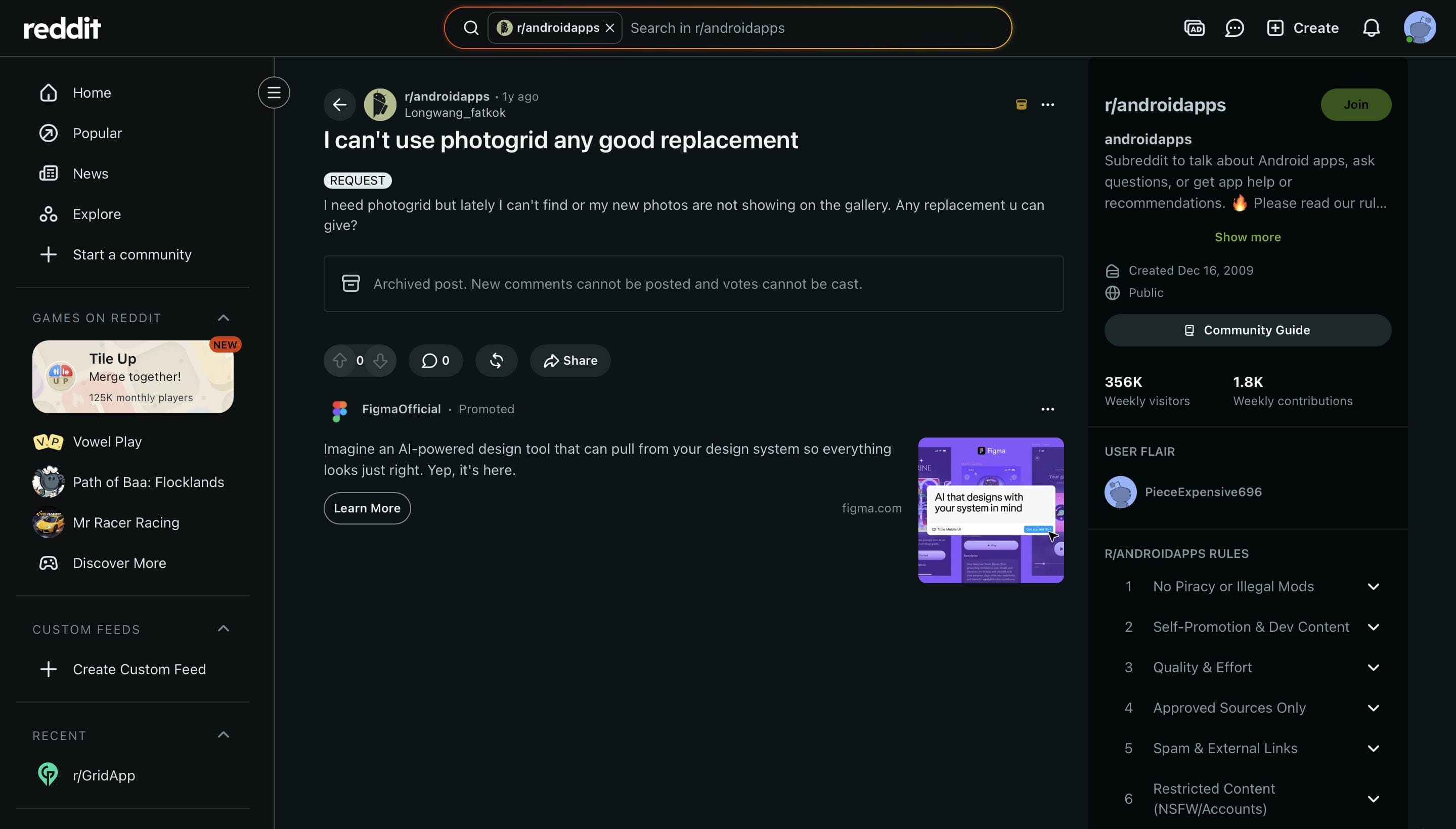
Some users have also faced issues with PhotoGrid, like new photos not appearing in the gallery and have sought alternatives, a discussion on Reddit reads. The post doesn't review AI Image Enhancer directly, but it does suggest that stability and reliability can affect the overall user experience. When this happens often, people in the community suggest trying out some other AI photo editing tools.
Quora
Generally, on Quora, PhotoGrid is described as an AI photo editor for beginners which includes image enhancement and creative editing tools. It focuses on features like AI enhancement, collage making and simple editing workflows for everyday use. Some users also mention that it has limited advanced editing features compared to professional photo editing software, which makes it better for quick touch-ups rather than complex editing projects.
Wrapping up
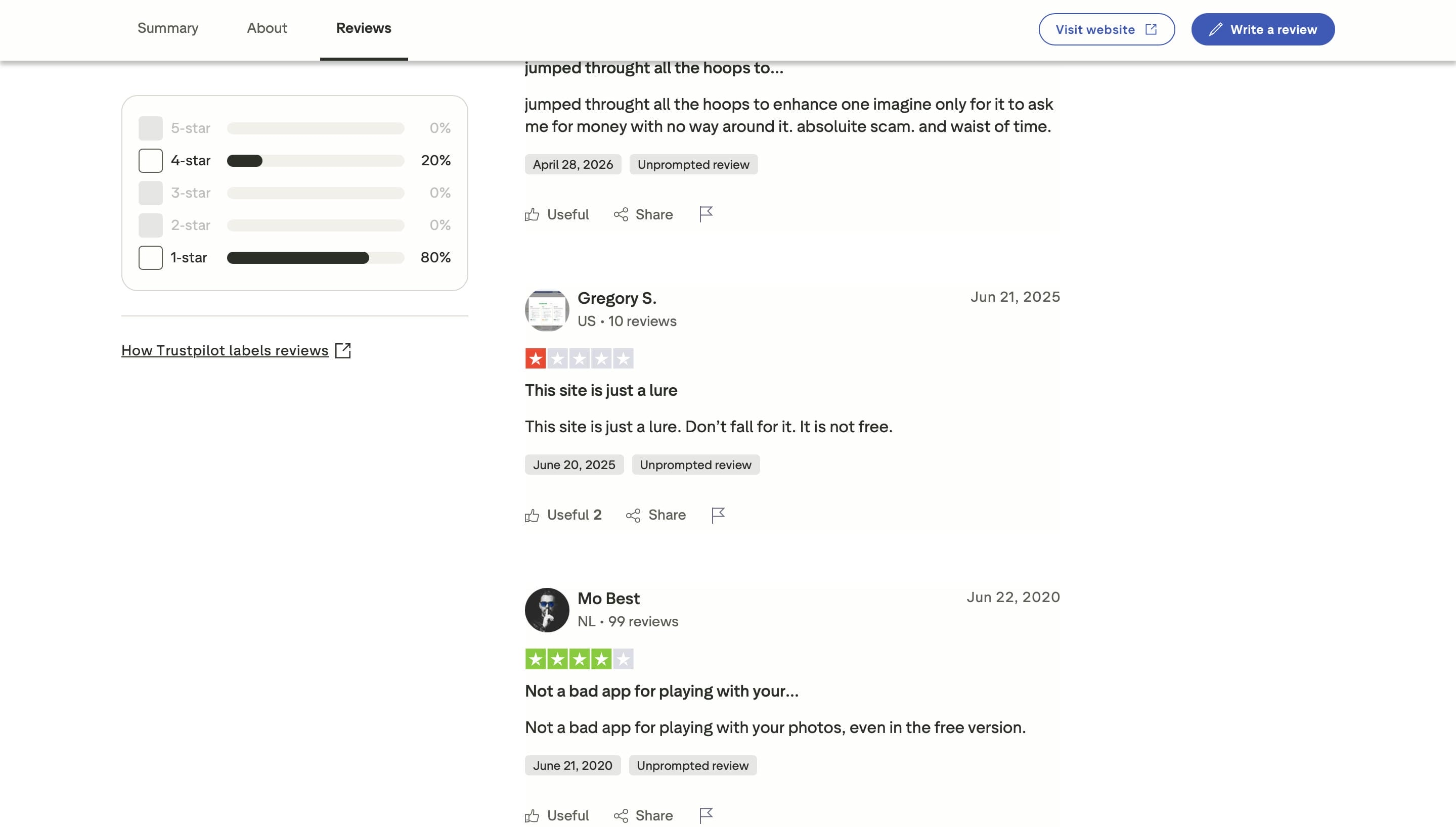
PhotoGrid is great for quick, beginner-friendly touch-ups, but hitting paywalls for advanced features and running into annoying gallery bugs will quickly slow you down. If you're tired of restricted credits, watermarks, and limited tools, switching to Vmake Labs is a massive step up. It moves you past basic mobile app constraints by giving you a smoother, heavy-duty platform designed to scale. You get advanced AI upscaling and true batch processing that actually handles high-volume projects without constantly hitting a wall.
Introduce Vmake Labs: A Powerful Alternative to PhotoGrid
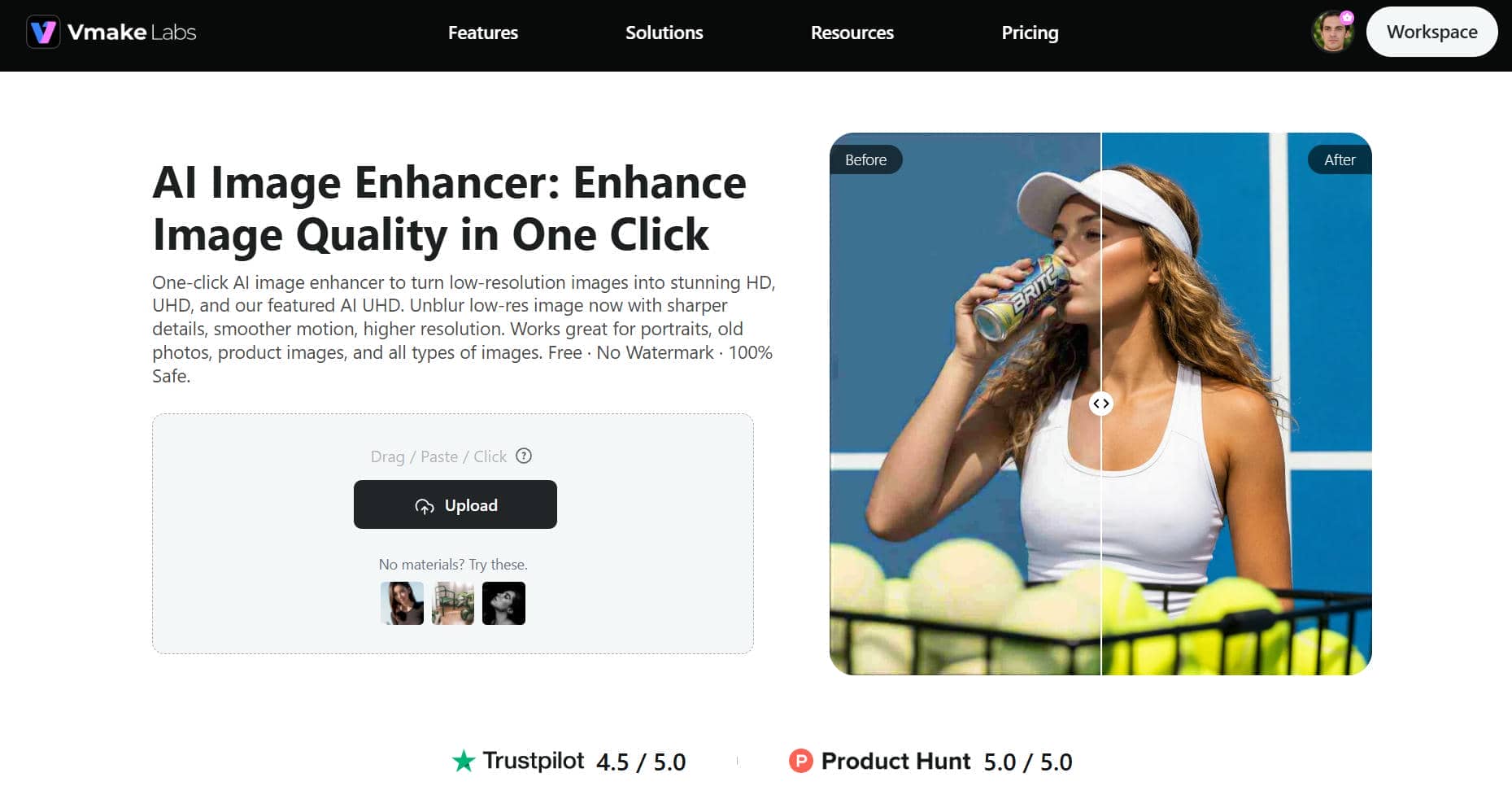
If you want more advanced AI image enhancement than what PhotoGrid has to offer, then Vmake Labs is a great alternative. It combines several AI enhancement modes, high-resolution upscaling and automatic detail recovery to deliver images that are sharper, clearer and more professional-looking with minimal effort.
How to Enhance Images with Vmake Labs
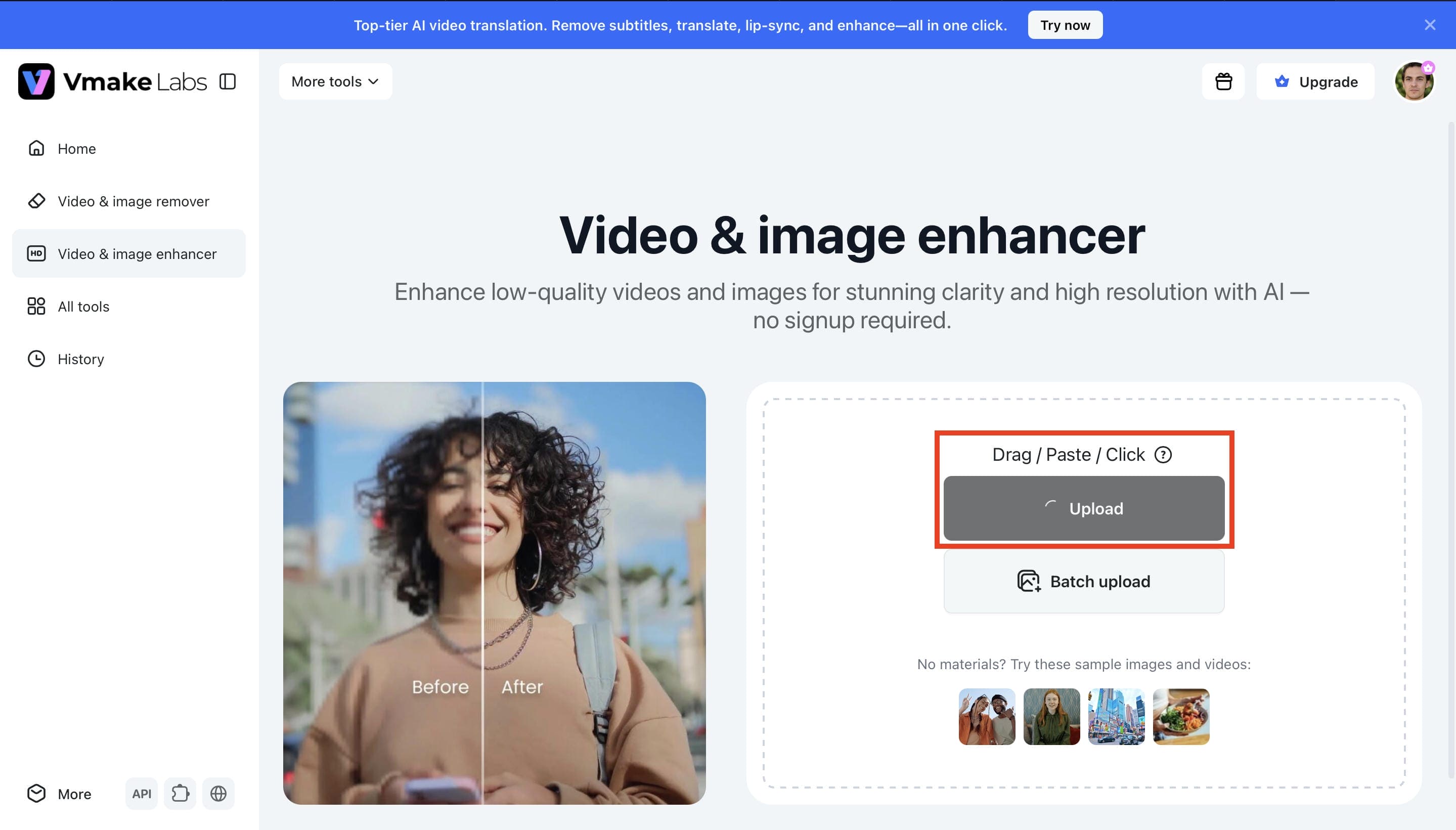
Step 1. Upload your image
Click Upload and select the image you want to enhance from your device. You can also drag and drop your photo or choose one of the sample images to start the AI enhancement process.
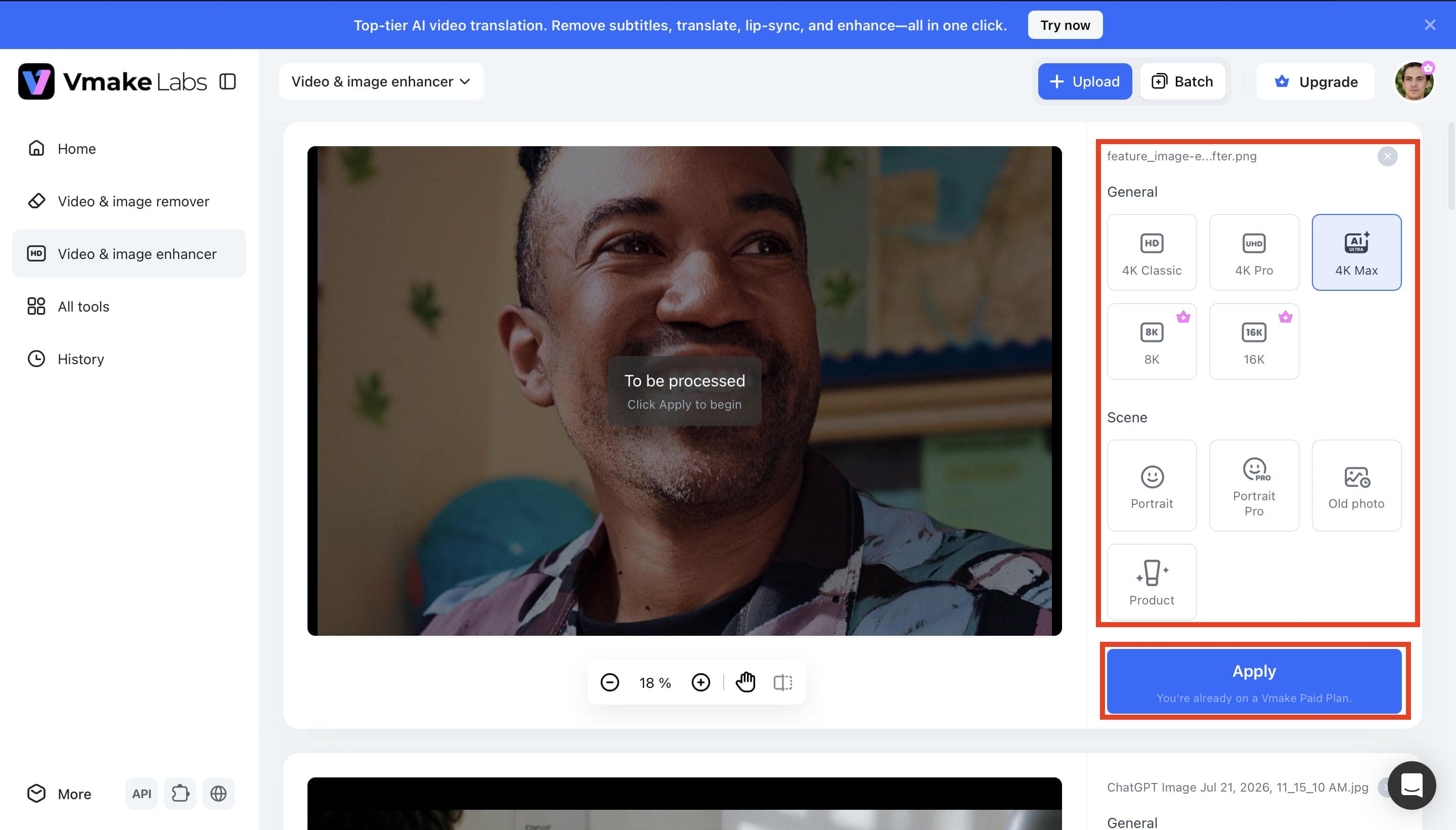
Step 2. Choose an Enhancement Model
Select the enhancement mode that best matches your image, such as 4K Classic, 4K Pro, 4K Max, 8K, 16K, Portrait, Portrait Pro, Old Photo, or Product. After choosing the appropriate mode, click Apply to let the AI process your image.
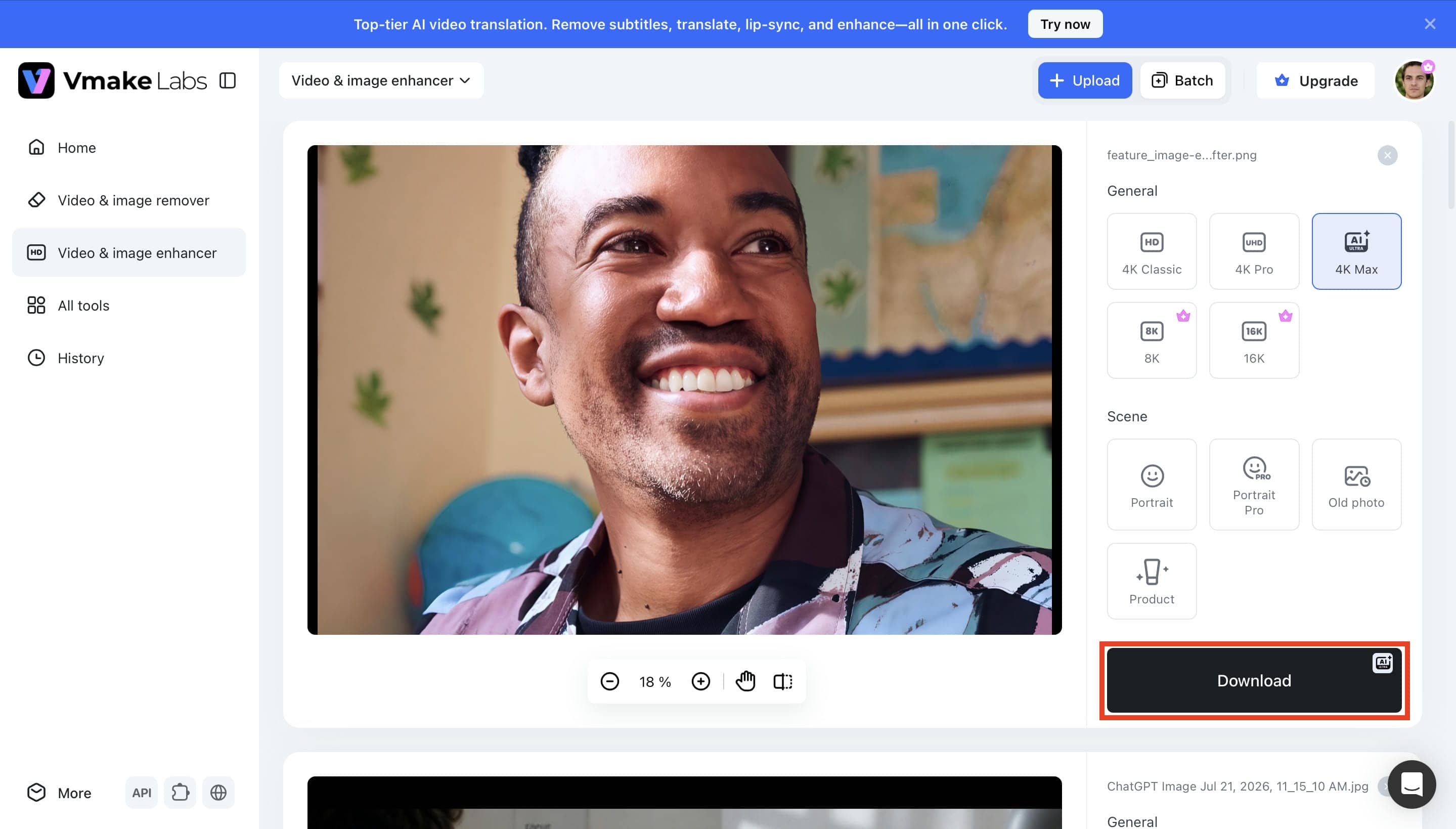
Step 3. Preview and Download the Result
Once the enhancement is complete, compare the enhanced image with the original to review the improvements. If you're satisfied with the result, click Download to save the high-quality enhanced image.
Why Choose Vmake Labs?
-
Natural AI Enhancement: Vmake Labs uses AI to improve image clarity, sharpness, and textures while preserving realistic colors and natural details. The enhanced results look clean and professional without appearing overprocessed.
-
Multiple AI Modes: Select from a variety of AI enhancement modes tailored for various image types such as portraits, products, old photos, and general images. Each mode is tailored to deliver the best enhancement for that specific use case.
-
Upscale Up to 16K: Upgrade low-res photos to HD, UHD, AI UHD, 4k to 16K quality without losing image quality. The AI keeps fine details and produces sharp, high-resolution results that are good for digital and print use.
-
Blur & Noise Reduction: The AI automatically reduces blur, image noise, and compression artifacts while restoring important textures and edges. This helps create sharper, cleaner images with a more natural appearance.
-
Specialized Image Modes: AI modes for portraits, old photos, and product images are offered to cater to various enhancement needs. Each mode uses custom AI processing for more accurate and beautiful results.
-
Batch Processing: Enhance multiple images at the same time instead of editing them one by one. Batch processing improves productivity and saves valuable time for photographers, businesses, and content creators managing large image collections.
PhotoGrid AI Image Enhancer vs. Vmake Labs
Both PhotoGrid AI Image Enhancer and Vmake Labs use AI to improve the quality of images, but they are designed for different users. PhotoGrid is the best for quick everyday editing, while Vmake Labs has more advanced enhancement modes, higher resolution upscaling and professional-quality AI image restoration.
|
Feature |
PhotoGrid |
Vmake Labs |
|---|---|---|
|
AI Image Enhancement |
AI-powered image enhancement |
AI-powered image enhancement |
|
Upscaling Options |
Standard AI upscaling |
HD, UHD, AI UHD, 8K, and 16K upscaling |
|
Enhancement Modes |
General AI enhancement |
Multiple AI modes for portraits, products, and old photos |
|
AI Detail Recovery |
AI Detail Enhancement |
Advanced AI detail recovery |
|
Noise & Artifact Reduction |
AI Blur and Noise Reduction |
AI-powered noise and artifact removal |
|
Batch Processing |
Up to 50 images (Ultra plan) |
Batch enhancement for multiple images |
|
Ease of Use |
Beginner-friendly |
Beginner-friendly |
|
Free Plan |
Available with limitations |
Available with limitations |
Which Tool Should You Choose?
The right choice depends on your editing needs, workflow, and the level of image quality you expect. Both tools are beginner-friendly, but they are designed for different use cases.
-
Choose PhotoGrid AI Image Enhancer if: You want a simple tool for quick AI photo enhancement, social media editing, and everyday creative projects. It combines AI enhancement with collage and basic editing features in one platform.
-
Choose Vmake Labs if: You want more advanced AI enhancement, high-end upscaling to 16K, and dedicated AI modes for portraits, old photos, and product images. It's a better option for users who want professional-quality results with minimal effort.
Conclusion
Overall, PhotoGrid AI Image Enhancer is a simple tool to use and offers AI image enhancement and fun editing features, perfect for casual photo editing. Vmake Labs has advanced AI enhancement modes, upscaling to 16K, smart detail recovery and batch processing for pro results. PhotoGrid is a good option for quick edits. Vmake Labs is the better choice if you want more flexibility and better quality image enhancement.
FAQ
Is PhotoGrid AI Image Enhancer free to use?
Yes. PhotoGrid offers a free plan that includes basic AI image enhancement, editing tools, and collage features. However, the free version comes with limitations such as watermarked exports, limited AI credits, and restricted access to premium AI features. Upgrading to a paid plan unlocks additional AI models and higher usage limits.
Can PhotoGrid AI Image Enhancer improve blurry photos?
Yes. PhotoGrid AI Image Enhancer can unblur, sharpen, and clarify photos using AI technology. The quality of the result depends on the original image resolution and the amount of blur. Vmake Labs also offers dedicated AI boost modes to recover more advanced details and restore difficult images to professional quality.
Does PhotoGrid support AI image upscaling?
Yes. PhotoGrid offers AI image upscaling to enhance the resolution of low-quality images while increasing the overall clarity. It's great for everyday photos and social media content, but its upscaling capabilities aren't as robust as dedicated AI enhancement tools. Vmake Labs provides AI upscaling to 16K for users who require higher resolution results.
What image formats does PhotoGrid AI Image Enhancer support?
PhotoGrid AI Image Enhancer supports most of the common image formats, such as JPG, JPEG, PNG and WEBP, so it fits into most common editing workflows. They're perfect for social media posts, product photos, marketing materials and personal images. Users can upload, improve and download images easily without having to convert file formats.
Is PhotoGrid AI Image Enhancer suitable for professional photo editing?
PhotoGrid offers a simple interface and is a good choice for fast AI photo enhancement, social media content creation, and everyday editing. But for advanced AI upscaling, specialized enhancement modes, and more control over image quality, a dedicated solution might be the best bet for professionals. Vmake Labs is the better choice for professional creative workflows and high-resolution enhancement.

You May Be Interested

Airbrush Video Enhancer Review 2026: Features, Pros, and Cons

Best AI Image Enhancer in 2026: Top Tools to Upscale and Fix Blurry Images
Best AI Photo Enhancer Tools in 2026 (Free & Online): Improve Image Quality Instantly
2026 Fotor Video Enhancer Review: Features and Top Alternatives