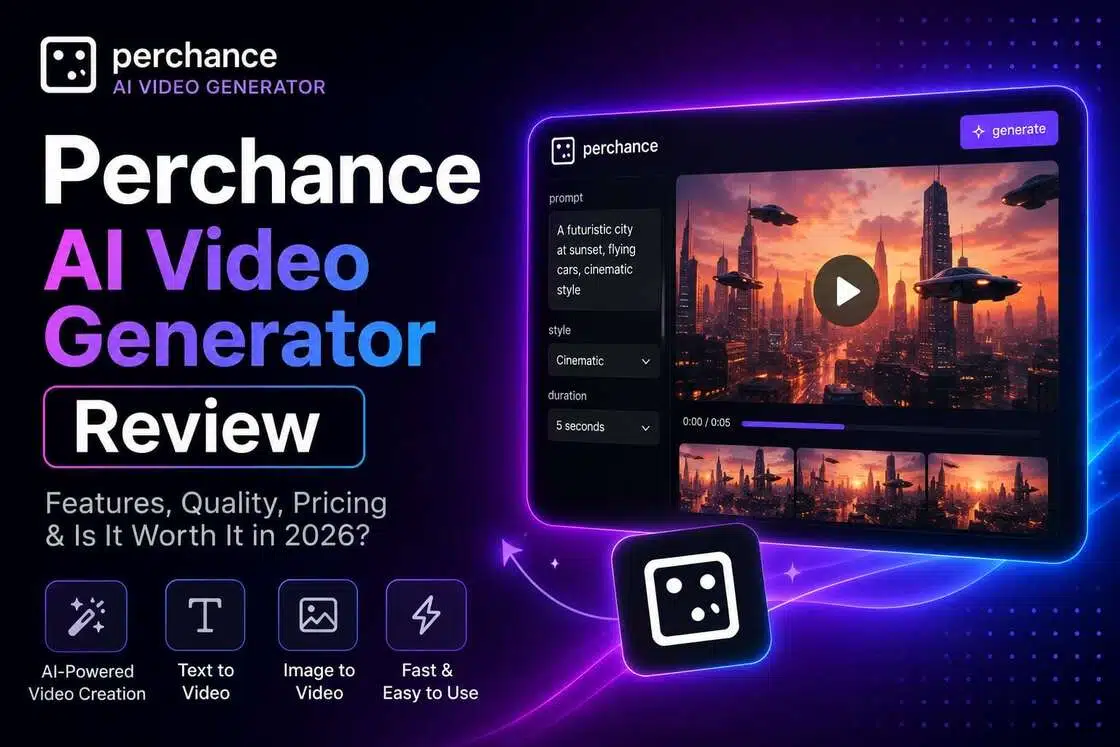
Perchance AI Video Generator Review: Features, Performance & Practical Use Cases
This Perchance AI Video Generator review explores its prompt-to-video features, free usage limits, output quality, and performance. Unlock everything you need for Perchance and take your choice!

AI video generation has become more accessible than ever. Among the many tools available today, Perchance has gained attention for its free generation and creative experimentation features. In this Perchance AI video generator review, we examine its capabilities, workflow, strengths, limitations, and how it compares with modern alternatives you haven't discovered yet.
Understanding Perchance AI Video Generator and Its Workflow
Perchance AI Video Generator is a browser-based tool that creates videos from text prompts, making AI video creation accessible to beginners and casual creators. Users simply describe a scene or idea, and the AI generates visual content based on those instructions.
The platform also supports AI image-to-video generator workflows, enabling users to animate static images into short video clips. Unlike conventional video editors that require manual editing and effects, Perchance emphasizes simplicity, automation, and easy browser access without software installation.
Key Features of Perchance AI video generator
Text-to-Video Generation
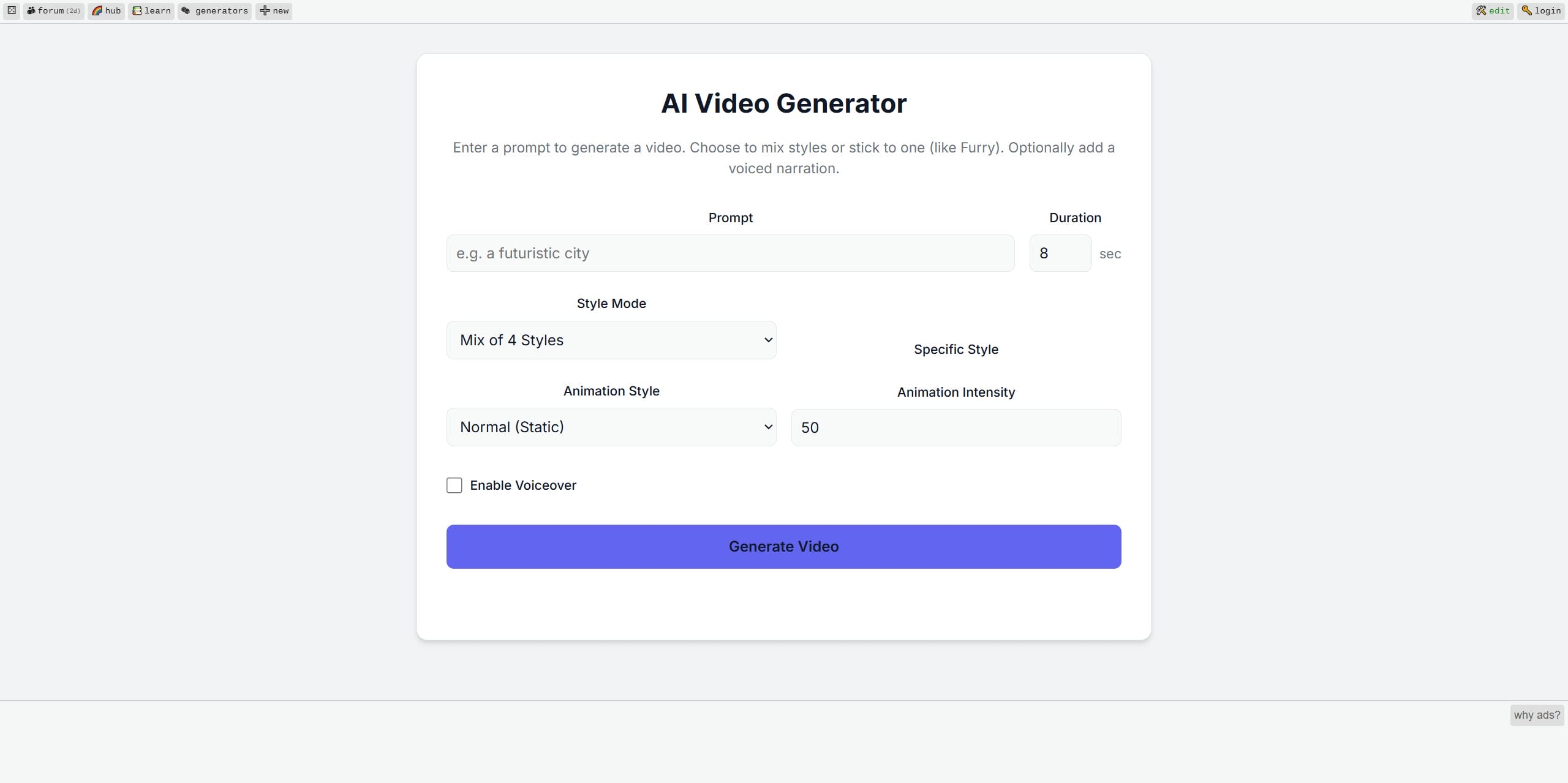
The foundational feature remains the prompt-entry workspace. Beginners can simply type brief situational scenes, select a structural aspect ratio, and request a visual draft. The system translates the description into short, digestible visual sequences entirely through cloud automation.
Quality of Rendering and Scene Transitions
Because Perchance relies heavily on shared open-source architectures, rendering quality fluctuates intensely. On a highly optimal pass, the platform delivers distinct, recognizable visual textures. However, when servers experience intense user traffic, outputs can display severe pixel compression, edge blurring, and frame artifacts. Scene transitions are non-linear, often relying on abrupt visual changes rather than smooth cinematic tracking shots.
Style Variations and Animation Control Options
The platform hosts an expansive library of community-designed presets. Users can quickly apply distinct aesthetic filters via dropdown menus. Additionally, sliders let you control how much movement is applied, choose a lower setting to keep the subject relatively still, or increase it for more dynamic motion throughout the scene.
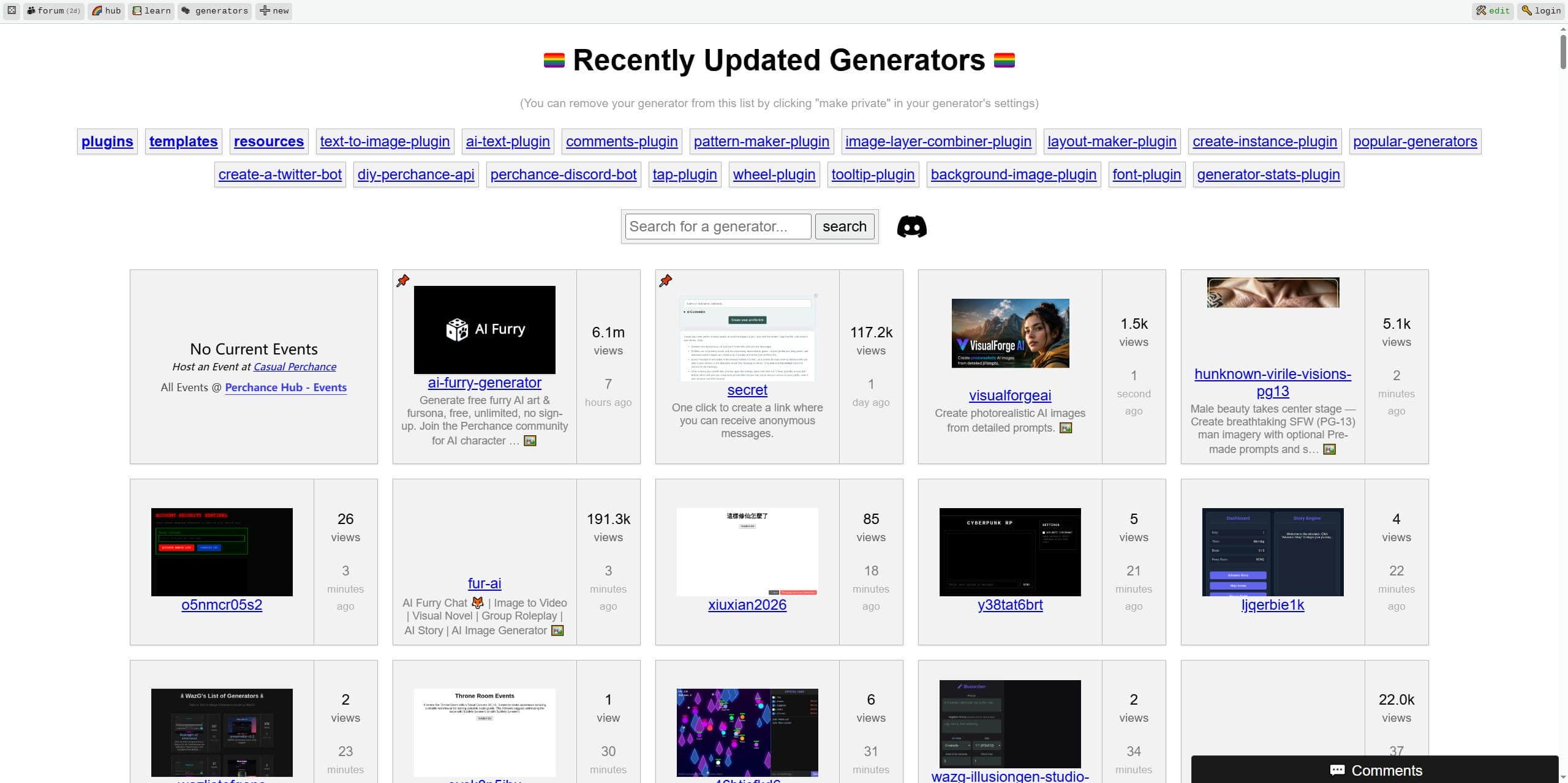
Prompt Accuracy and Creative Flexibility
The software offers impressive flexibility when interpreting abstract creative ideas, such as fantasy landscapes or surreal illustrations. Because there are no corporate guardrails restricting experimental concepts, hobbyists enjoy unmatched freedom. However, literal prompt accuracy can be inconsistent; the system may overlook specific text elements if the prompt contains intricate, fine-grained details.
Audio and Visual Synchronization Limitations
A notable structural drawback within the standard platform layout is the lack of coherent audio integration. The primary system generates silent visual loops. While some custom community modules permit basic automated text-to-speech layering or stock background music insertion, precise frame-by-frame synchronization—such as matching a character's lip movements perfectly to an automated voiceover script—is not natively supported.
Step-by-Step Guide to Using Perchance AI Video Generator Free
Step 1: Accessing the Perchance AI video generator platform
Open the Perchance AI video generator website in your browser. Since the platform runs online, there is usually nothing to download or install before getting started.
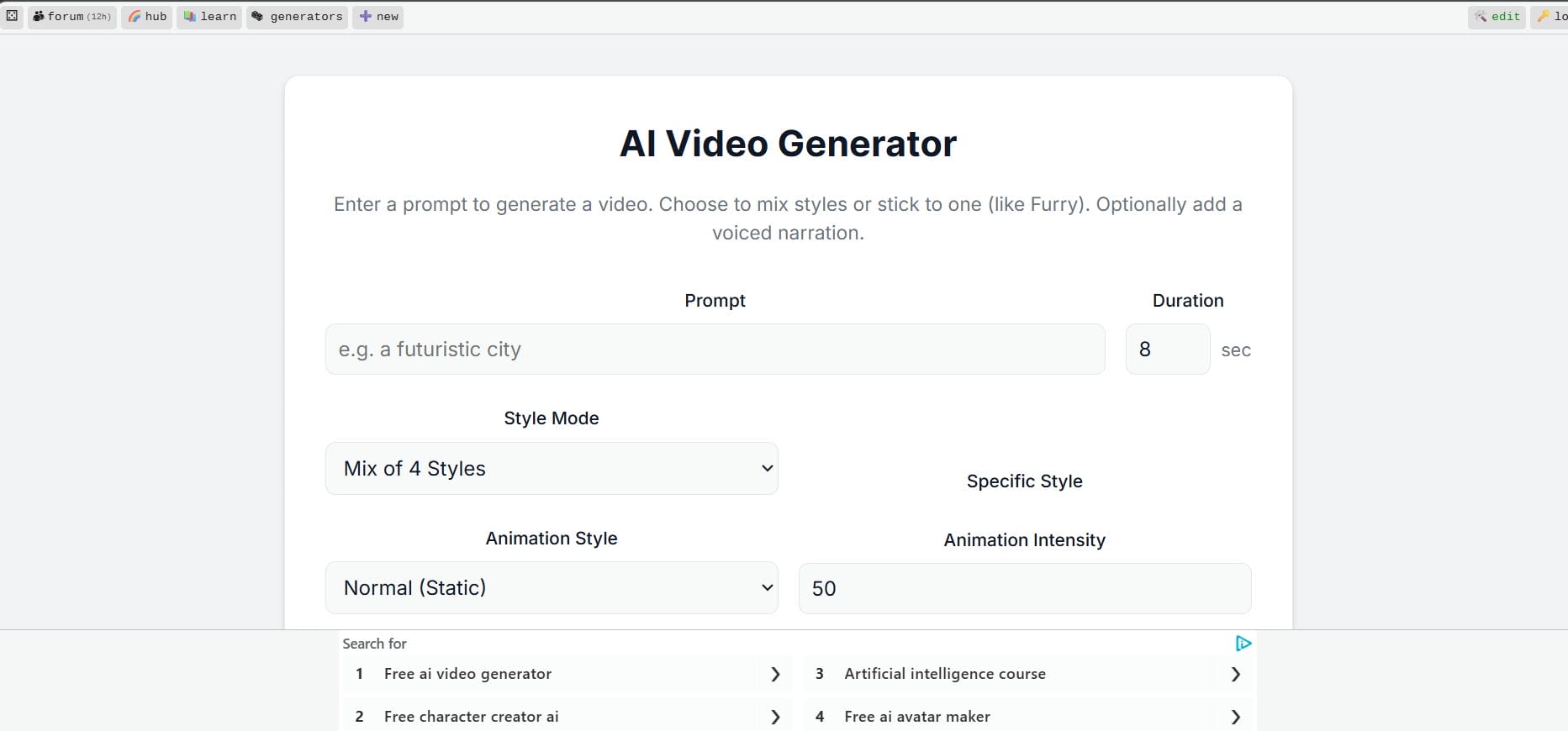
Step 2: Entering prompts, adjusting style, and generation parameters for video creation
Describe the video you want to create. Add details about the subject, environment, camera movement, and visual style. If generation settings are available, adjust them before starting the process.
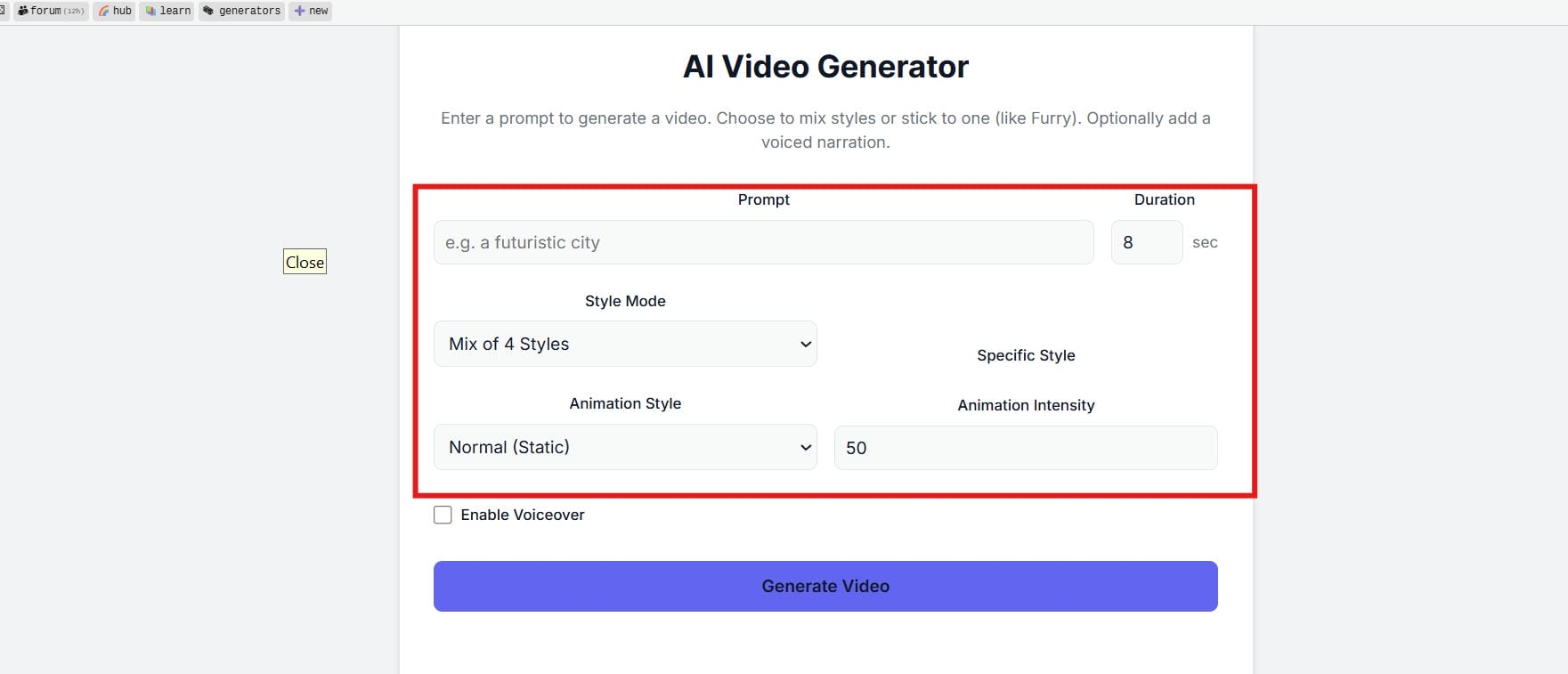
Step 3: Generating and previewing output
Generate the video and give the system time to process the request. Once the output appears, review the scene quality, movement, and how closely it follows your prompt.
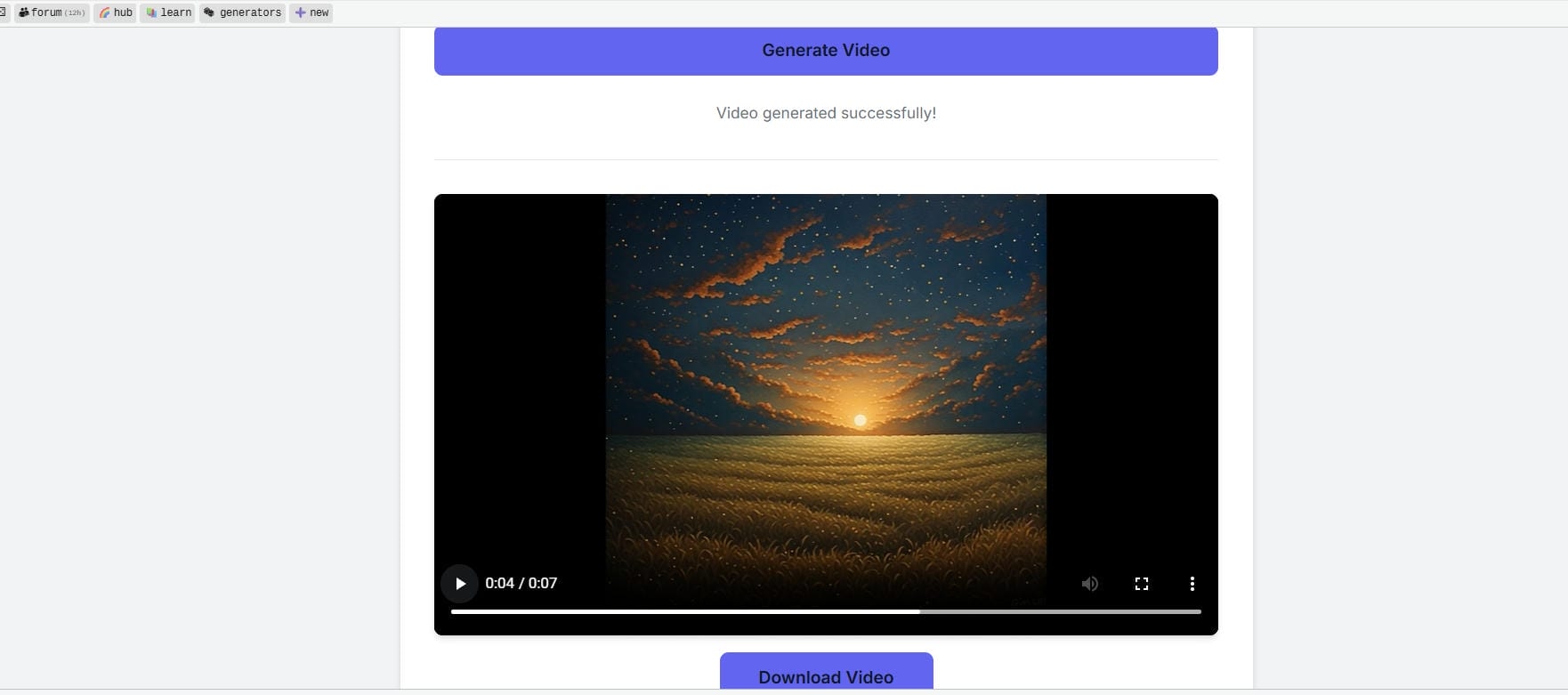
Step 4: Exporting or re-editing results
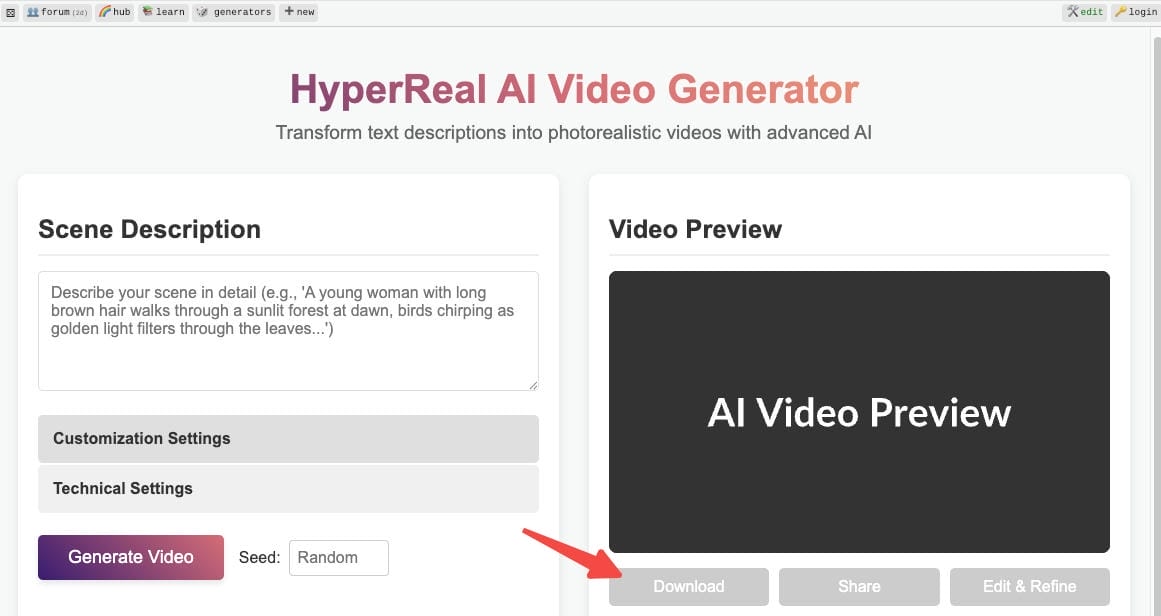
If the result looks good, download or export it. If not, tweak the prompt and try again. Many users go through several generations before finding a version they like.
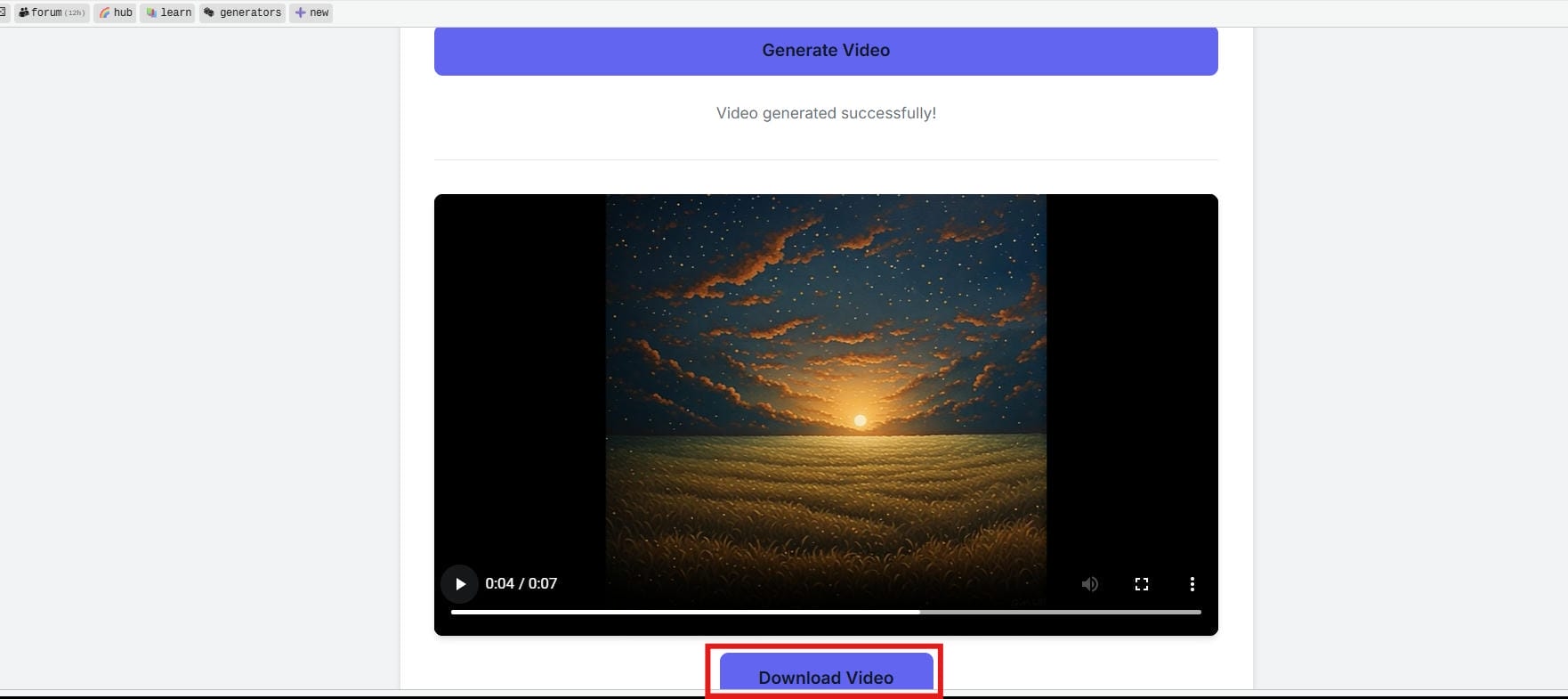
Why Some Creators Outgrow Perchance AI Video Generator
While the lack of cost constraints makes Perchance an alluring playground for early experimentation, modern content demands are pushing creators toward more scalable options.
-
Growing Demand for Professional-Quality Video: Audiences across media spaces expect flawless visual tracking, deep resolution, sharpness, and distinct element clarity that decentralized models often struggle to sustain.
-
Limitations of Free Shared Workflows: Because server access is public and unmetered, generation speeds fluctuate wildly. During peak internet traffic windows, a short clip can stall or trigger server timeout connection faults.
-
Need for Better Motion Consistency: Perchance clips frequently suffer from "AI hallucination" distortions, where a character's facial structure or background elements warp erratically from one frame to the next.
-
Commercial and Marketing Alignment: Businesses require brand-safe assets with precise typographic layouts, reliable product presentation fidelity, and structured aspect optimizations that match corporate distribution models.
-
Demand for Scalable Production Tools: Professional workflows require batch processing, cloud project history retention, and seamless timeline modifications rather than starting fresh with every single prompt execution.
Meet Vmake AI: A powerful alternative to Perchance AI video generator
For creators transitioning from experimental play into structured digital production, Vmake AI serves as a purpose-built commercial engine. While Perchance approaches artificial intelligence as a collection of loose community scripts, Vmake AI treats creation as a professional pipeline.
It focuses intensely on structural preservation, automated graphic enhancements, rapid cloud rendering, and professional-grade file delivery, making it highly attractive for online retailers, social media marketers, and design studios.
Key features of the Vmake AI video generator
-
Multi-model AI video generation: Vmake AI gives you access to multiple leading AI video models, including Seedance 2.0, Kling 3.0, Google Veo 3, and more, all in one place. Switch between models freely based on your project needs.
-
Multiple video generation methods: Vmake AI supports text-to-video, image-to-video, and video-to-video generation, plus multi-image reference inputs. Whatever your starting point, there is a generation method that fits your workflow.
-
High-resolution output: Every video Vmake AI generates is optimized for quality. Outputs are sharp, clean, and ready to publish across platforms, from YouTube and Instagram to e-commerce product pages.
-
Smart video quality enhancer: Beyond generation, Vmake AI includes built-in video enhancement tools: upscaling, sharpening, and noise reduction that automatically improve the quality of your output.
-
Flexible video duration: Vmake AI lets you set a precise duration from 2 to 15 seconds, so you're not stuck with a set length of clip. Pick the length that fits your content format and platform needs, whether you are looking for a short social hook or a longer product showcase.
How to generate videos using Vmake AI
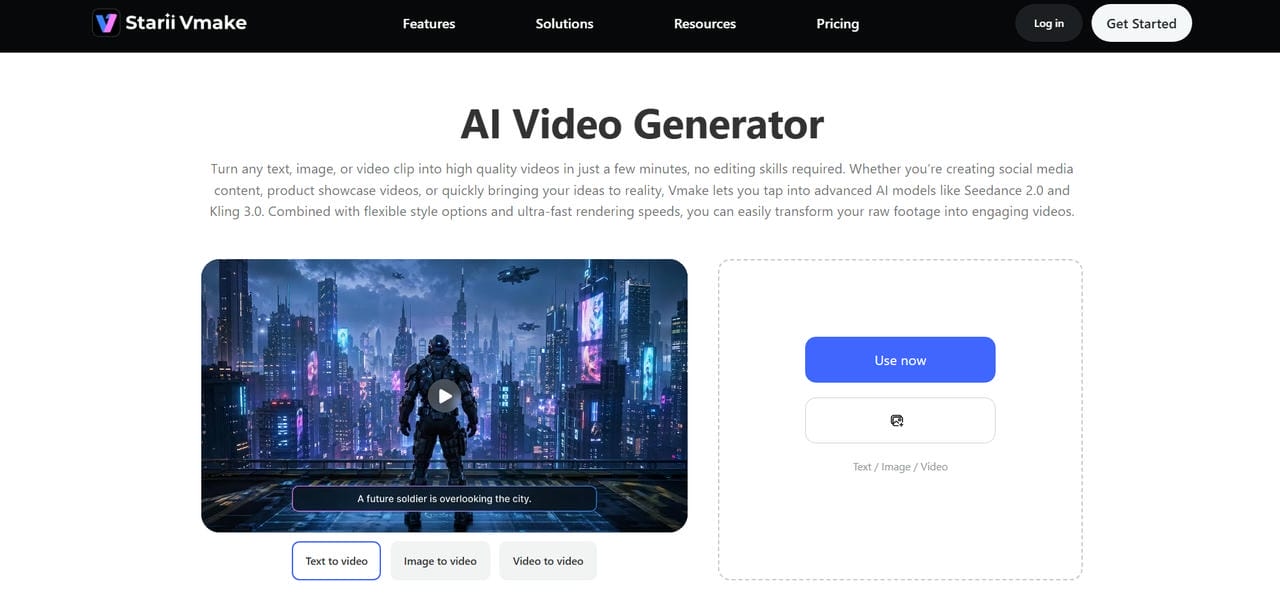
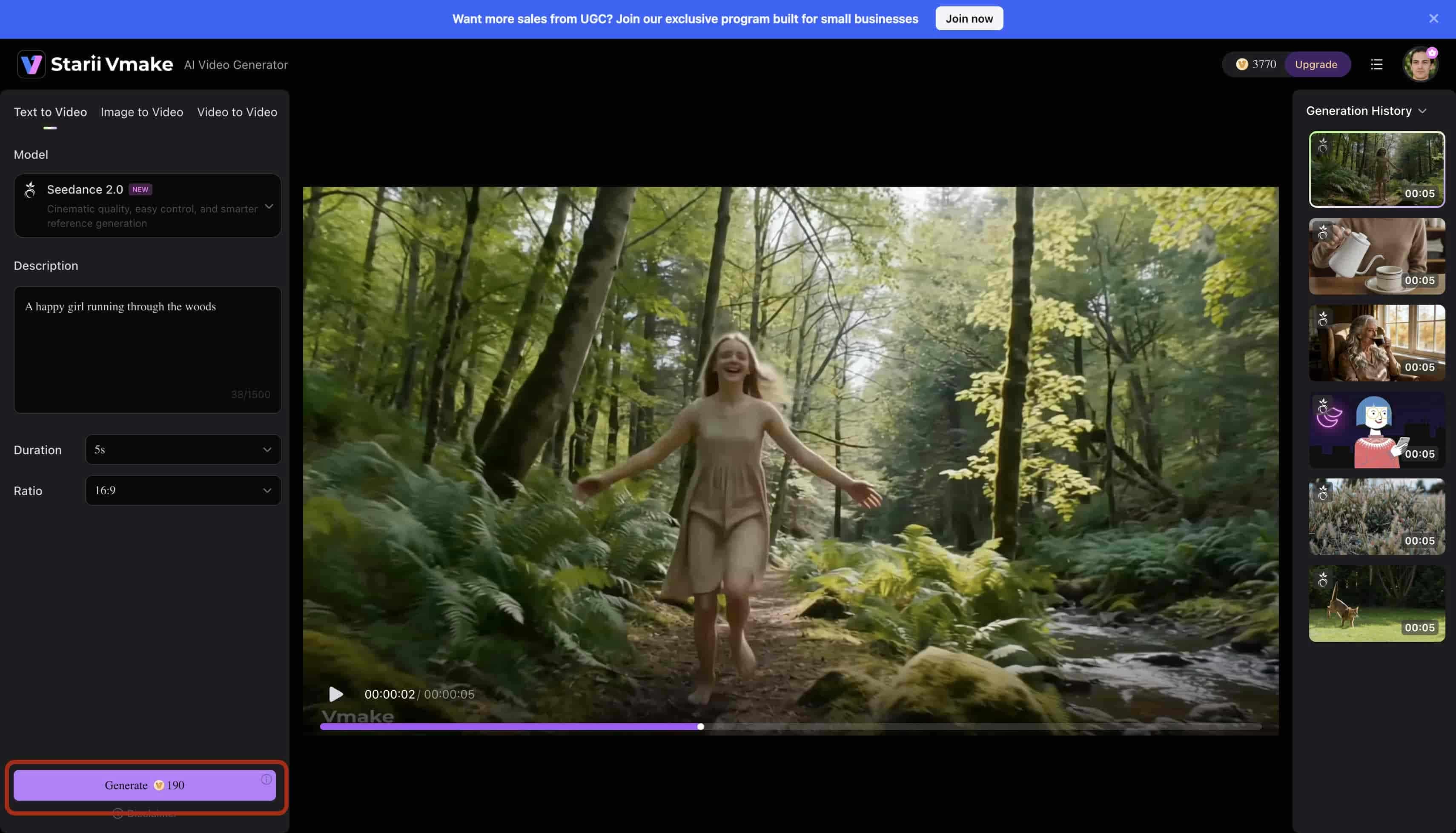
Step 1: Open the AI video generator
Go to the Vmake AI platform and open the AI video generator. The interface is straightforward and designed to get users to create quickly. This will take you to the video creation workspace, where you can start generating videos using text prompts or images.
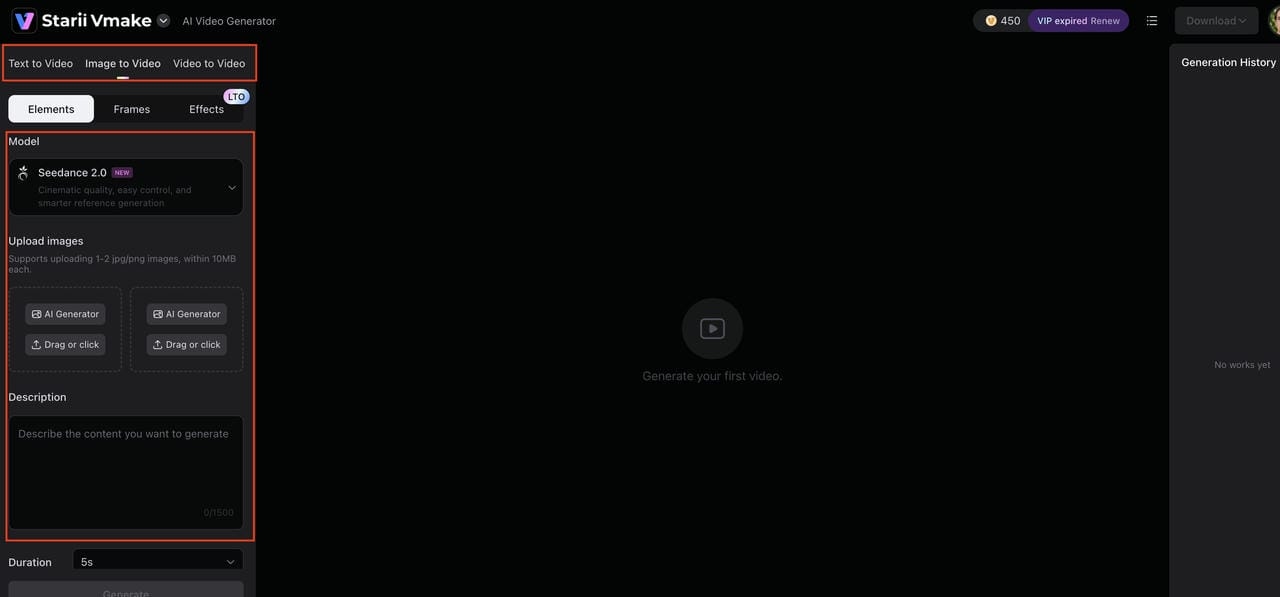
Step 2: Enter prompts and generation settings
Select your generation mode. Text to Video, Image to Video, or Video to Video. Then pick an AI model from the dropdown. Upload your image if needed, write a description of what you want to generate. Then choose video duration, aspect ratio, and hit "Generate."
Step 3: Generate, preview, and export the final video
Generate the video, and once the generation is complete, you can preview your video in the workspace. Check the result, and if you're happy with it, click the "Download" button in the top right corner. Your video is saved and ready to publish wherever you need it.
Perchance AI vs Vmake AI
Perchance AI and Vmake AI serve very different purposes. While one is primarily geared toward experimentation and creative exploration, the other is built around video creation and enhancement. A side-by-side comparison makes those differences easier to see.
|
Feature |
Perchance AI |
Vmake AI |
|---|---|---|
|
Core focus |
Random text/image generation tools and creative generators |
AI video generation and video enhancement platform |
|
Ease of use |
Very simple, mostly prompt-based utilities |
Simple workflow focused on video creation and editing |
|
AI video generation |
Limited or indirect support |
Direct AI video generation capabilities |
|
Video enhancement tools |
Not a core feature |
Includes blur removal, enhancement, and upscaling |
|
Output quality |
Varies depending on the generator used |
Consistent, optimized for clearer video output |
|
Best for |
Experimenting with AI generators and ideas |
Creating and improving high-quality videos |
Obviously, Perchance AI is overall more like a creative playground for generating ideas and experimental outputs, while Vmake AI is built with a clear focus on video quality and enhancement. Whether you're generating videos from scratch using text prompts and images or improving the quality of existing footage, Vmake AI provides a more consistent, professional-grade production environment.
Conclusion
Perchance AI functions as an incredible, friction-free playground for beginners who want to explore generative text-to-video mechanics without facing paywalls or mandatory account sign-ups. It provides massive room for casual inspiration and loose concept testing.
However, its lack of timeline stabilization, unpredictable server render performance, and frequent frame distortions prevent it from serving as a reliable utility for professional, fast-scale commercial content. If your projects demand polished visual execution, smooth motion consistency, and integrated enhancement tools in 2026, transitioning to a dedicated production environment like Vmake AI is the more practical step forward.
FAQs
Is Perchance AI video generator free to use?
Yes, Perchance AI video generator is free and popular to use in the market. More robust tools for creating and enhancing videos, such as Vmake AI, offer additional features.
How does Perchance AI video generator work?
Perchance AI video generator is a tool that allows you to create videos using AI from text prompts. Users just describe a scene or idea. Platforms like Vmake AI give more control over the video quality, customization, and editing options.
What is Perchance AI image-to-video generator used for?
Perchance AI's image-to-video generator allows you to animate still images and turn them into short video clips. If you want higher-quality images for video results and more advanced features, on the other hand, Vmake AI can be a good alternative for creators.
Is AI video generator Perchance good for beginners?
Yes, its browser-based design and prompt-driven workflow make it easy for beginners to get started with AI video creation. As users gain experience, they may explore platforms like Vmake AI for additional video generation and enhancement features.
Can Perchance AI video generator be used professionally?
Maybe an AI video generator will help you test ideas and create simple videos. For professional and business users, the higher levels of quality consistency, more advanced tools, and production-ready output of platforms such as Vmake AI are more apt to be used.

You May Be Interested

AI TikTok Video Generator | Create High-Quality AI Videos

Best AI Video Generator: Top Tools Tested (2026)
Viggle AI Video Generator Review & Top 2026 Alternatives

Trump AI Video Generator: 3 Best Tools to Create AI Videos
How to Remove CapCut Watermark
Nero AI Review 2026 Explained: Is the Tool Worth Using?