Grok AI Image Generator Review: Full Test and Verdict
Grok Image Generator review 2026: Real tests of quality, speed, limits & access. Learn how to generate images with Grok AI, and discover a powerful free alternative that may fit creators better.

Grok AI image generator (Grok Imagine, powered by the Aurora model) has drawn attention to producing realistic and stylized visuals directly from text prompts inside the Grok chat experience. This review covers its features, image quality, strengths, pricing and limits, performance, and how it stacks up against a more versatile alternative for creators who need production-ready assets.
What is the Grok image generator?
Grok is the conversational AI assistant developed by xAI, integrated directly into X (formerly Twitter) and accessible via its web platform. Beyond text responses, Grok includes dynamic visual creation tools powered by xAI's image models, such as Aurora generation architecture.
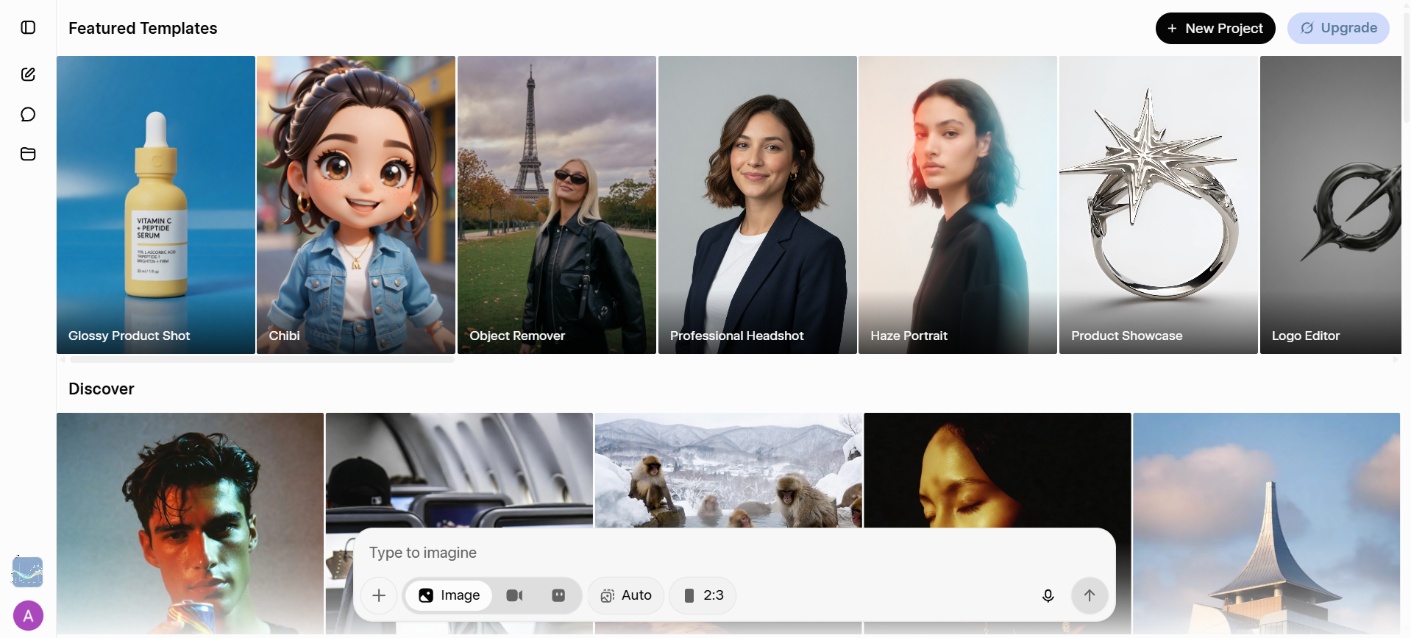
Because of its deep integration with X, users can create visuals right inside their social feed or chat threads. You simply type what you want to see, and Grok translates your natural language into high-resolution visuals. It covers a wide style range too. Photorealistic portraits, illustrated art, memes, product shots, abstract concepts. It's built to handle all of that from plain language, not technical prompt syntax.
Key features of Grok AI image generator
-
Text-to-image creation: Generate high-quality images from plain language prompts across photorealistic, artistic, illustrative, and abstract styles. Single-subject prompts performed consistently well in testing, though multi-element compositions occasionally needed rephrasing to match the intended layout.
-
Image editing/image-to-image: Edit existing images using natural language or use up to three reference images for style transfer, subject combining, or scene composition, all without leaving the chat. Style transfer worked reliably; blending multiple references with contrasting lighting sometimes produced inconsistencies.
-
Photorealistic and artistic styles: Handles realism, lighting, textures, and complex compositions across a wide creative range. Portrait realism was a consistent strong point in testing, though highly specific art styles occasionally defaulted to a generic interpretation.
-
Conversation-first workflow: Generate, refine, and iterate entirely inside the Grok chat thread with no separate interface needed. Iteration felt natural in practice, though very long threads occasionally caused Grok to lose track of earlier style or subject instructions.
-
Batch generation: Produces multiple visual variations in a single request via developer interfaces and API access. Useful for quick concept exploration, though outputs sometimes clustered around a similar interpretation rather than offering genuinely distinct directions.
How to generate images with Grok AI
Creating images with Grok AI is fast and intuitive. Follow these quick steps to transform text prompts or photos into visuals:
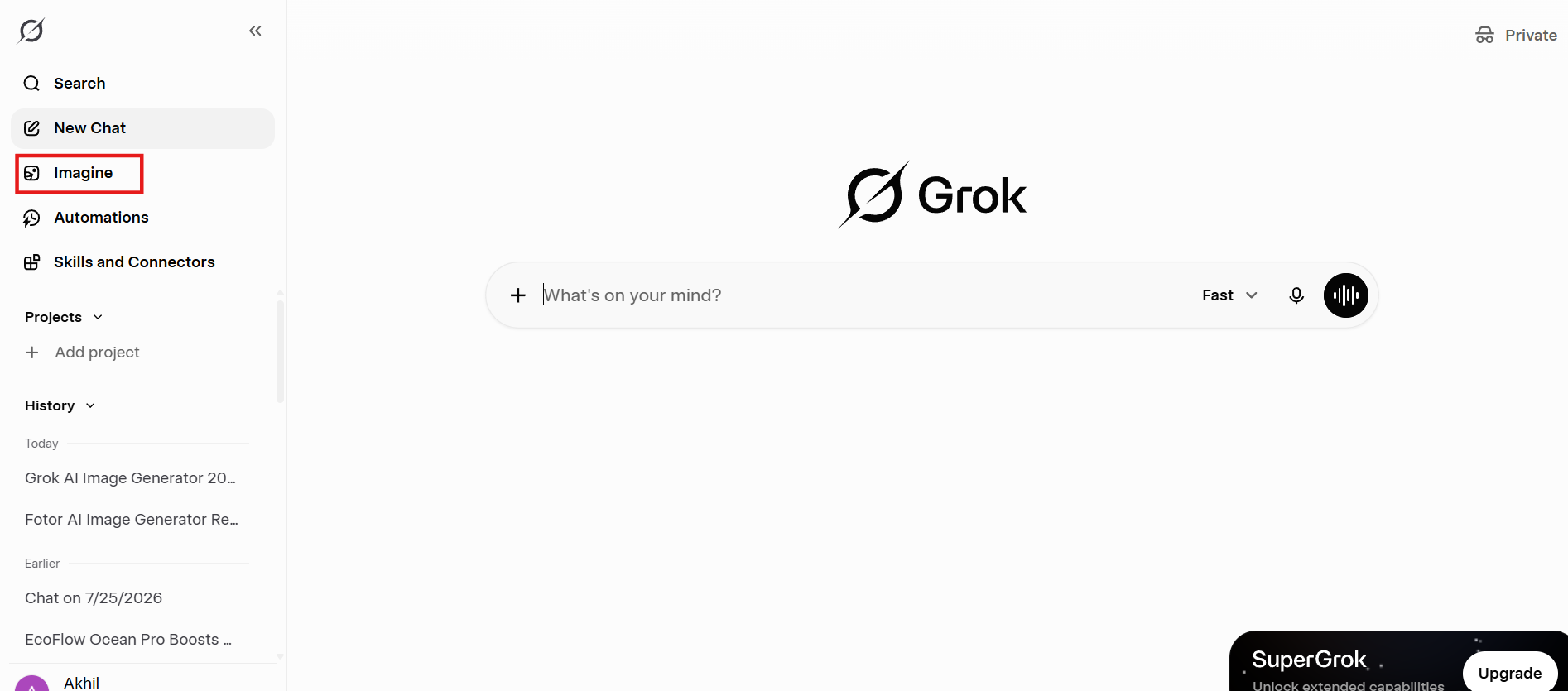
Step 1: Open Grok and access Imagine
Log in to your X account (with an active Premium or SuperGrok subscription) or navigate to the official Grok web application. Select the "Imagine" tab or start a direct chat with Grok.
Step 2: Enter a prompt or upload a reference image
Type a description of the image you want to create. If you want to modify an existing image or use a specific style, upload up to three reference images into the chat bar alongside your prompt.
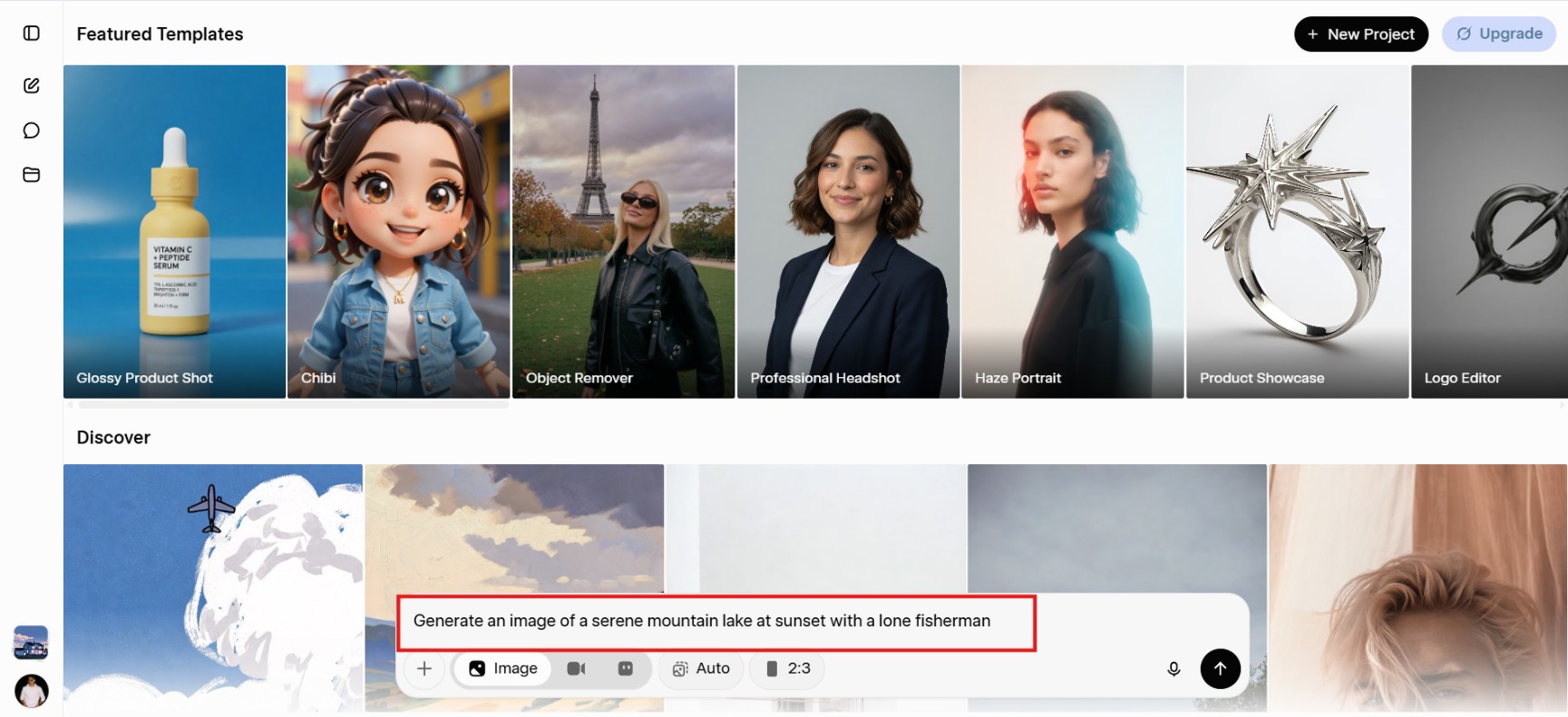
Step 3: Set parameters and generate
Specify details like aspect ratio, style preference (such as photorealistic or anime), and select number of images you want to generate. Hit "Generate" and results usually appear within a few seconds, often with multiple variations.
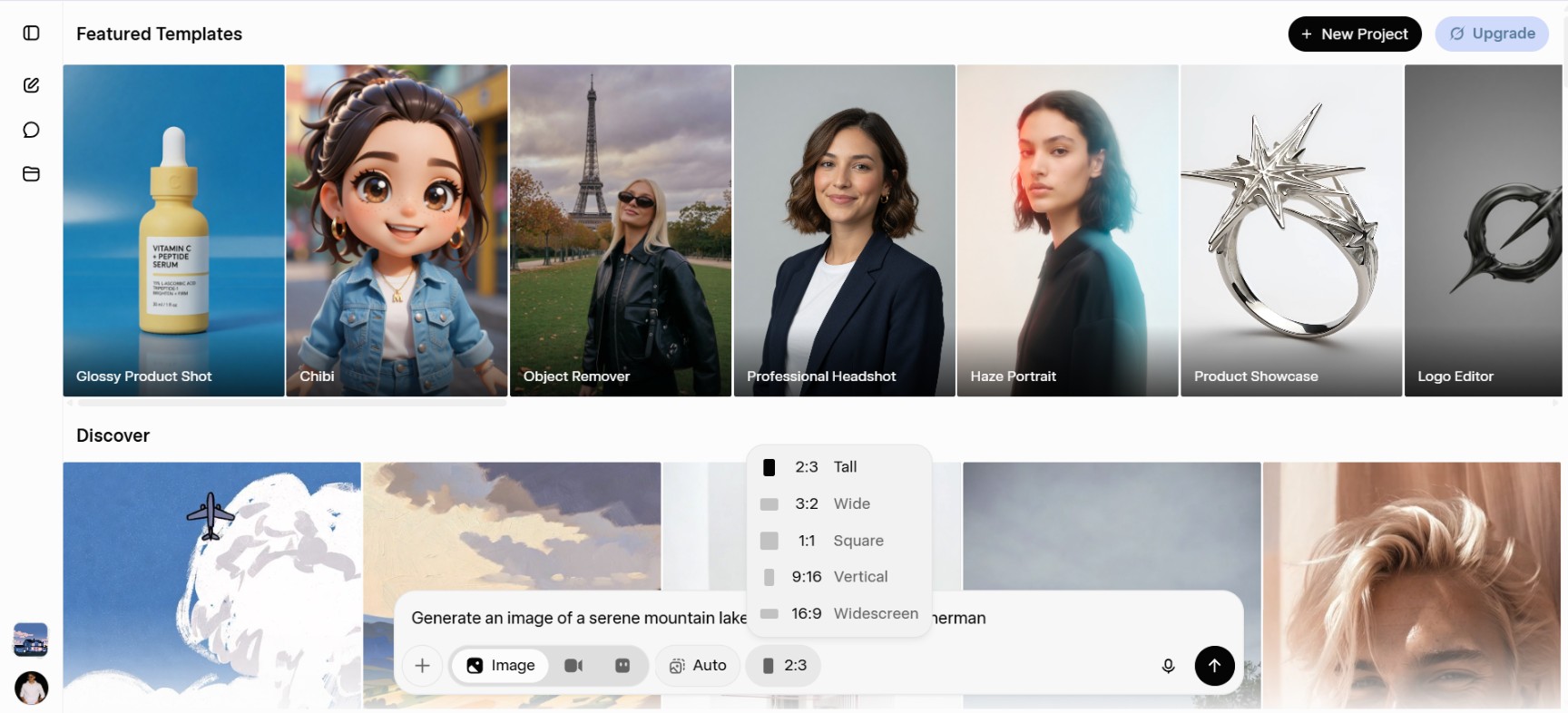
Step 4: Preview, refine and download
Review the images in the conversation, request changes with simple follow-up prompts, and download your favorites when ready.
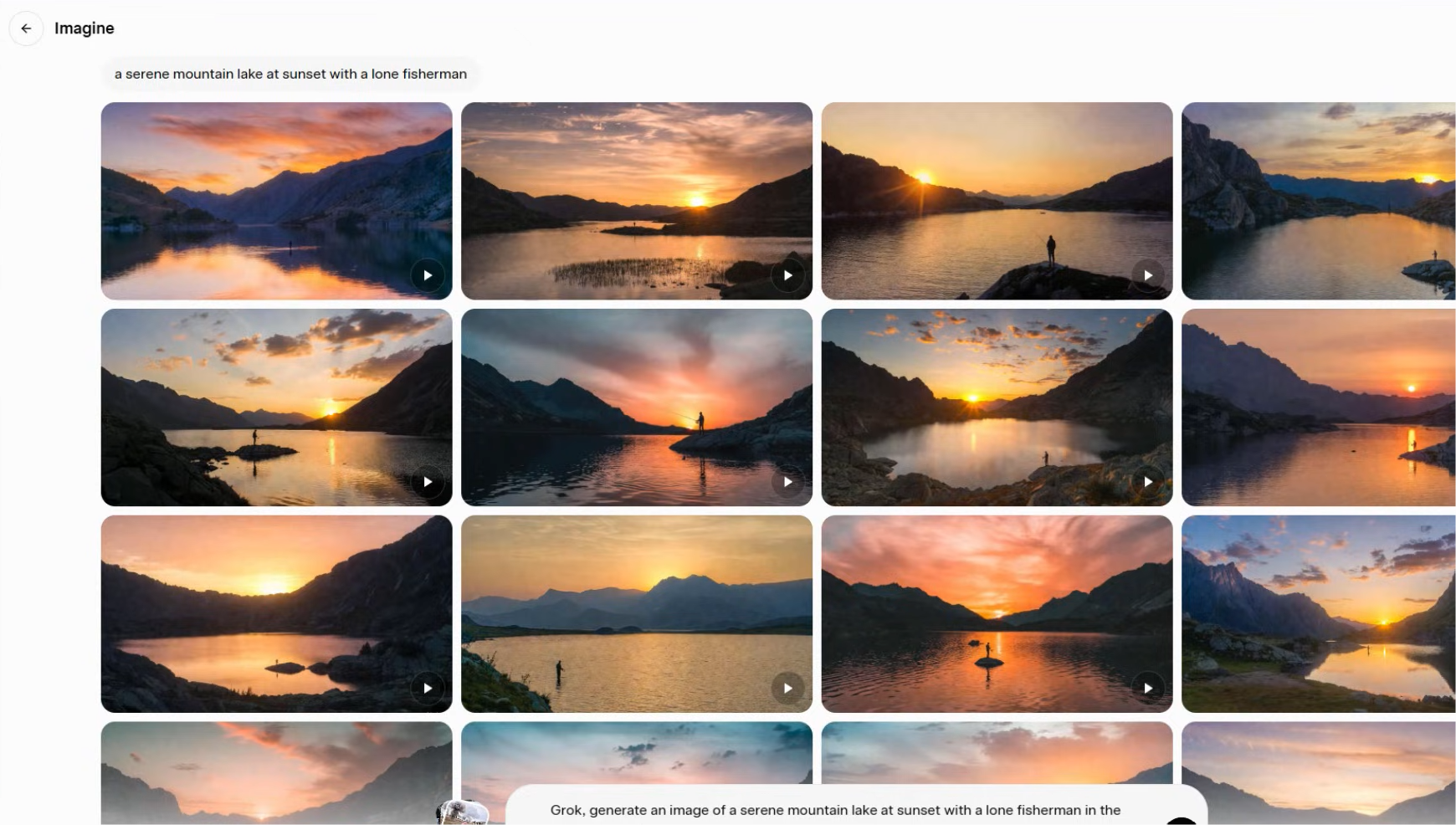
Grok image generator review: 6 lenses to look through
To evaluate Grok fairly, we tested it across six core parameters: ease of use, image quality, prompt accuracy, speed, creativity, and editing capability.
Ease of use
There's genuinely no learning curve here. You type what you want in the same window you'd use to chat with Grok, and the image shows up a few seconds later. No settings menus to dig through, no separate app to download. For anyone who wants to go from idea to image with zero setup, this is Grok's strongest card.
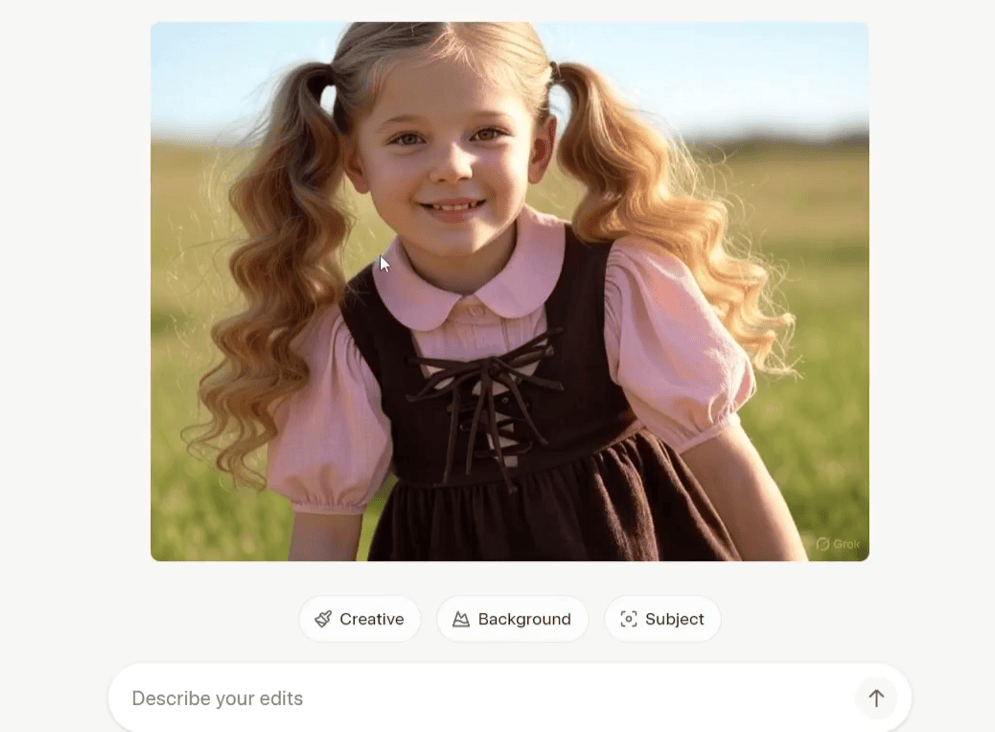
Image quality
In our tests, image quality was generally solid. Photorealism and character consistency impressed us in many prompts, especially for social and concept work. However, we noticed that fine details, complex lighting, and text rendering sometimes fell short compared with more specialized generators.
Prompt accuracy
Grok understood our natural-language prompts well and captured creative intent effectively in most cases. It handled descriptive and stylistic requests with good flexibility. Accuracy dipped slightly on highly precise compositional instructions, where we needed a few extra refinements to get exactly what we wanted.
Speed
Speed stood out as one of the strongest points in our testing. Most images appeared in 3 to 5 seconds, allowing us to experiment quickly and generate multiple variations without long waits. This fast turnaround made brainstorming and social content creation especially efficient.
Creativity
Style range is broad, covering photorealism, illustration, meme formats, and abstract work without needing separate model switches. It's especially comfortable with social-first content, memes, and reactive imagery, less so with anything requiring a very specific creative direction.
Editing capabilities
Natural-language editing and the ability to use up to three reference images proved useful for style transfers, subject changes, and quick scene adjustments. These features helped us refine images inside the same chat. Still, the lack of layered controls or production tools limited its value for final professional assets.
Overall rating
Grok is a powerful, high-speed visual creation tool ideal for creators, social media managers, and marketers who want rapid concept generation directly inside their messaging workflow. Its dynamic rate limits and paywalled subscription requirements lower its accessibility, but its raw generation speed and native conversational refinement make it a top choice for fast visual drafting.
Summary score table
|
Category |
Score |
|---|---|
|
Image quality |
3.5/5 |
|
Ease of use |
4.5/5 |
|
Prompt understanding |
3/5 |
|
Speed |
4.5/5 |
|
Value for money |
3/5 |
|
Overall score |
3.5/5 |
Grok image generator limits
Here is a detailed breakdown of the restrictions, quotas, and technical boundaries governing Grok's image generation capabilities:
-
Free tier: No image generation is available. Access has been fully paywalled since March 2026, based on conditions at the time of testing.
-
Paid subscription plans: Access requires an active paid subscription, primarily via X Premium / Premium+ ($8–$16+/mo) or xAI's standalone SuperGrok / Heavy plans ($30–$80+/mo). Instead of fixed daily limits, users receive a shared usage allowance that varies based on subscription level and platform demand.
-
Resolution: Standard generations run up to 1K, with the higher-quality model supporting up to 2K output, as observed during testing.
-
Other limitations: Rate limits tighten during high-demand periods, and moderation is enforced through a two-layer content filter. Quotas can and do change without much notice, so what you get today may look different in a few months.
Pros and cons of Grok AI image generator
Before deciding whether Grok AI image generator is right for you, it's worth weighing its biggest strengths and limitations. Here's a quick look at where the platform excels and where it still has room for improvement.
Pros |
Cons |
|---|---|
|
|
Community feedback
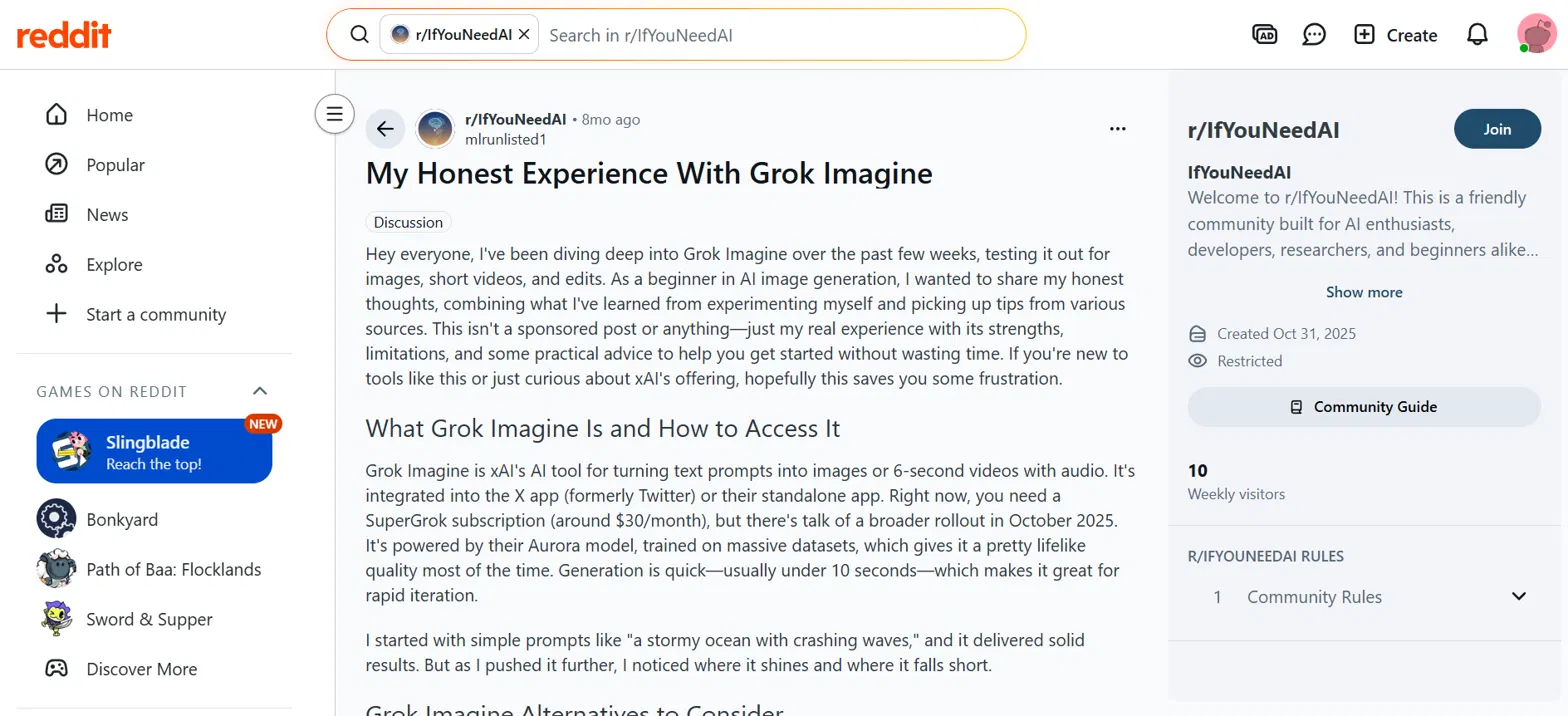
Based on Reddit discussions, many users praise Grok Image Generator for its realistic image quality, fast generation, and easy conversational editing. However, they also note subscription requirements, changing usage limits, and occasional inconsistencies with complex prompts or fine details.
Trustpilot
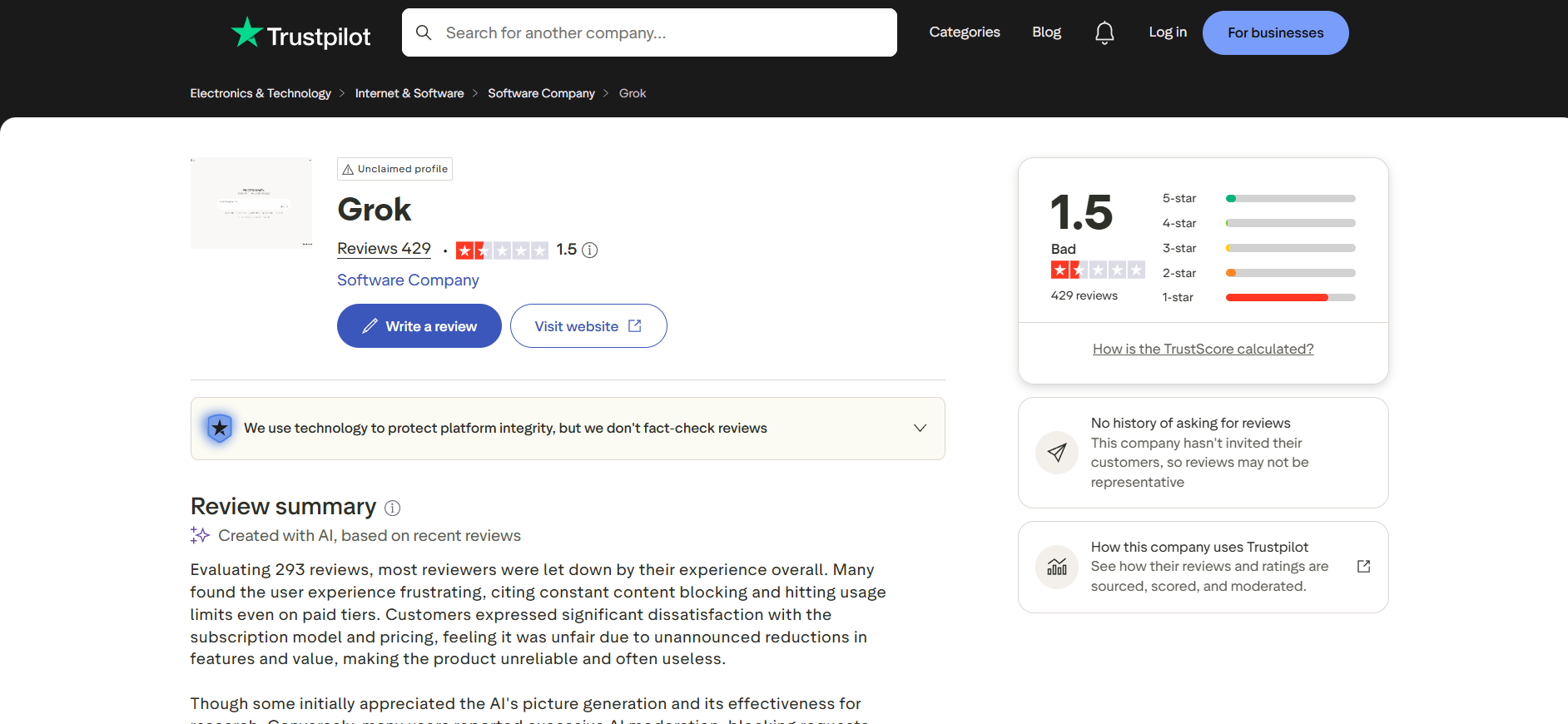
It carries a mix of reviews, but recurring complaints point to inconsistent throttling, unclear quota resets, and a free tier that offered more generation capacity months ago than paying users get now. Some reviewers also flag slow or unhelpful support responses when disputing billing or access issues.
Bottom line
Grok is fantastic for turning a random thought into a quick visual in five seconds flat. But let's be real—it's built for ideation, not execution. Once you need to design proper product listings, mess with layers, or prep professional marketing assets, Grok leaves you stranded. For e-commerce brands and marketing teams who need serious media automation rather than a casual chat companion, Vmake AI offers a much more specialized toolkit. Here is how it handles the exact same tests.
A go-to alternative: Create stunning images with Vmake Labs
If Grok's subscription requirements, usage limits, or single-model approach don't meet your needs, Vmake Labs AI Image Generator offers a more flexible alternative. It supports both text-to-image and image-to-image generation, giving creators greater control over their results. With access to multiple AI models, customizable aspect ratios, reference image support, and the ability to generate unlimited variations from a single upload, Vmake Labs is well-suited for marketers, designers, content creators, and anyone looking to produce high-quality AI images quickly and efficiently.
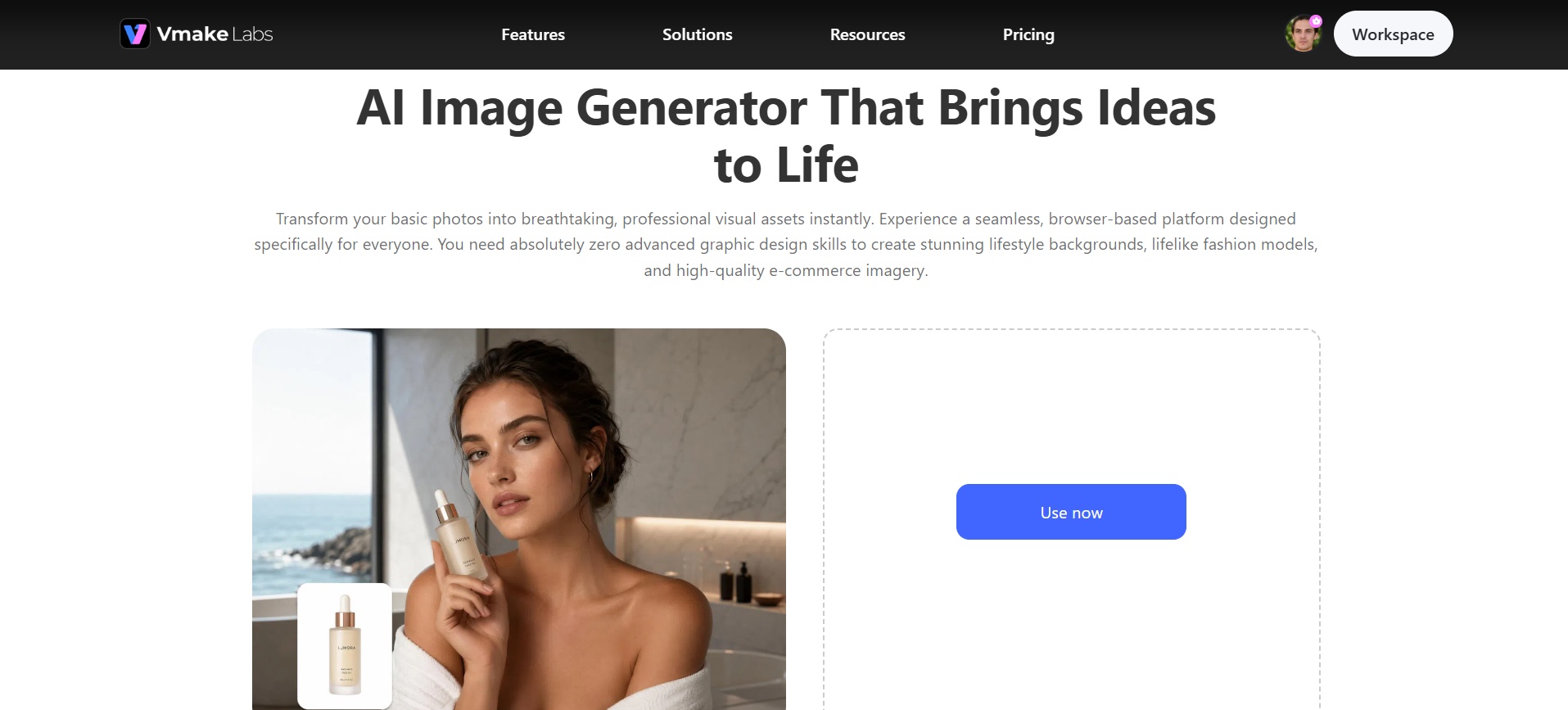
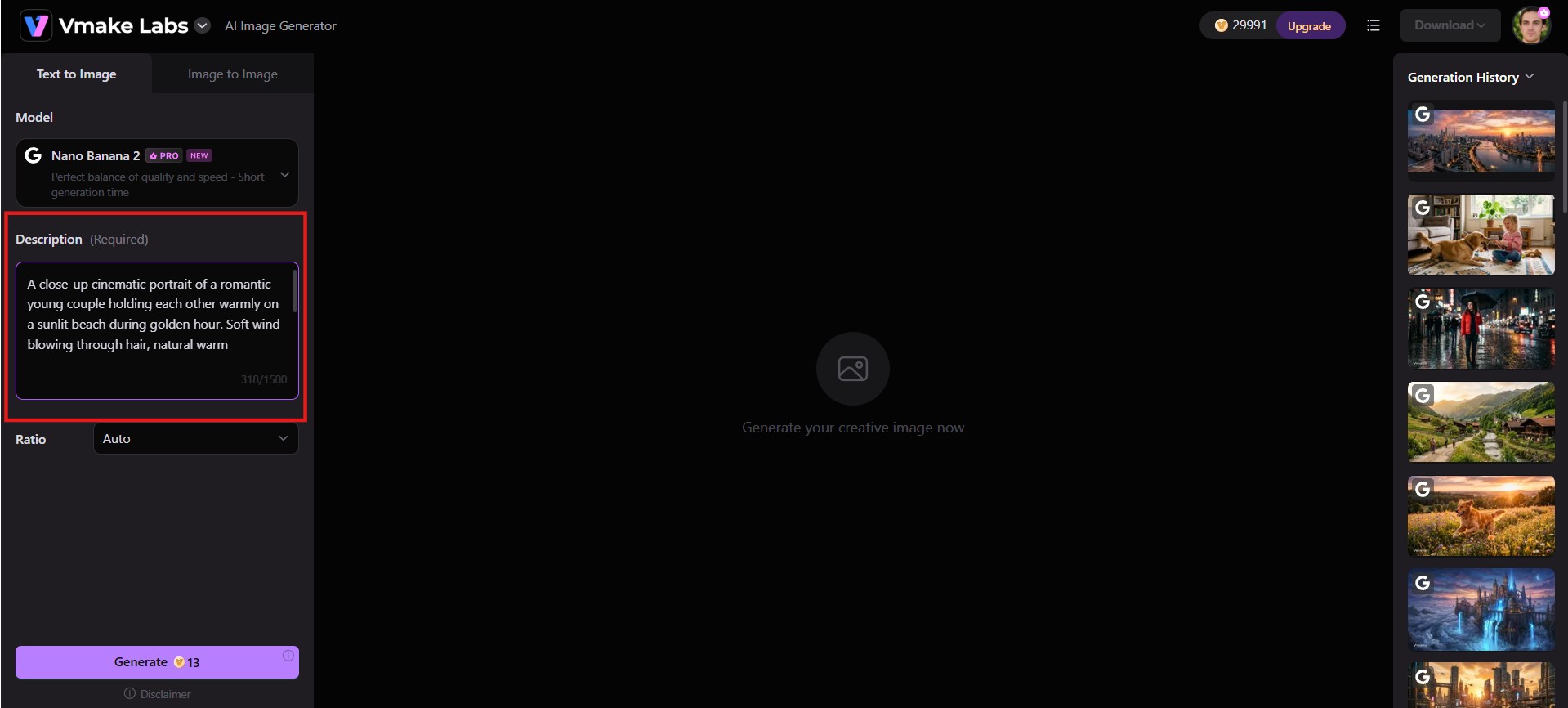
Step 1: Enter a prompt or upload a reference image
Head to the Vmake Labs AI Image Generator workspace. Choose Text to Image or Image to Image, then describe your idea or upload up to three reference images to guide the generation process.
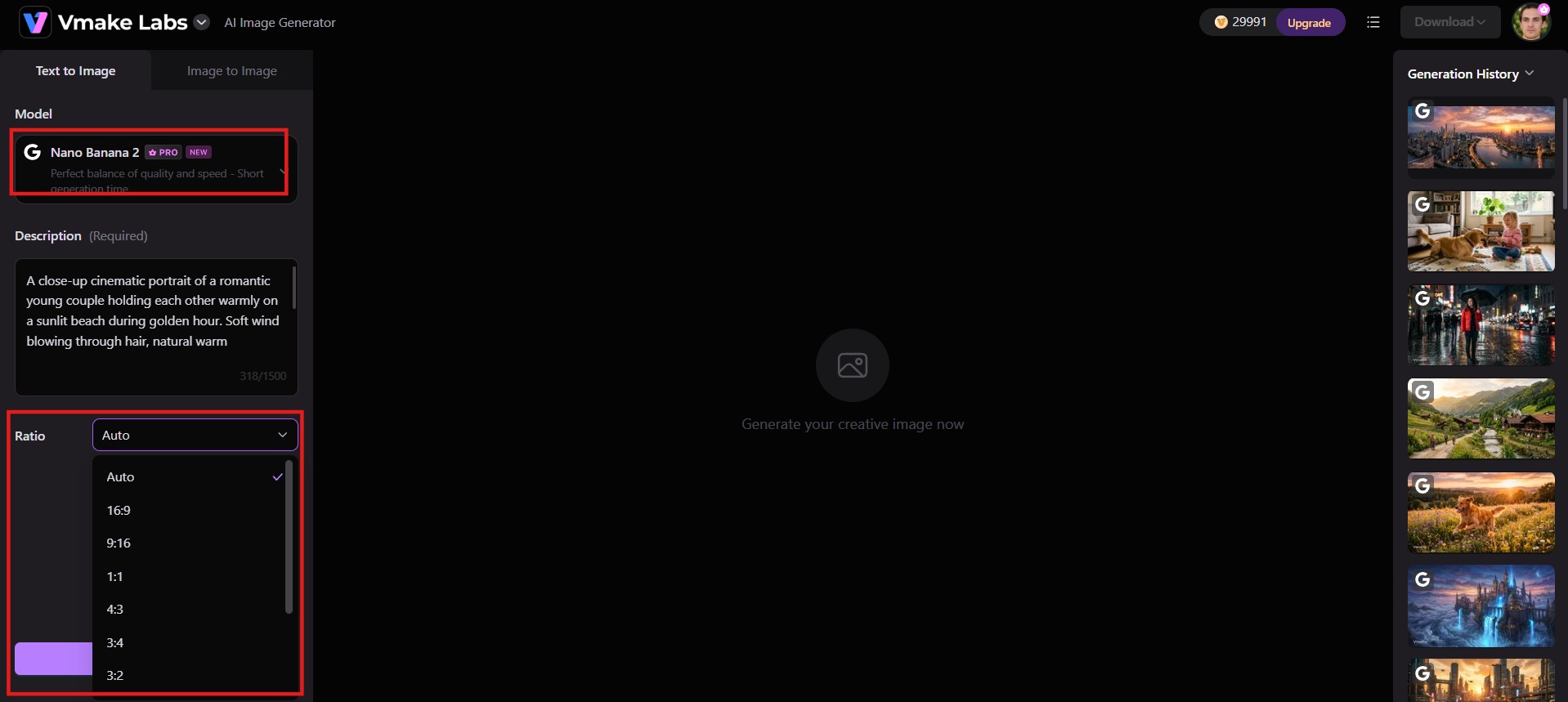
Step 2: Configure settings
Choose from top AI models like Nano Banana 2, Nano Banana Pro, Seedream 4.0, or GPT Image 1. Adjust your aspect ratio and creative settings before hitting Generate.
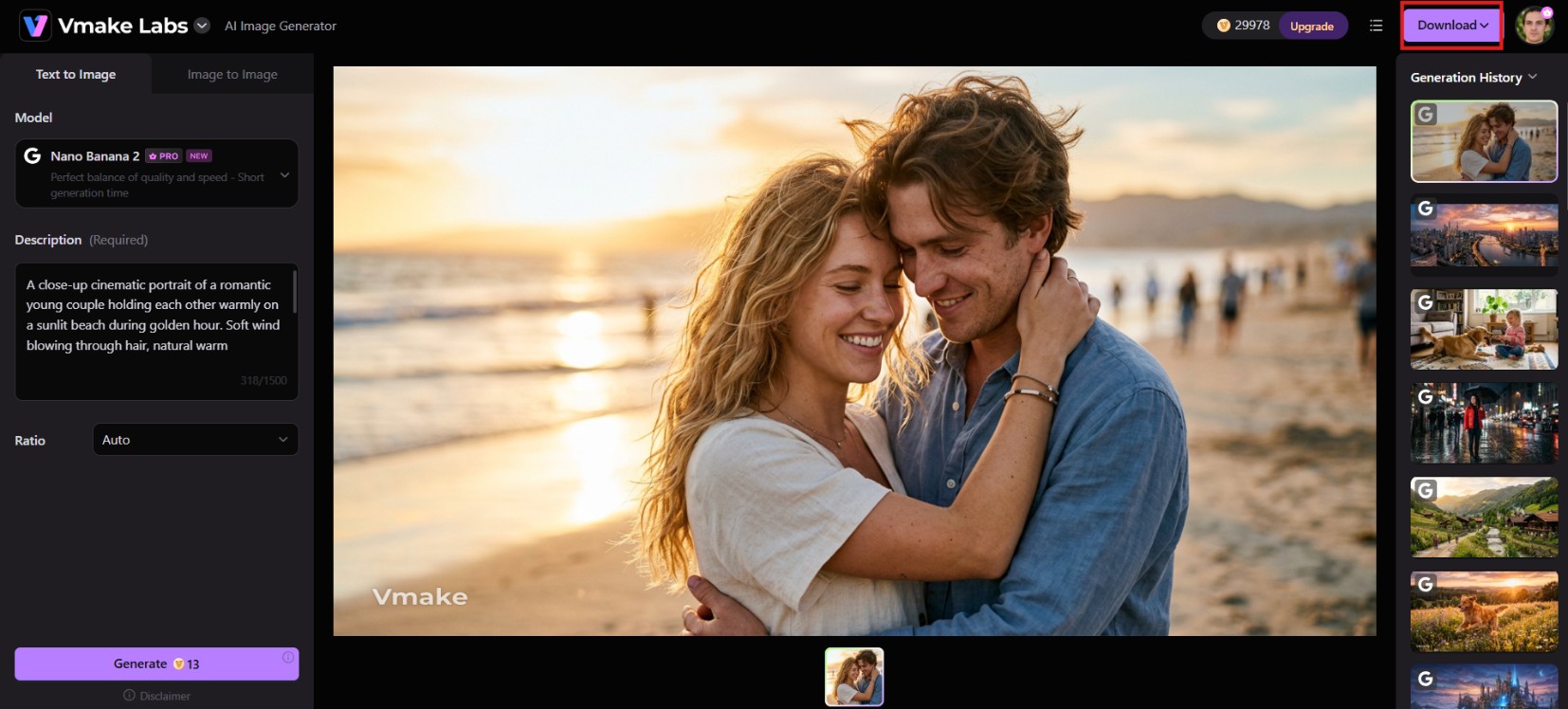
Step 3: Generate, preview, and download
Click Generate to create your image. Review the result, make any prompt or setting adjustments if needed, and generate additional variations. Once you're satisfied with the output, preview the final image and download for use in social media, marketing, or creative projects.
Key features of Vmake Labs
-
Multi-model access: Choose from diverse AI engines like Nano Banana Pro and Seedream 4.0 within a single workspace. This helps users quickly switch rendering styles to match specific project demands without changing tools.
-
Text-to-image creation: Generates crisp visuals across multiple aesthetic styles instantly using natural-language descriptions. This helps users convert raw creative concepts into usable visual drafts in seconds without requiring manual illustration skills.
-
Image-to-image transformation: Converts existing photos into fresh visual compositions based on uploaded references and prompts. This helps users redesign product scenes, transfer styles, or update marketing visuals while maintaining core subject identity.
-
Aspect ratio control: Instantly select from multiple standard aspect ratios built for any platform, so your finished visuals fit perfectly whether you're publishing vertical reels, square feed posts, or wide banners; no manual resizing or cropping needed.
-
Unlimited variations from one reference: Generates multiple restyled visual versions from a single uploaded reference image. This helps users rapidly launch A/B tests for ad creatives, social media campaigns, and product promotions to boost engagement.
Grok vs. Vmake Labs AI image generator
Here is a quick side-by-side comparison of how Grok Imagine and Vmake Labs actually stack up on features that matter.
|
Feature |
Grok |
Vmake Labs |
|---|---|---|
|
Workflow |
Chat-based, refine within the same conversation |
Model-select, prompt, generate in a dedicated workspace |
|
Model choice |
Single model (Aurora) |
Choose between Nano Banana, Seedream, GPT Image, and more |
|
Free usage |
None for images |
Free credits provided upfront to test the tool before upgrading |
|
Best for |
Fast ideation, concepts, drafts |
Production-ready marketing, e-commerce, and social visuals |
|
Image-to-image |
Basic reference-based edits |
Full restyling plus unlimited variations from one upload |
|
Aspect ratio control |
Limited |
Full control for reels, banners, and platform-specific formats |
|
Access |
Tied to X/Grok account, limits vary by plan and surface |
Browser-based, free credits to start |
|
Extra tools |
Limited |
Full suite (enhancer, remover, captions, upscaler, etc.) |
Choose Grok if
-
You prefer generating and refining images through a conversational AI chat.
-
You already have an X Premium or SuperGrok subscription.
-
You mainly create realistic images, concept art, or social media visuals.
-
You want a simple, beginner-friendly image generation experience.
Choose Vmake Labs if
-
You want access to multiple AI image generation models on one platform.
-
You need both text-to-image and image-to-image capabilities.
-
You want customizable aspect ratios for different platforms and use cases.
-
You frequently create multiple variations from a single reference image.
-
You produce marketing creatives, product images, or professional design assets regularly.
-
You prefer greater creative flexibility and workflow customization.
Conclusion
Grok Imagine earns its reputation for speed and an easy, conversational workflow, but 2026 changed the deal. The free tier is gone, usage limits shift constantly, and there is no real production toolkit for finishing assets properly. For quick, casual posts inside X, it still works just fine. For consistent, campaign-ready visuals across e-commerce, marketing, and social content, Vmake Labs is the more dependable choice, offering multiple models, unlimited variations, and no subscription required to start creating visuals today.
Ready to elevate your creative output without subscription barriers? Try Vmake Labs AI Image Generator for Free today and start generating high-impact visuals instantly!
FAQs
Can Grok generate images?
Yes. Grok generates photorealistic, artistic, abstract, and stylized visual assets directly from plain text prompts or reference image inputs within its conversational chat interface.
Is the Grok AI image generator free?
No. Image generation on Grok requires a paid subscription to X Premium, X Premium+, or SuperGrok. For a free starting option, alternatives like Vmake Labs provide initial credits upfront without mandatory subscriptions.
Is Grok image generator good for commercial use?
It can work for quick social content, but Grok lacks layered exports, brand templates, or approval workflows needed for real campaigns. Vmake Labs fills that gap, offering consistent, production-ready visuals suited for e-commerce and marketing work.
Can Grok edit existing images?
Yes. You can upload up to three reference images into Grok chat and use natural-language follow-up prompts to modify backgrounds, re-style visuals, swap elements, or adjust lighting incrementally.
How does Grok compare to free alternatives like Vmake Labs?
While Grok operates strictly inside a paywalled chat interface with dynamic usage limits, Vmake Labs offers free trial credits, multi-model selection, precise aspect ratio controls, and a complete post-processing workspace for marketing assets.

You May Be Interested
Top 7 Free Alternatives to Grok Video Generation in 2026 (Ranked)
ImgGen AI Image Upscaler Review: Features & Pricing in 2026
Picsart Image Enhancer Review 2026: Tested, Worth It?
PicWish Unblur Image Review: Worth It in 2026?

Grok AI Video Generator Review: Features, Pricing, and Pros & Cons
How to Create Video With Grok xAI & Find Its Top Alternative

Raphael AI Image Generator Review 2026: Worth Trying?