
Honest Grok AI Video Generator Review in 2026 (+ Top Alternative)
Dive into our Grok AI video generator review to see if it meets your video needs. Learn the pros, cons, and why Vmake is the top choice for e-commerce. Enhance your video content production today!

If you spend any time on X (formerly Twitter), you've likely seen the buzz surrounding xAI's rapid advancements. But how does their video creation tool stack up? In this comprehensive Grok AI video generator review, we are diving deep into what this tool is, its key features, pricing, and whether it's the right fit for your needs, or if you need a more professional alternative.
What is Grok AI video generator?
Grok AI video generator is the text-to-video extension of the Grok Imagine AI model, developed by Elon Musk's xAI.
Deeply integrated into the X platform, Grok is designed to be a witty, rebellious, and highly capable AI assistant. Its video generation capabilities allow users to type in text prompts and instantly receive dynamic video clips, leveraging real-time data and a distinctly unfiltered processing engine to create highly shareable content.
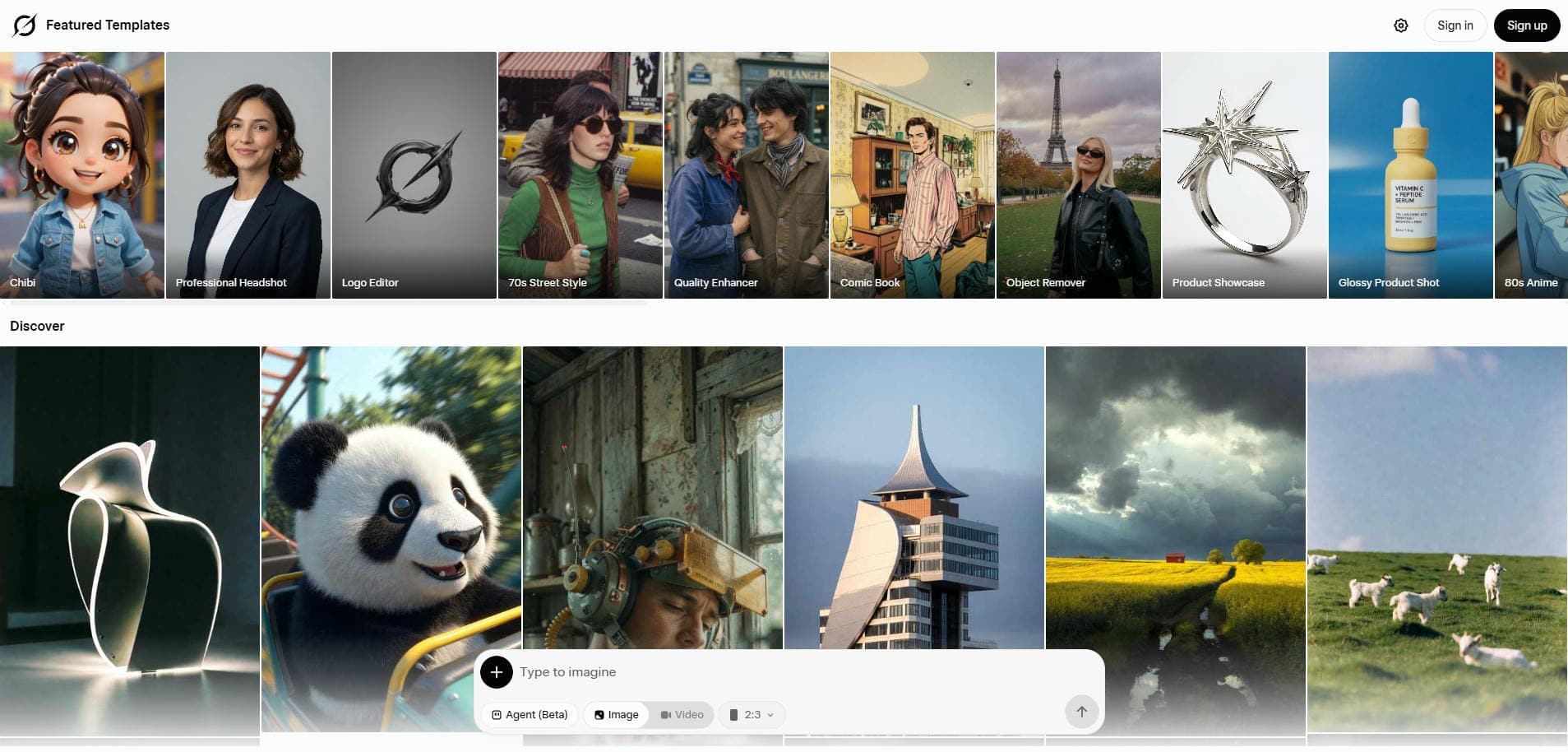
Notable features of Grok AI video generator free tool
Explore how Grok AI transforms the video creation landscape with these five powerful, unique, and highly innovative platform features today.
-
Direct integration with X: Grok is natively built directly into the X ecosystem, allowing creators to experience seamless sharing, instant timeline interaction, and streamlined engagement without ever leaving the application.
-
Real-time news and data access: Unlike AI models restricted by outdated training data, Grok pulls real-time information directly from X, empowering you to generate timely, culturally relevant, trend-focused video content.
-
Unfiltered "Fun Mode" processing: Grok proudly boasts fewer restrictive content guardrails than major competitors, granting users creative freedom to generate wildly edgy, highly satirical, and genuinely humorous videos without censorship.
-
Intuitive text-to-video generation: Users can effortlessly transform incredibly simple text prompts into stunning, dynamic moving visuals, completely eliminating the steep learning curves normally associated with complex timeline editing software tools.
-
High-speed rendering engine: Purpose-built specifically for the incredibly fast-paced nature of modern social media platforms, Grok utilizes advanced backend infrastructure that reliably generates high-quality video clips at truly impressive speeds.
How to use Grok AI video generator in 3 simple steps?
If you are planning to use Grok's AI video generator tool, then following the below-mentioned steps might be worthwhile.
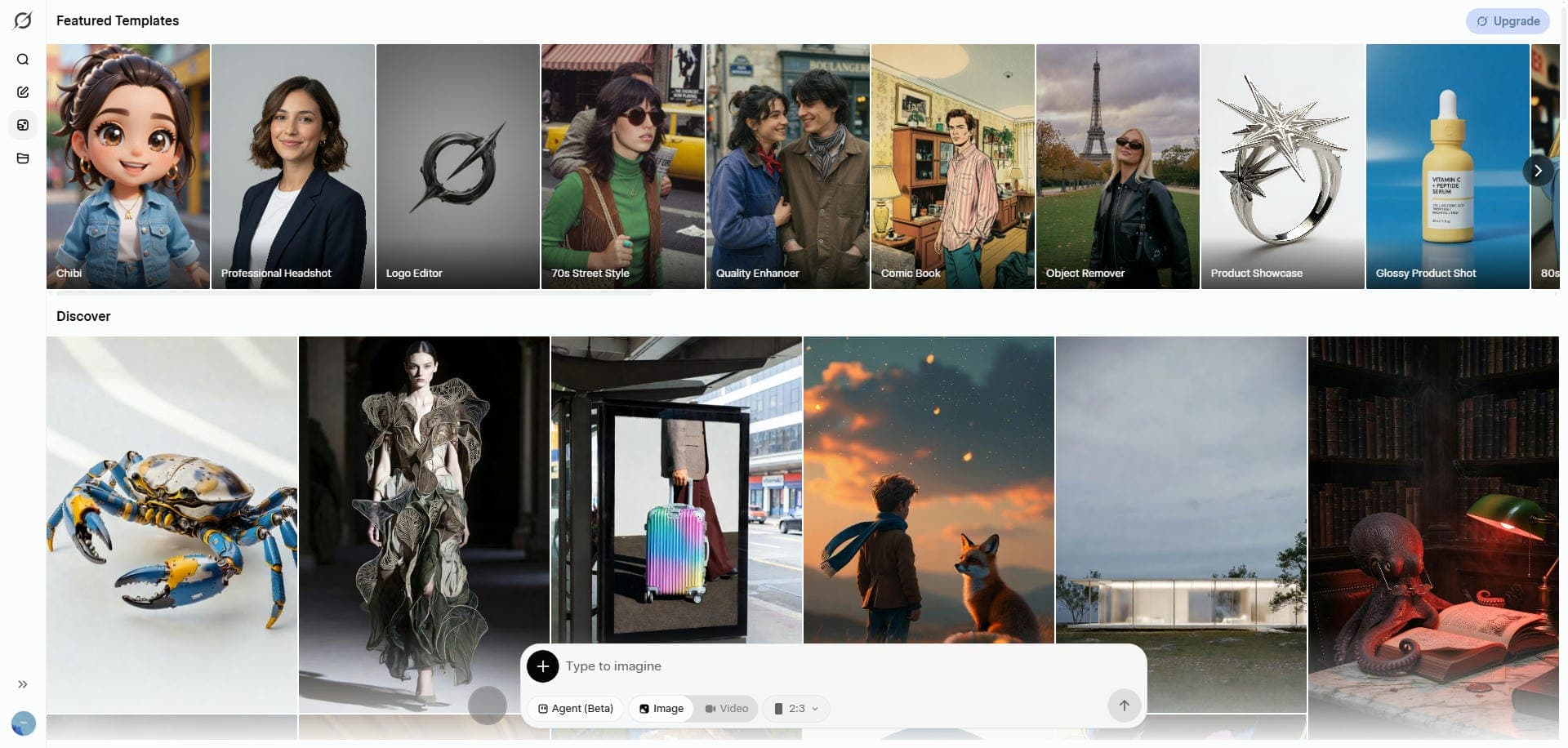
Step 1: Access Grok via SuperGrok subscription
Ensure you have an active SuperGrok subscription plan and navigate to the Grok interface within the X app or website.
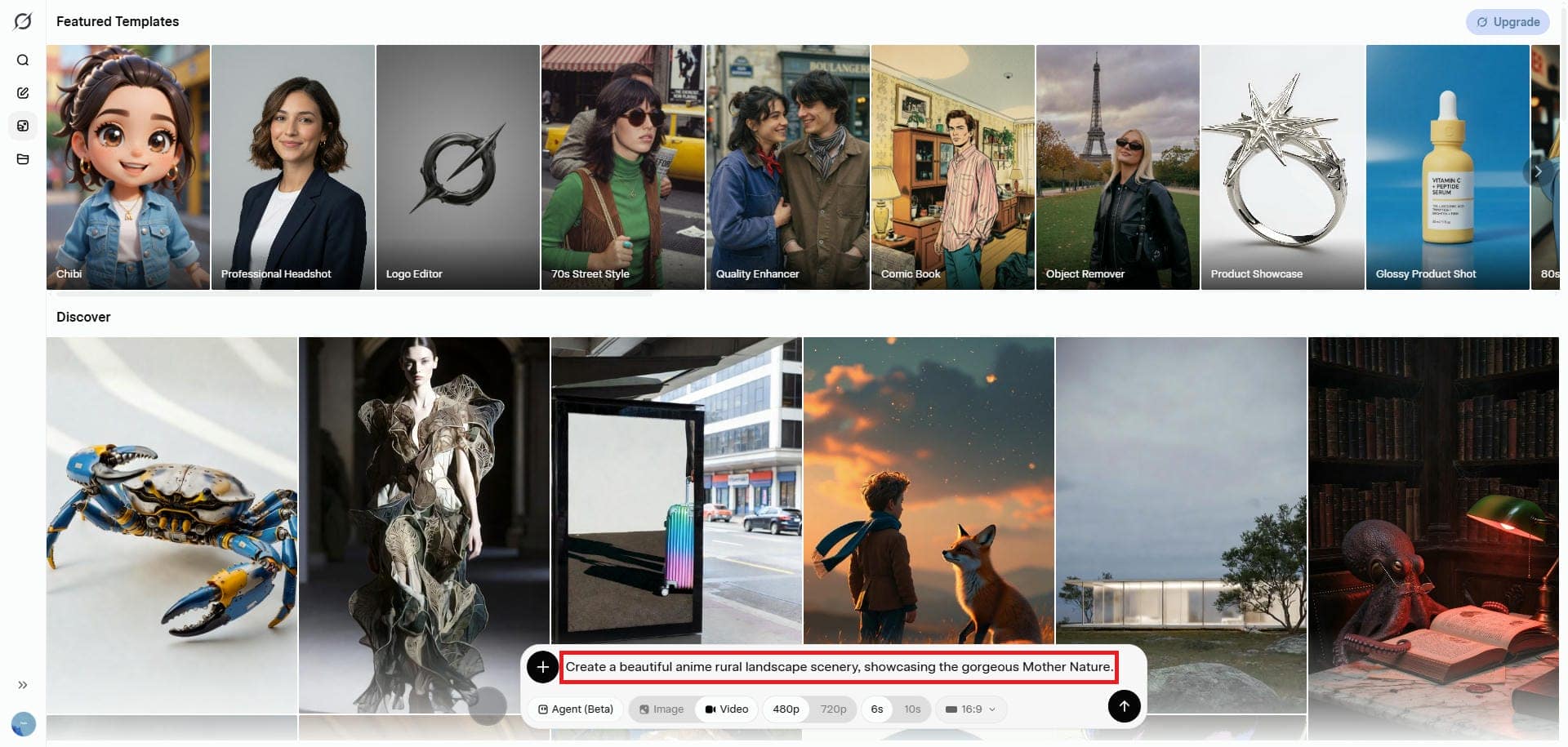
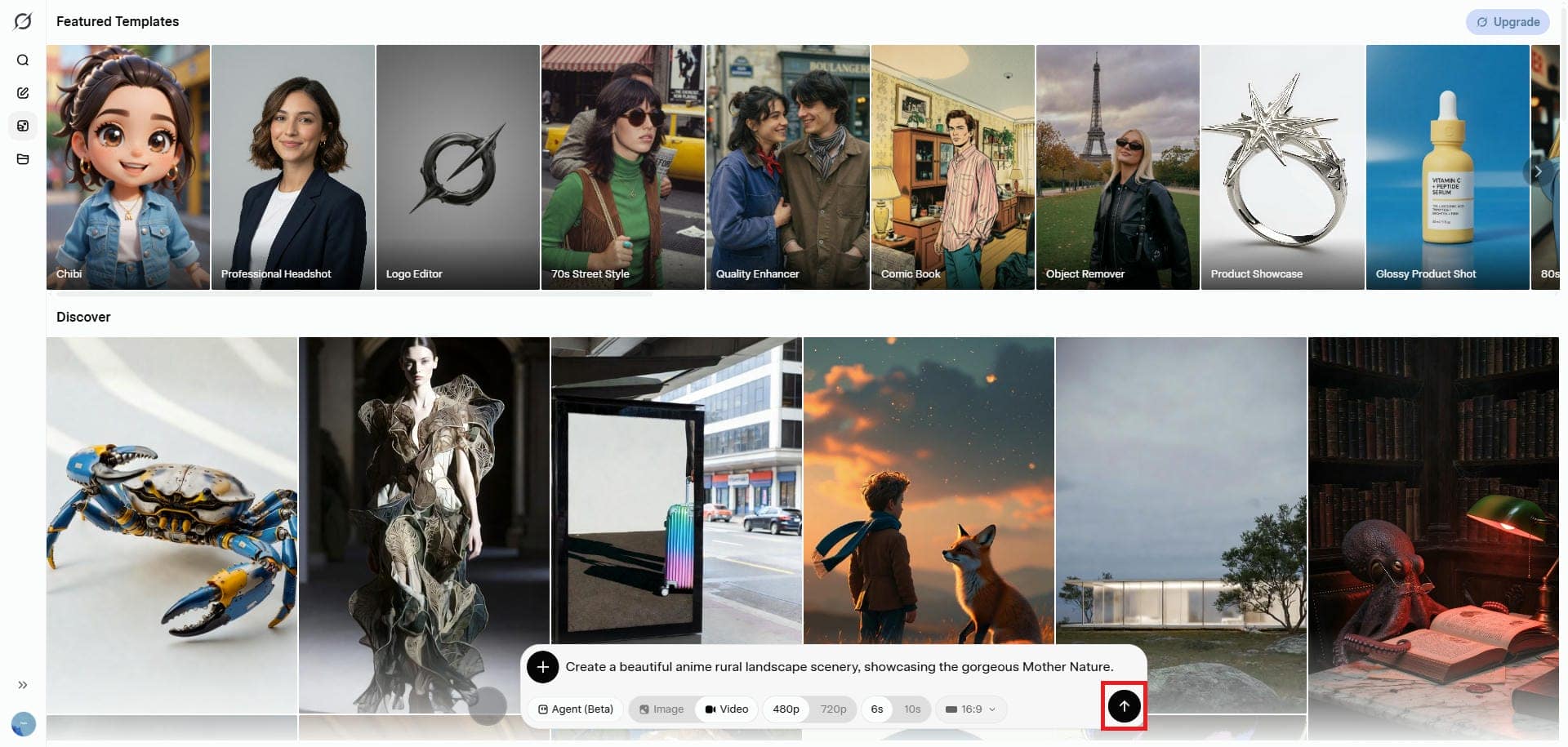
Step 2: Enter your text-to-video prompt
Type your text-to-video prompt into the chat. Be as descriptive as possible about the action, style, and subject. Additionally, you need to select your video resolution, duration, and aspect ratio.
Step 3: Click generate and download or share directly
Hit enter, wait a few moments for the high-speed rendering engine to finish, and instantly download or post the video directly to your X feed.
Grok AI video generator pricing structure
Grok AI video generation is available through xAI's dedicated standalone subscription model, SuperGrok.
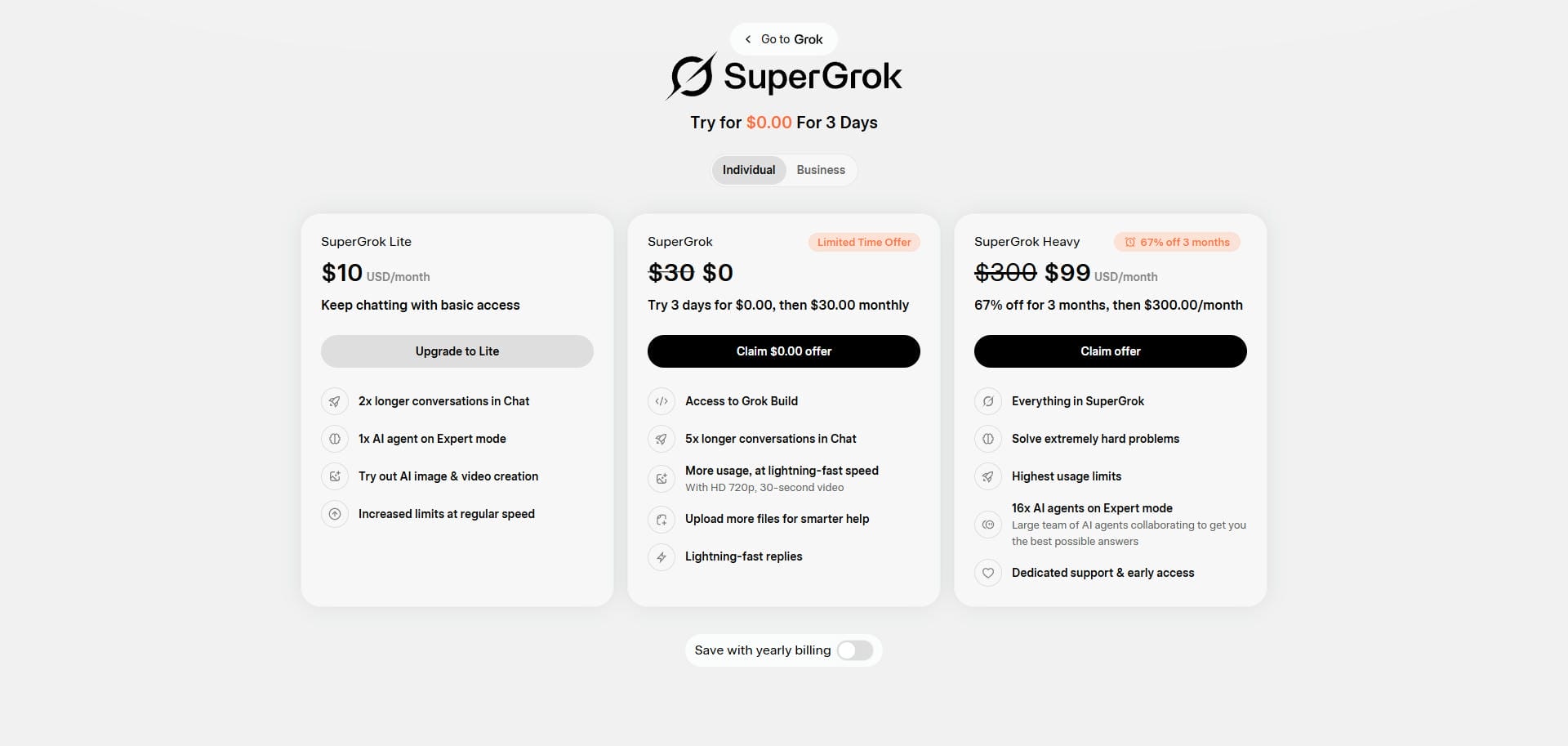
This allows users to bypass the X platform entirely and pay strictly for high-powered AI and video generation access. The current pricing structure is as follows:
|
Subscription Tier |
Monthly Cost |
Grok Video Access |
|---|---|---|
|
SuperGrok Lite |
$10.00 / month |
Basic limits |
|
SuperGrok |
$30.00 / month |
Full access |
|
SuperGrok Heavy |
$300.00 / month |
Maximum limits |
The aforementioned structure makes it a highly accessible tool for existing heavy users of the X platform, though it requires a paywall for newcomers.
Major uses of Grok AI video generation tool
Maximize your creative potential and social media reach by exploring these five proven, highly effective use cases for Grok AI.
-
Viral social media content: Create attention-grabbing videos for TikTok, Instagram Reels, and YouTube Shorts. Grok AI helps creators produce short-form content quickly, making it easier to keep up with fast-moving social media trends.
-
Satirical and humorous videos: Generate comedy, parody, and entertainment-focused content using creative AI video generation tools.
-
Rapid content prototyping: Professionals seamlessly visualize complex narrative ideas, dynamic storyboards, or abstract creative concepts within seconds, allowing directors and marketing teams to instantly test visual strategies before production.
-
Trending news visualizations: Create videos around current events, trending topics, and popular online discussions to keep your content timely and relevant.
-
Meme generation: Create or animate popular internet jokes and classic meme formats with Grok to boost audience engagement. Transform static images into entertaining, shareable video content optimized for social media distribution and online communities.
Should you use Grok AI free video generator?
Before you start using Grok's AI video generator, it is essential that you learn about its strengths and weaknesses, so that you can take full advantage of its capabilities.
Pros: |
Cons: |
|---|---|
|
|
See what users are saying
On G2
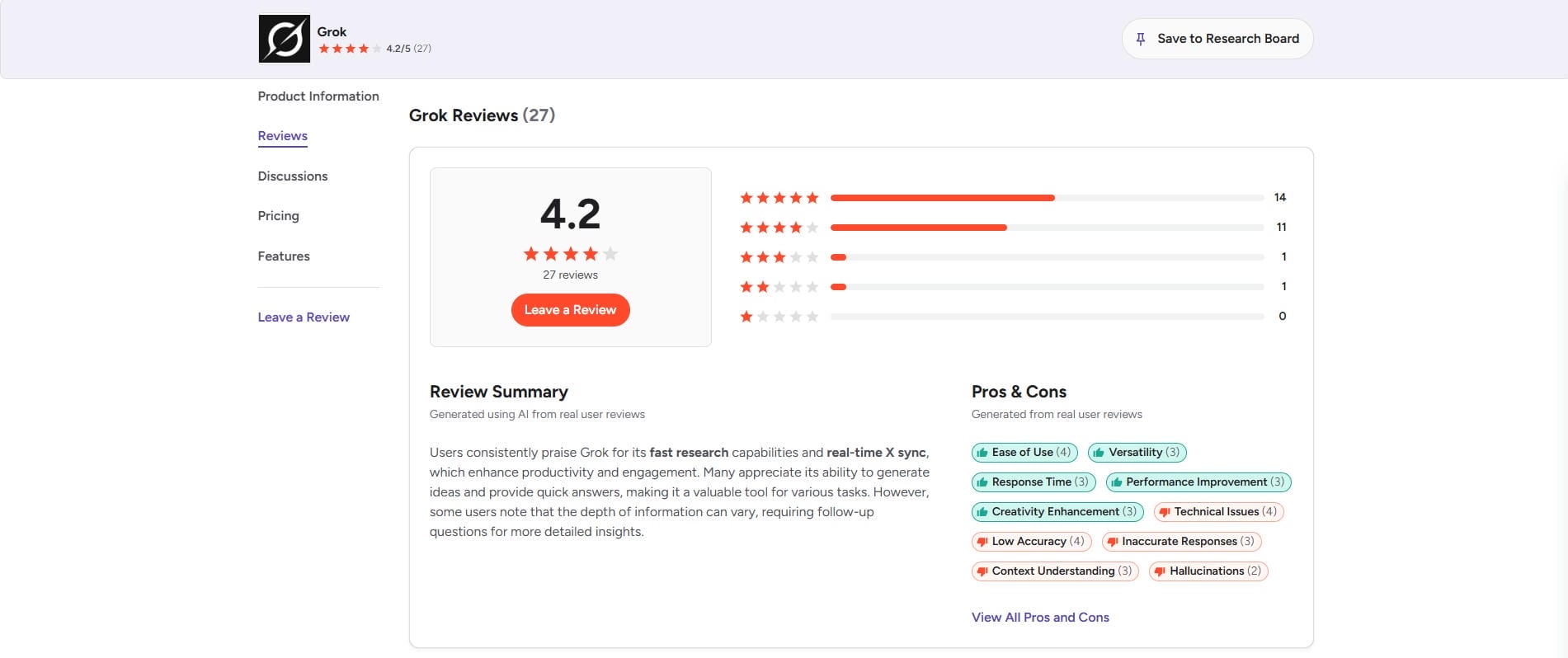
Reviewers on G2 frequently highlight Grok's incredible processing speed and highly entertaining generation capabilities. However, many enterprise users actively compare it against dedicated marketing software, noting a frustrating lack of customizable templates, brand consistency controls, and professional export options.
On Reddit
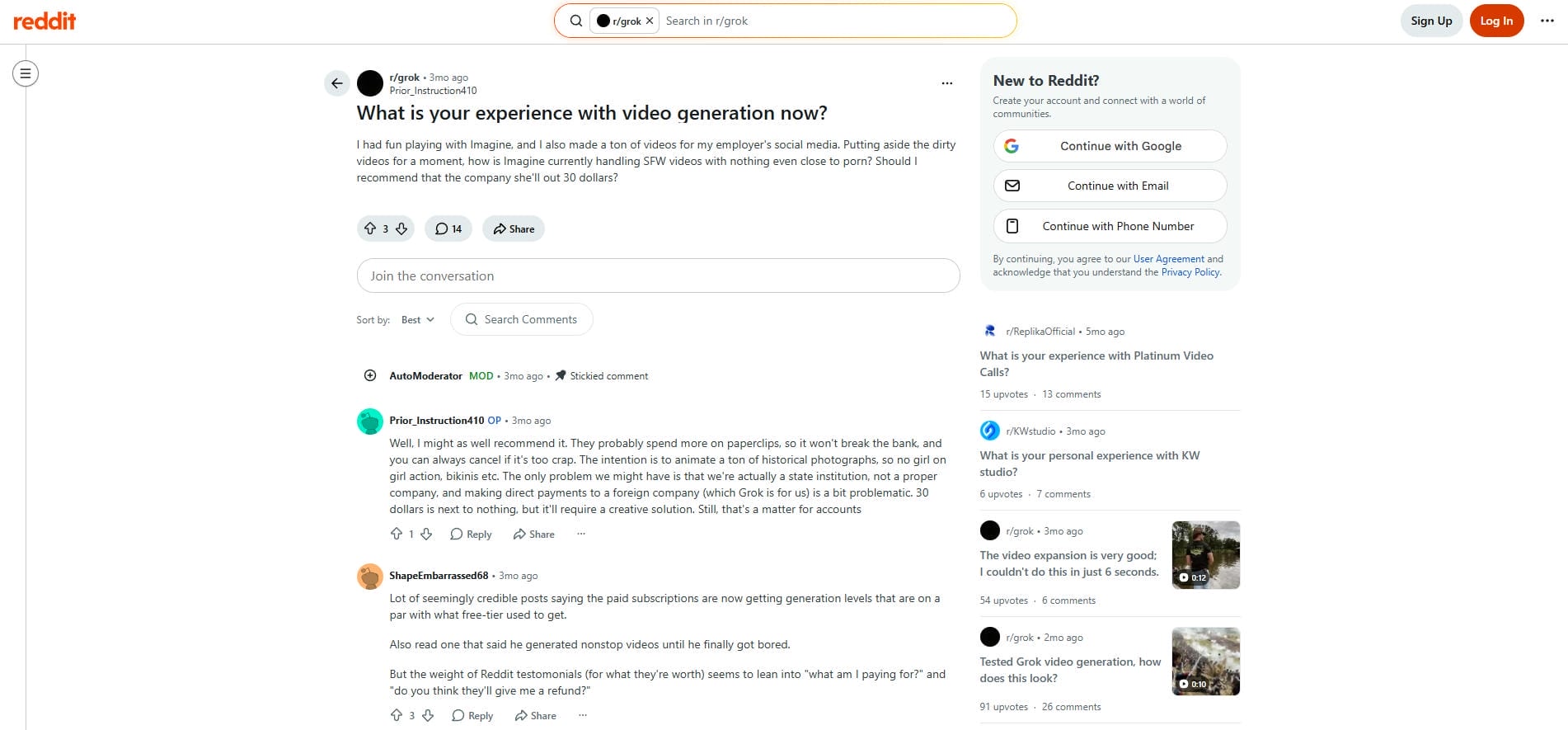
Reddit users praise Grok’s incredibly dynamic motion and uniquely uncensored style for creating highly engaging viral memes. However, the community heavily criticizes sudden restrictive rate limits, inconsistent visual artifacts, and abrupt paywalls that actively frustrate dedicated creators seeking reliable generation.
Final verdict
Ultimately, users universally agree that Grok excels at producing engaging viral social media entertainment. However, creators or businesses needing reliable, studio-grade marketing videos consistently, prefer switching to professional alternatives like Vmake instead.
Introducing Vmake AI video generator: the professional alternative
While Grok is incredible for social media entertainment and memes, our Grok AI video generator review wouldn't be complete without addressing its downsides. If you are a business owner, marketer, or e-commerce seller, Grok's inconsistent quality and lack of product-focused tools just won't cut it.
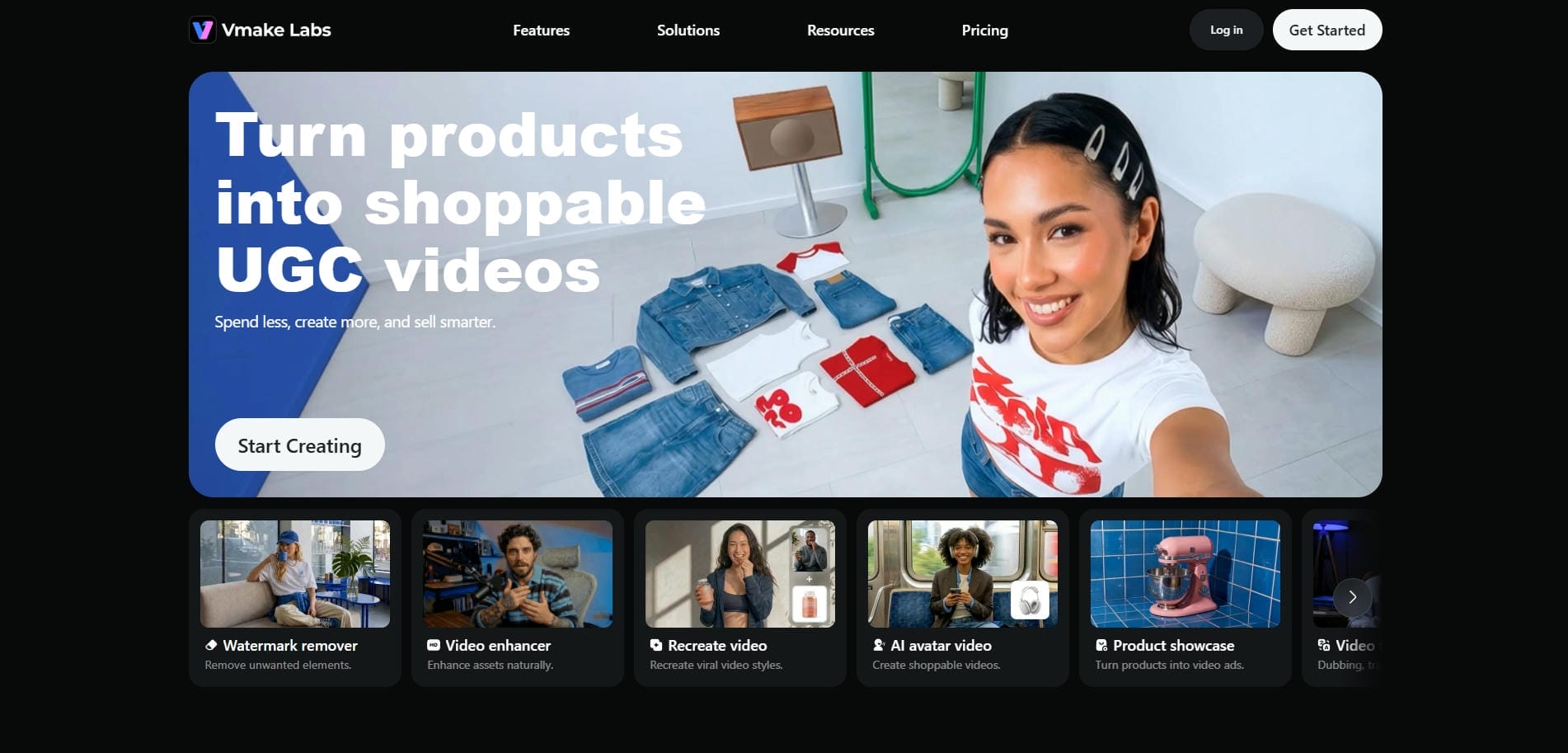
This is where Vmake AI video generator comes in. Vmake AI is specifically built to solve the quality and commercial limitations of social-first AI tools, offering a polished, studio-grade experience for AI-generated videos.
Crucial features of the Vmake AI video generator
The following set of features clearly showcases Vmake AI's prowess in being one of the best AI video generators out there.
-
Multi-format video generation: Vmake AI seamlessly transforms simple text prompts, static images, or existing clips into stunning studio-quality commercial assets, granting creators ultimate flexibility for demanding marketing campaigns.
-
High-resolution commercial output: This platform allows you to reliably generate incredibly crisp, high-definition video files, up to 4K resolution, that remain completely safe and highly optimized for deploying across demanding professional advertising campaigns operating globally.
-
Consistent visual output: Vmake AI's structured generation workflows help maintain visual consistency across batches of videos, making it easier to create cohesive marketing assets without rebuilding settings or starting from scratch each time.
-
Advanced AI model support: Vmake AI seamlessly supports multiple advanced AI video generation models like Seedance 2.0, Kling 3.0, and Veo 3.1, allowing professionals to choose perfect rendering engines for campaigns.
-
Customizable export settings: Professional marketers gain complete control over final outputs by easily adjusting specific video duration limits, and customizing export resolution settings (1080P/2K/4K) to perfectly match diverse social media requirements.
How to use the Vmake AI video generator in 3 easy steps?
To begin using Vmake AI in the ideal fashion, you need to follow our recommended steps below properly.
Step 1: Access Vmake AI and select the "AI video generator" option
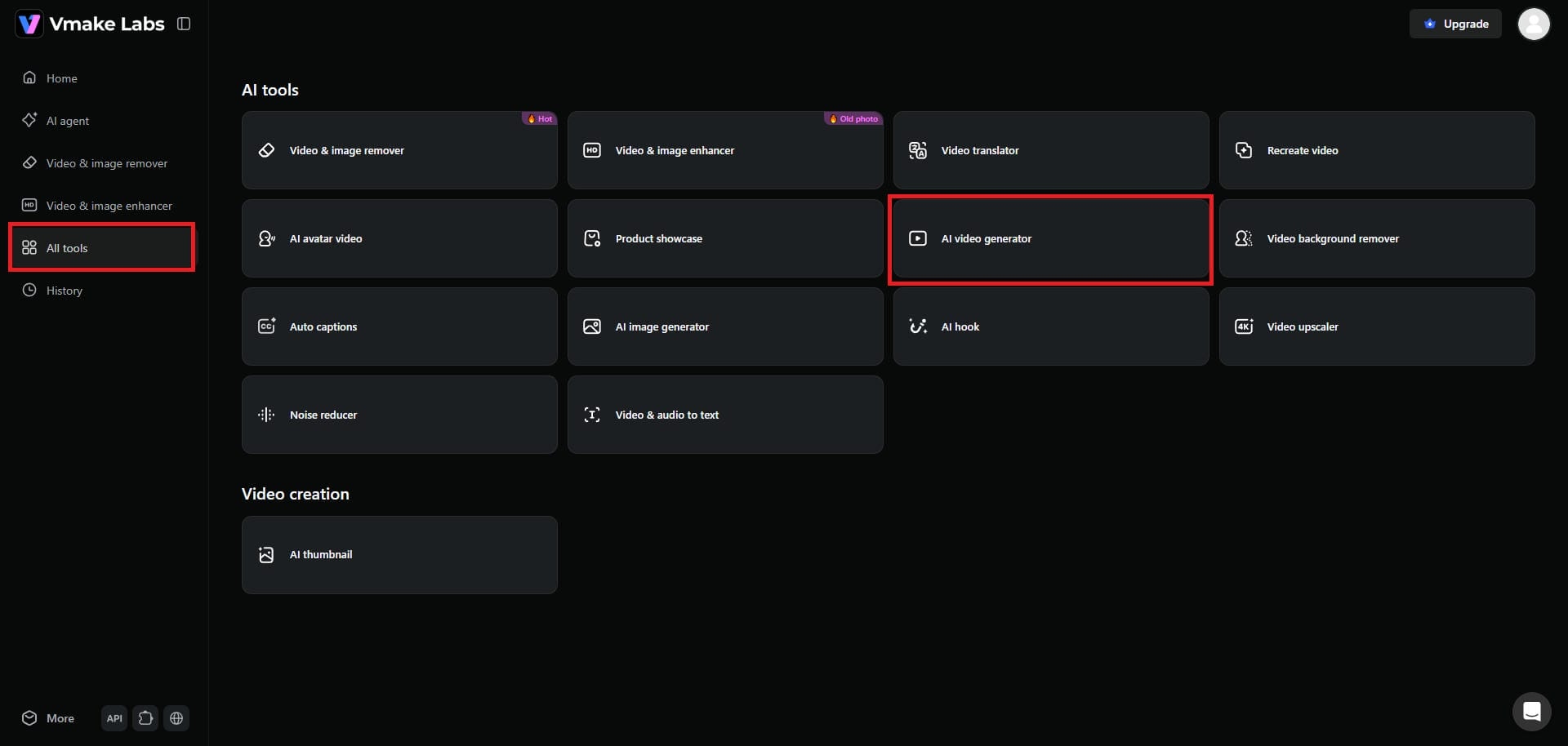
Start by first signing up for Vmake AI. Once you sign-up, from the dashboard section, click on the "All tools" option. From there, you need to select the "AI video generator" option.
Step 2: Enter your prompt and click on the "Generate" option
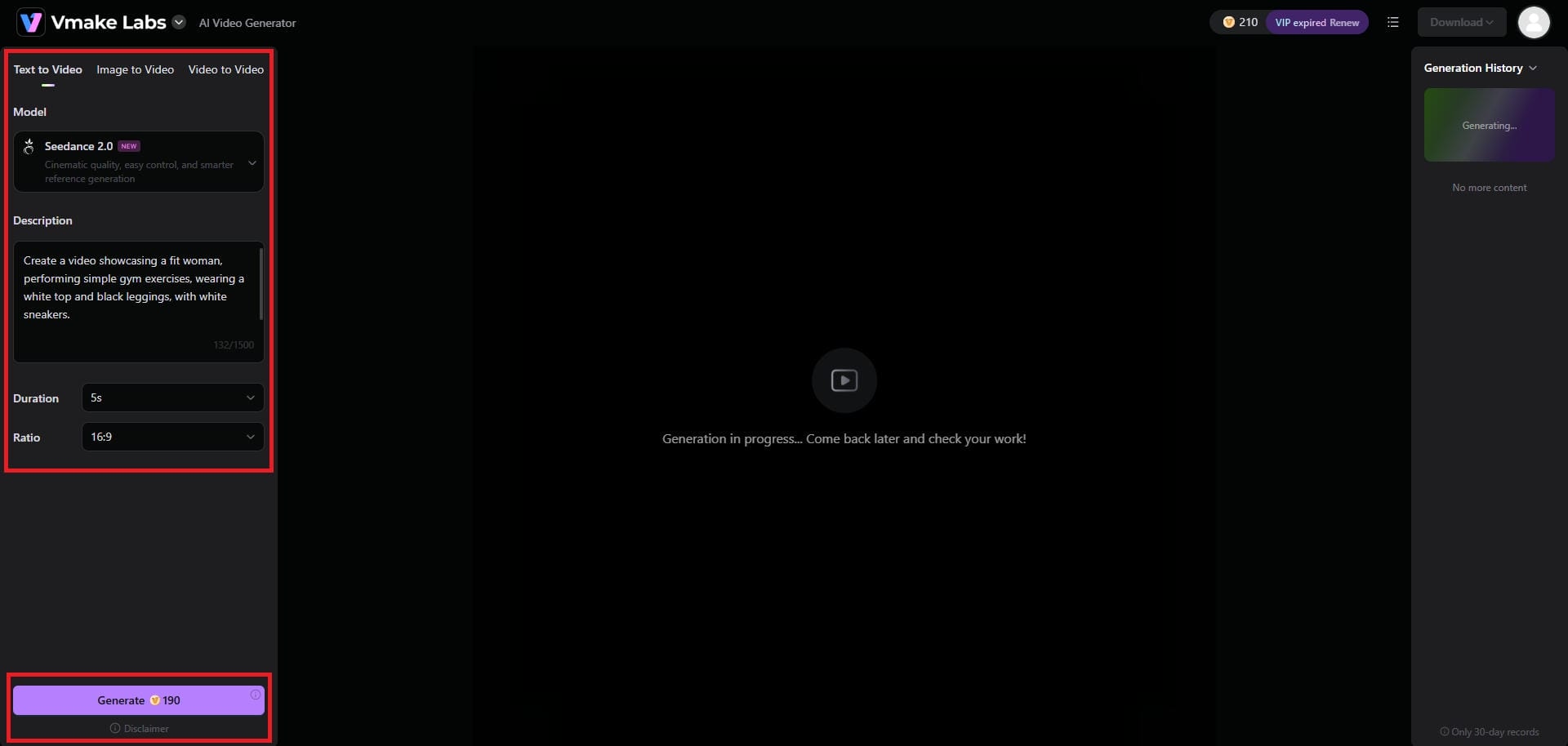
In the next step, you need to select whether you want to perform text-to-video, image-to-video, or video-to-video generation. In this example, we will be choosing the "Text to Video" option. After that, you need to enter your video creation prompt, choose your AI video generation model (we have chosen Seedance 2.0), the video duration, and the video's aspect ratio. Once done, click on "Generate".
Step 3: Export your AI-generated video
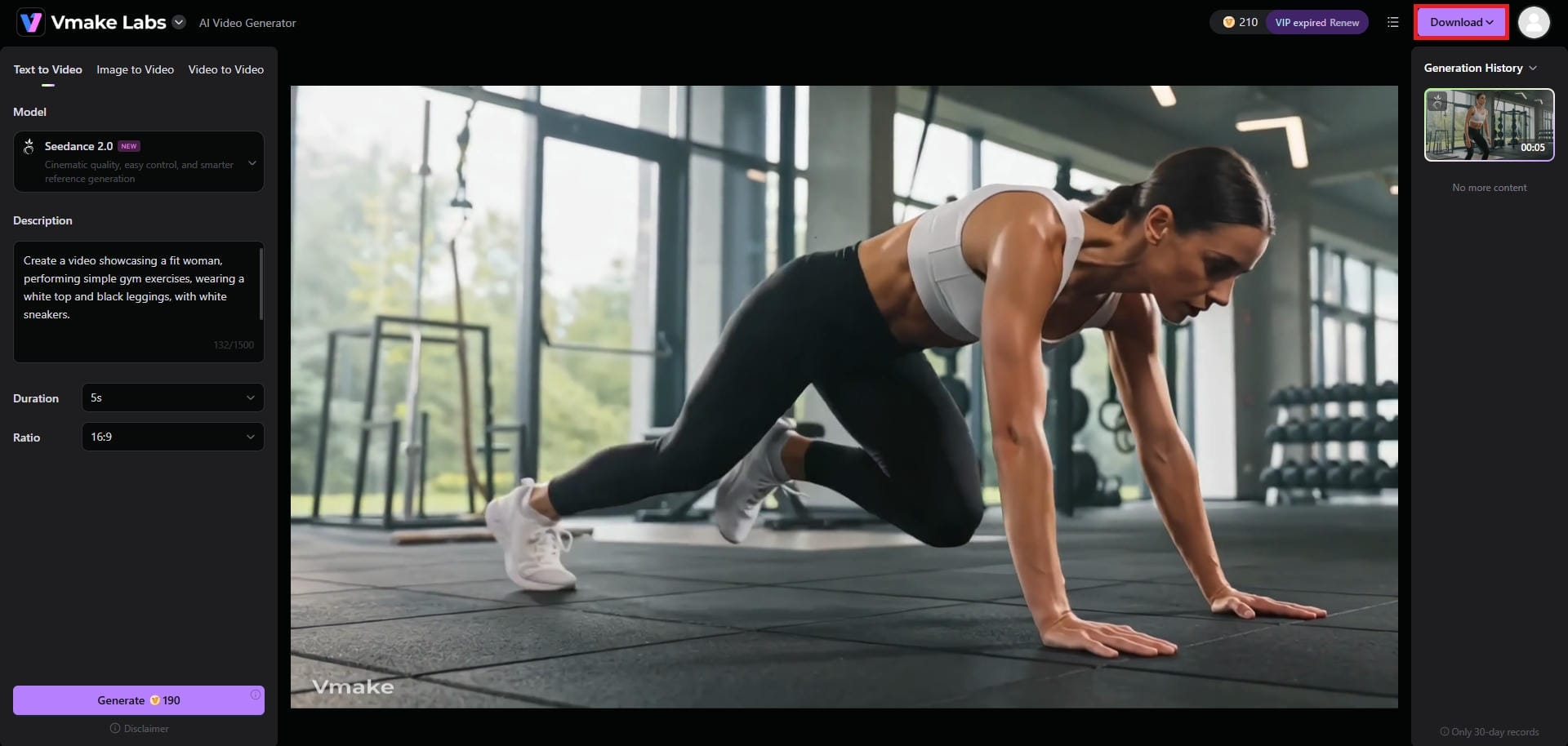
Vmake AI will take some time to generate your video, and once that is done, the same will be showcased on your screen. After that, all you need to do is to click on the "Download" option and you will be good to go.
Grok vs. Vmake AI: key differences to keep in mind
The choice between these two platforms comes down to intent. Here is a head-to-head comparison to help you decide which tool fits your needs:
|
Feature / Capability |
Grok AI Video Generator |
Vmake AI Video Generator |
|---|---|---|
|
Primary Purpose |
Entertainment, memes, and viral social media content |
Professional e-commerce, advertising, and product marketing |
|
Target Audience |
Content creators, influencers, and heavy X users |
Business owners, marketers, and e-commerce sellers |
|
Video Quality |
Fast, social-media-ready (quality can be inconsistent) |
Studio-grade, high-resolution, and highly polished output |
|
Core Strength |
Real-time trend access and "unfiltered" processing |
AI background replacement and URL-to-video tools |
|
Content Filters |
Minimal restrictions for high creative freedom |
Strict, brand-safe commercial focus |
|
Ecosystem |
Locked within the X (formerly Twitter) platform |
Standalone professional video generation platform |
Signing off
To wrap up this Grok AI video generator review: Grok is an absolute powerhouse for creators, X Premium subscribers, and anyone looking to make fast, topical, and funny videos. Its integration with real-time news is unmatched.
However, if your goal is to sell physical products, run professional advertising campaigns, or maintain strict brand quality, you should bypass Grok and utilize a purpose-built commercial tool like Vmake AI.
FAQs:
Is Grok AI video generator free?
No, it is not strictly free. You must have an active, paid SuperGrok subscription tier, to be able to access Grok and its generation features. On the other hand, Vmake AI allows you to use its AI video generator for free, for a limited time, after which you need to subscribe to one of its paid plans.
Can I use Grok videos for commercial purposes?
While you can post them to your business accounts, the unpredictable quality and lack of brand control make it less than ideal for direct commercial advertising compared to tools like Vmake.
Why choose Vmake over Grok?
You should choose Vmake if you need to create high-resolution, professional product commercials. Vmake offers text-to-video, image-to-video, and video-to-video generation features, and AI background replacement specifically for e-commerce.
Does Grok have content filters?
Yes, but they are notoriously less strict than competitors. Grok offers a "Fun Mode" that allows for more edgy, satirical, and unfiltered content generation.
What is the video resolution limit for Grok?
Grok focuses on rapid, social-media-ready generation. While it looks great on a mobile feed, it may lack the 4K crispness required for large-screen professional broadcasting. The maximum supported resolution is 720P. On the other hand, Vmake AI supports up to 4K resolution exports for videos.

You May Be Interested

AI TikTok Video Generator | Create High-Quality AI Videos

Best AI Video Generator: Top Tools Tested (2026)
Viggle AI Video Generator Review & Top 2026 Alternatives
Trump AI Video Generator: 3 Best Tools to Create AI Videos
How to Remove CapCut Watermark
Nero AI Review 2026 Explained: Is the Tool Worth Using?
2026 Fotor Video Enhancer Review: Features and Top Alternatives
