Fotor AI Image Generator Review: Is It Worth Using in 2026?
Fotor AI Image Generator lets you turn text or photos into stunning visuals with top models. But is it the best choice? See our full review of features, limits, and a powerful free alternative that delivers professional results faster.

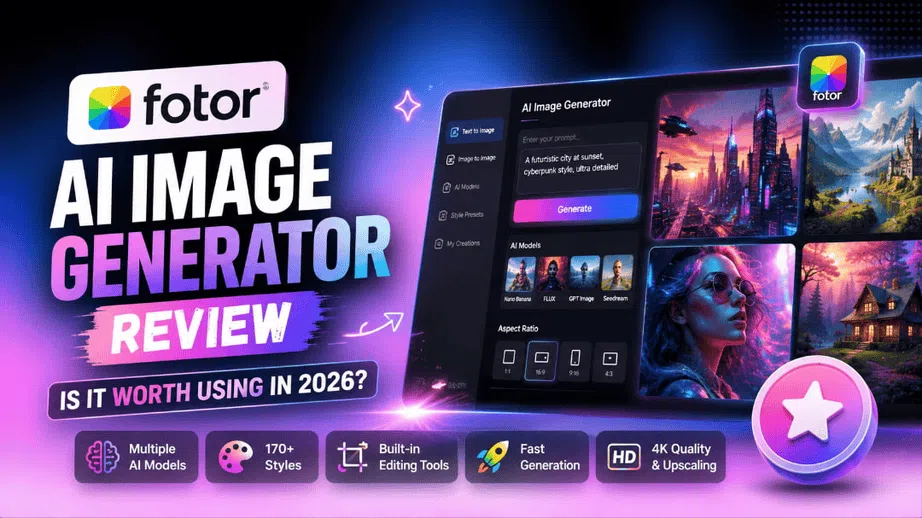
AI image generators have evolved from simple novelty tools into essential engines for digital marketing, design, and content creation. For this review, we tested Fotor AI Image Generator across different prompt types, image styles, and editing workflows to give you an honest picture of where it performs well and where it falls short. Fotor AI Image Generator combines leading generation models with a built-in photo editing suite, all inside your browser. Here is what we found.
What is Fotor AI image generator?
Fotor's AI image generator is an online tool that allows users to generate images from text descriptions or reference photos. It blends image generation with built-in editing tools and several leading AI models, including Nano Banana, FLUX, GPT Image, and Seedream variants. It all takes place in the browser, with no standalone software required, so beginners, marketers, and creators can generate, refine, and export images in one workflow.
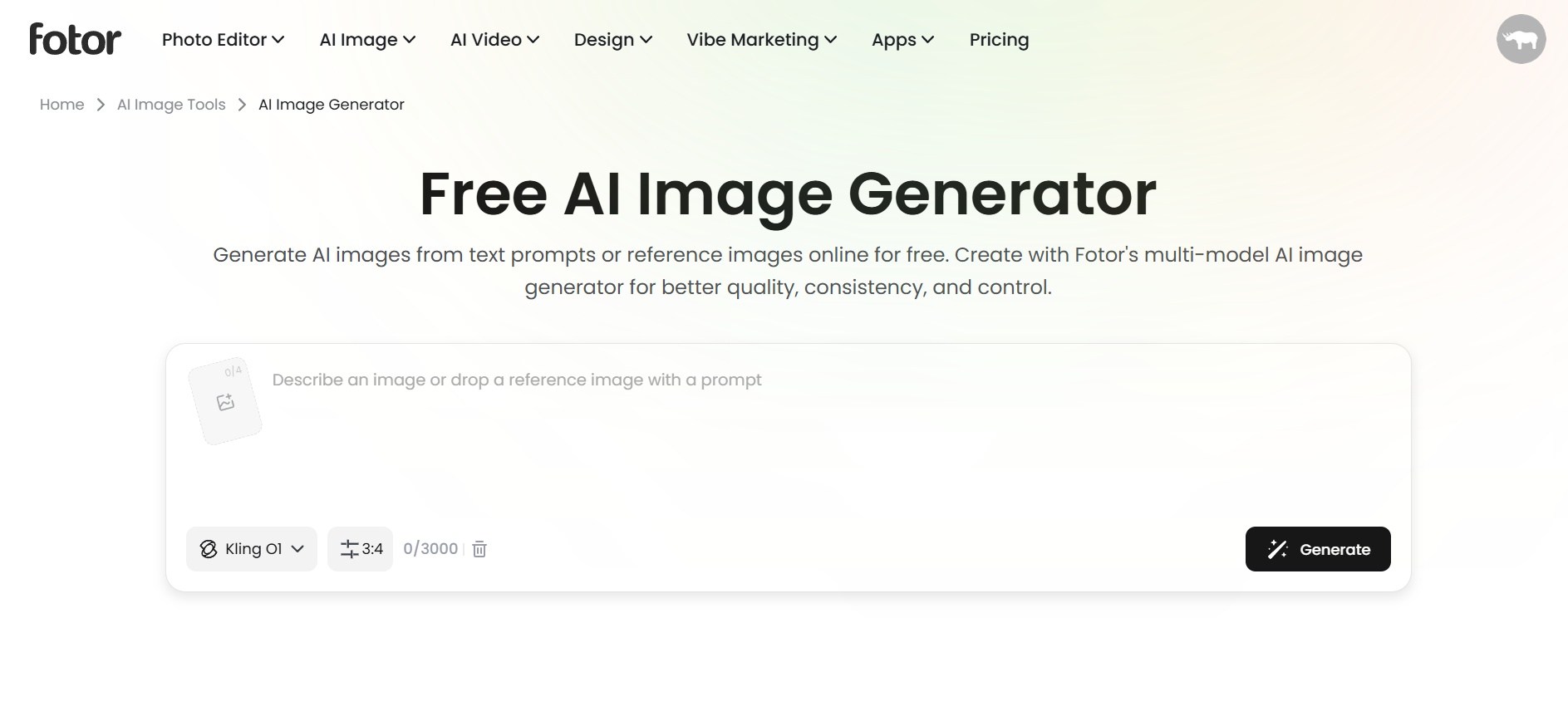
Key features of Fotor's AI image generator
-
Text-to-image & image-to-image generation
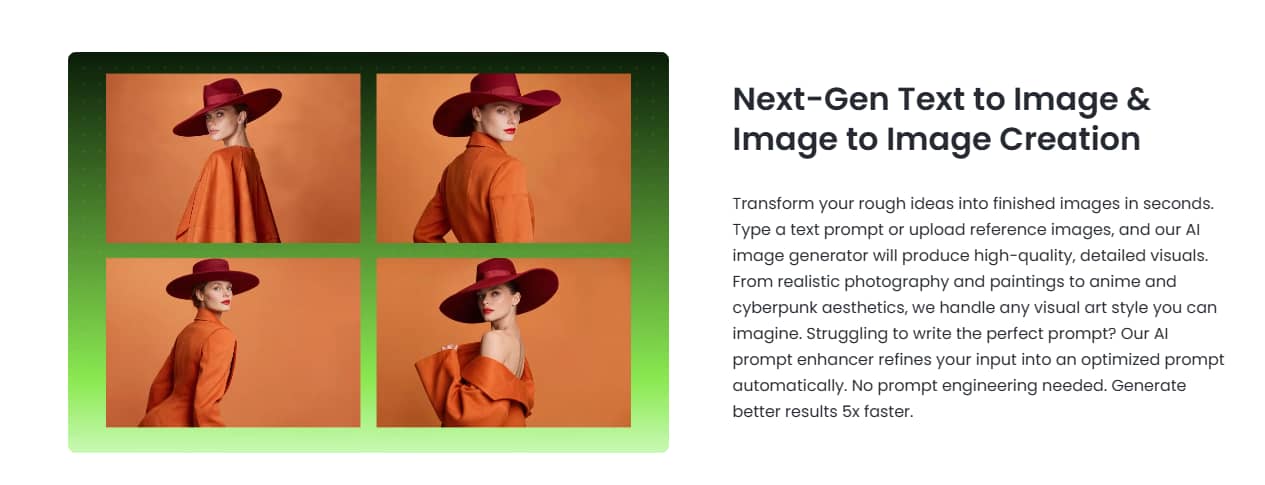
Start from a blank prompt or upload a reference photo, and Fotor works from either path. Both live in the same workspace, so switching between text-based and image-based generation takes one click, not a new tab. In testing, text-to-image results were consistently clean for straightforward prompts, though highly detailed or abstract prompts sometimes needed two or three attempts to land close to the intended output.
-
Access to Multiple AI models
Instead of settling for one model and its quirks, you get access to Nano Banana, FLUX, GPT Image, Seedream, Midjourney, and Gemini, each built for different jobs, from sharp text rendering to photorealistic detail. During testing, FLUX handled photorealistic outputs reliably, while Nano Banana produced faster results better suited to quick concept drafts than finished assets.
-
Character & style consistency
Upload one photo and the AI holds onto facial features, outfits, or a visual style across multiple generations. This worked well in testing for straightforward portrait consistency, though complex scenes with multiple subjects showed occasional drift in facial accuracy across variations.
-
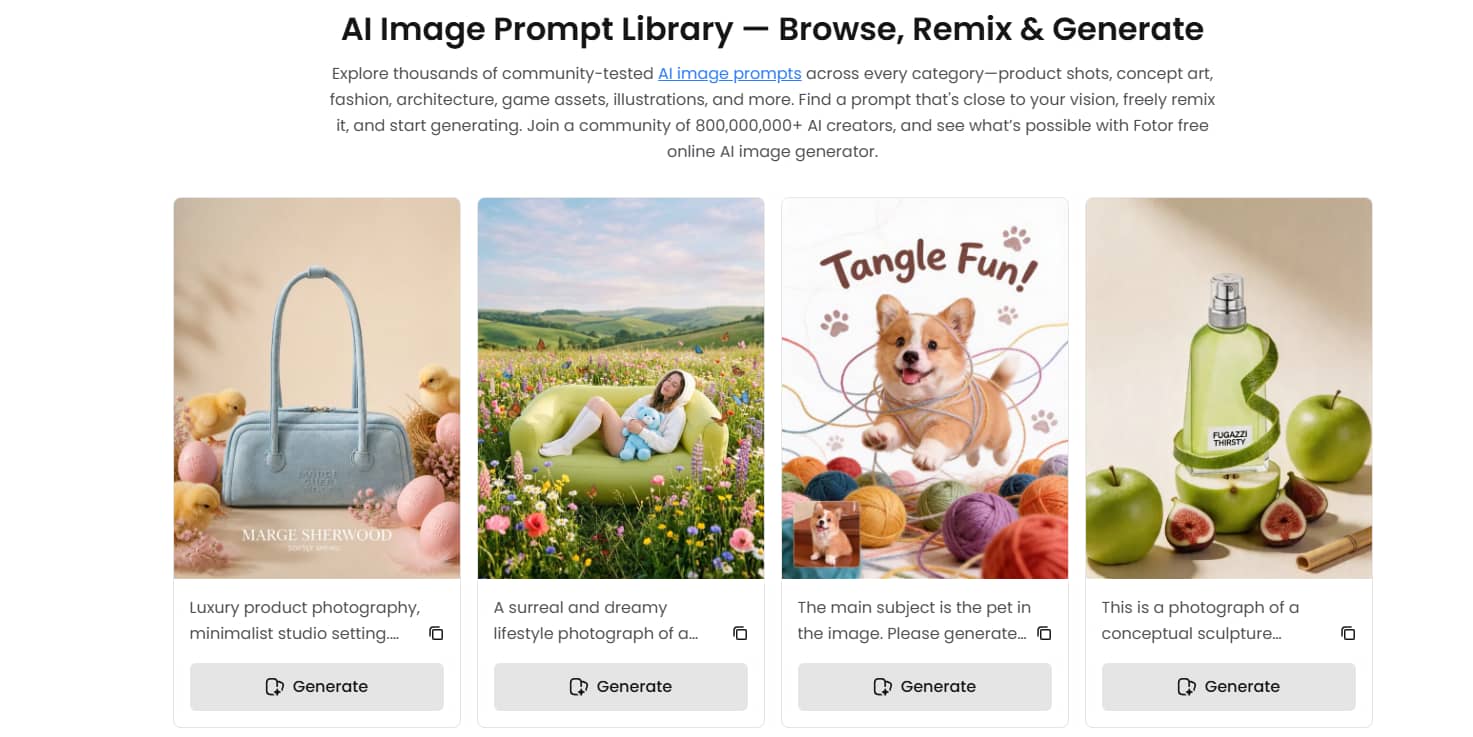
Prompt library and AI prompt enhancer
The built-in prompt library gives beginners a starting point, and the prompt enhancer rewrites vague inputs into structured prompts automatically. In practice, the enhancer noticeably improved outputs for users who struggled to describe their idea precisely, though experienced users may find it occasionally over-describes simple requests.
-
170+ style presets, 4K resolution, and AI upscaling
Choose from more than 170 artistic styles, including anime, watercolor, 3D, fantasy, and realistic photography. Native output reaches 4K, with AI upscaling for print-ready or large-format use. Popular styles like anime and realistic photography performed consistently in testing, though niche presets occasionally felt generic. Upscaling held well for portraits and product shots but introduced slight softness on fine-detail illustrations.
-
Built-in editing tools
Inpainting, a background remover, and an image extender all sit inside the same workspace, no exporting to fix a generated image. The background remover handled clean-edged subjects reliably but struggled with hair and complex overlapping elements. Inpainting worked well for small removals; larger area replacements sometimes needed a second pass to clean up visible blending.
How to use Fotor AI image generator (Step-by-step)
Getting started with Fotor's AI image generator is simple and takes just a few minutes. Follow these three steps to turn your ideas or photos into polished visuals.
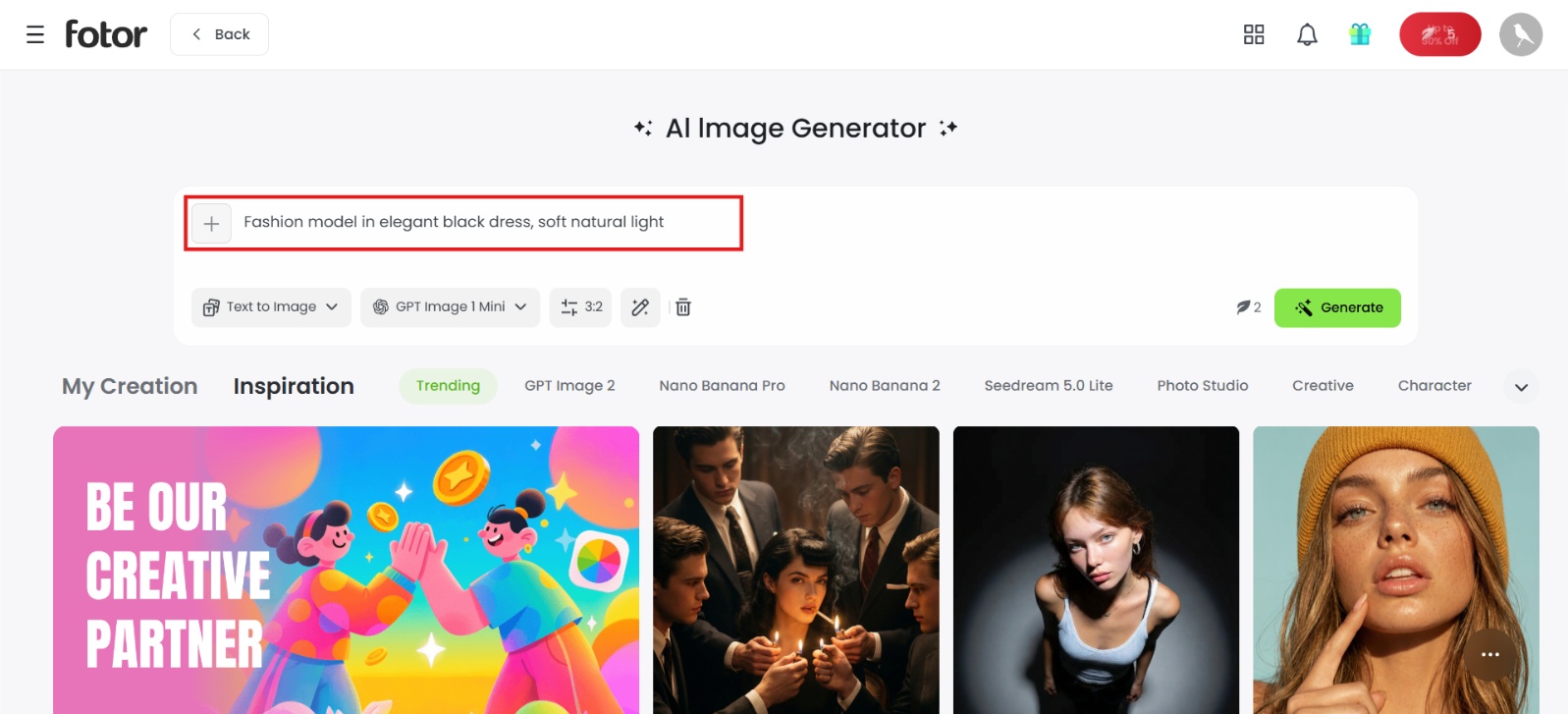
Step 1: Enter a prompt or upload a reference image
Open Fotor and select the AI Image Generator. Type a detailed prompt into the text box, or upload a reference image to drive an image-to-image transformation.
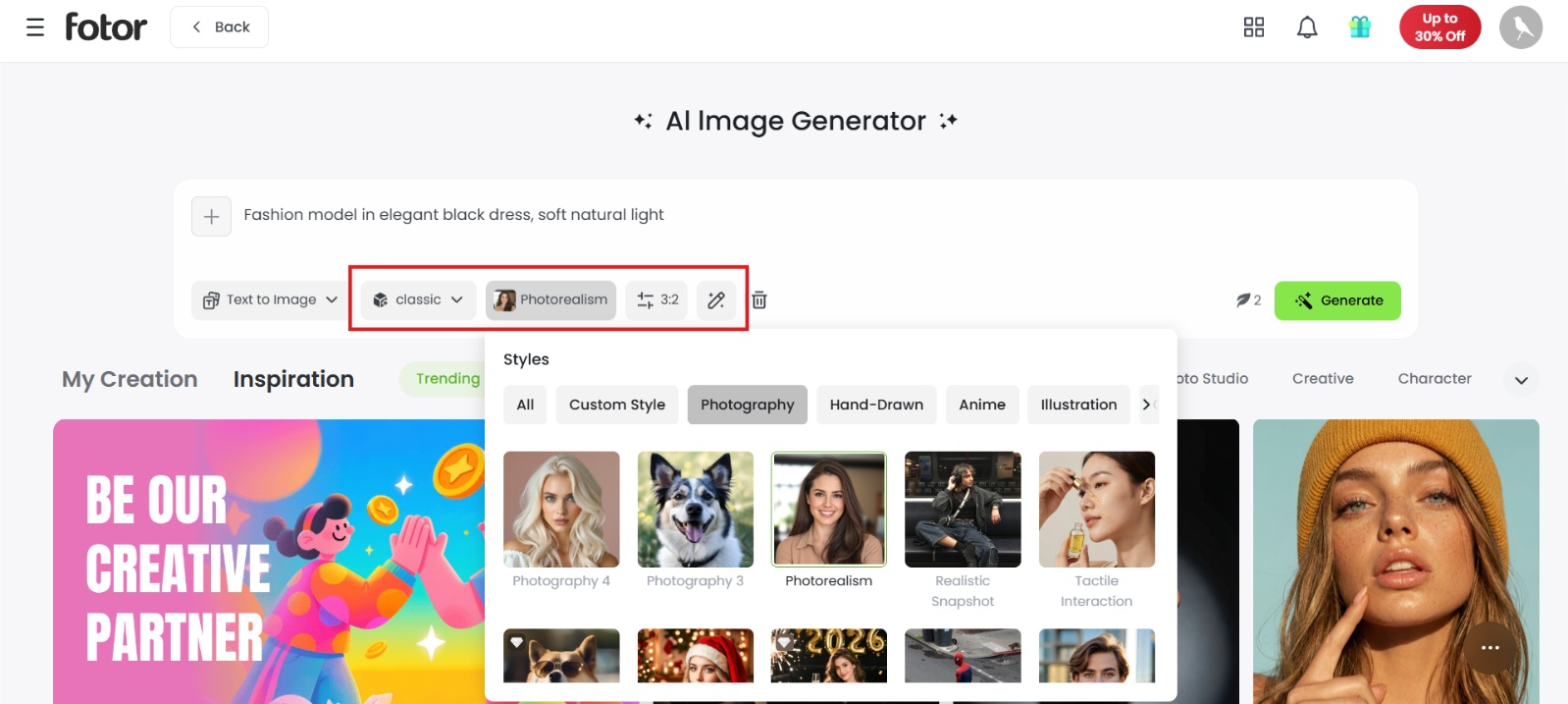
Step 2: Customize settings
Next, choose your preferred AI model, pick an aspect ratio (such as 1:1, 16:9, or 9:16), choose a style preset (like photorealistic, anime, or 3D rendering), and adjust generation count or negative prompt settings.
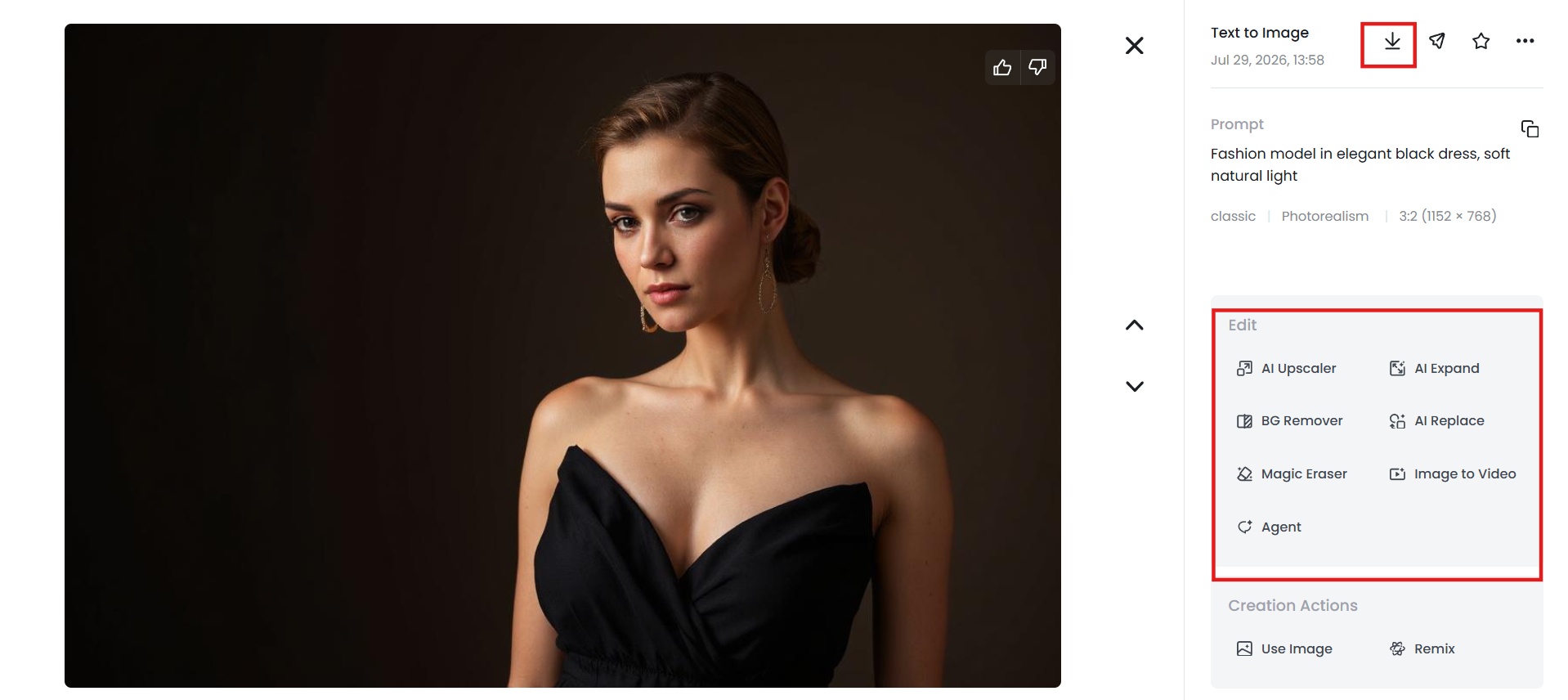
Step 3: Generate, refine, and download
Click Generate. Once your visuals render, use Fotor's integrated editing workspace to touch up details, expand the canvas, or remove backgrounds before exporting your final high-resolution image.
Fotor AI image generator free plan and pricing
Pricing
Free version
Fotor gives you a free Basic plan to test drive its AI image generator before spending a dime. New users receive limited free credits, and daily check-ins can unlock a few more. It gives you enough room to try out both text-to-image and image-to-image features.
That said, the free plan definitely hits a wall pretty fast. Credits drain quickly once you start experimenting with different prompts or models. Every free download includes a watermark, and you can only generate one image at a time, which rules out quick batch testing. Plus, cloud storage maxes out at 512MB, and your saved creations disappear after 30 days.
Pro, Pro+, and Max plans overview
Paid plans use a credit system. Credits are issued monthly and can roll over for up to five months while your subscription remains active. Exact credit amounts and prices can vary by region and billing cycle, so always confirm on the official pricing page.
|
Plan |
Credits |
Concurrent Generations |
AI Agent Chats |
AI Agent Tasks |
Cloud Storage |
Key Extra Features |
Approx. Price (Yearly Billing) |
|---|---|---|---|---|---|---|---|
|
Basic (Free) |
Limited free credits |
1 |
2 |
1 |
512 MB |
Basic tools, watermarked exports |
$0 |
|
Pro |
1,200 credits/year |
10 |
1,000 |
2 |
2 GB |
100+ tools, exclusive models, HD exports |
~$3.99–$8.99/mo |
|
Pro+ |
3,600 credits/year |
30 |
2,000 |
5 |
100 GB |
Batch editing, brand kits, AI slides |
~$6.24–$8.33/mo |
|
Max |
12,000 credits/year |
50 |
5,000 |
10 |
500 GB |
Highest limits + everything in Pro+ |
~$13.99–$19.99/mo |
Who each plan suits best
-
Basic (Free): Casual users testing basic AI capabilities or editing non-commercial personal photos.
-
Pro: Freelancers, bloggers, and solo creators needing watermark-free high-definition exports and consistent AI image generation.
-
Pro+: Small businesses and social media managers requiring batch image processing, brand kits, and multi-model creative setups.
-
Max: Marketing agencies and high-volume content creators who require high credit allowances, rapid concurrent processing, and large cloud storage.
Fotor AI image generator review: Pros and cons
After spending real time on the tool, here's where it earned its keep and where it fell short.
Pros |
Cons |
|---|---|
|
|
Hands-on experience with Fotor AI image generator
Reading a feature list only tells half the story, so we ran the tool through a few real scenarios to see how it performed in practice.
Text-to-image generation
We started simple: a three-line prompt for a daily sweet time of a couple. Fotor returned a clean, usable image within seconds; no complaints there. Then we pushed it with a more detailed prompt, specifying lighting, camera angle, and mood. The output held up well on composition and lighting, though it took a couple of regenerations to get the exact framing we wanted. Detail held up better on the more descriptive prompt overall, which tracks with how most of these models behave.
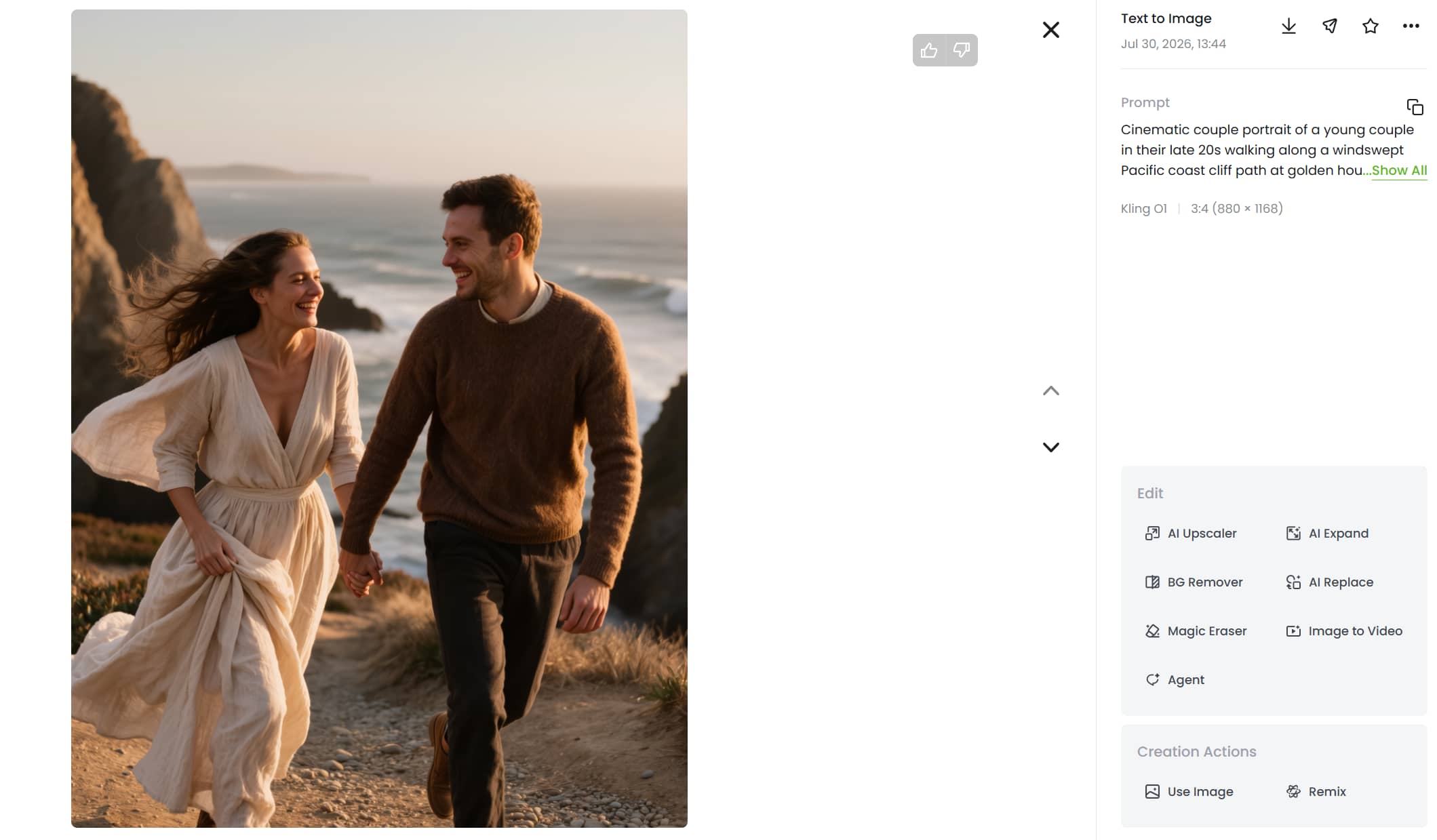
Image-to-image & style transformation
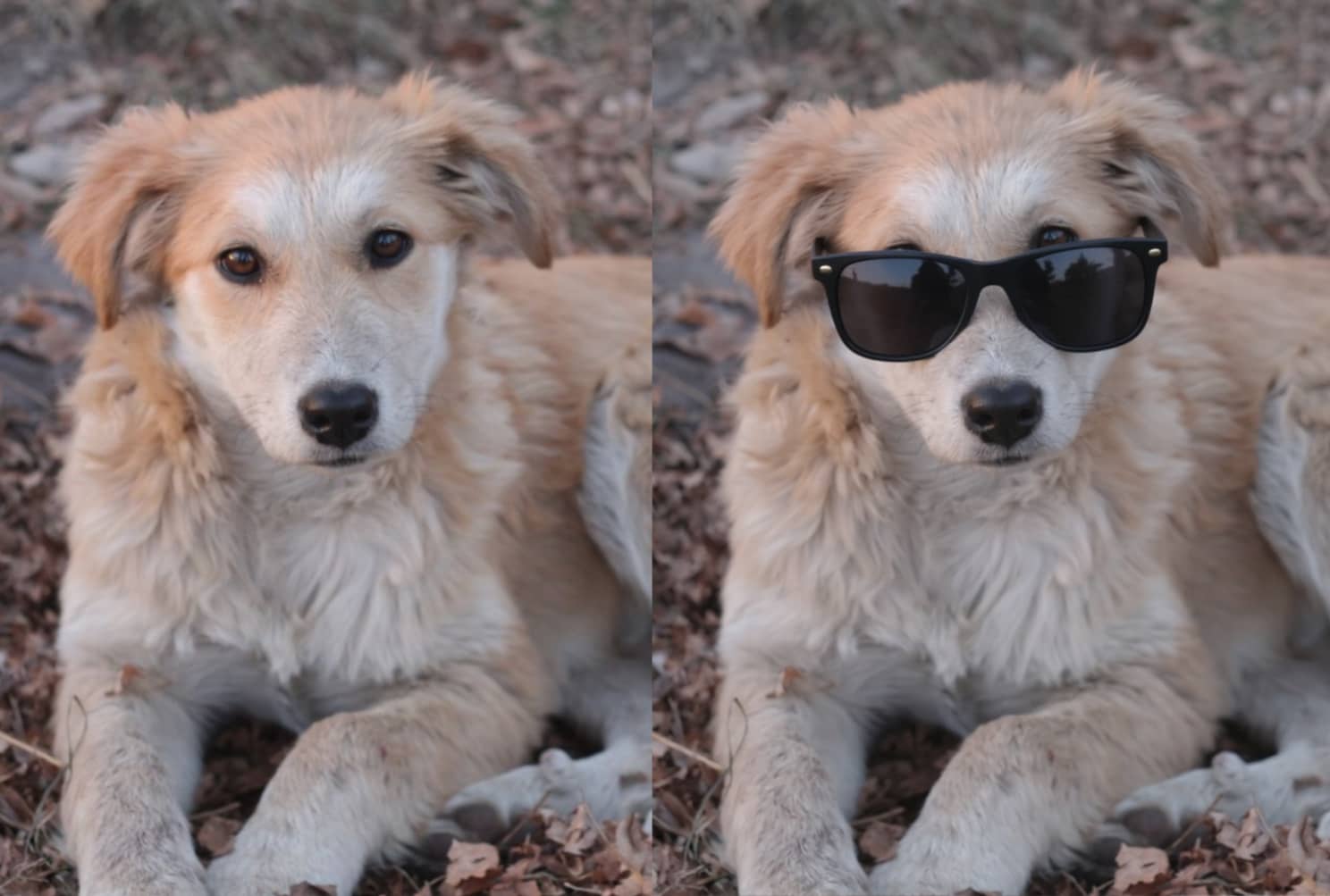
Next, we uploaded a reference photo and ran it through a couple of inpainting and style presets, including a dress change and a stylized illustration look. Character consistency held up reasonably well across both, with recognizable facial features carried through, though minor details like clothing texture shifted more than expected between styles.
Editing tools in action
We tried the background remover on one of our generated images, and it handled clean edges without much trouble. Inpainting worked well for a smaller object removal but needed a second pass on a more complex change involving overlapping objects. The upscaler did a solid job pushing standard output up to a sharper, larger resolution.
Where it struggled
No tool is perfect, and Fotor had its rough edges. Complex prompts involving multiple people occasionally produced inconsistent hands or facial details, a common limitation across most AI image generators right now. Load times were reasonable overall, though busier generations with premium models took noticeably longer than the quick free-tier ones. And while the editing suite is convenient, some fixes still required a couple of attempts to nail down.
Overall, Fotor delivers a solid, dependable experience for general use, but like any AI image tool, results aren't guaranteed on the first try, and the free tier's limitations show up fast once you start testing seriously.
Meet Vmake Labs: A robust alternative to Fotor AI image generator
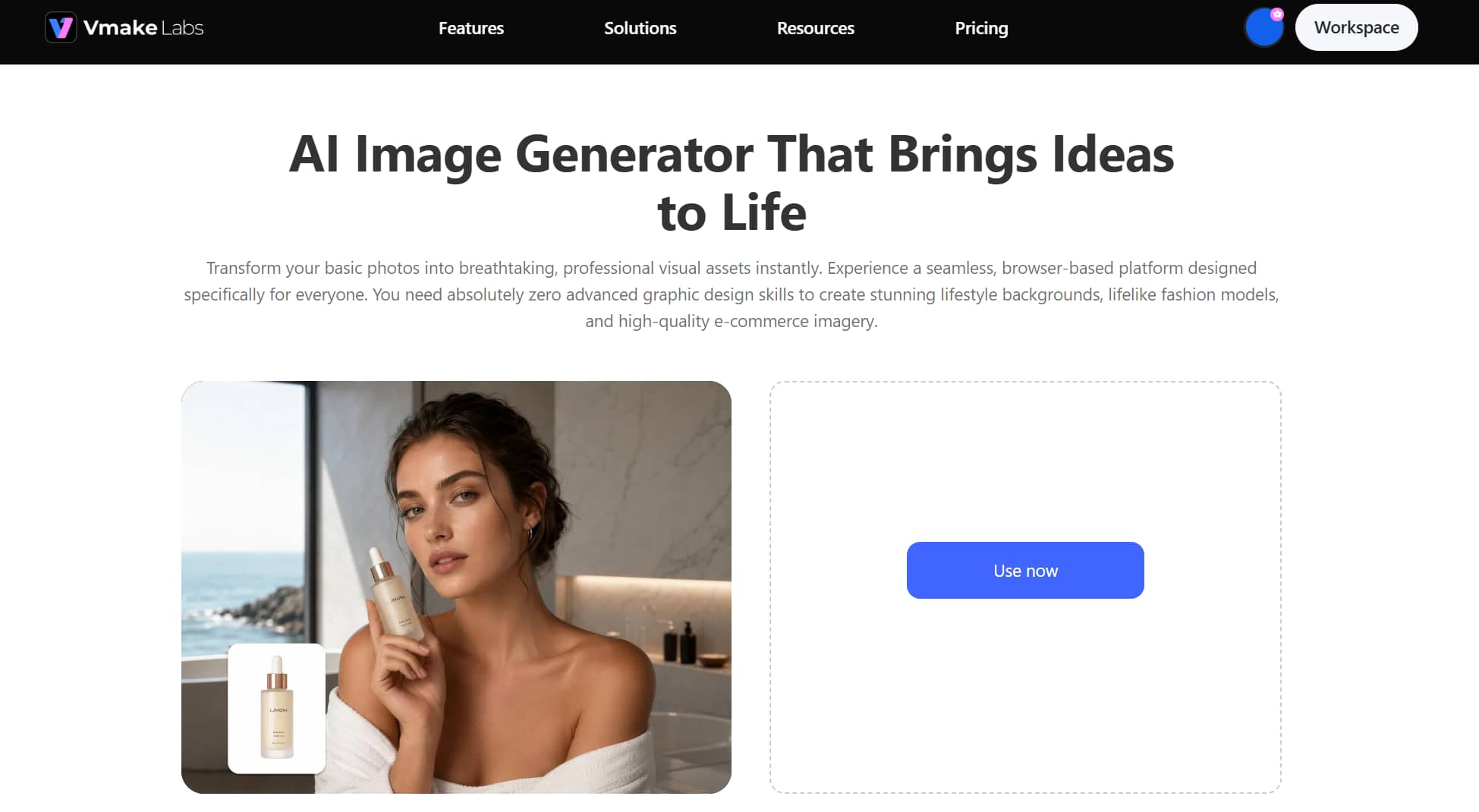
If your workflow requires more granular control over generation settings, or you need dedicated image retouching alongside generation, Vmake Labs AI Image Generator takes a different approach worth considering. It supports both text-to-image and image-to-image generation with access to multiple AI models, and includes dedicated retouching tools: AI Image Enhancer, Image Sharpener, and AI Image Fixer built into the same interface. The key workflow difference is that Vmake Labs keeps generation and post-processing in one place, which reduces the back-and-forth of exporting to a separate editor for cleanup. Whether that matters depends on how much post-generation refinement your projects typically need.
Steps to generate images using Vmake Labs
Follow these simple steps to turn your ideas or photos into stunning visuals instantly.
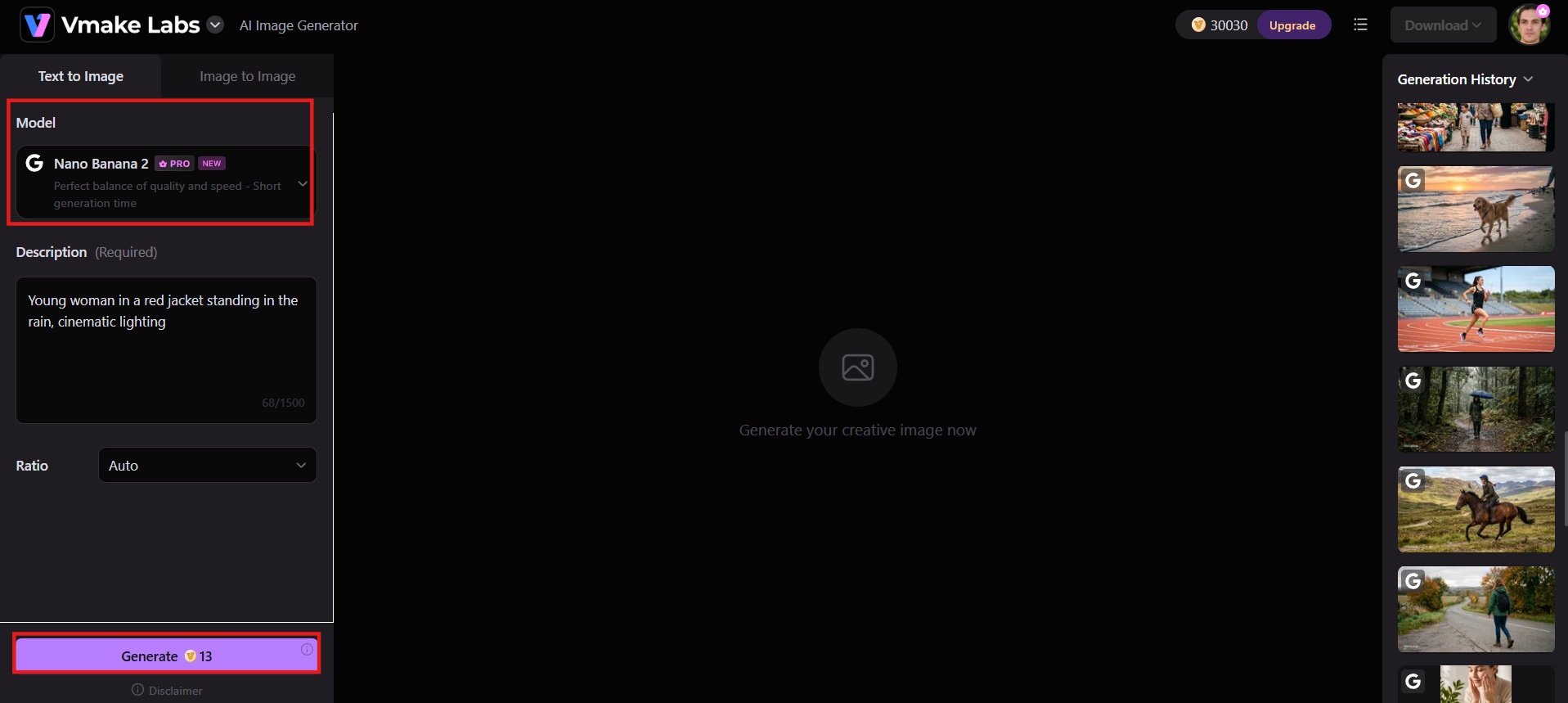
Step 1: Enter a text prompt or upload a reference image
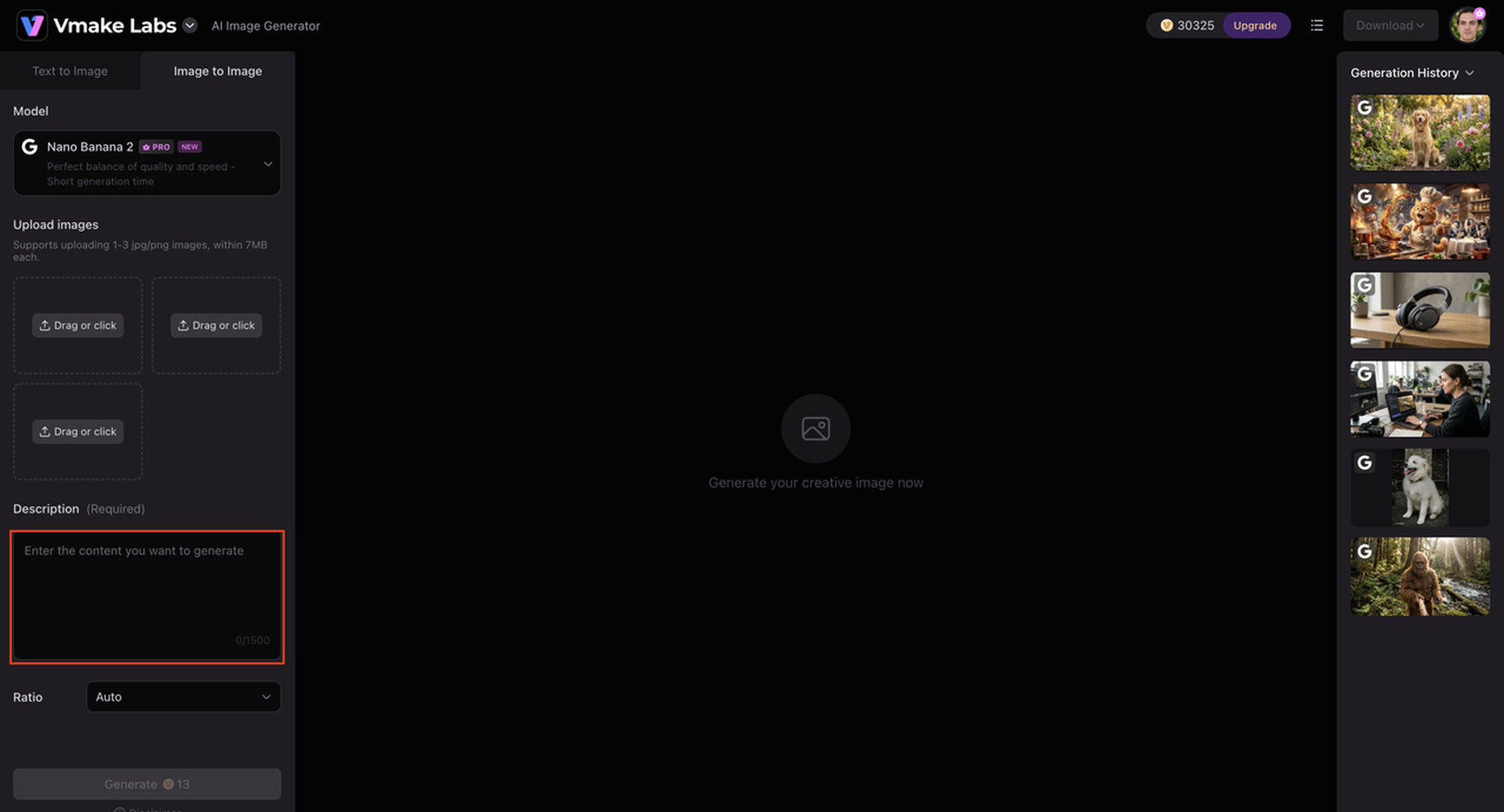
Head to the Vmake Labs AI Image Generator workspace. Enter your descriptive prompt in the text box, or drop in a reference image if you want to run an image-to-image transformation or generate product variations.
Step 2: Configure settings
Choose your preferred AI model (such as Nano Banana, Seedream, or GPT Image), select the aspect ratio, adjust style options, and fine-tune other generation settings to match your creative needs.
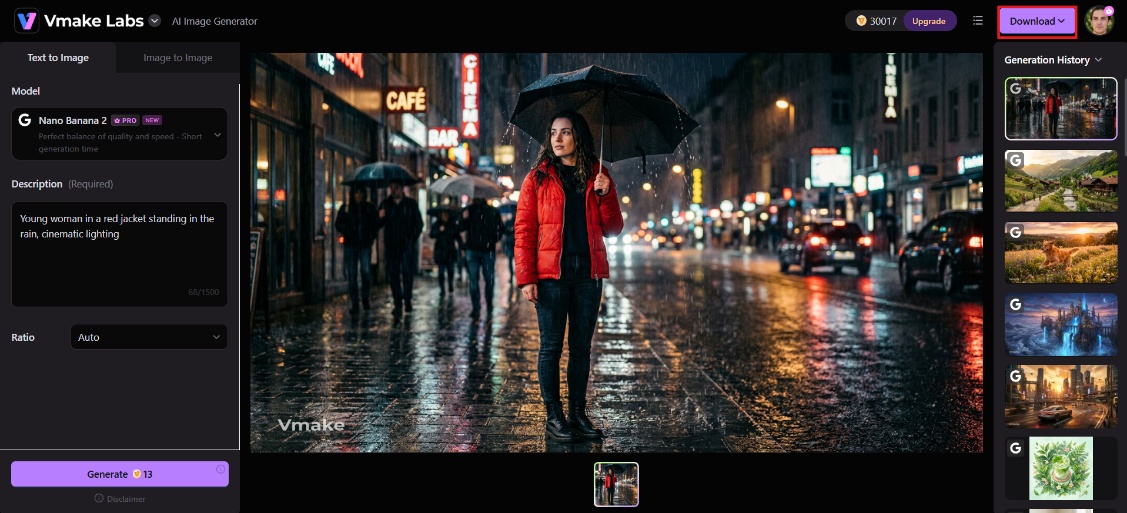
Step 3: Generate, preview, and download
Click Generate to let the cloud engine render your visuals. Preview the generated variations, try different variations if needed, and download your watermark-free, high-resolution outputs ready for use.
Why consider Vmake Labs AI image generator
-
Text-to-image & image-to-image generation: Turn simple text descriptions or existing photos into high-quality visuals in seconds. This dual approach helps users quickly create original concepts or restyle product shots and photos without needing advanced design skills or multiple tools.
-
Multiple AI models: Choose between models like Nano Banana, Seedream, and GPT Image based on the exact look you need. Switching models helps users achieve better realism, artistic styles, or consistency depending on whether they are creating marketing ads, product images, or creative artwork.
-
Reference image variations: Upload a single product or reference photo to quickly generate multiple restyled variations. This makes testing ad creatives, refreshing old visual content, and launching campaign variations fast and scalable.
-
Fast cloud-based image generation: Generate professional images directly in the browser with quick processing speeds. This helps users save time on tight deadlines, produce more content daily, and maintain a smooth creative workflow without downloading heavy software.
-
Built for real use cases: Suitable for social media, marketing, product visuals, and concept art, with e-commerce sellers and fashion brands as common users who need reliable, on-brand images without hiring outside help.
Fotor AI image generator vs. Vmake Labs AI image generator
We've covered both tools in detail, but seeing them side-by-side makes the differences easier to weigh. Here's how Fotor and Vmake Labs stack up across the areas that matter most.
|
Feature |
Fotor AI Image Generator |
Vmake Labs AI Image Generator |
|---|---|---|
|
Best for |
All-around creative work: art, branding, product visuals, storytelling |
E-commerce, marketing, and social content specifically |
|
AI models available |
Multiple (Nano Banana, FLUX, GPT Image, Seedream, Midjourney, and more) |
Multiple (Nano Banana, Seedream, GPT Image, FLUX Kontext Pro, Gemini 2.5 Flash Image, Imagen 4, SeedEdit 3.0, and Kling AI Image ) |
|
Text to image |
Yes |
Yes |
|
Image to image |
Yes, with reference photo and character/style consistency |
Yes, with style transformation from a base photo |
|
Editing tools |
100+ built-in tools (inpainting, upscaling, background remover, object removal) |
Limited (mainly generation + some enhancement) |
|
Style presets |
170+ presets, weekly updated |
Style guided through prompts and reference images, no large preset library |
|
Resolution |
Up to 4K native, upscalable to 8K/16K |
Standard resolution, platform doesn't emphasize ultra-high-res output |
|
Batch generation |
Up to 4 images per run, plus API for scale |
Multiple variations from one reference image |
|
Access |
Browser, Windows, Mac, iOS, Android |
Browser-based only |
|
Pricing |
Free tier plus Pro and Pro+ subscriptions |
Free credits to start, paid plans for more usage |
|
Use case fit |
Designers, marketers, and creators needing an all-in-one image workflow |
Store owners, social managers, and small teams needing fast product and marketing visuals without a design background |
Verdict: Which one should you choose?
-
Choose Fotor AI Image Generator if you want an all-in-one platform that combines AI image generation with a full suite of photo editing tools. It works well for beginners, casual creators, and users who prefer free credits, style presets, and the convenience of generating and refining images in the same browser workspace.
-
Choose Vmake Labs AI Image Generator if you need more creative flexibility, faster professional results, and stronger options for marketing visuals, product images, and reference-based variations. It is better suited for creators and businesses focused on high-quality, commercial-ready content with less friction from credits and watermarks.
Conclusion
Fotor AI Image Generator offers an approachable, feature-rich starting point for anyone who wants to combine basic text-to-image creation with a full suite of photo editing tools. However, its restrictive credit structure, watermarked free exports, and occasional rendering glitches can hold back more demanding projects.
If you need a more flexible workspace focused on production-ready marketing assets, fast rendering, and advanced retouching tools, Vmake Labs AI Image Generator provides the precision and freedom professional creators need.
Ready to elevate your visual content? Try Vmake Labs AI Image Generator for Free today and build high-converting visuals in seconds.
FAQs
Is Fotor AI image generator free to use?
Yes, Fotor offers a free Basic plan with limited credits for new users to test the tool. However, free exports come watermarked, and generation is capped at one image at a time, so heavier use requires upgrading to a paid plan.
Is Fotor AI image generator good for beginners?
Yes. Fotor features an intuitive, user-friendly dashboard with preset styles and prompt helpers that make generating AI artwork simple for beginners without prior editing experience.
Can I use Fotor's AI-generated images commercially?
Commercial usage rights typically depend on your plan tier, so it's worth checking Fotor's terms of service directly before using generated images in client or business work. Paid plans generally offer fewer restrictions than the free tier.
Can I edit an image after Fotor generates it?
Yes, Fotor's built-in editing workspace includes inpainting, a background remover, image upscaler, and an image extender, so you can refine a generated image without exporting it to a separate editor first.
Is there a better alternative to Fotor AI image generator?
Vmake Labs is a strong alternative for users who want more creative flexibility, faster professional output, and better options for marketing, product, and reference-based visuals with less credit friction.

You May Be Interested
Fotor AI Video Generator Review: Features, Pricing & Best Alternative
Fotor Photo Enhancer Review: Tested & Best Alternative
Best AI Video Generator: Top Tools Tested (2026)
Trump AI Video Generator: 3 Best Tools to Create AI Videos
ImgGen AI Image Upscaler Review: Features & Pricing in 2026
Picsart Image Enhancer Review 2026: Tested, Worth It?