Fotor Photo Enhancer Review: Tested, Pricing & Honest Verdict
Read our tested Fotor Photo Enhancer review with features, pricing, and real user feedback. Compare it with Vmake Labs AI Image Enhancer to find the right AI photo enhancement solution today.

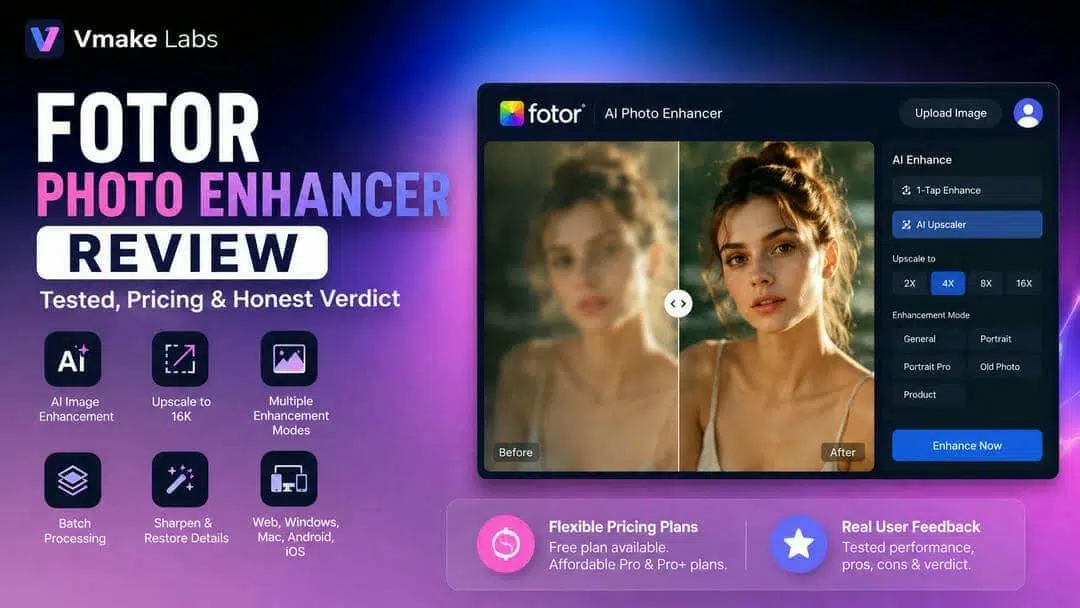
With so many AI photo enhancement tools available, choosing the right one can be challenging. This review takes a closer look at Fotor Photo Enhancer, highlighting its usability, overall value, and where it stands among today's popular AI image enhancement solutions.
What Is Fotor Photo Enhancer?
Fotor Photo Enhancer is an AI-powered tool that helps you effortlessly enhance the quality of your images. It can automatically clear blurry photos, improve low-quality images, reduce noise, and fix old photos. Beyond AI enhancement, Fotor provides a suite of editing tools and is accessible across various platforms, making it a handy option for everyday photo edits.
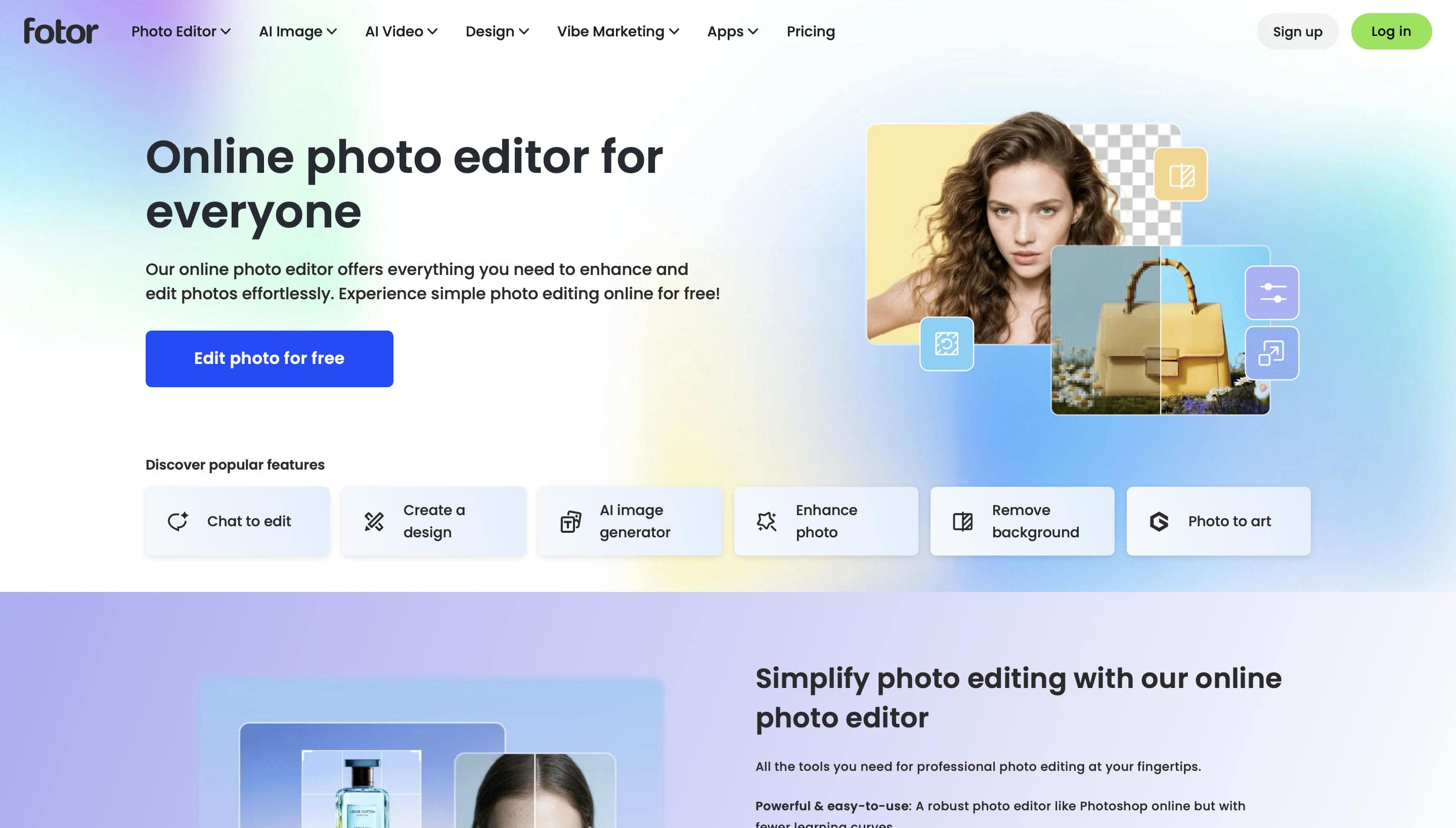
AI-Powered Photo Enhancement
Fotor Photo Enhancer is an AI-based tool that automatically improves your image quality within a few clicks. It makes your photo better by sharpening blurry details, suppressing noise, enlarging low-resolution photos, restoring old photos, and improving colours without manual editing.
Key Features
Aside from AI photo enhancement, Fotor offers background removal, portrait retouching, object removal, image upscaling, and basic photo editing tools. These features make it ideal for improving portraits, product shots, social media photos, and everyday photos from a single platform.
Testing observation: During our hands-on testing, portraits showed noticeably sharper facial details and clearer textures after AI enhancement. Product images also benefited from improved edge definition, making text and objects appear more distinct. While the tool handled moderately blurry and low-resolution images well, heavily compressed images still retained some visible compression artefacts after processing.
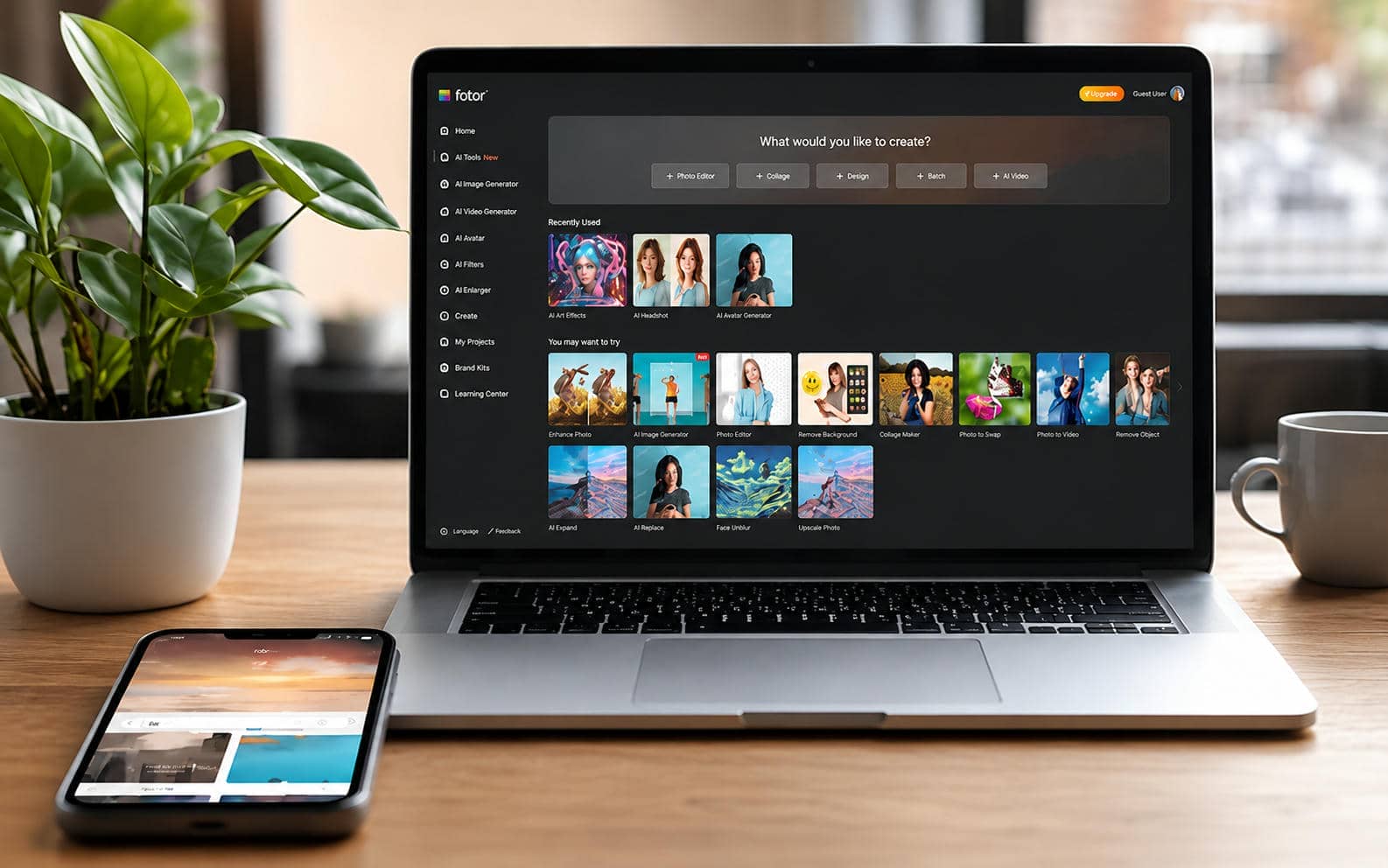
Platform Availability
Fotor is available on web browsers, Windows, macOS, Android, and iOS, allowing users to edit and enhance photos across multiple devices. Its intuitive interface makes it accessible for beginners while providing enough AI-powered tools for content creators, marketers, and photographers.
Guide to Fotor Photo Enhancer
We tested Fotor Photo Enhancer with portraits, product photos, landscapes and low-resolution pictures. In real-world testing, we concentrated on image quality, AI enhancement accuracy, processing speed, ease of use and overall editing experience.
How to Use Fotor Photo Enhancer
Step 1. Upload Your Image
Open Fotor Photo Enhancer and select Upload Image to choose the image you want to enhance. It supports JPG, JPEG, PNG, HEIF, HEIC, and WEBP formats, so it's easy to upload images directly from your device.
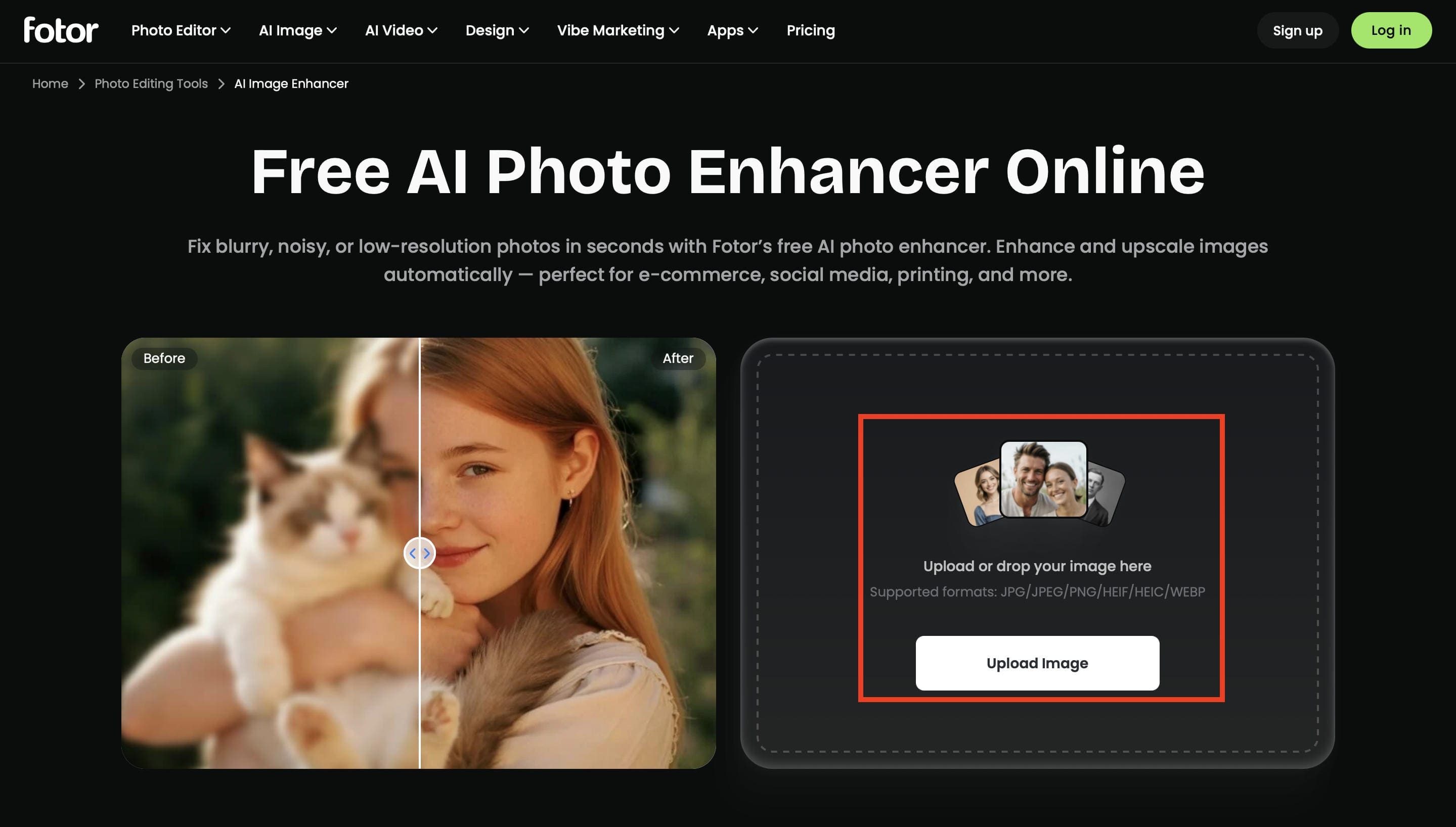
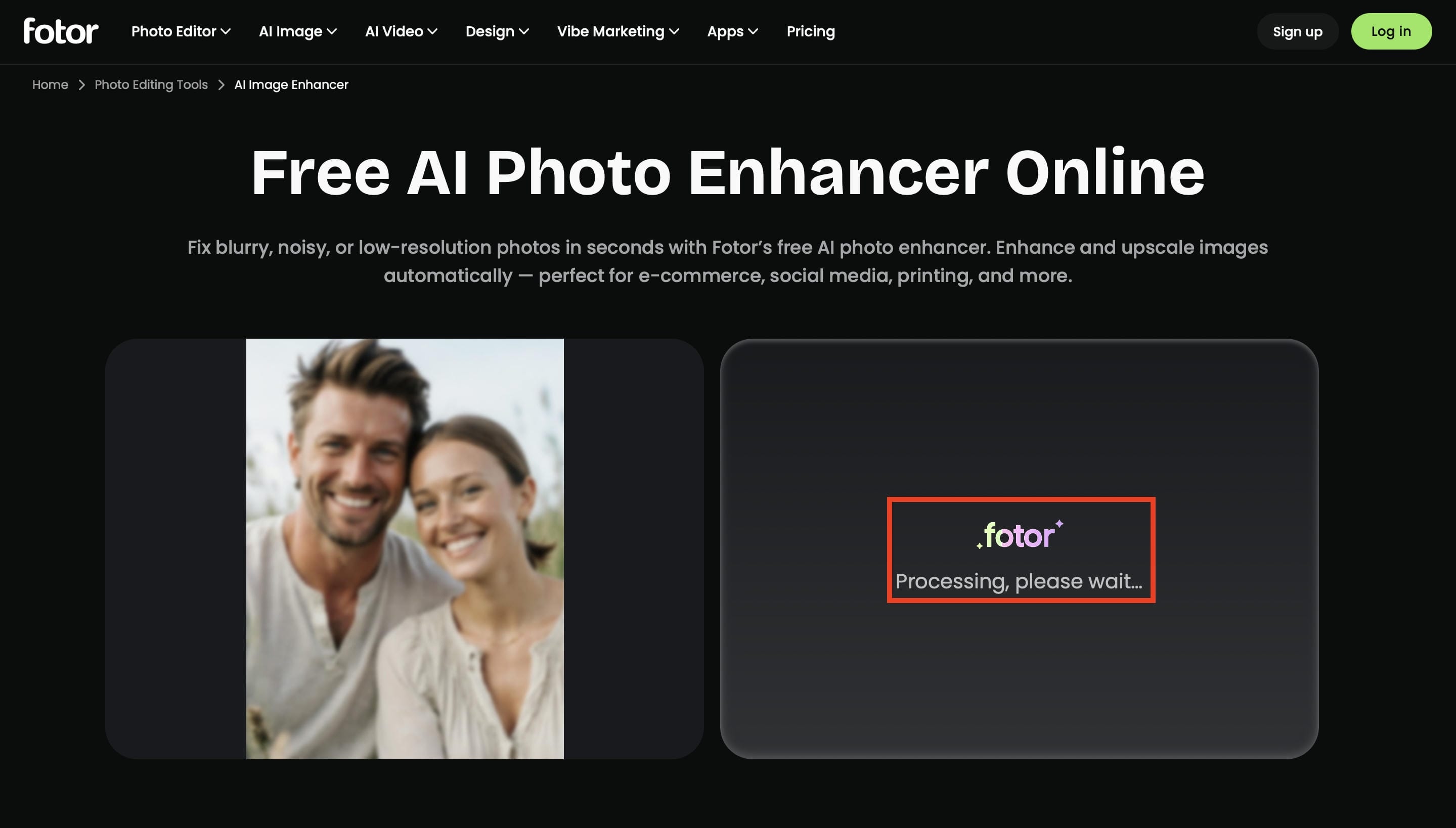
Step 2. Let AI Enhance the Image
Once your image is uploaded, Fotor automatically starts processing it using AI. During this step, the AI analyzes the photo, improves sharpness, reduces blur, and enhances overall image quality in just a few seconds.
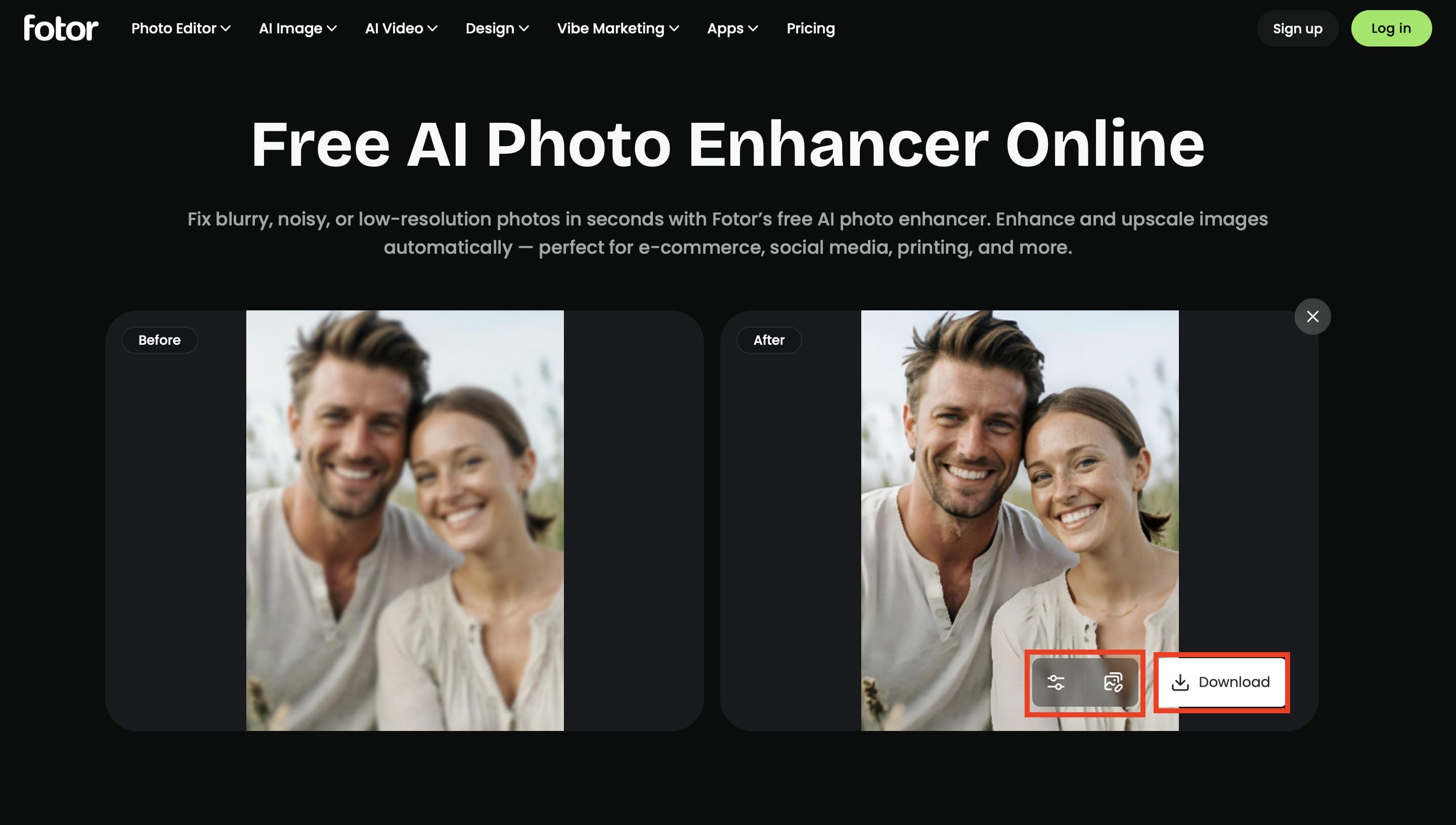
Step 3. Preview and Download the Enhanced Image
Compare the enhanced image with the original to review the improvements in clarity and detail. If you're satisfied with the result, click Download to save the high-quality image or continue editing using Fotor's built-in photo editing tools.
Fotor Photo Enhancer Pricing & Pros and Cons
Before you decide to try Fotor Photo Enhancer, it's worth understanding what each pricing plan entails and how the tool works in everyday use. We tried it ourselves to see its strengths and weaknesses, and also compared its subscription options. We looked at feedback from real users to provide a balanced view of the overall experience.
Fotor Photo Enhancer Pricing
|
Plan |
Price (Monthly Billing) |
Best For |
Key Features |
|---|---|---|---|
|
Basic |
$0 |
Beginners |
Limited AI credits, basic editing tools, templates & collage, 512MB cloud storage, watermarked exports |
|
Pro |
$10.99/month |
Casual creators |
100 AI credits/month, 100+ editing tools, HD downloads, premium templates, 2GB cloud storage |
|
Pro+ |
$23.99/month |
Frequent creators |
300 AI credits/month, batch editing, AI slides, brand kits, 100GB cloud storage |
|
Max |
$49.99/month |
Professionals |
1,000 AI credits/month, 50 concurrent generations, priority AI access, 500GB cloud storage, premium AI features |
Pricing analysis: The Pro plan offers the best value for most users, balancing AI credits, HD downloads, and premium editing tools. The Basic plan is suitable for trying the platform but comes with limited AI credits, watermarked exports, and usage restrictions. Pro+ and Max are better suited for frequent creators and professionals who need batch editing, higher AI limits, and more cloud storage. Upgrading makes sense if you regularly enhance images or need advanced AI features and high-resolution exports.
Fotor Photo Enhancer Pros & Cons
|
Pros |
Cons |
|---|---|
|
Easy-to-use interface with no editing experience required |
Heavily blurred or damaged photos still lose fine details |
|
Produces natural-looking improvements on portraits and product images |
AI enhancement quality depends on the original image quality |
|
Fast AI processing with results generated in a few seconds |
Some AI tools and high-resolution downloads require a paid plan |
|
Available on web, desktop, and mobile for flexible editing |
Free plan includes limited AI credits and daily usage restrictions |
To better understand how Fotor Photo Enhancer performs beyond our own testing, we also looked at user feedback from popular online communities and review platforms. While individual experiences vary, these reviews provide useful insights into the tool's ease of use, AI enhancement quality, and customer support.
Real feedback from forums
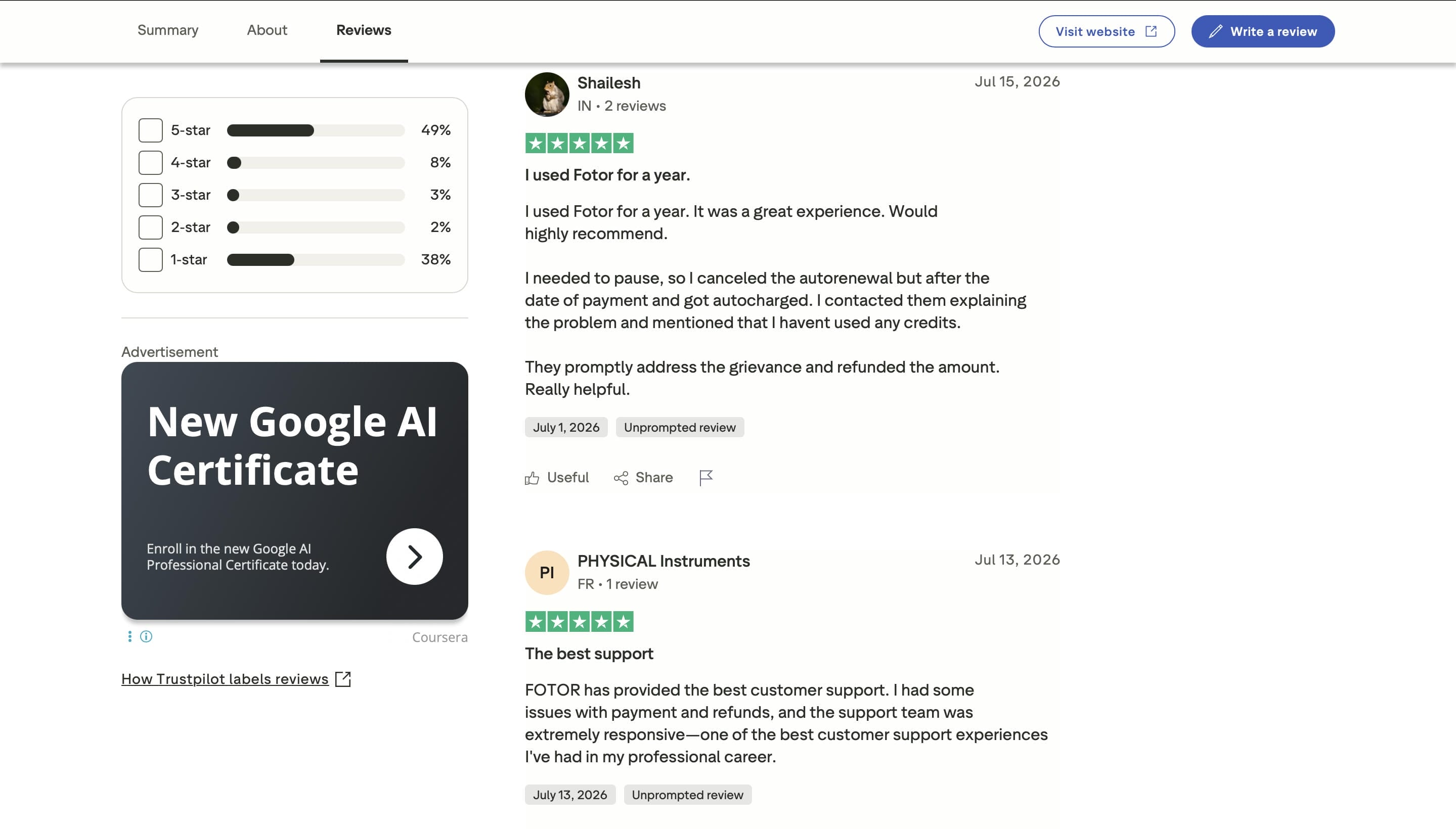
Trustpilot
Fotor Photo Enhancer Reviews on Trustpilot: Mixed but generally positive experiences. Many users love its user-friendly interface, AI editing features, and fast customer support, especially for resolving billing or subscription issues. Some reviewers, however, mention subscription management issues and advise to review the pricing terms before upgrading.
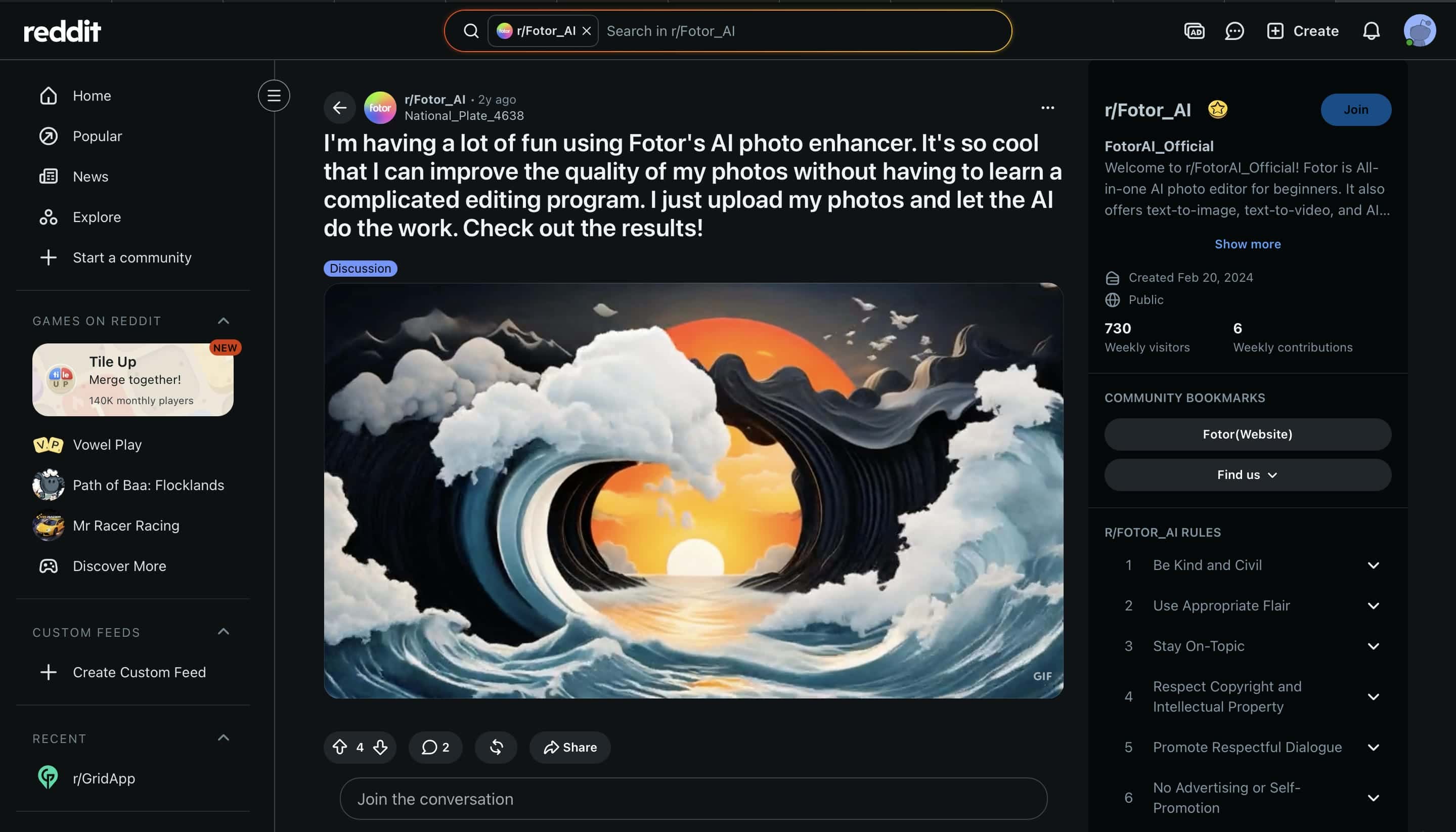
Reddit users say Fotor Photo Enhancer is an easy-to-use AI photo editing tool for beginners that can make fast and noticeable improvements without needing to know how to edit photos at an expert level. Many like the straightforward upload and enhance process, though some users note that the quality of the output really does depend on the original image and which AI feature is being used.
Editorial review
While Fotor is a fantastic, beginner-friendly starting point for quick fixes, the community feedback highlights a clear ceiling: if your original photo is heavily compressed or severely blurred, Fotor's one-click AI can only take it so far. For creators and e-commerce professionals who need deeper, more specialized restoration that won't give up on fine details, it's worth stepping up to a dedicated alternative. That's exactly where Vmake Labs AI Image Enhancer comes into play. Let's come close to this robust approach to complex image upscaling and professional media control.
Introducing Vmake Labs AI Image Enhancer: A Powerful Alternative to Fotor
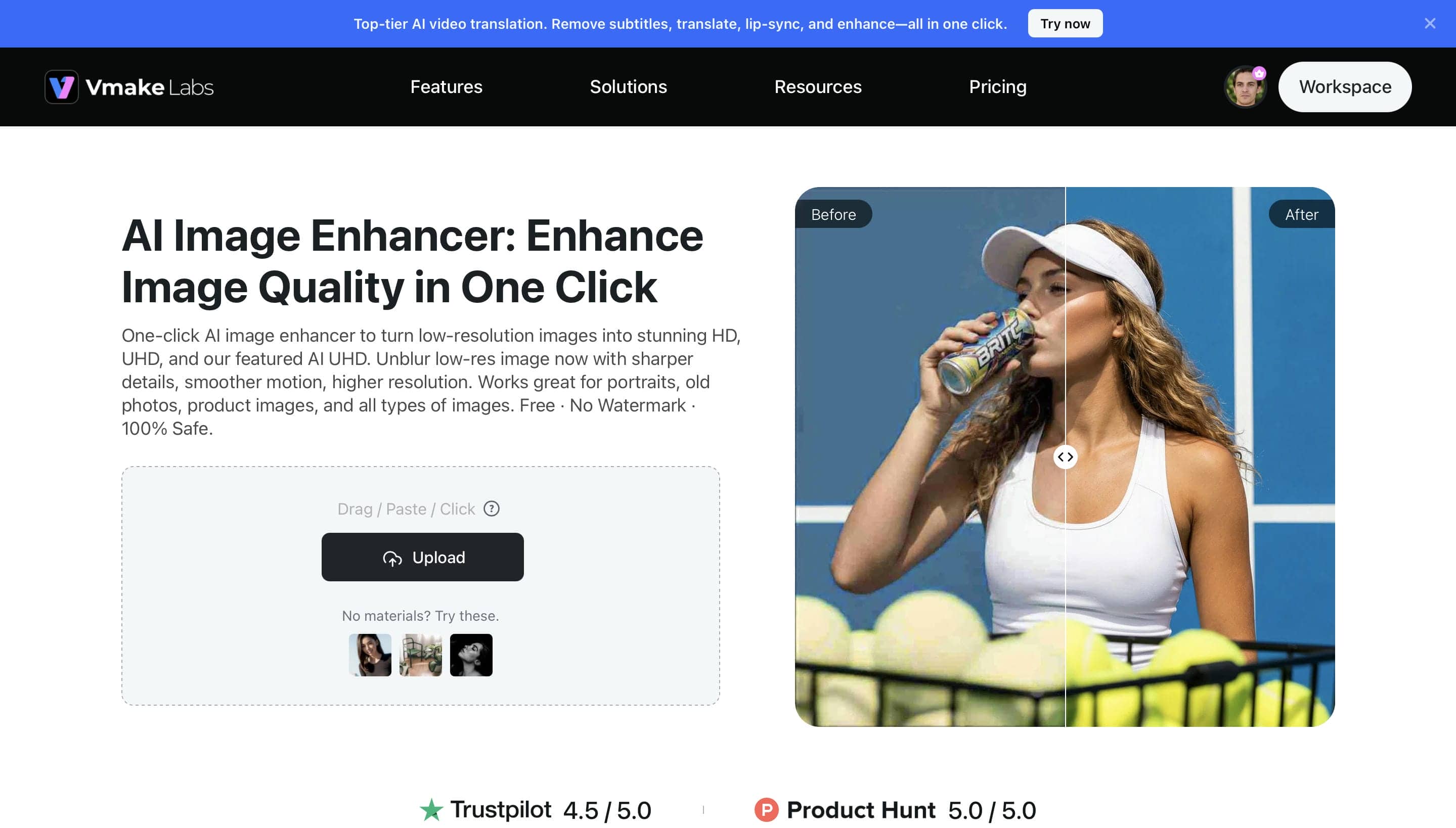
Vmake Labs AI Image Enhancer is a good alternative to Fotor for more advanced AI image enhancement. It combines one-click AI enhancement and high-resolution upscaling and makes it easy to improve blurry and low-quality images in seconds. Vmake provides a simple and yet powerful workflow for beginners and professionals alike, with dedicated enhancement modes for portraits, old photos, and product images.
How to Enhance Images with Vmake Labs AI Image Enhancer
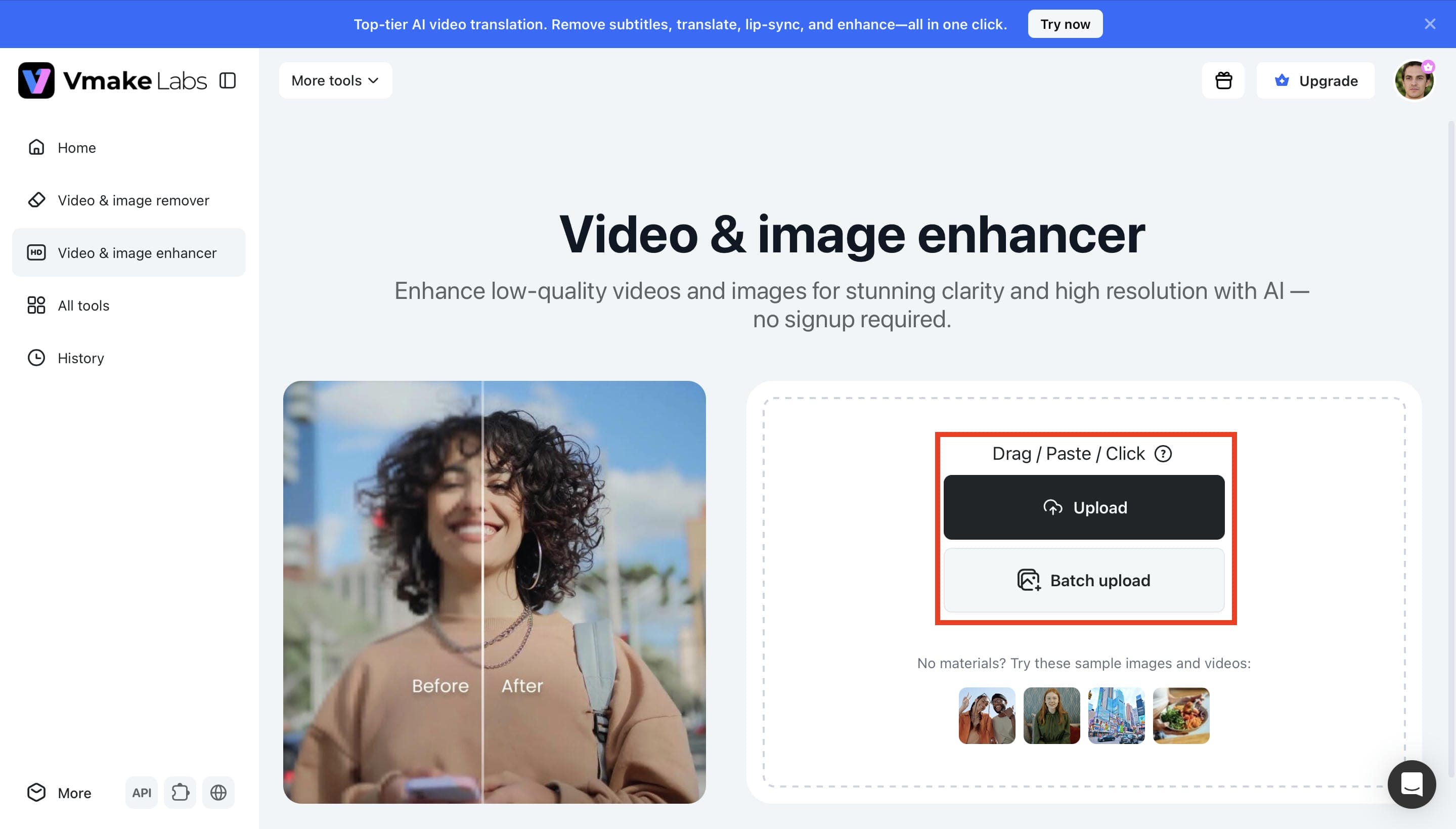
Step 1. Upload Your Image
Click Upload to upload your image, or drag and drop the file, or paste it right into the workspace. Vmake Labs also supports batch uploads of up to 30 images, and accepts YouTube, TikTok and Facebook links for supported enhancement workflows.
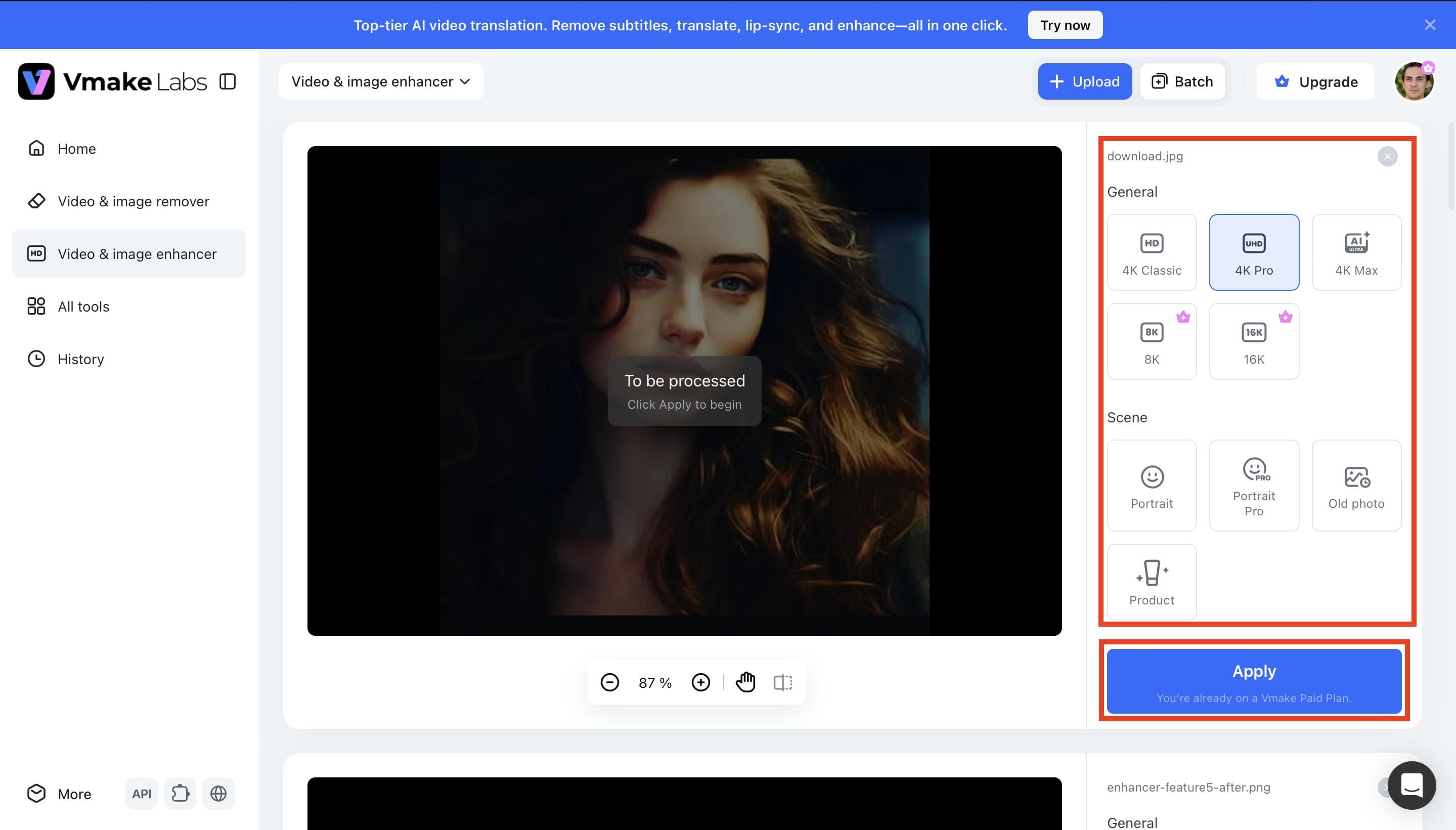
Step 2. Choose an AI Enhancement Mode
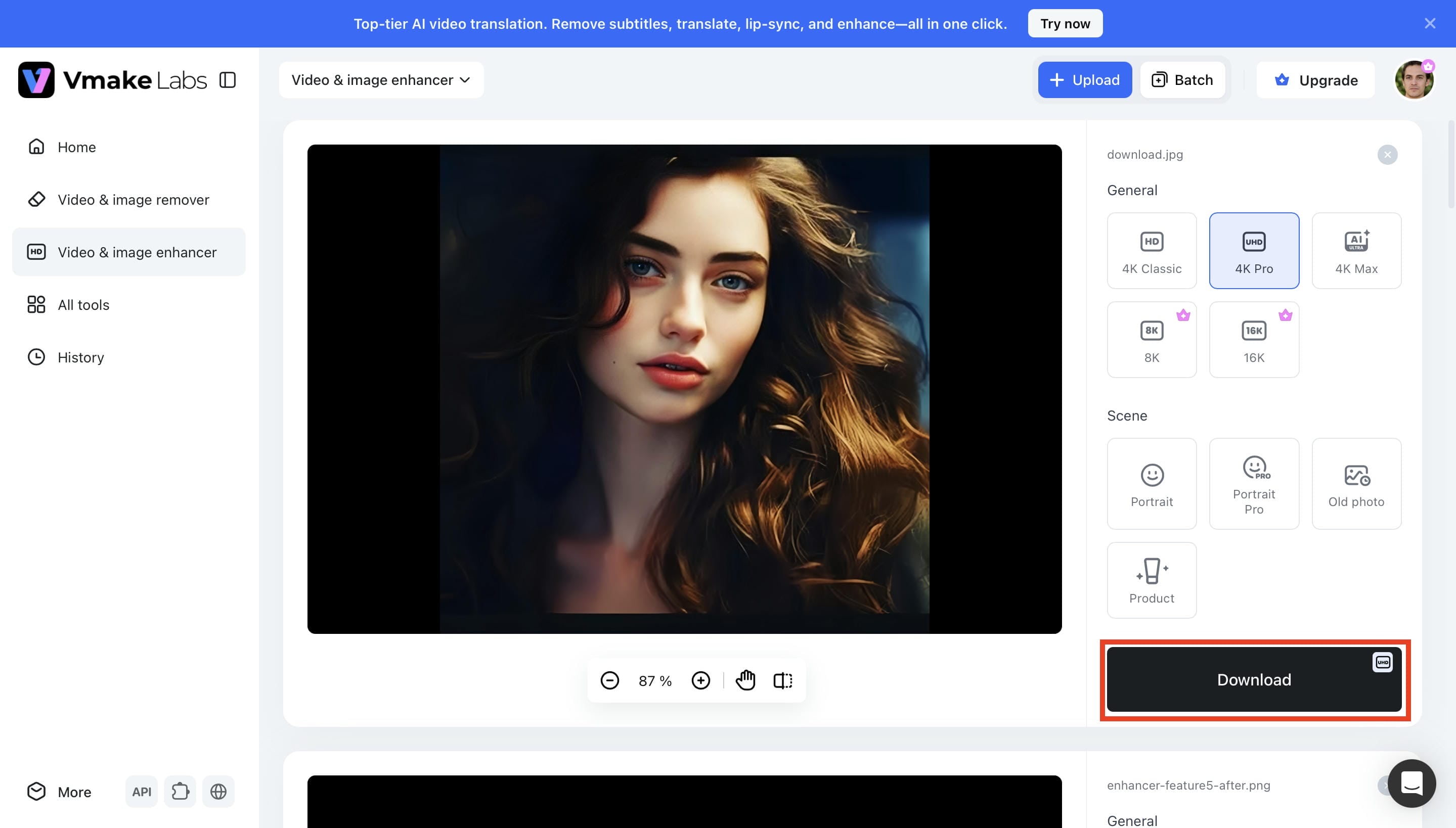
Choose an enhancement mode like 4K Pro, Portrait, Old Photo or Product and click Apply. The AI will automatically process your image and will generate a preview. If the result is not satisfying, change the enhancement mode and process the image again.
Step 3. Preview and Download the Enhanced Image
Preview the enhanced image to compare improvements in sharpness, clarity, and overall image quality. Once you're happy with the result, click Download to save the enhanced image. The streamlined workflow makes it easy to enhance both single images and batch uploads.
Why Choose Vmake Labs AI Image Enhancer?
Vmake Labs AI Image Enhancer combines advanced AI restoration with a simple workflow, making it easy to improve image quality for personal and professional projects.
-
Advanced AI Image Restoration: Restore fine details, reduce blur, and improve overall image quality to create sharper, more natural-looking photos with minimal manual editing.
-
Specialised Enhancement Modes: Choose dedicated modes for portraits, old photos, and product images to achieve more accurate results without adjusting complex settings.
-
High-Resolution AI Upscaling: Enhance images up to HD, UHD, AI UHD, 8K, or 16K, making them suitable for social media, e-commerce listings, marketing materials, and high-quality printing.
-
Efficient Batch Processing: Process up to 30 images simultaneously, helping photographers, online sellers, and marketers save time while maintaining consistent image quality across large projects.
-
Simple One-Click Workflow: Upload your image, select an enhancement mode, and let AI handle the rest, making professional-quality enhancements accessible even for beginners.
-
Browser-Based Editing: Enhance images directly from your browser without installing software, allowing you to work quickly from virtually any device.
-
Broad File Support: Upload common image formats such as JPG, JPEG, and PNG up to 20MB, making it easy to enhance photos from different cameras, smartphones, and editing workflows.
Fotor Photo Enhancer vs. Vmake Labs AI Image Enhancer
Both Fotor Photo Enhancer and Vmake Labs AI Image Enhancer use AI to improve image quality, but they cater to different editing needs. Fotor combines AI enhancement with a broad range of photo editing tools, while Vmake Labs focuses on advanced AI enhancement, restoration, and high-resolution upscaling. The comparison below highlights the key differences to help you choose the right tool.
|
Feature |
Fotor Photo Enhancer |
Vmake Labs AI Image Enhancer |
|---|---|---|
|
AI Enhancement Technology |
AI-powered image enhancement |
Self-developed AI restoration model with AI image enhancement |
|
Upscaling Options |
AI image upscaling |
HD, UHD, AI UHD, 8K & 16K upscaling |
|
Enhancement Modes |
General AI enhancement |
Portrait, Portrait Pro, Old Photo, and Product modes |
|
Detail Recovery |
AI detail enhancement |
AI-powered detail recovery and restoration |
|
Blur & Artifact Removal |
AI image sharpening and unblur |
AI blur reduction with restoration designed to minimize common AI artifacts |
|
Batch Processing |
Supported |
Batch enhancement for up to 30 images |
|
Supported Formats |
JPG, PNG, and common image formats |
JPG, JPEG, PNG, WEBP, BMP |
|
Free Plan |
Available with limitations |
Available with limitations |
Which Tool Should You Choose?
Both tools can enhance image quality with AI, but they are designed for different types of users. If you want a complete photo editing platform, Fotor is a better fit. If your priority is high-quality AI enhancement, restoration, and upscaling, Vmake Labs AI Image Enhancer offers more specialized features.
|
Fotor Photo Enhancer Is Best For |
Vmake Labs AI Image Enhancer Is Best For |
|---|---|
|
Users who need an all-in-one photo editor. |
Users who want a dedicated AI image enhancement tool. |
|
Users who prefer built-in editing features. |
Users who need high-resolution AI upscaling. |
|
Users who edit images occasionally. |
Users who enhance multiple images with batch processing. |
|
Users who want general AI photo editing. |
Users who work with portraits, old photos, or product images. |
|
Users who prefer a photo editor with creative tools. |
Social media marketers, photographers, designers, and e-commerce businesses that need professional AI image enhancement and batch processing. |
Conclusion
Fotor Photo Enhancer is a reliable AI tool that boosts photo quality with little to no effort. Its intuitive workflow makes it a great tool for unblur image photos, upscaling low-resolution images and enhancing portraits, product photos and everyday pictures. A good one for newbies and content creators, but the free plan is a bit limited and advanced features require a subscription. If you're looking for one-click AI enhancement, specific restoration modes, AI UHD upscaling, and batch processing of up to 30 images, Vmake Labs AI Image Enhancer is a good alternative.
FAQs
-
What image formats does Fotor Photo Enhancer support?
Fotor Photo Enhancer accepts popular image formats for uploading: JPG, JPEG, PNG, HEIF, HEIC and WEBP. Images can be downloaded in common formats, making the tool suitable for personal, professional and social media projects.
-
Can Fotor Photo Enhancer enhance blurry photos?
Yes. Fotor has an AI-driven auto blur image sharpener, noise reducer, and clarity enhancer. It works best on slightly blurred or low-resolution photos, but even severely blurred or heavily damaged images can have some detail after enhancement.
-
Is Fotor Photo Enhancer available on mobile devices?
Yes. Fotor Photo Enhancer is available on web browsers, Windows, macOS, Android, and iOS. This allows users to enhance and edit photos across desktops and mobile devices using the same AI-powered editing tools.
-
Does Fotor Photo Enhancer require an internet connection?
Yes. Fotor's AI enhancement features are cloud-based, so an internet connection is required to upload images and process AI enhancements. This also ensures users can access the latest AI models and features.
-
Who should use Fotor Photo Enhancer?
Fotor Photo Enhancer is perfect for beginners, content creators, social media users, online sellers, and photographers who are looking for an easy way to enhance image quality. If you're looking for a more sophisticated AI enhancer, a higher resolution upscaling and specific modes for portraits, old photos or product images, Vmake Labs AI Image Enhancer is also worth a look.

You May Be Interested
2026 Topaz Labs Video Enhancer: Hands-On Review

Best AI Image Enhancer in 2026: Top Tools to Upscale and Fix Blurry Images
Best AI Photo Enhancer Tools in 2026 (Free & Online): Improve Image Quality Instantly
2026 Fotor Video Enhancer Review: Features and Top Alternatives
Top Paid AI Video Enhancers: Detailed Comparison for 2025