Fliki AI Video Generator Review: Is It Worth Using in 2026?
Discover our Fliki AI video generator review. Explore its features, pricing, pros and cons, and performance. See why creators use Fliki and how it compares with powerful alternatives like Vmake.

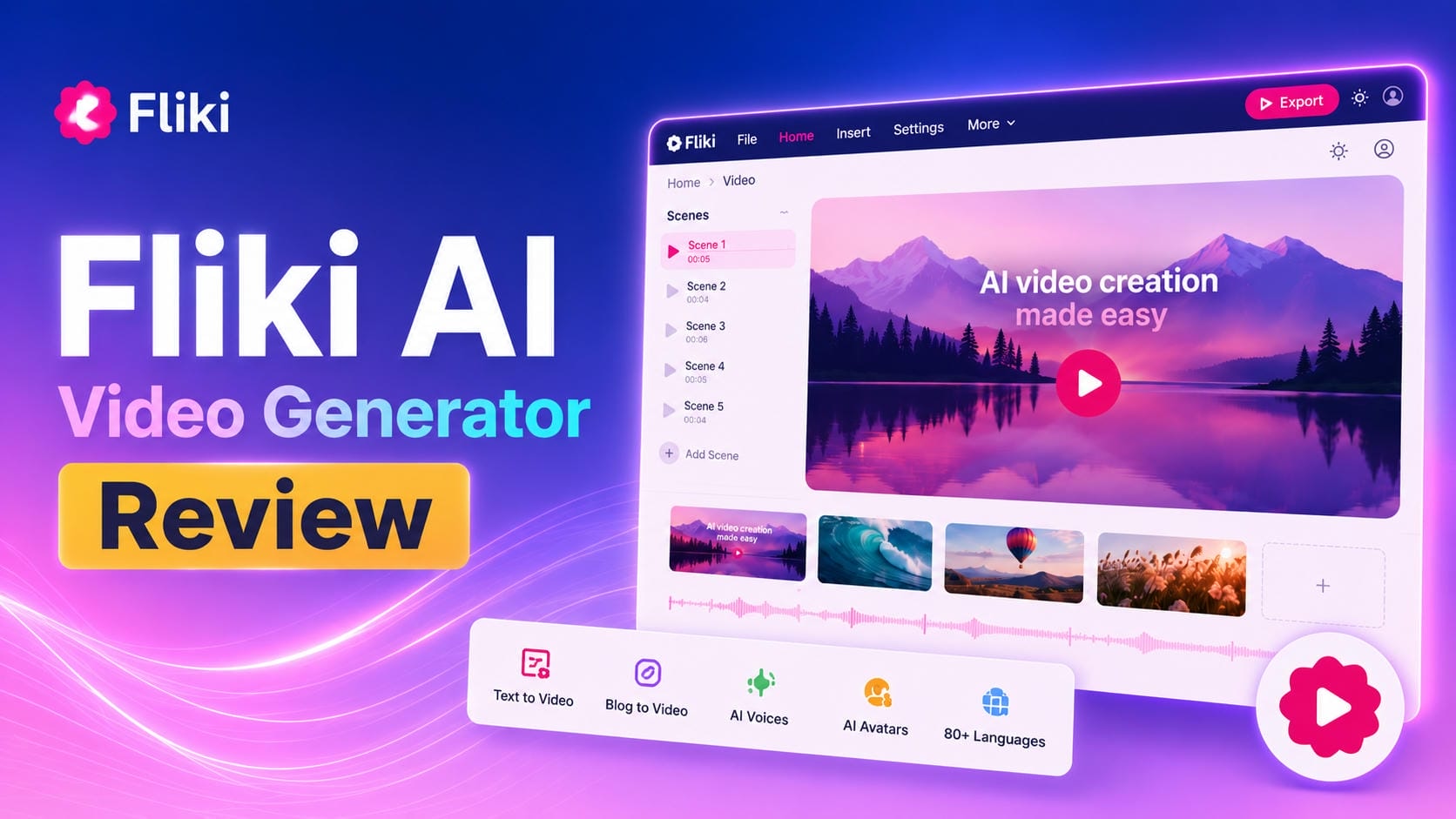
Fliki AI is an easy-to-use text-to-video tool for generating high-quality videos from text, blogs, and scripts with AI voices, stock media, and avatars. It continues to gain traction with creators looking to produce quick, professional content without complex editing skills, especially in 2026. In this Fliki AI video generator review, we cover its features, pricing, user reviews, and how it stacks up against a powerful alternative, Vmake AI. From generating social media content to creating explainer videos, Fliki is known for its speed and usability, though it lacks fine control over creativity.
What is Fliki AI video generator?
Fliki AI is an AI-powered, user-friendly text-to-video tool. It can turn blog articles, scripts, ideas, URLs, or prompts into full, professional-looking videos in just a few minutes. The software integrates realistic AI voiceovers (2000+ voices, 80+ languages), vast media stock libraries, AI avatars, auto-captions, and several cutting-edge video generation models into one space. No camera or editing skills are required.
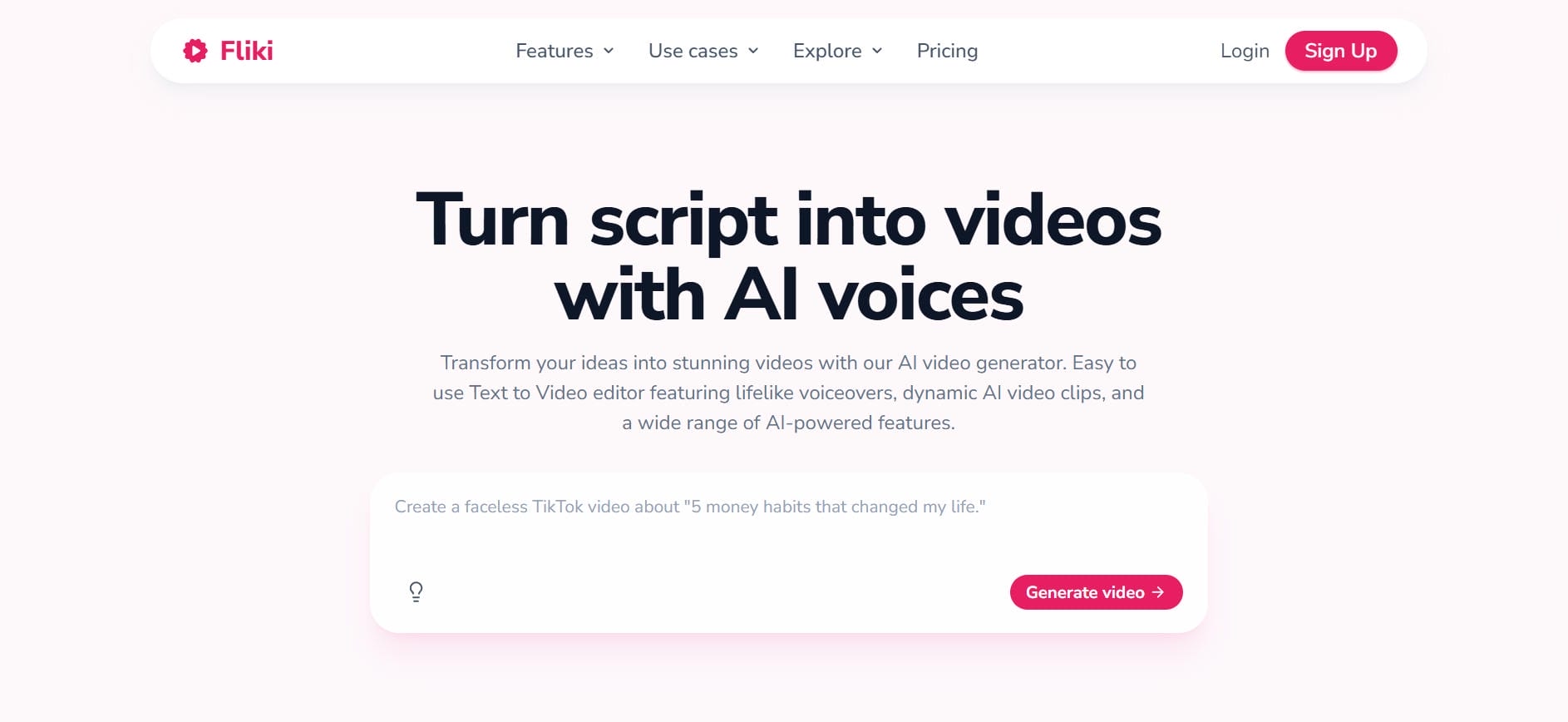
Key features of Fliki AI video generator
-
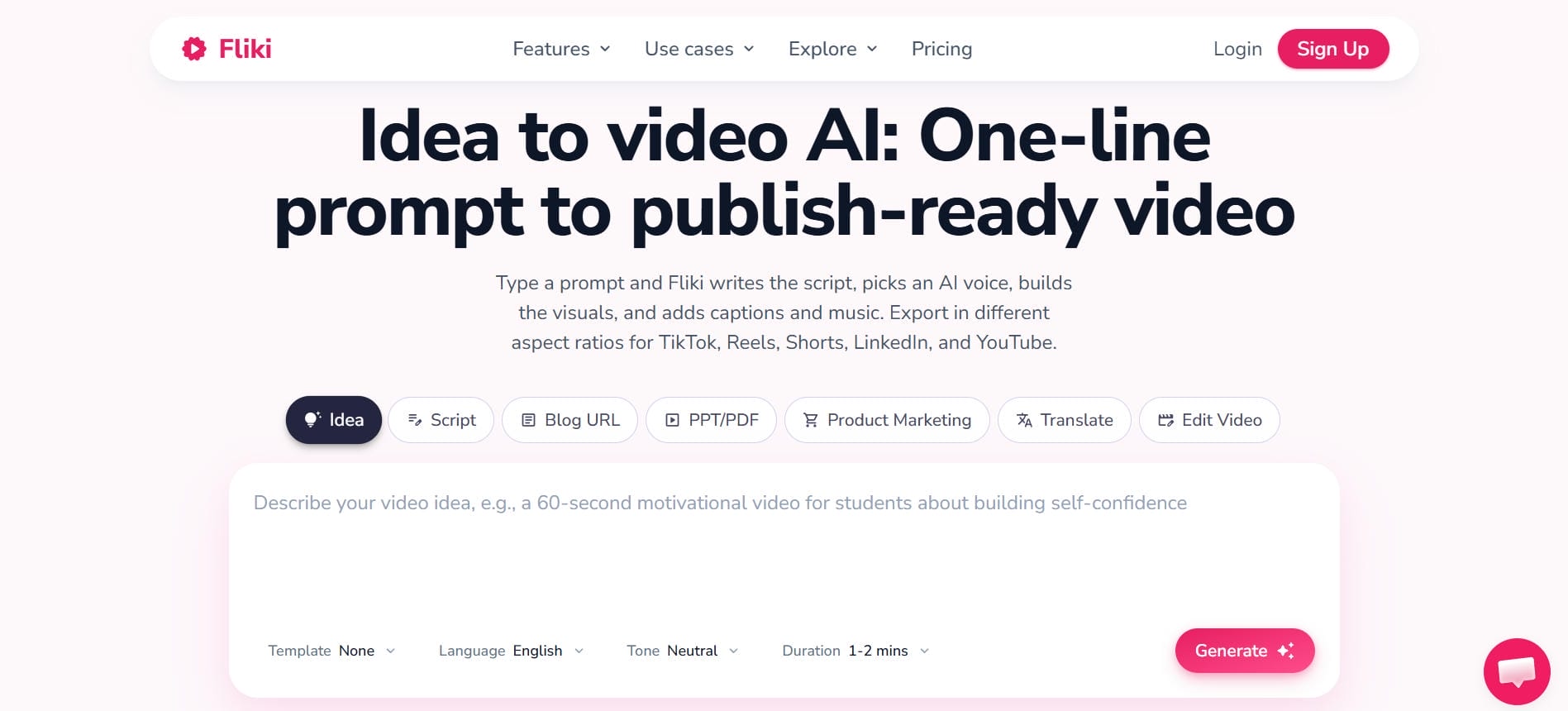
Text-to-video & Idea-to-video: Transform any text prompt, script, or creative idea into a full video in minutes. Fliki's AI intelligently generates appropriate visuals, inserts voiceovers, and edits a professional video with smooth transitions and scene matching.
-
Text-to-speech & voiceover: Fliki offers a library of over 2,000 AI voices spanning 80+ languages and 100+ regional dialects. Voice options range from standard narration to ultra-realistic styles comparable to leading dedicated voice platforms.
-
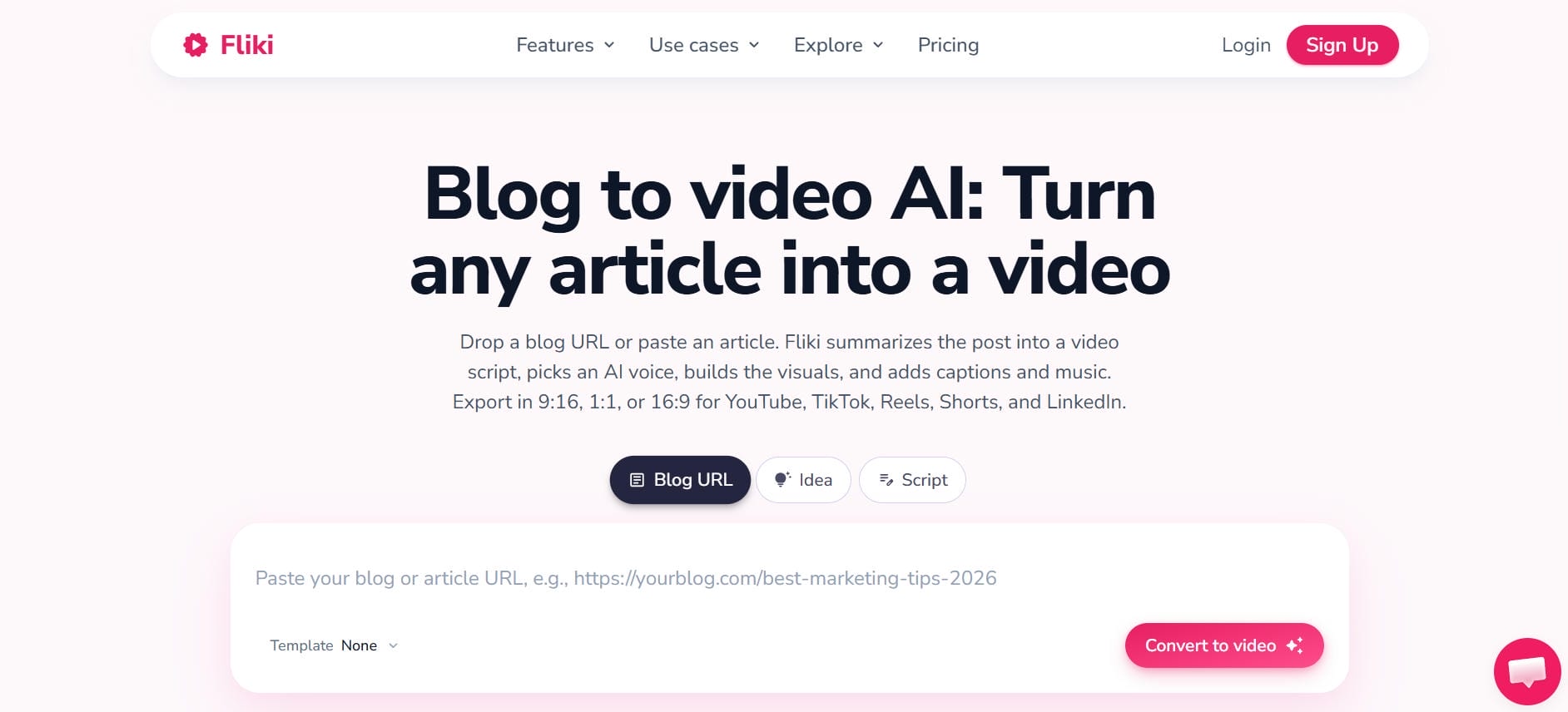
URL/Blog-to-video: Automatically convert entire blog posts or any webpage URL to an exciting video within minutes! Just drop in a URL, and Fliki extracts the main content, generates a script and relevant visuals, and creates a ready-to-use narrated video for YouTube and social media.
-
Rich media library: The platform gives you access to a massive library of 10M+ licensed stock images, video clips, and background music. Fliki's AI matches the best visuals to your script, so your videos are engaging and safe from copyright issues.
-
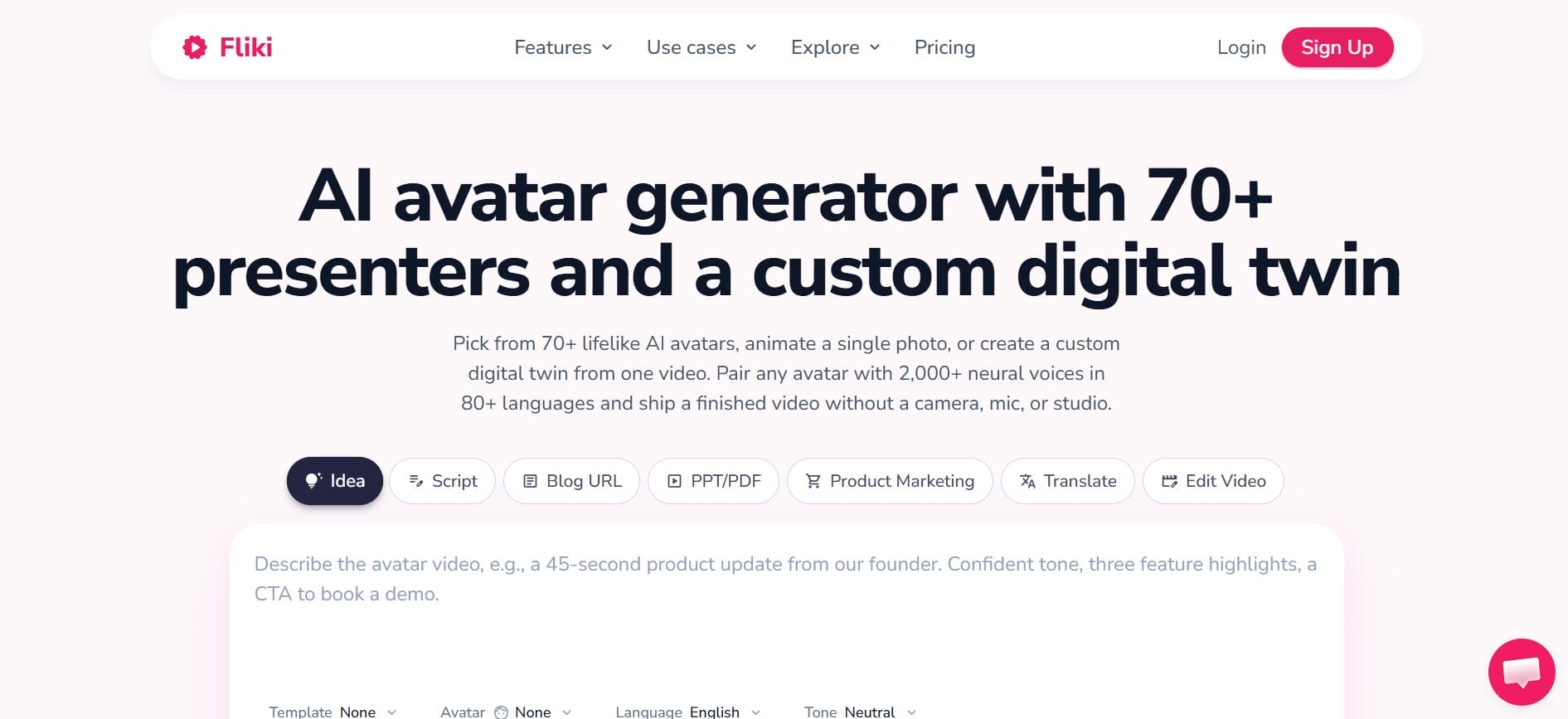
AI avatars: Add realistic talking AI avatars to your videos. Choose from a diverse collection of 70+ professional presenters who can speak directly to the camera, making your content more personal, trustworthy, and engaging.
-
Auto subtitles & captions: Automatically generate perfectly timed subtitles and captions for your videos. Customize font, color, position, and animation styles to improve accessibility, viewer retention, and performance on social platforms.
Fliki AI video generator pricing plans (2026)
Fliki operates on a tiered subscription model with options ranging from a free entry point to a feature-rich premium tier.
|
Plan |
Price (Yearly) |
Credits |
AI Voices |
Video Length |
Resolution |
Key Features |
|---|---|---|---|---|---|---|
|
Free |
$0 |
3 credits/month |
300 voices, 80+ languages |
Limited |
720p HD |
Text-to-video, AI image generation, stock assets, social carousel creation, Fliki watermark |
|
Basic |
~$7/month |
720 credits/year |
1,000 voices including 200 ultra-realistic voices |
Up to 5 minutes |
1080p Full HD |
Premium stock media, commercial rights, blog-to-video, scripts-to-video, all Free plan features |
|
Standard |
~$22/month |
2,160 credits/year |
1,000 voices including 500 ultra-realistic voices |
Up to 15 minutes |
1080p Full HD |
Voice cloning, YouTube publishing, AI Playground, Make & Zapier integrations, content translation to 80+ languages, limited AI avatars |
|
Premium |
~$70/month |
7,200 credits/year |
2,000+ voices including 1,000+ ultra-realistic voices |
Up to 40 minutes |
1080p Full HD |
Multiple voice clones, AI video clips, custom AI avatars, photo avatars, multiple brand kits, custom fonts, priority support |
Fliki ai video generator review: Pros and cons
Fliki stands out for its speed, realistic AI voices, and content repurposing tools. However, like most AI video platforms, it has a few limitations worth considering before subscribing.
|
Pros |
Cons |
|---|---|
|
Extremely fast production: Generates complete, scene-by-scene video drafts from raw text scripts within minutes. |
Heavily restricted free plan: Exports are limited to 5 minutes per month, capped at 720p, and include a mandatory Fliki watermark. |
|
Natural-sounding AI voices: Features high-quality speech models that accurately mimic realistic human inflections. |
Occasional visual mismatches: The automated asset finder sometimes picks irrelevant stock footage for highly technical or niche topics. |
|
Vast multilingual support: With support for 80 or more languages and over 100 regional dialects, Fliki is one of the most internationally capable tools in its class. |
Lacking avatar realism: The physical expressions and lip-syncing of digital AI presenters fall behind specialized talking-head tools. |
|
Beginner-friendly layout: Uses a clean, document-style text interface that completely eliminates the learning curve of a timeline editor. |
Limited advanced editing: You cannot create custom motion graphics, build complex visual layers, or manually adjust frame timings. |
|
Multi-platform optimization: Instantly switches project aspect ratios to fit vertical formats like TikTok and Reels or horizontal YouTube layouts. |
Rendering queues: Heavy server loads during high-traffic operational hours can occasionally delay your final video exports. |
|
Massive stock library: Includes built-in access to over 10 million licensed media assets, saving you the hassle of external sourcing. |
Premium tier locking: Crucial production tools like 4K rendering, voice cloning, and top-tier AI voice profiles are gated behind the most expensive plan. |
What users are saying about Fliki AI video generator
G2
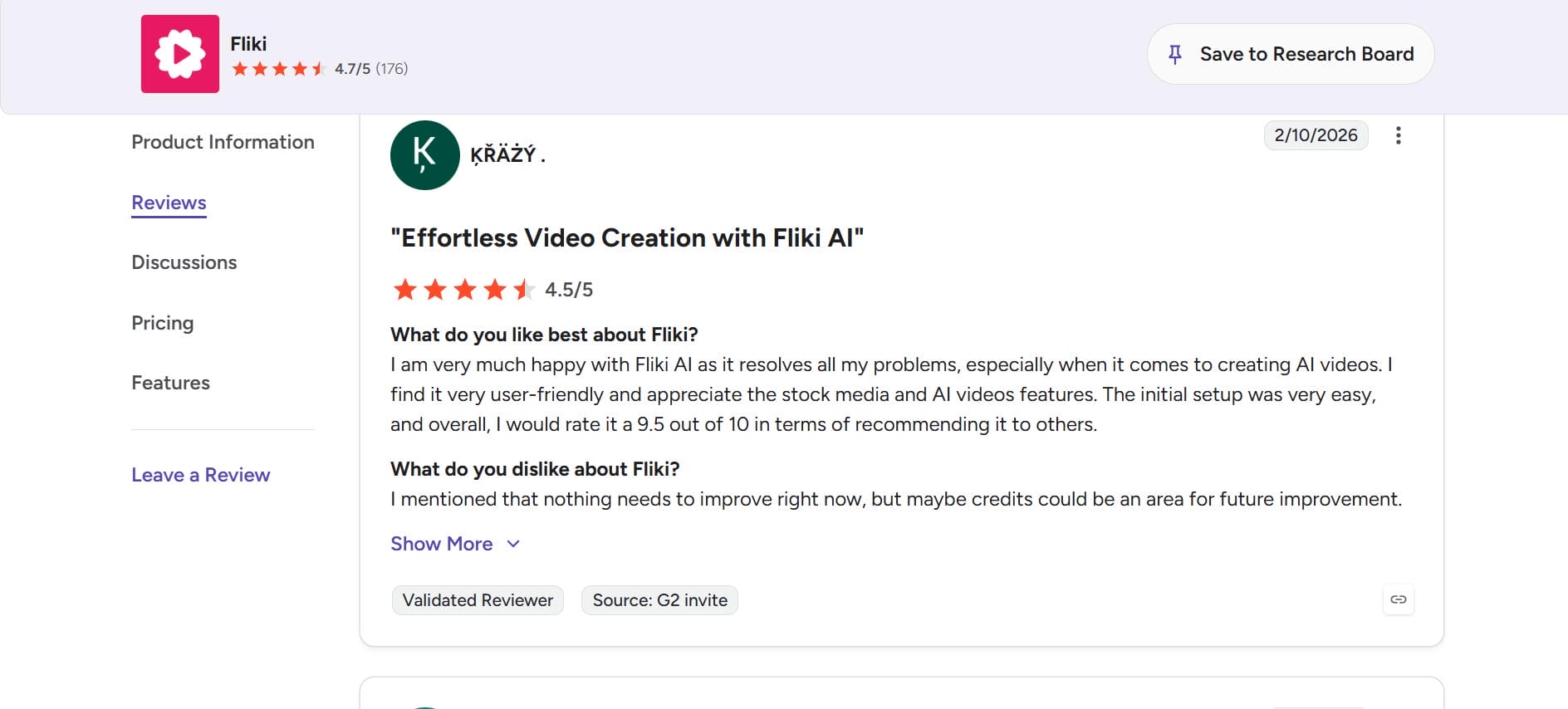
Users praise Fliki AI for making video creation simple, fast, and beginner-friendly with helpful AI tools and stock media support. Many appreciate its smooth setup process and efficient workflow for generating AI videos, while some users suggest improving the credit system for a better long-term experience.
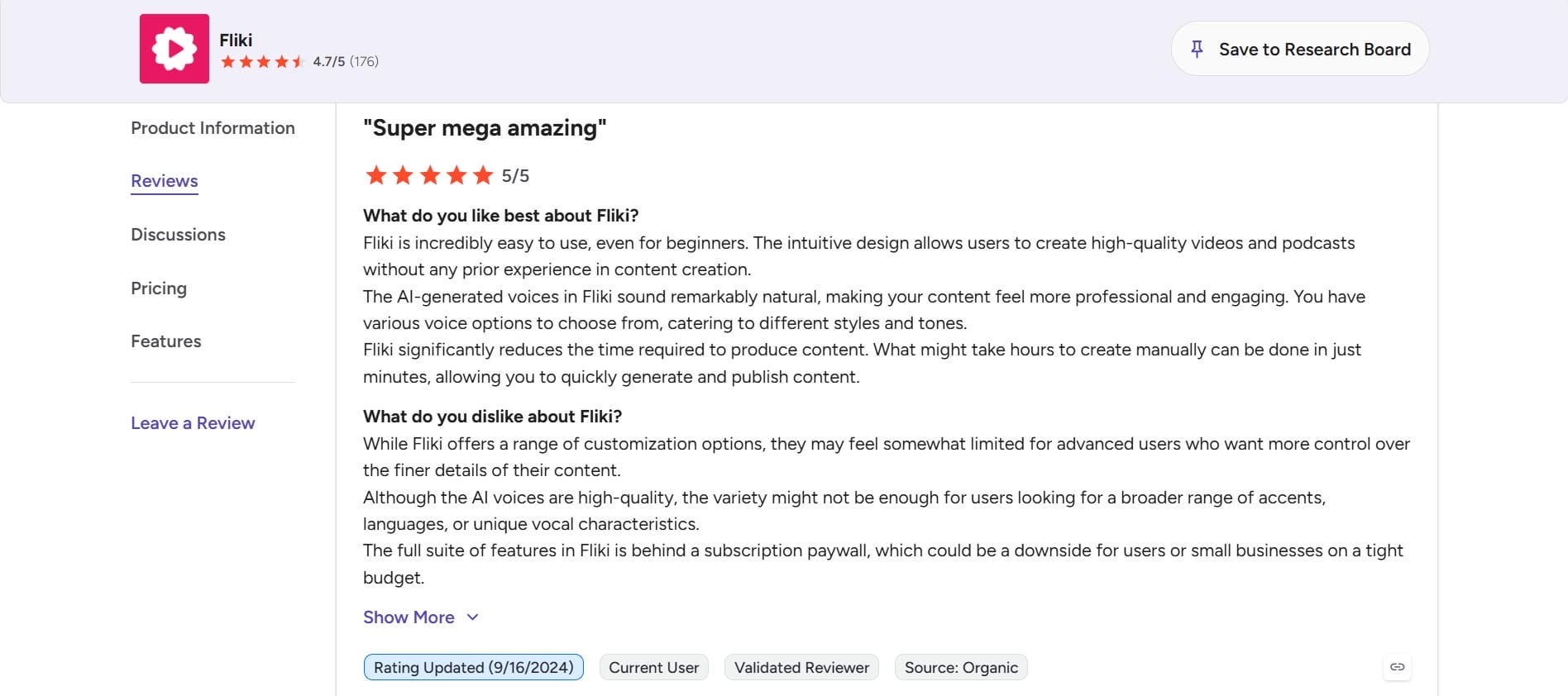
Users describe Fliki as a user-friendly AI video creation platform that helps content creators, educators, marketers, and social media managers produce professional videos quickly. Many appreciate its realistic voiceovers, text-to-video capabilities, extensive media library, and customization options, while some mention limitations in editing flexibility and occasional AI-generated media mismatches.
Trustpilot
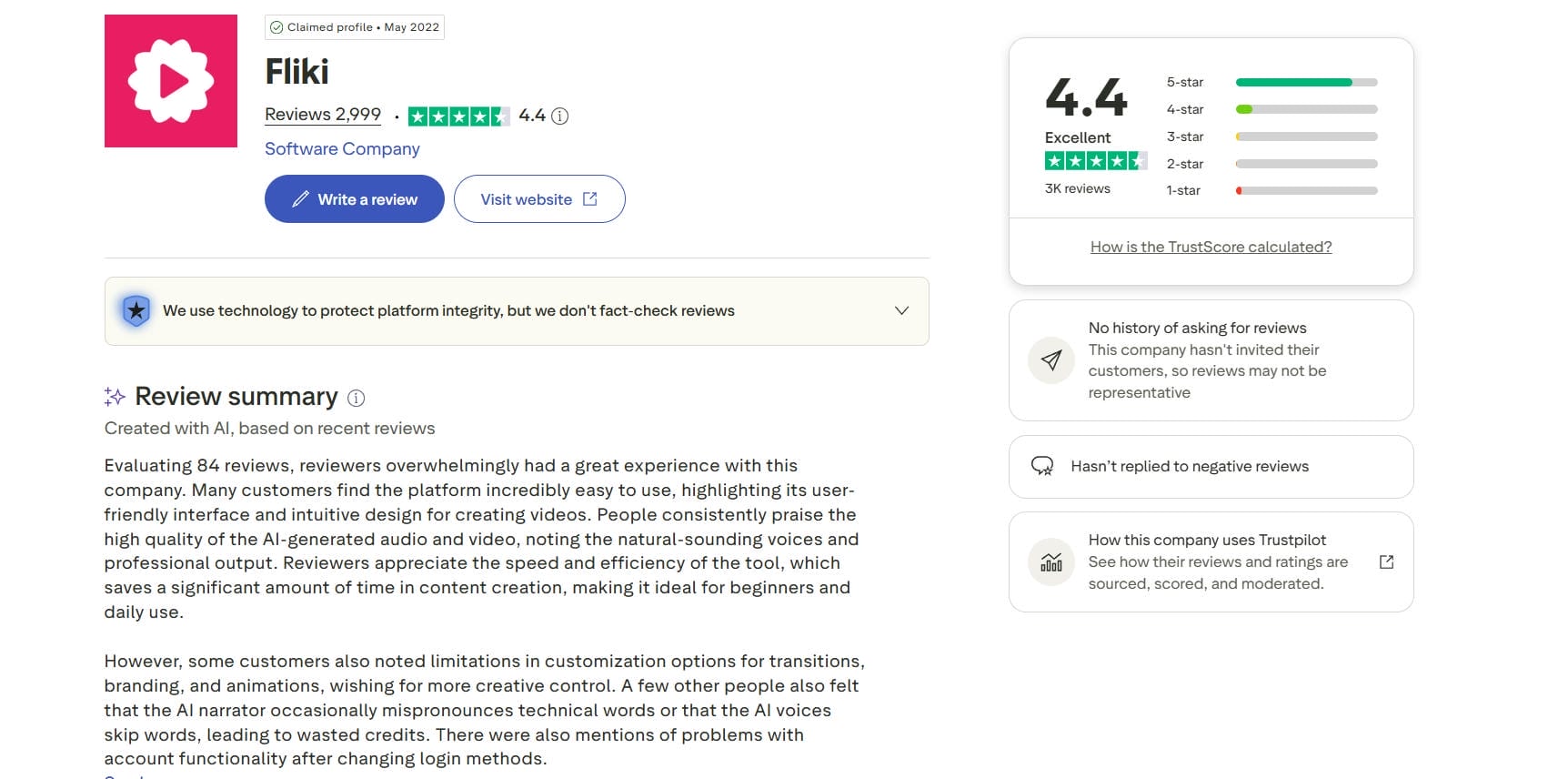
Many users highlight Fliki's ease of use, realistic AI voices, and fast video creation workflow. Beginners especially appreciate how quickly they can turn scripts into professional-looking videos. However, some users report limited customization options, occasional rendering issues, and slow customer support responses, particularly when dealing with technical problems or refund requests.
Verdict
Fliki AI remains one of the most accessible AI video generators for transforming text, blogs, and scripts into engaging videos. Its realistic voiceovers, extensive language support, and intuitive interface make video creation quick and approachable, even for beginners. The platform shines when it comes to content repurposing, allowing marketers, educators, and creators to produce videos efficiently without needing advanced editing skills.
That said, Fliki is better suited for users who prioritize speed and convenience over precise creative control. The limited editing flexibility, occasional stock footage mismatches, and premium feature restrictions may be drawbacks for more demanding projects. Overall, Fliki offers solid value in 2026 and remains a dependable option for fast, professional-looking video production.
Who should use Fliki AI video generator?
Best for
-
Content marketers and digital agencies: Fliki can turn marketing copy and articles into videos in minutes. It is perfect for teams that need to produce creative campaigns at scale.
-
Social media managers and influencers: The platform easily makes vertical videos for TikTok, Reels, and YouTube Shorts. It helps you keep up with a busy daily posting schedule.
-
Bloggers repurposing written content: Fliki turns your live website articles into engaging videos. You can grab fresh social media traffic without rewriting your content from scratch.
-
Small business owners without a video team: Businesses can create promotional videos, product explainers, and social media content without hiring editors or investing in expensive production equipment.
Not ideal for
-
Professional videographers: Traditional filmmakers who need exact frame-by-frame cutting will feel trapped. Fliki lacks advanced color grading wheels and multi-track layering tools.
-
Advanced motion graphics designers: If you want custom typography animations and heavy visual effects, look elsewhere. The creative editing capabilities here are very basic and linear.
-
Long-form documentary or narrative creators: Deep, story-driven films rely on intricate emotional pacing and complex sound design. Automated templates cannot replicate that artistic human touch.
Fliki does a solid job for fast, text-driven video creation built around voices and stock media. But if your work demands real AI-generated footage, higher resolution, or more than one generation model to choose from, it starts to show its limits. The stock footage mismatches, restricted editing timeline, and feature gating across expensive plans are friction points that add up over time. That's where Vmake AI comes in. It's built for creators who want more than a narrated slideshow and need actual creative control over how their videos look and feel.
A powerful alternative to Fliki: Vmake AI video generator
As we mentioned, although Fliki AI is an accessible way to begin with text-based productions, its creative constraints can be a significant source of nuisance for those requiring strict visual control.
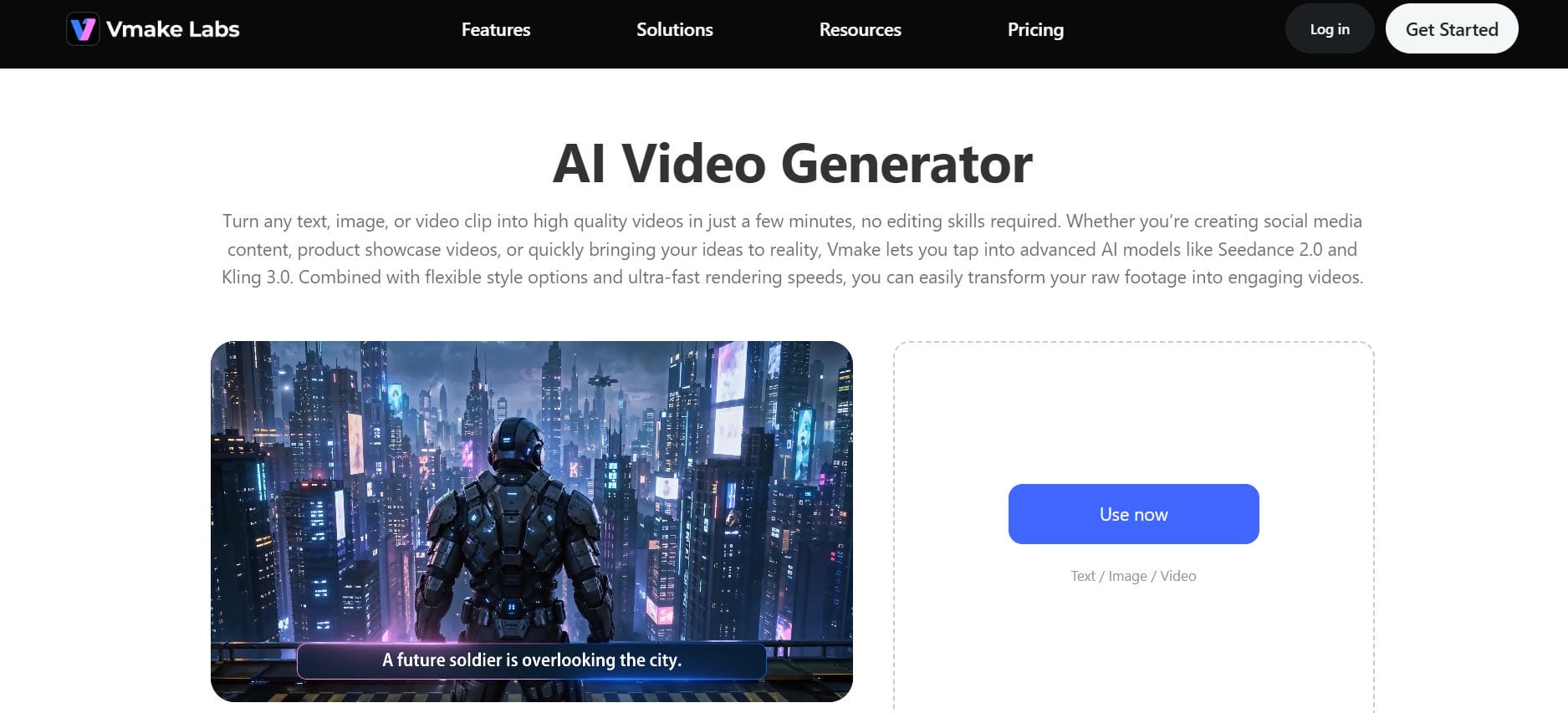
If you need high levels of creative control, true AI-generated footage, and the functionality of a comprehensive production suite, then Vmake AI video generator can be a compelling alternative. It can turn any text, image, or existing video footage into polished videos in just minutes with no prior editing skills necessary, thanks to cutting-edge AI and extensive style options.
Steps to generate videos with Vmake AI
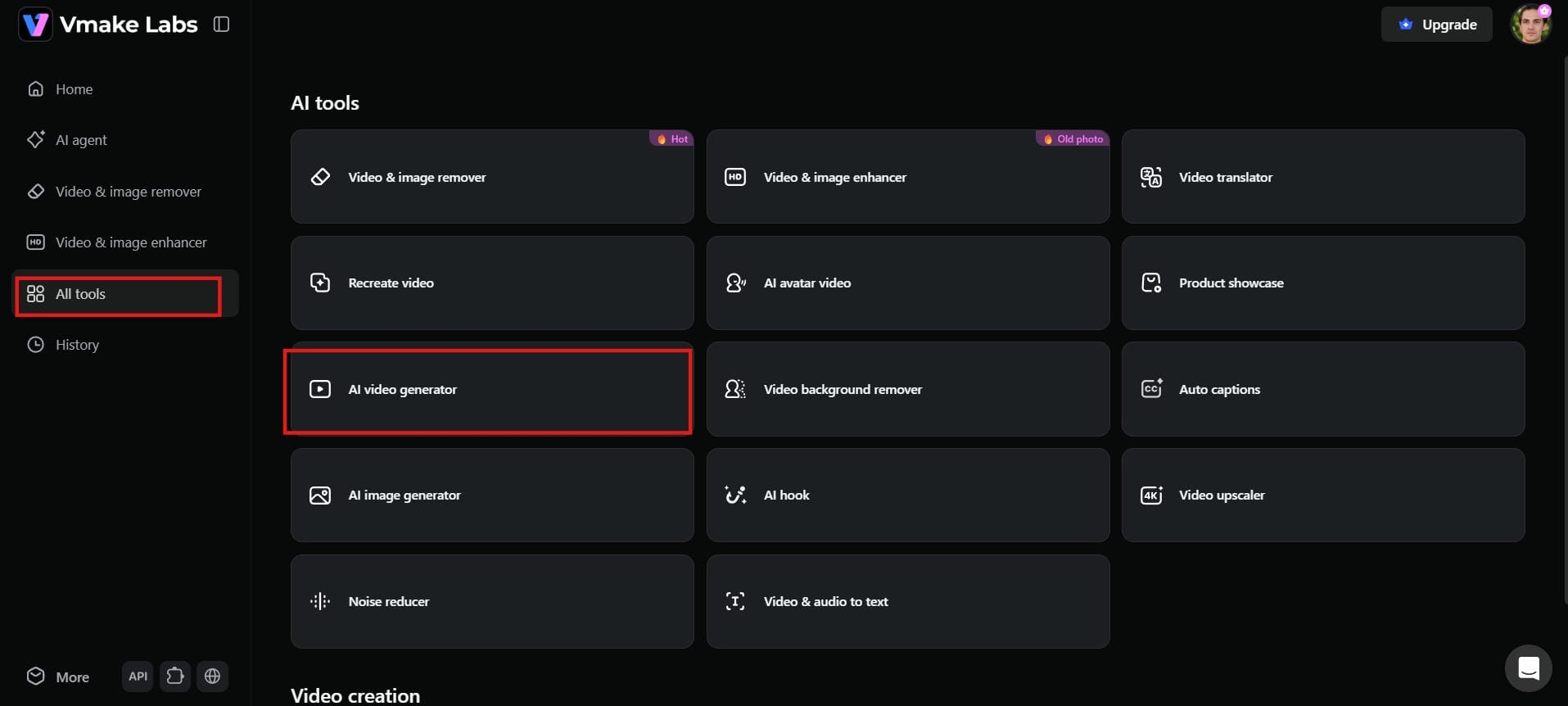
Step 1: Access the AI video generator
Log in to your Vmake AI account. You will see the dashboard. Scroll to "AI tools" in the main menu, and click "AI video generator" to enter the creation workspace.
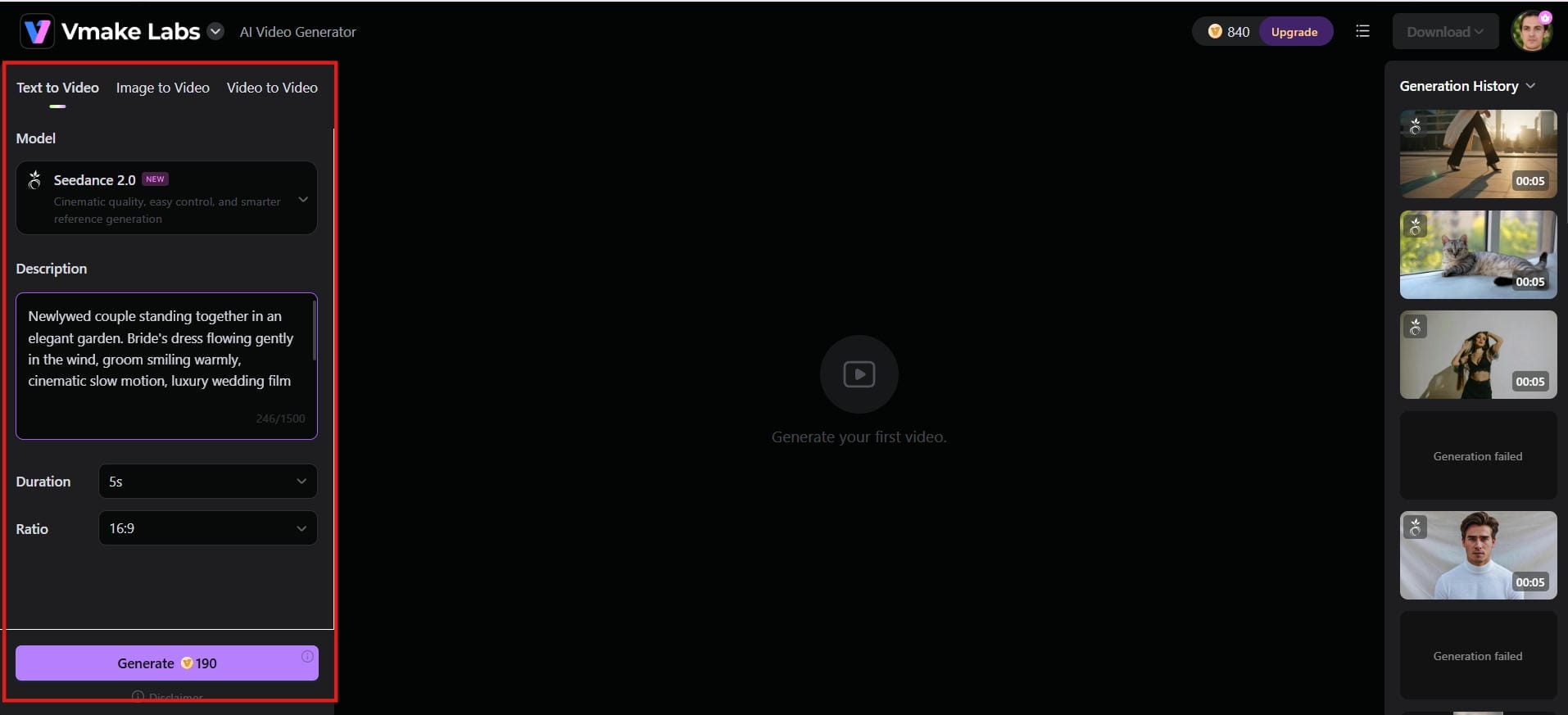
Step 2: Add content or ideas
Choose your input: text, image, or existing video clip. Choose your favorite generation model from a selection of Seedance 2.0, Kling 3.0, and Veo 3, then set your aspect ratio and video length, and click "Generate."
Step 3: Preview and download
In a matter of seconds, Vmake renders your finished video. Watch the preview to check the output, and click "Download" to save the file. Your video is now ready for social media, product pages, or presentations.
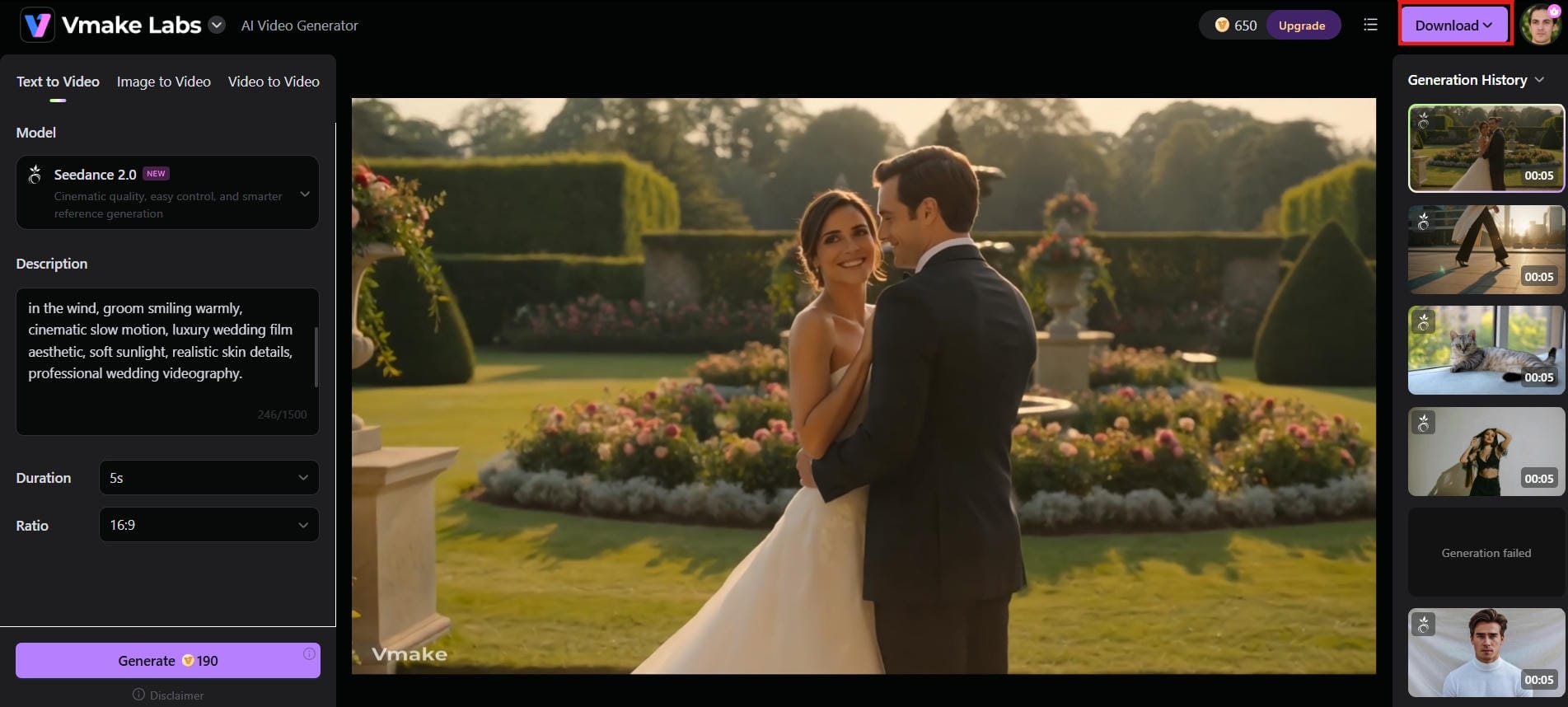
Key features of Vmake AI video generator
-
Diverse generation methods: Vmake supports text-to-video, image-to-video, multi-image reference, start and end frame control, and video-to-video generation, covering every starting point, whether you are building from scratch or refining existing footage.
-
Multiple AI models: Vmake brings together several leading generation models, including Seedance 2.0, Kling 3.0, Google Veo 3, Sora 2, Vidu Q2, and Wan 2.2, with the freedom to switch between them based on what your project needs.
-
Rich visual styles: Vmake supports a wide range of visual styles, including Japanese and American comic-inspired looks and various Eastern aesthetics. By describing the desired style in your prompt, creators can tailor video outputs to suit different platforms, niches, and brand identities.
-
High-resolution output with duration control: Vmake delivers video output at up to 4K resolution, with flexible duration settings ranging from 2 to 15 seconds, giving creators sharp, high-quality footage with precise pacing control.
-
Integrated all-in-one workspace: Vmake bundles video generation with enhancement tools, watermark removal, background removal, noise reduction, auto-captions, and thumbnail generation, eliminating the need to switch between multiple tools mid-workflow.
Fliki vs Vmake AI video generator: Head-to-head comparison
|
|
Fliki |
Vmake AI |
|---|---|---|
|
Features |
Text-to-video, URL-to-video, 2,000+ AI voices, 70+ avatars, auto-captions, 10M+ stock media library |
AI video generation, 6 model options, 4K enhancement, watermark removal, background removal, noise reduction, auto-captions, thumbnail generator |
|
Pricing |
Free (5 min/month, watermark); $28/month Standard; $88/month Premium |
Free tier available; paid plans starting from $9.99/month |
|
Output quality |
FHD on Standard, stock footage visuals, occasional AI visual artifacts reported by users |
Up to 4K on Pro plan, AI-generated visuals across multiple leading models, sharp high-quality footage with precise duration control |
|
Ease of use |
Very beginner-friendly, scene-based editor, minimal setup, no learning curve |
Browser-based with no downloads required, integrated workspace handles creation, enhancement, and export in a single tab |
Fliki is the best choice if you need to turn written text into narrated videos quickly. It works perfectly for turning blogs, scripts, or marketing notes into social media posts with realistic voices. Its automated system and simple layout make video creation very fast.
Vmake is a better option if you want higher video quality and creative freedom. You get access to advanced AI models, sharp 4K resolution, and handy video editing tools. It lets you enhance clips, add captions, and remove watermarks all in one dashboard.
Conclusion
Fliki AI video generator remains one of the easiest ways to convert written content into professional-looking videos. With AI voiceovers, blog-to-video tools, multilingual support, and an easy-to-use workflow, it’s a strong option for marketers, educators, and businesses.
That said, its editing tools may be a bit limited for creators who want more advanced visual generation. For speed of production and content repurposing, Fliki is still a good option in 2026. For those wanting greater creative control and access to a variety of AI video models, Vmake AI is a compelling alternative worth checking out.
FAQs
Is Fliki AI video generator free to use?
Yes, Fliki offers a free tier, but it is highly restricted. It provides only 5 minutes of content credits per month, limits your exports to 720p resolution, locks out ultra-realistic options, and leaves a visible Fliki watermark on your videos. A paid plan starting at $28 per month is needed for full access. Vmake AI also offers a free tier with daily credits.
What video formats can Fliki export?
Fliki primarily exports finished video files in standard MP4 format, alongside MOV support. Before downloading, you can easily set your desired aspect ratio layout, selecting between Landscape (16:9), Portrait (9:16) for social media shorts, or a balanced Square (1:1) grid.
Can Fliki create videos from blog posts?
Yes, Fliki has a dedicated Blog-to-video feature. You simply paste any blog post link, and the platform automatically extracts the key content, assigns matching visuals, and generates a fully narrated video, making it one of Fliki's most practical content repurposing tools.
Does Fliki support multiple languages?
Yes, Fliki offers exceptional international localization support. The system features a massive, built-in directory of over 2,000 distinct AI voices. These profiles span more than 80 different languages and cover 100 regional dialects for accurate global pronunciation.
How long does Fliki take to generate a video?
Most Fliki videos are generated within a few minutes, depending on length and complexity. Simple clips are usually fast, while heavier projects may take longer. If you need more control over generation speed and output quality, Vmake AI offers additional processing options.
Does Fliki support AI voice cloning?
Yes, voice cloning is available on paid plans. The Standard plan supports up to 3 custom cloned voices, while the Premium plan expands this to 6. This allows creators to maintain a consistent audio identity without recording every video manually.

You May Be Interested

AI TikTok Video Generator | Create High-Quality AI Videos

Best AI Video Generator: Top Tools Tested (2026)
Viggle AI Video Generator Review & Top 2026 Alternatives
Trump AI Video Generator: 3 Best Tools to Create AI Videos
How to Remove CapCut Watermark
Nero AI Review 2026 Explained: Is the Tool Worth Using?