Dreamina AI Video Generator Review 2026: Honest Verdict
Looking for an honest Dreamina AI video generator review? Discover its AI video creation features, pricing, pros and cons, and how it compares with a robust alternative, Vmake AI video generator.

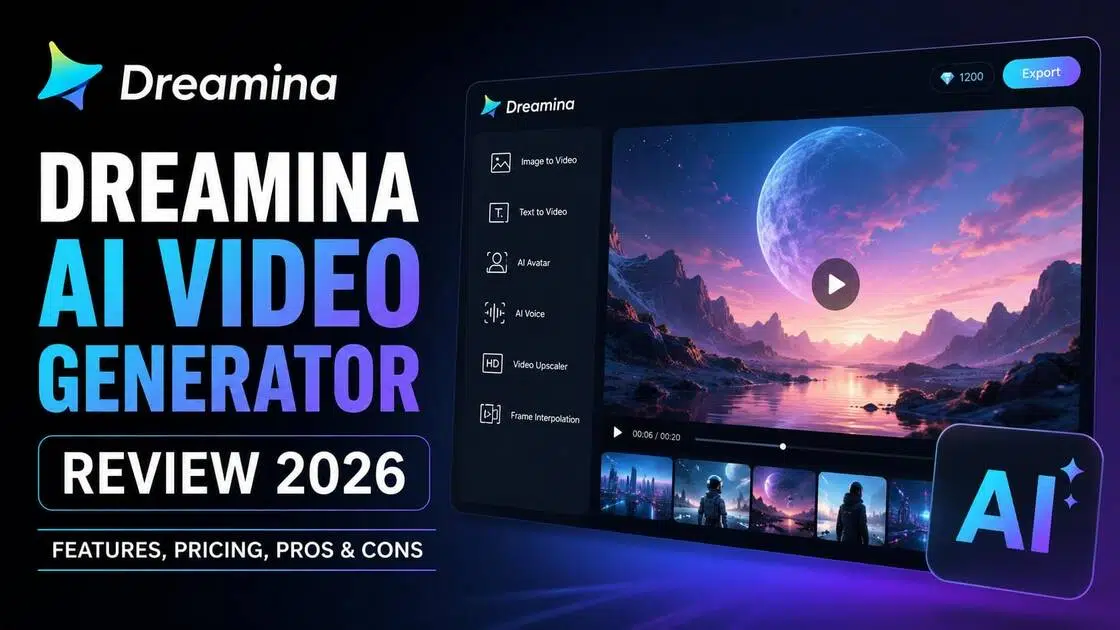
AI video tools seem to be everywhere right now, and Dreamina AI video generator has quickly become one of the names people keep talking about in 2026. Dreamina, the AI video tool from the makers of CapCut and TikTok, lets you turn text or images into short videos in seconds. It's popular for quick social media clips, product promos, and fun experiments.
In this Dreamina AI video generator review, we cover its best features, how the pricing really works, the pros and cons, and what actual users think. We also compare it with Vmake AI, a strong alternative that many creators are switching to. Whether you're just starting out or creating content every day, this review will give you a clear picture of what Dreamina offers and whether it's the right fit for your workflow.
What is Dreamina AI video generator?
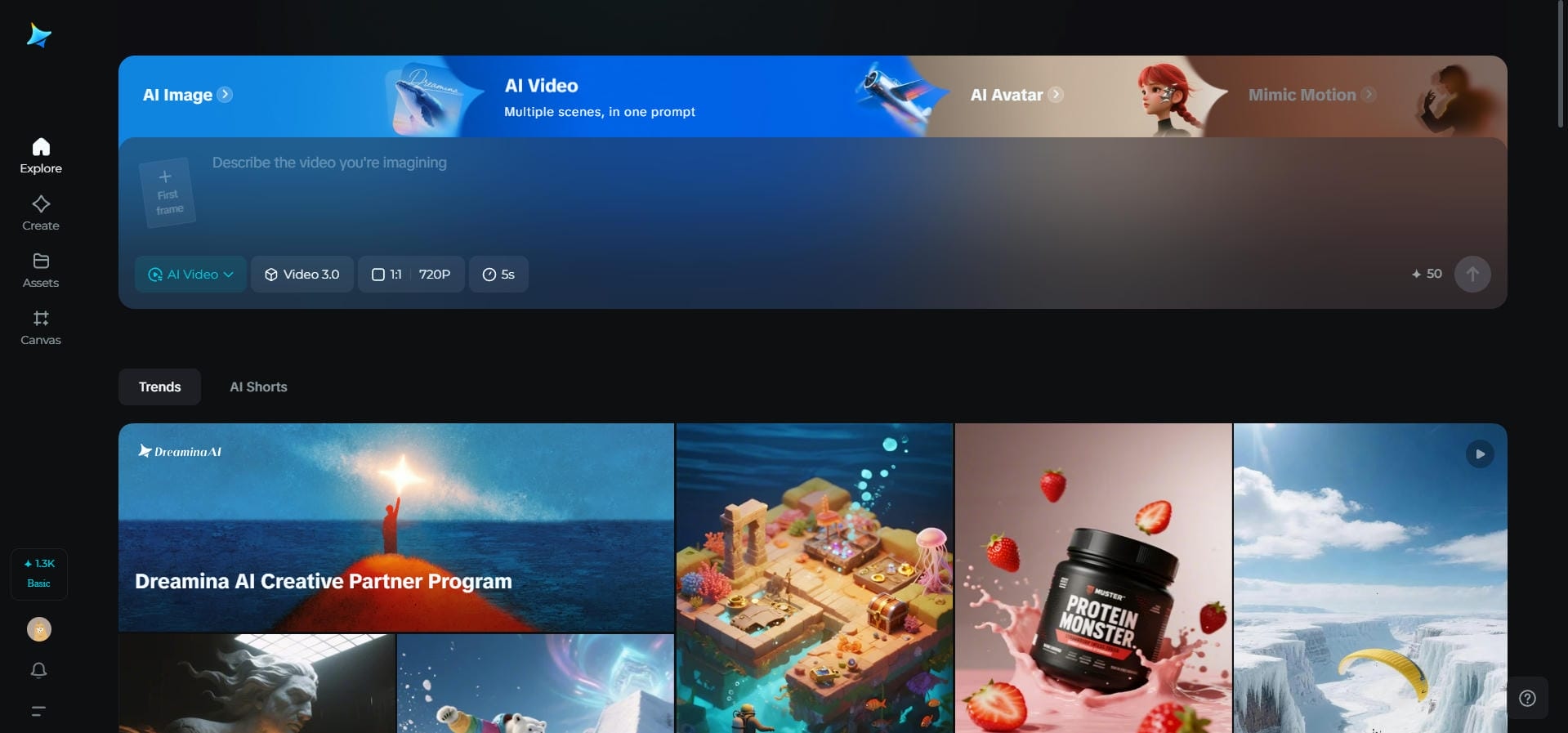
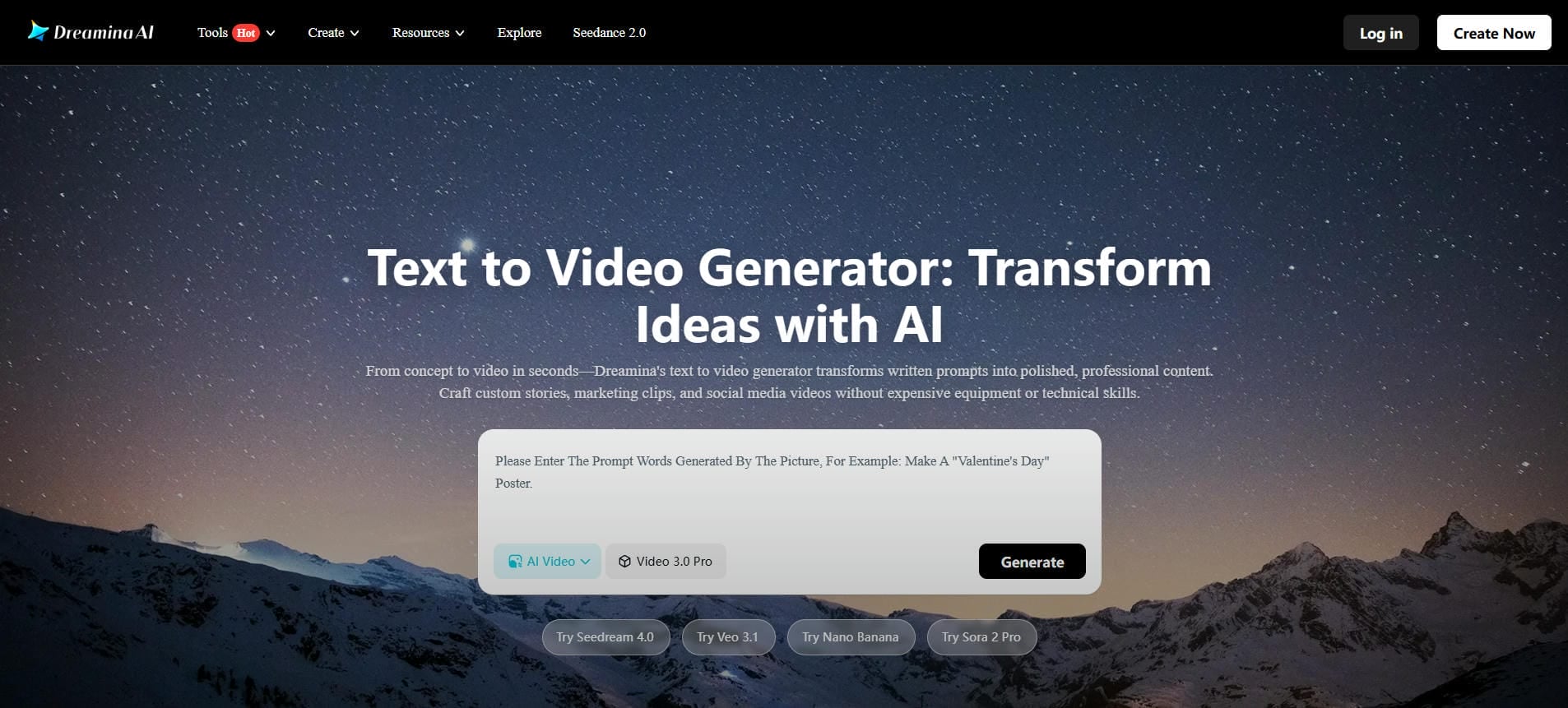
Dreamina AI video generator is an advanced AI video creation platform developed by ByteDance, the company behind TikTok and CapCut. It converts text prompts and static images into dynamic, cinematic videos without the need for traditional editing skills. The platform is powered by ByteDance's Seedance 2.0 model, launched in 2026, which allows text-to-video and image-to-video generation.
One feature we find especially useful is the first-and-last-frame option. You set the starting scene and the ending scene, and the AI fills in the motion in between. Dreamina also offers AI avatar creation with lip-sync support in multiple languages. It becomes a popular tool among creators, marketers, and even filmmakers who need social media clips, video ads, or visual storyboards without investing in expensive equipment or spending hours editing footage manually.
Key features of Dreamina AI video generator
-
Text-to-video generation
Type a simple description of what you want to see, and Dreamina creates a short video from it. The AI handles camera movement, action, and scene details automatically. This feature makes it easy to turn creative ideas into real clips in seconds.
-
Image-to-video animation
Turn static images into a dynamic video with the image-to-video tool. Simply upload a reference image and add a text prompt to guide the motion. The AI adds natural movement while keeping faces, objects, and details consistent. It works especially well for product shots, portraits, or turning artwork into animated clips.
-
Video enhancement tools
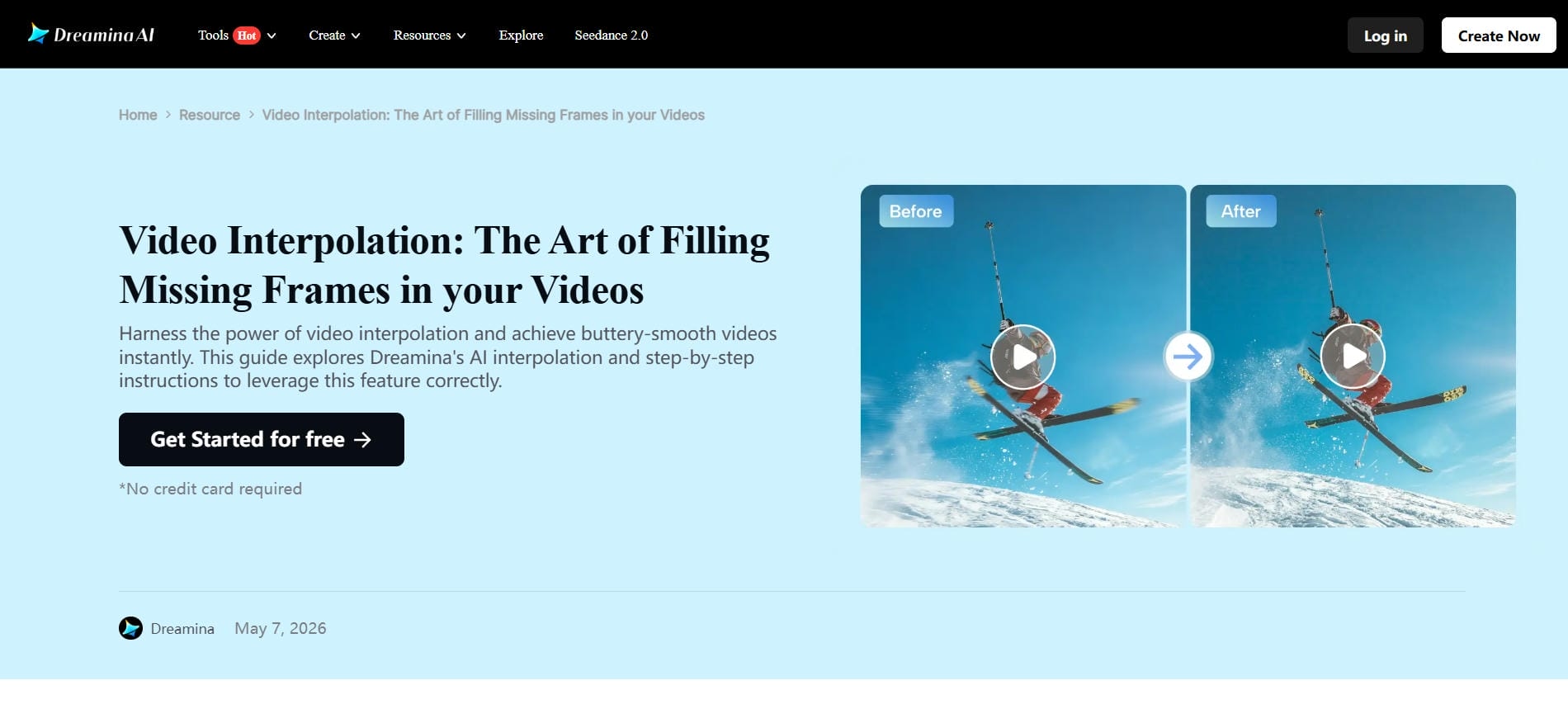
Dreamina provides built-in video upscaling and frame interpolation tools to help you enhance video clarity, upgrade resolution, and create smoother movements in your AI-generated videos without the need for additional video editing software.
-
Native audio-video synthesis
Dreamina can create both video and sound at the same time. It adds background music, sound effects, or simple voiceovers that match the action. This saves time since you do not need to edit audio separately later.
-
Avatar generation & lip-sync
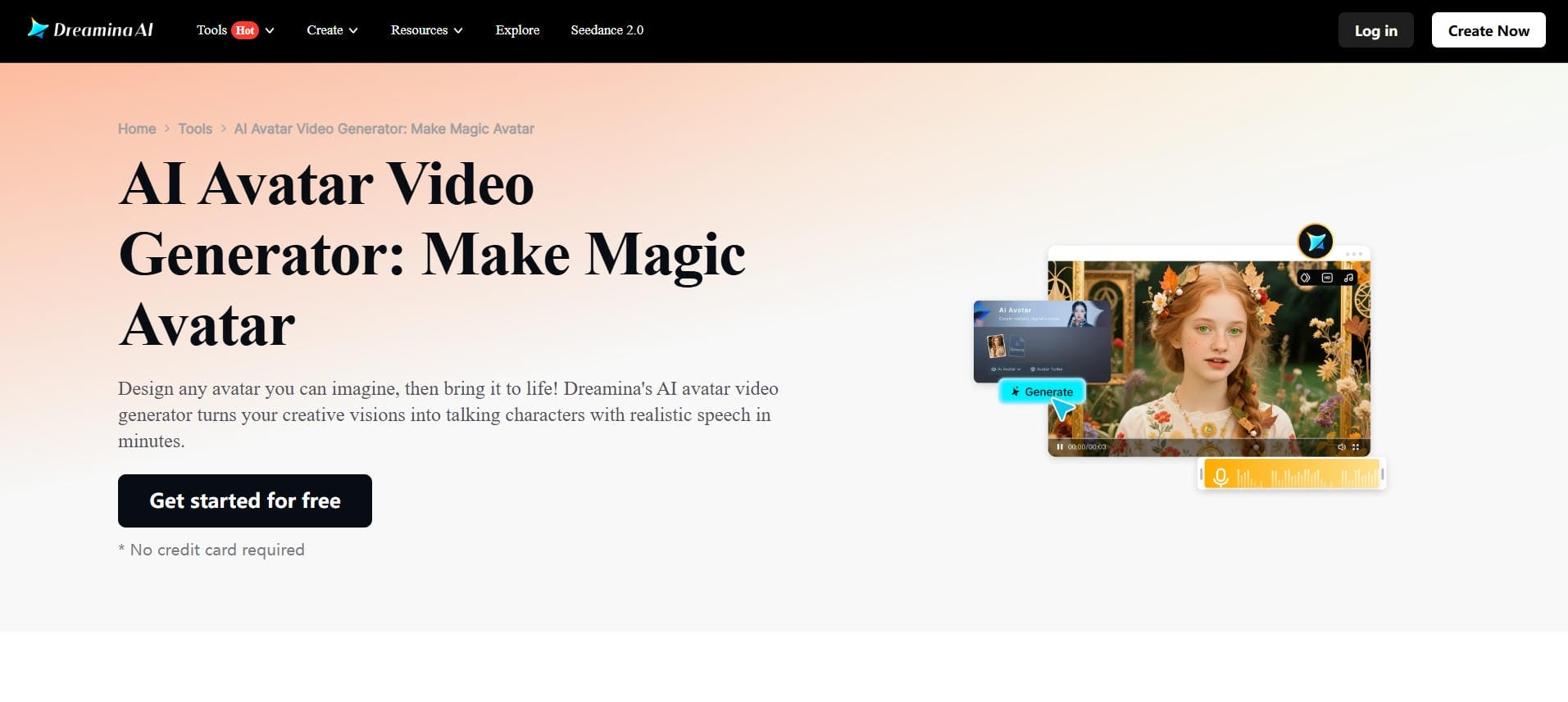
Create custom AI avatars that speak with realistic lip movements. It supports multiple languages and works well for talking-head videos. This feature is perfect for tutorials, marketing messages, or character-based content.
Dreamina AI video generator pricing
Dreamina uses a credit-based system. Here's how the plans break down as of mid-2026. Prices vary slightly by region, so confirm on the official site before purchasing.
|
Plan |
Price |
Credits |
Key Features |
|---|---|---|---|
|
Free |
$0 |
225 daily tokens (varies by region) |
Basic video generation, limited exports, watermarked videos |
|
Basic |
~$18/month |
1,010 credits/month |
Watermark-free exports, HD quality, longer video generation, 60 FPS support |
|
Standard |
~$42/month |
4,040 credits/month |
Higher generation limits, faster processing, all Basic features |
|
Advanced |
~$84/month |
13,110 credits/month |
Best credit value, priority access, higher usage limits, advanced AI features |
|
Enterprise / API |
Custom Pricing |
Custom Credits |
API access, large-scale content production, business integrations |
Pros and cons of CapCut's Dreamina AI video generator
Like any AI video platform, Dreamina has clear strengths and a few trade-offs. Here's a quick look at where it excels and where it may fall short for some users.
|
Pros |
Cons |
|---|---|
|
|
|
|
|
|
|
|
What users are saying about Dreamina AI video generator
Product Hunt
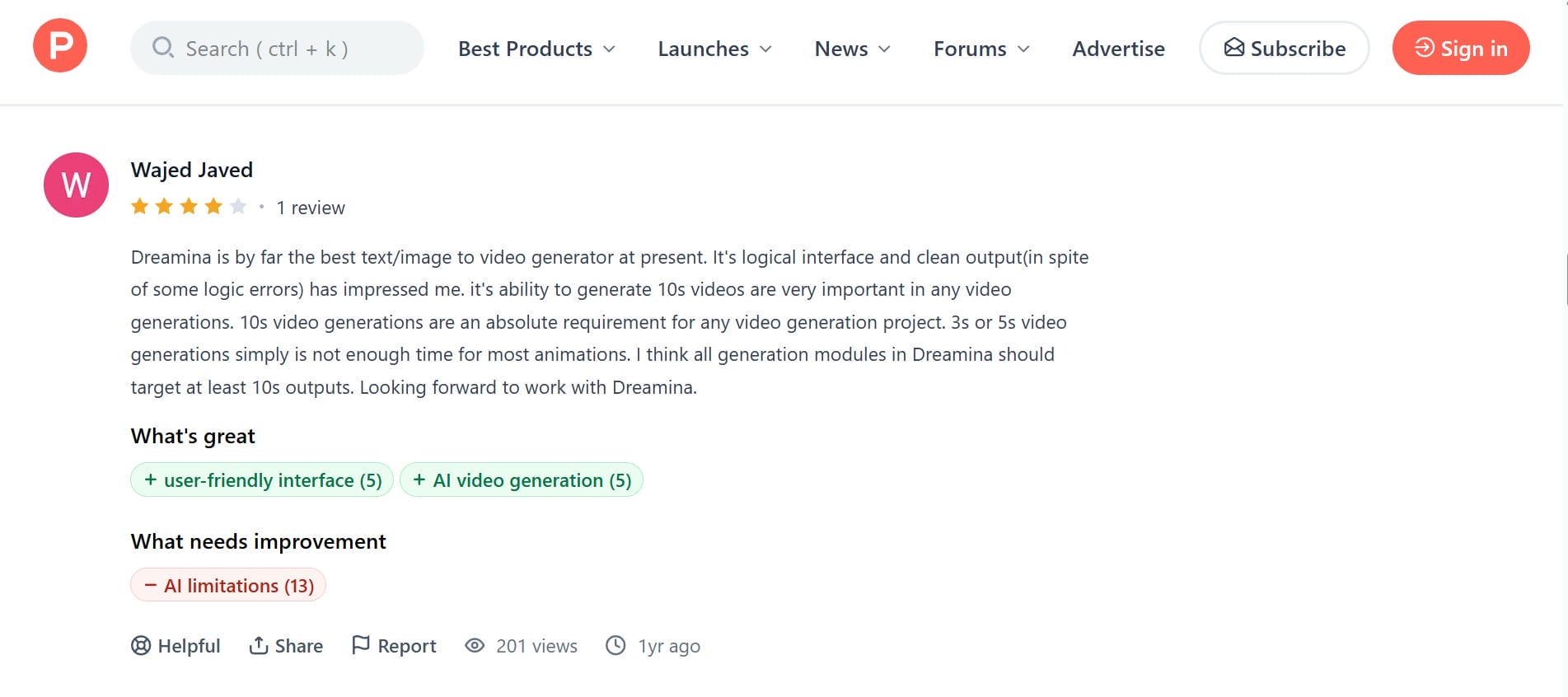
Users describe Dreamina AI as an impressive and easy-to-use video generator with a clean interface and strong text-to-video performance. Many appreciate its ability to create longer 10-second videos with quality outputs.
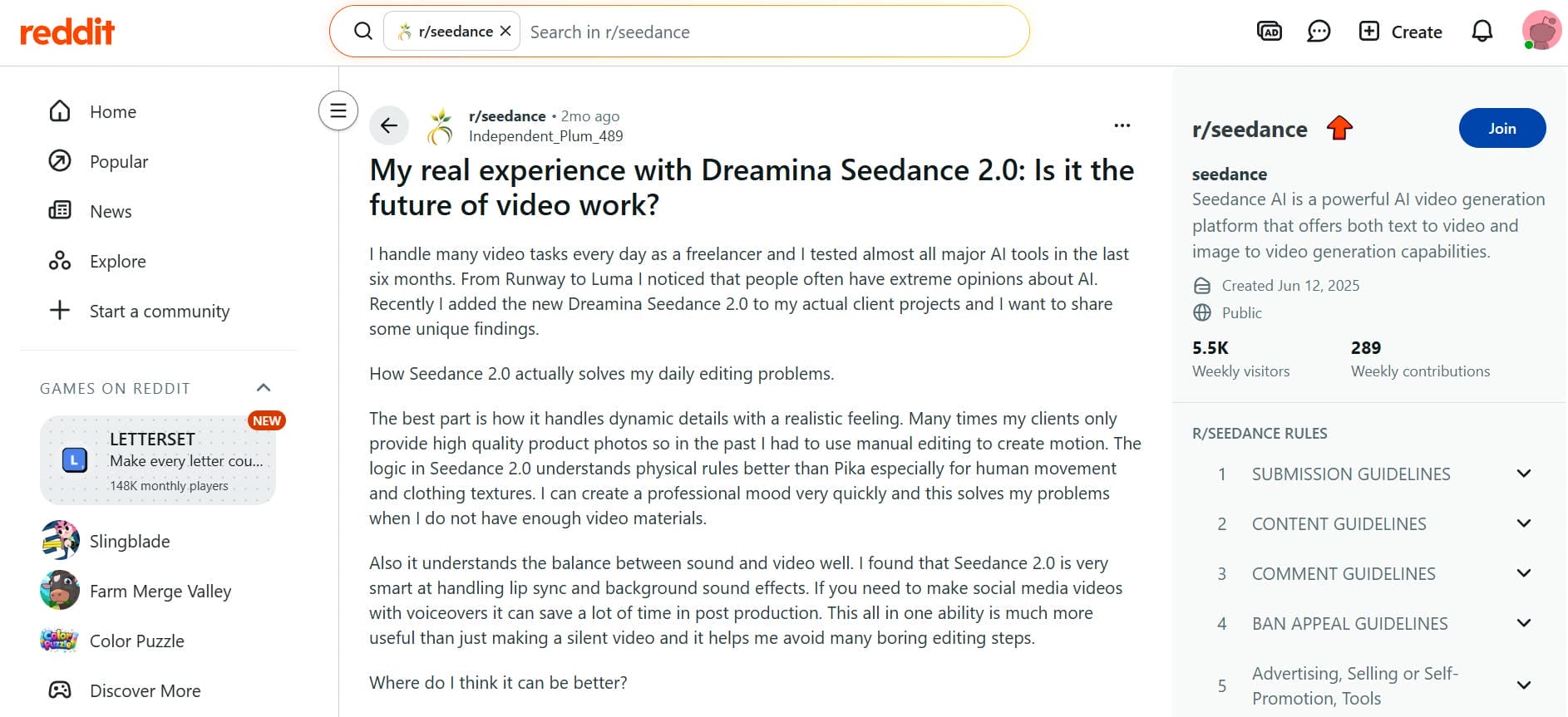
Reviewers share that Dreamina Seedance 2.0 delivers realistic motion, smooth human movement, and effective lip-syncing for professional video projects. Freelancers especially value its ability to transform product photos into engaging videos quickly, reducing editing time and improving workflow efficiency for social media and client content creation.
Verdict
Dreamina AI offers a clean interface, smooth lip-syncing, and impressive 10-second video generation. However, it is held back by common AI limitations, including inconsistent frame-to-frame coherence, prompt misses on complex requests, and an expensive credit tier structure. Overall, it remains a highly efficient solution for rapid social media workflows.
Meet Vmake AI: The ultimate Dreamina AI video generator alternative
While Dreamina offers impressive video quality, many creators run into the same issues. The credit system gets expensive fast, videos are capped at short lengths, watermarks appear on the free plan, and access can be limited by region. These drawbacks make it tough for people who create content regularly.
This is where Vmake AI video generator stands out as a strong alternative. It gives you more freedom and better tools without so many restrictions. Vmake combines multiple powerful AI models in one easy platform, letting you generate higher-quality videos with flexible duration options and professional features.
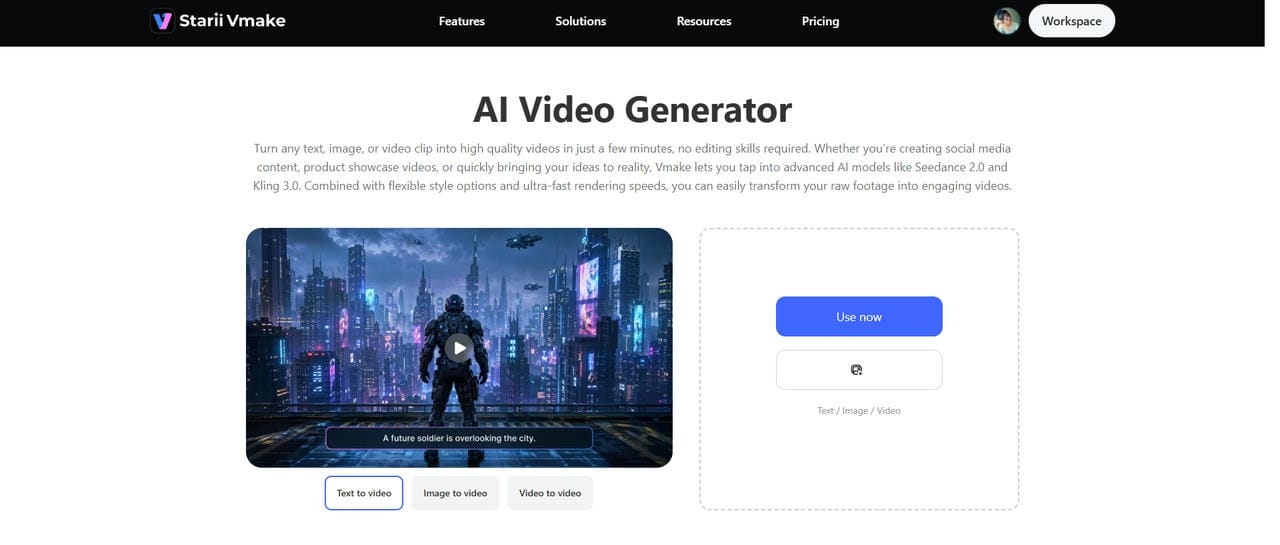
How to generate stunning videos with Vmake AI
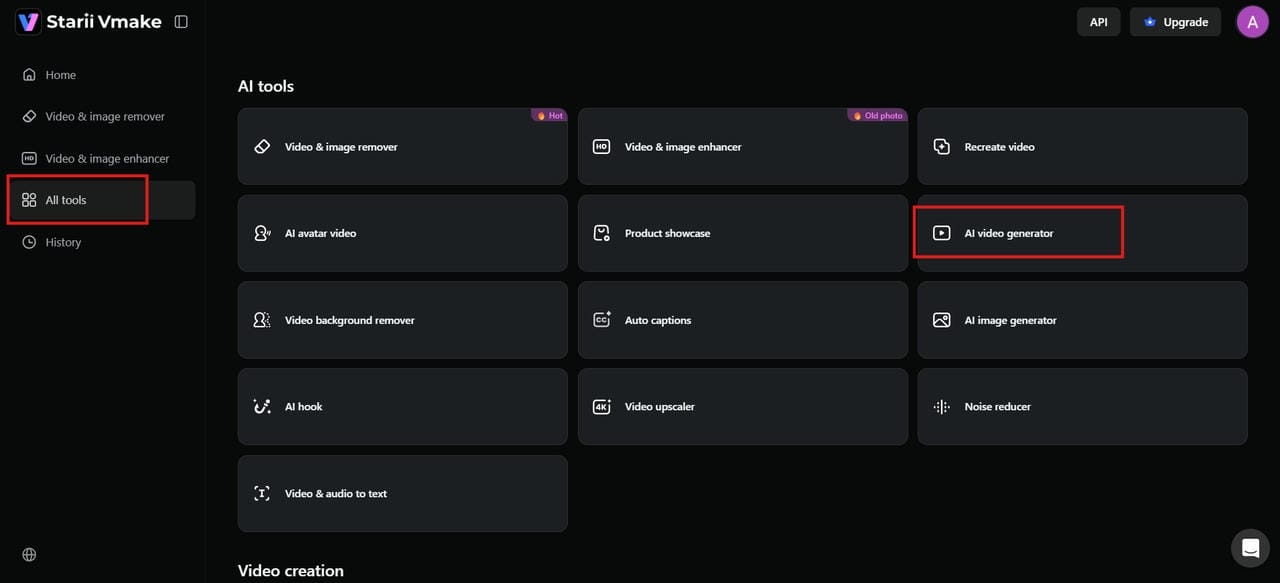
Step 1: Navigate to the AI video generator
Log in to your Vmake AI account. On the dashboard, find "AI tools" and click on "AI video generator". This opens the main creation page, where you can start building your video right away.
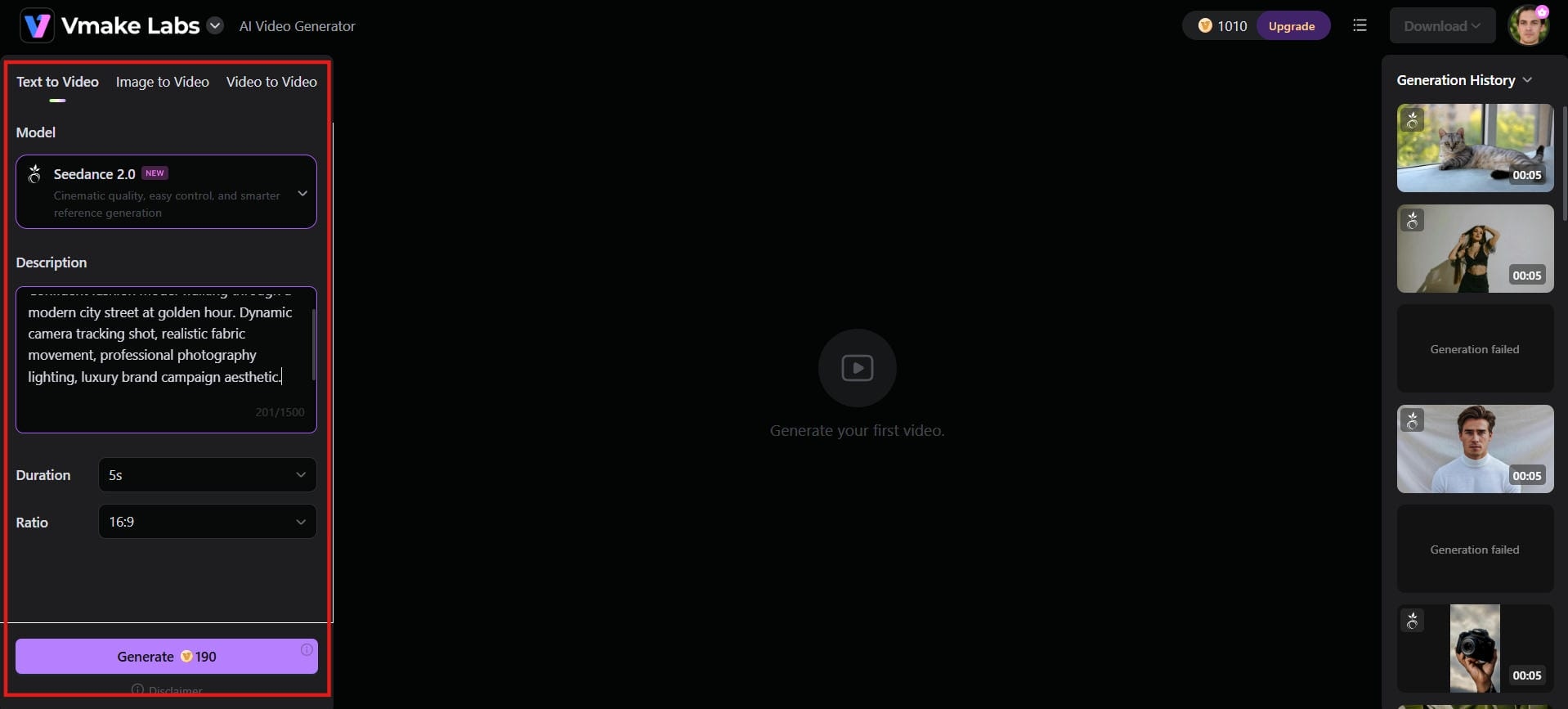
Step 2: Add content or ideas
Type a short text prompt, upload an image, or drop in an existing video clip. Then pick your preferred AI model from options like Seedance 2.0, Kling 3.0, or Veo 3, choose your aspect ratio, set your ideal video length, and hit "Generate."
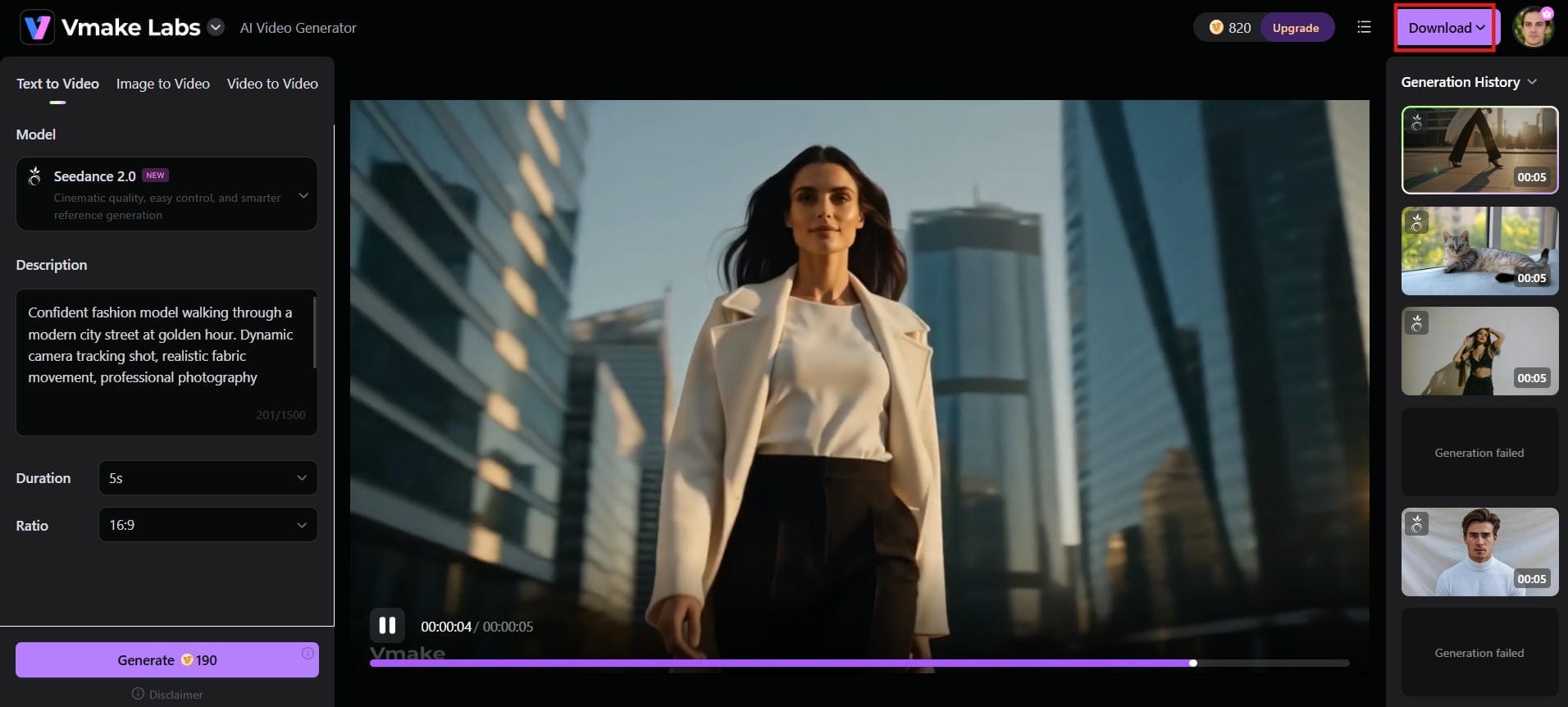
Step 3: Generate, preview, and download Hit the "Generate" button and wait a few seconds for the AI to create your video. Watch the preview to check the result. Once satisfied, click "Download" to save the file. You can now use it for social media, marketing, or any content project you are working on.
Key features of the Vmake AI video generator
-
Multiple generation methods: Vmake supports text-to-video, image-to-video, video-to-video, and multi-image inputs. This flexibility lets you start with whatever you have and create exactly the video style you need for different projects.
-
Access to multiple AI video models: Switch freely between Seedance 2.0, Kling 3.0, Google Veo 3, Sora 2, Vidu Q2, and Wan 2.2 from one platform. No juggling separate tools or subscriptions. Just pick the model that suits your project and get consistent, diverse results.
-
Professional output quality: Vmake renders videos at up to 4K resolution with granular duration control from 2 to 15 seconds. Every clip comes out sharp and properly paced, fitting exactly into your project without any quality compromise.
-
Built-in video enhancement tools: Beyond generation, Vmake includes video upscaling, background removal, watermark removal, noise reduction, and a video translator with AI dubbing and lip sync. It is a complete enhancement suite, not just a generator.
-
AI avatar and talking video tools: Create AI avatar videos and talking-head clips directly inside Vmake. It is a practical tool for product demos, tutorials, and creators producing content across different languages and audiences.
Dreamina vs Vmake AI video generator: Comparison
Both tools can generate quality AI videos, but they serve different needs. Here is a side-by-side look at how Dreamina and Vmake stack up across the features that matter most to creators and marketers.
|
Category |
Dreamina AI Video Generator |
Vmake AI Video Generator |
|---|---|---|
|
AI Models |
Seedance 2.0 |
Seedance 2.0, Kling 3.0, Veo 3, Sora 2, Vidu Q2, Wan 2.2 |
|
Generation Methods |
Text-to-Video, Image-to-Video, First/Last Frame |
Text-to-Video, Image-to-Video, Video-to-Video, Multi-Image, Start/End Frame |
|
Max Video Length |
Up to 15 seconds |
2–15+ seconds (model dependent) |
|
Resolution |
720p (Free), 1080p (Paid) |
Up to 4K (on higher plans) |
|
Visual Styles |
Limited |
Japanese manga, American comics, Eastern, cinematic, realistic |
|
Native Audio / Lip-Sync |
Excellent native audio + multi-language lip-sync |
Good lip-sync via models + AI dubbing |
|
Free Tier |
225 tokens/day (~1-2 clips), watermarked |
350 credits on signup + 20 daily, watermarked |
|
Pricing |
Basic Plan: ~$18/month (1,010 credits) Standard Plan: ~$42/month (4,040 credits) Advanced Plan: ~$84/month (13,110 credits) |
Plus Plan: $9.99/month (1,000 credits) Pro Plan: $29.99/month (4,500 credits) |
|
Speed |
Fast |
Very fast rendering |
|
Extra Tools |
Inpainting, outpainting, upscaling |
Upscaler, background remover, watermark remover, translator |
|
Platform |
Web (desktop-first) |
Web + iOS + Android |
|
Regional Availability |
Strong in SEA & LATAM, uncertain in US/EU |
Global access |
Conclusion
Dreamina AI video generator stands out for its impressive image-to-video capabilities, built-in audio generation, and seamless integration with CapCut. It's a solid choice for creators who want a simple way to produce AI-powered videos without learning complex editing software. However, its credit-based pricing, short video limits, and regional restrictions may not work for everyone.
Ultimately, Dreamina is a strong choice for creators who prioritize ease of use, image-to-video quality, and integration with the ByteDance ecosystem. However, users seeking access to multiple AI models, broader editing capabilities, or additional enhancement tools may prefer alternatives such as Vmake AI.
FAQs
Is Dreamina AI video generator free to use?
Yes, Dreamina offers a free tier with 225 daily tokens that refresh every day. You can generate basic videos without paying. However, the free version has limitations like watermarks and fewer features. Paid plans unlock better quality and more options.
What is the Seedance 2.0 model in Dreamina?
Seedance 2.0 is ByteDance's core AI video model powering Dreamina. It handles text-to-video, image-to-video, and native audio synthesis. Vmake AI also runs Seedance 2.0 alongside other top models, giving you more options in one place.
Can I use Dreamina-generated videos commercially?
Yes, you can usually use videos for commercial purposes on paid plans. However, always check Dreamina’s latest terms of service. Many users prefer Vmake AI because it offers clearer commercial rights and more flexible usage policies.
Do the free video generations include watermarks?
Yes, all videos created on the free tier include visible watermarks. To remove them and export clean videos, you need to upgrade to a paid plan. You can use Vmake AI’s video watermark remover tool to easily remove watermarks from videos without upgrading.
How long are videos generated by Dreamina?
Dreamina generates clips up to 15 seconds long across all plans. For anything longer, you need to stitch clips manually in a separate editor. Vmake AI offers the same 2 to 15 second range with more flexible model options.
What are the limitations of the free version?
The free version gives 225 daily tokens shared across all tools, watermarked exports, and 720p resolution. Tokens expire daily with no rollover. If those limits feel too tight, Vmake AI is worth exploring as a more flexible alternative.

You May Be Interested

AI TikTok Video Generator | Create High-Quality AI Videos

Best AI Video Generator: Top Tools Tested (2026)
Viggle AI Video Generator Review & Top 2026 Alternatives
Trump AI Video Generator: 3 Best Tools to Create AI Videos
How to Remove CapCut Watermark
Nero AI Review 2026 Explained: Is the Tool Worth Using?
2026 Fotor Video Enhancer Review: Features and Top Alternatives