
Shutterstock Watermark: How to Download Images Without Watermark Legally
How to legally download Shutterstock images without watermark? Learn about the Shutterstock watermark and safe, easy ways to get images without watermarks.

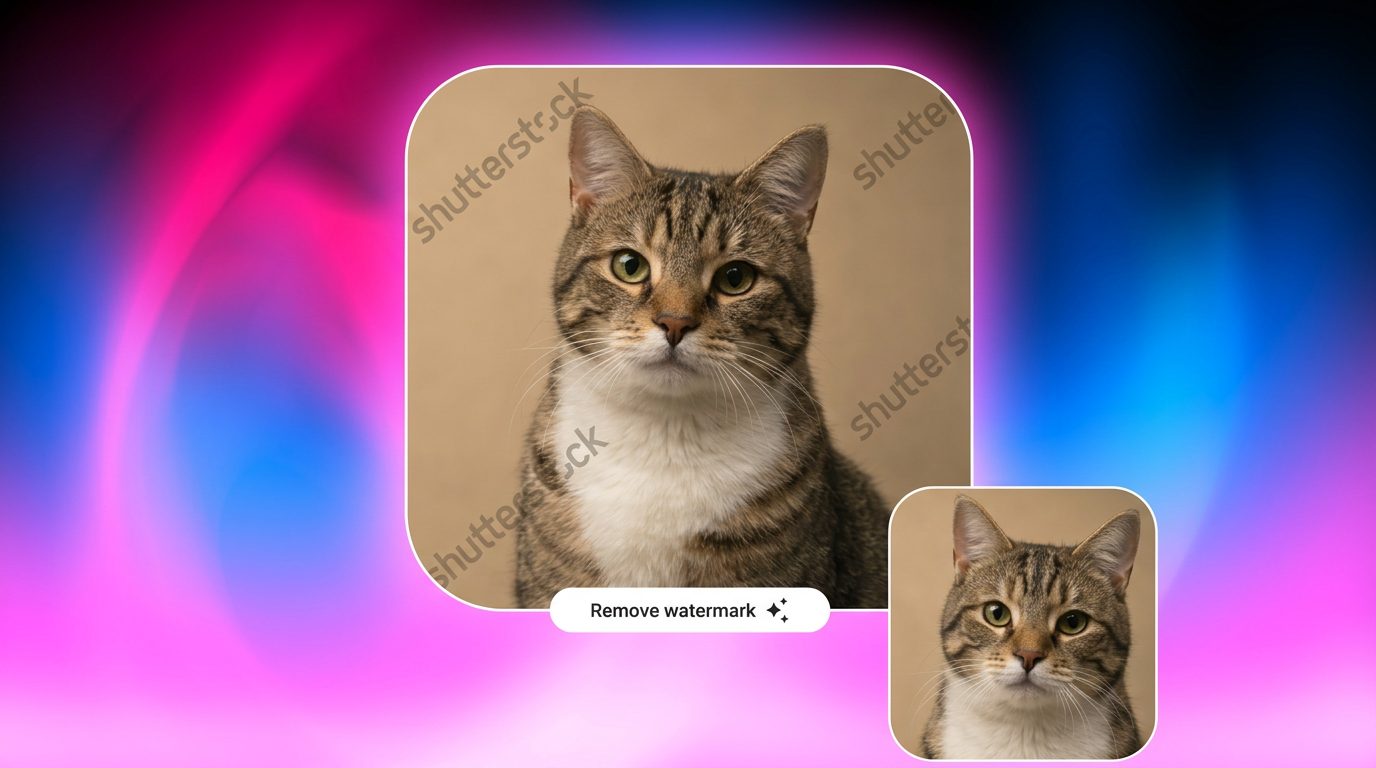
Have you ever found a perfect image for your social media post or marketing project, only to find a watermark across it? Yes, this happens. Shutterstock offers millions of royalty-free images, vectors, and illustrations. However, it’s a problem when preview downloads contain a visible Shutterstock watermark.
To help you, this guide explains how the watermark system works and ways to download Shutterstock images without watermark, effortlessly and legally.
What Is a Shutterstock Watermark?
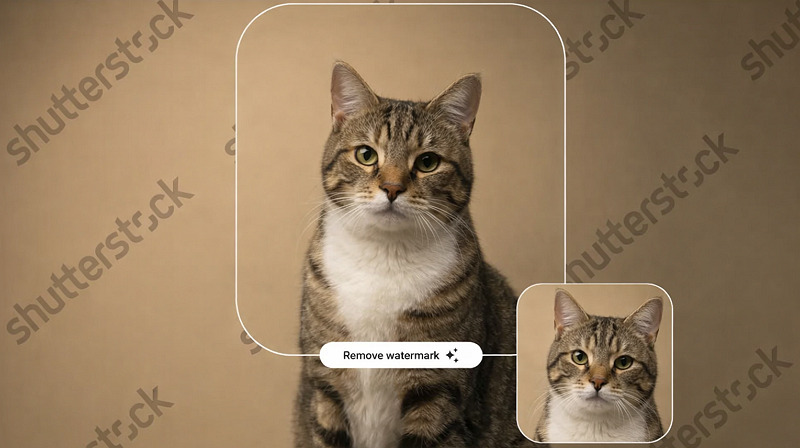 A Shutterstock watermark is a semi-transparent overlay placed on images and videos available on the platform. When you browse Shutterstock without purchasing a license, you can still preview images, but they will be marked with a repeating watermark to prevent unauthorized use.
The watermark typically includes the Shutterstock name repeated diagonally across the image. It allows users to evaluate image composition, color, and style without providing a usable version.
Why Shutterstock Adds Watermarks to Images
Before diving into how to download Shutterstock images without watermark, here are the reasons behind adding watermarks to images. Shutterstock watermarks serve several important purposes for the platform and the content creators.
First, they prevent unauthorized use of images before purchase. You can think of it like a security tag in a retail store. You’re free to check the product and see how it looks, but it isn’t yours to use commercially until you complete the purchase.
Second, watermarks help maintain the value of digital assets. Every image on the platform is created by a real photographer, illustrator, or designer who invested skill, time, and originality into producing it. The watermark helps ensure that their work isn’t copied or distributed without licensing and proper permission.
Finally, they act as a visual indicator that the image is copyrighted and protected by licensing terms. That transparent grid-style overlay disappears only after the image has been properly licensed.
How Watermarks Protect Copyrighted Content
Watermarks serve as a frontline defense against unauthorized use of copyrighted material. Every image uploaded to Shutterstock is owned by the original creator or licensed to the platform for distribution. The watermark protects that intellectual property, making it clear that the content is protected and not free for public use. Here is how the copyright protection works:
Prevents commercial use without licensing
Discourages image theft and redistribution
Protects artists’ rights and earnings
Maintains Shutterstock’s marketplace integrity
If someone attempts to remove watermark from Shutterstock previews and use them for commercial projects, they will face legal consequences for violating copyright laws.
Risks of Using Unauthorized Watermark Removers
Many websites claim to offer Shutterstock watermark remover tools. However, these unauthorized approaches carry real consequences. Common risks include:
Copyright violations: Using an image without a license violates the terms of service and may result in copyright infringement claims. Even if the watermark disappears, the image’s legal ownership does not change.
Malware downloads: Some illegal tools come with security risks. They require suspicious downloads, request unnecessary permissions, or expose users to malware and data theft.
Poor image quality: Automatic watermark removal often leaves blurred patches, distorted textures, or visible editing marks. This can damage the professional look of your project and reduce credibility.
Account penalties: For businesses and content creators, reputational risk can be just as serious as legal risk. Using improperly licensed images can harm brand credibility and lead to takedown notices, fines, or public complaints.
Legal Ways to Download Shutterstock Images Without Watermark
For those who want to download Shutterstock images without watermark, below are the most legitimate options available. Let’s dive into the step-by-step guides for Shutterstock watermark removal.
Purchase a Shutterstock License (Official Method)
The simplest way to remove Shutterstock watermark is to purchase a license. Once you buy an image or subscribe to a plan, Shutterstock lets you download the full-resolution file without a watermark. This method guarantees that you can legally use the image for personal, editorial, or commercial projects, depending on the license. Here is how to do it:
Step 1. Find the Image
Firstly, open Shutterstock and create an account. Now, search for the image you need for your project. Click on it to open the detail page.

Step 2. Purchase License
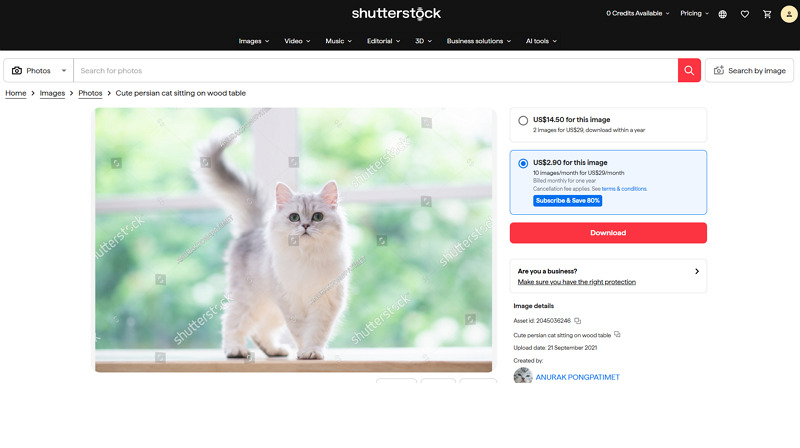
Now, purchase an appropriate license. You can choose either a single image license or a monthly subscription. Its standard license is for web use, and the enhanced license is for printing.
Step 3. Download Image
Lastly, click the “Download” button to receive the high-resolution image without a watermark. You’re all done!
Use Shutterstock Free Trials or Promotions
Do you know that Shutterstock occasionally offers free trial plans or promotional downloads? It typically offers a 30-day free trial with its annual 10-image per-month subscription plan. During this trial period, you can download up to 10 images at no cost. And if you cancel before the 30 days, you won’t be charged.

From time to time, Shutterstock also offers promotions that allow new users to download a limited number of images without watermark and save on a larger subscription or on-demand packs. Benefits of this option include:
Access to high-quality images legally
No watermark on downloaded files
Opportunity to test the platform before subscribing
The Easiest Way to Get Shutterstock Images Without Watermark
Sometimes you need to remove watermark from Shutterstock or any other element from your images for testing or personal use. In such cases, an AI editing tool like Vmake Image Watermark Remover can help. This fantastic online tool can automatically remove unwanted watermarks, logos, stamps, or text overlays from images. With accurate background reconstruction and fast processing, it ensures the output is delivered quickly without sacrificing image quality. You can even preview the output before exporting to make changes on the go.
User-friendly interface with no sign-up required
Support adding video files and links as an input
Accurate area detection and natural text recovery
Watermark removal from multiple images at once
Available as a Chrome extension for accessibility
Steps to Remove Watermark from Shutterstock Images:
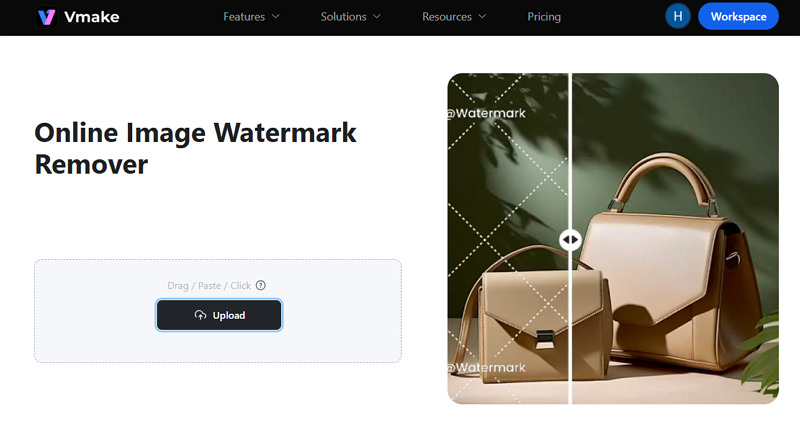
Step 1. Upload Image File
The first step is to open the Vmake Image Watermark Remover in your browser. Now, drag & drop or click to upload the watermarked image.
Step 2. Select Watermark Type
Next, you can select the right option, i.e., text, watermark, subtitle, passerby, etc., depending on the element you want to remove.
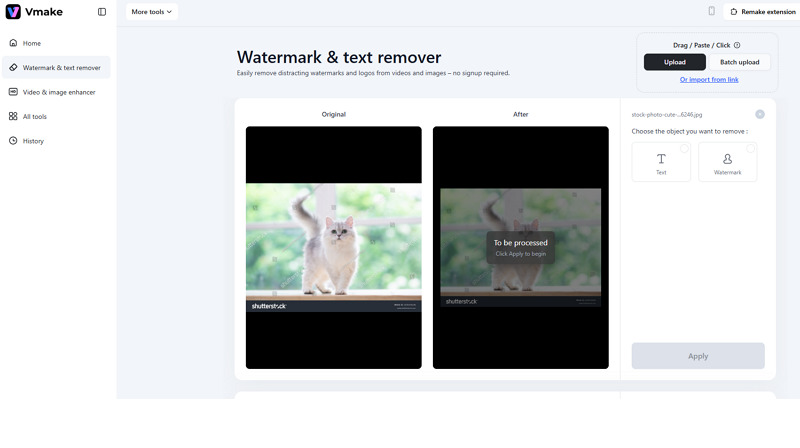
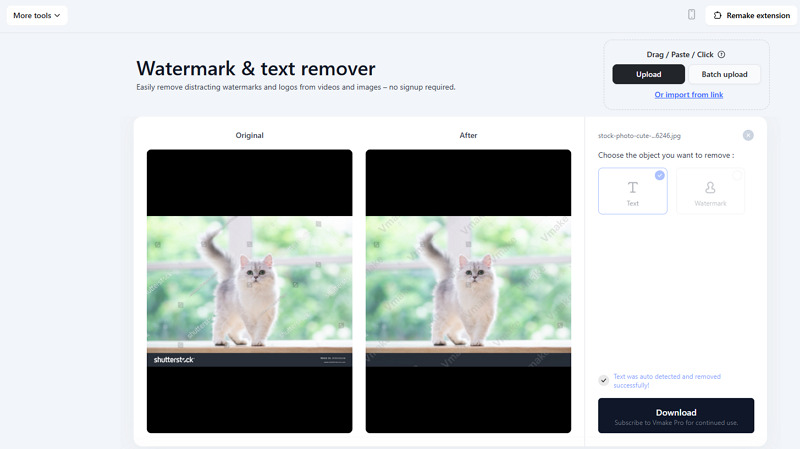
Step 3. Download the Output
Lastly, press the “Apply” button, and when AI processing is done, press the “Download” button. That’s all!
FAQs About Shutterstock Watermarks
1. Is it legal to remove Shutterstock watermark?
Removing a watermark from a Shutterstock image without purchasing a license is generally considered a copyright violation. The legal approach is to get the watermark-free image by buying a license.
2. Can I use a Shutterstock video downloader without watermark?
No. Videos without watermarks are available only after purchasing the appropriate license directly from Shutterstock. Third-party downloaders claiming free access are unauthorized and may violate copyright law.
3. Why does my licensed image have a watermark?
It can be due to downloading the preview version instead of the licensed file, or to a server glitch. You can either download it again or use an online watermark removal tool.
Conclusion
Shutterstock’s watermark system plays an essential role in protecting copyrighted content and ensuring that creators are fairly compensated for their work. If you want to download Shutterstock images without watermark, the best option is always to purchase a license through Shutterstock.
However, for a legitimate way to Shutterstock remove watermark, Vmake Image Watermark Remover is a simple AI-powered tool that quickly removes unwanted overlays and restores images. Try it today, but in a way that respects copyright laws.

You May Be Interested

123APPS Watermark Remover Review (2026): Pros, Cons, and Pricing

Seedance 2.0 vs Sora 2: Which AI Video Generator Wins in 2026?

Top 20 Captions to Make Your YouTube Shorts Go Viral

Google Gemini|Copy Paste This Simple Prompts to Create “Hug my younger self ” Photos
