Top 11 AI Prompts for Creating Viral Videos on YouTube
Ditch generic inputs that hurt engagement. Master command-based prompting logic to elevate your craft. Optimize your inputs and produce consistent, high-performing assets via Vmake AI video generator.

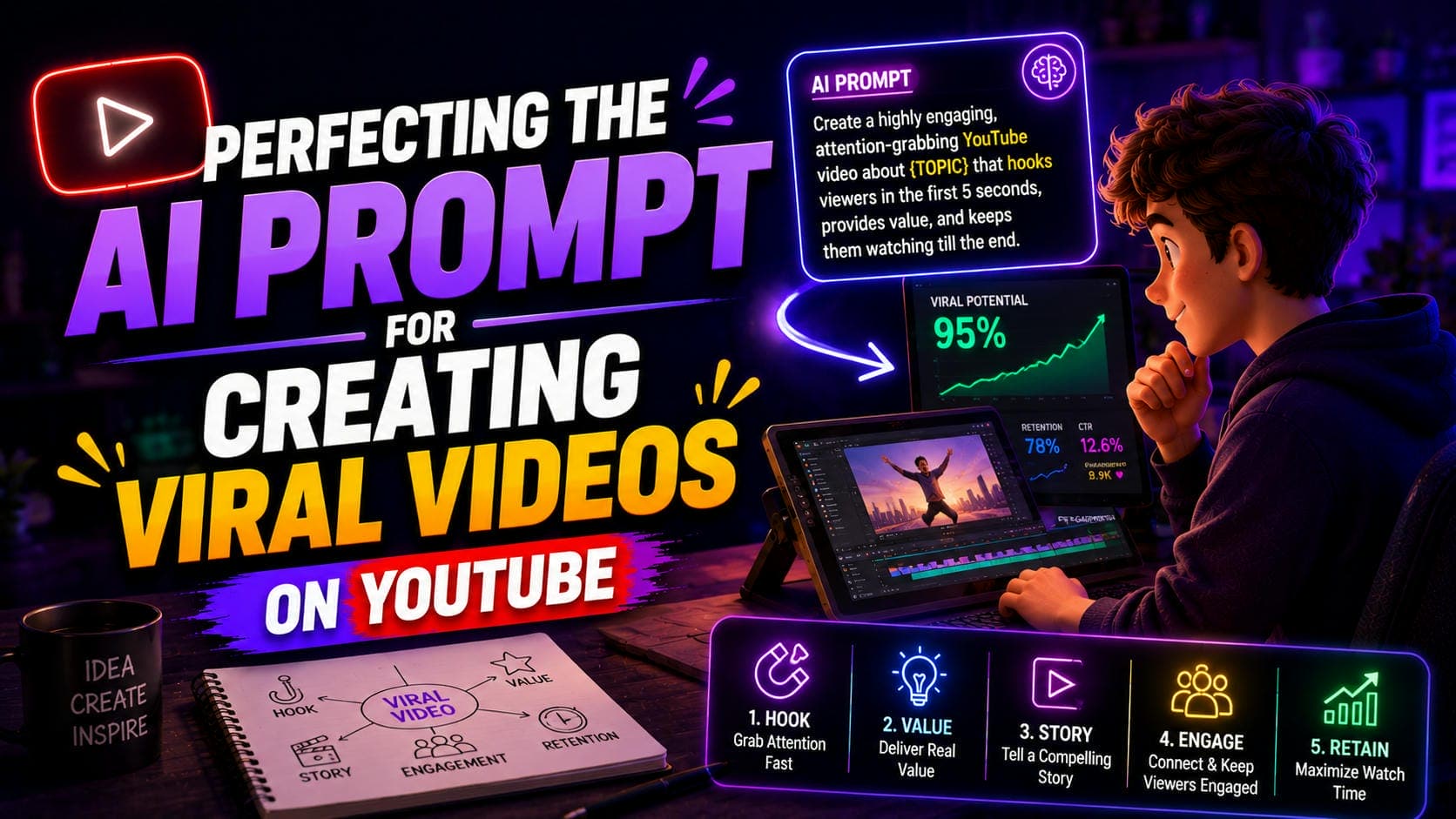
Mastering the AI prompt for creating viral videos on YouTube is the definitive way to scale content production without sacrificing quality. This guide demonstrates how to engineer precise, command-based instructions that minimize generative errors and maximize viewer engagement, providing the technical edge necessary for professional growth in 2026.
Best Practices for AI Video Generation Prompts
Structuring your initial video queries correctly builds a solid foundation. Without strict parameters, generative models default to unpolished visuals that hurt retention. You should know one major limitation right away. Natural language processors still struggle heavily with spatial reasoning. If you tell the tool to place a cup behind a monitor, it often merges the two objects entirely.

-
Start With Clarity: Ambiguity destroys generative outputs. You must clearly define the primary subject and action before adding any secondary environmental details or complex motion vectors to your prompt.
-
Add Cinematic Language: Basic descriptions often leave too much room for interpretation. Consider using filmmaking terms such as "medium close-up," "tracking shot," or "dolly zoom" to provide clearer visual guidance. This can help the AI create scenes with more intentional framing and a stronger cinematic feel.
-
Define Lighting: Visual realism relies heavily on proper illumination across the subject. Always specify the light source explicitly, as this helps the model generate more accurate lighting and avoid flat, washed-out scenes. Including details such as color temperature can further improve consistency. In some cases, minor shadow or contrast issues may still appear, but these can often be corrected during post-processing. Using a video enhancer helps correct minor contrast errors after generation.
-
Specify Visual Style: Visual consistency matters immensely for channel branding. Tell the rendering engine exactly what aesthetic you need. Your new clips will then match your existing brand identity.
Platform-specific strategies for creating AI videos
Different video formats require completely different prompting logic to succeed algorithmically on modern social platforms. You cannot use the same generation instructions everywhere. A 60-second vertical short demands a different approach than a 15-minute documentary. Generators often misinterpret aspect ratio commands on the very first try. Here are the suggestions:
Optimizing for YouTube Shorts
Vertical format demands immediate visual hooks to retain attention. Specifying a strict 9:16 aspect ratio is mandatory. You should command fast-paced subject motion next. The action needs to stay contained directly within the center frame. This keeps mobile viewers from scrolling away instantly.
Generating Long-Form B-Roll
Standard horizontal videos require slow, deliberate visual transitions. Methodical pacing won't distract viewers from your main voiceover track. Use terms like "slow cinematic pan" for stability. Set strict 16:9 parameters. The footage then blends naturally into your editing timeline.
Community Tab Visuals
Static images on the Community Tab need to drive conversation. Instruct the system to generate high-contrast graphics. Text-friendly backgrounds force users to stop and vote in polls.
11 Prompts to Make Viral Videos on YouTube
Creating a viral YouTube video used to mean expensive cameras, film crews, and weeks of editing. Not anymore. With the right AI prompts and Vmake's video generator, you can go from a blank idea to a scroll-stopping video in minutes, and the secret weapon is your prompt.
Below are 11 ready-to-use prompts, each engineered for a specific niche and viral formula. Copy them directly into Vmake, or use them as a starting point and adapt to your content.
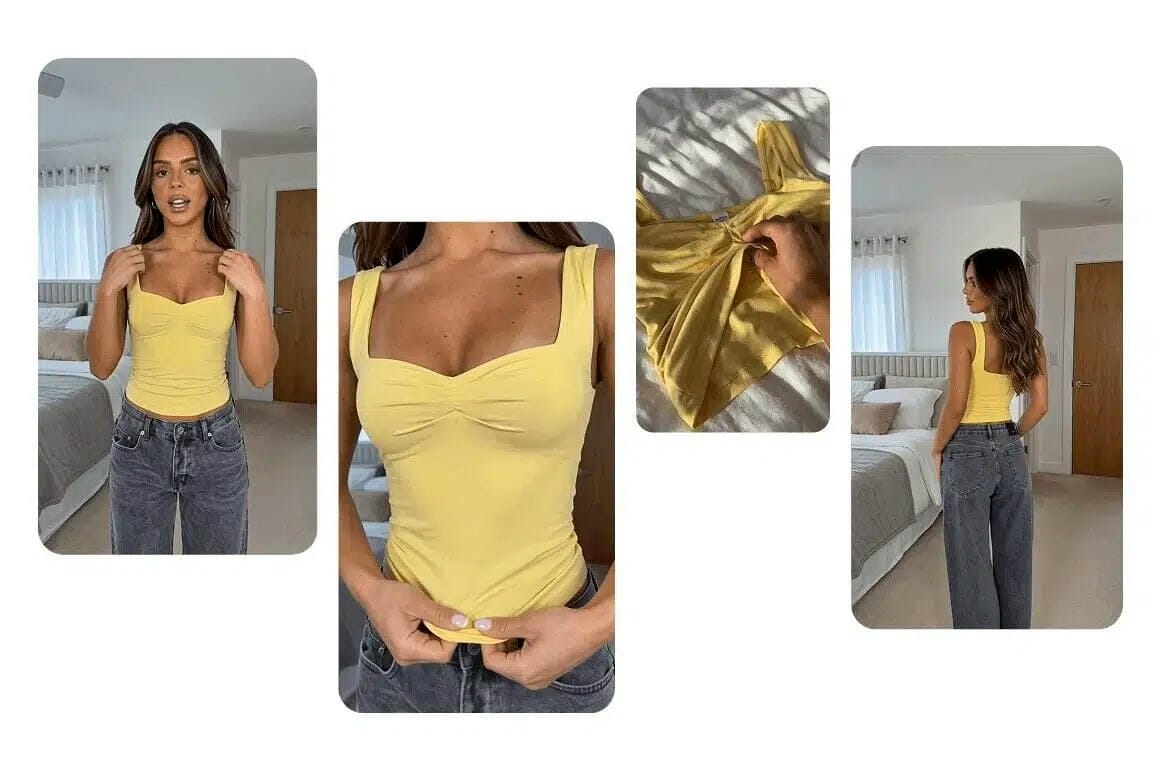
Prompt 1: The Curiosity Hook: Tech Niche
The first 3 seconds of your video determine whether viewers stay or scroll. Use this prompt in Vmake to generate a visually gripping opening that dangles just enough to make audiences click "keep watching."
Prompt: "Cinematic close-up of hands unboxing a matte black device, dramatic studio lighting, dark background, slow product reveal, 8K quality, shallow depth of field, tech reviewer aesthetic. Text overlay: "They said this was impossible."
Prompt 2: The Transformation Reveal: Fitness Niche
Before-and-after content drives massive engagement because it delivers the most satisfying payoff in content: proof. This prompt is built around that reveal moment, the split-screen that stops the scroll.
Prompt: "Split-screen transformation video: left side shows beginning state, right side shows result. Gym environment, confident posture, dramatic warm lighting. Bold text labels "Week 1" vs "Week 8." High-energy motivational aesthetic, 4K cinematic."
Prompt 3: The ASMR Food Reveal: Cooking Niche
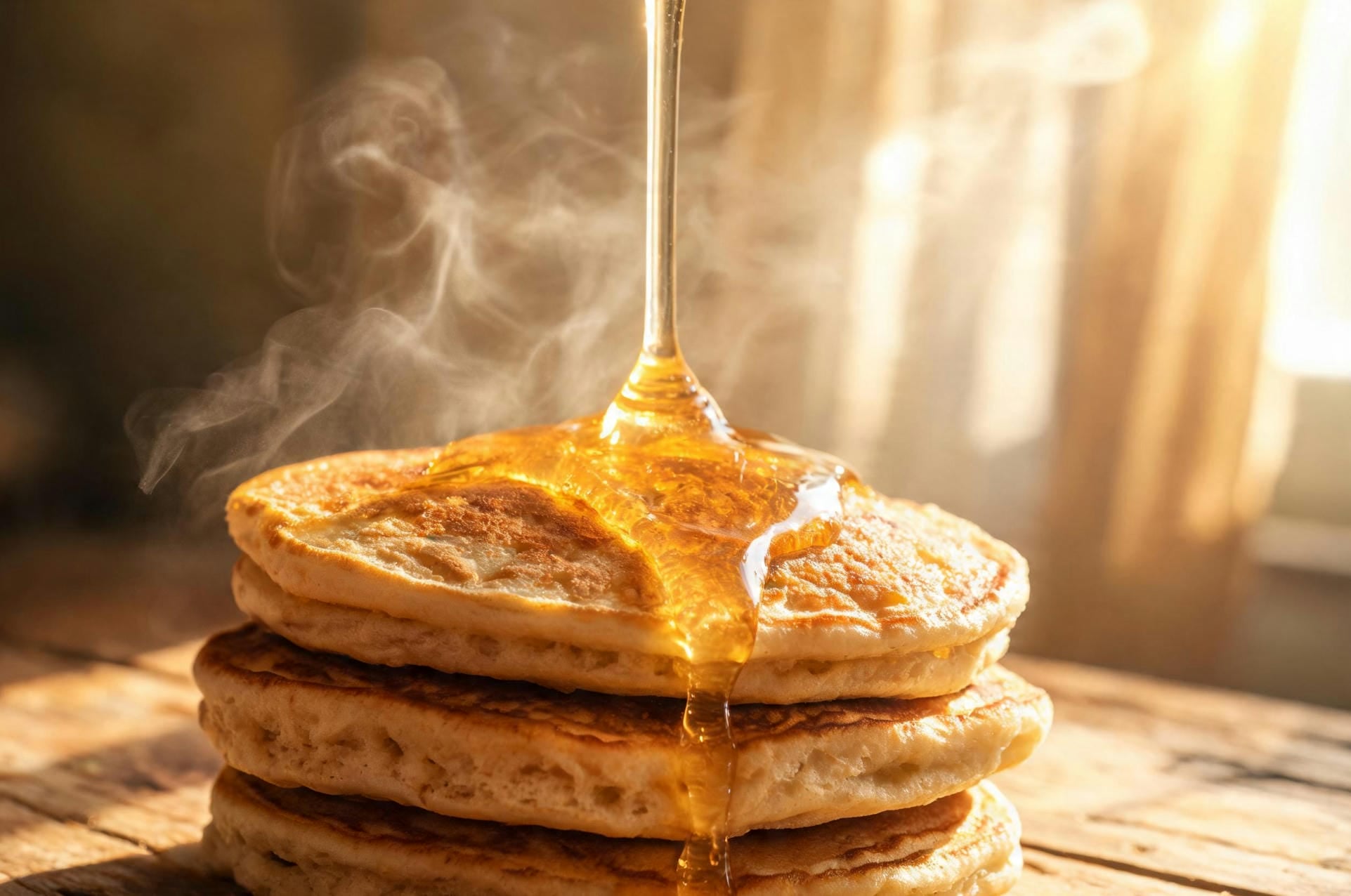
Food content dominates YouTube because it triggers multiple senses, even through a screen. This prompt is engineered to make viewers feel the warmth, hear the crunch, and smell the dish through pure visuals.
Prompt: "Extreme close-up of golden honey drizzling slowly onto a stack of fluffy pancakes. Steam rising, morning sunlight through a window, rustic wooden counter, warm, appetizing tones. ASMR food aesthetic, cinematic 8K, sounds of sizzle and pour."
Prompt 4: The Relatable Comedy Skit: Lifestyle Niche
Comedy drives shares. When viewers laugh, they immediately want their friends to laugh too, and that share is worth more than any paid promotion. This prompt creates that meme-ready, relatable moment.
Prompt: "Person making an exaggerated shocked reaction face to their laptop screen. Bright, vibrant background, comedic zoom-in, expressive facial close-up. Viral meme energy, high saturation, fast cut pacing. Caption: "Me finding out I've been doing it wrong for 3 years."
Prompt 5: The 30-Day Challenge: Motivation Niche
Challenge-format content consistently outperforms single-video content because it gives the audience a reason to come back. This prompt builds the visual narrative arc across a series, from Day 1 struggle to the satisfying finale.
Prompt: "Time-lapse style montage: person at desk at night (Day 1, tired), then early morning workout (Day 15, determined), then confident posture outdoors in sunlight (Day 30, transformed). Text counter overlays, upbeat energetic pacing, warm to cool color grade shift."
Prompt 6: The Drone Wanderlust: Travel Niche
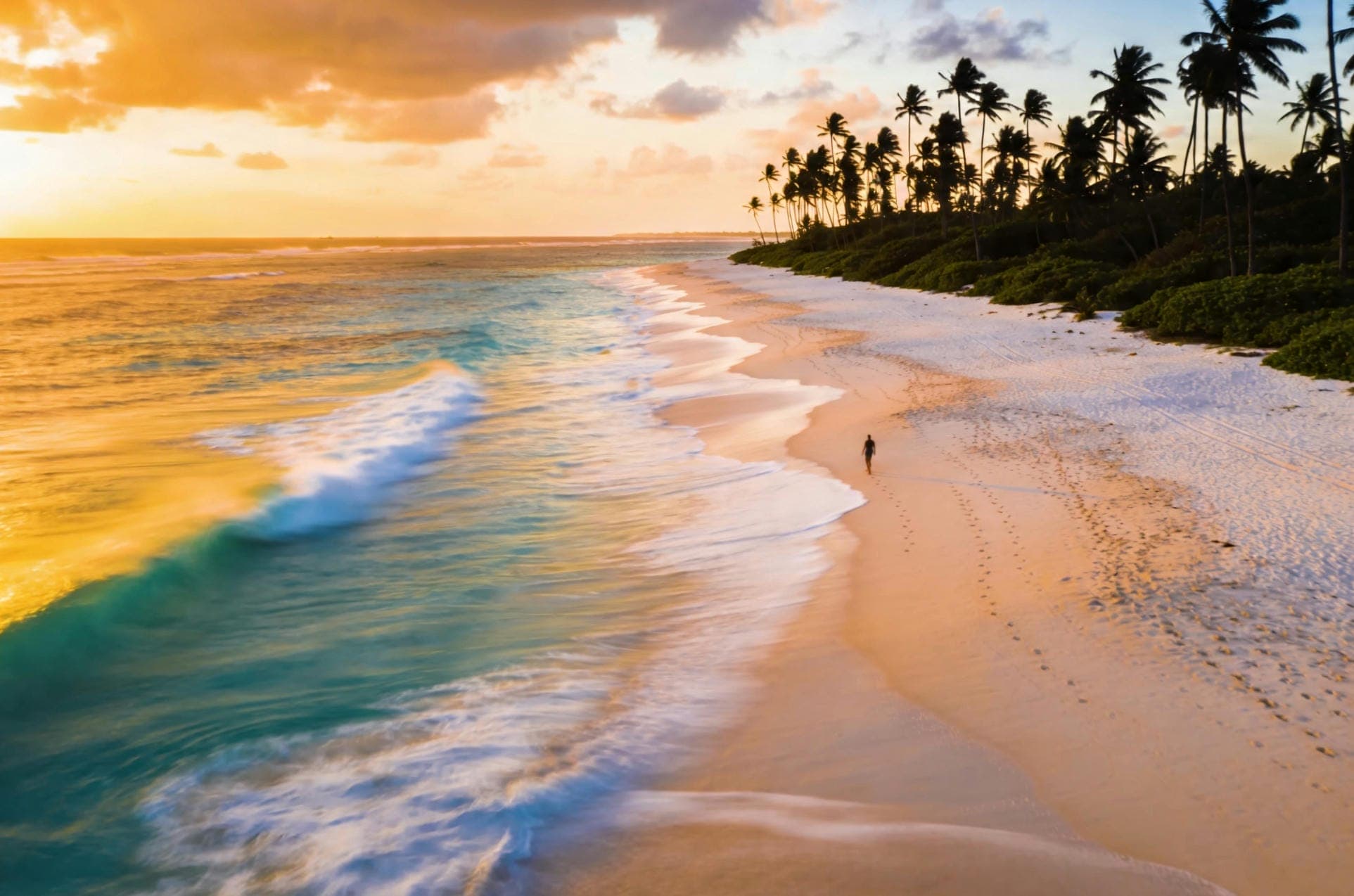
Travel content sells a feeling before it sells a destination. This prompt captures that golden-hour wanderlust that makes viewers stop, sigh, and immediately start planning their next trip.
Prompt: "Aerial drone shot slowly pulling back over a pristine white-sand beach at golden hour. Turquoise water, palm tree silhouettes, tiny figure walking the shoreline. Cinematic travel vlog aesthetic, warm sunset tones, gentle motion blur on the waves."
Prompt 7: The Whiteboard Explainer: Education Niche
Educational content that simplifies complex topics earns loyal subscribers. The whiteboard aesthetic signals "this will be clear" and YouTube's algorithm rewards high watch-time, which explanation videos consistently deliver.
Prompt: "Animated whiteboard style: a hand drawing clean diagrams and icons step-by-step to explain a complex concept. Minimal modern aesthetic, black marker lines on white background, occasional color highlights in blue and orange. YouTube educator tone, clear and engaging pacing."
Prompt 8: The Authority Talking Head: Personal Brand / Business Niche
Trust converts viewers into subscribers and subscribers into customers. A confident, well-framed talking-head video signals credibility before the person says a single word. This prompt makes that impression instant.
Prompt: "Professional talking-head video: person speaking confidently to camera, clean modern office background with subtle bokeh, soft key light from the left, rim light on shoulder. Warm neutral tones, slight camera push-in as they speak. Podcast/YouTube educator aesthetic, 4K."
Prompt 9: The Product Comparison: Review Niche
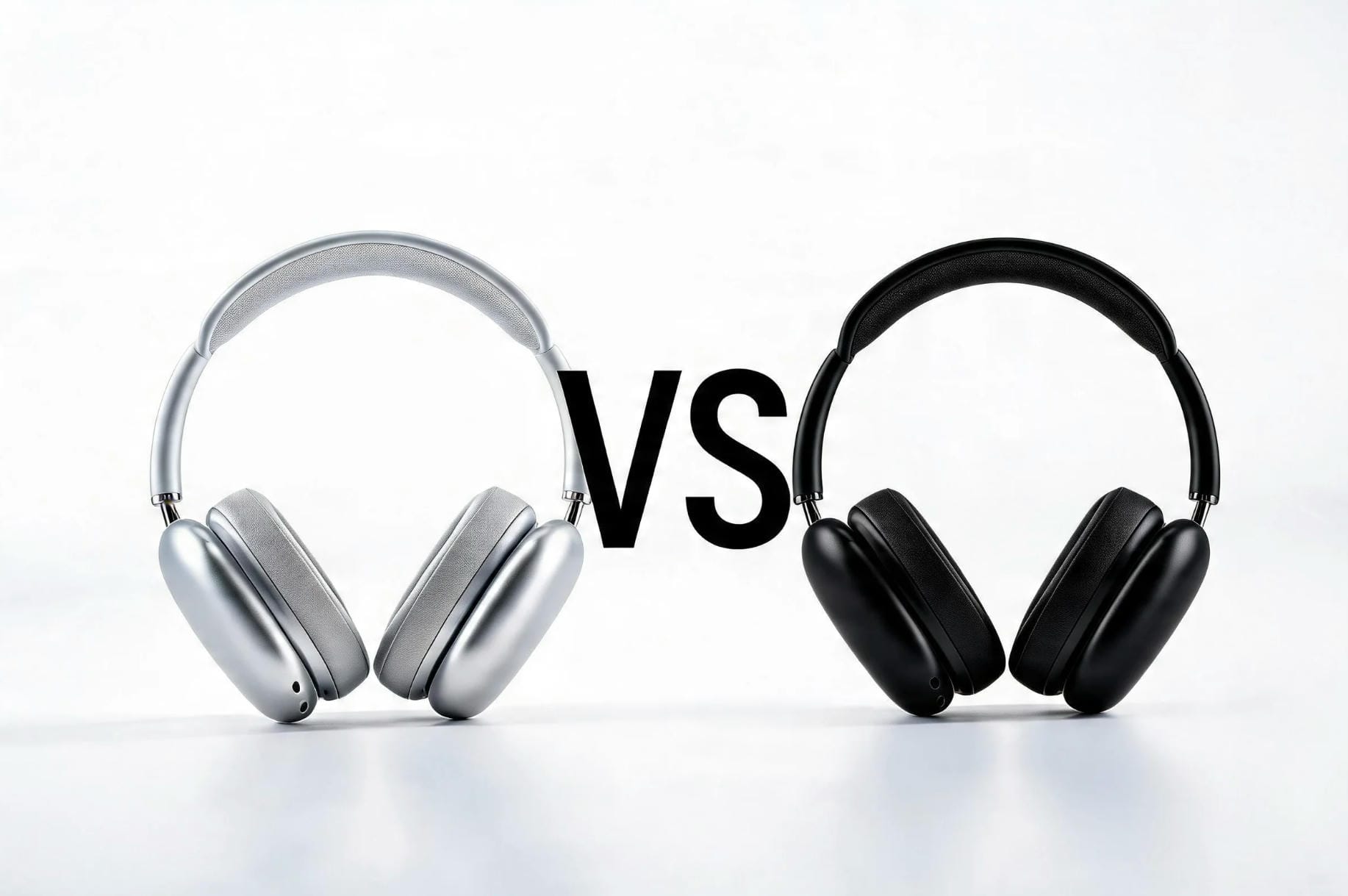
Comparison videos are evergreen; people always want to know which is better before they spend money. This prompt frames both products in a way that builds tension and keeps viewers watching to find out the winner.
Prompt: "Side-by-side product comparison: two devices on a minimal white surface, clean studio lighting, slow tracking shot moving left to right between both products. Bold "VS" text between them, subtle sound design, tech review channel aesthetic, 8K resolution."
Prompt 10: The Listicle Countdown: Any Niche
"Top 5," "Top 10", numbered list formats are YouTube royalty because they set a clear expectation. Viewers stay to see if their pick makes the list. This prompt creates the thumbnail-ready visual for each item.
Prompt: "Countdown-style video frame: bold number"3" on the left, product or subject on the right, high contrast background. Clean modern typography, slight spotlight on the subject, cinematic wide-angle. Builds visual tension as if each item is being revealed. YouTube Top 10 thumbnail aesthetic."
Prompt 11: The 'You Won't Believe This' Curiosity Gap: Any Niche
The curiosity gap is the oldest trick in viral content, and it still works because the human brain physically cannot ignore an open loop. This prompt opens the loop visually before the title even loads.
Prompt: "Dramatic close-up reveal: subject starts blurred or in darkness, then slowly comes into focus under a single spotlight. Tense cinematic music implied by the pacing. Text overlay fades in: "This changes everything." High contrast, moody atmosphere, slow zoom, 4K cinematic grade."
JSON Prompting for Creating AI Videos
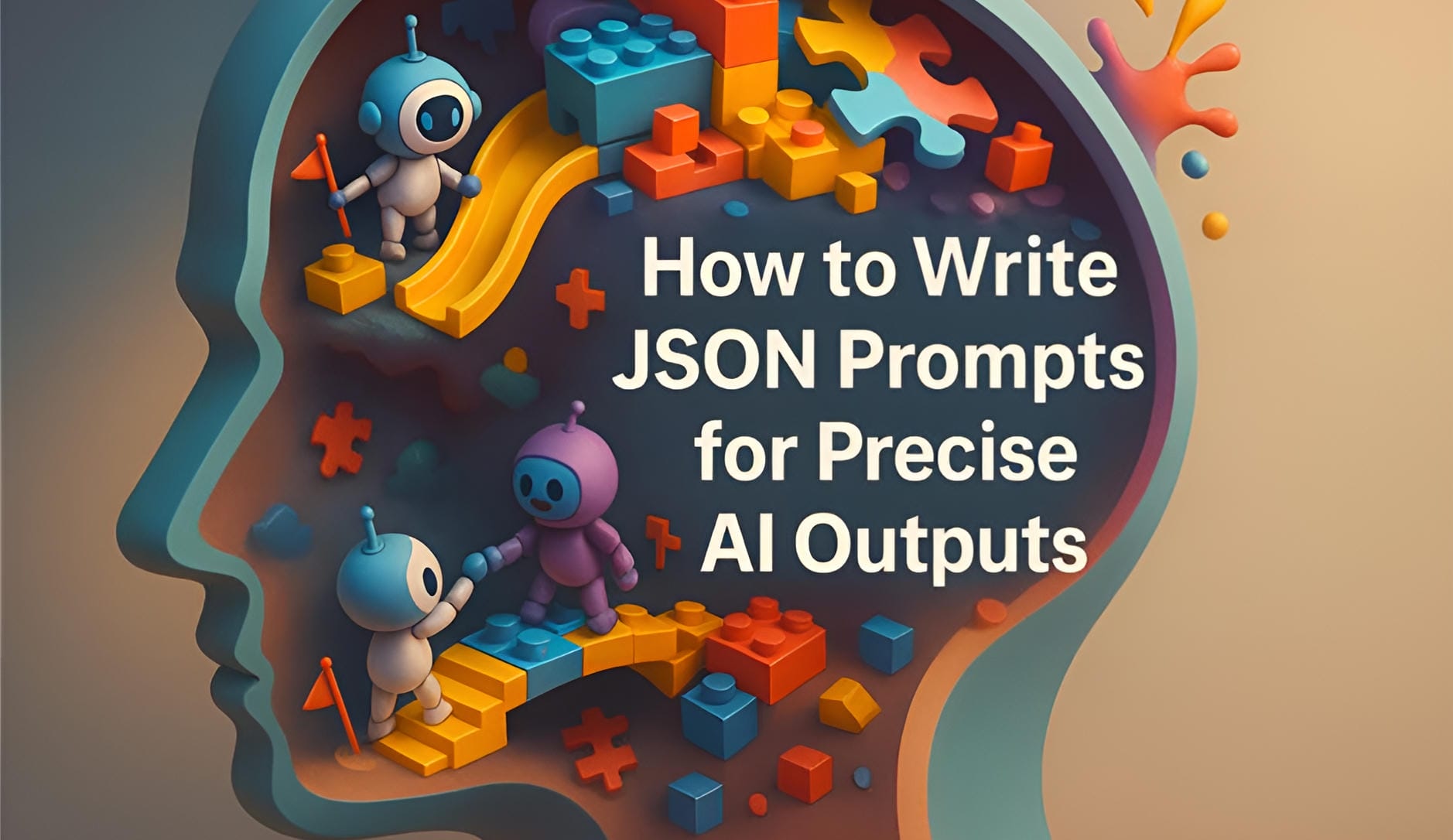
Advanced control requires moving beyond standard descriptive paragraphs entirely. Instead of relying solely on conversational text, consider organizing your instructions into clearly defined sections. This can improve predictability and provide more precise control over the final render.
JSON formatting possesses an incredibly steep learning curve for beginners. A single missing comma breaks the entire executable command. You must validate your syntax thoroughly before hitting submit.
Directorial Control
Separating commands into specific brackets prevents software confusion. It isolates subject instructions flawlessly. Camera commands stay independent from lighting rules.
Multi-Layered Shot Composition
Structured code blocks let you build complex scenes without prompt drift. You can layer multiple background characters. Specific environmental elements sit perfectly alongside precise lighting angles. Implementing a strict YouTube automation strategy relies heavily on this exact method.
Consistency
A standardized code structure brings standardized results. This approach generates a ten-part series that actually matches. Random text strings create chaotic aesthetics. You avoid that entirely with JSON. The outputs finally look unified.
Scene breakdown
You must dissect the generation into distinct, manageable variables. Include specific data fields like:
-
Subject physical descriptions and main action
-
Environment setting and camera movement
-
Lighting setups and aesthetic style
-
Negative inputs to block artifacts
Bypassing Hardware Limits with Vmake AI
Executing advanced visual commands requires immense processing power that laptops cannot handle. Here is how Vmake AI handles heavy-duty production requirements automatically through a simple process:
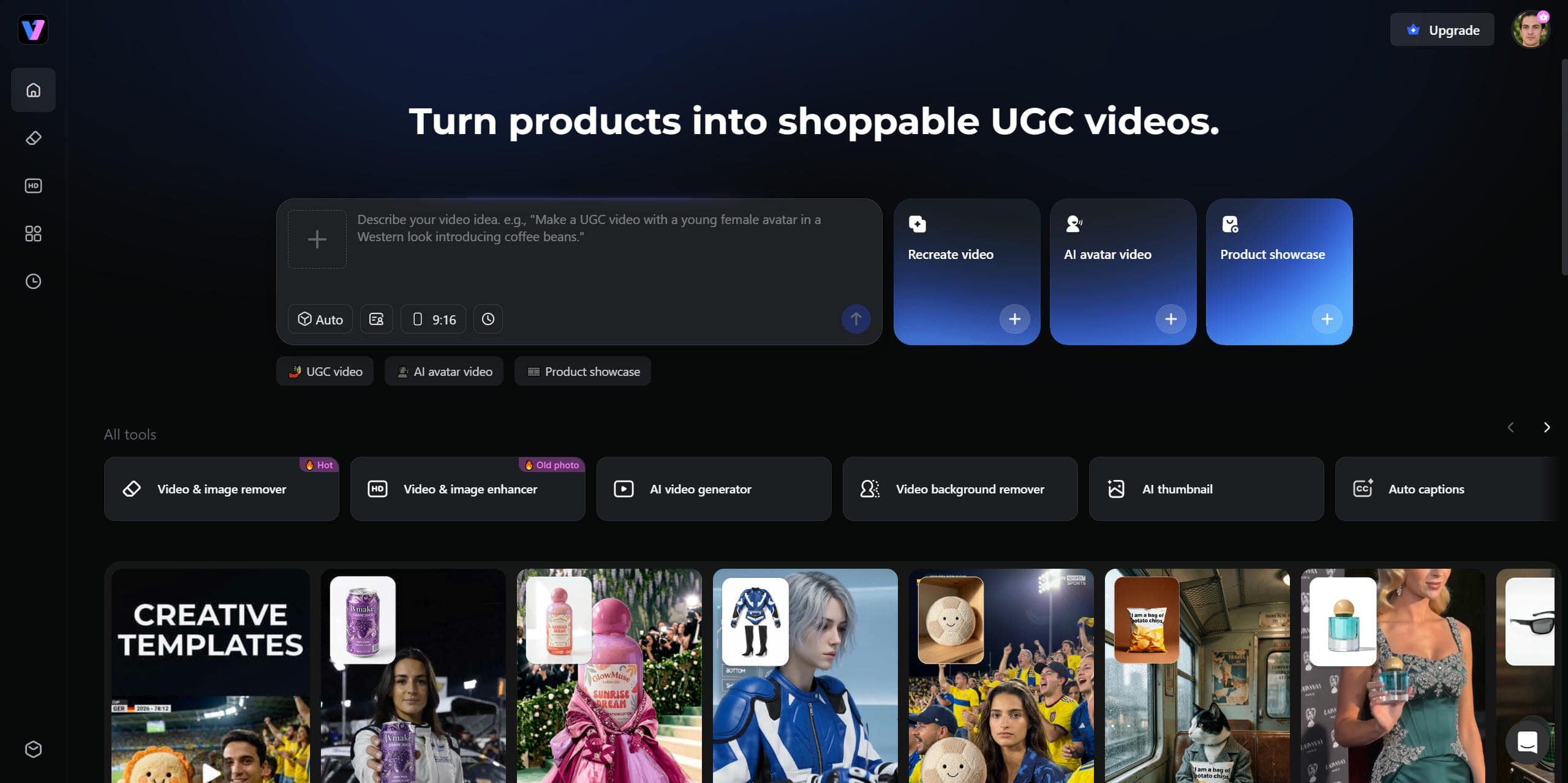
Step 1: Navigate to the Vmake official website
Input your highly specific, multi-parameter prompt into the cloud-native interface. This completely bypasses your local computer's GPU constraints when using the AI video generator. Laptops simply cannot process heavy rendering code without crashing.
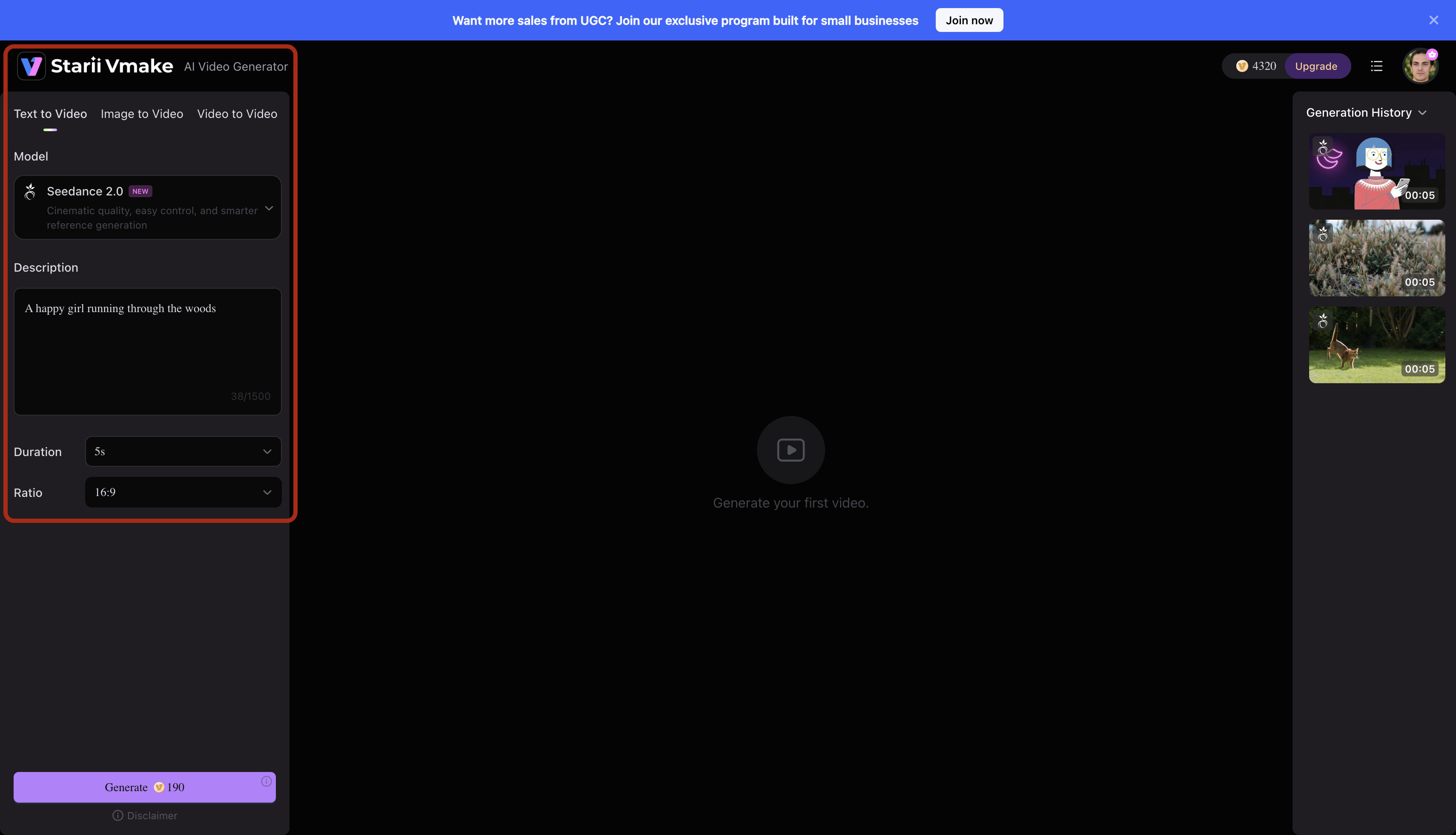
Step 2: Configure your video settings
Open the AI Video Generator and select Text to Video from the available generation modes. Choose your preferred AI model, enter a detailed prompt describing the scene you want to create, and adjust settings such as video duration and aspect ratio. Once everything is configured, review your inputs to ensure they match your desired output.
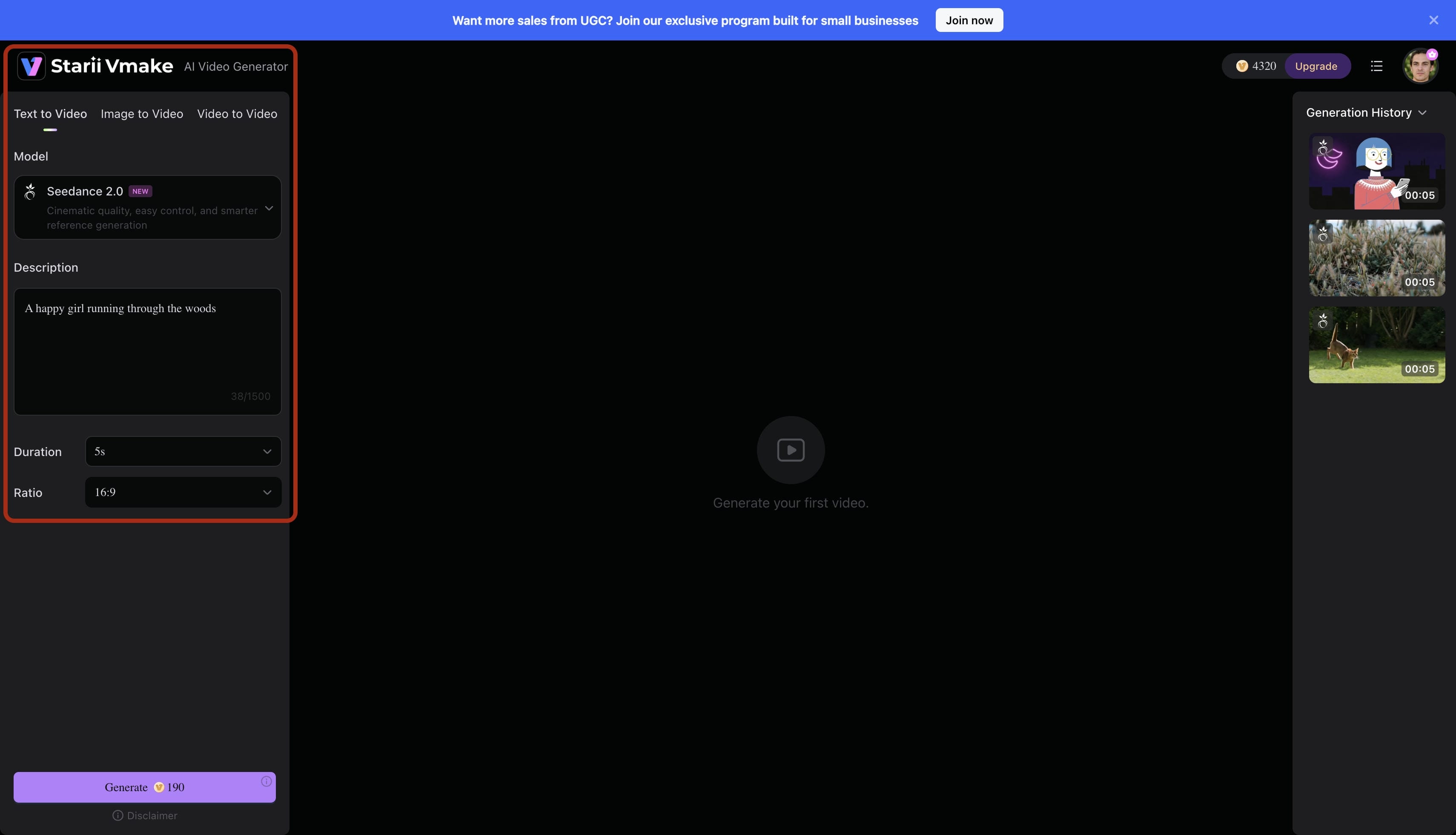
Step 3: Generate and review the video
Click the Generate button to start the creation process. The platform will process your prompt and automatically generate the video. While rendering is in progress, the status will appear in the preview area and the generation history panel.
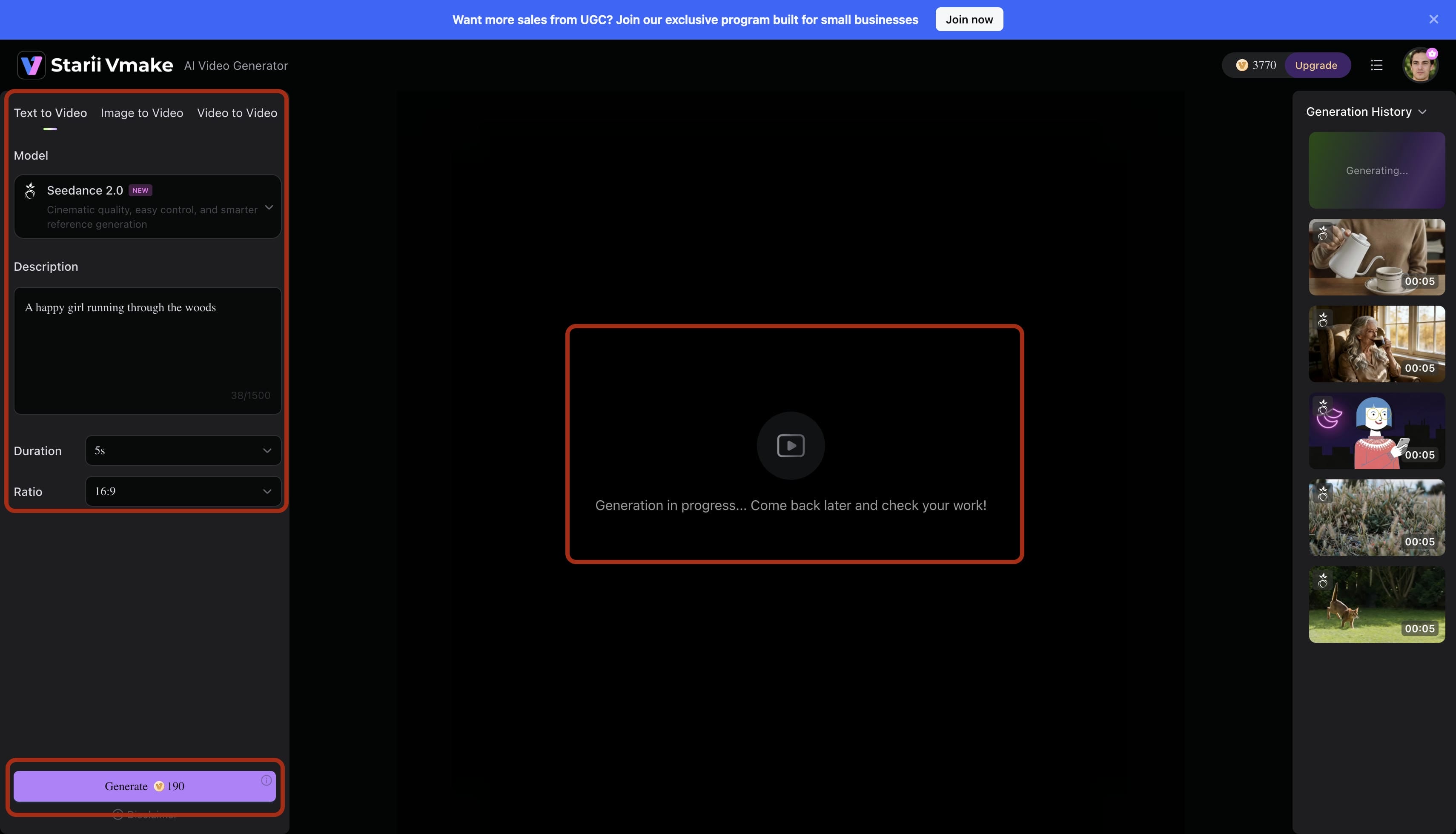
Step 4: Export
If you're satisfied with the animation, proceed to download or publish the video. If not, refine your prompt and generate a new version for improved results. You can remove watermarks and stabilize the asset for immediate export.
AI for YouTube Creators: Core Benefits
Transitioning from manual workflows provides a massive competitive advantage. You drastically reduce overhead costs. Speed does not equal instant success. If your core idea lacks human appeal, automation cannot save it. Technology amplifies your strategy but cannot replace creative intuition.
|
Workflow Metric |
Traditional YouTube Production |
AI-Assisted Generation |
|---|---|---|
|
Ideation Speed |
Hours of manual competitor research |
Minutes of automated data analysis |
|
B-Roll Acquisition |
Expensive stock subscriptions |
Custom-generated visual assets |
|
Editing Timeline |
Days of scrubbing and syncing |
Rapid JSON-prompted clip assembly |
|
Scalability |
Capped by human exhaustion |
Unlimited daily output potential |
Conclusion
Consistent audience growth requires a predictable, scalable production standard. By engineering a precise AI prompt for creating viral videos on YouTube and executing it through a dedicated cloud platform like Vmake AI, you eliminate the friction of manual video editing. The fastest-growing channels don't just rely on luck; they treat structured prompt engineering as the technical foundation of their digital media strategy.
FAQs
Are there any free AI tools for YouTube growth in 2026?
Many platforms offer basic keyword tiers for ideation. Executing a high-fidelity AI prompt for creating viral videos on YouTube demands serious processing power, though. Cloud-based generators like Vmake handle these heavy renders off-site, saving your laptop's graphics card from crashing.
How do I use AI to get more views on YouTube?
Research high-demand topics to find content gaps. Then execute structured prompts for creating AI videos to generate engaging b-rolls. That visual variety retains audience attention much longer.
What are some ways AI can help with YouTube content creation?
Algorithms assist with generating ideas, writing scripts, and structuring outlines. They clean up closed captions automatically. You produce the actual visual assets through specialized JSON prompting.
Is AI-generated content safe for YouTube?
Generated assets remain completely safe as long as they follow community guidelines and avoid copyright infringement. Make sure your final video provides original narrative value. The algorithm penalizes entirely automated channels lacking a human voiceover or unique commentary.
How do I write JSON Prompts for AI Video Generation?
Stop writing long, confusing paragraphs. Break your text into strict key-value pairs using brackets. Separate your camera, lighting, and subject data logically. This exact structure gives the engine absolute directorial control.

You May Be Interested

Best AI Video Generator: Top Tools Tested (2026)
How to Create Professional YouTube Thumbnails with AI: A Creator’s 2026 Strategy
YouTube Automation: Guide to Building a Scalable Business
YouTube Thumbnail Size 2026: The New Standard for High-CTR Visuals
Top YouTube Video Ideas: Methods to Get More Subscribers