Unified Cinematic Video Prompt Guide for Stunning Results
Stop writing flat prompts. Master the unified cinematic video prompt formula with subject, camera, lighting, mood, and motion to create stunning AI videos using Vmake AI's video generator.

Mastering the unified cinematic video prompt transforms ordinary AI generations into Hollywood-level visuals. By combining subject, action, camera work, lighting, mood, and motion into one cohesive prompt, you achieve consistent, immersive results. This guide shows you how to write powerful prompts and turn them into videos with Vmake AI.
What is a unified cinematic video prompt?
A unified cinematic video prompt is a single, comprehensive instruction that combines all essential filmmaking elements into one cohesive prompt. Instead of using fragmented descriptions, it tells the AI exactly what to generate by specifying the subject, action, camera behavior, lighting, mood, environment, and visual style together.
Example of a basic prompt:
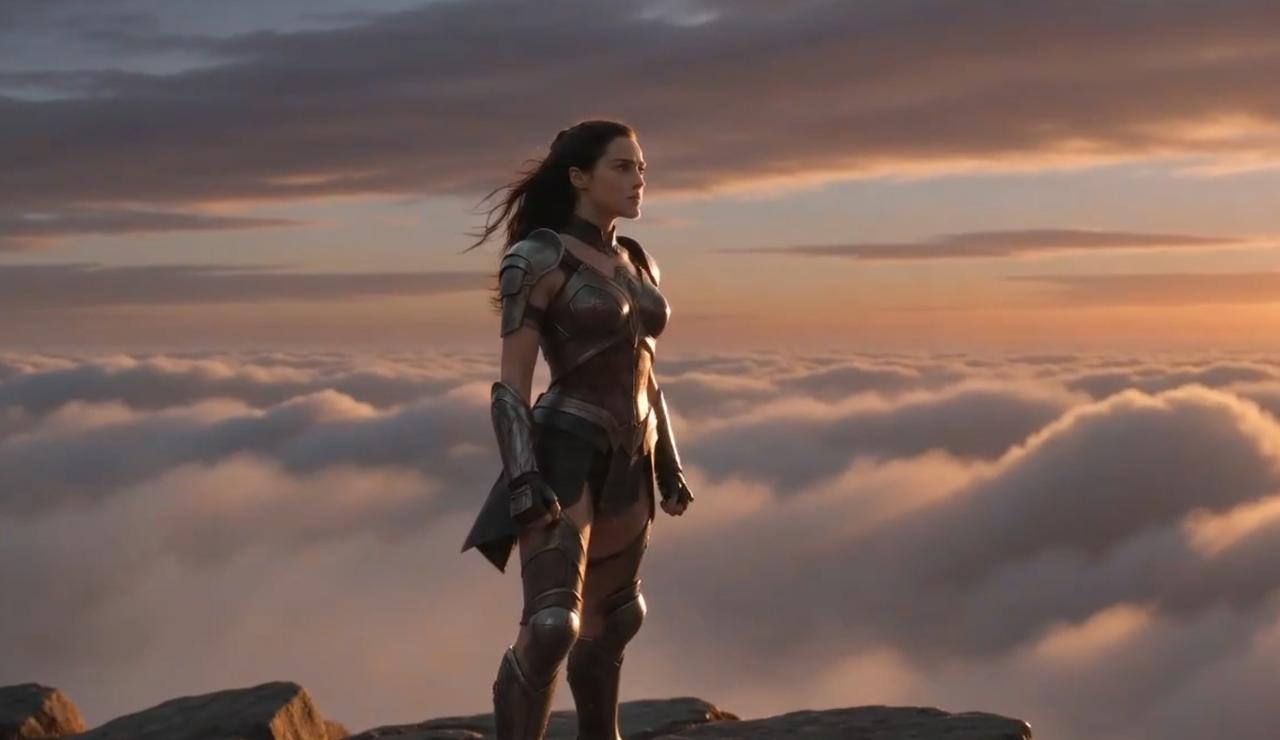
"A warrior standing on a mountain."
The idea is clear, but leaves lots of room for creative interpretation. The result can be choppy visuals, unnatural movement, or generic output.
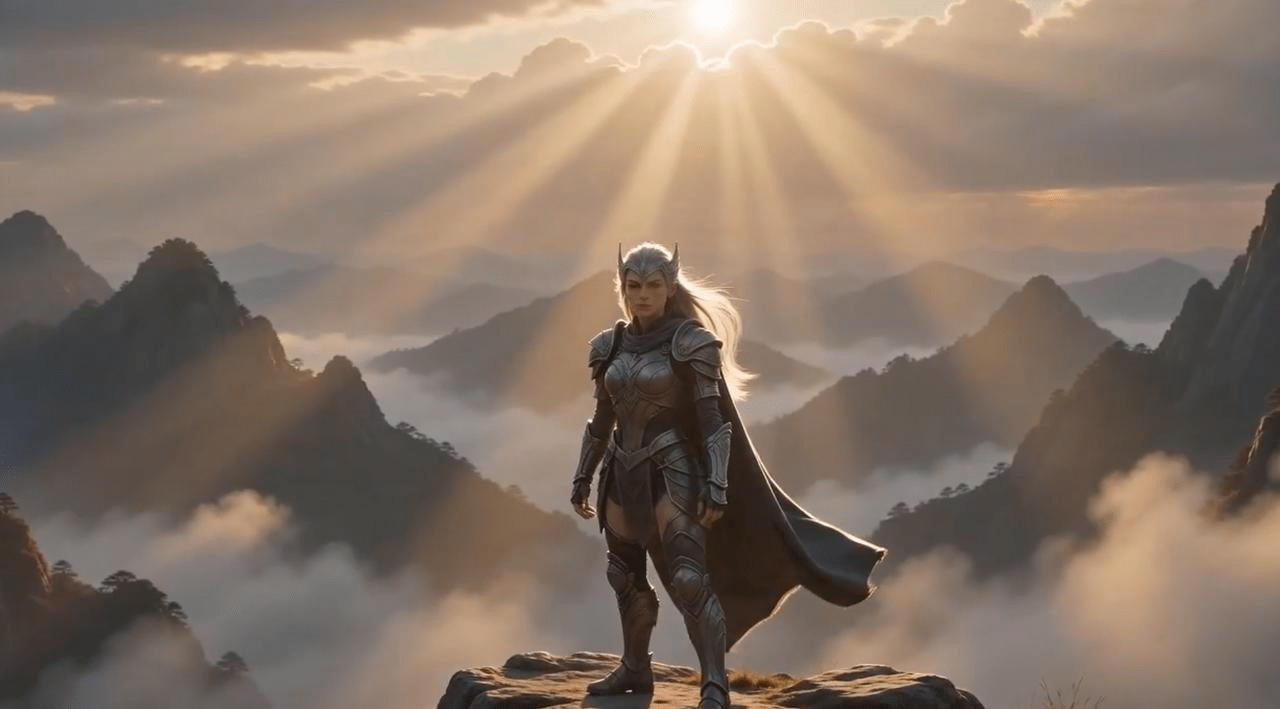
Example of a unified cinematic prompt:
"A lone female warrior with flowing silver hair stands on a misty mountain cliff at dawn as golden sunlight breaks through the clouds, captured in a dramatic low-angle dolly zoom with cinematic volumetric lighting and epic storytelling atmosphere."
Benefits of unified cinematic video prompts
-
Better visual coherence throughout the video
-
Greater motion realism and physics accuracy
-
More cinematic camera movement and composition
-
More control over mood and storytelling
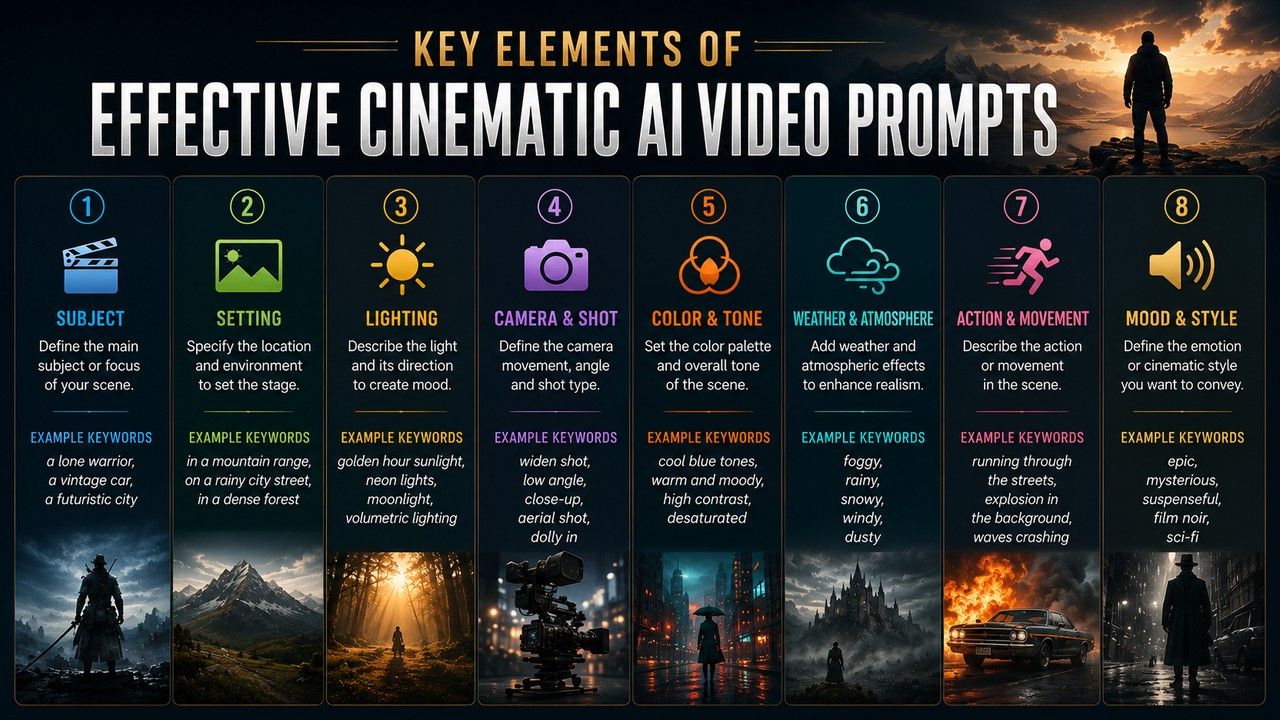
Key elements of effective cinematic AI video prompts
The best cinematic prompts for AI video combine multiple filmmaking elements into a single command.
-
Subject
Define exactly who or what is in the frame with rich, specific details. Be specific about appearance, clothing, age, style, or distinguishing features to help the AI create a clear visual identity.
Example: A lone female warrior with silver hair wearing detailed leather armor.
-
Action
Action describes what the subject is doing and how they are moving. Clear motion instructions help AI generate natural movement and stronger storytelling.
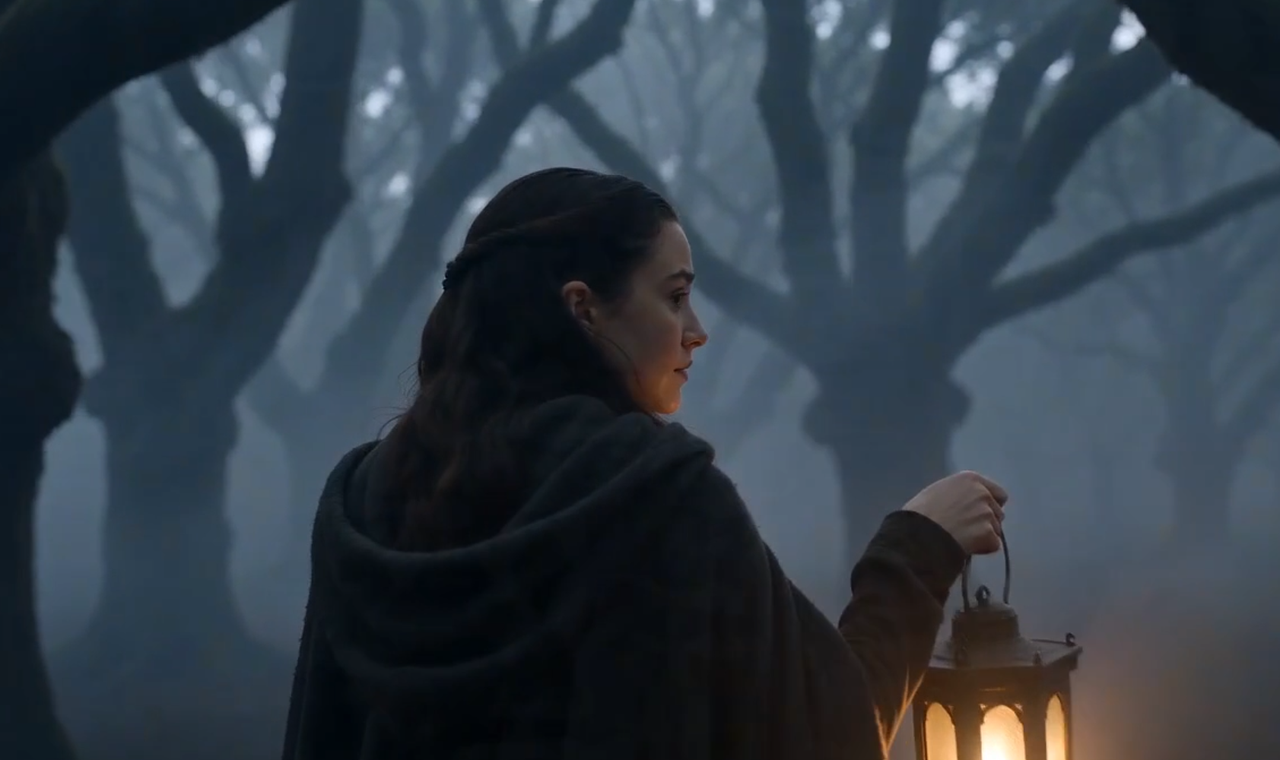
Example: Walking slowly through a foggy forest while holding a glowing lantern.
-
Camera movement
Camera motion plays a major role in creating a cinematic feel. Specifying how the camera moves adds depth, immersion, and visual interest.
Common movements: Dolly, push-in, tracking shot, handheld, crane, orbit.
Example: Smooth tracking shot following the subject from behind.
-
Lens & framing
While camera movement defines how the camera travels through a scene, lens and framing determine how the subject is composed within the shot. Specifying these details influences perspective, focus, and overall composition, allowing you to generate highly professional, cinematic visuals.
-
Shot size: extreme close-up, close-up, medium shot, wide establishing shot, long shot.
-
Lens: 85mm portrait lens, 24mm wide-angle, anamorphic lenses, 50mm standard.
-
Depth of field: shallow depth of field with creamy bokeh, deep focus.
Example: Close-up portrait shot with an 85mm lens and shallow depth of field.
-
Lighting
Lighting establishes realism, atmosphere, and visual impact. Specific lighting instructions often make the difference between ordinary and cinematic output.
Direct the position and quality of light using techniques like golden hour glow, harsh rim lighting, high-contrast chiaroscuro, or volumetric god rays.
Example: Golden sunset light with dramatic volumetric rays through the trees
-
Mood & Color grade
Define the emotional spectrum and color treatment of the clip.
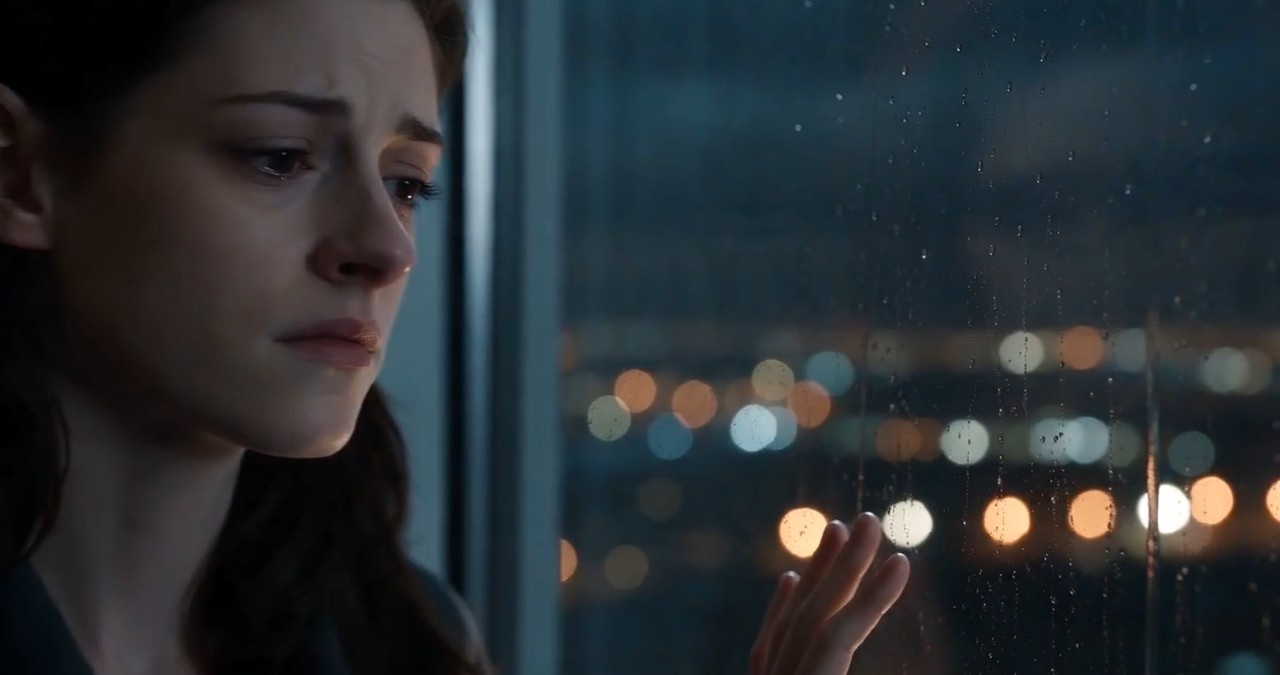
Mood words: Melancholic, epic, serene, tense, luxurious, mysterious, hopeful
Color grading: Teal and orange, desaturated cinematic, warm filmic tones, cool cyberpunk neons, high-contrast noir
Example: Moody atmosphere with teal-orange cinematic color grading.
-
Setting & environment
The environment provides context and helps build a believable cinematic world. Include details such as location, weather, time of day, and atmospheric effects.
Example: Rain-soaked Tokyo street at night illuminated by neon signs.
-
Pacing
Pacing controls the rhythm and energy of the video. It influences how motion unfolds and how viewers experience the scene.
Example: Slow burn cinematic pacing with a gradual camera push-in.
Ready-to-use unified cinematic video prompt examples
These prompts weave the elements above into one continuous description. Copy them as-is or swap out details to match your own scene.
-
Epic Fantasy Warrior Scene
A lone female warrior with flowing silver hair and intricate leather armor stands on a misty mountain cliff at dawn, sword raised as golden sunlight breaks through the clouds. Dramatic low-angle dolly zoom shot circling around her, wind dramatically blowing her cape, cinematic volumetric lighting with god rays, epic orchestral mood, shot on Arri Alexa 65, anamorphic lens, subtle film grain, 8K cinematic masterpiece, highly detailed, emotional storytelling.
-
Luxury Product Commercial (Perfume)
Close-up of an elegant crystal perfume bottle on a black marble surface in a luxurious dark studio. A single drop of golden liquid slowly falls and splashes, creating perfect ripples. Smooth macro cinematic tracking shot with shallow depth of field, dramatic side lighting with golden highlights and deep shadows, luxurious and seductive atmosphere, shot on RED Komodo, 85mm lens, ultra-realistic textures, 6K, commercial film style.
-
Emotional Cinematic Storytelling
A young man in a vintage coat walks slowly through a rainy, neon-lit Tokyo street at night, holding an umbrella, looking melancholic. Rain droplets glistening under pink and blue neon signs. Smooth tracking side shot transitioning to a gentle crane up, cinematic color grading, moody atmosphere with bokeh lights, emotional storytelling, shot on Sony Venice, anamorphic lenses, subtle film grain, 8K, masterpiece.
-
Dynamic Action Sequence
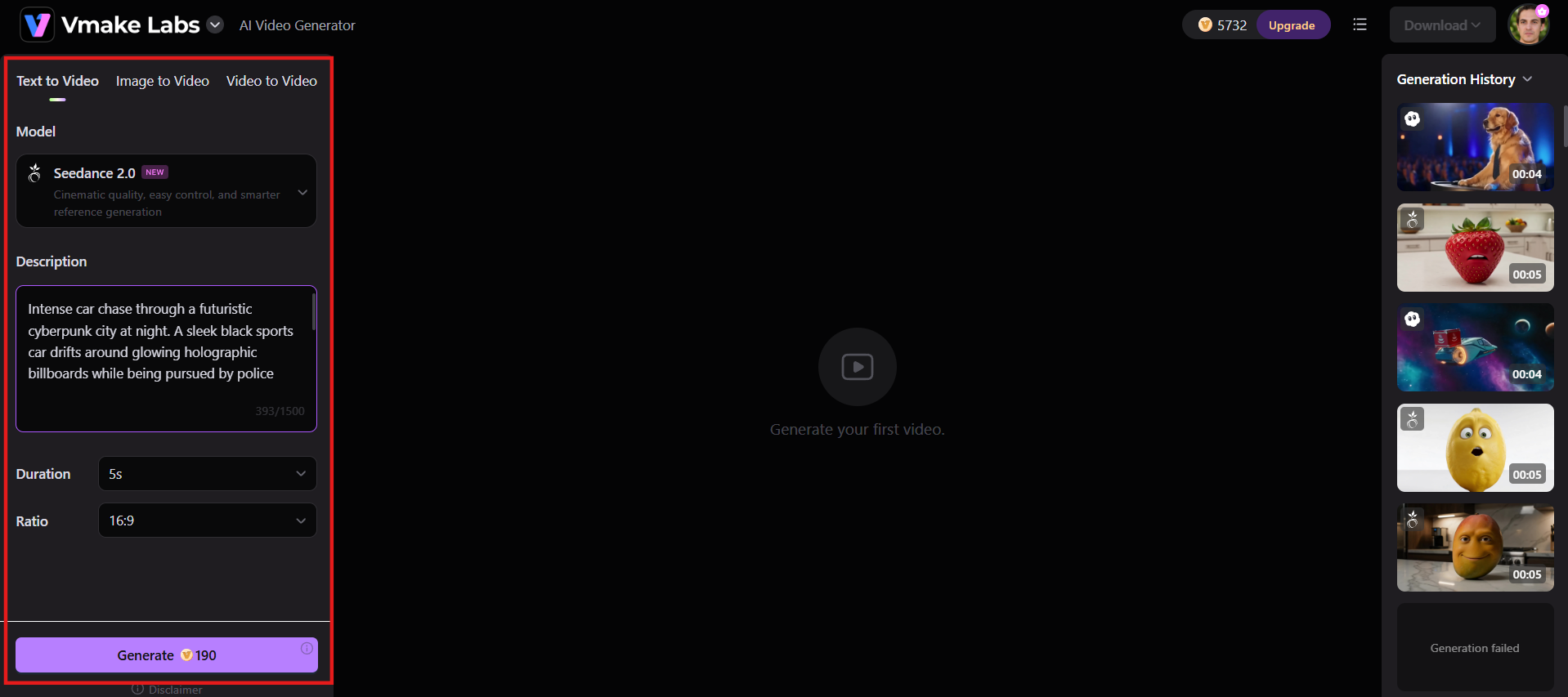
Intense car chase through a futuristic cyberpunk city at night. A sleek black sports car drifts around glowing holographic billboards while being pursued by police drones. Fast-paced dynamic camera with rapid pans, tracking shots, and low-angle hero angles, cyberpunk neon lighting, high-energy motion, cinematic intensity, shot on IMAX, 8K resolution, hyper-detailed, blockbuster movie style.
-
Serene Nature Cinematic Shot
A majestic lone wolf stands on a snow-covered mountain ridge at sunrise, breath visible in cold air, looking toward a vast frozen valley. Slow majestic drone shot pulling back and rising upward, golden sunrise lighting with long shadows, peaceful yet powerful atmosphere, National Geographic style, shot on Arri Alexa, natural color grading, ultra-realistic fur details, 8K cinematic masterpiece.
Meet Vmake AI: Turn your prompts into cinematic videos
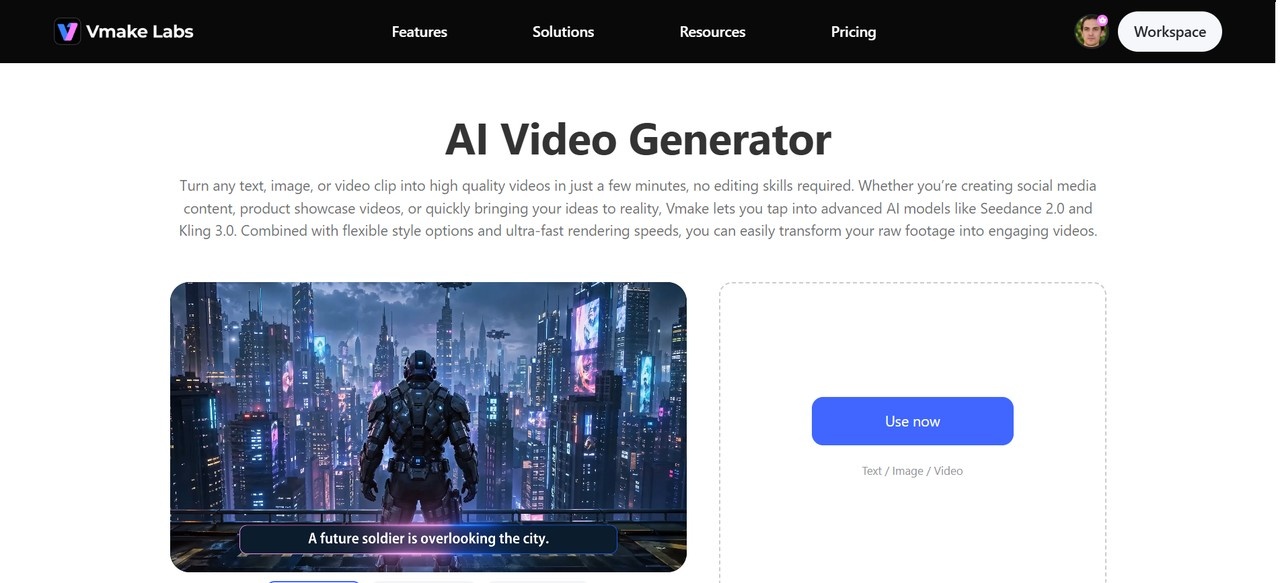
Writing a unified prompt is only half the battle; you need a generator that can truly interpret all of that camera, lighting, and mood information, not flatten it into a generic clip. Vmake AI video generator is built for that. It brings you the power of several leading video models, all in one place, so you can run the same cinematic prompt through different engines and compare which one faithfully renders your camera move, lighting, and grade. No extra tools, no manual edits.
Key features of Vmake AI for cinematic videos
-
Multi-model generation: Access top-tier models, like Seedance 2.0, Kling 3.0, Google Veo 3, Sora 2, and others on one platform. Switch models easily to match your cinematic needs, from realistic motion and physics to high-end visual fidelity and cinematic color grading.
-
Multiple generation methods: Supports text-to-video, image-to-video, multi-image references, start/end frame control, and video-to-video. This gives strong control over character consistency, camera movements, and scene composition.
-
High-resolution, controlled output: Generate high-resolution videos in up to 4K quality with flexible clip lengths, typically ranging from 2 to 15 seconds, while maintaining greater control over visual style, motion, composition, and overall cinematic quality.
-
Built-in enhancement & polish tools: Eliminate generation artifacts instantly using integrated post-processing tools. Features like native AI 4K upscaling, detail enhancement, and visual refinement passes remove compression anomalies and boost clarity, delivering a polished, production-ready finish for cinematic video output.
Steps to generate stunning cinematic videos using Vmake AI
Step 1: Access AI video generator
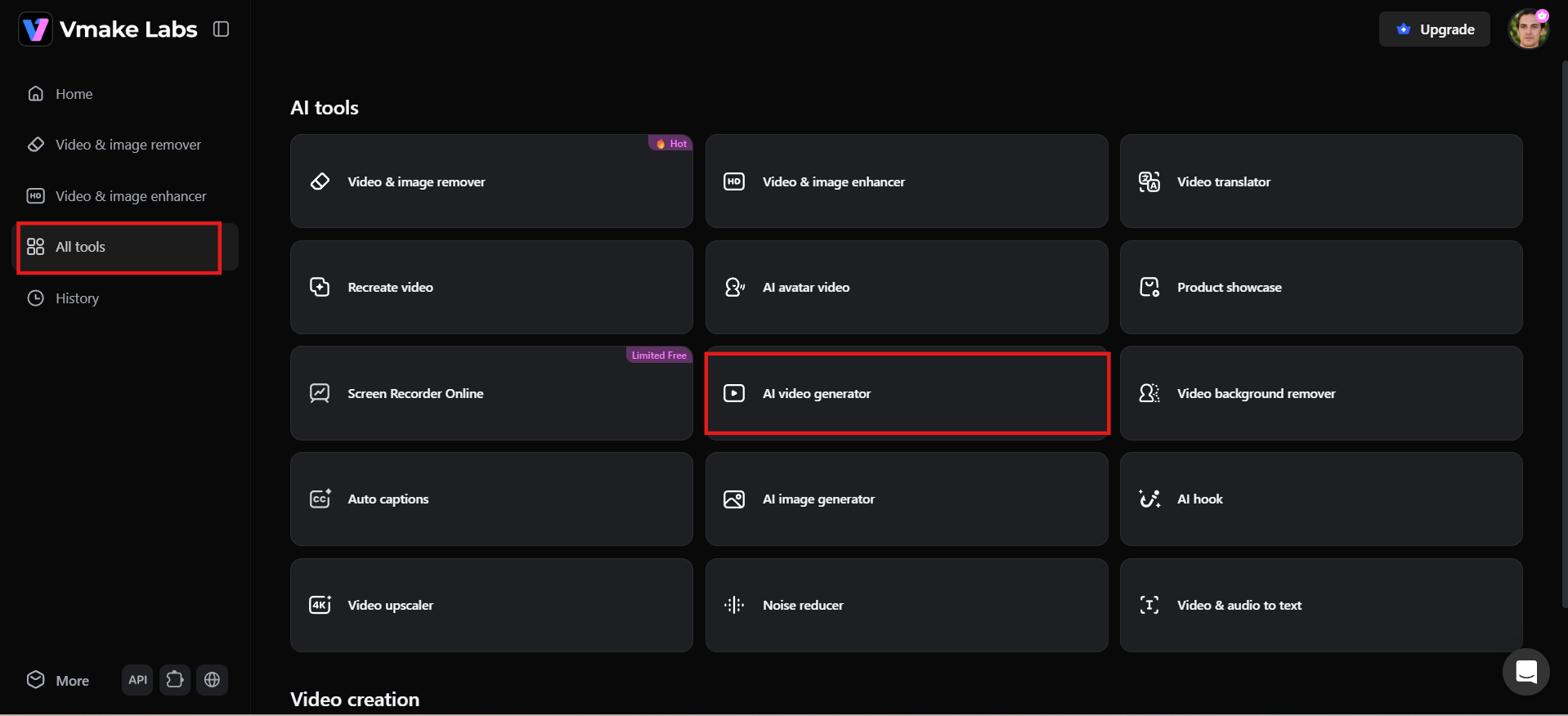
Log in to Vmake AI and access your dashboard. Navigate to "All tools" from the left-side menu and select "AI video generator." This opens the video creation workspace, where you can start turning your unified cinematic video prompt into a high-quality cinematic shot.
Step 2: Enter your prompt and adjust settings
Select your preferred creation mode: Text to Video, Image to Video, or Video to Video. Choose an AI model according to your creative goals, provide your consolidated cinematic video prompt, and include reference images if necessary. Adjust settings such as video length, aspect ratio, resolution and other generation options, then press "Generate."
Step 3: Preview and download
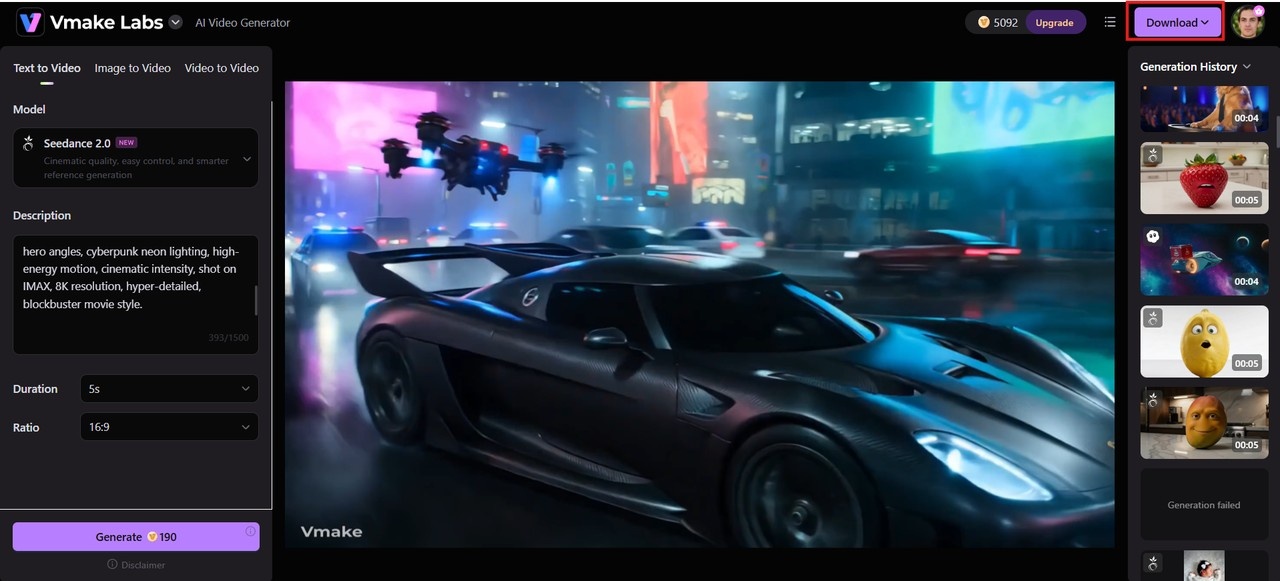
If required, tweak your prompt or parameters and generate another draft. Once you are satisfied with the result, click on "Download" to export your cinematic video to share, publish or edit further.
Common mistakes to avoid when writing cinematic AI video prompts
Crafting a high-quality prompt for cinematic video requires a careful balance of detail and restraint. Avoid these common pitfalls to ensure your AI generator delivers clean, Hollywood-style footage.
-
Overloading the prompt: Listing every cinematic term you know, such as different camera moves and conflicting lighting styles, will only confuse the model. Choose only the elements that really work for the shot.
-
Using vague descriptions: Using terms like "nice scene" or "good lighting" leaves too much room for interpretation. Provide detailed guidance to AI for subjects, settings, lighting styles, and emotions.
-
Ignoring camera directions: Exclusion of camera movement is a frequent gap. The model defaults to a static or unpredictable frame without a named move such as a dolly, pan, tracking shot, or crane.
-
Forgetting lighting and mood: Lighting and mood create the emotional tone of a scene. Omitting these elements can make videos appear flat, generic, or visually disconnected from the intended cinematic atmosphere.
-
Mixing multiple visual styles: When mixing multiple visual styles, such as vintage film, cyberpunk neon, and realistic documentary styles, the results may be inconsistent. Stick to one primary visual direction for better cinematic coherence.
Conclusion
A well-crafted unified cinematic video prompt is the foundation of professional AI video creation. By systematically including subject, camera, lighting, mood, and motion, you unlock consistent, breathtaking results. Whether you're producing commercials, storytelling scenes, action sequences, or nature shots, Vmake AI makes it easy to transform cinematic prompts into stunning, cinematic videos.
FAQs
What makes a video prompt "cinematic"?
A prompt achieves a true cinematic look when it moves beyond simple asset descriptions. It must specify technical director choices, such as dynamic camera paths, lens framing, precise lighting styles, and color grading. This mimics the exact decisions a director of photography makes on a real set.
How do I write an effective unified cinematic video prompt?
Instead of using scattered keyword tags, layer your subject, action, camera movement, lens physics, lighting, and pacing into one continuous, fluid narrative. Run this unified prompt through a generator like Vmake AI to benchmark how different models interpret your structural details.
How long should a cinematic AI video prompt be?
Precision beats length. The optimal prompt structure spans roughly 3 to 5 sentences or 40 to 80 words. This provides enough contextual depth regarding motion and visual style without overwhelming AI with unnecessary or causing conflicting generations.
How can I maintain character consistency across multiple shots?
Lock in your consistency by systematically repeating core anchor details, such as exact clothing, facial anatomy, hairstyle, and defining traits, across your prompt sequences. Leveraging reference images can further guarantee rock-solid character persistence from shot to shot.
How do negative prompts improve cinematic AI video output?
Negative prompts act as a quality control filter. By explicitly telling the AI to exclude artifacts, like blurry renders, anatomical distortions, unrealistic motion, and poor lighting, you force the generation engine to prioritize clean, photorealistic, and production-ready frames.

You May Be Interested
Runway AI Video Generator: Create Cinematic AI Videos
(2026) How to Create 4K Cinematic AI Videos: Seedance 2.0
Mastering Seedance 2.0: 10 Advanced Prompts for Multi-Shot AI Video
Top Prompts for Music Videos: Create Better AI Videos in 2026