
Gemini AI Video Generator: Unlock Everything You Want to Know
What is Gemini Video? Explore its features, pricing, prompt formulas, learn how to generate stunning AI videos from prompts or photos, using Gemini video (Veo 3/3.1) on Vmake. Enhance your video content production today!

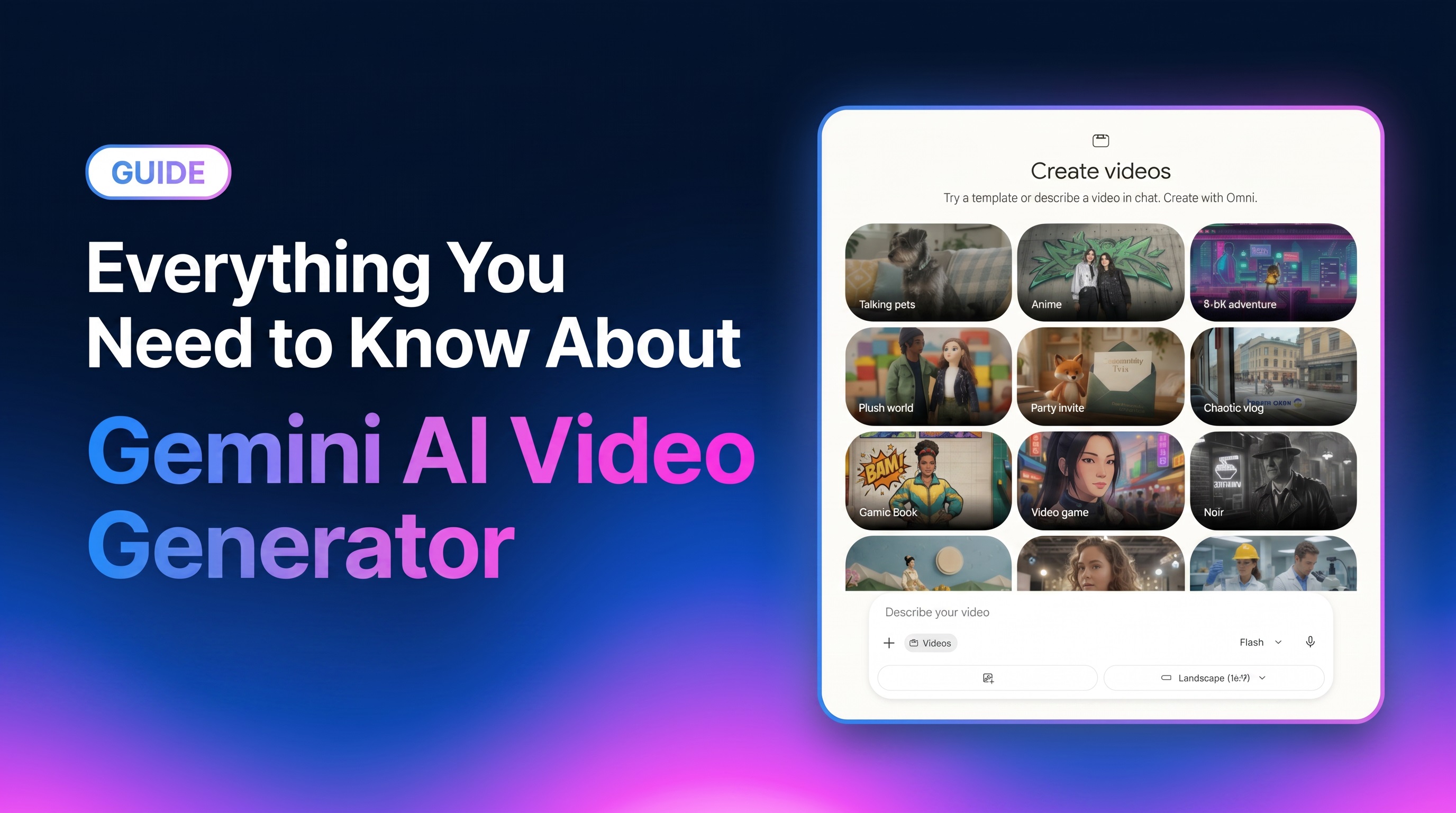
AI-driven video synthesis has officially bypassed static imagery, introducing an era of highly realistic physical simulations and multi-layered media orchestration. This guide explores Google's advanced Gemini Video ecosystem, powered by Veo and Gemini Omni, and demonstrates how to bridge its raw generative capabilities with the conversion-optimized workspace of Vmake AI for high-impact commercial video creation.
What is the Google Gemini AI video generator?
Gemini Video represents Google's premier user-facing environment for creating and adjusting high-fidelity video content. Rather than relying on a single engine, the interface unifies Google's most sophisticated creative intelligence pipelines: Gemini Omni and Veo.
Gemini Omni serves as the multimodal "brain," interpreting text, images, and audio natively to establish logical world physics and contextual coherence. Meanwhile, the Veo architecture handles high-fidelity rendering and cinematic texturing.
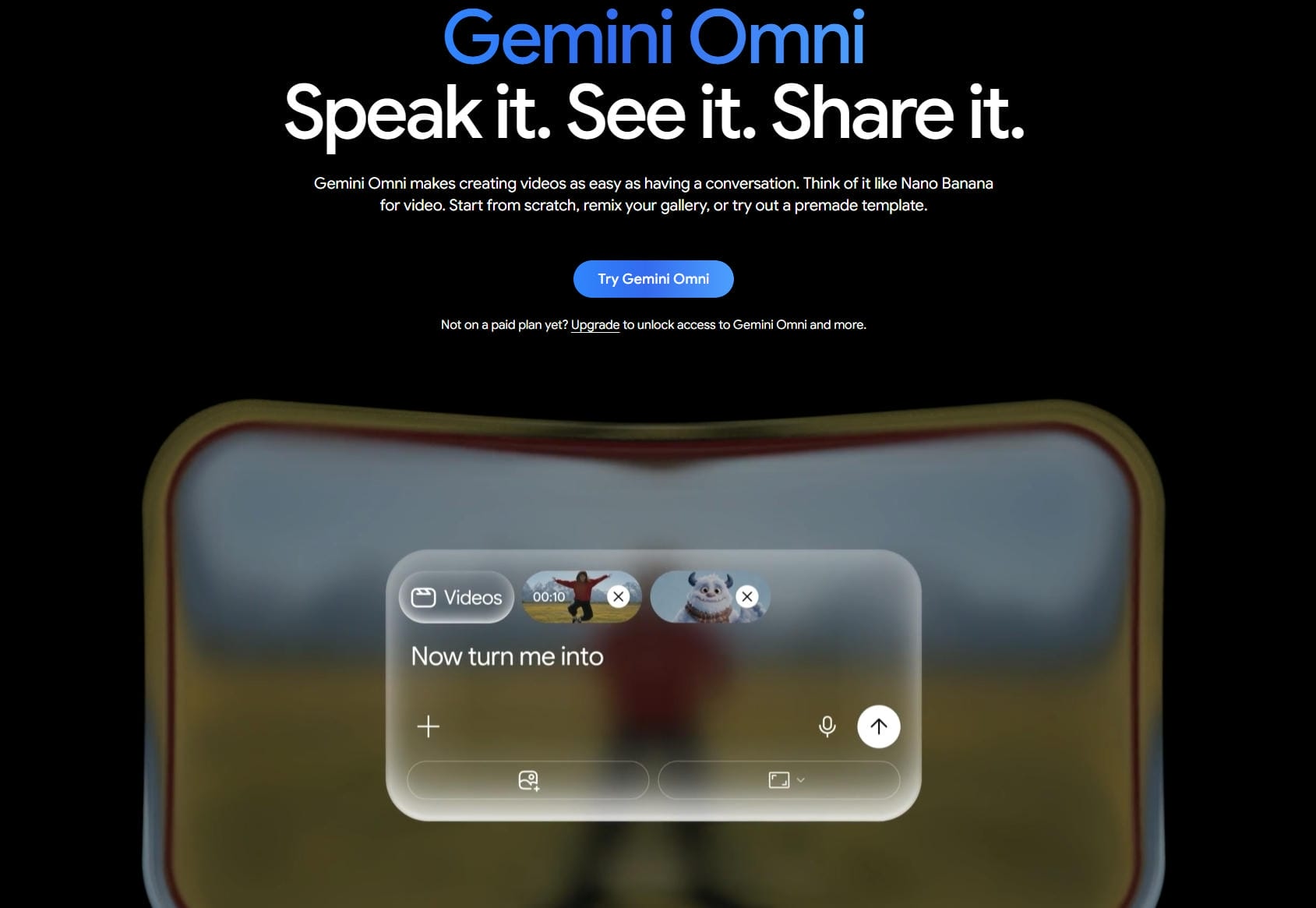
Together, they create a unified workflow capable of generating photorealistic outputs that actually respect the laws of physics, elevating standard video generation into a highly responsive, conversational creative suite.
|
Model/Engine |
Primary Role |
Output Strengths |
Key Capability |
|---|---|---|---|
|
Veo 3 |
Foundational Rendering |
High-fidelity visuals, smoother motion transitions |
Basic prompt adherence |
|
Veo 3.1 |
Cinematic Render Engine |
Photorealism, complex physics, long temporal stability |
Native audio synthesis |
|
Gemini Omni |
Conversational Brain |
Multimodal input reasoning, dialog-to-video editing |
Real-world logic |
Top features of the Gemini video generator ecosystem
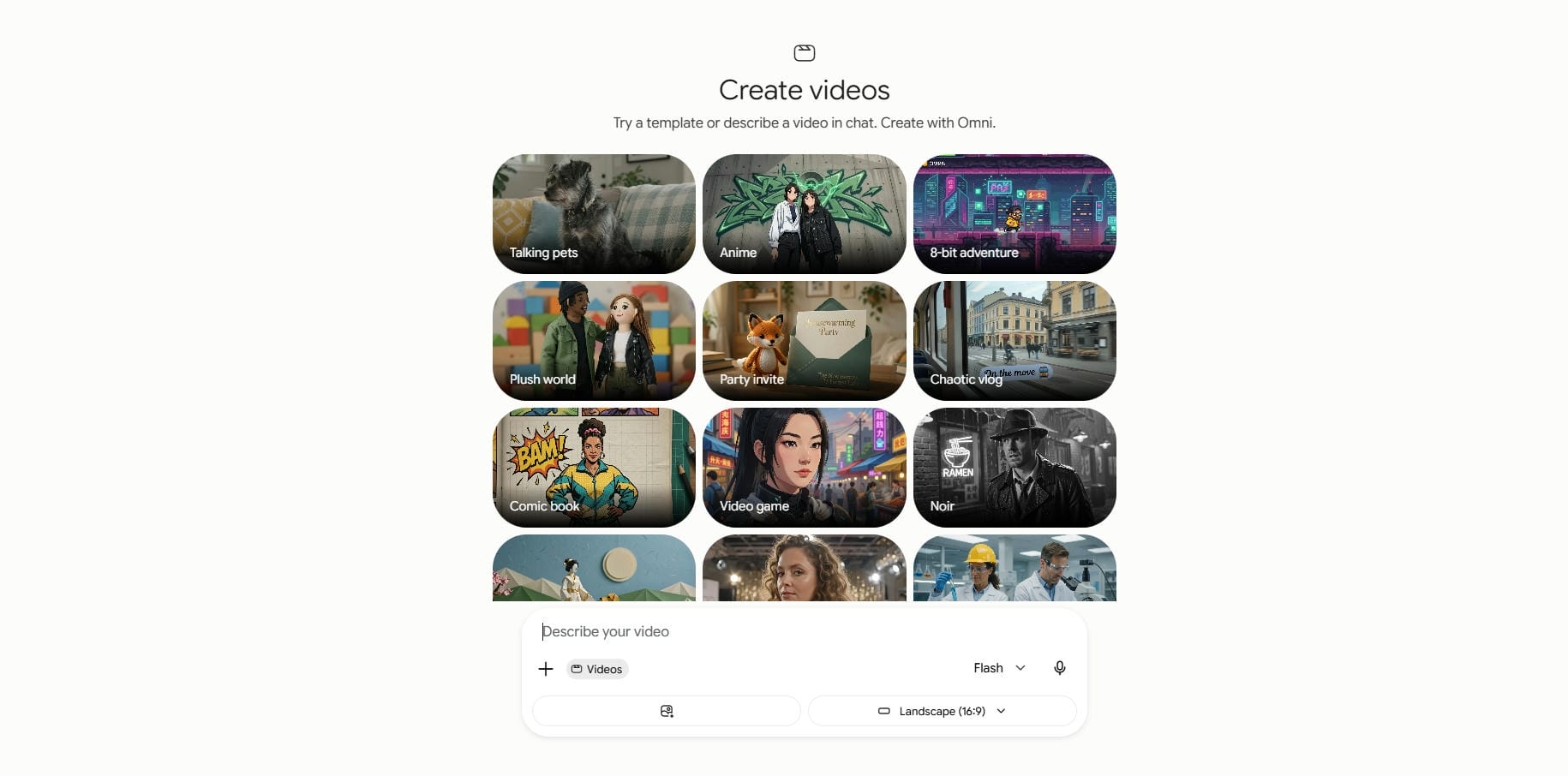
The Gemini Video ecosystem shifts AI generation from a guessing game to an intuitive, interactive experience built on several core strengths:
-
Unmatched realism & physics: Powered by Veo 3.1, the engine delivers hyper-realistic outputs grounded in real-world momentum, lighting, and gravity, completely eliminating the jarring, surreal "hallucinations" common to lesser generators.
-
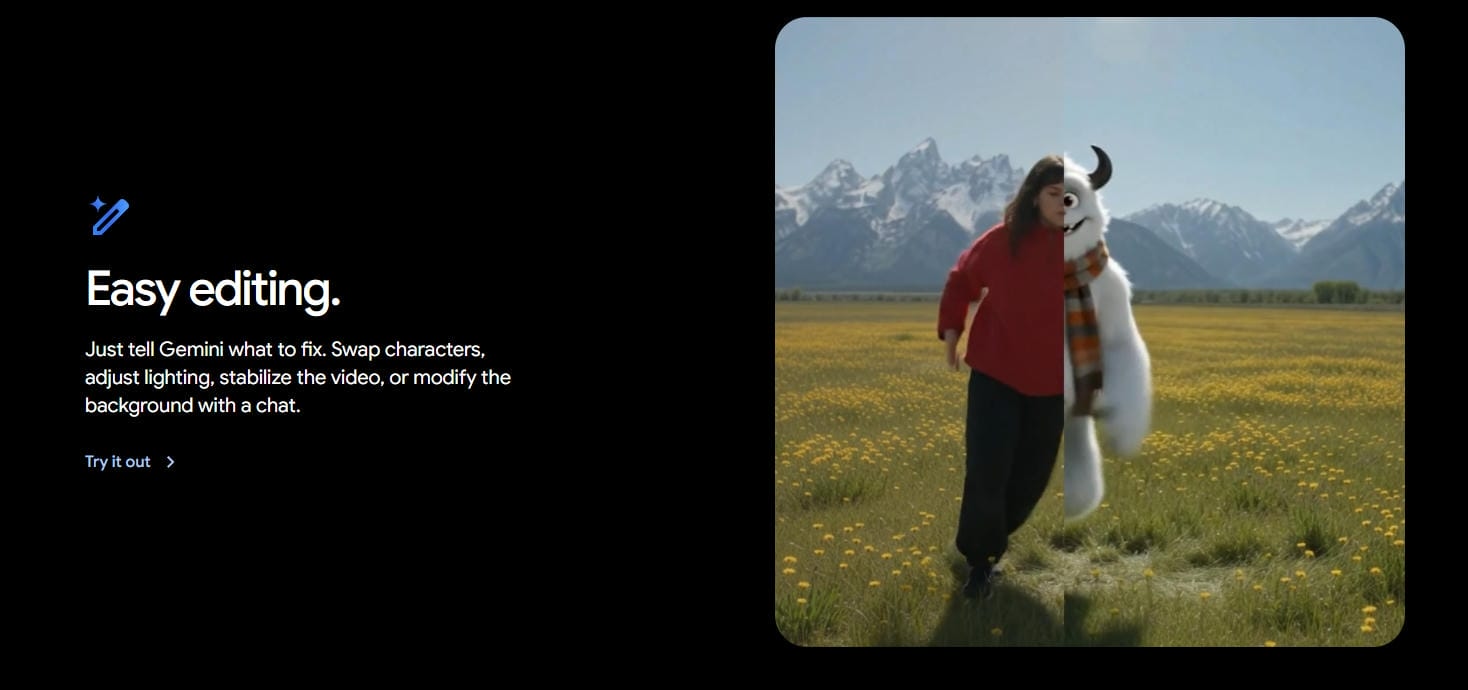
Omni-driven conversational editing: Gemini Omni allows you to continuously tweak, expand, and adjust generated clips. Simply use natural language to change the weather, switch outfits, or redirect camera pans on the fly.
-
Native audio generation: The model generates perfectly synchronized dialogue, ambient soundscapes, and foley sound effects natively alongside the visuals, removing the need for tedious manual post-production audio alignment.
-
Cinematic resolution & aspect ratios: Render scenes in breathtaking 4K resolution. The system natively supports landscape 16:9 cinematic shots or vertical 9:16 ratios to fit any delivery platform perfectly.
-
Deep context retention: Maintain strict environmental consistency and character identity over multiple clips. The Omni engine remembers past prompts, tracking continuous actions across your narrative timeline without style drift.

Pricing comparison: How much does Gemini video cost?
Accessing Google's cutting-edge video synthesis technology requires navigating a tiered subscription model structured to match individual, professional, and enterprise needs.
Free users face strict generation limits or lower-resolution previews. In contrast, the paid plans grant access to the Gemini Advanced portal, unlocking 4K outputs, priority processing speeds, and native audio.
This structured accessibility ensures casual experimenters can test the technology, while professional creators retain dedicated resources for commercial-grade output.
|
Tier/Plan |
Target Audience |
Features Included |
Price (Estimated) |
|---|---|---|---|
|
Free Tier |
Casual Users |
Standard resolution, prompt-only, limited generation credits |
$0/Month |
|
Google One AI Premium |
Prosumers & Creators |
Gemini Advanced, Veo 3.1 access, 4K outputs, priority speeds |
$20/Month |
|
Enterprise/Workspace |
Businesses & Teams |
Full API integrations, commercial rights, and custom fine-tuning |
Custom Pricing |
Gemini AI video (Veo/Omni) vs. the competition
While Google's ecosystem shines in multimodal reasoning and editing, it exists alongside powerful competitors. Sora 2 leads to sustained cinematic continuity, while Runway Gen-3 Alpha provides granular manual camera adjustments. Seedance 2.0 dominates dynamic human kinematics and choreography, and Kling 3.0 offers exceptional temporal character stability.
|
Model Name |
Core Strength |
Max Resolution |
Best Use Case |
Unique Edge |
|---|---|---|---|---|
|
Gemini Video |
Conversational editing |
Up to 4K |
Multi-shot storyboarding |
Native audio generation |
|
Sora 2 |
Raw physical simulation |
Up to 4K |
Long-form cinematic clips |
Extreme scale physics |
|
Runway Gen-3 Alpha |
Camera & Motion control |
1080p |
Artistic, highly directed B-roll |
Advanced motion brush |
|
Seedance 2.0 |
Human motion & Action |
1080p |
Dancing, athletic showcases |
Complex physical choreography |
|
Kling 3.0 |
Temporal character stability |
Up to 4K |
Character-driven continuity |
Multi-character interaction |
Meet Vmake: A robust alternative to Gemini AI video generator
While Gemini's foundational models excel at cinematic world-building, utilizing them directly can feel overly technical for fast-paced commercial production. Modern marketers, e-commerce brands, and agency designers rarely have the luxury of spending hours refining individual generative prompts. They require pre-built workflows that convert concepts into high-converting assets instantly.
This is where Vmake AI bridges the gap. By integrating Google's Gemini Video engine into an automated, marketing-first creative studio, Vmake AI eliminates the technical learning curve, allowing creators to generate click-worthy, professional social media campaigns with drag-and-drop simplicity.
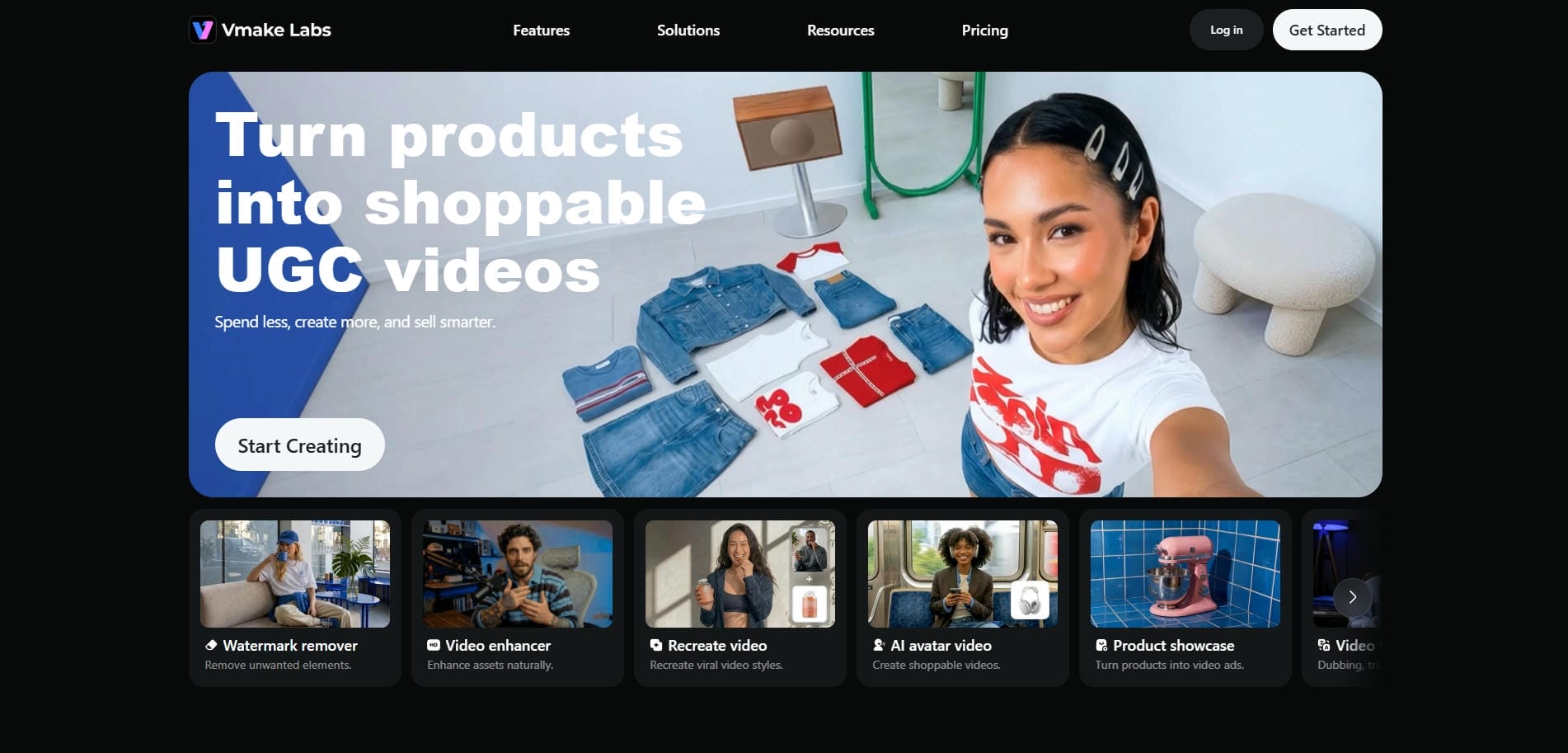
Notable features of Vmake AI video generator
-
UGC video generator: Create engaging UGC-style ads with three powerful workflows. Transform product photos into compelling showcase videos, recreate viral short-form content formats for your campaigns, and generate realistic AI avatar spokesperson videos that deliver marketing messages without filming.
-
Aspect ratio selection & 4K export: Format your videos instantly for different networks. Select vertical 9:16 for TikTok, landscape 16:9 for YouTube, or 1:1 for Instagram, and export in beautiful, unwatermarked 4K resolution.
-
Multi-model aggregation: Access the industry's finest models from a single dashboard. Vmake intelligently routes your requests to Google Gemini Video (Veo), as well as competing models such as Kling or Seedance, based on your chosen visual style.
-
Flexible workflows: Streamline your asset production using swift "text-to-video" and "image-to-video" features. Generate high-quality marketing clips ranging from 1 to 15 seconds with a single click.
How to use Vmake AI video generator in 3 easy steps?
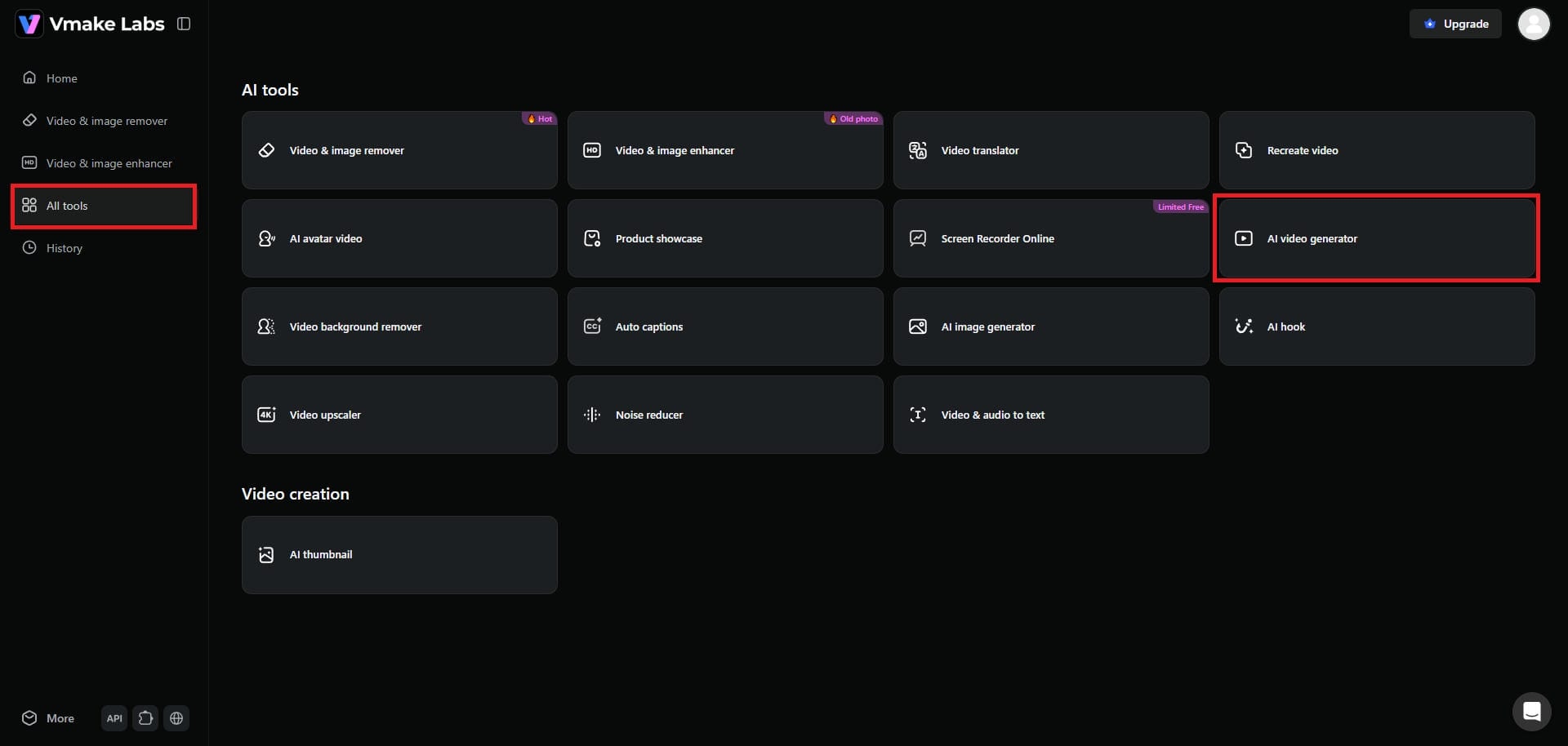
Step 1: Access the "AI video generator" tool
From Vmake's dashboard interface, select the "All tools" option, and then choose the "AI video generator" feature. You will then be redirected to a new web page.
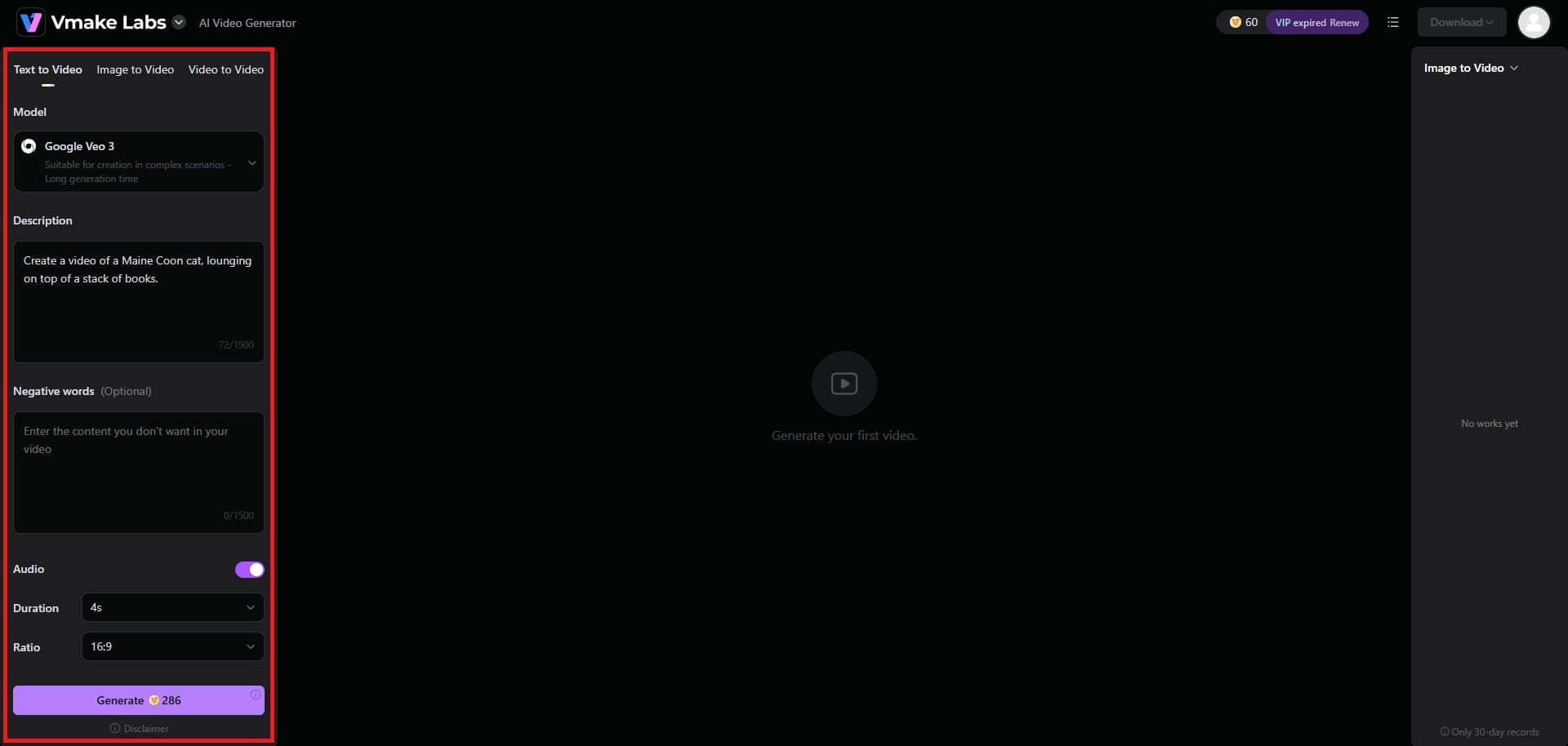
Step 2: Enter your detailed prompt
Here, you will have the option to create your video in 3 different ways: via text-to-video, image-to-video, or video-to-video. Simply choose your AI video model, be it Google Veo 3, Seedance 2.0, or any other, and then provide a detailed prompt regarding the type of video you want to create. Additionally, choose your video aspect ratio and duration. Once done, click on "Generate".
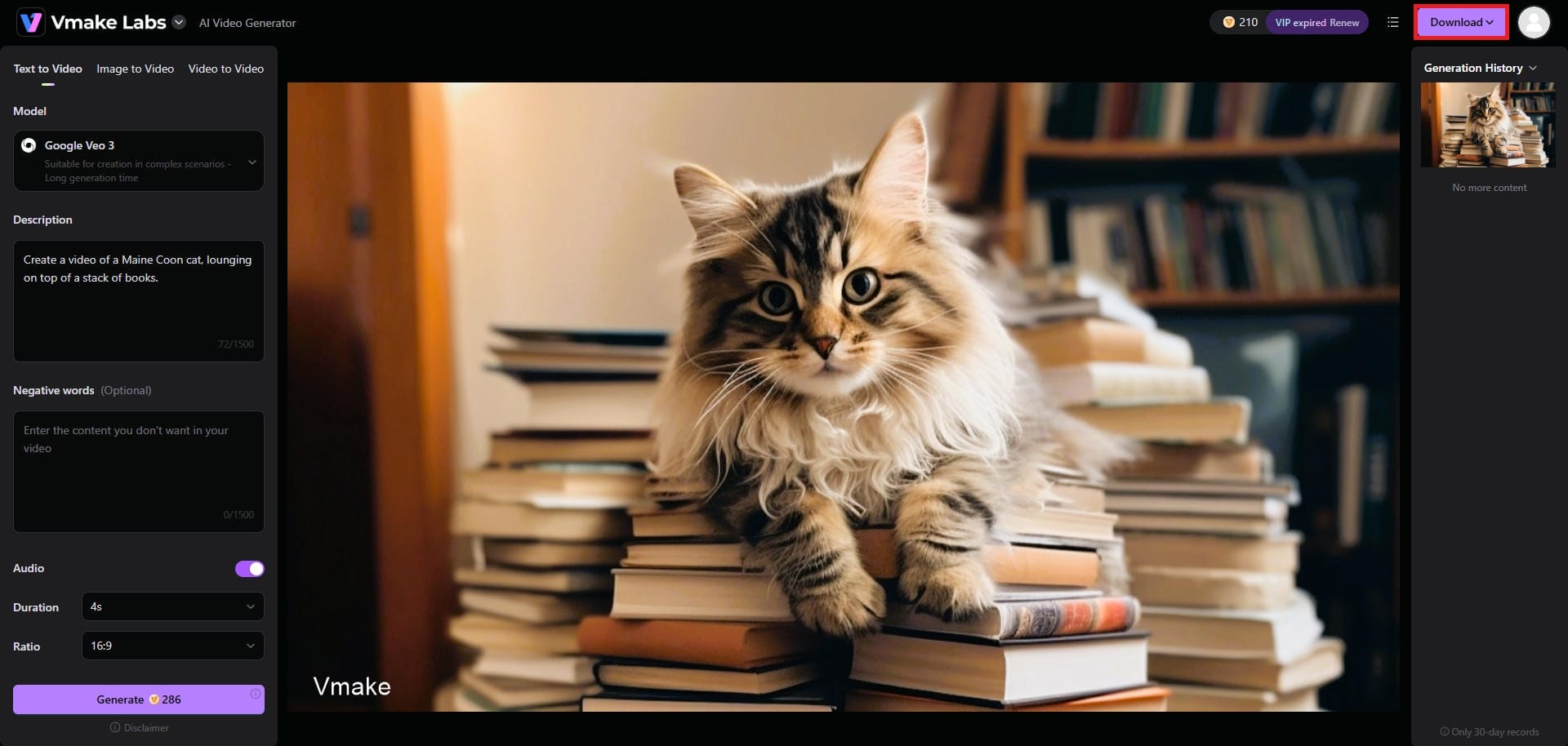
Step 3: Finalize and download your video
Vmake will start creating your video, and once that is completed, you will be able to download the same in your preferred resolution.
Final checklist: Gemini AI video generator vs Vmake
Understanding where Gemini's raw technology ends and Vmake's structured ecosystem begins is key to optimizing your production pipeline. While both systems access elite AI capabilities, they serve radically different production needs.
|
Feature/Aspect |
Gemini Video (Veo/Omni) |
Vmake AI |
|---|---|---|
|
Primary Goal |
Realistic simulation & artistic world-building |
High-volume commercial marketing assets |
|
Interface Style |
Conversational chat & iterative natural language |
Streamlined point-and-click studio workspace |
|
Asset Automation |
Manual scene prompting and continuous edits |
Instant UGC ads, custom script readers, and style cloning |
|
Output Focus |
Long-form cinematic atmosphere & native audio loops |
High-impact social media formatting & brand optimization |
|
Licensing |
Personal or custom developer-tier usage |
Plug-and-play complete commercial distribution rights |
Conclusion
The intersection of Google's foundational AI models, Veo 3.1 and Gemini Omni, with Vmake AI's streamlined marketing studio marks a massive evolution in content creation. By combining Google's unmatched physical realism and native audio capabilities with Vmake's intuitive, conversion-focused tools, creators no longer have to choose between cinematic quality and speed.
Whether you are generating highly detailed narrative stories or executing high-volume, platform-native ad campaigns, this integrated pipeline elevates your workflow. The future of video production belongs to those who successfully pair foundational AI power with practical, business-ready automation.
Frequently Asked Questions (FAQs)
What is the difference between Gemini Omni and Veo 3.1?
Gemini Omni acts as the conversational "brain" that processes multimodal prompts and edits, while Veo 3.1 is the dedicated render engine that generates high-fidelity pixels and realistic physical environments.
How does Vmake AI integrate with the Google Gemini video generator?
Vmake AI utilizes an API bridge to access Gemini's Veo rendering engine, allowing users to trigger Google's state-of-the-art video capabilities directly inside Vmake's conversion-oriented, browser-based marketing dashboard.
What makes Vmake AI different from standard video editors?
Unlike traditional timeline editors, Vmake focuses entirely on AI-driven automation. It generates videos from scratch, changes aspect ratios automatically, and applies marketing hooks without manual frame-by-frame adjustments.
Can I use the videos generated by Vmake AI for commercial purposes?
Yes. Videos generated through Vmake's paid commercial plans carry full licensing rights, allowing you to freely deploy them across social media campaigns, paid ads, product listings, and monetized platforms.
What export resolutions does Vmake AI support for its video generation?
Vmake AI supports high-definition exports up to stunning 4K resolution for premium users. This high-fidelity output ensures your generated marketing videos remain incredibly sharp, professional, and engaging on any large display or social platform.

You May Be Interested

Google Gemini|Copy Paste This Simple Prompts to Create “Hug my younger self ” Photos
