
7 Best Apps to Generate Promotional Videos: Expert Picks (2026)
Creating high-quality marketing videos is exhausting. However, today is different. Explore the 7 best apps to generate promotional videos and scale content production with the top option, Vmake today.

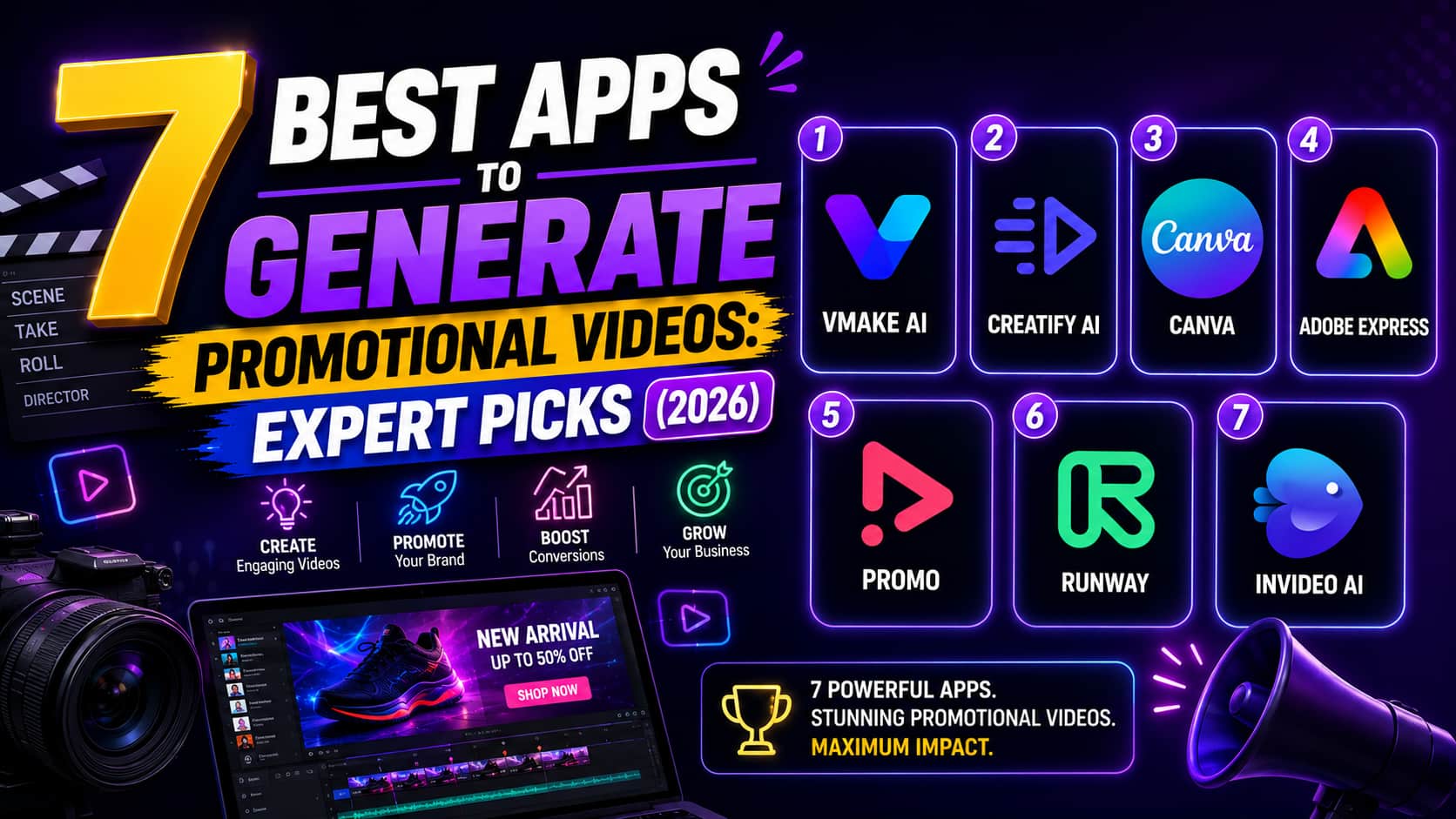
Attractive promotional content is the engine of modern digital growth, yet producing it demands massive time, skill, and budget. If you are struggling to maintain your publishing cadence, finding the right software is the answer. In this guide, we'll explore the best promotional video apps in 2026, compare their key features, and help you choose the right solution for your needs.
How We Tested These Promotional Video Tools
To determine which tools actually deliver, we evaluated them based on how they handle real-world production demands. They do not always perform perfectly under pressure. AI models occasionally introduce strange artifacts into complex scenes. We tested these parameters to give you honest expectations.
-
Generation fidelity: Does the tool produce coherent visuals, or is there significant morphing and artifacting? Look for temporal consistency across frame transitions.
-
Rendering latency: How long does it take from prompt input to a polished, export-ready file? Cloud-based queues can slow down during peak global working hours.
-
Template customization: Does it give you motion path and branding control, or are templates rigid? Rigid layouts restrict unique brand identities.
-
Platform-ready exports: Are files natively optimized for social media? This includes specific aspect ratios, metadata tags, and target bitrates for platforms such as TikTok and Instagram.
-
Cost-to-value ratio: Does pricing align with output volume, or are credits consumed too rapidly? Hidden credit costs for upscaling or previewing scenes can destroy your return on investment.
-
Asset management infrastructure: Can you store, categorize, and reuse raw visual components inside the app? Disorganized media bins cause severe production delays.
-
Audio synthesis and syncing: Does the software accurately align voiceover tracks with visual scene changes? Poorly calibrated audio loops break viewer immersion instantly.
Comparative Breakdown: Which Tool Should You Choose?
Different use cases require different infrastructure. This breakdown helps you align your budget with your output goals. Note that subscription models have flaws. If you underutilize them, they drain your budget fast without returning value.
|
Platform |
Best Use Case |
Pricing Model |
Export Quality |
Notable Limitation |
|---|---|---|---|---|
|
Vmake AI |
High-Volume Scale |
Subscription |
4K+ Upscale |
Focus on enhancement |
|
Invideo AI |
Script-to-Video |
Credit-based |
1080p |
Limited creative control |
|
Creatify |
E-commerce Ads |
Subscription |
1080p |
Generic scene aesthetics |
|
Canva |
Quick Social |
Subscription |
1080p |
Low-res AI generation |
|
Adobe Express |
Creative Design |
Subscription |
1080p |
Basic video editing |
|
Promo |
Stock Footage |
Subscription |
4K |
Expensive for small teams |
|
Runway |
Cinematic |
Credit-based |
4K |
Steeper learning curve |
The 7 Best Apps to Generate Promotional Videos in 2026
The following tools represent current standards for AI-driven marketing content. You will see a range from quick social templates to advanced generation. Even the best generators face challenges, though. Complex prompts sometimes confuse the AI, resulting in mismatched timing or awkward motion. Let's break down the top picks.
-
Vmake AI: Best for batch processing, resolution upscaling, and workflow automation
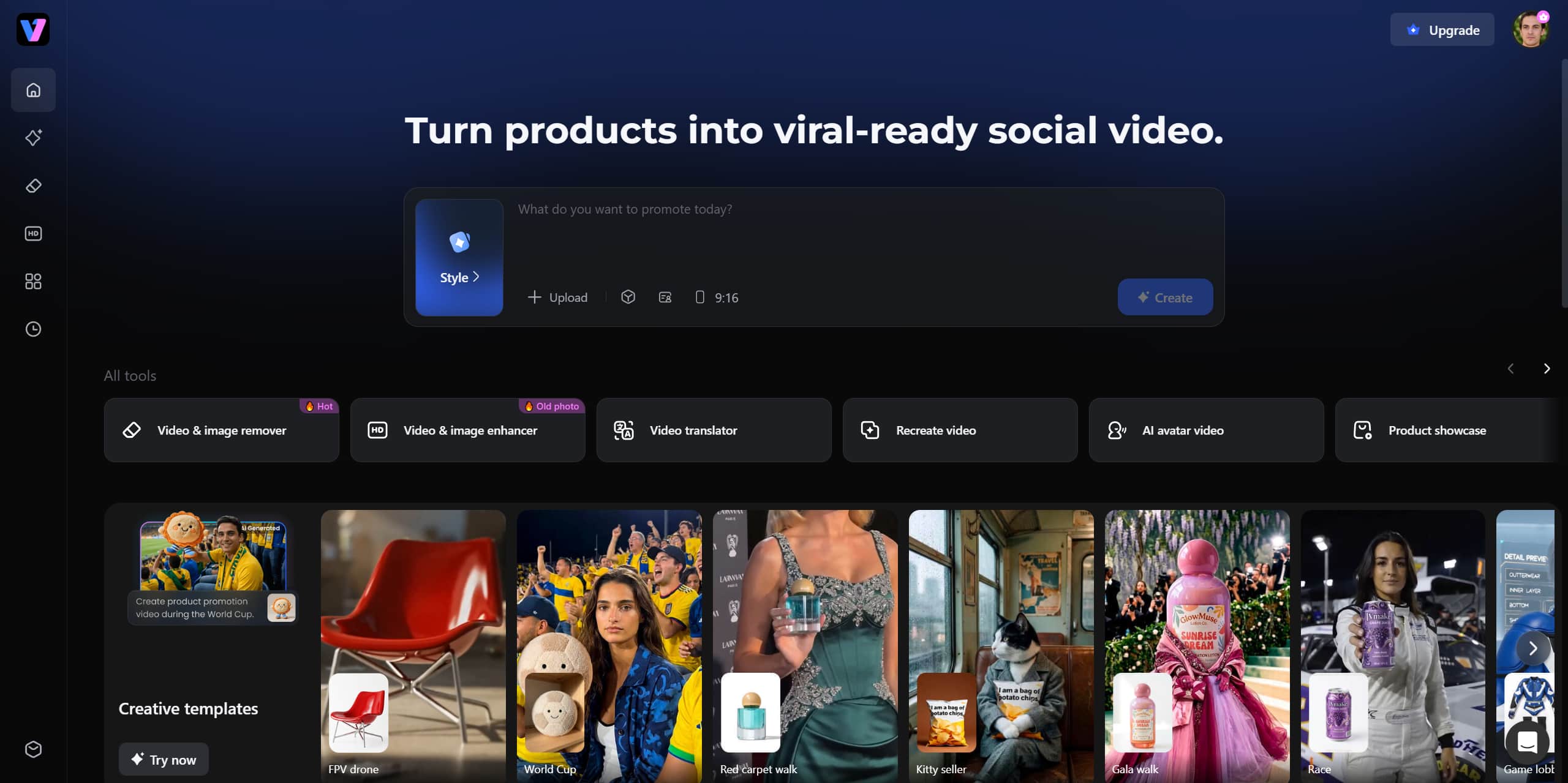
Vmake AI is a powerful AI promotional video generator that enables text-to-video, image-to-video, and video-to-video generation. Complete with top-tier AI models, like Kling 3.0p or Seedance 2.0, it handles demanding rendering tasks in the cloud. Designed for UGC video, it also specializes in video enhancement, making low-quality footage look sharper, cleaner, and more professional. For businesses managing multiple campaigns, Vmake AI can significantly reduce editing time while maintaining consistent visual quality across promotional assets.
Key Features:
-
AI-powered 4K video upscaling: Upscale low-resolution footage into 4K and improve overall visual clarity for professional-looking results.
-
Batch video processing: Allows you to process multiple videos simultaneously, saving significant editing time.
-
Background removal tools: Automatically isolate subjects from backgrounds for cleaner promotional content.
-
Audio enhancement features: Improves voice clarity and reduces unwanted noise in video soundtracks.
-
Watermark removal capabilities: Helps eliminate distracting watermarks from supported source footage.
Pros:
-
Fast cloud-based rendering
-
High-quality export results
-
Easy-to-use dashboard
-
Efficient bulk processing workflows
Cons:
-
Limited text-to-video generation
-
Best results require quality source footage
Pricing:
-
Paid plans start at $9.99/month
-
Creatify AI: Best for converting product URLs into platform-specific ad variations
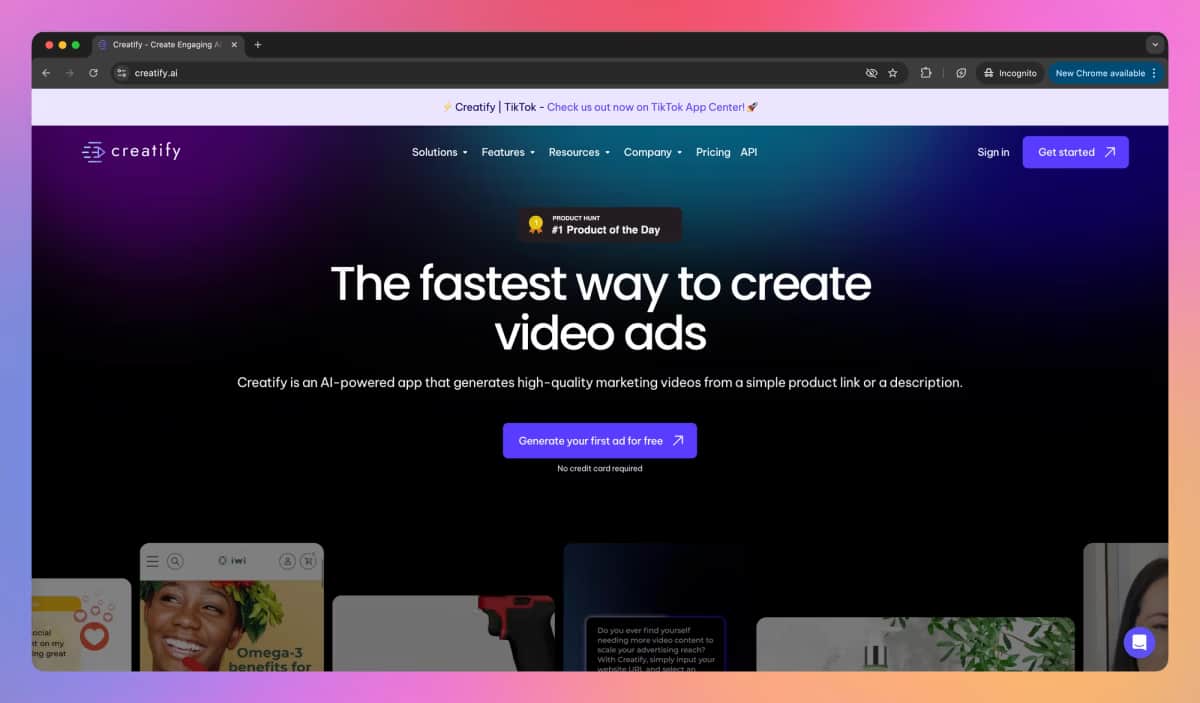
Creatify AI focuses on helping e-commerce brands create advertisements at scale with minimal manual work. Users simply paste a product URL, and the platform automatically extracts product details, images, and descriptions to generate promotional videos. This streamlined workflow is especially valuable for businesses testing multiple ad creatives across platforms. Rather than spending hours building campaigns from scratch, marketers can quickly produce variations and identify which messaging performs best.
Key feature:
-
Product URL-to-video generation: Converts product pages into ready-to-use promotional videos with minimal input.
-
Automated script creation: Generates marketing-focused video scripts based on product information.
-
AI voiceovers: Creates realistic voice narration without requiring manual recording.
-
Multiple ad variations: Produces several creative versions of the same advertisement for testing.
-
Platform-specific optimization: Adjusts video formats and layouts for different social media platforms.
Pros:
-
Extremely fast ad creation
-
Great for A/B testing campaigns
-
Minimal manual input required
-
Supports multiple voice styles
Cons:
-
Visual styles can become repetitive
-
Customization options are limited
Pricing:
-
Paid plans start at $39/month
-
Canva: Best for graphic-heavy, template-driven social content for non-editors
Canva remains one of the most accessible video creation platforms available today. It functions as a free AI promotional video generator option for creators and small businesses that need simple marketing content without a large budget. The platform combines easy editing tools with thousands of templates, allowing beginners to create professional-looking promotional videos quickly. Teams can collaborate in real time, making Canva a practical choice for social media campaigns and everyday marketing tasks.
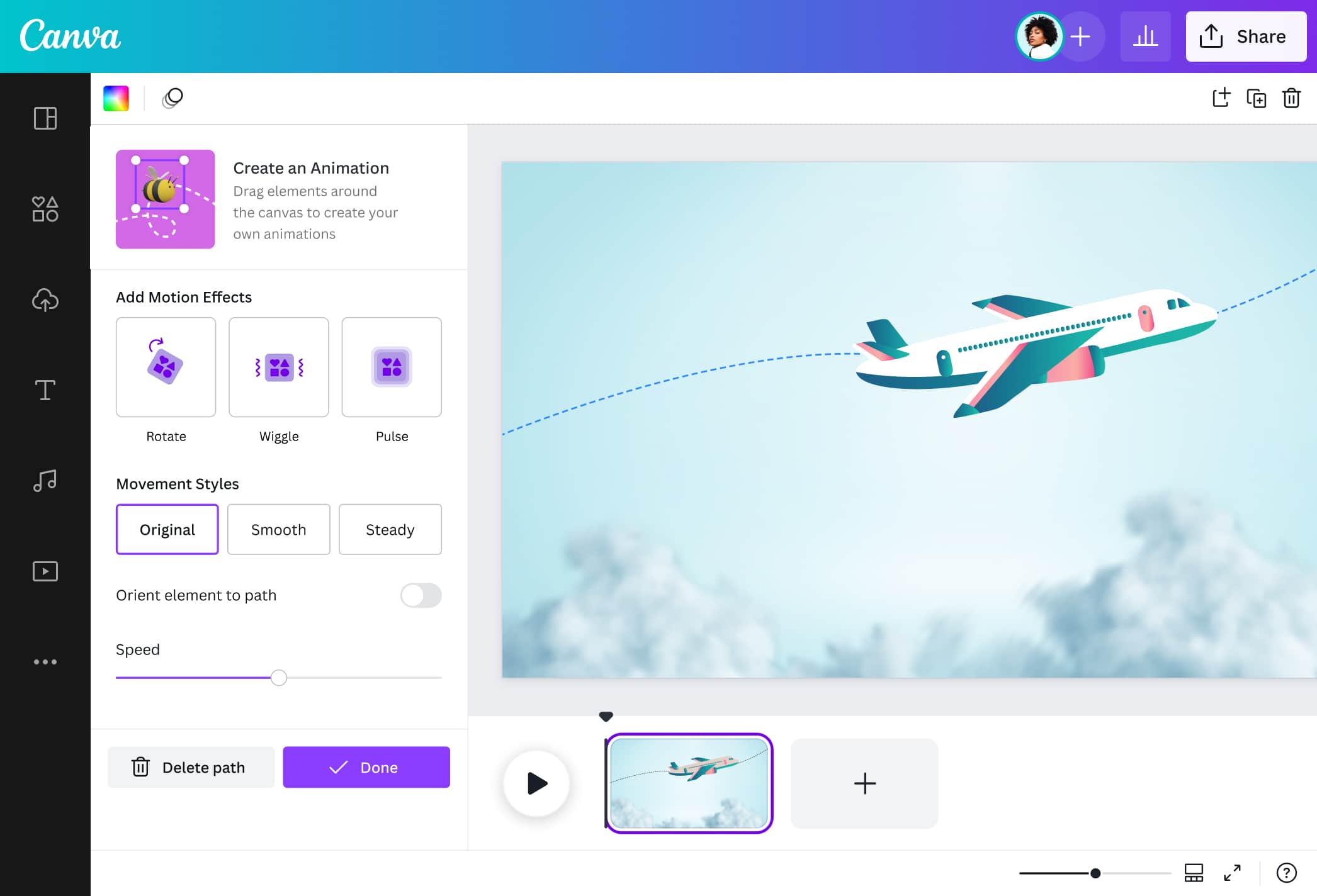
Key features
-
Extensive video template library: Provides thousands of customizable templates for different industries and campaigns.
-
Drag-and-drop editor: Makes video creation simple even for users with no editing experience.
-
Team collaboration tools: Enables multiple team members to review and edit projects together.
-
Magic Switch resizing: Instantly adapts videos to various aspect ratios for social platforms.
-
Royalty-free music collection: Gives access to a large library of music tracks for commercial use.
Pros:
-
Beginner-friendly interface
-
Huge selection of templates
-
Strong collaboration features
-
Free plan available
Cons:
-
Limited advanced video editing controls
-
AI output resolution can be restrictive
Pricing:
-
Free plan available
-
Canva Pro starts at $14.99/month
-
Adobe Express: Best for all-in-one design and quick editing tasks
Adobe Express brings many of Adobe's creative strengths into a streamlined browser-based platform. It enables users to create promotional videos, graphics, and social media content from a single workspace. Businesses benefit from professional typography, brand management tools, and access to Adobe Stock resources. While it is not intended for complex video production, Adobe Express works well for creating polished marketing assets quickly while maintaining visual consistency across campaigns.
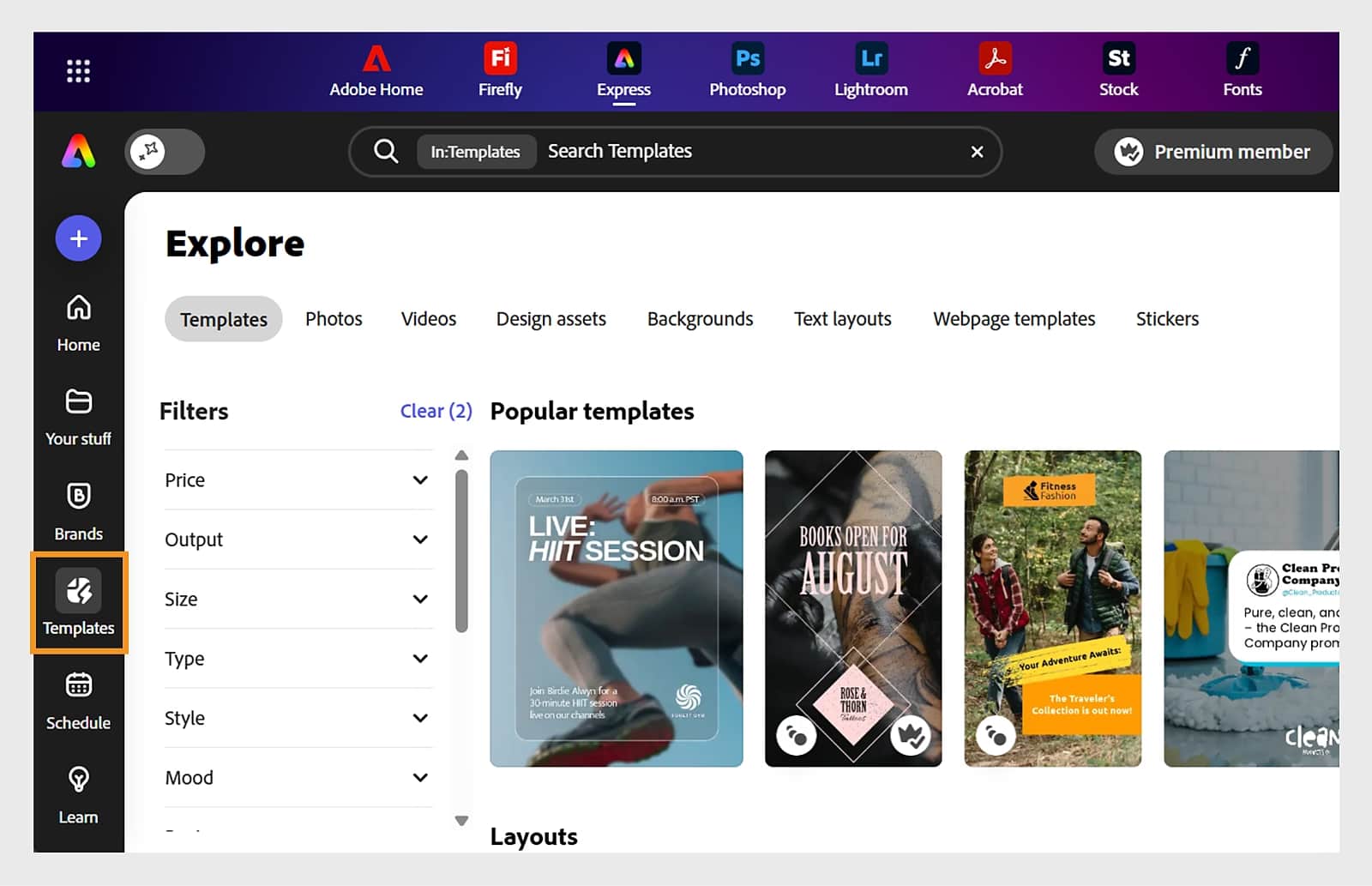
Key features:
-
Brand kit management: Keeps logos, colors, and fonts consistent across marketing materials.
-
Adobe Firefly AI tools: Generates creative visual assets directly within the platform.
-
Adobe Stock asset access: Provides a large collection of professional images, videos, and graphics.
-
One-click content resizing: Quickly reformats content for different social media channels.
-
Social media publishing support: Allows users to schedule and publish content from one dashboard.
Pros:
-
Excellent typography options
-
Strong branding controls
-
Access to premium design assets
-
Easy cross-platform publishing
Cons:
-
Limited advanced animation tools
-
Performance may slow with large projects
Pricing:
-
Free plan available
-
Premium plans start at $9.99/month
-
Promo: Best for accessing massive premium stock footage libraries
Promo is ideal for businesses that prioritize professional visuals and fast production timelines. Its biggest advantage is access to a vast collection of premium stock footage, allowing users to create polished advertisements without organizing their own video shoots. Combined with ready-made templates and publishing tools, Promo simplifies campaign creation across multiple channels. It is particularly useful for brands that frequently produce promotional content and need reliable creative assets.
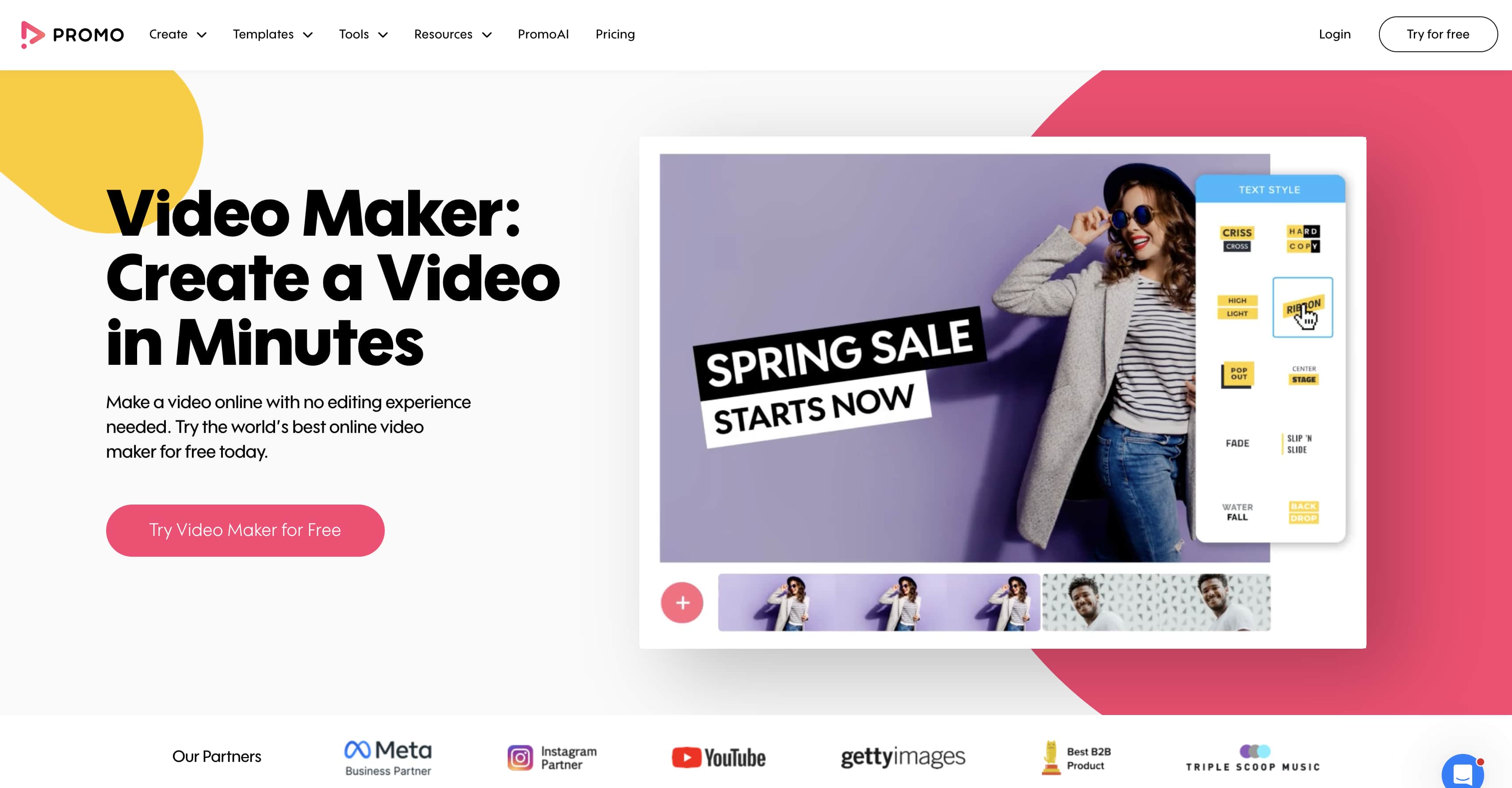
Key features:
-
Extensive stock footage library: Offers a large selection of professional video clips for marketing projects.
-
Getty Images access: Provides premium visual assets that elevate ad quality.
-
Ready-made video templates: Speeds up content creation with professionally designed layouts.
-
Animated text effects: Adds engaging motion graphics to promotional messages.
-
Social publishing tools: Simplifies sharing videos across major marketing channels.
Pros:
-
High-quality stock content
-
Professional-looking templates
-
Fast video production workflow
-
Easy platform publishing
Cons:
-
Higher subscription costs
-
Template customization can feel restrictive
Pricing:
-
Paid plans start at $25/month
-
Runway: Best for advanced creative control and cinematic precision
Runway is one of the most powerful AI video platforms available for creators seeking cinematic results. It offers advanced generative tools that allow users to create original scenes from text prompts while controlling camera movement and visual style. The platform is widely used by filmmakers, agencies, and creative professionals exploring AI-assisted storytelling. Although it requires a learning period, Runway rewards experienced users with exceptional visual quality and creative flexibility.
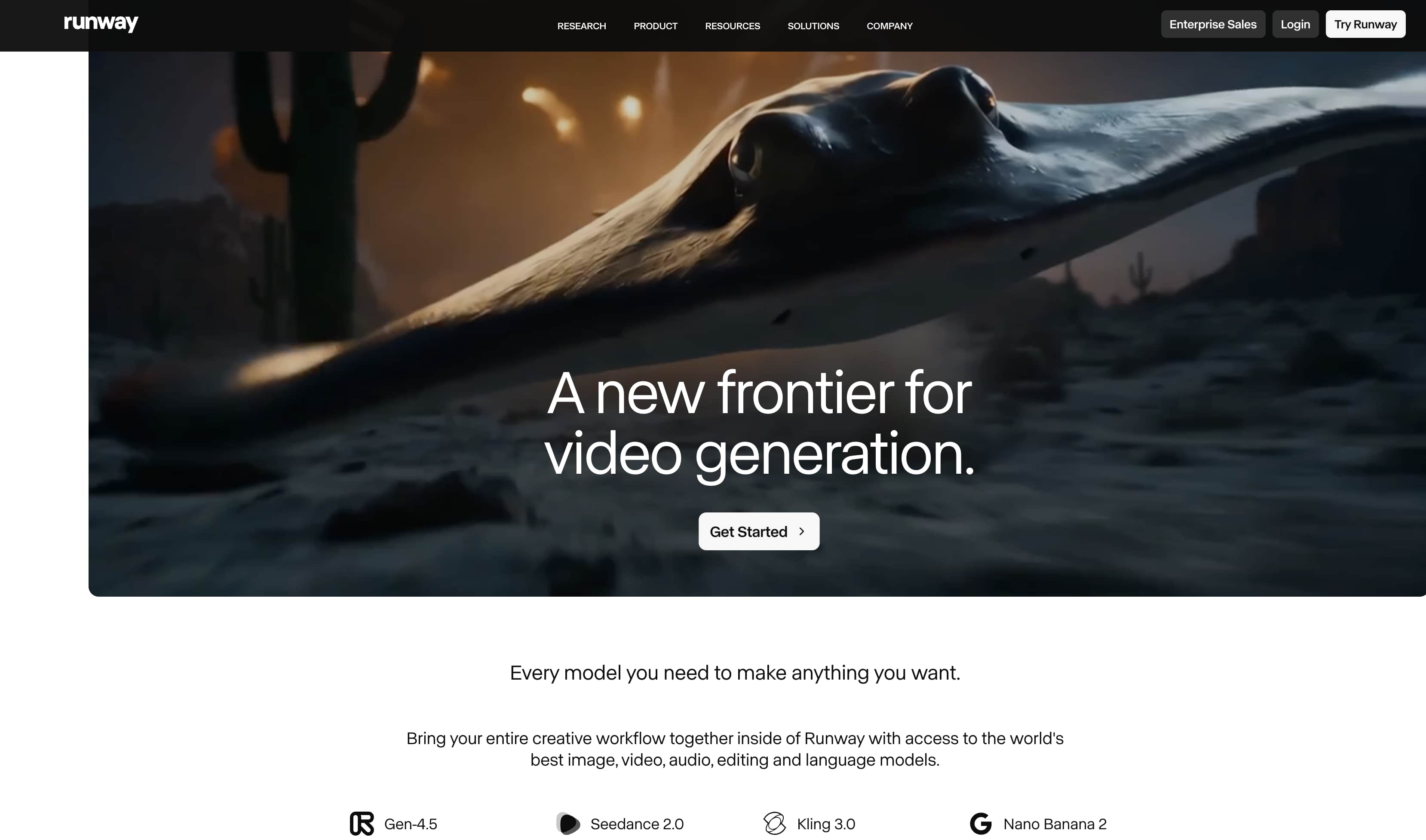
Key features:
-
Gen-2 text-to-video generation: Creates original video clips directly from written prompts.
-
Motion Brush controls: Lets users define how specific elements move within a scene.
-
Camera movement customization: Enables cinematic pans, zooms, and dynamic camera effects.
-
AI video editing tools: Automates complex editing tasks that typically require manual work.
-
Scene expansion capabilities: Extends or modifies existing footage with AI-generated content.
Pros:
-
Exceptional visual quality
-
Advanced motion controls
-
Strong creative flexibility
-
Suitable for cinematic projects
Cons:
-
Steeper learning curve
-
Credit usage can become expensive
Pricing:
-
Paid plans start at $15/month
-
Invideo AI: Best for rapid text-to-video scripting and social media workflows
Invideo AI is built for speed, helping marketers transform ideas into polished content with minimal effort. Users can enter a topic or prompt, and the platform automatically generates scripts, visuals, voiceovers, and captions. This streamlined workflow makes creating an AI generated promotional video much faster than traditional production methods. While customization options are more limited than advanced editors, Invideo AI significantly reduces production time and supports consistent content publishing across multiple channels.
Key features:
-
Prompt-based video creation: Generates complete videos from simple text instructions.
-
AI script generation: Automatically writes scripts tailored to the selected topic.
-
Automated voiceovers: Produces narration without the need for recording equipment.
-
Subtitle generation: Creates synchronized captions to improve accessibility and engagement.
-
Voice cloning support: Replicates a voice profile for more personalized video narration.
Pros:
-
Very fast content creation
-
Minimal editing expertise required
-
Automated captions included
-
Good for social media production
Cons:
-
Limited fine-grained creative control
-
AI voice delivery can sound robotic
Pricing:
-
Free plan with watermarks
-
Paid plans start at $25/month
How to Choose the Best Promotional Video App
Finding the best app to generate promotional videos requires matching the tool to your content goals and available hardware. If you edit high-resolution footage on a standard laptop, video exports can take longer and performance may slow down during demanding tasks. Follow this workflow to create and render a professional promotional video efficiently.
-
Identify production bottlenecks and ingest media assets: Analyze if your workflow slows down during scene creation or final encoding. To bypass manual setup, open your desktop browser and enter the Vmake dashboard. Drag your source files straight into the AI video generator interface to store your assets in the cloud workspace.
-
Configure your parameters and run cloud generation: Choose your target aspect ratio based on your distribution network. Select the vertical option for mobile ads or the widescreen for web layouts. Initiate processing with the cloud-native AI video generator engine to compile the visual sequence without taxing your local laptop's processor.
-
Apply automated enhancements and visual refinement: Raw generative output often requires sharpening to look professional on large screens. Turn on the resolution enhancement feature to automatically sharpen your video and improve detail. The AI handles the adjustments for you, helping create a clearer and more professional final result.
-
Review the visual proxy and execute the export: Play the low-resolution preview file to verify that subject boundaries and text placements remain coherent. Check for any minor rendering errors. Once verified, hit the export button to commit the high-bitrate changes on the cloud server.
Essential Elements to Add to Promotional Videos
An AI promotional video generator provides the structural foundation, but your final file requires specific adjustments before it goes live. Raw automation requires careful post-processing parameters to ensure high audience retention metrics.
-
Crystal Clear Visual Resolution: Low-resolution assets reduce consumer trust instantly. Audiences associate soft, pixelated edges with spam or low-effort offers. You must verify that your master files use true high-density pixels by processing your drafts through a free AI video enhancer. This mathematical upscaling process reconstructs text edge clarity and removes macroblocking artifacts. Be aware that the network requires adequate lighting in the source file; extreme shadows can sometimes limit detail recovery.
-
Optimized Audio Hooks and Voice Clarity: Mobile viewers switch tabs or scroll past if your voiceover track sounds muffled or displays background static. Clear dialogue drives conversions. Run your final project mix through a dedicated video audio enhancer to eliminate low-frequency room rumble and normalize vocal delivery. This guarantees your message remains audible even on small smartphone speakers at lower volumes.
-
Clean, Uncluttered Branding: Leaving third-party app logos or watermark stamps in your sequence ruins your commercial authority. It signals to the audience that you rely on basic freemium mobile filters. If you use an AIpromotional video generator free tier that appends a corporate stamp, use a specialized video watermark remover to wipe the frame clean. This preserves a white-label presentation for your brand.
Conclusion
Clinging to legacy editing software limits your content output volume. Your local hardware was not built to process heavy generative rendering pipelines without overheating or dropping frames. Adopting cloud processing environments puts an end to mobile app crashes and helps preserve visual quality throughout production. Rather than manually assembling video assets frame by frame on a mobile device, creators can use AI-powered workflows to speed up production while maintaining consistent quality.
If you're searching for the best app to generate promotional videos, Vmake AI offers a compelling solution by automating asset synthesis, maximizing resolution quality, and allowing you to focus more on audience acquisition, campaign strategy, and persuasive copywriting.
FAQs
Which is the best free AI video generator for beginners?
Invideo AI is generally the most accessible for beginners due to its text-to-video workflow and extensive library of ready-to-use social media templates. It simplifies the editing process significantly.
Do these apps allow for commercial use?
Most platforms offer commercial rights on their paid tiers, but always verify the specific licensing terms in the app's settings before running paid ad campaigns. Copyright strikes are entirely possible if you misuse free assets.
Can I generate promotional videos on a smartphone?
Yes, most of the platforms listed, including Canva and Vmake AI, offer cloud-based processing that works directly through your mobile browser or dedicated apps.
How does resolution affect ad performance?
Higher resolution, specifically 1080p and above, significantly improves viewer trust and retention. Blurry or pixelated ads are often perceived as unprofessional or spam. Clear visuals hold attention longer.
How can I remove watermarks from my generated videos?
If you have used an entry-level tool that applied a watermark, you can use specialized tools like the Vmake video watermark remover to clean your final export.
Why do my AI promotional videos look blurry, and how can I fix it?
Many automated tools compress files heavily during the initial generation phase to save server bandwidth. This results in a muddy, low-bitrate appearance that drops your ad quality. To counter this, run your exported file through the Vmake free AI video enhancer to automatically upscale the frame data to crisp 4K before publishing.

You May Be Interested
Valentine's Day UGC Video Marketing Guide for Small Businesses (2026)

Free AI Video Enhancer: Enhance Videos Online Instantly
