
How to Create an AI Girlfriend Video: Step-by-Step Guide
AI girlfriend videos are gaining popularity across social media with realistic virtual characters, lifelike animations, and creative storytelling. Learn how to create engaging videos with Vmake AI.

AI girlfriend videos are getting really popular on social media. They show realistic virtual girlfriends with natural movements and sweet conversations. In this easy guide, you will learn how to make your own fun and lifelike AI girlfriend videos fast using Vmake AI.
What is an AI girlfriend video?
An AI girlfriend video is a short, realistic video that shows a virtual girl acting like a caring companion. She looks at the camera, talks, smiles, and moves naturally — just like a real person. These videos are made completely with AI, so you don’t need to film anyone.
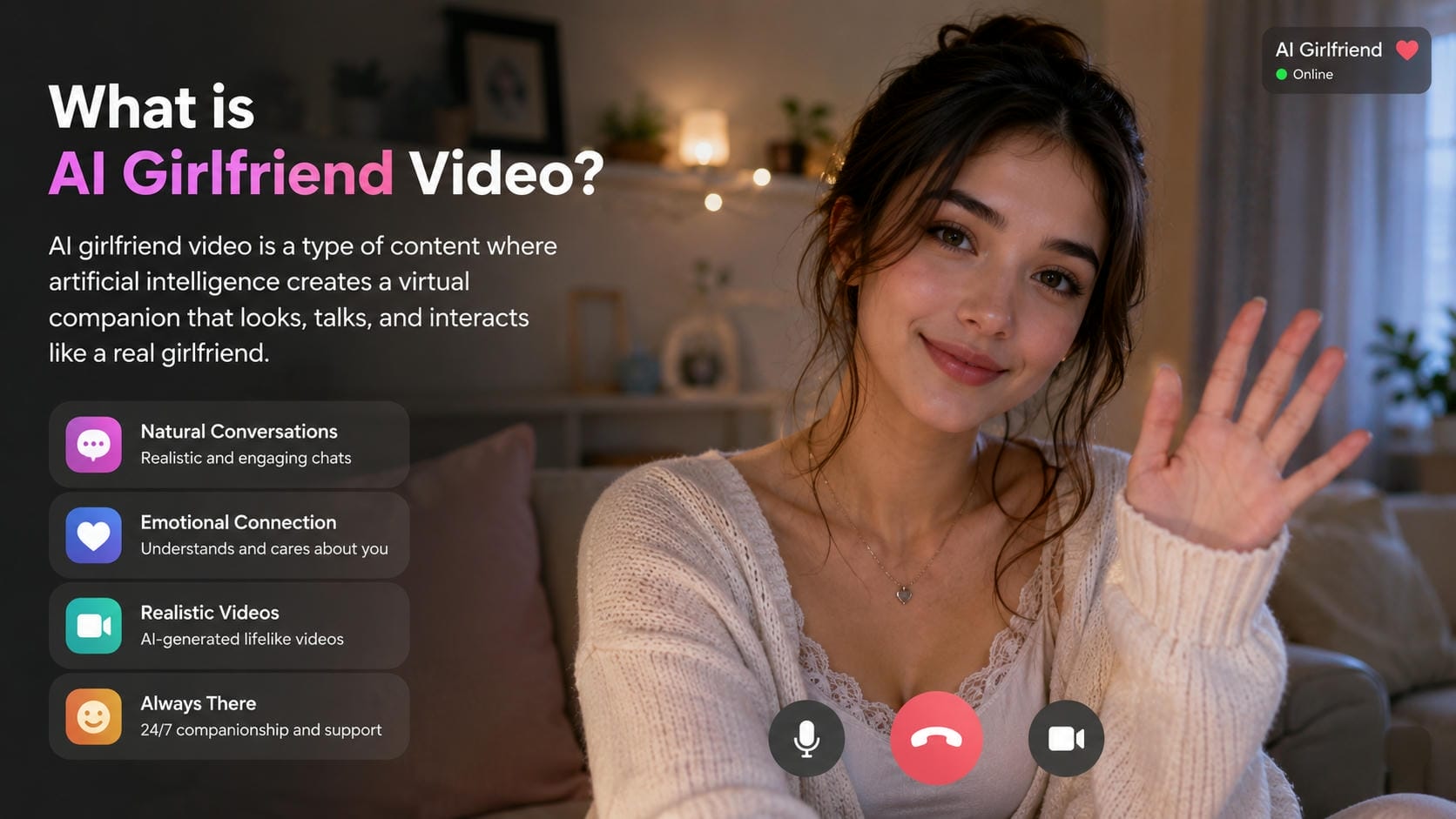
How AI girlfriend videos work
AI girlfriend videos combine multiple AI technologies to create realistic virtual companion videos. The process usually starts with an AI avatar or an uploaded image. Users then write a script or enter a text prompt describing the scene, emotions, and dialogue. Next, AI creates authentic speech using text-to-speech technology. Lip-sync technology makes the avatar's lips move according to the voice clips generated by text-to-speech technology. Some of the advanced systems even generate facial expressions, eye movements, and gestures.
Why AI girlfriend videos are becoming popular
These videos are becoming popular because they provide fun companionship without any real-life complications. Many use them for entertainment, social media content, daily greetings, or just to feel less alone. They are fast to produce, fully customizable, and you can create new videos anytime.

Essential features of an AI girlfriend video generator
-
AI avatar creation
A good generator lets you build a realistic character from scratch. You should be able to customize facial features, hair, skin tone, clothing, and age, so the avatar looks natural and matches your vision.
-
Text-to-speech voice generation
This tool turns your written scripts into natural human speech. High-quality generators offer diverse voice profiles, adjustable tones, and realistic emotional expressions, so your character sounds truly alive and believable.
-
Lip-sync technology
Lip-sync makes the avatar's mouth movements match the spoken words perfectly. This is very important for making the video feel real. Advanced lip-sync creates smooth and accurate mouth shapes, so the girl looks like she is actually talking.
-
Video customization options
Tailor every video to your liking with deep video customization controls. You can adjust background environments, add atmospheric lighting, insert text overlays, and control the exact duration of the generated clips.
Vmake AI: The ultimate all-in-one AI girlfriend video generator
Vmake AI is a powerful and easy-to-use tool that helps you create realistic AI girlfriend videos quickly. It combines advanced AI models like Seedance 2.0 and Kling to turn your text prompts or images into high-quality videos with natural movements and lip-sync. Whether you want cute greetings, romantic scenes, or fun conversations, Vmake AI makes everything simple in one place. No complicated editing skills needed!
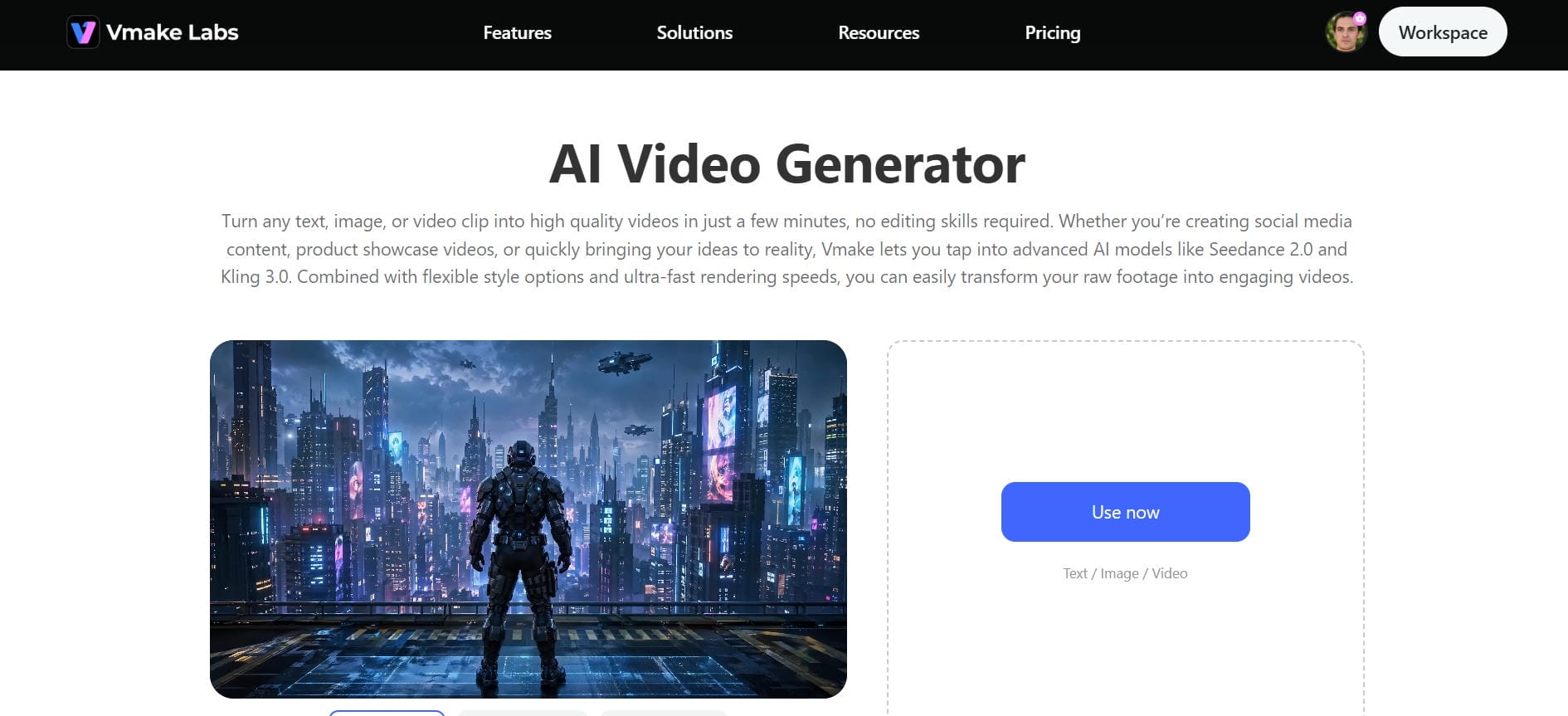
Key features of Vmake free AI girlfriend video generator
-
Multi-model AI engine: The platform integrates top-tier AI models like Seedance 2.0, Kling 3.0, Veo 3.1, and Sora 2. This lets you switch between ultra-realistic, cinematic, or stylized looks to fit your exact video concept.
-
Text to video & Image to video: Simply type a detailed description or upload a photo of your AI girlfriend. The tool quickly turns your words or image into a smooth, lifelike video without any extra effort.
-
Realistic AI Avatars: Create highly convincing AI avatars with natural facial expressions and perfect lip-sync technology. The AI precisely matches mouth movements to your script for seamless performance.
-
Advanced video enhancer: Instantly upscale your clips up to clear 4K resolution. The AI video enhncer analyzes each frame to sharpen details, restore skin textures, and balance low-light scenes automatically.
How to make AI girlfriend videos using Vmake AI
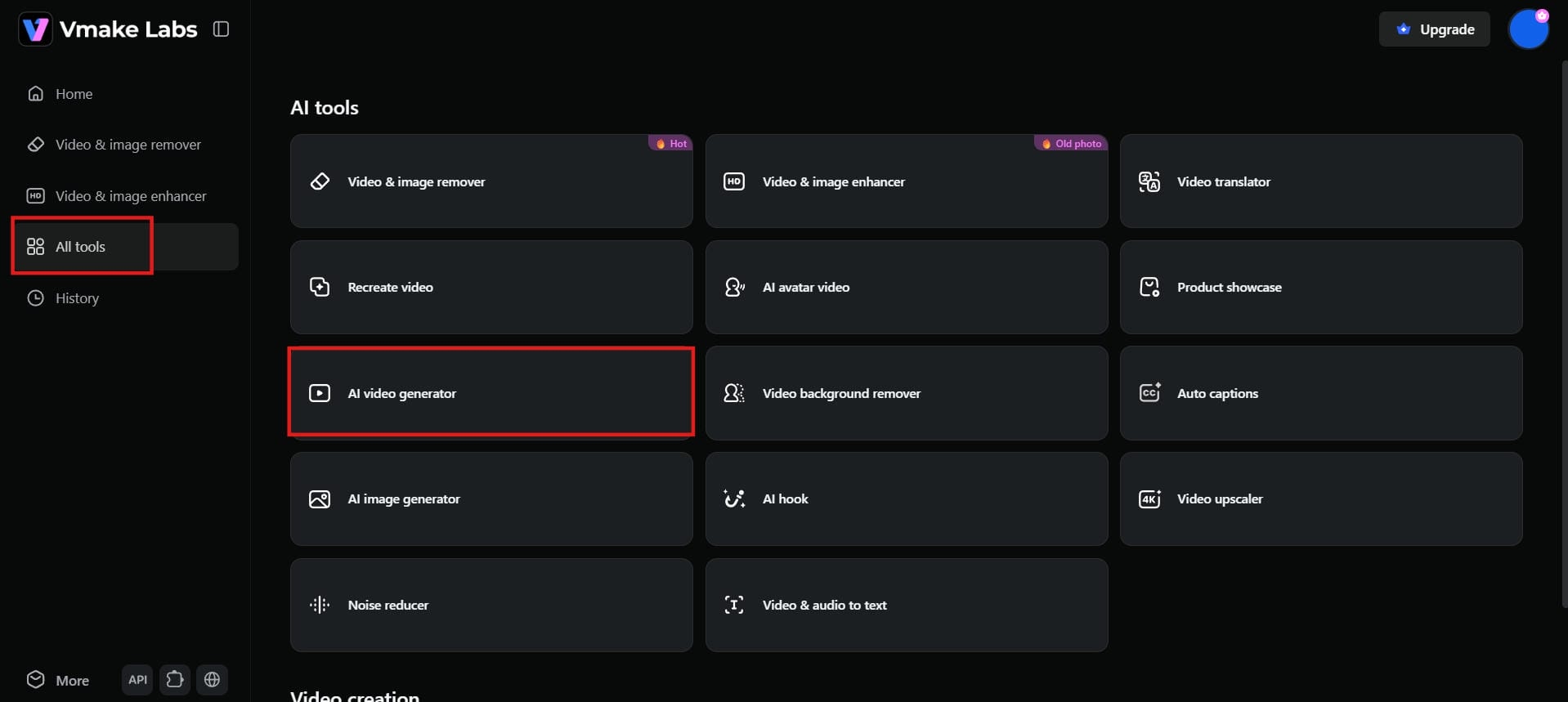
Step 1: Navigate to AI video generator
Go to the Vmake AI dashboard. Click on "All tools" and then select "AI video generator." This will open the main workspace where you can start creating your AI girlfriend videos using text prompts or images.
Step 2: Describe your idea and customize settings
This is where magic happens. Describe your scene in detail, such as the character's appearance, setting, emotion, dialogue, and any movements you want. Select a video model from the list, set your preferred aspect ratio, and video length in the settings panel.
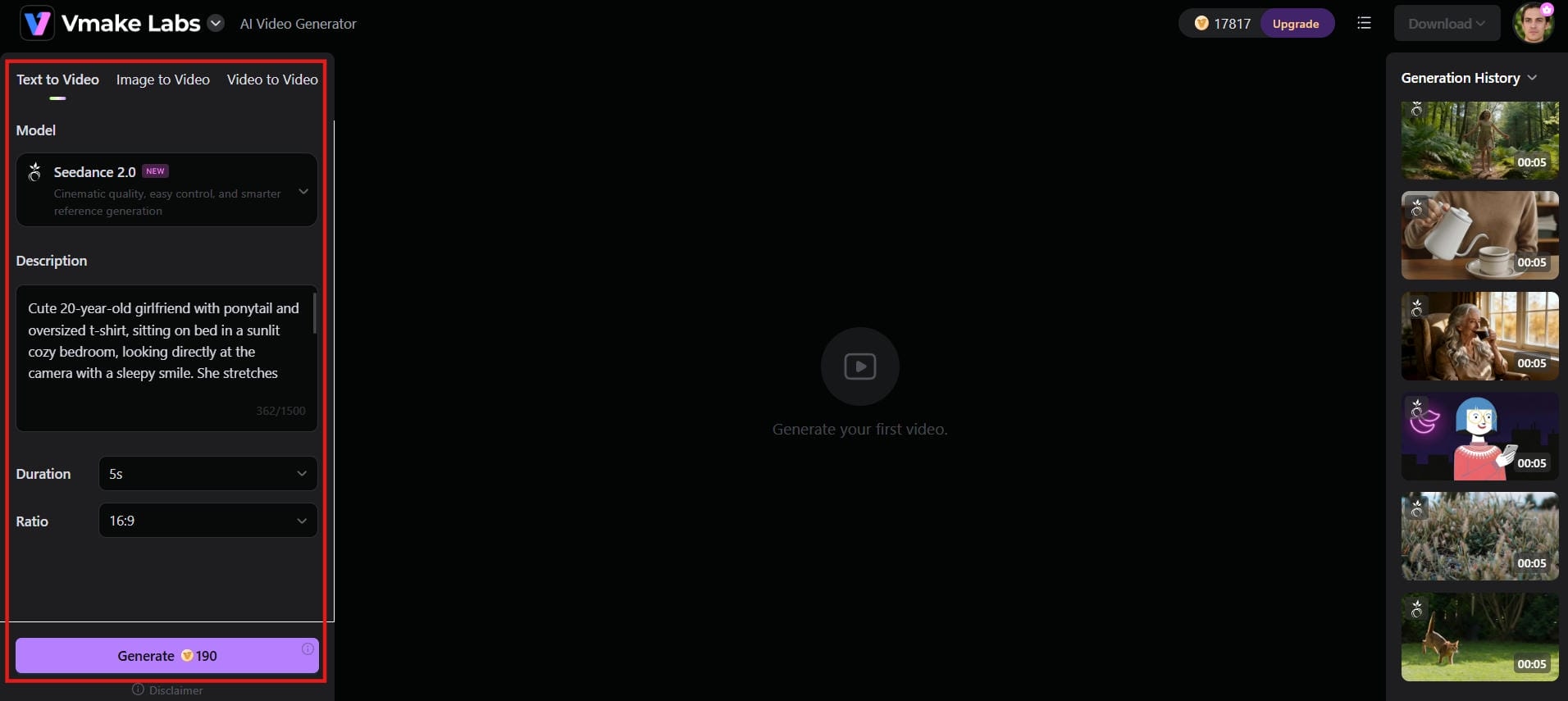
Step 3: Generate and download
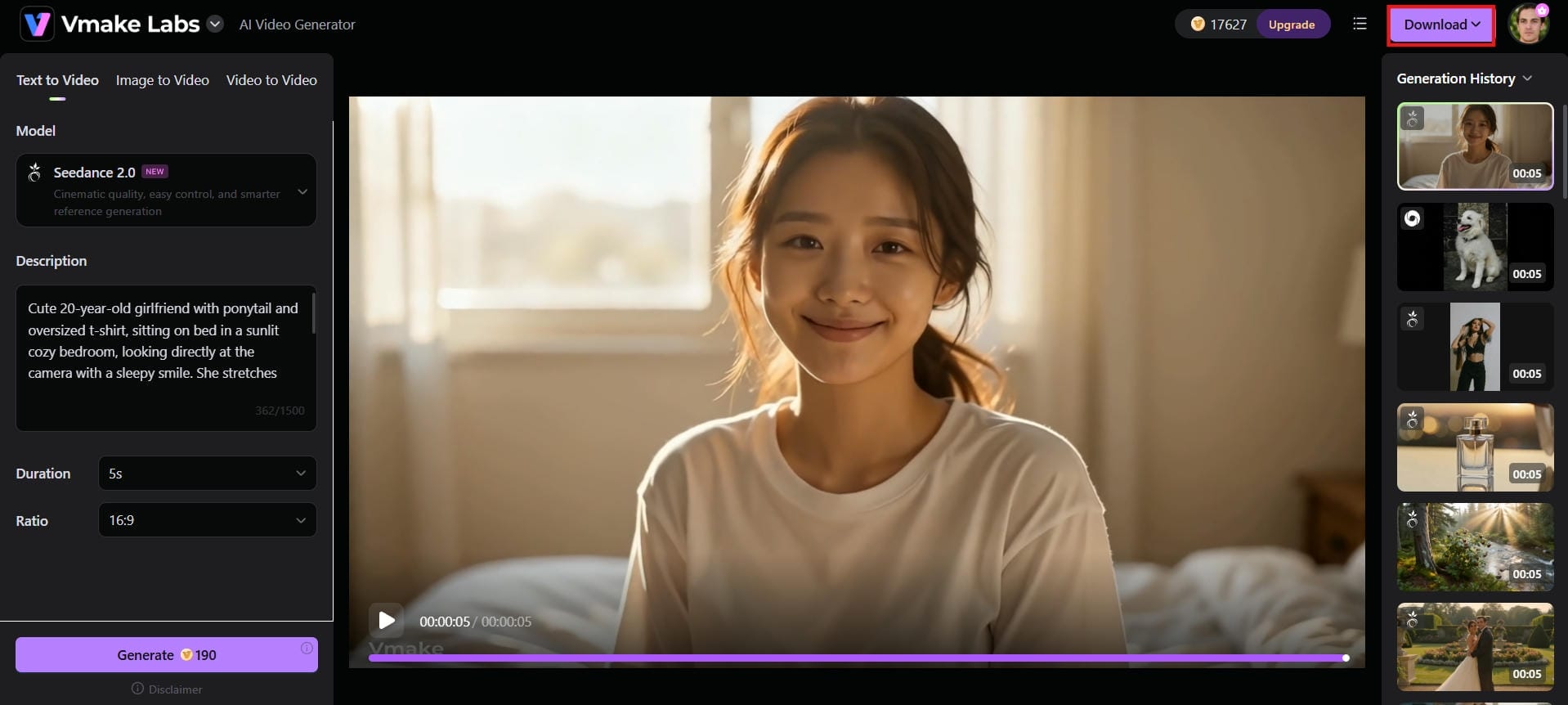
Hit "Generate" and let Vmake AI do the work. The platform will produce a preview within minutes. Review the output, and hit "Download" to save the final video once you're happy with it.
Best prompt ideas for AI girlfriend videos
Your prompt is the most important input in this whole process. Below are five ready-to-use prompts you can customize based on your preferred style and scene:
-
Sunset Beach Walk
"A beautiful 22-year-old girlfriend with long wavy hair, wearing a light summer dress, walking barefoot on a golden sunset beach, holding my hand. She smiles warmly at the camera, gently tucks her hair behind her ear, and says, "I love spending evenings like this with you." Soft golden hour lighting, gentle waves in the background, smooth tracking shot, cinematic, realistic style, perfect lip sync."

-
Cozy Morning Greeting Video
Cute 20-year-old girlfriend with ponytail and oversized t-shirt, sitting on bed in a sunlit cozy bedroom, looking directly at the camera with a sleepy smile. She stretches cutely and says, "Good morning, baby, did you sleep well?" Warm morning sunlight through the window, soft bokeh background, medium close-up shot, natural realistic style with gentle movements.
-
Emotional Heartfelt Message
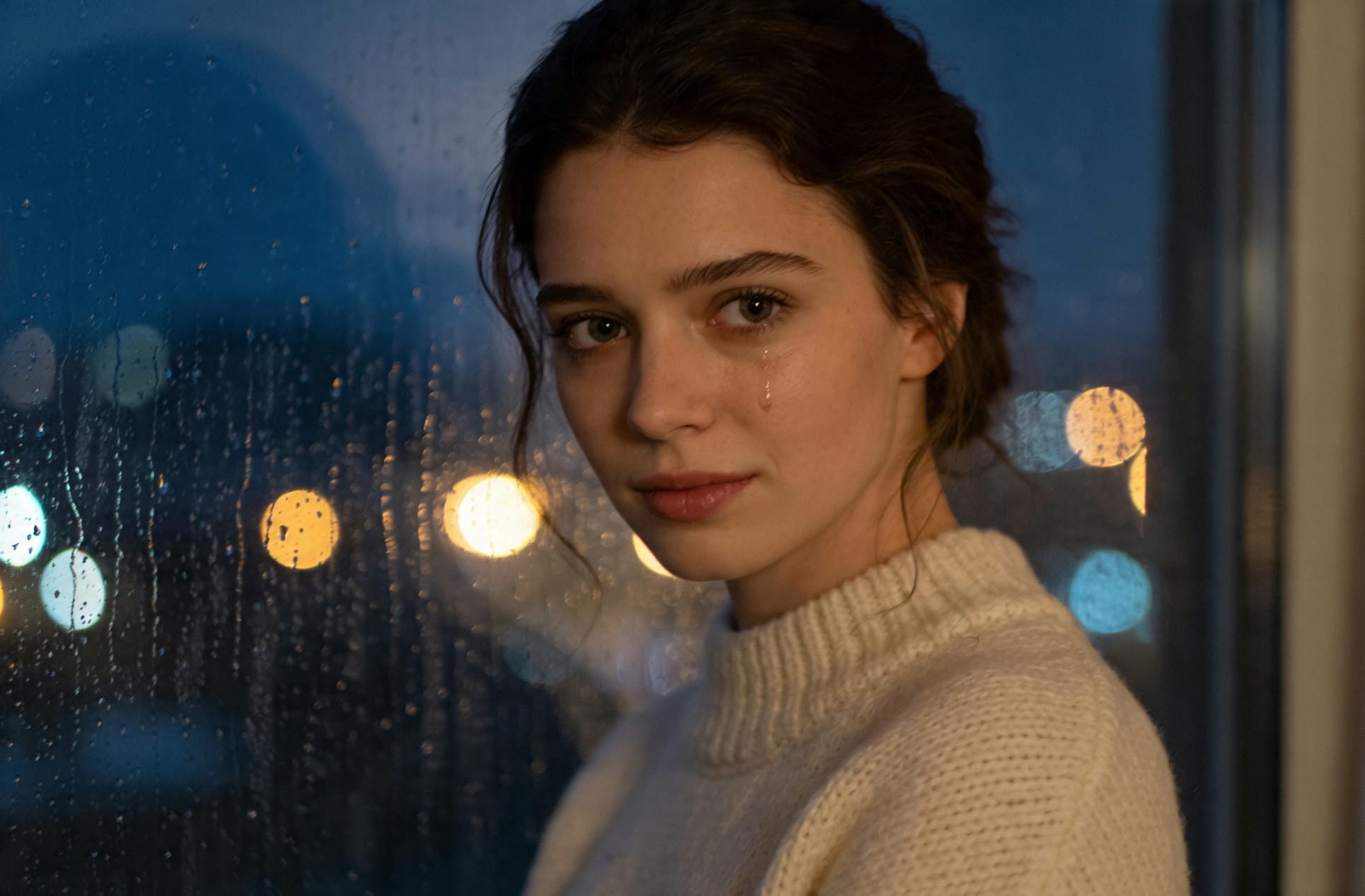
Elegant 24-year-old girlfriend in an elegant sweater, standing by a rainy window at night, soft city lights in the background. She looks lovingly at the camera with gentle eyes and says, "Even on tough days, knowing you're there makes everything better." Cinematic moody lighting, slow emotional zoom-in, realistic tears in eyes, heartfelt atmosphere.
-
The Gaming and Chill Night Prompt
A relaxed, dimly lit room illuminated by the soft glow of a computer monitor. A woman wearing casual over-ear headphones, sitting in a gaming chair, turning to the camera to smile and react to a game, captured in crisp 4K resolution.
-
The Casual POV Video Call Prompt
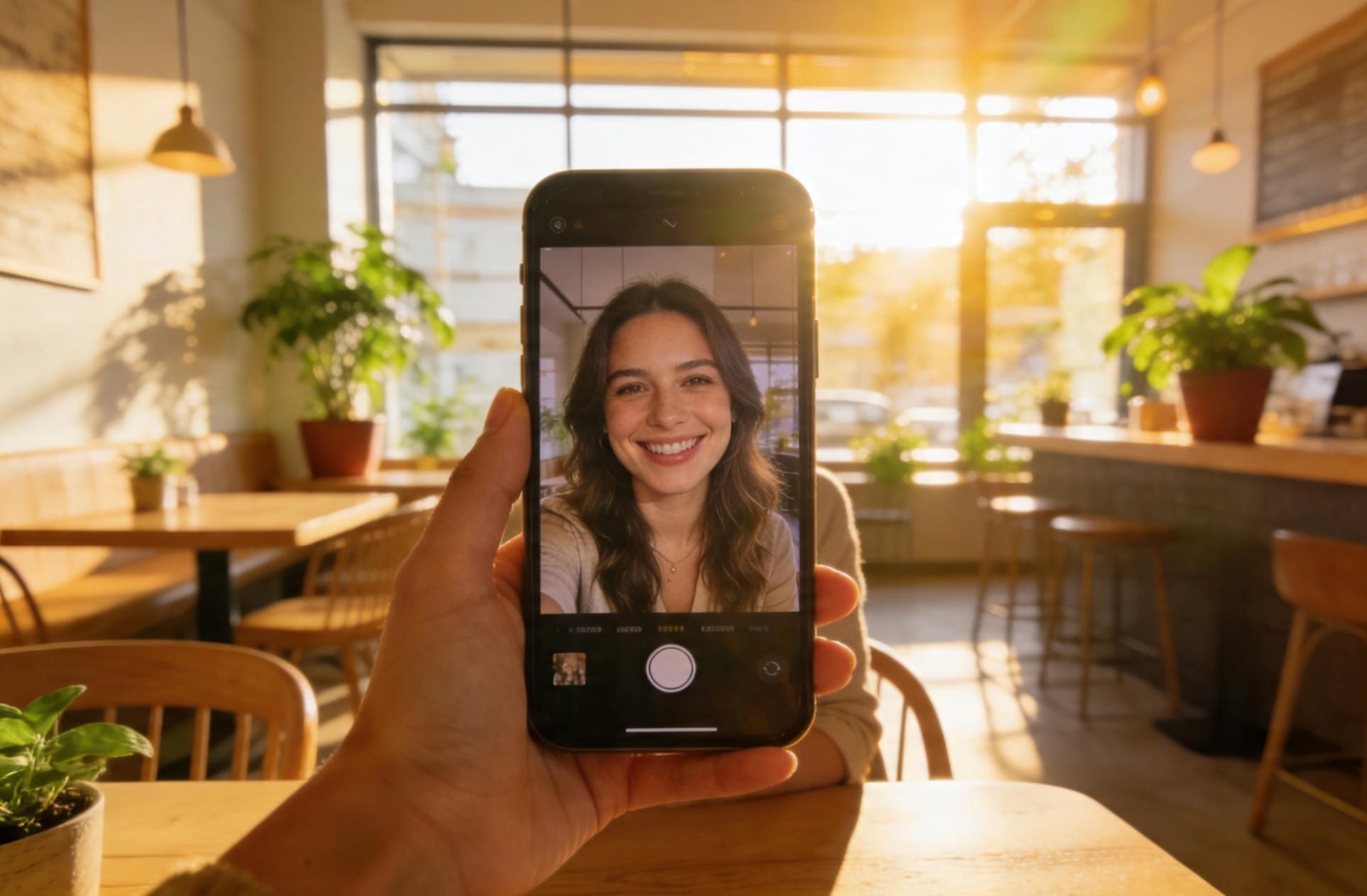
A cozy, high-definition smartphone POV video call perspective. A warm, smiling woman sitting in a sunlit modern café, holding her phone naturally, talking directly to the camera with soft, realistic facial expressions and natural ambient lighting.
Tips to make AI girlfriend videos look more realistic
Making your virtual characters look lifelike requires focusing on small details. A few simple adjustments can completely remove that artificial look. Use these essential tips to make your AI videos look incredibly realistic.
-
Use high-quality source images: Always start with sharp, high-resolution reference photos. Good lighting and clear features allow the AI engine to reproduce skin texture accurately.
-
Write detailed motion prompts: Don't just describe the setting. Explicitly tell the AI how the character moves, like "she gently tucks her hair behind her ear" or "she blinks softly," to create fluid, natural human motion.
-
Choose natural facial expressions: Avoid forcing extreme emotions like intense anger or exaggerated laughter. Soft smiles, subtle eye blinks, and gentle head tilts look much more authentic and convincing to viewers watching your content.
-
Keep character design consistent: Use the exact same face prompts and description keywords across all your clips. This keeps your virtual girlfriend's appearance identical from video to video, making your storyline feel connected and real.
-
Add voiceover or AI voice for realism: Pair your video with a natural-sounding AI voice that matches her personality. Good lip-sync combined with emotional tone makes the whole video much more believable and engaging.
Conclusion
AI girlfriend videos are changing the way people create digital entertainment and social media content. With modern AI tools, anyone can generate realistic virtual characters, natural voiceovers, and cinematic scenes in just minutes. Features like lip-sync, facial animation, and customizable avatars make these videos feel more engaging and lifelike. Platforms like Vmake AI simplify the entire process for beginners and experienced creators alike. Whether you want playful greetings, travel scenes, emotional messages, or POV-style video calls, Vmake offers endless creative possibilities. Start experimenting today with Vmake AI and bring your ideas to life.
FAQs
Can I create an AI girlfriend video for free?
Yes, you can. Vmake AI offers free trial credits upon signing up, allowing you to test out the AI video generator tools risk-free. This allows you to experiment with different virtual characters, text prompts, and basic editing features before signing up for a paid subscription plan.
How long does it take to generate an AI girlfriend video?
Most AI girlfriend videos take only a few minutes to generate. Processing time depends on video length, animation quality, and customization settings. Vmake AI uses cloud-based rendering to speed up video generation while maintaining realistic visuals, smooth motion effects, and accurate lip-sync performance.
How can I simulate a realistic AI girlfriend video call?
To simulate a realistic AI girlfriend video call, use a POV prompt in Vmake AI and set a cozy background like a bedroom or café. Describe natural expressions, eye contact, and casual talking. Add good lip-sync and soft movements. This makes the video feel like an actual video call.
Are AI girlfriend videos safe to use?
AI girlfriend videos are generally safe when created with trusted and secure platforms. Reputable tools like Vmake AI include privacy protections and content moderation systems. Users should avoid uploading sensitive personal information and always follow platform guidelines for responsible and ethical AI content creation.
What types of prompts work best for AI girlfriend videos?
The best prompts include detailed descriptions of appearance, emotions, lighting, movement, camera angles, and background settings. Clear storytelling prompts create more realistic results. Vmake AI performs especially well with cinematic scene descriptions and natural conversational dialogue for immersive AI girlfriend video generation.

You May Be Interested

AI TikTok Video Generator | Create High-Quality AI Videos

Best AI Video Generator: Top Tools Tested (2026)

11 Best Image to Video AI Generators Compared in 2026

Funny Video Memes: Best Clips, Short Reels & Meme Compilations

Best AI Animation Generators for Creating Images and Videos
How to Create a Video with Images: A Complete Beginner's Guide