
How to Upscale Seedance 2.0 Videos & Remove the "AI Look" (De-AI Guide)
 Ken DawsonFebruary 12, 2026
Seedance 2.0 (powered by Dreamina) has changed the game for rapid video generation. It’s fast, creative, and fantastic for storyboarding. But let’s be honest about the output quality: it often screams "AI."
Whether it’s the low resolution (often stuck at 720p), the strange plastic texture on skin, or the jittery background artifacts, raw Seedance footage can struggle to hold viewer attention in a professional ad or social feed.
If you want to use AI video for commercial purposes—like TikTok ads, dropshipping product pages, or brand storytelling—you need to bridge the gap between "generated" and "filmed."
Here is how you can use Vmake’s Video Enhancer to upscale clarity, restore details, and, most importantly, "De-AI" your footage.
Why Raw AI Video Isn't Enough for Ads
Before we fix it, we need to understand the problem. Most current generation models, including Seedance 2.0, suffer from three main issues:
1. Low Bitrate & Resolution: The raw exports are often compressed, making them look muddy on high-res iPhone or desktop screens.
2. The "Uncanny Valley" Texture: Skin looks too smooth, hair looks like wire, and fabrics lack realism.
3. Visual Noise: Random flickering or "boiling" textures in the background that distract the viewer.
Vmake Video Enhancer solves this
Step-by-Step: How to Enhance & "De-AI" Seedance 2.0 Videos
Step 1: Upload Your Clip to Vmake
Navigate to the Video Enhancer tool on Vmake. Upload your raw Seedance 2.0 file.
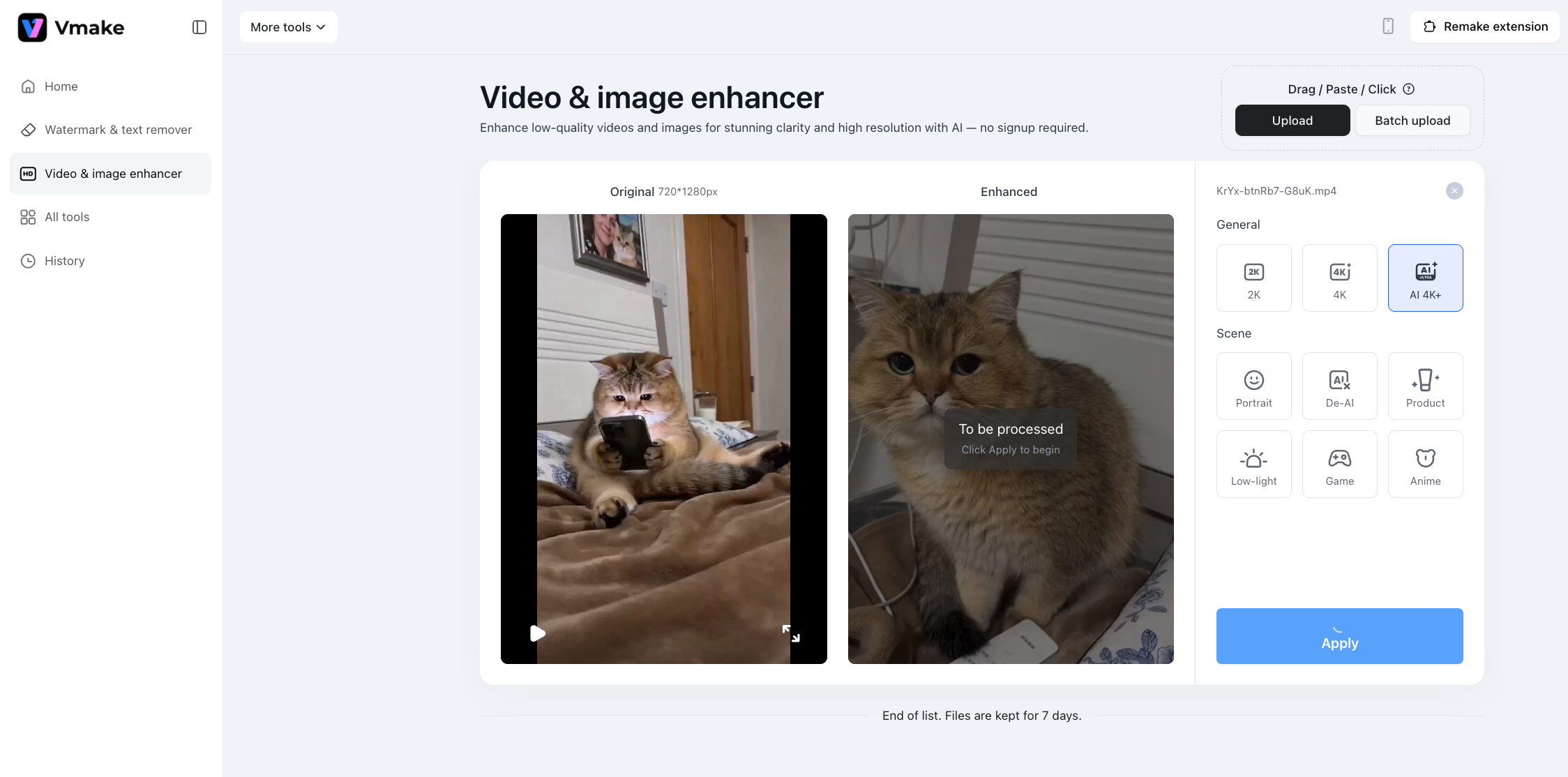
Step 2: Choose AI 4K+
Achieving clarity is just the baseline. While standard enhancers merely apply simple filters, AI 4K+ utilizes generative scene reconstruction. It intelligently analyzes the footage to restore fine details and textures lost during compression. The result is a crisp, high-fidelity video that avoids the artificial 'waxy' skin or harsh, jagged edges common in other upscalers.
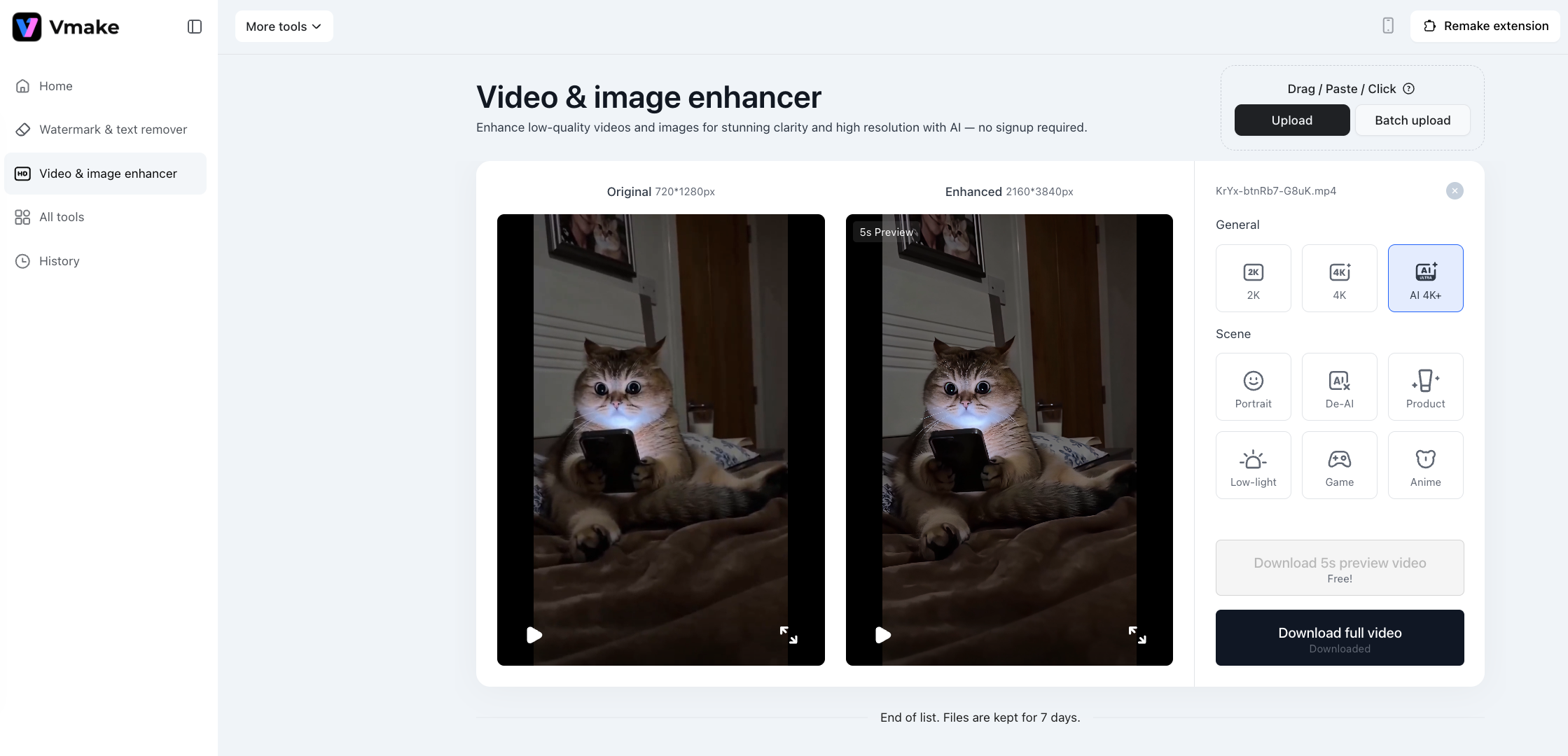
Vmake doesn’t just stretch the pixels; it hallucinates new details based on the existing data, sharpening edges and making the text readable.
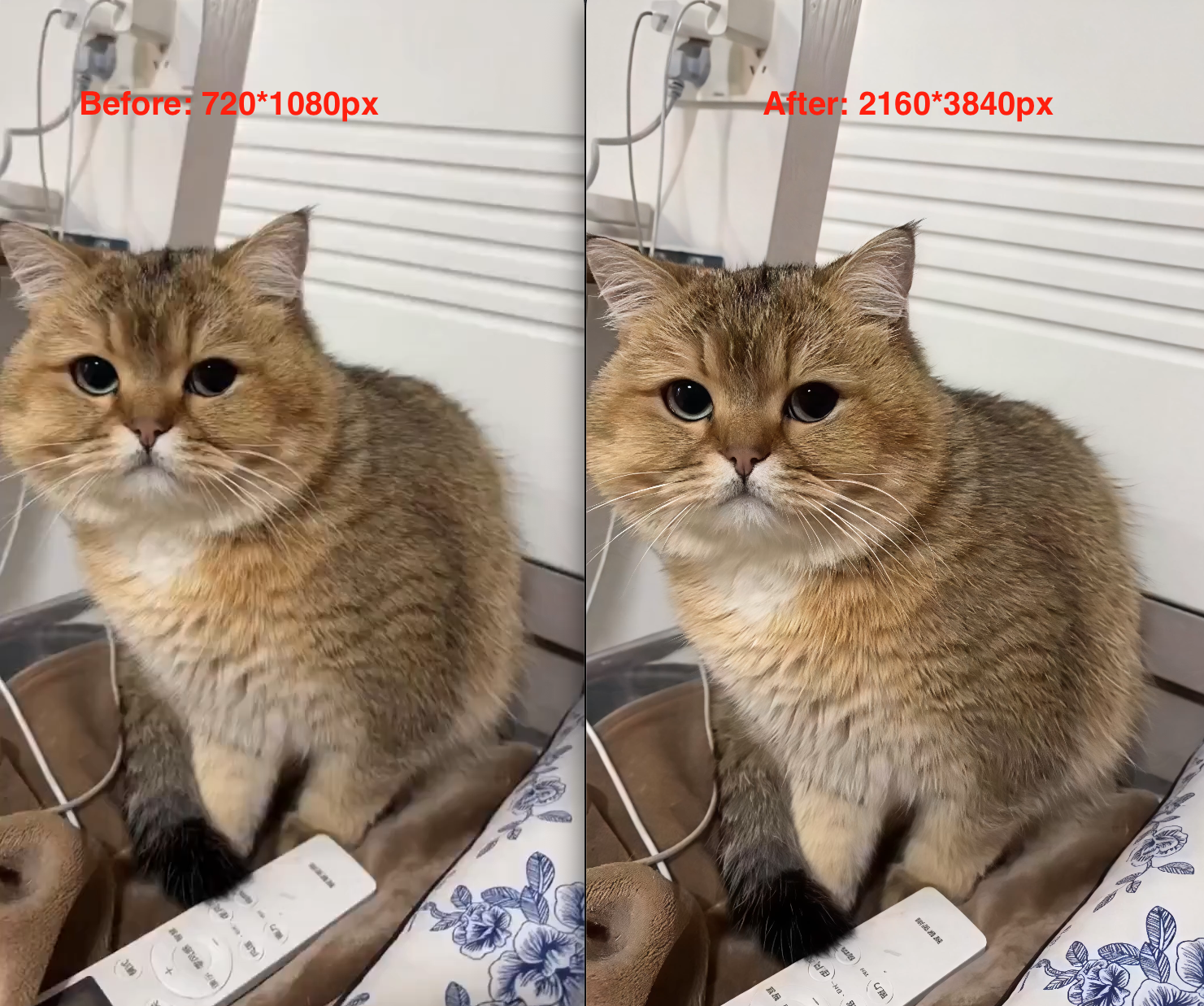
Step 3: The "De-AI" Process
This happens automatically during the enhancement process. Vmake’s algorithms analyze the footage to:
- Fix Facial Features: It restores natural skin pores and eye sharpness, removing the "wax figure" look.
- Stabilize Textures: It smoothes out the background noise, making the video feel like it was shot with a camera lens, not a computer script.
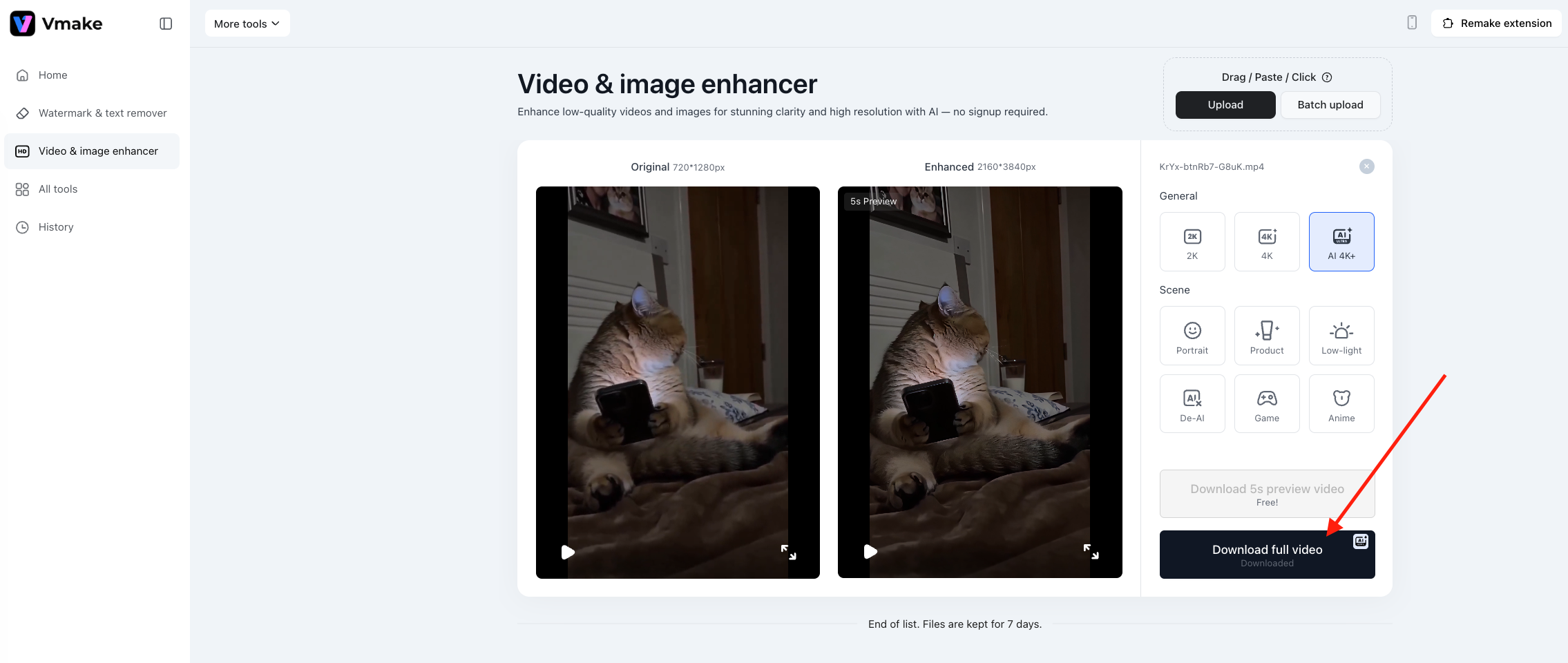
Step 4: Preview and Export
Use the slider to compare the "Before" and "After." You will notice the contrast is punchier and the blur is gone. Once satisfied, hit Download full video.
By running your Seedance 2.0 clips through Vmake, you aren't just getting a bigger file size. You are getting:
- Higher Retention Rates: Viewers perceive high-definition video as more trustworthy.
- Platform Compliance: Instagram Reels and TikTok algorithms favor high-bitrate, clear content over blurry uploads.
- Brand Consistency: Your AI video will finally match the quality of your other marketing assets.
One Last Critical Step
While high resolution is essential, nothing kills a video's professional vibe faster than a lingering platform watermark. Even a 4K video looks amateur if it has a "Dreamina" logo floating in the corner.
Whether you choose to remove it before or after enhancing, getting rid of that logo is non-negotiable. Use Vmake's Video Watermark Remover to ensure your final export is clean to truly match that premium, high-definition quality.
Read our previous guide here: How to Remove Seedance 2.0 (Dreamina) Watermark with Vmake
Bonus: Scale Your Winning Concept (Without Burning Credits)
Love the Seedance 2.0 video you just made? Wish you could generate 10 more variations to test on TikTok, but running low on generation credits?
You don't need to go back to the drawing board (or your wallet).
Vmake’s latest Recreate Viral Video feature allows you to take that single "winner" and instantly remix it into fresh iterations. It analyzes the pacing and structure of your original hit and generates new, unique versions with just one click. It’s the ultimate hack for extending the lifespan of your best content without burning through your budget.

You May Be Interested
How to Remove Seedance 2.0 Watermark from Videos

Seedance 2.0 vs Sora 2: Which AI Video Generator Wins in 2026?

Google Gemini|Copy Paste This Simple Prompts to Create “Hug my younger self ” Photos
Top 20 Captions to Make Your YouTube Shorts Go Viral
