What is 4K Resolution: Definition, Features, & Benefits
 Ken DawsonMay 24, 2026
As screens have gotten better, 4K resolution has quietly turned into the default that people expect. You see it everywhere now. So, the question is: what is 4K resolution? 4K resolution has 4,000 horizontal pixels stretched across the display. The most common version gives you four times the detail of Full HD 1080p, which is why videos tend to look sharper, textures appear cleaner, and fine details hold together better on larger screens.
This guide breaks down what 4K resolution actually means, the different types you'll run into, and why people care about it so much in gaming, streaming, filmmaking, and everyday entertainment. Still, more pixels don't magically fix bad visuals. For this, you can harness the power of Vmake to improve low-resolution videos.
What is the 4K resolution in pixels
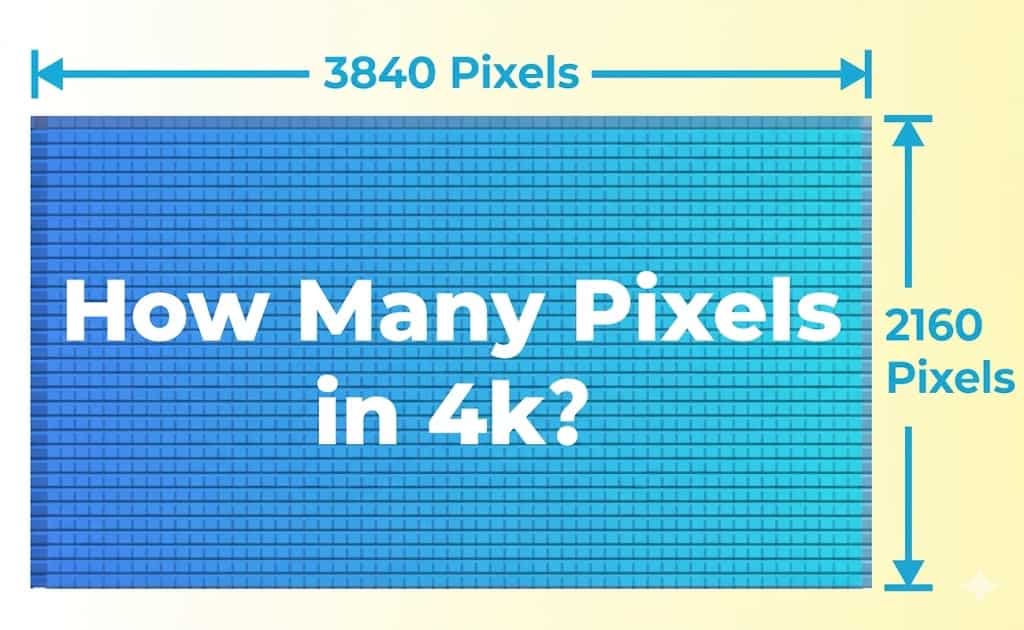
4K resolution packs 4,000 horizontal pixels across the screen. The version you'll see most often on consumer TVs and monitors is 3840 × 2160. Sounds technical? So, what is 4K format? It means that our screen is handling more than 8.3 million pixels at once, which is why good 4K footage tends to look noticeably sharper than regular HD. The "K" stands for "kilo," or roughly one thousand. In this case, it points to the horizontal pixel count. Compared to Full HD resolution at 1920 × 1080, 4K gives you four times more pixels overall.
What are the different types of 4K resolution
Now that you know what is a 4K resolution, let's outline the different types of 4K resolution.

-
4K UHD (Ultra High Definition)
4K UHD is the version you'll see almost everywhere. Smart TVs, streaming platforms, gaming consoles, and computer monitors are lined up in electronics stores with overly dramatic demo footage playing on loop. This is the consumer standard most companies built around. The resolution comes in at 3840 × 2160 pixels with a 16:9 aspect ratio, which matches the widescreen format already used for movies, YouTube videos, sports broadcasts, and modern games.
-
DCI 4K (Digital Cinema)
DCI 4K comes from the professional film industry. Instead of the standard UHD resolution, it uses 4096 × 2160 pixels, giving filmmakers a slightly wider frame to work with. It's based on digital cinema standards rather than consumer display standards, which is why you'll mostly see it in movie production, commercial filmmaking, and high-end cinema projection systems. The extra width isn't dramatic when viewed casually, but filmmakers care about this stuff. Framing and cropping flexibility matter. That's where DCI 4K earns its place.
Bonus: Difference between native 4K and 4K UHD
People constantly use the terms "native 4K" and "4K UHD" like they mean the exact same thing. Technically, they don't. For everyday viewing, the difference is fairly small. Still, if you're buying a display, editing professional video, or comparing specs online, understanding the distinction saves you from a lot of unnecessary confusion.
Native 4K refers to the original cinema-standard resolution used in professional film production and digital theaters. Native 4K runs at 4096 × 2160 pixels, giving videos a slightly wider frame than standard consumer UHD displays. That extra width matters more in professional cinema production than most people realize. Filmmakers care about framing obsessively, so even small differences in aspect ratio can affect how scenes are composed and projected on large theater screens.
4K UHD is the version almost everybody uses at home. TVs, gaming monitors, streaming platforms, YouTube videos, sports broadcasts, and console gaming - this is the standard sitting underneath most of it. The resolution comes in at 3840 × 2160 pixels with a 16:9 aspect ratio, which matches the widescreen format you've probably been using for years already.
The core technical difference really comes down to horizontal width. Native 4K uses 4096 pixels across the screen, while UHD uses 3840. Height stays the same at 2160 pixels for both formats. That wider frame in native 4K creates a more cinematic aspect ratio, which is useful for film production workflows.
Why 4K resolution matters in videos
You've got the answer to what is the 4K resolution. Check out why it exactly matters and why people are discussing it a lot.
-
Superior Viewing Experience
The biggest reason people notice 4K immediately comes down to clarity. You get sharper textures, cleaner edges, and more visible detail packed into every frame. Skin textures look more natural. Landscapes carry depth instead of turning into blurry patches of color. Even small details start looking better in 4K. Subtitles appear sharper. Menu text feels cleaner. On larger screens, especially, you notice less fuzziness around edges that normally get ignored until you compare it side by side.

-
Ideal for Entertainment
Streaming services pushed 4K into the mainstream fast. Movies, sports broadcasts, documentaries, and premium TV shows now regularly support ultra-high-definition playback. And honestly, cinematic content benefits from it the most. Dark scenes hold more detail. Fast action looks less messy. Nature documentaries almost become distracting because you start noticing tiny background details you would've ignored before.
-
Better for Gaming
Gaming in 4K changes how environments feel. That's the easiest way to explain it. Open-world games look richer, distant objects stay sharper, and textures don't break apart as quickly when you move through detailed scenes. What mainly benefit from the extra resolution are racing games, sports titles, and cinematic story-driven games.

-
Professional Applications
Higher-resolution footage gives you room to fix things later. You can crop awkward framing, stabilize shaky clips, zoom slightly into scenes, or adjust composition without wrecking image quality immediately. During post-production, those small corrections happen constantly.
-
Future-Proof Technology
Buying 4K equipment now usually means you won't feel outdated anytime soon. Most major platforms already prioritize higher-resolution content, and manufacturers clearly aren't slowing down.
Common use cases of 4K resolution
-
Home entertainment (TVs, streaming)
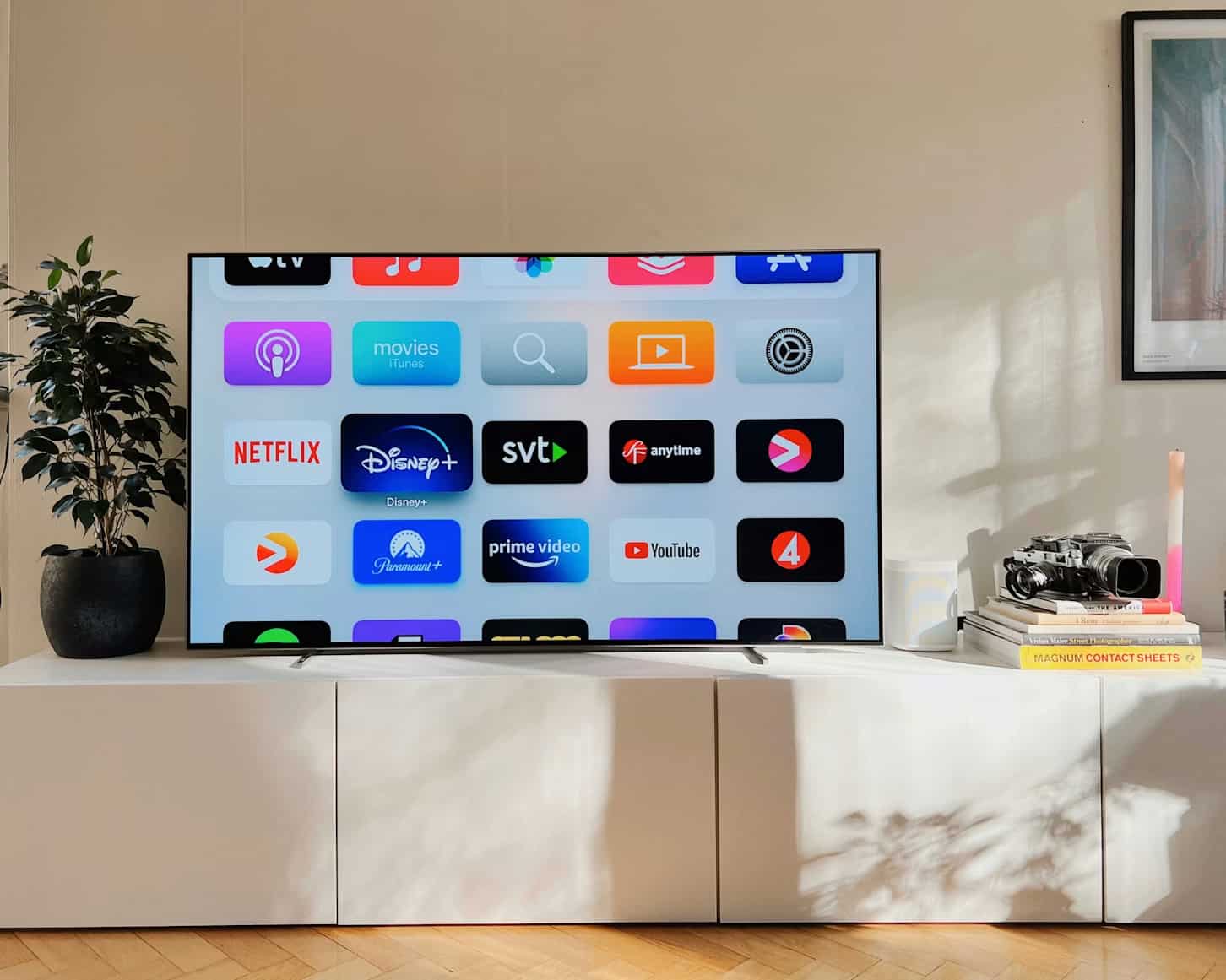
Smart TVs, streaming sticks, and modern media players now push ultra-high-definition content constantly. Movies simply look better in 4K. Fine textures hold together longer, fast camera movement feels cleaner, and sports broadcasts carry details you'd normally miss in lower resolutions
-
Gaming consoles and PCs
Gaming pushed 4K adoption harder than almost anything else. Players want sharper environments and cleaner textures that don't blur into a mess. Open-world games especially benefit from distant buildings, mountains, foliage, and lighting effects.
-
Film production and cinematography
Filmmakers rely on 4K because editing flexibility matters. When you're editing high-resolution footage, you've got extra space to crop scenes, stabilize shaky camera movement, tighten framing, or zoom in slightly without the image falling apart immediately. That's incredibly useful during commercial shoots and cinematic projects where clients change their minds halfway through the process.

-
Digital signage and advertising
Retail stores, airports, restaurants, trade shows, and outdoor advertising displays increasingly use 4K screens because sharper visuals grab attention faster. Bright product shots look cleaner. Motion graphics feel smoother. Promotional videos carry more visual punch when viewed up close, especially on massive commercial displays where lower resolutions become painfully obvious.
-
Professional design and editing
Graphic designers, photographers, video editors, and animators often prefer 4K monitors because the higher resolution provides more workspace and finer visual detail. Editing timelines feels less cramped. Photos appear sharper. Tiny imperfections become easier to spot before final export.
Upgrade videos: Enhances your footage to 4K with Vmake
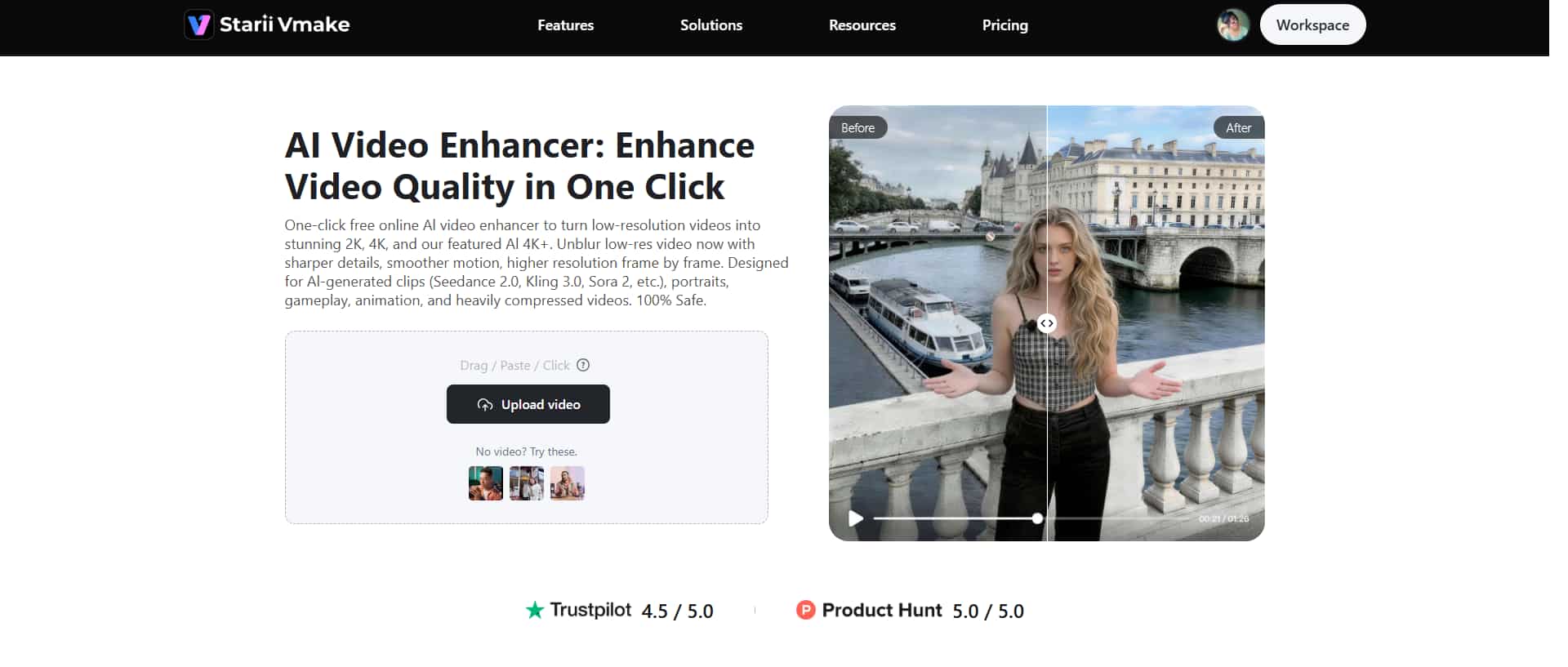
Vmake video enhancer focuses heavily on automatic video enhancement and AI-based upscaling. You upload lower-quality footage, and the platform works on improving clarity, reducing blur, sharpening textures, cleaning up visible noise, and pushing the final output closer to HD or 4K quality.
Step-by-step guide to improve resolution
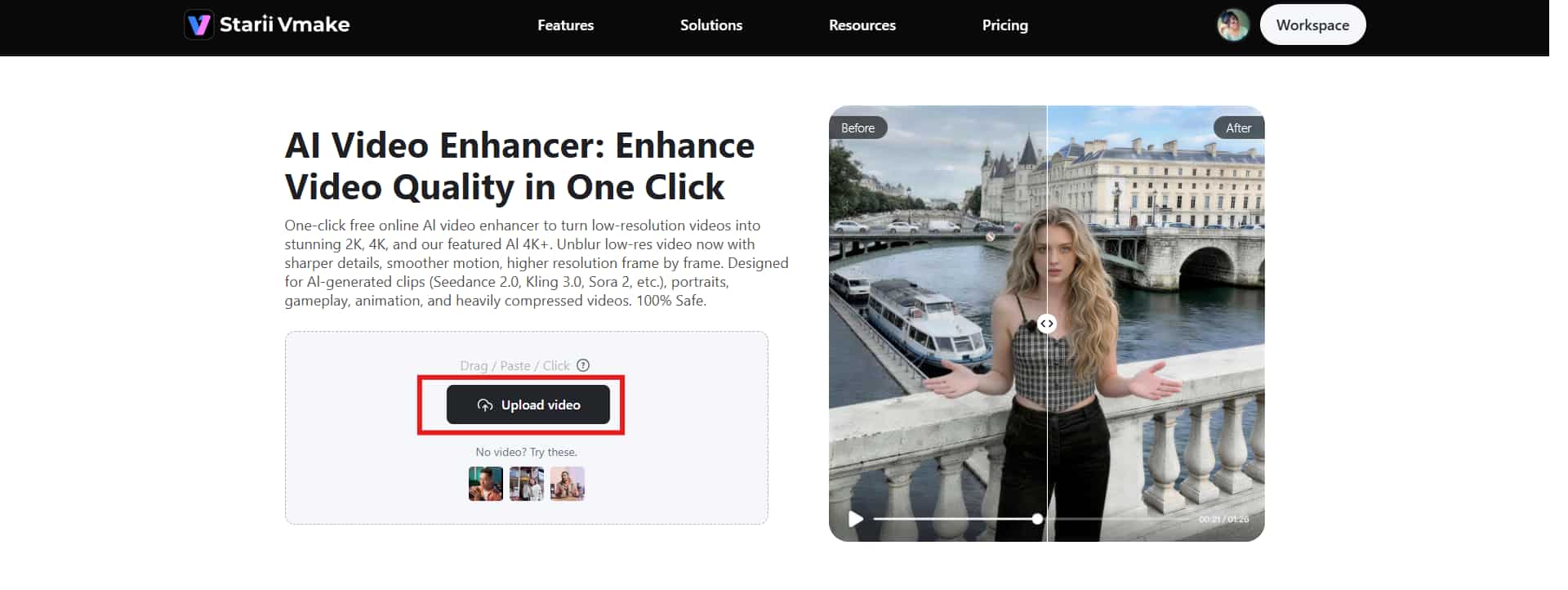
Step 1: Upload a video
Start by uploading the video you want to improve. The upload process itself is simple. You can drag and drop the file directly into the workspace or click the "Upload video" button manually if you prefer doing things the old-fashioned way.
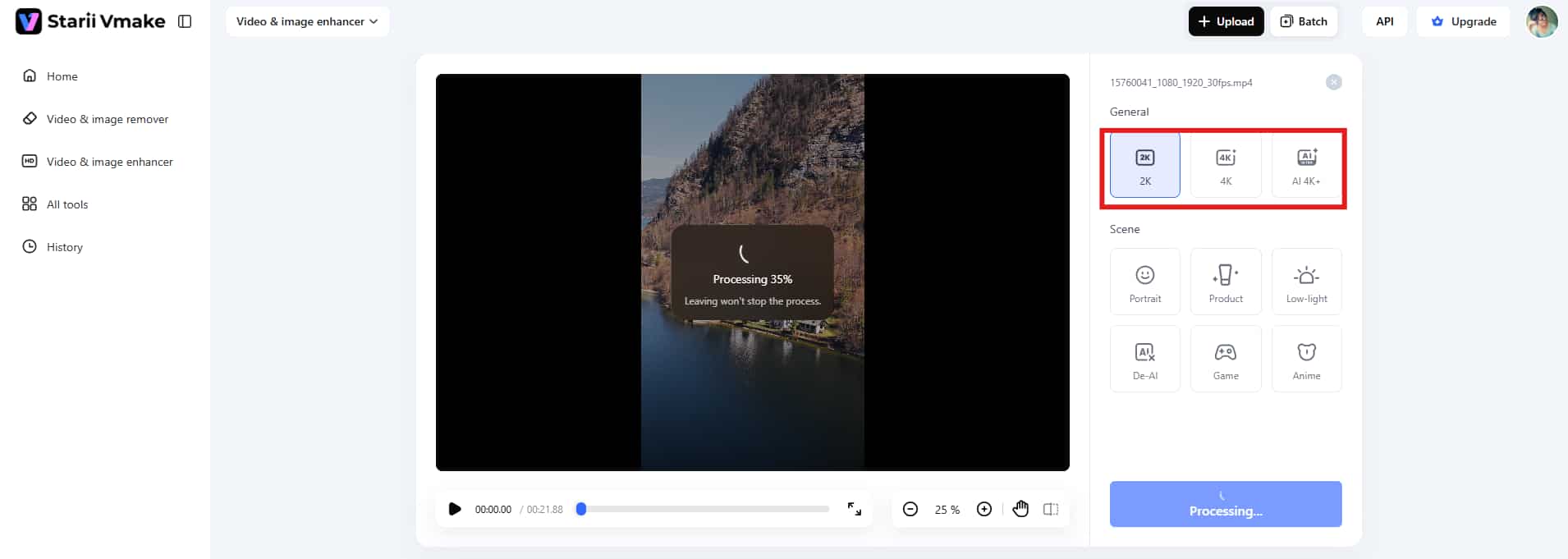
Step 2: Choose the resolution preset
Once your footage is uploaded, Vmake automatically analyzes your video and starts processing. Besides, you can choose the resolution presets, like 2K, 4K, and AI 4K+, that you want for the final export.
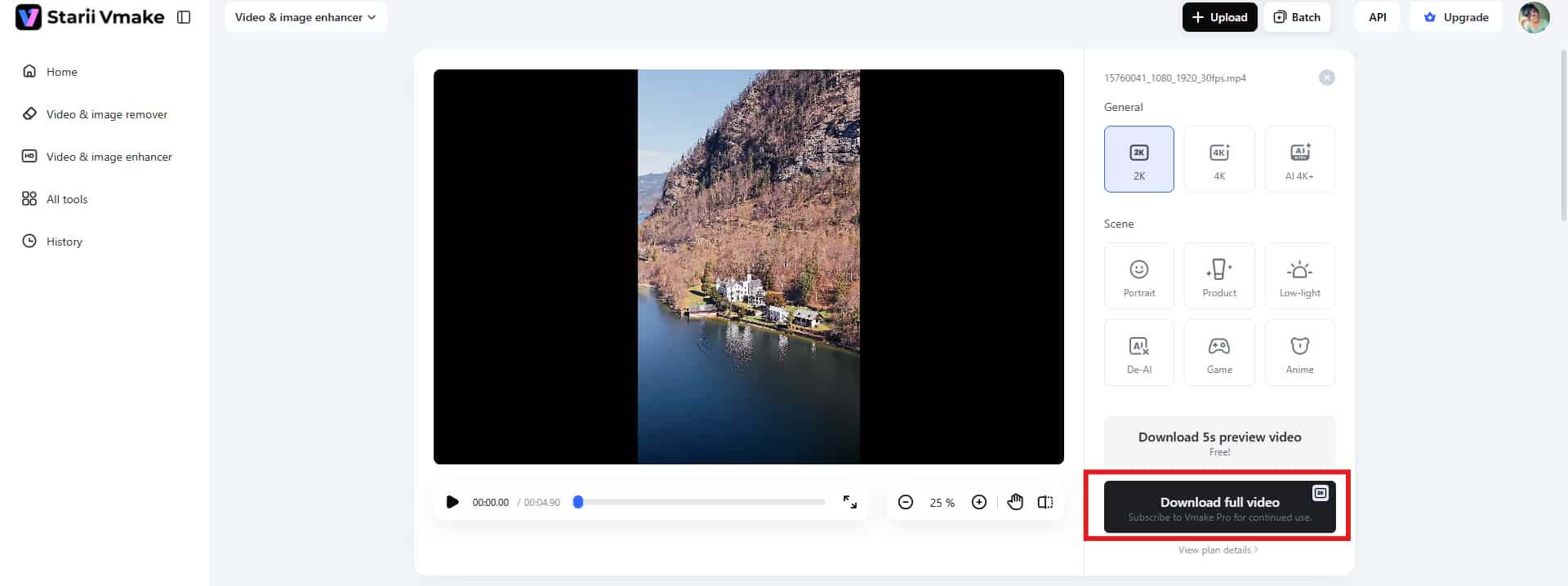
Step 3: Download the final video
Preview the final version generated by Vmake. Click the "Download" button in the bottom right corner to save the enhanced video for further use.
Key features
-
One-click enhancement: Vmake offers one-click enhancement, which further saves you time and effort. Upload the video and let Vmake handle the rest.
-
Multiple resolution presets: The platform supports multiple output resolution presets, including 2K, 4K, and AI 4K+ to give you appropriate choices for converting HD video.
-
Supports major video formats: Vmake supports plenty of video formats, so you can upload footage from any device.
Conclusion
We hope you now have the answer to what is 4K resolution. The biggest advantage comes down to detail. More pixels usually mean sharper textures, cleaner edges, stronger depth, and a viewing experience that feels noticeably more immersive once you're watching on a decent screen. Movies look richer. Games feel more lifelike. Creative professionals get extra flexibility during editing and production work. That's why 4K keeps spreading across so many industries at the same time. However, if you are dealing with low-res footage, tools like Vmake AI can help improve the visuals instantly. Harness the power of Vmake and improve older low-resolution footage without requiring professional editing skills.
FAQs
What does 4K resolution mean?
4K packs roughly 4,000 horizontal pixels across the screen. The most common consumer version runs at 3840 × 2160 pixels, which means you're looking at more than 8.3 million tiny pixels working together to build every frame, color, texture, and shadow on the display.
Is 4K the same as Ultra HD?
Not exactly. This confuses people constantly because brands use the terms almost interchangeably. Ultra HD, or UHD, usually refers to the consumer resolution standard of 3840 × 2160 pixels. That's the version used in most smart TVs, monitors, streaming platforms, and gaming consoles. True cinema 4K, often called DCI 4K, uses a slightly wider resolution of 4096 × 2160 pixels instead.
Is 4K better than 1080p?
Yes. 4K features sharper visuals, cleaner textures, better clarity, and more visible detail. However, the display size matters. On smaller displays, the improvement between 1080p and 4K can feel less dramatic than people expect.
Do you need special equipment to watch 4K?
Yes, usually. Watching true 4K content requires more than just opening a video labeled "4K." Internet quality becomes a bigger factor than many people realize. Streaming platforms often compress 4K video heavily if bandwidth drops, which can reduce sharpness and create visible artifacts during playback.
Can lower-resolution videos be converted to 4K?
Yes, they can, usually through AI upscaling or video enhancement software. Tools like Vmake AI analyze footage frame by frame to improve sharpness, reduce noise, enhance textures, and increase overall resolution output. This works surprisingly well on moderately compressed or standard HD footage.

You May Be Interested
Nano Banana vs Veo 3: A Detailed Head-to-Head Comparison
Native 4K vs Upscaled 4K: Which One to Choose?
[Updated!] How to Upscale Anime Video to 4K Online
Native 4K vs Upscaled 4K: Which One to Choose?

(2026) How to Create 4K Cinematic AI Videos: Seedance 2.0
Upscale Videos to HD: Free Online Methods and Optimization Tips